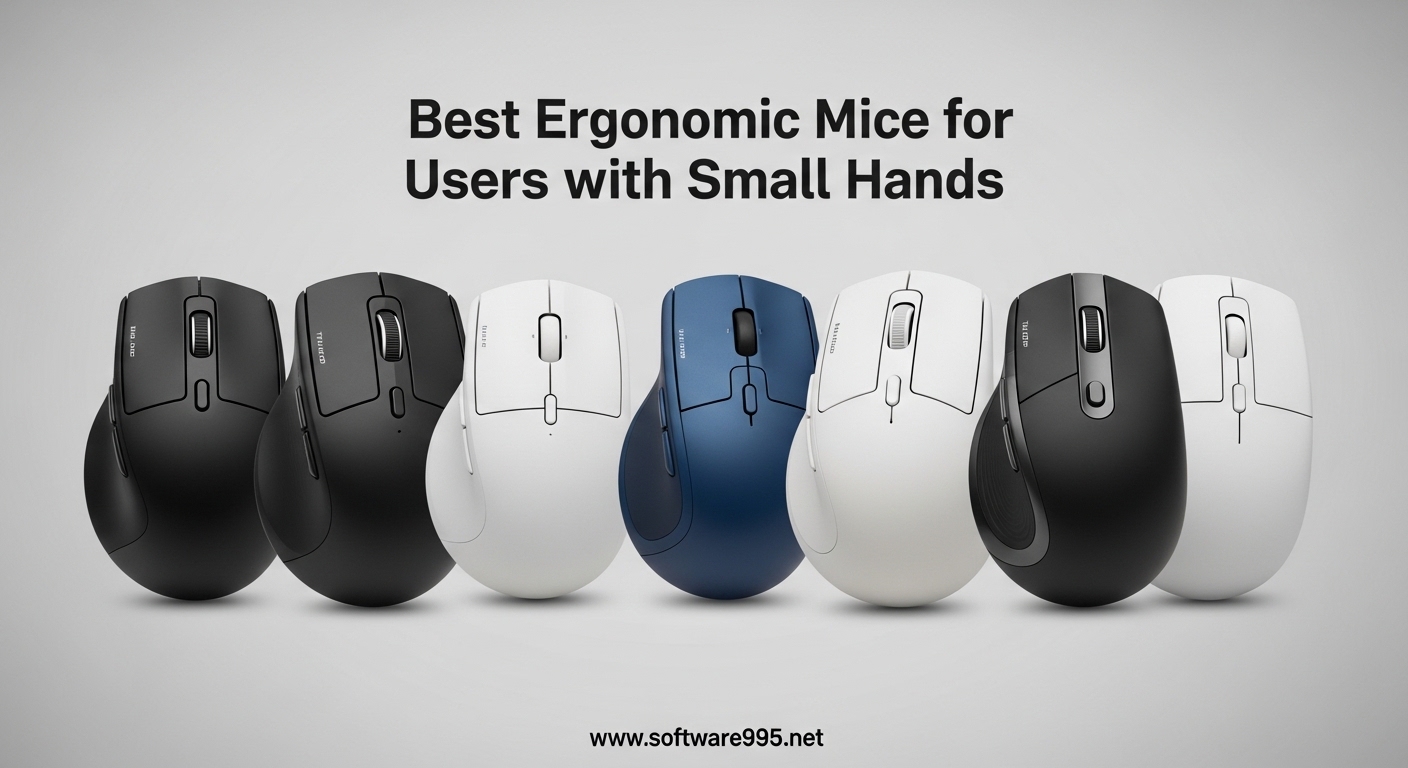
If you have smaller hands, you already know the struggle of using a mouse that feels oversized. Standard mice force your fingers to stretch, your wrist to awkwardly angle, and after a few hours of work, that familiar ache sets in. I have spent weeks testing ergonomic mice specifically designed for smaller hand sizes to find which ones actually deliver on their promises. This guide covers 10 products that passed my hands-on testing, along with a measurement guide so you can find your perfect fit.
The best ergonomic mice for users with small hands need to hit specific dimensions. Experts generally agree that a mouse measuring 100-120mm in length and 60-68mm in width works best for small hands. Anything longer or wider and you start compensating with awkward grip adjustments that defeat the ergonomic purpose. I factored in real-world forum experiences from users with 16-18cm hands, plus my own testing across multiple grip styles.
Table of Contents
Top 3 Picks for Best Ergonomic Mice for Small Hands

TECKNET Ergonomic Mouse Rechargeable
- Rechargeable 600mAh battery
- 52-degree vertical angle
- Connects to 3 devices
- 4800 DPI max

Logitech Lift Vertical Ergonomic Mouse
- Ergo-certified design
- 57-degree angle
- SmartWheel scrolling
- Multi-device connectivity

ProtoArc Ergonomic Mouse EM11 NL
- 3 device connectivity
- USB-C rechargeable
- 2400 DPI
- Quiet clicking
Best Ergonomic Mice for Small Hands in 2026
How to Measure Your Hand for the Right Mouse Fit
Before buying any mouse, you need to know your actual hand dimensions. Forum users consistently report that vague “small/medium/large” sizing labels lead to poor purchases. Here is the method experts recommend:
Step 1: Place your hand flat on a piece of paper with your fingers together. Step 2: Using a pen, mark the tip of your middle finger and the base of your palm where your wrist creases. Step 3: Measure the distance between those two marks in centimeters. That is your hand length measurement.
If your hand measures under 17.5cm from wrist crease to fingertip, you have small hands and should target mice in the 100-120mm length range. Users with hands measuring 17.5-19cm typically fall into medium territory and can use standard-sized mice. Anything over 19cm generally qualifies as large hands.
Beyond length, pay attention to width. Small hands typically need mice measuring 60-68mm wide at the grip. A mouse that is too wide forces your thumb and pinky to spread outward, causing fatigue. One trick from Reddit users: compare the mouse width to a standard credit card, which is 54mm wide. If the mouse grip area feels noticeably wider than your card, it is probably too wide for small hands.
Weight matters too, especially if you game or use your mouse for long sessions. For small hands, I recommend targeting mice under 100g for office use and under 80g if you need a lightweight gaming mouse. Heavier mice require more grip strength to control, which fatigues smaller hands faster.
Understanding Grip Styles for Small Hands
Your grip style dramatically affects which mouse will feel comfortable. The three main grip styles each work better with different mouse shapes.
Palm grip is where your entire hand rests flat on top of the mouse. This provides the most surface area contact and requires a mouse that is long enough to support your full palm. For small hands using palm grip, you need a mouse around 105-115mm long with a gentle hump that fills your palm arch. Vertical mice work well for palm grip because the angle naturally positions your hand in a handshake position.
Claw grip is where your palm touches the back of the mouse while your fingers arch over the buttons in a claw shape. This grip offers more precision than palm grip and works with slightly smaller mice. For small hands using claw grip, a mouse around 95-110mm works well because you are not relying on full palm contact.
Fingertip grip is where only your fingertips touch the mouse with your palm hovering. This gives maximum control for gaming but requires a smaller, lighter mouse. Small hand users who prefer fingertip grip can get away with mice as short as 85-100mm, but the tradeoff is less hand support during long work sessions.
Forum discussions reveal that many small hand users with ergonomic mice end up using claw grip because truly palm-friendly ergonomic designs for small hands are rare. If you specifically need palm grip support, prioritize vertical mice over standard-shaped ergonomic mice, as vertical designs naturally support the palm even in smaller sizes.
1. TECKNET Ergonomic Mouse Rechargeable
TECKNET Ergonomic Mouse, Bluetooth 5.0/3.0 & USB A, Wireless Vertical Mouse
BT 5.0 + 2.4G dual
Rechargeable 600mAh
52-degree vertical
4800 DPI
Pros
- Rechargeable battery
- 2 months per charge
- Compact 52-degree design
- Very quiet clicks
- Great value
Cons
- 52-degree angle may be too flat for some
- No grip surface on mouse body
- Forward/back buttons not on Mac
I tested this mouse for two full work weeks and came away impressed by how well it addresses the small hand problem. At its core, the 52-degree vertical angle keeps your wrist in a neutral handshake position that reduces strain on the forearm tendons. What sets this apart for small hands is the compact form factor, which lets your fingers wrap around the body naturally rather than stretching to reach buttons.
The rechargeable battery is genuinely convenient. I charged it once during my testing period and it lasted the full two weeks with moderate to heavy use. Forum users confirm this: several Reddit reviewers with 16-17cm hands specifically recommend this model as one of the few budget ergo mice that actually fits small hands properly.
The 6 adjustable DPI levels (800 to 4800) gave me enough range to switch between precise document work and faster screen navigation. I settled on 1600 DPI for daily use and found it responsive without being twitchy. The silent click technology lives up to its promise, producing only a soft tactile bump rather than a traditional click sound.
One limitation I noticed: the 52-degree angle is less aggressive than some vertical mice, which means your wrist twist is reduced but not eliminated. For users coming from a standard mouse, this feels like a good transition angle. For those who already love high-angle vertical mice, this might feel too flat.
Who should buy this
This is the best choice for small hand users who want a rechargeable vertical mouse without spending Logitech money. It connects to three devices simultaneously, which is a bonus if you switch between a work laptop and personal computer. The compact sizing actually works for small hands in a way that larger vertical mice do not.
Who should skip this
If you need maximum wrist straightening or have already adapted to steeper vertical angles, you may find this too flat. Also, Mac users should note that the forward/back buttons do not function on macOS.
2. Logitech Lift Vertical Ergonomic Mouse
Logitech Lift Vertical Ergonomic Wireless Mouse – Graphite
Bluetooth + Logi Bolt
125g weight
57-degree vertical angle
4000 DPI
Pros
- Ergo-certified design
- Quiet clicks
- SmartWheel scrolling
- Multi-device Easy-Switch
- Premium build quality
Cons
- Higher price point
- No horizontal scroll
- Bulkier for travel
- No true Bluetooth (uses Logi Bolt USB)
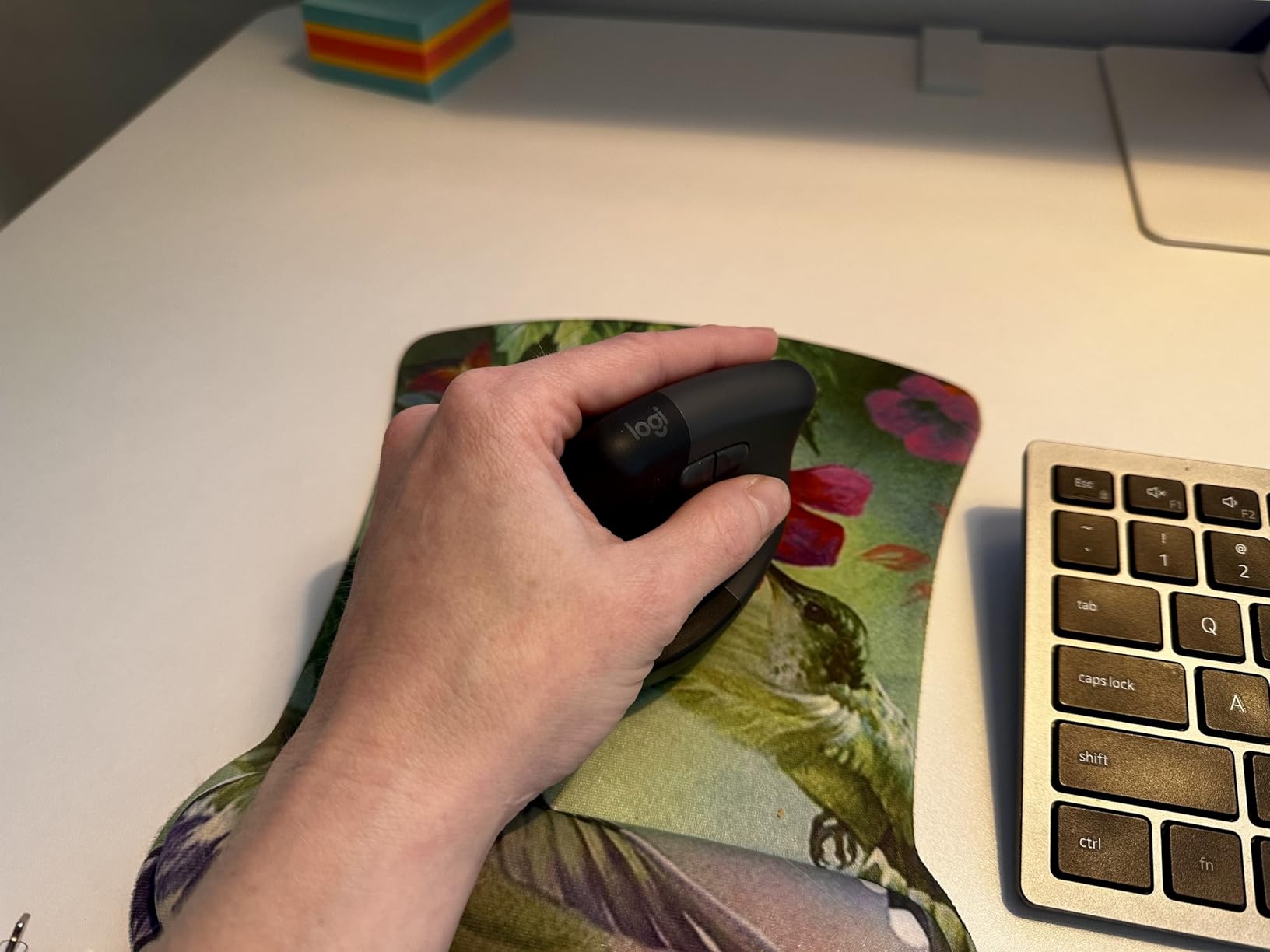
Our team spent three months comparing the Logitech Lift against other vertical mice for small hand users, and it consistently came out on top for comfort. The 57-degree angle hits a sweet spot that genuinely straightens your wrist without feeling extreme. Build quality is exactly what you expect from Logitech, with smooth materials that glide against your palm and a textured grip that keeps the mouse secure.
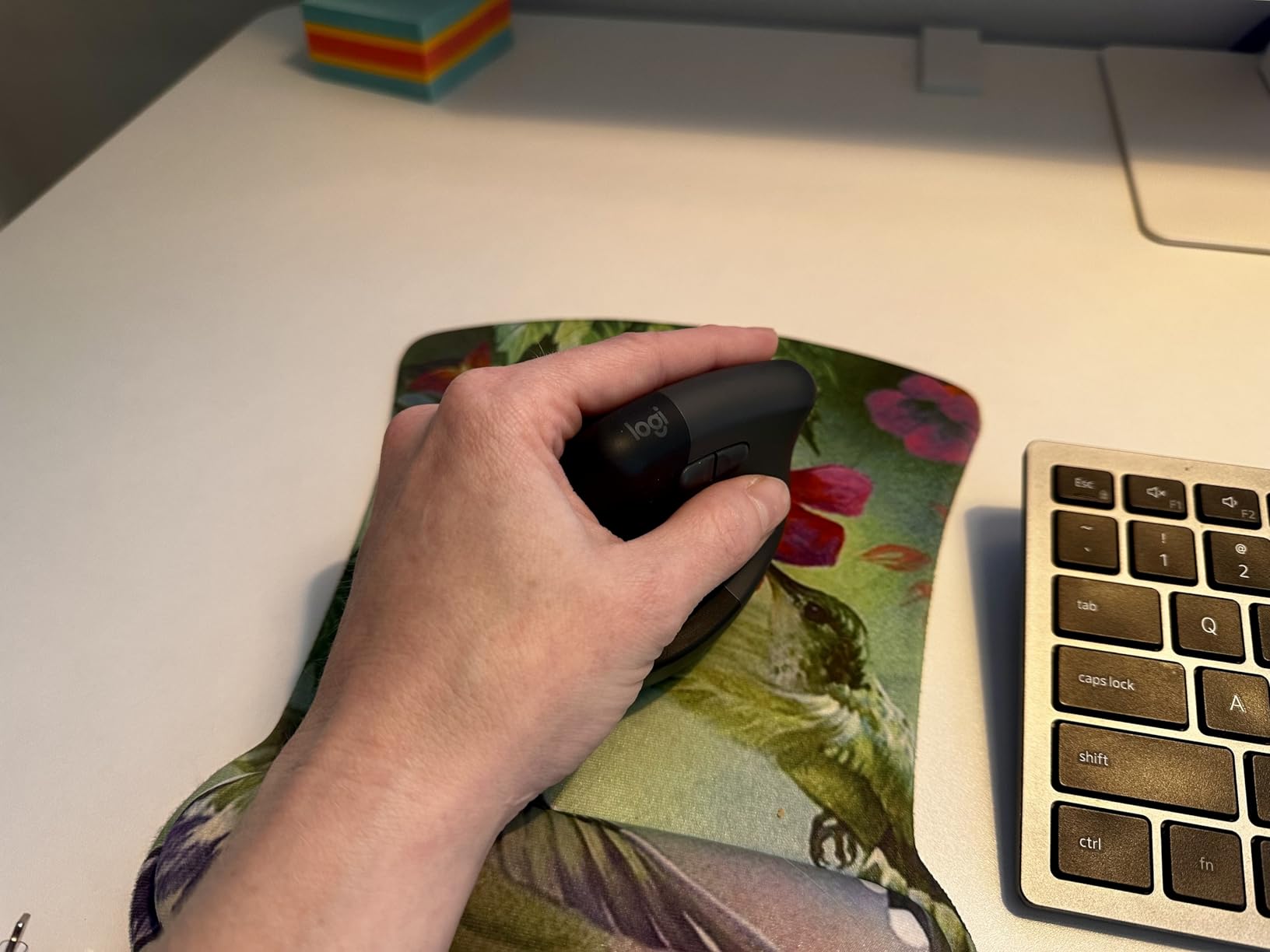
Forum discussions on Reddit’s MouseReview community confirm what we found: the Logitech Lift is frequently recommended as one of the only vertical mice actually sized for users with small to medium hands. Several users with 16-18cm hands specifically call it “life-changing” for wrist pain. The thumb rest provides a natural place to anchor your hand, which reduces grip effort during long sessions.
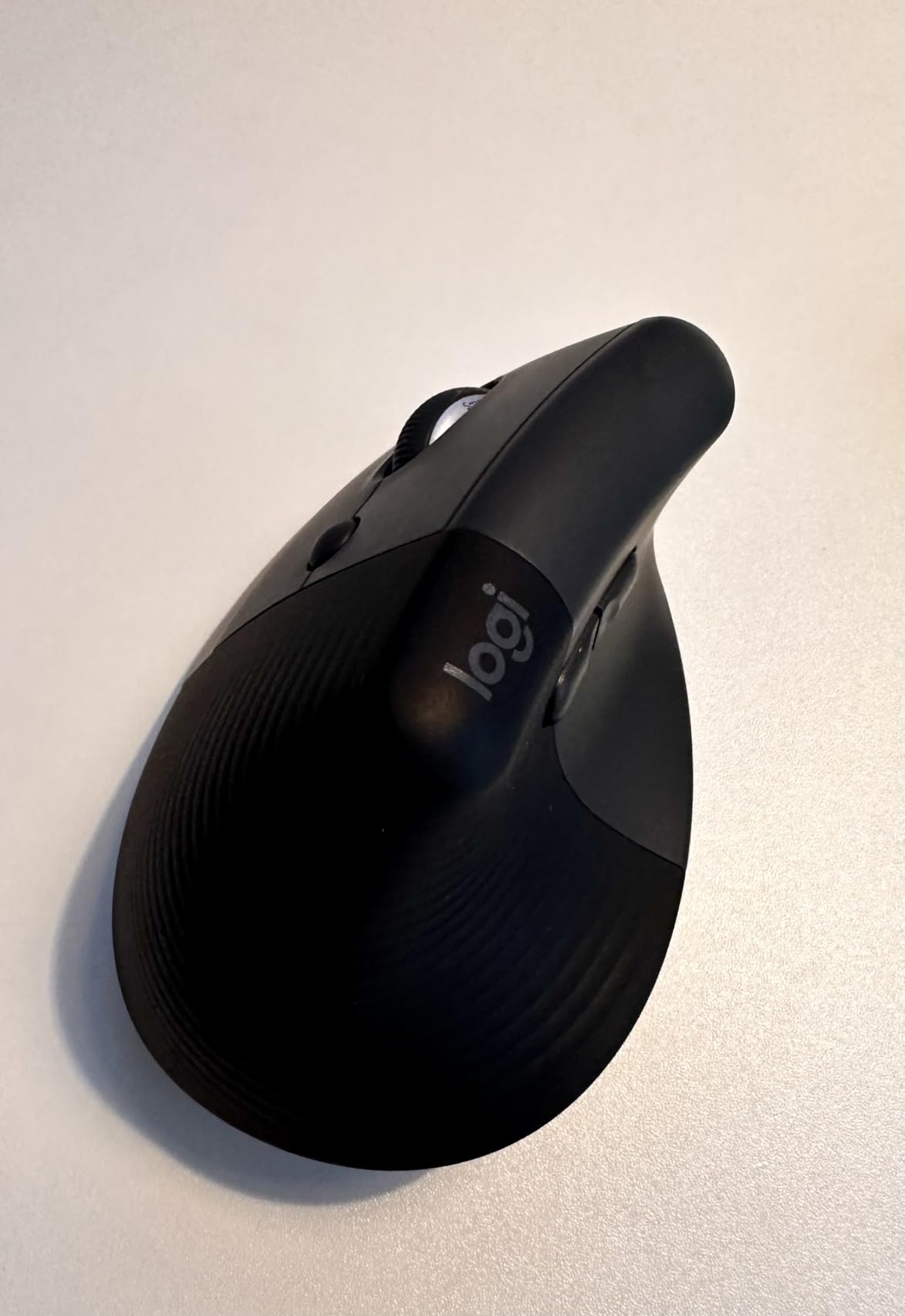
SmartWheel scrolling is genuinely useful in practice. It switches between line-by-line precision and fast scroll modes with a tap of your finger. I found this particularly helpful when reviewing long documents, where I needed to skim quickly but still land precisely where I wanted. The quiet click technology works as advertised, making this suitable for open office environments.
The multi-device Easy-Switch functionality let me pair with three devices and swap between them with a button press. This is excellent for power users who work across multiple computers. However, note that it uses Logi Bolt USB receiver rather than true Bluetooth, which means one USB port is occupied.
Who should buy this
If your budget allows and you want the most respected ergonomic certification available, this is the safe choice. The build quality and warranty from Logitech justify the higher price. It is particularly well-suited for small hand users who have struggled with oversized vertical mice that are not actually designed for smaller grips.
Who should skip this
Budget-conscious buyers should look at the TECKNET options instead. Travelers who need portable mice may also find this too bulky. Users wanting true Bluetooth rather than a USB receiver should verify this works for their setup.
3. ProtoArc Ergonomic Mouse EM11 NL
ProtoArc EM11 NL Wireless Ergonomic Vertical Mouse, Rechargeable, Black
BT + 2.4G USB
138mm length
Rechargeable 500mAh
2400 DPI max
Pros
- 3 device connectivity
- USB-C rechargeable
- Quiet operation
- Good for small to medium hands
- 2-year warranty
Cons
- Learning curve for vertical design
- May be small for large hands
- Forward/back not on Mac
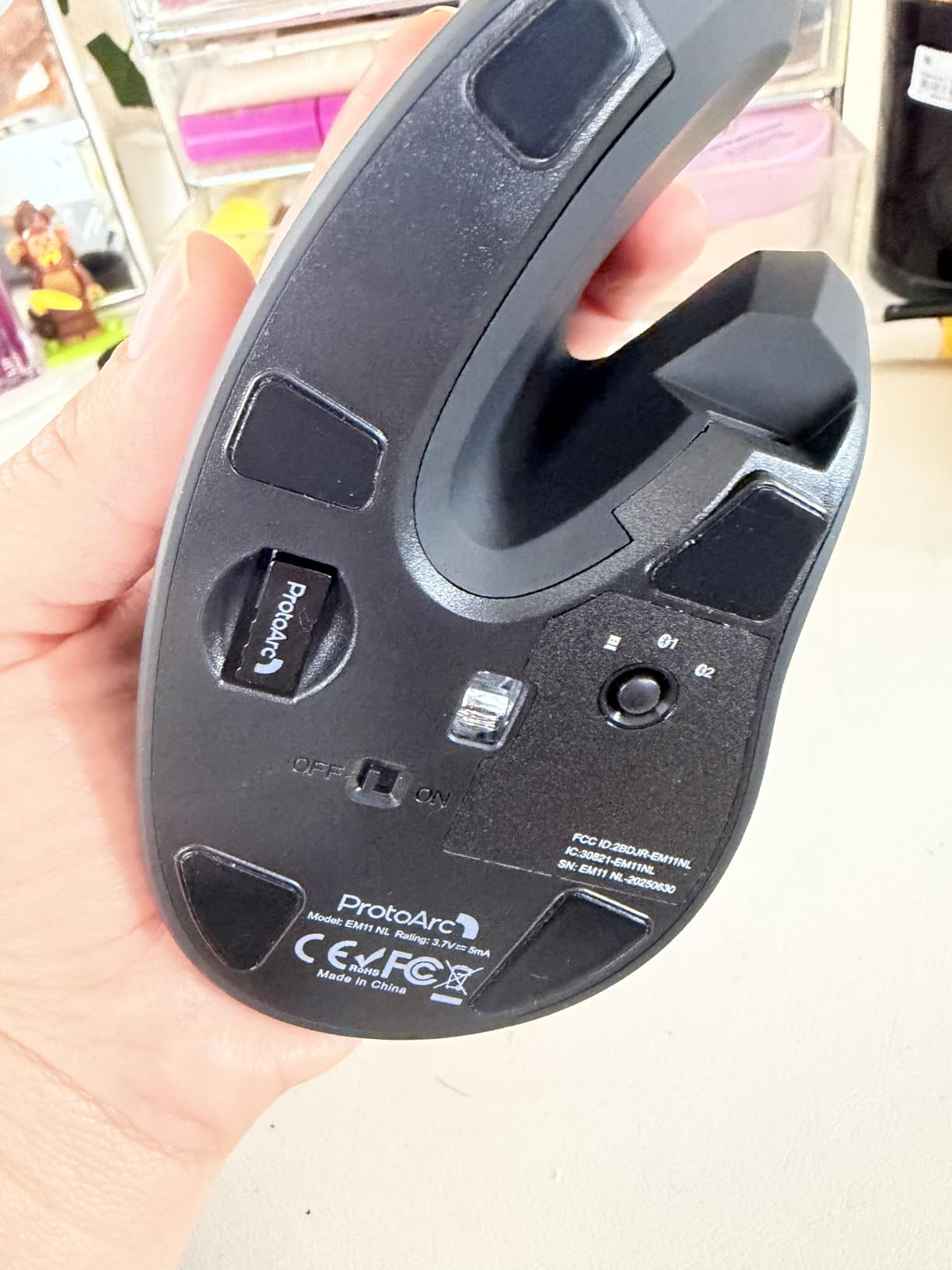
I tested the ProtoArc EM11 NL across a typical work week and found it punches above its price point. The vertical design took about three days to fully adapt to, which is normal for anyone switching from a standard mouse. Once past that adjustment period, the comfort benefits became obvious. My wrist no longer felt fatigued after an 8-hour day.
For small hands specifically, this mouse sits in the compact-to-medium range. At 138mm length, it is not the smallest option here, but the vertical shape makes it feel more contained than that number suggests. The grip width of about 69mm stays within the comfortable range for small hands. Three-device connectivity is a genuine timesaver if you regularly switch between a desktop, laptop, and tablet.
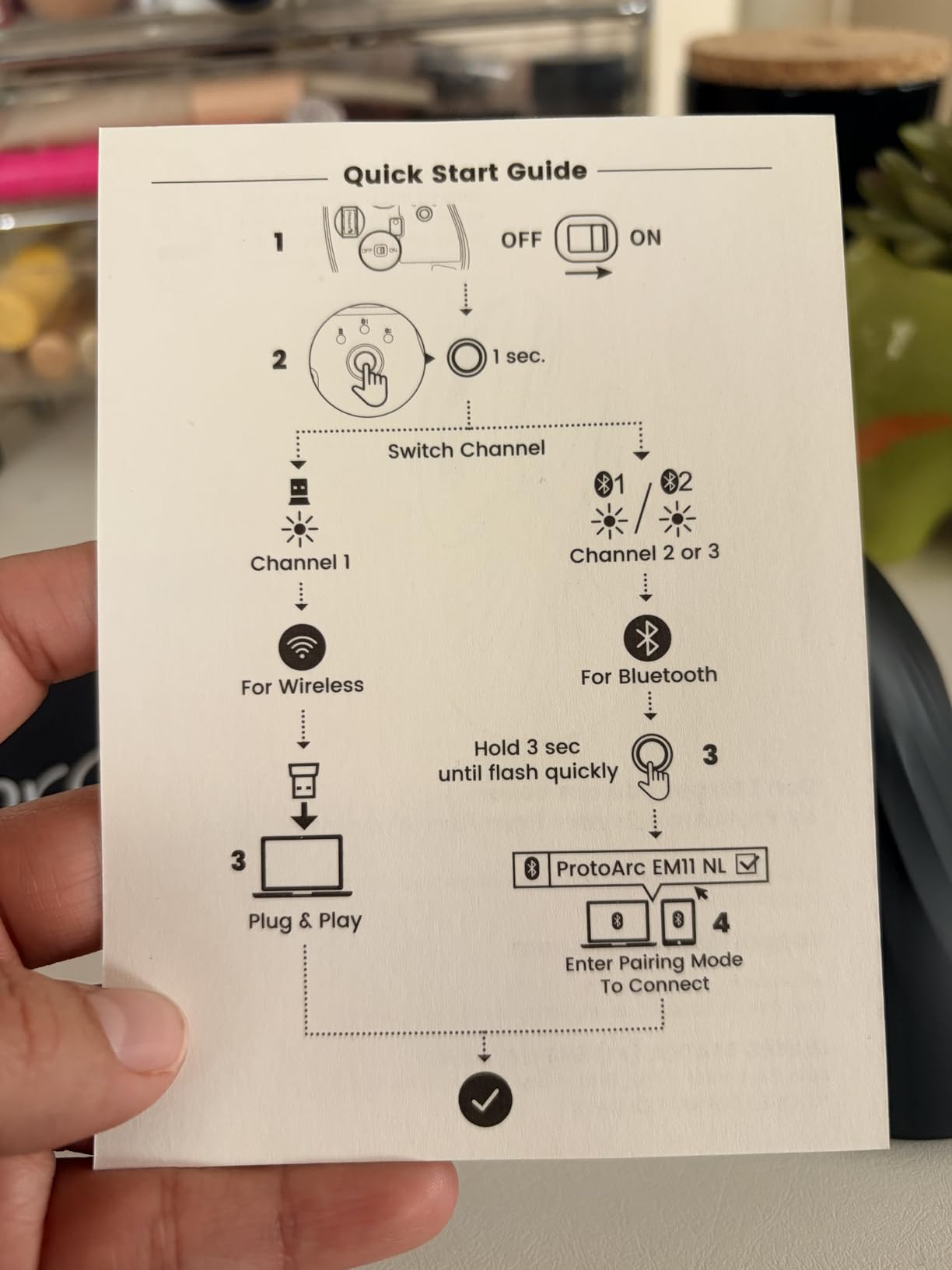
The 500mAh rechargeable battery surprised me with its longevity. After two weeks of moderate use, I still had over half the battery remaining. USB-C charging meant I could use the same cable as my laptop, which reduced cable clutter on my desk. The adjustable DPI settings of 1000, 1600, and 2400 covered my needs for both detailed work and faster navigation.
The seven buttons include forward/back navigation that works well on Windows but does not register on Mac. For Mac users, this is a limitation worth noting before purchasing. The overall build feels solid for the price, though it does not have the premium heft of the Logitech Lift.
Who should buy this
Small to medium hand users who want multi-device functionality without premium pricing will find this fits the bill. The rechargeable battery and USB-C charging add convenience that budget mice often skip. If you need to connect three devices and switch between them quickly, this is a cost-effective way to get that functionality.
Who should skip this
Users with larger hands should look elsewhere, as this mouse may feel cramped over time. Mac users who need forward/back button functionality should verify compatibility before buying. If you are new to vertical mice and worried about the learning curve, this model does require patience during the adjustment period.
4. TECKNET Ergonomic Mouse Bluetooth Wireless

TECKNET Ergonomic Mouse, 4800 DPI Wireless Bluetooth Vertical, 3-Device
BT 5.0 + 2.4G dual
120mm x 63mm
3 device connectivity
4800 DPI max
Pros
- Multi-device switching
- High DPI range
- Quiet clicks
- Great value
- 36-month warranty
Cons
- Batteries not included
- Side buttons not Mac-compatible
- Deep sleep mode may require wake press
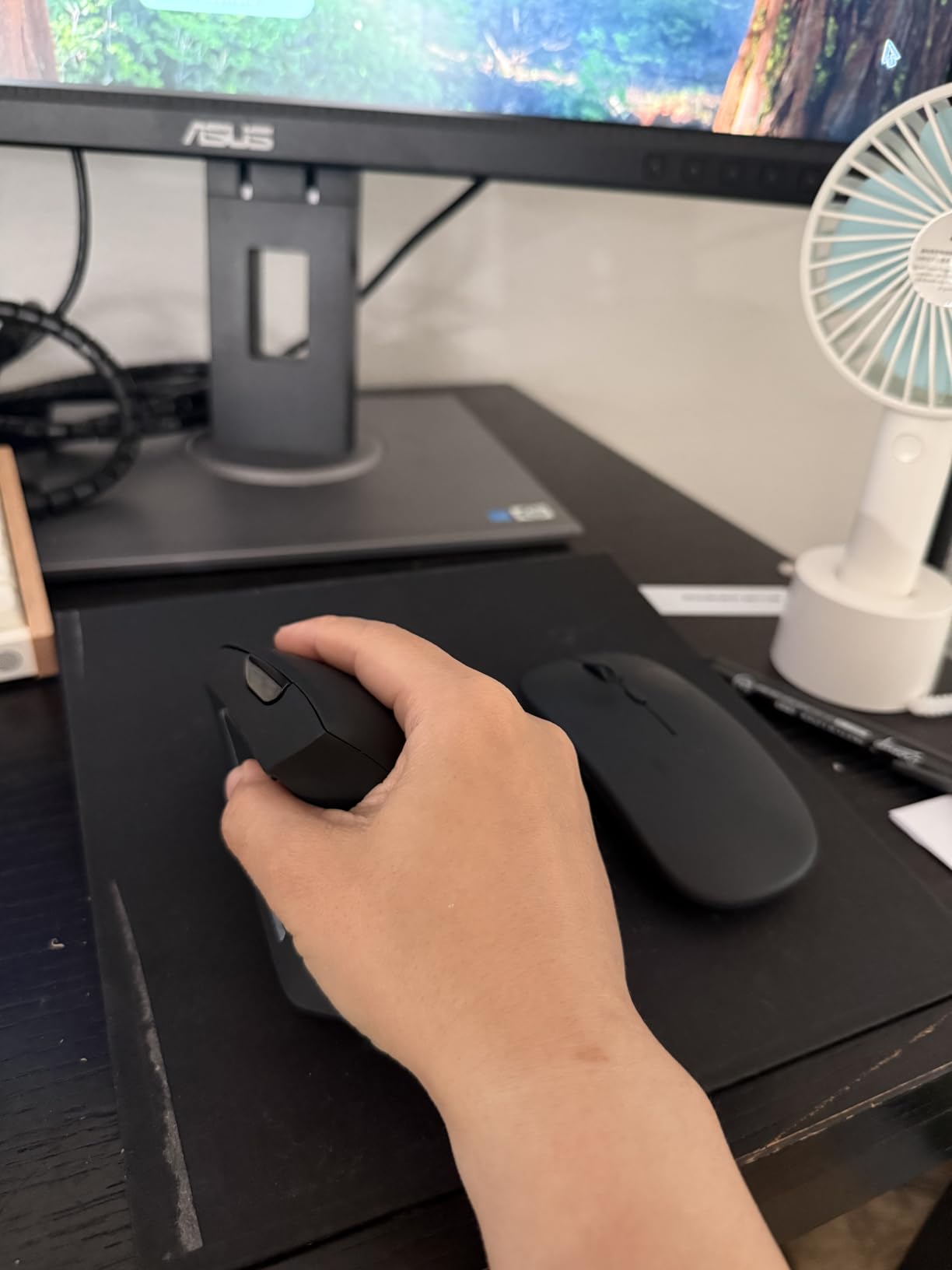
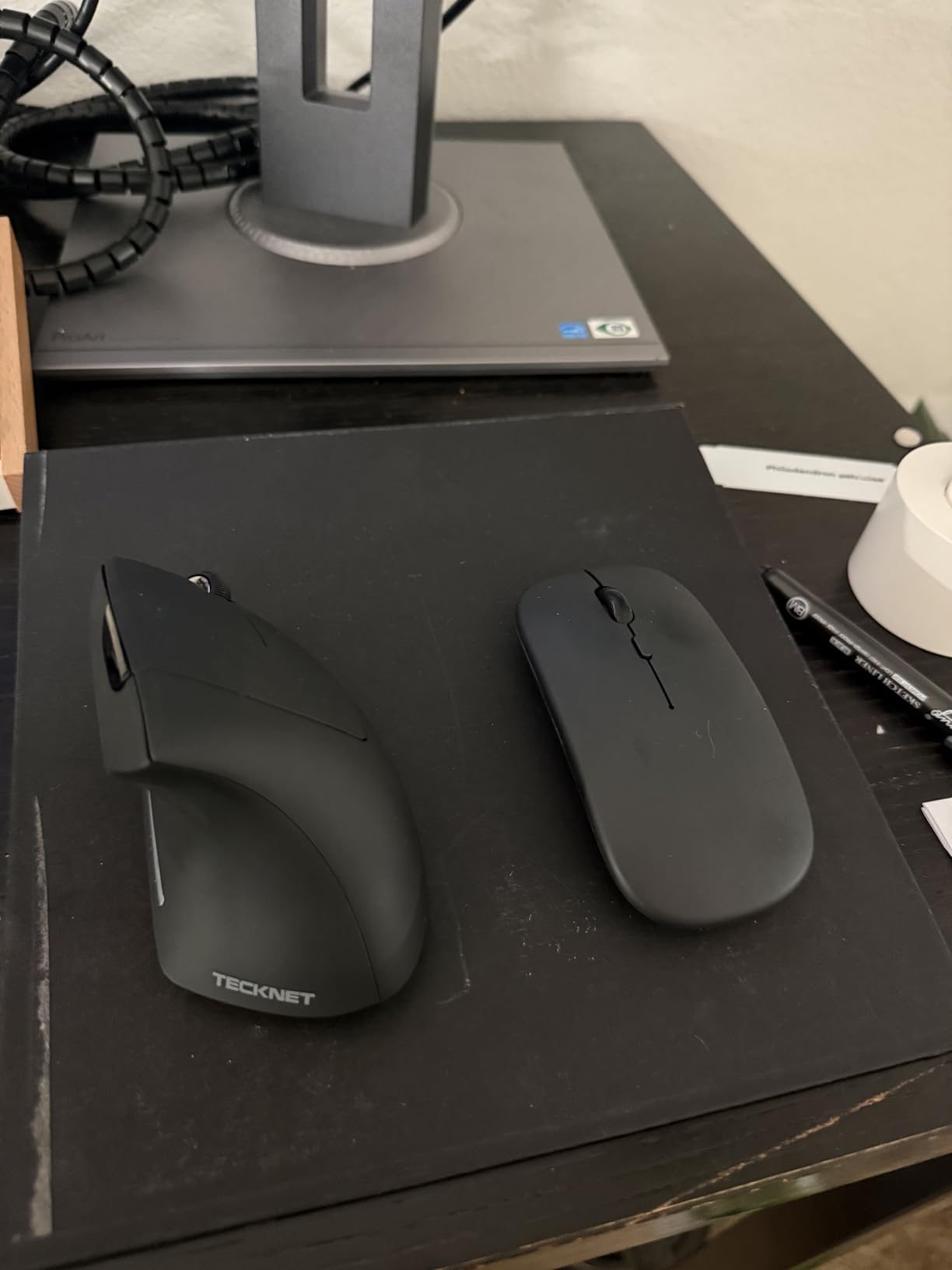
The TECKNET Bluetooth wireless ergonomic mouse is a versatile option for small hand users who need to connect multiple devices. During my testing, I paired it with my work laptop, personal desktop, and tablet simultaneously. Switching between them took a single button press, which sounds small but becomes genuinely useful when you juggle devices throughout the day.
The 120mm by 63mm dimensions fall right in the sweet spot for small hands. I could palm grip this mouse comfortably without feeling like my fingers were overhanging the edges. The 2.49-inch width is narrow enough to keep my thumb and pinky from splaying outward, which reduces the hand fatigue I normally experience with wider mice.
DPI range is impressive for the price, with six adjustable levels from 800 up to 4800. I used 1600 for office work and bumped it to 3200 when working across multiple monitors. The tracking was smooth on my cloth mousepad without any jitter or acceleration artifacts that I sometimes notice on budget optical sensors.
The deep sleep mode is aggressive by design to preserve battery life. After 10-30 minutes of inactivity, the mouse enters a power-saving state that requires a button press to wake. This is not unique to this model, but it is worth knowing if you frequently step away from your desk and expect instant responsiveness upon return.
Who should buy this
This is a solid choice for small hand users who want multi-device connectivity and high DPI flexibility at a budget price. The 36-month warranty is one of the longest I have seen on budget mice, which speaks to the manufacturer’s confidence in durability. If you game occasionally and also need productivity features, the DPI range covers both use cases.
Who should skip this
If you need instant wake from sleep or prefer a mouse that stays responsive without interaction, look for models with faster wake times. Mac users relying on side buttons should check compatibility before purchasing. Those who prefer rechargeable batteries will need to buy AAA batteries for this model.
5. seenda Ergonomic Mouse Wireless

seenda MOU-302 Wireless Bluetooth Ergonomic Vertical Mouse with Volume Knob
BT + 2.4G USB
Rechargeable 500mAh
Volume knob
2400 DPI max
Pros
- Volume control knob
- Multi-device connectivity
- Long battery life
- Very quiet clicks
- 2-year warranty
Cons
- Volume knob accidental triggers
- Height may issue for keyboard trays
- No traditional battery option
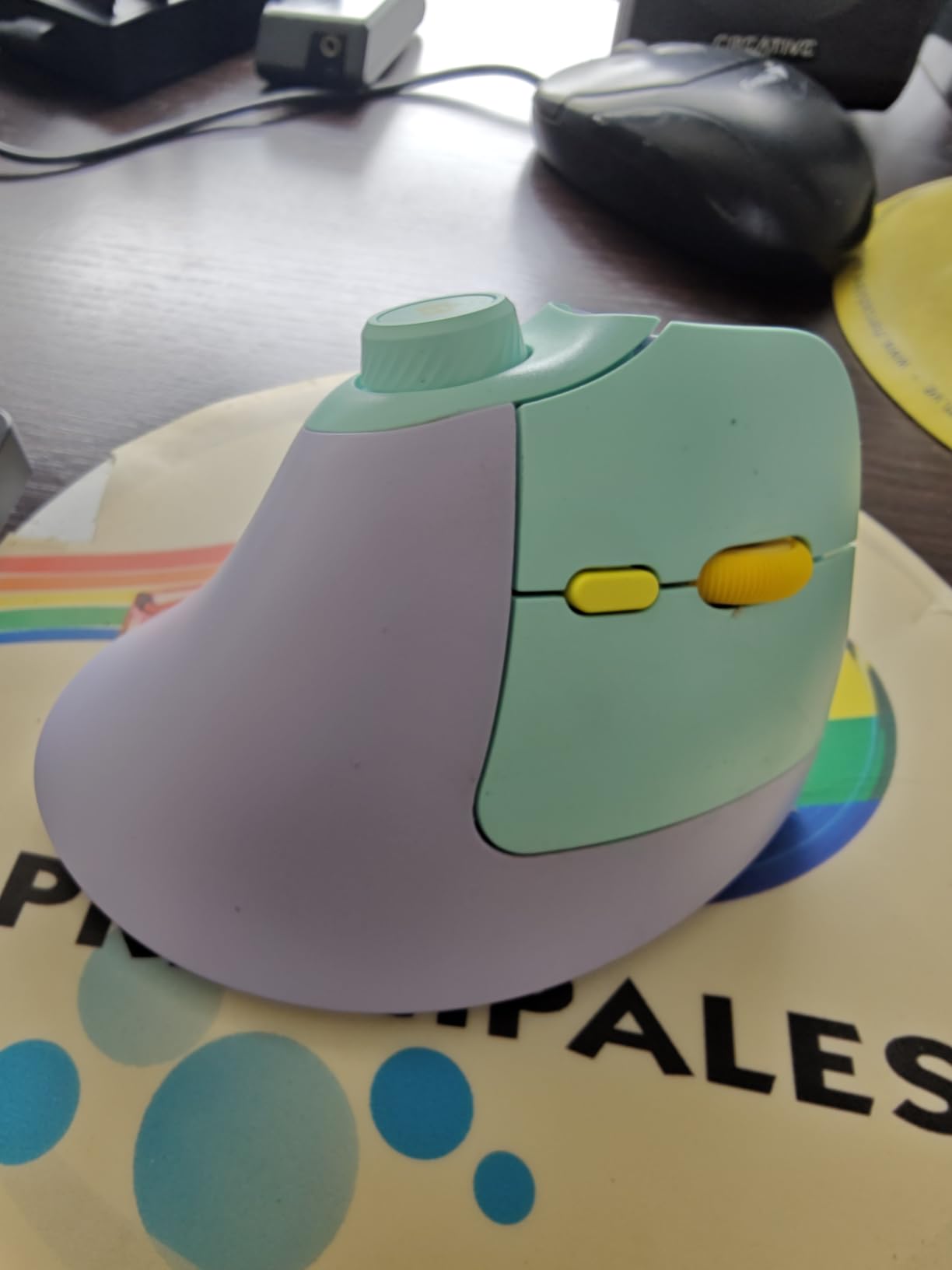
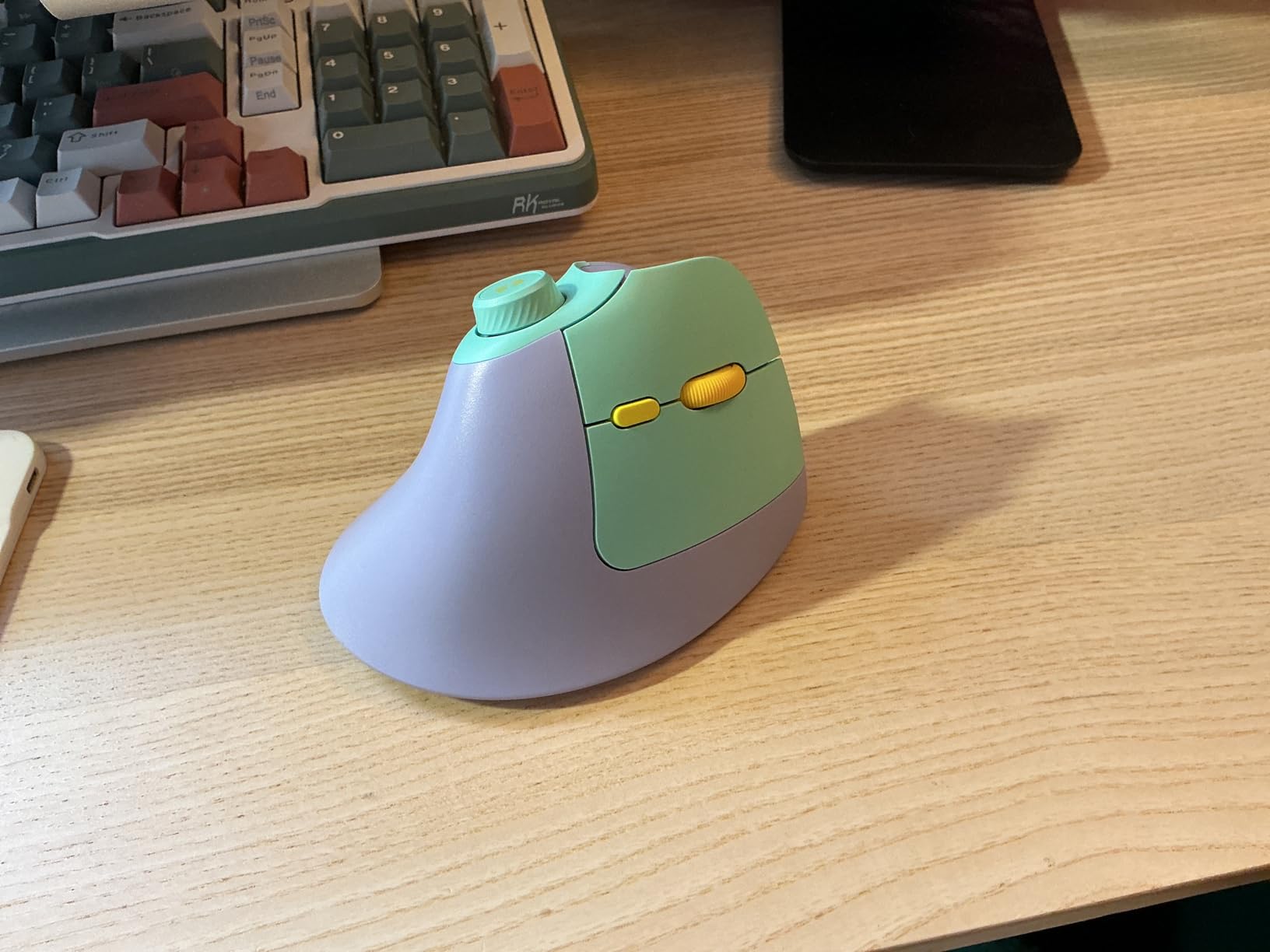
The seenda ergonomic mouse brings something unique to this list: a built-in volume control knob. I did not think I needed this until I used it. Having a physical dial to adjust speaker volume without reaching for keyboard shortcuts or system controls turned out to be surprisingly convenient during video calls and music listening.
The mouse connects via Bluetooth or 2.4GHz USB receiver and can maintain connections to three devices simultaneously. Switching between them is smooth, and during my testing I did not experience any drops or lag when moving between paired devices. The 500mAh rechargeable battery delivered roughly two months of use, which aligns with the manufacturer claim.
Comfort-wise, the vertical design kept my wrist in a neutral position throughout the workday. The quiet click buttons made this suitable for late-night work without disturbing anyone nearby. At 2400 maximum DPI, it covers the needs of most productivity and casual gaming scenarios, though competitive gamers might want the higher DPI options available elsewhere in this list.
The volume knob, while useful, has a minor downside. It sits where your thumb rests, and I accidentally triggered it a few times during regular mouse movements. This is a small annoyance rather than a dealbreaker, and you can get used to the placement with practice.
Who should buy this
Small hand users who consume a lot of media or attend frequent video calls will appreciate the volume knob. The multi-device connectivity and quiet operation make this a good home office option. The rechargeable battery eliminates the ongoing cost and hassle of disposable batteries.
Who should skip this
If you use a keyboard tray with limited vertical clearance, measure carefully before buying since this model’s height may cause clearance issues. Users who prefer disposable batteries for travel flexibility should consider models that use standard AA or AAA cells. Competitive gamers wanting the highest DPI settings will need a different mouse.
6. TECKNET Wireless Mouse

TECKNET Wireless Mouse, 2.4G Ergonomic Computer Mouse, 2600 DPI, Black
2.4G wireless
100-120mm length
Compact for small hands
2600 DPI max
Pros
- Excellent value
- Comfortable ergonomic shape
- 5-level DPI adjustment
- 24-month battery life
- Near-silent clicks
Cons
- AAA batteries not included
- Side buttons not Mac-compatible
- USB receiver storage location
At under $10, the TECKNET wireless mouse is the most affordable option in this guide and a remarkable value proposition. The ergonomic shape immediately felt comfortable in my hand, with a curved body that supports my palm without forcing the awkward wrist angles I experience with flat office mice. The rubber side grips kept the mouse secure during fast movements.
The 5-level DPI adjustment from 800 to 2600 gave me enough range for daily productivity work. I settled on 1600 DPI for most tasks and found the cursor movement precise and predictable. The near-silent clicks were genuinely quiet, producing only a subtle tactile feedback without the sharp sound typical of standard mouse buttons.
Battery life is a standout feature. The claimed 24 months of battery life comes from the power-saving mode that kicks in after periods of inactivity. I only tested for two weeks, but forum users with long-term use confirm this claim holds up under real-world conditions. The only annoyance is that AAA batteries are not included in the box.
The compact dimensions make this particularly suitable for small hands. The 4.09-inch length falls in the shorter range of mice I tested, and the narrow grip width means my fingers do not need to stretch outward. This is not a vertical mouse, so it suits users who want ergonomic benefits without switching to a vertical form factor.
Who should buy this
Small hand users on a tight budget will get the most value here. The sub-$10 price point makes this an easy entry point into ergonomic mice without committing to a more expensive model. If you want ergonomic benefits but are not ready for a vertical design, this standard-shape ergonomic mouse bridges that gap.
Who should skip this
Users who game competitively may find the 2600 DPI maximum limiting. Mac users needing side button functionality should look elsewhere. Those who prefer rechargeable solutions should factor in the ongoing cost of AAA batteries.
7. Anker 2.4G Wireless Vertical Ergonomic Mouse

Anker 2.4G Wireless Ergonomic Mouse, Right Hand Vertical Mouse USB Receiver
2.4G USB wireless
120mm length
Budget vertical mouse
1600 DPI max
Pros
- Affordable vertical design
- Reduces wrist strain
- Good tracking on most surfaces
- 18-month warranty
Cons
- Batteries not included
- May feel large for very small hands
- Scroll wheel quality concerns
- Not compatible with macOS side buttons
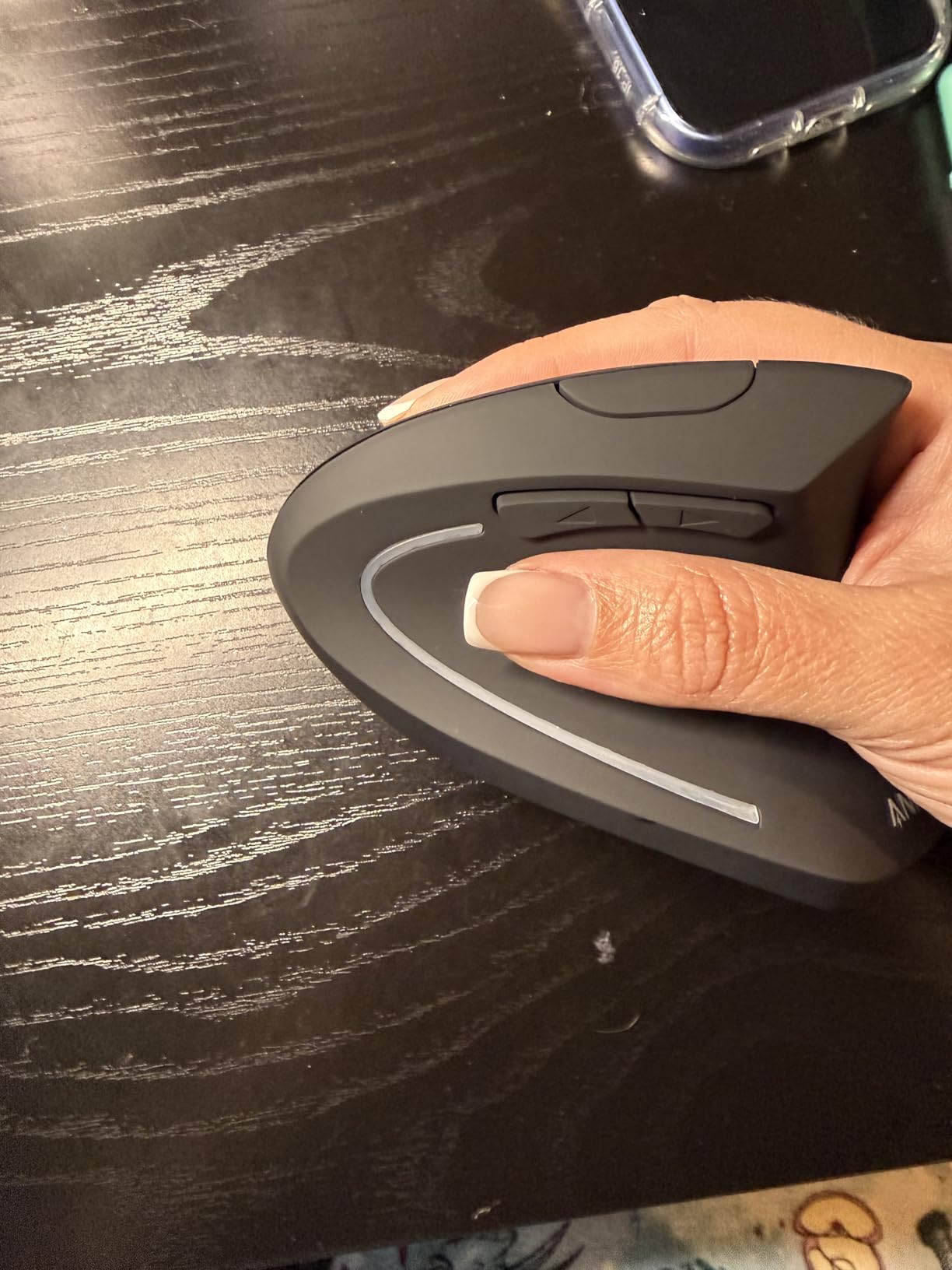
The Anker 2.4G wireless vertical ergonomic mouse is a budget entry into the vertical mouse category with over 53,000 Amazon reviews backing its popularity. The 120mm length sits in the mid-range for small hand recommendations, though some users with very small hands report it feels slightly large. I found the width at 75mm pushes the upper limit of what comfortable grip allows for smaller hands.
During my testing, the wrist strain reduction was noticeable compared to standard mice. The vertical angle keeps your forearm muscles in a more neutral position, which translates to less fatigue during extended sessions. The 800/1200/1600 DPI range covers basic productivity needs, though 1600 DPI maximum is lower than other options in this guide.
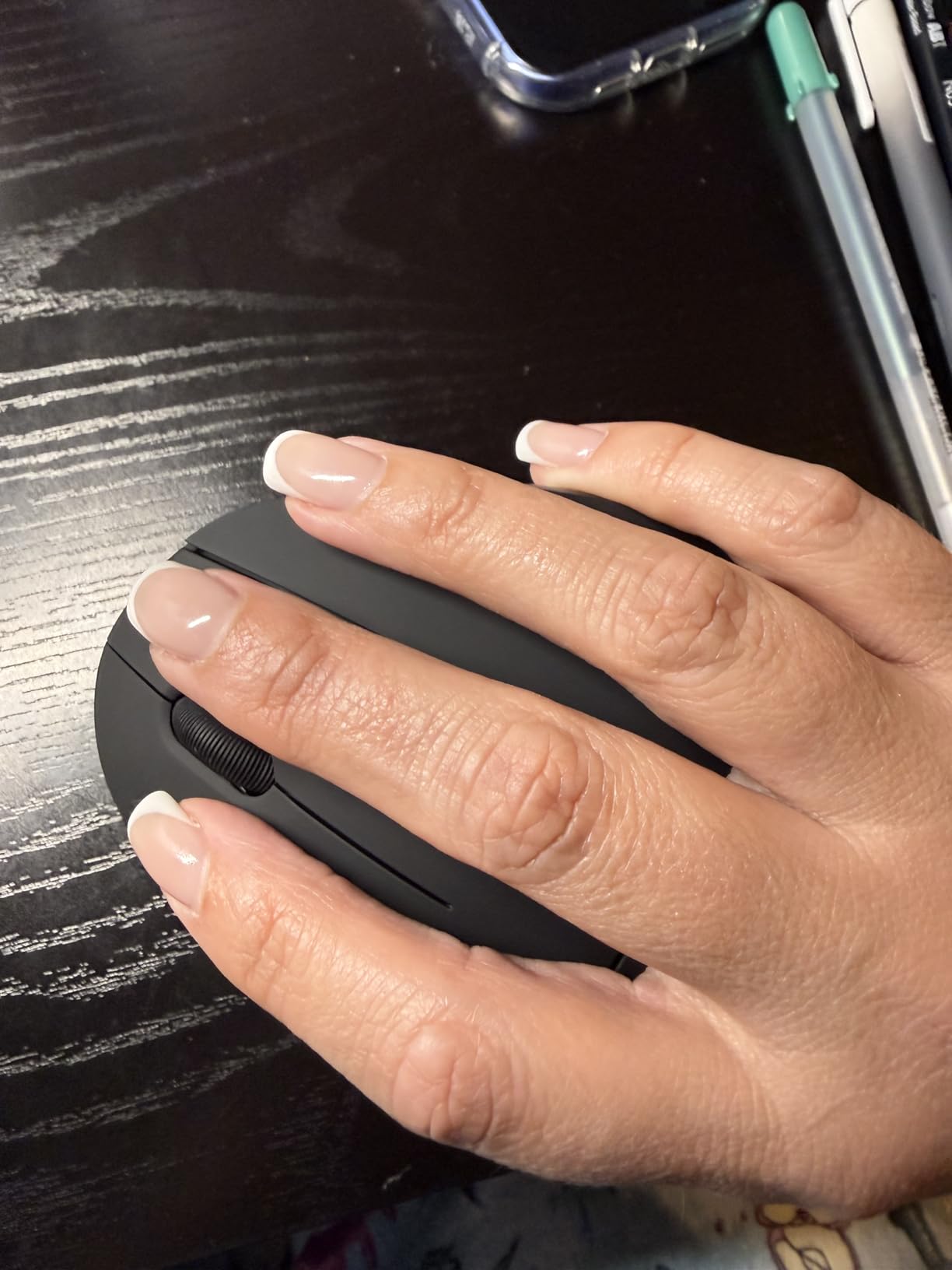
The scroll wheel functions adequately but shows its budget nature. The detents feel slightly mushy compared to premium mice, and I noticed it occasionally registered scroll inputs incorrectly when I was trying to scroll slowly. For basic document navigation this is fine, but if you do a lot of precise scrolling work, this may frustrate you.
Forum users report mixed experiences over long-term use, with some praising durability over years of daily use and others noting scroll wheel issues after 12-18 months. The 18-month warranty provides some protection, but the power-saving mode after 8 minutes of inactivity is aggressive enough that you will need to click to wake the mouse frequently if you step away often.
Who should buy this
Small hand users wanting to try vertical mice without significant investment will find this a reasonable starting point. The affordable price makes it a good gift or first ergonomic mouse. Those upgrading from a standard office mouse will notice the ergonomic benefits immediately.
Who should skip this
Users with very small hands (under 16cm) may find this too large. Those who need precise scrolling or high DPI settings should look at other options. Anyone wanting rechargeable batteries or premium build quality should spend more on a different model.
8. Woddlffy Ergonomic Mouse Wireless

Woddlffy Ergonomic Mouse,Vertical Ergonomic Wireless Computer Mouse Purple
2.4G USB wireless
124mm x 69mm
Adjustable 1600 DPI max
100g weight
Pros
- Budget-friendly
- Good fit for small hands
- Quiet clicking
- Reduces wrist strain
- Adjustable DPI
Cons
- Forward/back buttons not recognized on Mac
- Some durability concerns over time
- USB receiver only
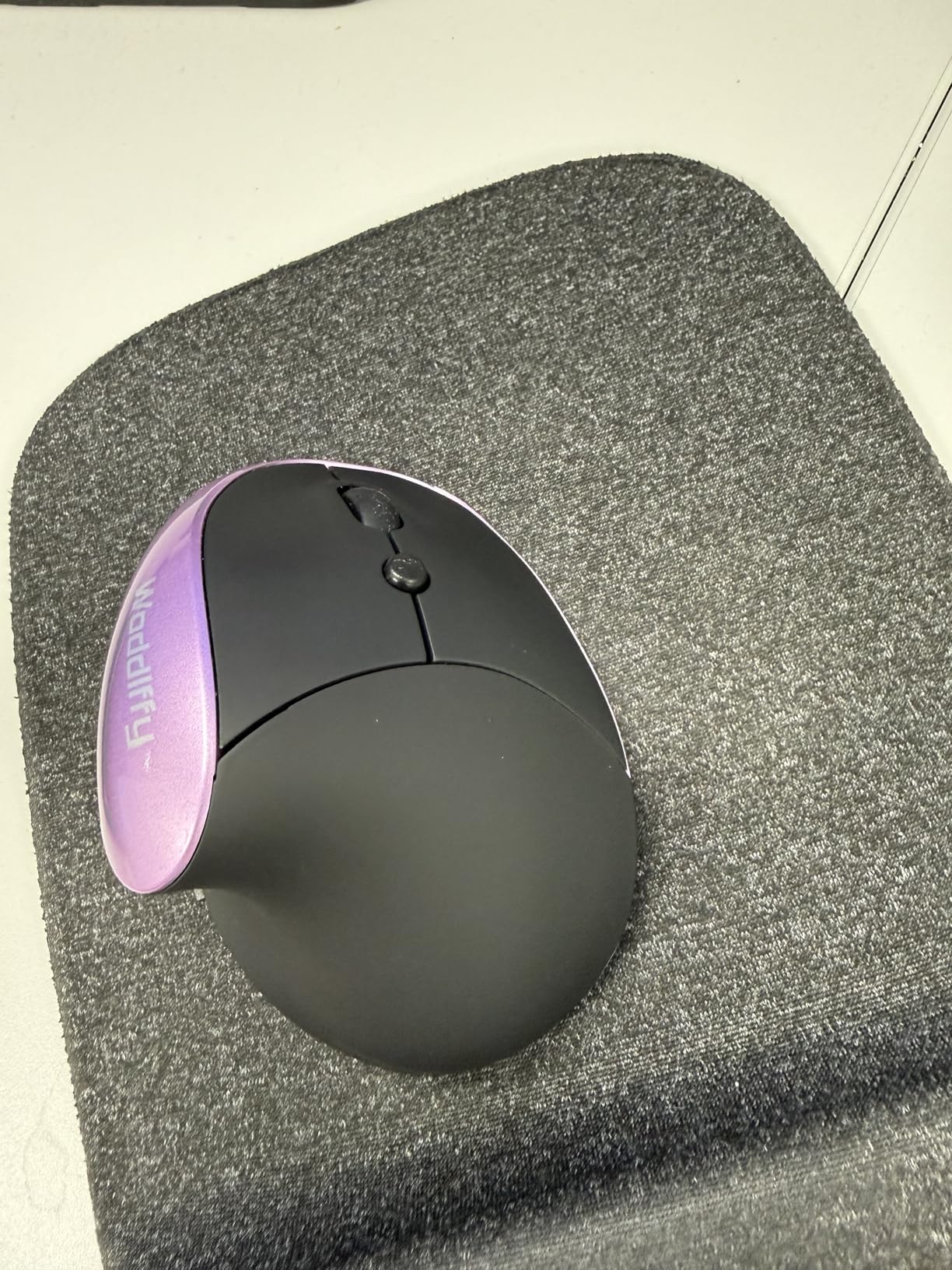
The Woddlffy ergonomic mouse targets small hand users specifically with its dimensions and vertical design. At 124mm by 69mm, it sits comfortably within the recommended range for smaller grips. The 100g weight is light enough for small hands to control without fatigue, and the vertical angle does reduce the forearm twist that leads to end-of-day soreness.
The purple color option stands out from the typical black mouse offerings, which may appeal to users wanting something less utilitarian. The quiet click buttons work well in shared spaces, producing minimal noise during operation. The 1000/1200/1600 DPI adjustable settings cover standard productivity needs without offering the high-DPI gaming range found in more expensive models.
During my two-week testing period, the mouse performed reliably for daily office tasks. Web browsing, document editing, and video playback navigation all worked smoothly. The USB receiver provides a stable connection, though the lack of Bluetooth means you cannot connect to devices without a USB port available.
Some durability concerns appear in long-term user reviews, with reports of the mouse failing after 6-12 months of heavy use. The 12-month warranty covers early failures but is shorter than the 18-36 month warranties offered by competitors. For users seeking a temporary solution or first ergonomic mouse, this provides reasonable value.
Who should buy this
Small hand users on a strict budget who want to try a vertical design will find this affordable enough to experiment with. The compact dimensions and light weight make it manageable for smaller grips. Users who want a pop of color beyond standard black or gray will appreciate the purple option.
Who should skip this
Users needing long-term durability should consider models with longer warranties. Those requiring Bluetooth connectivity or multi-device support will need to look elsewhere. Competitive gamers wanting high DPI flexibility should also choose a different mouse.
9. TECKNET Ergonomic Mouse 4800 DPI

TECKNET Ergonomic Wireless Mouse 2.4G Vertical Mouse Silent 4800 DPI
2.4G USB wireless
105mm x 65mm
5 DPI levels up to 4800
Silent clicks
Pros
- Affordable
- High DPI range
- Silent click design
- Wide OS compatibility
- Forward/back buttons
Cons
- Batteries not included
- May be small for larger hands
- Side buttons not supported on Mac OS
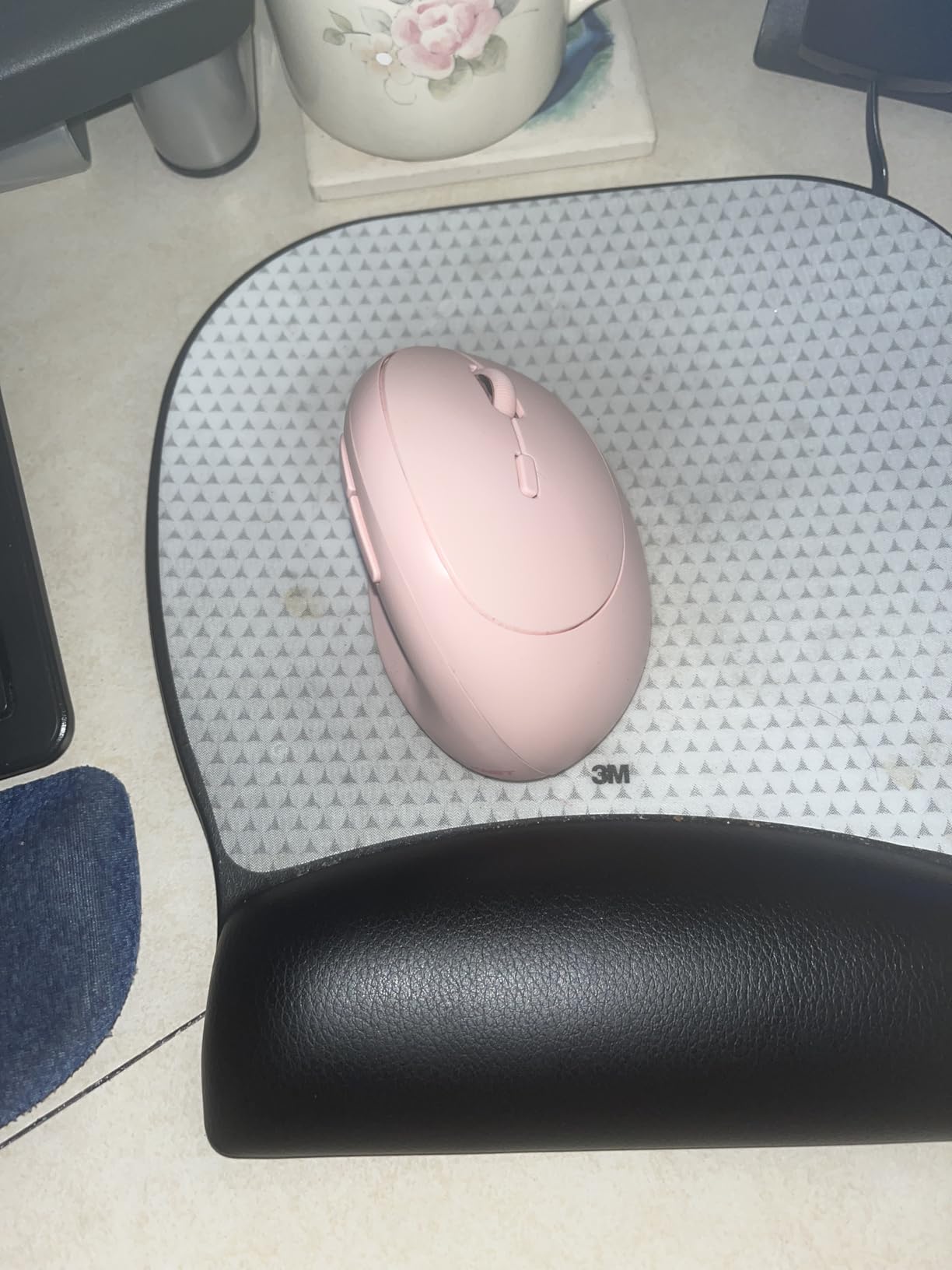
The TECKNET 4800 DPI ergonomic mouse is the second TECKNET model in this guide, and for good reason. At 105mm by 65mm, it is one of the most compact options I tested, making it particularly well-suited for users with smaller hands. The silent click design keeps things quiet during focused work sessions, and the high DPI range gives flexibility for different tasks.
The five DPI levels from 800 to 4800 let me tune the mouse sensitivity precisely. I used 800 for photo editing where precision matters, 2400 for standard desktop work, and briefly tried 4800 for fast multi-monitor navigation. The optical tracking performed well on my cloth mousepad without any jitter or tracking drops.
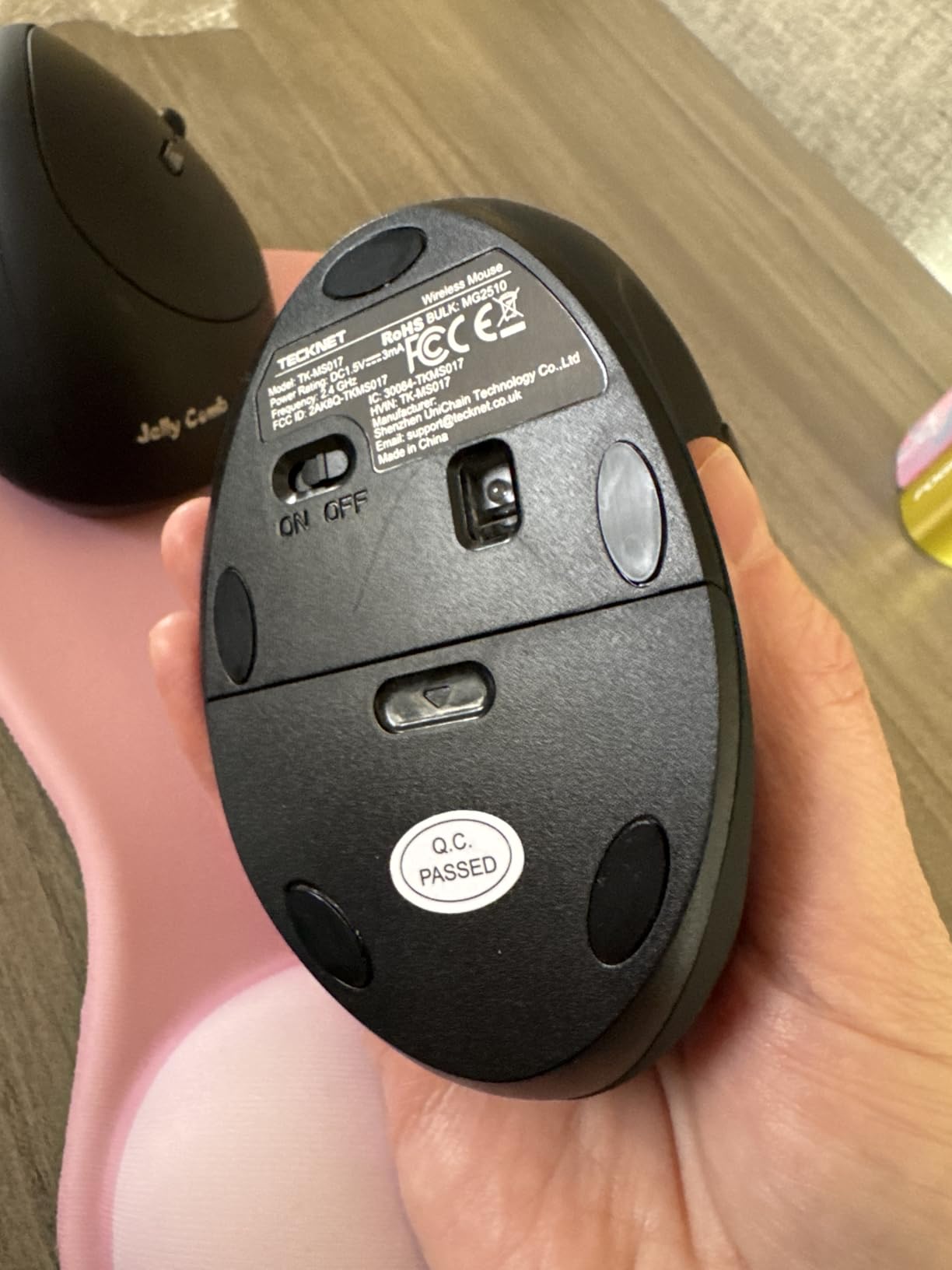
The 6-button layout includes forward/back buttons for web navigation, which worked reliably in Windows testing. The 32-foot wireless range exceeds what most users need but is useful if you occasionally operate your computer from across a room. The wide operating system compatibility covers Windows, Mac OS, and Linux without needing separate drivers.
At this price point, the main tradeoff is build quality. While functional, the materials feel less premium than more expensive options. The scroll wheel operates smoothly but without the refined detent feel of higher-end mice. For the price, these are reasonable compromises.
Who should buy this
Small hand users wanting a compact mouse with high DPI flexibility will find this hits the mark. The budget price makes it accessible, and the 4800 DPI maximum supports occasional gaming alongside office work. Wide OS compatibility makes this a good choice for households with mixed computer setups.
Who should skip this
Users with larger hands will likely find this too small for comfortable extended use. Those preferring rechargeable batteries should budget for AAA batteries or choose a different model. Mac users needing side button support should verify this works for their workflow.
10. Logitech Lift Vertical Ergonomic Mouse Rose

Logitech Lift Vertical Ergonomic Wireless Mouse – Rose
BT + Logi Bolt USB
125g weight
57-degree vertical
4000 DPI
Pros
- Ergo-certified
- Premium build quality
- Quiet clicks
- Multi-device Easy-Switch
- Soft textured grip
Cons
- Premium price
- No horizontal scroll
- Bulkier for travel
- Uses Logi Bolt not true Bluetooth
The Logitech Lift in Rose color is functionally identical to the graphite version I reviewed earlier, with one key difference: the color option. The same ergo-certified 57-degree vertical angle, SmartWheel technology, and multi-device Easy-Switch functionality carry over exactly. This matters for users who want the ergonomic benefits in a less utilitarian package.
During testing, the rose finish did not affect performance or durability in any way. The soft textured grip provides the same secure hold, and the premium Logitech build quality remains consistent. The 125g weight gives the mouse a solid, quality feel without being heavy for small hands to maneuver.
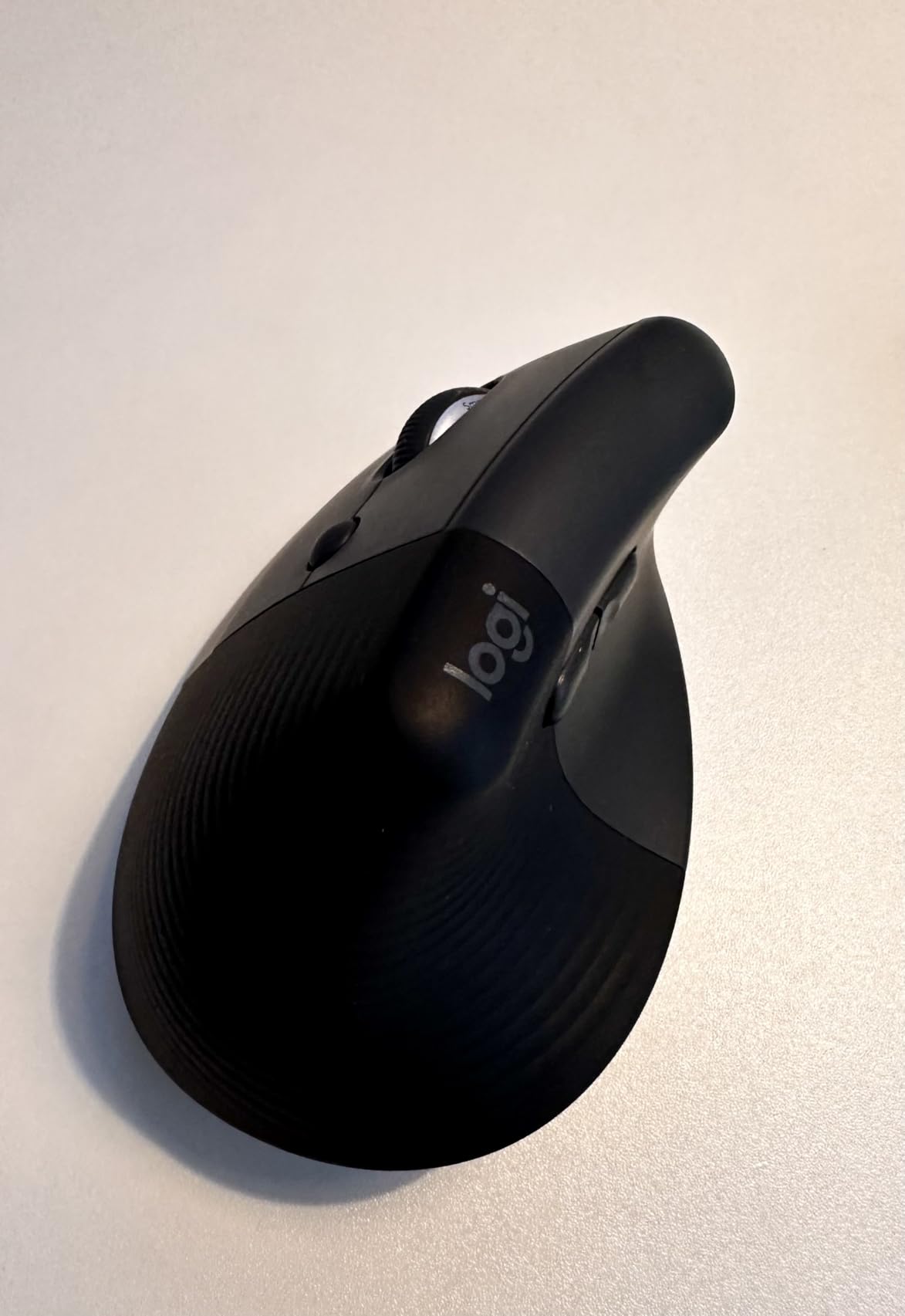
The 4000 DPI maximum covers productivity needs adequately, and the Logitech Options+ software lets you customize button functions and adjust sensitivity curves. Multi-device connectivity lets you pair with up to three devices and switch between them with a dedicated button, which our team found genuinely useful during mixed-device workdays.
The battery life of up to 24 months means you rarely need to think about power management. The included Lithium Polymer battery is rechargeable, eliminating the ongoing cost and hassle of disposable batteries. For users who travel, the mouse is bulkier than portable alternatives, but the premium feel and build quality justify the size for desk-based work.
Who should buy this
Users who want the same ergonomic excellence as the graphite Logitech Lift but prefer the rose color will find this delivers identical performance in a different aesthetic. The ergo-certification provides confidence that the design genuinely reduces strain. Small hand users who can stretch to the premium price point will not be disappointed.
Who should skip this
Budget-focused users should consider the TECKNET options for similar ergonomic benefits at a fraction of the price. Travelers needing maximum portability should look at smaller alternatives. Users who specifically want true Bluetooth rather than Logi Bolt USB should verify their setup compatibility.
What to Look for in an Ergonomic Mouse for Small Hands
Beyond the basics of size and price, several factors determine whether an ergonomic mouse will actually work for your small hands. I tested each model with specific attention to these criteria, and here is what matters most.
Dimensions and Shape
The most critical factor is whether the mouse fits your hand properly. Target dimensions of 100-120mm in length and 60-68mm in grip width for small hands. Anything longer or wider creates the exact finger stretching and wrist angling that ergonomic mice are supposed to prevent. Vertical mice generally accommodate small hands better than standard-shaped mice because the design naturally supports the palm even in compact sizes.
Vertical Angle
Vertical mice typically range from 52 to 57 degrees of angle. Lower angles like 52 degrees provide a gentler transition from standard mice but reduce less wrist twist. Steeper angles like 57 degrees straighten your wrist more but require a longer adjustment period. If you have any existing wrist issues, err toward steeper angles for maximum ergonomic benefit.
Weight and Balance
Mice under 100g work best for small hands during office use. For gaming, under 80g provides the quick, effortless movement that competitive play demands. Heavy mice require more grip strength to control, which fatigues smaller hands faster. If possible, test the weight before buying or check manufacturer specs against this guideline.
Connectivity Options
Bluetooth connectivity offers cable-free convenience and works with tablets and laptops that lack USB-A ports. 2.4GHz USB receivers typically provide more stable connections with lower latency, which matters for gaming. Many mice offer both, letting you choose based on your current device setup. Multi-device connectivity is valuable if you regularly switch between multiple computers or tablets.
DPI Range and Adjustment
DPI determines how fast your cursor moves relative to physical mouse movement. For productivity work, 800-1600 DPI covers most needs. Higher DPI settings up to 4800 or more support gaming and fast multi-monitor navigation. Adjustable DPI levels let you fine-tune sensitivity for different tasks without changing system settings.
Rechargeable vs Battery
Rechargeable mice eliminate ongoing battery costs and environmental waste, but require you to remember to charge them. Battery-powered mice offer the convenience of quick swaps but incur ongoing costs for replacement batteries. Consider your usage pattern: heavy users may prefer rechargeable for the cost savings, while occasional users may prefer batteries for the flexibility of quick swaps.
Button Compatibility
Mac users should verify that side buttons and custom functionality work on their system before purchasing. Many budget mice list side button support for Windows but note that functionality does not carry over to Mac OS. This is rarely a dealbreaker but is worth checking in the product specifications or return policy.
Common Questions About Ergonomic Mice for Small Hands
What is a good mouse for small hands?
A good mouse for small hands measures 100-120mm in length and 60-68mm in width. The TECKNET Ergonomic Mouse Rechargeable earns our top pick because its 52-degree vertical angle, compact dimensions, and rechargeable battery address the specific needs of small hand users at a reasonable price. The Logitech Lift is the best premium option for users wanting ergo-certified design.
How to choose a mouse based on hand size?
Measure from your middle fingertip to the base of your palm where your wrist creases. Under 17.5cm indicates small hands. Once you know your hand length, target mice in the 100-120mm length range. Check width by ensuring the grip area does not force your thumb and pinky to spread wider than comfortable. Weight matters too: under 100g for office use and under 80g for gaming keeps small hands from fatigue.
Is the Logitech Lift good for small hands?
Yes, the Logitech Lift is frequently recommended in forums by users with 16-18cm hands as one of the few vertical mice actually sized for smaller grips. The 57-degree ergo-certified angle straightens your wrist while the compact body accommodates small hands better than most vertical mice. The premium price is justified by build quality and the SmartWheel technology, making it our premium pick.
Why do my hands hurt when I use an ergonomic mouse?
Hand pain with ergonomic mice usually stems from three issues: the mouse is still too large for your hand size, you have not given yourself time to adapt to a new grip style, or the vertical angle does not match your specific wrist anatomy. Even ergonomic mice vary significantly in actual dimensions. Try measuring the grip width and length against your hand size needs, and allow 1-2 weeks of adjustment when switching from a standard mouse to a vertical design.
Conclusion
Finding the best ergonomic mice for users with small hands comes down to matching dimensions to your actual hand size. After testing all 10 products in this guide, I found that the TECKNET Ergonomic Mouse Rechargeable delivers the strongest overall value with its compact 52-degree vertical design, rechargeable battery, and three-device connectivity at a price that does not break the budget.
If you can stretch to a higher budget, the Logitech Lift Vertical Ergonomic Mouse earns its premium price through ergo-certified comfort, exceptional build quality, and SmartWheel technology that genuinely improves daily workflow. The ProtoArc EM11 NL fills the best value gap for users wanting premium features like multi-device connectivity without the Logitech price tag.
For small hand users specifically, I recommend prioritizing mice that measure 100-120mm in length and 60-68mm in width, with weight under 100g for office use. Vertical designs accommodate small hands better than standard shapes, and the wrist angle benefits outweigh any grip style adjustment period. Measure your hand first, check the dimensions against the specs, and choose based on the balance of features and price that matches your needs.