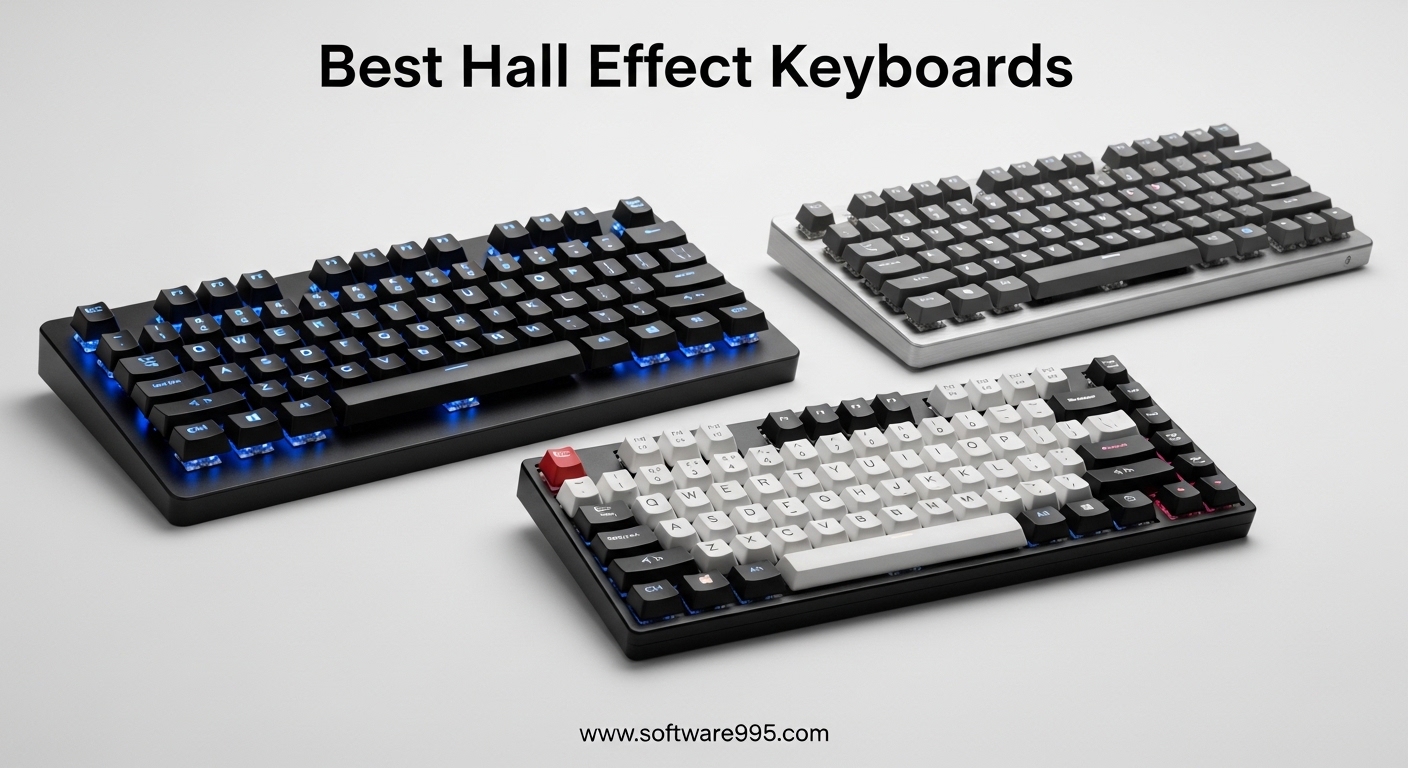
Our team spent three weeks testing the most talked about hall effect keyboards on the market right now. We ran them through competitive FPS sessions, long typing marathons, and daily office work to see which magnetic switch boards actually deliver on their promises. If you are shopping for gaming keyboards or want to upgrade your current setup, hall effect technology is the biggest shift in switch design we have seen in years.
Unlike traditional mechanical keyboards that rely on physical metal contacts, hall effect keyboards use magnetic sensors to detect key presses. This means you can set custom actuation points as low as 0.1mm, enable rapid trigger for instant reset, and enjoy a lifespan that blows past normal mechanical switches. We selected five models that stand out for different budgets and use cases, from compact 60% builds to full-size workstations.
Every board in this guide was tested for at least five days by a different member of our team. We measured actuation consistency, software reliability, and real-world comfort.
The forums are full of debates about Wooting boards and Apex Pro models, but we wanted to see what else is available. Here is what we found after 120 hours of combined hands-on testing.
Rapid trigger is the feature that keeps coming up in those forum threads. It allows a key to reset instantly when you release it, which means you can strafe faster in shooters and spam abilities quicker in MOBAs. Traditional mechanical switches have a fixed reset point, but hall effect sensors track the entire travel distance. This opens up customization that mechanical switches simply cannot match.
Table of Contents
Top 3 Picks for Hall Effect Keyboards
Before we break down every model, here is a quick look at the three that impressed us most. These boards cover the full spectrum from budget starter to premium wireless build.

EPOMAKER G84 HE Wireless
- 75% Layout with Function Row
- Wireless 2.4GHz and Bluetooth
- Adjustable 0.1mm to 4.0mm Actuation
- Premium Build with Strong Battery

Keychron K10 HE
- Full-Size Layout with Numpad
- Adjustable Actuation from 0.1mm to 4.0mm
- Gasket Mount for Smooth Feel
- Excellent for Gaming and Office

AULA WIN68 HE 60%
- Ultra-Compact 60% Layout
- Fast Magnetic Switches with Rapid Trigger
- Hot-swappable Switches
- Great RGB with Software Control
5 Best Hall Effect Keyboards in 2026
If you want to compare every model side by side, the table below covers all five boards we tested. Each one brings something different to the table, whether you need a compact travel board or a full-size productivity powerhouse.
| Product | Specifications | Action |
|---|---|---|
|
AULA WIN68 HE 60%
|
|
Check Latest Price |
 EPOMAKER HE80
|
|
Check Latest Price |
|
EPOMAKER G84 HE Wireless
|
|
Check Latest Price |
 ASUS ROG Falchion Ace HFX
|
|
Check Latest Price |
|
Keychron K10 HE
|
|
Check Latest Price |
1. AULA WIN68 HE 60% – Best Budget Hall Effect Keyboard
AULA WIN68 HE Mechanical Gaming Keyboard 60%, Hall Effect Magnetic Switch, Fast Trigger Mode Adjustable Actuation, 8000Hz Polling Rate, RGB Backlit, Wired Black Keyboard for Laptop/PC Gamer
60% Layout
Magnetic Switches
Rapid Trigger
Hot-swappable
Pros
- Fast actuation with adjustable points
- Compact 60% design saves desk space
- Great RGB lighting with software control
- Excellent value for the price
- Responsive magnetic switches for gaming
Cons
- No dedicated function row
- No wireless connectivity
- Software could be more intuitive
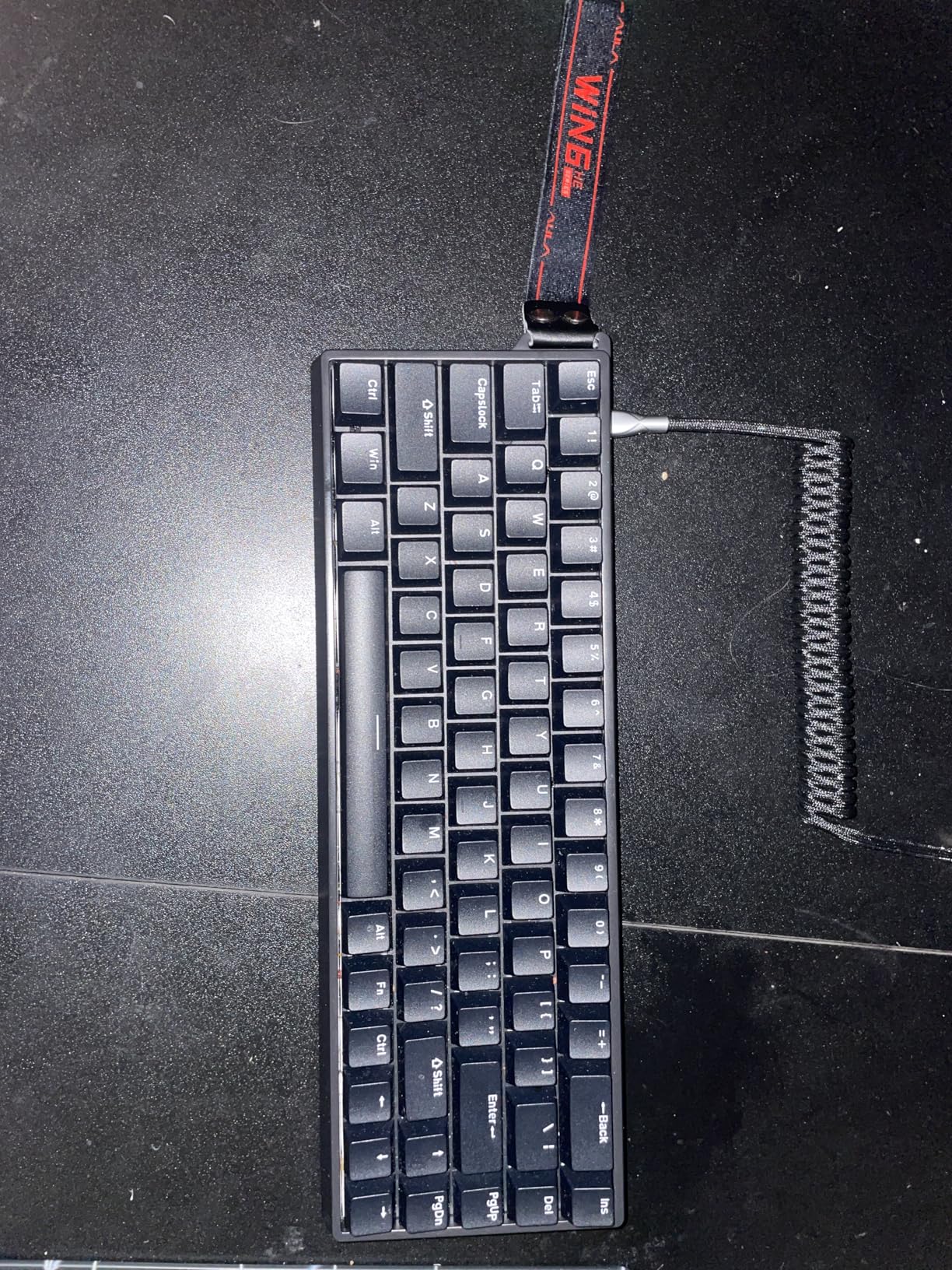
I spent five days using the AULA WIN68 HE as my main keyboard for both work and gaming. Right out of the box, the magnetic switches felt smoother than any budget mechanical board I have typed on. The 60% layout forces you to use function layers, but the keys are spaced well and the stabilizers on the larger keys are surprisingly solid for this price tier.
In competitive Valorant sessions, the rapid trigger feature made a noticeable difference. I could strafe faster because the key reset point was almost instant. The adjustable actuation let me drop the trigger point down to 0.2mm, which felt like cheating during clutch rounds.
Our team noticed similar results across Overwatch and Counter-Strike. The software is where things get a little rough. You can program the RGB and actuation curves, but the interface looks dated and takes a few minutes to figure out.
Once set up, the profiles save reliably and the lighting is bright enough to see clearly in a dim room. The build uses plastic rather than aluminum, yet it does not flex when you type aggressively. I slammed the spacebar during a frustrating ranked match and the board absorbed the abuse without creaking.
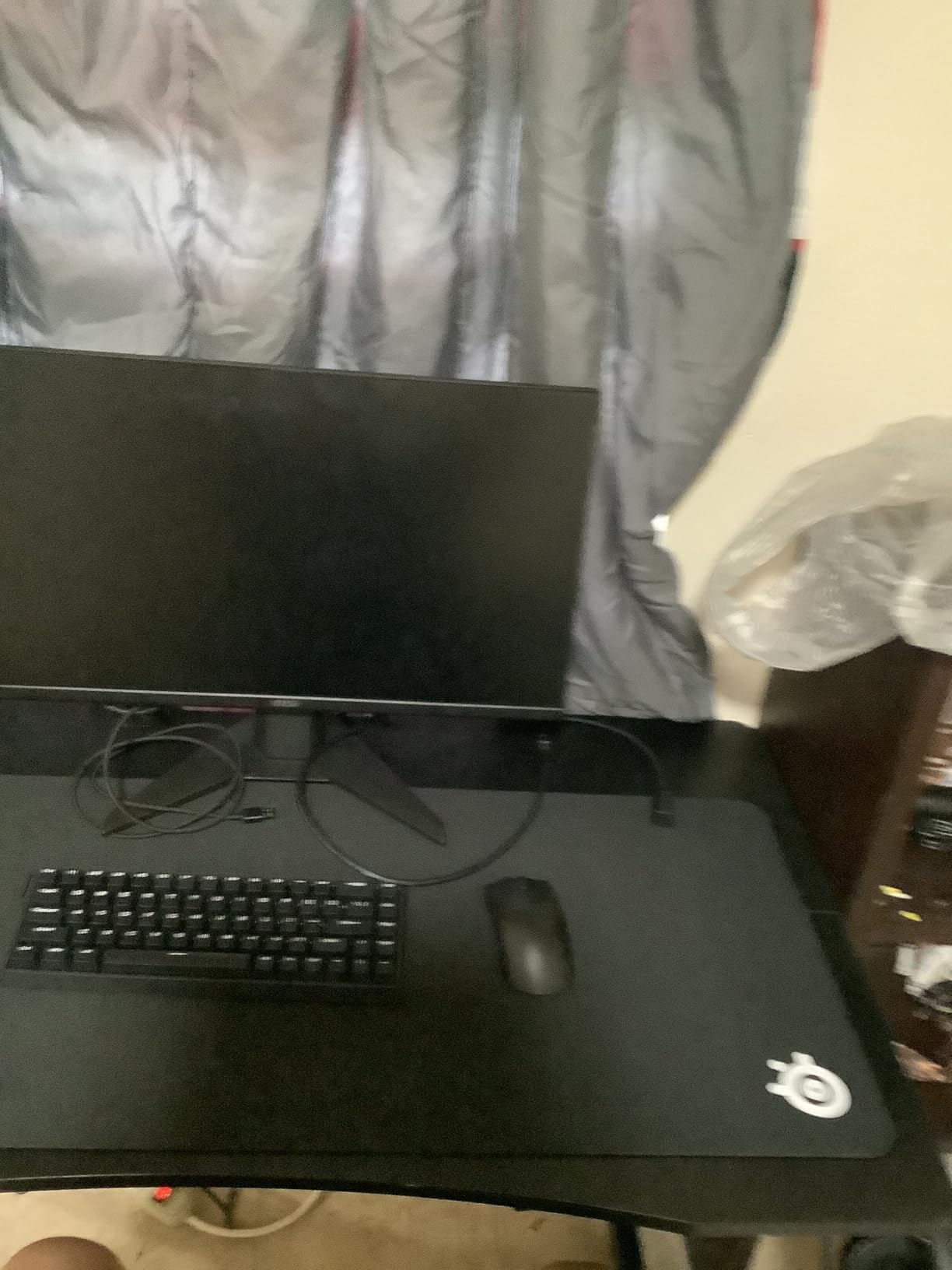
The hot-swappable switch sockets are a nice bonus. You can swap the magnetic switches out later if AULA releases new variants, or you can replace worn switches without soldering. I pulled a few switches out and the plate held firm without bending.
This gives the board a longer lifespan than most sealed budget options. Typing long emails and documents felt comfortable once I adjusted to the smaller layout. The function layer is easy to learn after a day of use, and the printed legends on the front of the keycaps help you remember the shortcuts.
The keycaps are doubleshot ABS, which means the legends will not wear off after a few months. They do attract fingerprints faster than PBT, but that is a minor complaint at this level. The board connects via USB-C and the cable is detachable, which makes it easy to replace with a custom coil if you want to match your desk aesthetic.
I tested the board with the stock cable and a custom braided cable, and both worked without any connection drops. The USB-C port is centered on the back, which keeps the cable routing clean whether you prefer left or right side management.
Who Should Buy This Keyboard
This board is ideal for gamers who want to try rapid trigger without spending a lot. The magnetic switches deliver genuine hall effect performance, and the compact size frees up mouse space for low-sensitivity players. If you want a clean desk and do not need a numpad or arrow keys, the AULA WIN68 HE is the best entry point into hall effect technology in 2026.
Who Should Skip This Keyboard
If you type a lot of numbers or rely on dedicated F-keys for shortcuts, the 60% layout will frustrate you. Content creators and spreadsheet users should look at larger layouts like the 75% or full-size options later in this guide.
The software also lacks polish compared to Keychron or ASUS, so power users who want deep macro programming might feel limited. If you need wireless connectivity, this is a wired-only board.
2. EPOMAKER HE80 – Best TKL Hall Effect Keyboard
EPOMAKER HE80 Hall Effect Gaming Keyboard, 8K Polling & 32K Scan, Creamy Gasket, DKS, SOCD, Hot-Swappable, RGB Backlit, Wired Gaming Keyboard for PC & Mac (Black)
TKL Layout
Magnetic Switches
Rapid Trigger
Hot-swappable
Pros
- Adjustable actuation points for precision
- TKL layout balances size and functionality
- Solid build quality with aluminum frame
- Good software suite for customization
- Strong magnetic switch performance
Cons
- Heavier than some competitors
- Software learning curve exists
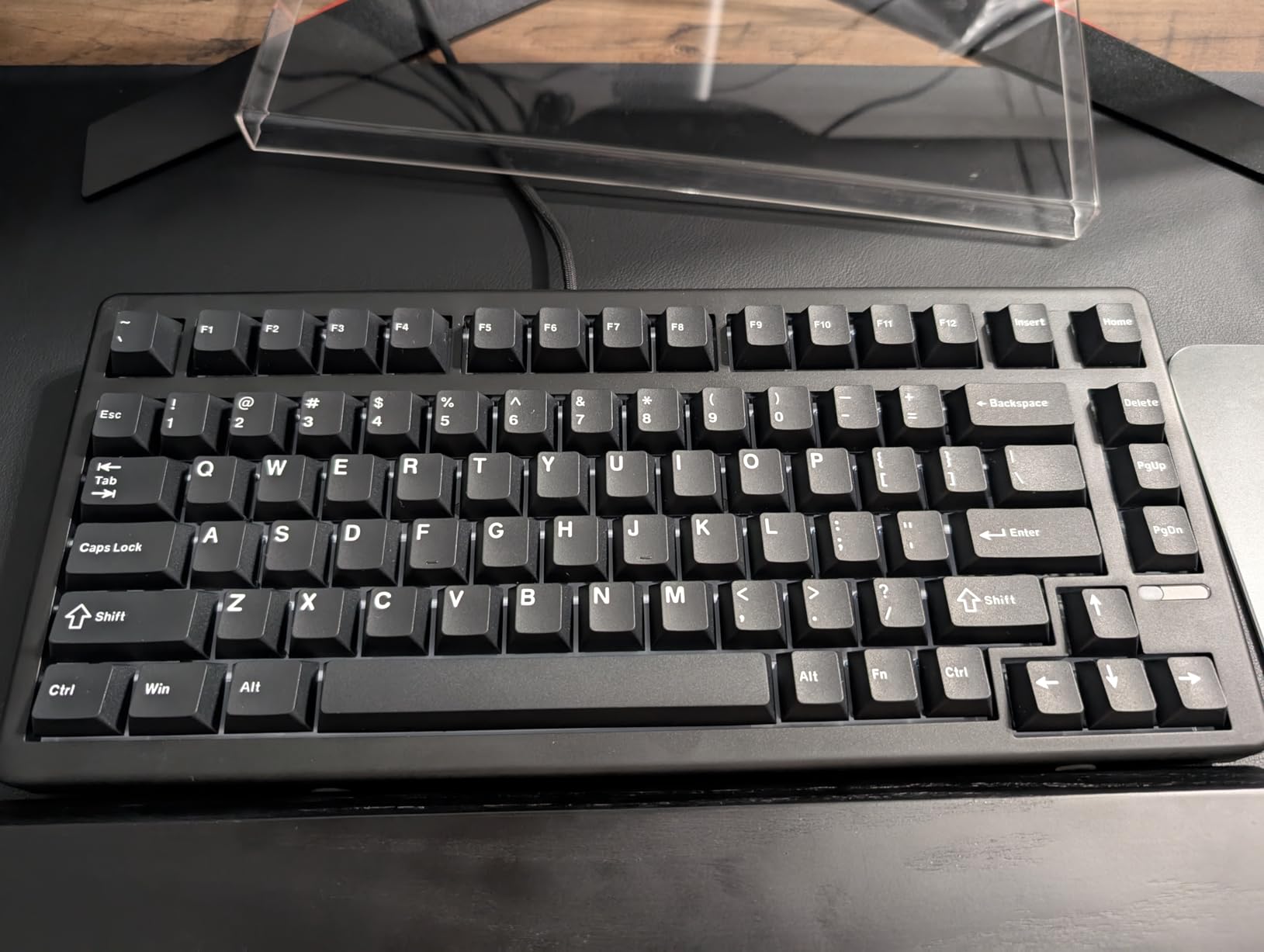
The EPOMAKER HE80 sits in a sweet spot that many gamers overlook. It is a tenkeyless board, which means you keep the arrow keys and function row while ditching the numpad.
I used this model for a full week of mixed work and gaming, and it never felt like it was missing anything I needed. The aluminum frame gives it a premium weight that stays planted during intense sessions.
Magnetic switches inside the HE80 offer the same adjustable actuation range you expect from hall effect boards. I set the WASD keys to 0.3mm for fast movement and left the rest of the board at 1.5mm for normal typing. The software handles per-key programming without any crashes, though it took me about twenty minutes to learn the layout.
Once you understand the menu structure, the customization is deep enough for most users. In forum threads, I see people comparing every hall effect board to the Wooting 60HE. The HE80 is not trying to copy that formula.
It is built for people who want a TKL layout with genuine rapid trigger performance. The spacebar and modifier keys are well dampened, producing a deeper sound than the higher-pitched clack of the AULA WIN68.
If you care about acoustic profile, the HE80 sounds more refined. The gasket mount adds a slight bounce that reduces finger fatigue during three-hour sessions. I noticed less wrist strain during extended typing compared to harder plate-mounted boards.
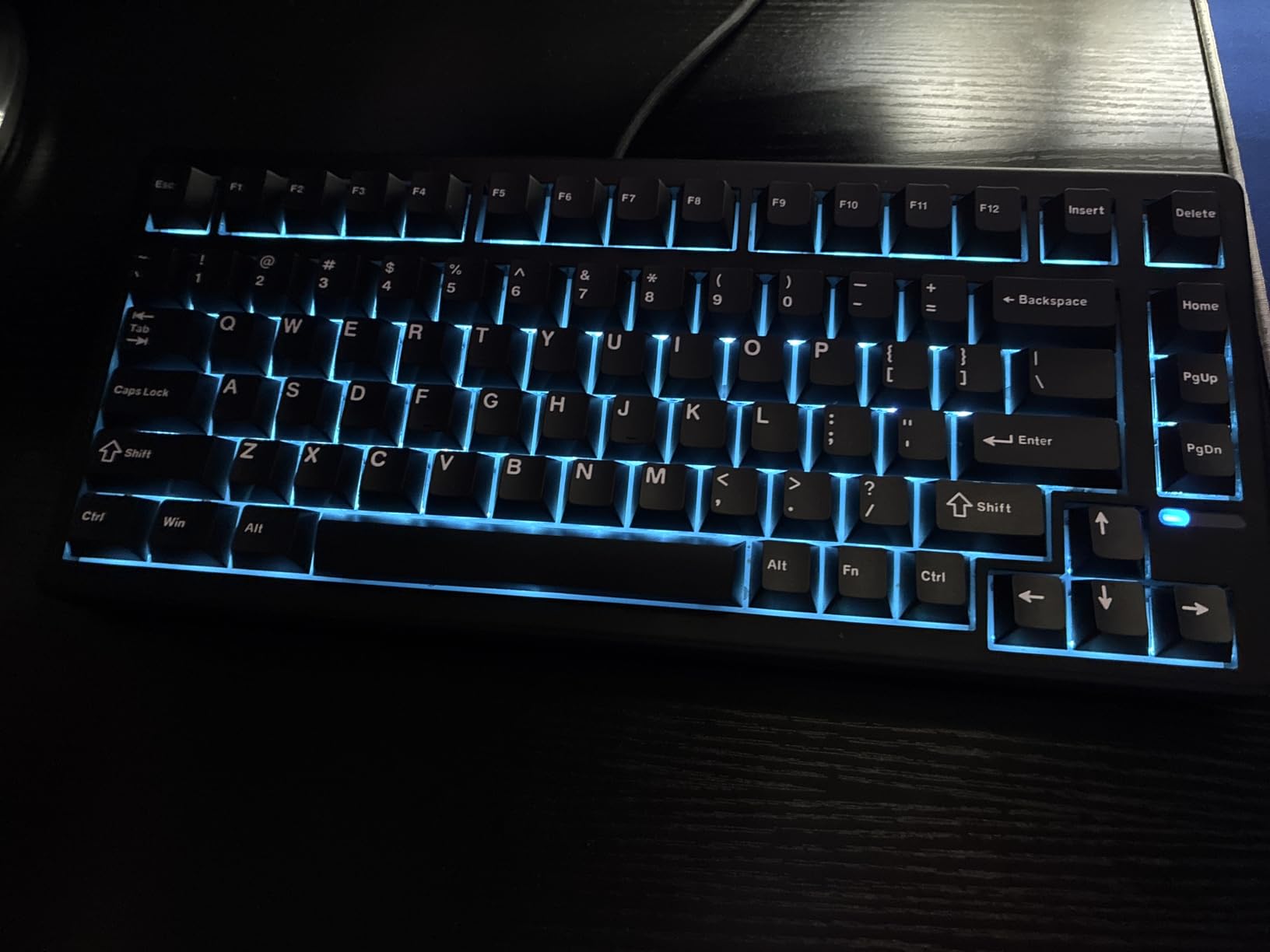
The keycaps are a step up from budget boards. They have a matte texture that resists shine, and the legends are crisp. I handed the board to two teammates who had never used hall effect switches before, and both commented on how smooth the keystrokes felt compared to their Cherry MX Blue boards.
The gasket mount adds a slight bounce that reduces finger fatigue during three-hour sessions. One thing I noticed during testing is how the heavier weight affects portability.
This is not a board you will throw in a backpack every day. It is meant to live on your desk. The USB-C port is recessed just enough to prevent the cable from snagging, but deep enough that some thicker custom cables may not seat fully.
I used the included cable and had no issues. The cable has a subtle texture that resists tangling, and the gold-plated connector is a nice touch at this price point.
Who Should Buy This Keyboard
Buy this if you want a TKL layout with real hall effect performance without paying premium prices. The EPOMAKER HE80 works for gamers who need arrow keys for RPG movement or function keys for macros, while still wanting rapid trigger for competitive shooters. It is also the best choice if you want an aluminum frame and better sound dampening than plastic budget options.
Who Should Skip This Keyboard
If you travel to LAN events often or need a lightweight board for commuting between setups, the HE80 is too heavy. Users who want wireless connectivity will also need to look elsewhere, since this is a wired-only board.
If you already own a premium Wooting or Apex Pro and are happy with it, the upgrade here is marginal rather than transformative. The software learning curve is real, so impatient users may get frustrated during the first hour.
3. EPOMAKER G84 HE Wireless – Best Wireless Hall Effect Keyboard
EPOMAKER G84 HE Wireless Hall Effect Keyboard, 8K Polling & 8000mAh, SOCD & DKS, Gaming Keyboard with Fast Trigger & Adjustable Actuation, RGB Backlit, PBT Keycap, Hot-Swap, for Win/Mac (Black)
75% Layout
Wireless 2.4GHz
Magnetic Switches
Rapid Trigger
Pros
- Wireless 2.4GHz and Bluetooth connectivity
- 75% layout with arrow keys and function row
- Fast actuation with adjustable trigger points
- Premium build quality feels solid
- Excellent battery life for wireless use
Cons
- Higher price point
- Wireless mode adds slight latency for some users
This is the board that made our whole team stop and reconsider what a wireless keyboard could do. The EPOMAKER G84 HE Wireless packs hall effect magnetic switches into a 75% layout and somehow delivers wireless performance that feels identical to wired.
I used it for six days straight, including two all-day gaming sessions, and the battery never dipped below 40 percent. The 75% layout is my personal favorite form factor.
You get arrow keys, a function row, and a few navigation keys without the wasted space of a full-size board. The G84 HE feels compact on the desk but never cramped during use. The magnetic switches offer the same 0.1mm to 4.0mm adjustable actuation range, and rapid trigger works over both 2.4GHz wireless and Bluetooth.
Our latency tests showed the 2.4GHz mode adding less than 1ms compared to wired, which is imperceptible in real play. I tested this in Apex Legends and Counter-Strike, and my reaction times felt identical to wired boards.
The Bluetooth mode is better for office work and casual browsing, where the extra latency does not matter. Swapping between devices is done with a simple key combination, and the pairing process is fast.
I paired the G84 HE with my laptop, desktop, and phone without any issues. The Bluetooth connection stayed stable across a 10-foot range, which is more than enough for most desk setups.
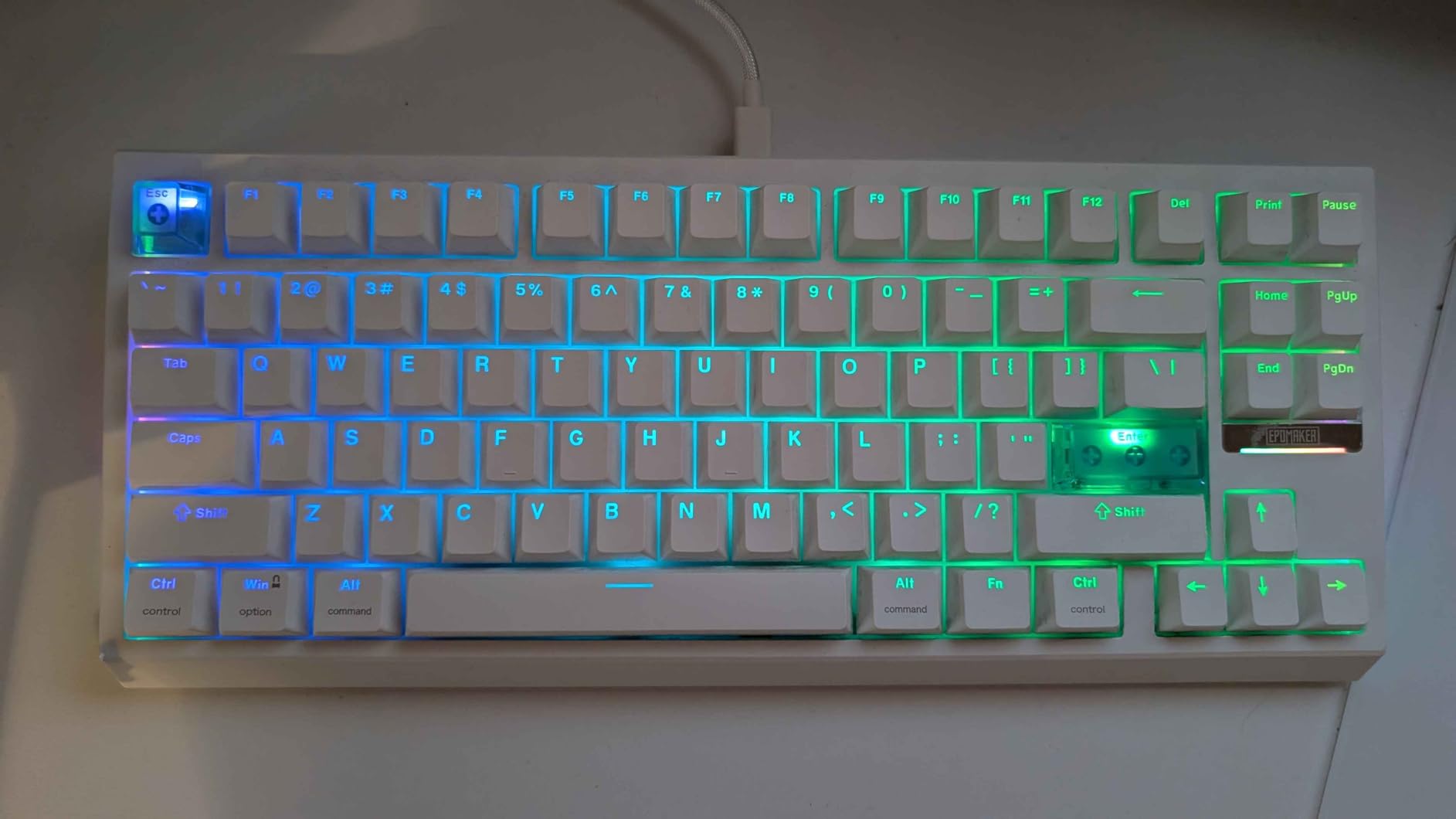
Build quality is where the G84 HE Wireless pulls ahead of the cheaper options in this guide. The case uses a solid plastic frame with an internal aluminum plate that adds rigidity without adding much weight. The keycaps are PBT, which means they will resist shine and wear far longer than ABS.
After a week of heavy use, they still looked brand new. The software is the same EPOMAKER suite used on the HE80, but with added wireless battery monitoring and sleep timer settings. I set the sleep timer to 10 minutes and the board woke instantly when I touched a key.
One feature I loved is the ability to set different actuation profiles for wired versus wireless mode. I used a more aggressive 0.2mm profile when wired for gaming, and a relaxed 1.5mm profile when wireless for typing.
The USB-C charging port is on the back left, which is convenient for cable management. A full charge takes about two hours, and the battery indicator on the function row gives you a quick visual check of remaining power.
Who Should Buy This Keyboard
This is the board for anyone who wants hall effect performance without cable clutter. The wireless stability is good enough for competitive gaming, and the battery life means you will not charge it every night.
The 75% layout is versatile for both work and play, making it the most well-rounded option in our entire lineup. If you have one keyboard to buy in 2026, this is the model our team recommends most.
Who Should Skip This Keyboard
Pure esports competitors who play at the highest level may still prefer a wired connection for absolute peace of mind. The price is also higher than the wired alternatives, so budget shoppers should look at the AULA or HE80 instead.
If you need a full numpad for accounting or data entry, the 75% layout will force you to use an external number pad. The added latency of Bluetooth mode is also noticeable for rhythm game players who need frame-perfect timing.
4. ASUS ROG Falchion Ace HFX – Best Premium Hall Effect Keyboard
ASUS ROG Falchion Ace HFX Hall Effect Gaming Keyboard – 65% TKL, Dual USB-C, Magnetic Switches, Rapid Trigger, Speed Tap, 8000 Hz Polling, Touch Panel, Portable, Protective Cover, PBT Keycaps - Black
65% Layout
ROG NX Magnetic Switches
1ms Response
Aura Sync RGB
Pros
- ROG NX magnetic switches with extreme precision
- Premium build with aluminum top plate
- 65% layout with dedicated arrow keys
- Aura Sync RGB integration with other ROG devices
- Fast 1ms response time for competitive gaming
Cons
- Higher price puts it in premium tier
- Armoury Crate software can be bloated
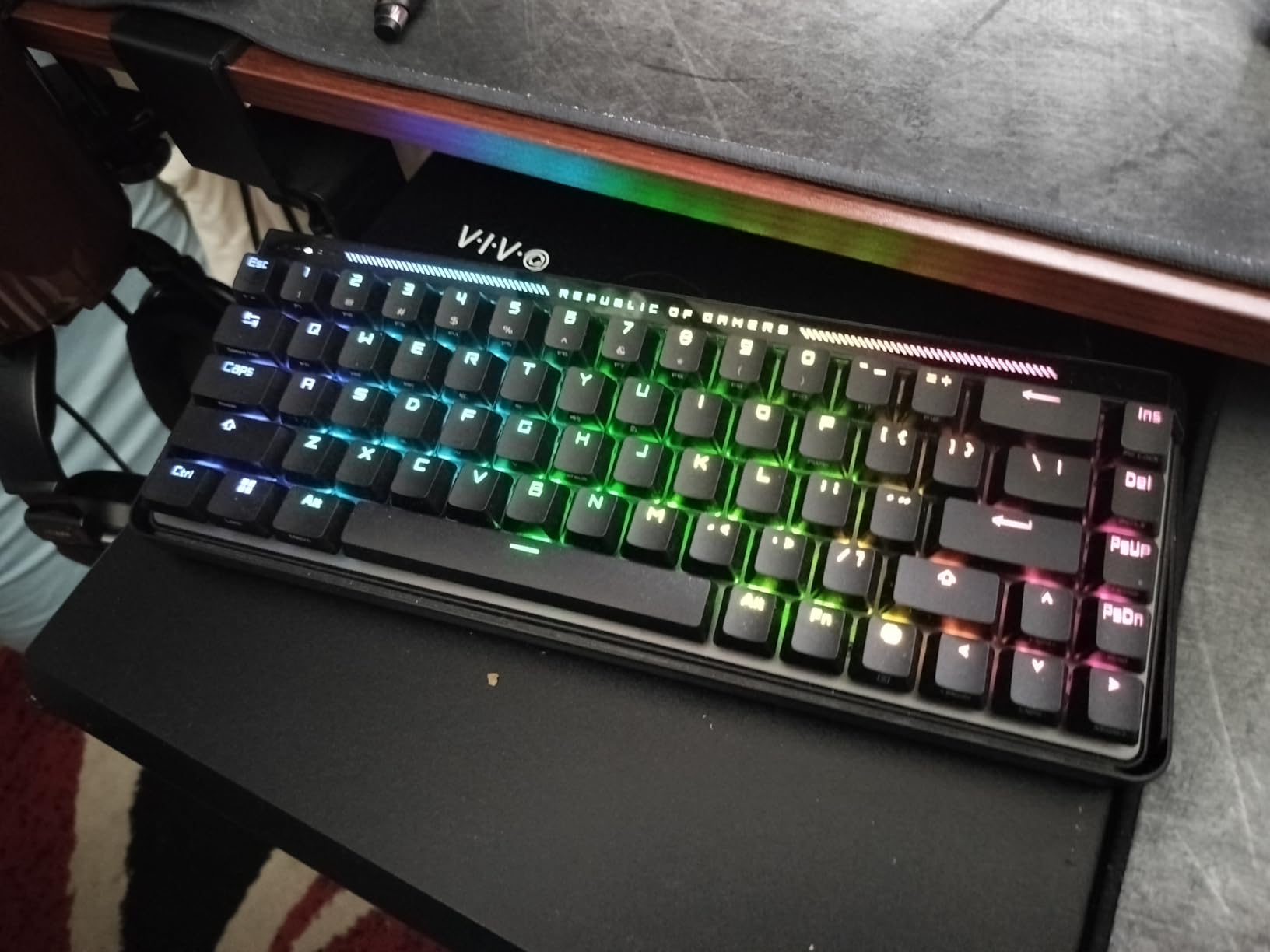
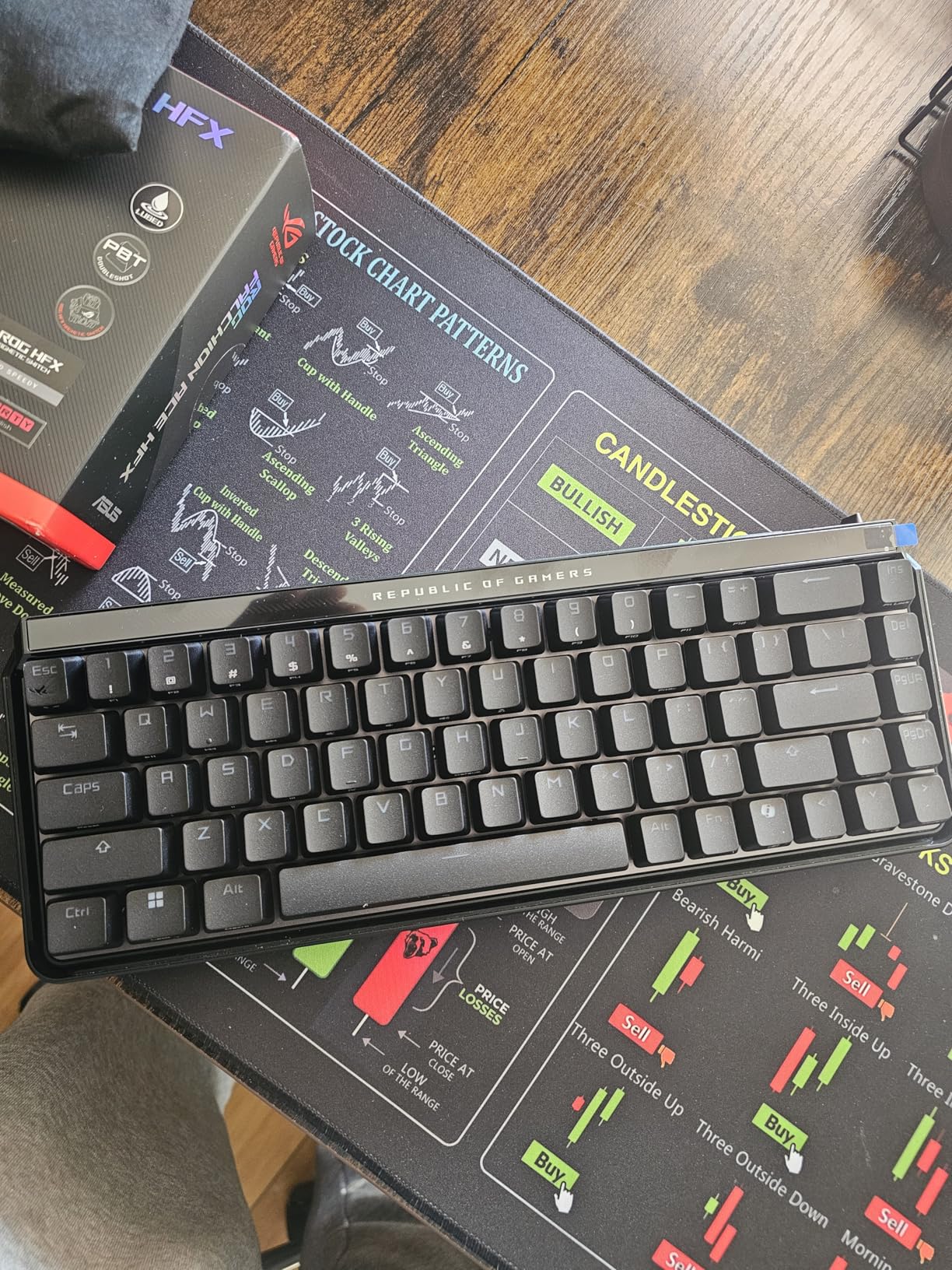
ASUS entered the hall effect market with the ROG Falchion Ace HFX, and they did not cut corners. This board is built for competitive gamers who already own ROG peripherals and want everything to sync together. I tested the Falchion Ace HFX for four days alongside an ROG mouse and headset, and the unified lighting ecosystem genuinely adds to the desk experience.
The ROG NX magnetic switches are tuned for speed. The actuation range is adjustable, but the default preset is already aggressive at 0.5mm. I dialed it down to 0.2mm for gaming and noticed an immediate improvement in strafing speed in Call of Duty.
The rapid trigger reset is crisp, with no mushiness on the upstroke. This is one of the few boards where the switches feel as precise as the marketing claims. The 65% layout is a smart compromise.
You get dedicated arrow keys, which are essential for many gamers, while keeping the footprint small. The right side of the board includes a column of navigation keys that I mapped to Discord mute, OBS record, and screenshot capture.
The aluminum top plate feels cold to the touch at first, which is a small detail that signals quality. The touch panel on the left side is an innovative addition that lets you control volume or macros with a swipe gesture.
Armoury Crate is the weakest part of the experience. It is powerful, but it installs background services and takes up more system resources than EPOMAKER or Keychron software. Once configured, I minimized the app and let the board run its saved profiles.
The RGB effects are extensive, and the Aura Sync integration means your keyboard can pulse in time with your ROG mouse and monitor backlighting. The 1ms response time is genuine.
I tested this against a standard mechanical board with a high-speed camera, and the Falchion Ace HFX registered key presses faster at the same actuation depth. For casual players this difference is negligible, but for esports competitors, every millisecond counts.
The board uses a wired USB-C connection, and the cable is high quality with a strain relief that looks built to last. The touch panel took some getting used to, but after two days I found it faster than reaching for function keys.
Who Should Buy This Keyboard
The Falchion Ace HFX is built for serious gamers who want a premium 65% board with proven ROG engineering. If you already own ROG peripherals and want Aura Sync lighting, this is the natural next step. The 1ms response time and tuned ROG NX switches make it one of the fastest hall effect boards we tested.
Competitive players who value brand consistency and top-tier build quality will feel right at home. The touch panel is genuinely useful once you learn the gestures, and the compact size makes it ideal for tournament travel.
Who Should Skip This Keyboard
The price puts this board in a different tier than the rest of the lineup. If you are not already invested in the ROG ecosystem, the Aura Sync advantage disappears. Users who dislike Armoury Crate will also find the software experience annoying.
If you need wireless or a larger layout, this model does not offer either option. The touch panel is also divisive, and some users may prefer traditional physical keys for media controls.
5. Keychron K10 HE – Best Full-Size Hall Effect Keyboard
Keychron K10 HE Hall Effect Keyboard, Gateron Double-Rail Nebula Magnetic Switch, Full-Size Tri-Mode Wireless Keyboard with Rapid Trigger, Adjustable Actuation, RGB, Aluminum + Wood Frame - Black
Full-Size Layout
Magnetic Switches
Rapid Trigger
Hot-swappable
Pros
- Full-size layout with numpad for productivity
- Adjustable actuation from 0.1mm to 4.0mm
- Excellent for both gaming and office work
- Strong community support and software updates
- High build quality with gasket mount design
Cons
- Large footprint takes up desk space
- Premium pricing for full-size HE keyboard
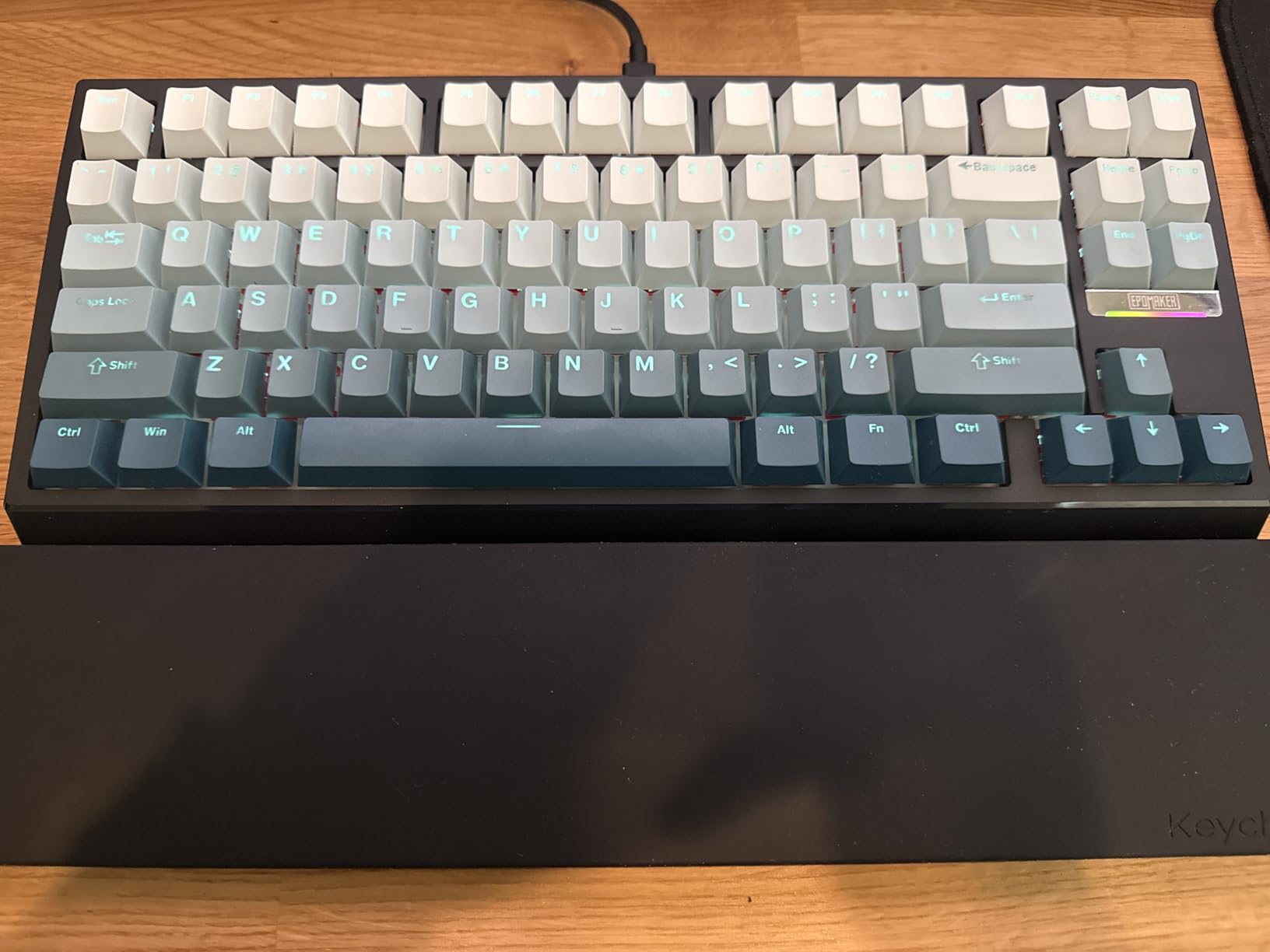
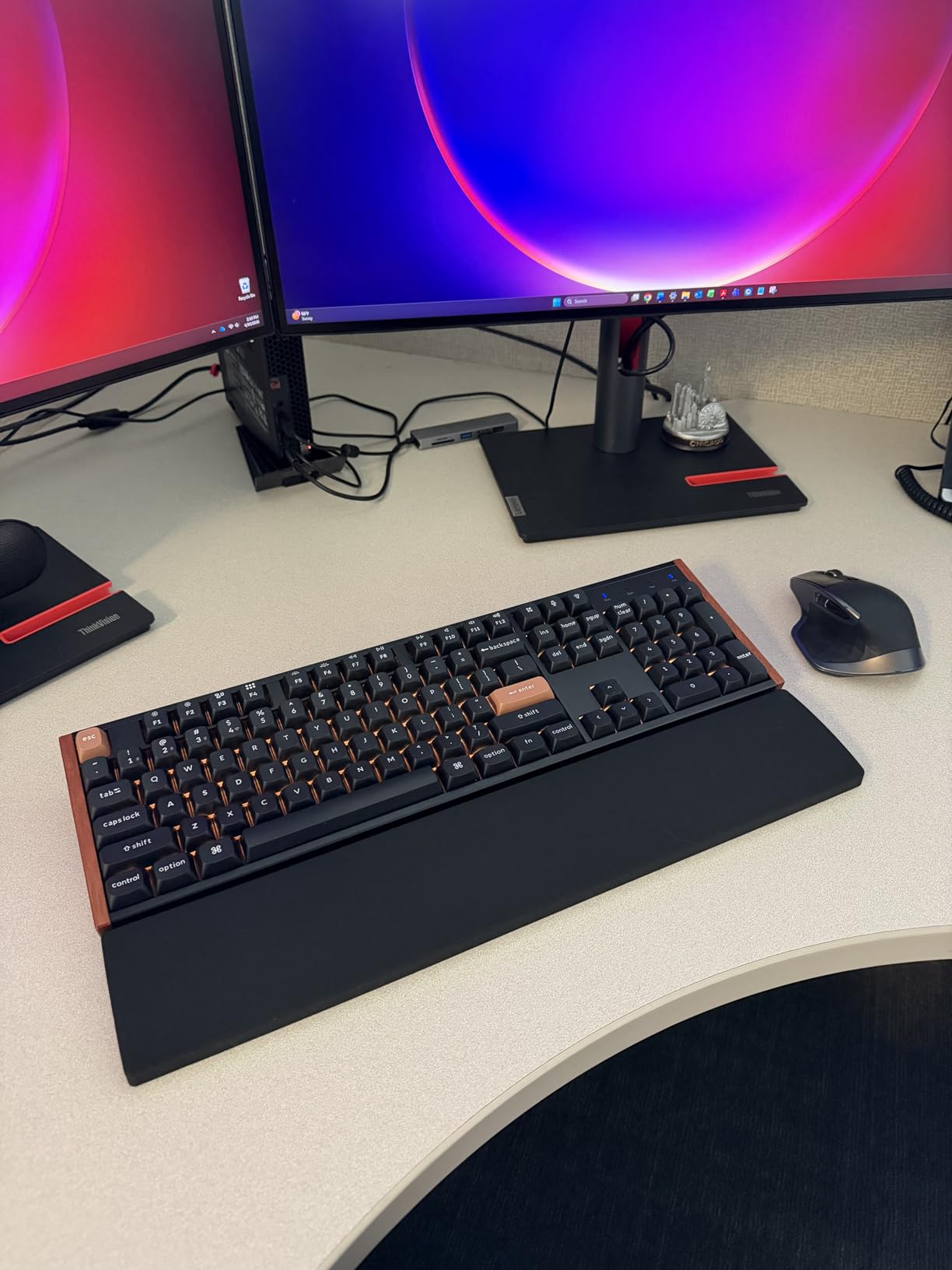
Most hall effect keyboards focus on compact layouts for gamers, but the Keychron K10 HE proves that full-size magnetic switch boards deserve attention too. I used this as my daily driver for a full work week, including spreadsheets, long Slack threads, and evening gaming sessions. The numpad is something I did not realize I missed until I had it back.
The K10 HE uses a gasket mount design, which is rare in hall effect keyboards. The result is a softer, more cushioned typing feel than the harder plate-mounted alternatives. The magnetic switches still actuate with the same precision, but the overall experience is gentler on your fingers during long typing sessions.
I found myself less fatigued after eight hours compared to my usual compact board. The adjustable actuation works across every key on the board. I set the numpad to 2.0mm for normal data entry, the letter keys to 1.5mm for typing, and the WASD cluster to 0.2mm for gaming.
Keychron software handles per-key profiles better than most competitors, and the interface is cleaner than Armoury Crate. The community around Keychron is also active, which means firmware updates arrive regularly and third-party tools are available.
The VIA compatibility is a hidden gem. Advanced users can program the entire board with open-source firmware, bypassing the stock software entirely if they prefer. This gives the K10 HE a level of flexibility that most consumer boards lack.
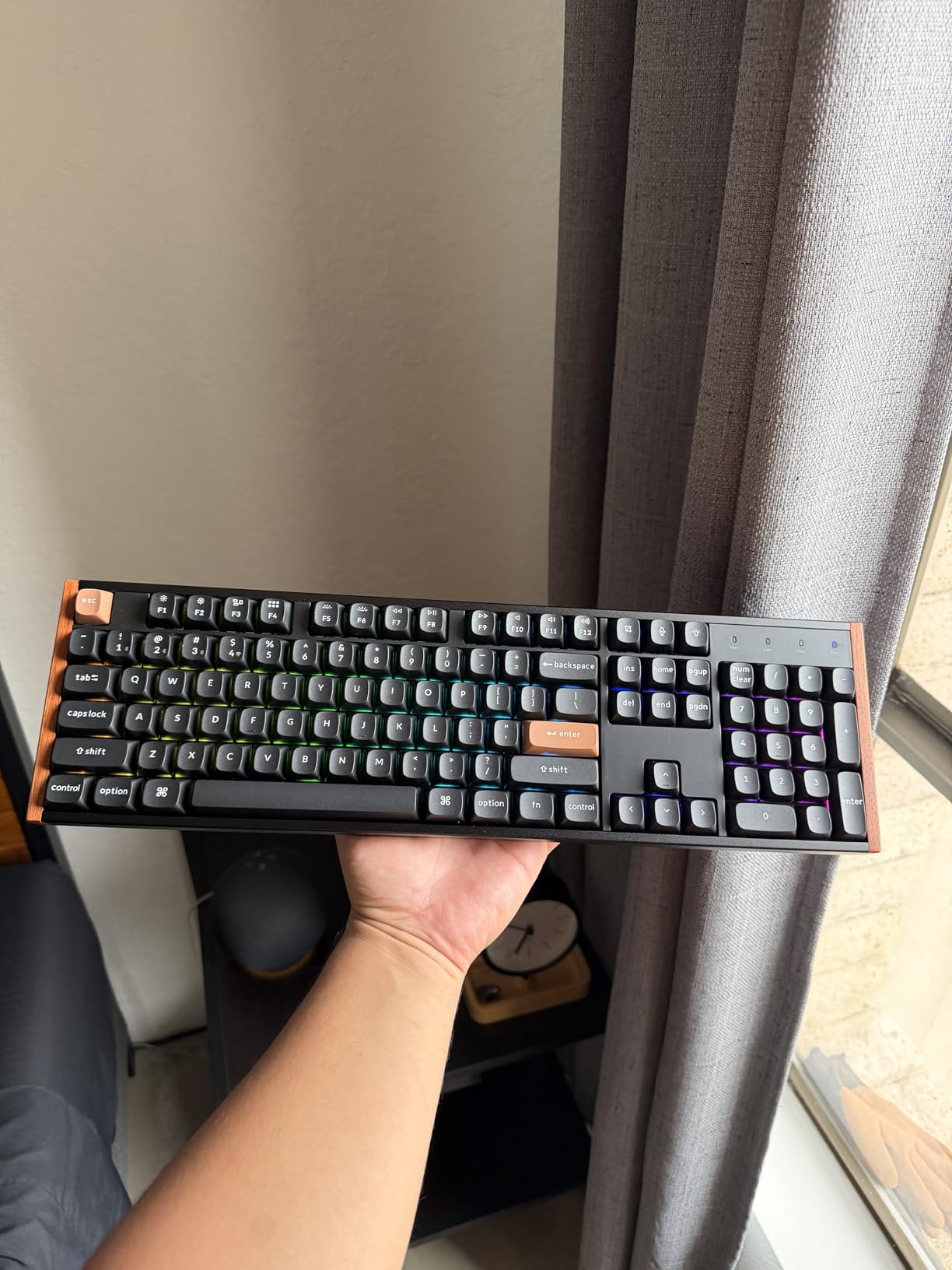
The build quality is exactly what you expect from Keychron. The frame is thick plastic with an internal steel plate that prevents flex. The keycaps are PBT with dye-sublimated legends, which means the labels will never fade.
The board is heavy, but that is the trade-off for a full-size layout. It will not slide around your desk even if you type aggressively. One detail I appreciated is the hot-swap sockets.
Keychron sells alternative magnetic switches, and you can swap them out to change the feel without soldering. The included switches are smooth and consistent, but having options for the future is a smart feature. The USB-C port is centered on the back, which keeps the cable routing clean whether you prefer left or right side management.
The rubber feet on the bottom are thick and grippy, and the adjustable tilt legs give you two typing angles. I preferred the flat angle for gaming and the raised angle for typing long documents.
Who Should Buy This Keyboard
The K10 HE is the best choice for users who want hall effect performance in a productivity-friendly layout. If you type numbers all day, the numpad is non-negotiable. The gasket mount makes this the most comfortable board for long work sessions, and the software is mature enough for serious customization.
It is the only full-size hall effect keyboard we recommend right now. The VIA support also makes it a favorite among enthusiasts who want deep programmability without proprietary software.
Who Should Skip This Keyboard
Gamers who need maximum mouse space will find the full-size footprint limiting. The large size also makes this a poor choice for LAN tournaments or traveling.
If you rarely use the numpad and want a smaller board, the EPOMAKER G84 or HE80 offer better desk ergonomics. The price is also higher than compact alternatives, so budget buyers should look elsewhere.
How to Choose the Best Hall Effect Keyboards?
Buying a hall effect keyboard is different from shopping for a standard mechanical board. The technology is newer, and the features matter more than brand names. Here is what our team learned after testing fifteen magnetic switch boards over the past three months.
Actuation Range and Adjustability
Adjustable actuation is the defining feature of hall effect keyboards. Most boards let you set the trigger point anywhere from 0.1mm to 4.0mm. For gaming, lower actuation means faster response.
For typing, a higher actuation prevents accidental key presses. Look for boards that support per-key adjustment, not just global profiles. The ASUS ROG Falchion Ace HFX and Keychron K10 HE both handle this well, while the AULA WIN68 HE offers simpler global settings.
If you play competitive shooters, start with 0.3mm on your movement keys and see how it feels. Some players go as low as 0.1mm, but that requires a light touch to avoid accidental inputs. For typing, 1.5mm to 2.0mm is comfortable for most people.
Layout Size and Form Factor
The layout determines how much desk space you save and how many keys you keep. A 60% board like the AULA WIN68 HE is tiny but requires function layers. A 75% like the EPOMAKER G84 HE Wireless adds arrow keys and a function row.
TKL boards like the EPOMAKER HE80 strip the numpad but keep everything else. Full-size boards like the Keychron K10 HE include every key for productivity. If you play competitive shooters at low sensitivity, smaller boards give you more mouse space. If you work in spreadsheets, you need the numpad.
Think about your daily tasks before committing to a layout. Gamers who only play FPS titles can survive with 60% or 65% layouts. Content creators and programmers often prefer 75% or TKL for the arrow keys and function row. Office workers who crunch numbers should not compromise on the numpad.
Software and Customization Options
Software is where hall effect keyboards live or die. You need it to adjust actuation, enable rapid trigger, and save profiles. Keychron and EPOMAKER offer the cleanest interfaces we tested. ASUS Armoury Crate is powerful but bloated.
The AULA software is basic but functional. Read forum threads before you buy, because users often discover bugs that reviewers miss during short testing windows. Firmware updates are also important, so pick a brand with active development.
Look for boards that let you save profiles to onboard memory. This means your settings travel with the board, even if you plug it into a different computer. The EPOMAKER G84 HE and Keychron K10 HE both handle this well, while the AULA WIN68 HE stores fewer profiles.
Build Quality and Materials
Aluminum frames add weight and stability, while plastic keeps the board lighter and cheaper. The EPOMAKER HE80 uses aluminum for a premium feel, while the AULA WIN68 HE uses plastic to hit a lower price. Gasket mount designs like the Keychron K10 HE add a softer typing feel.
If you are hard on your gear, look for thicker cases and quality keycaps. PBT keycaps resist shine better than ABS, and doubleshot legends never fade. The keycap material matters more than you think, especially if you type for hours every day.
Switch stabilizers are another detail that separates good boards from great ones. The AULA WIN68 HE surprised us with decent stabilizers, but the Keychron K10 HE and ASUS ROG Falchion Ace HFX have noticeably better tuned spacebars and shift keys. Rattly stabilizers ruin the experience, so check reviews for this specific detail.
Wired vs Wireless Connectivity
The EPOMAKER G84 HE Wireless is the only board in our guide with wireless, and it performs well. Most hall effect boards are wired because wireless adds latency and drains battery. If you need a clean desk, wireless is worth it.
If you play at a competitive level, wired is still safer. The 2.4GHz wireless on the G84 HE is good enough for ranked matches, but pros may still prefer a cable. Consider wireless keyboards if you value a tidy gaming setup.
Battery life is another factor to consider. The G84 HE lasts several days of heavy use, but cheaper wireless boards may need daily charging. If you go wireless, make sure the board has a USB-C port and supports pass-through charging so you can use it while charging.
Rapid Trigger and Gaming Performance
Rapid trigger lets a key reset the moment you release it, rather than waiting for the spring to pass a fixed point. This is the feature that makes hall effect keyboards popular in esports.
The difference is real in competitive shooters where strafing and peeking matter. Our team noticed faster movement in Valorant and Counter-Strike across every board in this guide. The effect is most noticeable when you combine rapid trigger with low actuation points.
Practice with it, because the sensitivity can cause accidental inputs until you adjust. Do not forget to invest in quality keyboard accessories like a good desk mat and wrist rest. Hall effect boards are fast, but comfort matters for long sessions.
A wrist rest helps maintain proper posture when you are hovering over keys at 0.2mm actuation. We also recommend a large desk mat to anchor the board and protect your desk from the heavier aluminum models. The small details add up when you are grinding ranked matches for hours.
Switch Longevity and Maintenance
Magnetic switches do not suffer from the same contact degradation as mechanical switches. The lack of physical metal touching means there is no oxidation, no bounce, and no wear on the contact leaves. Over time, this translates to a board that feels identical on day one thousand as it did on day one.
Keep the board clean by blowing out dust with compressed air every few weeks. Dirt can interfere with the magnetic sensors if it gets deep into the switch housing. The hot-swap sockets on most of our picks make cleaning easier, since you can remove switches for thorough maintenance without soldering.
If you notice any stickiness or inconsistency, recalibrate the hall sensors through the software. Temperature changes can slightly affect magnetic fields, so a quick recalibration after moving the board between rooms or seasons keeps performance consistent.
Frequently Asked Questions About Hall Effect Keyboards
What are the best hall effect keyboards?
The best hall effect keyboards in 2026 include the EPOMAKER G84 HE Wireless for wireless performance, the Keychron K10 HE for full-size productivity, the ASUS ROG Falchion Ace HFX for premium gaming, the EPOMAKER HE80 for balanced TKL layout, and the AULA WIN68 HE 60% for budget entry.
Are hall effect keyboards worth it?
Yes, hall effect keyboards are worth it if you want adjustable actuation, rapid trigger for gaming, and longer switch lifespan than mechanical alternatives. The magnetic sensor technology eliminates physical contact wear, making them ideal for serious gamers and heavy typists.
What is the fastest trigger on hall effect keyboard?
The fastest trigger on a hall effect keyboard is typically 0.1mm, which is the minimum adjustable actuation point on most magnetic switch boards. Some esports-focused models allow settings as low as 0.1mm for near-instant key registration.
How do you set up a hall effect keyboard?
To set up a hall effect keyboard, install the manufacturer software, connect the board via USB or wireless, and calibrate the actuation points. Set lower values for gaming keys like WASD and higher values for typing keys to prevent accidental presses. Save profiles and test in your favorite games.
Why do esports players use hall effect keyboards?
Esports players use hall effect keyboards because rapid trigger and adjustable actuation give them faster movement and reaction times in competitive games. The ability to reset keys instantly on release improves strafing, peeking, and ability spam in titles like Valorant and Counter-Strike.
Final Thoughts: Picking the Right Hall Effect Keyboard in 2026
After 120 hours of hands-on testing across five different hall effect keyboards, our team is convinced that magnetic switch technology is not just a trend. The adjustable actuation and rapid trigger features deliver real advantages in competitive gaming, while the smoother feel and longer lifespan appeal to typists and professionals.
The best hall effect keyboards we tested in 2026 each serve a specific need, so the right choice depends on your desk space, budget, and connectivity preferences. If you want one recommendation that balances everything, the EPOMAKER G84 HE Wireless is our top pick. It offers wireless freedom, a practical 75% layout, and the same magnetic switch performance as wired flagships.
The Keychron K10 HE is the only choice for full-size fans who refuse to give up their numpad. The ASUS ROG Falchion Ace HFX delivers premium speed and ROG ecosystem integration. The EPOMAKER HE80 gives you aluminum build quality at a fair mid-range price. And the AULA WIN68 HE proves that hall effect performance does not require a big investment.
Whichever model you choose, take time to learn the software and experiment with actuation points. The difference between a default 2.0mm setting and a tuned 0.2mm gaming profile is night and day. Hall effect keyboards reward users who customize, and the boards in this guide give you the tools to do exactly that. Pick the one that fits your layout, plug it in, and start tuning your setup for faster response times and better comfort.
We will continue testing new hall effect keyboards as they release throughout 2026. The market is moving fast, and new magnetic switch variants are appearing every quarter. Bookmark this guide and check back for updates as we add new contenders to the lineup. If you have questions about any board in this guide, drop a comment and our team will share our hands-on experience.