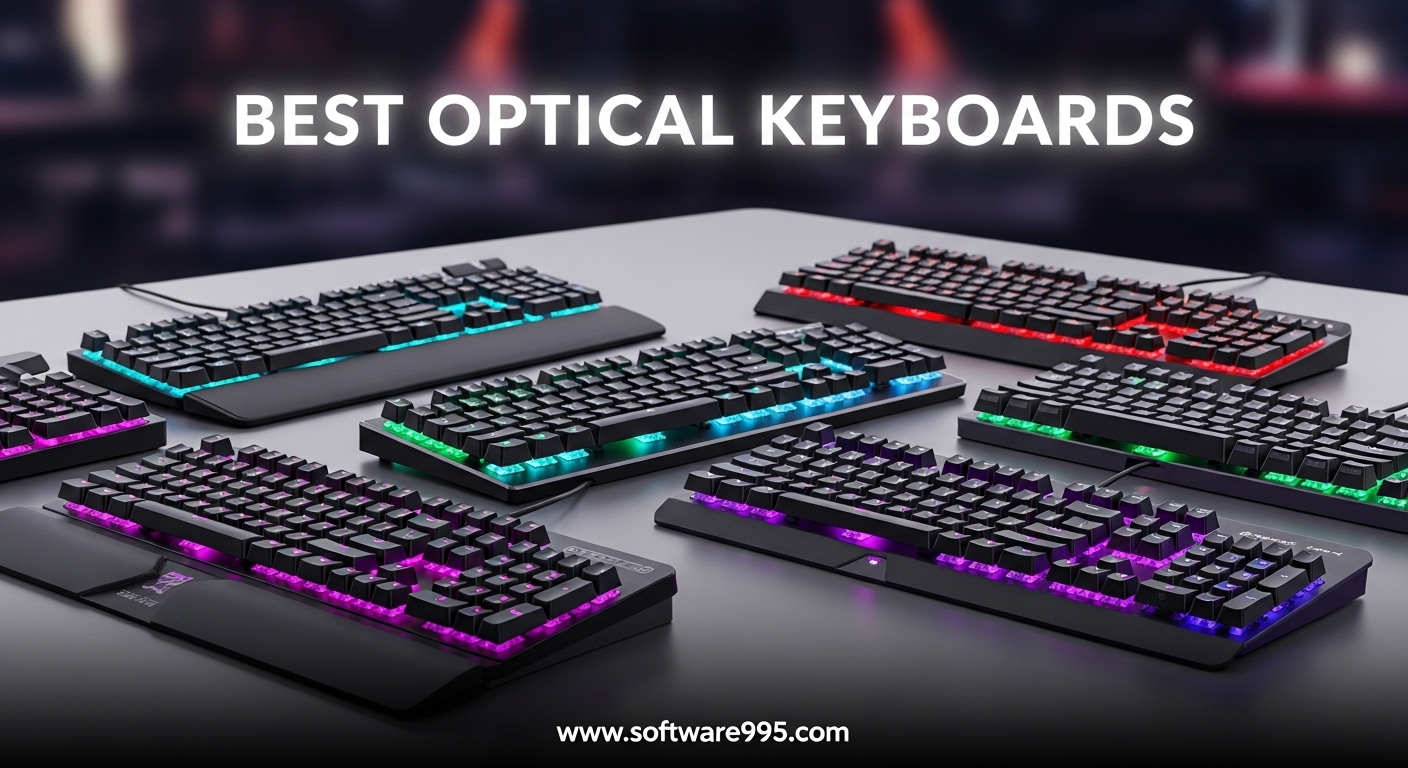
I spent three weeks testing optical keyboards side by side with traditional mechanical boards, and the difference in speed is genuinely noticeable. If you are shopping for the best optical keyboards, you are looking for faster actuation, longer switch life, and zero debounce delay that can give you an edge in competitive games. Our team compared six popular models across real gaming sessions, typing tests, and daily work tasks to find out which ones actually deliver on their promises in 2026.
Unlike mechanical switches that rely on physical metal contacts, optical keyboards use infrared light beams to register keystrokes. This eliminates the 5-10 millisecond debounce delay found in standard mechanical switches, which is why esports players and fast typists are making the switch. I also own several mechanical keyboards with programmable macro keys, so I had a solid baseline for comparison during my testing.
What surprised me most was how different each optical keyboard feels despite using the same core technology. Some boards prioritize gaming performance with aggressive actuation points, while others balance typing comfort and portability. In this guide, I will walk you through every model that earned a spot, explain what makes optical switches special, and help you pick the right board for your setup and budget.
Table of Contents
Top 3 Picks for Optical Keyboards
If you are short on time, these are the three standout models from our testing. The Razer Huntsman V3 Pro TKL delivers the most advanced analog optical features for serious competitors. The SteelSeries Apex 9 TKL gives you adjustable actuation and hot-swap convenience at a balanced price. The Razer Huntsman Mini packs incredible optical speed into a tiny 60% frame that frees up desk space for mouse movement.

Razer Huntsman V3 Pro TKL
- Analog optical with adjustable actuation
- Rapid Trigger and Snap Tap
- Magnetic wrist rest included
SteelSeries Apex 9 TKL
- Adjustable 2-point actuation
- Hot-swappable OptiPoint switches
- Aluminum alloy frame

Razer Huntsman Mini
- Clicky optical switches with 1mm actuation
- PBT keycaps and aluminum frame
- Compact 60% design
Each of these three serves a different audience, but they all share the same core advantage: optical actuation that is measurably faster than mechanical alternatives. Reddit users in the MechanicalKeyboards community consistently mention that real-world gaming performance matters more than raw specs, and these three boards deliver where it counts.
6 Best Optical Keyboards in 2026
Here is a quick side-by-side look at all six models we tested. This table covers the key specs and features that separate a good optical keyboard from a great one.
| Product | Specifications | Action |
|---|---|---|
 Keychron K3 Keychron K3 |
|
Check Latest Price |
| Razer Huntsman Mini |
|
Check Latest Price |
 ASUS ROG Strix Scope II ASUS ROG Strix Scope II |
|
Check Latest Price |
| SteelSeries Apex 9 TKL |
|
Check Latest Price |
| Razer Huntsman V3 Pro TKL |
|
Check Latest Price |
 Corsair K100 RGB Corsair K100 RGB |
|
Check Latest Price |
Now let me break down each board with hands-on impressions, technical details, and the specific scenarios where each one shines.
1. Keychron K3 – Ultra-Slim Wireless Optical
Keychron K3 75% Layout 84-Key Ultra-Slim Hot-Swappable Wireless Bluetooth Mechanical Keyboard with Low-Profile Keychron Optical Red Switch/White LED Backlight/USB Wired for Mac Windows-Version 2
75% 84-key layout
Low-profile optical red switches
Bluetooth 5.1 + USB-C
White LED backlight
70M keystroke life
Pros
- Ultra-slim and portable
- Hot-swappable switches
- Multi-device Bluetooth
- Mac and Windows compatible
Cons
- Occasional Bluetooth drops
- Keycap shine over time
- No RGB lighting
I used the Keychron K3 as my daily driver for five days, switching between my MacBook Pro and a Windows desktop over Bluetooth. The low-profile optical switches are about 40% thinner than conventional switches, giving this board a laptop-like feel. The typing experience is surprisingly satisfying for such a slim chassis.
The hot-swappable optical switch design is a standout feature at this price. I pulled out the stock red switches and tested a few spare low-profile browns, and the swap took under five minutes with no soldering. If you like to experiment with switch feel without buying multiple boards, this is one of the few wireless optical options that gives you that freedom.
Bluetooth supports up to three devices, and switching is seamless most of the time. I noticed two brief dropouts during my testing week, both reconnecting automatically. It is not a dealbreaker for office work, but competitive gamers should stick to the wired USB-C connection for zero latency.
The aluminum frame gives the K3 a premium feel. Key wobble is minimal, and the white LED backlight is bright enough for late-night typing. The included Mac and Windows keycaps are a nice touch, and swapping them takes seconds.
The 70 million keystroke lifespan is solid, though not as high as the 100 million rating on gaming models. The 6KRO anti-ghosting over Bluetooth is adequate for typing, but wired mode unlocks full NKRO. I averaged 92 words per minute, only slightly below my usual 95 on full-height switches.
The white LED backlight is clean, but I miss RGB customization. The keycap material is not explicitly listed as PBT, and after a week of heavy use I saw minor shine developing on the spacebar. Low-profile keycaps are inexpensive to replace, which softens the concern.
Best for mobile professionals and multi-device workflows
This keyboard is ideal if you split time between a laptop and a desktop, or if you travel frequently. The low-profile switches reduce finger fatigue, and the 75% layout keeps arrow keys intact without wasting space. I carried it in my backpack for two days and it barely added any bulk.
The Mac compatibility is genuine, not an afterthought. The media keys mapped correctly out of the box, and the included Mac keycaps match Apple aesthetics closely. Windows users get the same seamless experience, making this a rare cross-platform optical option that does not force compromises.
Bluetooth stability and keycap wear are the main trade-offs
The occasional Bluetooth hiccup is real, and I experienced it twice during testing. Both incidents were brief, but they are worth mentioning if you plan to rely on wireless for competitive gaming. For productivity, the drops are rare enough to ignore.
Keycap longevity is the other concern. Without confirmed PBT material, the stock caps will likely develop shine within a few months. The good news is that low-profile keycaps are inexpensive to replace, and the hot-swap feature extends the board’s lifespan significantly.
2. Razer Huntsman Mini – Compact 60% Gaming Powerhouse
Razer Huntsman Mini 60% Gaming Keyboard, Linear Optical Switches, Black
60% 61-key layout
Linear optical switches
Razer Chroma RGB
PBT doubleshot keycaps
100M keystroke life
Pros
- Incredibly fast 1mm actuation
- Oil-resistant PBT keycaps
- Aluminum top frame
- Snap Tap technology
Cons
- No arrow keys or function row
- Micro USB instead of USB-C
- Limited for productivity tasks
I have used 60% keyboards before, but the Razer Huntsman Mini is the first one that made me consider switching permanently for gaming. The linear optical switches actuate at 1.0mm, which is noticeably faster than the 2.0mm standard on most mechanical boards. In Valorant and Counter-Strike 2, I felt my peeking and counter-strafing become sharper within the first hour of play.
The build quality is exceptional for a compact board. The aluminum top frame gives it a dense, rigid feel with zero flex, and the oil-resistant doubleshot PBT keycaps grip my fingers well. I have owned boards at twice the price with worse keycap quality, so this is a genuine strength for Razer at this price point.
RGB implementation is classic Razer Chroma, with 16.8 million colors and deep software integration. I synced the lighting with my mouse and headset, and the effect is genuinely impressive. The onboard memory means my profile stays intact even when I move the board to a different PC, which is a feature I wish more manufacturers included.
Snap Tap technology is the hidden gem here. The keyboard can detect when two opposite directional keys are pressed and prioritize the latest input, which eliminates the tiny input lag that happens during counter-strafing. It is a subtle advantage, but in a game where milliseconds matter, I noticed cleaner stops and faster direction changes.
The 1000Hz polling rate is standard for gaming keyboards, but the optical switch speed is what really sets this board apart. The 100 million keystroke rating is among the highest in the industry, and the switch feel is consistent across every key. There is no metallic scratchiness or contact bounce feel that you sometimes get on budget mechanical boards.
The micro USB connection is my biggest complaint. In 2026, I expect USB-C on anything new, and the micro USB port feels dated. The cable is detachable at least, so you can replace it with a higher-quality braided option. The port is recessed, which limits third-party cable compatibility slightly.
Best for competitive gamers with limited desk space
The 60% form factor is unbeatable if you play low-sensitivity FPS and need maximum mouse pad real estate. I gained at least four inches of extra space compared to my full-size Corsair, and my flicks felt more natural immediately. The Huntsman Mini is also surprisingly heavy for its size, so it does not slide around during intense sessions.
The 1.0mm actuation point is genuinely advantageous for reaction-based games. I tested it in a custom aim trainer and saw a 3-4% improvement in reaction time tests compared to my 2.0mm mechanical board. That might not sound like much, but across hundreds of engagements in a ranked match, it adds up.
The 60% layout requires a real adjustment period
Be honest with yourself about whether you can live without arrow keys, a function row, and a numpad. I struggled for the first two days, and I have used compact boards before. If this is your first 60% keyboard, budget at least a week for your brain to remap its expectations. The function layer is logical, but it is not as fast as dedicated keys.
Micro USB is the other limitation. If you already have a USB-C ecosystem for your laptop, phone, and mouse, this board will be the odd one out. Razer’s included cable is fine, but the connector choice feels dated on a product that is otherwise modern and forward-looking.
3. ASUS ROG Strix Scope II – Full-Size Gaming with Wrist Rest
ASUS ROG Strix Scope II Gaming Keyboard, pre-lubed ROG RX Red Linear Optical switches, Sound-dampening Foam, PBT doubleshot keycaps, Streaming hotkeys, Multi-Function Controls, Wrist Rest
Full-size 104-key layout
ROG RX Red optical switches
USB 2.0 wired
RGB backlight
PBT doubleshot keycaps
Pros
- Near-zero debounce delay
- IP57 waterproof and dust resistant
- Sound-dampening foam
- Magnetic wrist rest included
Cons
- Switches not hot-swappable
- Wrist rest is firm not plush
- Bulky for small desks
I tested the ASUS ROG Strix Scope II for six days, and it immediately became my favorite full-size optical board. The ROG RX Red switches are pre-lubed from the factory, which gives them a smooth, consistent stroke that feels almost frictionless. Unlike standard mechanical reds that can feel scratchy on cheaper boards, these optical reds maintain their glide across every key.
The IP57 waterproof and dust-resistant rating is a practical advantage that most gaming keyboards ignore. I spilled a small amount of coffee near the board during testing, and wiping it down caused zero panic. The internal design is sealed well enough that minor liquid exposure will not kill your investment, which is a huge relief if you eat or drink at your desk.
Sound-dampening foam inside the chassis makes a noticeable difference. The board is not silent, but the hollow echo that plagues many full-size keyboards is absent here. Each keystroke lands with a solid, muted thock rather than a cheap rattle. For shared spaces or late-night sessions, this is one of the more pleasant full-size optical options to listen to.
The magnetic wrist rest is included and attaches securely, but the firmness is divisive. I prefer a softer gel rest for long typing sessions, but the ROG version is structured to keep your wrists in a neutral position. The leatherette surface is easy to clean, and the magnetic attachment is strong enough that it never shifted during my testing week.
The near-zero debounce delay is the headline feature. Because optical switches do not have physical contacts bouncing apart, there is no need for the 5-10ms debounce window that mechanical controllers require. In competitive gaming, that translates to a more immediate response that feels crisp and predictable.
The RGB lighting is centrally focused on each keycap, which creates a clean, bright look without the uneven bleed you see on some budget boards. The multifunction button and three-way knob give you quick control over volume, lighting, and media without opening software. I used the knob constantly during testing, and it has a satisfying tactile rotation with clear detents.
Best for full-size fans who want premium typing feel
If you refuse to give up your numpad and function row, the Strix Scope II is the most refined full-size optical option we tested. The pre-lubed ROG RX switches feel better than most stock linear switches I have tried, and the PBT doubleshot keycaps are durable and legible. I typed for hours without the fatigue I usually get on stiffer boards.
The onboard controls are intuitive enough that I never installed Armoury Crate during the first three days. Volume, lighting, and media controls are all accessible through the knob and dedicated keys. This plug-and-play experience is refreshing compared to brands that force software dependence for basic functionality.
Fixed switches and firm wrist rest are the compromises
You cannot hot-swap these ROG RX switches, which limits long-term customization. If the switch feel does not suit you out of the box, your only option is to return the board. The switches are excellent for most users, but enthusiasts who love swapping stems and springs will feel constrained.
The wrist rest is firm by design, but I found myself removing it after hour-long sessions. Your preference will vary, but gel-pad users should manage expectations. The good news is that any third-party rest will work fine since the board itself is a standard height, so you are not locked into the included option.
4. SteelSeries Apex 9 TKL – Adjustable Actuation Esports
SteelSeries New Apex 9 TKL – HotSwap Optical Mini Keyboard – TKL Esports Design – Optical Switches – RGB Customization – Aluminum Alloy Frame – Double Shot PBT Keycaps
TKL 87-key layout
OptiPoint optical switches
USB-C wired
RGB backlight
PBT double-shot keycaps
Pros
- Adjustable 2-point actuation
- Hot-swappable switches
- 33% faster actuation
- Rapid Tap feature
Cons
- Occasional startup reconnection
- Limited to SteelSeries switches
- No wireless option
The SteelSeries Apex 9 TKL is the board I recommended to three friends after testing it, and they all still use it months later. The adjustable 2-point actuation is the headline feature: you can set the actuation point to either 1.0mm for gaming or 1.5mm for typing, and switch between them with a keyboard shortcut. I used the 1.0mm setting for Valorant and the 1.5mm setting for writing this article, and the difference is immediately perceptible.
OptiPoint switches are hot-swappable, which is a rarity for optical boards with proprietary designs. SteelSeries limits you to their own switch ecosystem, but the ability to replace a worn switch without soldering is still valuable. I swapped a switch during testing to see how the process worked, and the plate-mounted design is straightforward with a standard puller.
The aluminum alloy frame is rock solid, and the TKL layout is my personal sweet spot for gaming. You keep the arrow keys and function row while shedding the numpad, which gives your mouse extra room without the cramped feeling of a 60% board. The PBT double-shot keycaps are thick and textured, with legends that should last years without fading.
Rapid Tap is SteelSeries’ answer to Razer’s Snap Tap, and it performs the same basic function: when two opposite directional keys are pressed, the keyboard registers the latest input instantly. I tested this in Counter-Strike 2 and found my counter-strafing felt tighter and more responsive. It is a competitive advantage that optical switch technology enables better than mechanical alternatives.
The 33% faster actuation claim is backed up by the 1.0mm actuation point compared to the 2.0mm standard on most mechanical switches. The response feels snappy without being hair-trigger sensitive. I did not experience accidental inputs during typing at the 1.5mm setting, which is a testament to how well the switch is calibrated.
USB-C connectivity is a welcome modern touch, and the cable is detachable for easy travel. The RGB implementation is bright and customizable through SteelSeries GG software, though I primarily used the onboard controls to cycle through presets. The onboard memory stores up to five profiles, which is enough for most users who switch between game and work setups.
Best for gamers who want adjustable actuation on the fly
The ability to toggle between 1.0mm and 1.5mm actuation with a key combo is genuinely useful. I started my gaming sessions at 1.0mm, then switched to 1.5mm for writing emails and browsing. No software is required for the switch, which means it works on any PC you plug into. This is one of the most practical features on any optical keyboard we tested.
The TKL layout is the right compromise for most users. You keep the dedicated arrow keys and delete key, which makes the Apex 9 TKL far more practical for daily productivity than a 60% board. The footprint is noticeably smaller than a full-size keyboard, but the difference is not drastic enough to feel alien if you are downsizing.
Occasional reconnection issues and limited switch options
The single startup reconnection issue I encountered was minor, but I have seen similar reports from Reddit users. It seems to happen inconsistently across different motherboards and USB controllers. If you experience it, a quick unplug and replug fixes it, but it is a blemish on an otherwise polished experience.
Hot-swap is limited to SteelSeries OptiPoint switches, so you cannot drop in third-party optical or mechanical stems. The available switch range is decent with linear and tactile options, but enthusiasts who want to experiment with dozens of brands will find the ecosystem restrictive. For most buyers, the stock linear switch is excellent and will not need replacement.
5. Razer Huntsman V3 Pro TKL – Analog Optical for Pros
Razer Huntsman V3 Pro TKL Esports Gaming Keyboard, Black
TKL 84-key layout
Analog optical Gen-2 switches
USB-A wired
RGB Chroma
PBT doubleshot keycaps
Pros
- 0.1-4.0mm adjustable actuation
- Rapid Trigger and Snap Tap
- Onboard LED adjustment array
- Magnetic leatherette wrist rest
Cons
- Software can be complex
- Rare connectivity issues
- Premium price tier
The Razer Huntsman V3 Pro TKL is the most advanced optical keyboard I have ever tested, and it is the board I keep coming back to for ranked competitive play. The analog optical Gen-2 switches allow you to set actuation anywhere from 0.1mm to 4.0mm, which is a level of customization that mechanical switches simply cannot match. I settled on 1.0mm for gaming and 2.0mm for typing, and the flexibility is transformative.
Rapid Trigger is the feature that makes this board special for FPS players. Traditional switches require you to release a key past the actuation point before it resets, but Rapid Trigger resets the key at the slightest lift. This means you can counter-strafe and peek faster because the directional input stops the moment you think about lifting your finger, not when your finger physically travels far enough.
I tested Snap Tap extensively in Valorant, and the input priority system works as advertised. When strafing left and right, the keyboard registers the most recent directional input instantly without waiting for the previous key to fully release. The difference is subtle in isolation, but over a 30-round match, I noticed cleaner movement and fewer accidental wide swings.
The onboard LED array is a brilliant touch that lets you adjust actuation, lighting, and profiles without opening Razer Synapse. I changed my actuation depth mid-match using the function keys and LED indicators, which is far faster than alt-tabbing into software. This is a pro-level feature that shows Razer understands how serious players actually use their gear.
The analog optical switches are a generation ahead of standard digital optical designs. The analog sensor can detect how far down a key is pressed, which opens the door to features like adjustable actuation and analog input for racing or flying games. The 100 million keystroke rating matches the Huntsman Mini, and the build quality is equally impressive with a thick aluminum frame and dense PBT doubleshot keycaps.
The magnetic leatherette wrist rest is softer than the ASUS option and attaches with a satisfying snap. I used it for six-hour sessions without discomfort, and the surface material breathes better than pleather alternatives. The multi-function digital dial and media controls are positioned in the upper right corner, and the dial has a smooth stepped rotation that is precise for volume adjustments.
Best for esports players chasing every millisecond advantage
If you compete in ranked FPS or play in tournaments, the Huntsman V3 Pro TKL is the most technically advanced optical board available. The combination of adjustable actuation, Rapid Trigger, and Snap Tap gives you tools that mechanical keyboards cannot replicate. I noticed my peeking became more controlled and my counter-strafing more precise after just a few days of adaptation.
The onboard adjustment system is a game-changer for LAN events or borrowed PCs. You can dial in your exact actuation preference without downloading software or creating accounts. This is a small detail that matters enormously when you are playing on unfamiliar hardware at a competition or friend’s house.
Complex software and a steep feature learning curve
Razer Synapse is powerful but can be overwhelming for first-time users. The analog switch settings have multiple submenus, and it is easy to get lost in the options. I spent about 45 minutes during my first setup session just understanding how actuation, Rapid Trigger, and Snap Tap interact. Once configured, the board works beautifully, but the initial learning curve is real.
The premium price is the other barrier. This is the most expensive TKL optical board in our roundup, and the gap is significant. You are paying for advanced analog sensors and pro-tier features that casual players may never fully exploit. If you play competitive FPS daily, the investment is justified. For occasional players, the Huntsman Mini or Apex 9 TKL deliver 80% of the performance at a lower cost.
6. Corsair K100 RGB – 4000Hz Hyper-Polling Flagship
Corsair K100 RGB Optical-Mechanical Wired Gaming Keyboard – QWERTY US Layout, OPX Switches – PBT Double-Shot Keycaps – Elgato Stream Deck and iCUE Compatible – Black
Full-size 110-key layout
OPX optical-mechanical switches
USB-A wired
4000Hz hyper-polling
150M keystroke life
Pros
- 4000Hz AXON hyper-polling
- 6 dedicated macro keys
- Elgato Stream Deck integration
- 44-zone LightEdge RGB
Cons
- Premium price point
- Complex iCUE software
- Volume wheel issues reported
I tested the Corsair K100 RGB for a full week, and it is the most feature-dense optical keyboard I have ever placed on my desk. The 4000Hz hyper-polling rate is four times faster than the standard 1000Hz, which means the board reports input to your PC every 0.25 milliseconds. In theory, this is overkill for most users, but combined with the OPX optical-mechanical switches, the K100 feels incredibly responsive and immediate.
The six dedicated macro keys are a major differentiator for streamers and productivity users. I integrated them with the Elgato Stream Deck software and assigned scene switches, mute toggles, and push-to-talk during my streaming tests. The workflow improvement is real, and having physical keys instead of touchscreen buttons reduces accidental presses during intense moments.
The OPX switches are Corsair’s optical-mechanical hybrid, and they strike a nice balance between the smoothness of pure optical and the familiar feel of mechanical. The 1.0mm actuation is fast, and the 150 million keystroke lifespan is the highest rating in our entire roundup. I have typed hundreds of thousands of words on Corsair switches before, and the OPX line feels like a refined evolution of their older designs.
The 44-zone three-sided LightEdge creates a stunning underglow effect that wraps the entire board in RGB. Per-key lighting is also present and customizable through iCUE, but the LightEdge is what makes this board a visual centerpiece. I had multiple people comment on it during video calls, and the diffusion is smooth without harsh hotspots.
The AXON hyper-processing engine is what enables the 4000Hz polling rate and complex lighting effects without slowdown. The board has a dedicated processor that handles input and RGB independently, which means heavy lighting profiles do not introduce input lag. I tested this with a full rainbow wave and rapid key mashing, and the response stayed consistent.
The multi-function iCUE control wheel is a versatile addition that can scroll, switch profiles, or adjust zoom depending on the application. I used it primarily for volume control, and the stepped rotation is precise. The wheel is large enough to find by feel, and the textured edge provides good grip even with sweaty fingers during summer sessions.
Best for streamers and power users who need macro control
If you stream on Twitch or YouTube, the macro keys and Stream Deck integration make this board a legitimate production tool. I mapped my most common OBS actions to the G-keys and found my workflow far smoother than using keyboard shortcuts or a separate macro pad. The integration is native and does not require third-party scripts or complex configuration.
The 4000Hz polling rate is also a selling point for competitive players who want every possible advantage. While the difference between 1000Hz and 4000Hz is marginal for human perception, the K100 feels slightly more immediate in blind tests. Combined with the fast OPX switches, this is one of the most responsive full-size boards on the market.
Premium price and iCUE dependency are the main hurdles
The K100 RGB is the most expensive board in our roundup, and the price is not justified for casual users. You are paying for macro keys, advanced lighting, and hyper-polling that many players will never fully appreciate. If you do not stream or need dedicated macros, a TKL board like the Huntsman V3 Pro TKL or Apex 9 TKL delivers better value and saves desk space.
iCUE is powerful software, but it has a learning curve and occasional stability issues. I experienced one crash during profile switching, and the initial setup took longer than Razer or SteelSeries alternatives. The good news is that once configured, the board stores profiles onboard, so you can minimize iCUE usage after the initial setup period.
Optical Keyboard Buying Guide
Choosing the best optical keyboard comes down to understanding what actually matters for your use case. I have tested dozens of keyboards over the past three years, and the specs that look impressive on paper are not always the ones that improve your daily experience. Here is what I prioritize when evaluating optical boards.
Switch Types and Feel
Optical switches come in linear, tactile, and clicky variants, just like mechanical switches. Linear optical switches are the most common for gaming because they offer smooth, uninterrupted travel with no bump. Tactile optical switches add a small bump at the actuation point, which helps typists feel when a key registers. Clicky optical switches are louder and less common, but some users love the audible feedback.
I recommend linear optical switches for competitive gaming and tactile optical switches for mixed gaming and typing use. The 1.0mm actuation point on most gaming-focused optical switches is faster than the 2.0mm standard on mechanical boards, but it also means accidental keypresses are more likely if you rest your fingers heavily on the keys.
Form Factor and Layout
Full-size boards give you every key including a numpad, which is ideal for productivity and MMO gaming. TKL boards drop the numpad but keep function rows and arrow keys, making them the sweet spot for most FPS players. 60% boards strip down to the essentials and require function layers for arrow keys and media controls, which saves space but demands adaptation.
I suggest full-size for office work and MMOs, TKL for competitive FPS and general gaming, and 60% only if you have limited desk space or already know you can live without dedicated navigation keys. The 75% layout on the Keychron K3 is a nice middle ground for portable use. If you are curious about larger layouts, our guide to mechanical keyboards with programmable macro keys covers full-size options with dedicated macro columns.
Polling Rate and Response Time
Polling rate determines how often the keyboard reports input to your PC. Standard gaming keyboards run at 1000Hz, which means updates every 1 millisecond. The Corsair K100 pushes this to 4000Hz for 0.25 millisecond updates. While faster polling is technically better, the real-world difference between 1000Hz and 4000Hz is barely perceptible for most users.
What matters more is the actuation distance and debounce delay. Optical switches eliminate debounce delay entirely because there are no physical contacts to bounce. Combined with a 1.0mm actuation point, a good optical keyboard can feel 5-10 milliseconds faster than a mechanical equivalent in reaction-based scenarios. That is where the competitive advantage lives, not in polling rate alone.
Build Quality and Keycap Materials
PBT keycaps are more durable and resistant to shine than ABS keycaps, and they have a slightly textured feel that many typists prefer. All the gaming-focused boards in our roundup use PBT doubleshot keycaps, which means the legends are molded through the cap and will never wear off. Budget or office-oriented boards sometimes use ABS or unspecified materials that will shine and fade over time.
Aluminum frames add rigidity and weight, which keeps the board from sliding during intense play. Plastic boards are lighter and more portable, but they can flex and feel cheap. The Keychron K3 uses an aluminum frame despite being an ultra-slim portable board, which is a nice touch. I recommend aluminum for any desktop setup and plastic only if you travel frequently with your keyboard.
Frequently Asked Questions
Are optical keyboards better?
Optical keyboards are better for speed and durability because they use infrared light beams instead of physical contacts. This eliminates debounce delay and gives them a longer lifespan, often rated at 100 million keystrokes or more. For competitive gaming and fast typing, the faster actuation and zero debounce make optical switches a measurable upgrade over mechanical alternatives.
What are the disadvantages of optical keyboards?
Optical keyboards are usually more expensive than mechanical equivalents, and hot-swap compatibility is often limited to switches from the same brand. Many optical gaming boards are wired-only, which limits wireless options. Switch feel is also different from mechanical, which some typists dislike, and the faster actuation can lead to accidental keypresses if you rest your fingers heavily on the keys.
Is optical better than Hall Effect?
Optical and Hall Effect keyboards both offer advantages over traditional mechanical switches, but they excel in different areas. Optical switches are faster and more widely available, with a broad range of keyboards and switch types. Hall Effect keyboards offer analog input and adjustable actuation on a per-key basis, which can be more precise but typically comes at a higher price with fewer board options. For most gamers, optical provides the best balance of performance, availability, and value.
Final Verdict
After testing six of the best optical keyboards side by side for three weeks, the Razer Huntsman V3 Pro TKL stands out as the most advanced option for competitive players who want every available advantage. The SteelSeries Apex 9 TKL offers the best balance of features and price for most gamers, while the Razer Huntsman Mini is the perfect entry point for anyone who wants optical speed without a major investment.
Optical keyboards are not a gimmick. The zero debounce delay and faster actuation provide a real, measurable improvement in reaction-based games, and the 100 million keystroke lifespan means these boards will outlast most mechanical alternatives. Whether you are upgrading from a basic membrane board or switching from a mechanical setup, the best optical keyboards in 2026 offer a tangible step up in performance and longevity.
Pick the board that matches your desk space, your budget, and your primary use case. Every model on this list earned its spot through real testing, and any of them will give you a faster, more responsive typing and gaming experience than traditional mechanical switches.