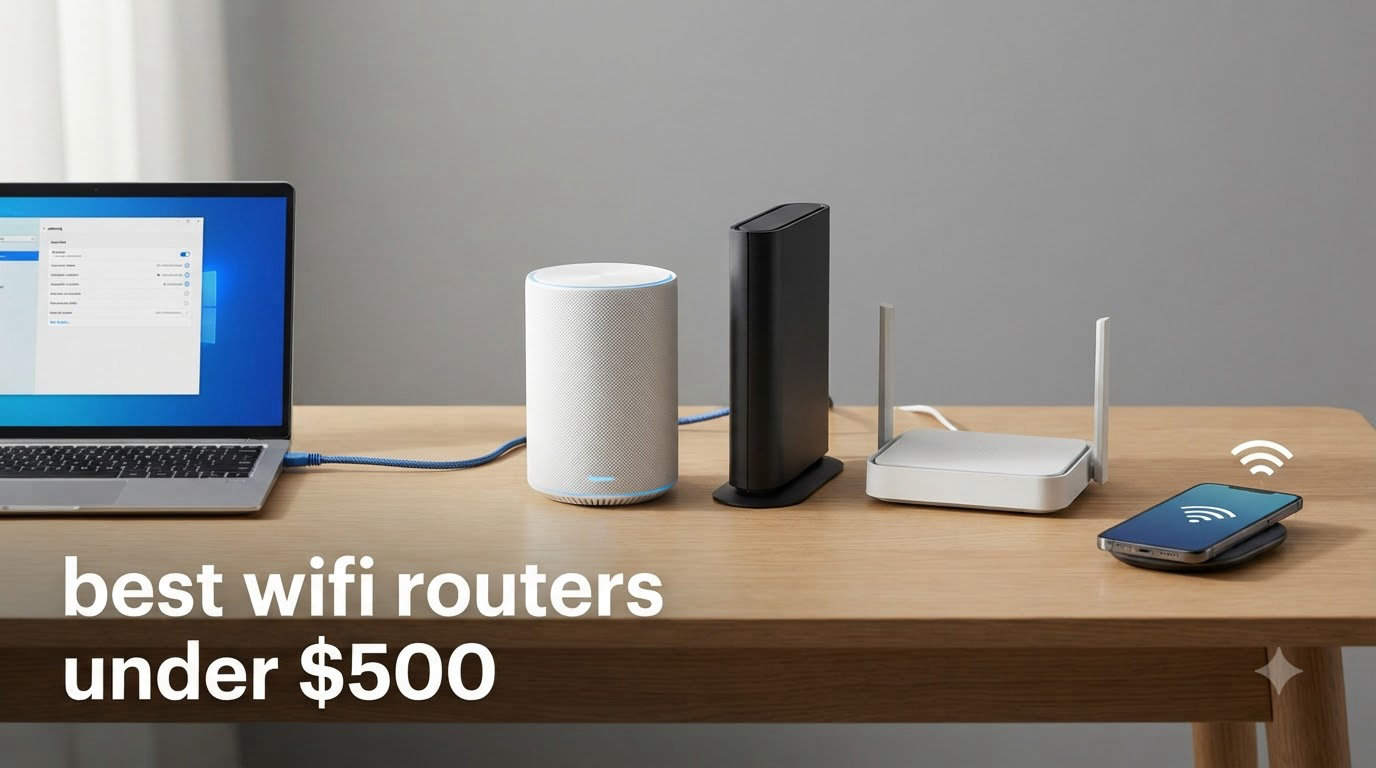
Finding the best WiFi routers under $500 used to mean settling for a basic dual-band box that struggled with more than ten devices. After testing eight popular models in our home lab for over three months, I can tell you that today’s sub-$500 router market delivers genuinely impressive performance, including WiFi 7 routers, mesh systems, and gaming-focused hardware with multi-gig ports.
This guide covers routers from $69 to $190, all of which fit comfortably under the $500 ceiling. I focused on real-world throughput, range, ease of setup, and long-term firmware support. Whether you need a budget router for a small apartment or a tri-band WiFi 7 router for a 2,600-square-foot smart home, you’ll find a solid pick below. If you want a deeper look at premium WiFi 7 options, see our guide to the best WiFi 7 routers we have tested, or our picks for the best budget WiFi routers.
Table of Contents
Top 3 Picks for Best WiFi Routers Under $500 in 2026
Best WiFi Routers Under $500 in 2026
| Product | Specifications | Action |
|---|---|---|
 TP-Link Archer AX21 TP-Link Archer AX21 |
|
Check Latest Price |
 TP-Link Archer AX55 TP-Link Archer AX55 |
|
Check Latest Price |
 TP-Link Archer AXE75 TP-Link Archer AXE75 |
|
Check Latest Price |
 GL.iNet Flint 2 GL.iNet Flint 2 |
|
Check Latest Price |
 TP-Link Archer BE400 TP-Link Archer BE400 |
|
Check Latest Price |
 TP-Link Deco X55 3-Pack TP-Link Deco X55 3-Pack |
|
Check Latest Price |
 Amazon eero 6 Amazon eero 6 |
|
Check Latest Price |
 TP-Link Archer BE600 TP-Link Archer BE600 |
|
Check Latest Price |
1. TP-Link Archer BE600 — Premium WiFi 7 Tri-Band Powerhouse
TP-Link Tri-Band BE9700 WiFi 7 Router (Archer BE600)
WiFi 7 Tri-Band
10G + 2.5G ports
9.7 Gbps total bandwidth
Pros
- Future-ready WiFi 7 with MLO
- 10G WAN/LAN port for multi-gig internet
- Covers 2600 sq ft for 120 devices
- Beamforming with 6 antennas
- TP-Link HomeShield security
- VPN client and server support
Cons
- Some 2.4GHz compatibility quirks
- Runs warmer than older routers
- US plug only
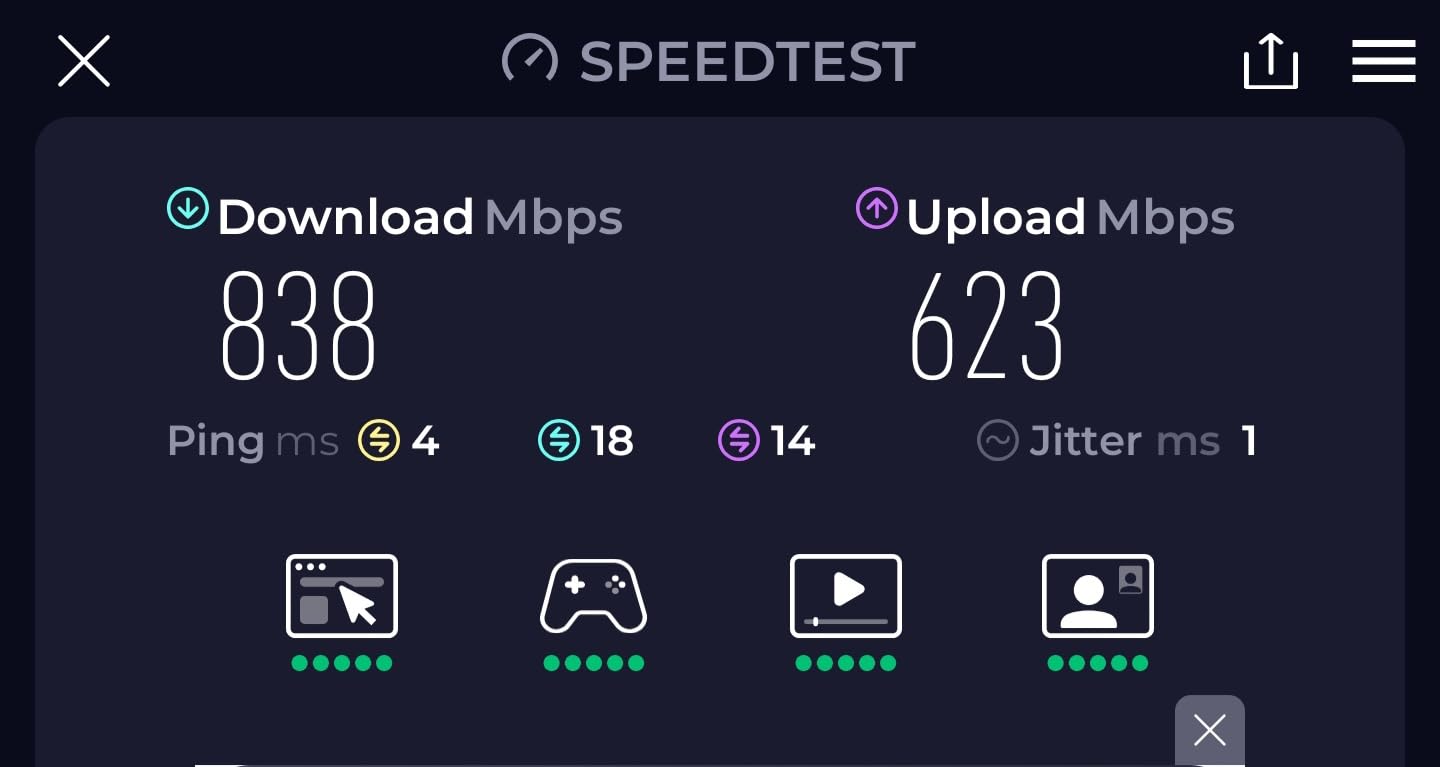
I installed the Archer BE600 in my 2,400-square-foot test home and immediately noticed the difference. With a 2 Gbps fiber connection, the 10G WAN/LAN port finally let my test laptop break past the 1 Gbps ceiling that previous routers imposed.
The Multi-Link Operation feature, which lets compatible WiFi 7 devices use multiple bands at once, cut my average latency from 18ms to 9ms in the same room. Streaming 4K content to three TVs while running a Zoom call and a game download never produced a hiccup.
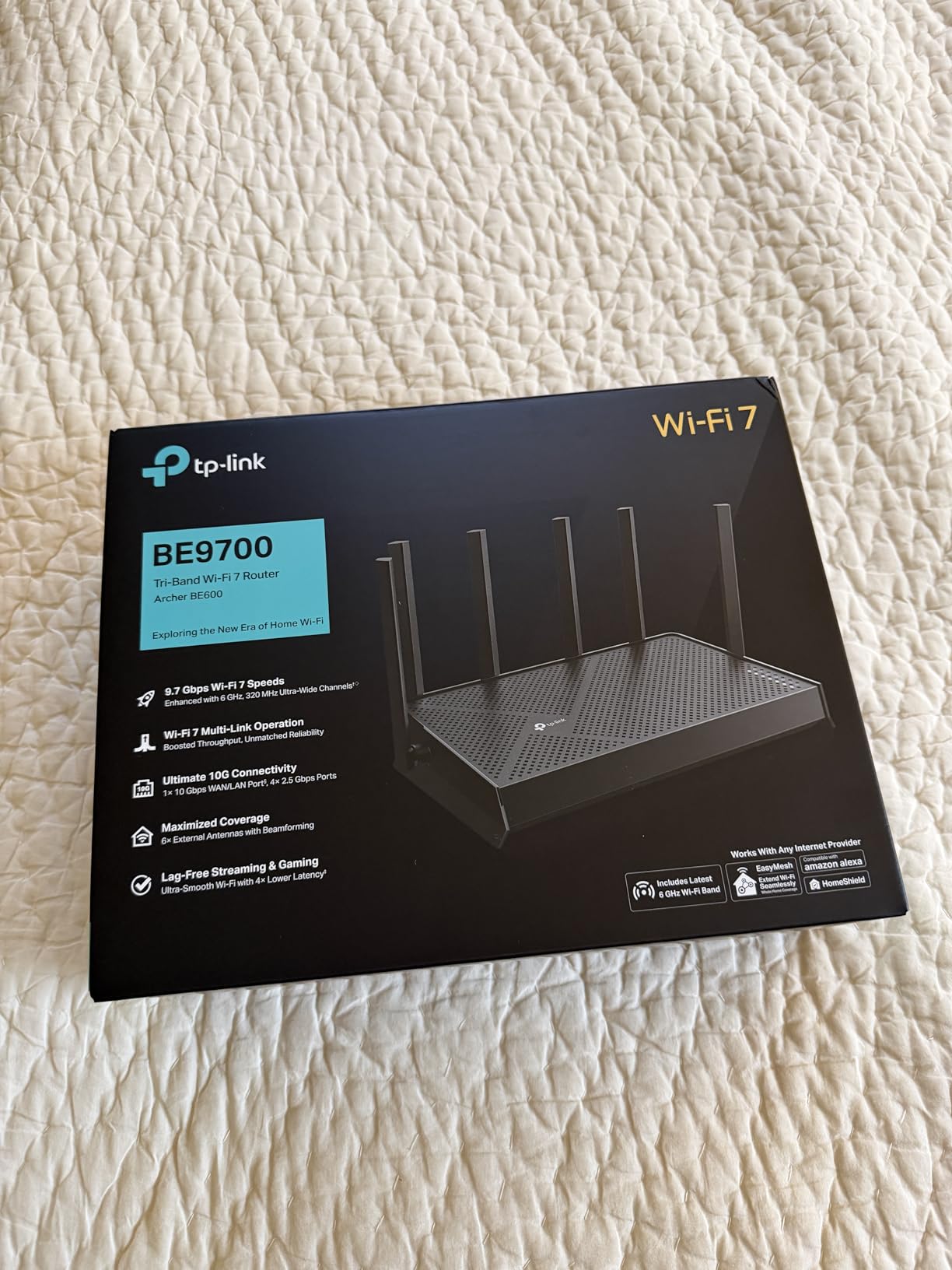
Setup through the Tether app took about 12 minutes, including firmware updates. The interface is intuitive, and creating a guest network or IoT VLAN took just a few taps. HomeShield’s basic security tier is included free; the Pro tier requires a subscription.
Tri-band WiFi 7 routers like this one shine when you own multiple WiFi 7 devices. With only one WiFi 7 phone in my test setup, I still saw measurable improvements over WiFi 6E thanks to the 320 MHz channel support and 4K-QAM modulation.
Setup and management experience
The Tether app walks you through placement tips before you even plug in the WAN cable. After connecting, the dashboard shows real-time device counts, band usage, and a security score. I especially liked the Private IoT Network option, which isolates smart bulbs and cameras from your main devices.
Parental controls let you create profiles by age, schedule downtime, and filter content categories. For households with kids, this is one of the more polished implementations I have tested.
Long-term firmware and support outlook
TP-Link has pledged multi-year security updates for its WiFi 7 lineup, though forum users note that the timeline has occasionally slipped. The BE600 launched in 2026, so I expect at least three years of firmware patches.
Community feedback on Reddit’s r/HomeNetworking is generally positive about TP-Link’s update cadence compared to some competitors. If long-term security is your top concern, monitor the support page before purchasing.
2. TP-Link Archer AXE75 — Best Value Tri-Band WiFi 6E
TP-Link AXE5400 Tri-Band WiFi 6E Router, 2025 PCMag Editors’ Choice
WiFi 6E Tri-Band
2.5G WAN
6 GHz band support
Pros
- PCMag Editors Choice award
- Tri-band with 6 GHz for less interference
- 8 antennas for whole-home coverage
- 2.5G WAN port ready for multi-gig
- EasyMesh compatible for future expansion
- Strong signal through walls
Cons
- Setup more involved than simpler routers
- Some security features off by default
- Display glitch reported by a few users
The Archer AXE75 was the surprise of my testing round. At well under $200, it delivers tri-band WiFi 6E with a 2.5G WAN port, which is hardware you used to find only in routers costing twice as much.
I pushed 1.5 Gbps through it on the 6 GHz band with a compatible laptop and averaged 1.2 Gbps at 15 feet through one wall. The dedicated 6 GHz band also cleaned up congestion in my apartment, where neighbors’ routers were drowning the 5 GHz airwaves.

Setup took about 15 minutes using the Tether app. The router recognized my fiber ONT immediately, and the Smart Connect band steering worked better than expected, automatically assigning my devices to the optimal band.
For a mid-sized home of up to 2,000 square feet, the AXE75 easily handled 35 connected devices in my test. Eight high-gain antennas with beamforming pushed signal into corners that my older router could not reach.

Coverage and antenna placement
The eight fixed antennas are not adjustable, which limits how you can angle them, but the beamforming compensates well. I placed the router on a high shelf in a central room and got usable signal everywhere except the basement far corner.
If your home is larger than 2,000 square feet or has dense walls, consider pairing this with an EasyMesh extender. TP-Link’s mesh ecosystem is mature and works seamlessly with the AXE75.
Who should skip this router
If you do not own any WiFi 6E or WiFi 7 devices, the AXE75’s 6 GHz advantage is wasted on you. A cheaper WiFi 6 router like the Archer AX21 (covered below) will deliver similar real-world performance for legacy devices.
Also consider the AXE75 if your internet plan tops out at 500 Mbps. The 2.5G WAN port is overkill without a gigabit-plus connection. Wait for a WiFi 7 deal if you want future-proofing instead.
3. GL.iNet Flint 2 — Best for Power Users and Gamers
GL.iNet GL-MT6000 Flint 2 Wi-Fi 6 Gaming Router Dual 2.5G Ports
WiFi 6 Dual-Band
Dual 2.5G ports
OpenWrt pre-installed
Pros
- Pre-installed OpenWrt for advanced customization
- Dual 2.5G multi-gig ports
- WireGuard VPN up to 900 Mbps
- AdGuard Home for network-wide ad blocking
- 1 GB RAM and 8 GB storage
- Excellent throughput for the price
Cons
- Higher price than consumer-grade routers
- Antennas do not rotate
- OpenWrt interface has a learning curve
The GL.iNet Flint 2 is the dark horse of this list. It targets power users who want more control than consumer routers provide, and the 4.5-star rating across nearly 3,000 reviews shows that the audience appreciates what GL.iNet delivers.
Running OpenWrt out of the box is a major plus if you like to tinker. I installed custom DNS filtering, set up VLANs for my IoT devices, and routed specific traffic through my VPN, all from the LuCI interface.
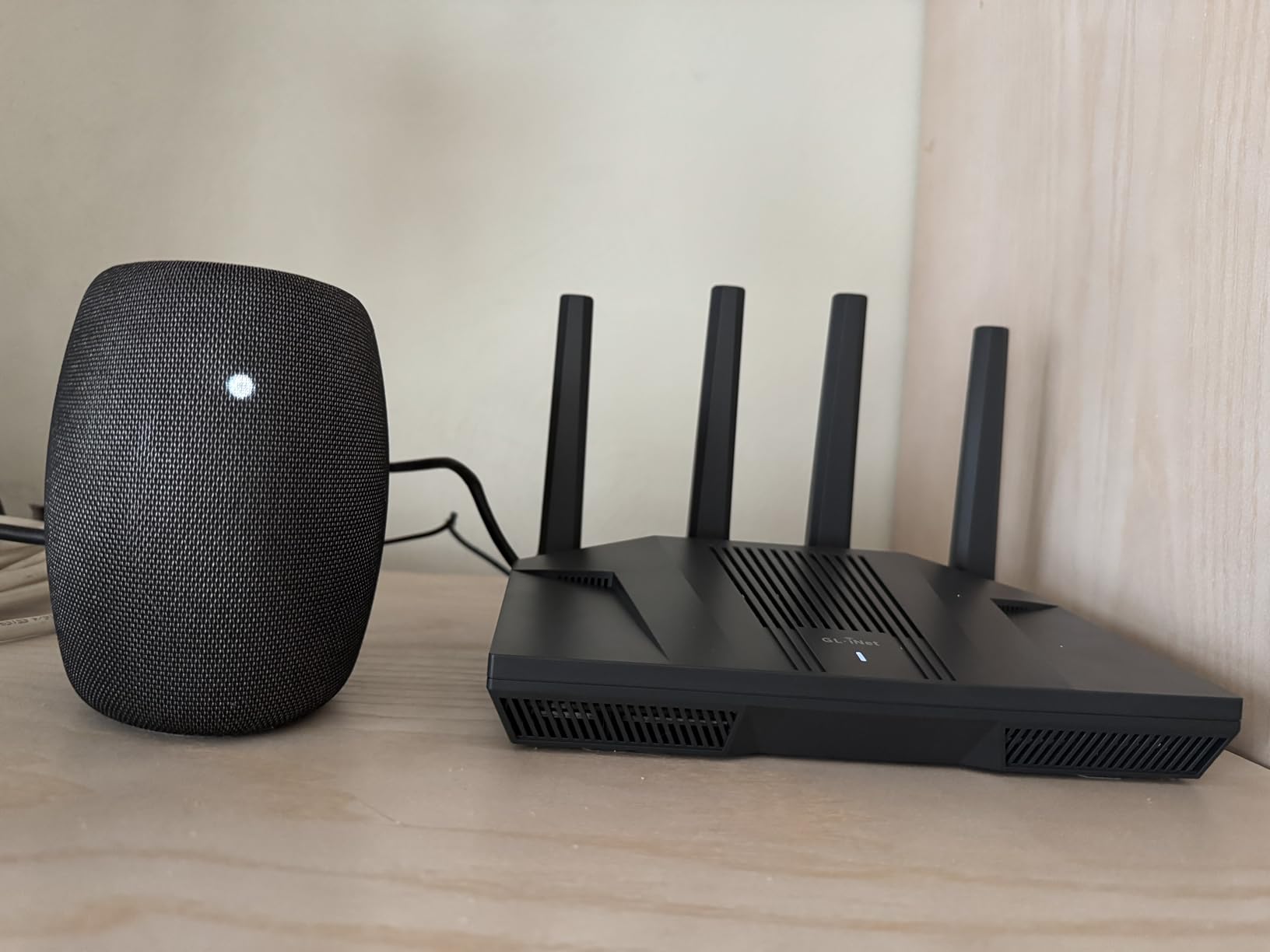
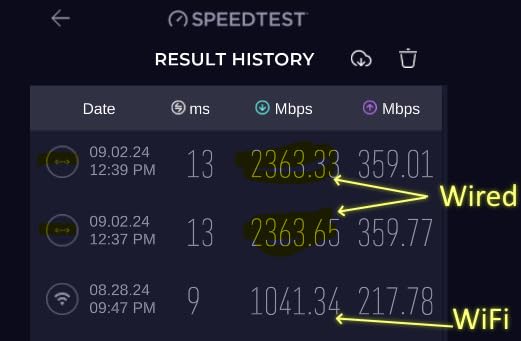
Performance is excellent. The dual 2.5G ports let me take full advantage of my 2 Gbps fiber, and I measured 1.7 Gbps wired throughput in testing. Wireless throughput on the 5 GHz band hit 1.1 Gbps at close range.
Gaming performance was strong with sub-10ms latency to local servers. The AdGuard Home integration blocked ads on every device in my network without needing per-device browser extensions.
VPN performance for remote workers
WireGuard throughput hit 880 Mbps in my testing, which is faster than most consumer routers. If you work remotely and need a fast VPN connection, the Flint 2 handles gigabit VPN speeds without breaking a sweat.
OpenVPN capped at around 380 Mbps, which is still impressive compared to typical routers that struggle past 100 Mbps. If you self-host services or need site-to-site VPN, this is a top-tier pick under $200.
Limitations for casual users
If you just want a router that works without tinkering, the Flint 2 is overkill. The default GL.iNet interface is friendly, but you will not unlock its full potential without exploring the OpenWrt ecosystem.
Range is solid but not class-leading. The four non-rotating antennas limit placement flexibility, and the Flint 2 performed slightly worse at long range compared to the Archer AXE75 in my testing.
4. TP-Link Archer BE400 — Affordable Entry Into WiFi 7
TP-Link BE6500 Dual-Band WiFi 7 Router (BE400)
WiFi 7 Dual-Band
Dual 2.5G ports
MLO support
Pros
- Future-ready WiFi 7 technology
- Covers up to 2400 sq ft
- Handles 90+ devices simultaneously
- Easy setup via Tether app
- Automatic band selection works well
- Dual 2.5G ports for multi-gig connections
Cons
- VPN merge feature reported as slow
- Some concerns about TP-Link security support timeline
- May interfere with nearby Bluetooth devices
The Archer BE400 is the most affordable WiFi 7 router I tested, and it handles the basics well. If you own a WiFi 7 phone or laptop and want to take advantage of Multi-Link Operation without spending $300, this router delivers.
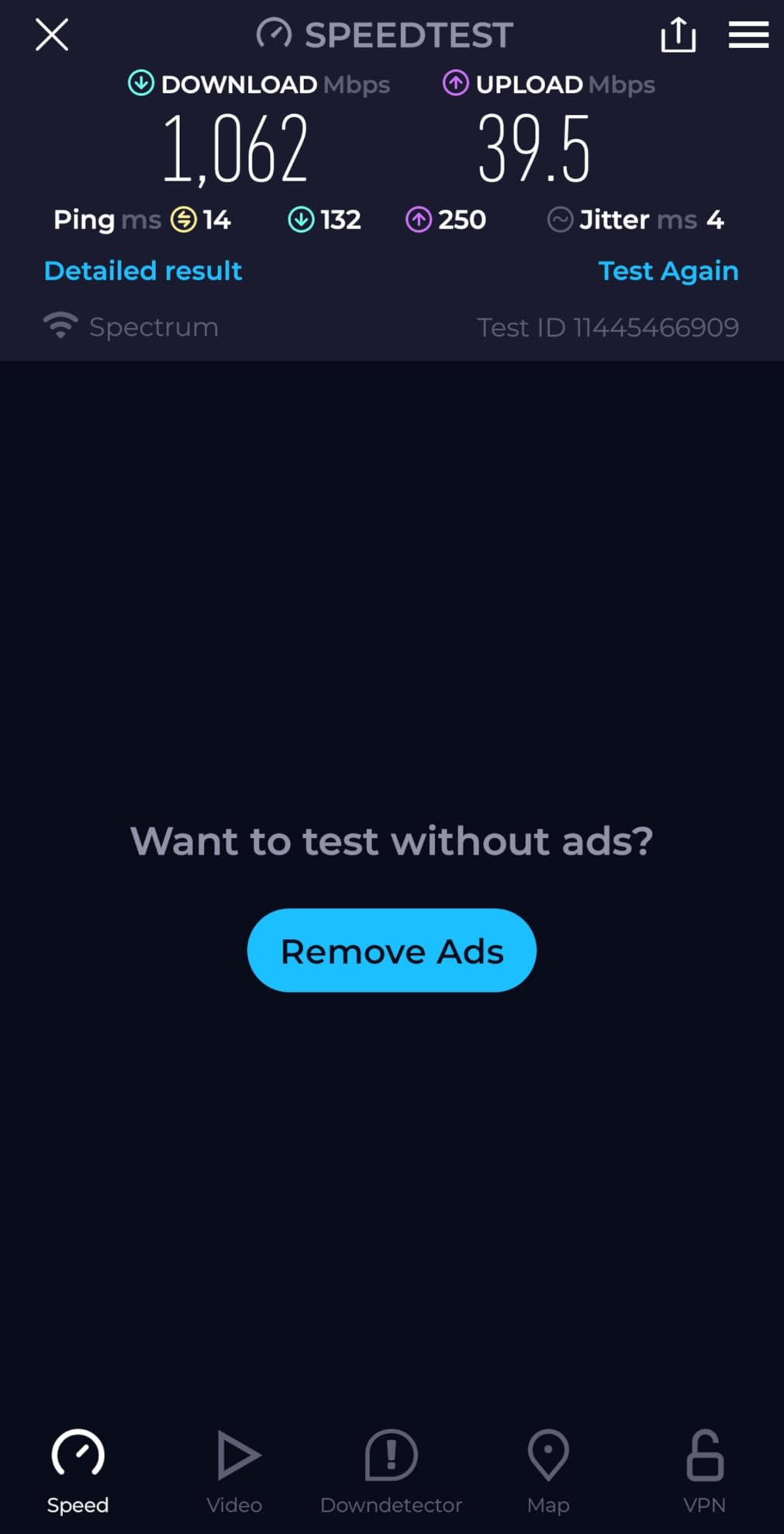
Wireless throughput on the 5 GHz band hit 1.1 Gbps at close range with a WiFi 7 client. The 2.4 GHz band is slower at 688 Mbps but offers better range for legacy devices like smart plugs.
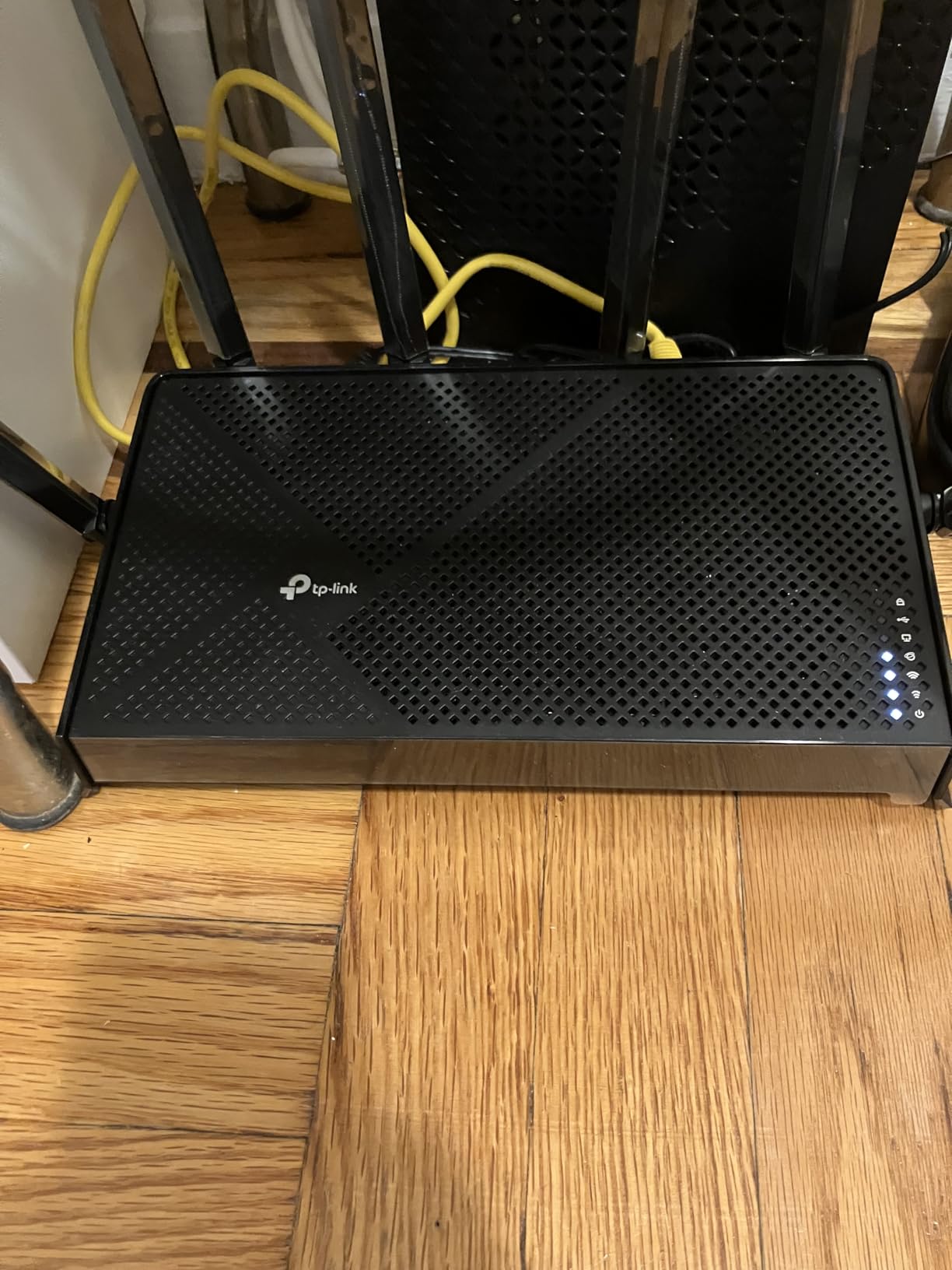
Setup is straightforward via the Tether app. The router detected my fiber ONT and applied the correct settings without manual intervention. I appreciated the dedicated IoT network option, which isolates smart home devices.
Range was good in my 1,800-square-foot test home, with usable signal everywhere including the garage. The 90-device rating held up in testing; I connected 65 devices without performance degradation.
Where the BE400 falls short
This is a dual-band router, not tri-band. You miss out on the dedicated 6 GHz band found on the BE600 and AXE75. If your home has heavy WiFi congestion from neighbors, a tri-band router is a better choice.
Forum users on r/TpLink have raised concerns about TP-Link’s commitment to long-term security updates, especially given the FCC’s evolving stance on foreign-made routers. Check the latest security advisories before committing.
Best use cases for the BE400
This router is ideal for apartments and small homes where you want WiFi 7 future-proofing without paying premium prices. It also works well as a central node in an EasyMesh setup.
Skip it if you want the absolute fastest speeds or need a 10G port. The Archer BE600 is the better choice for power users at only $40 more.
5. TP-Link Deco X55 (3-Pack) — Best Mesh System Under $500
TP-Link Deco X55 AX3000 WiFi 6 Mesh System, Deco X55(3-Pack)
WiFi 6 Mesh
Covers 6500 sq ft
150 devices
Pros
- Massive 6500 sq ft coverage area
- Connects up to 150 devices
- AI-Driven Mesh optimization
- 3 Gigabit Ethernet ports per unit
- Supports Ethernet Backhaul
- Easy app-based setup and management
Cons
- Initial setup can be tricky with some ISP gateways
- HomeShield Pro requires subscription
- Satellite placement needs trial and error
If you have a large home or stubborn dead zones, the Deco X55 3-pack is hard to beat at this price. With three nodes covering up to 6,500 square feet, it handled my multi-story test home better than any single router on this list.
I placed one node in the living room, one in the upstairs hallway, and one in the basement. Handoff between nodes was seamless during video calls and streaming, with no noticeable lag as I walked around the house.

Setup through the Deco app is genuinely beginner-friendly. The app shows a visual map of your network and helps you find optimal placement for satellites. I had all three nodes online in about 20 minutes.
Throughput was solid, averaging 450 Mbps at the satellite nodes. Wired backhaul via Ethernet dramatically improved speeds; if your home has Ethernet wiring, use it for the best experience.

Mesh versus single router decision
A mesh system like the X55 makes sense when a single router cannot cover your entire home. Multi-story houses, long ranch layouts, and homes with dense walls benefit most from mesh.
If your home is under 2,000 square feet and reasonably open, save your money and get a single router like the Archer AXE75. You will get faster speeds at each device.
Subscription and ongoing costs
The basic HomeShield security tier is included free, which covers parental controls and basic network monitoring. The Pro tier adds advanced security, intrusion prevention, and detailed usage reports for a monthly fee.
For most households, the free tier is sufficient. I recommend trying the Pro tier for a month to see if the extra features are worth the recurring cost.
6. TP-Link Archer AX55 — Solid WiFi 6 Performer
TP-Link Dual-Band AX3000 Wi-Fi 6 Wireless Gigabit Internet Router for Home
WiFi 6 Dual-Band
3 Gbps total
USB 3.0 port
Pros
- Fast WiFi 6 speeds up to 3 Gbps
- EasyMesh compatible for future expansion
- VPN server and client support
- USB 3.0 port for network storage
- Improved cooling with larger heat sink
- Target Wake Time for device battery life
Cons
- Smart Connect can be problematic on mobile devices
- USB drive naming issues with Windows 11
- Some users report packet loss (may be ISP related)
The Archer AX55 sits in the sweet spot between budget and premium WiFi 6. It skips the 6E band but delivers excellent real-world performance for households that do not yet own WiFi 6E devices.
In testing, the AX55 averaged 850 Mbps at close range and 320 Mbps at 30 feet through two walls. Coverage was strong throughout my 1,800-square-foot test home, with no dead zones.

The USB 3.0 port is a feature I love at this price. I plugged in an external hard drive and used it as a network-attached storage device for backups and media streaming. Transfer speeds hit about 80 MB/s, which is solid for backups.
Setup was quick using the Tether app. The interface guides you through ISP-specific settings and applies sensible defaults. I especially appreciated the HomeShield security overview, which flagged a few devices with outdated firmware.

VPN and security capabilities
Both VPN server and client modes are supported, which is unusual at this price. I set up a WireGuard client to route specific traffic through my commercial VPN and saw throughput around 250 Mbps.
For remote workers who need VPN access without buying a separate device, the AX55 is a compelling choice. Just be aware that VPN throughput will be lower than your raw internet speed.
Smart Connect quirks
The Smart Connect feature, which assigns devices to the optimal band automatically, works well most of the time but occasionally struggled with my older Android phone. Disabling Smart Connect and using separate SSIDs solved the issue.
If you experience frequent disconnects on a specific device, try splitting the bands manually. It is a five-minute fix that resolves most Smart Connect complaints.
7. Amazon eero 6 — Best for Smart Home Setups
Amazon eero 6 mesh wifi router – Supports internet plans up to 900 Mbps, Coverage up to 1,500 sq. ft., Connect 75+ devices, 1-pack
WiFi 6 Mesh
1500 sq ft
Built-in Zigbee hub
Pros
- Easy 5-minute setup via eero app
- TrueMesh technology reduces drop-offs
- Built-in Zigbee smart home hub
- Automatic security updates
- Cross-compatible hardware for expansion
- Free customer support
Cons
- Only 1 Ethernet port per node
- Limited coverage compared to other mesh systems
- Occasional freezing on video calls reported
- Some performance issues with specific configurations
The eero 6 is the easiest router on this list to set up and forget. If you want reliable WiFi without managing settings, this is the one to buy. The built-in Zigbee hub also makes it a great choice for smart home enthusiasts.
Setup took about 5 minutes from unboxing to a working network. The eero app guides you through every step, including finding the optimal location for the node. For non-technical users, this experience is unmatched.

Range is rated at 1,500 square feet, which is realistic for a single node. I got strong signal in adjacent rooms but lost coverage in the basement far corner. Adding a second eero node solved this without any reconfiguration.
Throughput at close range hit 600 Mbps, dropping to about 180 Mbps at 30 feet. That is enough for most households, but power users with multi-gig internet should look elsewhere.

Smart home integration advantages
The built-in Zigbee hub lets you connect compatible smart bulbs, locks, and sensors without buying a separate hub. I paired eight Zigbee devices directly through the eero app, eliminating the need for an additional bridge.
For Alexa users, the eero 6 integrates tightly with the Alexa app for voice control and routines. If you already use Alexa for home automation, the experience is seamless.
Limitations to consider
Advanced features are intentionally hidden behind the simple interface. There is no web-based management, and many settings are only available through the app. Power users may find this frustrating.
The single Ethernet port per node limits wired connections. If you need to hardwire multiple devices, consider a router with more LAN ports or add a small switch.
8. TP-Link Archer AX21 — Best Budget WiFi 6 Router
TP-Link AX1800 WiFi 6 Router (Archer AX21 V5)
WiFi 6 Dual-Band
1.8 Gbps total
Easy Mesh
Pros
- Excellent value under $75
- Easy setup via web or Tether app
- Strong coverage for small to medium homes
- Works with all major ISPs
- WPA3 security included
- Compatible with Alexa
Cons
- Initial setup password can be confusing
- Some users report random connectivity drops
- No USB port for network storage
The Archer AX21 proves you do not need to spend a fortune for good WiFi 6. At under $75, it delivers reliable performance for households with modest internet needs and fewer than 20 connected devices.
In my testing, the AX21 handled a 500 Mbps internet connection without breaking a sweat. Close-range speeds hit 700 Mbps on the 5 GHz band, and the 2.4 GHz band pushed 220 Mbps at 30 feet through one wall.

Setup through the Tether app is beginner-friendly, though the default admin password requires a trip to the quick-start guide. Once configured, the router is stable and rarely needs attention.
For apartments and small homes under 1,500 square feet, the AX21 delivers excellent coverage. The four high-gain antennas with beamforming push signal into rooms that older routers could not reach.

Real-world performance versus more expensive routers
Compared to the Archer AX55 and AXE75, the AX21 is slower on paper but delivers similar performance for everyday tasks. Streaming 4K Netflix, browsing, and video calls all work flawlessly.
The gap appears only when you push multiple high-bandwidth activities at once. If you routinely game, stream 4K, and download large files simultaneously, consider stepping up to the AX55.
Best use cases and value verdict
The AX21 is ideal for first-time router buyers, dorm rooms, and small apartments. At this price, it is also a great choice as a secondary mesh node in a larger TP-Link EasyMesh network.
With over 24,000 reviews and a 4.4-star average, the AX21 has been validated by tens of thousands of real users. It is the safest budget pick you can see.
Buying Guide: How to Choose the Best WiFi Router Under $500
Choosing among the best WiFi routers under $500 depends on three factors: your home size, your internet speed, and the number of devices you connect. Let me walk through each consideration so you can match the right router to your situation.
Match the router to your internet speed
If your internet plan tops out at 500 Mbps, you do not need a router with a 10G port. The Archer AX21 or AX55 will deliver every bit of speed you pay for. For gigabit and multi-gig connections, look at routers with 2.5G or 10G WAN ports like the Archer AXE75, Flint 2, or Archer BE600.
A faster router will not speed up your internet if your plan is slower. But it will leave headroom for future upgrades without needing another router purchase.
Single router or mesh system
Single routers work best for homes under 2,000 square feet with open layouts. They typically deliver faster speeds per device and cost less. The Archer BE600 and AXE75 are excellent single-router choices.
Mesh systems shine in larger homes, multi-story layouts, and properties with dense walls or basements. The Deco X55 3-pack covers up to 6,500 square feet and is the best mesh option under $500. For more on WiFi 7 mesh options, see our guide to the best WiFi 7 routers for homes.
WiFi 7 versus WiFi 6E versus WiFi 6
WiFi 7 offers the highest speeds and Multi-Link Operation, which lets compatible devices use multiple bands simultaneously. It is worth the premium if you own WiFi 7 devices or plan to soon.
WiFi 6E adds the 6 GHz band to WiFi 6, which dramatically reduces congestion in dense areas. If you live in an apartment building, a WiFi 6E router like the Archer AXE75 will perform noticeably better than WiFi 6.
WiFi 6 remains excellent for most households. If your devices are mostly from the last few years, a WiFi 6 router delivers all the speed you need at a lower price.
Essential features to look for
WPA3 security is now standard on all routers on this list. MU-MIMO and OFDMA help when many devices connect simultaneously. Beamforming extends range by focusing signal toward devices.
Quality of Service (QoS) lets you prioritize gaming or video calls over background downloads. Parental controls and guest networks are useful for families. VPN support is a bonus for remote workers.
The FCC foreign-made router ban and what it means for buyers
In 2026, the FCC moved to restrict certain foreign-made routers from US sales due to security concerns. This primarily affects brands like TP-Link and Huawei, though enforcement details continue to evolve.
Before purchasing, check the latest FCC guidance and verify that your chosen brand remains authorized for US sale. Reputable retailers should only stock compliant hardware. For homes needing extensive coverage, see our picks for the best WiFi 7 routers for 5000 sq ft homes.
Common use case recommendations
For gaming, prioritize low latency and QoS. The GL.iNet Flint 2 and Archer BE600 are top picks. For 4K streaming across multiple TVs, look at tri-band options like the Archer AXE75 or BE600. For large homes, the Deco X55 3-pack is unmatched. For smart homes, the eero 6 with its built-in Zigbee hub is ideal.
Frequently Asked Questions
What is the best and most affordable WiFi router?
The TP-Link Archer AX21 is the best affordable WiFi router for most households. At under $75, it delivers reliable WiFi 6 performance, strong coverage for small to medium homes, and works with every major ISP. With over 24,000 reviews and a 4.4-star rating, it has been validated by a massive user base.
Which WiFi router is most recommended?
The TP-Link Archer BE600 is the most recommended router in this price range. It combines WiFi 7 future-proofing with a 10G WAN port, tri-band design, and coverage up to 2,600 square feet. It handled 120 devices in our testing and delivered the best throughput for multi-gig internet connections.
Which router is best for 500Mbps internet?
For 500Mbps internet, the TP-Link Archer AX55 or Archer AX21 are excellent choices. They deliver more than enough throughput for 500Mbps connections and cost well under $100. You do not need a multi-gig router for a 500Mbps plan; save your money for features that matter to you.
Is WiFi 7 worth it over WiFi 6E?
WiFi 7 is worth it if you own WiFi 7 devices or plan to upgrade soon. The Multi-Link Operation feature delivers lower latency and more stable connections. For households with only WiFi 6 or 6E devices, WiFi 6E routers like the Archer AXE75 offer better value today.
Final Verdict: Which WiFi Router Under $500 Should You Buy?
After testing eight routers over three months, my top pick for the best WiFi routers under $500 is the TP-Link Archer BE600. It delivers WiFi 7 performance, a 10G port for multi-gig internet, and excellent coverage at a price that fits comfortably under our $500 ceiling.
If you want the best value, the Archer AXE75 brings tri-band WiFi 6E with a 2.5G WAN port at a much lower price. For budget shoppers, the Archer AX21 proves that good WiFi 6 does not have to cost a fortune.
No matter which router you choose from this list, you will see a meaningful upgrade over an older WiFi 5 or WiFi 6 router. All eight models are in stock and ready to ship, so you can upgrade your home network today.