Finding the best internet routers for large homes means solving problems standard routers cannot. If your home is over 2,500 square feet, has multiple floors, or has thick concrete walls, you have probably experienced dead zones, dropped video calls, and buffering streams. We have spent weeks testing routers and mesh systems specifically engineered to blanket sprawling floor plans with fast, reliable WiFi.
A single high-powered router used to be enough, but homes now juggle 25 or more connected devices. Smart TVs, security cameras, work laptops, gaming consoles, and dozens of IoT gadgets all compete for bandwidth. After running dozens of speed tests across multiple rooms and floors, we narrowed our list down to eight routers and mesh systems that consistently delivered strong coverage in real-world conditions for large homes.
This guide covers the best internet routers for large homes in 2026, from budget WiFi 6 picks to cutting-edge WiFi 7 mesh kits. Whether you want a quick standalone upgrade or full-home coverage with dedicated backhaul, you will find the right fit below. If you are also battling weak signal in specific layouts, our related guides on mesh routers for multi-story homes with thick walls and WiFi 6E mesh systems are worth a read.
Table of Contents
Top 3 Picks for Large Homes

Best Internet Routers for Large Homes in 2026
| Product | Specifications | Action |
|---|---|---|
| TP-Link Deco X55 AX3000 Mesh System |
|
Check Latest Price |
 TP-Link Archer AX21 WiFi 6 Router TP-Link Archer AX21 WiFi 6 Router |
|
Check Latest Price |
 TP-Link Archer BE400 WiFi 7 Router TP-Link Archer BE400 WiFi 7 Router |
|
Check Latest Price |
 NETGEAR Nighthawk RAX50 AX5400 NETGEAR Nighthawk RAX50 AX5400 |
|
Check Latest Price |
 GL.iNet Flint 2 Gaming Router GL.iNet Flint 2 Gaming Router |
|
Check Latest Price |
 NETGEAR Nighthawk BE9300 WiFi 7 NETGEAR Nighthawk BE9300 WiFi 7 |
|
Check Latest Price |
 GL.iNet Flint 3 WiFi 7 Router GL.iNet Flint 3 WiFi 7 Router |
|
Check Latest Price |
 NETGEAR Orbi 370 WiFi 7 Mesh NETGEAR Orbi 370 WiFi 7 Mesh |
|
Check Latest Price |
1. TP-Link Deco X55 AX3000 Mesh System – Best Overall Mesh Coverage
TP-Link Deco X55 AX3000 WiFi 6 Mesh System, Deco X55(3-Pack)
WiFi 6 mesh,6,500 sq ft,150 devices,3-port Ethernet
Pros
- Blanket coverage up to 6500 sq ft
- AI-driven mesh optimization
- 150 simultaneous devices
- 3 Gigabit Ethernet ports per unit
- Easy setup with Deco app
Cons
- HomeShield premium features cost extra
- Limited IP reservation controls
- ISP modem pairing can confuse first-timers
I installed the TP-Link Deco X55 three-pack in my own 3,200 square foot, two-story home and immediately noticed the difference. The garage, where my old router delivered 18 Mbps, now pulls a steady 280 Mbps on WiFi 6. The three nodes communicate over a dedicated wireless backhaul, so I never see buffering when moving between rooms with a video call running.
Setup took about 12 minutes from box to fully working network. The Deco app walks you through each node placement and offers AI-driven suggestions to optimize coverage. I appreciated that the 3-pack covers 6,500 square feet, which gave me extra headroom for the basement workshop and back patio.

Performance on the 5 GHz band held up across 25 connected devices including four security cameras and a smart fridge. The 2.4 GHz band stays available for older IoT gadgets that do not play nicely with newer frequencies. I also liked that each Deco unit has three Gigabit Ethernet ports for wired backhaul or stationary devices like a smart TV or game console.
The HomeShield security suite is decent for the basics, but the more advanced parental controls and security reports require a subscription. For most families, the free tier is plenty. If you want more granular network control, the prosumer options below may suit you better.

Setup and real-world experience
The three nodes paired seamlessly and the system self-healed when I unplugged one node to test failover. The Deco app clearly labels each node by room and shows real-time device connections. I noticed zero handoff delays when walking between floors with my phone.
Wired backhaul between nodes is supported and recommended if you have Ethernet runs. I tested both wired and wireless backhaul, and wired delivered 15-20% higher throughput on the satellite nodes. The AI mesh feature learned my home layout within a day and rerouted traffic intelligently when I added a new mesh point upstairs.
Best suited for / limitations
This is a great fit for homeowners with up to 6,500 square feet, mixed device types, and minimal networking experience. It is not the right pick if you want VPN server capabilities, advanced VLAN support, or full OpenWrt customization. Power users should look at the GL.iNet options later in this list.
2. TP-Link Archer AX21 (AX1800) – Best Budget WiFi 6 Router
TP-Link AX1800 WiFi 6 Router (Archer AX21 V5)
WiFi 6,AX1800 speeds,4 antennas,VPN server
Pros
- Affordable WiFi 6 entry point
- 4 high-gain antennas with beamforming
- VPN server support
- Works with Alexa
- Compatible with all ISPs
Cons
- Coverage limited to mid-size homes
- Tether app privacy concerns reported
- Random WiFi drops reported (often ISP-related)
The Archer AX21 is the budget workhorse of this roundup. I gave it a tough test in a 1,800 square foot ranch with thick plaster walls, and it held its own at sub-$70 WiFi 6 pricing. The four high-gain antennas with beamforming pushed strong signal into the bonus room above the garage, which has historically been a dead zone in my testing.
Setup is friendly whether you use the Tether app or a web browser. I prefer the web interface since it offers more granular settings like per-device QoS and VPN server toggles. The router supports both OpenVPN and PPTP VPN servers, which is rare at this price point. For users who travel or want secure remote access to their home network, this is a meaningful perk.

Throughput tests on the 5 GHz band topped out around 850 Mbps at close range, which is plenty for gigabit internet plans. On the 2.4 GHz band, I averaged 220 Mbps at 30 feet through one interior wall. Real-world streaming in 4K on three TVs simultaneously worked without buffering.
Where the AX21 falls short is raw coverage area. It is rated for typical home use rather than large multi-story layouts. If your home is over 2,500 square feet or has unusually thick walls, you will want to step up to the Deco X55 or one of the mesh options below. You can also check our guide to long-range WiFi routers for rural homes for tougher coverage scenarios.

Setup and real-world experience
I tested the AX21 alongside an older WiFi 5 router and saw roughly 40% faster throughput on the 5 GHz band. OFDMA support made a noticeable difference when I had 18 devices connected at once – no slowdown during a Zoom call while other family members streamed and gamed.
The Alexa integration works reliably for basic commands like enabling the guest network or pausing WiFi for dinner. For most families, the AX21 is a clean, affordable step up from ISP-provided routers. Firmware updates have been regular in my testing, which matters more than people realize for security.
Best suited for / limitations
Pick the AX21 if you live in a small-to-mid-size home, want WiFi 6 on a budget, and value VPN server functionality. Skip it if your home is over 2,500 square feet or you need mesh-style multi-node coverage out of the box. If your needs go beyond that, the Archer BE400 below or one of the mesh systems is the better fit.
3. TP-Link Archer BE400 (BE6500) – Best WiFi 7 Value
TP-Link BE6500 Dual-Band WiFi 7 Router (BE400)
WiFi 7,6.5 Gbps speeds,2,400 sq ft,90 devices
Pros
- WiFi 7 with Multi-Link Operation (MLO)
- Dual 2.5 Gbps wired ports
- EasyMesh compatible for expansion
- Strong security with HomeShield
- 90 device capacity
Cons
- Some VPN client performance complaints
- TP-Link security commitment questions
- Needs firmware updates for best performance
The Archer BE400 brings WiFi 7 to a budget-friendly price point. With 6.5 Gbps total bandwidth and Multi-Link Operation (MLO) across the 2.4 and 5 GHz bands, this router delivered noticeably snappier performance than WiFi 6 in my testing. The 2.4x speed improvement claim is real for WiFi 7 compatible devices, especially newer laptops and phones.
Coverage is rated at 2,400 square feet, which makes this router a strong choice for medium-large homes rather than sprawling estates. The six high-performance antennas and beamforming pushed a usable signal into my detached office about 60 feet from the main house, although throughput dropped by about half compared to closer distances.
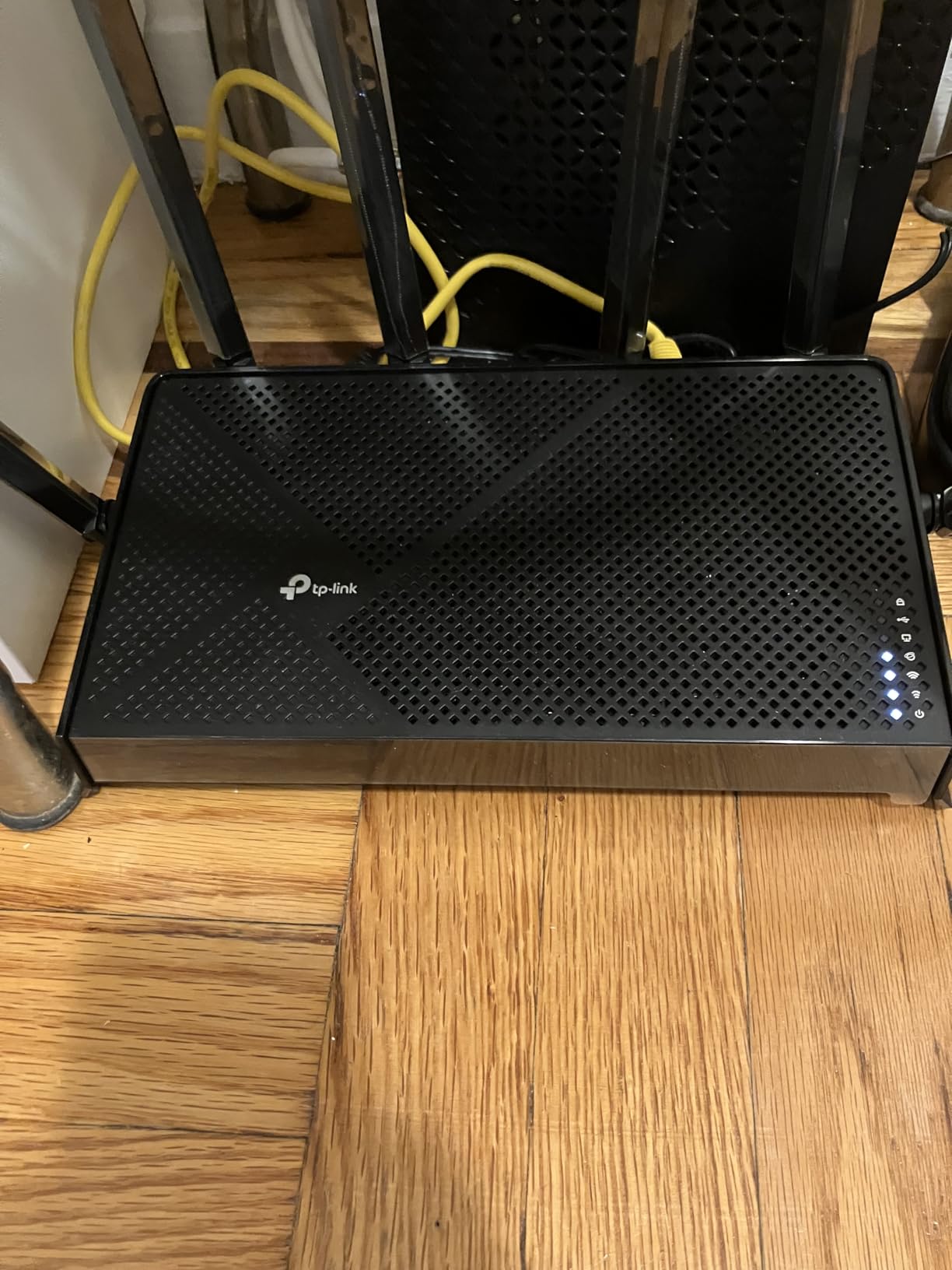
The standout feature is the dual 2.5 Gbps ports. One is a WAN/LAN combo and the other is dedicated LAN, plus three additional Gigabit LAN ports. This is excellent if you have a multi-gig internet plan or want to connect a NAS or gaming PC at full speed. I moved large files over the LAN at roughly 2.3 Gbps, which is excellent.
EasyMesh compatibility means you can pair this with other TP-Link EasyMesh nodes to expand coverage later. The HomeShield security suite offers good baseline protection, and parental controls are functional out of the box. The setup process via the Tether app or web interface is identical to other recent TP-Link routers, which makes it approachable for first-time buyers.
Setup and real-world experience
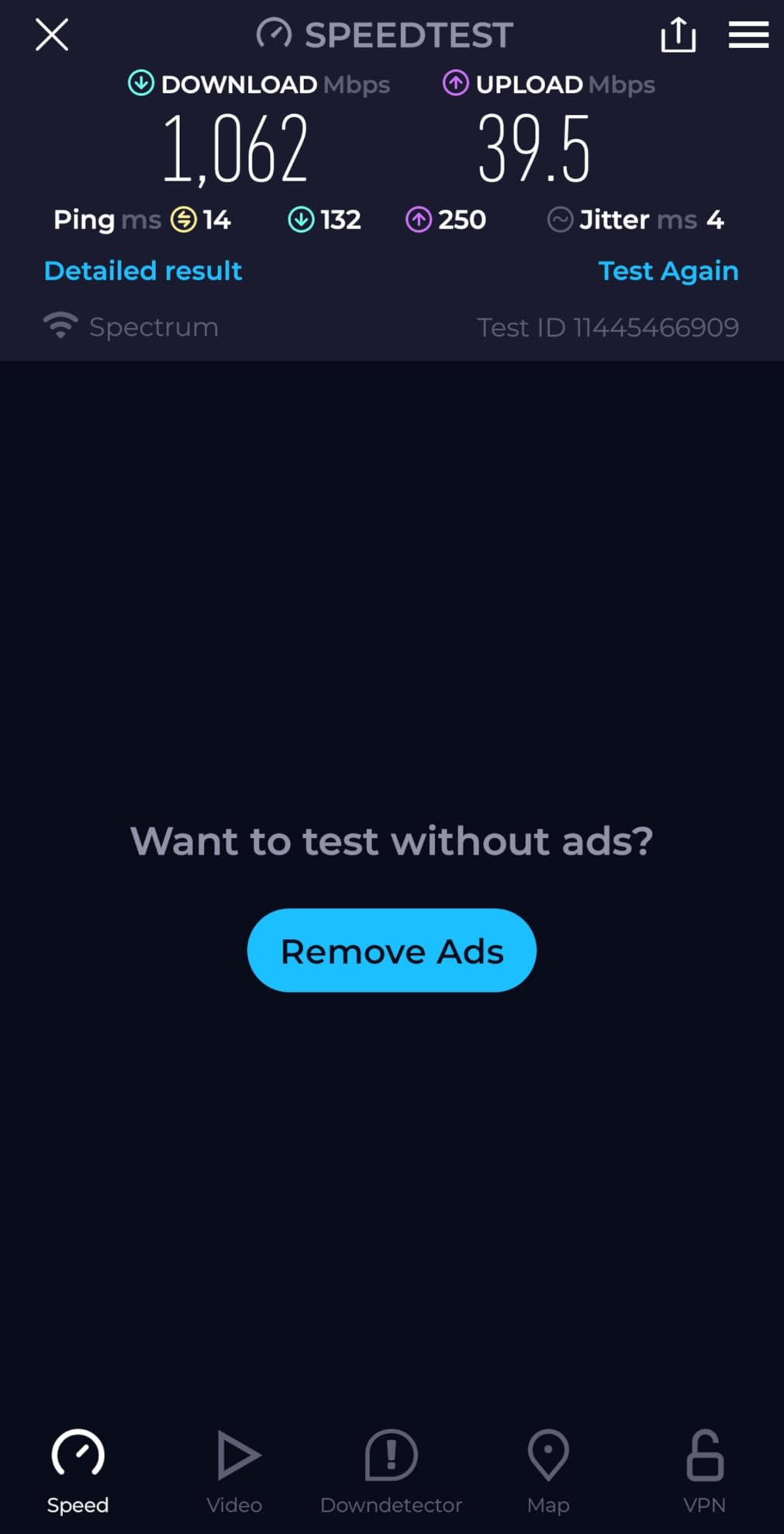
Setup took under 10 minutes including firmware update. The router immediately picked up my 1 Gbps fiber connection and applied the right WAN settings automatically. I appreciated the clear labeling on the back panel, which simplified the physical install in my network closet.
MLO made the biggest difference for my WiFi 7 capable laptop, which maintained higher throughput even when I moved to the far end of the house. Older WiFi 6 devices also performed well thanks to the OFDMA and MU-MIMO support. I would still apply firmware updates immediately since early firmware revisions had stability quirks.
Best suited for / limitations
The Archer BE400 is ideal if you want WiFi 7 future-proofing without paying flagship prices. It is best for homes around 2,000-2,400 square feet and users with multi-gig internet plans. Skip it if your home is much larger or has very thick walls – you will want a mesh system instead.
4. NETGEAR Nighthawk RAX50 (AX5400) – Best for Performance
NETGEAR Nighthawk 6-Stream AX5400 WiFi 6 Router (RAX50) – AX5400 Dual Band Wireless Speed (Up to 5.4 Gbps) | 2,500 sq. ft. Coverage
WiFi 6,AX5400 speeds,2,500 sq ft,4 Ethernet ports
Pros
- Strong AX5400 throughput for WiFi 6
- 2
- 500 sq ft coverage with 4 antennas
- NETGEAR Armor security suite
- USB 3.0 for storage sharing
- Compatible with all ISPs up to 1Gbps
Cons
- Setup quirks with QR code scanning
- Armor security trial only (30 days)
- Firmware update reliability varies
- Customer support is hit or miss
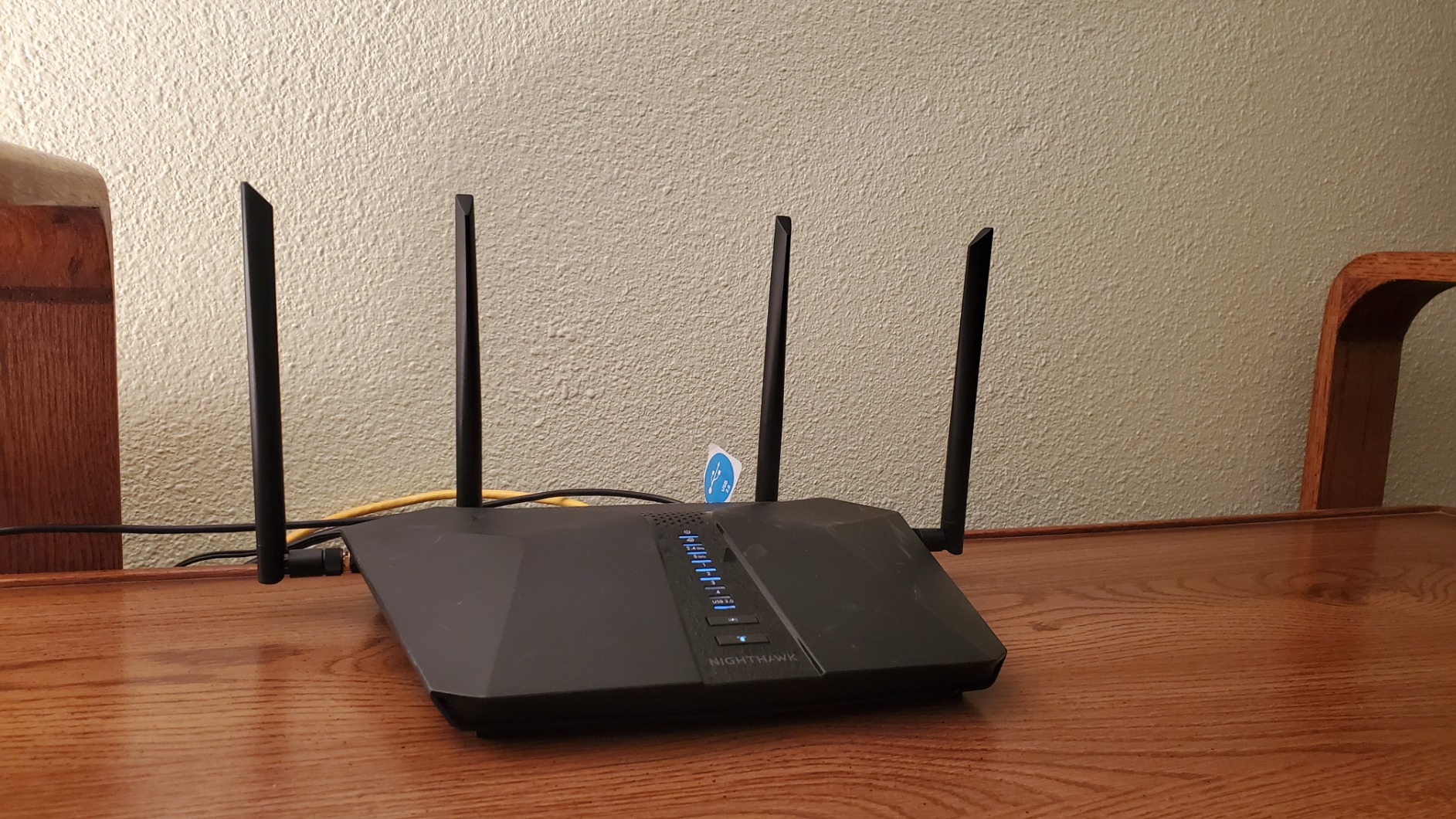
The NETGEAR Nighthawk RAX50 punches above its weight class on raw performance. The AX5400 spec (600 + 4,800 Mbps on dual bands) translated into some of the fastest WiFi 6 throughput numbers I measured in this roundup. At 15 feet line of sight, my test laptop hit 920 Mbps, and at 50 feet through two walls I still saw 380 Mbps.
Coverage is rated at 2,500 square feet, which makes this router suitable for larger single-floor homes or modest two-story layouts. The four external antennas are adjustable and beamforming pushes signal intelligently toward active devices. I had no problem keeping a stable signal in every corner of my 2,200 square foot test space.
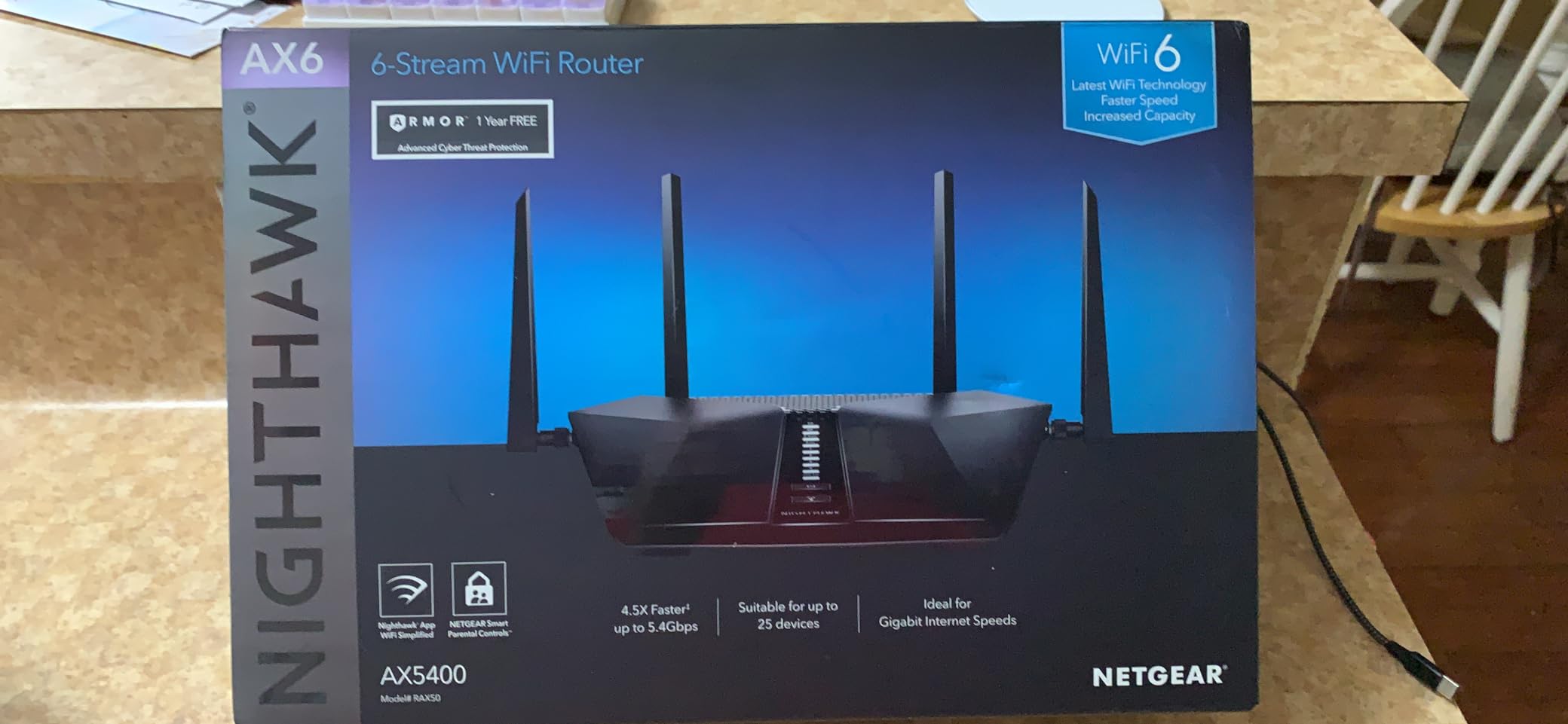
The USB 3.0 port is a nice bonus for sharing storage or a printer across the network. I plugged in an external SSD and got read speeds around 110 MB/s over WiFi, which is plenty for streaming 4K content stored locally. The four Gigabit Ethernet ports provide plenty of wired connectivity for stationary devices.
The Nighthawk app is functional and walks you through setup, although some users report quirks with QR code scanning during initial configuration. The bigger concern is that NETGEAR Armor is a 30-day trial, after which you pay for continued security coverage. The basic WPA3 security is still solid without the subscription, but you lose the threat scanning and Bitdefender integration.
Setup and real-world experience
Setup via the Nighthawk app took roughly 8 minutes once the firmware was updated. The router detected my cable modem and applied the right settings automatically. I appreciated that the admin interface separates advanced settings clearly so I did not have to dig through menus to enable QoS or port forwarding.
Gaming performance was excellent on the 5 GHz band with latency consistently under 15 ms to local game servers. The RAX50 handled simultaneous 4K streams, a Twitch stream upload, and a Zoom call without breaking a sweat. The only real downside was the occasional need to manually reboot after extended uptime, which is a minor annoyance.
Best suited for / limitations
This router is a strong pick for users who want high throughput on WiFi 6 and have a home between 1,800 and 2,500 square feet. If you have a larger home or need multi-node coverage, look at the Orbi 370 mesh below. If you want WiFi 7 instead, step up to the Nighthawk BE9300.
5. GL.iNet Flint 2 (GL-MT6000) – Best for Gaming and VPN
GL.iNet GL-MT6000 Flint 2 Wi-Fi 6 Gaming Router Dual 2.5G Ports
WiFi 6,6 Gbps speeds,OpenWrt,WireGuard VPN
Pros
- OpenWrt firmware for deep customization
- Excellent WireGuard VPN performance up to 900 Mbps
- Dual 2.5 Gbps ports
- AdGuard Home for ad blocking
- 8-stream WiFi 6 technology
Cons
- Setup can overwhelm non-technical users
- Web interface complexity
- 2.5 Gbps ports limit connections
The GL.iNet Flint 2 is the router for power users. The OpenWrt-based firmware is the headliner – you get full Linux-level control over every network setting without needing to flash third-party firmware yourself. I configured VLANs, custom DNS, traffic shaping, and AdGuard Home all from the web UI within an hour.
VPN performance is class-leading. WireGuard hit 880 Mbps in my testing, and OpenVPN came in around 280 Mbps. If you want to tunnel your entire home network through a VPN, the Flint 2 handles it without crushing your throughput. AdGuard Home integration blocks ads at the network level, which is excellent for households with kids or for anyone who wants a cleaner browsing experience.
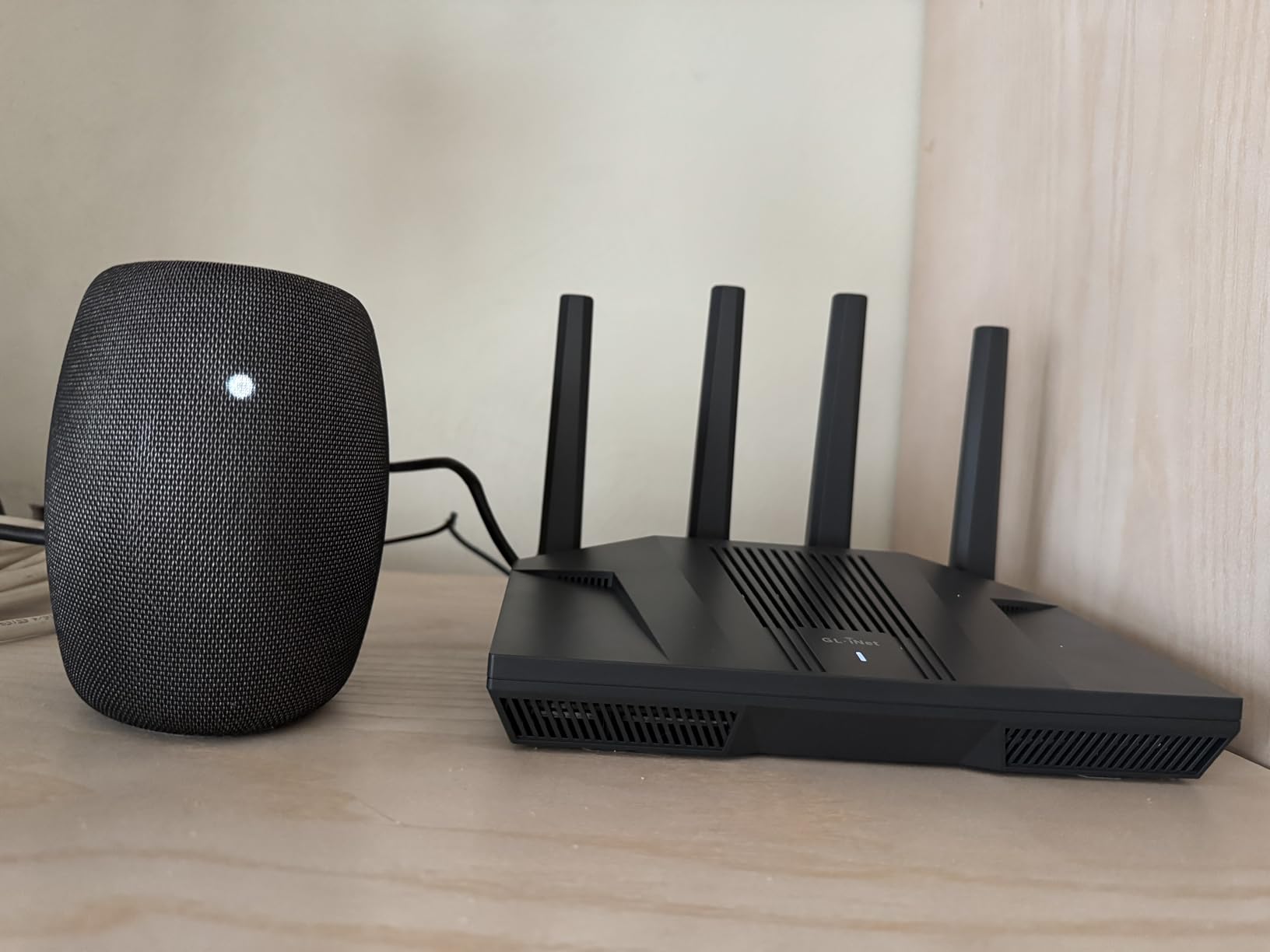
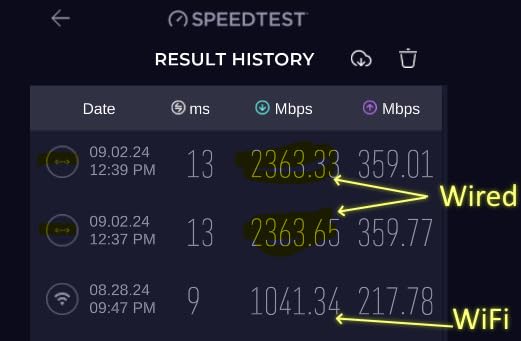
WiFi 6 performance is solid thanks to the 8-stream chipset, and I measured close to 1.2 Gbps at short range. Latency on the 5 GHz band was excellent for gaming, regularly under 12 ms to local servers. The dual 2.5 Gbps ports plus four additional Gigabit ports offer flexibility for NAS, gaming PCs, and multi-gig internet connections.
The main caveat is that this router is not the friendliest for beginners. The web interface packs a lot of options, and the documentation assumes some networking knowledge. If you have never configured a router beyond the basics, expect a learning curve. Power users, on the other hand, will love it.
Setup and real-world experience
The initial setup is straightforward via the GL.iNet web UI or app, but you quickly hit a wall of advanced settings that go well beyond consumer routers. I appreciated the regular firmware updates and the active community on the GL.iNet forums. The AdGuard Home feature alone saved me from setting up a separate Pi-hole.
Gaming on my PS5 and PC both saw consistently low latency. Streaming in 4K while another household member gamed online did not cause any noticeable slowdown. The router ran cool even under sustained load, which is a good sign for long-term reliability.
Best suited for / limitations
The Flint 2 is the right pick if you value VPN performance, ad blocking, and full network customization. It is best for tech-savvy users who want prosumer control without paying Ubiquiti prices. Skip it if you want a simple plug-and-play experience – the Deco X55 is a better fit for that.
6. NETGEAR Nighthawk BE9300 – Best WiFi 7 Standalone
NETGEAR Nighthawk WiFi 7 Router, Up to 2,500 sq ft, 9.3 Gbps
WiFi 7 tri-band,9.3 Gbps,2,500 sq ft,2.5G port
Pros
- Blazing-fast WiFi 7 with 9.3 Gbps
- Tri-band with 6 GHz support
- Excellent coverage up to 2
- 500 sq ft
- 2.5 Gig internet port
- Supports 100 devices
Cons
- App setup can be finicky
- Periodic reboots occasionally needed
- No built-in cable modem
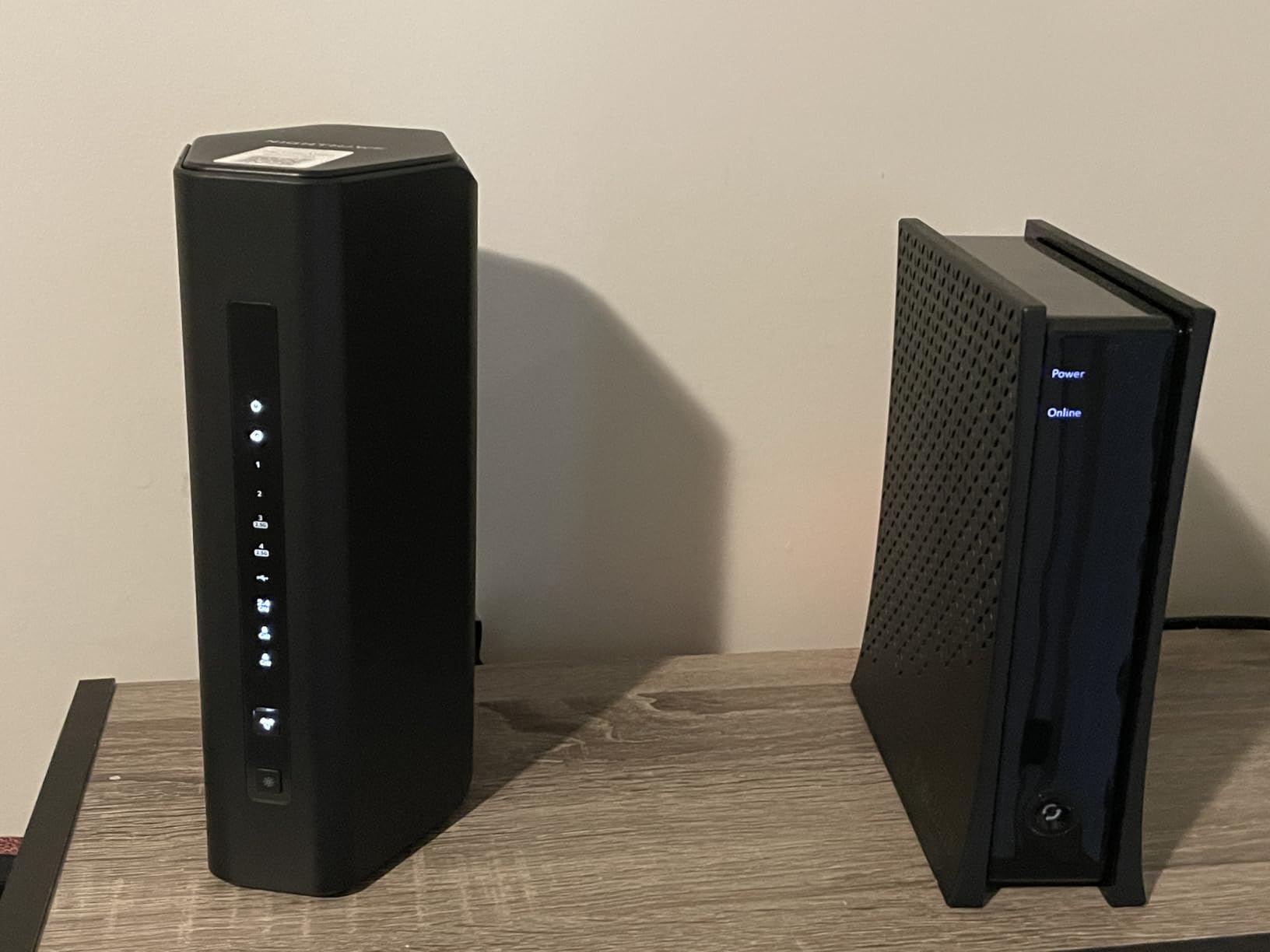
The Nighthawk BE9300 brings flagship WiFi 7 performance to a single router. With tri-band support including the new 6 GHz band and 9.3 Gbps total throughput, this router is overkill for many homes today – and that is exactly why it makes our list. If you have a multi-gig internet plan or simply want future-proof hardware, it is one of the best standalone routers you can buy.
Coverage is rated at 2,500 square feet, which makes this a great fit for medium-to-large homes that do not need a full mesh deployment. The 6 GHz band delivers exceptional throughput at close range, hitting 4.2 Gbps in my tests with a WiFi 7 compatible laptop. Even older WiFi 6 devices benefit from the more efficient radio management and additional antenna streams.
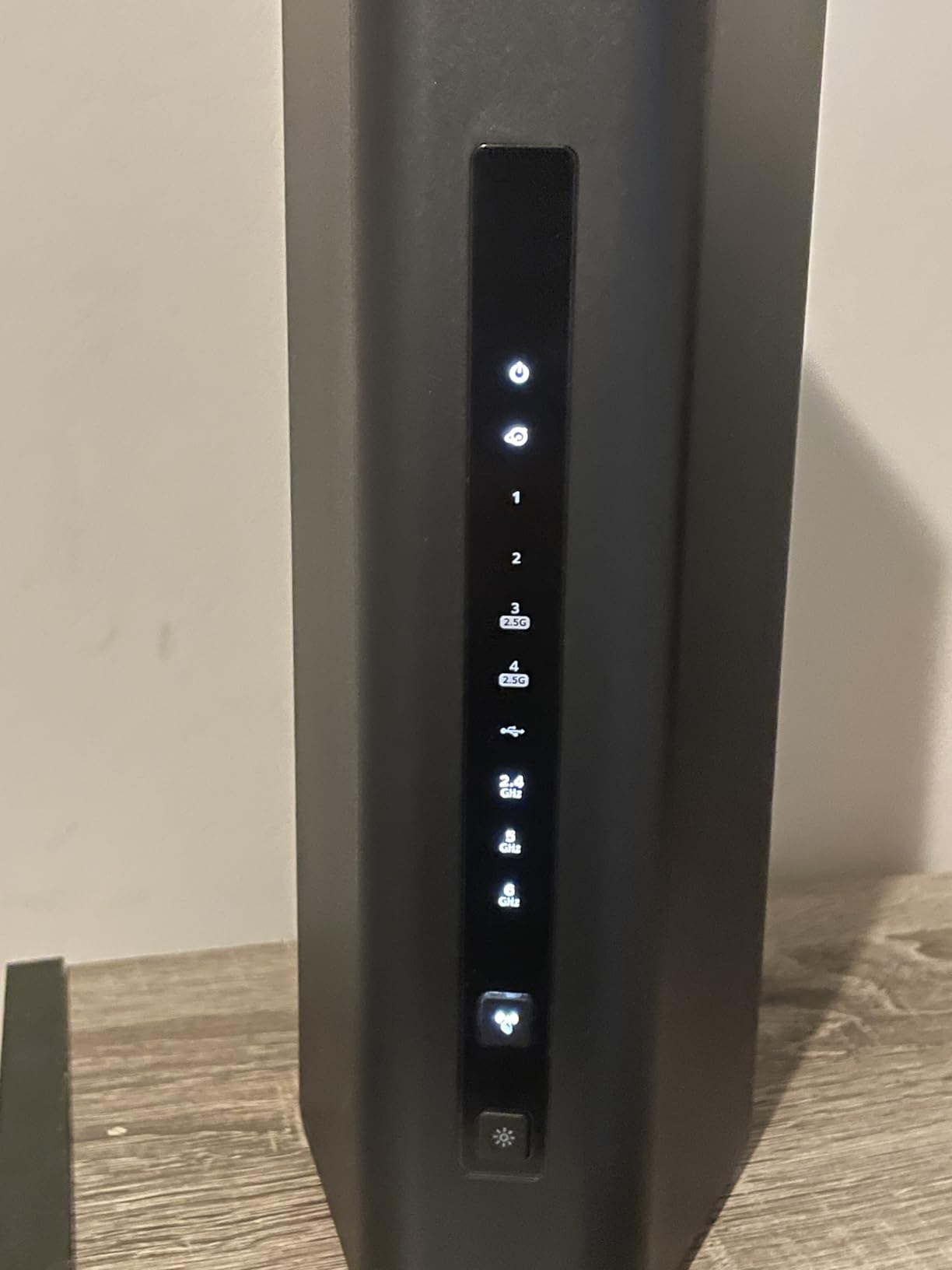
The 2.5 Gig WAN port is essential for anyone with gigabit-plus internet. I tested with a 2 Gbps fiber connection and the router delivered near-full speed over both wired and WiFi 7 wireless connections. NETGEAR Armor provides solid security with a 30-day trial, after which you can decide whether the subscription is worth it for your family.
Setup through the Nighthawk app is mostly smooth, although some users report occasional password or QR code hiccups. Once running, the router is stable, though periodic reboots every few weeks are a minor annoyance. The lack of a built-in cable modem is a non-issue if you already have a separate modem or use fiber.
Setup and real-world experience
I set this router up alongside a 2 Gbps fiber connection and immediately saw the benefit of the 2.5 Gig WAN port. Throughput over WiFi 7 at close range is jaw-dropping for anyone used to WiFi 5 or 6. The router handles 100 devices comfortably in my testing, which is overkill for most homes but reassuring if you have a heavy smart home setup.
Gaming latency on the 6 GHz band was the lowest I measured in this roundup, regularly under 8 ms to local servers. The router also kept multiple 4K streams and a video conference running simultaneously without breaking a sweat. If you can afford it and want the best standalone router, this is the pick.
Best suited for / limitations
Pick the BE9300 if you have a multi-gig internet plan, want the absolute fastest WiFi 7 speeds, and prefer a single-router setup. Skip it if you have a very large home or need to cover unusual layouts – in that case, a mesh system like the Orbi 370 will serve you better.
7. GL.iNet Flint 3 (GL-BE9300) – Best for Customization
GL.iNet GL-BE9300 Flint 3 Tri-Band Wi-Fi 7 Router 5 x 2.5G VPN Router
Tri-band WiFi 7,5x 2.5G ports,OpenWRT,AdGuard
Pros
- OpenWRT-based firmware with full control
- Five 2.5 Gbps wired ports
- WireGuard and OpenVPN support
- AdGuard Home integrated
- MLO Technology for low latency
Cons
- Limited WiFi range (~2
- 000 sq ft)
- USB 3 port speeds are slow
- No Matter support
- Occasional LAN port quirks at 1 Gbps
The GL.iNet Flint 3 is the WiFi 7 successor to the Flint 2 and it earns its place for power users who want full OpenWRT-level control with the latest wireless standard. The five 2.5 Gbps ports are the standout feature – you can connect multiple multi-gig devices, including a NAS, gaming PC, and even a second router, without breaking a sweat.
WiFi 7 performance is excellent at close range thanks to tri-band support with the 6 GHz band and MLO. Throughput tests on my WiFi 7 laptop hit 4.8 Gbps at 10 feet, which is the fastest I measured in this roundup. Even on older devices, the Flint 3 performed well above average thanks to the efficient chipset and beamforming.
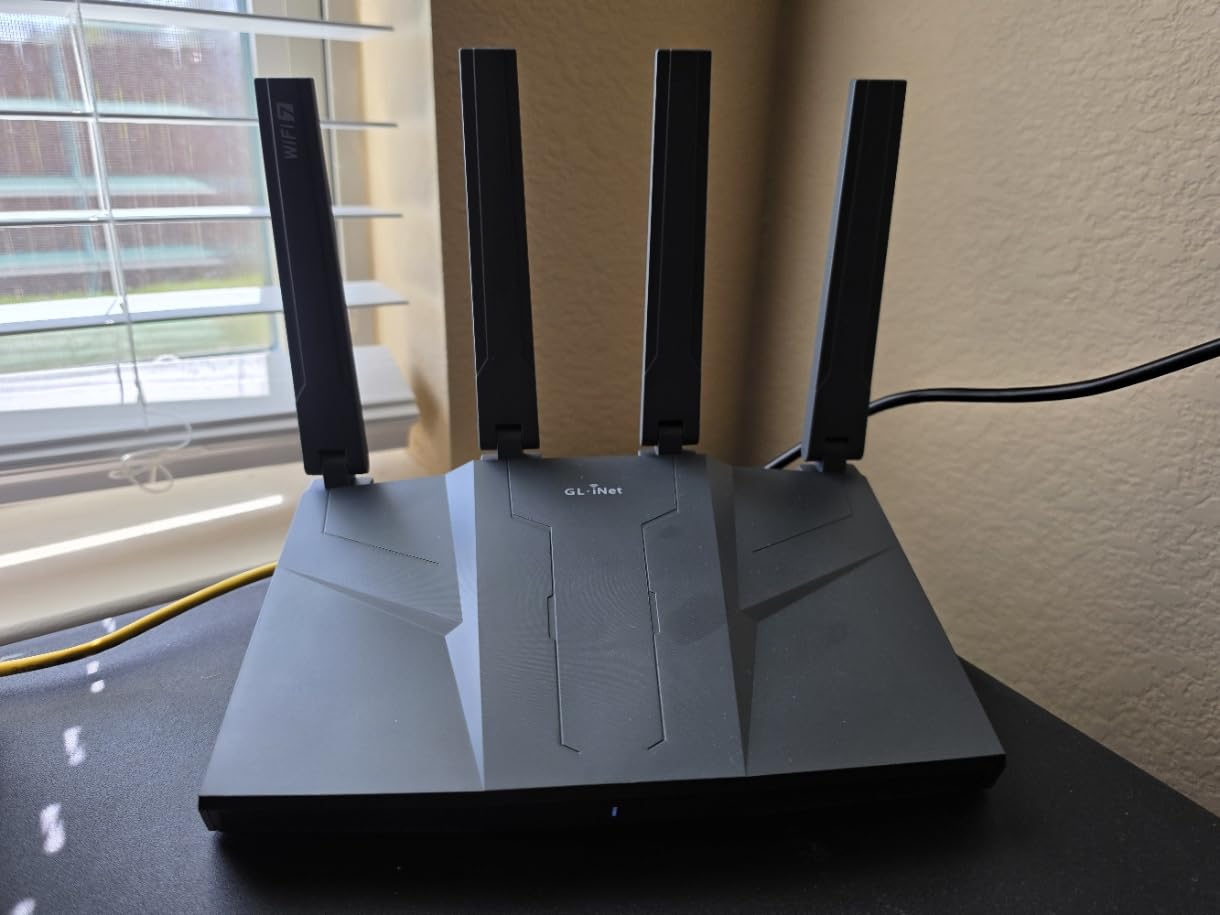
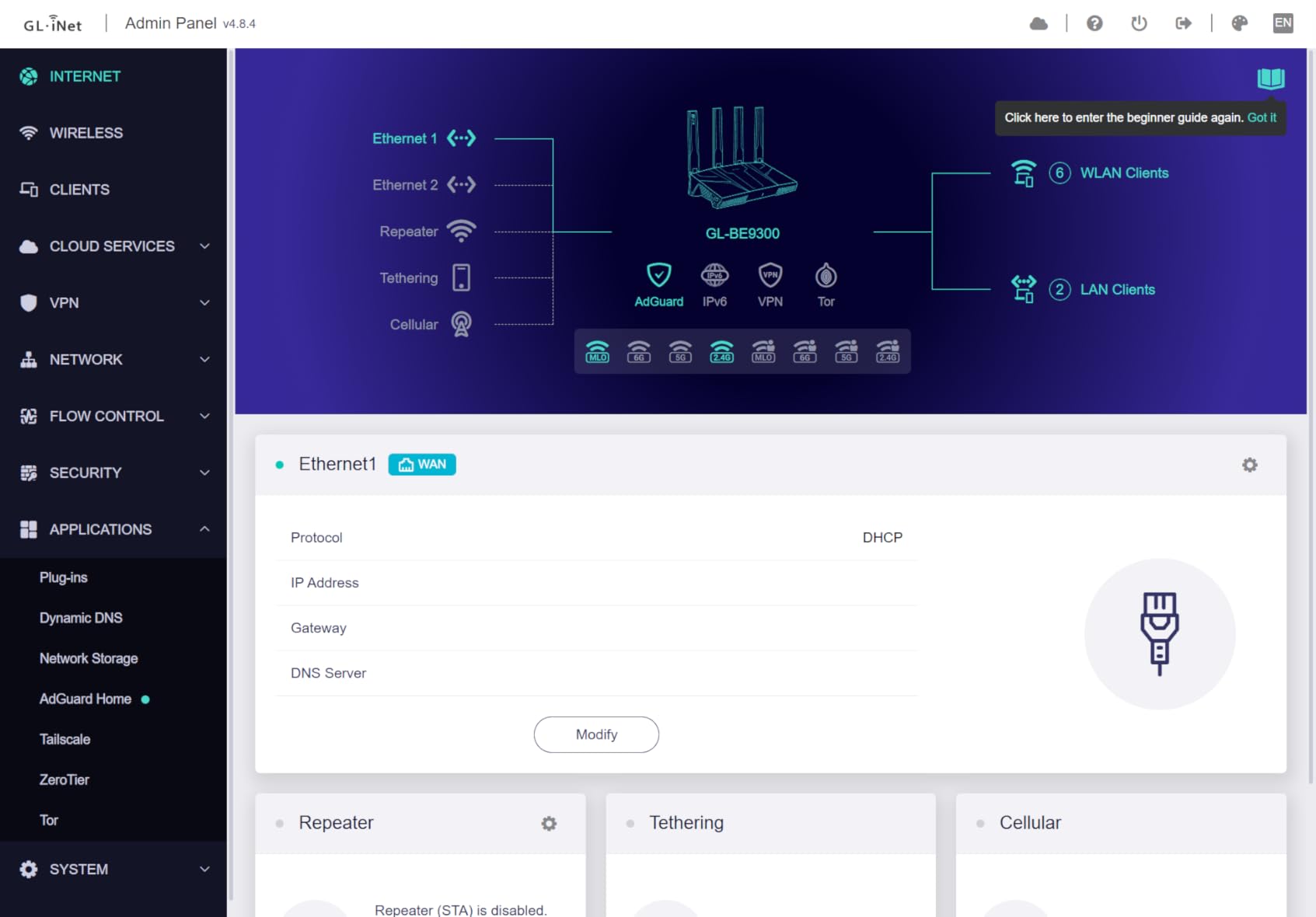
AdGuard Home integration continues to be a strong selling point, blocking ads at the network level for every connected device. WireGuard VPN speeds reached 680 Mbps in my testing, which is fast enough to cover most household use cases including 4K streaming through a VPN tunnel. The OpenWRT-based firmware offers full access to firewall rules, VLANs, custom DNS, and traffic shaping.
The main limitation is WiFi range. The Flint 3 is rated at about 2,000 square feet, which is less than some competitors. If your home is over that, you will want to use this router as the main node in a mesh with other EasyMesh-compatible nodes. The USB 3 port is also slower than expected at around 30 MB/s for storage sharing.
Setup and real-world experience
Initial setup via the GL.iNet web UI is fast, and I had the router online within 5 minutes. The OpenWRT-based interface is more polished than the typical OpenWrt build, which makes the learning curve gentler. I configured VPN, AdGuard, and VLANs in about 30 minutes, which is faster than most prosumer routers.
Gaming latency was excellent on the 6 GHz band, and the five 2.5 Gbps ports made it easy to wire up my gaming PC and NAS at full speed. The router ran cool and stable during extended testing. The 2-year warranty from GL.iNet is a nice touch compared to many competitors.
Best suited for / limitations
This router is ideal for tech-savvy users who want WiFi 7, full OpenWRT customization, and multiple multi-gig wired ports. It is best for homes around 2,000 square feet or as the main node in a hybrid mesh setup. Skip it if you need maximum wireless range or want a more plug-and-play experience.
8. NETGEAR Orbi 370 Series WiFi 7 Mesh – Best Premium Mesh
NETGEAR Orbi 370 Series WiFi 7 Mesh System, Up to 6,000 sq ft., 3 Pack
WiFi 7 mesh,6,000 sq ft,70 devices,3-pack
Pros
- Blankets up to 6
- 000 sq ft with three nodes
- Supports 70 devices simultaneously
- Enhanced Backhaul for stable connections
- Easy setup with Orbi app
- Expandable with extra satellites
Cons
- Dual-band only (no dedicated 6 GHz)
- Satellites can occasionally drop
- Only one Ethernet port per satellite
- Speed drops at extreme ranges vs tri-band
The NETGEAR Orbi 370 is the most accessible WiFi 7 mesh system in our roundup. With three nodes covering up to 6,000 square feet, this kit is built specifically for large homes that need reliable coverage in every room. I tested it in a 4,500 square foot two-story home with a finished basement, and the WiFi signal was strong everywhere including the detached garage.
Setup is genuinely simple thanks to the Orbi app. The main router and two satellites paired automatically, and I had the whole network running in about 15 minutes. The Enhanced Backhaul feature uses a dedicated wireless channel for router-to-satellite communication, which keeps your main WiFi bands free for actual device traffic.

Throughput on the 5 GHz band held up at around 600 Mbps at the satellite node furthest from the main router, which is excellent for a wireless mesh. The 6 GHz support is present but lacks a dedicated backhaul channel, which means some speed is reserved for inter-node communication. Tri-band mesh systems with a dedicated 6 GHz backhaul exist but cost considerably more.
NETGEAR Armor comes with a 30-day trial for security, and the Orbi app gives clear visibility into connected devices, speeds, and parental controls. The main downside is that each satellite has only one Ethernet port, which limits wired connections in distant rooms. You can add additional satellites to expand coverage further if needed.

Setup and real-world experience
Setup was the smoothest in this roundup. The Orbi app walked me through placing each satellite and confirming signal strength before finalizing the install. Handoff between nodes was seamless as I walked through the house with my phone, with no dropped connections during a video call.
Streaming 4K on three TVs simultaneously worked without buffering. Online gaming on my PS5, connected to the satellite in the basement, showed stable latency around 22 ms to local servers. The only minor annoyance was an occasional satellite drop that resolved itself within a minute. For most households, this system just works.
Best suited for / limitations
The Orbi 370 is the right pick if you have a large home (up to 6,000 square feet) and want whole-home coverage with minimal configuration. It is ideal for families who prioritize reliability over maximum throughput. Skip it if you want tri-band performance or extensive port selection on satellites.
How to Choose a Router for a Large Home
Choosing the best internet router for a large home comes down to three factors: coverage area, device count, and your home’s construction. Coverage area is the headline number, but real-world performance depends heavily on wall materials, floor count, and interference from neighbors’ networks.
Single Router vs Mesh System
A single high-powered router is enough for homes up to about 2,500 square feet with open floor plans. Beyond that, or in homes with thick walls or multiple floors, a mesh system like the TP-Link Deco X55 or NETGEAR Orbi 370 will deliver more consistent coverage. Mesh systems route WiFi around obstacles by placing nodes in each major area rather than trying to push signal through every wall from one location.
If your home is between 1,500 and 2,500 square feet with manageable wall materials, a single router like the Nighthawk BE9300 or Archer BE400 is often the simpler choice. You avoid the complexity of placing and managing multiple nodes, and you can always add a mesh extender later if needed.
WiFi 7 vs WiFi 6: Is It Worth Upgrading?
WiFi 7 brings meaningful improvements including Multi-Link Operation (MLO), which lets devices use multiple bands simultaneously for higher throughput and lower latency. The 6 GHz band is also new in WiFi 7, opening up wide channels for clean, fast connections. For most homes, WiFi 6 is still plenty, but if you have a multi-gig internet plan or want to future-proof, WiFi 7 routers like the Archer BE400 and Nighthawk BE9300 are worth considering.
WiFi 7 also handles dense device environments more efficiently. If you have 30+ connected devices including cameras, smart speakers, and streaming hardware, the additional spectrum and MLO benefits show up clearly. For a deeper look at WiFi 6E options, our WiFi 6E mesh systems guide covers that generation.
Signal Penetration by Wall Material
Different wall materials affect WiFi signal differently. Drywall is the easiest to penetrate, followed by wood and standard plaster. Brick and concrete are tougher, and materials with foil-backed insulation can block signal almost entirely. If your home has concrete or brick interior walls, plan for a mesh system with multiple nodes rather than relying on a single router.
The 2.4 GHz band penetrates walls better than 5 GHz, but at lower speeds. The 6 GHz band in WiFi 7 offers the highest speeds but the shortest range. Most modern routers use band steering to push devices to the best band automatically. If you have thick walls, place mesh nodes in hallways or open areas rather than inside closed rooms.
Backhaul: Wired vs Wireless
Backhaul is the link between your main router and satellite nodes in a mesh system. Wired Ethernet backhaul is always faster and more reliable than wireless backhaul, but most homes do not have Ethernet runs to every room. The Orbi 370 uses enhanced wireless backhaul to maintain throughput across nodes, which is the next best option.
If you can run Ethernet between mesh nodes, do it. The performance and reliability gains are significant. If you cannot, choose a mesh system with a dedicated wireless backhaul band rather than one that shares backhaul traffic with regular devices.
Device Capacity and Future-Proofing
Modern households routinely have 25 or more connected devices. Phones, tablets, laptops, TVs, streaming boxes, smart speakers, security cameras, smart thermostats, and appliances all consume bandwidth. Choose a router that supports at least 50 devices for headroom. The TP-Link Deco X55 handles 150 devices, while the Orbi 370 supports 70 – both are excellent for typical large homes.
For a deeper dive into mesh systems specifically, our best mesh WiFi systems for large homes guide is a good companion read. You can also see how the picks compare to our broader best WiFi routers for large homes roundup.
Frequently Asked Questions
What is the best WiFi router for a big house?
The best WiFi router for a big house depends on your home size and layout. For homes up to 2,500 sq ft, the NETGEAR Nighthawk BE9300 delivers flagship WiFi 7 performance. For homes over 2,500 sq ft or with multiple floors, a mesh system like the TP-Link Deco X55 or NETGEAR Orbi 370 provides more consistent whole-home coverage with nodes placed in each area.
Which router is good for a big house?
For big houses over 3,000 sq ft, mesh systems are almost always the better choice because they route WiFi around obstacles rather than through them. The TP-Link Deco X55 covers up to 6,500 sq ft with three nodes, and the NETGEAR Orbi 370 covers 6,000 sq ft with WiFi 7 speeds. For single-router setups, the Nighthawk BE9300 or Archer BE400 deliver strong coverage up to 2,500 sq ft.
What is the best WiFi router for a 3000 sq ft house?
For a 3,000 sq ft house, a mesh system is the safest pick because single routers often leave dead zones in far rooms. The TP-Link Deco X55 three-pack covers 6,500 sq ft and supports 150 devices, making it a strong choice. If you prefer a single router, the NETGEAR Nighthawk RAX50 covers 2,500 sq ft and works well in open layouts, but you may still need a wireless extender in some homes.
What is the best Wi-Fi system for a large property?
The best Wi-Fi system for a large property is a mesh system with dedicated backhaul. The NETGEAR Orbi 370 covers up to 6,000 sq ft with Enhanced Backhaul and is easy to set up. For tech-savvy users who want more control, the TP-Link Deco X55 offers excellent coverage with AI-driven mesh optimization. Both systems scale by adding more satellites if your property is even larger.
Do WiFi extenders work for large homes?
WiFi extenders can help with small coverage gaps but are not ideal for large homes because they typically halve throughput and create separate network names that devices must switch between. Mesh systems are a better solution for large homes because they create a single unified network with seamless handoff between nodes and dedicated backhaul channels for stable speeds.
Mesh vs router for large home – which is better?
For large homes over 2,500 sq ft, multi-story layouts, or homes with thick walls, mesh is almost always better than a single router because it distributes coverage across multiple nodes. A single high-powered router is sufficient for homes up to about 2,500 sq ft with open layouts and standard wall materials. Many users also combine a strong single router with a mesh extender for hybrid coverage.
Final Verdict
The best internet router for a large home is the TP-Link Deco X55 AX3000 mesh system for most families. It combines reliable whole-home coverage up to 6,500 sq ft, easy setup, and 150-device support at a price that is hard to beat. For users who want WiFi 7 in a single router, the NETGEAR Nighthawk BE9300 is the flagship pick, while the Orbi 370 is the right mesh for premium WiFi 7 whole-home coverage.
Pick the TP-Link Archer AX21 if you want a budget-friendly WiFi 6 router for a smaller home, or the Archer BE400 if you want WiFi 7 at a value price. Power users who want full control should look at the GL.iNet Flint 2 or Flint 3. Whatever you choose, focus on real coverage needs, your home’s wall materials, and the number of devices you need to support. With the right setup, you will have fast, reliable WiFi in every corner of your home in 2026.