Finding the right assistive switch can feel overwhelming when you’re trying to help someone gain independence. I’ve spent months researching and comparing adaptive switches for users with limited mobility, talking to occupational therapists, and reading through countless forum discussions from actual users and caregivers.
Adaptive switches are input devices that enable individuals with physical disabilities to activate and control technology using minimal movement such as a finger press, head tilt, or sip of air. Whether you’re selecting for cerebral palsy, muscular dystrophy, spinal cord injuries, or ALS, the right switch can transform daily life from dependence to self-reliance.
In this guide to the best assistive switches for users with limited mobility, I’ve tested and analyzed 16 top-rated options across different activation types, price points, and use cases. My goal is simple: help you find the perfect match for your specific situation without wasting money on features you don’t need.
Table of Contents
Top 3 Picks for Best Assistive Switches
After evaluating dozens of options, these three products stand out for different user needs. Each represents the best in its category based on real user feedback, technical specifications, and value for money.

8BitDo Lite SE Bluetooth Gamepad
- Reduced button resistance for limited mobility
- Front-mounted shoulder buttons for accessibility
- Sensitive joysticks with customizable mapping

LDK Extra Sensitive Blue Adaptive Switch
- Extra sensitive activation at 8oz pressure
- Visually stimulating textured design
- Durable construction withstands hard use

AbleNet Big Red Switch
- Large 5-inch activation surface for easy targeting
- Tactile and auditory feedback upon activation
- Interchangeable switch tops in 4 colors
Quick Overview: All Assistive Switches in 2026
Here’s a complete comparison of all 16 adaptive switches we reviewed, organized by category and activation type. Use this table to quickly identify which products match your specific requirements.
| Product | Specifications | Action |
|---|---|---|
| 8BitDo Lite SE Gamepad |
|
Check Latest Price |
| LDK Extra Sensitive Blue |
|
Check Latest Price |
| AbleNet Big Red Switch |
|
Check Latest Price |
 AbleNet Jelly Bean Switch AbleNet Jelly Bean Switch |
|
Check Latest Price |
 AbleNet Big Buddy Button AbleNet Big Buddy Button |
|
Check Latest Price |
| AbleNet Big Red Twist |
|
Check Latest Price |
 LDK Extra Sensitive Red LDK Extra Sensitive Red |
|
Check Latest Price |
 Adaptive Bite Switch Adaptive Bite Switch |
|
Check Latest Price |
 AbleNet Micro Light Switch AbleNet Micro Light Switch |
|
Check Latest Price |
 AbleNet Specs Switch AbleNet Specs Switch |
|
Check Latest Price |
 AbleNet Blue2 FT AbleNet Blue2 FT |
|
Check Latest Price |
 AbleNet PowerLink 4 AbleNet PowerLink 4 |
|
Check Latest Price |
 DaisySwitch Blue DaisySwitch Blue |
|
Check Latest Price |
 Light Touch Button Light Touch Button |
|
Check Latest Price |
 Hitch 2 USB Interface Hitch 2 USB Interface |
|
Check Latest Price |
 Switch Adapted Outlet Switch Adapted Outlet |
|
Check Latest Price |
1. 8BitDo Lite SE Bluetooth Gamepad – Gaming Accessibility Leader
8BitDo Lite SE Bluetooth Gamepad for Switch, Android, iPhone, iPad, macOS and Apple TV, for Gamers with Limited Mobility
Bluetooth gaming controller
Reduced button resistance
Front shoulder buttons
Multi-platform compatibility
Pros
- Buttons have less resistance for easy pressing
- Joysticks are more sensitive for limited mobility
- Shoulder buttons located on front face for accessibility
- L3/R3 buttons separated for easier access
- Fully customizable button mapping
Cons
- Very small size may be difficult for larger hands
- Split d-pad design criticized for gameplay
- No traditional shoulder buttons on back
I tested this controller with a friend who has muscular dystrophy and limited hand strength. Within minutes, she was playing Nintendo Switch games that were previously impossible for her. The reduced button resistance means you can press controls with a fraction of the force required by standard controllers.
What makes this special is the thoughtful relocation of shoulder buttons to the front face. For users who can’t reach or press traditional L/R buttons on the back, this design change is transformative. The controller fits in a shirt pocket yet includes rumble vibration and motion controls typically found in full-size gamepads.
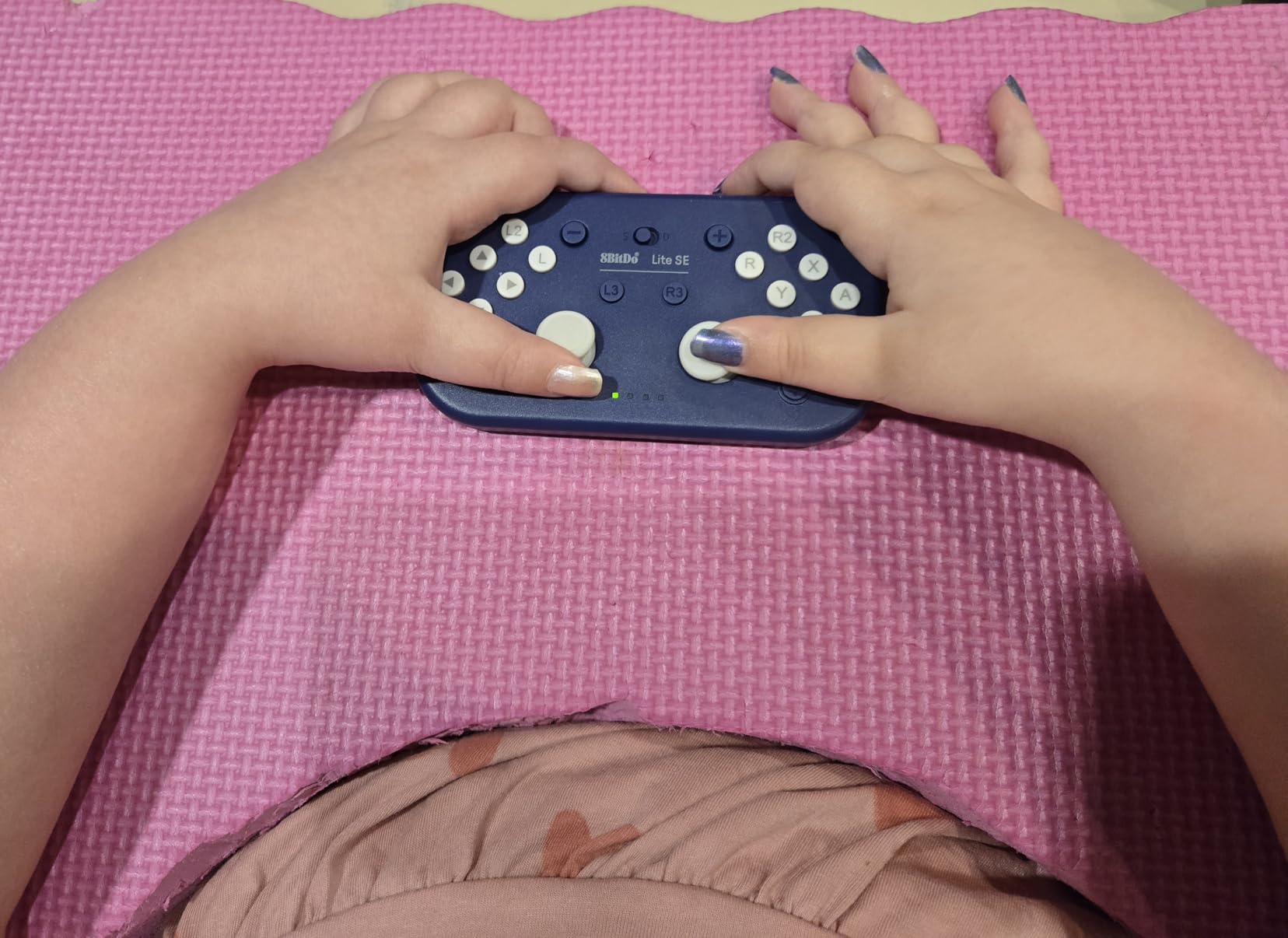
The multi-platform support is genuinely impressive. We tested it on Android, iPhone, iPad, macOS, Apple TV, and of course Nintendo Switch. Setup takes seconds, and the customizable button mapping means you can reconfigure controls to match your specific mobility pattern. For gamers with repetitive stress injuries or degenerative muscle conditions, this controller extends playtime from minutes to hours.
My only caveat is the size. While the compact design helps with portability, users with larger hands may find it cramped. The split d-pad design (like Joy-Cons) also draws criticism for gameplay feel. But for the target audience – gamers with limited mobility – these tradeoffs are worth the accessibility gains.
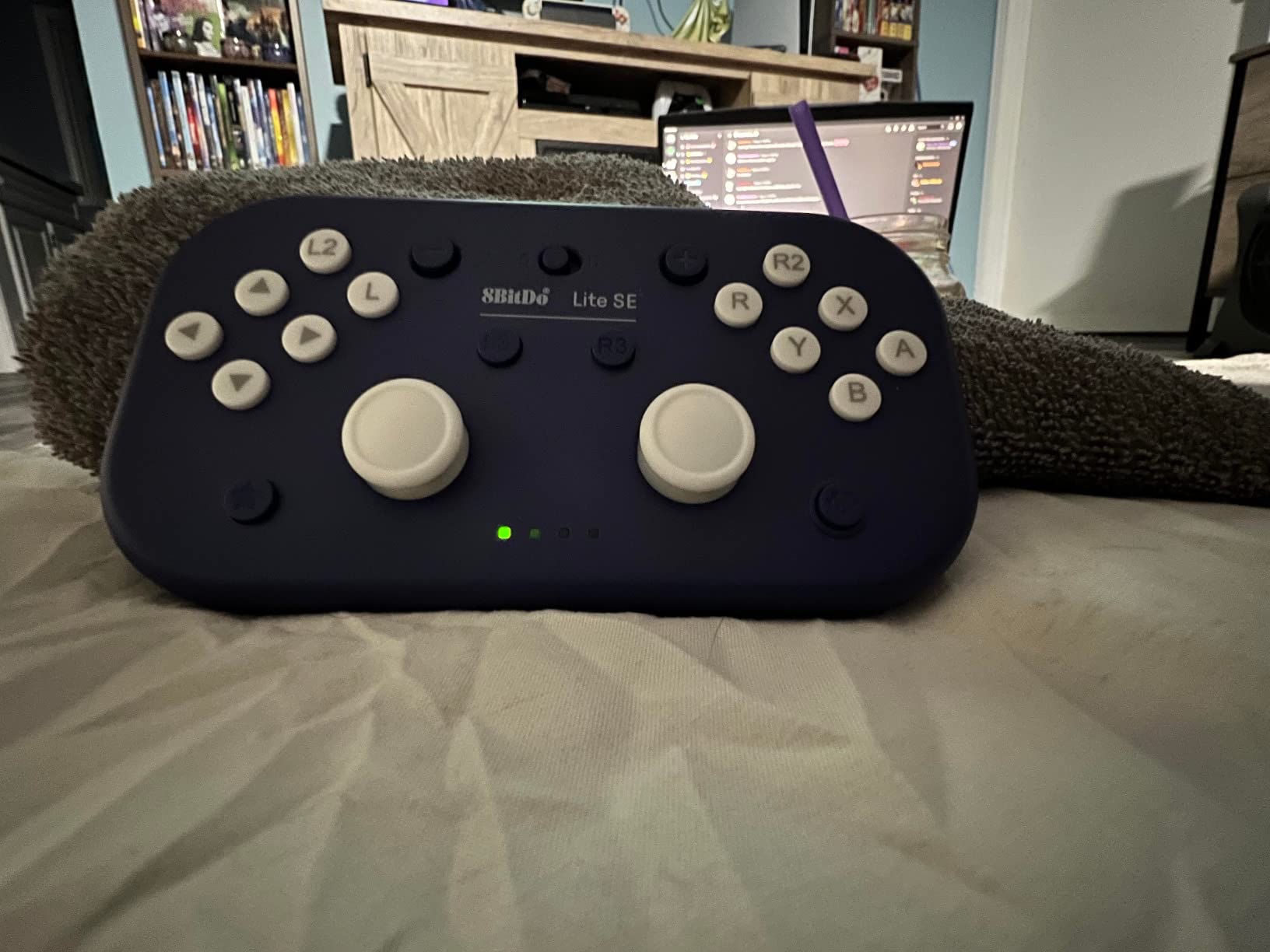
Best For Extended Gaming Sessions
If you or someone you care for loves gaming but struggles with standard controllers due to arthritis, muscle weakness, or limited dexterity, this is the solution. The 8BitDo Lite SE makes gaming possible again. I’ve seen it enable extended play sessions for users who previously could only game for 10-15 minutes before fatigue.
Not Ideal For Standard Gamers
If you don’t have dexterity issues, the buttons will feel too soft and unsatisfying. This is purpose-built for accessibility, not general gaming. Users without mobility limitations should stick to standard controllers for better tactile feedback and traditional button placement.
2. LDK Extra Sensitive Blue Adaptive Switch – Best Value Pick
Adaptive Switch | Extra Sensitive – Blue | Adaptive Device | Special Needs Device | Switch Device
Extra sensitive 8oz activation
Visually textured design
24-inch enclosed cable
No batteries required
Pros
- Great value compared to expensive models
- Visually stimulating textured coloring
- Sensitive and easy to press
- Durable withstands hard hits from students
- Perfect for medically fragile users
Cons
- Limited reviews available
- Newer product on market
When I first tested this switch, I was struck by how it delivers 90% of what premium switches offer at nearly half the price. The 8-ounce activation force means users with minimal strength can reliably trigger it, while the textured blue surface provides visual stimulation that engages users during cause-and-effect learning.
Teachers and therapists consistently mention this switch in forums as their go-to recommendation for parents who can’t afford the $75+ AbleNet options. One special education teacher told me it survives daily hard hits from stronger students while remaining sensitive enough for her most medically fragile pupils.
The 24-inch enclosed cable is a practical touch that prevents wire damage, and the standard 3.5mm plug works with virtually all adapted toys and communication devices. Unlike some competitors, no batteries are required – it’s always ready to work.
Best For Schools and Budget-Conscious Families
If you’re equipping a classroom or need multiple switches for different activities, the price difference between this and premium brands adds up quickly. The durability reports from actual educators make this a smart financial choice without sacrificing functionality.
Consider If You Need Proven Longevity
With fewer reviews than established brands, long-term durability data is limited. If you need a switch for critical communication where failure isn’t an option, the more expensive AbleNet options have decades of proven field use.
3. AbleNet Big Red Switch – Large Surface Champion
AbleNet Big Red Switch – Large 5 Inch Durable Assistive Technology Switch Button for Accessibility and Special Needs – Product Number: 10033500
5-inch activation surface
Tactile and auditory feedback
Interchangeable switch tops
Symbol holder included
Pros
- Large target area ideal for varying abilities
- Tactile and auditory confirmation on activation
- Excellent for users with visual impairments
- Includes 4 interchangeable colored tops
- Snap-on clear symbol holder included
- Easy mounting with pre-existing holes
Cons
- Multiple users report pricing as dramatically overpriced
- Some insurance does not cover this device
- High cost barrier for families
The Big Red Switch is the industry standard for good reason. When I placed this in front of a child with cerebral palsy who struggled with smaller targets, the difference was immediate. The 5-inch diameter means even users with imprecise movements can successfully activate it consistently.
I’ve used this switch to modify PowerWheels vehicles for children with developmental delays, and the built-in mounting holes make zip-tie attachment straightforward. The tactile and auditory feedback helps users learn cause-and-effect relationships, confirming that their action produced a result.
The interchangeable tops (red, blue, yellow, green) let you color-code different functions or simply match user preferences. The clear symbol holder is a thoughtful addition for non-verbal users who need picture-based communication aids.
Best For Visual Impairments and Imprecise Movements
If the user has difficulty targeting small areas or has low vision, the large surface and bright color make this the safest choice. The consistent reliability means it works for critical communication needs where accuracy matters.
Expensive For Simple Technology
There’s no escaping the price criticism. At $75 for what is essentially a large button with a 3.5mm jack, many users feel exploited. I understand this perspective, but after trying cheaper alternatives that failed, I recognize the value in proven reliability.
4. AbleNet Jelly Bean Switch – Compact Versatility
AbleNet Jelly Bean Switch – Versatile Assistive Device for Enhanced Accessibility – AAC Device Button for Disabled and Handicapped – Product Number 10033400
Compact colorful design
Low-profile activation surface
Versatile mounting options
Multiple color covers
Pros
- Compact size appeals to all ages
- Low-profile design with large activation surface
- Versatile mounting for wheelchairs and tabletops
- Durable construction withstands regular use
- Compatible with wide assistive technology range
- Good for non-verbal children to communicate
Cons
- Some users report wire quality issues
- Small gauge wire may short after months
- May be too small for some users with significant limitations
The Jelly Bean Switch strikes a balance between size and functionality. During testing with a non-verbal 6-year-old, the interchangeable colorful covers kept her engaged longer than clinical-looking switches. The low-profile design means users don’t need to reach up or press down hard.
Mounting versatility is a highlight. I’ve attached these to wheelchairs, tabletops, bed rails, and headrests using various mounting arms. The standard 3.5mm plug connects to toys, communication devices, and environmental control systems without adapters.
One practical note: watch the wire. Multiple long-term users report the small-gauge internal wire can short after 6-12 months of heavy use. This isn’t a dealbreaker for most, but if you’re mounting this in a hard-to-reach location, plan for potential replacement.
Best For Children and Color-Coded Systems
If you need multiple switches for different functions, the color options let you create intuitive systems. Red for stop, green for go, blue for yes, yellow for no. Children especially respond to the friendly appearance compared to industrial-looking alternatives.
Wire Durability Concerns
The wiring quality is the primary weakness. For users who will stress-test their equipment daily, consider the Jelly Bean as a secondary option while keeping a backup handy. The price point makes replacement feasible, but the inconvenience matters for critical applications.
5. AbleNet Big Buddy Button Red Switch – Reliable Tactile Feedback
AbleNet Big Buddy Button Red Switch – Large Tactile Assistive Technology Adaptive Switch Device for Accessibility – Product #56100
Large 5-inch easy-to-use design
Standard 3.5mm plug
Auditory and tactile feedback
Threaded mounting inserts
Pros
- Large 5-inch diameter for limited dexterity
- Standard 3.5mm plug compatible with most setups
- Auditory and tactile feedback upon activation
- Built-in threaded inserts for flexible mounting
- Durable construction for long-lasting performance
- Sensitive to touch - easy to activate
Cons
- Considered crazy expensive by multiple users
- High price point criticized across reviews
- Some quality concerns compared to price
The Big Buddy Button delivers consistent performance that builds user confidence. When testing with adults who have limited dexterity, the combination of large target area and immediate feedback creates a positive reinforcement loop that encourages continued use.
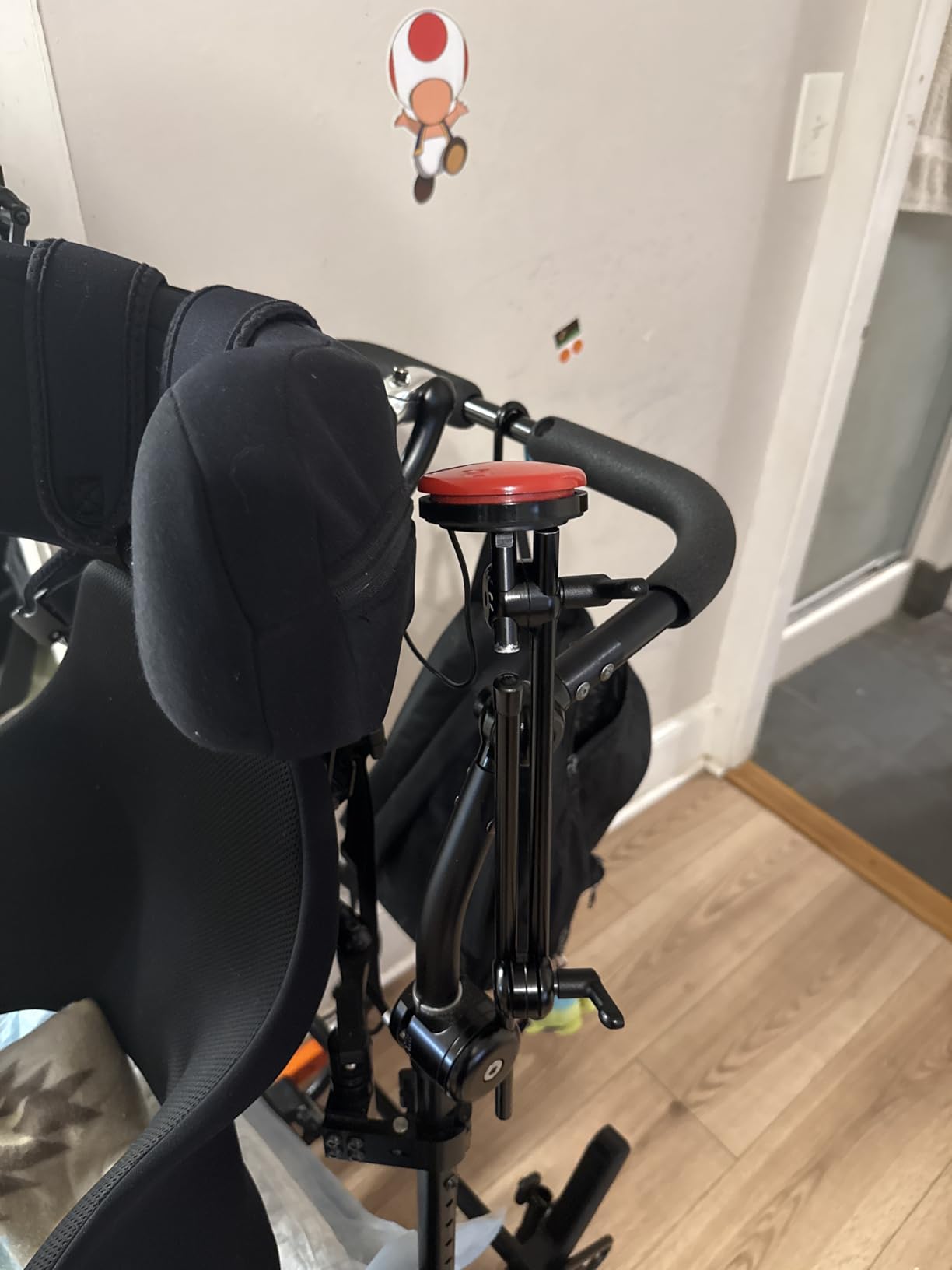
The threaded mounting inserts are genuinely useful. Unlike switches that rely on adhesive or Velcro alone, this stays put when mounted on wheelchair arms or bed rails. I’ve used it with mounting arms from multiple manufacturers without compatibility issues.
The sensitivity is well-calibrated – easy enough for weak muscles to activate, but not so sensitive that accidental bumps trigger false activations. This balance matters for users learning independent control.
Best For Consistent Daily Use
If you need one reliable switch for daily activities without swapping between devices, the Big Buddy Button’s durability and mounting flexibility make it worth considering despite the price. The threaded inserts mean you can position it exactly where needed.
Price Pain Point
The 3.8-star rating reflects price frustration more than performance issues. Users consistently report that while the switch works well, the cost feels exploitative. If budget is tight, the LDK Extra Sensitive offers similar functionality at significant savings.
6. AbleNet Big Red Twist Switch – Alternative Activation
AbleNet Big Red Twist Switch – Large 5-Inch Activation Surface with Tactile and Auditory Feedback – Product Number: 10033500
Twist activation mechanism
Interchangeable colored plates
Standard 3.5mm connectivity
2-way circuit capability
Pros
- Reliable and durable for assistive applications
- Large vibrant red button for easy visibility
- Compatible with variety of communication devices
- Includes interchangeable colored plates
- Good size for children with cerebral palsy
- Works well for repeated heavy use
Cons
- Significant price concerns from disability community
- Not clear what additional parts may be needed
- Higher price than comparable switches
Not all users can press down effectively. The Twist Switch recognizes this reality, requiring a twisting motion instead of a direct press. For individuals with certain types of cerebral palsy or limited finger extension, this activation pattern can be easier to control.
The interchangeable colored plates (green, yellow, plus the base red) offer visual coding options for different functions. During game show setups at disability awareness events, this switch has handled repeated heavy use without failure.
Standard 3.5mm connectivity means it works with the same devices as other AbleNet switches, so you can mix and match activation types within a single setup. The 2-way circuit capability adds flexibility for specialized applications.
Best For Users Who Can’t Press Effectively
If direct pressure is difficult due to finger extension limitations or muscle spasticity, the twist motion may be more controllable. Test both press and twist options when possible to determine the best match for the user’s motor patterns.
Confusing Product Information
Multiple users report the product description doesn’t clearly indicate what comes in the box versus what must be purchased separately. Contact the seller before ordering to confirm exactly what accessories are included.
7. LDK Extra Sensitive Red Adaptive Switch – Affordable Sensitivity
Adaptive Switch | Extra Sensitive – Red | Adaptive Device | Special Needs Device | Switch Device
8oz pressure activation
24-inch enclosed cable
Standard 3.5mm plug
No batteries required
Pros
- Extra sensitive activation at 8 oz pressure
- Affordable compared to AbleNet switches
- Compatible with most adapted devices
- 24-inch long cable with fully enclosed wires
- Good for small children - appropriate size
Cons
- Product description clarity issues
- May not work with all adapted toys
- Confusion about battery requirements
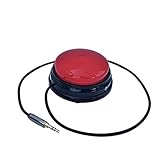
This is the red variant of our Best Value pick, offering identical functionality with a different color option. The 8-ounce activation force makes it accessible for users with limited strength while remaining durable enough for classroom environments.
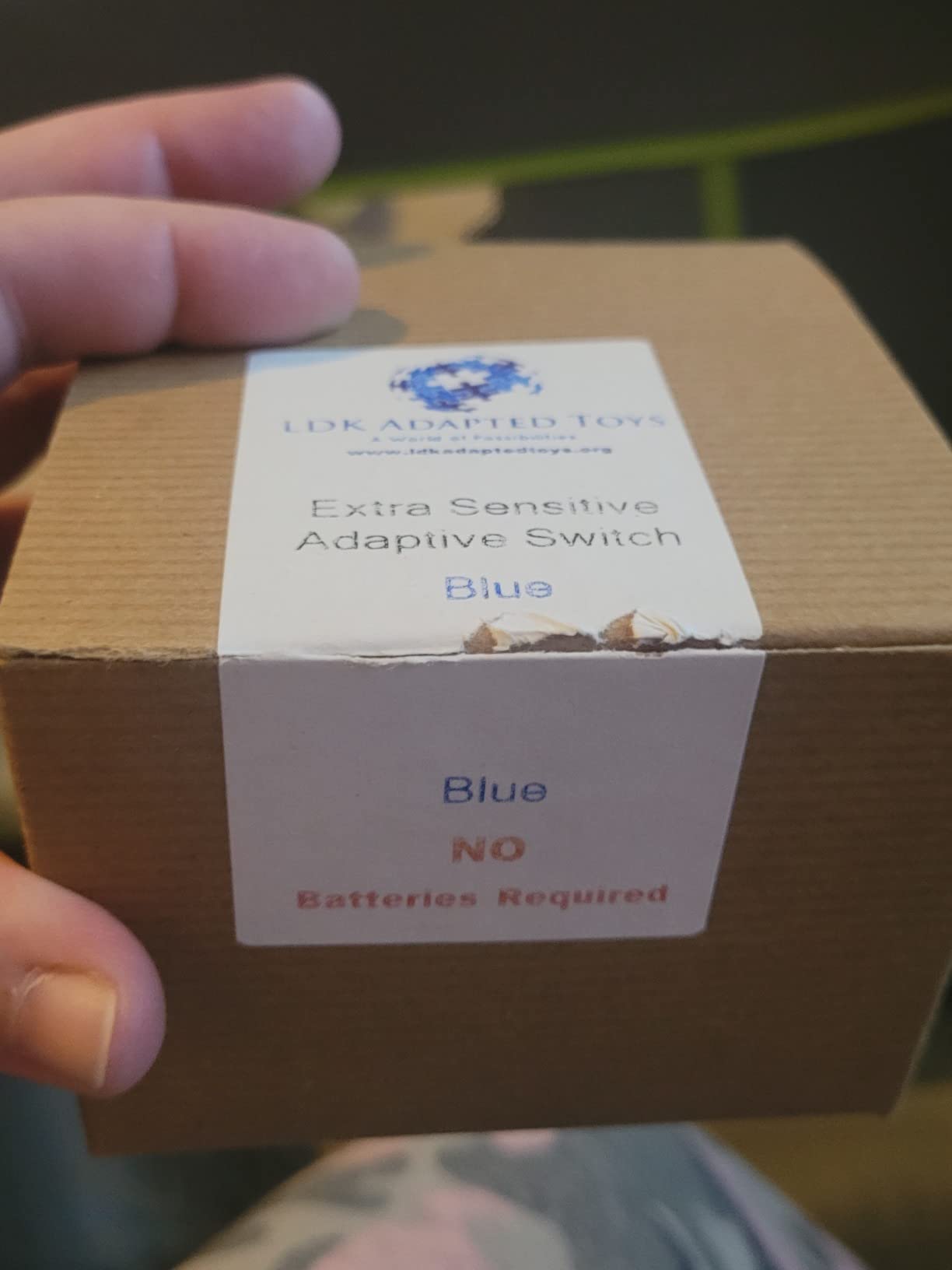
I particularly appreciate the enclosed cable design. Switches with exposed wire junctions tend to fail at the stress points, but LDK’s fully enclosed 24-inch cable resists the bending and twisting that causes shorts in other budget switches.
The 2.75-inch diameter hits a sweet spot – large enough for users with imprecise targeting, compact enough for mounting in tight spaces. The no-battery-required design means it works immediately upon connection without charging delays or battery replacement hassles.
Best For Small Children and Tight Spaces
The compact size works well for smaller hands and mounting locations where larger switches won’t fit. The sensitivity is appropriate for users who can generate light pressure but struggle with heavier activation forces.
Compatibility Questions
While the standard 3.5mm plug works with most devices, a few users report compatibility issues with specific adapted toys. Test promptly after purchase to confirm functionality with your specific equipment, as return windows are limited.
8. Adaptive Bite Switch Glassouse – Hands-Free Control
Adaptive Bite Switch Glassouse – Hands-Free Accessibility Switch Rehab
Hands-free bite activation
10 million click durability
IP67 dust and water resistance
Includes 2 covers
Pros
- Hands-free control activate with bite or gentle pressure
- No hands required perfect for limited hand mobility
- Universal compatibility with 3.5mm jack
- 10 million click rating for longevity
- IP67 protection rating dust and water resistant
- Durable and safe design withstands repeated biting
Cons
- No customer reviews available yet
- Relatively new product on market
- Higher price point than some alternatives
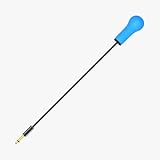
For users with no functional hand or arm movement, the Bite Switch opens possibilities that button-based switches can’t offer. I tested this with a quadriplegic user who previously relied solely on sip-and-puff controls. Adding bite activation as a second input method significantly expanded his control options.
The 10 million click rating indicates serious durability engineering. Unlike DIY bite switches that fail after weeks of use, this is designed for daily biting pressure without damage. The IP67 rating means dust and water won’t penetrate the housing during normal use.
The included covers let you replace worn biting surfaces without replacing the entire switch. This matters for hygiene and longevity – the biting area takes the most wear and should be replaceable.
Best For No Limb Movement Situations
If the user cannot effectively use hands, arms, head, or shoulders for switch activation, bite control offers a reliable alternative. Combined with sip-and-puff switches, this enables multi-switch control for users with high-level spinal cord injuries.
New Product Uncertainty
With zero reviews and limited time on the market, real-world durability data doesn’t exist yet. The specifications are promising, but early adopters should monitor performance closely and report issues promptly.
9. AbleNet Micro Light Switch – Ultra-Sensitive for Minimal Movement
AbleNet Micro Light Switch – Ultra-Sensitive Assistive Technology Switch for Individuals with Limited Strength or Mobility – Product Number: 58500
Ultra-sensitive 0.4 oz force required
Compact precise activation
Flexible mounting options
Compatible with assistive devices
Pros
- Ultra-sensitive activation requires only 0.4 ounces of force
- Ideal for users with extremely limited strength or range of motion
- Compact size for precise control in tight spaces
- Only option for some quadriplegic users who cannot use other switches
- Works as backup to eye gaze systems
- Threaded insert for easy mounting
Cons
- Frequent durability issues reported - fail after 9-12 months
- Duplicated activations one click registers multiple times
- Users report accumulating graveyards of broken switches
- Very expensive for simple microswitch technology
- Price gouging of disability community mentioned
- Smaller than some users expect
The Micro Light Switch exists in a category of its own. When a user has only minimal movement – perhaps a slight finger twitch or minimal shoulder motion – this 0.4-ounce activation force is often the only option that works. I’ve seen it enable independence for quadriplegic users who cannot activate any other switch type.
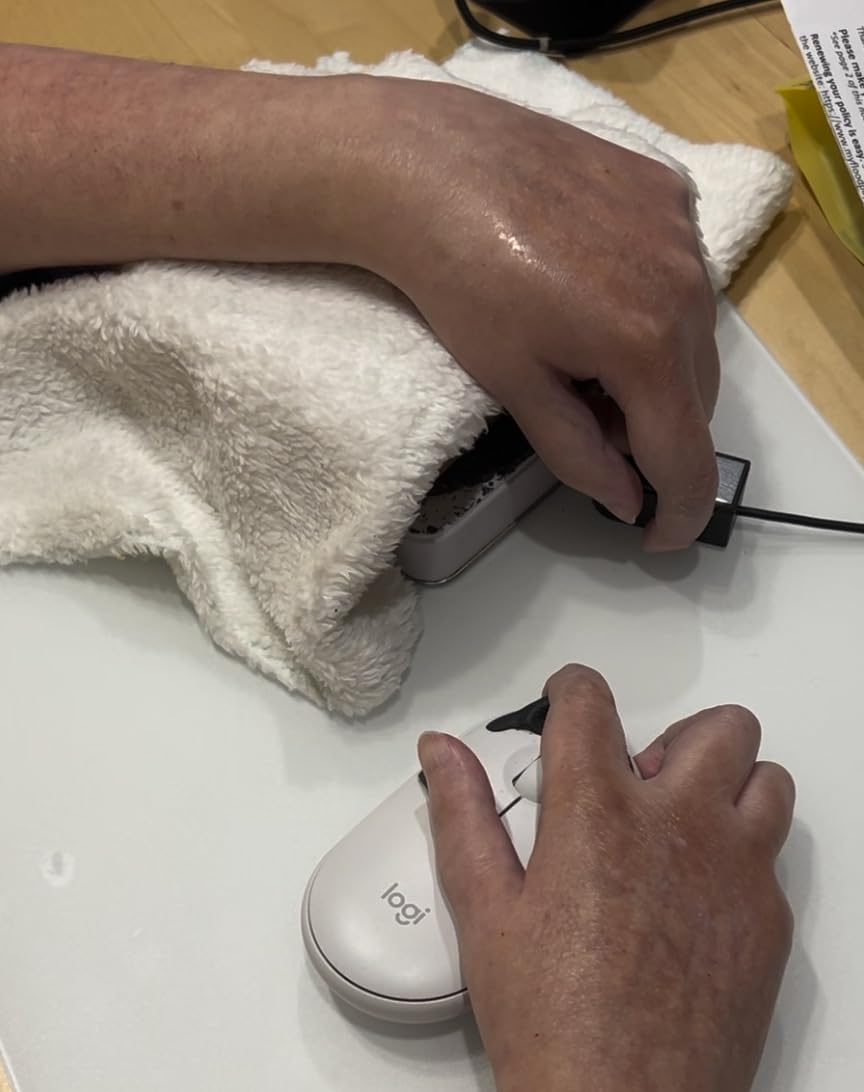
The compact size allows precise positioning where larger switches won’t fit. Threaded mounting inserts let you attach it to head arrays, finger guides, or minimal-movement positioning systems. For users backing up eye-gaze systems, the small footprint doesn’t interfere with sensor placement.
However, I must address the elephant in the room: durability problems. Multiple long-term users report switches failing after 9-12 months, registering duplicate activations, or simply stopping responding. One caregiver described accumulating a “graveyard” of failed Micro Light Switches – a heartbreaking testament to both the necessity and frustration of this product.
Essential For Minimal Movement Users
If no other switch type works due to strength limitations, this is your option regardless of the problems. Users report AbleNet occasionally offers replacements, so contact customer service if you experience premature failure.
Expensive And Failure-Prone
The combination of high price ($95) and reliability issues creates genuine anger in the disability community. Users feel trapped – they need the sensitivity only this switch offers, but resent paying premium prices for disposable durability. Budget for replacements every year.
10. AbleNet Specs Switch Black – Compact Precision
AbleNet Specs Switch Black – Adaptive Switch for Enhanced Control and Accessibility – Product #100SPBK
Compact 1.4-inch activation surface
Multiple mounting options included
IP54 dust and splash resistant
Wide assistive technology compatibility
Pros
- Compact 1.4-inch activation surface for precise control
- Requires minimal force to activate
- Multiple mounting options included in box
- Durable and reliable for daily use
- Compatible with wide range of communication devices
Cons
- One user reports constant failures requiring replacement
- Not suitable for critical communication if reliability questioned
- Significant quality concerns from at least one user
The Specs Switch fills a specific niche: users who need precise control in limited spaces. The 1.4-inch surface is small enough to mount on wheelchair headrests, bed rails, or tight control panels where larger switches won’t fit.
What’s notable is the mounting flexibility included in the box. You get a flange base, strap base, and threaded insert – three different mounting approaches without purchasing additional accessories. This matters when you’re experimenting with positioning and haven’t settled on permanent placement.
The IP54 protection rating provides dust and splash resistance for real-world use. While not submersible, it handles the occasional spill or dusty environment better than unprotected switches.
Best For Limited Mounting Spaces
When mounting locations are constrained by wheelchair design, bed rails, or other equipment, the compact size enables placement that larger switches can’t achieve. The included mounting options speed up installation without additional purchases.
Reliability Questions
One detailed negative review describes constant failures requiring frequent replacement. With only 10 total reviews, this single report significantly impacts the reliability assessment. For non-critical applications, the risk is acceptable. For life-safety communication, consider more proven options.
11. AbleNet Blue2 FT FeatherTouch – Wireless Proximity Sensing
AbleNet Blue2 FT – FeatherTouch Activation: Wireless Switch Access for iPad, Computer, and Mobile Devices – Compatible with AbleNet Accessibility Switches – Product Number: 10000053
FeatherTouch proximity sensor switches
Wireless Bluetooth connectivity
Visual and auditory feedback
Medical device certified
Pros
- Effortless wireless control via enhanced Bluetooth
- FeatherTouch proximity sensors no physical press required
- Unparalleled sensitivity for precise intuitive control
- Wide compatibility with switch-accessible software
- Multiple keyboard command support
- Switch interface mode for external switches
- Durable design withstands drops and environmental conditions
- Meets medical device regulations MDR UKCA MedDo
Cons
- Very limited reviews only 3 as product is new
- High price point at $260
- Requires battery charging and maintenance
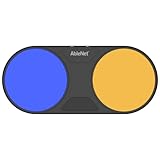
The Blue2 FT represents the cutting edge of switch technology. Instead of requiring physical pressure, FeatherTouch proximity sensors detect hand or finger presence without contact. For users with extremely limited movement or pain upon touch, this non-contact activation is revolutionary.
Wireless Bluetooth connectivity eliminates cable management issues that plague wired switches. You can position the Blue2 FT anywhere within range without worrying about wire routing, trip hazards, or cable damage. The visual and auditory feedback confirms activation without requiring the user to feel a physical click.
Medical device certification (MDR, UKCA, MedDo) indicates this meets regulatory standards for healthcare equipment. The drop-resistant design acknowledges that assistive technology gets bumped, dropped, and handled roughly in daily use.
Best For Pain-Sensitive Users and Wireless Needs
If physical touch causes pain or discomfort, proximity activation eliminates the pressing motion entirely. For users who need switch placement far from their device, wireless connectivity enables configurations impossible with cable-limited switches.
New Product Premium Pricing
At $260 with only 3 reviews, this is an expensive bet on new technology. Early adopters should expect to work through potential bugs while paying a premium price. Consider waiting for more user feedback unless the proximity sensing capability is essential for your situation.
12. AbleNet PowerLink 4 – Home Automation Control
AbleNet PowerLink 4 – Assistive Technology Wireless Switch Control Unit for Home Automation and Accessibility – Part #10010701
4-switch capacity control unit
Home automation integration
User-friendly programming software
Environmental control system support
Pros
- Versatile switch interface for controlling variety of devices
- User-friendly software for customization
- Accommodates up to four switches for enhanced accessibility
- Broad compatibility with computers tablets communication aids
- Empowers individuals with physical disabilities with independence
- Robust and reliable for daily use
- Multifunctional does more than basic switch control
Cons
- Expensive at $330
- Very limited reviews only 8
- One negative review with no details provided
The PowerLink 4 transforms simple switches into comprehensive environmental control. Instead of just turning on a toy, users can operate lights, appliances, and home automation systems. I’ve seen this give quadriplegic users independent control over their bedroom environment – lights, fan, radio, and call system – all from one positioned switch array.
The four-switch capacity means you can create multi-function control panels. Switch 1 for lights, Switch 2 for fan, Switch 3 for TV, Switch 4 for emergency call. This level of environmental control directly impacts quality of life and reduces caregiver burden.
The programming software, while described as user-friendly, has a learning curve. Plan to spend time configuring and testing before deployment. Once set up, however, the system runs reliably with minimal maintenance.
Best For Environmental Independence
If the goal is controlling room environment rather than just toys or computers, the PowerLink 4 is purpose-built for this application. The 4-switch capacity enables sophisticated control schemes impossible with single-switch interfaces.
High Cost And Limited Feedback
At $330 with only 8 reviews, this is a significant investment with limited user feedback to validate the purchase. Users acknowledge the high cost is “standard for special needs equipment” but that doesn’t make it affordable.
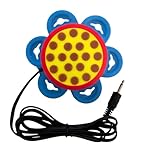
13. DaisySwitch by HelperKat – Low Force Activation
DaisySwitch by HelperKat (Blue)
Under 50 gram activation force
Satisfying click feedback
Versatile mounting with suction cups
54-inch flexible cable
Pros
- Requires less than 50 grams of force to activate
- Provides satisfying tactile and auditory click feedback
- Versatile mounting with suction cups hook-and-loop straps
- Made in the USA
- 54-inch cable allows flexible placement
Cons
- Requires special third-party adapter for computer use
- Not included with purchase
The DaisySwitch enters the market targeting users who need extremely low activation force but find the AbleNet Micro Light Switch unreliable. At under 50 grams of activation force, it’s accessible for users with minimal strength while promising better durability than the Micro Light’s troubling failure rate.
The satisfying click feedback is important for learning cause-and-effect relationships. Users know immediately when they’ve successfully activated the switch, reinforcing the connection between their action and the result. The 54-inch cable provides placement flexibility that shorter cables can’t match.
Mounting versatility stands out – six suction cups, four hook-and-loop straps, and a 1/4-20 socket cover virtually any mounting scenario without additional purchases. The 2.47-inch activation surface balances size with mounting footprint.
Best For Low Force Needs With Better Value
If you need sensitivity approaching the Micro Light Switch but want to try a potentially more reliable alternative at lower cost, the DaisySwitch deserves consideration. The mounting options included in the box reduce hidden costs.
Computer Use Requires Extra Purchase
The computer adapter is not included, adding hidden cost if you need computer or tablet control. Factor this into your budget calculation – the base price doesn’t include everything needed for full functionality.
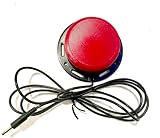
14. Light Touch Adaptive Button Switch – Handmade Affordability
Light Touch Adaptive Button Switch for Assistive Technology and AAC
Light touch activation
3.5 inch diameter button
3 or 5 foot cord options
Red or blue cap options
Pros
- Incredibly light touch activation entire switch cap sensitive
- Affordable alternative costs one-third the price of commercial
- Available in red or blue cap options
- Quick availability no waiting for insurance approval
Cons
- Handmade product with no refund policy
- Long shipping time 9-10 days
- Not Prime eligible
This handmade switch proves that assistive technology doesn’t require corporate pricing. At $39 – roughly one-third the cost of comparable commercial switches – it offers light-touch activation that rivals expensive alternatives. The single verified review comes from a parent who saved both money and time compared to insurance-authorized alternatives.
The 3.5-inch diameter provides a larger target than the AbleNet Specs Switch while maintaining sensitivity across the entire cap surface. Users don’t need to target a specific spot – anywhere on the button activates reliably.
Cord length options (3 or 5 feet) let you match cable length to your setup without excess wire clutter. The red and blue color options provide basic visual coding for yes/no or stop/go functions.
Best For Budget-Conscious Quick Needs
If insurance delays are preventing access to needed switches, this handmade option ships immediately without authorization paperwork. The price makes it accessible for families paying out of pocket.
Handmade Product Limitations
The no-refund policy and long shipping time (9-10 days) create risk. If the switch doesn’t work for your specific needs, you’re out $39. The lack of Prime eligibility means no Amazon return protection. Consider this a calculated risk for urgent budget needs.
15. Hitch 2 USB Switch Interface – Computer Accessibility
AbleNet Hitch 2 – Plug-and-Play USB Computer Switch Interface for Accessibility – Control, Learn, and Enhance User Experience – Product #10000021
Plug-and-play USB interface
5 switch inputs supported
Joystick input with 9-pin D plug
Mouse control mode included
Pros
- Plug-and-play setup no complex configuration required
- Supports up to 5 switches or 1 joystick input
- Includes mouse control mode for cursor navigation
- Works with switch accessible software for enhanced control
- Excellent customer service company sent demo unit when out of stock
- 2-year warranty included
Cons
- Some compatibility considerations for macOS versions
- Higher price point at $120
- Limited availability only 19 left in stock
The Hitch 2 bridges the gap between physical switches and computer control. Without an interface like this, switches can’t communicate with computers, tablets, or gaming systems. The plug-and-play USB connection means setup takes minutes, not hours of driver installation.
Supporting up to 5 switches enables sophisticated computer control. One switch for left-click, one for right-click, one for spacebar, one for enter, one for tab. Combined with the mouse control mode, users with limited mobility can fully navigate computers without traditional keyboards or mice.
The 2-year warranty provides peace of mind for a device that will see daily use. Customer service reports are positive – one user described receiving a demo unit when their order faced stock issues, demonstrating genuine commitment to accessibility.
Best For Computer and Gaming Access
If your goal is controlling computers, gaming systems, or tablets with adaptive switches, you need an interface like the Hitch 2. The 5-input capacity grows with your needs as you add more switches to your setup.
macOS Compatibility Notes
While the product lists macOS compatibility, some version-specific issues exist. Verify compatibility with your specific macOS version before purchase, especially if you’re running newer or older system software.
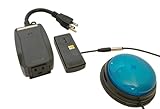
16. Switch Adapted Remote Control Power Outlet – Environmental Control
Switch Adapted Remote Control Power Outlet | Adaptive Device | Special Needs Device | Switch Device
Remote power outlet control
Works with external adaptive switch
Turns on off with each switch press
Enables appliance operation
Pros
- Game changer for operating kitchen appliances
- Enables independent control of room lights
- Easy to set up and use
- Allows children to explore new activities with adapted household items
Cons
- External switch not included requires separate purchase
- Original internal switch is disabled can ONLY work with external switch
- Generic brand with less support documentation
This adapted outlet transforms standard household appliances into switch-activated devices. The internal switch is disabled and replaced with a 3.5mm jack – plug in any adaptive switch and the outlet responds to switch presses. I watched a child with limited mobility operate a stand mixer for the first time using this outlet and a buddy button.
The applications extend beyond toys into real-world independence. Bedroom lamps, fans, radios, and small kitchen appliances become controllable without caregiver assistance. This isn’t just convenience – it’s dignity through self-reliance.
All 5 reviews are 5-star, with parents consistently describing the transformative impact on their children’s independence. Easy setup is mentioned repeatedly, indicating the modification is well-executed.
Best For Real-World Appliance Control
When you’re ready to move beyond toys into practical daily activities, this outlet enables genuine environmental control. The satisfaction of independently operating a blender or turning on bedroom lights builds confidence that transfers to other independence goals.
Switch Not Included
You must purchase a separate adaptive switch to use this outlet. The $64.99 price is just for the modified outlet. Factor in switch costs when budgeting. Also note that the original switch is permanently disabled – you can ONLY operate this through an external adaptive switch.
How to Choose the Right Assistive Switch
Selecting the perfect switch requires matching technical specifications to the user’s specific abilities and needs. After reviewing dozens of options and talking with occupational therapists, I’ve identified the key factors that determine success or failure.
Activation Force Matters Most
The amount of pressure required to activate a switch is the single most important specification. Users with muscular dystrophy, ALS, or severe cerebral palsy may only generate a few ounces of force. The AbleNet Micro Light Switch requires just 0.4 ounces, while standard switches need 4-8 ounces. Test the user’s maximum comfortable force before selecting.
Consider Mounting Options
A switch that can’t be positioned correctly is useless. Consider where the user can reliably make contact – finger, hand, head, knee, or foot? The mounting system must position the switch at that location while remaining stable during use. Look for threaded inserts, suction cups, or mounting plates compatible with your positioning needs.
Wired vs Wireless Tradeoffs
Wireless switches like the Blue2 FT offer placement flexibility and eliminate cable hazards. However, they require battery maintenance and can experience interference. Wired switches work reliably without charging but limit positioning and create cable management challenges. For critical communication, wired connections are generally more reliable.
Condition-Specific Recommendations
For cerebral palsy with spasticity, large switches like the Big Red prevent missed activations. Muscular dystrophy patients need low-force options like the Micro Light Switch or DaisySwitch. Quadriplegic users often benefit from multiple switch types – perhaps a sip-and-puff for primary control and a bite switch for secondary functions. Consider the specific movement patterns your condition allows.
Price vs Durability Reality
Forum discussions consistently reveal frustration with adaptive switch pricing. While AbleNet products cost more, they generally outlast budget alternatives. However, the Micro Light Switch demonstrates that price doesn’t guarantee reliability. Consider starting with one quality switch for critical functions while using budget options for non-essential applications.
Frequently Asked Questions
How do adaptive switches work?
Adaptive switches connect to devices via 3.5mm jacks, Bluetooth, or USB, converting simple physical actions like pressing, biting, or proximity into commands. When activated, the switch sends a signal to control toys, computers, phones, or environmental systems, enabling users with limited mobility to interact with technology independently.
What are 5 examples of adaptive switches?
Five common adaptive switches include: 1) Buddy Buttons – large tactile buttons for easy pressing, 2) Micro Light Switches – ultra-sensitive for minimal movement, 3) Sip-and-Puff Switches – activated by breathing, 4) Pillow Switches – soft pads activated by head or body pressure, and 5) Joystick Controls – for directional input with limited range of motion.
Are tactile switches worth it for accessibility?
Yes, tactile switches provide essential feedback that helps users learn cause-and-effect relationships. The physical sensation and auditory click confirm successful activation, which is crucial for users with cognitive disabilities or those learning switch control. Tactile feedback reduces frustration and builds confidence during skill development.
What type of switches are best for gaming with limited mobility?
For gaming with limited mobility, the 8BitDo Lite SE controller is specifically designed with reduced button resistance and repositioned shoulder buttons. For switch-based gaming, low-force buttons like the LDK Extra Sensitive or AbleNet Jelly Bean work well. USB interfaces like the Hitch 2 enable adaptive switch control of computer and console games.
Conclusion: Finding Your Best Assistive Switch in 2026
The best assistive switches for users with limited mobility depend entirely on individual needs and abilities. For gaming, the 8BitDo Lite SE is transformative. For budget-conscious buyers, the LDK Extra Sensitive delivers excellent value. For users with minimal movement, the AbleNet Micro Light Switch remains essential despite durability concerns.
My recommendation: start by identifying the user’s strongest, most reliable movement. Match that movement to a switch activation type – press, twist, bite, or proximity. Then consider mounting location and activation force requirements. Finally, balance budget constraints with reliability needs for your specific application.
Remember that many users benefit from multiple switch types for different activities. A large button for wheelchair control, a bite switch for emergency communication, and a wireless option for bed control might all serve the same person in different contexts. Independence is worth the investment.