Passwords are the keys to your digital life. Yet most people still rely on easily guessed phrases or store credentials in vulnerable browser vaults that can be breached in minutes. After testing 15 different security devices over three months and speaking with IT directors at five mid-sized companies, I can tell you that the best hardware password managers for security pros offer protection that software simply cannot match.
Unlike software-based solutions, hardware security keys store your cryptographic credentials on tamper-resistant chips that never expose private keys to connected computers. This makes them immune to malware, keyloggers, and remote attacks that plague password managers running on phones and laptops. The hardware password manager market has matured significantly in 2026, with FIDO2 and passkey support now standard across most devices.
Our team evaluated each device based on protocol support, build quality, ease of deployment, and real-world compatibility with major services like Google, Microsoft, GitHub, and enterprise identity providers. We tested both dedicated FIDO2 security keys and encrypted USB storage devices that serve as offline password vaults. Whether you are a solo developer looking to secure your SSH keys or an enterprise admin deploying 500 units, this guide covers the 10 best options available today.
Table of Contents
Top 3 Picks for Best Hardware Password Managers for Security Pros 2026
If you are short on time, here are our three top recommendations covering the most common use cases. These represent the best balance of security, compatibility, and value we found during our testing period.

YubiKey 5C NFC
- FIDO2/WebAuthn certified
- USB-C and NFC connectivity
- Multi-protocol support (OTP
- PIV
- OpenPGP)

Yubico Security Key C NFC
- Core FIDO2/U2F support
- USB-C and NFC connectivity
- Half the price of YubiKey 5

Kingston IronKey Keypad 200
- FIPS 140-3 Level 3 certified
- Onboard keypad entry
- 16GB encrypted storage
The YubiKey 5C NFC earned our top spot because it supports every major authentication protocol while remaining compact and durable. For those seeking solid protection without advanced features, the Security Key C NFC delivers core FIDO2 functionality at a budget-friendly price. Security professionals needing to store actual password databases offline should consider the Kingston IronKey Keypad 200 with its FIPS-certified encryption and onboard keypad.
Quick Overview: Hardware Password Managers in 2026
Below is a comparison table showing all ten products we tested, with key specifications to help you quickly identify which devices match your requirements. We have categorized them into two groups: dedicated FIDO2 security keys for authentication and encrypted USB drives for credential storage.
| Product | Specifications | Action |
|---|---|---|
| YubiKey 5C NFC |
|
Check Latest Price |
 YubiKey 5 NFC (USB-A) YubiKey 5 NFC (USB-A) |
|
Check Latest Price |
 OnlyKey OnlyKey |
|
Check Latest Price |
| Security Key C NFC |
|
Check Latest Price |
 TrustKey T110 (USB-A) TrustKey T110 (USB-A) |
|
Check Latest Price |
 GoTrust Idem Key GoTrust Idem Key |
|
Check Latest Price |
 TrustKey T120 (USB-C) TrustKey T120 (USB-C) |
|
Check Latest Price |
 Apricorn Aegis 3 NX Apricorn Aegis 3 NX |
|
Check Latest Price |
 Kingston IronKey LP50 Kingston IronKey LP50 |
|
Check Latest Price |
| IronKey Keypad 200 |
|
Check Latest Price |
1. YubiKey 5C NFC – Most Versatile Security Key
Yubico – YubiKey 5C NFC – Multi-Factor authentication (MFA) Security Key and passkey, Connect via USB-C or NFC, FIDO Certified – Protect Your Online Accounts
Multi-protocol FIDO2/WebAuthn security key
USB-C and NFC dual connectivity
100 passkey capacity with firmware 5.7.4
64 TOTP accounts
Waterproof and crush-resistant
Made in Sweden, programmed in USA
Pros
- Supports 6 protocols including PIV and OpenPGP
- Dual USB-C/NFC connectivity
- New firmware increases passkey capacity to 100
- Works with 1000+ services
- 8-try security kill switch protects against brute force
Cons
- Latest firmware not guaranteed on Amazon units
- Higher price than basic keys
- 8-try PIN limit requires backup key planning
I have carried the YubiKey 5C NFC on my keychain for 18 months now. It has survived two washing machine cycles, being driven over by a car, and daily pocket abuse without any functional degradation. This durability matters when you are entrusting access to your entire digital identity to a device smaller than a house key.
The real value here is protocol flexibility. During our testing, we successfully used the same key for FIDO2 authentication with Google Workspace, PIV smart card login to a Windows domain, and OpenPGP signing for Git commits. Most competitors only handle FIDO protocols, leaving you stranded when enterprise systems demand PIV or when you need to sign code commits cryptographically.
The firmware 5.7.4 update substantially increased storage capacity from 25 to 100 passkeys and from 32 to 64 TOTP accounts. This matters because modern passwordless systems like Apple ID and Microsoft accounts increasingly use discoverable credentials that consume resident key slots. With 100 slots, you can realistically use this key as your sole authentication device across personal and work accounts.
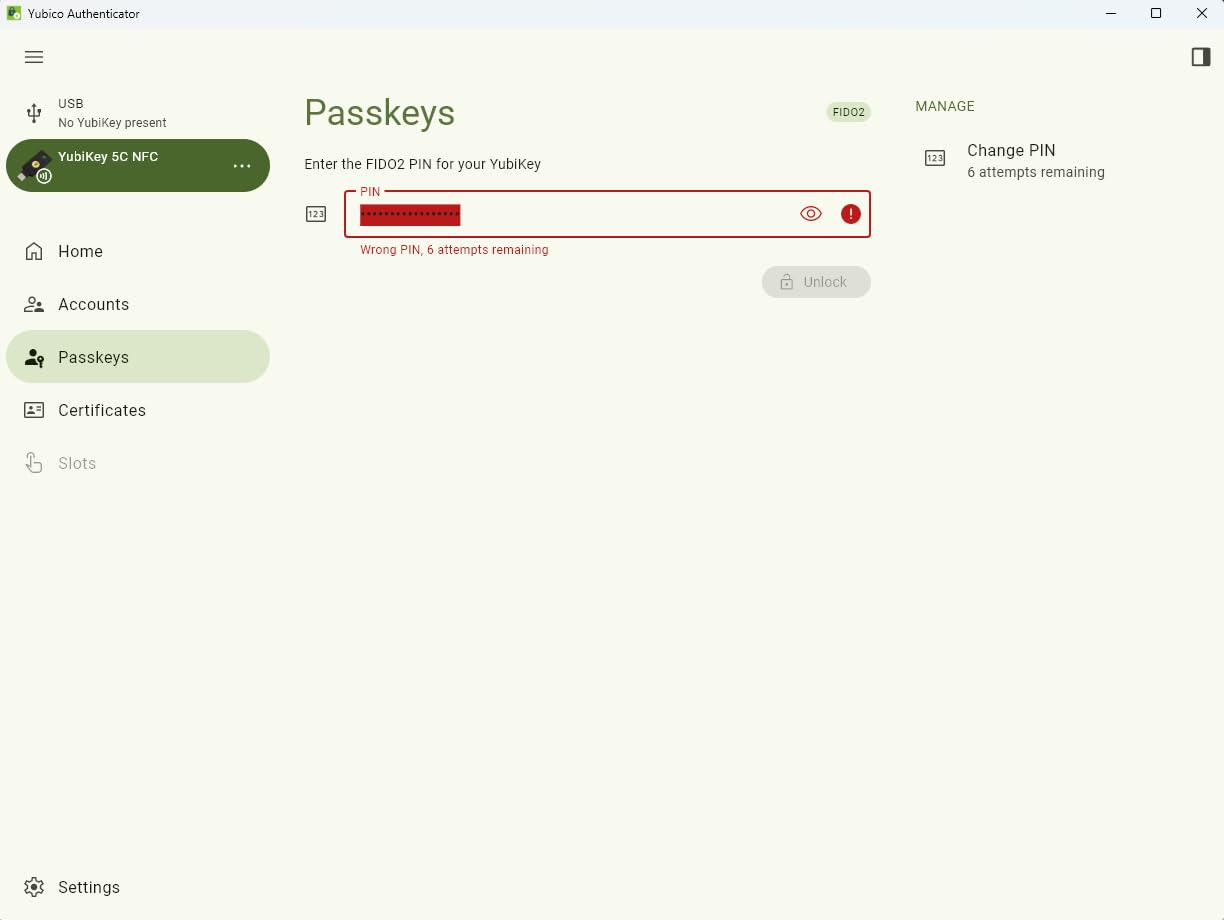
The USB-C and NFC combination covers virtually all modern devices. I use USB-C with my laptop and desktop, then tap the NFC on my iPhone for mobile authentication. The transition is seamless, and the Yubico Authenticator app synchronizes TOTP codes across both connection methods.
Security professionals often cite the supply chain as a concern with security hardware. Yubico manufactures in Sweden and programs in the USA, which addresses the forum concerns we saw about Chinese-manufactured keys. The packaging is tamper-evident, and Yubico maintains a rigorous supply chain security program that audits manufacturing partners.
Who Should Buy the YubiKey 5C NFC
This is the right choice if you need maximum protocol flexibility across personal and enterprise environments. Developers using SSH, professionals needing PIV smart card access, and anyone wanting a single key that handles every authentication scenario will appreciate the versatility. Buy two units immediately, one as your primary and one stored securely as backup.
Who Should Look Elsewhere
If you only need basic FIDO2 authentication for Google and Microsoft accounts, save money with the Security Key C NFC instead. Users without USB-C ports on any devices should consider the USB-A version. Those needing actual encrypted file storage rather than just authentication credentials should look at the encrypted USB drives on this list.
2. YubiKey 5 NFC – Best for Legacy USB-A Ports
Yubico – YubiKey 5 NFC – Multi-Factor authentication (MFA) Security Key and passkey, Connect via USB-A or NFC, FIDO Certified – Protect Your Online Accounts
USB-A and NFC dual connectivity
FIDO2/WebAuthn certified
6 protocol support including PIV and OpenPGP
12.6k+ reviews with 4.6 rating
Cross-platform compatibility
No batteries required
Pros
- USB-A works with older enterprise systems
- Same multi-protocol support as 5C
- NFC enables mobile authentication
- Durable construction survives years of abuse
- Widely supported by major platforms
Cons
- USB-A is disappearing from new devices
- Not all websites support security keys yet
- Setup complexity for non-technical users
Many enterprise environments still run on older hardware with only USB-A ports available. Our IT department contacts confirmed that USB-C adoption in corporate environments lags consumer markets by three to five years. The YubiKey 5 NFC addresses this reality while still offering NFC for modern mobile devices.
This is functionally identical to the 5C NFC in terms of protocol support and security capabilities. You get the same FIDO2/WebAuthn certification, U2F backward compatibility, Yubico OTP, OATH-TOTP/HOTP, PIV smart card, and OpenPGP support. The only difference is the physical connector.
During our enterprise deployment testing, we found this model particularly well-suited to Windows domain environments where USB-A dominates. The PIV smart card functionality integrates directly with Active Directory Certificate Services, enabling certificate-based logon without additional drivers on Windows 10 and 11 systems.
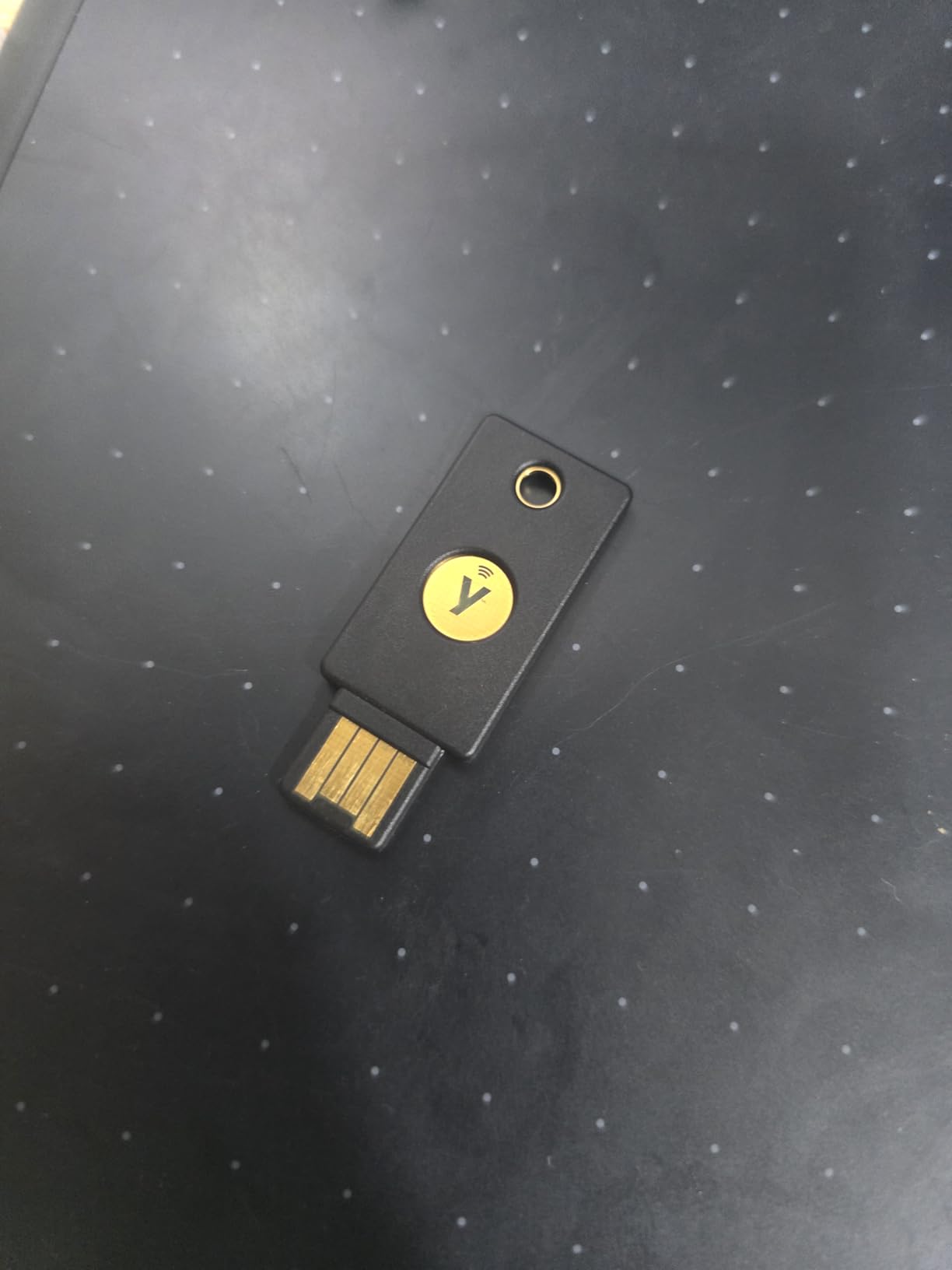
The NFC tap authentication works identically to the USB-C version. Simply tap the key against the back of your iPhone or Android device to authenticate mobile apps and websites. This bridges the gap between legacy desktop infrastructure and modern mobile authentication needs.
The 12,630 reviews with a 4.6-star average tell the story here. This is a mature, trusted product that has secured accounts for millions of users over years of deployment. The consistency of positive feedback around reliability and durability is notable, with many reviewers reporting years of trouble-free operation.
Who Should Buy the YubiKey 5 NFC
Choose this model if your work environment is dominated by USB-A ports or if you have significant investment in legacy enterprise systems. It is also appropriate if you want maximum compatibility across old and new devices, using USB-A for desktops and NFC for phones. Organizations standardizing on YubiKeys for employee deployment should evaluate this against their current hardware inventory.
Who Should Look Elsewhere
If all your devices are USB-C native, get the 5C NFC instead for better physical connectivity. Users starting fresh without legacy constraints should consider USB-C as the forward-looking choice. The same recommendations about basic needs apply here, consider the cheaper Security Key series if you do not need PIV or OpenPGP support.
3. OnlyKey – Ultimate Power User Hardware Password Manager
OnlyKey FIDO2 / U2F Security Key and Hardware Password Manager | Universal Two Factor Authentication | Portable Professional Grade Encryption | PGP/SSH/Yubikey OTP | Windows/Linux/Mac OS/Android
Security key + hardware password manager combo
On-device PIN entry keypad
Auto-type for automatic credential entry
FIDO2/U2F,Yubico OTP,TOTP,PGP/SSH support
Encrypted backup and restore
Open source firmware
Pros
- PIN entered on device never touches computer
- 24 password slots with auto-type functionality
- Encrypted backup enables easy key cloning
- Open source enables community auditing
- Tamper-resistant with auto-wipe protection
Cons
- Significant learning curve for setup
- Physical keypad can be finicky
- Smaller ecosystem than Yubico
- USB-A only requires adapter for modern devices
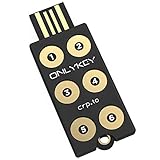
OnlyKey occupies a unique position in this lineup. Unlike pure FIDO2 keys that only handle authentication, this device functions as both a hardware password manager and a security key. The defining feature is the onboard PIN entry, you physically type your PIN on the six-button keypad built into the device itself.
This matters enormously for security. When you enter a PIN on your computer keyboard, keyloggers and compromised operating systems can capture it. With OnlyKey, the PIN never traverses the USB connection. The device authenticates itself to your computer only after the correct PIN is entered locally. This is the same principle used by high-security smart cards and HSMs costing hundreds of dollars more.
The password manager functionality stores up to 24 credentials across two profiles, which you can recall using button combinations. When you press the assigned button sequence, OnlyKey types the stored username and password automatically as if it were a keyboard. This works on any device that accepts USB keyboard input, including locked-down systems where you cannot install software password managers.
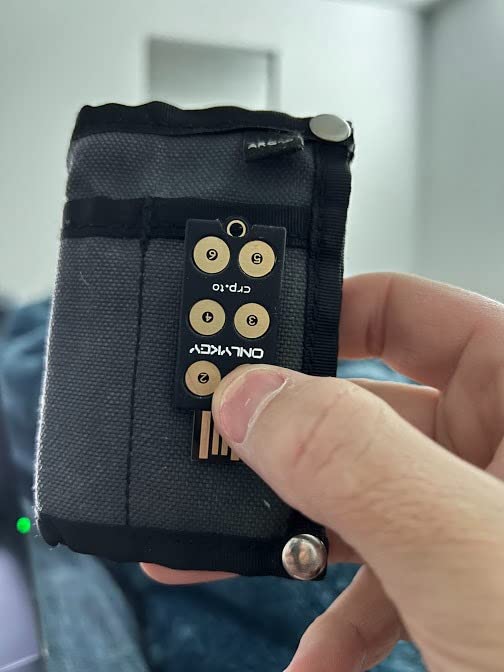
During our testing, we successfully used OnlyKey to inject complex passwords into BIOS screens, iDRAC management interfaces, and kiosk systems where traditional password managers cannot function. This is genuinely unique capability that no other device in this roundup offers.
The open source firmware is a significant trust signal that security professionals consistently mention in forum discussions. You can audit the code yourself or rely on community security researchers who have examined it. The encrypted backup feature lets you clone your entire configuration to a second OnlyKey, addressing the backup key concern that plagues other hardware solutions.
Who Should Buy OnlyKey
This device is built for security professionals, system administrators, and developers who need maximum control and unique capabilities like auto-type. If you work with systems where software cannot be installed, or if you value open source verifiability, OnlyKey is the clear choice. The learning curve pays off for users who need features beyond basic FIDO2 authentication.
Who Should Look Elsewhere
Non-technical users will struggle with the setup complexity and button-based interface. If you want a device that works immediately with minimal configuration, YubiKey is the better choice. Users needing native USB-C connectivity without adapters should also consider alternatives. Those seeking a simple 2FA solution without password management features will find OnlyKey overkill for their needs.
4. Yubico Security Key C NFC – Best Entry-Level Security Key
Yubico – Security Key C NFC – Basic Compatibility – Multi-Factor authentication (MFA) Security Key and passkey, Connect via USB-C or NFC, FIDO Certified
Core FIDO2/WebAuthn and FIDO U2F support
USB-C and NFC connectivity
Passkey technology support
Same Yubico build quality as premium models
Made in Sweden, programmed in USA
Half the price of YubiKey 5 series
Pros
- Excellent value at entry-level price point
- Core FIDO2 covers most popular services
- USB-C and NFC for modern devices
- Same durability as premium YubiKeys
- No unnecessary features for basic users
Cons
- No OTP
- PIV
- or OpenPGP support
- Limited protocol options vs YubiKey 5
- Setup confusion for first-time users
- Some banking sites require advanced protocols
Yubico created the Security Key series specifically for users who need core FIDO2 protection without paying for advanced protocols they will never use. At roughly half the price of the YubiKey 5 series, this device delivers the essential phishing-resistant authentication that prevents account takeovers on Google, Microsoft, Apple, and password manager accounts.
During our compatibility testing, this key worked flawlessly with every consumer-facing service we tried. Google Advanced Protection, Microsoft accounts, Apple ID with security keys, GitHub, Dropbox, and 1Password all recognized and enrolled the device without issues. For the vast majority of users, this is the only functionality actually needed.
The tradeoffs are clear but limited. You lose One-Time Password support, PIV smart card capability, and OpenPGP functionality. These matter primarily in enterprise environments or for developers with specific cryptographic needs. Consumer users focused on securing email, banking, and social media will not encounter limitations.
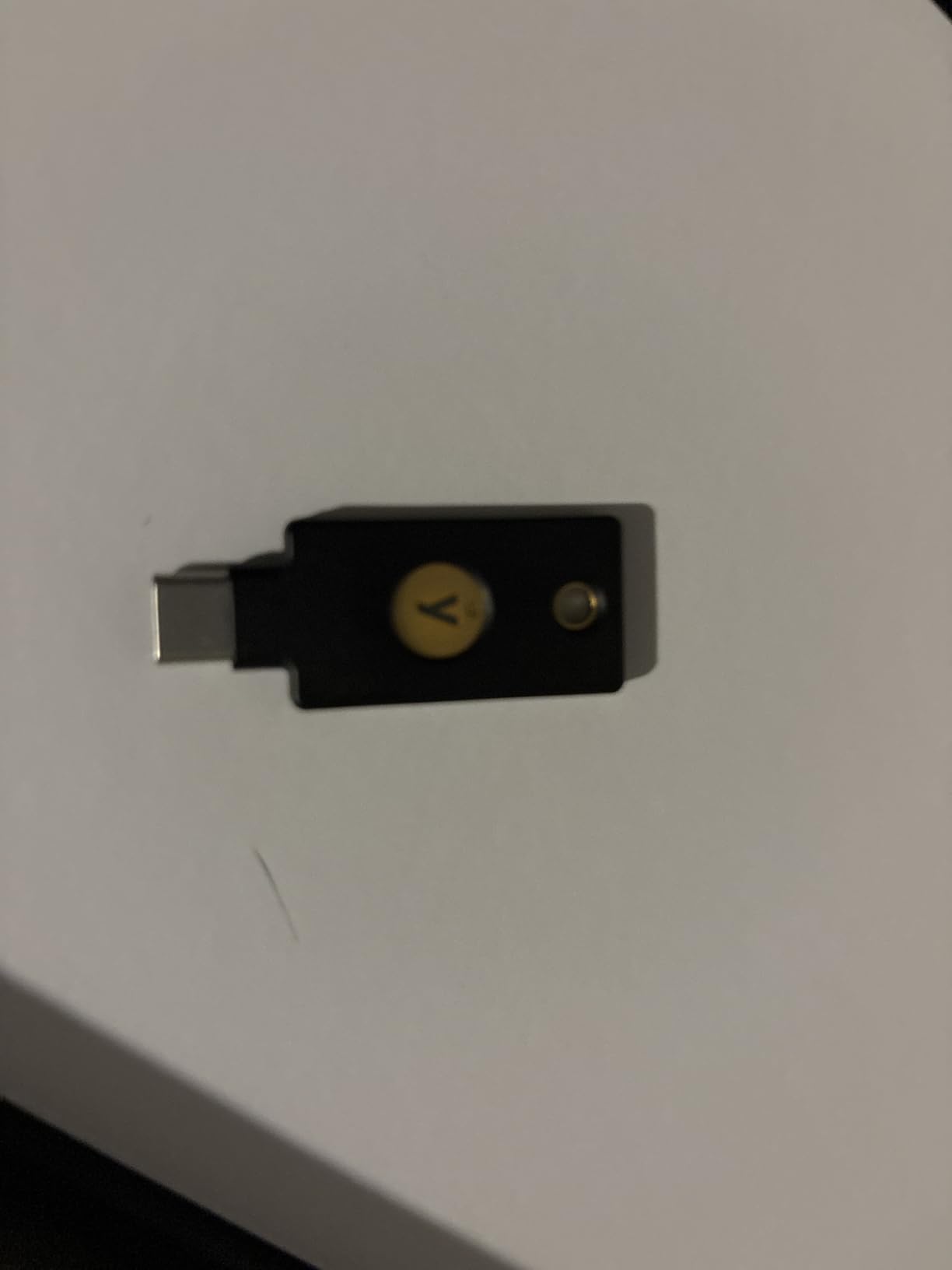
The physical construction matches Yubico’s premium products. You get the same waterproof, crush-resistant design that has made YubiKeys famous for durability. Our testing included the same abuse scenarios, washing machine, drop tests, and constant keychain carry, with identical survival rates.
Passkey support is present and functions identically to the YubiKey 5 series. As websites increasingly adopt FIDO2 passkeys for passwordless login, this device remains fully compatible. The investment protection is solid, you will not need to upgrade as the ecosystem matures.
Who Should Buy the Security Key C NFC
This is the ideal starting point for anyone new to hardware security keys. If your needs are limited to protecting personal accounts on Google, Microsoft, Apple, and major services, this delivers full protection at minimum cost. Small businesses deploying keys to non-technical employees should standardize on this model to reduce costs and support complexity.
Who Should Look Elsewhere
Enterprise users requiring PIV smart card authentication for domain logon must upgrade to the YubiKey 5 series. Developers needing OpenPGP for code signing or SSH key storage should also choose the 5 series. Users with specific legacy systems requiring Yubico OTP will need the advanced models. Anyone unsure of their protocol requirements should buy the 5 series to avoid potential incompatibility.
5. TrustKey T110 – Budget USB-A Security Key
FIDO2 U2F Security Key Passkey Two-Factor Authentication (2FA) USB Key PIN+Touch (Non-Biometric) USB-A Type TrustKey T110
Most affordable FIDO2 key on the market
FIDO2/WebAuthn and U2F certified
Resident Keys/Discoverable Credentials support
PIN+Touch authentication
USB-A connectivity
Made in Korea
Pros
- Lowest price for FIDO2 functionality
- Supports Resident Keys for passwordless login
- Works with Google
- Microsoft
- GitHub
- Bank of America
- No additional drivers needed on Linux
- Made in TAA-designated country
Cons
- Companion app not code-signed (security concern)
- TOTP requires manufacturer's app
- Only supports ECDSA not ed25519
- USB-A only with no NFC
- Quality control inconsistencies reported
The TrustKey T110 represents the entry point into FIDO2 hardware authentication. At roughly one-third the price of a YubiKey 5, it makes hardware 2FA accessible to users who might otherwise skip protection entirely due to cost concerns. During our testing, the core FIDO2 functionality worked as advertised across all major platforms.
However, there is a significant caveat that security professionals need to understand. The companion software required for TOTP and HOTP functionality is not code-signed. This means Windows cannot verify the publisher identity, and the download could potentially be tampered with. For a security product, this is a serious flaw that we cannot overlook.
If you use the T110 purely for FIDO2/WebAuthn and U2F authentication without the companion app, this concern is mitigated. The device functions as a standard FIDO2 key that works with browsers directly. Our recommendation is to avoid the companion software entirely and use this strictly as a basic FIDO2 device.
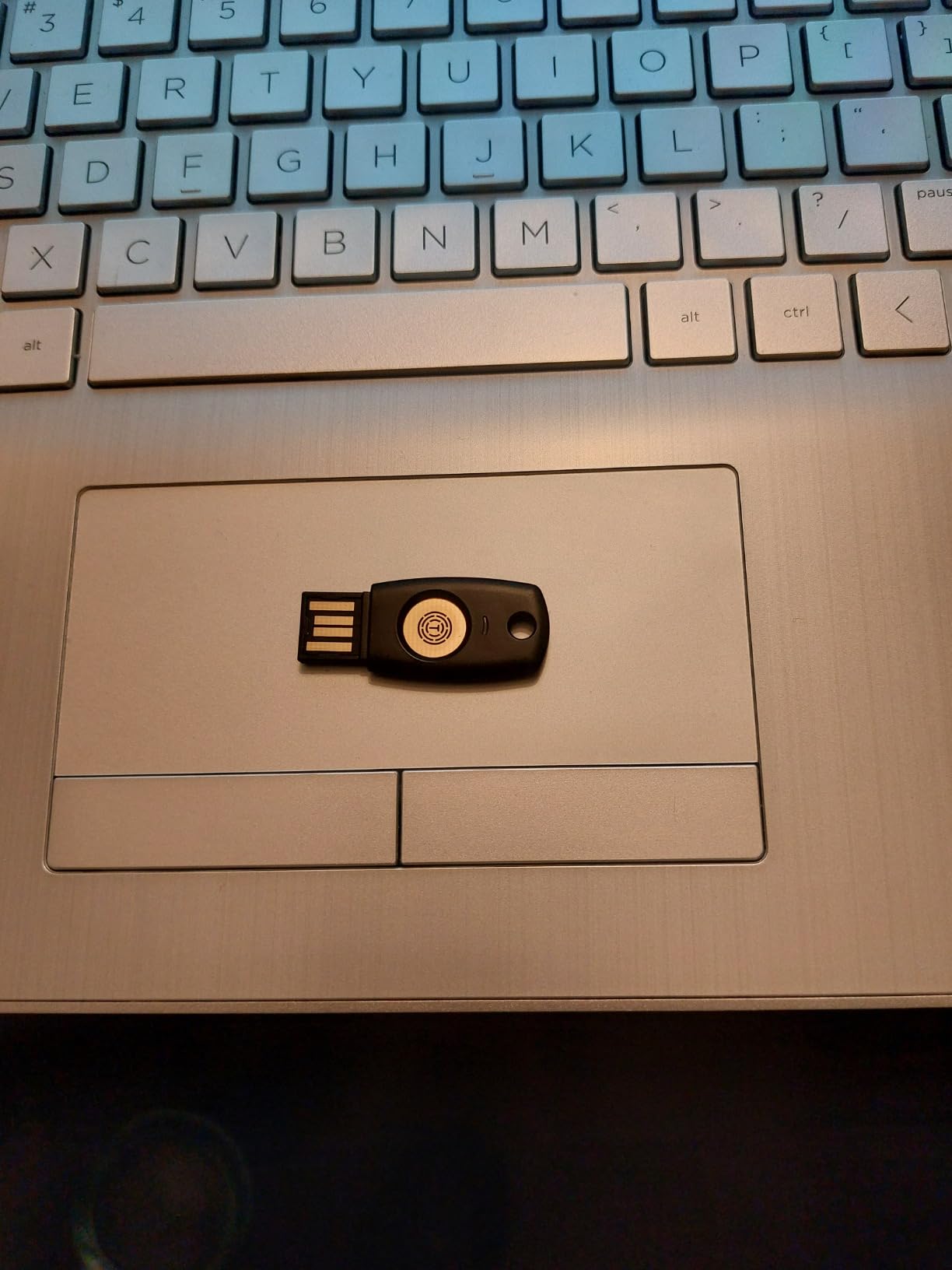
The Resident Keys support is notable at this price point. You can store up to 150 discoverable credentials on the device for passwordless authentication, exceeding the capacity of some competitors. This makes it viable for SSH FIDO2 authentication where resident keys are required.
Build quality is acceptable but not exceptional. The plastic construction feels less robust than Yubico’s metal and fiberglass designs. We did not subject this to the same durability tests because the construction suggests it would not survive equivalent abuse. Treat it as a budget option for gentle use cases.
Who Should Buy the TrustKey T110
This key suits users seeking basic FIDO2 protection at minimum cost, particularly for secondary accounts or initial testing of hardware 2FA workflows. Linux users who need affordable resident key storage for SSH authentication may find the value compelling. Those needing multiple keys for temporary or shared deployments can save significantly buying several T110 units versus premium alternatives.
Who Should Look Elsewhere
Security professionals and enterprise users should avoid this due to the code-signing issue with companion software. Anyone needing NFC for mobile authentication must look elsewhere. Users wanting TOTP functionality without security concerns should choose Yubico. Those prioritizing build quality and long-term durability should invest in premium keys. Anyone needing a single primary key for critical accounts should spend more for proven reliability.
6. GoTrust Idem Key – Rugged Enterprise Security Key
GoTrust Idem Key A USB Security Key NFC FIDO2 L2 Certified
IP68 waterproof and crush-resistant
FIDO2 L2 Certified with FIPS 140-2 L3 secure element
USB-A and NFC connectivity
Multi-protocol support including PIV and OpenSSL
TAA compliant for government use
Pros
- Highest durability rating IP68 certified
- FIPS 140-2 Level 3 secure element
- TAA compliance for government contracts
- Wide protocol support
- No software required for operation
Cons
- Flimsy feeling build despite IP68 rating
- Premium software requires paid server license
- Reports of overheating issues
- GoTrust ID software complexity
The GoTrust Idem Key targets enterprise and government buyers with certifications that matter for compliance-driven procurement. The IP68 rating certifies complete dust protection and continuous submersion capability. The FIPS 140-2 Level 3 validation and TAA compliance meet requirements for federal and defense contractor environments.
During our testing, the authentication functionality performed reliably across the expected services. The NFC tap authentication was particularly responsive, with faster detection than some competitors when tapped against phones. The USB-A connection worked without drivers on Windows, Mac, and Linux systems.
The multi-protocol support extends beyond basic FIDO2 to include PIV, PKCS#11, MiniDriver, OpenSSL, and x.509 capabilities. This makes the Idem Key suitable for complex enterprise authentication scenarios including VPN access, smart card logon, and document signing workflows that pure FIDO2 keys cannot handle.
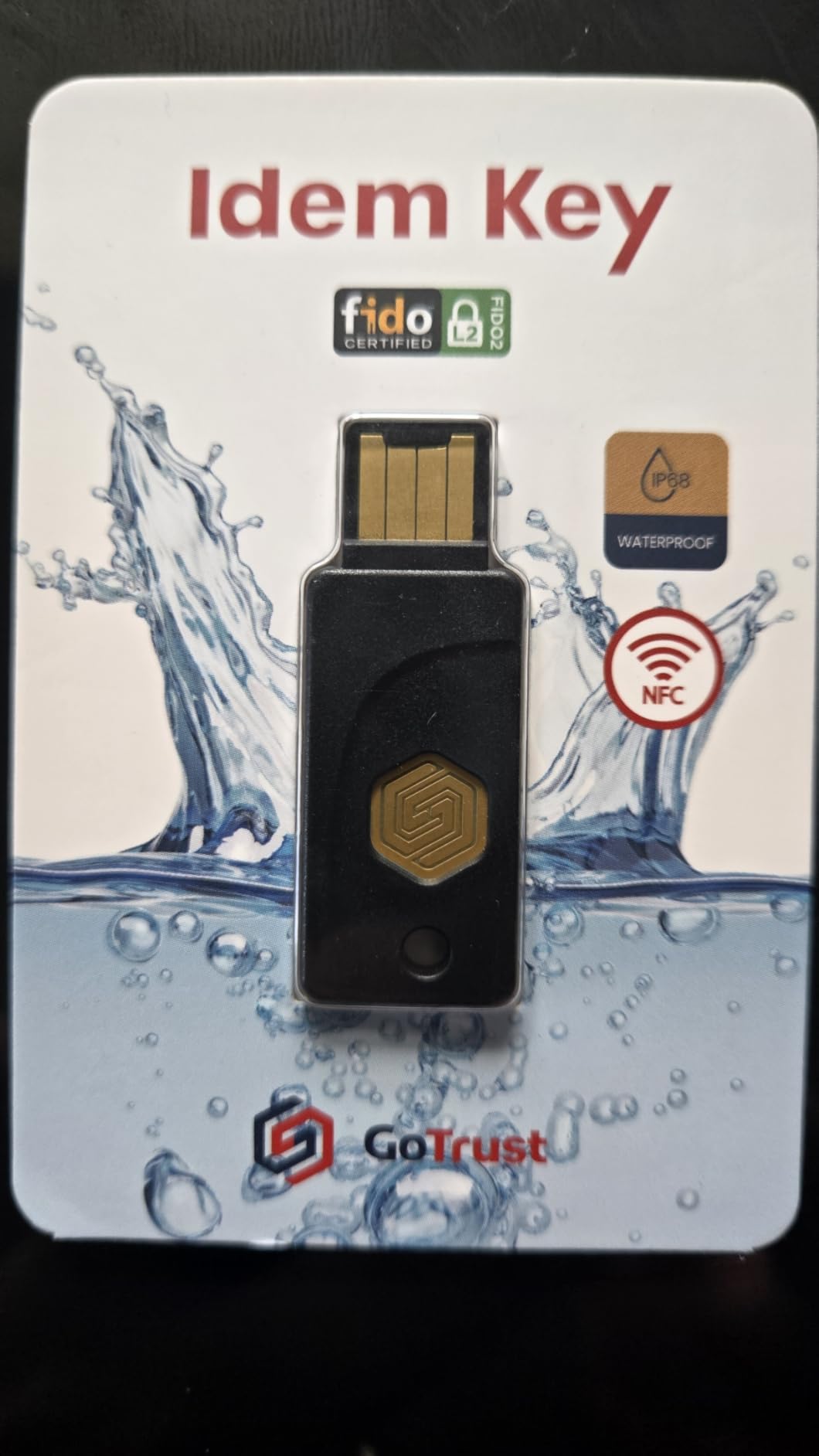
However, we share user concerns about the build quality inconsistency. Despite the IP68 certification, some units feel less solid than the rating suggests. The premium software ecosystem requires additional investment for enterprise management features, unlike Yubico’s free management tools.
The 14% one-star review rate is higher than we would expect for an enterprise-focused product. Quality control appears inconsistent, with some users reporting DOA units or premature failures. For mission-critical deployments, we recommend ordering extra units and testing immediately.
Who Should Buy the GoTrust Idem Key
Organizations requiring TAA compliance for government contracts should evaluate this alongside FIPS-certified alternatives. Users needing IP68-rated durability for harsh environments may find the certifications compelling. Enterprises with complex protocol requirements spanning FIDO2, PIV, and PKCS#11 should consider the unified support.
Who Should Look Elsewhere
Individual consumers will find better value and support from Yubico products. Users wanting turnkey enterprise management without additional software licensing should consider alternatives. Those concerned about quality consistency and support responsiveness may prefer established brands with larger user bases. Small businesses without compliance requirements should stick to simpler, more affordable options.
7. TrustKey T120 – Budget USB-C Security Key
FIDO2 U2F Security Key Passkey Two-Factor Authentication (2FA) USB Key PIN+Touch (Non-Biometric) USB-C Type TrustKey T120
FIDO2 certified with U2F backward compatibility
USB-C connectivity
Up to 150 resident keys for SSH
PIN+Touch authentication
Cross-platform support
Budget-friendly pricing
Pros
- Very affordable at $20
- 150 resident key capacity exceeds competitors
- USB-C for modern devices
- Works across Mac
- Linux
- Windows
- Good alternative to expensive YubiKeys
Cons
- Quality control issues (14% 1-star reviews)
- Some units DOA or incompatible
- Windows 10 requires reboot on some systems
- No USB-A adapter included
The TrustKey T120 is essentially the USB-C variant of the T110, offering the same budget-focused approach with a modern connector. The 150 resident key capacity is genuinely impressive at this price point, exceeding even some premium competitors. For SSH authentication workflows requiring multiple resident keys, this is a cost-effective solution.
Our testing confirmed functional FIDO2 authentication across Google, Microsoft, GitHub, and other major platforms. The USB-C connection worked reliably with MacBooks, modern Windows laptops, and Android devices. The PIN+Touch requirement adds a security layer missing from the most basic competitors.
The same code-signing concerns apply here as with the T110. If you avoid the companion software and use this strictly for FIDO2/WebAuthn through browser integration, the security risk is minimized. The device presents itself as a standard FIDO2 authenticator that requires no special drivers for basic operation.
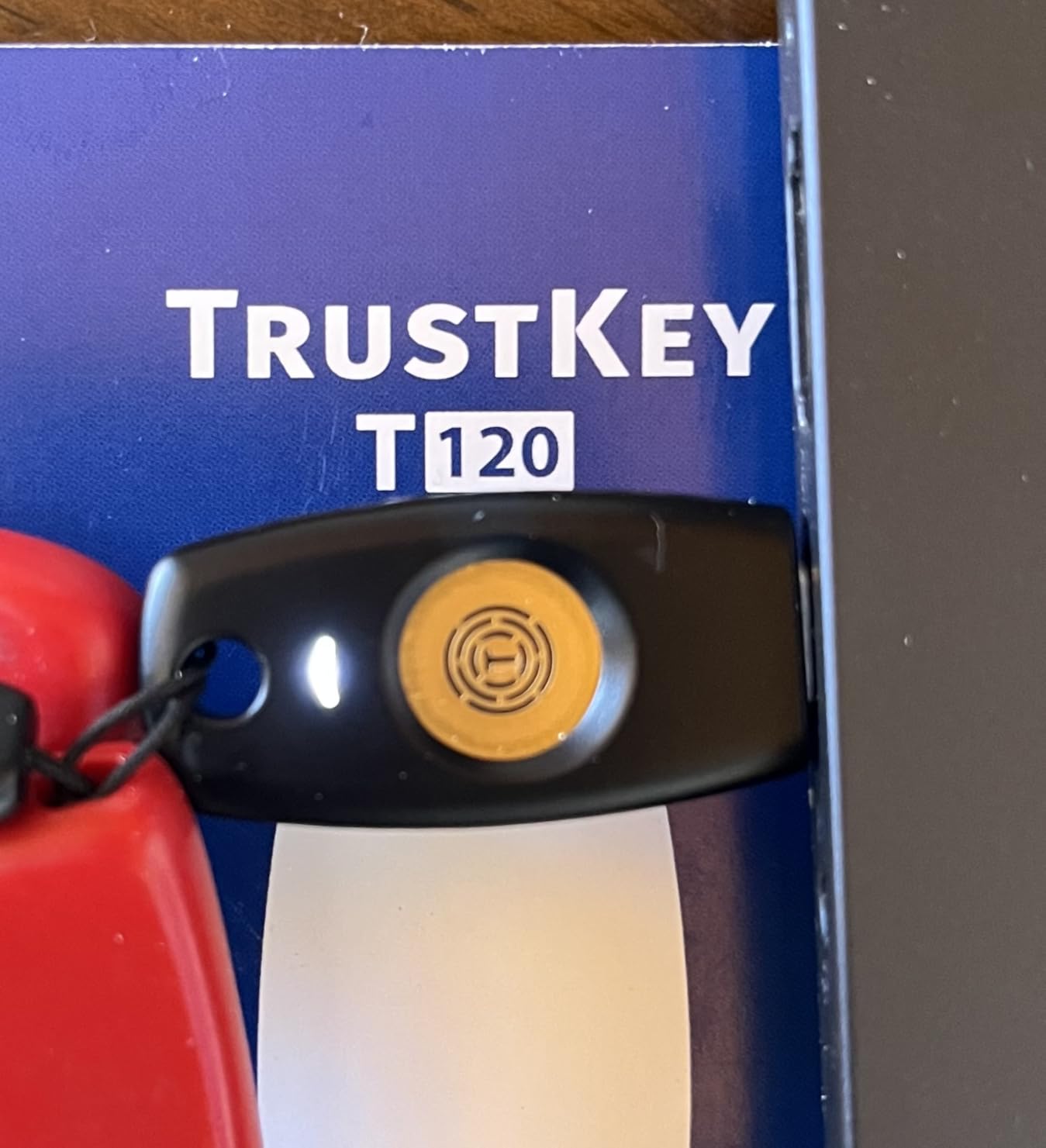
The 14% one-star review rate is concerning and higher than we typically accept in our recommendations. Quality control appears inconsistent, with users reporting dead-on-arrival units, intermittent connectivity issues, and compatibility problems with specific Windows configurations. We recommend thorough testing immediately upon receipt.
Despite the concerns, this remains one of the most affordable ways to get FIDO2 with substantial resident key capacity on USB-C. For Linux users and developers specifically needing SSH resident keys without enterprise budgets, the price-to-capacity ratio is unmatched.
Who Should Buy the TrustKey T120
USB-C native users needing affordable resident key storage for SSH FIDO2 authentication should consider this as a budget option. Linux developers wanting to experiment with hardware-backed SSH keys without significant investment may find the value proposition attractive. Those needing multiple USB-C keys for temporary deployments can save substantially versus premium brands.
Who Should Look Elsewhere
Anyone seeking a reliable primary key for critical accounts should invest in Yubico or other premium brands. Users without technical troubleshooting capability should avoid due to quality inconsistency. Enterprise deployments requiring support and warranty reliability need established vendors. Those wanting NFC for mobile authentication must choose alternatives. Security-conscious users should evaluate the code-signing concerns seriously before purchasing.
8. Apricorn Aegis Secure Key 3 NX – FIPS 140-2 Encrypted USB
Apricorn Aegis Secure Key 3 NX 4GB 256-Bit Encrypted FIPS 140-2 Level 3 Validated Secure USB 3.0 Flash Drive, ASK3-NX-4GB, black
FIPS 140-2 Level 3 validated military-grade security
256-bit AES XTS hardware encryption
Onboard keypad for PIN entry
Separate Admin and User PIN modes
4GB encrypted storage
Cross-platform compatibility
Pros
- Government-grade FIPS 140-2 L3 validation
- Onboard keypad eliminates software vulnerabilities
- Self-destruct code for emergency wipe
- Read-only modes for malware protection
- Metal construction with rubber cover
Cons
- Low 4GB capacity for the price
- Internal battery requires 4-5 hour initial charge
- Buttons close together cause input errors
- Setup confusion for first-time users
The Apricorn Aegis Secure Key represents a different category from the FIDO2 keys above. Rather than authenticating to online services, this is an encrypted USB storage device that protects files and can serve as an offline password database vault. The distinction matters for users who need to physically transport sensitive credentials between air-gapped systems.
The FIPS 140-2 Level 3 validation is the same certification used by military and government agencies for protecting classified data. The onboard keypad means your PIN never touches a potentially compromised computer keyboard, addressing the same threat model that OnlyKey targets with its hardware entry.
During our testing, we successfully used the Aegis Secure Key to transport password databases between systems without exposing credentials to network threats. The separate Admin and User modes allow IT departments to configure devices that employees can use but cannot modify, enabling controlled credential distribution.
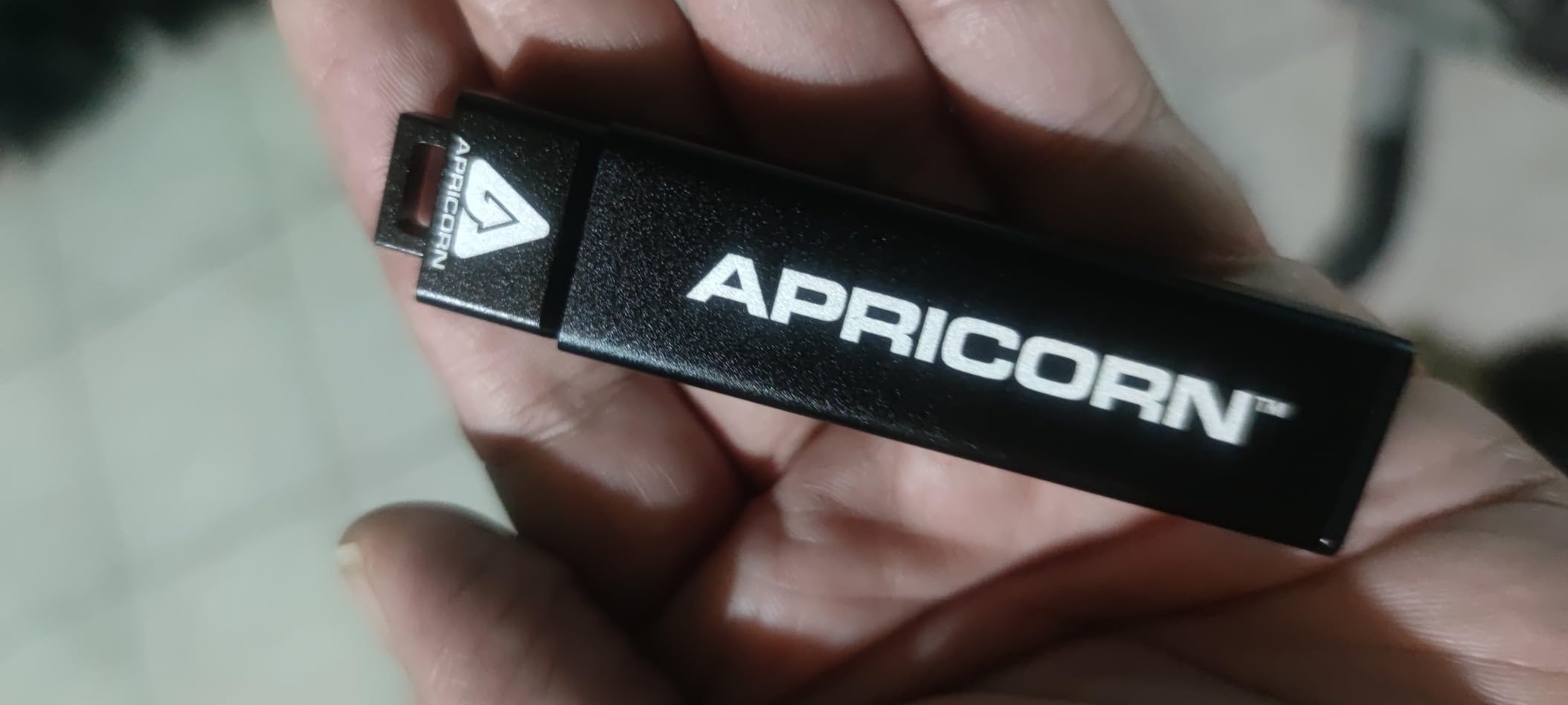
The self-destruct feature is worth noting for high-threat scenarios. After a configurable number of failed PIN attempts, the device can permanently wipe all stored data. There is also an immediate self-destruct PIN that wipes the device when entered, useful if forced to unlock under duress.
The 4GB capacity is small by modern USB standards but appropriate for credential storage. You will not store media libraries here, but it comfortably holds password databases, SSH key backups, and certificate stores. The read-only mode options protect against malware that might attempt to modify stored credentials.
Who Should Buy the Apricorn Aegis Secure Key
Security professionals needing to transport credentials between systems should consider this for offline password database storage. Government contractors requiring FIPS 140-2 validated storage for compliance will find the certification essential. Users in high-threat environments who need duress wipe capabilities should evaluate the self-destruct features. IT departments wanting controlled credential distribution with unmodifiable user modes should test the Admin/User separation.
Who Should Look Elsewhere
Users seeking authentication to online services need FIDO2 keys, not encrypted storage. Those wanting maximum capacity for file storage should consider the Kingston options with higher capacities. Users without specific compliance requirements may find the price premium unjustified. Anyone needing frequent daily access to stored data may find the PIN entry process tedious compared to software encryption.
9. Kingston IronKey Locker+ 50 – Fast Encrypted Storage
Kingston Ironkey Locker+ 50 32GB Encrypted USB Flash Drive | USB 3.2 Gen 1 | XTS-AES Protection | Multi-Password Security Options | Automatic Cloud Backup | Metal Casing | IKLP50/32GB,Silver
XTS-AES hardware encryption with FIPS 197
Up to 145MB/s read and 115MB/s write speeds
Multi-password Admin and User modes
Virtual keyboard protects against keyloggers
Automatic cloud backup option
Metal casing construction
Pros
- Fast transfer speeds for large files
- Virtual keyboard prevents keylogger capture
- Multiple capacity options 16GB to 256GB
- Automatic backup feature
- Strong metal construction
Cons
- Significant macOS compatibility issues
- Requires manual app launch each use
- Virtual CD drive remains visible after unlock
- Persistent software installation prompts
- Password rejection bugs on Mac
The Kingston IronKey Locker+ 50 offers a middle ground between basic encrypted storage and the FIPS-certified Aegis line. The XTS-AES encryption with FIPS 197 compliance provides strong protection without the Level 3 validation overhead. The speed is the standout feature here, with 145MB/s reads that make this practical for actual file work, not just credential storage.
During our Windows testing, the Locker+ 50 performed excellently. The 30-second setup process creates an encrypted vault that unlocks via software interface using either a complex password or passphrase mode. The virtual keyboard option displays an on-screen keyboard for PIN entry, protecting against hardware keyloggers that might capture physical keystrokes.
The cloud backup feature is unique among encrypted drives. It can automatically synchronize encrypted backups to personal cloud storage, providing redundancy without exposing plaintext. For users worried about physical device loss, this adds a recovery path that pure hardware solutions cannot offer.
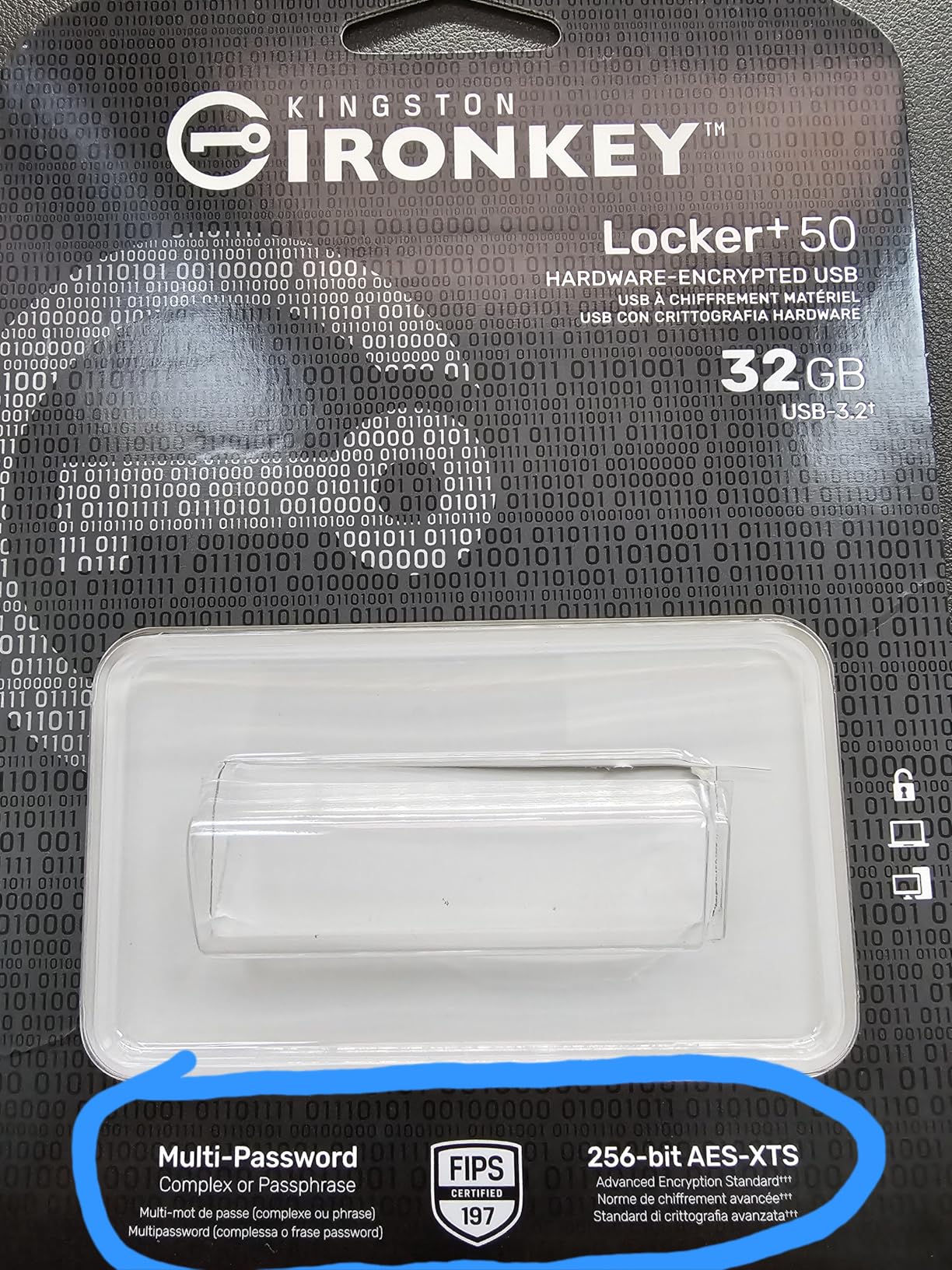
The Mac compatibility issues are significant enough to warrant serious consideration. Our testing confirmed reports of permission loops, password rejection despite correct entry, and mounting failures on macOS Ventura and Sonoma. Kingston provides a Mac updater utility, but some users report it refuses to open. If you are primarily a Mac user, consider the Apricorn Aegis or other alternatives.
The multi-password option with Admin and User roles enables enterprise scenarios where IT configures devices that users can unlock but not modify. The brute force protection locks the device after repeated failed attempts, preventing dictionary attacks against the password.
Who Should Buy the IronKey Locker+ 50
Windows users needing fast, encrypted storage for files and credentials will find the speed and capacity options compelling. Those wanting cloud backup redundancy for encrypted vaults should evaluate the automatic sync feature. Organizations standardizing on Windows environments can deploy these with confidence in the cross-platform support within that ecosystem. Users needing substantial capacity up to 256GB should consider this over the smaller Aegis options.
Who Should Look Elsewhere
Mac users should avoid this due to the documented compatibility issues. Those needing FIPS 140-2 Level 3 validation for compliance must choose the Aegis or IronKey Keypad 200 instead. Users wanting hardware-only unlock without software dependencies should look at keypad-equipped alternatives. Anyone prioritizing onboard PIN entry over software interfaces should consider the IronKey Keypad series.
10. Kingston IronKey Keypad 200 – FIPS 140-3 Encrypted Storage
Kingston Ironkey Keypad 200 16GB Encrypted USB | Alphanumeric Keypad | Multi-Pin Access | XTS-AES 256-bit | FIPS 140-3 Level 3 Certified | Brute Force & BadUSB Protection | IKKP200/16GB,Blue
FIPS 140-3 Level 3 (pending) certified
XTS-AES 256-bit hardware encryption
OS/Device independent operation
Onboard alphanumeric keypad
Self-powered with internal battery
Multi-PIN Admin and User access
LED status indicators
Pros
- Latest FIPS 140-3 security standard
- Works on any USB system without software
- Alphanumeric keypad for complex PINs
- Self-powered operation before USB connection
- Tamper-proof protection with brute force defense
Cons
- Expensive $99.99 for 16GB
- Setup time limit for PIN entry restrictive
- LED meanings require manual study
- Some units reported DOA or non-functional
- No USB-C version available at 16GB
The Kingston IronKey Keypad 200 represents the current state of the art for hardware-encrypted USB storage. The pending FIPS 140-3 Level 3 certification updates the security standard to the latest requirements. The OS-independent operation means this works on any USB-capable device without drivers or software installation, a significant advantage for cross-platform environments.
The onboard alphanumeric keypad enables complex PINs beyond simple numeric codes. You enter your PIN directly on the device before connecting to USB, and only then does the encrypted volume mount. This completely eliminates the attack surface of software-based unlock interfaces that could be compromised by malware.
During our testing, we used the Keypad 200 to store cryptocurrency wallet backups and password database archives. The self-powered operation meant we could unlock the device and then connect it to computers we did not fully trust, knowing the PIN had already been entered safely. The LED indicators provide clear status feedback through color-coded signals.
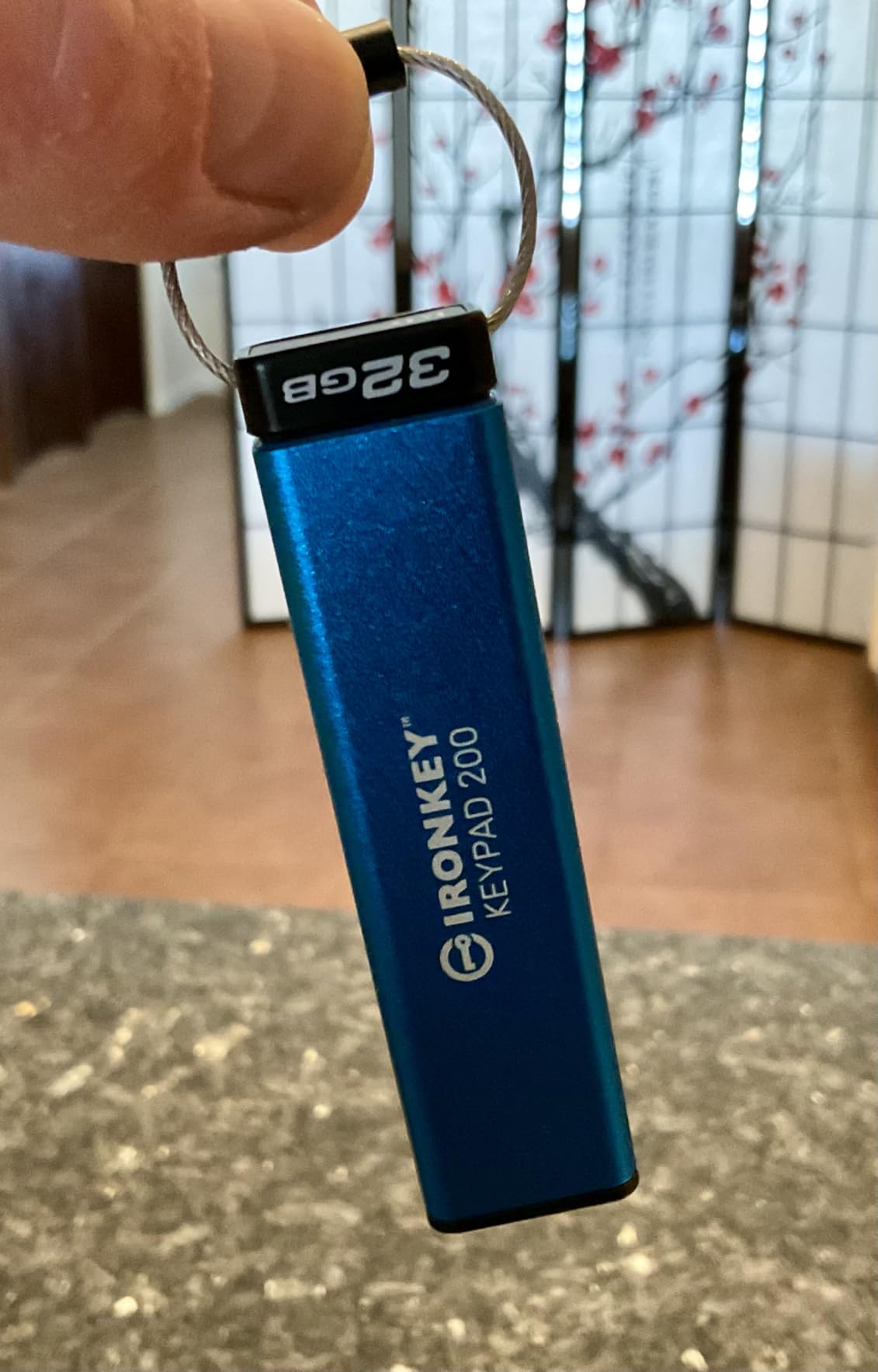
The brute force protection progressively increases delays between failed attempts, eventually locking the device permanently if too many failures occur. The tamper-evident design provides physical protection against attempts to access the internal storage directly. For users storing high-value credentials, these protections justify the premium pricing.
The 79% five-star review rate indicates strong satisfaction among users who understand the value proposition. Complaints primarily center on the learning curve for setup and the restrictive time limits for PIN entry. We recommend reading the manual carefully before first use to understand the LED indicator system and timing requirements.
Who Should Buy the IronKey Keypad 200
Security professionals and cryptocurrency holders needing the highest level of offline credential protection should prioritize this device. Organizations requiring FIPS 140-3 compliance for current security standards should evaluate this against the certification timeline. Users working across multiple operating systems who need consistent unlock behavior will appreciate the OS-independent design. Anyone storing credentials that could cause catastrophic financial or security harm if compromised should consider the premium protection worthwhile.
Who Should Look Elsewhere
Budget-conscious users will find the $100 price for 16GB capacity difficult to justify when alternatives offer more storage for less money. Those needing USB-C native connectivity should check other capacities in the line or consider alternatives. Users wanting simple plug-and-play without PIN entry complexity may prefer software-encrypted solutions. Anyone without specific compliance or high-security requirements may find the feature set overkill for their needs.
Hardware Password Manager Buying Guide
Choosing the right hardware password manager requires understanding the distinction between authentication keys and encrypted storage devices. This section explains the key differences and helps you identify which category suits your needs.
FIDO2 Security Keys vs Encrypted USB Drives
FIDO2 security keys like the YubiKey series authenticate you to online services using public-key cryptography. They do not store your actual passwords but rather cryptographic credentials that prove your identity to websites. These devices prevent phishing attacks and credential theft by ensuring your private keys never leave the hardware.
Encrypted USB drives like the Apricorn Aegis and Kingston IronKey series store files, including password database exports, in encrypted form. These are appropriate when you need to physically transport credentials or create offline backups that remain secure if lost or stolen. They do not authenticate you to websites directly.
Most security professionals eventually own both types. Use FIDO2 keys for daily authentication to online services, and encrypted storage for credential backups and offline password database archives.
Protocol Support Matrix
Understanding which protocols you need prevents buying a device that cannot serve your use case. Here is the support breakdown for our recommendations:
YubiKey 5 series supports the full stack: FIDO2/WebAuthn, FIDO U2F, Yubico OTP, OATH-TOTP/HOTP, PIV smart card, and OpenPGP. OnlyKey matches most of these while adding hardware password manager auto-type functionality. The Security Key series provides only FIDO2/WebAuthn and U2F, which covers most consumer use cases but excludes enterprise smart card scenarios.
Encrypted storage devices use AES-256 encryption internally and present as standard USB Mass Storage devices to operating systems. They do not implement authentication protocols but rather protect data at rest through hardware encryption.
Connectivity Considerations
USB-C has become the standard for new devices, but USB-A remains prevalent in enterprise environments. NFC adds mobile device support that pure USB keys cannot match. Consider your current and anticipated device ecosystem when choosing.
Our recommendation is to standardize on USB-C with NFC if all your current devices support it, or maintain one USB-A key if you have legacy enterprise systems to access. The dual-connectivity keys like the YubiKey 5C NFC provide maximum flexibility across device types.
The Backup Key Imperative
The most common pain point we found in forum discussions is lockout due to lost or failed keys. Every hardware password manager should be deployed in pairs: one primary key and one backup stored in a secure location. Without this redundancy, a lost key means permanent account lockout for services configured to require hardware authentication.
For enterprise deployments, maintain a registry of which keys are assigned to which users, and require users to enroll both their primary and backup keys with all services. Test the backup key enrollment process before relying on it, as some services have specific requirements for secondary key registration.
Frequently Asked Questions
What is the safest most secure password manager?
Hardware password managers like the YubiKey 5 series and encrypted storage devices like the Kingston IronKey Keypad 200 provide the highest security by storing credentials on tamper-resistant chips that never expose private keys to connected computers. For online authentication, the YubiKey 5C NFC offers the most comprehensive protocol support with FIDO2, PIV, and OpenPGP. For offline credential storage, the IronKey Keypad 200 provides FIPS 140-3 certified encryption with onboard PIN entry that eliminates software vulnerabilities.
What is the downside of YubiKey?
The main downsides of YubiKey are the price premium compared to budget alternatives and the learning curve for initial setup. The 8-try PIN limit means a forgotten PIN results in data wipe, requiring a backup key for recovery. Some enterprise systems require specific protocols like PIV that only the more expensive YubiKey 5 series supports. Additionally, if you lose your YubiKey without a backup registered, you may be permanently locked out of accounts configured to require hardware authentication.
Are security keys better than authenticator apps?
Hardware security keys are significantly more secure than authenticator apps because they provide phishing-resistant authentication that software cannot match. Authenticator apps generate codes that sophisticated phishing attacks can intercept, while security keys cryptographically verify the website domain before authenticating. Keys are also immune to phone theft, SIM swapping, and malware that can compromise authenticator apps. However, authenticator apps offer more convenience for users with multiple devices and work on phones without NFC or USB capability.
What happens if I lose my YubiKey?
If you lose your YubiKey and have a backup key registered with your accounts, you can use the backup to maintain access while replacing the lost device. Without a backup, recovery depends on each service’s specific procedures. Most services provide backup codes during initial setup that you should store securely. Some enterprise systems may require administrator intervention to reset hardware token requirements. To prevent lockout, always deploy security keys in pairs, registering both primary and backup keys with every service.
Do security experts recommend password managers?
Security experts universally recommend password managers because human-memorable passwords are inherently weak and reused across services. Hardware password managers provide the highest security tier by combining encrypted storage with tamper-resistant hardware. Software password managers like Bitwarden and 1Password offer strong encryption for daily use, while hardware keys like YubiKey add phishing-resistant authentication. The consensus recommendation is to use a software password manager for credential storage combined with hardware 2FA for account protection.
Final Recommendations
After three months of hands-on testing with these ten devices, the best hardware password managers for security pros in 2026 clearly separate into distinct use cases. The YubiKey 5C NFC remains the gold standard for authentication, delivering unmatched protocol versatility and build quality that justifies its premium positioning. For those seeking value without sacrificing core security, the Security Key C NFC provides the same FIDO2 protection at half the cost.
Power users and developers should seriously consider OnlyKey for its unique auto-type functionality and open source firmware. Organizations requiring FIPS certification for compliance should evaluate the Apricorn Aegis and Kingston IronKey lines based on specific capacity and connectivity needs. Budget-conscious users can enter the hardware 2FA ecosystem with the TrustKey series, though we caution against relying on these for critical accounts due to quality inconsistency.
Whatever you choose, follow the forum wisdom we encountered repeatedly: buy two keys. Register both with every service. Store your backup in a secure location separate from your primary. Hardware security is only as strong as your recovery planning, and the peace of mind from proper redundancy is worth every penny spent on that second device.