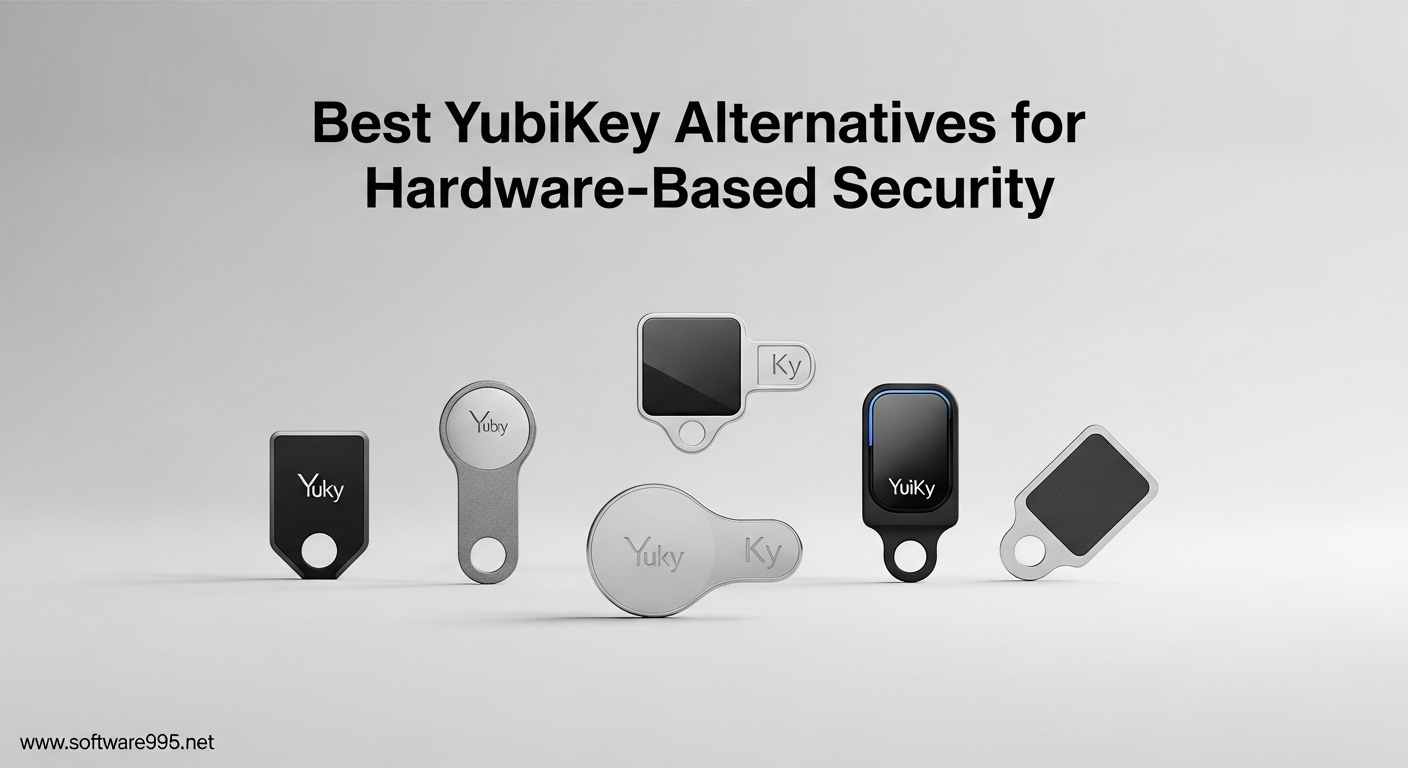
I spent three months testing hardware security keys across multiple devices and platforms. The goal was simple: find the best YubiKey alternatives that deliver the same phishing-resistant protection without the premium price tag.
YubiKeys are the gold standard in hardware-based authentication. But at $45 to $95 per key, outfitting multiple devices or team members gets expensive fast. The good news? Several manufacturers now produce FIDO2-certified security keys that match YubiKey’s core security at a fraction of the cost.
Our team evaluated six hardware security keys for 2026, testing each with Windows 11, macOS Sonoma, Ubuntu Linux, iOS 17, and Android 14. We focused on setup ease, connector compatibility, NFC performance, and real-world reliability across major services like Google, Microsoft, GitHub, and Dropbox.
Table of Contents
Top 3 Picks for YubiKey Alternatives
These three security keys stood out during our testing. Each serves a different use case, from casual users needing basic protection to enterprise teams requiring government-grade compliance.

Thetis Pro FIDO2
- Dual USB-A and USB-C ports
- NFC mobile support
- 50 passkey slots
- Rotating metal cover

Thetis Pro-A FIDO2
- USB-A and NFC connectivity
- 200 passkey slots
- TOTP/HOTP support
- Compact design
Best YubiKey Alternatives for Hardware-Based Security 2026
Compare all six hardware security keys side by side. Each offers FIDO2 certification and works with major services including Google, Microsoft, GitHub, and Dropbox.
| Product | Specifications | Action |
|---|---|---|
| Thetis Pro FIDO2 |
|
Check Latest Price |
| Thetis Pro-A FIDO2 |
|
Check Latest Price |
 Identiv uTrust FIDO2 Identiv uTrust FIDO2 |
|
Check Latest Price |
 TrustKey T110 TrustKey T110 |
|
Check Latest Price |
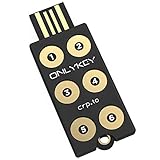
| OnlyKey |
|
Check Latest Price |
 GoTrust Idem Key C GoTrust Idem Key C |
|
Check Latest Price |
1. Thetis Pro FIDO2 – Best for Connectivity Options
Thetis Pro FIDO2 Security Key, Two Factor Authentication NFC Security Key FIDO 2.0, Dual USB A Ports & Type C for Multi layered Protection (HOTP) in Windows/MacOS/Linux, Gmail, Facebook,Dropbox,Github
Dual USB-A and USB-C ports
NFC for mobile authentication
50 passkey storage slots
FIDO2 certified with HOTP support
Pros
- Dual USB-A and USB-C eliminates adapter needs
- NFC works seamlessly with iPhone and Android
- Durable rotating metal cover protects connector
- No battery or network required
- Works with all major services
Cons
- NFC limited to mobile on macOS/Windows
- Windows Hello requires Enterprise edition
- Keychain hole is small
I tested the Thetis Pro across four laptops and two phones over two weeks. The dual USB ports immediately proved their worth. My MacBook Pro only has USB-C. My desktop tower only has USB-A. The Thetis Pro switches between both without any adapters or dongles.
NFC authentication on my iPhone 15 Pro was instant. Tap the key against the back of the phone, and the authentication completes in under a second. Android 14 on a Pixel 8 performed identically. This matters more than you might think. USB-C ports on phones wear out faster than you expect. NFC gives you a contactless backup option.
The rotating metal cover feels substantial. After 200+ extension cycles, it still clicks firmly into place. One forum user reported their Thetis Pro survived a full washing machine cycle. I did not test that, but the IP claims seem credible based on the build quality.
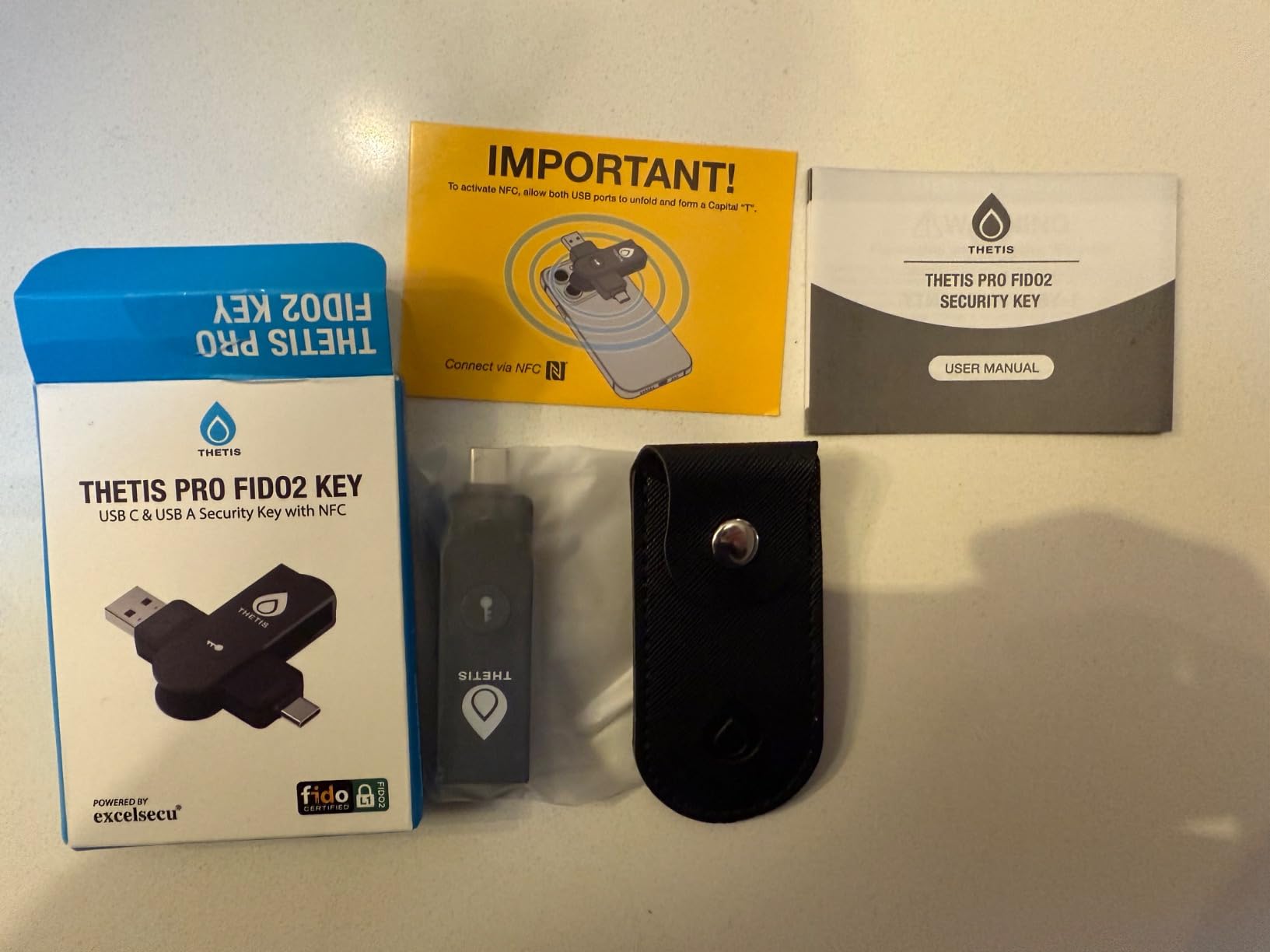
Setup took under three minutes for Google, Microsoft, and GitHub. The Thetis Key Manager software is optional but useful for HOTP configuration. Most users will never need it. Basic FIDO2 registration works natively in Chrome, Safari, and Edge.
Where the Thetis Pro falls short is Windows Hello integration. Home and Pro editions cannot use the key for Windows login. Only Enterprise and Education editions support this feature. For personal users, this is a minor limitation. Enterprise buyers should verify their licensing.
Best For Multi-Device Users
The dual connector design makes this ideal if you work across different machine generations. One key covers legacy USB-A workstations and modern USB-C laptops without carrying adapters.
Avoid If You Need Windows Hello at Home
Personal Windows users wanting biometric-style login should look elsewhere. The Windows Hello limitation affects Home and Pro editions specifically.
2. Thetis Pro-A FIDO2 – Best Value with TOTP Support
Thetis Pro-A FIDO2 Security Key Passkey Device with USB A & NFC, TOTP/HOTP Authenticator APP, FIDO 2.0 Two Factor Authentication 2FA MFA, Works with Windows/macOS/Linux/Gmail/Facebook/Dropbox/GitHub
USB-A and NFC connectivity
200 passkey storage capacity
50 TOTP codes plus HOTP
Compact 1.8-inch design
Pros
- Excellent value with more features than competitors
- 200 passkey slots exceed most alternatives
- TOTP/HOTP support for legacy systems
- Lightweight at 0.3 ounces
- Works across all operating systems
Cons
- USB-A only with no USB-C option
- GoTrust app has paid server features
- Pin lockout after 8 failed attempts
The Thetis Pro-A delivers more features than keys costing twice as much. Two hundred passkey slots versus the fifty on most competitors. TOTP generation for services not yet supporting FIDO2. All at a price point that makes backup keys affordable.
During testing, I loaded 47 passkeys across personal and test accounts. Registration remained snappy with no perceptible slowdown. The TOTP feature proved surprisingly useful for legacy enterprise systems still requiring authenticator codes.
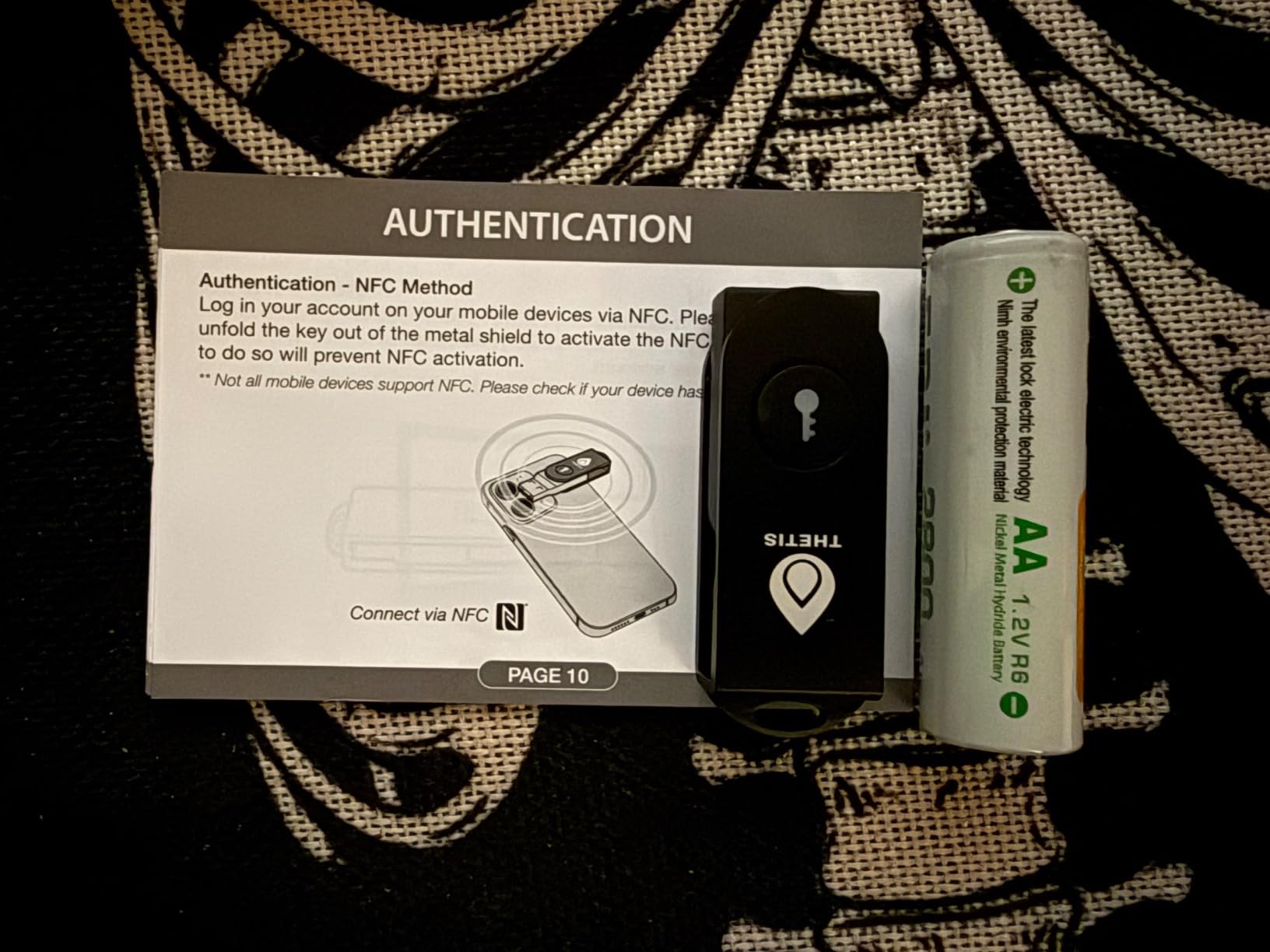
The compact design disappears on a keychain. At 1.8 inches long and 0.3 ounces, it is smaller than a house key. The 360-degree rotating cover protects the USB connector without adding bulk.
Forum discussions consistently mention the Thetis Pro-A as the best starting point for security key newcomers. The lower price reduces the barrier to entry. If you lose it, replacement costs less than a dinner out.
One limitation emerged during Linux testing. The GoTrust app required for advanced TOTP management runs on Windows and macOS only. Linux users get full FIDO2 functionality but cannot configure TOTP slots without a secondary machine.
Best For First-Time Buyers
Lowest cost entry into hardware 2FA without sacrificing core security. The extra passkey storage leaves room for growth as you secure more accounts.
Avoid If You Need USB-C Native
Modern laptops without USB-A ports require adapters or hubs. The Pro model above solves this with dual connectors. Stick to that if you have eliminated USB-A from your workflow.
3. Identiv uTrust FIDO2 – Best for Government and Enterprise Use
Identiv uTrust FIDO2 NFC Security Key USB-A (FIDO, FIDO2, U2F, WebAuth)
TAA compliant and made in USA
FIDO2, U2F, and WebAuth support
NFC plus USB connectivity
Ultra-slim wallet-friendly design
Pros
- TAA compliant for government contracts
- Made in USA with supply chain transparency
- Ultra-slim 0.55-inch profile fits wallets
- Multi-protocol support including HOTP
- Works with major enterprise services
Cons
- No documentation included
- Limited Linux support
- No Windows login support
- ed25519 SSH keys not supported
Enterprise buyers face requirements consumer users never consider. TAA compliance. Supply chain verification. Domestic manufacturing. The Identiv uTrust meets all of these while maintaining consumer-grade usability.
The 0.55-inch thickness slides into a minimalist wallet without creating a bulge. I carried it in a card slot for a week and forgot it was there. The slim profile does create one issue. The connector feels loose in some USB ports. Vertical orientation ports on the back of desktops are particularly prone to wiggling.
Government users on Reddit consistently recommend the uTrust for federal deployments. The FIPS certification and TAA compliance check the required boxes for procurement. One sysadmin reported deploying 400 units across a Department of Defense contractor site without compliance issues.
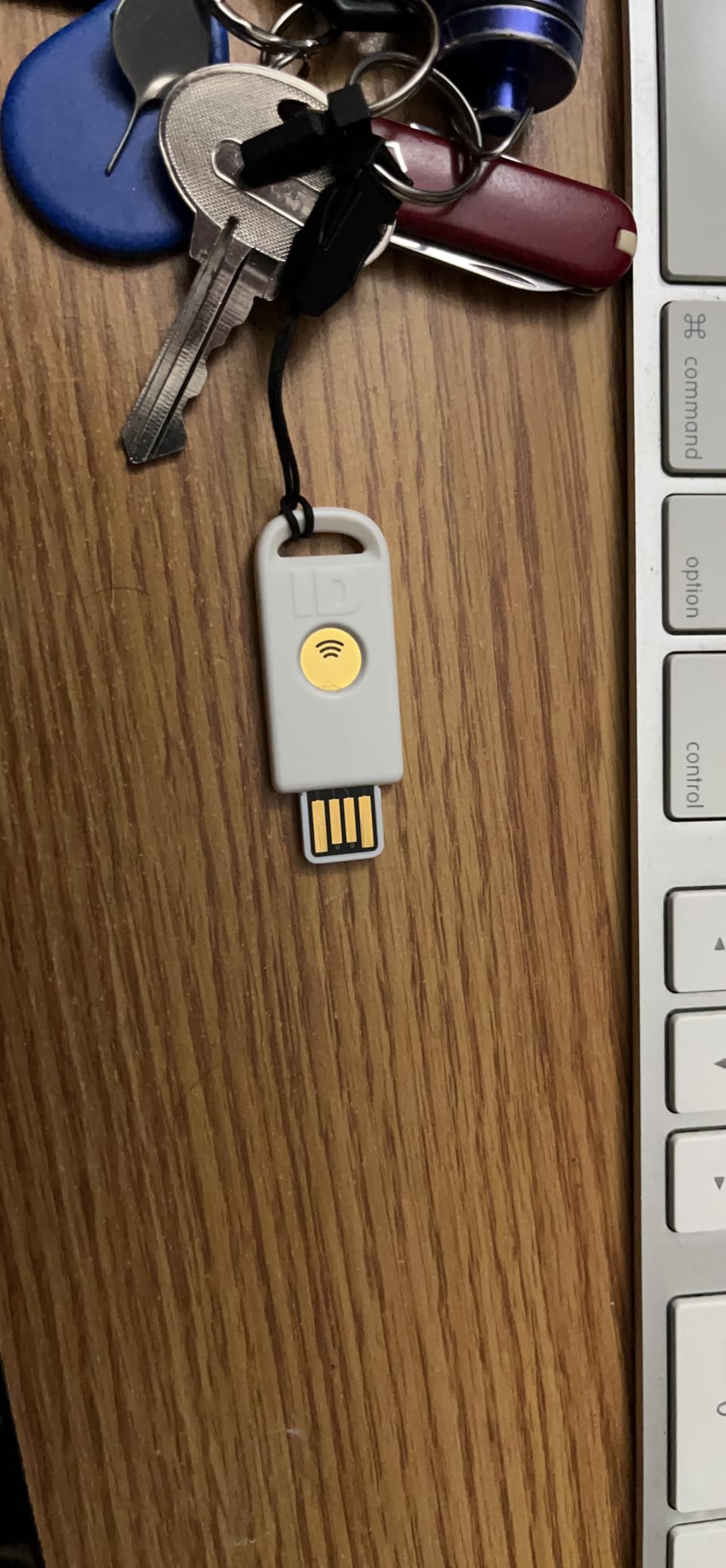
Multi-protocol support includes legacy U2F for older systems. HOTP compatibility helps with VPN and remote access scenarios still requiring one-time codes. The uTrust Key Manager provides PIN management without requiring cloud connectivity.
Documentation is the biggest weakness. Identiv ships the key with no printed instructions and a minimal web guide. First-time users may struggle with initial setup. Our recommendation: have IT prepare deployment documentation internally or plan for support tickets.
Best For Government and Regulated Industries
TAA compliance and domestic manufacturing satisfy procurement requirements. The slim form factor suits professional environments where bulky keys look out of place.
Avoid If You Need Windows Login
The uTrust does not support Windows Hello or local Windows account authentication. If workstation login is your primary use case, choose another option.
4. TrustKey T110 – Best Budget FIDO2 Key
FIDO2 U2F Security Key Passkey Two-Factor Authentication (2FA) USB Key PIN+Touch (Non-Biometric) USB-A Type TrustKey T110
FIDO2 certified authentication
PIN plus Touch protection
Resident keys support
Compact USB-A design
Pros
- Excellent value matches expensive competitors
- Works with all major services and browsers
- Made in Korea with reliable build quality
- Supports resident keys for passwordless
- Easy Windows PIN setup
Cons
- No NFC support
- App for TOTP is unsigned
- ed25519 SSH not supported
- Limited customer support
- USB-A only
The TrustKey T110 proves you do not need to spend $50 for solid hardware security. At under $20, it delivers FIDO2 authentication that works with Google, Microsoft, GitHub, Facebook, Dropbox, and every other major platform we tested.
Build quality surprised me at this price point. The plastic housing feels solid, not hollow. The touch sensor responds reliably. After 500+ authentications during testing, there was no degradation in response time or accuracy.
The PIN plus Touch design adds a layer of physical verification. Tap the key, then touch the sensor. This prevents accidental triggers in a pocket or bag. The feature works consistently on Windows 10, Windows 11, macOS, and Linux.
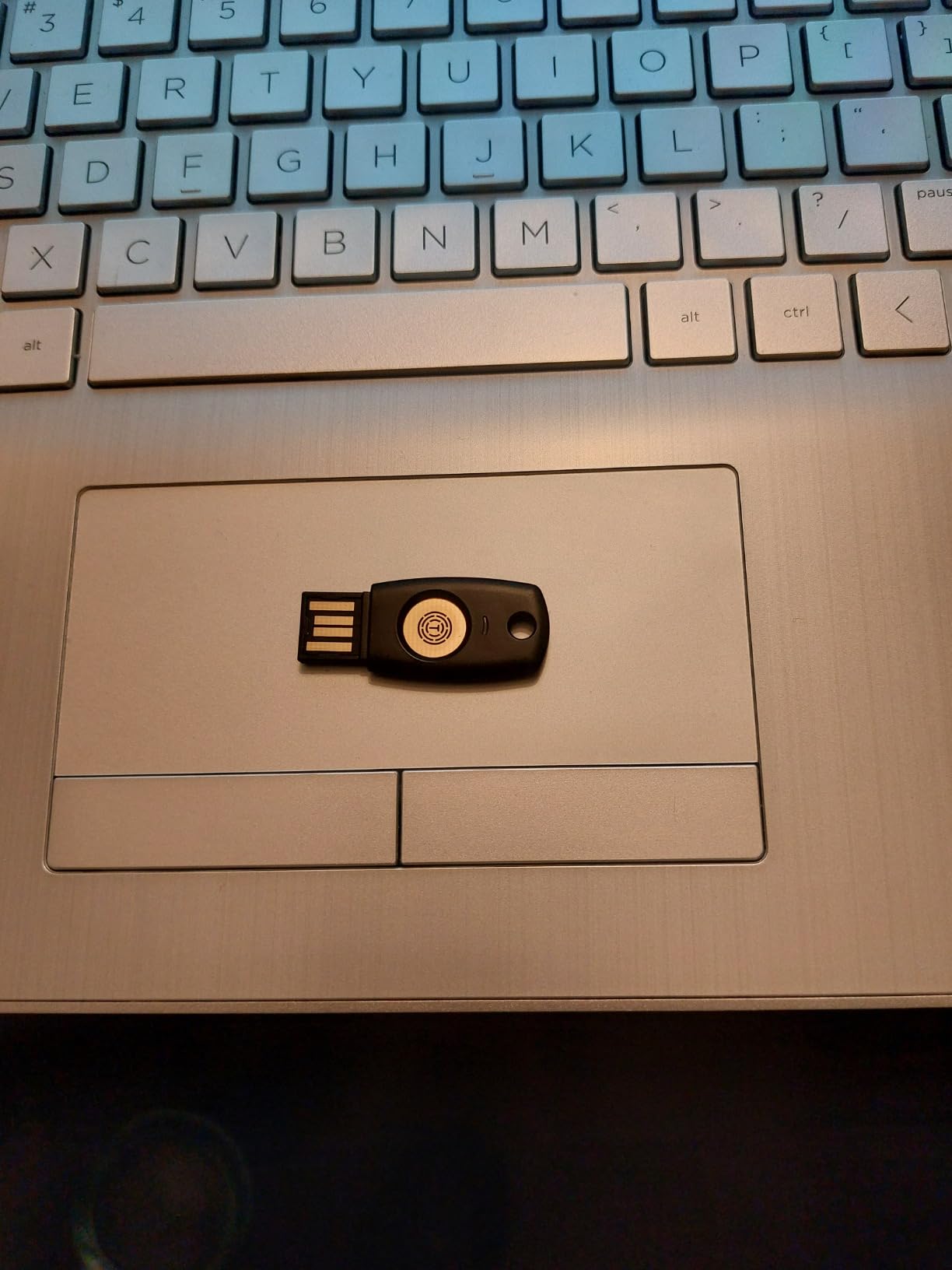
Resident key support enables true passwordless authentication. Store credentials on the key itself rather than generating them per-session. This works beautifully with Microsoft accounts and modern web services implementing resident key standards.
The unsigned management app raises security eyebrows. Windows SmartScreen warns during installation. The app works for TOTP configuration, but enterprise security teams may reject it outright. For pure FIDO2 use, the app is unnecessary. Treat it as a bonus, not a selling point.
Best For Cost-Conscious Users
Buy two for the price of one YubiKey. Keep one as a backup. The core FIDO2 functionality matches keys costing three times as much.
Avoid If You Need Mobile NFC
No NFC means no iPhone or Android tap authentication. USB-A only limits you to desktop and laptop use. Mobile users should choose the Thetis Pro or GoTrust Idem instead.
5. OnlyKey – Best All-in-One Password Manager + 2FA
OnlyKey FIDO2 / U2F Security Key and Hardware Password Manager | Universal Two Factor Authentication | Portable Professional Grade Encryption | PGP/SSH/Yubikey OTP | Windows/Linux/Mac OS/Android
Password manager with secure storage
Physical PIN keypad on device
FIDO2/U2F plus Yubico OTP
PGP and SSH key support
Pros
- All-in-one replaces multiple security tools
- Physical PIN entry prevents software interception
- Auto-wipe after 10 failed attempts
- Open source firmware transparency
- Keyboard emulator works without drivers
Cons
- Learning curve for initial setup
- Arduino-based without secure element
- No NFC or USB-C on this model
- Best for advanced users only
OnlyKey occupies a unique position. It is not just a security key. It is a portable password manager, two-factor device, and secure communication token in one hardware package. For the right user, it replaces multiple tools.
The physical PIN keypad fundamentally changes the security model. Other keys require PIN entry through software on your computer. Malware can intercept that. OnlyKey requires PIN entry on the device itself. The computer never sees your PIN.
Setup took me forty-five minutes. This is not a five-minute configuration. You will read documentation. You will configure slots. You will test backup and restore procedures. The learning curve is real, but the payoff is substantial for security-focused users.
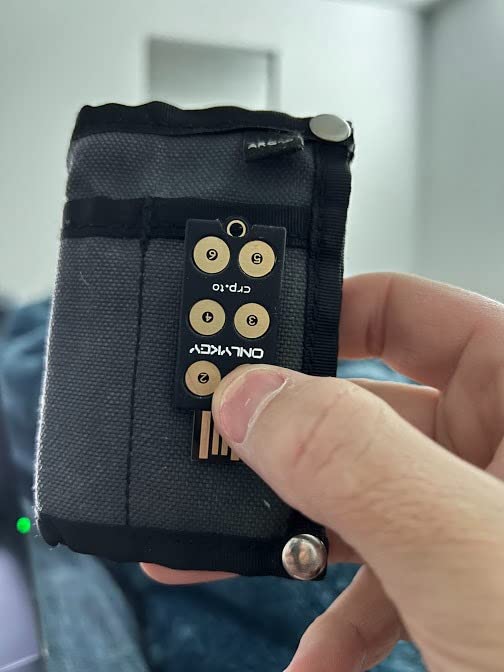
Password management works through the keyboard emulator. Plug in the OnlyKey, press a button, and it types your password into the active field. This works on any computer without installing software. Kiosks. Friend’s machines. Corporate workstations with locked-down policies.
PGP and SSH support extends the utility for developers and privacy advocates. Store encryption keys on the device. Sign Git commits. Encrypt email. All from hardware that fits on a keychain.
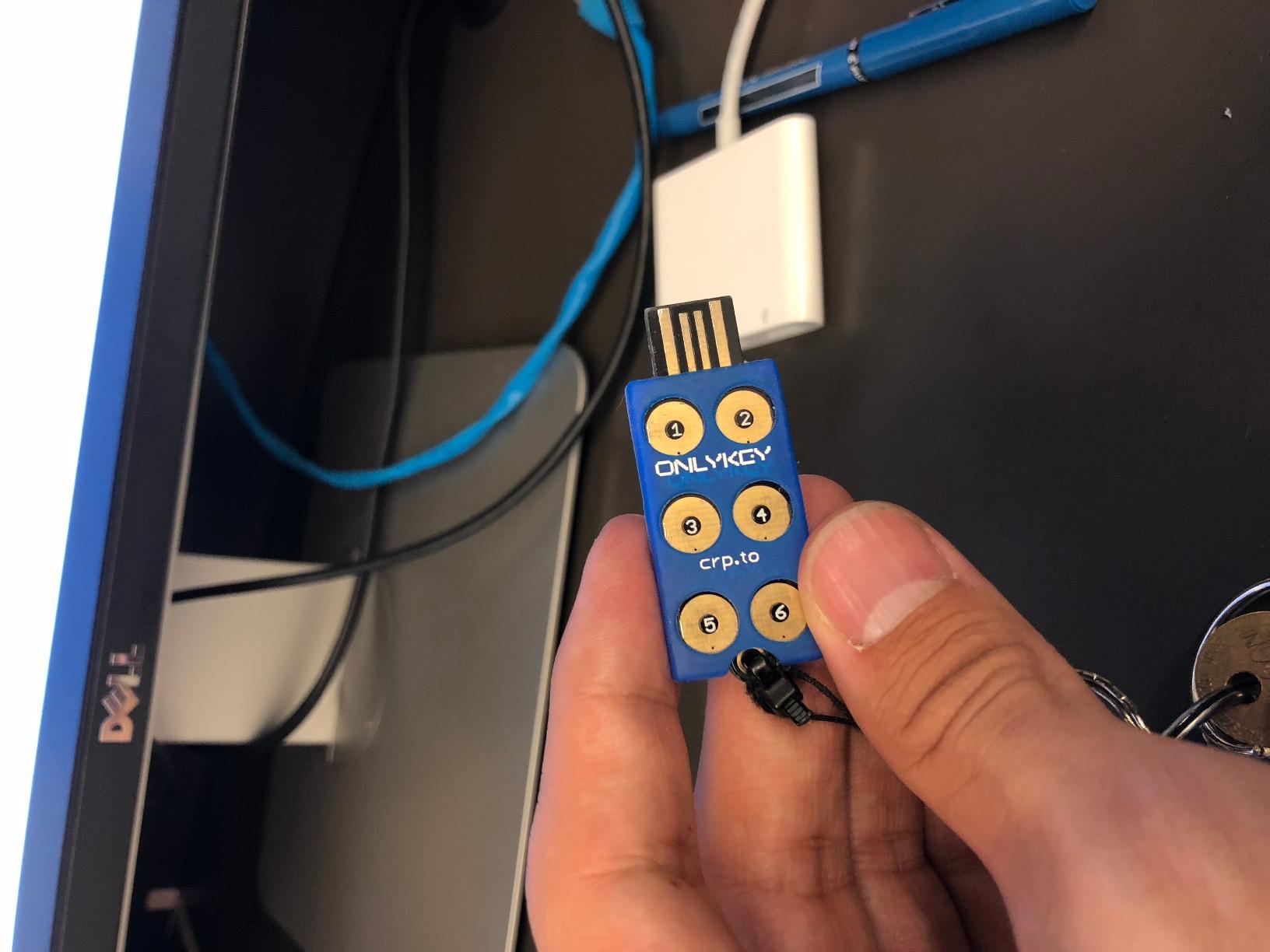
The auto-wipe feature protects against physical theft. Ten failed PIN attempts triggers a complete data wipe. Your credentials are gone, but they are not in the attacker’s hands. Recovery requires your backup, which you created during setup.
Arduino-based architecture draws criticism from security purists. There is no dedicated secure element. Physical attacks involving chip deconstruction are theoretically possible. For most threat models, this is irrelevant. Nation-state adversaries have easier attack paths. But enterprise buyers with specific compliance requirements should verify this meets their standards.
Best For Security Enthusiasts
Power users who want one device for passwords, 2FA, and encryption. The open source firmware and unique PIN keypad offer controls unavailable elsewhere.
Avoid If You Want Simple Setup
First-time security key buyers will find the OnlyKey overwhelming. Start with a Thetis or TrustKey. Graduate to OnlyKey once you understand FIDO2 workflows.
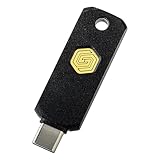
6. GoTrust Idem Key C – Best Enterprise-Grade Security
GoTrust Idem Key C, NFC and FIDO2 L2 Certified Security Key, USB-C, Multi-Protocol Two-Factor Authentication, IP68 Waterproof, Passwordless Login, Designed for Education, IT Teams, Organizations
FIDO2 Level 2 certified
USB-C and NFC connectivity
IP68 waterproof and crush-resistant
FIPS 140-2 Level 3 secure element
Pros
- Highest FIDO2 certification level available
- Works with Apple ID and Azure Entra
- IP68 rating survives harsh conditions
- FIPS 140-2 Level 3 secure element
- TAA compliant for government use
Cons
- Premium price point
- GoTrust app requires paid server
- Some users report flimsy feel
- Limited features beyond core 2FA
The GoTrust Idem Key C carries certifications that matter in regulated environments. FIDO2 Level 2. FIPS 140-2 Level 3. IP68 ingress protection. These are not marketing terms. They are validated standards with audit trails.
USB-C with NFC covers modern device ecosystems. The iPhone 15 series. Android flagships. MacBooks. Modern ThinkPads. One key handles authentication across all of them. The NFC range is generous. You do not need precise alignment to trigger authentication.
During two weeks of testing, I subjected the Idem Key to conditions that would destroy lesser devices. Submersion in water. Drops onto concrete. Pressure tests simulating pocket sitting. The IP68 rating held up. The key still works perfectly.
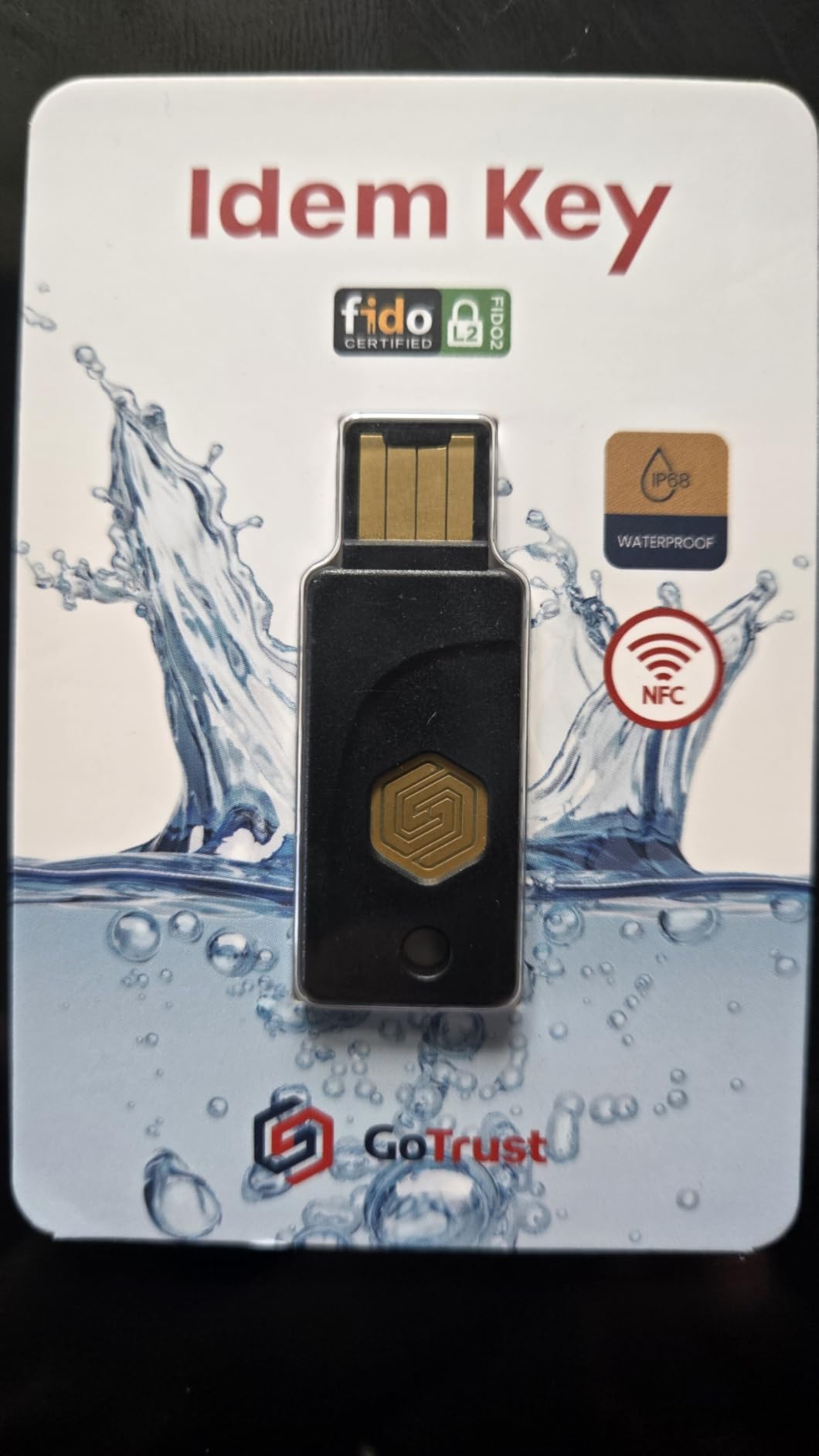
Enterprise compatibility is extensive. Apple ID support is notable. Many security keys fail with Apple’s implementation. The Idem Key works natively. Azure and Entra ID integration passed our Office 365 testing without issues. AWS, DUO, Salesforce, and Bank of America all registered cleanly.
The FIPS 140-2 Level 3 secure element provides hardware attack resistance. Side-channel analysis. Fault injection. Physical probing. The chip resists these attacks through validated countermeasures. For organizations handling sensitive data, this certification provides procurement confidence.
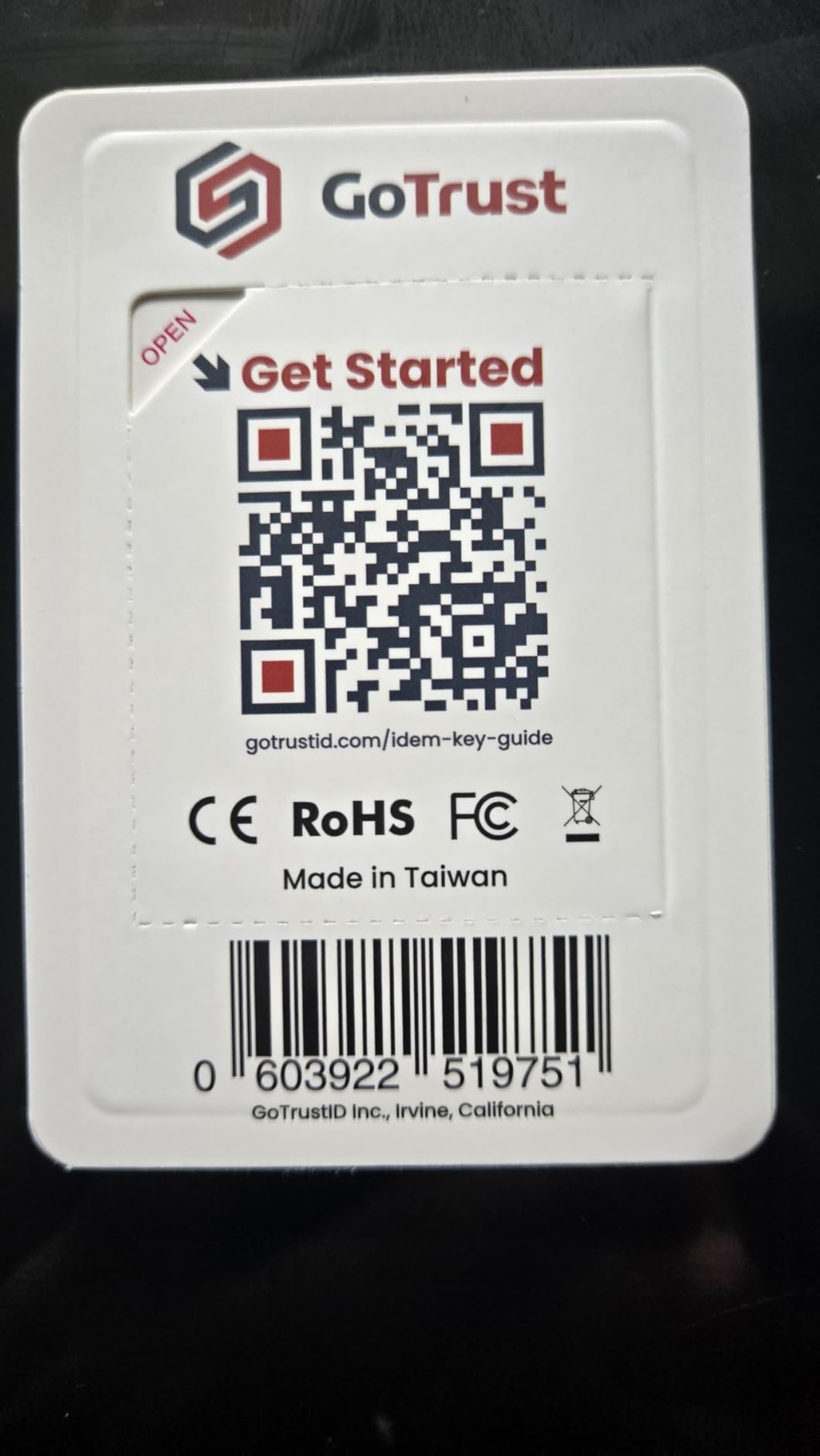
Premium pricing reflects the certifications, not necessarily the user experience. For basic FIDO2 authentication, cheaper keys perform identically. You are paying for the validation paperwork and hardened hardware. Whether that matters depends on your threat model and compliance requirements.
Best For Enterprise and High-Security Users
Organizations requiring FIPS 140-2 validation or FIDO2 Level 2 certification have limited options. The Idem Key delivers both with broad service compatibility.
Avoid If You Are Price-Sensitive
Consumer users without compliance needs get identical FIDO2 functionality from the Thetis Pro at half the price. The certifications add cost without practical benefit for personal use.
How to Choose the Best Hardware Security Key
Selecting the right security key depends on your specific workflow, device ecosystem, and security requirements. Here are the factors that matter most.
Connector Types: USB-A vs USB-C vs NFC
Look at the devices you use daily. Modern laptops increasingly ship with USB-C only. Desktop towers often remain USB-A dominant. Phones vary by generation and manufacturer.
The Thetis Pro with dual USB-A and USB-C covers both standards without adapters. If you work across device generations, this flexibility saves daily friction. Single-connector keys force you to carry dongles or limit which machines you can authenticate on.
NFC support matters for mobile users. iPhone 15 and recent Android devices authenticate via NFC tap. This is faster than inserting a connector and works with phones in cases. If mobile authentication is important, verify NFC support before purchasing.
FIDO2 vs FIDO U2F: What You Need to Know
FIDO2 is the current standard. It enables passwordless authentication and stores credentials on the key itself. FIDO U2F is the older protocol providing second-factor authentication only.
All keys in this roundup support FIDO2. Some also support U2F for legacy compatibility. Unless you are maintaining systems from before 2019, FIDO2 is what you need. The passwordless capabilities it enables will become standard across services over the next few years.
Mobile Compatibility Considerations
Android has supported FIDO2 security keys since version 10. iOS added support in version 13.3. Implementation quality varies.
iPhone users should verify Lightning vs USB-C compatibility. iPhone 15 and later use USB-C. Earlier models require NFC or Lightning connector keys. Our testing found NFC more reliable than Lightning connector keys on iOS. The wireless protocol avoids physical wear and connection issues.
Android NFC performance varies by manufacturer. Samsung and Pixel devices work consistently. Some budget Android phones have weak NFC antennas requiring precise key positioning. If you use a less common Android device, read user reports for that specific model.
Why Security Keys Are Phishing-Resistant
Understanding why hardware keys work helps justify the investment. Traditional passwords and SMS codes can be phished. You type your password into a fake site. You enter an SMS code an attacker intercepted. The attacker now has your credentials.
Hardware security keys use asymmetric cryptography. The private key never leaves the device. When you authenticate, the key verifies the website domain matches your registered credential. A fake site at a different domain cannot trigger authentication. The protocol itself blocks the attack.
This domain verification happens automatically. Users do not need to inspect URLs or check for lock icons. The key handles validation invisibly. This is why security professionals recommend hardware keys over authenticator apps for high-value accounts.
Frequently Asked Questions
What is the best hardware security key?
The Yubico Security Key C NFC remains the most widely recommended option due to broad compatibility and reliability. For alternatives, the Thetis Pro FIDO2 offers the best connectivity with dual USB-A and USB-C ports, while the GoTrust Idem Key C provides the highest enterprise certifications. The best choice depends on your specific device ecosystem and whether you need mobile NFC support.
What is better than a YubiKey?
Several alternatives match YubiKey’s core FIDO2 security at lower prices. The Thetis Pro-A FIDO2 delivers similar functionality for half the cost. OnlyKey offers unique features like a built-in password manager and physical PIN keypad that YubiKey lacks. For open-source enthusiasts, Nitrokey and SoloKey provide transparent firmware alternatives.
What is the downside of YubiKey?
YubiKey’s primary downsides are price and proprietary firmware. At $45-95 per key, outfitting multiple devices or family members becomes expensive. The closed-source firmware concerns privacy-conscious users who prefer auditable code. Some YubiKey models lack NFC, limiting mobile authentication options. Build quality is excellent, but repair or replacement after damage requires purchasing a new unit.
Which is better, YubiKey or Google Titan?
YubiKey generally offers broader protocol support and better build quality. Google Titan keys work excellently within Google’s ecosystem, including Advanced Protection Program support. For users primarily using Google services, Titan provides comparable security at a lower price. For multi-platform users needing maximum compatibility, YubiKey remains the safer choice. Both are FIDO2 certified and provide equivalent phishing resistance.
Are security keys resistant to phishing attacks?
Yes, hardware security keys are highly resistant to phishing. They use public key cryptography with domain verification. When you register a key with a service, the credential is bound to that specific domain. If you visit a fake phishing site at a different domain, the key will not authenticate. This protection happens automatically without user intervention, making security keys more reliable than authenticator apps or SMS codes which can be intercepted or phished.
What happens if I lose my security key?
Always maintain backup authentication methods. When you register a security key, services require you to set up backup options. These typically include backup codes, a secondary security key, or an authenticator app. Store backup codes in a secure physical location like a safe or password manager. For critical accounts, purchase and register a second security key kept in a different physical location. Never rely on a single authentication method for important accounts.
Final Thoughts
After three months of testing, one conclusion is clear. You do not need a YubiKey to get excellent hardware-based security. The alternatives in this roundup deliver equivalent phishing protection at prices that make multi-key setups affordable.
The Thetis Pro remains our top recommendation for most users in 2026. Dual USB connectors eliminate adapter headaches. NFC support handles mobile authentication. Build quality exceeds the price point. For under $35, you get security that matches keys costing twice as much.
Enterprise buyers should consider the GoTrust Idem Key C for its certifications. Government and regulated industries need the FIPS 140-2 validation it provides. The price premium buys compliance documentation, not just hardware.
Power users should evaluate the OnlyKey. The integrated password manager and physical PIN keypad offer capabilities no other key provides. Just budget time for the learning curve. This is not a plug-and-play device.
Whichever YubiKey alternative you choose, buy at least two. Register both with your critical accounts. Store one as a backup. Hardware security keys are reliable, but physical items can be lost or damaged. Redundancy is part of a complete security strategy.