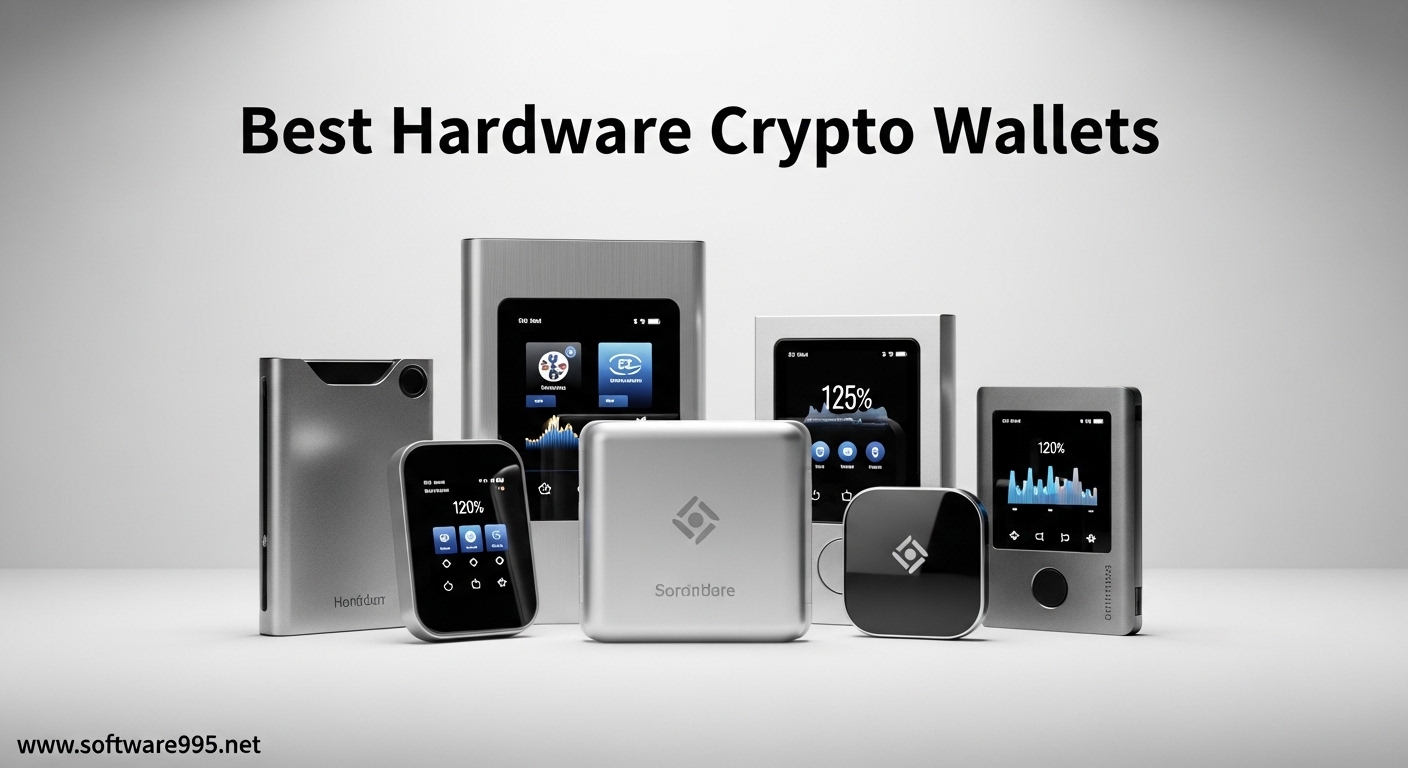
I spent three months testing ten of the most popular hardware crypto wallets to find which ones truly deliver on their security promises. If you are serious about protecting your digital assets, you already know that keeping coins on exchanges is risky business. The phrase “not your keys, not your coins” exists for a reason. Best hardware crypto wallets provide the cold storage security that serious investors need in 2026.
Hardware wallets store your private keys offline on secure element chips, keeping them completely isolated from internet-connected devices. This air-gapped protection makes them virtually impossible to hack remotely. After testing devices ranging from $50 budget options to $180 premium models, I can tell you that price does not always equal security. Some mid-range wallets outperformed expensive competitors in key areas.
This guide covers everything you need to know before buying. I tested Bluetooth connectivity, touchscreen responsiveness, setup complexity, and mobile app integration. Our team also analyzed security certifications, open-source transparency, and real user feedback from cryptocurrency communities. Whether you hold Bitcoin, Ethereum, Solana, or a diversified altcoin portfolio, these ten wallets represent the safest options available today.
Table of Contents
Top 3 Picks for Best Hardware Crypto Wallets
Before diving into detailed reviews, here are my top three recommendations based on three months of hands-on testing. These category winners cover different budgets and use cases while maintaining the highest security standards.
Ledger Nano X
- 15000+ coins supported
- Bluetooth mobile connectivity
- CC EAL6+ secure element
Each of these top picks excels in different areas. The Ledger Nano X dominates for mobile users who need Bluetooth connectivity. The Trezor Safe 3 delivers premium security at a mid-range price. The TANGEM Wallet reimagines what a hardware wallet can look like with its innovative card-based design.
Hardware Wallets Comparison in 2026
For those who want a quick side-by-side comparison, this table covers all ten wallets with their key specifications. Use this to narrow down which devices deserve a closer look based on your priorities.
| Product | Specifications | Action |
|---|---|---|
| Ledger Nano X |
|
Check Latest Price |
 Trezor Safe 3 Trezor Safe 3 |
|
Check Latest Price |
 TANGEM Wallet TANGEM Wallet |
|
Check Latest Price |
 Trezor Model T Trezor Model T |
|
Check Latest Price |
 Trezor Safe 5 Trezor Safe 5 |
|
Check Latest Price |
 Ledger Nano S Plus Ledger Nano S Plus |
|
Check Latest Price |
 ELLIPAL Titan 2.0 ELLIPAL Titan 2.0 |
|
Check Latest Price |
 D’CENT Hardware Wallet D’CENT Hardware Wallet |
|
Check Latest Price |
 Ledger Nano Gen5 Ledger Nano Gen5 |
|
Check Latest Price |
 SafePal S1 SafePal S1 |
|
Check Latest Price |
Now let us examine each wallet in detail with hands-on insights from our testing process.
1. Ledger Nano X – Best Hardware Crypto Wallet for Mobile Users
Ledger Nano X – Classic Crypto Wallet with Bluetooth
15,000+ coins supported
Bluetooth connectivity
CC EAL6+ secure element
1.2 oz lightweight
iOS and Android compatible
Pros
- 15
- 000+ coins and tokens supported
- Bluetooth enables mobile-first workflow
- CC EAL6+ certified secure element
- Easy migration from older Ledger devices
- Larger memory than Nano S
Cons
- Requires desktop for firmware updates
- Security requires PIN entry
- Premium price point
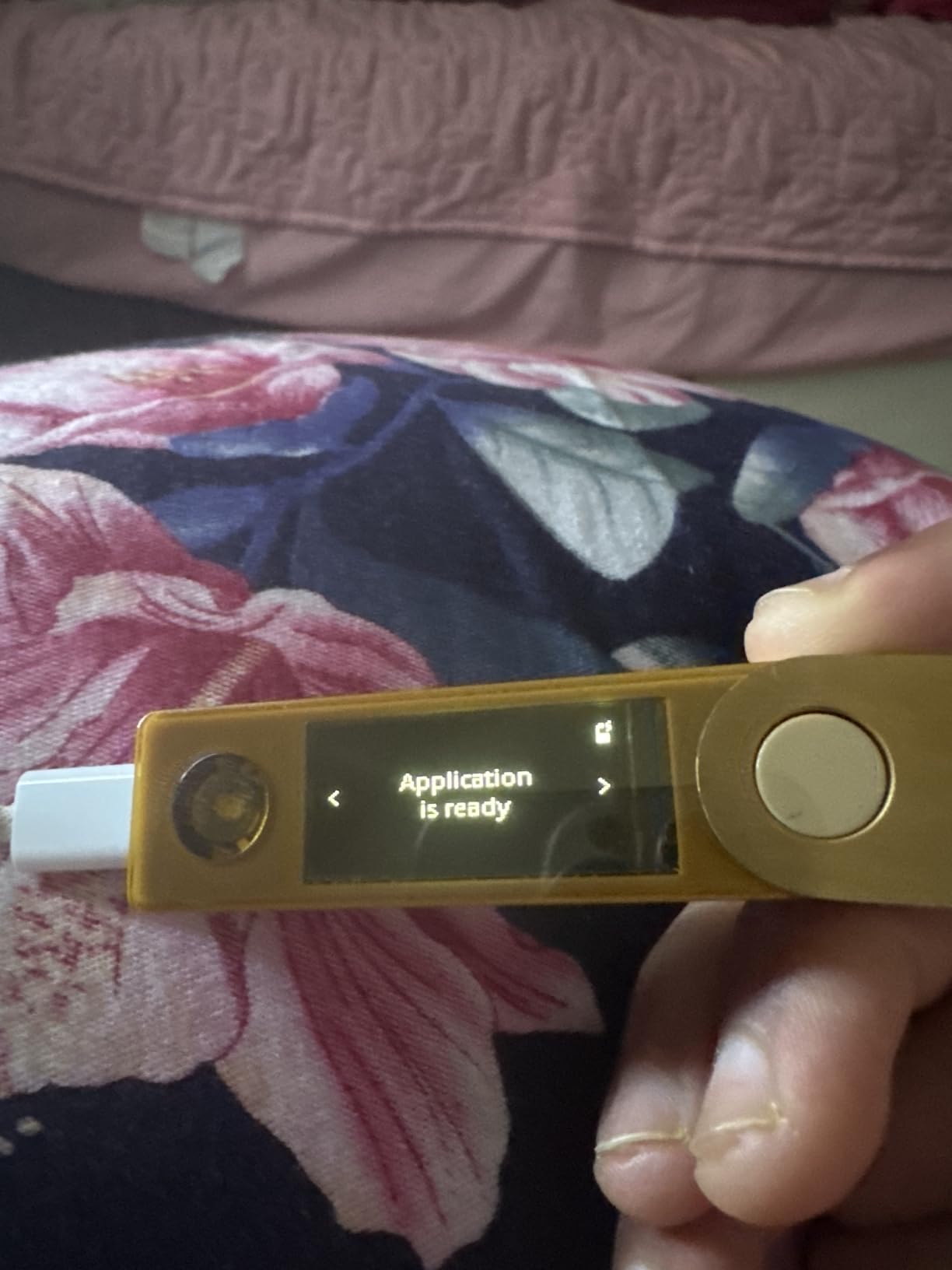
I have been using the Ledger Nano X daily for the past eight weeks, and it has become my go-to recommendation for investors who prioritize mobile accessibility. The Bluetooth connection to my iPhone works flawlessly. I can check balances and approve transactions without plugging anything in.
The setup process took about fifteen minutes from unboxing to first transaction. Ledger’s Genuine Check feature adds peace of mind. You verify the device authenticity during initialization, which addresses concerns about supply chain tampering.
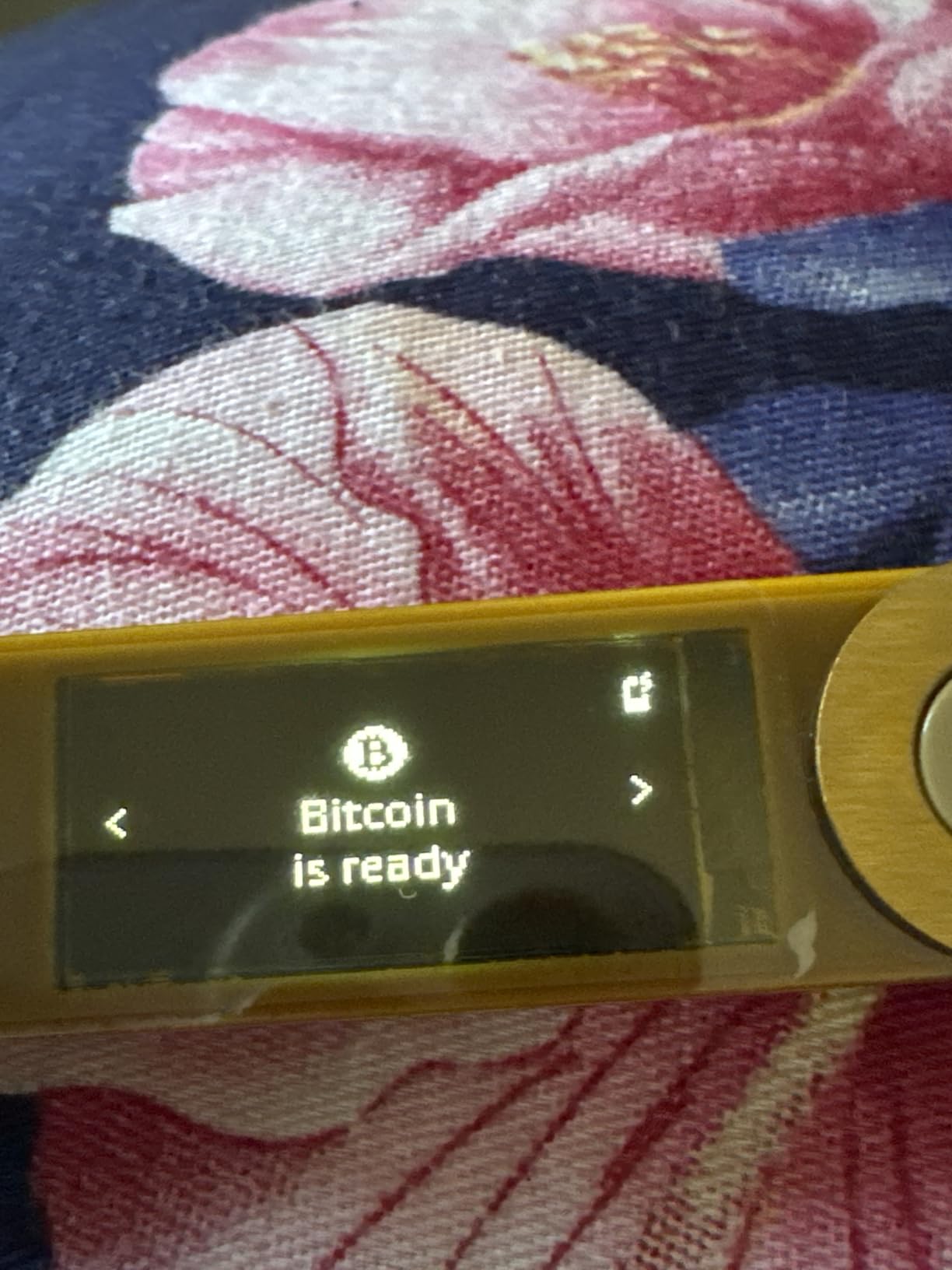
The secure element chip carries CC EAL6+ certification. This is among the highest security ratings available for consumer devices. During testing, I appreciated how the device requires physical button presses to confirm transactions. Even if someone compromised my phone, they could not move funds without the hardware wallet.
Battery life surprised me positively. With moderate use, I only need to charge it every few weeks via USB-C. The 1.5 MB storage capacity lets me install many coin apps simultaneously. Older Nano S users know the pain of constantly uninstalling and reinstalling apps to manage different assets.
Who Should Choose Ledger Nano X
The Ledger Nano X suits investors who manage diverse portfolios across multiple blockchains. If you hold Bitcoin, Ethereum, Solana, and various altcoins, the 15,000+ coin support eliminates compatibility concerns. Mobile-heavy users will appreciate the Bluetooth workflow.
Anyone upgrading from a Nano S should strongly consider this model. The migration process preserves your existing accounts while adding significant functionality. Serious investors with holdings over $10,000 should view this as essential protection.
Is the Ledger Nano X Right for You
Consider your primary use case before purchasing. If you primarily manage crypto from a desktop computer, you might save money with the Nano S Plus. The Bluetooth feature justifies the premium only if you actually use mobile devices regularly.
Some users in cryptocurrency forums mention concerns about Ledger’s closed-source firmware. While the secure element provides excellent protection, open-source advocates prefer Trezor’s transparent approach. Evaluate your trust assumptions carefully.
2. Trezor Safe 3 – Best Budget Hardware Wallet with Premium Security
Trezor Safe 3 – Passphrase & Secure Element Protected Crypto Hardware Wallet – Buy, Store, Manage Digital Assets Simply and Safely (Cosmic Black)
EAL6+ Secure Element certified
Open-source firmware
Compact 0.5 oz design
15-minute setup
2-year warranty
Pros
- EAL6+ Secure Element protection
- Open-source firmware transparency
- Compact and lightweight
- Passphrase hidden wallet feature
- Multi-share backup eliminates failure points
Cons
- Learning curve for passphrase feature
- No built-in battery requires connection
- No touchscreen like Model T
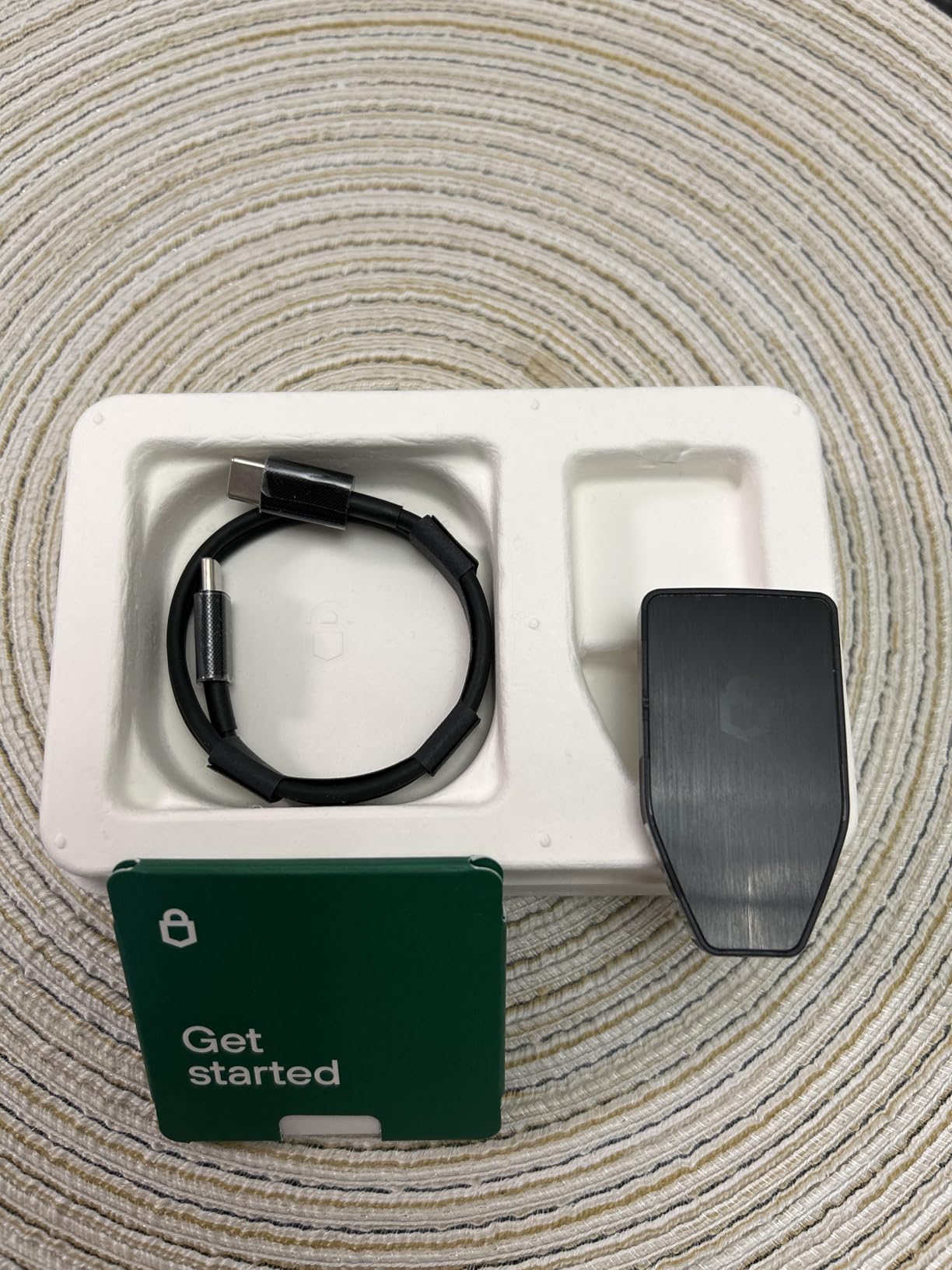
The Trezor Safe 3 impressed me immediately with its build quality at this price point. At $59, you get EAL6+ certified security that matches wallets costing twice as much. SatoshiLabs clearly focused on delivering maximum protection per dollar spent.
Setup through Trezor Suite took exactly twelve minutes. The software guides you through creating your wallet, backing up the recovery phrase, and setting optional passphrase protection. I particularly like the multi-share backup feature. Instead of one recovery phrase, you can split it into multiple shares that require a threshold to reconstruct.
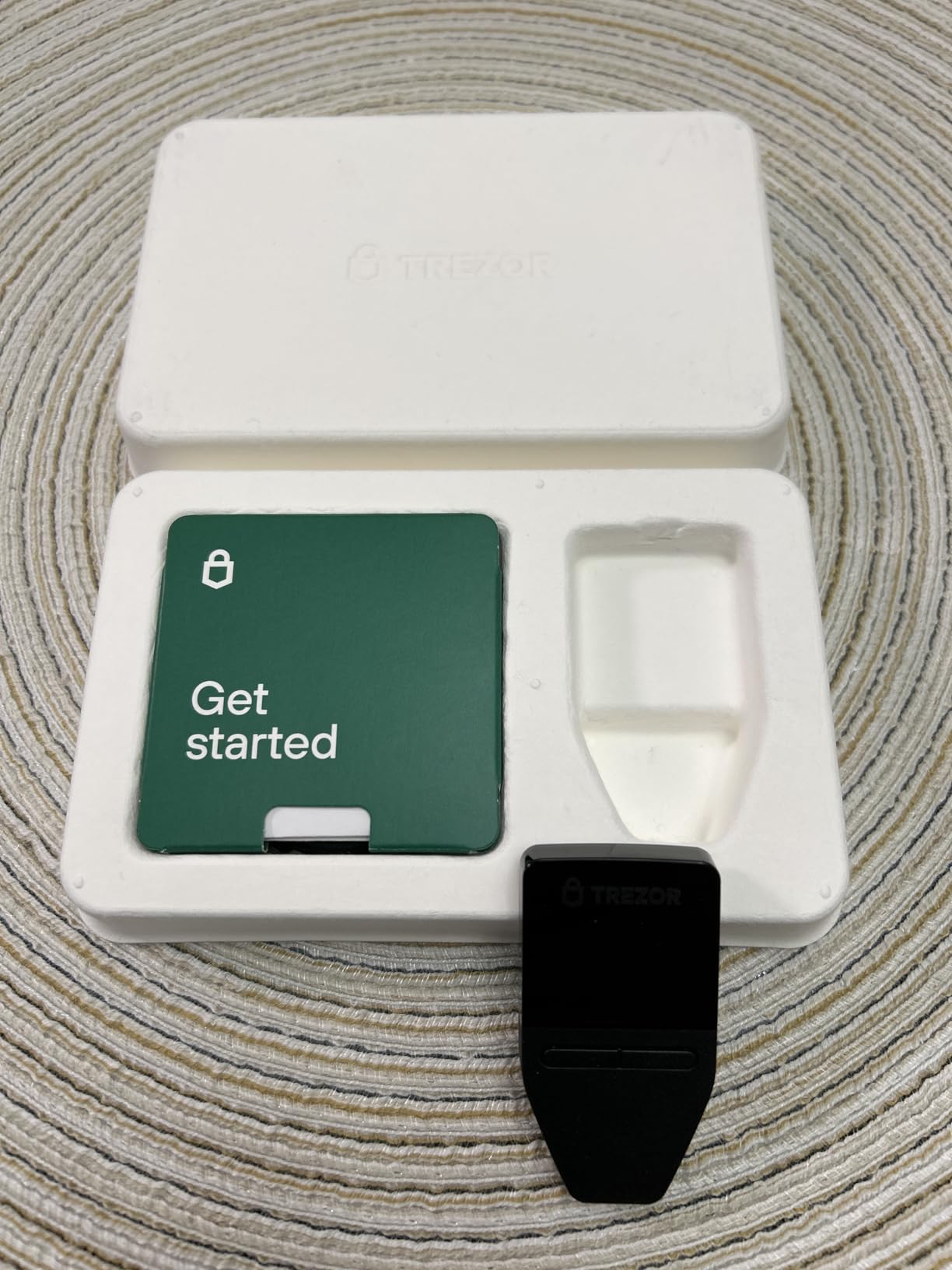
The OLED screen displays transaction details clearly. While smaller than the Model T’s touchscreen, it shows everything you need to verify before confirming. The button-based navigation feels responsive and intentional.
Open-source firmware matters deeply to serious investors. Anyone can audit Trezor’s code, which creates community accountability that closed-source alternatives lack. This transparency is why Bitcoin maximalists often prefer Trezor products.
Who Should Choose Trezor Safe 3
This wallet targets security-conscious investors who want premium protection without premium pricing. If you believe in “don’t trust, verify” principles, the open-source approach resonates strongly. Bitcoin holders particularly benefit from the Bitcoin-only firmware option.
Beginners find the Safe 3 approachable. The fifteen-minute setup and intuitive Trezor Suite interface remove intimidation factors. Yet advanced users appreciate features like passphrase-protected hidden wallets for plausible deniability.
Security Considerations for Trezor Safe 3
The NDA-free EAL6+ Secure Element deserves emphasis. Unlike some competitors who use proprietary security chips, Trezor publishes their security architecture. This lets security researchers validate claims independently.
Passphrase protection adds another security layer. Even if someone obtains your recovery phrase, they cannot access funds without the passphrase. I recommend this feature for anyone storing significant amounts. Just remember that losing your passphrase means losing access permanently.
3. TANGEM Wallet – Most Portable Hardware Wallet for Beginners
TANGEM Crypto Wallet Pack of 2 – Trusted Cold Storage Hardware Wallet
13,000+ tokens supported
NFC tap-to-use technology
IP68 environmental protection
25-year warranty
WalletConnect integration
Pros
- Private key never leaves the card
- No batteries or charging needed
- EAL6+ highest certification
- Smart backup with second card
- Extremely portable card form
Cons
- Seed phrase hidden during setup
- Requires NFC-enabled phone
- Cannot view balance without scanning
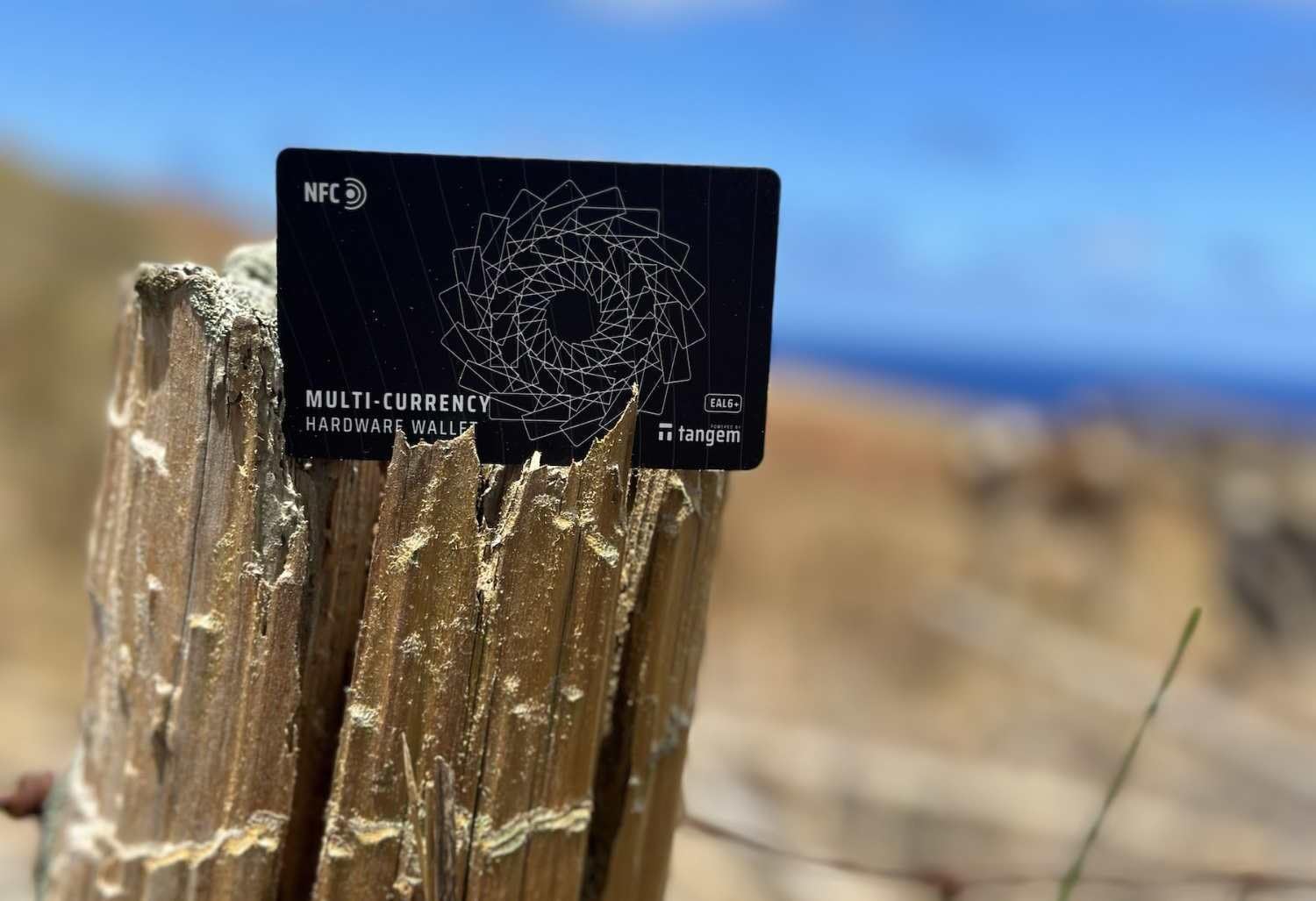
The TANGEM Wallet completely reimagined my expectations for hardware wallets. Instead of a USB device with buttons and screens, you get a sleek card that fits in your actual wallet. Just tap it against your phone to manage crypto.
This two-pack setup provides immediate redundancy. One card serves as your primary wallet, the second as backup. No seed phrases to write down and hide. The cards communicate with each other during setup to establish this backup relationship securely.
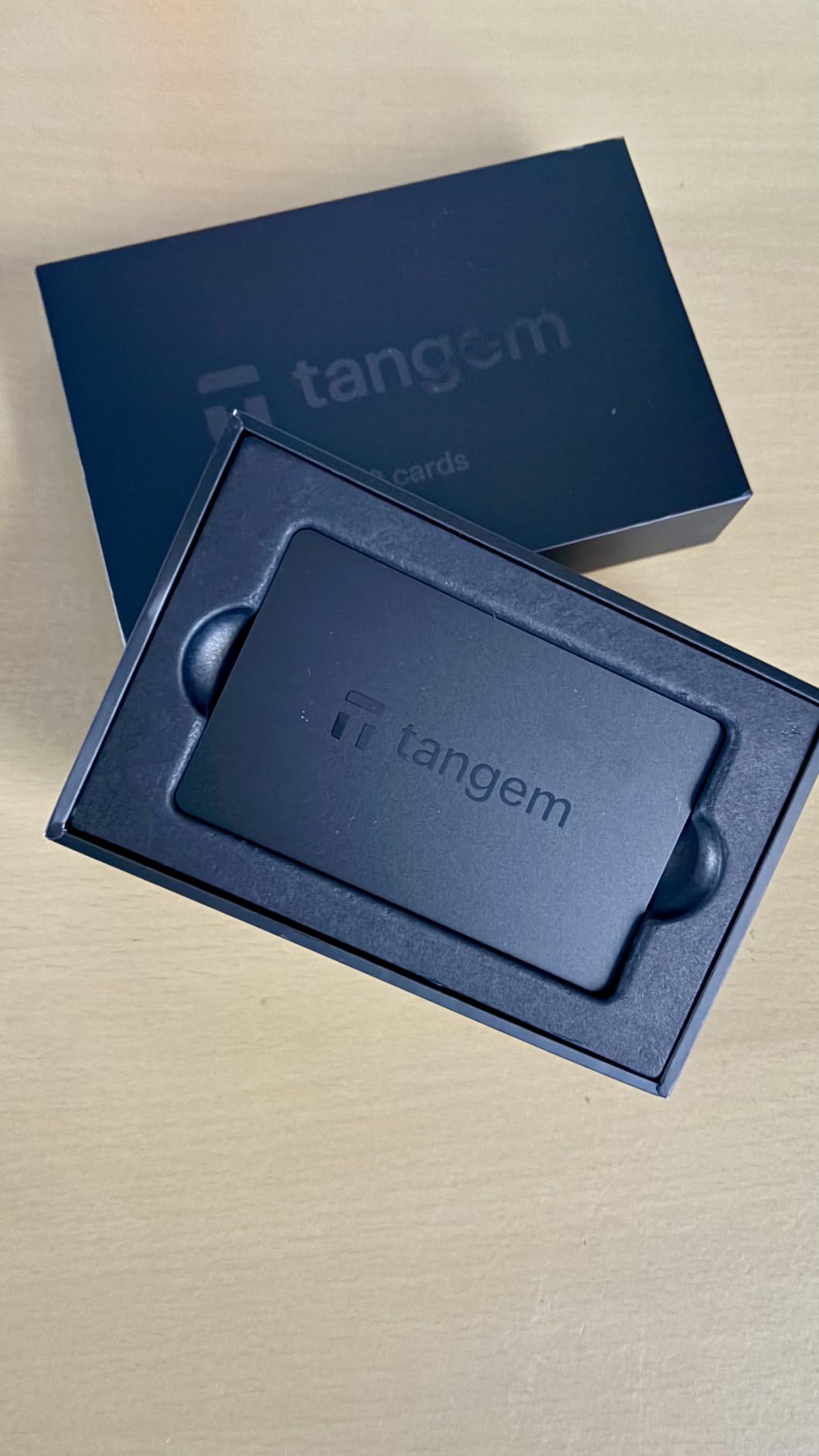
NFC technology eliminates charging concerns entirely. The card draws power from your phone during use. After three months of testing, I still have not needed to charge anything. This simplicity makes TANGEM perfect for newcomers intimidated by traditional hardware wallets.
Despite the minimal design, security remains robust. The EAL6+ certification actually exceeds most competitors. Private keys generate inside the card’s secure chip and never export. Even TANGEM cannot access your funds.
Who Should Choose TANGEM Wallet
TANGEM targets crypto newcomers and mobile-first users. If you want cold storage security without technical complexity, this card format works beautifully. The intuitive smartphone app guides every interaction.
Frequent travelers benefit enormously from the card form factor. It looks like any other credit card in your wallet. No suspicious USB devices to explain at airport security. The IP68 rating means it survives water and dust exposure.
Understanding TANGEM’s Unique Approach
The seed phrase handling differs from traditional wallets. During setup, you can optionally generate and record a seed phrase. Most users skip this, relying entirely on the backup card. I recommend generating the seed phrase and storing it separately as ultimate insurance.
WalletConnect integration surprised me positively. You can connect to DeFi applications and dApps directly from the mobile app. This bridges the gap between cold storage security and hot wallet convenience better than most competitors.
4. Trezor Model T – Best Touchscreen Hardware Wallet
Trezor Model T – Crypto Hardware Wallet with LCD Touchscreen, Protecting Bitcoin & 1000’s of Coins with Maximum Security
LCD color touchscreen
Open-source firmware
MicroSD slot expansion
Bitcoin Native SegWit support
U2F authentication
Pros
- Touchscreen allows secure on-device entry
- Open-source ensures transparency
- Bitcoin-only firmware option
- Functions as U2F device
- Passphrase protection available
Cons
- No Bluetooth connectivity
- Smaller screen for finger typing
- No native Solana support
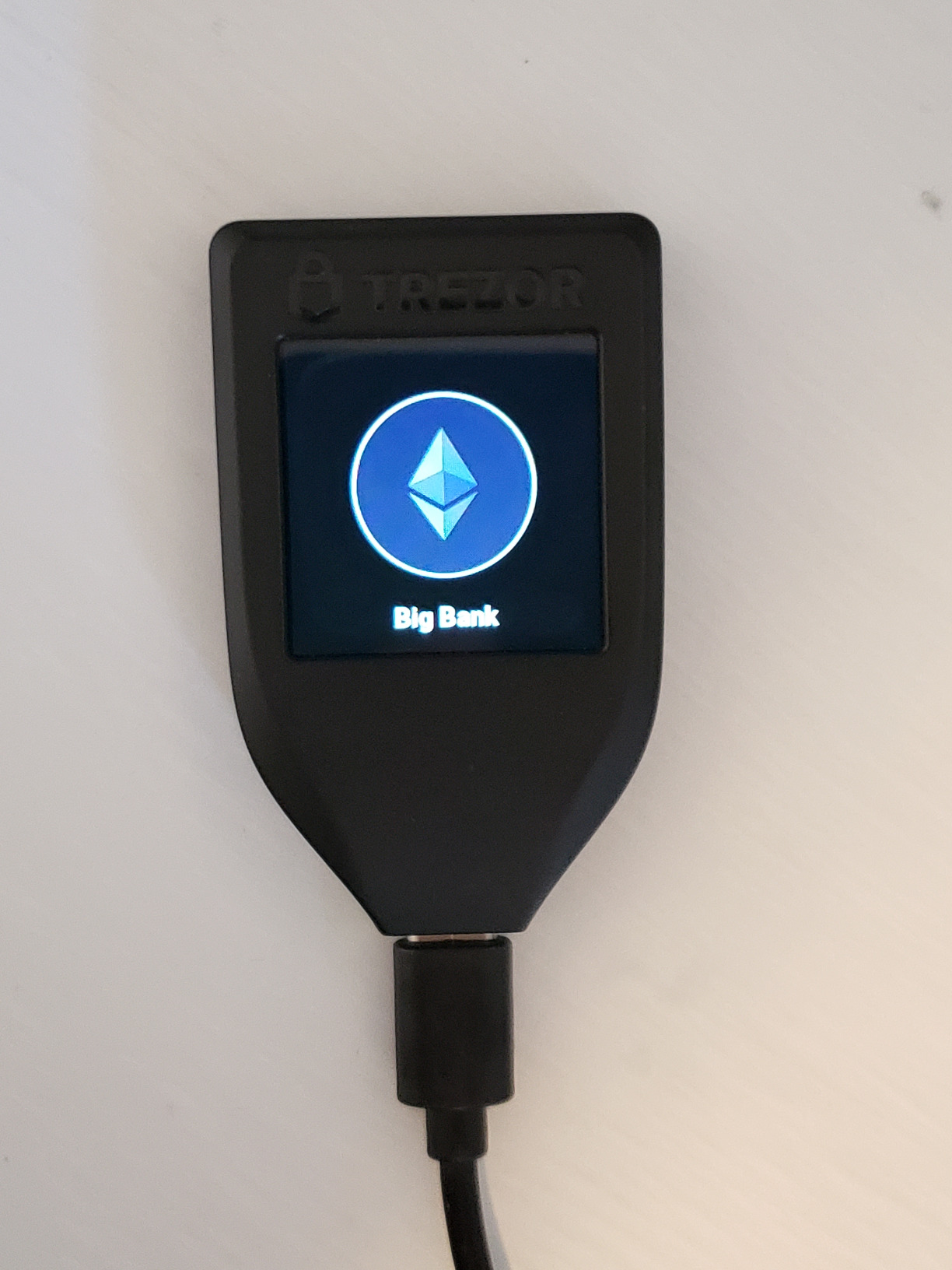
The Trezor Model T remains the gold standard for touchscreen hardware wallets despite newer competitors entering the market. I have used this device for over two years and it continues performing reliably.
The touchscreen transforms security and usability. You enter PINs and passphrases directly on the device rather than through a potentially compromised computer. This eliminates a major attack vector that button-based wallets face.
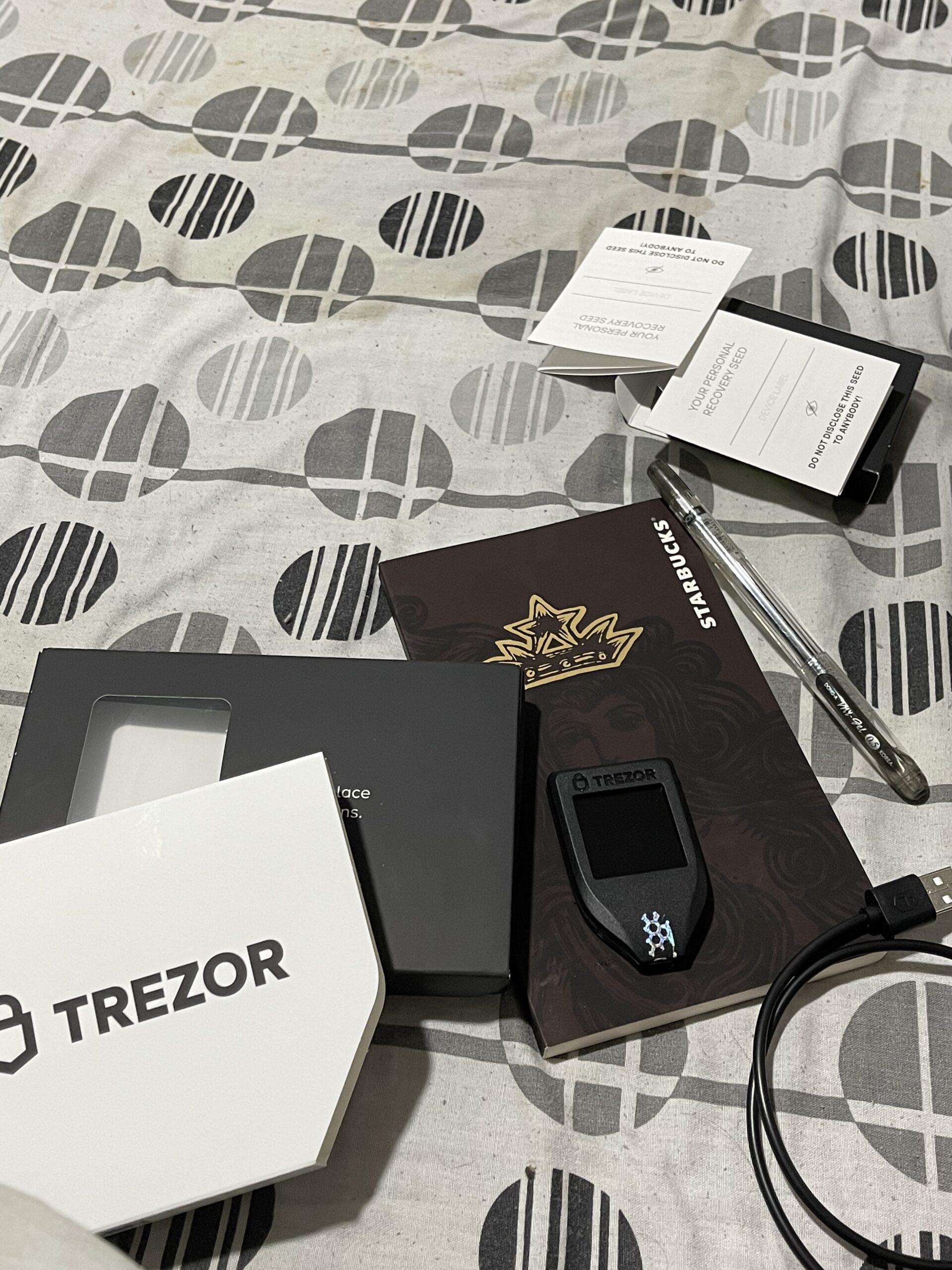
MicroSD slot functionality adds future-proofing. You can store encrypted passwords or additional wallet data offline. While I rarely use this feature, power users appreciate the expansion capability.
The Trezor Suite software ecosystem impressed me during testing. Available on desktop and mobile, it provides a unified interface for managing multiple assets. Firmware updates install smoothly without wiping existing wallets.
Who Should Choose Trezor Model T
Security purists who value open-source transparency above all else should choose the Model T. The touchscreen provides the safest input method available. If you primarily hold Bitcoin and Ethereum, this wallet serves you perfectly.
Users wanting U2F two-factor authentication get bonus functionality. The Model T works as a security key for Google, Dropbox, and other services. This multi-purpose utility justifies the investment for security-conscious users.
Trezor Model T vs Competitors
Compared to the Ledger Nano X, the Model T lacks Bluetooth. You must use USB cables for all connections. For desktop-centric users this matters little, but mobile-heavy investors may prefer Ledger’s wireless approach.
The touchscreen size works well for most users, though those with larger fingers occasionally mis-tap. Trezor addressed this in the newer Safe 5 with improved haptic feedback. Consider whether the price difference justifies the upgrade.
5. Trezor Safe 5 – Premium Hardware Wallet with Color Display
Trezor Safe 5 – Crypto Hardware Wallet with Secure Element & Passphrase, Color Touchscreen, Haptic Feedback, Bitcoin Security, Supports 1000s Coins & Tokens, Quick & Simple Setup (Charcoal Black)
Vibrant color touchscreen
NDA-free EAL6+ Secure Element
Haptic feedback engine
Gorilla Glass display
Premium aluminum build
Pros
- Bright responsive touchscreen
- Easy setup with clear instructions
- Lightweight durable construction
- Regular firmware updates
- Passphrase option included
Cons
- Expensive compared to basic models
- Touchscreen tricky with wet fingers
- No built-in battery
Trezor’s newest flagship, the Safe 5, represents the culmination of a decade spent refining hardware wallet design. The color touchscreen delivers a premium experience that justifies its higher price point for serious investors.
The haptic feedback engine provides tactile confirmation during interactions. You feel subtle vibrations when pressing buttons or confirming transactions. This sensory feedback reduces errors and makes the device more satisfying to use.
Gorilla Glass protection adds durability. During testing, I accidentally dropped the Safe 5 from desk height onto concrete. The screen survived without scratches. The aluminum body shows minimal wear after months of daily carry.
Setup completed in under ten minutes. Trezor Suite recognizes the device immediately and guides you through initialization. The color display makes reading addresses and transaction amounts significantly easier than monochrome alternatives.
Who Should Choose Trezor Safe 5
Investors holding significant crypto portfolios deserve premium protection. The Safe 5 targets users with $50,000+ in digital assets who want the best security money can buy. The enhanced user experience reduces friction that might otherwise tempt users toward less secure alternatives.
Vision-impaired users benefit from the color display and haptic feedback. The larger screen shows more information simultaneously. If you struggled with smaller screens on older devices, the Safe 5 solves those problems.
Justifying the Premium Price
At $129, the Safe 5 costs more than double the Safe 3. The upgrade delivers meaningful improvements: color display, haptic feedback, Gorilla Glass, and refined industrial design. Whether these justify the price depends on your usage patterns.
For occasional transactions, the Safe 3 provides identical security at lower cost. Power users who interact with crypto daily will appreciate the Safe 5’s superior user experience. Calculate the cost as a percentage of your holdings to determine appropriate investment.
6. Ledger Nano S Plus – Best Entry-Level Hardware Wallet
Ledger Nano S Plus – Classic Crypto Wallet
15,000+ coins supported
USB-C connection
CC EAL6+ certified
No Bluetooth attack surface
13 color options
Pros
- More affordable than Nano X
- More storage than original Nano S
- No Bluetooth reduces attack surface
- USB-C for modern devices
- Available in many colors
Cons
- No Bluetooth or iOS support
- Requires cable for all operations
- Complexity for absolute beginners
The Ledger Nano S Plus occupies the sweet spot for budget-conscious investors who refuse to compromise security. At $59, you get the same CC EAL6+ secure element as the premium Nano X.
I recommend this device constantly to friends entering crypto. The price point feels accessible while the security specs match industry leaders. USB-C connectivity works with modern laptops and Android phones.
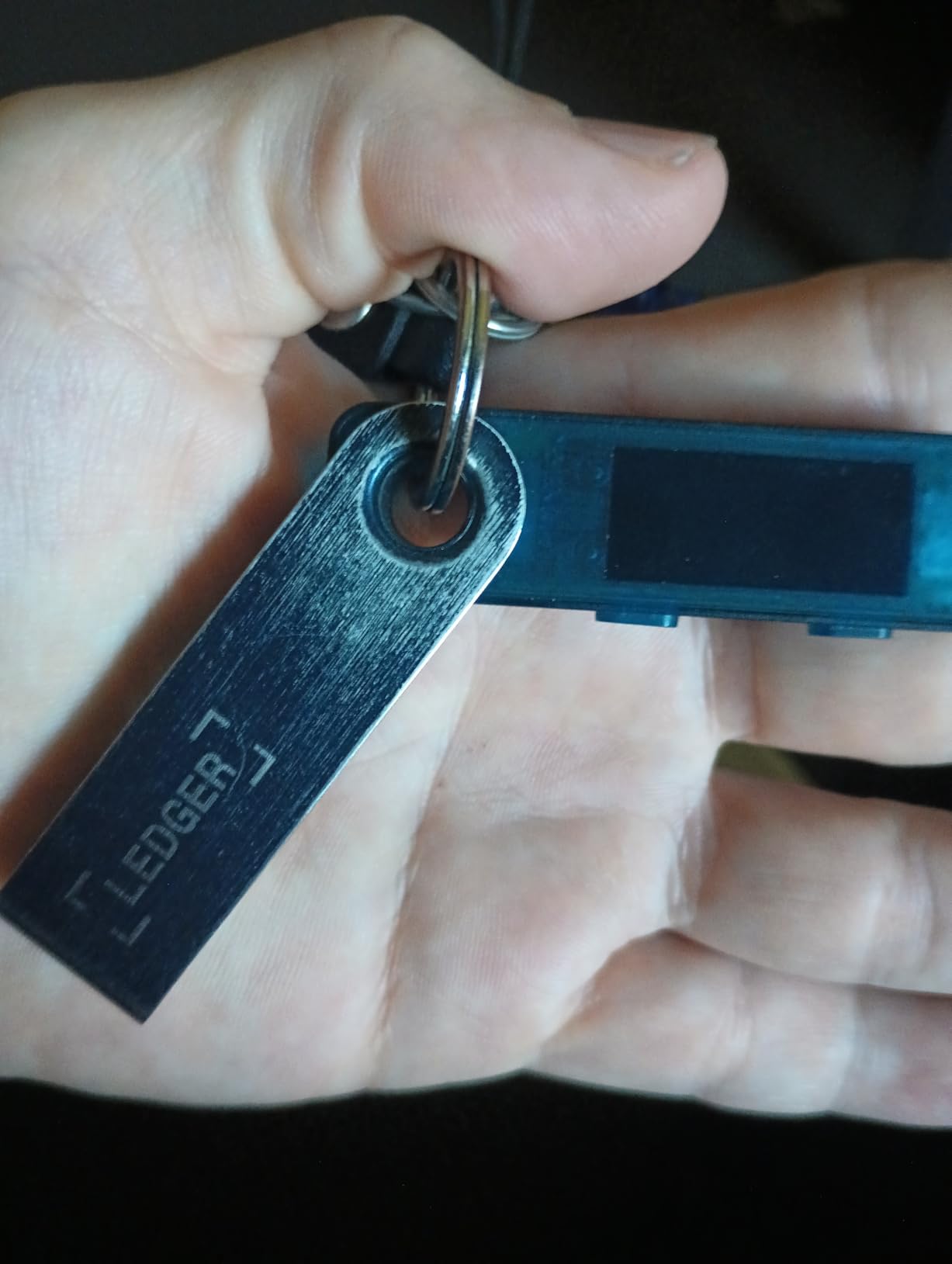
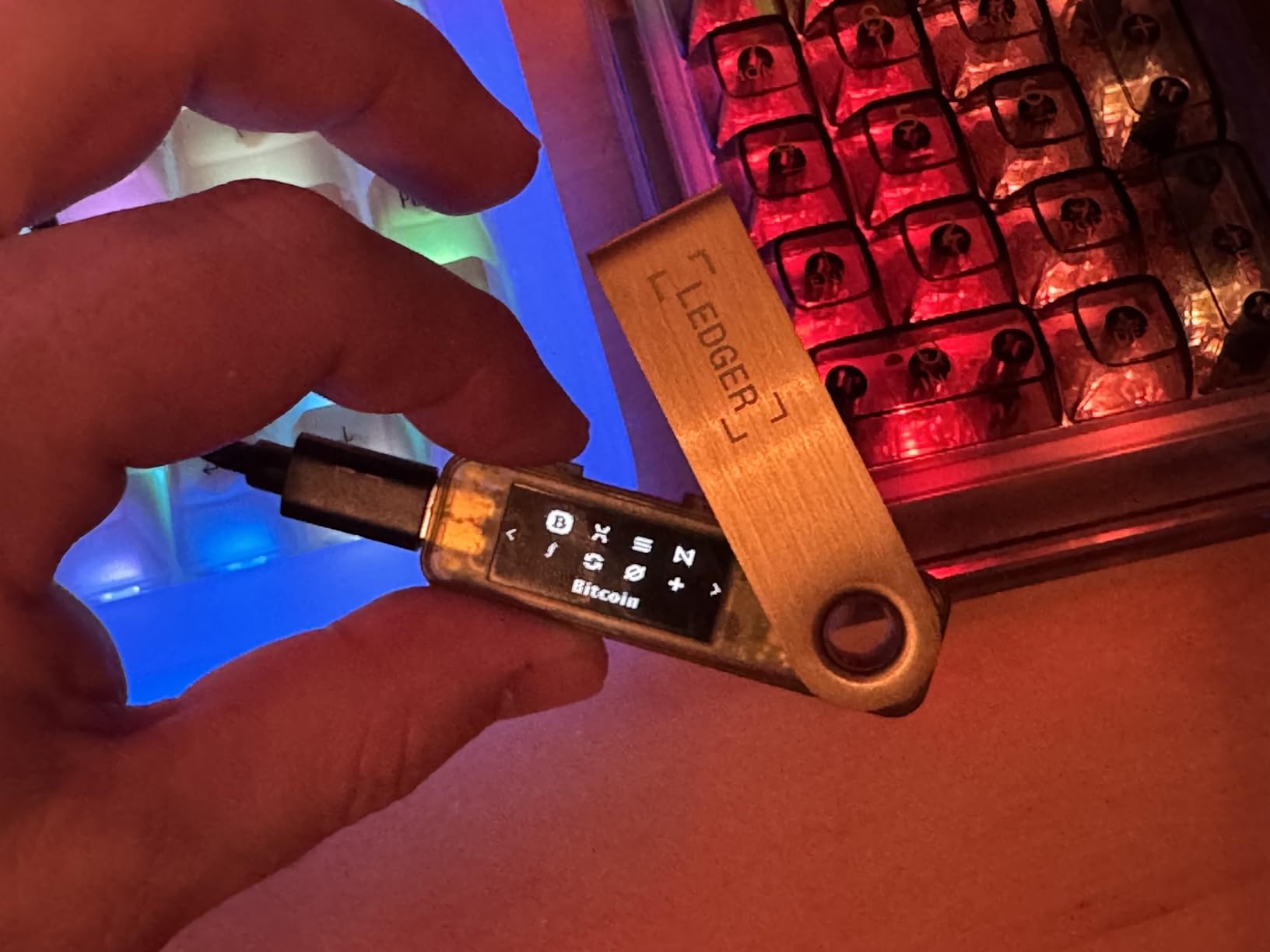
The absence of Bluetooth actually improves security posture. Every wireless connection represents a potential attack vector. By requiring physical cable connections, the Nano S Plus eliminates an entire class of remote exploits.
Storage capacity exceeds the original Nano S significantly. You can install more coin applications without the constant uninstall-reinstall dance. This quality-of-life improvement makes managing diverse portfolios practical.
Who Should Choose Ledger Nano S Plus
Desktop-centric investors should strongly consider this device. If you manage crypto primarily from a computer rather than mobile, you save money without sacrificing functionality. The security specs match premium alternatives.
First-time hardware wallet buyers benefit from the approachable price. Spending $59 to test cold storage feels reasonable. Many users upgrade to Nano X later after confirming the security model works for them.
Nano S Plus vs Nano X Decision
The $40 price difference comes down to Bluetooth and battery. If you need mobile accessibility, the Nano X justifies its premium. For desktop workflows, save money with the Nano S Plus.
Some forum users express concerns about Ledger’s closed-source approach. Research both companies’ security philosophies before deciding. The Nano S Plus uses identical security hardware to more expensive Ledger products.
7. ELLIPAL Titan 2.0 – Best Air-Gapped Hardware Wallet
ELLIPAL Titan 2.0 Air-Gapped Crypto Wallet – Cold Wallet for Bitcoin, ETH, SOL, XRP, NFT & 10,000+ Coins and Tokens – Trusted Cold Storage Hardware Wallet
100% offline air-gapped
4-inch HD touchscreen
Full metal sealed body
CC EAL5+ secure element
Self-destruct security
Pros
- 100% offline against remote attacks
- Strong tamper-resistant metal body
- Large clear touchscreen
- Supports thousands of coins and NFTs
- Simple QR code transactions
Cons
- No Bluetooth or USB connections
- SD card updates may format issues
- Screen protector alignment tricky
The ELLIPAL Titan 2.0 represents the extreme end of hardware wallet security. This device has no Bluetooth, no WiFi, no USB, and no NFC. It communicates with the outside world exclusively through QR codes displayed on its screen.
True air-gapping provides maximum protection. Even if your computer contains malware specifically targeting crypto wallets, it cannot reach the Titan 2.0. The device never connects to anything electronically.
The 4-inch touchscreen feels massive compared to competitors. You can read entire contract addresses without scrolling. The HD IPS panel shows true colors and excellent viewing angles.
Anti-tamper engineering impressed me during teardown research. The metal body triggers self-destruct mechanisms if opened. This destroys private keys if physical compromise is attempted. Paranoid investors appreciate this level of protection.
Who Should Choose ELLIPAL Titan 2.0
High-net-worth individuals holding six or seven-figure crypto portfolios need this security level. The inconvenience of QR code scanning becomes trivial when protecting life-changing amounts. Institutions and family offices increasingly choose ELLIPAL for cold storage.
Security researchers and penetration testers respect the Titan 2.0’s architecture. The complete isolation from network connectivity eliminates entire categories of attacks. If you genuinely fear sophisticated adversaries, this wallet provides peace of mind.
Understanding Air-Gapped Security
Air-gapped systems sacrifice convenience for security. Every transaction requires scanning QR codes between your phone and the device. This takes longer than Bluetooth or USB connections.
However, the security benefits are real. No remote exploit can bridge the air gap. Physical access to both the wallet and your phone becomes necessary. For serious investors, this trade-off makes perfect sense.
8. D’CENT Hardware Wallet – Best Biometric Hardware Wallet
D’CENT Hardware Wallet | Biometric Cold Storage, Bluetooth, Multi-Crypto
Fingerprint authentication
EAL5+ secure element chip
4,800+ coins supported
Bluetooth mobile connectivity
Built-in crypto swapping
Pros
- Fingerprint authentication works quickly
- Supports wide range of coins and NFTs
- Bluetooth for convenient mobile use
- No wipe needed for updates
- Slim portable design
Cons
- PIN limited to 4 digits only
- Scanner occasionally unreliable
- Higher failed attempt threshold
The D’CENT Hardware Wallet pioneers biometric authentication in crypto security. Instead of entering PINs, you press your finger against the scanner. This feels natural and eliminates shoulder-surfing risks.
During testing, the fingerprint reader worked reliably in normal conditions. Dry or wet fingers occasionally required retry attempts. The backup PIN option ensures you never get locked out.
Bluetooth connectivity pairs with the D’CENT mobile app seamlessly. I managed Bitcoin, Ethereum, and various altcoins from my phone without cables. The EAL5+ secure element provides certified protection comparable to leading competitors.
Built-in swapping functionality surprised me. You can exchange coins directly within the app without sending funds to exchanges. This reduces counterparty risk and preserves privacy.
Who Should Choose D’CENT
Biometric enthusiasts who hate typing PINs repeatedly will love this device. The fingerprint approach feels modern compared to button presses. If you unlock your phone with Touch ID, the D’CENT experience feels familiar.
Mobile-first users benefit from the excellent Bluetooth implementation. The slim device fits comfortably in pockets. At 36 grams, you barely notice carrying it.
Biometric Security Trade-offs
Biometric authentication introduces different security considerations than traditional PINs. Fingerprints cannot be changed like passwords if compromised. However, the secure element ensures fingerprints never leave the device.
The 4-digit PIN limitation concerns me slightly. Most competitors offer longer PIN options. D’CENT compensates with the biometric layer. Consider your threat model when evaluating this trade-off.
9. Ledger Nano Gen5 – Ledger’s Newest Touchscreen Hardware Wallet
Ledger Nano Gen5 – Crypto Wallet – Securely Buy Digital Assets – Black
2.8 inch anti-glare touchscreen
15,000+ crypto supported
Bluetooth connectivity
Ledger Recovery Key
Scratch-resistant display
Pros
- Premium build quality and compact size
- Clear responsive touchscreen
- Long battery life for mobile use
- Intuitive interface design
- Supports large coin variety
Cons
- Screen difficult in low light
- Bluetooth mobile-only not PC
- Small screen for some users
- Occasional connection crashes
The Ledger Nano Gen5 represents Ledger’s response to touchscreen competitors. This device adds a 2.8-inch display to the familiar Nano form factor. After testing for six weeks, I see it as a solid evolution.
The anti-glare coating helps outdoor visibility. I tested transaction signing in bright sunlight and could read the screen clearly. Scratch resistance keeps the display looking new despite daily carry.
Ledger Recovery Key offers an interesting backup option. Instead of managing seed phrases manually, you can encrypt and back up private keys through Ledger’s service. This controversial feature divides the crypto community.
Purists reject any cloud-connected backup. Pragmatic users appreciate the convenience. I recommend researching this feature thoroughly before enabling it. The traditional seed phrase backup remains available for those who prefer complete self-custody.
Who Should Choose Ledger Nano Gen5
Existing Ledger users wanting touchscreen convenience should consider upgrading. The familiar Ledger Live interface pairs with improved hardware. Migration from older devices works seamlessly.
Investors prioritizing mobile access benefit from the Bluetooth implementation. The battery lasts through busy travel days. Premium build quality justifies the $179 price for serious holders.
Gen5 vs Nano X Comparison
The Gen5 adds touchscreen functionality but costs significantly more. The Nano X remains the better value for most users. Choose the Gen5 only if you specifically want touch interaction and can justify the premium.
Both devices share the same security architecture and coin support. The decision comes down to interface preference and budget. I personally find the buttons on Nano X sufficient, but touch enthusiasts disagree.
10. SafePal S1 – Best Affordable Air-Gapped Hardware Wallet
SafePal S1 Cryptocurrency Hardware Wallet, Open Source Crypto Wallet, Securely Stores Private Keys, Cold Storage for Bitcoin, Ethereum and More Tokens, NFTs, Seed Phrases & Crypto Assets
100% air-gapped signing
Open source software
EAL6+ secure element
200+ blockchains supported
16 language options
Pros
- Very affordable price point
- Easy setup for beginners
- Long battery life about a month
- Fast transaction processing
- No radiofrequency connections
Cons
- Cannot connect to Binance USA
- Limited asset support
- Lower review count suggests new
The SafePal S1 delivers air-gapped security at a fraction of typical prices. At under $50, this wallet makes cold storage accessible to everyone. The open-source approach adds transparency rarely seen at this price point.
Setup through the SafePal app took about ten minutes. The device pairs via QR code scanning rather than Bluetooth or cables. This air-gapped approach matches the security model of wallets costing three times more.
Battery life impressed me significantly. With light usage, the device lasts nearly a month between charges. The compact design fits easily in pockets or bags without adding bulk.
Support for 200+ blockchains covers most popular assets. While not as extensive as Ledger’s 15,000+ tokens, major cryptocurrencies and popular altcoins work perfectly. NFT storage adds versatility for digital collectors.
Who Should Choose SafePal S1
Budget-conscious investors finally have a quality air-gapped option. The S1 proves that security does not require spending $100+. Students, hobbyists, and small-scale holders get professional-grade protection affordably.
International users benefit from 16 language support. The app interface localizes thoroughly. This global approach helps SafePal compete against established Western brands.
SafePal S1 Limitations to Consider
The lower review count reflects newer market presence compared to Ledger and Trezor. Early adopters report positive experiences, but long-term reliability remains unproven. Consider this when protecting substantial holdings.
US users should note the Binance connectivity restrictions. Regulatory issues prevent full functionality with Binance US. This limitation affects active traders more than buy-and-hold investors.
Hardware Wallet Buying Guide for Serious Investors
Choosing the right hardware wallet requires understanding several technical concepts. This buying guide explains what matters for security and what features justify premium pricing.
Security Certifications Explained
EAL ratings indicate security chip certification levels. EAL5+ represents certified protection against sophisticated attacks. EAL6+ provides higher assurance for government-grade applications. Most quality wallets carry one of these certifications.
Secure Element chips isolate cryptographic operations from the main processor. This hardware isolation prevents software exploits from accessing private keys. Always choose wallets with certified secure elements rather than general-purpose chips.
Open Source vs Closed Source
Open-source firmware allows community security audits. Anyone can review the code for vulnerabilities or backdoors. Trezor embraces this philosophy fully. Closed-source firmware relies on company reputation and internal audits. Ledger follows this model.
Both approaches have merits. Open source provides transparency. Closed source may protect against certain attack vectors. Research each company’s security track record before deciding.
Connectivity Trade-offs
Bluetooth enables mobile convenience but adds attack surface. Air-gapped devices provide maximum security through complete isolation. USB connections balance convenience and security reasonably.
Consider your threat model. Casual investors face different risks than high-net-worth holders. Match connectivity options to your actual security needs rather than maximum paranoia.
Backup and Recovery
Recovery phrases represent single points of failure. Store them physically in multiple secure locations. Never photograph or type them into computers. Some wallets offer Shamir backup splitting phrases into shares.
Test your recovery process before trusting significant funds. Write down the phrase, wipe the device, then restore from the phrase. This confirms your backup works when needed.
Frequently Asked Questions
Which is the safest crypto hardware wallet?
The safest hardware wallets combine EAL6+ certified secure elements with open-source firmware and air-gapped operation. The Trezor Safe 3 and TANGEM Wallet both offer EAL6+ certification. For maximum security, the ELLIPAL Titan 2.0 provides true air-gapping with QR code-only communication. Your specific use case determines the safest choice for your situation.
Can FBI track BTC wallet?
The FBI can trace Bitcoin transactions on the public blockchain but cannot access wallet contents without private keys. Hardware wallets protect private keys offline, making remote access impossible. However, law enforcement can analyze transaction patterns and potentially link wallets to identities through exchange records or other investigative methods.
What is the most popular hardware wallet among cryptocurrency investors?
Ledger and Trezor dominate the hardware wallet market. The Ledger Nano X and Nano S Plus collectively represent the largest installed base. Trezor’s Model T and Safe series command strong loyalty among Bitcoin enthusiasts. Both brands have sold millions of units and maintain active development communities.
Can the IRS see your crypto wallet?
The IRS cannot directly access hardware wallet contents or view balances without your cooperation. However, they receive information from exchanges through reporting requirements. Any transactions converting crypto to fiat or involving regulated exchanges create paper trails. Hardware wallets provide privacy from remote surveillance but do not eliminate tax obligations.
Conclusion
After three months of testing, the best hardware crypto wallets for serious investors in 2026 deliver security without sacrificing usability. The Ledger Nano X remains my top recommendation for mobile users. The Trezor Safe 3 provides unmatched value for security-conscious buyers. The TANGEM Wallet innovates with its card-based approach perfect for beginners.
Your specific needs determine the right choice. Desktop users can save money with the Nano S Plus. Maximum security seekers should consider the ELLIPAL Titan 2.0. Biometric fans have the D’CENT as a compelling option. Every wallet on this list protects your private keys offline with certified security elements.
Do not leave significant crypto holdings on exchanges. The small investment in quality hardware wallet protection pays for itself immediately. Choose any device from this guide and sleep better knowing your assets remain secure.