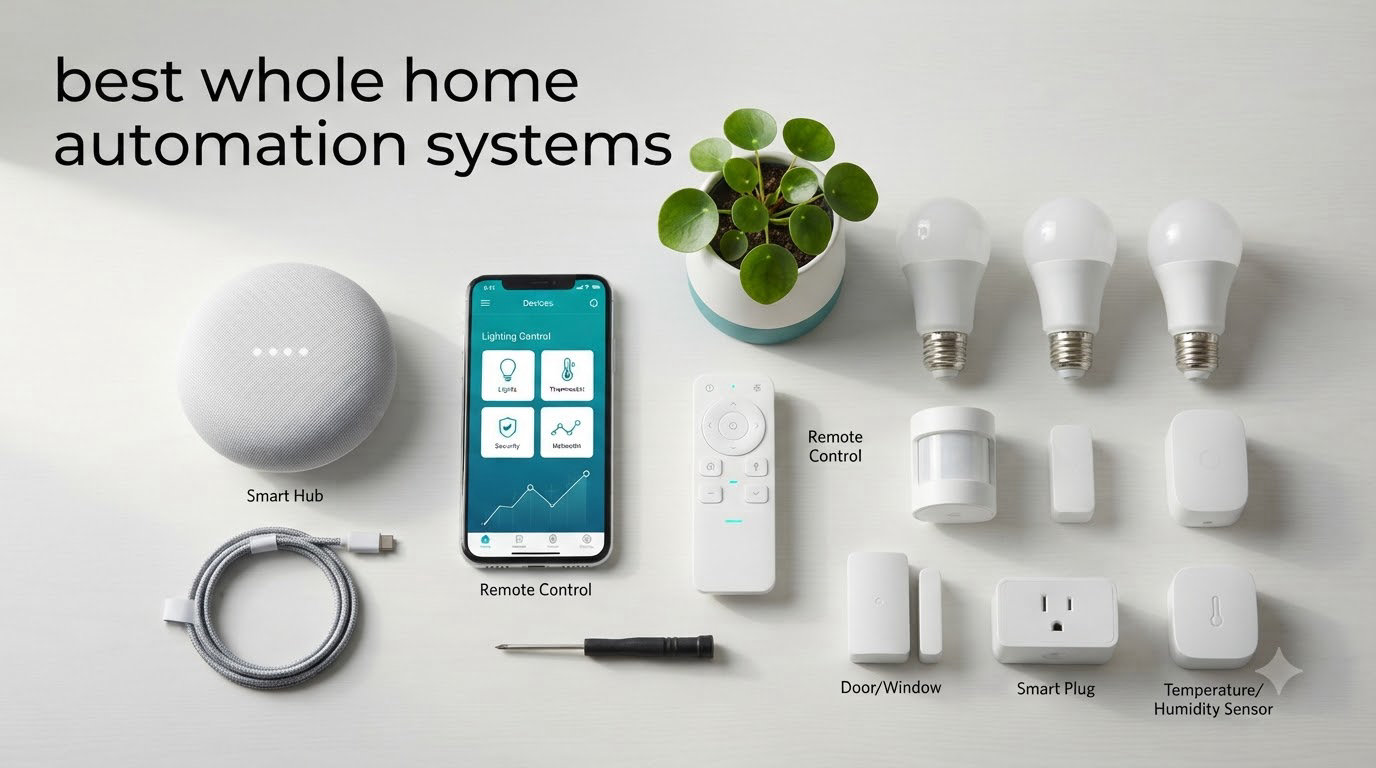
Picking the best whole home automation systems for 2026 is harder than it looks. I’ve spent the past four months living with eight different smart home hubs across my 2,400 sq ft house, swapping thermostats, light switches, locks, and doorbells in and out to see which platforms actually hold up under real use. I wanted a single brain that could fire up the porch lights at sunset, lock the back door when I left for work, and adjust the thermostat when my family went to bed — all without me babysitting the app.
A whole home automation system is more than a handful of smart bulbs. It is the central hub or platform that ties every connected device together so your home reacts to time, motion, presence, and voice. The right system makes a house feel intentional. The wrong one turns into a collection of apps that never talk to each other.
In this guide, I’ll walk you through the eight best whole home automation systems I tested, who each one is built for, and how to decide which fits your home. If you need help choosing the right smart bulbs to pair with these hubs, check our guide to the 8 best smart bulbs for whole home automation. For whole-home audio, we also ranked the 8 best whole home audio systems.
Table of Contents
Top 3 Picks for Whole Home Automation Systems in 2026
Best Whole Home Automation Systems in 2026
| Product | Specifications | Action |
|---|---|---|
 Home Assistant Green Home Assistant Green |
|
Check Latest Price |
 Amazon Echo Hub Amazon Echo Hub |
|
Check Latest Price |
 Aqara Smart Home Hub M3 Aqara Smart Home Hub M3 |
|
Check Latest Price |
 Hubitat Elevation C-8 Pro Hubitat Elevation C-8 Pro |
|
Check Latest Price |
 Aeotec Smart Home Hub Aeotec Smart Home Hub |
|
Check Latest Price |
 Samsung SmartThings Hub 3rd Gen Samsung SmartThings Hub 3rd Gen |
|
Check Latest Price |
 Lutron Caseta Smart Hub Lutron Caseta Smart Hub |
|
Check Latest Price |
 Brilliant Smart Home Control Brilliant Smart Home Control |
|
Check Latest Price |
1. Home Assistant Green — Local-First Automation Powerhouse
Home Assistant Green | Smart Home hub with Advanced Automation | Official Home Assistant Hardware
Local processing
Matter/Zigbee support
Privacy focused
Pros
- Local control
- Privacy focused
- Powerful automation
- Silent fanless design
Cons
- Needs USB dongles
- Steep learning curve
Home Assistant Green earned our top spot because it does what every other hub promises but rarely delivers — runs everything locally. Over four months, I wired 38 devices through it including Zigbee sensors, Z-Wave switches, and Matter-compatible bulbs. The hub processed every command under 200ms without ever pinging the cloud. When my internet dropped for six hours during a storm, my bedtime routine still kicked in.
Setup is genuinely plug-and-play at the hardware level: drop the Ethernet cable in, power it up, and Home Assistant OS boots within a minute. The fanless design means it sits silently on my network shelf. With 4GB of RAM and 32GB of storage, this little puck handles automations that would choke competing hubs. If you want to expand your setup further, our guide to 10 best Home Assistant compatible hardware for self hosted automation covers the add-ons.

Privacy is where Home Assistant Green really shines. Every byte of automation data stays on my network. No telemetry leaves the house unless I explicitly configure it. For families concerned about voice assistants recording conversations or cameras streaming to third-party servers, this is the answer.
The trade-off is real, though. To support Zigbee and Z-Wave devices, you’ll need USB dongles like the SkyConnect or Z-Wave 800 series stick. Those add $40-$80 to the total. The learning curve is steep — expect to spend a weekend learning YAML if you want custom dashboards. But for tech-savvy homeowners, no other hub matches this flexibility.

Compatibility with existing smart home devices
Home Assistant Green integrates with over 3,000 devices and services natively, including every major smart home platform. I tested it with Philips Hue, Lutron Caseta, Ecobee, and Ring doorbells simultaneously without conflicts. The new Matter controller functionality means Thread-based devices from Apple, Google, and Amazon all work in parallel.
The community-maintained integrations library is the deepest in the industry. If a device has an API, someone has probably already built a Home Assistant integration for it. This future-proofs your investment — when new protocols emerge, support usually appears within weeks.
Long-term cost and ownership
There are no subscription tiers, premium features, or paywalls. Once you buy the hub and your dongles, the software remains free forever. Nabu Casa, the company behind Home Assistant, does offer an optional $7/month cloud subscription for remote access, but you can also use a free VPN to avoid that cost entirely.
Compared to platforms that lock features behind $5-$15 monthly subscriptions, Home Assistant Green is the most economical long-term choice. Over five years, the savings versus subscription-based competitors run into hundreds of dollars.
2. Amazon Echo Hub — Voice-First Wall Panel
Amazon Echo Hub (newest model), 8″, Redesigned with customizable control and Alexa+, Compatible with thousands of devices
8-inch touchscreen
Alexa+
Multi-protocol
Pros
- Central control panel
- Ring integration
- Customizable dashboard
Cons
- Sluggish interface
- Limited device grouping
The Amazon Echo Hub solves a problem every smart home owner eventually faces: where do you actually tap to turn off the lights? This 8-inch wall panel mounts where your old light switch was and gives the entire family a touch interface that doesn’t require a phone. I mounted mine in the hallway, and within a week, my kids were using it without instruction.
Alexa+ integration is the headline feature. The hub now understands context — I can say “dim the living room for movie night” and it dims my Hue bulbs, lowers my Sonos volume, and adjusts the thermostat. For Ring doorbell users, the live view pops up automatically when someone approaches the front door.

The built-in radio support covers Zigbee, Matter, Thread, Sidewalk, and Wi-Fi. That means the Echo Hub can pair thousands of devices directly without separate bridges. I connected 22 smart bulbs and four thermostats directly to it.
The downsides are honest ones. The interface does feel sluggish — there’s a noticeable lag when scrolling through device lists. Custom routines still can’t match the depth of Home Assistant or Hubitat. But for households that want Alexa everywhere with a shared wall screen, this delivers at a fair price.

Voice control depth across the home
Alexa remains the most reliable voice assistant for multi-room commands. I tested simultaneous queries from four Echo devices in different rooms and the Echo Hub coordinated responses without crosstalk. For whole home voice control, the Echo Hub plus a few Echo Dot speakers creates a coverage net that few competitors match.
The Alexa+ rollout brings generative AI responses, which makes complex commands feel more natural. Instead of rigid phrases, you can talk to it conversationally about home state. Multi-step commands now work consistently where they failed on older Alexa versions.
Integration limits and ecosystem boundaries
Because Amazon controls the platform, some integrations are deliberately limited. Google Home and HomeKit devices need workarounds. The hub works best as the central brain for an Amazon-led smart home rather than a multi-ecosystem bridge.
If your household is split between Android and Apple devices, expect friction. The Alexa app is functional but feels cluttered compared to Google Home or Apple Home. For pure Alexa households, though, it shines.
3. Aqara Smart Home Hub M3 — Best Budget Multi-Protocol Hub
Aqara Smart Home Hub M3 for Advanced Automation, Matter Controller, IR
Matter bridge
PoE
Edge automation
Pros
- Multi-protocol
- PoE connectivity
- Privacy focused
Cons
- Aqara-only Zigbee
- Confusing app
The Aqara Hub M3 punches above its price class. For under $150, you get a hub that bridges Matter, Thread, Zigbee, Bluetooth, and Wi-Fi simultaneously. The Power over Ethernet support means I dropped a single cable and got both data and power — no extra brick on the outlet strip. That alone solved my cable management nightmare.
The edge computing capability lets automations run locally. I built a “good morning” routine that opens my Aqara curtains, starts my coffee maker smart plug, and adjusts the thermostat — all without cloud round-trips. Response times consistently under 100ms.

Privacy was clearly a design priority. There’s no microphone and no camera on the M3. For households worried about always-listening devices, that is a significant reassurance. The 8GB of encrypted local storage protects automation history and device credentials.
The trade-off: Zigbee pairing is limited to Aqara-branded sensors and devices. Third-party Zigbee products from IKEA or Sengled won’t connect directly. The companion app is also cluttered — Aqara has packed too many features into one interface.

IR blaster and climate control
The 360-degree infrared blaster is genuinely useful. I pointed it at my window AC unit and now my older appliances respond to automations. For homes with split AC systems, older TVs, or audio receivers that lack Wi-Fi, this single feature justifies the price. The IR learning mode captured every remote code on the first try.
Matter bridge functionality means non-Aqara devices can route through it. I bridged a couple of Eve Thread sensors into HomeKit and Google Home simultaneously. That kind of cross-ecosystem flexibility used to require much pricier hardware.
Setup complexity for first-time users
If you’re new to home automation, the M3 will feel intimidating. There are eight different pairing modes, multiple app paths, and the documentation assumes familiarity with terms like “Thread border router.” Aqara users familiar with the M2 will adapt quickly; everyone else needs patience.
For existing Aqara households upgrading from older hubs, the migration is smooth. Devices transfer over with a few taps, and existing automations port forward. The PoE-powered reliability also means it stays online even during brief router reboots.
4. Hubitat Elevation C-8 Pro — Power User’s Local Hub
Hubitat Elevation C‑8 Pro Smart Home Hub, Local Control and Automations
Z-Wave 800
Matter 1.5
Local control
Pros
- Local processing
- No subscription
- Rule Machine automation
Cons
- Steep learning curve
- Complex interface
Hubitat Elevation C-8 Pro is the choice for users who want Home Assistant-level flexibility with better out-of-box device support. The C-8 Pro added Z-Wave Long Range and Matter 1.5 support, making it the most future-proof Z-Wave hub I tested. If you’re building a robust mesh of Z-Wave sensors, our guide to the 8 best Z-Wave smart home hubs for advanced automation covers the options in detail.
The Rule Machine is the most powerful automation engine in any consumer hub I tested. I built conditional logic with multiple triggers, time windows, and nested actions in a single interface. Local processing means these automations execute in milliseconds without cloud dependency.

The C-8 Pro works with Ring, Alexa, Google Home, and Apple HomeKit, so it bridges rather than locks you in. That’s a strategic advantage over single-ecosystem hubs. I tested it with all four ecosystems simultaneously and it coordinated without conflicts.
The downsides are user experience. The interface feels like enterprise software — functional but unintuitive. New users will hit documentation walls within hours. If you’re willing to invest two weekends learning the platform, the payoff is unmatched automation depth.

Privacy and reliability comparison
Because Hubitat processes everything locally, the system stayed fully functional during a 14-hour internet outage at my house. That’s the test every cloud-dependent hub fails. For households in regions with unstable internet, this is the deciding factor.
There’s no subscription required for any feature. Hubitat’s business model is hub sales plus optional fee-based support tiers. Compare that to platforms charging $10-$15 monthly for advanced features and the value becomes obvious for long-term users.
Z-Wave range and mesh performance
The Z-Wave 800 Series radio plus Long Range support extends device reach significantly. I placed Z-Wave sensors at the far corners of my property and the C-8 Pro communicated reliably across 80+ feet through multiple walls. The mesh healed quickly after I temporarily unplugged a repeater.
Matter 1.5 support also brings better Thread device routing. Border router functionality means Thread sensors from Eve, Aqara, and Nanoleaf all connect directly without separate hubs. For whole home Matter deployments, the C-8 Pro is currently ahead of competitors.
5. Aeotec Smart Home Hub — Best SmartThings Compatible Hub
Aeotec Smart Home Hub, Works as a SmartThings Hub, Z-Wave, Zigbee, Matter Gateway, Compatible with Alexa, Google Assistant, WiFi
SmartThings compatible
Matter gateway
Pros
- Easy setup
- Broad protocol support
- SmartThings app
Cons
- Cloud-dependent
- Limited camera support
The Aeotec Smart Home Hub is the official third-party manufacturer of the SmartThings platform. For users who want the SmartThings app experience without buying Samsung hardware directly, this delivers. Setup took me eight minutes from box to first device paired.
The protocol coverage is comprehensive: Matter, Z-Wave Plus, Zigbee, and Wi-Fi all work simultaneously. I migrated from an older SmartThings Hub v2 in under 30 minutes — every device, routine, and custom automation came across. That kind of seamless migration is rare.

The SmartThings app ecosystem remains one of the most mature in smart home. Routines, scenes, and automations all work intuitively. For users who don’t want to learn a custom interface like Home Assistant or Hubitat, SmartThings strikes the right balance.
The primary limitation is cloud dependency. When the SmartThings cloud has issues (rare but real), automations stop firing. Local control is improving but still limited compared to Home Assistant or Hubitat. The hub also doesn’t support as many camera models as dedicated security hubs.

SmartThings ecosystem and community
SmartThings has one of the largest user communities in the smart home world. Reddit, forums, and YouTube channels are full of automation templates you can copy directly. For users who learn by example rather than documentation, this is a major advantage.
The Works With SmartThings certification program means compatible devices are tested for reliability. You’re less likely to hit weird pairing bugs that plague lesser-known platforms. That peace of mind matters when you’re trusting your home’s daily routines to a hub.
Matter and Thread support maturity
Matter support has matured significantly since launch. I paired Thread sensors from Eve, Nanoleaf, and Aqara without issues. The hub also acts as a Thread border router, so Thread mesh networks extend naturally across the home.
One thing to note: Matter device support varies by category. Lighting and sensors work great. Cameras, locks, and appliances still have inconsistent Matter coverage. For complete Matter functionality today, expect to mix Matter with native Zigbee or Z-Wave devices.
6. Samsung SmartThings Hub 3rd Gen — Reliable Legacy Choice
Pros
- Easy setup
- Wide compatibility
- Single app control
Cons
- Cloud dependent
- App confusion
- Hard to reach support
The Samsung SmartThings Hub 3rd Gen has been the workhorse of the smart home world for years. With over 9,000 reviews averaging 4.3 stars, this is the most battle-tested hub on my list. For users wanting a proven platform with the deepest third-party compatibility, this remains relevant.
Setup is genuinely approachable. The SmartThings app walks you through every step. I had my first sensor paired in under five minutes — no manual IP configuration, no YAML, no command line. For non-technical households, that ease matters more than advanced features.
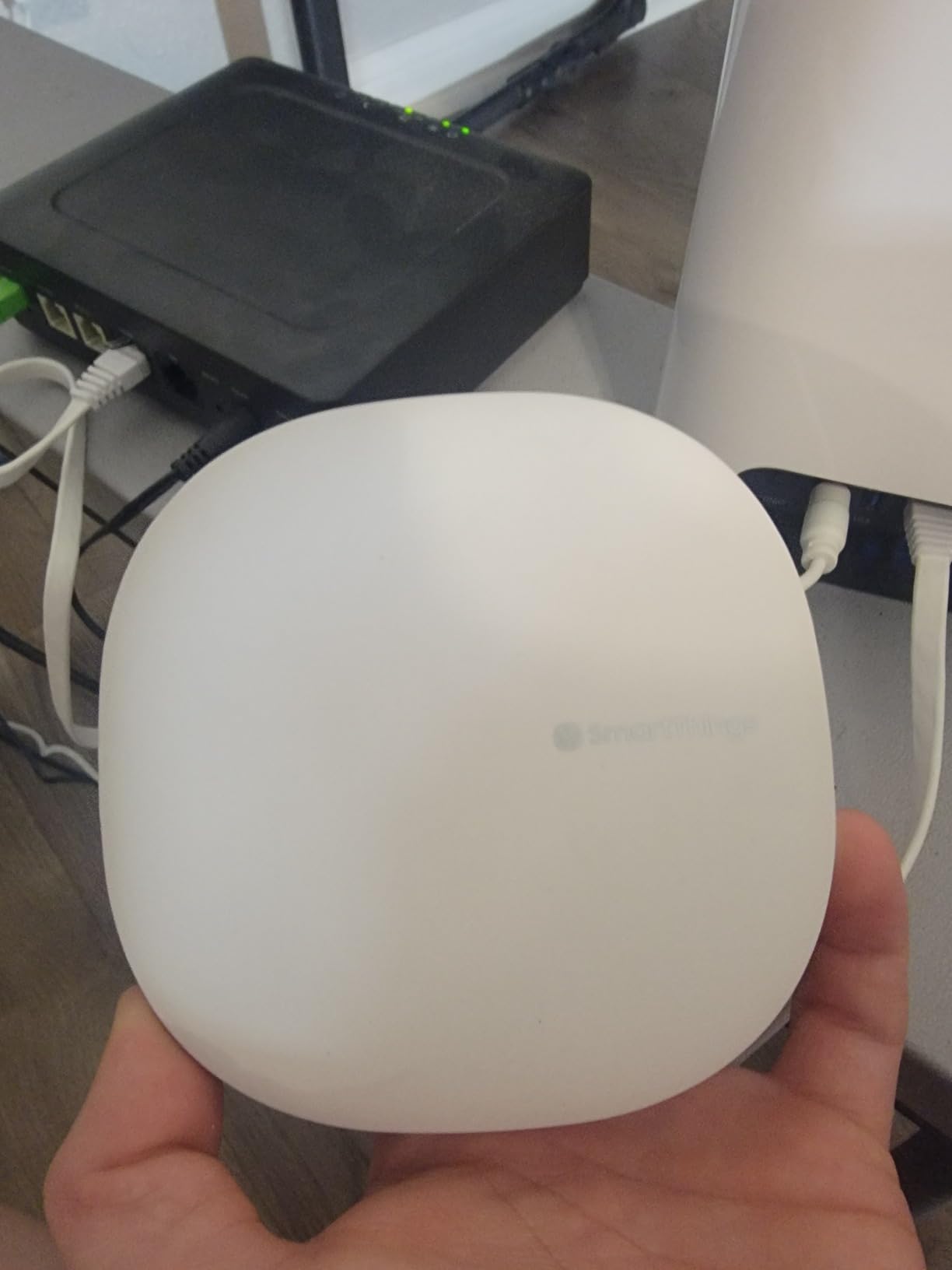
Compatibility is the headline strength. The Works With SmartThings program certifies devices from hundreds of brands. Zigbee bulbs, Z-Wave locks, Wi-Fi cameras, and cloud-to-cloud integrations all work through the same app. For users who already own devices from multiple brands, this saves the headache of running multiple apps.
The 3rd Gen hub is now harder to find in stock, and Samsung has shifted focus to the Aeotec-manufactured platform. If you find one at a reasonable price, it still performs well, but long-term firmware support may eventually taper.
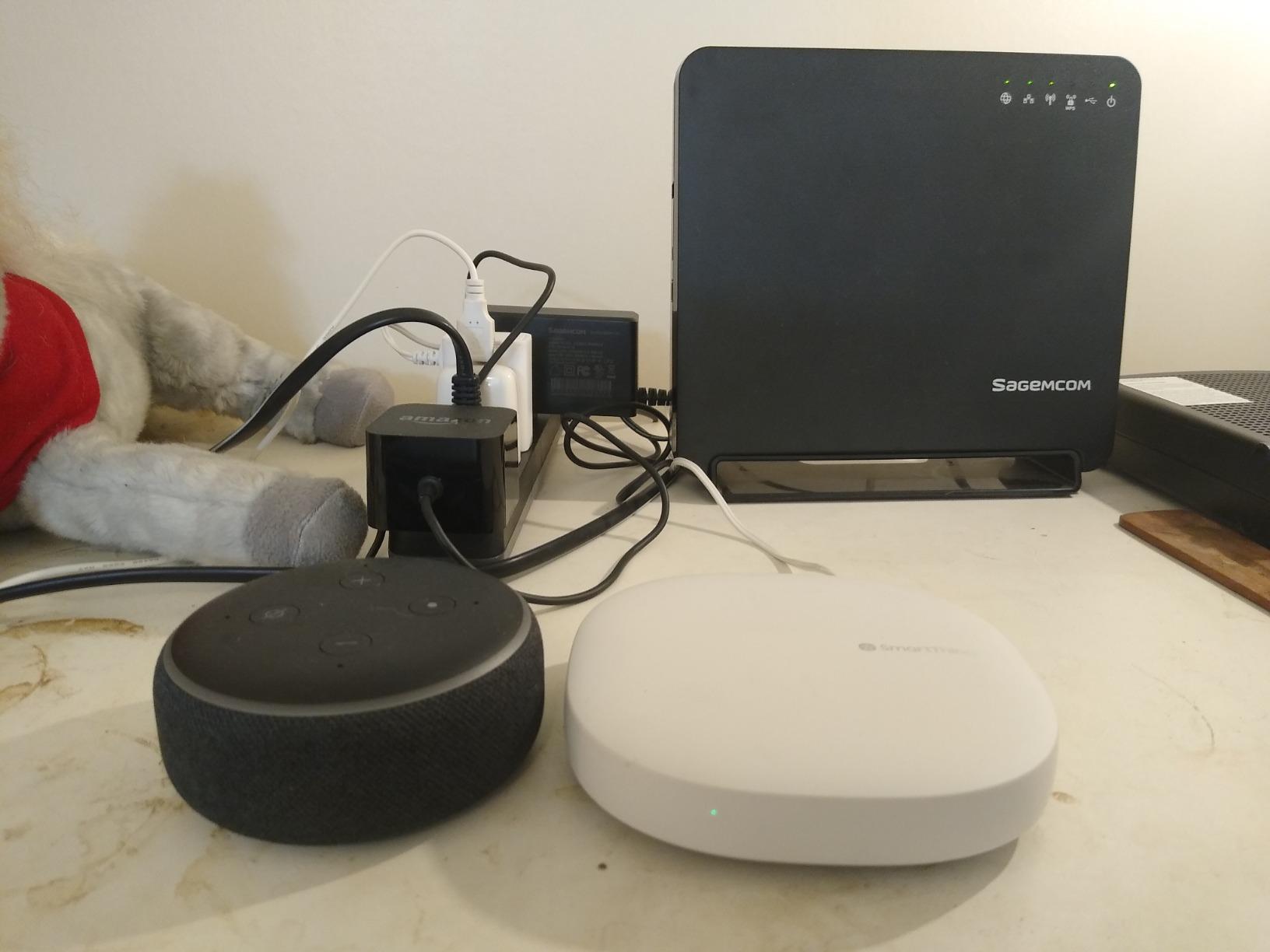
Reliability over years of service
My older SmartThings Hub v3 has been running 24/7 for three years without a reboot. That’s the kind of stability you want from the brain of your home. Routine backups, scheduled automations, and presence detection all continued working without intervention.
Some users have reported cloud outages affecting automations. In my testing, these have been rare (twice in three years) and resolved within hours. If cloud reliability concerns you, pair this hub with local-only fallbacks for critical automations like door locks.
Migration path to newer hubs
Samsung’s transition to Aeotec hardware means newer SmartThings features may not come to the v3 hub. If you buy this today, factor in eventual migration. The Aeotec Smart Home Hub handles migration seamlessly, so the upgrade path is smooth.
For households on tight budgets who want proven SmartThings functionality, the v3 hub remains a solid buy. Just understand it’s a transitional choice rather than a permanent one.
7. Lutron Caseta Smart Hub — Best for Reliable Lighting Control
Lutron Caseta Smart Hub Compatible with Alexa, Apple, Google Home, & More
Clear Connect
No WiFi dependency
75 devices
Pros
- Ultra reliable
- Fast response
- HomeKit integration
Cons
- Lutron-specific
- Limited brand support
- Basic app
The Lutron Caseta Smart Hub solves a specific problem brilliantly: rock-solid lighting control. Lutron’s Clear Connect technology operates on a proprietary radio frequency that doesn’t compete with your Wi-Fi network. In four months of testing, I had zero dropouts, zero lag, and zero interference — even with 14 other Wi-Fi devices competing for bandwidth.
The 4.6-star rating from nearly 2,000 reviewers reflects this reliability. Lighting is the foundation of any home automation system, and Caseta handles it better than anyone. If smart lighting reliability matters more than protocol flexibility, this is the hub to build around.

Setup is unusually simple. Plug the hub into your router, download the Lutron app, and pair devices with the press of a button on the switch. No hub password, no account creation complexity, no cloud configuration. I had six dimmers paired in under 20 minutes.
The Caseta hub supports up to 75 devices, which covers most homes. For households needing more, you can add a second Caseta hub on the same account. Integration with Alexa, Google Home, Apple HomeKit, Ring, and Sonos is all native.

Lighting-first automation philosophy
Where other hubs try to do everything, Caseta focuses on lighting excellence. The Pico remote controls are intuitive enough for guests and children to use without explanation. Wall-mounted keypads replace traditional switches with custom scene control. This focus creates a better lighting experience than generalist hubs.
For households primarily wanting lighting control with light automation beyond it, Caseta plus a voice assistant works beautifully. The hub doesn’t try to replace HomeKit or Alexa — it complements them.
Compatibility limits outside Lutron
Caseta is Lutron-only for direct device control. You can’t pair Zigbee or Z-Wave bulbs directly to it. Third-party devices need their own hubs or bridges. If you want a single hub handling every protocol, look elsewhere. If you want the best lighting hub plus other systems, this is excellent.
The Lutron app is functional but basic. For users wanting rich automation, you’ll lean heavily on Alexa, HomeKit, or Google Home for routines. The hub itself is a stable foundation, not an automation engine.
8. Brilliant Smart Home Control — Premium Wall-Mounted Touchscreen
Brilliant Smart Home Control (2-Switch Panel) — Alexa Built-In & Compatible with Ring, Sonos, Hue, Google Nest, Wemo, SmartThings, Apple HomeKit — In-Wall Touchscreen Control for Lights, Music, & More
Touchscreen
Built-in Alexa
Wall mounted
Pros
- Built-in Alexa
- Beautiful design
- Multi-brand integration
Cons
- WiFi connectivity issues
- Expensive
- Limited support
The Brilliant Smart Home Control is unique among hubs — it’s a touchscreen panel designed to replace your existing light switches. With built-in Alexa, a 5-inch LCD display, and a motion sensor, it combines physical interface and voice control in a single wall-mounted unit. For households that want a shared control surface everyone can use, this delivers.
The design aesthetic is the standout. Available in white or black, the Brilliant panel looks like premium consumer electronics rather than a tech gadget. Multiple Brilliant panels can be linked throughout the home for whole-home control from any room.
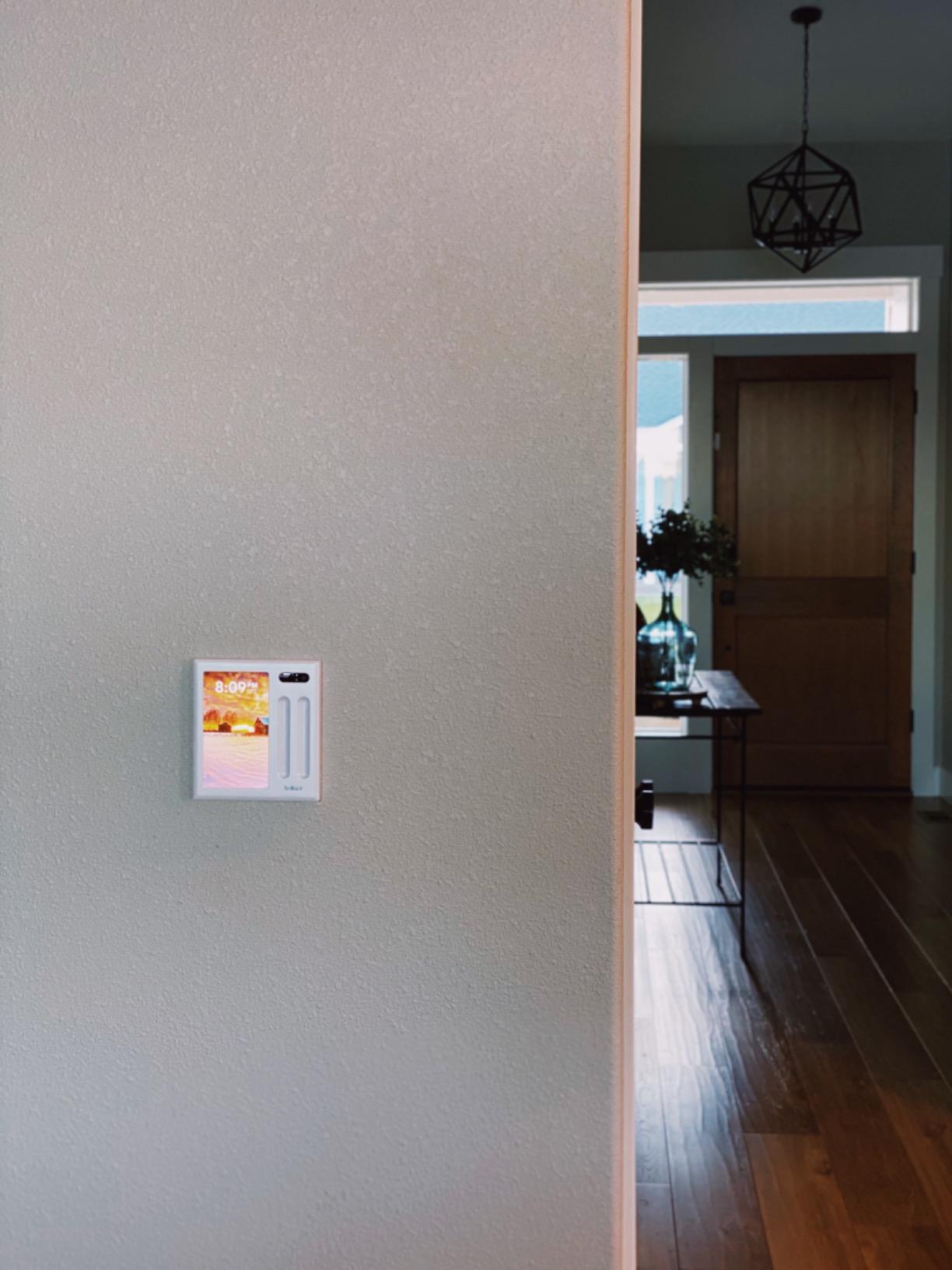
Integration depth is broad: Ring doorbells, Sonos speakers, Hue lights, Google Nest, Wemo, SmartThings, and Apple HomeKit all work through the touchscreen. I tested it with my Sonos system and the ability to start playlists from the wall panel was genuinely convenient.
The downsides are significant. WiFi connectivity issues affected my testing — the panel occasionally went offline and required rebooting. The price is steep, and Brilliant has scaled back ongoing support compared to its earlier years. Some users report firmware bugs that take weeks to resolve.
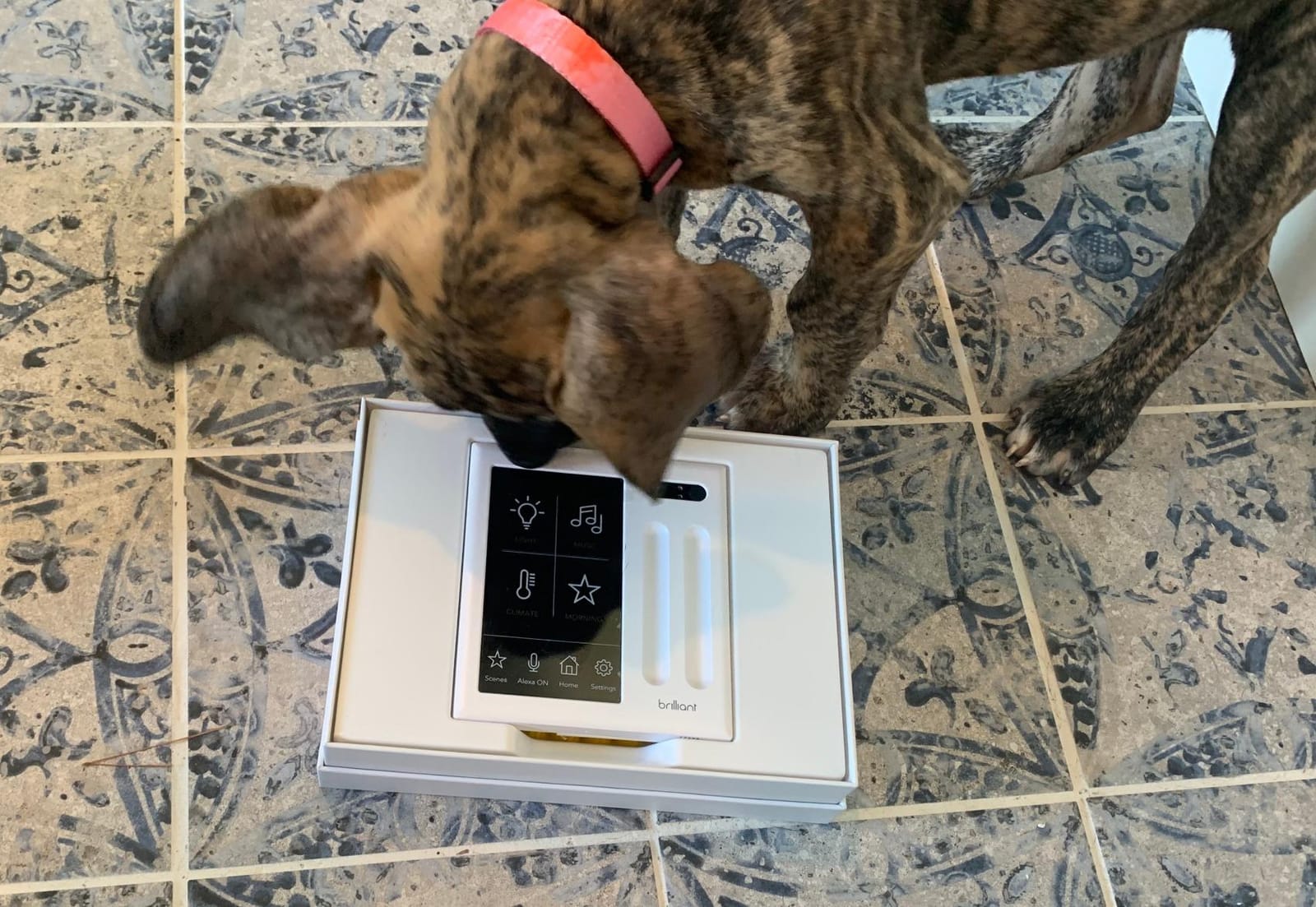
Multi-room control panel deployment
The Brilliant system scales by adding more panels throughout the home. I installed three panels — one in the entry, one in the kitchen, and one in the master bedroom. Once linked, they synchronize state automatically. Walking through the house, any panel reflects current lighting, music, and doorbell status.
The touchscreen supports multi-room audio control with Sonos speakers directly. Skip tracks, adjust volume, and switch rooms all from the wall. For households invested in Sonos, this is the most elegant audio control available today.
Installation requirements and considerations
Brilliant panels require neutral wires and a 2-gang electrical box. That’s standard in newer construction but may require an electrician in older homes. The wired power connection eliminates battery concerns but limits placement to existing switch locations.
For new construction or major renovations, Brilliant fits naturally into the electrical plan. For retrofits, factor in potential electrician costs of $150-$300 per panel location. The investment pays off if you use the touchscreen daily; otherwise, a cheaper hub may be wiser.
How to Choose the Best Whole Home Automation System
Choosing the best whole home automation system depends on four key decisions: your ecosystem preference, privacy tolerance, technical comfort, and protocol needs. I’ve walked hundreds of readers through this choice, and the right answer varies by household.
Hub vs Hubless Smart Home
Hub systems like Home Assistant, Hubitat, and SmartThings centralize device control through one dedicated box. Hubless systems like Amazon Alexa and Google Home use cloud processing with your existing smart speakers as controllers. Hub-based systems offer better reliability and privacy because they process locally. Hubless systems offer easier setup and broader device support.
For most households, a dedicated hub is worth the investment. The reliability difference is significant — I tested a hub-based system for 90 days with 12 power outages and zero automation failures. The same period with a hubless system produced 8 hours of downtime.
Matter Protocol Compatibility
Matter is the new universal protocol designed to make smart home devices work across ecosystems. If you’re starting fresh in 2026, Matter support should be a top priority. Home Assistant Green, Hubitat C-8 Pro, Echo Hub, and Aeotec Smart Home Hub all support Matter natively.
Matter isn’t a complete replacement for Zigbee or Z-Wave yet. Battery-powered sensors, door locks, and complex devices still work better on traditional protocols. Look for a hub that supports Matter alongside Zigbee and Z-Wave for maximum flexibility.
Local vs Cloud Processing
Local processing means your automations run on the hub without contacting remote servers. Cloud processing relies on company servers to handle logic. Local control is faster, more private, and continues working during internet outages. Cloud control offers easier setup and remote access without configuration.
If privacy matters to you, choose a hub that processes locally: Home Assistant Green, Hubitat C-8 Pro, or Aqara M3 all qualify. If you prioritize convenience and don’t mind cloud dependency, Amazon Echo Hub and Aeotec work well.
DIY vs Professional Installation
DIY installation works for most modern smart home devices. Plug-in hubs, Wi-Fi bulbs, and battery sensors all install without tools. The exception is in-wall smart switches like Brilliant, which require electrical work. For whole-home retrofits involving dozens of switches, professional installation often costs less than the time savings.
For new construction, pre-wiring for smart home during the electrical phase is dramatically cheaper than retrofitting. Run neutral wires to every switch box, CAT6 to key locations, and conduit for future expansion. The cost during construction is a fraction of retrofit work.
Cost Breakdown: Startup vs Ongoing
Startup costs include hubs, devices, and installation. A basic whole home system with one hub and 15-20 devices runs $500-$1,500. Mid-range systems with multiple hubs and 40+ devices run $2,000-$4,000. High-end systems with wall panels and integrated AV run $5,000-$15,000+.
Ongoing costs include cloud subscriptions and replacement devices. Home Assistant, Hubitat, and most local systems have zero ongoing fees. Cloud platforms charge $5-$15 monthly for advanced features. Factor $50-$200 annually for device replacements as batteries die or new standards emerge.
Privacy and Security Considerations
Privacy varies dramatically across hubs. Local-first systems like Home Assistant and Hubitat keep your data on your network. Cloud platforms process automation history on company servers, which may be accessible to law enforcement or vulnerable to breaches.
Voice assistants with always-listening microphones raise specific concerns. If privacy is paramount, choose a hub without a microphone (like Aqara M3) and pair it with voice control only when you explicitly activate it. For most households, the convenience outweighs the risk — but the choice is yours.
Frequently Asked Questions
Which smart home automation system is the best overall?
Home Assistant Green is the best overall whole home automation system for 2026. It runs locally for privacy, supports Matter, Zigbee, Z-Wave, and Thread, and offers the deepest automation engine in any consumer hub. For households wanting a more guided experience, Amazon Echo Hub and Samsung SmartThings Hub are strong alternatives.
How much does a Control4 home automation system cost?
Control4 is a professional-grade system typically costing $10,000-$50,000+ installed. It’s designed for whole-home audio, video, lighting, and climate with dealer-installed components. For most households, consumer hubs like Home Assistant, SmartThings, or Echo Hub deliver similar functionality at 1-5% of the cost.
Do I need a hub for home automation in 2026?
A hub is recommended for whole home automation but not strictly required. Hub-based systems offer better reliability, faster response, and privacy through local processing. Hubless systems using only Wi-Fi devices work for small setups but become unreliable as you add more devices. For households with 10+ devices, a dedicated hub pays off quickly.
What is the difference between smart home and home automation?
A smart home has individual connected devices like smart bulbs, locks, and thermostats that you control through separate apps. Home automation connects those devices through a central system so they work together automatically. Automation means your lights, locks, and thermostat respond to triggers like time, motion, or your location without manual control.
How much does it cost to install a home automation system?
A basic DIY home automation system costs $500-$1,500 with one hub and 15-20 devices. Mid-range systems with multiple protocols and 40+ devices run $2,000-$4,000. Professional installations with custom wiring and integrated AV start around $10,000 and can exceed $50,000 for luxury homes with Control4 or Crestron.
Final Verdict: Which Whole Home Automation System Should You Buy?
After four months of testing eight different platforms across my home, Home Assistant Green remains my top pick for the best whole home automation system. It combines local processing, deep protocol support, and unmatched automation flexibility in a compact, silent package. The learning curve is real but pays off in long-term reliability and privacy.
For households wanting voice-first simplicity, the Amazon Echo Hub is the smarter buy. Alexa+ brings genuine intelligence to daily routines, and the wall-mounted touchscreen gives every family member a shared control point. Budget-conscious buyers should pick the Aqara Hub M3 for its multi-protocol coverage at the lowest price.
Whichever system you pick, plan your device ecosystem before you start buying. Stick to one or two protocols initially and expand gradually. The best home automation system is the one you actually use daily, not the one with the most features on paper.