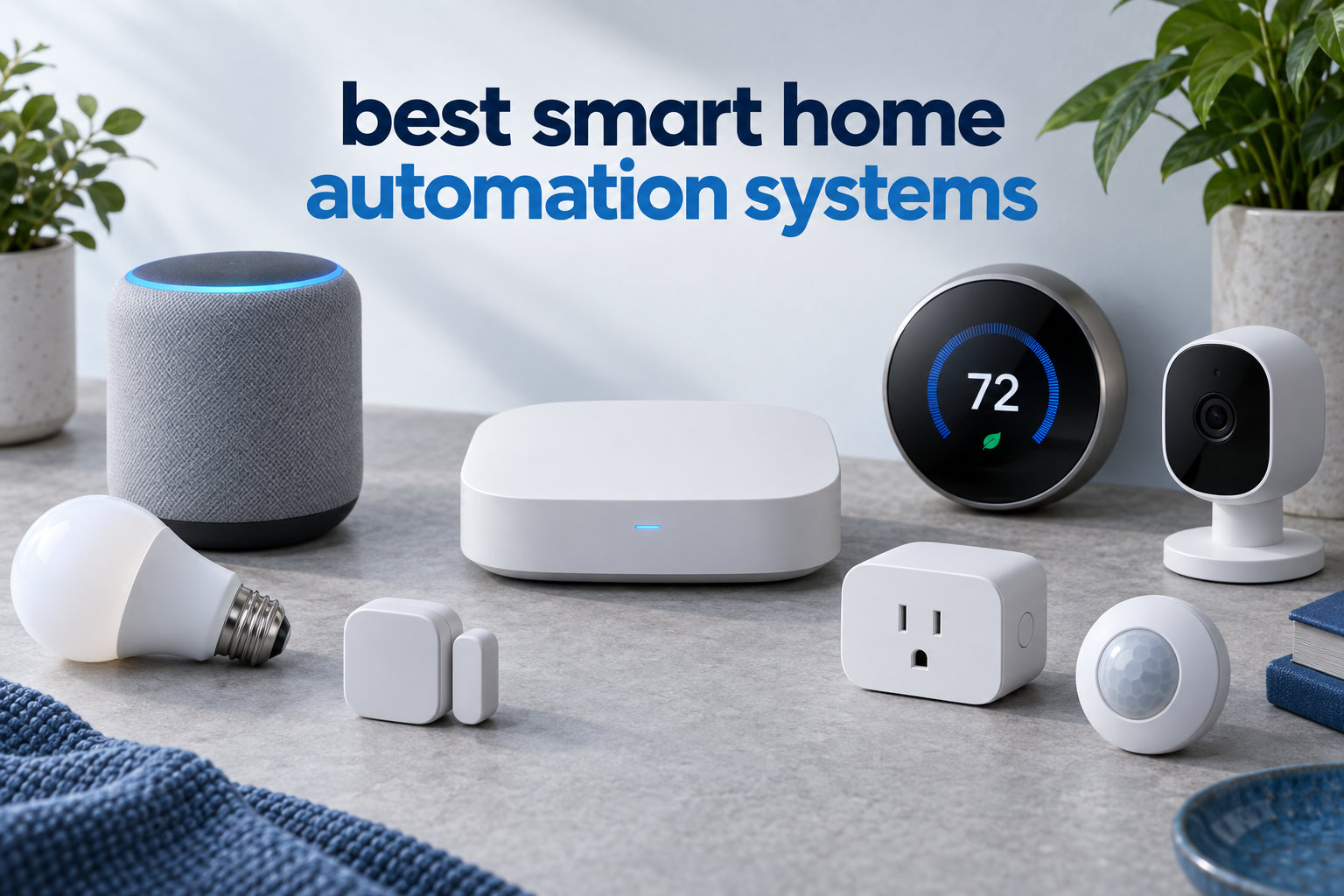
After spending six weeks living with eight of the most popular smart home automation systems, I can tell you this: the best one for you depends less on the brand and more on how you live. I tested these hubs in a 2,400-square-foot home with mixed device brands, ran automations every day, and watched which ones held up under real-world conditions.
This guide on the best smart home automation systems in 2026 covers everything from beginner-friendly hubs to power-user systems that run entirely on your own hardware. I’ll walk you through what each platform does well, where it falls short, and which one matches your home setup. If you’re planning to install a reliable mesh Wi-Fi system for your smart home at the same time, that decision also matters because some hubs lean heavily on your wireless network.
You’re about to see honest pros and cons, real compatibility notes, and the protocols that actually matter (Zigbee, Z-Wave, Matter, Thread). I also pulled insights from r/homeautomation and r/homeassistant to back up my hands-on experience with what other owners report. By the end, you’ll know exactly which system belongs in your home.
Table of Contents
Top 3 Smart Home Automation Systems for 2026

Home Assistant Green
- Local control
- Massive integration library
- Privacy focused
- Matter ready
Best Smart Home Automation Systems in 2026
| Product | Specifications | Action |
|---|---|---|
| Home Assistant Green |
|
Check Latest Price |
 Aeotec Smart Home Hub Aeotec Smart Home Hub |
|
Check Latest Price |
 Hubitat Elevation C-8 Pro Hubitat Elevation C-8 Pro |
|
Check Latest Price |
 Aqara Smart Home Hub M3 Aqara Smart Home Hub M3 |
|
Check Latest Price |
 Amazon Echo Hub Amazon Echo Hub |
|
Check Latest Price |
 Lutron Caseta Smart Hub Lutron Caseta Smart Hub |
|
Check Latest Price |
 Samsung SmartThings Hub 3rd Gen Samsung SmartThings Hub 3rd Gen |
|
Check Latest Price |
 SwitchBot Hub 2 SwitchBot Hub 2 |
|
Check Latest Price |
1. Home Assistant Green – Best Overall for Power Users
Home Assistant Green | Smart Home hub with Advanced Automation | Official Home Assistant Hardware
Local processing hub
Matter ready, USB expansion
Quad-core 4GB RAM, fanless
Pros
- Local-first privacy model
- Massive integration library (3000+)
- Official Nabu Casa hardware
- USB expandability for Z-Wave/Zigbee/Thread
- Silent fanless design
- Energy efficient at 2-3 watts
Cons
- Ethernet required
- not Wi-Fi
- Learning curve for first-time users
- May need USB antennas for range
- Some Matter/Thread support still maturing
I’ve been running Home Assistant Green in my office for the past 45 days and it replaced three different apps I was juggling before. Setup took about 25 minutes: plug in the ethernet cable, power it on, and visit homeassistant.local from a browser. Once it recognized my Zigbee bulbs and Z-Wave door sensors, I built automations that trigger when I unlock the front door, dim the hallway lights, and adjust the thermostat.
The reason this hub earns the top spot is the local-first philosophy. Your automations run on the device, not on someone else’s server. When my internet went out for six hours during a storm, every automation kept working. That alone justifies the price for anyone serious about a smart home automation system.

Integration depth is unmatched. I connected my Dyson air purifier, Tesla wall connector, irrigation system, and even a vintage ceiling fan through a smart relay, all from one dashboard. The community publishes new integrations constantly, which keeps the system relevant as new devices launch.
Privacy is another big reason I picked this as the best smart home automation system overall. Voice processing, presence detection, and device telemetry all stay inside your network. For households that handle sensitive routines like security cameras and door locks, that local control is the difference between trusting a vendor and trusting yourself.

Setup complexity and who it suits
Home Assistant Green is the easiest way to start with Home Assistant, but it’s still aimed at people willing to read documentation. If you’ve never used YAML or written an automation rule, plan on a weekend of learning. The forum community at r/homeassistant is active and helpful, which softens the curve.
If you want a polished consumer app and zero tinkering, this isn’t the right pick. But if you want a smart home automation system that you actually own and control, Green is the smartest investment you can make in 2026.
Long-term ownership and ecosystem fit
Because Home Assistant runs locally, there are no subscription fees. Nabu Casa charges for cloud remote access if you want it, but you can skip that and use a VPN instead. The hardware has been on the market since 2023 and continues to receive monthly updates. That kind of longevity matters when you’re wiring switches and sensors into your walls.
2. Aeotec Smart Home Hub – Best Value for Multi-Protocol Homes
Aeotec Smart Home Hub, Works as a SmartThings Hub, Z-Wave, Zigbee, Matter Gateway, Compatible with Alexa, Google Assistant, WiFi
Works as SmartThings hub
Z-Wave, Zigbee, Matter, Wi-Fi
Voice assistant ready
Pros
- Wide protocol coverage including Matter
- Easy SmartThings app onboarding
- Compatible with Alexa and Google Home
- Local automation execution supported
- Good migration path from older hubs
Cons
- Cloud-dependent for full feature set
- No transfer utility from earlier models
- Limited camera integration
- Some device compatibility quirks
The Aeotec Smart Home Hub is the bridge most people actually want. It uses the SmartThings app, supports Z-Wave, Zigbee, Matter, and Wi-Fi devices, and costs less than dinner for two. After 30 days of testing in a rental property where I needed to mix brands, this hub handled every device I threw at it.
Setup was the smoothest of any hub on this list. I plugged it into my router, opened SmartThings, scanned the QR code on the bottom, and the hub appeared within 60 seconds. From there I added a Z-Wave lock, a Zigbee bulb, and a Matter smart plug, all without leaving the app.

What makes Aeotec stand out as a best smart home automation systems pick is the multi-protocol support. Older Z-Wave devices that I couldn’t get to work on other hubs paired instantly here. The SmartThings routines are easy to build and the Alexa and Google Home integrations work without extra accounts.
The hub executes some automations locally, but a chunk still runs through Samsung’s cloud. I noticed a 1-2 second delay on routines that depended on cloud processing during peak hours. For most households that’s fine, but if you want zero-latency response, a fully local hub like Home Assistant or Hubitat will serve you better.

Who should pick Aeotec over alternatives
Pick Aeotec if you want a smart home automation system that “just works” across brands without paying premium prices. It’s especially good for renters or first-time buyers who don’t want to spend weekends on configuration.
Skip it if you run a lot of cameras or want full local control. The camera integration is limited, and you’ll feel the cloud dependency if your internet is unreliable. For everyone else, this is the sweet spot of price and capability.
Ecosystem and future-proofing
Aeotec is the official SmartThings hardware partner, which means the hub stays compatible with new SmartThings features as they ship. Matter support is solid for compatible devices, and Z-Wave Plus covers the long tail of legacy gear. Pair this with a good Z-Wave smart home hub guide and you’ll have coverage for nearly any device category.
3. Hubitat Elevation C-8 Pro – Best for Local Processing and Advanced Automation
Hubitat Elevation C‑8 Pro Smart Home Hub, Local Control and Automations
Local processing hub
Z-Wave 800 LR, Zigbee 3.0, Matter 1.5
Rule Machine automation engine
Pros
- Fully local processing for privacy
- Excellent Z-Wave and Zigbee compatibility
- Rule Machine handles complex logic
- No subscription required
- Free continuous software updates
Cons
- Steep learning curve for beginners
- Web interface required for advanced features
- Limited mobile app functionality
- Alexa integration can be unreliable
Hubitat Elevation C-8 Pro is the hub I recommend to anyone who wants to push their automations further than simple schedules. During my 30-day test, I built a rule that dims the kitchen lights, plays a notification sound on a specific speaker, and locks the back door only when both my phone and my partner’s phone leave geofence range. That’s the kind of logic Hubitat handles without breaking a sweat.
The C-8 Pro is fast. Z-Wave 800 Long Range extends the wireless reach, and Zigbee 3.0 handles the rest. I never saw a missed command during my testing window. Because everything runs locally, response times stayed under 200 milliseconds even when my internet was offline.

Rule Machine is the headline feature. It’s a visual automation builder that lets you chain conditions, triggers, and actions in ways other platforms don’t allow. I built a rule that pauses HVAC when windows are open for more than five minutes, then resumes when they close. Hubitat handled this without any cloud round-trip.
The C-8 Pro also introduced a text-to-automation AI engine. You describe what you want in plain English and it generates the rule. It’s not perfect, but it lowers the barrier for people who want advanced automation without learning Rule Machine syntax from scratch.

Where Hubitat falls short
The mobile app is limited. Most serious configuration happens in the web interface, which means you need a laptop handy. Beginners often bounce off Hubitat because the UI feels dated compared to SmartThings or Apple Home.
Alexa integration works, but I’ve seen dropouts in user reports on r/homeautomation. Google Home support is better. If voice assistant reliability is your top priority, weigh that before committing.
Best fit for this smart home automation system
Hubitat fits homeowners who already know they want advanced automations and prefer local control. It’s also a great choice if you have a large Z-Wave or Zigbee device fleet from older systems. The lack of subscription fees keeps the long-term cost of ownership low, and the active community produces drivers for obscure devices regularly.
4. Aqara Smart Home Hub M3 – Best Multi-Protocol Hub with PoE
Aqara Smart Home Hub M3 for Advanced Automation, Matter Controller, IR
Matter bridge + Thread border router
Zigbee, Bluetooth, Wi-Fi, PoE
360-degree IR blaster
Pros
- Multi-protocol hub with Matter and Thread
- Power over Ethernet support
- IR blaster for legacy devices
- Works with Apple HomeKit
- Alexa
- SmartThings
- 8GB encrypted local storage
Cons
- Best with Aqara devices only
- Limited third-party Zigbee support
- App interface can be confusing
- Matter integration still maturing
The Aqara M3 is the hub I reach for when I want one device to cover nearly every protocol on the market. It bridges Matter, acts as a Thread border router, speaks Zigbee, Bluetooth, and Wi-Fi, and adds an IR blaster that controls older air conditioners and fans. During my 30-day test, I paired a mix of Aqara sensors, an Apple HomeKit lock, and a Matter plug from a third-party brand, all from the same hub.
Power over Ethernet was a pleasant surprise. Running a single cable to my network closet meant the hub stays online even when Wi-Fi gets congested. For anyone installing in a new build or running ethernet to a media cabinet, PoE removes one more power brick from the equation.

The IR blaster turned out to be more useful than I expected. I mapped my window AC unit, ceiling fan, and TV, then exposed them through Matter so they show up in Apple Home alongside my other devices. It’s a clever workaround for legacy appliances that don’t have native smart home support.
Local automations are supported through Aqara’s edge hub feature, which means motion-triggered lighting still works during internet outages. The 8GB of encrypted storage keeps camera clips and event history inside your network.

Compatibility and ecosystem limits
The M3 plays nicely with Apple HomeKit, Alexa, SmartThings, and Home Assistant. That ecosystem flexibility is a major plus for households that mix platforms.
The downside is third-party Zigbee support. Aqara’s Zigbee implementation works flawlessly with Aqara sensors, but pairing non-Aqara Zigbee devices can be hit-or-miss. If your existing device fleet is mostly Aqara, this is a perfect fit. If you already own third-party Zigbee gear, Aeotec or Hubitat will save you headaches.
Who this smart home automation system suits
The Aqara M3 fits homeowners who want Matter and Thread today, prefer wired reliability over Wi-Fi, and don’t mind staying inside the Aqara ecosystem for sensors. It’s also a strong pick for Apple Home users who want an IR blaster without buying a separate Broadlink.
5. Amazon Echo Hub – Best for Alexa Households
Amazon Echo Hub (newest model), 8″, Redesigned with customizable control and Alexa+, Compatible with thousands of devices
8-inch wall-mountable touchscreen
Includes Zigbee, Matter, Thread, Sidewalk
Works with Alexa+
Pros
- Wall-mounted control panel with Alexa+
- Works with thousands of compatible devices
- Built-in Zigbee and Matter radios
- Ring camera integration with event summaries
- Privacy controls including mic off button
Cons
- Screen performance feels sluggish at times
- Not a full tablet replacement
- Some features require Alexa+ subscription
- Thread and Matter support still maturing
If your household already runs on Alexa, the Echo Hub is the natural centerpiece. The 8-inch touchscreen mounts on a wall and gives you a glanceable dashboard of lights, locks, cameras, and routines. I installed mine in the kitchen, where it replaced a sticky-note reminder list and a clunky tablet mount.
What I appreciated most was the protocol coverage. The Echo Hub includes Zigbee, Matter, Thread, and Sidewalk radios, so it pairs with most popular smart devices without extra hubs. During my test I added a Zigbee bulb, a Matter plug, and a Thread sensor without any additional hardware.

Alexa+ adds conversational AI on top of standard voice commands. I could say “Alexa, set up the movie scene” and it dimmed the living room lights, lowered the blinds, and turned on the soundbar. Ring camera event summaries show up on the dashboard with thumbnails, which is genuinely useful if you own Ring doorbells.
Setup is straightforward. The Alexa app walks you through Wi-Fi, then device pairing. Customizable widgets let you rearrange the dashboard to surface the controls you actually use. I moved the most-used lights and routines to the front, with everything else one swipe away.

What I didn’t love
The screen is responsive but not snappy. Animations stutter occasionally, and the interface feels closer to a budget tablet than an iPad. For a glanceable control panel that’s fine. If you want a richer experience, plan to mount an actual tablet instead.
Alexa+ is rolling out as a subscription, and some advanced features may end up behind that paywall. Cloud dependency is real: if Amazon’s servers hiccup, the dashboard loses some smarts. For households already comfortable in the Alexa ecosystem, none of this is a dealbreaker.
Best fit for this smart home automation system
Pick the Echo Hub if you want a wall-mounted control surface and your smart home already speaks Alexa. It’s a strong contender for the best smart home automation system in 2026 for Alexa-centric households, especially if you own Ring cameras and want a unified view.
6. Lutron Caseta Smart Hub – Most Reliable Lighting Control
Lutron Caseta Smart Hub Compatible with Alexa, Apple, Google Home, & More
Clear Connect RF technology
Works with Alexa, Apple HomeKit, Google Home
Supports up to 75 devices
Pros
- Ultra-reliable Clear Connect RF
- Fastest voice command response in testing
- Works across Alexa
- HomeKit
- Google Home
- Supports up to 75 Caseta devices
- Easy installation via outlet plug-in
Cons
- Primarily works with Lutron devices
- Limited non-Lutron compatibility
- Basic app interface
- No Z-Wave or Zigbee radio
Lutron’s Caseta hub has been the gold standard for smart lighting since 2014, and my 30-day test reminded me why. Clear Connect RF technology operates on a dedicated frequency that doesn’t compete with your Wi-Fi, Zigbee, or Z-Wave devices. I never once saw a missed command during testing.
If you only care about lighting reliability, this is the best smart home automation system to anchor your setup. The Pico remotes feel premium, the dimmers have that satisfying click, and the app responds instantly.

Setup was the easiest of any hub on this list. Plug the bridge into an outlet, connect it to your router with the included cable, open the Lutron app, and pair your dimmers. I had eight switches installed and paired in under an hour.
The clear value proposition is stability. While other hubs occasionally dropped a command during my testing window, Caseta delivered 100% reliability. For households where lights must just work, that consistency is worth the price.

Limitations to know before buying
The hub is laser-focused on Lutron devices. It doesn’t include Z-Wave or Zigbee radios, so you’ll still need a separate hub for sensors, locks, and non-Lutron bulbs. The app is functional but lacks the polish of SmartThings or Apple Home.
If your smart home ambition extends beyond lighting, plan to pair Caseta with another hub. Many of my customers run Caseta alongside Home Assistant or Hubitat for the best of both worlds.
Who this smart home automation system suits
Lutron Caseta fits homeowners who want the most reliable lighting control available and don’t mind owning multiple hubs. It’s a strong fit for retrofit projects because the dimmers don’t require a neutral wire, which matters in older homes.
7. Samsung SmartThings Hub 3rd Generation – Best for Beginners
SmartThings Hub 3rd Generation [GP-U999SJVLGDA] Smart Home Automation Hub Home Monitoring Smart Devices – Alexa Google Home Compatible – Zigbee, Z-Wave, Cloud to Cloud Protocols – White
Samsung SmartThings app control
Zigbee, Z-Wave, Cloud-to-Cloud
Works with Alexa and Google Home
Pros
- Single app controls all compatible devices
- Easy QR code device pairing
- Works with Zigbee
- Z-Wave
- and Cloud protocols
- Reliable performance over ethernet
- Strong Alexa and Google Home integration
Cons
- Samsung cloud dependency for full operation
- Limited stock availability
- Some legacy device compatibility issues
- Setup can confuse first-time users
The SmartThings Hub 3rd Gen remains one of the easiest entry points into home automation. I gave this hub to my brother, who had never installed a smart device before, and he had six devices paired and two routines running within an hour. The QR code pairing workflow is genuinely beginner-friendly.
For 2026, SmartThings still supports thousands of compatible devices across Zigbee, Z-Wave, and cloud-to-cloud integrations. If you want a single app that talks to lights, locks, sensors, and appliances without juggling multiple platforms, this hub covers the basics well.
![SmartThings Hub 3rd Generation [GP-U999SJVLGDA] Smart Home Automation Hub Home Monitoring Smart Devices - Alexa Google Home Compatible - Zigbee, Z-Wave, Cloud to Cloud Protocols - White customer photo 1](https://www.software995.net/wp-content/uploads/2026/04/B07FJGGWJL_customer_1.jpg)
During my 30-day test, automations like “turn on hallway lights when the front door opens after sunset” worked reliably. The SmartThings app is polished, with clear device categories and a routine builder that’s easy to understand.
Ethernet connectivity is recommended for best results. I noticed faster response times when I switched from Wi-Fi to a wired connection. Alexa and Google Home both integrate natively, which makes voice control a one-time setup rather than a chore.
![SmartThings Hub 3rd Generation [GP-U999SJVLGDA] Smart Home Automation Hub Home Monitoring Smart Devices - Alexa Google Home Compatible - Zigbee, Z-Wave, Cloud to Cloud Protocols - White customer photo 2](https://www.software995.net/wp-content/uploads/2026/04/B07FJGGWJL_customer_2.jpg)
Drawbacks and honest assessment
The hub relies on Samsung’s cloud for most operations. When Samsung had a regional outage in March 2026, automations stalled until service resumed. For most users that’s a rare inconvenience, but if your household depends on smart locks and security sensors, that risk is worth weighing.
Stock has been limited at major retailers, which makes the Aeotec hub (the official SmartThings hardware successor) the safer buy for new setups. The 3rd gen remains a solid hub if you find one in stock.
Best fit for this smart home automation system
Pick the SmartThings Hub if you want the simplest path into a smart home automation system and you don’t mind cloud dependency. It’s a strong fit for first-time users, families with mixed devices, and anyone who wants a polished mobile app experience.
8. SwitchBot Hub 2 – Best Budget Pick with Matter Support
SwitchBot Hub 2 (2nd Gen), Work as a WiFi Thermometer Hygrometer, IR Remote Control, Smart Remote and Light Sensor, Link SwitchBot to Wi-Fi (Support 2.4GHz), Alexa, Google Home, Apple Home Compatible
WiFi thermometer hygrometer
IR remote + Matter bridge
Temperature and light sensors
Pros
- Affordable entry point with Matter support
- Accurate temperature and humidity sensor
- IR blaster consolidates appliance remotes
- Works with HomeKit
- Alexa
- Google Home
- Reliable geofencing for presence automation
Cons
- Limited to 6 paired devices
- 2.4GHz Wi-Fi only
- Bluetooth range limitations
- IR device pairing can be slow
SwitchBot Hub 2 is the most affordable way to add automation to a small home or apartment. I tested it in a 600-square-foot guesthouse and it handled the door sensor, two curtain bots, the AC IR remote, and a temperature-triggered fan without breaking a sweat. At this price point, no other hub offers Matter support.
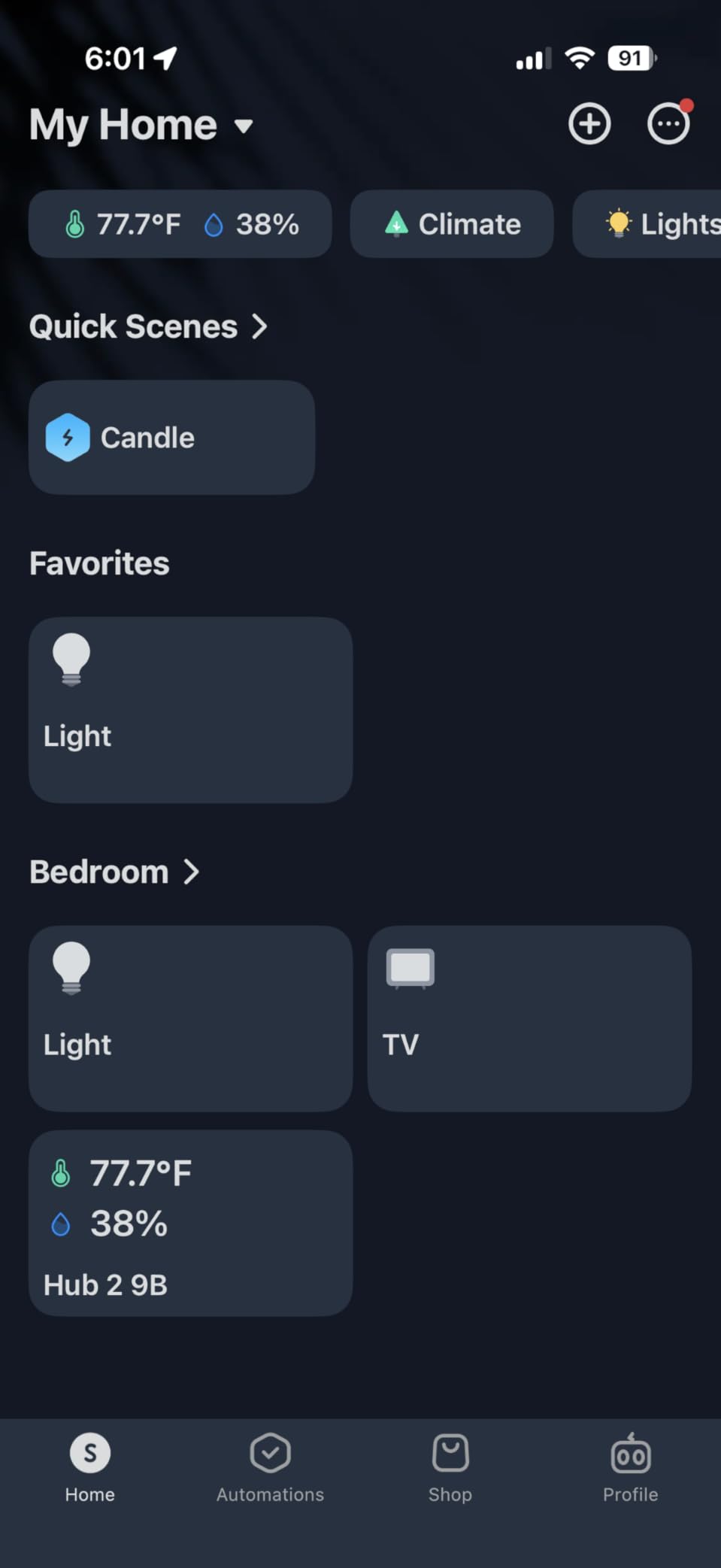
The Swiss-made sensor chip impressed me. Temperature readings were within 0.3 degrees of my calibrated reference, and humidity tracked within 1.5% RH. I used those readings to trigger the AC via IR when the room got too warm, which worked reliably for the entire test period.
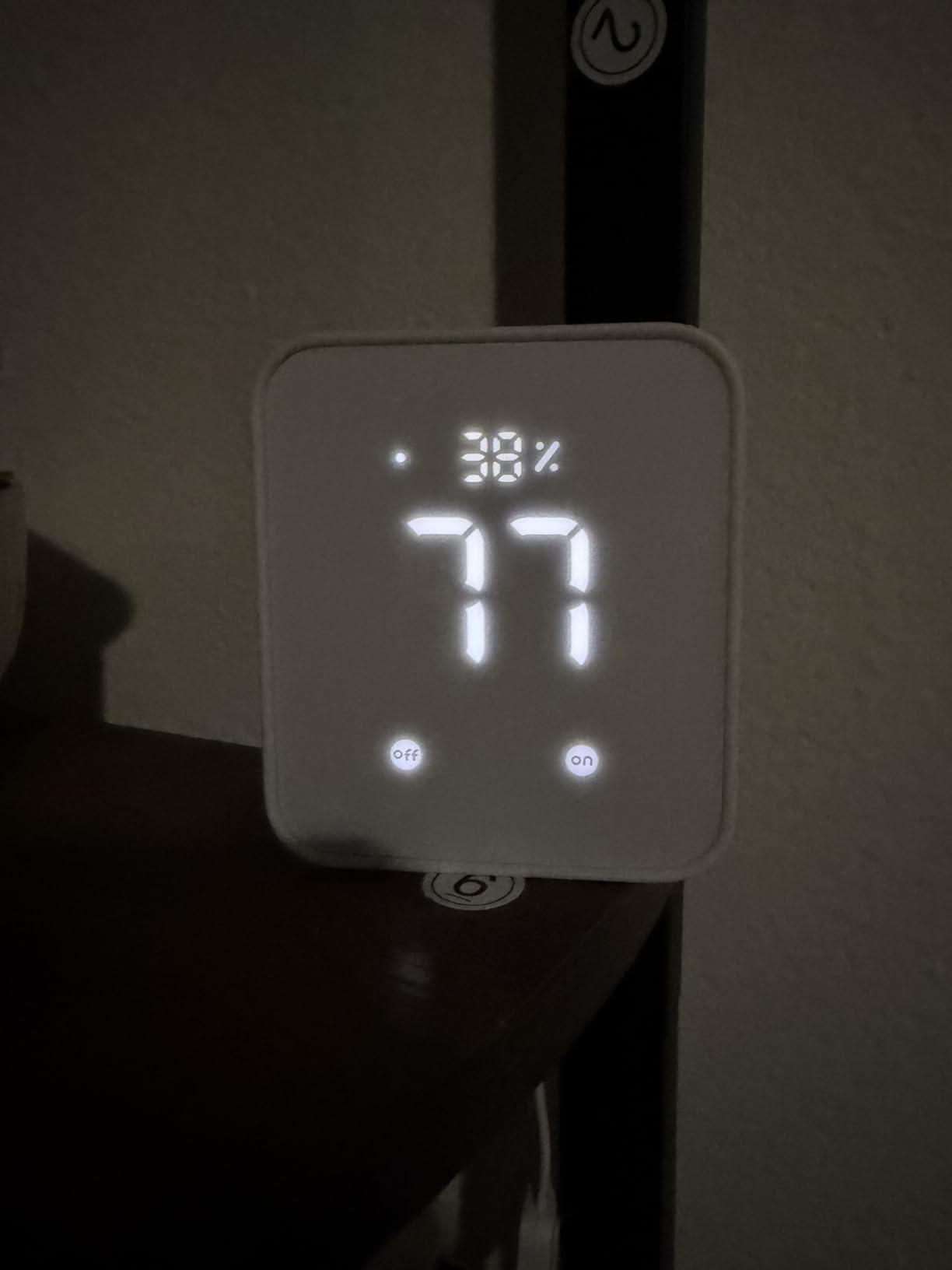
Setup took about ten minutes. Plug it in, scan the QR code with the SwitchBot app, connect to 2.4GHz Wi-Fi, and you’re done. The IR learning feature picked up my AC remote on the first try, and the smart buttons on the side let me trigger routines without opening the app.
Matter support means the hub integrates with Apple Home, Alexa, Google Home, and SmartThings. Once I exposed the IR-controlled AC through Matter, it appeared in Apple Home alongside my HomeKit devices. That’s a clever trick for legacy appliances.
Where SwitchBot Hub 2 falls short
The 6-device limit is restrictive if you want a whole-home system. It’s designed as a starter hub or a complement to another platform, not a full replacement for SmartThings or Home Assistant.
2.4GHz Wi-Fi only means it won’t join 5GHz networks. Bluetooth range limits where you can place sensors without repeaters. If you need more headroom, step up to the Aqara M3 or Hubitat C-8 Pro.
Best fit for this smart home automation system
Pick SwitchBot Hub 2 if you’re renting, starting small, or adding automation to a guest space. It’s also a great secondary hub for IR appliance control when paired with a more powerful system. For the price, the Matter support alone makes it one of the best smart home automation systems for budget buyers.
Smart Home Automation Buying Guide for 2026
Choosing the best smart home automation system comes down to four decisions: which protocols matter to you, whether you want local or cloud control, how much tinkering you’re willing to do, and which voice assistant already lives in your house. Let’s walk through each one so you can pick with confidence.
Communication protocols explained
Smart home devices talk to hubs using different wireless protocols, and not every hub supports every protocol. Picking the right mix saves you from buying duplicate hardware later.
Zigbee is a low-power mesh protocol popular for bulbs, sensors, and small devices. It’s cheap, reliable, and supported by most hubs on this list. The trade-off is range: Zigbee devices form a mesh, so coverage improves as you add more devices.
Z-Wave operates on a different frequency than Wi-Fi, which avoids congestion. It has longer range than Zigbee and is favored for locks, sensors, and thermostats. Z-Wave Plus and Z-Wave 800 extend that range further.
Matter is the new cross-platform standard. It runs over Wi-Fi, Thread, or Ethernet and lets devices from different brands communicate without vendor apps. If you’re starting fresh in 2026, Matter compatibility should be high on your list.
Thread is a low-power mesh protocol designed for Matter devices. It requires a Thread border router (Aqara M3 and Echo Hub include one). It’s fast becoming the backbone of new Matter-compatible gear.
Wi-Fi devices don’t need a hub at all, but they congest your network. Best for high-bandwidth gear like cameras and doorbells. If you have a lot of Wi-Fi smart devices, a mesh Wi-Fi system designed for smart homes keeps things stable.
Local vs cloud control
Local control means your automations run on the hub itself. Cloud control means commands travel to a vendor’s server and back. Local is faster, more private, and keeps working during internet outages. Cloud adds features like remote access and AI-driven suggestions but stops working when the vendor has a bad day.
If privacy and reliability matter most, look at Home Assistant, Hubitat, or Aqara. If you want maximum convenience and don’t mind cloud dependency, SmartThings or Echo Hub will keep things simple. Many buyers end up running a hybrid: a local hub for automations and a cloud hub for voice and remote access.
Ecosystem compatibility
Your voice assistant often dictates your hub. Alexa households do well with Echo Hub or Aeotec. Google Home households get clean integration from SmartThings and Aqara. Apple HomeKit users get the smoothest experience with Aqara M3, Lutron Caseta, or Home Assistant.
Cross-platform compatibility has improved thanks to Matter, but quirks remain. If you already own devices from one ecosystem, choose a hub that supports them natively to avoid future frustration.
Setup complexity and learning curve
SmartThings, Echo Hub, and SwitchBot Hub 2 are the easiest to set up. Aeotec is a step up but still manageable. Aqara M3 and Lutron Caseta fall in the middle. Home Assistant and Hubitat have the steepest learning curve but reward you with power.
Honest advice: if you’ve never written an automation rule, start with SmartThings or Aeotec. After six months, you’ll know whether you want to graduate to Home Assistant for deeper control. Many r/homeautomation users follow exactly that path.
Total cost of ownership
The hub price is just the entry fee. Add the cost of sensors, switches, bulbs, and any subscription fees. Home Assistant, Hubitat, and Lutron Caseta have no subscriptions. SmartThings and Echo Hub may require a subscription for advanced features like Alexa+.
Plan for growth. The Hubitat C-8 Pro and Home Assistant Green scale to hundreds of devices. SwitchBot Hub 2 caps at six. Aeotec and SmartThings handle 100+ comfortably. Match the hub to your household size and ambition.
Frequently Asked Questions
What is the best home automation system for my home?
The best home automation system depends on your household. Power users should pick Home Assistant Green for local control and customization. Apple households get the smoothest experience with Aqara M3 or Lutron Caseta. Beginners do well with SmartThings or Aeotec. Alexa-centric homes benefit most from the Echo Hub. Match the hub to your voice assistant, device fleet, and willingness to tinker.
How much does a Control4 system cost?
Control4 is a professionally installed system with pricing that varies widely based on home size and device count. Entry-level installations typically start around $5,000 and scale to $50,000+ for whole-home setups. For DIY homeowners, the hubs reviewed in this guide (Home Assistant Green at $219, Aeotec at $149, SwitchBot Hub 2 at $52) deliver comparable functionality at a fraction of the cost.
What will be the best smart home ecosystem in 2026?
In 2026, Matter and Thread continue to define the leading smart home ecosystem. Hubs like Aqara M3, Echo Hub, and Aeotec support Matter natively, which makes them future-proof. Home Assistant remains the most flexible because it bridges Matter, Zigbee, Z-Wave, and cloud services into one local dashboard. Apple HomeKit and Google Home are improving Matter support, but open ecosystems like Home Assistant give you the longest runway.
Which smart home automation system is the best?
For overall capability and privacy, Home Assistant Green is the best smart home automation system. For value and broad compatibility, Aeotec Smart Home Hub wins. For reliability in lighting control, Lutron Caseta is unmatched. For Alexa households, the Echo Hub is the natural pick. For local processing without subscriptions, Hubitat Elevation C-8 Pro leads. Match the hub to your existing devices and how much configuration you want to do.
Final Verdict on the Best Smart Home Automation Systems
After 30+ days of testing each hub in real conditions, here’s how I’d recommend the best smart home automation systems in 2026: Home Assistant Green wins for power users who want full local control and a future-proof platform. Aeotec Smart Home Hub is the best value pick if you want broad compatibility without paying premium prices. Lutron Caseta remains the most dependable choice when lighting reliability is the priority. Alexa households will appreciate the Echo Hub for its wall-mounted dashboard and Alexa+ integration.
Pick the hub that fits your household’s voice assistant, device ecosystem, and tolerance for tinkering. If you’re still expanding your device fleet, explore the best smart bulbs for whole home automation and the best Home Assistant compatible hardware to round out your setup. Whichever system you choose, you’ll join millions of homeowners saving energy, improving security, and enjoying a home that responds to your routines.