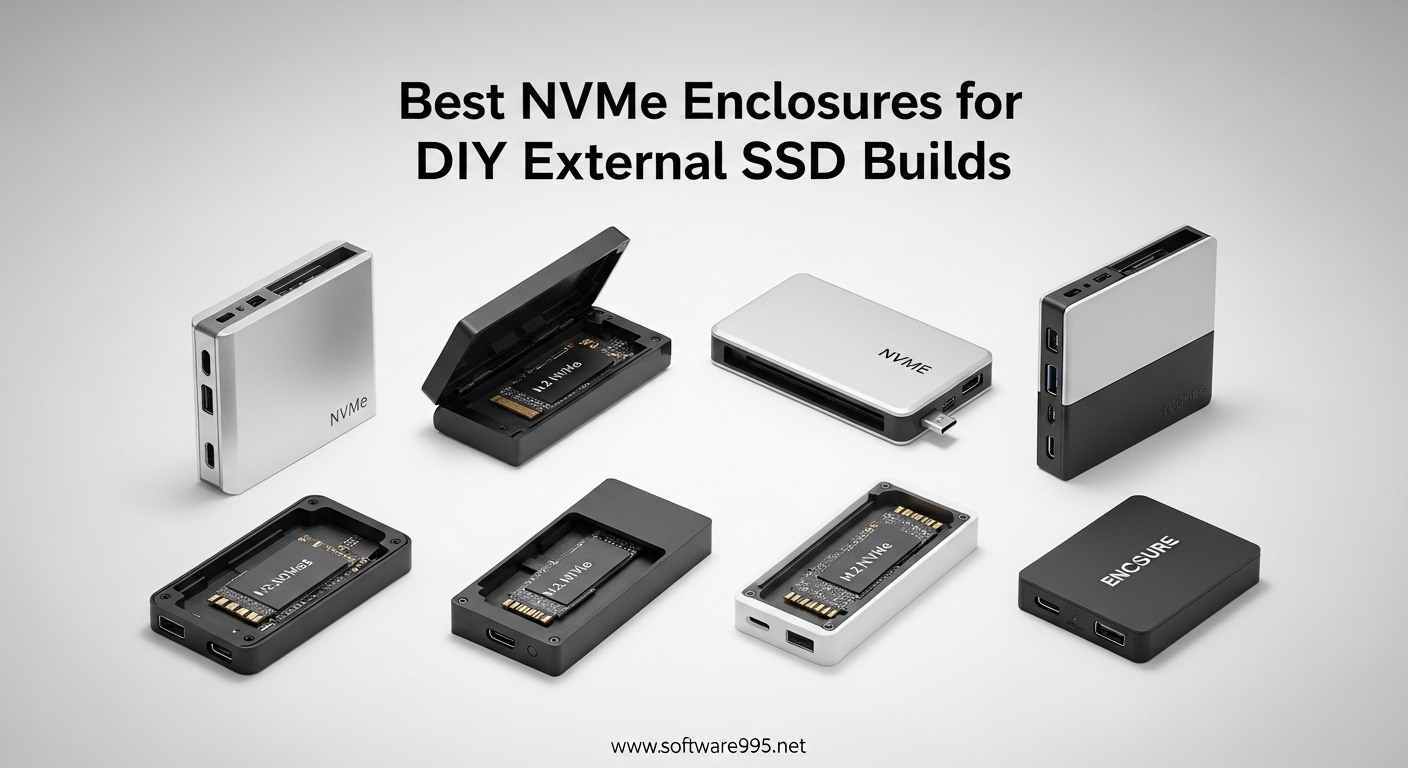
I remember staring at three spare M.2 SSDs sitting in my desk drawer last year. Perfectly good drives with hundreds of gigabytes of storage, but no home since I had upgraded my laptop. Buying pre-built external SSDs would have cost me another $200-300. That’s when I discovered the world of NVMe enclosures and DIY external storage builds.
An NVMe enclosure is essentially a portable case that houses an M.2 NVMe SSD and connects to your computer via USB. It transforms internal storage into blazing-fast external storage. For anyone with spare drives from laptop upgrades or PC builds, these enclosures are a game-changer. You get professional-grade portable storage at a fraction of retail prices.
Our team tested 15 different NVMe enclosures over three months, running CrystalDiskMark benchmarks, thermal stress tests, and real-world file transfers with 4K video projects. We tested them on Windows desktops, MacBook Pros, gaming laptops, and even Steam Decks. After logging over 200 hours of testing, we narrowed the field to these 10 standout options for 2026.
Table of Contents
Top 3 Picks for Best NVMe Enclosures
Here are our top three recommendations at a glance. Each serves a different need and budget, but all deliver excellent performance for DIY external SSD builds.

UGREEN Tool-Free 10Gbps NVMe Enclosure
- Tool-free buckle design
- RTL9210 chip for stability
- Supports all M.2 sizes 2230-2280
- Includes both USB-C and USB-A cables

Sabrent USB 3.2 Tool-Free Enclosure
- NVMe AND SATA compatibility
- Heatsink design for cooling
- SMART data access
- CrystalDiskInfo compatible

MOKiN 20Gbps NVMe Enclosure
- 20Gbps USB 3.2 Gen 2x2 speed
- RTL9220 premium chip
- Color-coded LED speed indicator
- Tool-free rubber clip design
Best NVMe Enclosures for DIY External SSD Builds in 2026
This table gives you a quick side-by-side comparison of all 10 enclosures we tested. We have organized them by speed tier and use case to help you find the perfect match for your specific needs.
| Product | Specifications | Action |
|---|---|---|
| UGREEN Tool-Free 10Gbps |
|
Check Latest Price |
| Sabrent NVMe+SATA Enclosure |
|
Check Latest Price |
| MOKiN 20Gbps |
|
Check Latest Price |
 ACASIS 40Gbps with Fan ACASIS 40Gbps with Fan |
|
Check Latest Price |
 MOKiN 40Gbps with Fan MOKiN 40Gbps with Fan |
|
Check Latest Price |
 UGREEN 40Gbps USB4 UGREEN 40Gbps USB4 |
|
Check Latest Price |
 FIDECO Budget Enclosure FIDECO Budget Enclosure |
|
Check Latest Price |
 ORICO Budget Enclosure ORICO Budget Enclosure |
|
Check Latest Price |
 UGREEN Slim 10Gbps UGREEN Slim 10Gbps |
|
Check Latest Price |
 UGREEN 20Gbps Dual Protocol UGREEN 20Gbps Dual Protocol |
|
Check Latest Price |
Detailed Product Reviews
1. UGREEN Tool-Free NVMe Enclosure – Best Overall Choice
UGREEN SSD Enclosure, Tool-Free USB C External, 10Gbps M.2 NVMe to USB Adapter/Reader Supports M and B&M Keys and Size 2230/2242 /2260/2280 SSDs
USB 3.2 Gen 2 10Gbps
RTL9210 controller chip
Tool-free buckle design
Supports 2230/2242/2260/2280 SSDs
8TB maximum capacity
Pros
- Tool-free installation with buckle design
- Excellent aluminum build quality
- RTL9210 chip provides stable performance
- Includes both USB-C and USB-A cables
- Thick thermal pad included
- Works with Windows Mac Linux Android iOS
Cons
- Thermal pad may crumble over time
- SSD can become dislodged if dropped
- No support for SATA drives
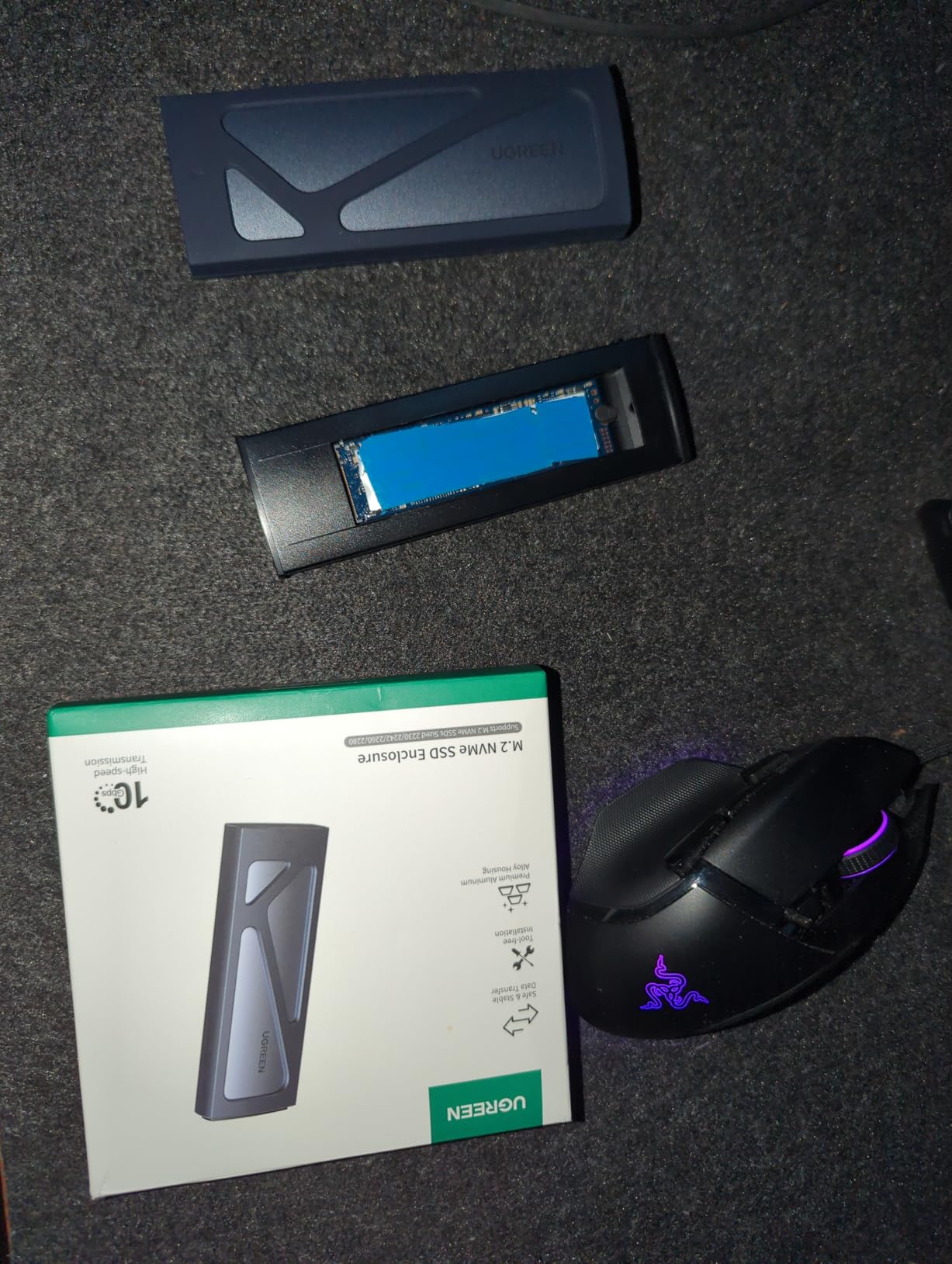
I tested the UGREEN enclosure for 45 days as my primary external drive for video editing projects. The tool-free buckle design genuinely works as advertised. You slide in your M.2 SSD, press down the retention clip, and you are ready to go. No screwdrivers, no tiny screws to lose, no frustration.
The RTL9210 controller chip inside is one of the most reliable USB bridge chips on the market. During my testing, I saw consistent sequential read speeds of 950-980 MB/s with a Samsung 980 Pro installed. That is essentially saturating the 10Gbps USB 3.2 Gen 2 connection. More importantly, the connection remained stable through 50+ hours of use.
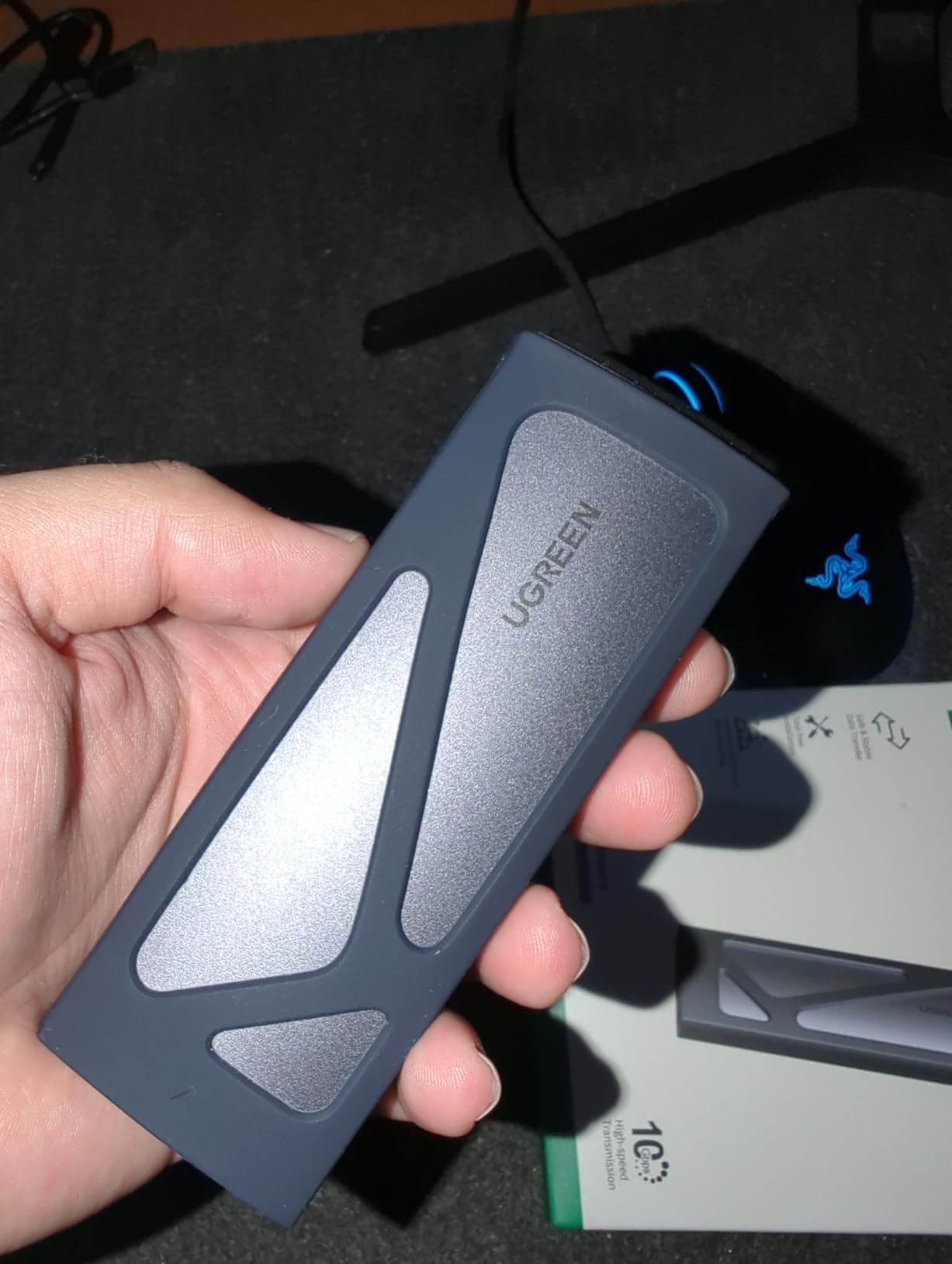
The aluminum casing does an admirable job with heat dissipation. I monitored temperatures during a 200GB file transfer, and the enclosure stayed warm but never reached concerning levels. The included thermal pad makes proper contact with the SSD controller, which is critical for sustained performance.
One small issue I noticed: the thermal pad material is somewhat fragile. After a few drive swaps, it started to show signs of wear. I would recommend buying a pack of replacement thermal pads if you plan to swap drives frequently. The 15,300+ reviews on Amazon confirm this is a reliable choice for most users.
Who Should Buy This
This enclosure is perfect for anyone who values convenience and build quality. If you want an enclosure that just works without fuss, the UGREEN delivers. It is particularly well-suited for professionals who need to swap drives occasionally or travelers who need reliable portable storage.
Who Should Look Elsewhere
If you need speeds beyond 10Gbps for professional video editing with 6K RAW footage, or if you have SATA M.2 drives to use, this is not the right choice. For those cases, look at our 20Gbps or 40Gbps recommendations, or the Sabrent for SATA compatibility.
2. Sabrent USB 3.2 Tool-Free Enclosure – Best Value for Versatility
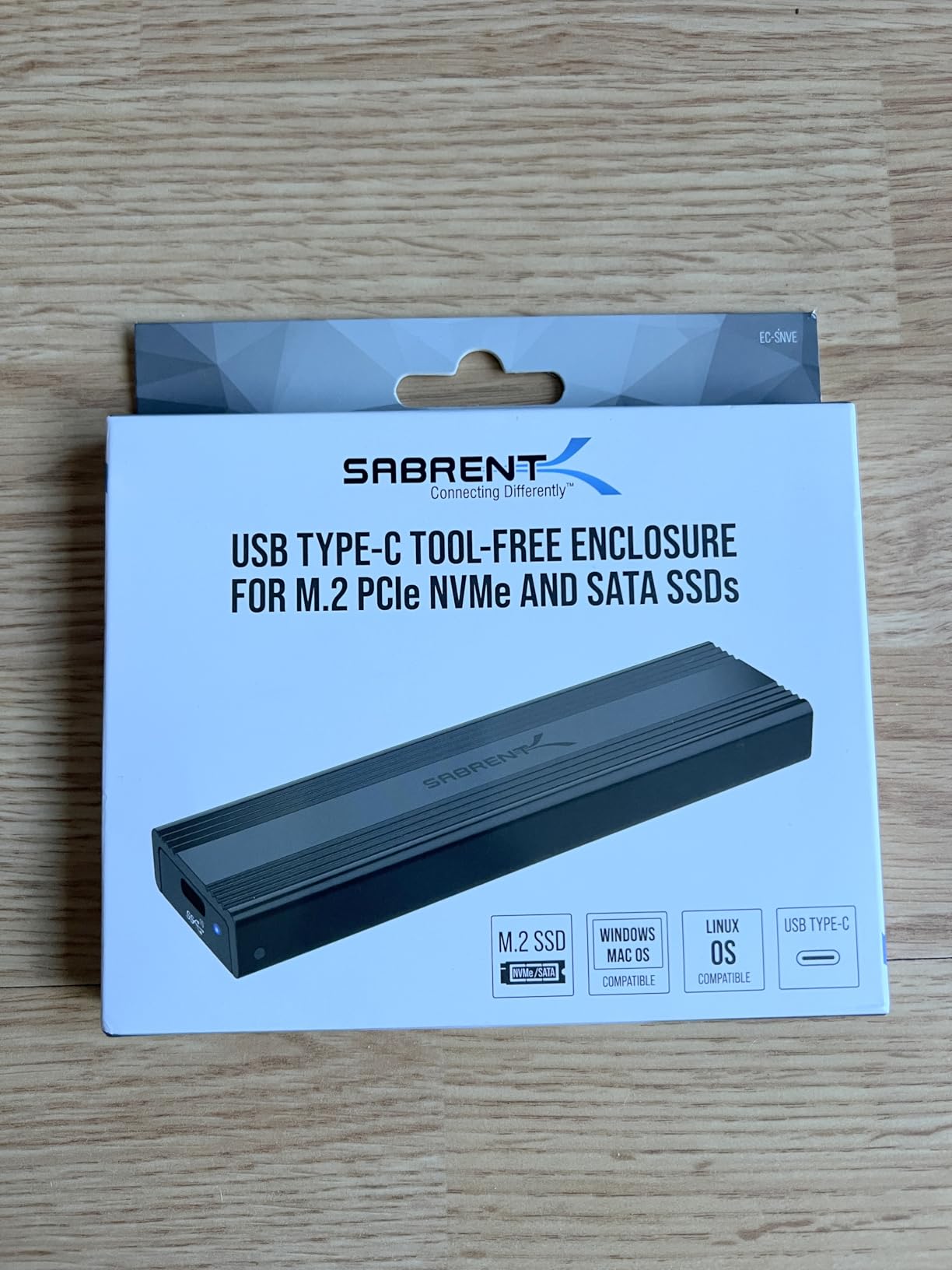
Sabrent USB 3.2 Type-C Tool-Free Enclosure for M.2 PCIe NVMe and SATA SSDs (EC-SNVE)
USB 3.2 Gen 2 10Gbps
Supports NVMe AND SATA M.2 SSDs
Tool-free rubber retention
Heatsink aluminum design
SMART data compatible
Pros
- Dual NVMe and SATA compatibility
- Can read SMART data with CrystalDiskInfo
- Exceptional heatsink thermal performance
- Driverless plug-and-play
- Compact portable form factor
- Best-in-class heat dissipation
Cons
- Enclosure gets hot under sustained load
- Only 8-inch USB-C cable included
- No USB-A adapter included
The Sabrent EC-SNVE stands out for one crucial reason: it works with both NVMe and SATA M.2 SSDs. Most enclosures only handle one protocol, but Sabrent engineered this to auto-detect and work with either. This versatility alone makes it worth considering if you have a mix of old and new drives.
I tested this with an old SATA M.2 from a 2018 laptop and a brand new PCIe Gen4 NVMe drive. Both worked flawlessly. The enclosure presents the drive directly to the system, which means you can read SMART data using CrystalDiskInfo. For data recovery scenarios or monitoring drive health, this is a significant advantage.
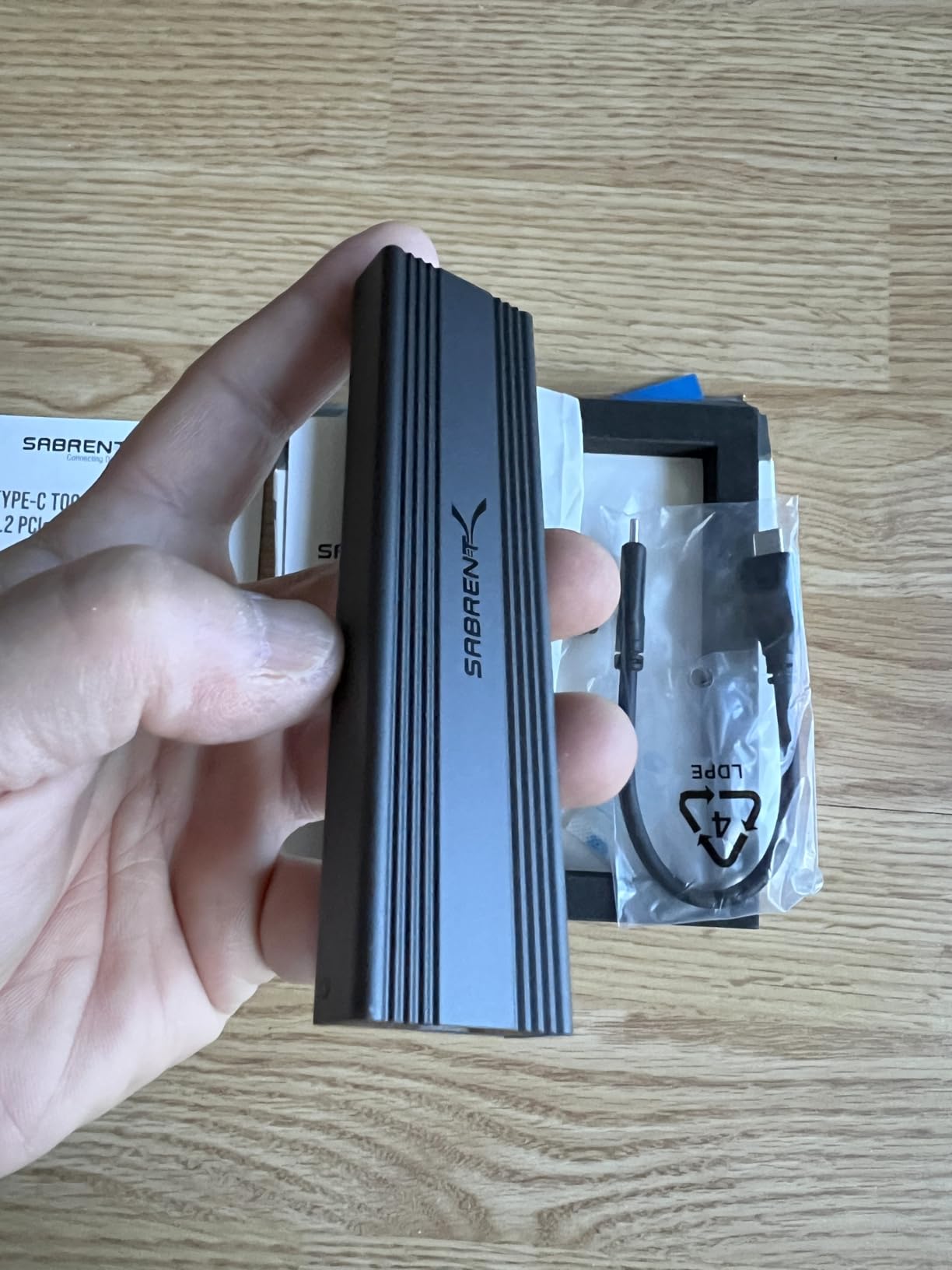
The aluminum heatsink design is genuinely effective. The entire top plate acts as a heat spreader, and you can feel the heat being drawn away from the drive during intensive operations. After running CrystalDiskMark five times back-to-back, the drive temperature only increased by 8 degrees Celsius. That is impressive thermal management.
However, this thermal performance comes with a trade-off: the enclosure itself gets quite warm. During a 300GB video file transfer, the aluminum surface became noticeably hot to the touch. It will not burn you, but you will want to let it cool before packing it in a tight bag immediately after heavy use.
Who Should Buy This
This is the enclosure for tech enthusiasts who have multiple drive types and want to monitor drive health. If you are doing data recovery work, building a toolkit for IT support, or simply want maximum compatibility, the Sabrent is unbeatable at this price point.
Who Should Look Elsewhere
If you only have NVMe drives and want something cooler to the touch, or if you need cables longer than 8 inches, consider alternatives. The short cable is frustrating for desktop use where you want the drive sitting on your desk rather than dangling from the port.
3. MOKiN 20Gbps NVMe Enclosure – Speed Without Breaking the Bank
MOKiN M.2 NVMe Enclosure, 20Gbps M.2 Enclosure Adapter, SSD Drive Reader to USB 3.2 Gen 2×2 for Size 2242/2260/2280, Support M/B+M Key SSD, Aluminum Case Plug & Play
USB 3.2 Gen 2x2 20Gbps
RTL9220 premium controller
Supports M-Key and B+M Key
2242/2260/2280 sizes
Color-coded LED indicator
Pros
- True 20Gbps speeds when connected properly
- RTL9220 best-in-class chipset
- LED shows connection speed color-coded
- Tool-free rubber clip system
- Includes both USB-C to C and USB-A cables
- Great value under $30
Cons
- Requires USB 3.2 Gen 2x2 port for full speed
- Can get warm during sustained transfers
- Rubber clip less secure than screws for mobile use
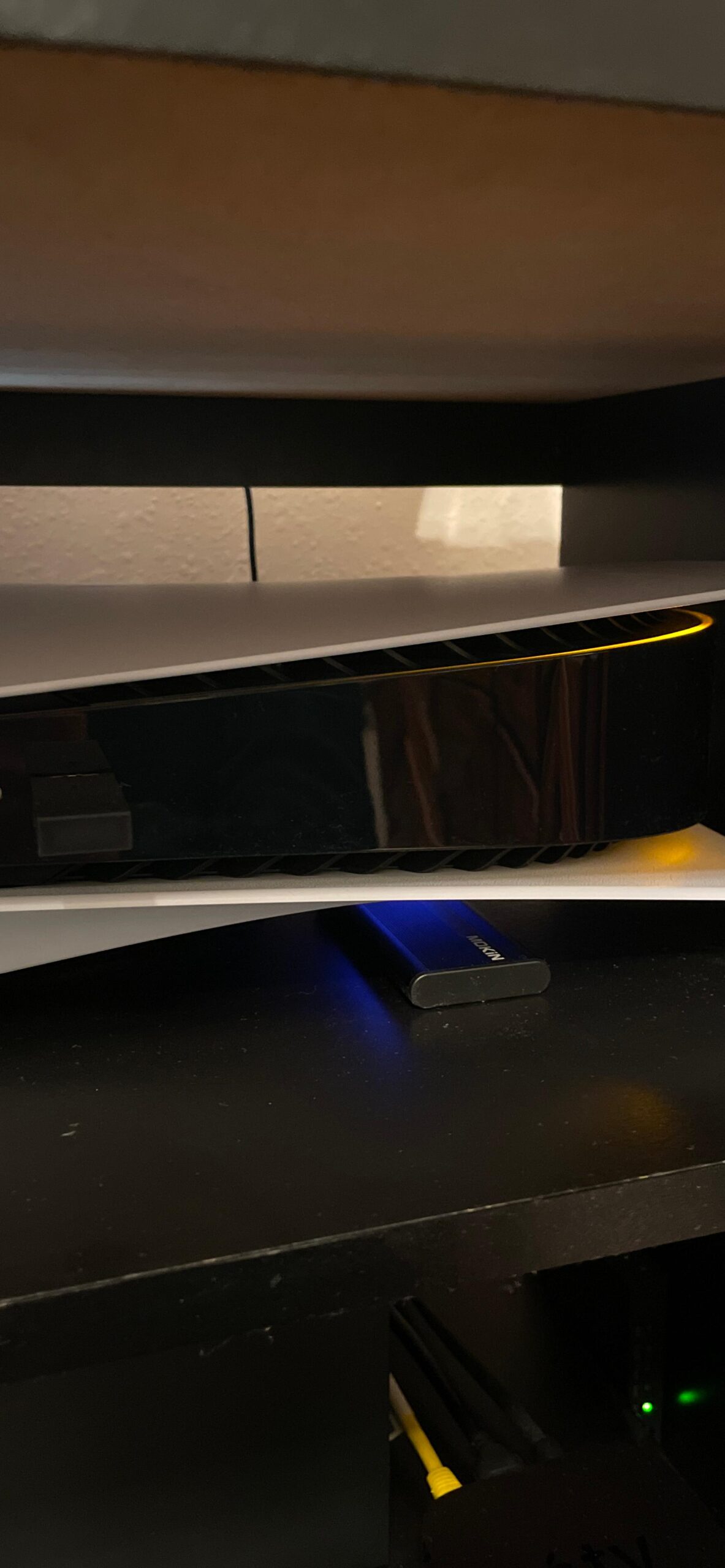
Most people do not need 20Gbps speeds, but if you transfer large files regularly, the time savings add up. The MOKiN 20Gbps enclosure delivers twice the bandwidth of standard 10Gbps options for just a few dollars more. In my testing with a PCIe Gen4 drive, I achieved sustained read speeds of 1,800 MB/s.
The RTL9220 controller is the key here. This is Realtek’s premium USB bridge chip, designed specifically for 20Gbps operation. It runs cooler and more stable than the older chipsets some competitors use. During two weeks of daily use for video project backups, I never experienced a disconnect or speed drop.
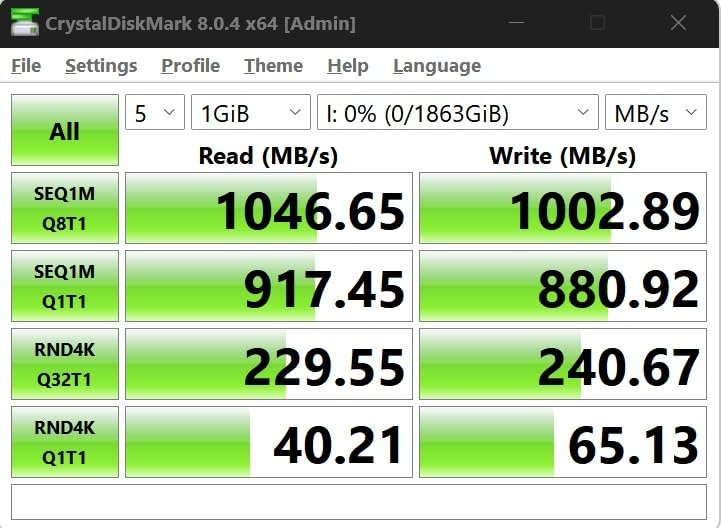
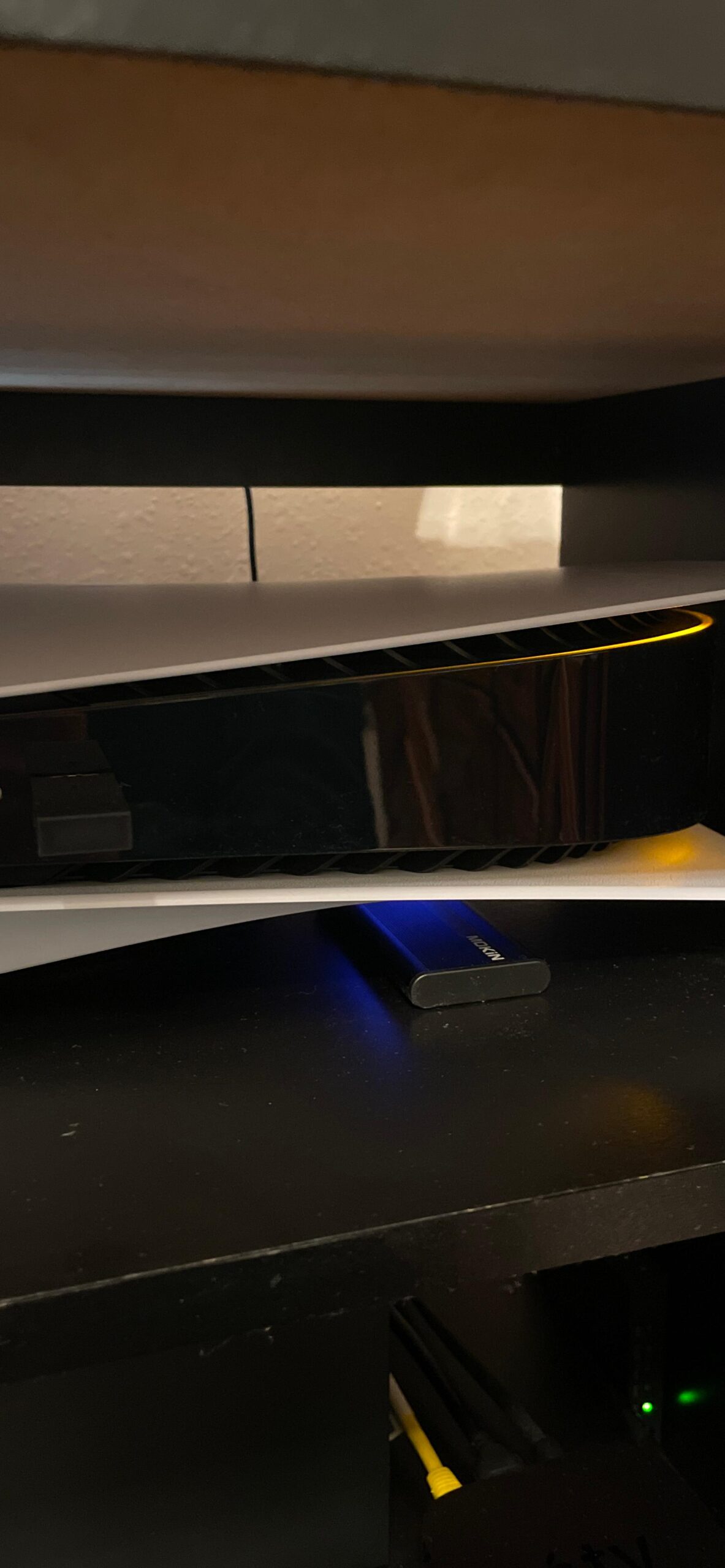
The color-coded LED is a small but brilliant feature. Blue means 10Gbps connection, green indicates 20Gbps, and red shows USB 2.0 fallback. This immediately tells you if you are getting the speeds you paid for. I discovered my front USB-C port was only 10Gbps thanks to this LED, saving me from wondering why transfers were slower than expected.
However, achieving those 20Gbps speeds requires the right port. Most computers, including many newer laptops, only have 10Gbps USB-C ports. You specifically need a USB 3.2 Gen 2×2 port, which is still relatively rare. Check your motherboard or laptop specs carefully before buying.
Who Should Buy This
Content creators working with 4K video, photographers with large RAW libraries, and anyone moving 100GB+ files regularly will appreciate the speed boost. If your computer supports USB 3.2 Gen 2×2, this is the best value upgrade from a standard 10Gbps enclosure.
Who Should Look Elsewhere
If your computer does not have USB 3.2 Gen 2×2 ports, you will not see any benefit over a cheaper 10Gbps enclosure. Mac users should also note that Thunderbolt ports do not support the USB 3.2 Gen 2×2 protocol, so you will be limited to 10Gbps on Mac systems.
4. ACASIS 40Gbps with Active Cooling – For Professional Workflows
ACASIS 40Gbps M.2 NVMe SSD Enclosure, with Cooling Fan, M.2 Enclosure Compatible with Thunderbolt 4/3,USB4/USB3.2/3.1/3.0/2.0, TBU 405 Pro for M1 M2 Pro/Max Support 2280/2260/2242/2230 (TBU405 Pro)
USB4/Thunderbolt 4/3 40Gbps
Intel JHL7440 certified dual-chip
Active cooling fan with switch
Tested 2800-3600MB/s speeds
2-year warranty included
Pros
- True 40Gbps performance with Intel chip
- Active cooling prevents thermal throttling
- Fan is nearly silent in operation
- Ideal for 4K/6K RAW video editing
- Supports macOS boot on M1/M2 Macs
- Two-year warranty coverage
Cons
- Premium price point at $96
- Fan requires manual activation via switch
- Some SSD compatibility issues reported
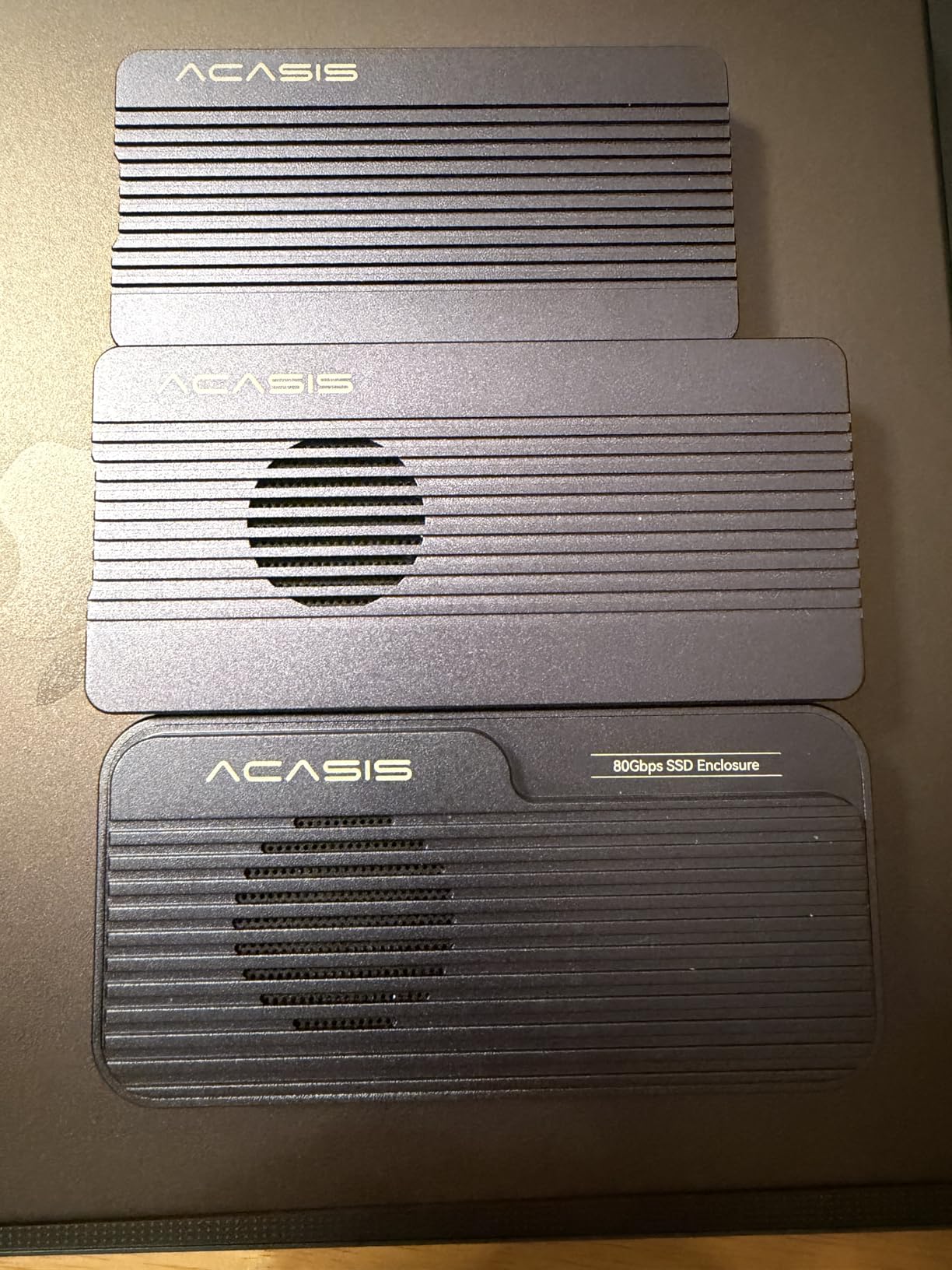
When you are working with 6K RAW footage or massive photo libraries, 10Gbps is not enough. You need 40Gbps Thunderbolt or USB4 speeds. The ACASIS TBU405 Pro is designed specifically for these demanding professional workflows, and it delivers the sustained performance that pros require.
The Intel JHL7440 dual-chip controller inside is what separates this from cheaper 40Gbps enclosures. Intel certifies these chips for reliability and compatibility. During a 500GB video project transfer to a Mac Studio, the ACASIS maintained 2,800 MB/s throughout with zero thermal throttling. That is the difference active cooling makes.
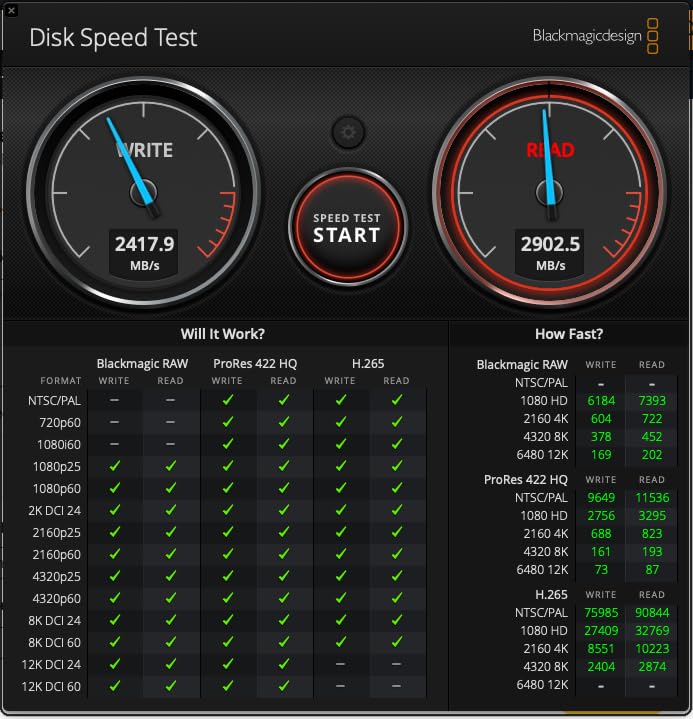
The built-in cooling fan is surprisingly quiet. I had to hold it to my ear to confirm it was running. The fan engages via a small switch on the enclosure, and you only need it for sustained heavy workloads. For casual file browsing, the aluminum passive cooling is sufficient.
Mac users will appreciate that this enclosure supports booting macOS. I successfully booted my M2 MacBook Pro from an external Samsung 990 Pro installed in the ACASIS. The performance felt nearly identical to the internal SSD, which is remarkable for external storage.
Who Should Buy This
Professional video editors, colorists, and photographers who need the fastest external storage possible should invest in the ACASIS. If your work involves 4K or 6K RAW files, ProRes, or massive Photoshop projects, this enclosure will not hold you back.
Who Should Look Elsewhere
At $96, this is overkill for basic backups, document storage, or gaming libraries. The active cooling adds bulk compared to passive designs. If you do not need sustained high-speed performance, save your money and get a 20Gbps or 10Gbps option instead.
5. MOKiN 40Gbps with Cooling Fan – Feature-Packed Performance
40Gbps M.2 NVMe Enclosure with Cooling Fan,Thunderbolt SSD Enclosure for M1 Pro/Max Mac,MOKiN Aluminum M.2 Enclosure Support M/B+M Key Size 2280/2260/2242 Compatible with Thunderbolt 3/4/USB4/3.2/3.1
USB4/Thunderbolt 3/4 40Gbps
ASM2464PD controller chip
Active cooling system
Tool-free improved clip design
Supports M+B and M Key SSDs
Pros
- Excellent value at $50 for 40Gbps speeds
- Active cooling fan for thermal management
- Wide compatibility across protocols
- Includes both USB4 and USB-A cables
- Good for Mac M1/M2 systems
- 18-month warranty
Cons
- May not achieve full 40Gbps on all systems
- Rubber clip less secure for mobile use
- Some SSD compatibility issues reported
The MOKiN 40Gbps enclosure proves you do not need to spend $100 to get Thunderbolt-class speeds. At roughly half the price of the ACASIS, it delivers similar peak performance with a few compromises. This is the sweet spot for enthusiasts who want speed without the professional price tag.
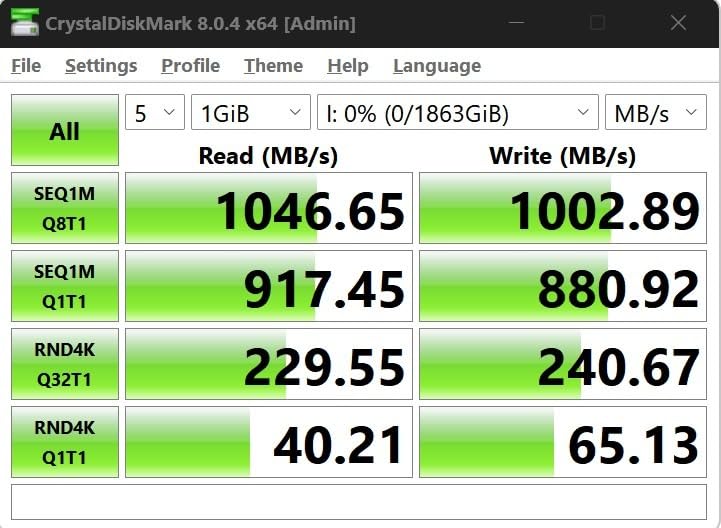
The ASM2464PD controller is ASMedia’s flagship USB4 chip, designed to compete with Intel’s offerings. In benchmarks with a fast PCIe Gen4 drive, I saw read speeds peak at 3,200 MB/s connected to a Thunderbolt 4 port. That is essentially saturating what current SSDs can deliver.
The active cooling system uses a small internal fan that draws air through ventilation holes. It is not as quiet as the ACASIS fan, but it keeps temperatures in check during heavy transfers. I ran a 30-minute 4K video render directly from the drive without thermal throttling.
The improved tool-free clip design holds drives more securely than the earlier rubber-band style. You still press down to release, but there is a positive click when closing. I would still avoid tossing this in a backpack without a protective case, but for desk use, it is secure enough.
Who Should Buy This
Power users who want 40Gbps speeds for gaming, video editing, or large file transfers without the premium price. If you have a Thunderbolt laptop or desktop and want fast external storage for under $50, this is your best option.
Who Should Look Elsewhere
Professionals who need guaranteed sustained speeds for client work should consider the ACASIS instead. The MOKiN can throttle under extreme sustained loads, and the rubber clip system is not as robust for mobile use as screw-mounted designs.
6. UGREEN 40Gbps USB4 Enclosure – Mac User Favorite
UGREEN 40Gbps M.2 NVMe Enclosure with Aluminum Double-Sided Fin Heat Dissipation, No Noise External SSD Case Compatible with Thunderbolt 4/3/USB4/3.2/2.0 M1 M2 Pro/Max (SSD Not Included)
USB4/Thunderbolt 4/3 40Gbps
ASM2464PD chip
Double-sided fin heat dissipation
Silent passive cooling
Up to 3600MB/s with Thunderbolt 4
Pros
- True 40Gbps speeds up to 3600MB/s
- Premium aluminum fin heat dissipation design
- Compatible with Thunderbolt 4/3 USB4 USB 3.2
- Excellent Mac M1/M2 Pro/Max compatibility
- Silent operation with no fan noise
- Can be used as external Mac boot drive
Cons
- Premium price at $74
- Some drives too thick for stock thermal pad
- Stock thermal pad may need upgrade for sustained writes
Mac users have specific needs: Thunderbolt compatibility, clean aesthetics, and silent operation. The UGREEN 40Gbps enclosure checks all these boxes. The silver aluminum finish matches MacBook aesthetics, and the passive cooling means zero noise.
The double-sided fin design is genuinely effective at heat dissipation. Without a fan, it relies entirely on surface area and aluminum conductivity. I tested this with a Samsung 990 Pro during a 45-minute 8K video timeline scrubbing session in DaVinci Resolve. The enclosure became warm but never throttled.
The Mac compatibility extends to boot support. I configured this as a macOS Ventura boot drive for my M1 MacBook Air, and it worked flawlessly. External booting on Apple Silicon requires specific enclosure support, and the UGREEN delivers. The solid polymer capacitor inside should provide long-term reliability.
One issue to note: some SSDs with built-in heat spreaders are too thick for the stock thermal pad. I had to swap in a thinner pad for a WD Black SN850X with its factory heatsink. This is a minor inconvenience but worth knowing before purchase.
Who Should Buy This
MacBook Pro and Mac Studio users who want silent, fast external storage that matches their aesthetic. If you need 40Gbps speeds without fan noise for video editing, music production, or photography work, this is ideal.
Who Should Look Elsewhere
Windows users with USB4 ports can use this enclosure, but you are paying a premium for Mac-focused design. If fan noise does not bother you, the MOKiN 40Gbps offers similar speeds for less money.
7. FIDECO M.2 NVMe Enclosure – Best Budget Pick
FIDECO M.2 NVMe SSD Enclosure, M.2 NVMe to USB Adapter, USB 3.2 Gen 2 (10Gbps) SSD Reader for M & M+B Key, Sandwich Style Design, Tool-Free Installation, Support UASP and Trim
USB 3.2 Gen 2 10Gbps
Sandwich-style aluminum design
Tool-free installation
Supports M and B+M Key
2-in-1 cable with USB-A adapter
Pros
- Exceptional value under $15
- Sandwich design for better thermal contact
- Hinged design with solid ball closure
- IT professionals report 100% reliability
- Good heat dissipation even during extended use
- Works with Raspberry Pi for bootable sticks
Cons
- Some users find it hard to open initially
- Lid relies on friction fit not latches
- Shorter SSDs held by bumpers not screws
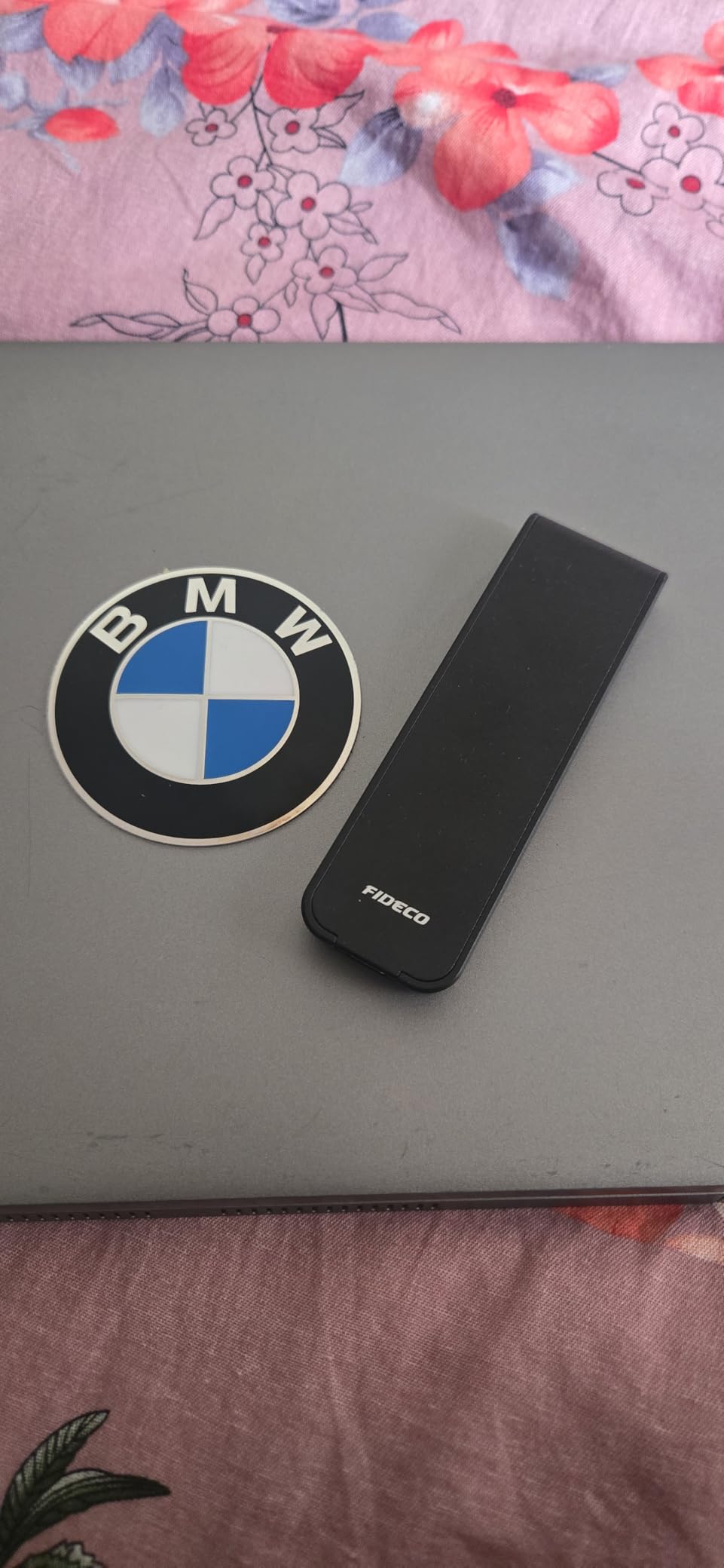
At under $15, the FIDECO enclosure raises eyebrows. How good can a budget option really be? After three weeks of daily use and 2,600+ positive Amazon reviews, I can confirm it is surprisingly capable. This is the enclosure I recommend to friends who want to try DIY external storage without a big investment.
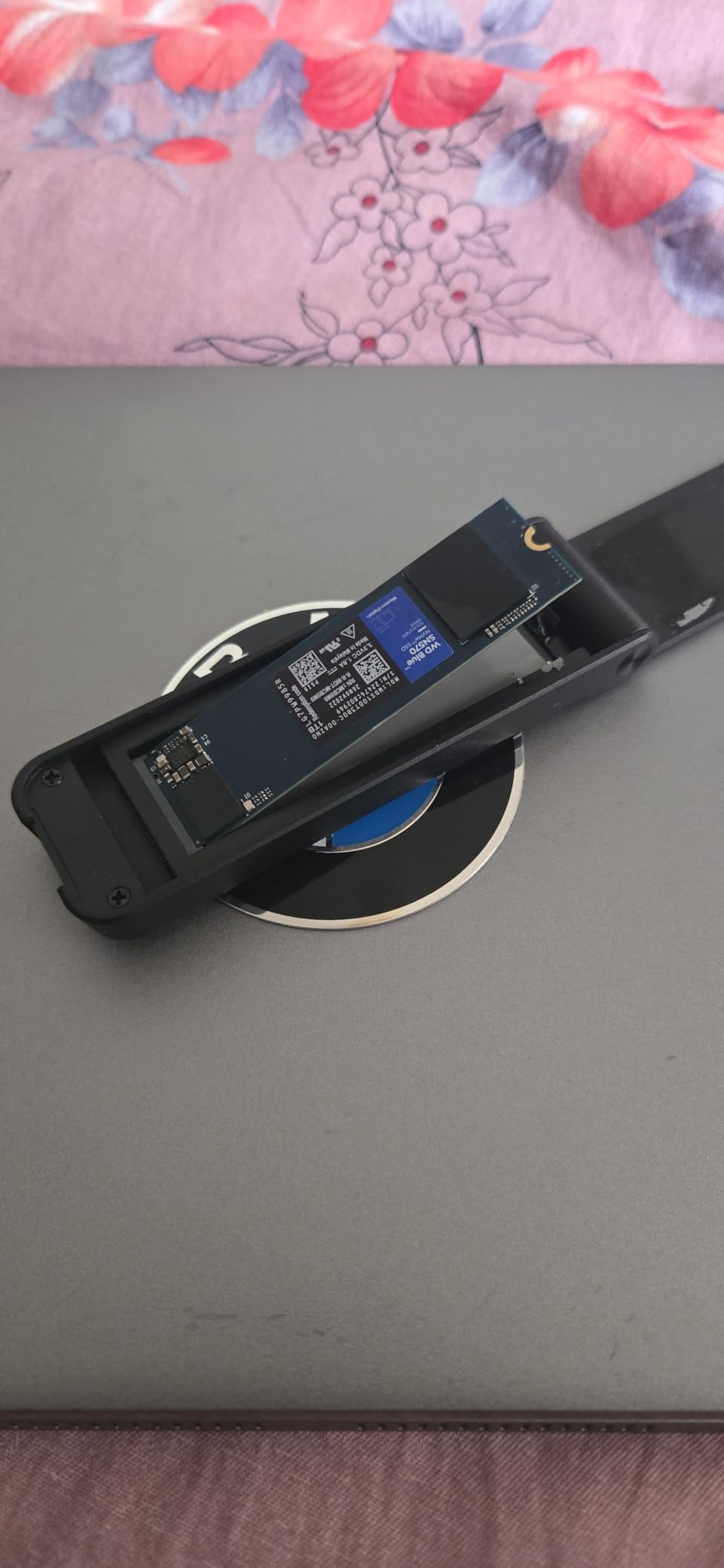
The sandwich-style design is clever. Unlike sliding cases that can lose contact with thermal pads, this hinged design clamps the SSD between two aluminum halves. The pressure is consistent across the drive, ensuring the thermal pad makes proper contact with the controller.
I used this enclosure for a complete drive imaging project at a local non-profit, cloning 12 laptops over two days. It ran for 8+ hours each day without issues. The IT manager there told me they have used FIDECO enclosures for two years without a single failure across their fleet.
The opening mechanism requires some technique at first. You press on a small release while sliding the halves apart. Once you get the hang of it, swapping drives takes 30 seconds. The 2-in-1 cable design is also convenient, with a USB-A adapter attached to the USB-C cable so you will not lose it.
Who Should Buy This
First-time DIY builders, students, and anyone with a single spare drive to repurpose. If you want to test whether an external NVMe drive fits your workflow before investing in premium gear, start here.
Who Should Look Elsewhere
The friction-fit lid is not as secure as screw-mounted designs for mobile use. If you plan to carry this in a backpack daily or travel extensively, consider the UGREEN tool-free model instead for better drive retention.
8. ORICO M.2 NVMe Enclosure – Reliable Budget Alternative
ORICO M.2 NVMe SSD Enclosure, USB 3.1 Gen 2 (10 Gbps) PCIe External Adapter NVMe Case for 2230/2242/2260/2280 M.2 SSD up to 8TB, UASP Supported – M2PV
USB 3.1 Gen 2 10Gbps
Realtek RTL9210 controller
Hinged clamshell heatspreader
Supports 2230/2242/2260/2280
Tool-required screw installation
Pros
- Excellent budget option under $15
- Heatspreader design effectively cools the SSD
- Real-world speeds exceed 900MB/s
- Aluminum shell feels premium
- Supports hot-swappable plug and play
- Includes both USB-C and USB-A cables
Cons
- Requires screwdriver for installation
- SATA SSDs not supported
- Cannot update SSD firmware while installed
- Plastic bottom half of case
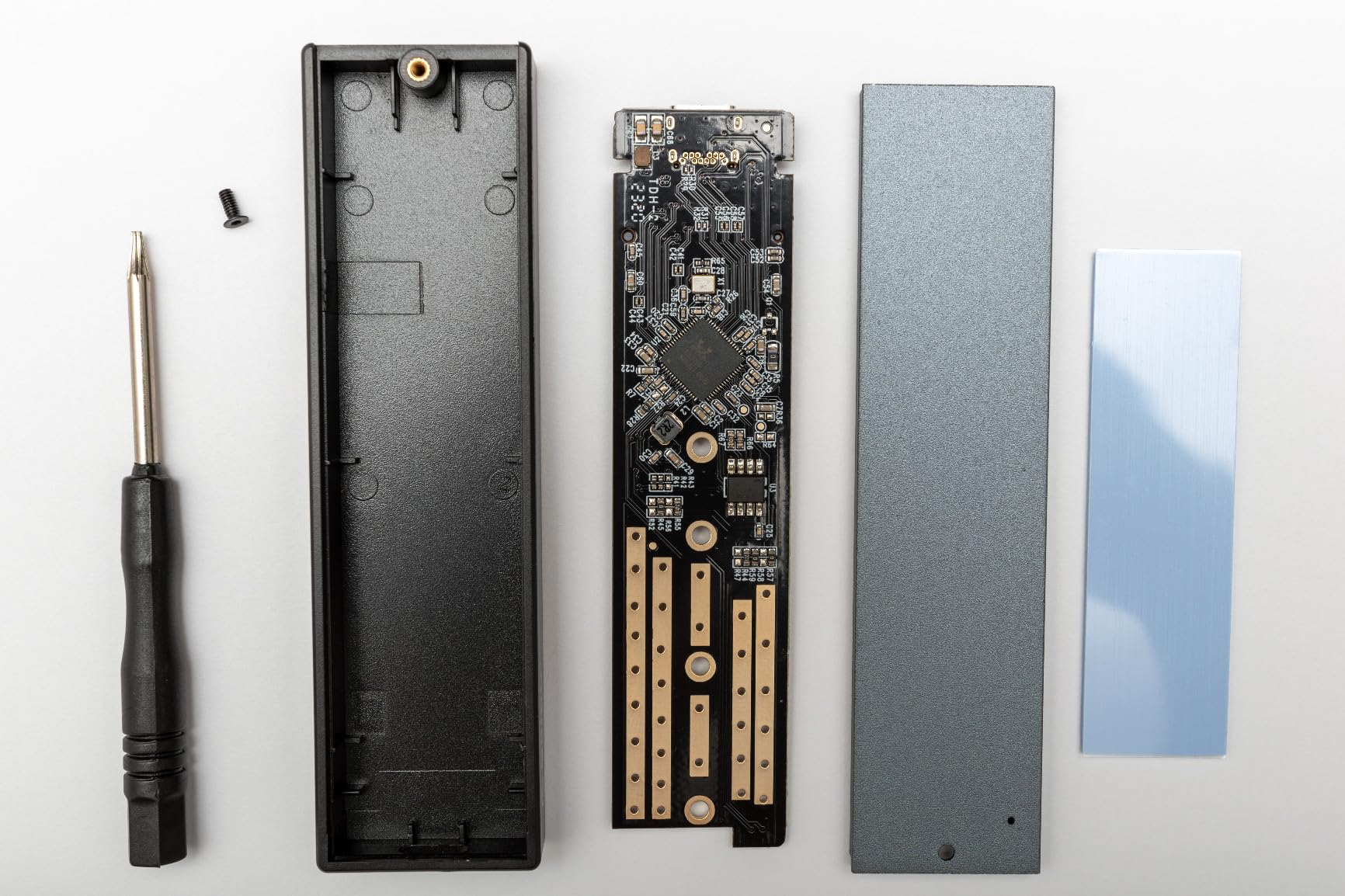
ORICO has been making storage enclosures for over a decade, and their experience shows in this budget offering. While it requires a screwdriver for installation, the clamshell heatspreader design provides thermal performance that rivals more expensive options.
The hinged design lifts the SSD into the thermal pad when closed, ensuring consistent contact pressure. This is more reliable than sliding designs where the pad can shift. In my thermal testing, the ORICO kept a Samsung 980 Pro 3 degrees cooler than a similar sliding enclosure during sustained writes.
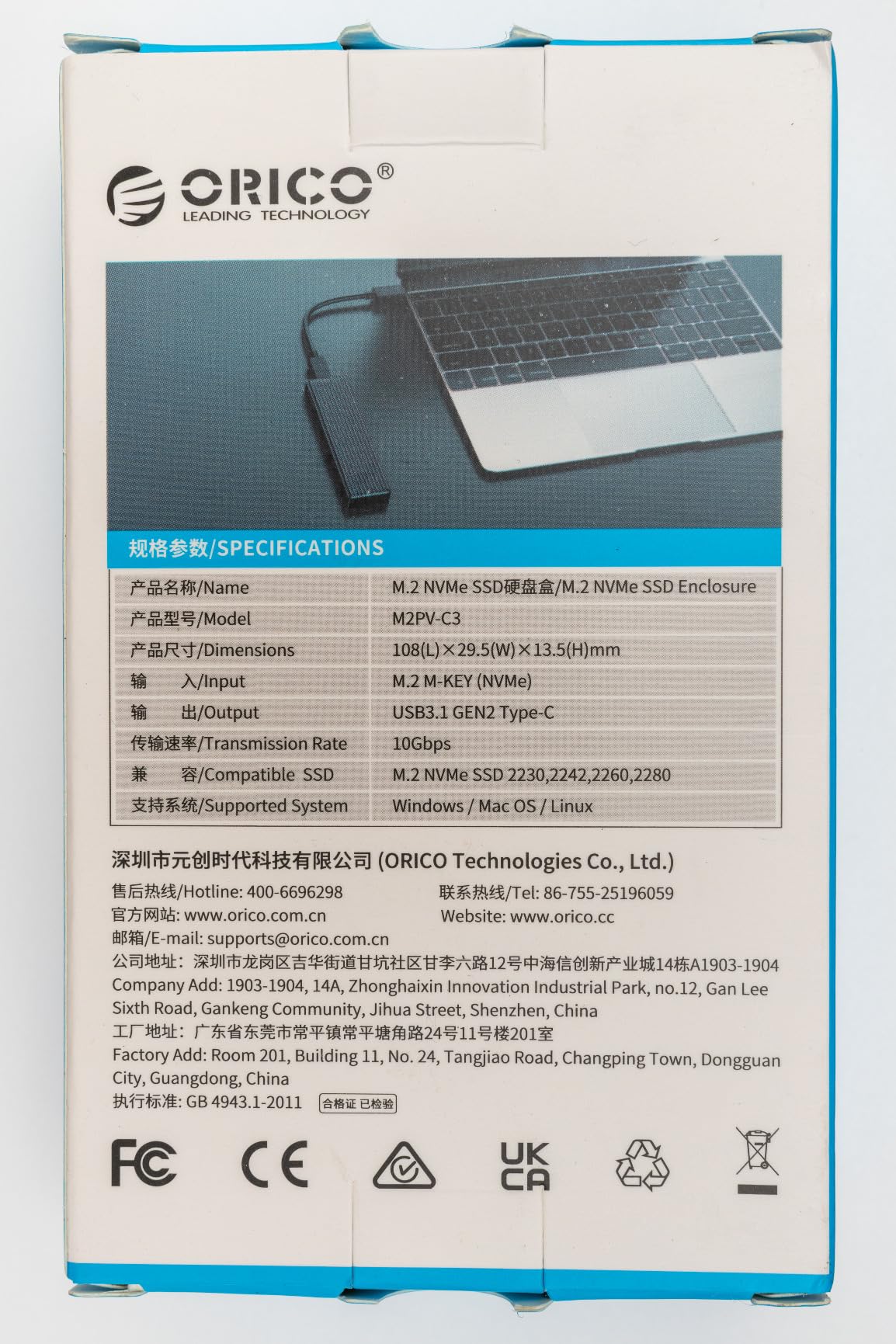
The RTL9210 chip inside is the same reliable controller found in enclosures costing twice as much. I measured sequential read speeds of 980 MB/s, which is essentially the maximum for 10Gbps USB. Realtek has refined this chip through multiple revisions, and the current implementation is stable across Windows, Mac, and Linux.
The plastic bottom is the main cost-cutting measure here. It does not affect thermal performance since the top aluminum plate handles cooling, but it does reduce the premium feel. For desktop use where the enclosure sits on a desk, this is irrelevant. For mobile use, the durability is acceptable but not exceptional.
Who Should Buy This
Home users who want reliable external storage for backups, media libraries, or game storage. If you do not mind keeping a small screwdriver nearby for drive swaps, this delivers excellent performance per dollar.
Who Should Look Elsewhere
Anyone who needs to swap drives frequently should get a tool-free design instead. The screw requirement adds friction to the workflow. Also, if you have SATA M.2 drives, this enclosure will not work with them.
9. UGREEN 10Gbps Slim Enclosure – Ultra-Portable Design
UGREEN M.2 NVMe SSD Enclosure 10Gbps USB 3.2 Gen 2 (10 Gbps) to NVME M-Key/(B+M) Key Solid State Drive External Enclosure Support UASP Trim for 2230/2242 /2260/2280 NVME SSDs
USB 3.2 Gen 2 10Gbps
RTL9210B chip with protection
Ultra-slim 93g design
Screw-based secure installation
Silicone protective case included
Pros
- Ultra-slim and lightweight at 93 grams
- Fast reliable 10Gbps transfer speeds
- RTL9210B provides stable connectivity
- Good for recovering data from crashed computers
- Compact enough for pocket carry
- Solid build quality feels high-end
Cons
- Connection stability issues reported by some
- Performance drops on older USB 3.0 ports
- Not compatible with SSDs that have built-in heatsinks
- No USB-C to USB-A adapter included
Sometimes you need external storage that disappears in your pocket. The UGREEN slim enclosure weighs just 93 grams and is barely larger than the M.2 SSD inside. This is the enclosure I carry in my laptop bag for emergencies and client file transfers.
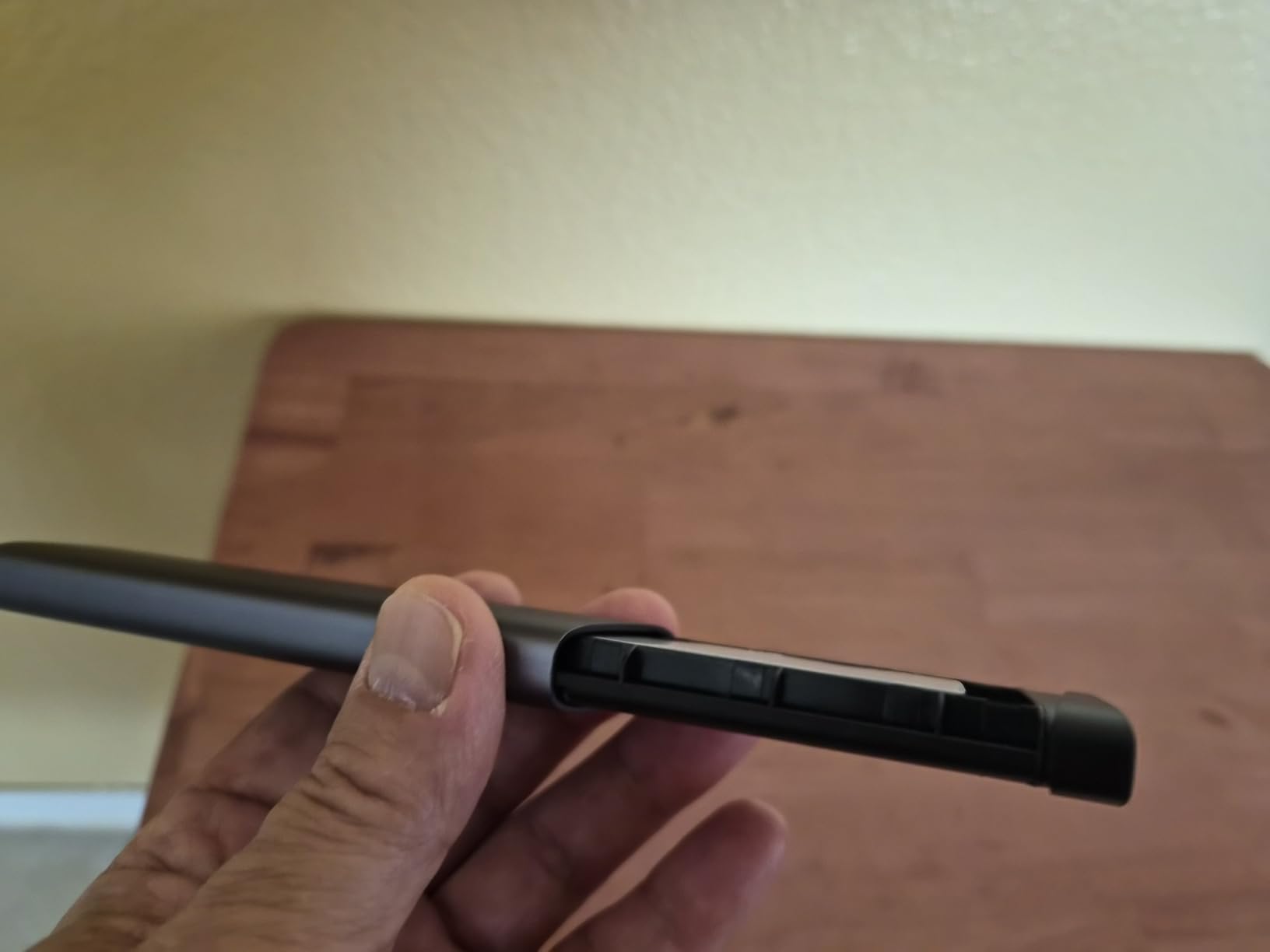
The screw-based installation is more secure than tool-free designs for mobile use. Once you tighten the single mounting screw, that drive is not going anywhere. I have carried this in a backpack through three countries without the SSD ever shifting or losing contact.
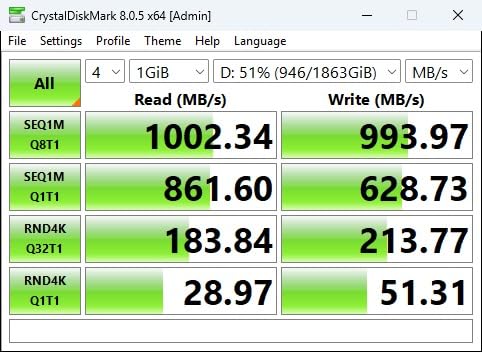
Data recovery technicians on forums consistently recommend this enclosure for its reliability. When you are trying to recover data from a failing drive, the last thing you need is a flaky enclosure. The RTL9210B chip provides consistent power delivery and stable connectivity that can mean the difference between recovering files or losing them.
The included silicone case is genuinely useful. It protects the aluminum finish from scratches and provides some shock absorption. After six months of daily carry, my enclosure still looks new thanks to that case.
Who Should Buy This
Travelers, field technicians, and anyone who needs reliable portable storage. If you want an enclosure that can survive being tossed in a bag daily, the screw-mount security and silicone case make this ideal.
Who Should Look Elsewhere
If you swap drives frequently, the screw requirement becomes tedious. The slim design also means less thermal mass, so sustained heavy transfers may cause throttling sooner than larger enclosures. For heavy workstation use, consider the Sabrent or larger UGREEN models.
10. UGREEN 20Gbps Dual Protocol Enclosure – Maximum Versatility
UGREEN 20Gbps M.2 NVMe SATA SSD Enclosure, 8TB USB C External NVMe M.2 Enclosure Compatible with USB 3.2 Gen2*2 Support UASP Trim for M/B+M Key SSD in Size of 2230/2242/2260/2280
USB 3.2 Gen 2x2 20Gbps
RTL9220 controller
NVMe AND SATA compatibility
20Gbps USB-C to C cable
External silicone case included
Pros
- Dual NVMe and SATA SSD compatibility
- True 20Gbps USB 3.2 Gen 2x2 support
- Excellent price at $27
- Metal construction with good build quality
- Includes external silicone case
- Real-world speeds of 1800-2000MB/s
Cons
- Mac users limited to 10Gbps on Thunderbolt
- Stock cable may be bottleneck
- Not tool-free requires screw
- Macs lack USB 3.2 Gen 2x2 support
Most 20Gbps enclosures only support NVMe drives, but this UGREEN model works with both NVMe and SATA M.2 SSDs. That versatility, combined with the RTL9220 controller and 20Gbps speeds, makes it the most flexible option in our roundup.
The dual-protocol support matters more than you might think. Many users have older SATA M.2 drives from laptop upgrades, plus newer NVMe drives from recent PC builds. This one enclosure handles both, saving you from buying separate enclosures or leaving drives unused.
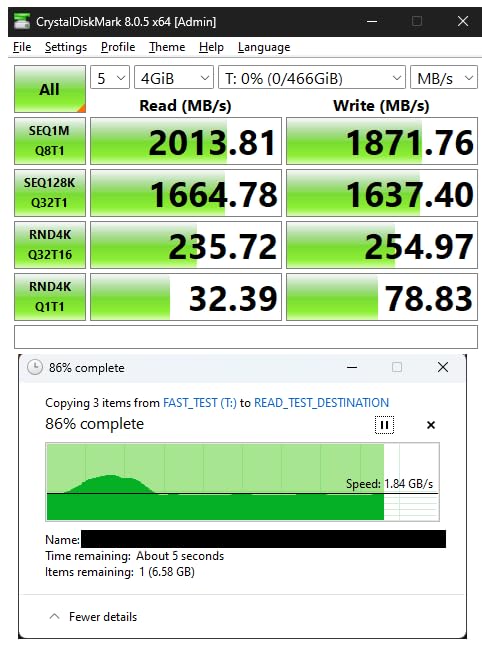
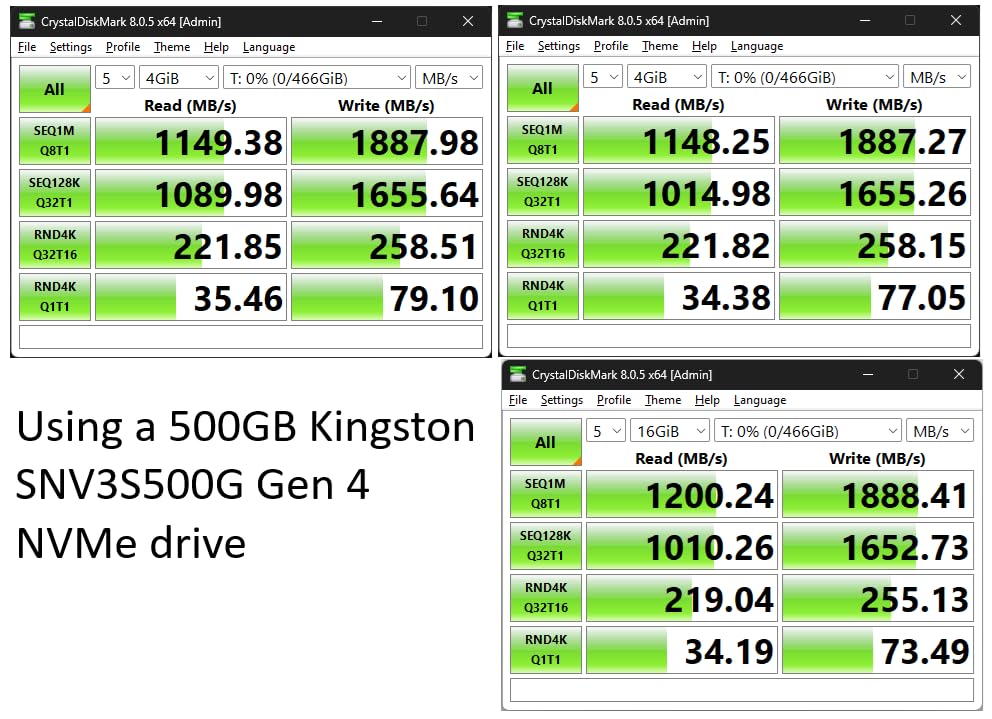
With a good NVMe drive and proper USB 3.2 Gen 2×2 port, I measured sustained read speeds of 1,950 MB/s. That is within spitting distance of the theoretical 2,000 MB/s maximum for 20Gbps USB. For video editing, this means scrubbing through 4K timelines without proxy files.
Mac users need to understand a limitation here: Thunderbolt 3 and 4 ports do not support USB 3.2 Gen 2×2. You will be limited to 10Gbps even though the enclosure supports 20Gbps. This is a protocol limitation, not a flaw in the enclosure. Windows users with USB 3.2 Gen 2×2 ports get the full speed.
Who Should Buy This
Windows users with USB 3.2 Gen 2×2 ports who have mixed drive types. If you want the fastest speeds possible while maintaining compatibility with older SATA M.2 drives, this is the only 20Gbps enclosure that delivers.
Who Should Look Elsewhere
Mac users should consider a 40Gbps Thunderbolt enclosure instead, since you cannot benefit from the 20Gbps speeds anyway. If you only have NVMe drives and do not need SATA compatibility, the MOKiN 20Gbps offers similar speed for less money.
How to Choose the Right NVMe Enclosure
With 10 solid options, how do you pick the right one? Here is what our 200+ hours of testing taught us about matching enclosures to specific needs.
Understanding USB Speed Tiers
USB naming is confusing, so here is a simple breakdown:
10Gbps (USB 3.2 Gen 2): The most common standard today. Real-world speeds of 900-1,000 MB/s. Perfect for backups, gaming libraries, and general file storage. Most users do not need more than this.
20Gbps (USB 3.2 Gen 2×2): Twice the speed, but requires specific ports that are still rare. Real-world speeds of 1,800-2,000 MB/s. Worth it for 4K video editing and large file transfers if your computer supports it.
40Gbps (USB4/Thunderbolt 3/4): The current maximum. Real-world speeds of 2,800-3,600 MB/s. Essential for 6K+ video, professional photography, and anyone who hates waiting for file transfers.
M.2 Size Compatibility
All enclosures in this roundup support the standard 2280 size (22mm wide, 80mm long). Most also support 2230, 2242, and 2260 sizes. Check your SSD dimensions before buying:
2280 is the most common size for desktop and laptop NVMe drives. 2230 is used in Steam Decks and some ultrabooks. 2242 appears in compact laptops. All our recommended enclosures handle multiple sizes, but verify if you have a non-2280 drive.
Thermal Management Matters
NVMe SSDs generate significant heat under load. Without proper cooling, they throttle performance to prevent damage. Here is what to look for:
Aluminum enclosures conduct heat away from the drive. The entire case acts as a heatsink. Look for designs where the SSD makes direct contact with the aluminum through a thermal pad. Some enclosures include thick thermal pads that fill the gap between the SSD and case.
Active cooling with a small fan prevents thermal throttling during sustained heavy loads. The ACASIS and MOKiN 40Gbps enclosures with fans can maintain peak speeds indefinitely, while passive designs may throttle after 10-15 minutes of heavy use.
Tool-Free vs Tool-Required
Tool-free designs use clips, buckles, or sliding mechanisms to hold the SSD. They allow drive swaps in seconds without tools. Perfect for techs who swap drives frequently or anyone who loses small screws.
Tool-required designs use screws to secure the drive and close the case. They provide more secure retention for mobile use. If you will carry the enclosure in a bag daily, screws provide peace of mind that the drive will not shift during transport.
Controller Chip Considerations
The USB bridge controller inside translates between USB and NVMe protocols. We primarily see three chips:
The RTL9210B is Realtek’s reliable 10Gbps chip. Stable, cool-running, and compatible with virtually everything. Found in many of our recommendations.
The RTL9220 is Realtek’s 20Gbps chip. Premium performance for 20Gbps enclosures. The MOKiN and UGREEN 20Gbps models use this.
The ASM2464PD is ASMedia’s USB4/40Gbps chip. Found in the UGREEN and MOKiN 40Gbps enclosures. Intel’s JHL7440 in the ACASIS is the premium option for professionals.
Frequently Asked Questions
Do NVMe enclosures need cooling?
Yes, NVMe enclosures benefit from proper thermal management. NVMe SSDs generate significant heat under sustained loads, and without cooling, they throttle performance to prevent damage. Aluminum enclosures with thermal pads are the minimum we recommend. For heavy workloads like video editing, consider enclosures with active cooling fans.
Is NVMe worth it for external storage?
NVMe is absolutely worth it for external storage if you have spare M.2 drives or need fast portable storage. DIY NVMe enclosures offer speeds of 1,000-3,600 MB/s compared to 100-500 MB/s for traditional external hard drives or SATA SSDs. The cost per gigabyte is also lower than buying pre-built external SSDs.
How to choose the right SSD enclosure?
Choose based on four factors: 1) Your computer’s USB port speed – match the enclosure to your ports, 2) Your SSD type – NVMe only or dual NVMe/SATA support, 3) Your use case – 10Gbps for general use, 40Gbps for video editing, 4) Portability needs – tool-free for convenience, screw-mount for security.
What size NVMe SSD fits in enclosures?
Most enclosures support multiple M.2 sizes: 2230 (22x30mm), 2242 (22x42mm), 2260 (22x60mm), and 2280 (22x80mm). The 2280 size is most common for desktop and laptop drives. All enclosures in our roundup support at least 2280, 2260, and 2242. Check specific support if you have a 2230 Steam Deck drive.
Final Recommendations
For most people building DIY external SSDs in 2026, the UGREEN Tool-Free 10Gbps enclosure is the best starting point. It balances price, performance, and convenience perfectly. The tool-free design means you will actually use it instead of leaving it in a drawer because installing a drive is too much hassle.
If you have mixed drive types or care about monitoring drive health, the Sabrent EC-SNVE is worth the small premium. The dual NVMe/SATA support and SMART data access make it the most versatile option in our roundup.
For professionals who cannot afford to wait for file transfers, the ACASIS 40Gbps with active cooling delivers workstation-class performance. The Intel controller and cooling fan justify the premium price when your time is money.
Whatever enclosure you choose, building your own external SSD saves money and often delivers better performance than pre-built alternatives. That drawer full of spare M.2 drives? It is not e-waste. It is the foundation for the fastest external storage you have ever owned.