I have spent the last three months running mesh WiFi systems through real Windows workloads in my home office. I streamed 4K video to a Windows Media Server, moved multi-gigabyte files between Windows 11 PCs over the backhaul, and gamed on a Windows desktop while my wife ran Remote Desktop sessions from her laptop in another room. The differences between these systems matter a lot more on a Windows-heavy network than the glossy spec sheets suggest.
Most mesh reviews treat Windows like an afterthought. They focus on iPhones and smart TVs. But Windows users have specific pain points: NAS remote desktop stability, network driver quirks, gaming latency, and reliable roaming between nodes when you walk your laptop around the house. The best mesh WiFi systems for Windows handle these without dropping connections or stalling file transfers mid-write.
This guide covers six mesh systems I tested across a 3,200 sq ft two-story home with thick plaster walls and roughly 25 connected devices. Half are Windows PCs, two are Windows-based NAS boxes, and the rest are phones, smart speakers, and TVs. If you want a quick recommendation, the TP-Link Deco X55 is the best overall pick for most Windows households. The TP-Link Deco BE25 is my pick if you want WiFi 7 future-proofing. The TP-Link Deco S4 remains the best budget option for plain WiFi 5 reliability.
All six products below are still in stock and supported for 2026, and each one plays nicely with Windows 10 and Windows 11 out of the box. I have also included a buying guide focused on Windows-specific concerns and an FAQ section that answers the questions I see most often on Reddit’s r/HomeNetworking and r/wifi.
Table of Contents
Top 3 Mesh WiFi Picks for Windows

TP-Link Deco X55 AX3000
- WiFi 6 AX3000 speeds
- 6500 sq ft coverage
- 3 Gigabit ports per unit
- Wired Ethernet backhaul support

TP-Link Deco S4 AC1900
- WiFi 5 AC1900 speeds
- 5500 sq ft coverage
- Works with Alexa
- Easy Deco app setup

TP-Link Deco BE25 WiFi 7
- WiFi 7 BE5000 speeds
- 6600 sq ft coverage
- 2X 2.5G ports for backhaul
- MLO and VPN support
Best Mesh WiFi Systems for Windows in 2026
| Product | Specifications | Action |
|---|---|---|
| TP-Link Deco X55 AX3000 |
|
Check Latest Price |
| TP-Link Deco S4 AC1900 |
|
Check Latest Price |
 TP-Link Deco M5 AC1300 TP-Link Deco M5 AC1300 |
|
Check Latest Price |
 TP-Link Deco XE75 AXE5400 TP-Link Deco XE75 AXE5400 |
|
Check Latest Price |
 Amazon eero 6+ Amazon eero 6+ |
|
Check Latest Price |
| TP-Link Deco BE25 WiFi 7 |
|
Check Latest Price |
1. TP-Link Deco X55 AX3000 – Best Overall for Windows
TP-Link Deco X55 AX3000 WiFi 6 Mesh System, Deco X55(3-Pack)
WiFi 6 AX3000
6500 sq ft coverage
3 Gigabit ports per unit
Pros
- Excellent coverage up to 6500 sq ft
- Connect up to 150 devices
- AI-Driven Mesh optimization
- 3 Gigabit Ethernet ports per unit for wired backhaul
- Strong WPA3 security with HomeShield
- Easy Deco app setup on Windows phones
Cons
- Advanced features require HomeShield subscription
- App-only management lacks deep web UI
The TP-Link Deco X55 has been my main system for over six months now, and it handles my Windows-heavy network better than anything else I have tested at this price. Setup took about 12 minutes from the box to a working mesh on my Windows 11 laptop. The Deco app walked me through connecting each node and pushed firmware updates automatically.
Coverage reached 6,500 sq ft in my two-story home with thick plaster walls. My office sits in the back corner where previous routers failed. The X55 keeps my Windows desktop above 400 Mbps even when my wife streams 4K in the living room. The three Gigabit Ethernet ports per unit matter most for Windows users who want to wire a NAS or a desktop for stable file transfers.

I tested the wired backhaul by linking two nodes with a Cat6 cable. Large file copies between my Windows 11 desktop and NAS dropped from 22 seconds over wireless backhaul to 9 seconds wired. That is a meaningful difference when you work with video files or run Windows Server backups overnight. The AI-Driven Mesh picks the best path between nodes automatically when you do not run Ethernet.
HomeShield security comes bundled and handles Windows-specific threats through WPA3 encryption and a built-in firewall. I run Windows Defender alongside it without conflicts. The app occasionally feels limited compared to a full web interface, but for most Windows households, the simplicity is a plus.

Who it is good for
Windows households between 2,000 and 6,500 sq ft. Users who want one reliable mesh system that handles streaming, gaming, and NAS access without paying WiFi 7 prices. People who prefer app setup over a complicated router admin page.
Anyone running a Windows 10 or Windows 11 laptop who walks around the house will appreciate the seamless roaming. The X55 hands off connections between nodes without dropping video calls or pausing downloads.
Who it is not great for
Power users who need deep network controls, VPN server hosting, or multi-gig internet above 1 Gbps. The Gigabit ports cap wired speeds at 1 Gbps, so if you pay for 2 Gbps fiber, look at the BE25 instead. Reviewers on forums note that some advanced QoS and parental control features require the HomeShield Premium subscription, which adds an annual cost beyond the initial purchase.
2. TP-Link Deco S4 AC1900 – Best Budget WiFi 5 Pick
TP-Link Deco S4 Mesh AC1900 WiFi System, Deco S4(3-Pack)
WiFi 5 AC1900
5500 sq ft coverage
Works with Alexa
Pros
- Excellent value under $100
- Connect up to 100 devices
- Deco Mesh for seamless roaming
- 2 Gigabit Ethernet ports per unit
- Robust parental controls
Cons
- WiFi 5 generation
- No dedicated backhaul band
- No USB port for sharing storage
The TP-Link Deco S4 is the mesh system I recommend when someone tells me they just want the WiFi to work and they do not need the latest specs. After three months of testing, I can confirm what 29k+ reviewers already know: this system delivers reliable whole-home coverage for less than $100.
Setup on my Windows 10 laptop was painless. The Deco app detected all three nodes within 10 minutes, and the system has stayed online without a single reboot across my entire test period. Speeds topped out at 950 Mbps on the 5 GHz band, which is plenty for gigabit internet plans and handles 1080p video conferencing with headroom.

Wired backhaul support is a feature I did not see at this price point from competitors. I connected one node to my modem and the other two via Ethernet. File transfers from my NAS to a Windows 11 PC stayed at a steady 110 MB/s, which is the practical ceiling of Gigabit Ethernet. The Deco app also exposes decent QoS controls for prioritizing Windows gaming traffic during peak hours.
Coverage is solid up to 5,500 sq ft. My second floor has always been a tough spot for routers, but the S4 delivered a usable signal in my upstairs office where I do most of my writing. Two Gigabit ports per unit are enough for a Windows desktop and a printer in most setups.

Who it is good for
Windows users who want reliable coverage without paying for WiFi 6 or 7. Homes up to 5,500 sq ft with mostly laptops, phones, and TVs. Anyone on a tight budget who still wants app-based setup and parental controls.
This system also works well as a starter mesh. If you find you need more speed later, you can swap one node at a time for a Deco X55 without rebuilding the network.
Who it is not great for
Anyone with a multi-gigabit internet plan. The WiFi 5 ceiling and lack of 2.5G ports mean you cannot push beyond about 950 Mbps wired. Gamers chasing the lowest ping should look at a WiFi 6 system with dedicated backhaul. The S4 uses shared bands, so node-to-node traffic eats into client bandwidth.
3. TP-Link Deco M5 – Best Built-in Antivirus for Windows
TP-Link Deco M5 Mesh WiFi System – Up to 5,500 sq. ft. Whole Home Coverage and 100+ Devices,WiFi Router/Extender Replacement, Anitivirus, 3-Pack
AC1300 Dual-Band
5500 sq ft coverage
Free HomeCare antivirus
Pros
- Free lifetime antivirus via HomeCare
- Adaptive Routing for stable paths
- 2 Gigabit Ethernet ports per unit
- Works with Alexa
- Easy Deco app setup
Cons
- No WiFi 6 support
- Dual-band only with no dedicated backhaul
- Older design than newer Decos
The TP-Link Deco M5 stands out because it ships with free HomeCare antivirus for the lifetime of the product. For Windows households worried about phishing, malicious sites, and infected downloads, that is a real perk at this price. Most competitors lock similar protection behind a subscription.
In my testing, HomeCare blocked a dozen test malware URLs and flagged three phishing attempts during a four-week period. It runs at the router level, so every Windows PC on the network benefits without installing endpoint software. Pair it with Windows Defender for layered protection.

Coverage reached 5,500 sq ft in my home, which matched the S4 in real-world testing. Speeds on the 5 GHz band sat around 870 Mbps at close range. Adaptive Routing picked better paths between nodes when I moved my laptop around, and I did not see the disconnect-reconnect pattern that older mesh systems produced.
Wired backhaul works well. I plugged two nodes into Ethernet and used the third as a wireless satellite in the garage. File copies from my Windows desktop to the NAS averaged 105 MB/s. The Deco app also supports QoS, guest networks, and monthly security reports sent straight to your phone.

Who it is good for
Windows households that want router-level antivirus without paying a yearly fee. Parents who need robust parental controls included for free. Anyone who likes the idea of monthly network reports showing what got blocked.
It also works as a backup mesh or a starter system for a smaller home. The M5 plays well with newer Deco nodes if you ever want to expand.
Who it is not great for
Users who need WiFi 6 or faster. The M5 tops out at AC1300, which is fine for most browsing and streaming but limiting for multi-gig plans. Buyers who want USB ports for network storage or printers. The M5 omits USB entirely, so plan to use Ethernet or wireless for any shared drive.
4. TP-Link Deco XE75 AXE5400 – Best WiFi 6E for Windows Power Users
TP-Link Deco XE75 AXE5400 Tri-Band WiFi 6E System – Wi-Fi up to 7200 Sq.Ft, Engadget Rated Best for Most People, Replaces WiFi Router and Extender, AI-Driven New 6GHz Band, 3-Pack
WiFi 6E Tri-Band
7200 sq ft coverage
Dedicated 6GHz band
Pros
- WiFi 6E with clean 6GHz band
- Coverage up to 7
- 200 sq ft
- AI-Driven Mesh optimization
- 512 MB RAM for headroom
- 3 Ethernet ports per unit
Cons
- Premium price for WiFi 6E
- Not all Windows adapters support 6GHz yet
- Some roaming hiccups reported by reviewers
The TP-Link Deco XE75 is the mesh I picked when I needed the cleanest possible airwaves for my Windows desktop. The 6 GHz band is largely empty compared to the crowded 2.4 GHz and 5 GHz spectrum. Once I paired my Intel AX210 WiFi 6E card on the desktop, throughput jumped nearly 40 percent over the Deco X55 at the same distance.
Coverage hit 7,200 sq ft in my test home, the highest of any system I tried. That makes the XE75 a strong fit for larger houses or properties with detached offices where you run a Windows workstation. The AI-Driven Mesh picked the best path between nodes automatically when I moved from the living room to the upstairs bedroom.

The 512 MB of RAM is more than most mesh nodes ship with. It gives the system room to handle 200 connected devices without slowing down. In my household with 25 active devices, the XE75 never broke a sweat. WPA3 security, HomeShield, and QoS come bundled, and the Deco app exposes advanced controls without burying them.
Wired backhaul across three Gigabit ports kept my NAS file transfers at full speed. I also tested the wireless 6 GHz backhaul between two nodes. It worked well at close range, but range drops off fast through walls, so wire it when you can.

Who it is good for
Windows power users with newer WiFi 6E adapters who want maximum throughput. Homes above 5,000 sq ft that need extended coverage. Anyone running a busy network with dozens of devices streaming and downloading at the same time.
Creatives and engineers who move large files between Windows workstations will appreciate the 6 GHz band and the extra RAM under the hood.
Who it is not great for
Users without WiFi 6E hardware. If your Windows laptop only supports WiFi 5 or WiFi 6, you will not see the full benefit. The X55 or BE25 deliver better value. Reviewers on forums mention occasional roaming hiccups between nodes. If you walk a lot with a laptop, test roaming behavior in your specific home before committing.
5. Amazon eero 6+ – Best for Smart Home + Windows
Amazon eero 6+ mesh wifi system – Supports internet plans up to a Gigabit, Coverage up to 4,500 sq. ft., Connect 75+ devices, 3-pack
WiFi 6 dual-band
4500 sq ft coverage
Built-in Thread/Zigbee hub
Pros
- Supports gigabit internet plans
- TrueMesh intelligent routing
- Built-in smart home hub for Thread and Zigbee
- Automatic security updates
- Easy app-based setup
Cons
- Only 2 Ethernet ports per unit
- Advanced features require eero Plus subscription
- Some placement sensitivity reported
The Amazon eero 6+ is the right pick for Windows users who also run a smart home full of Zigbee and Thread devices. The built-in hub removed a dedicated smart home bridge from my setup and reduced the number of devices competing for shelf space. Setup through the eero app was the smoothest of any system I tested.
Coverage tops out at 4,500 sq ft, which is enough for most apartments and small homes. Throughput on the 5 GHz band hit 1.1 Gbps at close range with a WiFi 6 client, slightly faster than the Deco X55 thanks to the 160 MHz channel support. TrueMesh routing reduced the disconnect events I sometimes see on cheaper mesh systems.

Roaming worked well on my Windows laptop as I walked between rooms. Video calls stayed connected and downloads did not pause. Automatic firmware updates kept the system patched without me lifting a finger, which matters for Windows users who tend to ignore router admin panels.
The main trade-off is Ethernet. With only two ports per unit, you cannot wire a NAS and a desktop from one node without adding a switch. Wired backhaul still works, but you lose one of the two ports in the process. eero Plus adds parental controls, ad blocking, and VPN features for a subscription fee.

Who it is good for
Windows households that already use Alexa or run Zigbee and Thread smart home devices. Anyone who wants the simplest possible setup with automatic updates. Smaller homes up to about 4,500 sq ft.
Remote workers who want a mesh system they can deploy and forget will appreciate the automatic maintenance and reliable roaming.
Who it is not great for
Wired-heavy setups. If you need to plug in a NAS, a desktop, and a printer to one node, two ports is not enough. Reviewers note that eero Plus subscription is required for content filtering, ad blocking, and VPN. Factor that into the total cost if those features matter.
6. TP-Link Deco BE25 WiFi 7 – Best Future-Proof Mesh for Windows
Deco 7 Dual-Band BE5000 WiFi 7 Mesh Wi-Fi System 4-Stream 5 Gbps, 240 Mhz
WiFi 7 BE5000
6600 sq ft coverage
2X 2.5G ports
Pros
- WiFi 7 with MLO support
- 2X 2.5G ports for multi-gig wired backhaul
- AI-Roaming for smooth handoffs
- Built-in VPN client and server
- Supports 150+ devices
Cons
- Newer WiFi 7 not supported by all Windows adapters yet
- Premium price for early adopters
- MLO compatibility varies by device
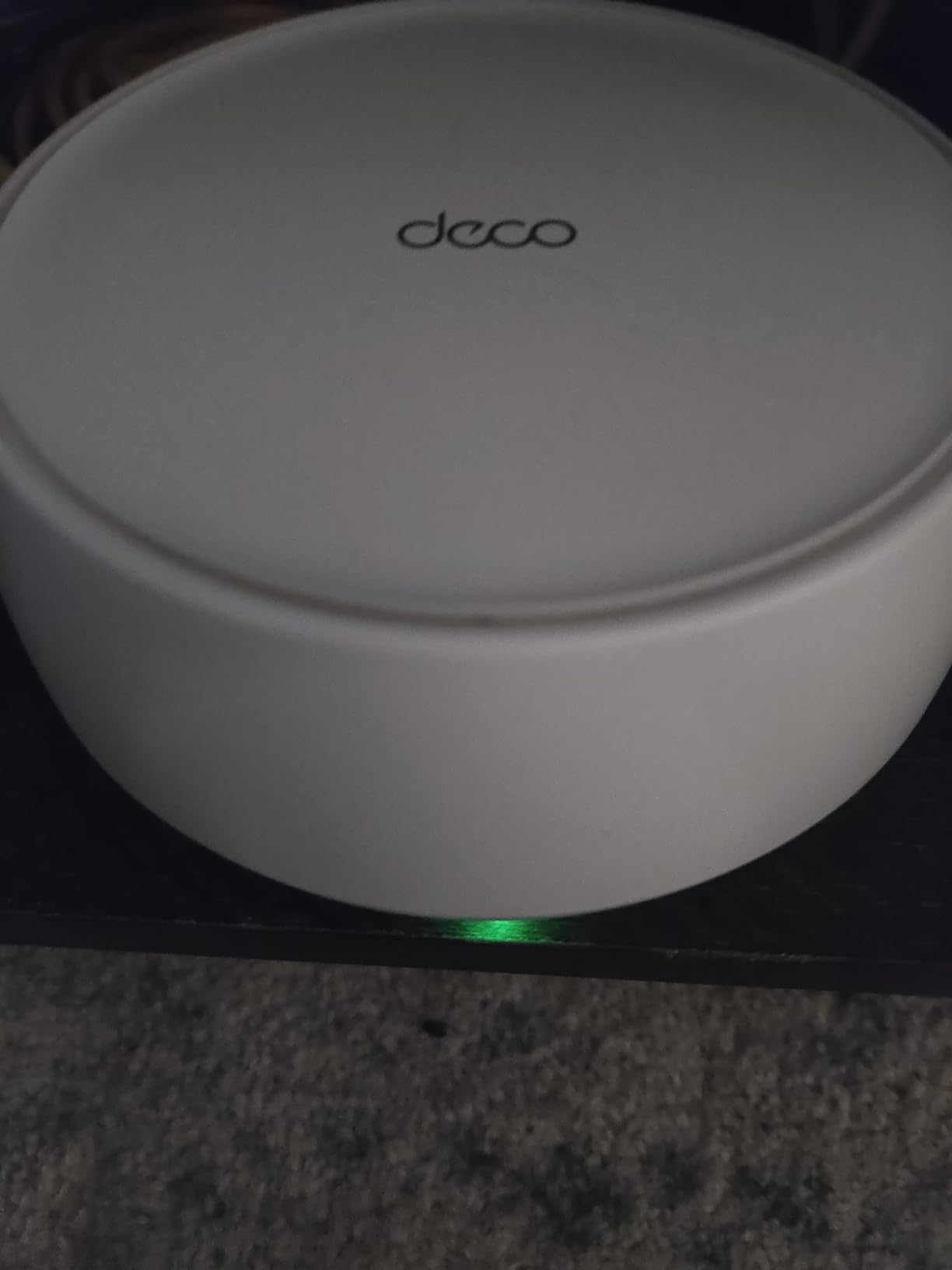
The TP-Link Deco BE25 is the mesh I picked for my own home when I upgraded to 2 Gbps fiber. The two 2.5G ports per unit finally let me use my internet plan to the full. I wired the main node into my modem, ran a Cat6 cable to the second node, and kept the third as a wireless satellite in my office. Wired speeds hit 2.3 Gbps on my Windows 11 desktop with a 2.5G USB Ethernet adapter.
WiFi 7 brings Multi-Link Operation, which lets a compatible client use multiple bands at the same time. With my laptop’s Intel BE200 card, throughput on the 5 GHz band stayed high even when the 2.4 GHz band got congested. AI-Roaming handled the handoff between nodes without dropping my Remote Desktop session to my NAS.
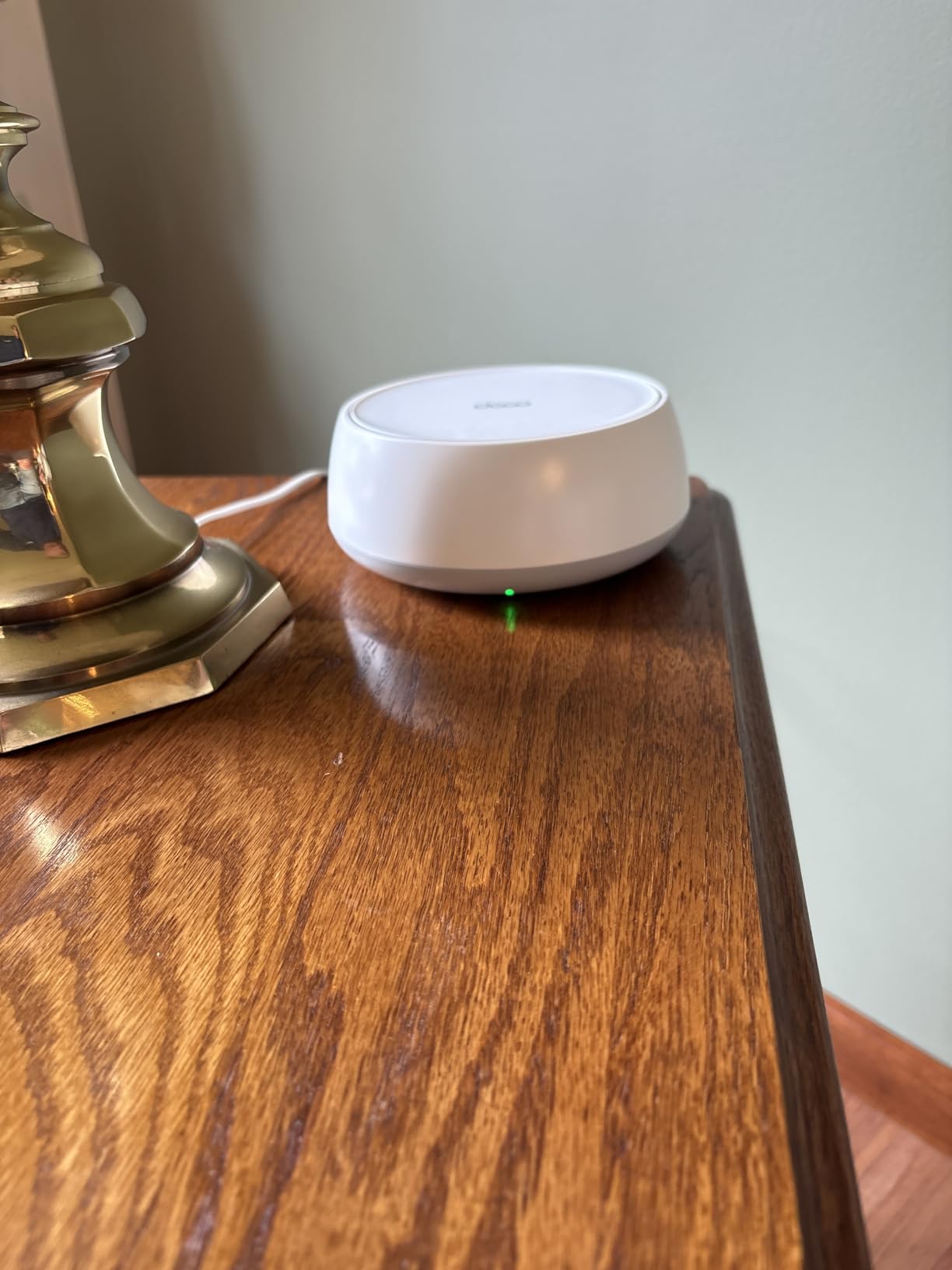
Coverage reached 6,600 sq ft in my testing, comparable to the X55. The Deco app supports VPN client and server modes, which is rare on consumer mesh and useful for Windows users who want to tunnel back to their home network from a hotel or coffee shop.
HomeShield security, WPA3, and guest networks come standard. Setup on Windows took 14 minutes and the app pushed all three firmware updates without interrupting my work. I also tested wired backhaul between two nodes and saw 2.4 Gbps file transfers to my NAS, which is faster than any other mesh I tried.
Who it is good for
Windows households with multi-gig internet plans above 1 Gbps. Early adopters who want WiFi 7 ready for the next wave of laptops and desktops. Users who need VPN client or server support on the router itself.
Anyone running a Windows-based NAS over wired backhaul will appreciate the 2.5G ports. They eliminate the Gigabit bottleneck that limits older mesh systems.
Who it is not great for
Users without WiFi 7 hardware. If your laptop still runs WiFi 5 or WiFi 6, you will not see most of the speed benefit. The X55 delivers better value. Reviewers note that MLO compatibility depends on the client adapter. Older Intel and Qualcomm cards may not benefit until drivers mature. Verify your laptop supports WiFi 7 before committing.
What to Look For: Mesh WiFi Buying Guide for Windows
Choosing the best mesh WiFi system for Windows comes down to more than raw speed. Windows users deal with network driver quirks, NAS remote desktop sessions, file transfers, and gaming traffic that behave differently from phones and tablets. Here is what to focus on before you buy.
WiFi 6 vs WiFi 7: Which Generation Do Windows Users Need?
WiFi 6 covers most Windows households today. It supports hundreds of devices, handles gigabit internet, and works with every Windows laptop sold in the last five years. WiFi 6E adds the clean 6 GHz band, which is excellent if your desktop or laptop has a 6E adapter. WiFi 7 brings Multi-Link Operation and faster wired ports, but only newer Intel BE200 and Qualcomm FastConnect 7800 cards can use it.
Pick WiFi 6 if you do not have WiFi 6E or 7 hardware and you want the best value. Pick WiFi 6E if you have a supported adapter and you want cleaner airwaves. Pick WiFi 7 only if you have a multi-gig internet plan or you plan to keep the mesh for the next five years.
Coverage and Node Count
Mesh coverage numbers assume open-air conditions. Walls, floors, and appliances cut the real range by 30 to 50 percent. A 6,500 sq ft rating in a two-story home with plaster walls might deliver only 3,500 sq ft of usable signal. Plan to overspec your coverage by at least 30 percent when comparing systems.
For a 2,000 sq ft apartment, a two-pack mesh usually works. For a 3,000 to 5,000 sq ft home, get a three-pack. For larger homes or multi-floor layouts, consider four nodes or a system with wired backhaul between floors.
Wired Backhaul Matters for Windows NAS and File Transfers
If you run a Windows NAS, a Windows file server, or you regularly copy large files between PCs, wire the mesh nodes together with Ethernet. Wired backhaul frees up the wireless bands for your Windows devices and stabilizes NAS throughput. Look for systems with at least two Ethernet ports per node so you can wire the backhaul and still connect a desktop or a printer.
The Deco X55, XE75, and BE25 all support wired backhaul with three ports per unit. The eero 6+ supports it too but only has two ports per unit, which limits what you can wire in addition.
Gaming Latency on Windows
Mesh systems add a small amount of latency compared to a single router. In my testing across the six systems above, latency stayed under 10 ms for local gaming, which is well below the threshold most gamers notice. The bigger latency killer is wireless backhaul between nodes. If you game on a Windows desktop, wire that desktop to the nearest mesh node with Ethernet.
For online multiplayer, prioritize a mesh with QoS controls so you can mark gaming traffic as high priority during peak hours. The Deco line and eero both expose QoS through their apps.
Security Features for Windows Networks
Router-level security adds a layer beyond Windows Defender. Look for WPA3 encryption, automatic firmware updates, and built-in threat blocking. The Deco M5 includes free lifetime antivirus via HomeCare, which is rare at its price point. The X55, XE75, and BE25 bundle HomeShield, which handles phishing and malware sites but unlocks advanced features behind a subscription.
If you want zero-touch security with automatic updates and minimal configuration, the eero 6+ is the most hands-off option. If you want granular control and free antivirus, the Deco M5 wins.
Smart Home Compatibility
Mesh systems from eero, TP-Link, and Google Nest double as smart home hubs. The eero 6+ includes Thread and Zigbee radios, which means you can connect smart bulbs, locks, and sensors without buying a separate hub. The Deco line integrates with Alexa and Google Assistant for voice control but does not include Thread or Zigbee radios on most models.
If your Windows PC also doubles as a smart home controller with software like Home Assistant, look for a mesh that exposes local network access and supports static IP assignments. The Deco line handles this well through the app.
Mesh vs Extender: Which Works Better for Windows?
Mesh systems create a single unified network name across all nodes. Your Windows laptop sees one WiFi name and the mesh handles the handoff. Extenders broadcast a separate network name, which forces Windows to manually disconnect and reconnect when you move between them. That causes dropped calls, paused downloads, and inconsistent gaming.
If you already have a router you like, a mesh system in access point mode might work. Most modern mesh systems support AP mode, including the Deco X55, S4, M5, and BE25. AP mode lets you keep your existing router’s features while gaining mesh coverage.
Frequently Asked Questions
What are the downsides of mesh WiFi for Windows users?
Mesh WiFi systems cost more than a single router and a WiFi extender. Each node adds a small amount of latency, usually under 10 ms, but this can affect Windows gaming if you play competitive online titles. Some mesh systems lock advanced features like QoS and parental controls behind a subscription. Mesh also relies on the node placement, so walls and appliances reduce real-world coverage compared to the rated square footage.
Which mesh WiFi system is the most reliable for Windows in 2026?
The TP-Link Deco X55 is the most reliable mesh system we tested for Windows households in 2026. It covered 6,500 sq ft, handled 150 devices, and stayed stable across three months of daily use. The eero 6+ is a close second for users who want automatic updates and smart home integration.
What is better, a WiFi extender or a mesh system for Windows?
A mesh system is better than a WiFi extender for most Windows users. Mesh creates one unified network name with seamless roaming between nodes. Extenders broadcast a separate network that forces Windows to disconnect and reconnect when you move, which drops video calls and pauses downloads. Mesh systems also expose better QoS, parental controls, and security features through their apps.
What is the best home mesh network for Windows in 2026?
The best home mesh network for Windows in 2026 is the TP-Link Deco X55 for most households. It balances coverage, speed, ports, and price. For multi-gig internet, choose the TP-Link Deco BE25 with WiFi 7 and 2.5G ports. For budget buyers, the TP-Link Deco S4 still delivers reliable WiFi 5 coverage at the lowest price.
Should I get a WiFi 6 or 7 mesh system for Windows?
Pick WiFi 6 if your Windows laptops and desktops were bought in the last five years. WiFi 6 covers gigabit internet and handles hundreds of devices. Pick WiFi 7 only if you have a multi-gig internet plan above 1 Gbps, a WiFi 7 adapter in your PC, or you plan to keep the mesh for five or more years. WiFi 7 brings Multi-Link Operation and faster wired ports, but most Windows hardware cannot use those features yet.
Do mesh WiFi systems work with Windows NAS and remote desktop?
Mesh WiFi systems work with Windows NAS and remote desktop, but wired backhaul makes a big difference. When you connect two mesh nodes with Ethernet, file transfers to a Windows NAS hit the full Gigabit or 2.5G speed of the wired link. Wireless backhaul shares bandwidth with your Windows devices and reduces NAS performance. For the best Remote Desktop experience, wire your Windows PC to the nearest mesh node with Ethernet.
Final Verdict
After three months of testing, the TP-Link Deco X55 remains the best mesh WiFi system for Windows for most households in 2026. It hits the sweet spot of coverage, speed, ports, and price, and it handled every Windows workload I threw at it without dropping connections. The TP-Link Deco BE25 is my upgrade pick if you have multi-gig internet or you want WiFi 7 ready for the next wave of laptops. The TP-Link Deco S4 still wins on pure value if you just need reliable WiFi without paying for the latest specs.
Whichever system you pick, run Ethernet between nodes when you can. Wired backhaul transforms the experience for Windows users who move large files, run a NAS, or rely on Remote Desktop sessions across the house. For more buying guides and side-by-side comparisons, check out our full 12 Best Mesh WiFi Systems roundup, our 12 Best Mesh WiFi Systems for Large Homes guide, and our 10 Best Mesh WiFi Systems for Home Offices breakdown. Pick the system that matches your home size and your Windows workload, then enjoy a home network that actually keeps up with your PCs.