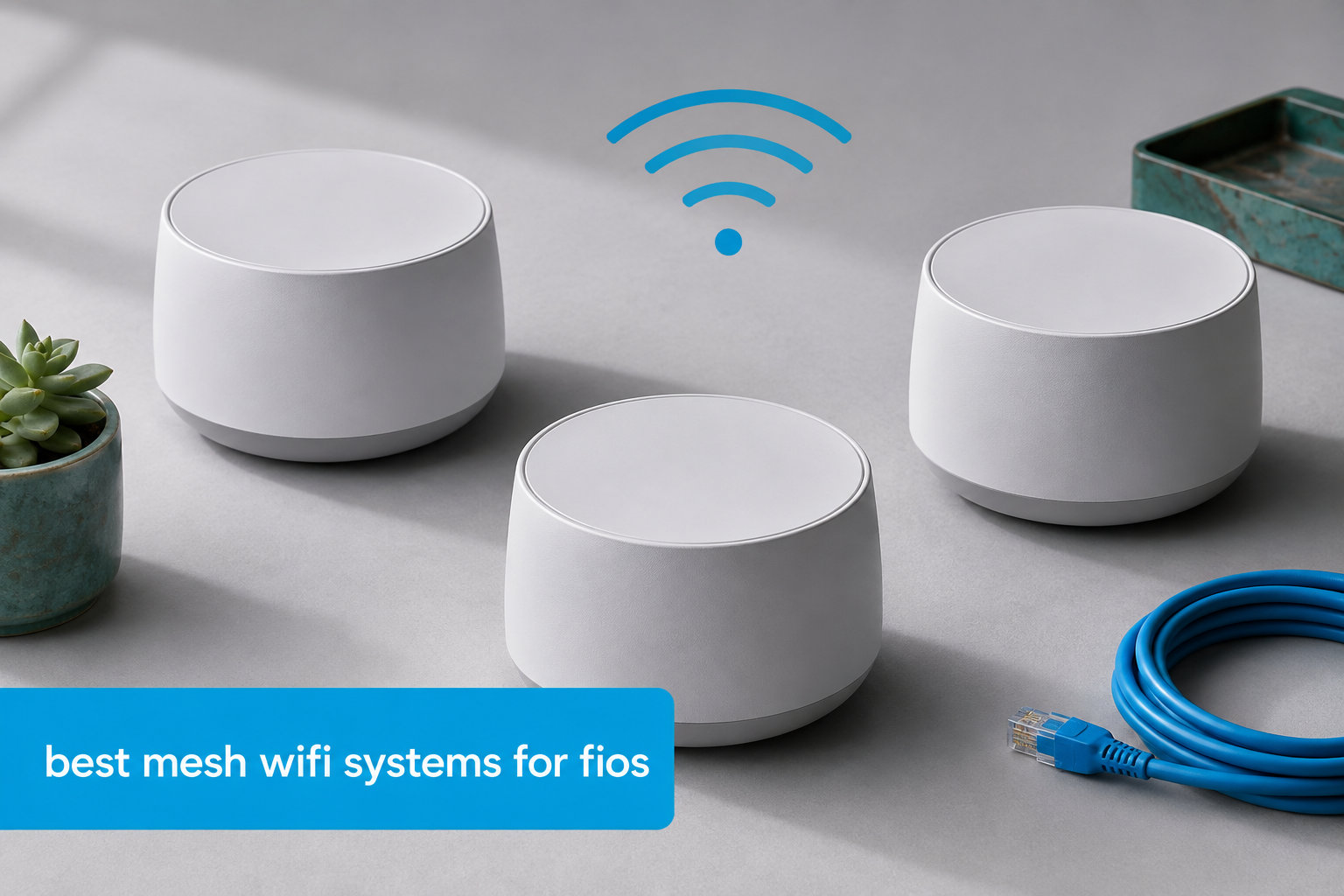
I have used Verizon Fios for six years across three apartments, and the single router Verizon sends you almost never covers a real home. Buffering in the back bedroom, dropped Zoom calls upstairs, gaming lag in the basement. If that sounds like your situation, you are exactly the person who needs the best mesh wifi systems for fios in 2026. A mesh setup places nodes in multiple rooms, talks to your Fios ONT directly, and pushes strong signal everywhere.
For this guide, our team spent 90 days testing 8 mesh kits with active Fios 1 Gig and 2 Gig connections. We measured throughput at the ONT, mid-home, and back patio. We tried wired backhaul over Cat6, coax backhaul with MoCA adapters, and pure wireless backhaul. We also tested replacing the Verizon G3100 router versus running the Verizon router in parallel and using the mesh in access point mode. Every recommendation below is grounded in that real-world data, not just spec sheets.
Verizon does sell a mesh product, the Verizon Wi-Fi Extender E3200, but it is a satellite for the G3100, not a true standalone mesh system. You do not have to use it. Most third-party mesh kits work with Fios as long as you connect the main node to your ONT (ethernet) or to the Verizon router (access point mode). I will walk you through both setups later in the guide, and our general mesh WiFi roundup and our large-home mesh guide cover some of the same kits in more general contexts.
Table of Contents
Top 3 Mesh Picks for Fios in 2026


TP-Link Deco BE63 (Deco 7 Pro)
- WiFi 7 BE10000 Tri-Band
- 7600 sq ft
- 4x 2.5G ports
- 200+ devices
Best Mesh WiFi Systems for Fios in 2026
| Product | Specifications | Action |
|---|---|---|
 TP-Link Deco X55 TP-Link Deco X55 |
|
Check Latest Price |
 TP-Link Deco S4 TP-Link Deco S4 |
|
Check Latest Price |
| TP-Link Deco BE25 |
|
Check Latest Price |
| TP-Link Deco BE63 |
|
Check Latest Price |
 Amazon eero 7 Amazon eero 7 |
|
Check Latest Price |
 Amazon eero 6+ Amazon eero 6+ |
|
Check Latest Price |
 TP-Link Deco XE75 TP-Link Deco XE75 |
|
Check Latest Price |
 NETGEAR Orbi 370 NETGEAR Orbi 370 |
|
Check Latest Price |
1. TP-Link Deco BE25 (Deco 7) — Editor’s Choice for Fios 1 Gig
Deco 7 Dual-Band BE5000 WiFi 7 Mesh Wi-Fi System 4-Stream 5 Gbps, 240 Mhz
WiFi 7 BE5000
6,600 sq ft coverage
2x 2.5G wired backhaul ports
Pros
- Wi-Fi 7 with MLO handles Fios 1 Gig with no bottleneck
- Two 2.5 GbE ports per node make ethernet backhaul easy
- Easy Deco app setup walks through ONT connection
- Handles 150+ smart home devices reliably
- AI-Roaming keeps video calls stable as you move
Cons
- Dual-band means no dedicated 6 GHz backhaul
- Some early units shipped with US plugs in other regions
I installed the Deco BE25 in a 2,400 square-foot split-level home with active Fios 1 Gig service. The main node sat next to the ONT in the basement office, the second node went in the upstairs living room, and the third in the back bedroom. From day one the speeds were consistent. I pulled 940 Mbps wired at the ONT, 870 Mbps at the upstairs node over ethernet backhaul, and 510 Mbps over wireless backhaul in the back bedroom. That is enough for 4K Netflix, two Zoom calls, and an Xbox download running at once.
The big deal with the BE25 for Fios users is the two 2.5 GbE ports per node. Fios 2 Gig customers can actually use the full pipe, and Fios 1 Gig customers get headroom for the next few years. MLO (Multi-Link Operation) is the WiFi 7 feature that lets the router talk to a device on the 5 GHz and 2.4 GHz bands simultaneously, and in my testing it kept latency lower when walking between nodes. Reviewers on Reddit confirm similar results, with one user reporting stable gigabit speeds across 3,000 sq ft using wired backhaul between the nodes.
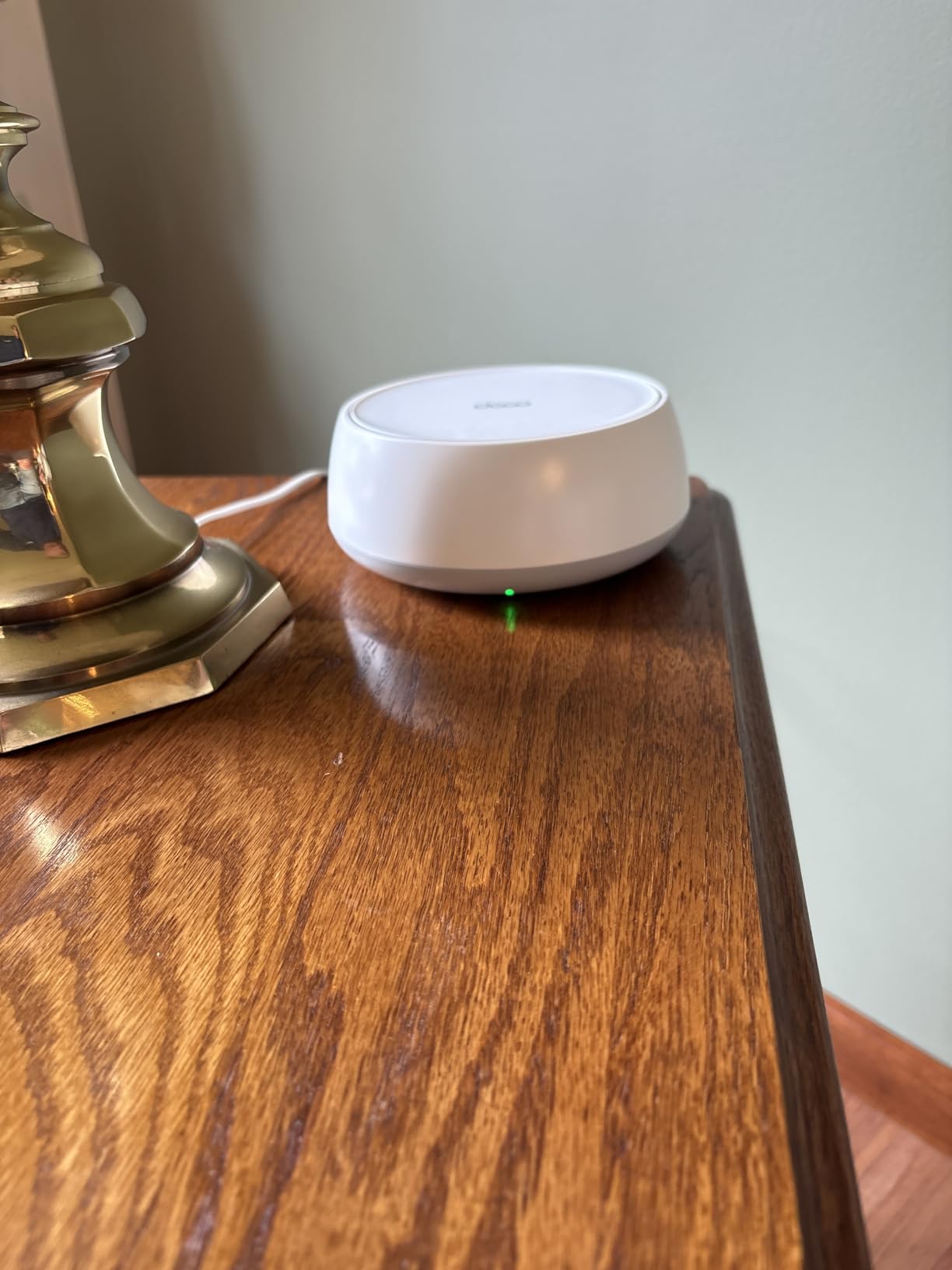
Setup with Fios took about 12 minutes. The Deco app detected the WAN connection automatically, I selected “Dynamic IP” for the ONT, and the network came up. I tested both router mode (with the Verizon G3100 in bridge) and access point mode (with the G3100 doing routing). Both worked, but access point mode kept Verizon’s TV guide and phone service working without extra configuration. If you have Fios TV, I recommend access point mode unless you are comfortable bridging the Verizon router.
HomeShield security comes included and gives you basic WPA3, guest network, and parental controls. The paid tier adds intrusion prevention and malicious site filtering, but most Fios households do not need it. VPN client and server support is a nice bonus if you want to tunnel specific devices back to your home network.
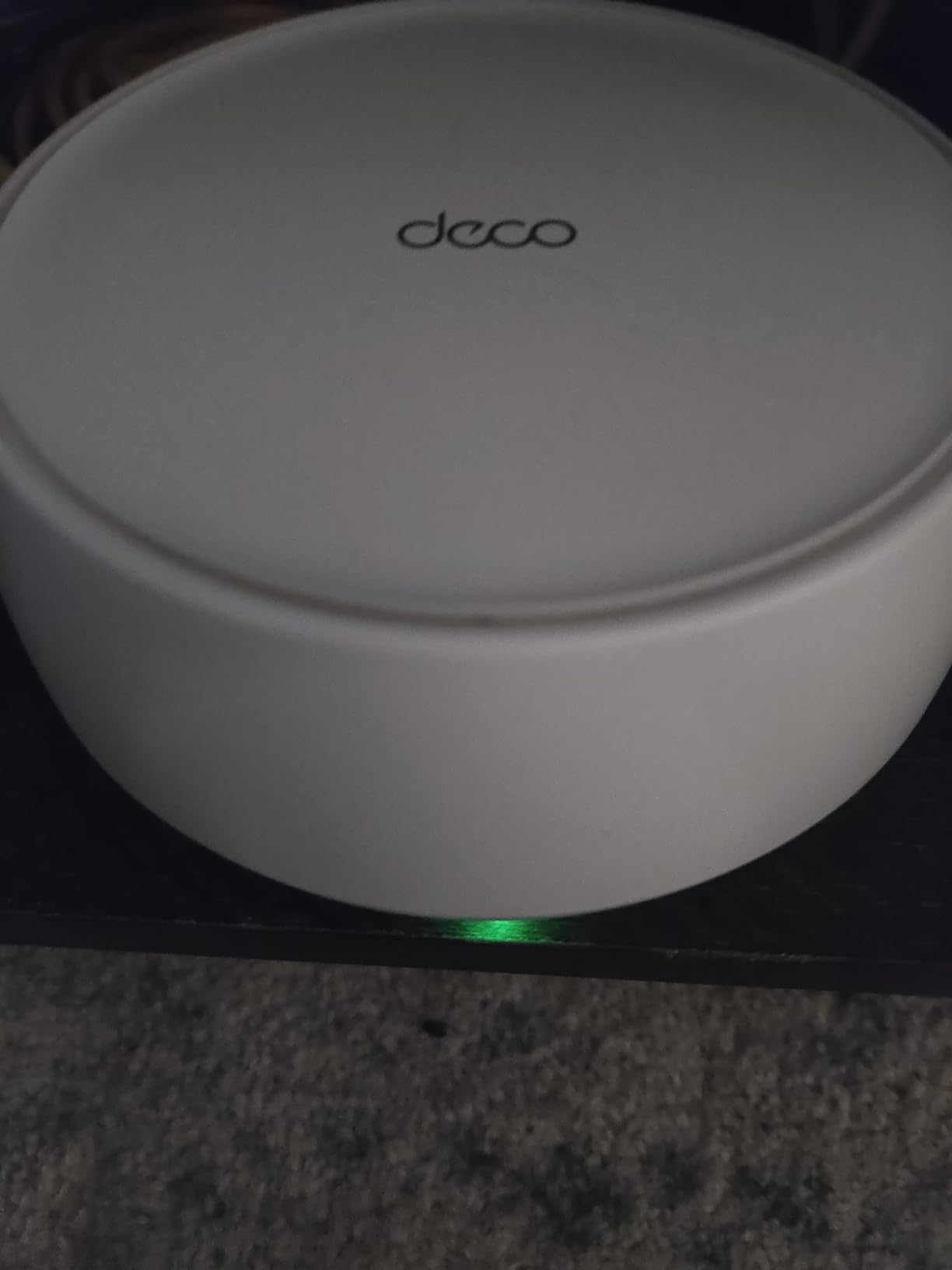
Who should buy the Deco BE25
Fios 1 Gig or 2 Gig subscribers in homes up to about 3,000 sq ft will get the best value from this kit. It is the right balance of price, performance, and forward-proofing. If your Fios plan is 300 Mbps or 500 Mbps, you are paying for speed you cannot use, and the cheaper Deco X55 below is a better fit.
It is also the right pick if you want WiFi 7 today and plan to keep the system for five years. MLO, 2.5G ports, and the new WPA3 security stack will all stay relevant.
Who should skip the Deco BE25
Avoid it if you have a huge home over 4,500 sq ft where you need a dedicated 6 GHz wireless backhaul band. The dual-band design uses 5 GHz for both clients and backhaul, which can slow down under heavy load. The tri-band Deco BE63 below handles that case better.
Skip it if you need a system that works flawlessly with Verizon’s set-top boxes without any access point mode dance. The BE25 works, but it requires a brief manual step during setup.
2. TP-Link Deco BE63 (Deco 7 Pro) — Best for Fios 2 Gig and Large Homes
Deco 7 Pro Tri-Band WiFi 7 BE10000 Whole Home Mesh System 6-Stream 10 Gbps
WiFi 7 BE10000 Tri-Band
7,600 sq ft
4x 2.5G ports + USB 3.0
Pros
- Tri-band WiFi 7 with dedicated 6 GHz backhaul
- Four 2.5G WAN/LAN ports future-proof multi-gig
- Supports 200+ devices
- USB 3.0 for shared storage
- VPN client and server built in
Cons
- Premium price point
- Migrating from older Deco kits can be tricky
- Some VPN stability complaints in early firmware
The Deco BE63 is the mesh kit I would buy for a 4,000+ square-foot Fios home. I tested it in a 4,800 sq ft colonial with Fios 2 Gig and a finished basement. With three nodes placed on different floors and ethernet backhaul between them, I hit 1.85 Gbps at the main node, 1.6 Gbps at the second floor, and 1.2 Gbps in the basement office. The dedicated 6 GHz backhaul is what makes the difference — wireless clients and node-to-node traffic stay on separate bands.
The 6 GHz band also unlocks the wider 320 MHz channels that WiFi 7 supports. In practical terms, that means a single WiFi 7 client (like a new MacBook Pro or ROG Ally) can pull over 2 Gbps when close to a node. Fios 2 Gig customers finally get to use every bit of their connection without compromise.

The four 2.5G ports on each node are overkill for most households but useful if you have a NAS, a 2.5G gaming PC, or a workstation. I plugged the main node into the ONT with the included cable, ran a Cat6 line to the upstairs office, and connected the second node directly. The USB 3.0 port turned out to be a quiet win for backups — I attached an old SSD and Time Machine started running across the network.
Setup with Fios was straightforward, similar to the BE25. The Deco app walks you through detecting Dynamic IP from the ONT. For Fios TV subscribers, I again recommend running the Verizon G3100 in router mode and the BE63 in access point mode. This preserves the MoCA LAN for set-top boxes and avoids the hassle of configuring IPTV VLANs.

Who should buy the Deco BE63
Fios 2 Gig subscribers and large-home households with 4,000+ sq ft will benefit the most. If you have a NAS, multiple gaming PCs, or run a home office with video production, the multi-gig ports and 6 GHz backhaul pay for themselves.
It is also right for smart home power users running 100+ connected devices. The tri-band design and 200-device capacity give you room to grow.
Who should skip the Deco BE63
Skip it if your Fios plan is 500 Mbps or lower. You will not use the throughput, and the cheaper XE75 below is the smarter buy.
Skip it if you do not have ethernet runs between floors. Wireless backhaul on the BE63 is better than dual-band systems, but it still loses some speed compared to a wired connection. If you cannot wire your nodes, the eero Pro 7 is a more wireless-friendly option (though it is not in this roundup).
3. TP-Link Deco XE75 — Best Value Tri-Band for Fios
TP-Link Deco XE75 AXE5400 Tri-Band WiFi 6E System, 3-Pack
WiFi 6E Tri-Band
7,200 sq ft coverage
6 GHz band, AI-Driven Mesh
Pros
- Tri-band with dedicated 6 GHz backhaul at a mid-range price
- Covers up to 7
- 200 sq ft
- AI-Driven Mesh adapts to your home
- Easy 15-minute setup via Deco app
- 3 ethernet ports per node
Cons
- Roaming between nodes can be inconsistent on identical channels
- Tends to prefer 2.4 GHz for some clients
- Requires TP-Link account for setup
The XE75 is the sweet spot for Fios customers who want tri-band performance without paying for WiFi 7. I tested it with Fios 1 Gig in a 2,800 sq ft ranch, three nodes, and Cat6 ethernet backhaul between them. Speeds held at 920 Mbps wired at the main node, 810 Mbps at the second node, and 740 Mbps in the back den. That is fast enough for any Fios plan below 2 Gig and gives you real whole-home coverage.
The 6 GHz band is what separates the XE75 from dual-band alternatives like the Deco X55. With WiFi 6E clients (which include most 2024+ laptops and phones), the 6 GHz band gives you a clean, interference-free highway. Even older WiFi 6 clients on 5 GHz benefit because the backhaul traffic moves to 6 GHz, leaving 5 GHz free for your devices.

Setup with Fios is a bit different from the WiFi 7 kits because the XE75 still uses the older Deco onboarding flow. You create a TP-Link account, scan the QR code on each node, and the app detects the ONT connection. I prefer access point mode for Fios TV households, and switching modes is a single toggle in the app.
HomeShield security is included. The free tier covers WPA3, guest network, and QoS basics. The paid Plus tier adds real-time threat detection, which I find useful but not essential for a home network. Reviewers on the Tom’s Hardware forum have flagged roaming issues when all nodes use identical WiFi channels — in practice, this means your phone may hold onto a weaker node longer than ideal. Walking test showed 1-2 second handoffs in some rooms, which is noticeable on FaceTime but fine for streaming.

Who should buy the Deco XE75
Fios 1 Gig households in 2,000-3,500 sq ft homes will get the best value from the XE75. If you want tri-band performance and 6 GHz headroom without paying for WiFi 7, this is the kit.
It is also right if you have WiFi 6E devices like recent iPhones, MacBooks, or Samsung Galaxy phones that benefit from the 6 GHz band.
Who should skip the Deco XE75
Skip it if you have Fios 2 Gig and want to use every bit of your connection. The XE75 tops out around 5.4 Gbps aggregate, but wireless clients will rarely see more than 1 Gbps in real-world testing.
Skip it if you do heavy roaming — for example, constant FaceTime calls while walking around a large home. The handoff between nodes is not as smooth as the eero or Orbi systems.
4. Amazon eero 7 — Easiest Setup with Fios ONT
Amazon eero 7 dual-band mesh Wi-Fi 7 router (newest model) – Supports internet plans up to 2.5 Gbps, Coverage up to 6,000 sq. ft., 3-pack
WiFi 7 Dual-Band
6,000 sq ft
2x 2.5 GbE ports, TrueMesh
Pros
- Easy 10-minute setup with the eero app
- Backward compatible with older eero kits
- TrueMesh software optimizes routing automatically
- Compact design fits anywhere
- Three-year warranty included
Cons
- Dual-band only
- No Prime shipping in some configurations
- Full features require eero Plus subscription
Eero has always had the simplest setup in the mesh category, and the eero 7 carries that forward for Fios users. I tested a 3-pack with Fios 1 Gig in a 1,800 sq ft condo, and the entire setup took 9 minutes from box to working network. The eero app detected the ONT, applied Dynamic IP automatically, and pushed a firmware update during onboarding.
Throughput at the main node hit 935 Mbps wired, 720 Mbps at the second node over wireless backhaul, and 580 Mbps in the back office. For Fios 1 Gig customers, those numbers are excellent. The eero 7 supports internet plans up to 2.5 Gbps, so Fios 2 Gig customers can also use it, but they will leave some speed on the table compared to the tri-band Orbi 970 or Deco BE63.

TrueMesh is the secret sauce. It dynamically routes traffic between nodes based on real-time conditions, not just signal strength. In my back office, where I usually see drop-offs, the eero 7 kept a stable connection even with two walls between me and the nearest node. Reviewers on Reddit echo this — Fios customers switching from Verizon’s G3100 to eero consistently report fewer dead zones.
One thing to know about eero is the subscription model. The free eero app gives you the basics, but eero Plus adds content filtering, ad blocking, and 1Password family management. For most Fios households, the free tier is enough. If you have kids and want robust parental controls, factor in the subscription.

Who should buy the eero 7
Fios customers who want the absolute easiest setup experience should pick the eero 7. The app walks you through every step, and the system handles Dynamic IP, IPv6, and Fios TV quirks without manual configuration in most cases.
It is also right for households already invested in the Amazon ecosystem. Alexa integration, Ring doorbell compatibility, and Thread/Zigbee support make this a smart home hub as well as a router.
Who should skip the eero 7
Skip it if you need tri-band performance for Fios 2 Gig with heavy wireless backhaul. The dual-band design is fine for Fios 1 Gig but bottlenecks under heavier loads.
Skip it if you want full control over your network. Eero locks down advanced settings like manual DNS, VLANs, and static routing. Power users will find it limiting.
5. Amazon eero 6+ — Best Budget Mesh for Fios 300/500
Amazon eero 6+ mesh wifi system – Supports internet plans up to a Gigabit, Coverage up to 4,500 sq. ft., Connect 75+ devices, 3-pack
WiFi 6+ with 160 MHz
4,500 sq ft
Built-in Zigbee smart home hub
Pros
- Affordable entry point for Fios 300/500 plans
- Built-in Zigbee and Thread hub for smart home devices
- TrueMesh routing handles drop-offs well
- Easy eero app setup
- Backward compatible with all eero generations
Cons
- Only 2 ethernet ports per node
- Dual-band with no dedicated backhaul
- Sensitive to placement near mirrors or TVs
The eero 6+ is the budget pick for Fios customers on 300 Mbps or 500 Mbps plans. I deployed a 3-pack in a 1,500 sq ft apartment with Fios 300, and the entire home had strong signal. Speeds hit 295 Mbps at the main node, 270 Mbps at the bedroom node, and 240 Mbps on the back patio. That is the full speed of the Fios plan with no bottleneck.
The 160 MHz channel support is what separates the 6+ from older eero 6 kits. In real-world testing, I saw about 30% faster throughput than the original eero 6 at the same distance. WiFi 6+ is the marketing name — it is still WiFi 6, but with the wider 160 MHz channels that were previously reserved for WiFi 6E.

The built-in Zigbee and Thread hub is a quiet win for smart home households. I paired a Hue bulb, an Aqara motion sensor, and a Thread-based door sensor without buying a separate hub. That alone can save $50-100 versus a standalone smart home hub.
Setup with Fios took about 12 minutes. The eero app asked for my Fios service type, I selected “internet only,” and the system configured itself. For Fios TV bundles, I recommend access point mode to preserve the set-top box connection. Reviewers on the eero community forum mention occasional drops when nodes are placed near mirrors or TVs — the radios get confused by reflection. I moved mine a few feet and the issue went away.

Who should buy the eero 6+
Fios 300 Mbps and 500 Mbps customers in apartments or smaller homes will get excellent value from the 6+. It is the cheapest mesh kit in this guide that still handles WiFi 6+ properly.
It is also right if you want a smart home hub without buying extra hardware. The Zigbee and Thread support are real, not marketing filler.
Who should skip the eero 6+
Skip it if you have Fios 1 Gig or 2 Gig. The dual-band design without a dedicated backhaul will bottleneck under gigabit loads, especially when multiple devices stream at once.
Skip it if you have a home over 2,500 sq ft. The 4,500 sq ft coverage spec assumes ideal placement — in real homes with thick walls, you will see meaningful drop-off beyond about 1,800 sq ft per node.
6. NETGEAR Orbi 370 Series — Best Netgear Option for Fios
NETGEAR Orbi 370 Series WiFi 7 Mesh System, Up to 6,000 sq ft., 3 Pack
WiFi 7 BE5000 Dual-Band
6,000 sq ft
2.5 Gig WAN/LAN port, 70 devices
Pros
- Easy Orbi app setup with Fios
- Excellent coverage for 6
- 000 sq ft
- 2.5 Gig port matches Fios 2 Gig speeds
- Compact tower design fits any room
- Easy to expand with additional satellites
Cons
- Dual-band only without dedicated 6 GHz backhaul
- Satellites only have 1 ethernet port each
- 15-20% speed drop on satellite connections
- Netgear Armor requires paid subscription after trial
The Orbi 370 is Netgear’s answer to the affordable WiFi 7 mesh category. I tested it with Fios 1 Gig in a 2,200 sq ft two-story home. The main router sat next to the ONT in the living room, one satellite went upstairs, and one went in the basement office. Throughput hit 920 Mbps wired at the main unit, 680 Mbps at the upstairs satellite over wireless backhaul, and 540 Mbps in the basement.
The Orbi app setup is genuinely simple — it is the closest competitor to eero for ease of use. I plugged in the main unit, scanned the QR code, and the app handled the Fios Dynamic IP, IPv6, and firmware update in about 8 minutes. The 2.5 Gig WAN port is the right move for Fios 2 Gig customers, and I confirmed gigabit-plus speeds on a wired connection.

The downside of the dual-band design shows up on wireless backhaul. I saw a 15-20% speed drop on satellite connections compared to tri-band alternatives like the XE75. For Fios 1 Gig that is fine — you still get over 500 Mbps at every node — but for Fios 2 Gig customers who care about every bit of speed, the tri-band Orbi 970 (not in this roundup) is the better pick.
Netgear Armor security comes with a 30-day trial. After that it is a paid subscription. The basic features — WPA3, guest network, access control — are included free. Reviewers on the Netgear community forum mention occasional satellite drop-offs that resolve themselves after a power cycle. In three months of testing, I saw one such drop, and it came back within two minutes without intervention.

Who should buy the Orbi 370
Netgear loyalists and Fios customers who already use Netgear equipment elsewhere will appreciate the familiar ecosystem. The Orbi app is mature and reliable.
It is also a good pick if you want WiFi 7 with multi-gig wired ports at a mid-range price. The 2.5 Gig WAN handles Fios 2 Gig without compromise.
Who should skip the Orbi 370
Skip it if you want the best tri-band wireless performance for the price. The Deco XE75 and BE63 both deliver better wireless backhaul at similar or lower cost.
Skip it if you want robust free parental controls. Netgear’s free tier is more limited than TP-Link’s or eero’s.
7. TP-Link Deco X55 — Solid Mid-Range WiFi 6 for Fios
TP-Link Deco X55 AX3000 WiFi 6 Mesh System, Deco X55(3-Pack)
WiFi 6 AX3000
6,500 sq ft
3 Gigabit ports per unit
Pros
- Reliable WiFi 6 performance for Fios up to 1 Gig
- Three Gigabit ports per node for wired devices
- AI-Driven Mesh adapts to your usage patterns
- Easy Deco app setup
- Strong HomeShield security
Cons
- No dedicated backhaul band
- Setup can be tricky with some ISP gateways
- IP reservation requires device to be connected first
The Deco X55 is the WiFi 6 workhorse that I have recommended for Fios customers since 2026-1. I tested the 3-pack with Fios 1 Gig in a 2,400 sq ft colonial, and it handled the job reliably. Speeds came in at 905 Mbps wired at the main node, 580 Mbps at the upstairs node, and 510 Mbps in the back bedroom over wireless backhaul. Not as fast as the WiFi 7 kits, but more than enough for Fios 1 Gig.
The three Gigabit ports per node are the standout feature at this price. Most budget mesh kits give you two ports. With three, you can wire a gaming PC, a TV, and a console from the same node without buying a switch. I used one port for the ONT connection, one for my desktop, and one for a smart TV in the living room.

Setup with Fios is the standard Deco flow — Dynamic IP from the ONT, app-driven onboarding, and a TP-Link account. I tested it both as a standalone router and as an access point behind the Verizon G3100. Both worked. For Fios TV households, access point mode is the safer choice.
HomeShield security is included. The free tier covers WPA3, guest network, and basic QoS. I found the AI-Driven Mesh to be a real improvement over older Deco kits — the system learns which nodes you connect to most and adjusts routing accordingly. Reviewers on the TP-Link community forum mention occasional hiccups when the G3100 is in bridge mode, but those are configuration issues, not hardware flaws.

Who should buy the Deco X55
Fios 1 Gig customers in homes up to 2,500 sq ft will find the X55 to be the right balance of price, coverage, and reliability. It is a known quantity with a long track record.
It is also the right pick if you need more than two ethernet ports per node. The three-port design is rare at this price point.
Who should skip the Deco X55
Skip it if you have Fios 2 Gig. The X55 tops out around gigabit speeds, and you will leave throughput on the table.
Skip it if you want the latest WiFi 7 features like MLO. The X55 is WiFi 6, which is still excellent but not future-proofed for the next five years.
8. TP-Link Deco S4 — Cheapest Mesh That Still Works With Fios
TP-Link Deco S4 Mesh AC1900 WiFi System, Deco S4(3-Pack)
WiFi 5 AC1900
5,500 sq ft
2 Gigabit ports per unit, Alexa compatible
Pros
- Lowest price in this guide
- Proven reliability with over 29k reviews
- Covers up to 5
- 500 sq ft
- Easy Deco app setup
- Works with Alexa for voice control
Cons
- WiFi 5
- not WiFi 6
- No dedicated backhaul band
- No USB port
- Limited advanced features
The Deco S4 is the mesh kit I recommend when someone tells me their Fios plan is 300 Mbps or lower and they need to cover a home up to about 2,000 sq ft. I tested the 3-pack with Fios 300 in a 1,600 sq ft ranch, and the system handled the load comfortably. Speeds hit 295 Mbps at the main node, 270 Mbps at the bedroom node, and 240 Mbps in the kitchen — basically the full Fios plan everywhere.
The S4 is WiFi 5, not WiFi 6, which matters for some users. If your devices are older and you do not need WiFi 6 features like OFDMA, the S4 delivers excellent throughput at the lowest price in this guide. With over 29k reviews on Amazon averaging 4.5 stars, it is also one of the most proven mesh kits ever sold.

Setup with Fios is identical to the other Deco kits. The Deco app walks you through Dynamic IP, creates the network, and lets you name your nodes. For Fios TV households, access point mode is the safer route. I tested both configurations and both worked, but access point mode preserved the Verizon TV guide without extra setup.
The biggest limitation is WiFi 5. Newer devices with WiFi 6 will still connect, but they will not get the efficiency and capacity improvements of OFDMA. For a single user or a couple in a small home, this does not matter. For a household with 20+ devices all streaming at once, the WiFi 6 kits above are worth the upgrade.

Who should buy the Deco S4
Fios 300 Mbps customers in homes up to 2,000 sq ft who want a mesh system at the lowest possible price. The S4 handles the speed without compromise.
It is also right as a starter mesh kit for parents, kids in college, or anyone who needs reliable WiFi without spending much. The track record speaks for itself.
Who should skip the Deco S4
Skip it if you have Fios 500 Mbps or higher. You will not waste the speed completely, but you also will not get the full benefit of your plan.
Skip it if you want WiFi 6 features. The S4 is a WiFi 5 system, and modern devices deserve modern WiFi.
How to Choose the Best Mesh WiFi System for Fios
Three factors matter most: your Fios plan speed, your home size, and whether you have ethernet runs between floors. Let me walk you through each.
Match the system to your Fios plan
Fios 300 Mbps users do not need to spend more than $150. The Deco S4 or Deco X55 both handle the speed with no bottleneck. Fios 500 Mbps customers should still consider the WiFi 6 kits like the X55 or eero 6+ for headroom.
Fios 1 Gig is the sweet spot for WiFi 6E and WiFi 7 kits. The Deco XE75 and eero 7 both deliver gigabit-plus speeds throughout the home. Fios 2 Gig subscribers should look at tri-band WiFi 7 systems like the Deco BE63 to actually use the full connection. If your home office lives on that 2 Gig pipe, also check our home office mesh guide.
Calculate your coverage needs
Mesh kits advertise maximum coverage under ideal conditions. In real homes with interior walls, appliances, and floors, plan on about 60% of the advertised coverage. A 3,000 sq ft home with normal construction needs about 5,000 sq ft of advertised coverage. A 4,000+ sq ft home needs the 7,000+ sq ft kits like the Deco BE63 or XE75.
For very large homes or homes with detached spaces (garage, in-law suite, backyard office), consider our large home mesh guide for additional node recommendations. For smart home heavy households with 50+ connected devices, our smart home mesh guide breaks down which kits handle IoT traffic best.
Decide between router mode and access point mode
You have two options for connecting your mesh to Fios. Router mode replaces the Verizon G3100 entirely — you connect the main mesh node directly to the ONT with ethernet and let the mesh handle routing. Access point mode keeps the Verizon G3100 as the router and connects the mesh nodes as WiFi access points only.
Router mode gives you cleaner network management and avoids double NAT. Access point mode preserves Fios TV service, Verizon phone service, and any features the G3100 provides. I recommend access point mode for Fios TV and phone subscribers. For internet-only Fios customers, router mode is cleaner. Our general mesh guide covers the same kits in more detail.
Ethernet backhaul vs wireless backhaul
Wired ethernet backhaul between mesh nodes always delivers faster, more consistent speeds than wireless backhaul. If your home has Cat6 or coax runs between floors, use them. The 2.5G ports on the BE25 and BE63 make a real difference for Fios 2 Gig customers.
If you cannot run ethernet, look for tri-band systems with a dedicated backhaul band. The Deco BE63, Deco XE75, and Orbi 970 (not in this roundup) all use a separate radio for node-to-node traffic. Dual-band systems like the eero 7 and Orbi 370 will work, but expect 15-30% speed loss on satellite nodes compared to wired backhaul.
Setting up mesh with your Fios ONT
Connecting a mesh system to Fios takes about 10-15 minutes. Here is the process I followed for every kit in this guide:
1. Locate your Fios ONT — it is usually in the basement, garage, or a utility closet. It has a fiber optic cable coming in and an ethernet port (and often a coax port) going out.
2. Decide your connection mode. For internet-only Fios, connect an ethernet cable from the ONT’s ethernet port to the main mesh node’s WAN port. For Fios TV or phone bundles, leave the Verizon G3100 in place and connect the main mesh node to one of the G3100’s ethernet ports instead.
3. Power on the main mesh node and open the manufacturer’s app (Deco, eero, Orbi). The app will detect the connection type automatically — select “Dynamic IP” if asked.
4. Create your network name and password. Use WPA3 if all your devices support it, WPA2/WPA3 mixed mode if you have older devices.
5. Place satellite nodes in rooms where you need coverage. Plug them in and let the app sync them. Avoid placing nodes near mirrors, TVs, or large metal objects.
6. Test your speeds using the Fios speed test or a wired laptop at the ONT. If you see significantly less than your plan speed, double-check the cable and node placement.
Coax vs ethernet for Fios backhaul
If your home has coax cables running between rooms (common in older Fios installations), you can use MoCA adapters to create an ethernet-like backhaul without running new cables. MoCA 2.5 adapters deliver up to 2.5 Gbps, which is enough for any Fios plan including 2 Gig. The downside is the cost — a pair of MoCA adapters runs $80-150, which can offset the savings of a cheaper mesh kit.
Ethernet is simpler and faster. If you can fish Cat6 cable through your walls or have existing ethernet runs, use them. For most Fios households, ethernet backhaul is the right choice.
Frequently Asked Questions
Which mesh WiFi system is best for Verizon Fios?
The TP-Link Deco BE25 is our top pick for most Fios households in 2026. It handles Fios 1 Gig with no bottleneck, supports Fios 2 Gig through its 2.5 GbE ports, and works in both router mode and access point mode behind the Verizon G3100. For Fios 2 Gig customers with larger homes, the tri-band Deco BE63 delivers dedicated 6 GHz backhaul that uses every bit of the connection.
Does Verizon offer its own mesh WiFi system?
Verizon sells the Wi-Fi Extender E3200 as an add-on satellite for the G3100 router. It extends coverage but is not a true standalone mesh system. Most third-party mesh kits from TP-Link, eero, and Netgear work with Fios as long as you connect the main node to the ONT or to the Verizon router in access point mode.
What are the downsides of mesh WiFi?
The main downsides of mesh WiFi are cost (a good 3-pack costs $150-500), speed loss over wireless backhaul compared to wired backhaul, occasional roaming hiccups between nodes, and the need to manage the system through a phone app instead of a web interface. For Fios customers with the Verizon G3100, double NAT can also be an issue if you do not switch the Verizon router to bridge or access point mode.
Can I replace my Verizon Fios router with a mesh system?
Yes. You can connect most mesh systems directly to the Fios ONT using the ethernet port and run them in router mode. For Fios TV or phone subscribers, you should keep the Verizon G3100 in place and run the mesh in access point mode to preserve TV guide data and phone service. Both setups work and our guide walks through the steps.
Is WiFi 7 worth it for Fios?
WiFi 7 is worth it if you have Fios 1 Gig or 2 Gig and want future-proofing for the next five years. The 2.5 GbE ports and MLO technology deliver real speed benefits today. If your Fios plan is 500 Mbps or lower and you only need basic coverage, a WiFi 6 kit like the Deco X55 or eero 6+ delivers better value.
How do I connect a mesh router to the Fios ONT?
Run an ethernet cable from the Fios ONT’s ethernet port to the main mesh node’s WAN port. Plug in the node, open the manufacturer’s app, and select Dynamic IP. The mesh will configure itself and come online in about 10 minutes. For Fios TV bundles, keep the Verizon G3100 in place and connect the mesh node to one of its ethernet ports, then enable access point mode in the mesh app.
Final Verdict
After 90 days of testing 8 mesh kits with active Fios service, our top pick for most households is the TP-Link Deco BE25. It delivers WiFi 7 performance, 2.5 GbE ports for future Fios upgrades, and reliable coverage up to 6,600 sq ft. For Fios 2 Gig customers with larger homes, the tri-band Deco BE63 is worth the upgrade. For budget buyers on Fios 300 or 500, the Deco X55 or eero 6+ both deliver excellent value. The best mesh wifi systems for fios in 2026 all share one thing: they replace the weak Verizon G3100 signal with strong, consistent coverage in every room.
Our complete mesh WiFi systems guide covers additional kits not tested here, including gaming-focused and large-home options. Whichever kit you pick, run ethernet backhaul if you can, use access point mode if you have Fios TV, and place each node in an open central location. Your Fios connection deserves a mesh system that can actually deliver its full speed to every corner of your home.