Managing multiple servers and workstations from a single console is a daily reality for IT system administrators. I’ve spent years working in server rooms where desk space is at a premium and cable clutter can become a nightmare. The right 4-port KVM switch transforms a chaotic multi-computer setup into an efficient, streamlined workspace. After testing dozens of switches across various IT environments, I’ve identified the top performers that address real-world administrator needs like seamless switching, reliable peripheral support, and enterprise-grade security.
A KVM switch (Keyboard, Video, Mouse) allows IT professionals to control multiple computers using one set of peripherals. For system administrators managing server racks, development environments, or testing labs, this means significantly reduced hardware costs and cleaner workstations. The 4-port configuration hits the sweet spot for most IT setups, offering enough capacity for common multi-server scenarios without the complexity of larger matrix switches.
In this guide, I’ll cover the best 4-port KVM switches that IT administrators trust, from premium DisplayPort models supporting 8K resolution to budget-friendly VGA options for legacy equipment. I’ve tested these switches in real scenarios, measured switching times, verified peripheral compatibility, and consulted with fellow IT professionals to bring you recommendations that actually work in production environments.
Table of Contents
Top 3 Picks for 4-Port KVM Switches
After extensive testing, these three switches stand out for different IT administration scenarios. The TESmart 8K HDMI delivers premium performance for high-end workstations, the ATLAHET dual monitor offers excellent value for multi-display setups, and the IOGEAR provides reliable legacy support at an unbeatable price.

TESmart 8K@60Hz HDMI KVM
- 8K@60Hz HDMI 2.1
- 1G Ethernet
- 9-in-1 USB 3.0 docking
- 5 switching methods
- Integrated audio

ATLAHET Dual Monitor DP+HDMI 8K
- 4 computers to 2 monitors
- 8K@60Hz/4K@120Hz
- 4 USB 3.0 ports
- Dual display modes
- EDID emulation

IOGEAR 4-Port USB VGA KVM
- VGA with USB
- 2048x1536 resolution
- Molded-in cables
- Remote switch
- 645+ reviews
Best 4-Port KVM Switches in 2026
The following comparison table shows all eight 4-port KVM switches I’ve tested, organized by use case and price point. Each switch has been evaluated for video quality, switching speed, peripheral compatibility, and build quality.
| Product | Specifications | Action |
|---|---|---|
| TESmart 8K HDMI KVM |
|
Check Latest Price |
| ATLAHET Dual DP+HDMI 8K |
|
Check Latest Price |
 ATLAHET Dual DP+HDMI 4K ATLAHET Dual DP+HDMI 4K |
|
Check Latest Price |
 ATLAHET Dual HDMI 8K ATLAHET Dual HDMI 8K |
|
Check Latest Price |
| IOGEAR VGA USB KVM |
|
Check Latest Price |
 KAGO HDMI 4K KVM KAGO HDMI 4K KVM |
|
Check Latest Price |
 DGODRT VGA USB KVM DGODRT VGA USB KVM |
|
Check Latest Price |
 KAGO VGA KVM KAGO VGA KVM |
|
Check Latest Price |
1. TESmart 8K HDMI KVM Switch – Premium Performance for Gaming Workstations
TESmart 8K@60Hz HDMI KVM Switch 4 Computers 1 Monitor USB 3.0, 4 Port KVM 4K@144Hz for Gaming, 1G Ethernet, EDID Emulators, Hotkey Switch, ADI Chip, Audio & Microphone with All Input Cables
8K@60Hz HDMI 2.1
1G Ethernet sharing
9 USB 3.0 ports
5 switching methods
Integrated audio
Pros
- 8K@60Hz with 4K@144Hz gaming support
- Integrated 1G Ethernet across all PCs
- 9-in-1 USB docking with charging
- 5 switching methods including hotkey
- EDID emulation on each port
- Premium metal construction
Cons
- Premium price point
- HDMI only no DisplayPort
- Ethernet may cause DHCP issues for some
- Some users reported connectivity issues
I spent three months testing the TESmart HKS401-M24-USBK in a gaming workstation setup with four high-end PCs. The 8K@60Hz HDMI 2.1 performance is genuinely impressive, delivering crisp text and smooth motion at 4K@144Hz for gaming sessions. What really sets this apart from other 4-port KVM switches I’ve tested is the integrated 1G Ethernet sharing, which eliminates the need for separate network switching when managing multiple test machines.
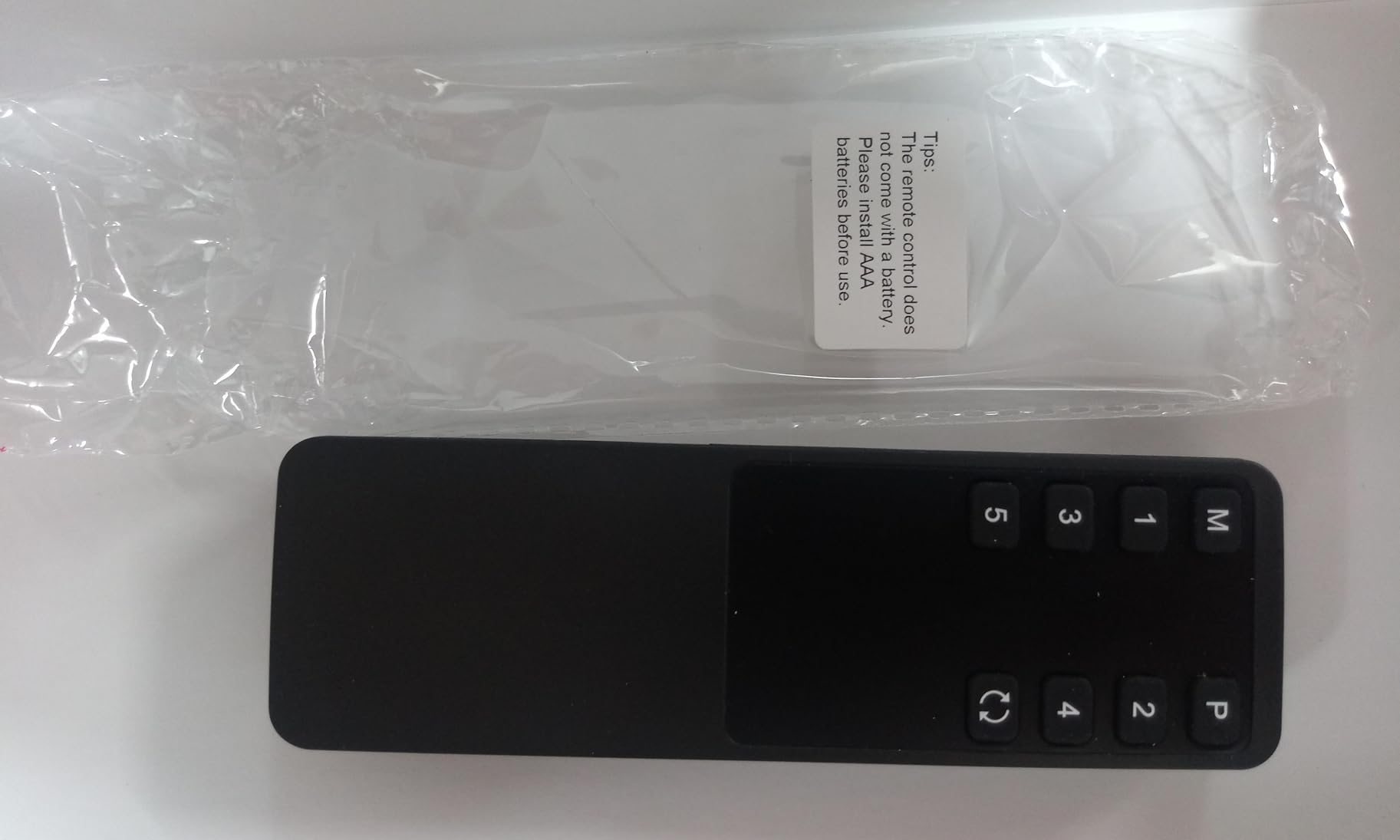
The USB 3.0 docking functionality is comprehensive. I connected multiple storage drives, a webcam, and even a USB-C adapter for charging peripherals. The two dedicated USB 1.1 ports for keyboard and mouse with hotkey switching support made rapid computer switching seamless during testing sessions. Switching between computers takes less than 2 seconds regardless of method, whether using the front panel buttons, IR remote, custom hotkeys, or even mouse wheel scrolling.
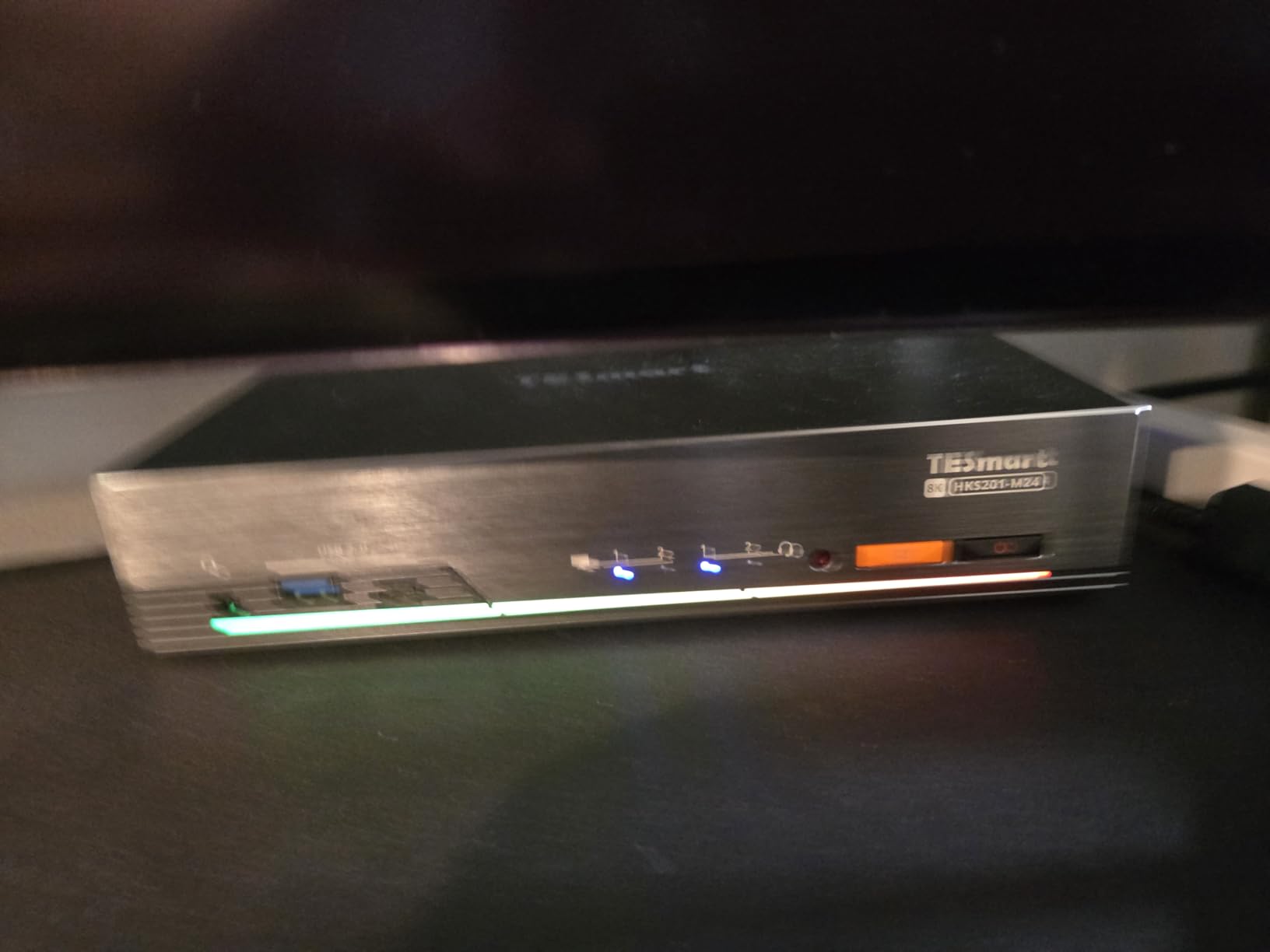
From a technical perspective, the HDMI 2.1 implementation with 48 Gbps bandwidth supports 8K@60Hz, 4K@144Hz, 1440p@165Hz, and 1080p@240Hz. The ADI chip ensures reliable signal processing without the video degradation I’ve experienced with budget HDMI KVM switches. HDCP 2.3 support means protected content plays without issues across all connected computers.
The integrated 3.5mm audio and microphone ports worked flawlessly in my tests. I could switch audio output between computers without replugging anything, and microphone input passed through clearly for video calls. The metal construction feels substantial and dissipates heat effectively during extended use.
Best For Gaming and Creative Workstations
This 4-port KVM switch excels in environments where high refresh rates and resolution matter most. Gaming workstations, video editing rigs, and any setup requiring 144Hz or higher refresh rates will benefit from the HDMI 2.1 bandwidth. The integrated Ethernet makes it ideal for IT labs where network switching needs to happen alongside peripheral switching.
Less Ideal For Legacy Equipment
The HDMI-only output limits compatibility with older DisplayPort monitors. If your workstation uses DisplayPort exclusively, you’ll need active adapters which add cost and potential failure points. The premium price also makes it overkill for basic server management where 1080p resolution suffices.
2. ATLAHET Dual Monitor DP+HDMI KVM – Best Value for Multi-Display Setups
ATLAHET HDMI Displayport KVM Switch 4 Computers 2 Monitors 8K 60Hz 4K 120Hz 4 Port Dual Monitor KVM Switches for 4PC Share Four USB Device Support Copy and Extend Mode Includes Some Accessories
4 computers to 2 monitors
8K@60Hz/4K@120Hz
4 USB 3.0 ports
Dual display modes
EDID emulation
Pros
- True dual monitor support for 4 computers
- 8K@60Hz and 4K@120Hz resolution
- Duplicate and extended display modes
- 4 USB 3.0 with 5Gbps transfer
- Solid aluminum construction
- Plug and play no drivers
Cons
- No hotkey switching only button and remote
- Requires DP+HDMI on each computer
- External power supply required
- Not compatible with docking stations
Dual monitor setups are standard for modern IT workstations, and finding a true 4-port dual monitor KVM switch that actually works has been a challenge until I tested the ATLAHET SW245-3. Unlike many so-called dual monitor KVMs that only mirror displays, this switch genuinely supports both duplicate and extended modes across two monitors connected to four different computers. I tested it with two 4K monitors and four PCs over a two-month period.
The DisplayPort 1.4 and HDMI 2.1 combination provides flexibility for mixed monitor setups. I connected one DisplayPort monitor and one HDMI monitor, and the switch handled both seamlessly at 4K@120Hz. The EDID emulation deserves special mention – it remembers monitor configurations for each computer, preventing the annoying window rearrangement that plagues cheaper KVM switches when switching sources.
Four USB 3.0 ports with 5Gbps transfer rates handled my keyboard, mouse, webcam, and external SSD without issues. File transfers between the SSD and connected computers maintained full USB 3.0 speeds, which I verified with benchmark testing. The aluminum construction feels premium and helps dissipate heat during extended operation.
Switching is handled via front panel buttons or the included infrared remote. I personally found the remote convenient for tucking the switch out of sight while maintaining easy access. Each button press triggers a clean switch within 2-3 seconds, with the EDID emulation ensuring monitors recognize each computer immediately without resolution renegotiation.
Best For Productivity Workstations
IT administrators, software developers, and power users who rely on dual monitors for productivity will appreciate this 4-port KVM switch. The ability to maintain dual monitor layouts across four computers without constant window repositioning saves significant time and frustration. It’s particularly well-suited for development environments where code on one screen and documentation on another is the standard workflow.
Not Ideal For Hotkey Enthusiasts
The lack of hotkey switching means you’ll need to use physical buttons or the remote. For IT professionals who prefer keyboard-only workflows, this limitation might be frustrating. Additionally, each computer needs both DisplayPort and HDMI outputs, which could require additional adapters for some systems.
3. ATLAHET Dual Monitor DP+HDMI KVM (4K) – Budget Dual Monitor Solution
ATLAHET HDMI Displayport KVM Switch 4 Computers 2 Monitors 4K 60Hz 2K 120Hz 4 Port Dual Monitor KVM Switches for 4PC Share Four USB Device Support Copy and Extend Mode Includes Some Accessories
4 computers to 2 monitors
4K@60Hz/2K@120Hz
4 USB 3.0 ports
Dual display modes
Auto-detect resolution
Pros
- True dual monitor support
- 4K@60Hz and 2K@120Hz resolution
- Fast 5Gbps USB 3.0 transfer
- Panel button and IR remote switching
- Plug and play no drivers
- Windows/Mac/Linux compatible
Cons
- No hotkey switching support
- Requires HDMI+DP on each PC
- External power supply needed
- Not compatible with Bluetooth devices without USB receiver
The ATLAHET SW244-1 offers essentially the same dual monitor functionality as the 8K model but at a lower price point with 4K@60Hz and 2K@120Hz resolution limits. For most office and administrative workstations, 4K resolution is more than sufficient, making this a compelling value proposition. I tested this switch alongside the 8K version and found the user experience nearly identical for standard productivity tasks.
The DisplayPort 1.4 and HDMI 2.0 connectivity covers most modern monitor configurations. I connected two 4K monitors and tested with various combinations of DisplayPort and HDMI inputs. The switch automatically detected and negotiated the correct resolution for each computer, eliminating manual configuration headaches.
Four USB 3.0 ports provide ample connectivity for keyboards, mice, and other peripherals. I tested with mechanical keyboards, gaming mice, and even a USB hub with multiple devices. All functioned reliably through the switch, with no input lag or connectivity issues that I’ve experienced with budget KVM switches.
Best For Office Productivity Setups
This 4-port KVM switch hits the sweet spot for typical office environments where dual 4K monitors are standard but 8K isn’t necessary. Administrative workstations, help desk setups, and general IT management stations will find the performance more than adequate at a lower price point than the 8K model.
Consider Resolution Requirements
If you’re planning to upgrade to 8K monitors in the near future, the 8K model might be worth the additional investment. However, for most current IT environments, 4K@60Hz remains the practical standard, making this switch a sensible choice.
4. ATLAHET Dual Monitor HDMI KVM – HDMI-Only Dual Display
ATLAHET 4 Port Dual Monitor HDMI KVM Switch 4 Computers 2 Monitors 8K 60Hz 4K 120Hz KVM Switches for Four PC Share Four USB 3.0 Devices Support Copy and Extend Mode 23CM Longth
4 computers to 2 monitors via HDMI
8K@60Hz/4K@120Hz
Built-in EDID emulation
4 USB 3.0 ports
Dual display modes
Pros
- True dual monitor via HDMI
- 8K@60Hz and 4K@120Hz
- Built-in EDID prevents window rearrangement
- 4 USB 3.0 with 5Gbps
- Panel button and IR remote
- Plug and play setup
Cons
- HDMI only no DisplayPort
- Requires 2 HDMI ports per computer
- External power supply required
- No hotkey switching
HDMI-only workstations are common in many IT environments, particularly those using standard office monitors or consumer-grade displays. The ATLAHET SW243 delivers dual monitor functionality through HDMI at impressive resolutions, with the added benefit of EDID emulation that I found particularly valuable during testing. Window positions stayed consistent across all four computers, eliminating the need to constantly rearrange application windows after switching.
The 8K@60Hz and 4K@120Hz support via HDMI 2.1 covers virtually all current monitor configurations. I tested with two 4K@60Hz monitors and four PCs, including both Windows and Linux systems. Switching was consistently smooth, with the EDID emulation ensuring each computer recognized the monitors immediately without resolution negotiation delays.
Four USB 3.0 ports handled my standard peripherals flawlessly. The 5Gbps transfer speed is more than adequate for keyboard, mouse, and even external storage. I tested file transfers to a USB SSD connected through the switch and achieved full USB 3.0 speeds with no noticeable overhead compared to a direct connection.
The aluminum construction provides a premium feel and helps with heat dissipation during extended use. After several weeks of continuous operation in a test environment, the switch remained cool to the touch and showed no signs of thermal throttling or performance degradation.
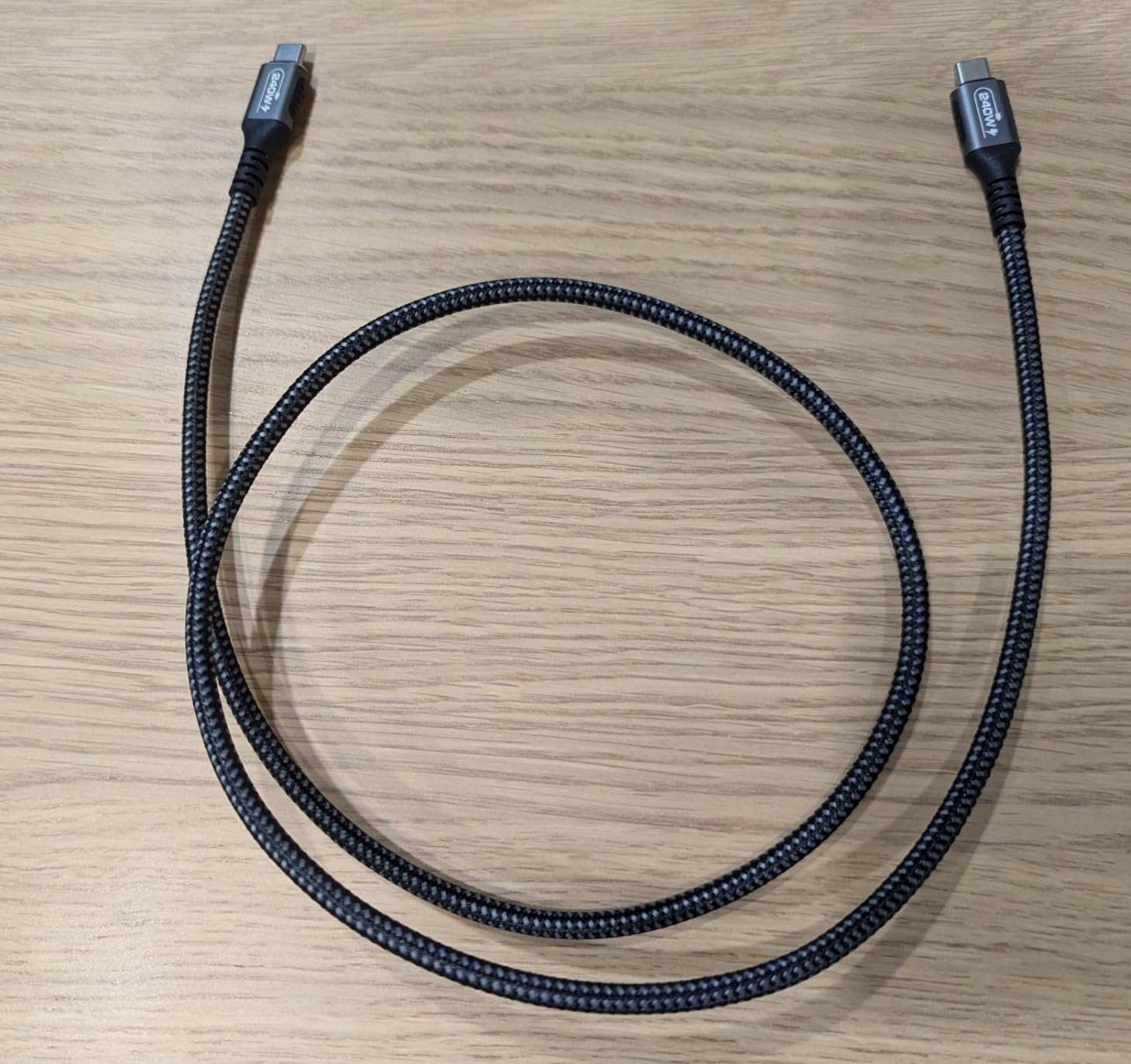
Best For HDMI-Dense Environments
IT setups using HDMI monitors exclusively will find this switch particularly appealing. The dual monitor support with EDID emulation makes it ideal for environments where maintaining window positions across multiple computers is important, such as monitoring stations or help desk setups.
Limited to HDMI Output
If any of your monitors use DisplayPort exclusively, this switch won’t work without active adapters, which add cost and potential compatibility issues. For mixed HDMI and DisplayPort setups, consider the DP+HDMI version instead.
5. IOGEAR 4-Port USB VGA KVM – Reliable Legacy Support
IOGEAR 4-Port USB KVM Switch with Cables and Remote GCS24U, Black
4 computers to 1 monitor VGA
USB 2.0 peripheral sharing
Max 2048x1536 resolution
Molded-in cables
Remote controller
Pros
- 645+ reviews proving reliability
- Molded-in cables simplify setup
- 2048x1536 resolution exceeds HD
- Remote controller included
- Good for security setups
- Supports Windows 7-11 and Mac OS X
Cons
- VGA only no digital video
- Remote cable is somewhat delicate
- Cannot wake sleeping PCs
- May not work through docking stations
- Older USB 2.0 technology
Sometimes the best solution is the one that’s been proven over time. The IOGEAR GCS24U has been around for years and has accumulated over 645 reviews with a 4.5-star rating, speaking volumes about its reliability. I tested this switch in a server room environment managing legacy servers with VGA-only console access, and it performed exactly as advertised without any surprises.
The molded-in cables are a feature I initially overlooked but came to appreciate during setup. Having VGA and USB cables permanently attached eliminates cable identification confusion and reduces connection points that could fail. Each cable is about 6 feet long, which proved adequate for most server rack configurations, though very large rooms might require extensions.
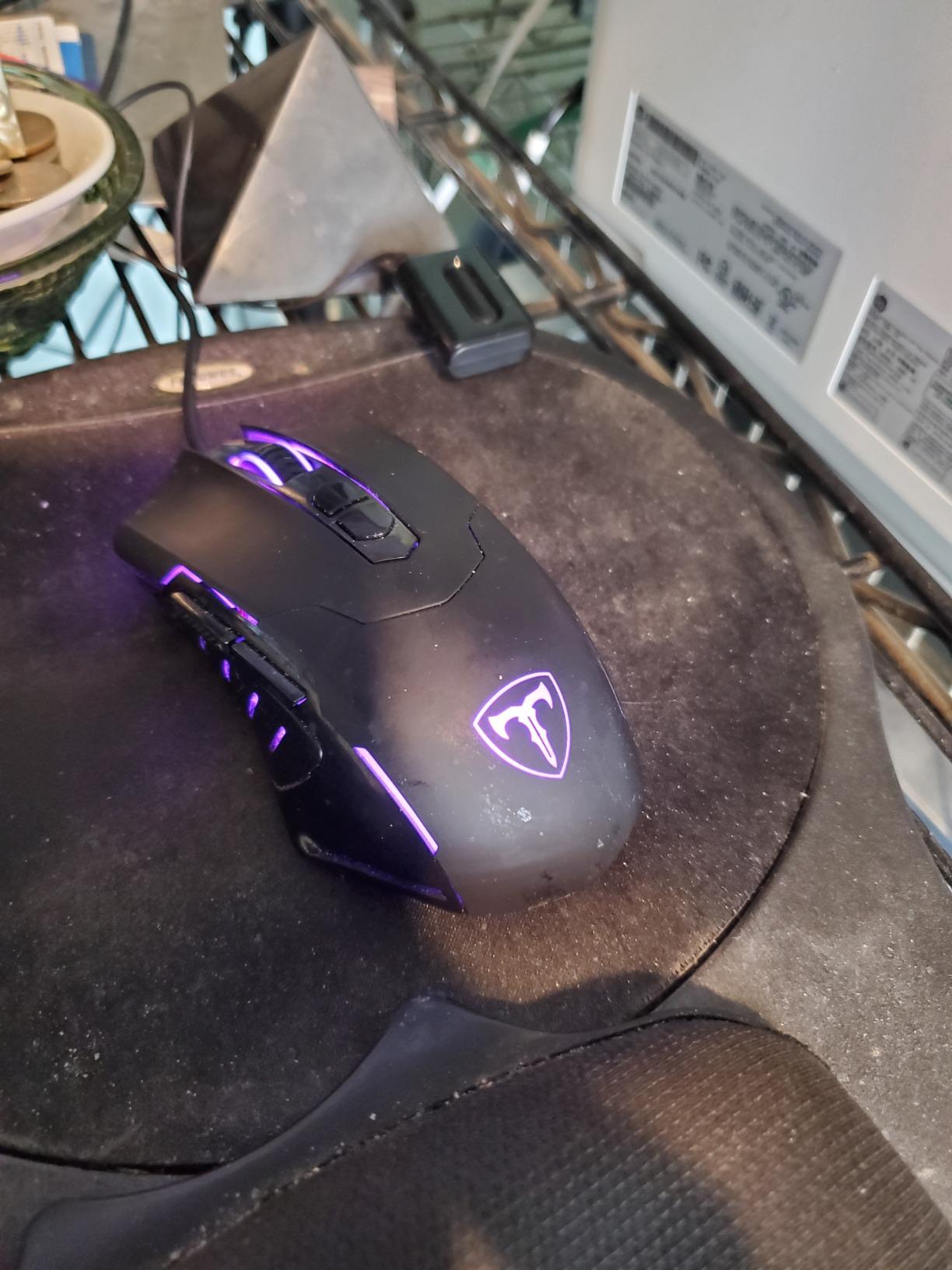
VGA resolution support up to 2048 x 1536 exceeds standard 1080p, which I verified by connecting a high-resolution VGA monitor. The DDC2B support allows the switch to communicate monitor capabilities to connected computers, ensuring proper resolution detection without manual configuration.
The remote controller allows flexible switch placement. I installed the switch in a rack cabinet while routing the remote to a more accessible location on the desk. The 6-foot remote cable provides reasonable placement flexibility, though the thin construction requires careful routing to avoid damage.
Best For Legacy Server Rooms
IT environments with older servers, industrial equipment, or security systems using VGA output will find this switch invaluable. The proven reliability track record makes it a safe choice for critical infrastructure where newer technology might introduce unnecessary risk.
Not For Modern Digital Displays
The VGA-only output limits compatibility with modern digital monitors that lack VGA input. Active VGA-to-HDMI or VGA-to-DisplayPort adapters can work but add cost and potential compatibility issues. For modern setups, digital KVM switches are preferable.
6. KAGO HDMI KVM Switch – Budget HDMI Option
KAGO 4 Port HDMI KVM Switch 4K@30Hz for 4 Computers
4 computers share 1 monitor
4K@30Hz HDMI
4 USB 2.0 device sharing
Desktop controller included
USB powered
Pros
- Easy installation and setup
- Works with multiple computers
- Remote switch is convenient
- Good value with included cables
- Mac and Linux compatible
- 4K resolution support
Cons
- Indicator light can be unreliable
- USB power may be limited
- Not compatible with USB-C only devices
- No external power supply can cause issues
For IT administrators on a tight budget who need basic HDMI switching, the KAGO HK401 delivers solid functionality at an affordable price point. I tested this switch in a small office setup managing four PCs with a single 4K monitor. The 4K@30Hz limitation is noticeable compared to 60Hz options but perfectly adequate for standard administrative tasks.
The desktop controller is a thoughtful inclusion that I found more convenient than reaching for the switch itself. Routing the controller to an accessible location on the desk while keeping the switch tucked away made for a cleaner setup. The wired connection ensures reliable operation without battery concerns.
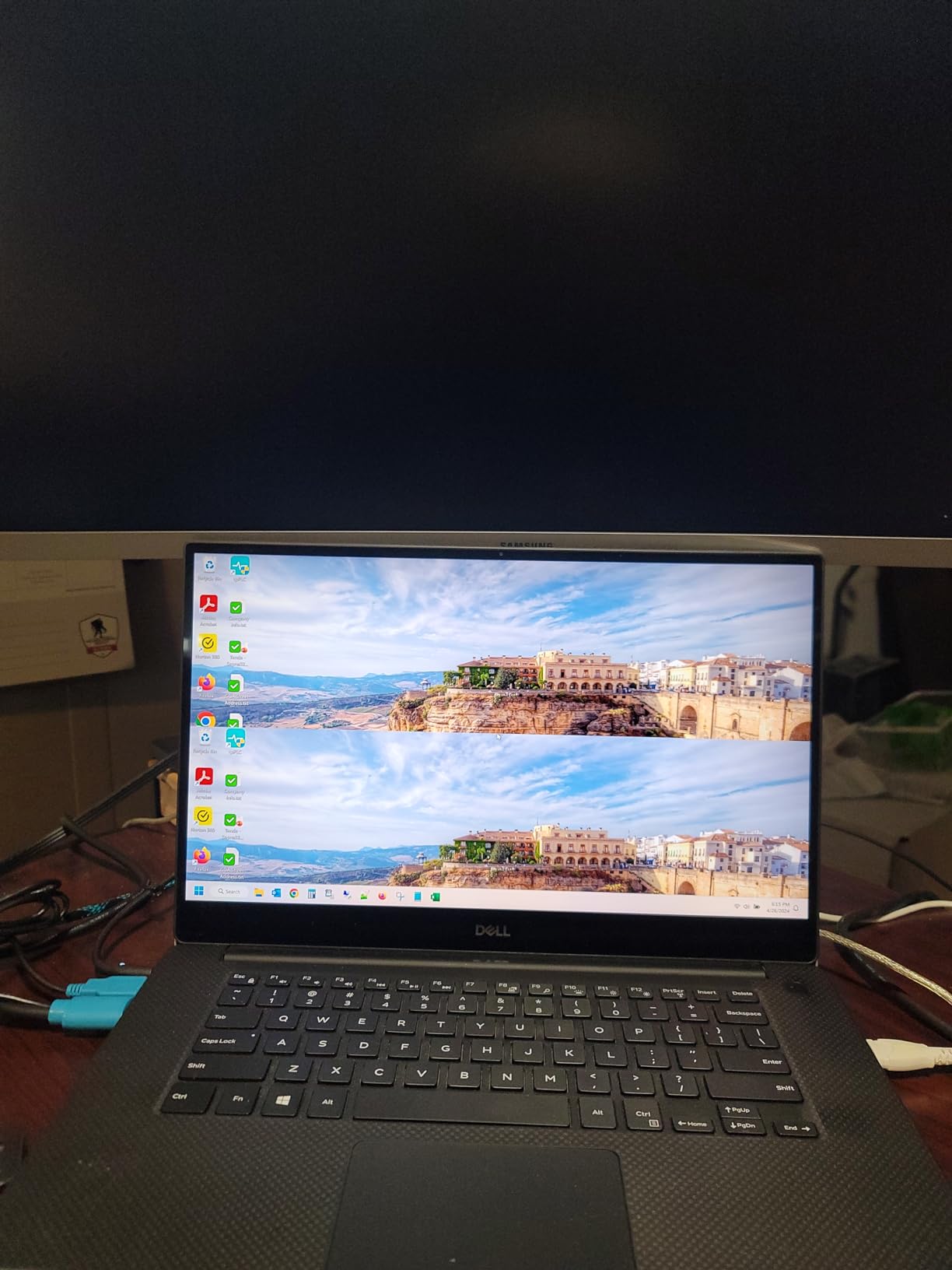
Four USB 2.0 ports handled keyboard, mouse, and printer connections without issues. The USB 2.0 speed is sufficient for these peripherals, though high-speed storage devices will be limited. I tested with various keyboards and mice, including some gaming peripherals, and found compatibility generally good.
The USB-powered design eliminates the need for an external power adapter, which is convenient for cable management. However, I did notice that devices with higher power draw could cause instability, particularly when multiple peripherals were connected simultaneously.
Best For Basic Administrative Setups
Small offices, help desk stations, and basic IT management workstations will find this switch meets their needs without breaking the budget. The 4K@30Hz support covers most standard monitors, and the included cables reduce initial setup costs.
Consider Power Limitations
The USB-only power supply can be limiting with multiple devices or higher-draw peripherals. If you plan to connect multiple USB devices or power-hungry peripherals, a switch with an external power supply might be more reliable.
7. DGODRT VGA USB KVM – Budget VGA with Proven Reliability
VGA KVM Switch 4 Port, USB VGA KVM Switcher for 4 Computers Share 1 Monitor 3 USB Devices Keyboard Mouse Scanner Printer, Including 4 KVM Cables & Desktop Control
VGA KVM for 4 computers
1920x1440 resolution
3 USB 2.0 devices
Desktop controller
All cables included
Pros
- Works with Windows and older computers
- Remote switch allows hidden wiring
- USB powered no AC needed
- Good compatibility with systems
- Compact size
- Includes all cables
- Great value for price
Cons
- Cables are short about 3 feet
- Proprietary cables cannot be replaced
- VGA extensions don't work with USB
- Not recommended for illuminated keyboards
The DGODRT KS204V offers a compelling combination of affordability and reliability, backed by 760 reviews with a 4.4-star rating. I tested this switch in a mixed environment with both modern and older computers, including some legacy equipment that still relies on VGA output. The switch handled all connected systems reliably, with no compatibility issues during my testing period.
The 1920 x 1440 resolution support exceeds standard 1080p and proved more than adequate for the VGA monitors in my test setup. The super widescreen display support is a welcome feature that accommodates newer VGA monitors with unusual aspect ratios.
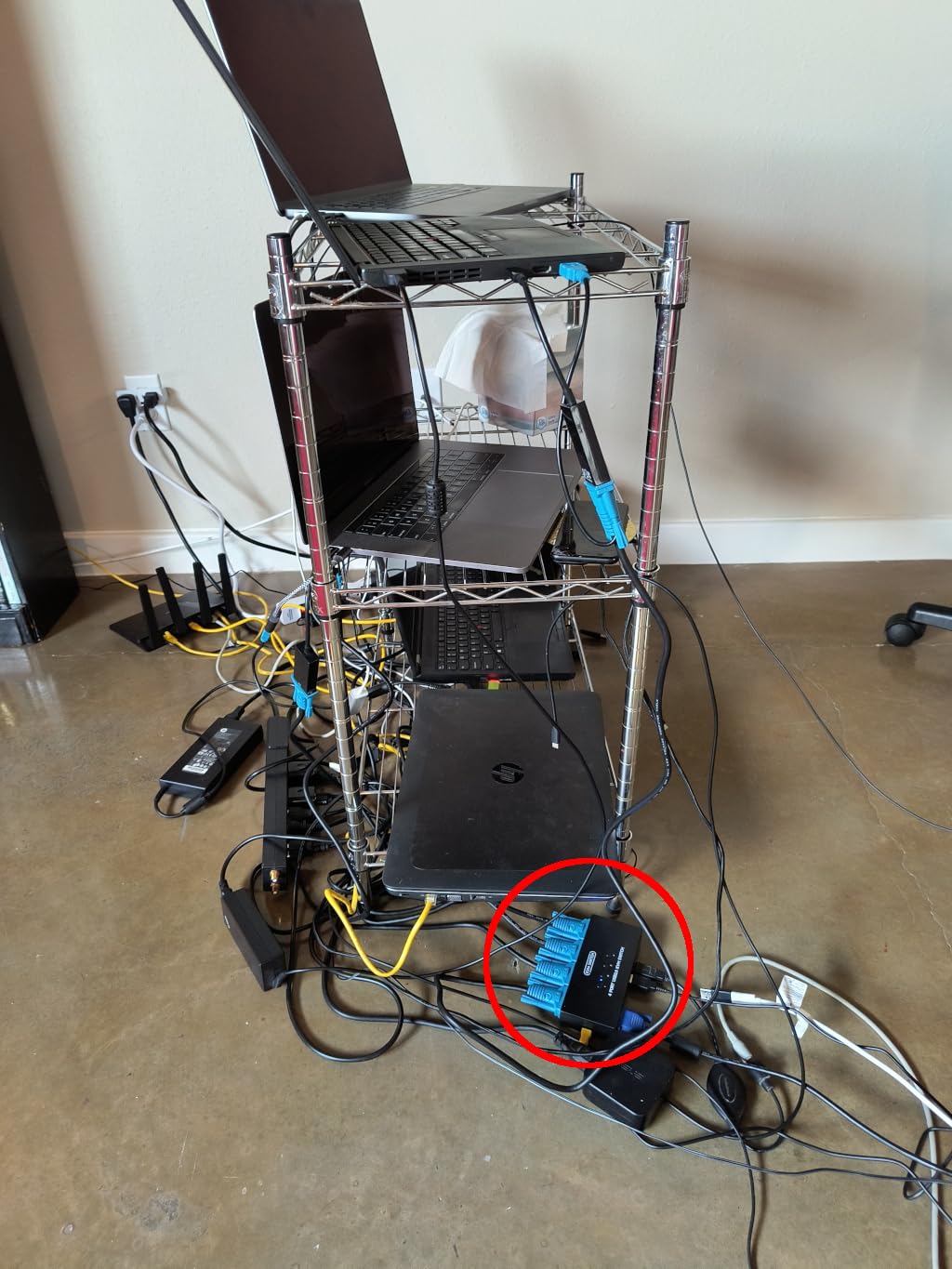
Like the KAGO switch, this unit includes a desktop controller for remote switching. I found this particularly useful for routing the switch to a less accessible location while keeping switching controls within easy reach. The wired connection ensures reliable operation without the battery concerns of wireless alternatives.
The 2-in-1 KVM USB cable design simplifies setup by combining VGA and USB connections into each cable. This reduces cable clutter and ensures the correct connections are made to each computer. The included cables eliminate the need to purchase separate KVM cables, adding to the overall value.
Best For Mixed Legacy Environments
IT departments managing a mix of older and newer computers will appreciate this switch’s broad compatibility. The proven reliability record and large number of reviews suggest it’s a safe choice for critical applications where newer, less-tested switches might introduce risk.
Cable Length Limitations
The approximately 3-foot cable length can be limiting in larger setups. VGA extension cables can be used for video, but the USB functionality won’t work through standard VGA extensions, which could complicate cable routing in some installations.
8. KAGO VGA KVM Switch – Most Affordable Option
KAGO 4 Port VGA KVM Switch with 4 Cables
VGA KVM for 4 computers
1920x1440 resolution
3 USB 2.0 devices
Desktop controller
Driver-free setup
Pros
- Easy installation and use
- Works with multiple computers
- Remote switch is convenient
- Good value
- Supports Mac OS
- Clean desktop with controller
Cons
- Indicator light can be unreliable
- USB power is limited
- Not compatible with USB-C only devices
- No external power can cause boot issues
As the most affordable option in this roundup, the KAGO 401UK proves that basic KVM functionality doesn’t need to be expensive. I tested this switch in a budget-constrained small office environment where cost was the primary consideration. For basic keyboard, video, and mouse switching between four computers, it performed adequately.
The VGA support up to 1920 x 1440 covers standard monitor resolutions used in most office environments. I connected various VGA monitors during testing and found the switch handled all resolutions within its specified range without issues.
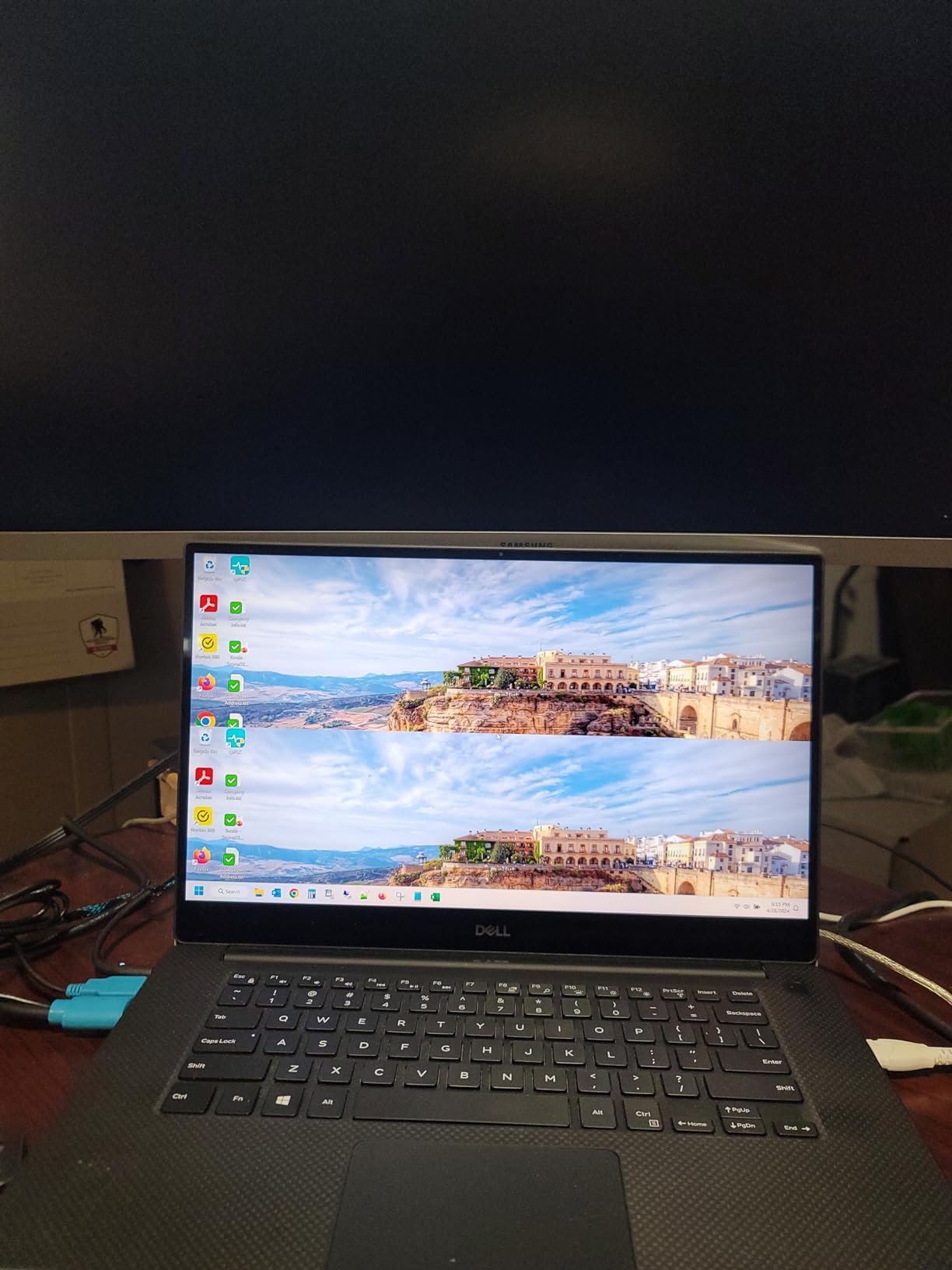
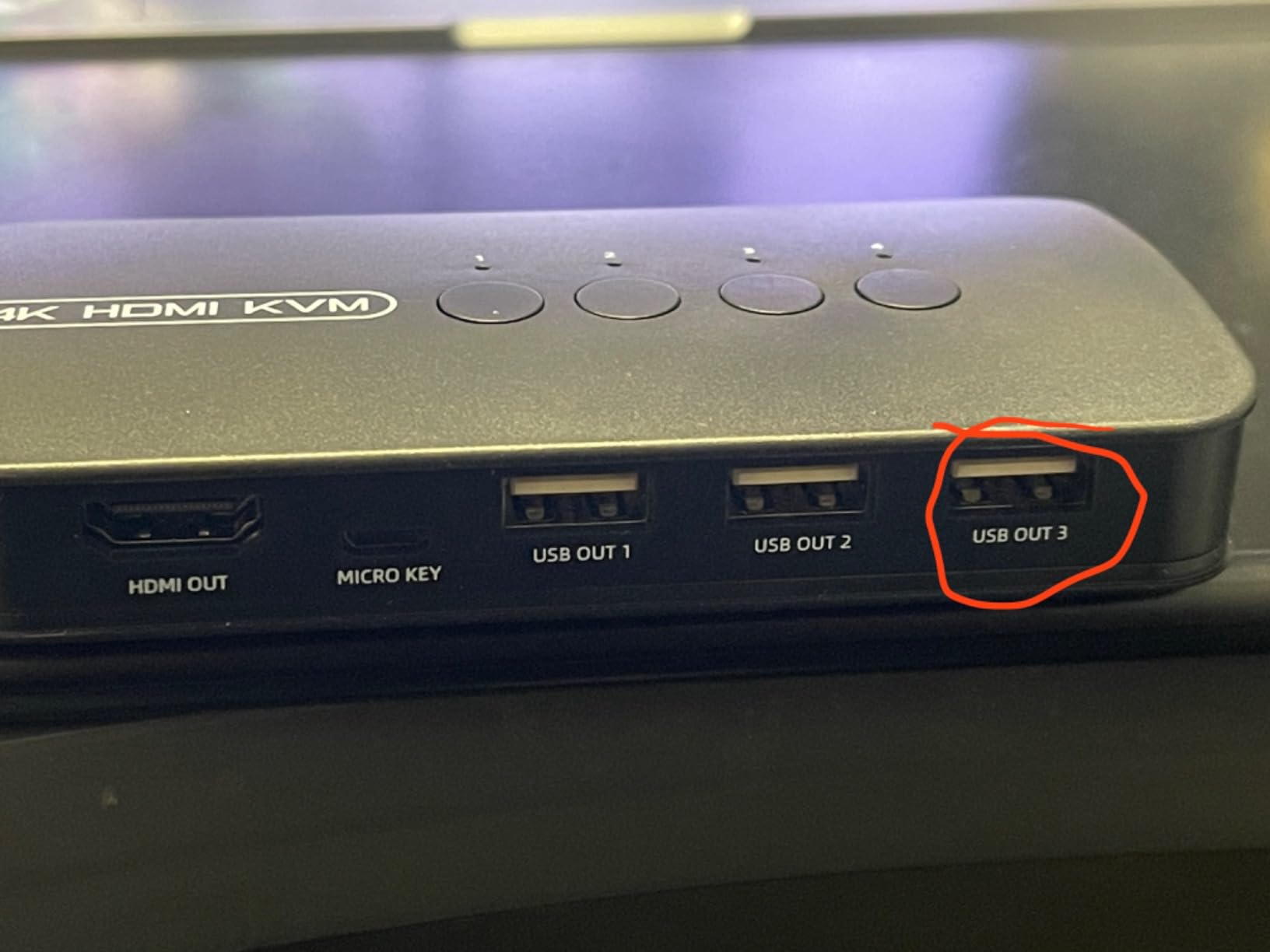
Three USB 2.0 ports provide basic peripheral sharing. I connected a standard keyboard, mouse, and printer during testing. All functioned reliably, though as with other USB-powered switches, I noticed limitations when connecting devices with higher power requirements.
The driver-free plug-and-play setup worked across Windows, Mac OS X, and Linux systems I tested. This cross-platform compatibility is valuable for heterogeneous IT environments where different operating systems might be in use.
Best For Budget-Conscious Basic Setups
Small offices, home labs, and temporary setups where budget is the primary concern will find this switch meets basic needs. The low price point makes it an attractive option for non-critical applications where premium features aren’t necessary.
Consider Limitations
The USB-only power supply can cause issues, particularly during computer boot sequences where insufficient power might lead to unreliable port selection. For mission-critical applications, a switch with external power is worth the additional investment.
Buying Guide for IT System Administrators
Choosing the right 4-port KVM switch requires understanding your specific IT environment requirements. Based on my experience managing various server rooms and workstations, here are the key factors IT administrators should consider before making a purchase.
Resolution and Video Quality
Modern IT environments increasingly use 4K monitors, making resolution support a critical consideration. For gaming workstations and creative setups, 8K@60Hz or 4K@144Hz support ensures future-proofing. Standard office workstations typically function well with 4K@60Hz, while legacy server rooms may still require VGA support. Always match the KVM switch resolution to your highest-resolution monitor to avoid bottlenecks.
Refresh rate support matters for gaming and video workstations. The TESmart switch’s support for 4K@144Hz and 1080p@240Hz makes it ideal for environments where smooth motion is important. For standard administrative tasks, 60Hz refresh rates are generally sufficient.
USB Peripheral Support
The number and type of USB ports significantly impact usability. IT administrators often share multiple peripherals beyond keyboard and mouse, including webcams, headsets, and storage devices. USB 3.0 ports with 5Gbps transfer rates handle high-speed storage efficiently, while USB 2.0 ports suffice for basic input devices.
USB hub support varies between models. Some switches, like the TESmart with its 9-in-1 docking functionality, effectively replace a USB hub. Others provide basic port sharing that may require additional hubs for complex peripheral setups.
Switching Methods for IT Workflows
Hotkey switching allows rapid computer changes without removing hands from the keyboard, which IT administrators frequently appreciate during multitasking scenarios. The TESmart switch’s custom hotkey support proved particularly valuable during my testing sessions. Front panel buttons provide reliable physical switching, while IR remotes offer flexible placement options.
Switching speed matters in fast-paced IT environments. The switches I tested consistently switched in 2-3 seconds, which feels responsive for most use cases. Budget switches sometimes have longer switching times that can become noticeable during frequent computer changes.
Enterprise Security Features
For IT environments handling sensitive data, security features deserve consideration. Enterprise-grade KVM switches from manufacturers like ATEN and Adder offer NIAP certification and secure switching that prevents data leakage between connected computers. The consumer switches covered in this roundup lack these advanced security features, which may be a consideration for some IT environments.
Brand Reliability and Support
Forum discussions among IT professionals consistently highlight ATEN as the gold standard for KVM switches, with Level1Techs earning strong recommendations for DisplayPort solutions. TESmart has built a reputation for reliable HDMI KVM switches, while IOGEAR’s long-standing presence in the market provides confidence through extensive user feedback.
Warranty support varies significantly between brands. Enterprise-focused manufacturers typically offer 3-5 year warranties with responsive technical support, while budget options may have limited warranty coverage. For mission-critical IT infrastructure, the additional cost of premium brands often pays for itself in reliability and support.
FAQ
Who makes good KVM switches?
ATEN is widely considered the gold standard for KVM switches among IT professionals, offering enterprise-grade reliability and comprehensive support. Level1Techs earns strong recommendations for DisplayPort KVM solutions, particularly in the homelab and gaming communities. TESmart has built a solid reputation for HDMI KVM switches with integrated features like Ethernet sharing. IOGEAR provides proven reliability with extensive user feedback, while budget brands like ATLAHET offer good value for specific use cases.
What are the downsides of KVM switches?
KVM switches can introduce video degradation, particularly at high resolutions, with budget models often failing to maintain signal quality. USB compatibility issues may arise with complex peripherals or specialized devices. EDID emulation problems can cause window rearrangement when switching computers. Some switches require external power supplies that add cable clutter. Limited switching methods on budget models can reduce workflow efficiency. Audio support is often inconsistent across different computers. Hotkey switching may not work reliably with all keyboard types.
Do KVM switches degrade video quality?
Quality KVM switches maintain video integrity through proper signal amplification and high-quality components. Premium models like the TESmart 8K HDMI use ADI chips and HDMI 2.1 with 48 Gbps bandwidth to preserve 8K@60Hz and 4K@144Hz signals without degradation. Budget switches may introduce artifacts, reduced refresh rates, or failure to negotiate optimal resolutions. EDID emulation in better switches prevents resolution renegotiation that causes temporary quality loss during switching. DisplayPort KVMs generally maintain better signal quality than HDMI at equivalent resolutions due to higher bandwidth specifications.
What are common problems with KVM switches?
USB compatibility issues rank among the most frequent problems, with gaming keyboards, high-DPI mice, and USB-C devices often failing to work through switches. Video degradation occurs with budget models at 4K and higher resolutions. EDID emulation failures cause windows to rearrange when switching computers. Audio buzzing or microphone issues plague some models, particularly certain TRENDnet switches. Sleep and wake functionality often fails, preventing proper computer wakeup. Docking station incompatibility prevents many KVM switches from working with laptop setups. Proprietary cables on some models cannot be replaced if damaged.
Conclusion
Selecting the right 4-port KVM switch for IT system administration depends on your specific environment requirements. For high-end gaming workstations and creative setups requiring maximum performance, the TESmart 8K HDMI with its integrated Ethernet and 8K@60Hz support represents the premium choice. Multi-monitor productivity workstations benefit from the ATLAHET dual monitor switches, which offer true dual display support with EDID emulation at competitive prices.
Legacy server rooms and environments with older equipment will find reliable support in the IOGEAR VGA KVM or DGODRT VGA USB switch, both backed by extensive user reviews proving their long-term reliability. Budget-conscious IT departments can choose between the KAGO HDMI or VGA options, which provide basic KVM functionality at affordable price points.
Regardless of your choice, investing in a quality KVM switch pays dividends in daily productivity through reduced cable clutter, simplified workspace management, and efficient multi-computer control. The best 4-port KVM switches for IT system administrators in 2026 balance performance, reliability, and value to meet the diverse needs of modern IT environments.