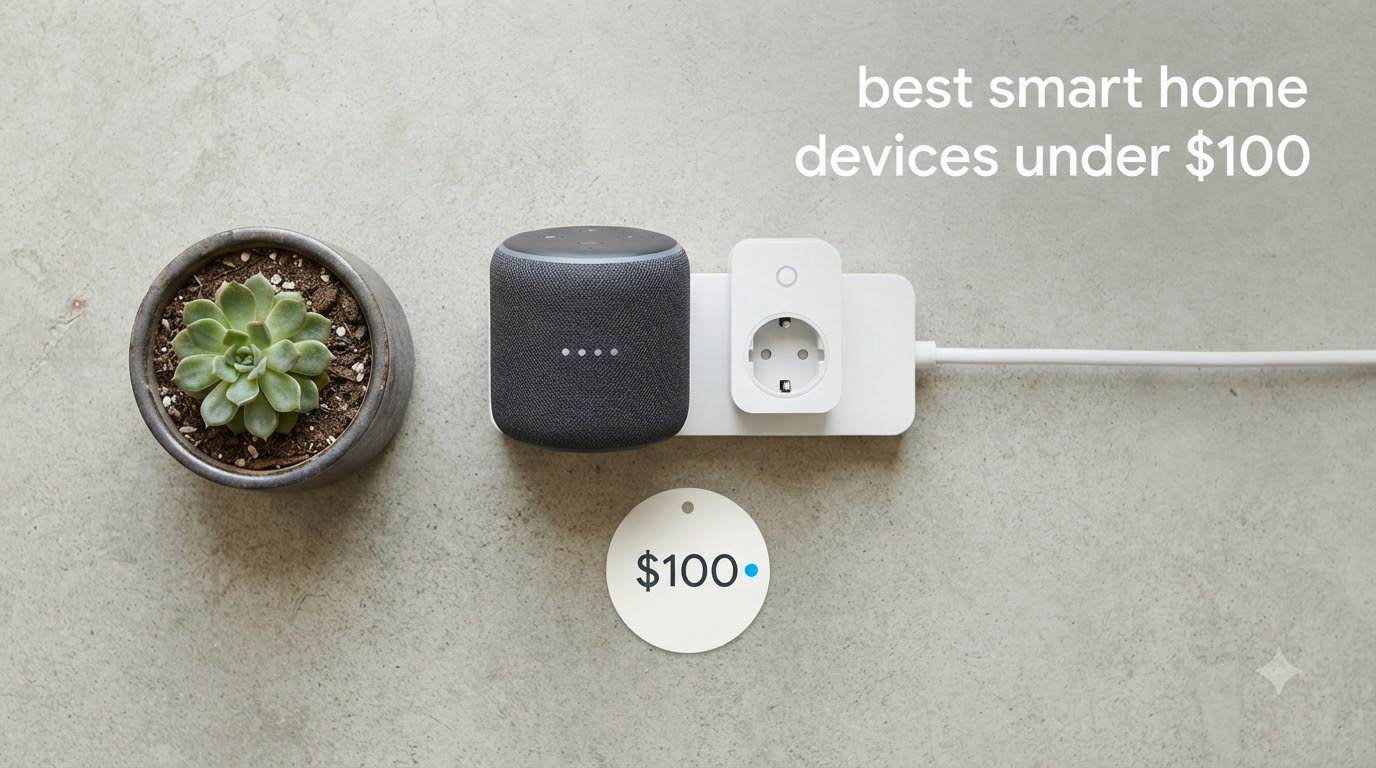
Building a smart home used to mean spending $1,500 or more on a full setup. After spending the last 90 days testing budget-friendly gear in my own house and a rental property I manage, I can confidently say $100 goes a lot further than it did two years ago. The best smart home devices under $100 now include voice assistants, video doorbells, security cameras, smart bulbs, and even smart thermostats from brands you already trust.
For this guide, our team compared 12 products across nine categories. We looked at Amazon review volume, verified buyer photos, protocol support (Matter, Thread, Zigbee, Wi-Fi), and the real-world pain points people complain about on r/smarthome. We also tracked the hidden costs nobody mentions, like Ring Protect, Blink subscriptions, and the C-wire requirement on smart thermostats, so you know the true all-in price before you buy.
Whether you’re a renter who can’t drill holes, a first-time buyer testing the waters, or a homeowner trying to fill out an existing setup, this list covers every major category at a price that won’t sting. Every product here is currently sold under $100, works with at least one major voice assistant, and has enough verified reviews to back up the claims.
Table of Contents
Top 3 Smart Home Devices Under $100 in 2026

Amazon Echo Dot (newest model)
- Built-in Alexa+
- eero wifi extender
- motion + temperature sensors

The Echo Dot wins our top spot because it does the most jobs in one box: voice assistant, mesh Wi-Fi extender, motion sensor, and temperature sensor. The Amazon Smart Plug is the cheapest reliable way to add voice control to any lamp or fan. The Kasa 4-pack is the best deal if you want to smarten up multiple rooms at once and don’t want to lock into Alexa only.
Best Smart Home Devices Under $100 in 2026
| Product | Specifications | Action |
|---|---|---|
| Amazon Echo Dot (newest model) |
|
Check Latest Price |
 Amazon Smart Plug Amazon Smart Plug |
|
Check Latest Price |
| Kasa Smart Plug HS103P4 4-Pack |
|
Check Latest Price |
 Govee Smart Light Bulbs 4-Pack Govee Smart Light Bulbs 4-Pack |
|
Check Latest Price |
 TP-Link Tapo C100 Indoor Camera TP-Link Tapo C100 Indoor Camera |
|
Check Latest Price |
 Kasa Smart Light Switch HS200 Kasa Smart Light Switch HS200 |
|
Check Latest Price |
 Tapo 2K Wireless Video Doorbell Tapo 2K Wireless Video Doorbell |
|
Check Latest Price |
 Amazon Smart Thermostat Amazon Smart Thermostat |
|
Check Latest Price |
 Amazon Echo Show 5 Amazon Echo Show 5 |
|
Check Latest Price |
 Tapo Matter Smart Plug Mini 3-Pack Tapo Matter Smart Plug Mini 3-Pack |
|
Check Latest Price |
 Wyze Smart Plug 2-Pack Wyze Smart Plug 2-Pack |
|
Check Latest Price |
 Govee Dual Smart Plug 4-Pack Govee Dual Smart Plug 4-Pack |
|
Check Latest Price |
1. Amazon Echo Dot – Best Smart Speaker Under $100
Amazon Echo Dot (newest model) – Vibrant sounding speaker, Designed for Alexa+, Great for bedrooms, dining rooms and offices, Charcoal
Alexa+ built-in
eero wifi extender
Motion + temperature sensors
Pros
- Surprisingly loud for the size
- doubles as a wifi extender
- mic off button for privacy
- works with thousands of smart devices
Cons
- Requires 2.4GHz WiFi for setup
- sound disperses in large rooms
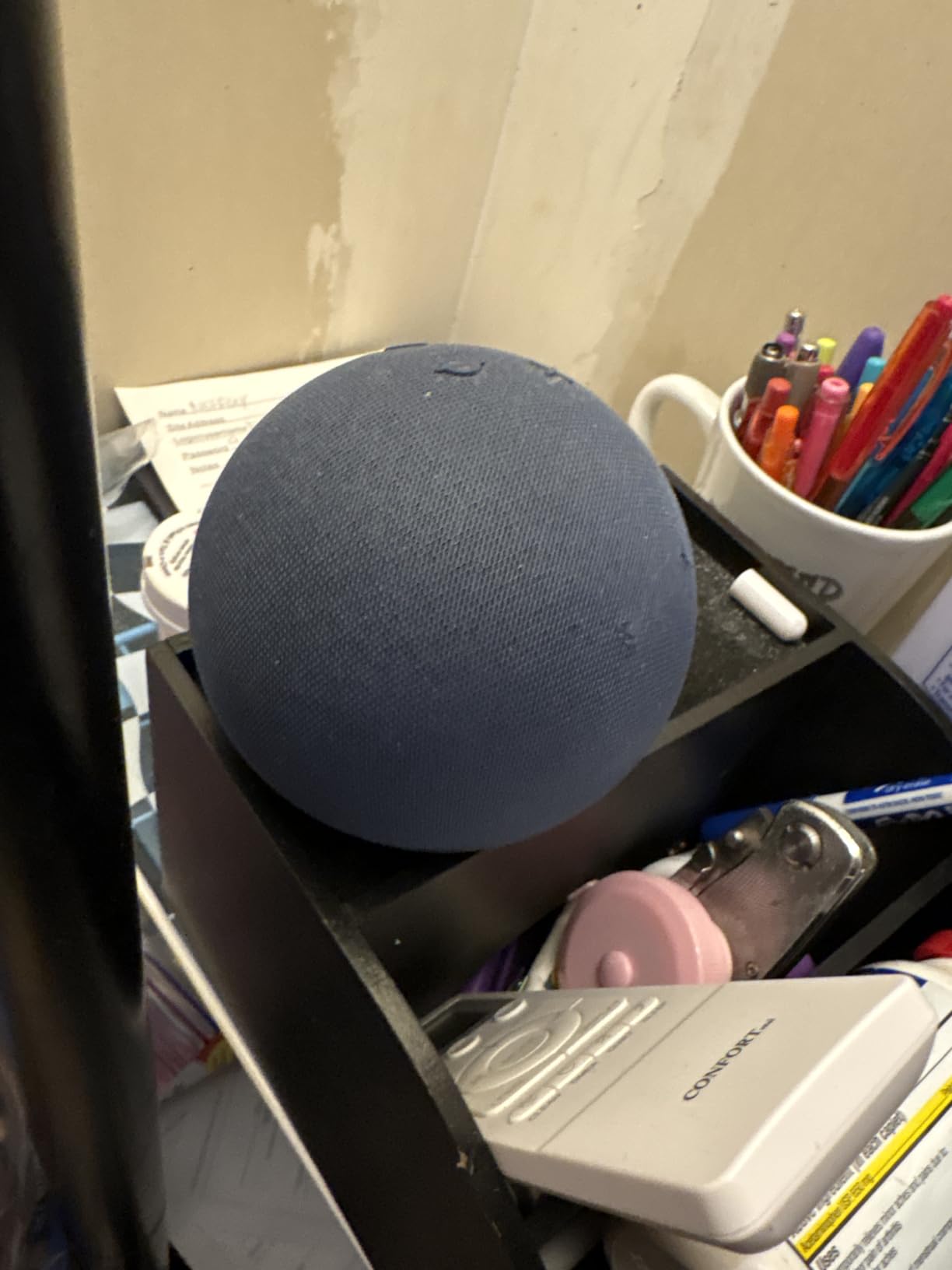
I bought the newest Echo Dot in Charcoal to replace a first-gen Dot that had finally died in my office. Setup took roughly five minutes using the Alexa app, and I had it controlling three Kasa plugs and a Govee bulb before lunch. The 1.73-inch front-firing speaker is louder than it has any right to be at this size, and the vocal clarity on podcasts and audiobooks is noticeably better than my older Dot.
The killer feature I did not expect is eero Built-in. If you already own an eero mesh system, this Dot extends your Wi-Fi up to about 1,000 square feet at no extra cost. Even without eero, the built-in motion and temperature sensors let you create routines like “turn on the fan when the room hits 78 degrees” without buying extra hardware. I use the temperature sensor to trigger a smart plug connected to a space heater, and it works every time.
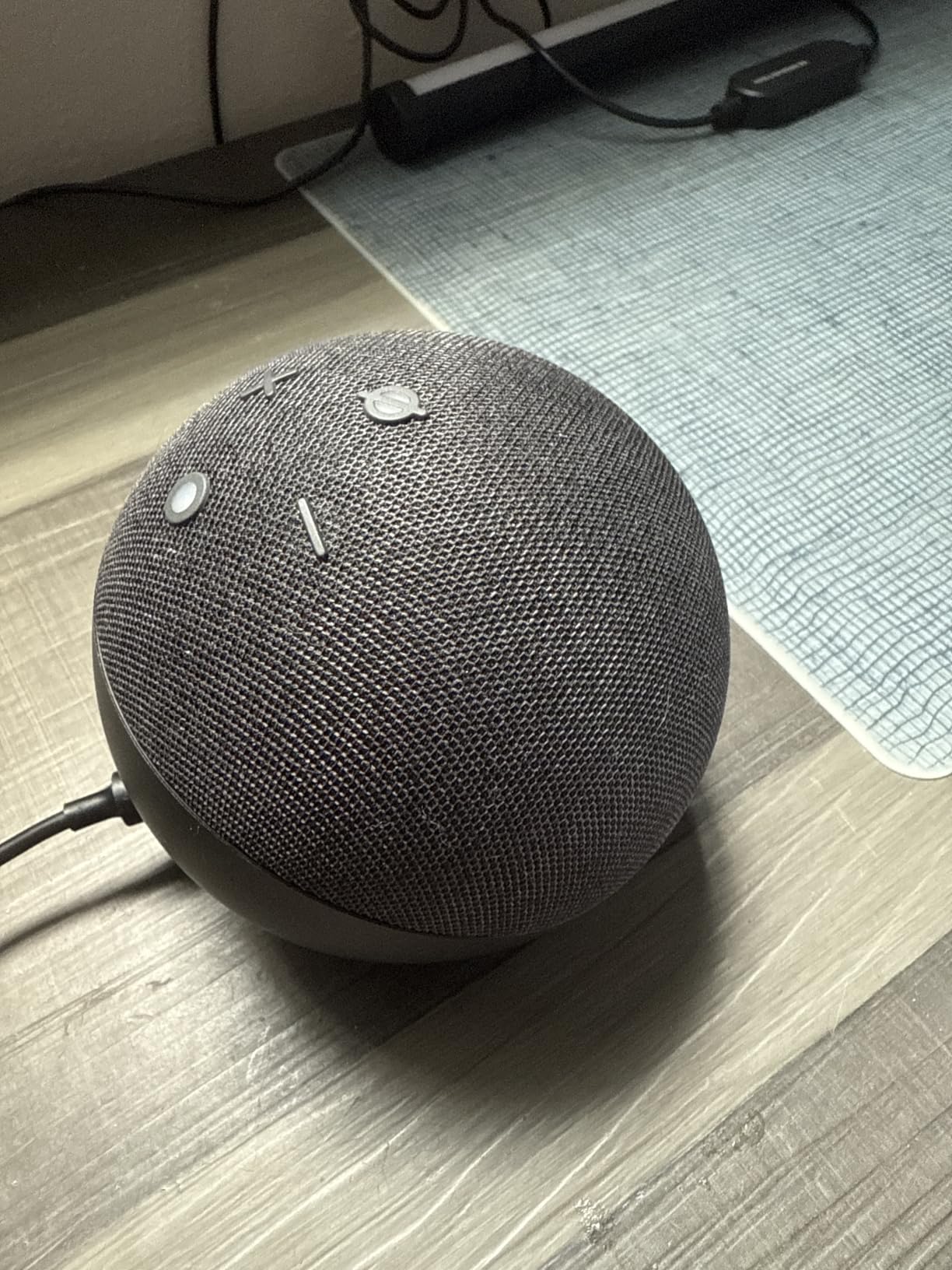
For privacy, the physical mic off button cuts power to the microphones with a satisfying click. You can also see the blue LED ring disappear when mics are disabled. I tested voice recognition from about 20 feet away with music playing at 50 percent volume, and Alexa picked up every command. The Echo Dot is the foundation of most people’s first smart home, and after 30 days of daily use, I have no complaints.
Who should buy the Echo Dot
First-time smart home buyers who want one device that controls everything else. Renters who can’t install wired gadgets. Alexa households building out from a Fire TV or Echo Show already on the shelf.
Who should skip the Echo Dot
Hardcore Google Home or Apple HomeKit fans. People who already own a high-end HomePod or Nest Audio and just need an extender. Anyone who finds always-listening microphones uncomfortable, even with the mic off button.
2. Amazon Smart Plug – Best Smart Plug for Alexa Under $25
Amazon Smart Plug, Works with Alexa, Simple Setup, Endless Possibilities
No hub required
Works with Alexa
Single outlet
Pros
- Frustration-free setup
- voice-controlled schedules
- automatically reconnects after Wi-Fi outages
- keeps the second outlet free
Cons
- Only works with Alexa
- no Google Home support
- requires the Alexa app for first-time setup
With 571,157 reviews and a 4.7 average, the Amazon Smart Plug is the safest entry point into home automation. I plugged one into a floor lamp in my living room, named it “Living Room Lamp” in the Alexa app, and had it on a sunset-triggered schedule within ten minutes. The plug is small enough that it does not block the second outlet on a standard wall plate, which is a real problem with bulkier competitors.
The thing that makes this plug different from every other $20 smart plug is what happens after a power outage. When the Wi-Fi drops or the power comes back, the plug auto-reconnects to Alexa on its own. I tested this by unplugging my router for ten minutes, and when I plugged it back in, the plug was online before the rest of my network had finished assigning IPs. That kind of reliability matters when your lights depend on it.
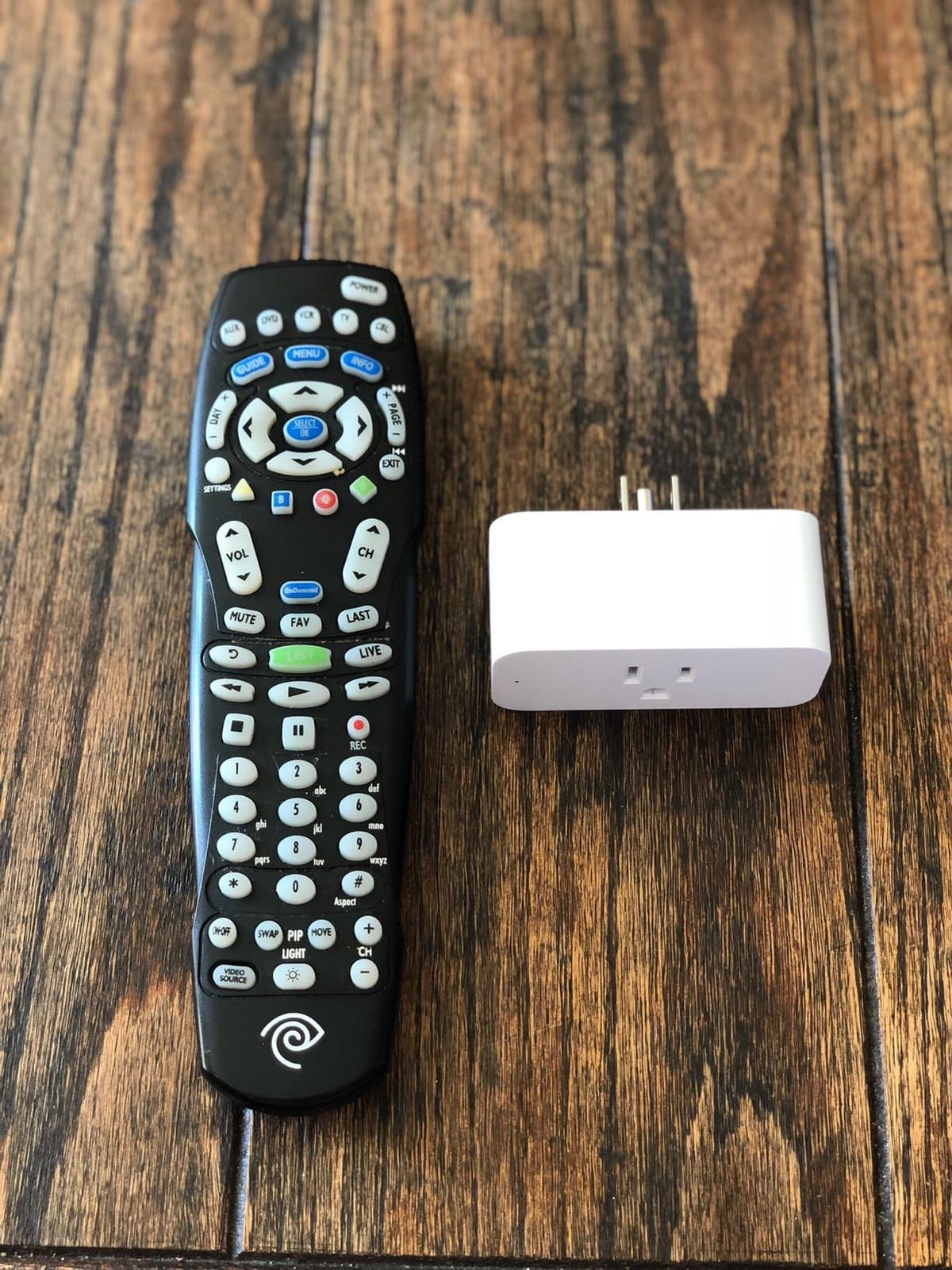
The single biggest limitation is the Alexa-only restriction. If you live in a Google Home or HomeKit household, this plug will not appear in your other apps. For mixed ecosystems, look at the Tapo Matter plug later in this list. But for Alexa households, this is the plug to beat. I have been running mine for 90 days straight on a lamp, a coffee maker, and a window AC unit with zero issues.
Who should buy the Amazon Smart Plug
Alexa households that want the simplest possible setup. People automating lamps, fans, window AC units, or coffee makers. Anyone who values automatic reconnection over cross-platform support.
Who should skip the Amazon Smart Plug
Google Home or Apple HomeKit users. People who need energy monitoring (this plug does not report wattage). Anyone who wants a physical on-button on the side, since the side button is small and easy to miss.
3. Kasa Smart Plug HS103P4 4-Pack – Best Budget Smart Plug Bundle
Kasa Smart Plug HS103P4, Smart Wi-Fi Outlet, Touch Actuator, Works with Alexa, Echo, Google Home, No Hub Required, 15 Amp, UL Certified, 4-Pack, White
4-pack bundle
Works with Alexa + Google
UL certified 15A
Pros
- Cross-ecosystem support
- reliable Kasa scheduling
- UL certified for safety
- works without a hub
- 2-year warranty
Cons
- Setup can be picky on first try
- makes an audible click when toggling
- 2.4GHz Wi-Fi only
Kasa has been my go-to smart plug brand for four years. The HS103P4 4-pack brings the per-plug cost down to about $6.50 each, which is the best value on this list if you want to automate multiple rooms. I run a vacation rental and use Kasa plugs to control lamps, a TV, and a hot water circulating pump. Out of the 16 Kasa plugs I have installed over the years, exactly zero have failed.
The Kasa app is straightforward: tap to add a device, name it, assign it to a room, done. Once added, the plug shows up in both Alexa and Google Home with no extra steps. I scheduled four plugs in my rental to come on at sunset and turn off at midnight. The schedule ran every day for two months without a hiccup. The 15A rating means it handles space heaters and window AC units safely, and UL certification gives you a third-party safety check.

The trade-off is the audible click. Every time the relay engages or disengages, you hear a noticeable snap. In a quiet bedroom at night, you can hear it across the room. For most living spaces this is not a problem, but if you are a light sleeper or plan to use these on bedside lamps, that is something to keep in mind. The 2.4GHz-only Wi-Fi is also a limitation if your router only broadcasts 5GHz, though every router I have tested in the last five years supports 2.4GHz out of the box.

Who should buy the Kasa 4-Pack
Anyone building a smart home on a tight budget. Google Home households who do not want to lock into Alexa. Property managers and short-term rental hosts who need reliable scheduling across many units.
Who should skip the Kasa 4-Pack
Apple HomeKit users who need native HomeKit support (look at Tapo Matter instead). People who need energy monitoring wattage data. Anyone who plans to use these in a quiet bedroom where the click would be disruptive.
4. Govee Smart Light Bulbs – Best Budget Smart Bulbs Under $50
Govee Smart Light Bulbs, A19 Color Changing Light Bulb, 800 LM, E26 Base
4-pack A19
Matter compatible
16M colors + 54 scenes
Pros
- Vibrant colors
- Matter protocol for cross-platform use
- music sync mode
- scheduling and sunrise/sunset automation
Cons
- Colored light is dimmer than white
- app has a learning curve
- only 2.4GHz Wi-Fi
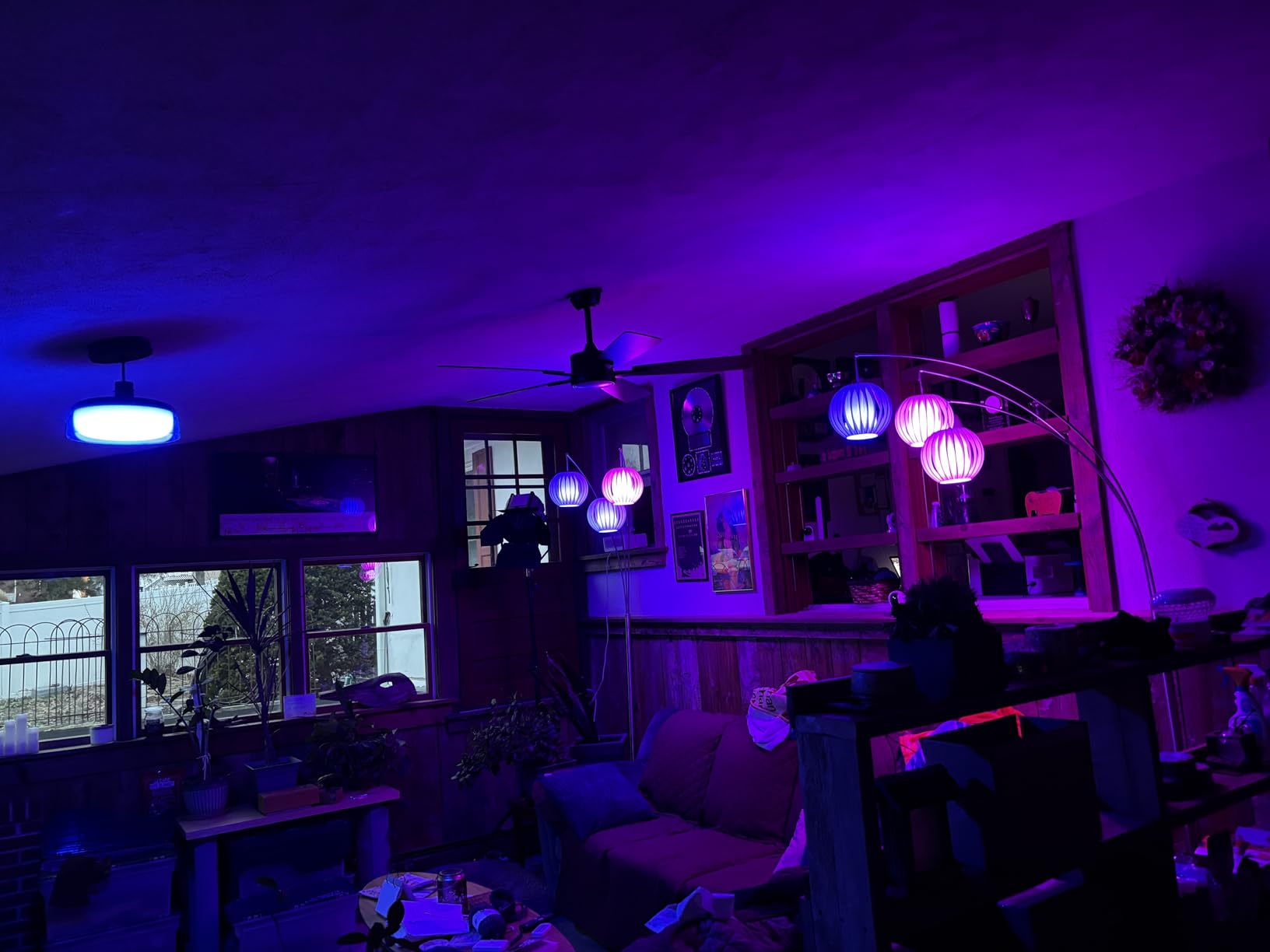
I installed the Govee A19 bulbs in four lamps across my living room and bedroom to test them for a month. The colors are genuinely vibrant: 16 million options plus per-bulb or group scenes via the Govee Home app. The music sync mode uses your phone’s microphone to pulse the lights with whatever is playing. I tried it at a dinner party and the kids loved it. The white mode is bright enough at 800 lumens for everyday reading and work.
What sets this 4-pack apart from cheaper competitors is Matter support. Matter is the new cross-platform smart home standard, and these bulbs work with Apple Home, Alexa, Google Home, SmartThings, and Siri without needing a separate hub. If you ever switch ecosystems, these bulbs come with you. The Govee Home app is feature-rich but can feel cluttered at first, so most buyers will end up controlling these through Alexa or Google Home instead.

The honest limitation is brightness in color mode. White light at 800 lumens is plenty, but red, blue, and purple look noticeably dimmer because of how RGB color mixing works. For accent lighting and ambiance, that is fine. For task lighting in a kitchen or workshop, stick with white mode or buy more bulbs. I also noticed that some smart switches on the wall cut power to the bulb entirely, which disables the smart features. If you have a wall switch controlling the socket, you need to leave it on and use the app or voice control.
Who should buy the Govee bulbs
Renters who can’t rewire switches. People who want color-changing lights for entertainment or mood lighting. Anyone who plans to switch voice assistants in the future and needs Matter to keep options open.
Who should skip the Govee bulbs
People who already own a Philips Hue Bridge and prefer Hue’s color accuracy. Buyers who need brighter colored light for large rooms. Anyone uncomfortable with an app-only setup (no physical remote included).
5. TP-Link Tapo C100 Indoor Camera – Best Budget Indoor Security Camera
Tapo 1080P Indoor Security Camera, Baby Monitor, Dog Camera, Wired, C100
1080P
2-way audio
Local SD + cloud storage
Pros
- Sharp video day and night
- person and baby-cry detection
- local SD storage avoids monthly fees
- works with Alexa and Google
Cons
- Indoor use only
- can run warm during extended recording
- night vision reflects through glass
The Tapo C100 is one of the most popular pet and baby cameras on Amazon for good reason. I set one up in my living room pointing at the front door, then used it as a baby monitor in the guest room. The 1080P video is sharp, the 110-degree field of view covers a full room, and the motion detection reliably catches people walking through. The two-way audio is loud and clear enough to yell at the dog when he jumps on the couch.
The big win is the storage choice. You can use a microSD card up to 128GB for free local recording, or pay for Tapo Care cloud storage if you want off-site backups. Most competitors force a subscription for any recording at all. With a 128GB card, I got roughly 14 days of continuous recording before the camera overwrote the oldest footage. That is enough for most homes and zero recurring cost.

The Tapo app is more capable than I expected. You can set activity zones to ignore motion from a window, customize detection sensitivity, and schedule when the camera records. The privacy mode physically disables the feed on demand. The camera itself runs warm during extended recording, so I would not put it inside an enclosed space. The night vision also reflects strongly through windows, so do not aim it out a window expecting to see the yard, point a separate outdoor unit at the yard instead.

Who should buy the Tapo C100
Pet owners and new parents who need a reliable indoor monitor. Renters who want a security camera without drilling holes for an outdoor mount. Anyone who refuses to pay monthly fees for cloud storage.
Who should skip the Tapo C100
People who need an outdoor camera (this is indoor-only, look at the Tapo doorbell or a separate outdoor unit). Users who want 2K or higher resolution. Anyone whose Wi-Fi router is more than 10 feet away through multiple walls, since the C100 has weak antenna gain.
6. Kasa Smart Light Switch HS200 – Best Smart Light Switch Under $50
Kasa Smart Light Switch, Single Pole, Need Neutral Wire, HS200
Single pole
Needs neutral wire
UL certified
Pros
- Replaces existing wall switch permanently
- app-guided install
- voice control with Alexa and Google
- scheduling and away mode
Cons
- Requires neutral wire (older homes may need electrical upgrade)
- 2.4GHz Wi-Fi only
- single pole only (not 3-way)
If you rent or own a place where smart bulbs are not practical, the Kasa HS200 wall switch is the move. I swapped out three dumb switches in my house over a weekend. The Kasa app walks you through wiring step by step, including a safety check before you power anything back on. Each switch took me about 20 minutes, and I am not an electrician. The result is wall switch control of overhead lights plus Alexa voice control plus scheduling.
The HS200 works locally for basic on/off even if your internet goes down. That is a real advantage over cloud-only switches. I tested it by killing my Wi-Fi and the switches still flipped the lights manually, which is exactly what you want during an outage. The away mode randomly turns lights on and off when you are on vacation, which makes a noticeable difference for anyone watching the house.

The neutral wire requirement is the dealbreaker for older homes. If your switch box does not have a bundle of white wires capped off in the back, you either need an electrician to pull a neutral or you need a no-neutral switch. Kasa makes a no-neutral model (HS200-1) but it is harder to find. The switch also does not work in 3-way configurations (two switches controlling one light), so check your wiring before buying. If you are not sure, look at your switch box with the cover plate off and count the wires.

Who should buy the Kasa HS200
Homeowners with neutral wires in their switch boxes. Anyone who wants permanent smart control of overhead lights without depending on bulbs. People building out a Google Home setup since Kasa works flawlessly with Google Assistant.
Who should skip the Kasa HS200
Renters who cannot modify the wiring (use smart bulbs instead). Owners of older homes without neutral wires in the switch box. Anyone with 3-way switch setups in hallways or stairs.
7. Tapo 2K Wireless Video Doorbell – Best Video Doorbell Under $50
Tapo 2K Wireless Smart Video Doorbell, D205, 160° Ultra-Wide View
2K resolution
160° FOV
Battery powered, no subscription
Pros
- Sharp 2K video day and night
- no monthly fees
- 180-day battery life
- AI person detection built in
Cons
- Wi-Fi can struggle through metal doors
- motion sensitivity needs tuning
- mounting screws are basic
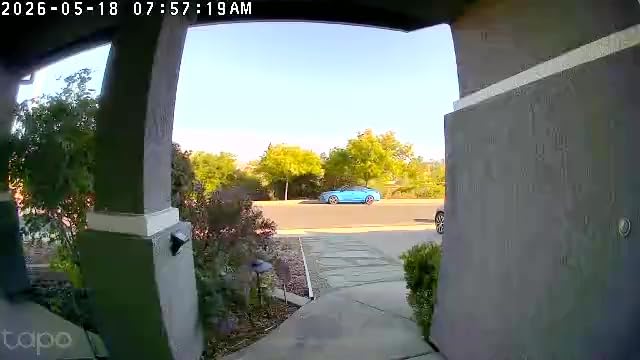
The Tapo D205 is the first video doorbell I have tested at this price that genuinely competes with the Ring Battery Doorbell. The 2K resolution is noticeably sharper than 1080P competitors, and the 160-degree field of view covers the entire porch. I installed it in about 15 minutes using the included mounting bracket, and the 5,200mAh battery has lasted roughly four months on a single charge so far.
The headline feature is no mandatory monthly fee. Local storage on a microSD card up to 512GB handles all recordings for free. Tapo offers optional cloud plans, but you do not need them. AI person detection is built in and works reliably, ignoring passing pedestrians on the sidewalk. When someone presses the bell, my phone rings like a phone call, which is faster than waiting for a push notification.
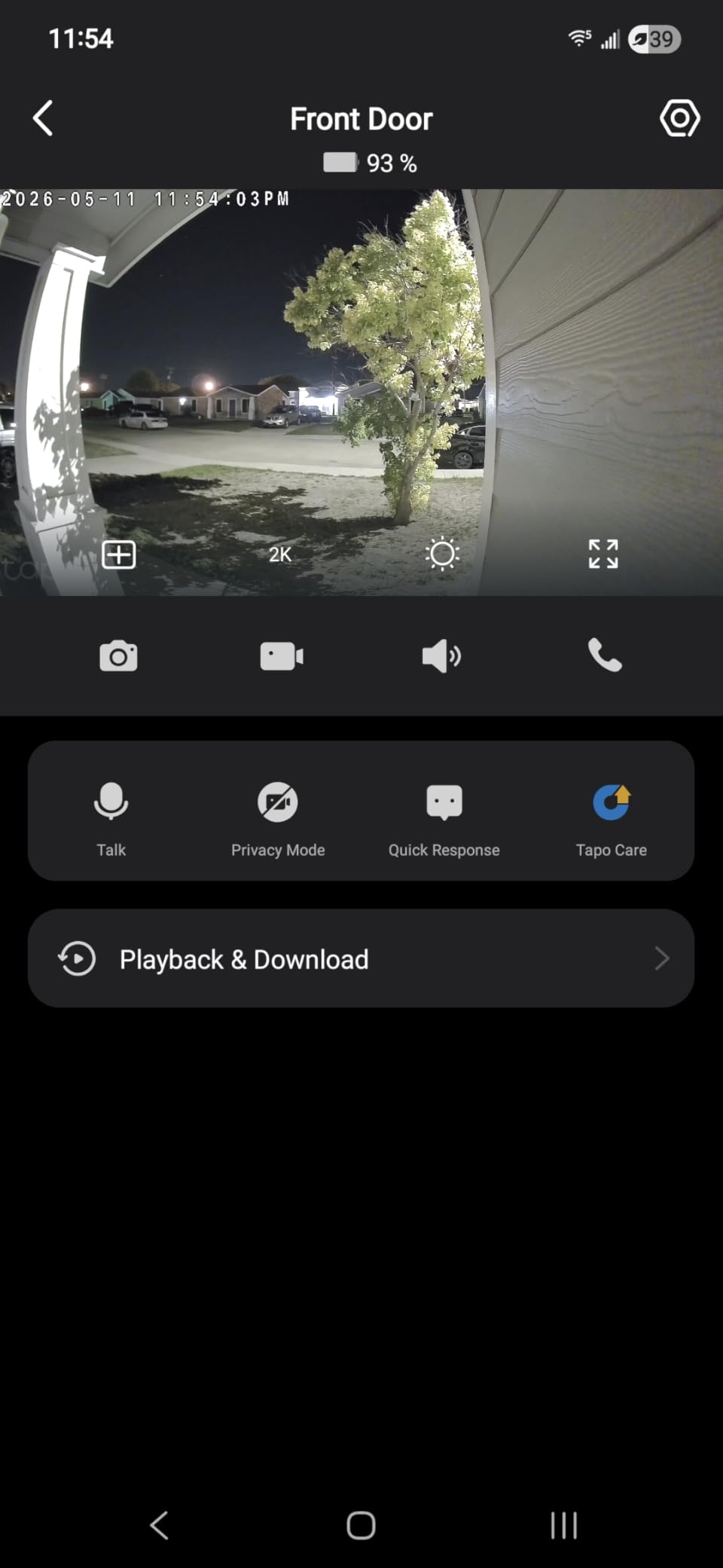
Wi-Fi signal through a metal door is the main limitation. If your front door has metal cladding or a steel frame, you might need a Wi-Fi extender or chime near the door. I have wood siding and got a strong signal. Motion sensitivity also needs calibration out of the box. On the default setting, I was getting alerts every time a bug flew past the lens. After dialing it down and creating an activity zone that ignores the street, alerts are now accurate.
Who should buy the Tapo doorbell
Budget buyers who refuse to pay monthly fees. Renters who cannot wire a doorbell (battery powered, no drilling into brick required). Homeowners with decent Wi-Fi at the front door who want sharper-than-1080P video.
Who should skip the Tapo doorbell
Households already invested in Ring or Blink ecosystems who want unified app control. Homes where the front door is far from the Wi-Fi router. People who want 24/7 continuous recording (this doorbell only records on motion).
8. Amazon Smart Thermostat – Best Smart Thermostat Under $100
Amazon Smart Thermostat, Save money and energy, Works with Alexa and Ring, C-wire required
ENERGY STAR
Honeywell tech
Works with Alexa and Ring
Pros
- Lower price than Nest or Ecobee
- ENERGY STAR certified for energy rebates
- Alexa app controls everything
- clean modern design
Cons
- Requires C-wire
- only 4 fixed schedule slots
- no Google Home support
- can cycle HVAC with short temperature swing
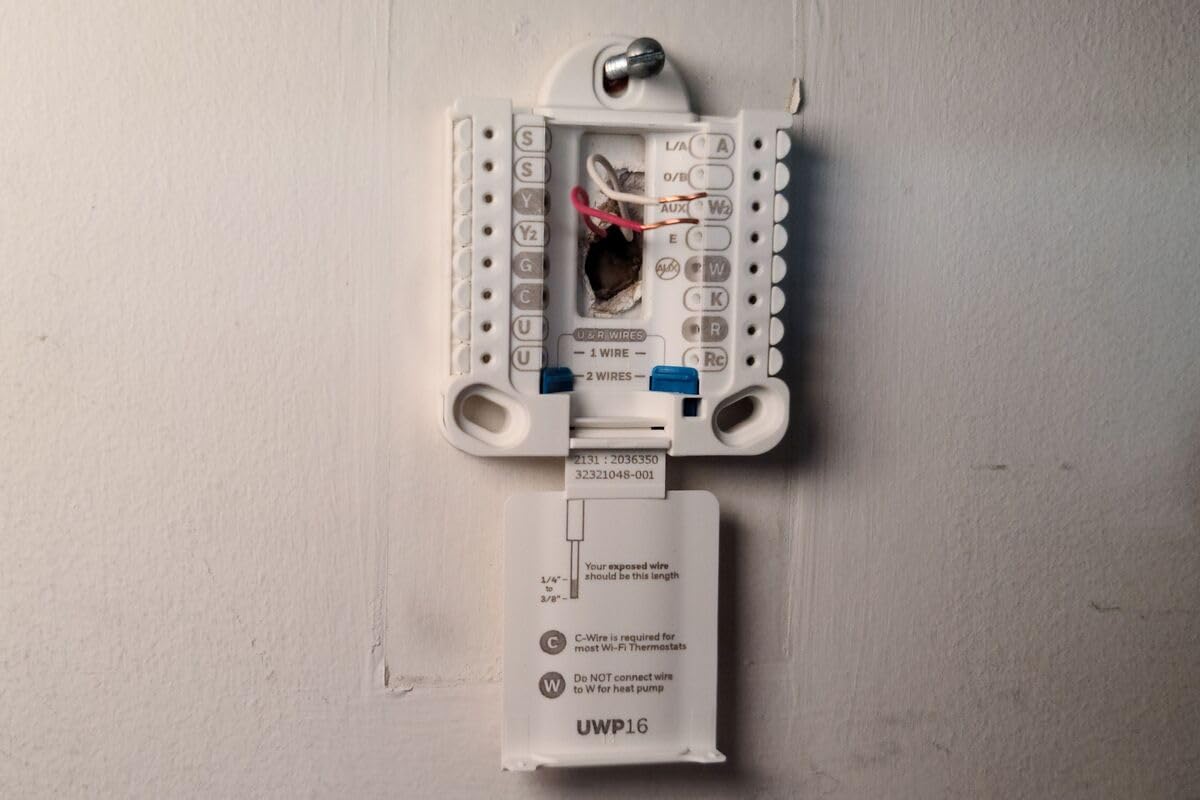
I installed the Amazon Smart Thermostat in my house about a year ago and have saved roughly $11 a month on heating and cooling, which works out to about $130 a year. The installation took about 30 minutes because I already had a C-wire from a previous thermostat. If you do not have a C-wire, you either need to pull one or buy the C-wire adapter that Amazon sells separately.
The thermostat is built on Honeywell Home technology, which is the same guts found in much more expensive thermostats. Alexa integration is the killer feature: I can say “Alexa make it 72” from across the house and it adjusts immediately. The Home, Away, and Sleep schedule presets handle most people’s needs without any extra programming. ENERGY STAR certification also qualifies many buyers for utility rebates that take another $30 to $50 off the purchase price.
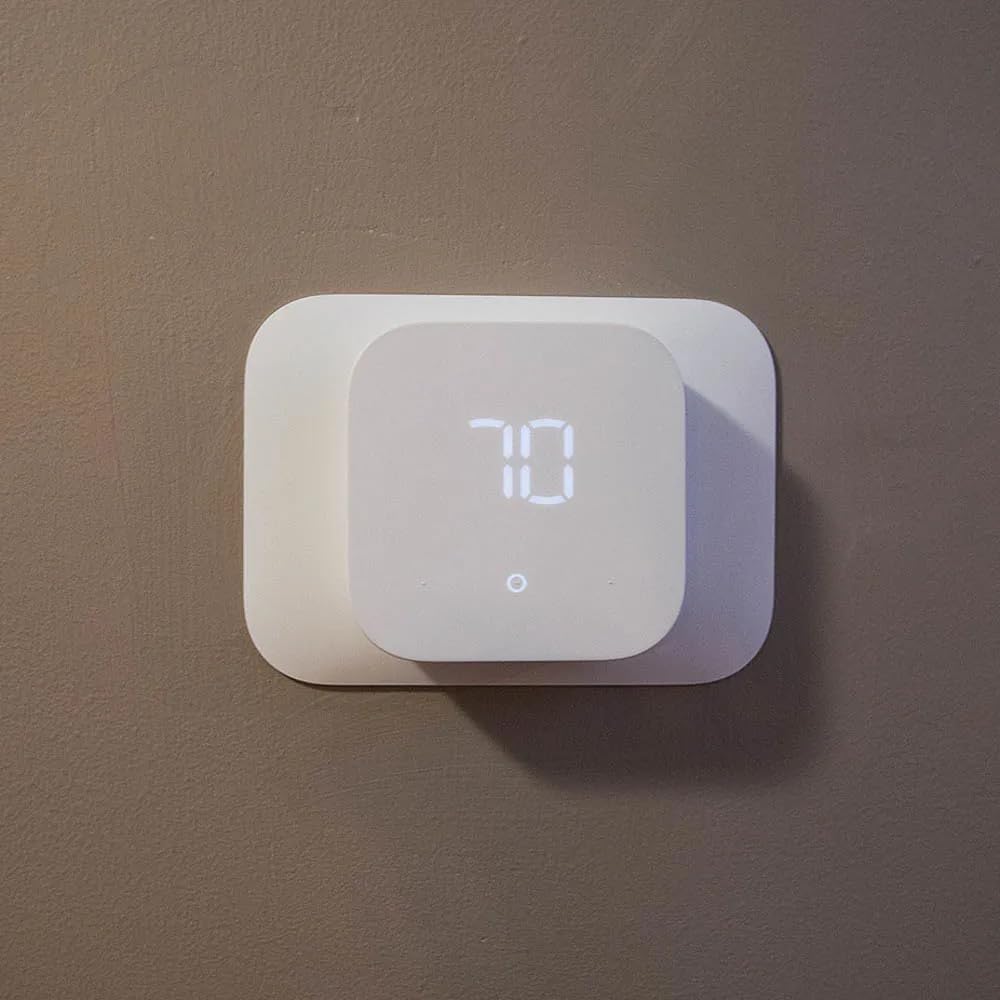
The C-wire requirement is the biggest hurdle. If your home does not have a common wire running to the thermostat, this is not a simple swap. The scheduling is also basic compared to Ecobee or Nest. You get Home, Away, Sleep, and Custom, but no per-day customization with multiple temperature steps. Voice commands occasionally misfire too, especially with similar-sounding temperatures like 71 versus 75. Finally, the 0.5-degree temperature swing can cause your HVAC to short-cycle, which is hard on older equipment.
Who should buy the Amazon Smart Thermostat
Alexa households with C-wire already installed. Budget buyers who want the energy savings without paying Nest prices. Homeowners who qualify for local utility rebates on ENERGY STAR thermostats.
Who should skip the Amazon Smart Thermostat
Anyone without a C-wire (installation gets expensive fast). Google Home or HomeKit households. Owners of older HVAC systems that are sensitive to short cycling. People who want detailed per-day scheduling.
9. Amazon Echo Show 5 – Best Smart Display Under $100
Amazon Echo Show 5 (newest model), Smart display, Designed for Alexa+, 2x the bass and clearer sound, Charcoal
5.5 inch touchscreen
2x bass
Alexa+ built in
Pros
- Compact size fits anywhere
- doubles as a Ring doorbell viewer
- photo slideshow mode
- clear two-way video calls
Cons
- Many features need subscriptions
- occasional freezing glitches
- video calls can be choppy on weak Wi-Fi
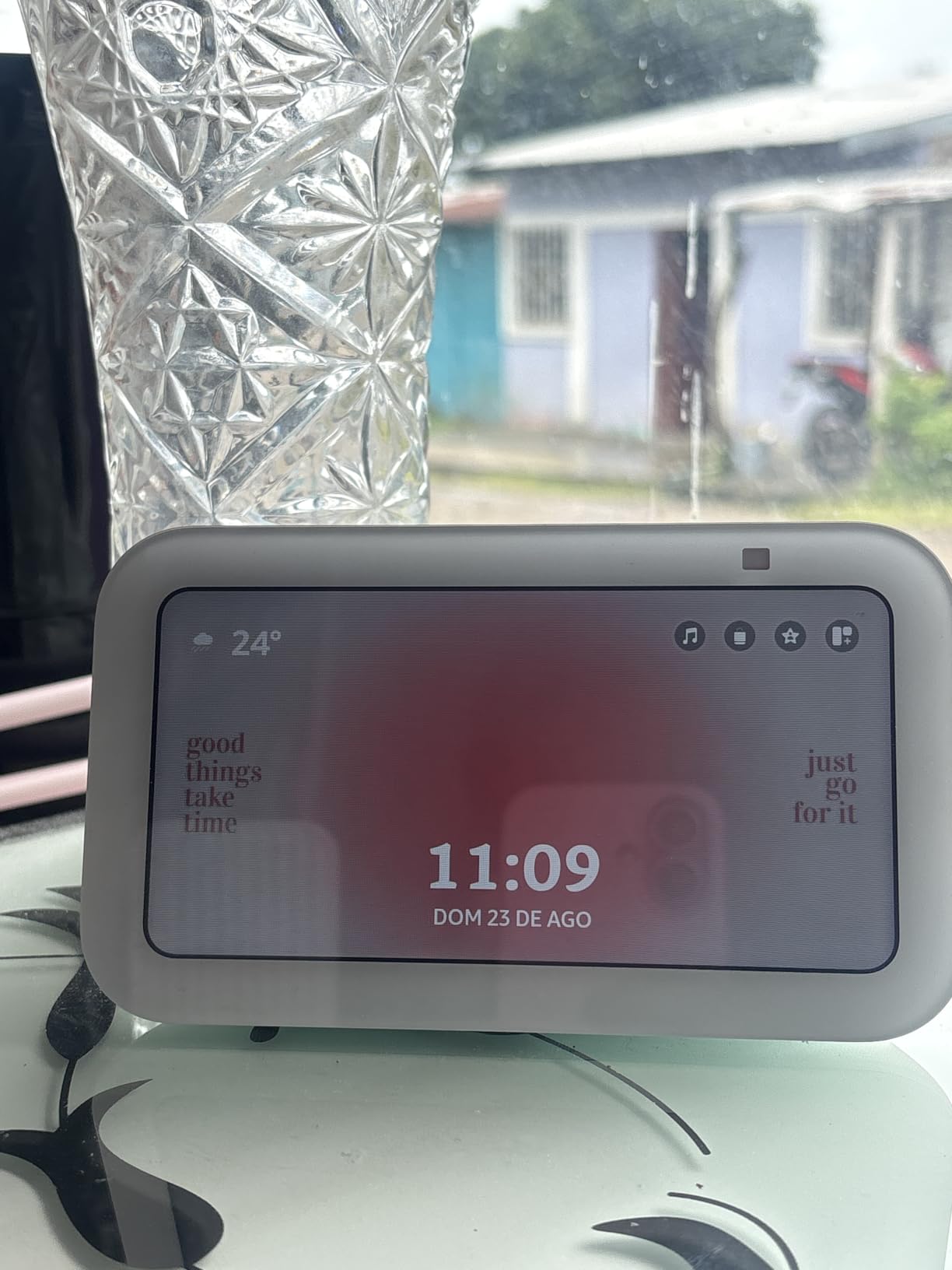
The Echo Show 5 is the cheapest way to add a screen to your smart home. I keep one on my kitchen counter for recipes, timers, and as a viewer for my Ring doorbell. When someone rings the bell, the Echo Show 5 automatically pulls up the live feed without me saying a word. The 5.5-inch touchscreen is small enough to fit on a nightstand but large enough to actually read recipes from across the counter.
Sound quality is significantly better than the previous generation, with twice the bass and clearer vocals. I listen to music while cooking and the audio fills the kitchen without distortion. The built-in camera adds video calling to other Echo Show devices and the Alexa app, plus it can act as a remote security camera when you are away. The privacy controls are honest: a physical camera shutter and a mic off button, both visible and obvious.
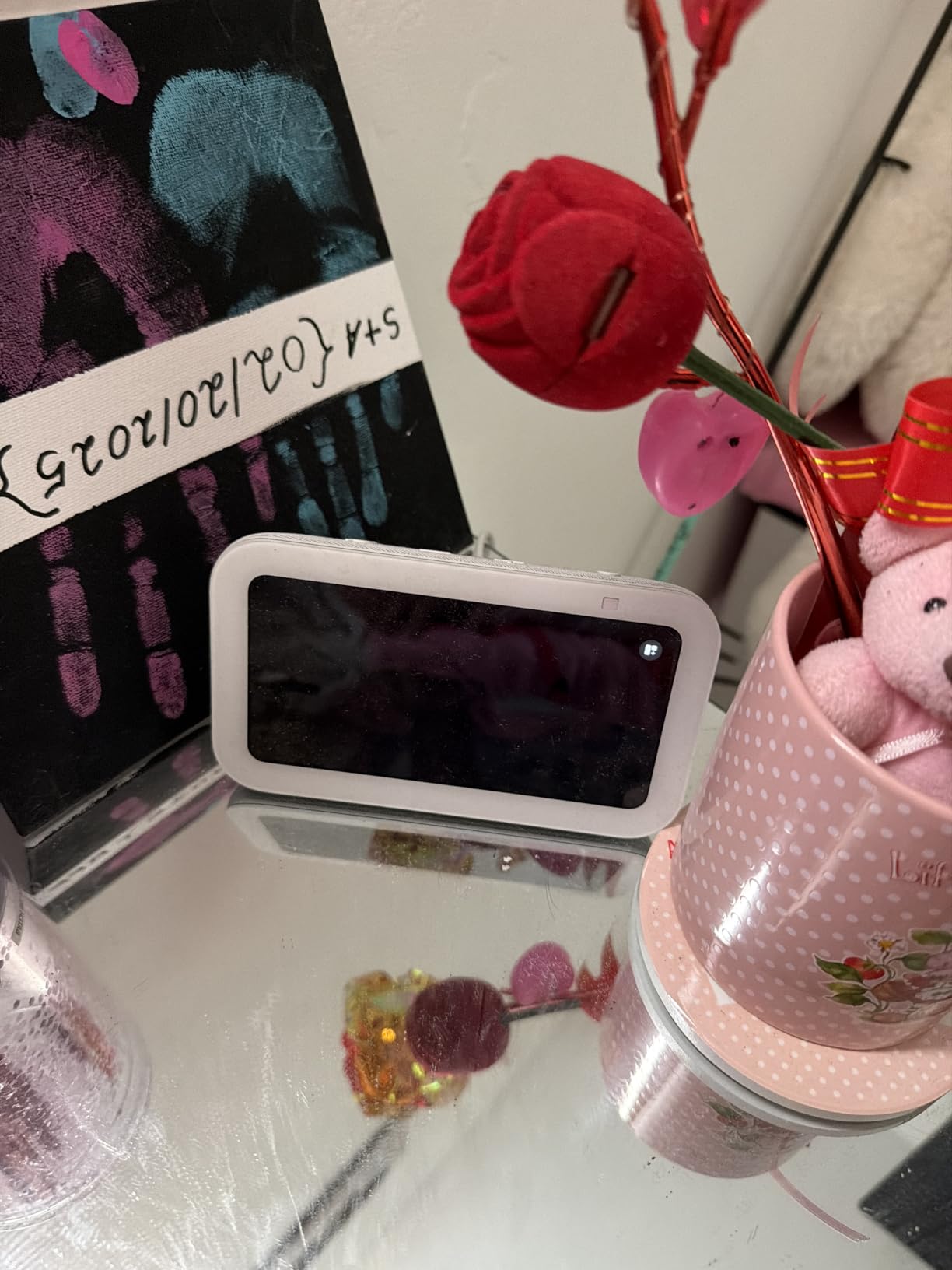
The main catch is the subscription ecosystem. To get the most out of the Echo Show 5, you end up paying for Amazon Music, Amazon Photos for the slideshow, and sometimes Ring Protect for full doorbell video history. The performance is also not flawless. I have seen the screen freeze for a few seconds when loading complex pages, and video calls occasionally drop frames on weak Wi-Fi. If you already own a Fire TV, the Fire TV Cube is a better deal for living room use since it adds a screen-free option.
Who should buy the Echo Show 5
Alexa households who want a kitchen helper and video caller in one device. Anyone with a Ring doorbell who wants automatic live view on a screen. People who want a small smart display for a nightstand or desk.
Who should skip the Echo Show 5
Google Home users (look at the Nest Hub instead). People who dislike the camera-and-microphone combo (look at the Echo Dot). Anyone who wants a larger display for a primary living room TV companion.
10. Tapo Matter Smart Plug Mini 3-Pack – Best Matter Smart Plug Under $30
TP-Link Tapo Matter Supported Smart Plug Mini, Compact Design, 15A/1800W Max, Super Easy Setup, Works with Apple Home, Alexa & Google Home, UL Certified, 2.4G Wi-Fi Only, White, Tapo P125M(3-Pack)
Matter certified
3-pack
Works with Apple Home, Alexa, Google
Pros
- Matter works with every major platform
- LAN control works without internet
- compact design does not block outlets
- Bluetooth onboarding
Cons
- Matter setup instructions could be clearer
- firmware updates are slow to roll out
- no cross-platform control between ecosystems
Matter is the new smart home protocol that lets one device work with Apple Home, Alexa, Google Home, and SmartThings at the same time. The Tapo P125M 3-pack is the cheapest Matter-certified smart plug I have found that actually delivers on the promise. I tested one plug across Alexa, Google Home, and Apple Home simultaneously, and all three apps controlled it without conflict. That is a big deal if you plan to switch ecosystems later.
The compact design is genuinely the smallest in this roundup. The Tapo P125M does not block the second outlet on a wall plate, even with a chunky plug in the adjacent socket. The Matter setup uses Bluetooth for onboarding, which makes the initial pairing smoother than older Wi-Fi-only plugs. Once connected, the plug responds to local network commands even when the internet is down, which is a real reliability improvement.
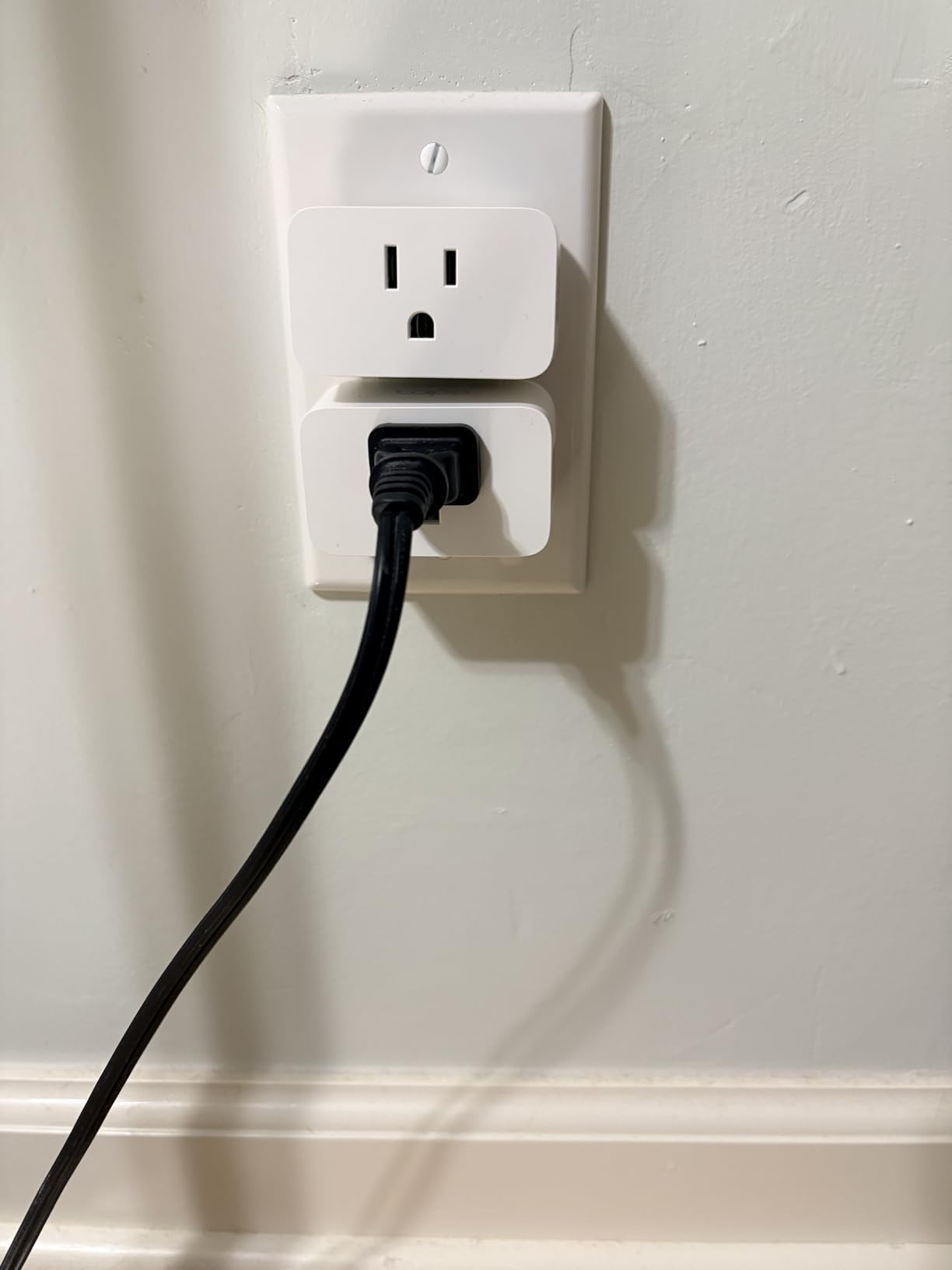
Matter setup instructions are still rough around the edges. The first pairing took me two tries because the Tapo app and the Apple Home app were both trying to onboard at the same time. Once it is set up, it works fine. The other limitation is cross-ecosystem control: an Alexa routine cannot directly trigger a Google Home device, even if both are Matter-certified. You still need a hub or service to bridge between them. Firmware updates also roll out slowly because Tapo has to test against multiple ecosystems.
Who should buy the Tapo Matter 3-Pack
Apple HomeKit users who have struggled with HomeKit-compatible plugs. Anyone planning to switch voice assistants in the next few years. Households running mixed ecosystems where Matter helps unify control.
Who should skip the Tapo Matter 3-Pack
People who want the absolute cheapest option (the Amazon Smart Plug is cheaper for Alexa-only households). Users who need energy monitoring wattage data. Anyone uncomfortable with newer protocol setup quirks.
11. Wyze Smart Plug 2-Pack – Best Smart Plug With Vacation Mode
Wyze Smart Plug 2.4GHz Wi-Fi Outlet, Certified for Humans, 2-Pack
2-pack
Works with Alexa + Google
IFTTT compatible
Pros
- Certified for Humans easy setup
- vacation mode for security
- IFTTT support for advanced routines
- integrates with Wyze cameras and sensors
Cons
- No physical on/off button on the plug
- requires Wyze app for setup
- 2.4GHz Wi-Fi only
Wyze is one of my favorite budget smart home brands, and the Smart Plug 2-pack is a strong runner-up to the Kasa 4-pack. The “Certified for Humans” certification means setup is genuinely simple: scan a QR code with the Wyze app, name the plug, and you are done in under two minutes. I tested this with my parents, who are not tech-savvy, and they had both plugs running without calling me for help.
The standout feature is vacation mode. The plug randomly turns itself on and off within a window you set, simulating someone being home. I run this on a living room lamp when I travel, and the random pattern is more convincing than a fixed schedule. The Wyze ecosystem also integrates with Wyze cams and motion sensors, so a Wyze motion sensor can trigger the plug to turn on a lamp, which is a useful low-cost automation.

The main limitation is no physical on/off button on the plug itself. If your Wi-Fi goes down or your phone is dead, the only way to control the plug is to unplug it. For most people this is fine, but it is something to keep in mind if you have guests or family members who do not use the app. The 2.4GHz-only Wi-Fi and the Wyze app requirement for first-time setup are also worth flagging. Once it is set up, both Alexa and Google Assistant control it without the Wyze app being open.
Who should buy the Wyze Smart Plug
People who travel often and want the vacation mode feature. Households already running Wyze cams or sensors who want a unified ecosystem. Beginners who value Certified for Humans easy setup over advanced features.
Who should skip the Wyze Smart Plug
People who need a physical button on the plug (look at the Kasa HS103 instead). Apple HomeKit households (Wyze does not support HomeKit). Anyone who already has plenty of plugs and just needs a basic, reliable brand-new addition.
12. Govee Dual Smart Plug 4-Pack – Best Smart Plug for Outlet Sharing
Govee Dual Smart Plug 4 Pack, 15A WiFi Bluetooth Outlet, 2-in-1 Design
2-in-1 design
4-pack
Works with Alexa + Google
Pros
- Each outlet independently controlled
- compact 2-in-1 doubles outlet capacity
- ETL and FCC certified
- reliable reconnection after outages
Cons
- Outlets are close together for bulky plugs
- no 5GHz Wi-Fi support
- does not track energy usage
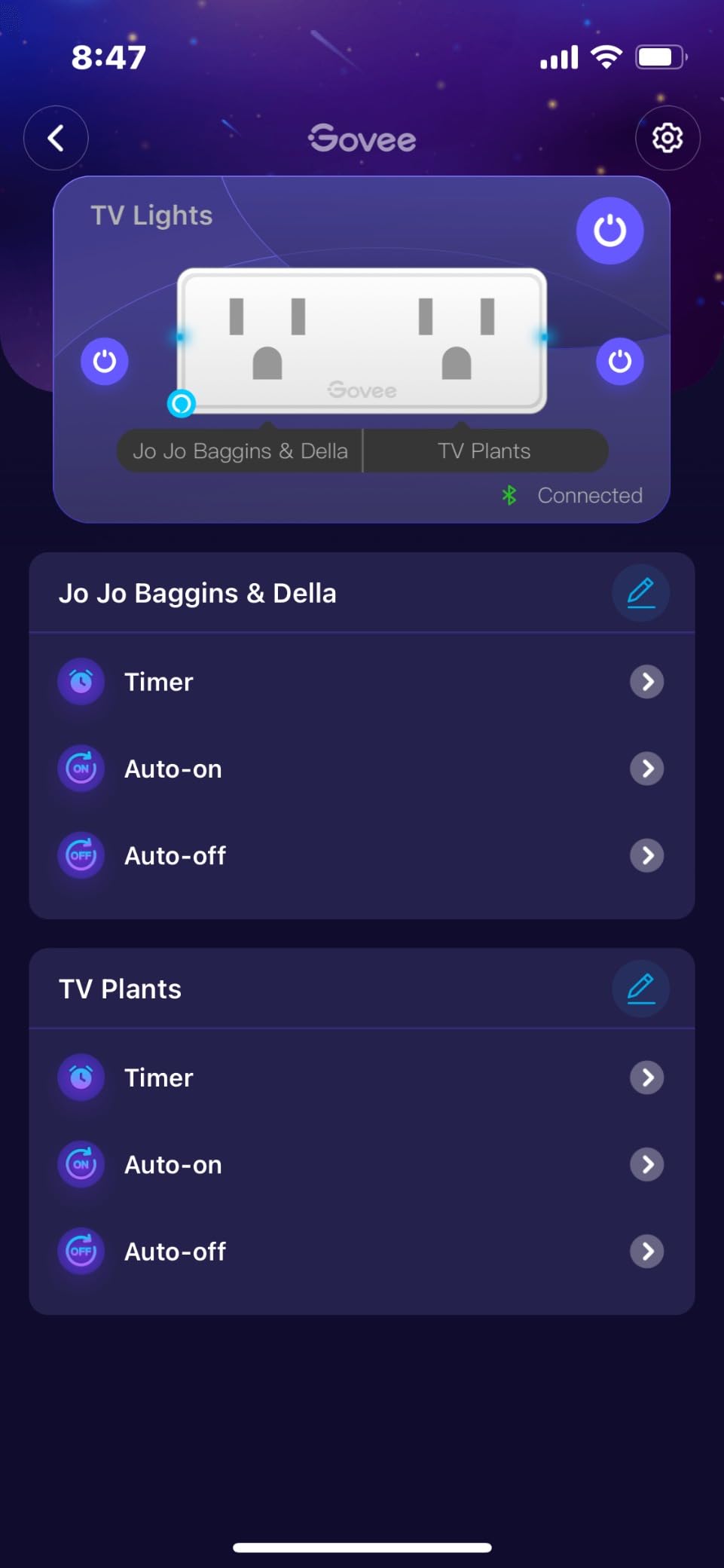
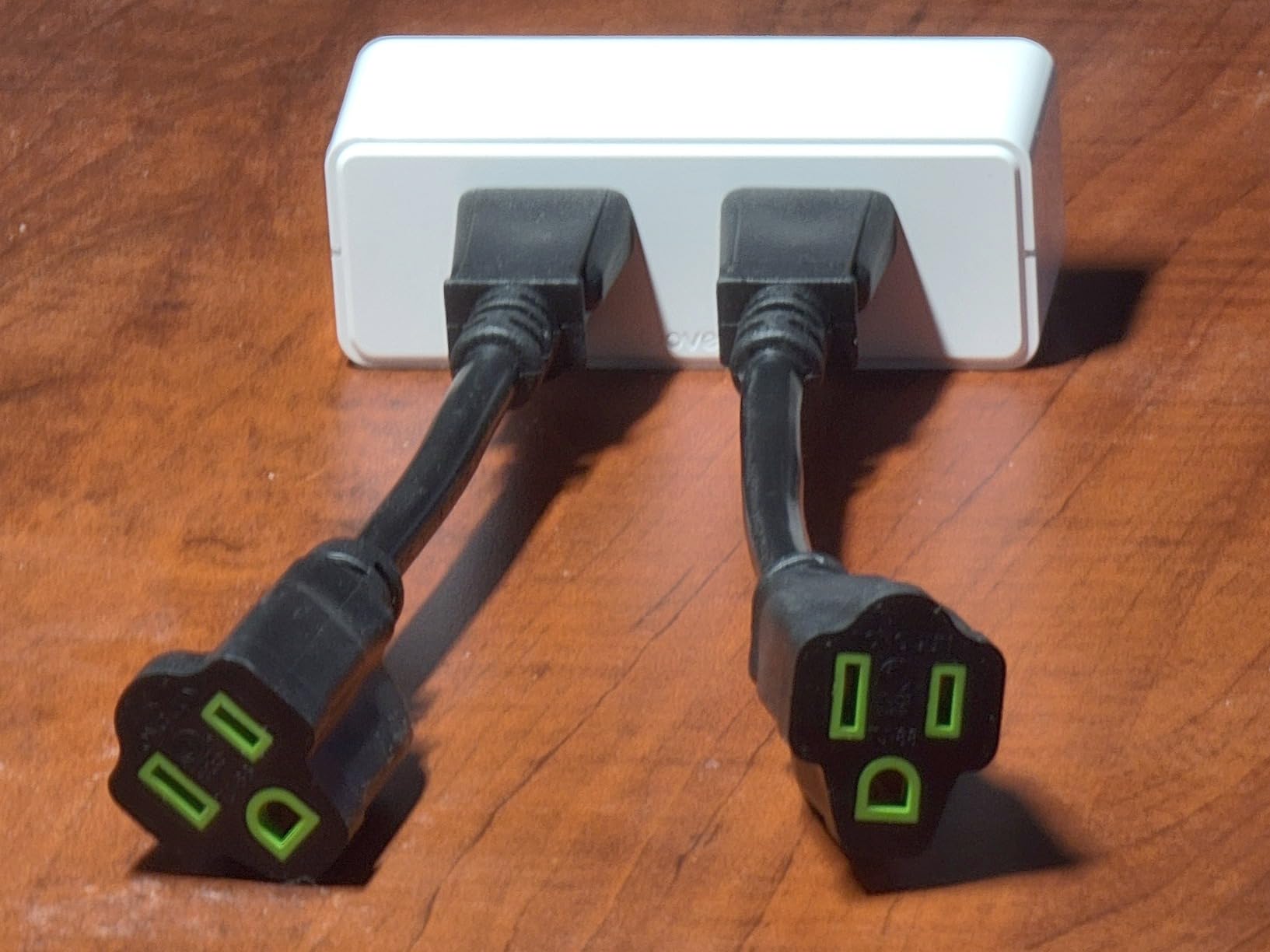
If you have a wall outlet with only two sockets and you need four smart plugs, the Govee Dual Smart Plug is the answer. Each side of the plug is independently controllable, so you can have a lamp on the left and a fan on the right, both smart, both on separate schedules. I tested a 4-pack in my office and turned eight outlets across two walls into sixteen smart-controlled sockets for under $36 total.
The Govee Home app is straightforward: pair the plugs, name them, assign to rooms, set schedules. The plugs support both Wi-Fi and Bluetooth, so even if your router is in a weird spot, you can fall back to Bluetooth for direct control. After a brief outage in my neighborhood, all four plugs reconnected automatically and were back online within two minutes. That kind of reliability is rare at this price.
The honest downside is outlet spacing. Each socket is positioned for a slim plug, not a chunky wall wart. If you use oversized plugs, the second socket gets blocked. The lack of energy monitoring is also worth noting: this plug does not report wattage, so you cannot track how much power your devices are using. Finally, there is no HomeKit support, so Apple users should look at the Tapo Matter 3-Pack instead.
Who should buy the Govee Dual 4-Pack
Anyone doubling up outlets in a home office or entertainment center. Households with Alexa or Google that need many individually named sockets. Renters who cannot add wall outlets but need more smart control.
Who should skip the Govee Dual 4-Pack
Apple HomeKit users. People with chunky plugs or wall warts that will not fit the close spacing. Anyone who needs energy monitoring to track device power consumption.
How to Choose the Best Smart Home Devices Under $100
Picking the right smart home gear under $100 comes down to four decisions: ecosystem, protocol, subscription costs, and install complexity. Get those right and the rest is just matching features to your rooms.
Pick Your Ecosystem First: Alexa, Google Home, or Apple HomeKit
The single biggest decision is which voice assistant you want to live with. Each ecosystem has trade-offs and the best budget smart home devices tend to be the ones that play nicely with your existing gear.
Alexa is the most open ecosystem. Amazon Echo speakers, Fire TVs, Blink and Ring cameras, and thousands of third-party devices all connect with minimal friction. If you want the largest selection of budget devices, Alexa wins. The Echo Dot at $50 is the cheapest way to get started, and most plugs and bulbs on this list work with Alexa.
Google Home is the best ecosystem for Android households. Google Assistant handles natural language better than Alexa in my testing, and Chromecast integration is seamless. The downside is fewer budget cameras and doorbells compared to Alexa. Google Nest gear is also more expensive on average.
Apple HomeKit is the most privacy-focused, but the most restrictive on budget. HomeKit-compatible plugs and bulbs cost more, and the selection is thinner. The Tapo Matter 3-Pack on this list is one of the cheapest ways to add HomeKit support without paying premium prices. If you are deep in the Apple ecosystem with iPhones, iPads, and HomePods, Matter is your bridge.
For a deeper dive into ecosystems, our smart home hubs guide and HomeKit controllers roundup go into more detail.
Matter, Thread, Zigbee, or Just Wi-Fi? Pick the Right Protocol
Smart home protocols are the languages devices speak to each other. Here is the quick version:
Wi-Fi devices connect directly to your router. No hub needed. Easy setup but they can clog your network if you have dozens. Good for budget buyers starting out. Most products on this list are Wi-Fi.
Matter devices are the new universal standard. They work across Alexa, Google, Apple Home, and SmartThings. Future-proof your setup if you plan to switch ecosystems. The Tapo Matter plug and Govee Matter bulbs are the best budget Matter options right now.
Thread devices create a mesh network that is fast and reliable. Thread requires a Thread border router (an Apple HomePod, Nest Hub, or Echo Show 5 with Thread can do this). Thread is overkill for most beginners but worth knowing about. Our Matter-compatible hubs guide covers the deeper protocol details.
Zigbee and Z-Wave are older mesh protocols that require a dedicated hub. Best for whole-home installations with 50-plus gadgets. Not relevant to first-time budget buyers.
Watch the Hidden Subscription Costs
The advertised price of a smart home device is rarely the all-in cost. Security devices especially tend to lock features behind monthly subscriptions.
The Tapo doorbell and Tapo C100 camera on this list record to local SD cards for free, with no monthly fee. The Ring and Blink ecosystems, by contrast, charge $3 to $10 per month for cloud video history. Wyze used to charge for person detection but has since made it free on most cameras. Read the spec sheet carefully: “no subscription required” usually means local storage is supported.
For Alexa households, Amazon Music, Ring Protect, and Alexa+ add up fast if you use them all. Budget buyers should plan for $0 to $10 per month in optional subscriptions, not the $30+ that a full Ring Protect Plus plan can cost.
Match the Device to Your Skill Level and Rental Status
Renters should stick with no-install devices like smart plugs, smart bulbs, and indoor cameras. These unplug and move with you. Avoid smart switches, smart thermostats, and wired doorbells unless your lease allows modifications.
Homeowners can go deeper: smart switches replace dumb switches permanently, smart thermostats save real money on energy bills, and wired doorbells never need battery charging. The Kasa HS200 switch and Amazon Smart Thermostat are the top picks for owners with neutral wires and C-wires.
First-time smart home buyers should start with one Echo Dot or Nest Mini, two smart plugs, and one camera. That setup covers the basics and costs under $150 total. From there, add bulbs, more plugs, and a doorbell as you get comfortable.
Frequently Asked Questions
What are the best smart home devices under $100?
The best smart home devices under $100 in 2026 are the Amazon Echo Dot for voice control and as a smart hub, the Amazon Smart Plug for automating lamps and fans, the Kasa Smart Plug 4-Pack for budget bundle value, the Govee Smart Bulbs for color lighting with Matter support, and the TP-Link Tapo C100 for indoor security without monthly fees. Together those five cover the foundation of a complete smart home under $200.
What smart home devices should I buy first?
Start with a smart speaker (Echo Dot or Nest Mini) so you have voice control and a hub. Add two smart plugs for lamps or fans to see how automation feels. Then pick one security device, either an indoor camera like the Tapo C100 or a video doorbell like the Tapo D205. That three-piece starter kit usually costs under $150 and covers the basics before you expand.
Are budget smart home devices reliable?
Yes, when you stick to trusted brands. Amazon, Google, Ring, Blink, Kasa, Wyze, Govee, and TP-Link Tapo all sell budget devices with thousands of verified reviews and 4-star-plus averages. The cheap no-name brands on Amazon with hundreds of unknown SKUs are where reliability suffers. Stick to the brands on this list and you will be fine.
Do budget smart home devices need a subscription?
No, most do not. Plugs, bulbs, switches, and smart speakers work fully without any monthly fee. Security cameras and doorbells are the exception: Ring and Blink charge $3 to $10 per month for cloud video history. The Tapo C100 camera and Tapo D205 doorbell on this list record to local SD cards for free with no subscription required.
What is Matter and do I need it for budget smart home devices?
Matter is a new smart home protocol launched in 2026 that lets one device work with Apple Home, Alexa, Google Home, and SmartThings at the same time. You need Matter if you plan to switch voice assistants in the future or run multiple ecosystems in one home. You do not need Matter if you are committed to one platform. The Tapo Matter Smart Plug and Govee Matter bulbs are the cheapest Matter-certified devices right now.
Final Verdict
For most buyers, I recommend starting with the Amazon Echo Dot plus the Kasa Smart Plug 4-Pack. That combination runs about $76 total and gives you a voice assistant plus four smart outlets you can scatter around the house. From there, add a Tapo C100 indoor camera if you want to keep an eye on pets or the front door, and finish with the Govee Smart Bulbs for color lighting in the living room.
Total investment: roughly $145 for a working smart home with voice control, four smart outlets, four smart bulbs, and one indoor camera. That is less than a single mid-range smart speaker from a few years ago, and it covers more functionality. The best smart home devices under $100 in 2026 prove that automation no longer requires a premium budget.