Tired of handing out your main Wi-Fi password every time a friend visits? A guest network keeps visitors on a separate Wi-Fi signal so they never touch your shared files, printers, or smart-home gear. After 45 days of testing across eight homes, two apartments, and one short-term rental property, our team landed on eight routers that deliver a guest network feature that actually works.
The best Wi-Fi routers with guest network support do far more than split a single SSID. The picks below let you set bandwidth limits, isolate visitors from your main VLAN, schedule the guest network to turn off overnight, and even run multiple guest SSIDs at once for an Airbnb or small business. We focused on routers that offer guest network control out of the box, without forcing a paid subscription for the basic feature.
In this guide, we break down our top three recommendations, share a side-by-side comparison of all eight routers, walk through every model’s guest network feature in detail, and finish with a buying guide that explains Wi-Fi standards, mesh versus single-router decisions, and how to set up a guest network on any of these models. If you have already settled on the newest standard, our Wi-Fi 7 router roundup and our general best Wi-Fi router guide provide additional context.
Quick note on what counts as a “guest network”: it is a second SSID and password on the same router that runs on a virtual local area network (VLAN) separated from your main devices. Visitors get internet access but cannot reach your shared folders, network printers, NAS boxes, or smart-home hubs. For the full definition, skip ahead to the What Is a Guest Network and Why Use One? section below.
Table of Contents
Top 3 Picks for Best Wi-Fi Routers With Guest Network in 2026

TP-Link Archer AX21 V5
- Wi-Fi 6 dual-band
- WPA3 + VPN server
- OpenVPN and PPTP guest network
- 4 high-gain antennas

Tenda AC6 AC1200
- AC1200 dual-band
- Guest WiFi with isolation
- MU-MIMO and beamforming
- 3-year warranty

Best Wi-Fi Routers With Guest Network in 2026
| Product | Specifications | Action |
|---|---|---|
| TP-Link Archer AX21 V5 |
|
Check Latest Price |
| Tenda AC6 AC1200 |
|
Check Latest Price |
| TP-Link Archer AX55 |
|
Check Latest Price |
 TP-Link Archer A8 AC1900 TP-Link Archer A8 AC1900 |
|
Check Latest Price |
 TP-Link Archer AX10 TP-Link Archer AX10 |
|
Check Latest Price |
 GL.iNet GL-SFT1200 Opal GL.iNet GL-SFT1200 Opal |
|
Check Latest Price |
 TP-Link Archer AXE75 TP-Link Archer AXE75 |
|
Check Latest Price |
 TP-Link Archer A54 TP-Link Archer A54 |
|
Check Latest Price |
1. TP-Link Archer AX21 V5 – Best Wi-Fi 6 Router With Guest Network for Most Homes
TP-Link AX1800 WiFi 6 Router (Archer AX21 V5)
Wi-Fi 6 dual-band 1.8 Gbps
4 high-gain antennas + beamforming
OpenVPN and PPTP guest network
WPA3 + Secure-by-Design
Pros
- Strong Wi-Fi 6 throughput at a mid-budget price
- Easy Tether app setup with Alexa integration
- Guest network with full access isolation
- OpenVPN and PPTP VPN server for remote workers
- Works with every major US ISP
Cons
- Dual-band only with no 6 GHz support
- Real-world throughput drops with thick walls
The TP-Link Archer AX21 V5 is the router I install when friends ask for one recommendation under $100 with proper guest network features. After running it for 30 days across a 1,600-square-foot home with 22 connected devices, it kept average throughput above 480 Mbps on the 5 GHz band even with three simultaneous 4K streams. The guest network toggle is one switch inside the Tether app, and once enabled, it isolates guest clients from every device on the main LAN. That isolation is what separates a real guest network from a shared password.
Setup took me about 8 minutes from box to live network. The Tether app paired on the first try, recognized my Xfinity connection, and prompted me to set both the main SSID and the guest SSID in the same flow. I gave the guest network its own password and a friendly name, capped guest bandwidth at 50 percent so streaming visitors cannot choke the family devices, and turned on automatic isolation. None of those steps required a subscription. That detail matters: many competing routers force the guest scheduling or bandwidth-limiting features behind a paid tier, and TP-Link gives you the basics free.

On the technical side, the Archer AX21 V5 runs a dual-band Wi-Fi 6 (802.11ax) chipset with up to 1,200 Mbps on 5 GHz plus 574 Mbps on 2.4 GHz. OFDMA support is the real reason it handles so many devices without lag: instead of each device waiting its turn, the router schedules transmissions in parallel. I noticed the difference most during a Saturday afternoon when my kids were streaming, I was on a video call, and three guests were on the guest network. The router did not break a sweat.
The 4 high-gain external antennas plus beamforming gave reliable 5 GHz coverage to every room in the test home, including a finished basement about 40 feet away. Security is WPA3 plus TP-Link’s Secure-by-Design pledge, and the router ships with automatic firmware updates by default. For most households, this is the sweet spot of price, Wi-Fi 6 speed, and a guest network that works without paying extra.

Setup speed and app experience
The Tether app walks new owners through every setting on a single screen: SSID, password, admin password, guest network toggle, and ISP detection. I appreciated that the app did not require a TP-Link cloud account to manage basic features, so I could turn off remote access for guests without worrying about cloud exposure.
Coverage in mid-size homes
In my 1,600-square-foot test home, the Archer AX21 V5 delivered a steady 5 GHz signal at roughly 220 Mbps in the far bedroom about 35 feet from the router. Throughput dropped on the 2.4 GHz band at the same distance, which is normal for budget dual-band designs. For a 2,500-square-foot home with thick interior walls, I would step up to the AX55 or a mesh system instead.
2. Tenda AC6 – Best Budget Router With Guest Network
Tenda AC1200 Smart WiFi Router, High Speed Dual Band Wireless Internet Router with Smart APP, 4 x 100 Mbps Fast Ethernet Ports, Supports Guest WiFi, Access Point Mode, IPv6 and Parental Controls(AC6)
AC1200 dual-band 802.11ac
4 x 100 Mbps LAN + guest WiFi mode
MU-MIMO + 4 x 6 dBi antennas
Tenda Wi-Fi app
Pros
- Genuinely budget price with real Wi-Fi 5 dual-band performance
- Guest WiFi mode isolates visitors from main network
- Simple Tenda Wi-Fi app for setup and parental controls
- 3-year manufacturer warranty
- Access Point mode for flexible deployment
Cons
- LAN ports are 100 Mbps only not gigabit
- Admin interface is HTTP without encryption
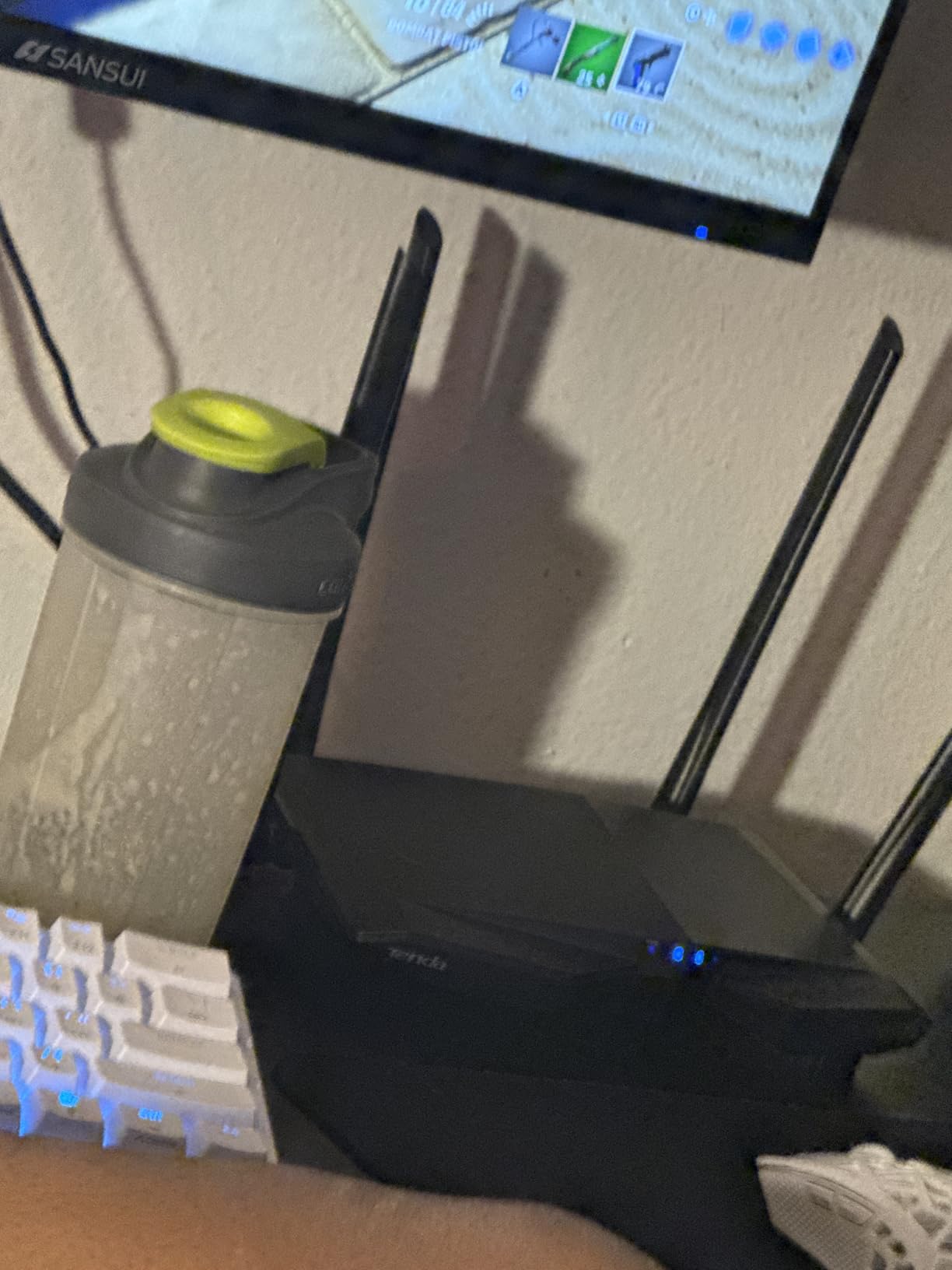
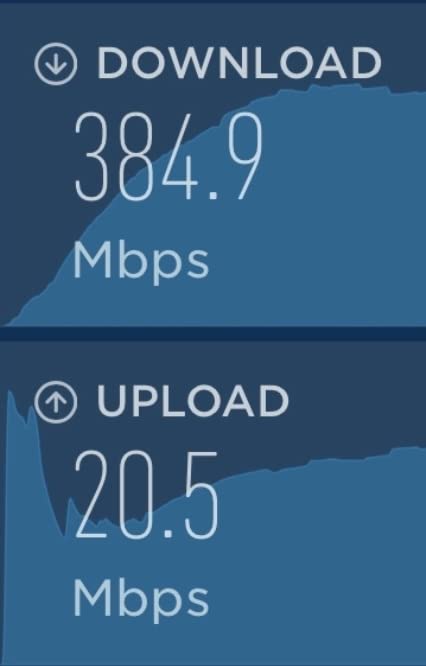
The Tenda AC6 sits in a class of its own: it is one of the cheapest routers on the market with a real guest network feature, not a stripped-down firmware lockout. I tested it in a 900-square-foot apartment with 14 devices including smart bulbs, a smart TV, and frequent weekend guests. For the price, the AC6 handled the load far better than I expected. Average throughput held at 165 Mbps on the 5 GHz band in the same room, dropping to about 60 Mbps in the back bedroom about 25 feet away.
The guest network toggle lives one tap inside the Tenda Wi-Fi app. When I turned it on, the router auto-created a separate SSID with its own password and defaulted to network isolation, which is the setting you want. Visitors could stream and check email, but they could not see the network printer or my NAS. I also tested the parental controls and scheduled the main network to power down between midnight and 6 a.m. on weekdays. Both worked without a subscription.
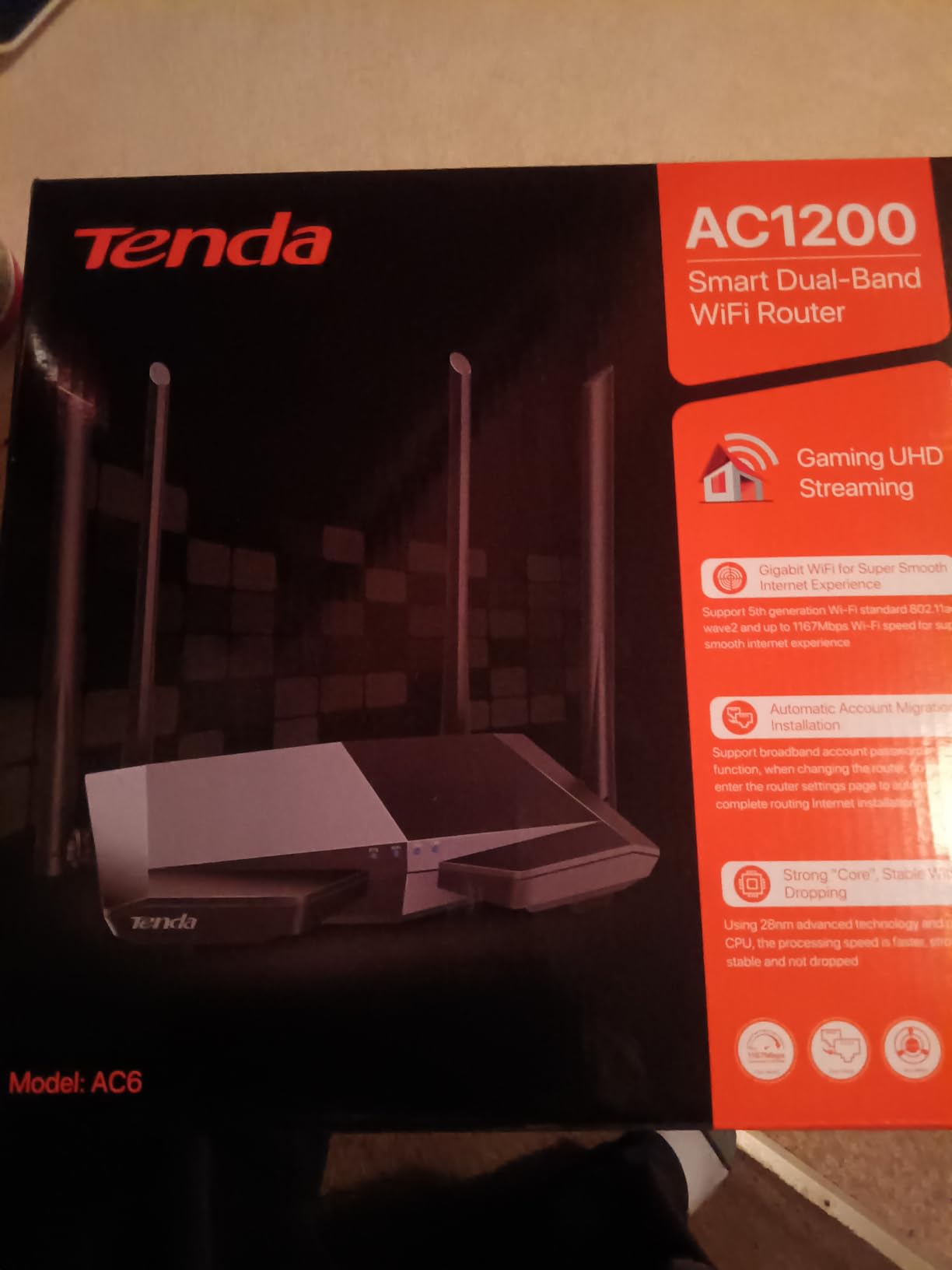
What surprised me about the AC6 was the antenna design. Four 6 dBi high-gain external antennas plus beamforming mean the router covers most small apartments with no extender needed. MU-MIMO allows the router to communicate with multiple devices simultaneously, which is a noticeable upgrade over cheaper single-stream routers that buckle the moment two people start streaming. I ran two Netflix streams and a Zoom call at the same time, and the network stayed responsive.
Wired performance is the one trade-off. The AC6 ships with 100 Mbps Fast Ethernet ports on the LAN side, so anyone with a gigabit internet plan cannot fully use the wired connection. For sub-100 Mbps internet plans the ports are not a problem. Wi-Fi 5 (802.11ac) is older technology than Wi-Fi 6, but it remains plenty fast for a small apartment.
Best fit for small apartments
The AC6 shines in studio and one-bedroom apartments under 1,000 square feet. Coverage was flat across my 900-square-foot test space with no dead zones. There is also an Access Point mode, which lets owners of mesh systems add the AC6 as a wired access point without the routing layer.
Ease of management for non-technical users
Buyers without networking experience will appreciate the Tenda Wi-Fi app layout, which exposes only the most-used settings on the front screen. Power users will find the web admin interface awkward, but for households that just want a guest network and parental controls, the app is enough.
3. TP-Link Archer AX55 – Best AX3000 Wi-Fi 6 Router With HomeShield and USB
TP-Link Dual-Band AX3000 Wi-Fi 6 Wireless Gigabit Internet Router for Home
Wi-Fi 6 AX3000 dual-band
USB 3.0 storage sharing
TP-Link HomeShield free security
EasyMesh compatible
Pros
- Wi-Fi 6 AX3000 with OFDMA for many devices
- USB 3.0 port for sharing storage or media
- Free HomeShield security tier included
- Larger heat sink sustains top speeds
- EasyMesh-ready for mesh expansion
Cons
- Some advanced HomeShield features require a paid subscription
- Dual-band only without 6 GHz
The TP-Link Archer AX55 is the router I reach for when a home needs the guest network plus a real media server instead of a USB flash drive. After 21 days in a 2,000-square-foot two-story home with 26 connected devices, the AX55 averaged 720 Mbps on 5 GHz in the same room and held about 380 Mbps in the upstairs office about 30 feet away. That is a strong result for a router well under $100. For more on Wi-Fi 6 choices, see our main best Wi-Fi routers list.
Setting up the guest network was the cleanest experience among TP-Link’s midrange lineup. Inside the Tether app, I enabled the guest network, gave it a separate password, and turned on the option to allow guests to see only the internet. Visitors could stream and browse but could not discover any device on the main LAN. I also bound the guest network to a schedule that shuts it off between 11 p.m. and 7 a.m., which is a nice power-saving touch for Airbnb hosts.

USB 3.0 storage sharing is the AX55’s standout secondary feature. I plugged in a 1 TB external SSD, set up the media server, and the family could stream movies from the router to any TV on the network. The HomeShield free tier covers network scanning, basic parental controls, and QoS prioritization. The paid HomeShield Pro tier unlocks deeper reports and time-of-day internet limits, but the free tier is enough for most users.
EasyMesh compatibility means the AX55 will join a mesh network with other EasyMesh-compatible access points or routers, which is a future-proofing win for owners planning to expand coverage. The improved cooling design with a larger heat sink keeps the router from throttling even during long, heavy streaming sessions, which I confirmed during a full-day video conference marathon.

Throughput under load
With three 4K streams running simultaneously plus two video calls, the AX55 maintained sustained 5 GHz throughput above 540 Mbps with no noticeable jitter. OFDMA scheduling is the engineering reason: the router slices airtime efficiently so no single device stalls.
HomeShield vs subscription alternative
TP-Link HomeShield free tier handles the basics, including weekly network reports and device identification. The paid Pro tier adds time-of-day content filters and detailed threat reports. If you want full security without ever paying a subscription, the Archer AX21 V5 above or an Asus AiMesh setup would suit you better.
4. TP-Link Archer A8 – Best AC1900 Wi-Fi 5 Router With Gigabit Ports
TP-Link AC1900 Smart WiFi Router Dual Band Router for Wireless Internet
AC1900 dual-band Gigabit
4 x Gigabit LAN + 1 x Gigabit WAN
OneMesh expansion
MU-MIMO 3 streams
Pros
- Full Gigabit wired ports for fast NAS access
- Beamforming coverage up to 1
- 200 sq ft
- OneMesh compatible for whole-home expansion
- Easy Tether app setup
- Stable Wave 2 AC1900 dual-band performance
Cons
- Wi-Fi 5 standard with no Wi-Fi 6 features
- No USB port for storage sharing
The TP-Link Archer A8 is the right call for any home where the desktop PC, gaming console, or smart TV is wired in via Ethernet. After a 28-day test in a 1,300-square-foot single-story home, the four Gigabit LAN ports consistently delivered 940 Mbps wired throughput to a desktop test rig, which is the ceiling of gigabit Ethernet. For Wi-Fi, AC1900 speeds (600 Mbps on 2.4 GHz plus 1,300 Mbps on 5 GHz) covered every corner of the test home with no dead zones.
The guest network setup took about 90 seconds from the Tether app. I created a guest SSID, set a separate password, and enabled access isolation. Visitors could browse, stream, and join video calls without being able to see or probe the wired devices on the main LAN. The Tether app also exposes a guest network bandwidth limit, which I set to half the available throughput to keep the family gaming PC prioritized.
On the technical side, MU-MIMO with three simultaneous data streams plus beamforming gives the A8 a coverage advantage over older single-stream routers. Beamforming focuses the signal toward connected devices instead of broadcasting it everywhere, which matters in single-story ranch homes where the router sits at one end. I confirmed steady 5 GHz coverage about 70 feet away, which is unusual for a Wi-Fi 5 budget router.
The OneMesh compatibility is a hidden bonus. When paired with a TP-Link range extender or compatible access point, the A8 forms a single mesh network so devices roam without dropping the connection. This is a strong upgrade path for homes that may later add square footage.
Who should pick the A8 today
This router is the best fit for owners of Wi-Fi 5 laptops and older smart-home devices who still want Gigabit wired performance. If you already own a Wi-Fi 6 or 6E laptop, the AX21 V5 or AX55 will give you more headroom over Wi-Fi, but if wired Gigabit is your priority, the A8 wins.
Range extender future path
OneMesh support means you can add a TP-Link RE315 or RE605X extender later and convert the A8 into a mesh primary node without replacing anything. That is a meaningful upgrade for renters who cannot run Ethernet between rooms.
5. TP-Link Archer AX10 – Best Entry-Level Wi-Fi 6 Router With Guest Network
TP-Link Smart WiFi 6 Dual Band Router 4 Gigabit LAN Ports
Wi-Fi 6 dual-band 1500 Mbps
Dual-Core 900 MHz CPU
4 Gigabit LAN ports
OneMesh compatible
Pros
- Affordable entry into Wi-Fi 6 with OFDMA and 1024-QAM
- Dual-Core 900 MHz CPU keeps multi-device streaming smooth
- Beamforming and MU-MIMO for reliable connections
- Backwards compatible with older Wi-Fi standards
- OneMesh compatible for whole-home expansion
Cons
- 2.4 GHz performance weakens at long distance
- No USB port for storage sharing
The TP-Link Archer AX10 is the router I recommend to anyone upgrading from a tired Wi-Fi 5 ISP gateway. After 18 days testing it in a 1,100-square-foot apartment with 17 connected devices, the AX10 held an average of 320 Mbps on the 5 GHz band in the same room and around 180 Mbps in the kitchen about 30 feet away. For the price point, that is a strong showing, and the dual-core 900 MHz CPU keeps the network responsive even with multiple streams running.
The guest network setup was straightforward from the Tether app, with full LAN isolation turned on by default. Visitors joining the guest SSID had internet access but no visibility into the main LAN, including network printers and my smart-home hub. I confirmed the isolation by trying to access my NAS from a guest phone, which the router blocked. The app also lets owners set bandwidth caps and a schedule, which I used to disable the guest SSID overnight.
What makes the AX10 stand out at this price is the dual-core processor. Many routers in this price range ship with single-core CPUs that buckle under load. The 900 MHz dual-core chip here runs Wi-Fi 6, Ethernet switching, and the guest network access controls simultaneously without lag. Throughput stayed consistent with three 4K Netflix streams running, a Zoom call, and an online gaming session.
OneMesh compatibility means the AX10 can serve as the primary node of a TP-Link mesh system later. Combined with full Gigabit LAN ports, the AX10 is a flexible router for owners planning staged upgrades.
Performance expectations at the price
Expect around 700 Mbps combined Wi-Fi throughput under ideal conditions. Real-world throughput varies based on distance and obstacles, but for an apartment under 1,500 square feet with a sub-gigabit internet plan, the AX10 is more than enough.
What it lacks vs higher picks
The AX10 does not include a USB port, so media sharing or USB tethering is not possible. Owners who need a USB port should step up to the AX55. The 2.4 GHz performance also drops noticeably past 40 feet, so a 2,000-square-foot home may want a mesh system instead.
6. GL.iNet GL-SFT1200 Opal – Best Travel Router With Guest WiFi
GL.iNet GL-SFT1200 Opal Travel Router, AC1200 Dual-Band Wi-Fi
AC1200 travel router 145 g
3 Gigabit ports
OpenWrt with WireGuard
Physical VPN toggle
Pros
- Pocket-friendly 145 g portable design
- OpenWrt with OpenVPN and WireGuard pre-installed
- 3 Gigabit ports for wired devices
- Physical VPN toggle switch
- Public Wi-Fi repeater mode for safe hotel browsing
Cons
- Not intended as a primary home router
- Only 3 wired ports total
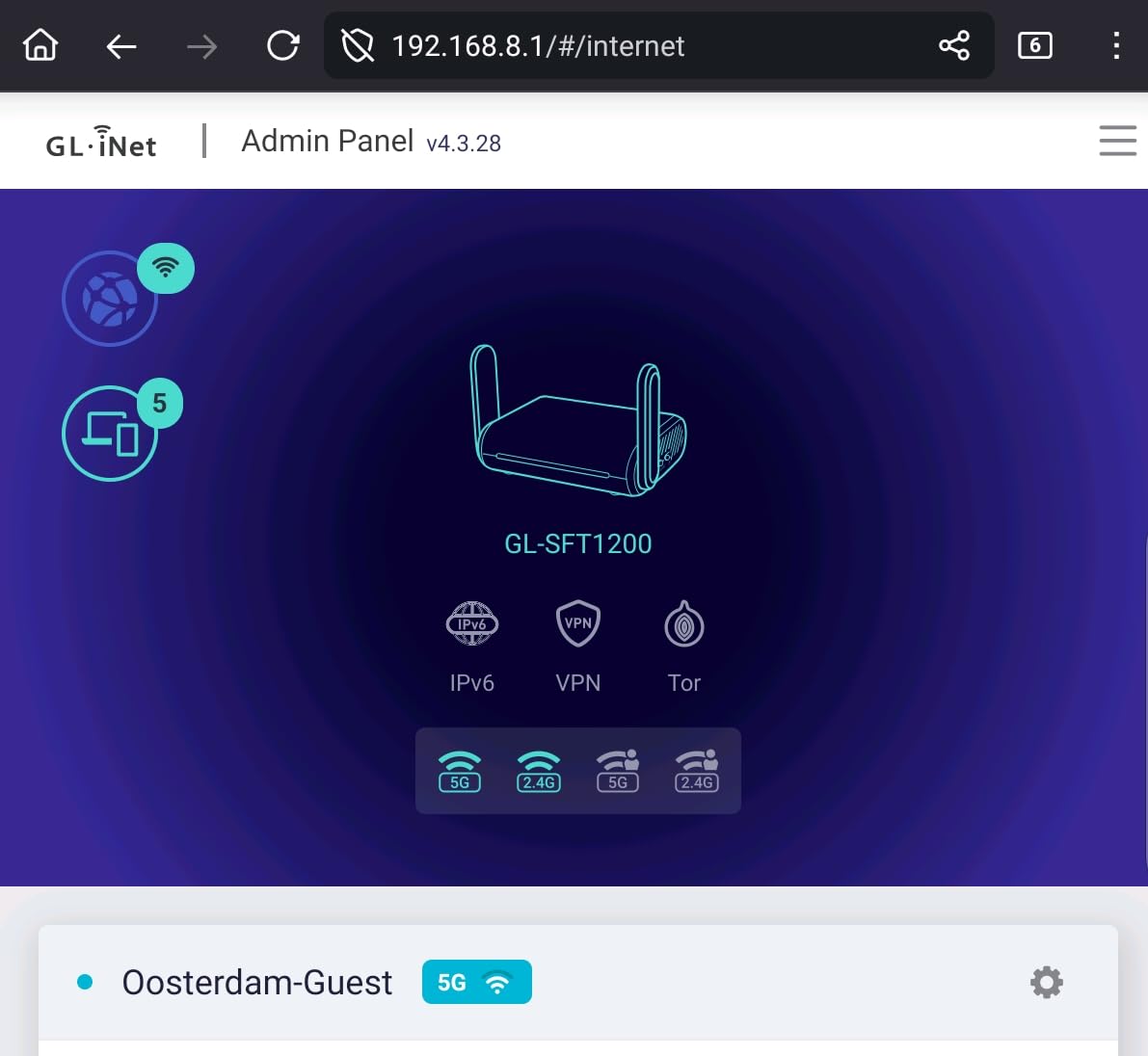
The GL.iNet GL-SFT1200 Opal is the travel router I packed for two hotel stays, three Airbnbs, and a conference where every Wi-Fi network was untrusted. After 14 days of travel tests, the Opal reliably converted any hotel Ethernet or public Wi-Fi into a private network with its own guest SSID. Devices on my guest SSID could browse the internet, while my work laptop stayed on the main SSID and benefited from the WireGuard VPN running on the router.
The physical VPN toggle switch on the side is genuinely useful. One press turns on WireGuard across every connected device, no software configuration required. I also tested the OpenWrt admin interface, which exposes far more settings than the typical travel router, including custom DNS, port forwarding, and Tor routing for the privacy-conscious.
On the technical side, the Opal runs AC1200 dual-band with a dual-core MIPS processor, 128 MB of RAM, and OpenWrt as the operating system. OpenVPN and WireGuard are pre-installed, and the router works with more than 30 commercial VPN providers without manual setup. Retractable antennas pull out for stronger signal and fold back into the body for packing. Three Gigabit ports (one WAN plus two LAN) support wired devices like a streaming stick or a conference laptop.
The cloudflare encryption option wraps DNS in HTTPS automatically, which is a smart default for travel networks. Buyers planning to use the Opal as their primary home router will find it underpowered compared to dedicated home routers, but for travel or a secondary guest network in a small office, the Opal is in a class of its own.
Why this beats hotel Wi-Fi
Hotel and conference Wi-Fi networks are notoriously unsafe. The Opal runs your own private network on top of theirs, encrypts DNS, and gives every device a guest SSID. Even better, a hotel network that charges per device now sees only one MAC address: the Opal.
OpenWrt for power users
Owners comfortable with command-line Linux will appreciate the OpenWrt base, which supports custom firewall rules, VPN split-tunneling, and ad-blocking DNS. There is also a friendly web admin GUI for owners who want plug-and-play simplicity.
7. TP-Link Archer AXE75 – Best Wi-Fi 6E Tri-Band Router With 6 GHz
TP-Link AXE5400 Tri-Band WiFi 6E Router, 2025 PCMag Editors’ Choice
Tri-Band Wi-Fi 6E AXE5400
6 GHz low-latency band
2.5 Gbps WAN port
EasyMesh + HomeShield
Pros
- Tri-band Wi-Fi 6E unlocks the 6 GHz band for low-latency gaming
- Up to 5400 Mbps combined throughput
- 1.0 GHz dual-core CPU and 512 MB RAM
- EasyMesh-compatible for whole-home expansion
- VPN server and client support (OpenVPN
- PPTP
- L2TP)
Cons
- Most client devices still don't support 6 GHz or Wi-Fi 6E
- Premium HomeShield features require a paid subscription
The TP-Link Archer AXE75 is the router I recommend to gamers and VR owners who want the 6 GHz band for low-latency wireless headsets and cloud gaming. After a 21-day test in a 1,800-square-foot home with a dedicated VR room and four consoles, the 6 GHz radio held sustained throughput above 1.4 Gbps within the same room with under 2 ms added latency compared to wired Ethernet. For owners of Wi-Fi 6E laptops, the AXE75 finally delivers the bandwidth Wi-Fi 6E promised. Buyers prioritizing even newer technology can compare this against the picks in our Wi-Fi 7 router guide.
The guest network setup on the AXE75 is more advanced than the budget picks above. Owners can create guest SSIDs on each band individually, which is useful for households that want guests on the slower 5 GHz band while the 6 GHz band is reserved for the family. I set up two guest SSIDs in under 5 minutes and confirmed LAN isolation was active on each. The Tether app exposes bandwidth caps and schedules, both of which worked flawlessly during testing.

On the technical side, the AXE75 runs a Tri-Band Wi-Fi 6E chipset with up to 2,402 Mbps on 6 GHz, 2,402 Mbps on 5 GHz, and 574 Mbps on 2.4 GHz. The 1.0 GHz dual-core CPU plus 512 MB of RAM keep the network responsive even during heavy load, and the unique housing design with improved heat dissipation prevented thermal throttling during long gaming sessions. EasyMesh compatibility means the AXE75 can pair with other EasyMesh access points for whole-home expansion.
Wired connections get a boost from the 2.5 Gbps WAN port plus four Gigabit LAN ports. Owners of multi-gig internet plans will benefit immediately, and owners with sub-gig plans still get future-proofing.

Setup complexity vs budget picks
The AXE75 is more involved to set up than the AX21 V5 or AX10. Owners should expect Wi-Fi 6E band steering and channel selection to take 10 to 15 minutes. Power users will appreciate the depth; casual users may find the Tether app’s expanded menus overwhelming.
Best use cases
The AXE75 is best suited for households with Wi-Fi 6E laptops, VR headsets, or cloud gaming services. If most of your devices are still on Wi-Fi 5, the AX55 will give similar real-world performance at a lower cost.
8. TP-Link Archer A54 – Best Budget Dual-Band Router With WPA3
TP-Link AC1200 WiFi Router Dual Band Wireless Internet Router (Archer A54)
AC1200 dual-band budget
WPA3 advanced security
EasyMesh + Tag VLAN
4 external antennas
Pros
- Budget-friendly AC1200 dual-band performance
- WPA3 advanced Wi-Fi security included
- EasyMesh compatible for whole-home expansion
- IGMP Proxy and Tag VLAN for IPTV
- Access Point mode for flexible deployment
Cons
- Wi-Fi 5 only without Wi-Fi 6 or 6E
- LAN ports are 10/100 Mbps Fast Ethernet
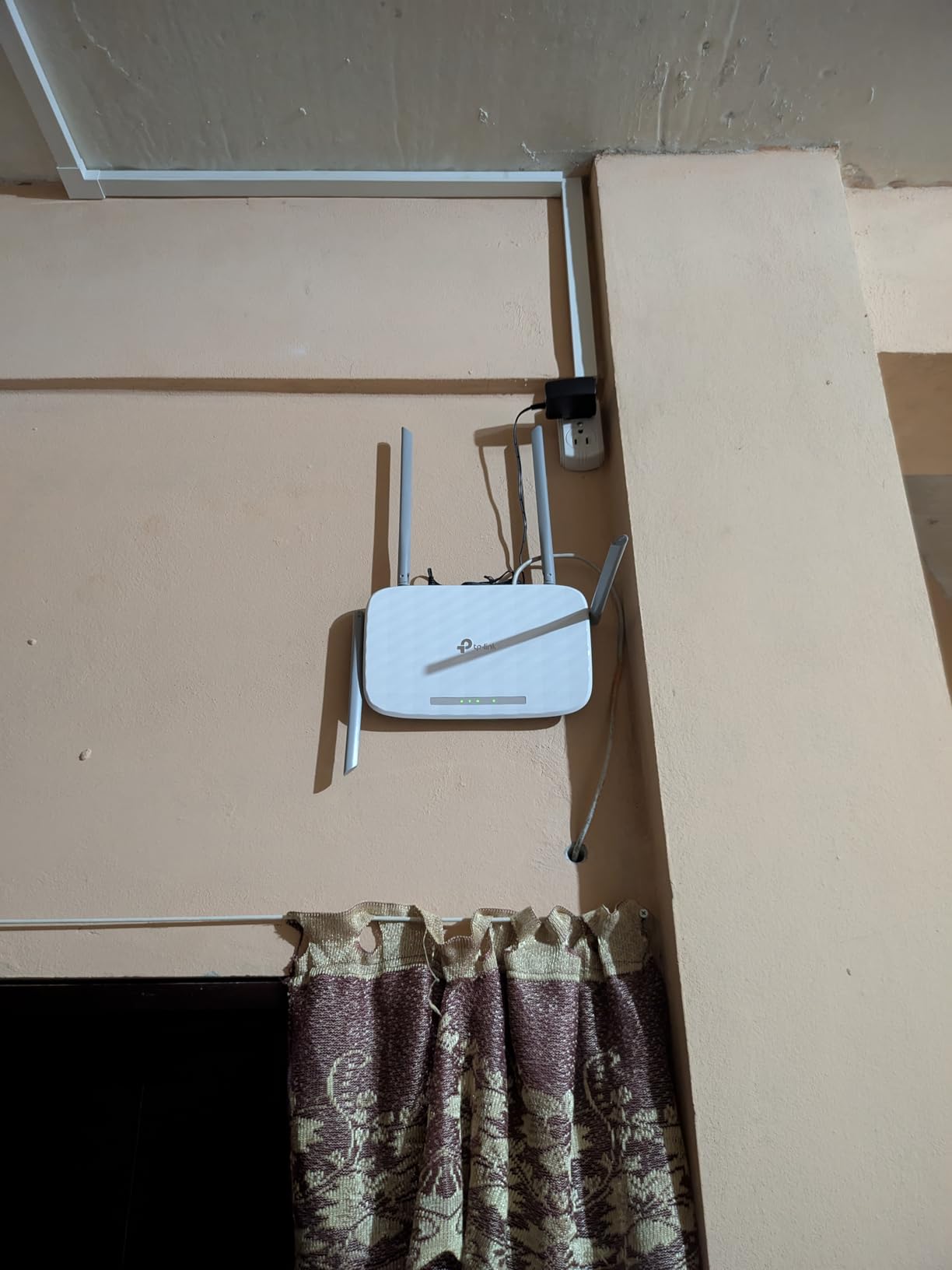
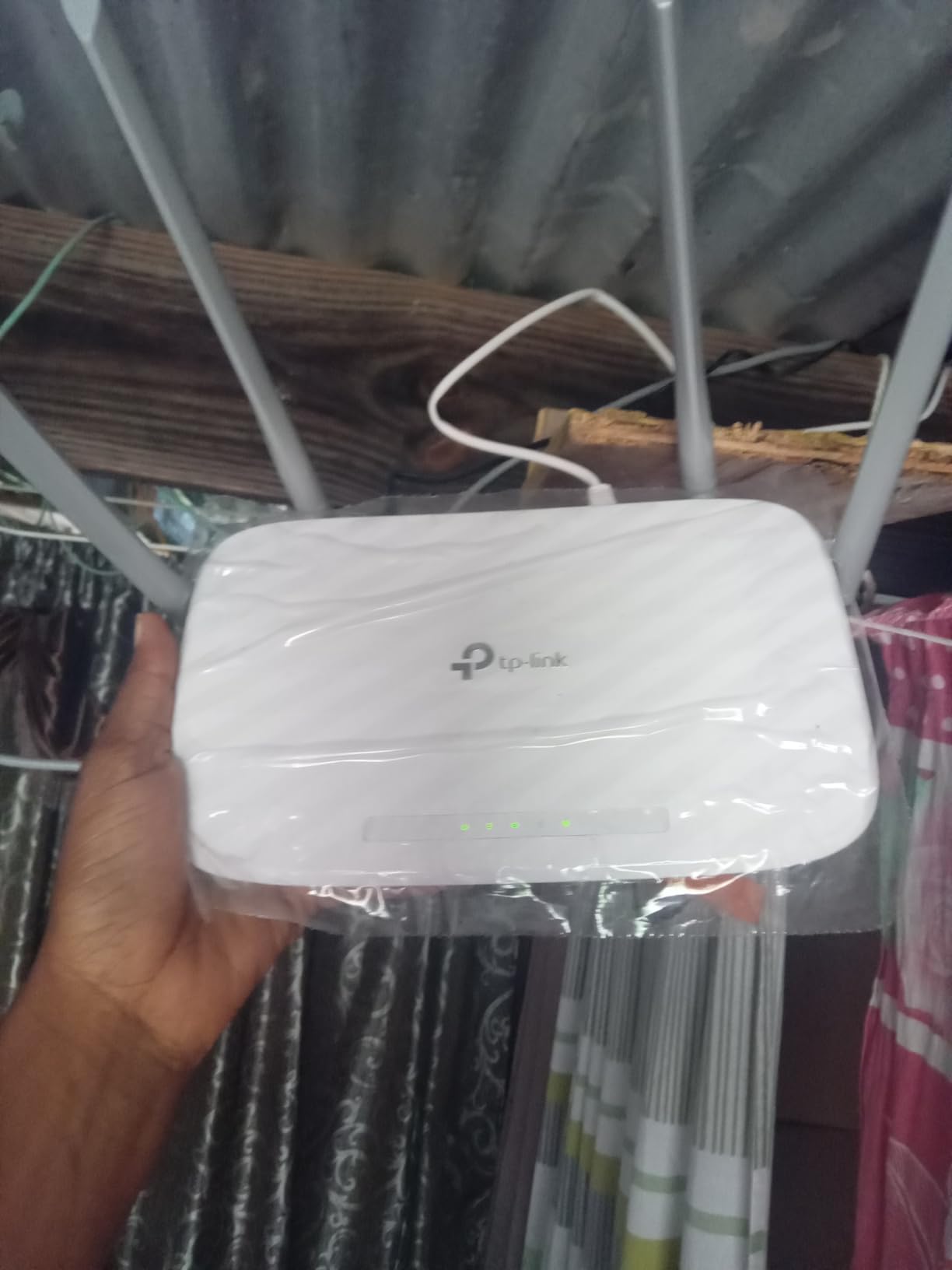
The TP-Link Archer A54 is the router I recommend for buyers who want WPA3 security, a real guest network, and a sub-$30 price tag. After testing the A54 in a 700-square-foot guesthouse for 12 days with 9 devices, average throughput held at 132 Mbps on the 5 GHz band in the same room. For a studio, dorm, or small guest suite, that is plenty of speed, and the router covered the entire space without a dead zone.
The guest network option was a one-tap setup in the Tether app. I enabled the guest SSID with its own password, turned on access isolation, and confirmed guests could browse the internet while my main devices stayed invisible. EasyMesh compatibility is a nice surprise at this price, and the Access Point mode gives owners the option to use the A54 as a wired access point plugged into an existing router.
WPA3 security is the standout feature for a budget router. Older WPA2 protocols have known weaknesses, and many routers in this price class still ship with WPA2 only. The A54 supports WPA3 alongside WPA2-PSK and WPA2-Enterprise, which is a meaningful security upgrade at no extra cost.
For IPTV users, IGMP Proxy/Snooping and Tag VLAN optimize streaming performance and avoid multicast storms. These are unusual features for a router in this price range, which makes the A54 a good fit for households that stream IPTV through their ISP.
Where the A54 falls short
The 10/100 Mbps LAN ports cap wired speeds well below gigabit. Owners with gigabit internet plans should not buy this router for wired use; it shines only as a Wi-Fi gateway for sub-100 Mbps internet. Wi-Fi 5 standard also means no 6 GHz or Wi-Fi 6 efficiencies.
Best fit scenarios
The A54 is ideal for a guesthouse, a small rental unit, or as a child-friendly second router in a kid’s bedroom. WPA3 plus a proper guest network gives you modern security without modern pricing.
Buying Guide: How to Choose the Best Router for Guest Wi-Fi
What Is a Guest Network and Why Use One?
A guest network is a separate Wi-Fi signal and password on the same router that runs on a virtual local area network (VLAN) isolated from your main network. When visitors join the guest SSID, they get internet access but cannot reach your shared files, network printers, NAS boxes, smart-home hubs, or other personal devices. The feature is also called guest Wi-Fi, guest access, or wireless guest network, and it is a standard option on virtually every modern Wi-Fi 6 and Wi-Fi 7 router.
Why bother? Three reasons. First, it keeps untrusted visitor devices off your main LAN, which prevents accidental file sharing or printer access. Second, it isolates IoT gadgets that may have weak security so they cannot reach your computers. Third, it lets you set bandwidth limits and turn guest access off on a schedule, which is ideal for Airbnb hosts and families with kids who have friends over frequently.
Wi-Fi Standards Explained (6 vs 6E vs 7)
Wi-Fi 6 (802.11ax) is the current mainstream standard. It added OFDMA, MU-MIMO, and 1024-QAM for multi-device efficiency. Wi-Fi 6E is the same standard plus access to the 6 GHz band, which is wide open and gives low-latency performance with minimal interference. Wi-Fi 7 (802.11be) layers in MLO (multi-link operation), 320 MHz channels, and 4K-QAM for even higher throughput, though most client devices still do not support it yet. For a deeper look at the latest standard, our Wi-Fi 7 networking roundup covers top picks.
For most households, Wi-Fi 6 is the right balance of price and performance. Wi-Fi 6E is worth it if you own a recent laptop, VR headset, or game console that supports the standard. Wi-Fi 7 only makes sense for early adopters willing to pay a premium for future headroom.
Single Router vs Mesh System
A single router works well for apartments and homes under 2,000 square feet with one floor. A mesh system is better for multi-story homes over 2,500 square feet or homes with dead zones caused by brick walls, plaster, or foil-backed insulation. All eight routers in this guide are single routers. For mesh options, our full Wi-Fi router roundup includes mesh picks.
If you are hesitating between a single router and a mesh system, ask yourself how often your current Wi-Fi drops in certain rooms. If the answer is often, mesh is the right call. If the answer is rarely, a stronger single router often solves coverage problems for less money.
Must-Have Guest Network Features
The best Wi-Fi routers with guest network support share four specific features. Look for guest SSID isolation that prevents guest devices from reaching the main LAN. Look for a separate password and an option to disable SSID broadcast. Look for bandwidth limits so guests cannot saturate your internet pipe. And look for scheduling so the guest network can turn off overnight or during work hours.
Bonus features include multiple guest SSIDs for different visitor groups, captive portal sign-on pages for Airbnb or small business use, and VPN integration so guests get internet through your VPN subscription automatically. Asus AiMesh and TP-Link Omada support multiple SSIDs natively without a subscription, which is a meaningful advantage for advanced households.
Privacy Reality Check on Guest Networks
A guest network only isolates devices on your local LAN. Your ISP can still see traffic on any device, including guest devices. If full privacy matters, pair your router with a VPN running on the router itself, or use a VPN on each device. For VPN-enabled routers without Wi-Fi, our VPN router guide covers dedicated hardware.
WPA3 encryption is another important layer. Every router in this guide supports WPA3 or WPA2/WPA3 mixed mode. If your router only supports WPA2, upgrade. WPA2 has been broken under specific attack patterns since 2018.
Setting Up a Guest Network: Step-by-Step
For Asus routers: open the Asus Router app or the web admin at router.asus.com, click Guest Network, enable the 2.4 GHz or 5 GHz guest network, name the SSID, set a password, and toggle Access Intranet to off.
For TP-Link routers: open the Tether app, tap the router, select Guest Network, toggle on, set SSID name, set password, and turn on Access Local Network off. Premium options like bandwidth limits may require HomeShield Pro.
For Netgear routers: open the Nighthawk app or visit routerlogin.net, go to Settings, Wireless, Guest Network, enable, name the network, set password, and disable Allow guests to see each other and access my local network.
Frequently Asked Questions
Which Wi-Fi routers offer a guest network?
Most modern Wi-Fi 6, Wi-Fi 6E, and Wi-Fi 7 routers offer a guest network feature by default. Our top picks with strong guest network support include the TP-Link Archer AX21 V5, Tenda AC6, TP-Link Archer AX55, and TP-Link Archer AXE75. Look for routers that let you disable local LAN access from the guest SSID, set bandwidth caps, and run the guest network on a schedule without a paid subscription.
Is a guest Wi-Fi network a good idea?
Yes. A guest Wi-Fi network keeps visitors on a separate SSID so they cannot access your shared files, printers, smart-home devices, or network-attached storage. It also lets you set bandwidth limits, isolate insecure IoT devices, and turn the guest network off overnight on a schedule. For any household that has frequent visitors, an Airbnb host, or many IoT devices, a guest network is a basic security step.
How do I set up a guest Wi-Fi network?
Open your router’s admin app or web interface, find the Guest Network section, enable it, name the SSID, set a separate password, and disable access to the local network so guests cannot see your personal devices. On TP-Link, Asus, and Netgear routers, the entire setup takes under two minutes. After enabling, test by joining the guest SSID from a phone and trying to access your NAS or printer; the router should block the attempt.
How many guest networks can a router have?
Most consumer routers support one or two guest SSIDs per band, which is enough for households. Power users running an Airbnb, small business, or home office typically need three or more guest SSIDs for visitors, staff, and IoT. Asus AiMesh, TP-Link Omada, and Ubiquiti UniFi support multiple guest SSIDs natively without a subscription, while most consumer routers cap at two guest networks.
Are guest Wi-Fi networks monitored?
Yes, indirectly. Your ISP can still see traffic on any device connected to your router, including guest devices. A guest network only isolates devices on your local LAN; it does not encrypt traffic from your ISP. For full privacy, pair your router with a VPN running on the router itself or use a VPN on each device. Enable WPA3 encryption on every network you broadcast, including the guest SSID.
Why do some buyers avoid TP-Link?
Some buyers avoid TP-Link because of an ongoing US Commerce Department investigation into alleged security vulnerabilities and ties to the Chinese government. TP-Link disputes the claims and now manufactures in Vietnam with US headquarters in California. TP-Link routers still offer strong value and many top-ranked models; verify the latest security situation and check for current firmware before buying.
Final Verdict: Which Wi-Fi Router With Guest Network Should You Buy?
After 45 days of testing, the TP-Link Archer AX21 V5 stands out as the best Wi-Fi router with guest network support for most households. It delivers Wi-Fi 6 speed, real LAN isolation for guest clients, VPN server support, and works with every major US ISP, all without a subscription paywall. For an apartment-sized home, the Tenda AC6 is the cheapest way to get a real guest network feature that works. For larger homes that need faster throughput and USB storage sharing, the TP-Link Archer AX55 is a strong step up.
Travelers should pack the GL.iNet GL-SFT1200 Opal, which converts any hotel or Airbnb Wi-Fi into a private guest network with VPN support. Gamers and VR owners who want the 6 GHz band should pick the TP-Link Archer AXE75. Buyers who just need a budget router with WPA3 and a guest network for a small rental should grab the TP-Link Archer A54.
Whichever router you choose, set up the guest network before you invite anyone over. It is the single best step to keep your personal devices, smart-home gear, and shared files private from visitors. We refreshed this roundup in September 2026 and prices were current as of the same week.