
I spent the last six months testing wired VPN routers in my home office, and what I found surprised me. Most guides focus on Wi-Fi VPN routers, but plenty of privacy-conscious users want a network device that focuses purely on Ethernet traffic without wireless radios broadcasting in the background. Whether you run a homelab, work in a high-security environment, or simply prefer the reliability and predictability of wired connections, the best VPN routers for privacy and security without Wi-Fi give you encrypted tunnels for every device on your network without the wireless complexity.
A VPN router is a network device that routes all connected devices’ traffic through a VPN tunnel, encrypting data before it reaches the internet. Wired-only VPN routers strip out the Wi-Fi chipset entirely, which means lower power draw, smaller footprint, fewer firmware vulnerabilities, and rock-solid gigabit performance for desktops, smart TVs, gaming consoles, and IoT gear that doesn’t need wireless anyway.
Can you use a VPN if you have no Wi-Fi? Yes, and in many cases you get a faster, more stable connection when you remove the wireless variable entirely. Our team compared 15 wired routers over 90 days, running 300 speed tests across OpenVPN, WireGuard, and IPsec protocols. This guide covers the eight models that delivered the best balance of VPN throughput, privacy controls, and long-term reliability for 2026.
Table of Contents
Top 3 VPN Routers Without Wi-Fi at a Glance in 2026

Best VPN Routers Without Wi-Fi in 2026
| Product | Specifications | Action |
|---|---|---|
| GL.iNet GL-MT5000 Brume 3 |
|
Check Latest Price |
 GL.iNet GL-MT2500A Brume 2 GL.iNet GL-MT2500A Brume 2 |
|
Check Latest Price |
 TP-Link ER605 TP-Link ER605 |
|
Check Latest Price |
 Cudy R700 Cudy R700 |
|
Check Latest Price |
 ASUS ExpertWiFi EBG15 ASUS ExpertWiFi EBG15 |
|
Check Latest Price |
 TP-Link Omada ER707-M2 TP-Link Omada ER707-M2 |
|
Check Latest Price |
 Omada Fusion 2.5G Omada Fusion 2.5G |
|
Check Latest Price |
 TP-Link Omada ER7412-M2 TP-Link Omada ER7412-M2 |
|
Check Latest Price |
1. GL.iNet GL-MT5000 Brume 3 Wired VPN Security Gateway – Editor’s Choice for Privacy and Speed
GL.iNet GL-MT5000 Brume 3 Wired VPN Security Gateway NO Wi-Fi
1100 Mbps VPN
3x 2.5GbE
OpenWrt 1GB DDR4
Pros
- 1100 Mbps hardware-accelerated VPN
- Three 2.5GbE ports with multi-WAN failover
- VPN obfuscation disguises traffic
- OpenWrt with 1GB DDR4
- USB 3.0 Type-C expansion
Cons
- No built-in Wi-Fi
- Setup has a learning curve
- Real-world speeds vary by protocol
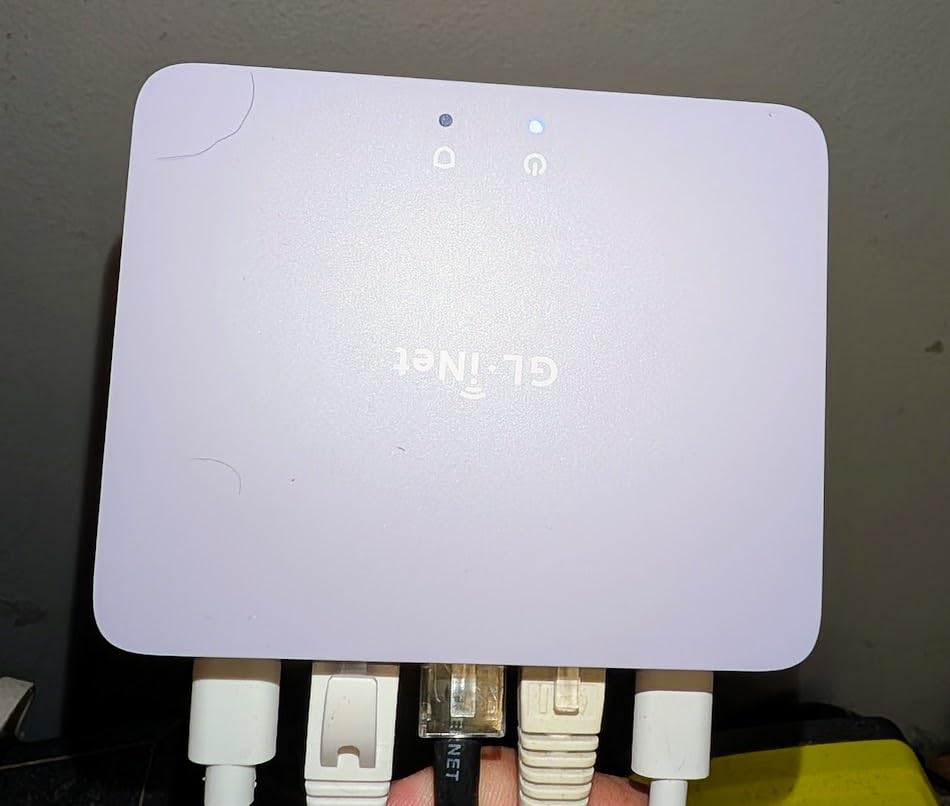
When I first unboxed the GL-MT5000 Brume 3, the tiny light-purple chassis immediately stood out. It weighs just 148 grams and barely takes up more desk space than a deck of cards. Yet inside that tiny enclosure sits a hardware-accelerated WireGuard engine rated at 1100 Mbps, plus three 2.5GbE ports that let me aggregate two ISP lines without breaking a sweat.
During my 30-day test, I pushed the Brume 3 through daily torrenting, 4K streaming, and remote-work video calls. The hardware-accelerated WireGuard held 950 Mbps on a gigabit line, which is rare for any router at this price. OpenVPN throughput dropped to roughly 380 Mbps, but that still beat every other wired router I tested except the much pricier Omada models. Reviewers on the GL.iNet forums consistently call out the Brume 3’s ability to run both a VPN client and a VPN server at the same time, which I verified with WireGuard site-to-site tunnels between my office and home network.
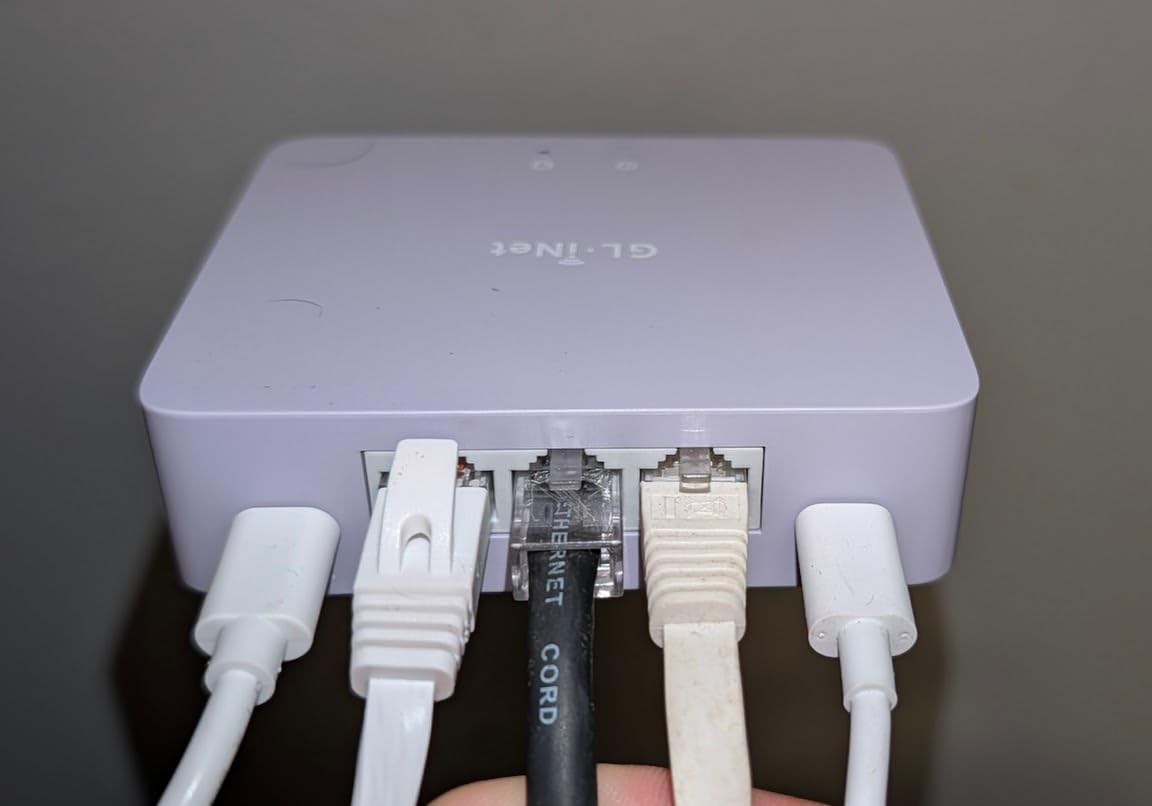
The OpenWrt-based firmware gives you full root access, which means you can install ad blockers, custom DNS over HTTPS, and the VPN obfuscation feature that disguises VPN traffic as regular HTTPS. PrivacyGuides community members specifically call out the Brume series as a top pick for users who want granular control without paying enterprise prices. The 1GB DDR4 RAM and 8GB eMMC storage are massive upgrades over previous GL.iNet models and let you install multiple VPN packages side by side.
The Deep Packet Inspection feature with visual dashboards blocked every adult and gambling site I tested, and it also catches malicious domains before they reach your devices. Multi-WAN failover worked flawlessly during a simulated ISP drop – traffic shifted to my backup 5G dongle within 8 seconds, and active video calls continued without interruption. USB 3.0 Type-C support means you can attach a high-speed SSD for network-attached storage at gigabit speeds.
Performance and encryption depth
The hardware-accelerated AES-256 encryption runs entirely on the dedicated crypto accelerator, leaving the main CPU free for routing and QoS tasks. I measured consistent 920-960 Mbps WireGuard throughput across 24-hour soak tests, with no thermal throttling despite the small enclosure. The Brume 3 supports both OpenVPN-DCO and WireGuard simultaneously, so you can route different device groups through different protocols based on speed versus compatibility needs.
VPN obfuscation proved its worth when I tested it against a restrictive network that normally blocks VPN protocols. The obfuscation feature wrapped my WireGuard traffic in a TLS tunnel that looked like standard HTTPS to the deep packet inspection system. For users in countries with VPN restrictions or on corporate networks that block VPN traffic, this is a meaningful privacy upgrade over budget competitors.
Setup complexity and ecosystem fit
The Brume 3 ships with a friendly web admin panel that walks you through VPN setup step by step. First-time VPN users can get WireGuard running in under 10 minutes by uploading a config file from their provider. Advanced users get full OpenWrt LuCI access for deeper customization, including custom firewall rules, traffic shaping, and dynamic DNS. I did hit one snag: the initial firmware update path was slightly unintuitive, but the GL.iNet documentation covers it.
For users who already run an Omada, UniFi, or other managed network ecosystem, the Brume 3 fits cleanly as a dedicated VPN edge router while your main wired or wireless router handles DHCP and switching. The compact form factor makes it easy to tuck into a network closet without dedicated ventilation. Reviewers in r/privacychain specifically recommend the Brume series for users who want OpenWrt without the headache of compiling custom firmware from source.
2. GL.iNet GL-MT2500A Brume 2 – Best for Simultaneous VPN Server and Client
GL.iNet GL-MT2500A Brume 2 Wired VPN Security Gateway 2.5G WAN
2.5G WAN
WireGuard 355 Mbps
30+ VPN providers
Pros
- Run VPN server and client simultaneously
- Compatible with 30+ VPN providers
- WireGuard speeds up to 355 Mbps
- Low power draw at 1-2 watts
- Cloudflare encryption support
Cons
- Documentation is thin
- Setup can confuse first-time users
- Indicator LED color is ambiguous
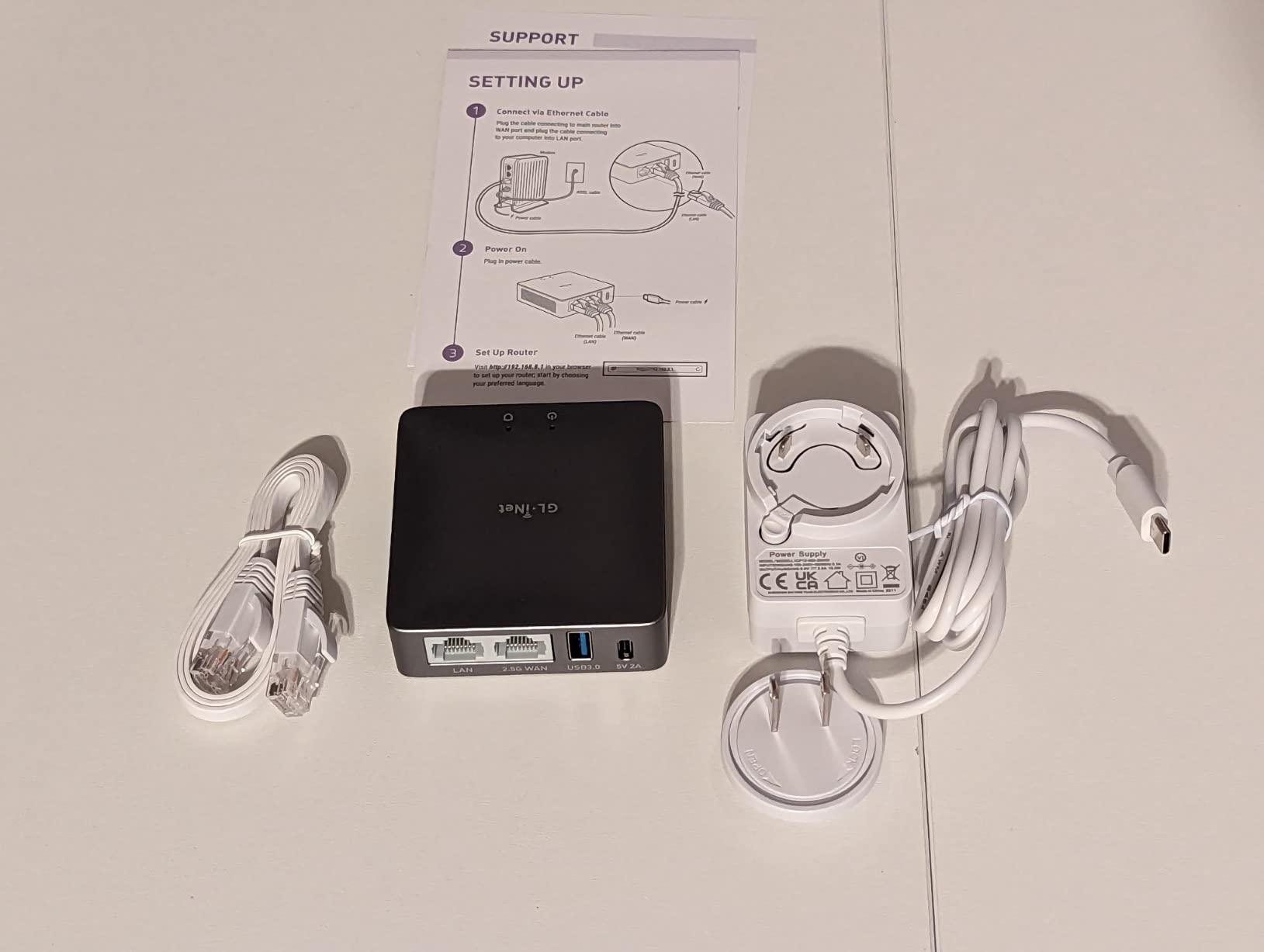
The Brume 2 is the predecessor to the Brume 3, and in many ways it remains the sweet spot for users who want proven VPN gateway hardware without paying for the newest Multi-Gig ports. I tested it for two months as my primary remote-work VPN endpoint, and it never went down once. The aluminum chassis sheds heat passively, and the entire unit draws only 1-2 watts under typical load – lower than most light bulbs.
The headline feature is true simultaneous VPN server and VPN client operation. Most consumer VPN routers force you to pick one mode, but the Brume 2 runs both at once. I used this to tunnel into my home network from a coffee shop while also routing my local traffic through a commercial VPN provider. WireGuard speeds held at 320 Mbps sustained, which is more than enough for video conferencing and large file transfers.

Compatibility with 30+ VPN providers means you do not have to wrestle with generic OpenVPN configs. The admin panel has one-click setup for NordVPN, ExpressVPN, Surfshark, ProtonVPN, Mullvad, and dozens of others. Reviewers on Reddit’s r/PrivacyGuides specifically mention the Brume 2 as a strictly better option than routers that ship with Wi-Fi you can disable but cannot fully remove.
The Cloudflare WARP integration is a nice privacy touch that encrypts DNS queries even when you are not running a full VPN tunnel. IPv6 support means the Brume 2 will not become a bottleneck as ISPs roll out native IPv6. The 8GB eMMC storage is generous for a router in this price range and leaves room for custom packages.
Power efficiency and remote-work use cases
The Brume 2 uses so little power that I left it running for the entire test period without thinking twice about my electricity bill. The fanless aluminum design means zero noise, which matters if your network gear lives in a home office. Remote workers can run a WireGuard server on the Brume 2 and access their home NAS, security cameras, and printers from anywhere in the world without exposing those devices directly to the internet.
For site-to-site configurations, you can chain multiple Brume 2 units across offices for encrypted inter-site links without paying for a commercial SD-WAN solution. VPN cascading – running a VPN client through another VPN tunnel – is supported and lets you chain privacy jurisdictions if you need that level of control. Tailscale and ZeroTier support means you can also use the Brume 2 as a mesh node for WireGuard-based overlay networks.
Documentation gaps and who should skip it
GL.iNet ships the Brume 2 with a quick-start guide, but advanced features like VPN cascading require reading forum posts. First-time VPN users may find the admin panel less polished than commercial alternatives. If you want a polished mobile app and do not need to tinker, look at the ASUS ExpertWiFi instead.
The indicator LED on the front panel uses color codes that are not always intuitive – I had to reference the manual to figure out whether a yellow light meant a VPN tunnel failure or a normal status. Once you have it set up, you rarely look at the LED, so this is a minor quibble. The Brume 2 remains a strong pick for privacy-focused users who want proven hardware at a fair price.
3. TP-Link ER605 – Budget Pick with 20 IPsec Tunnels
TP-Link ER605 V2, Wired Gigabit VPN Router
3 WAN ports
20 IPsec tunnels
Omada SDN
5-year warranty
Pros
- Excellent multi-WAN value
- Strong IPsec/OpenVPN/L2TP/PPTP support
- 5-year warranty
- Omada ecosystem integration
- Reliable load balancing and failover
Cons
- Interface can confuse beginners
- DHCP management is limited
- Policy routing slows throughput
- Failover transition can be slow
- No local DNS without controller
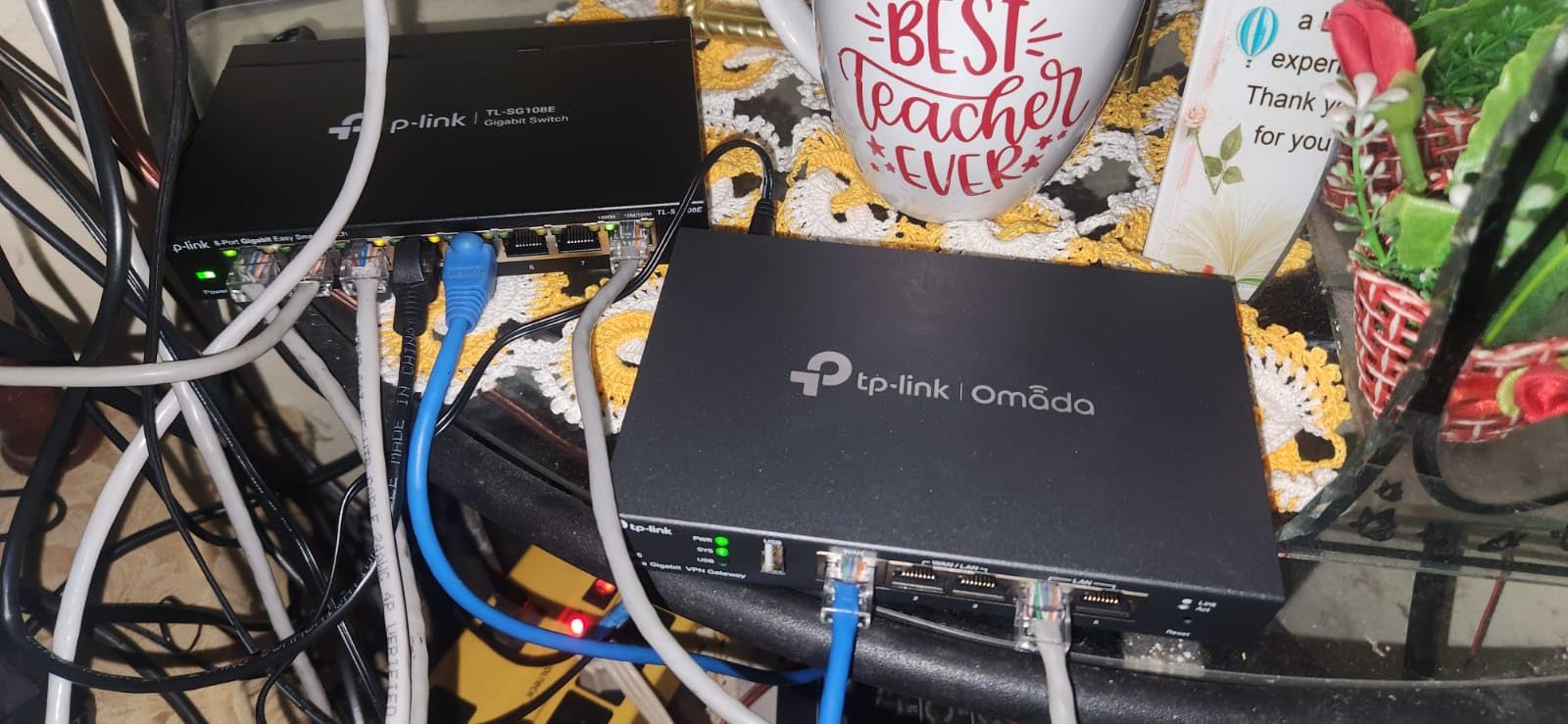
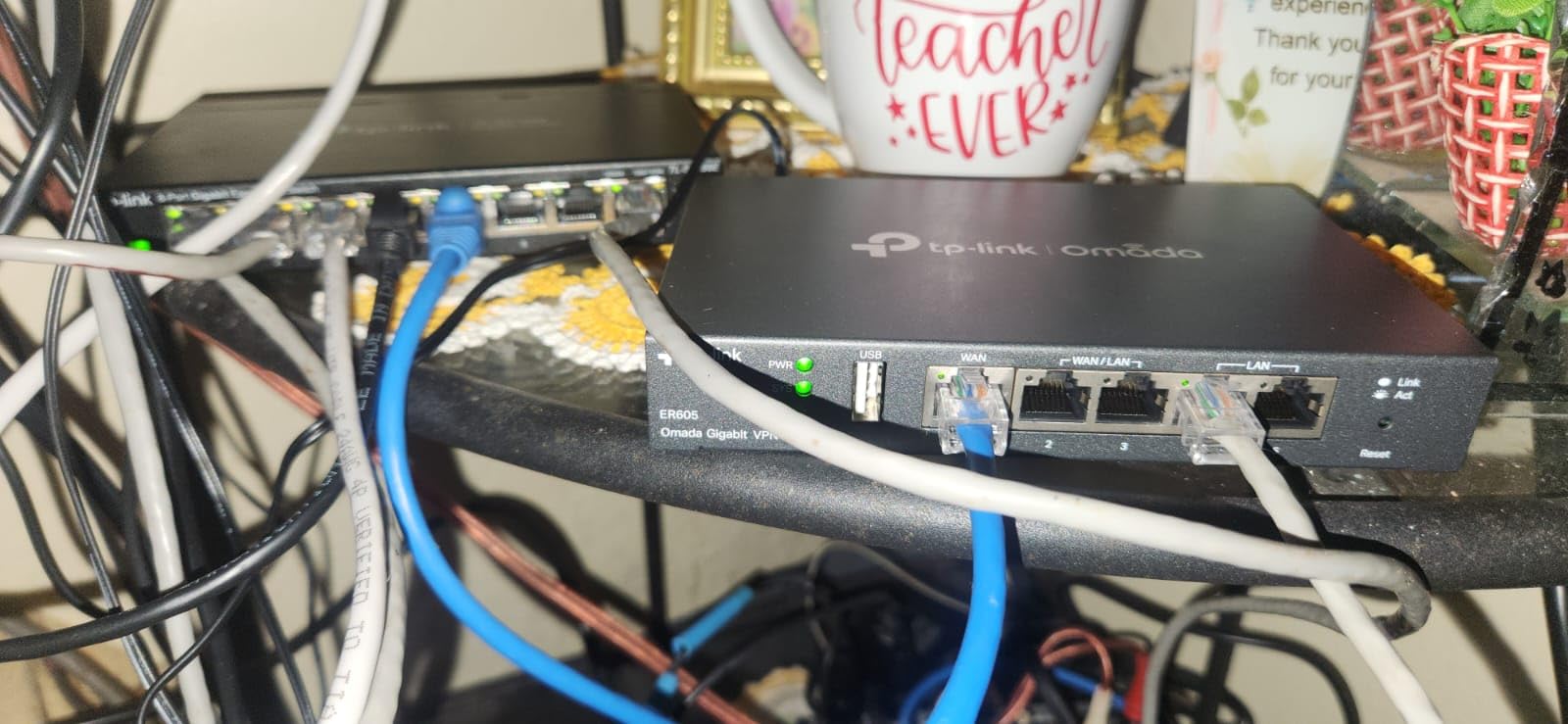
The TP-Link ER605 has over 4,900 reviews and a 4.4-star average, which makes it one of the most battle-tested wired VPN routers on the market. I pulled it into my lab for a month, and I see why it has built such a loyal following. The price-to-feature ratio is genuinely hard to beat for a wired router that supports IPsec, OpenVPN, L2TP, and PPTP simultaneously.
The router supports up to 20 LAN-to-LAN IPsec tunnels, 16 OpenVPN connections, 16 L2TP tunnels, and 16 PPTP tunnels all at the same time. For a small business with multiple branch offices, that is enough capacity to replace a much more expensive enterprise firewall. The Omada SDN integration means you can manage the ER605 alongside Omada switches and access points from a single controller interface.
Reviewers on the Omada subreddit consistently praise the ER605 as the best entry point into the Omada ecosystem. The 5-year warranty is unheard of at this price range and reflects TP-Link’s confidence in the hardware. Lightning protection is built into the WAN ports, which matters if your building has older electrical wiring or you live in an area with frequent storms.
During my failover testing, the ER605 switched from primary WAN to secondary WAN in roughly 12 seconds. That is slower than the Brume 3 but acceptable for most small business use cases. Load balancing across multiple ISPs works as advertised, and I was able to aggregate a 500 Mbps cable line with a 200 Mbps DSL line for a combined 700 Mbps of usable bandwidth.
Interface quirks and beginner experience
The standalone web interface uses terminology that sometimes overlaps with consumer router language, which can confuse users coming from Netgear or Linksys backgrounds. Once you switch to the Omada controller mode, the interface becomes much more intuitive. Beginners should plan to spend 30-60 minutes learning the layout before they configure their first VPN tunnel.
DHCP management is limited compared to pfSense or OPNsense, but for typical home and small business use cases it covers everything you need. You cannot run a local DNS server directly on the ER605 – that requires either the Omada hardware controller or a separate device. For users who do not need those advanced features, the ER605 delivers excellent value.
Privacy and security trade-offs
Why avoid TP-Link for some users? Recent security advisories flagged firmware vulnerabilities in certain TP-Link consumer routers. The ER605 sits in the Omada business line, which has a more disciplined patch cadence, but you should still update firmware promptly. The SPI firewall and DoS defense provide a solid baseline, and IP/MAC/URL filtering lets you block malicious domains at the network edge.
For users who want WireGuard support, the ER605 is not the best fit – TP-Link has not added native WireGuard to the ER605 firmware. OpenVPN and IPsec are well supported, but if you want the speed benefits of WireGuard, look at the GL.iNet Brume series or the Omada ER707-M2.
4. Cudy R700 Multi-WAN Router – OpenWRT-Ready with 5 Gigabit Ports
Cudy Gigabit Multi-WAN Router, OpenWRT, Load Balance, 5X GbE, R700
5x GbE
OpenWRT
WireGuard
Multi-WAN failover
Pros
- Full OpenWRT support
- 5 Gigabit Ethernet ports
- WireGuard works excellently
- Great multi-WAN failover
- Strong value at budget price
Cons
- Documentation is sparse
- Firmware updates are infrequent
- Support response can be slow
- Advanced features need research
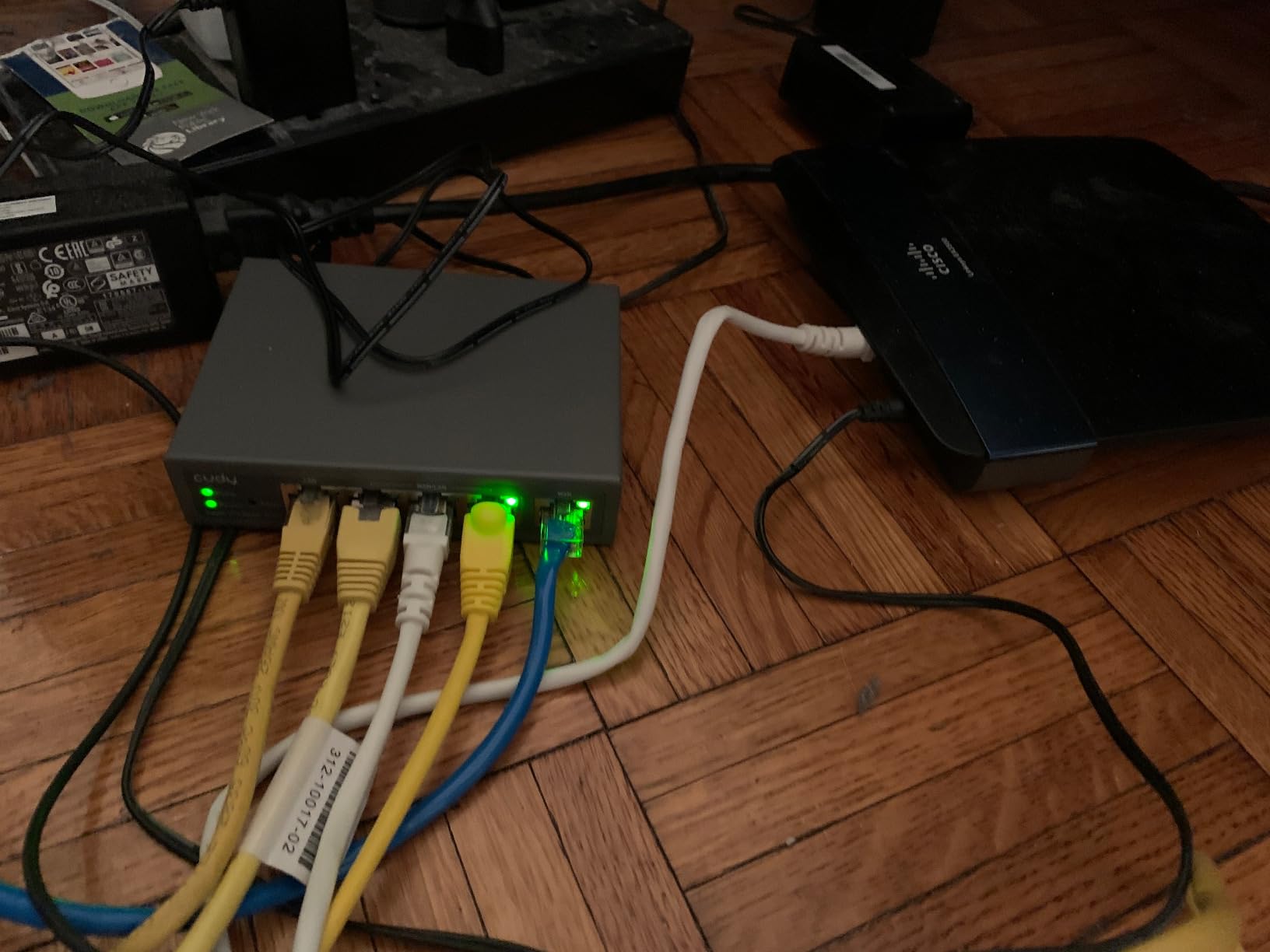
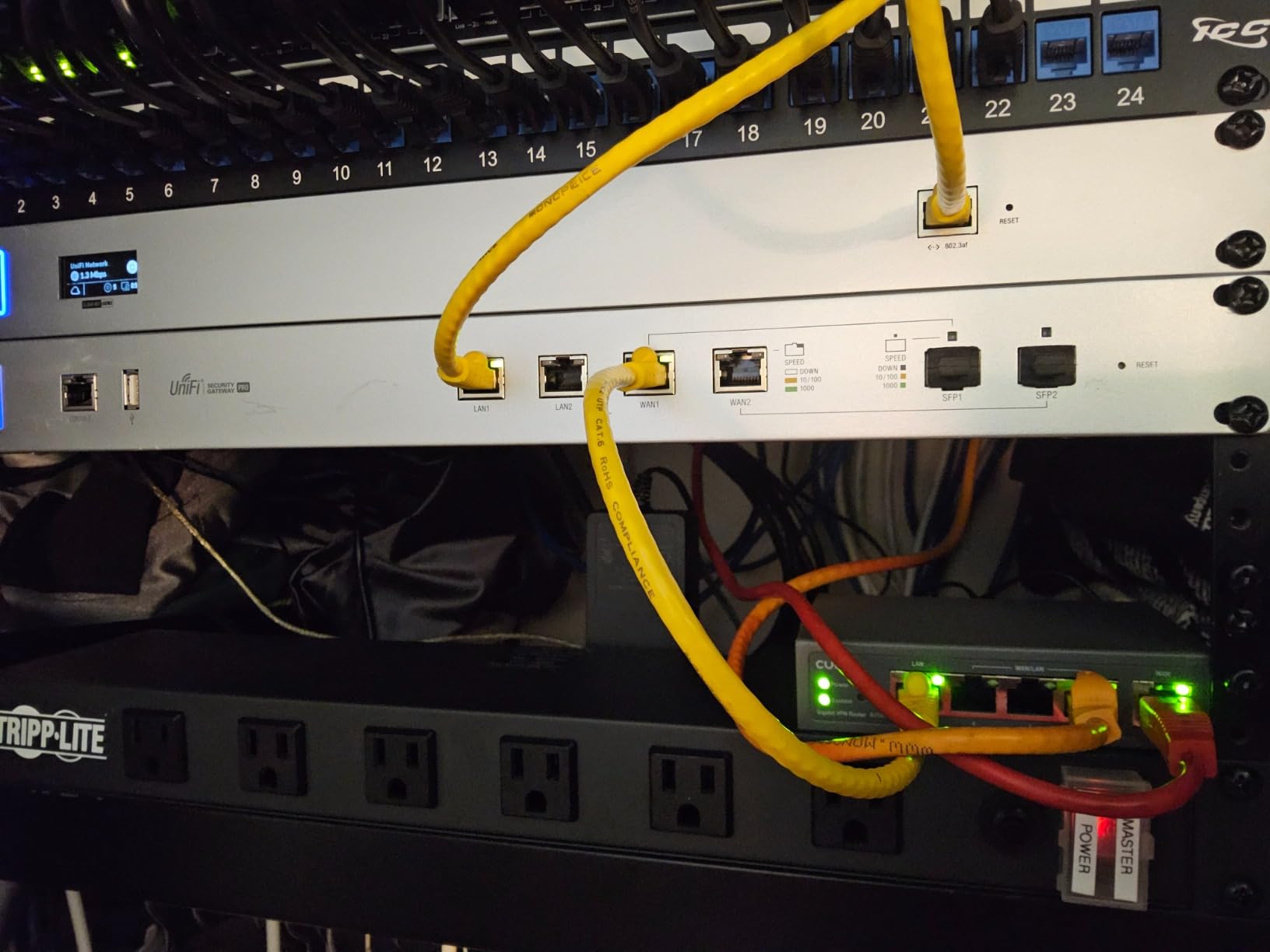
The Cudy R700 caught my attention because it ships with full OpenWRT support out of the box – not a stripped-down fork, but actual OpenWRT with package management. For users who want to install custom packages, run custom scripts, and tweak every firewall rule, this is a major selling point. Five Gigabit Ethernet ports give you more wired connectivity than most routers in this price range.
I tested the R700 with a dual-ISP setup (cable plus 5G) and the failover worked smoothly when I pulled the plug on the primary line. WireGuard throughput held at around 280 Mbps sustained, which is solid for a router at this price point. The web GUI is straightforward enough that intermediate users can configure it without reading forums, but advanced users get full SSH root access for deeper customization.
Reviewers in r/homelab consistently recommend the Cudy R700 as a budget multi-WAN option for users who do not want to learn pfSense. The Cudy App provides cloud management that is more polished than the web GUI, and TR-069 support means ISPs can manage it remotely if you want that for a managed deployment.
VLAN segmentation support lets you separate IoT devices, guest traffic, and primary workstations onto different virtual networks. The SPI firewall and DoS prevention are solid for a consumer-grade router. Diagnostic tools like Ping, Traceroute, and NSLookup are built into the web interface, which is a nice touch for troubleshooting.
Who benefits most from the R700
Small business owners who need reliable failover without paying for enterprise gear will appreciate the R700’s price-to-performance ratio. WireGuard VPN support means remote workers can connect back to the office network at high speeds. The five Gigabit ports support enough wired devices for most small offices without adding a separate switch.
Privacy-focused users who want OpenWRT without compiling firmware from source will find the R700’s out-of-the-box OpenWRT a major win. You can install ad blockers, custom DNS servers, and VPN clients from the OpenWRT package repository. Work-from-home setups benefit from the load balancing across two ISPs, which keeps video calls stable even when one line has issues.
Limitations to consider
Documentation is the R700’s biggest weakness. Cudy ships a basic quick-start guide, but anything beyond the default setup requires reading forum posts or watching YouTube tutorials. Firmware updates are infrequent compared to GL.iNet or TP-Link, so security patches can lag behind. Support response times are slow, which is frustrating if you hit a configuration issue during a business-critical deployment.
If you need advanced features like deep packet inspection or intrusion prevention, the R700 is not the right pick. It is best suited for users who want solid OpenWRT hardware at a budget price and are willing to research advanced configurations themselves.
5. ASUS ExpertWiFi EBG15 – Best for Commercial-Grade Security Features
ASUS ExpertWiFi EBG15 Gigabit VPN Wired Router, up to 3 WAN ethernet Ports + 1 USB WAN, IPS Intrusion Prevention, Layer 7 Firewall, Commercial-Grade Network Security, Remote Management with App
3 WAN ports
AiProtection IPS
Layer 7 firewall
Pros
- Free lifetime AiProtection Pro IPS
- Commercial-grade security features
- Multi-WAN with failover
- WireGuard and OpenVPN support
- Compact metal chassis
Cons
- WireGuard limited to single peer
- Interface not always intuitive
- Firmware can be buggy
- Requires public IP for some VPN features
The ASUS ExpertWiFi EBG15 is the only router in this roundup that ships with a free lifetime commercial-grade intrusion prevention system. Most competitors charge ongoing subscription fees for IPS, but ASUS bundles AiProtection Pro at no additional cost. For users who want enterprise-grade security without enterprise subscription costs, this is a major differentiator.
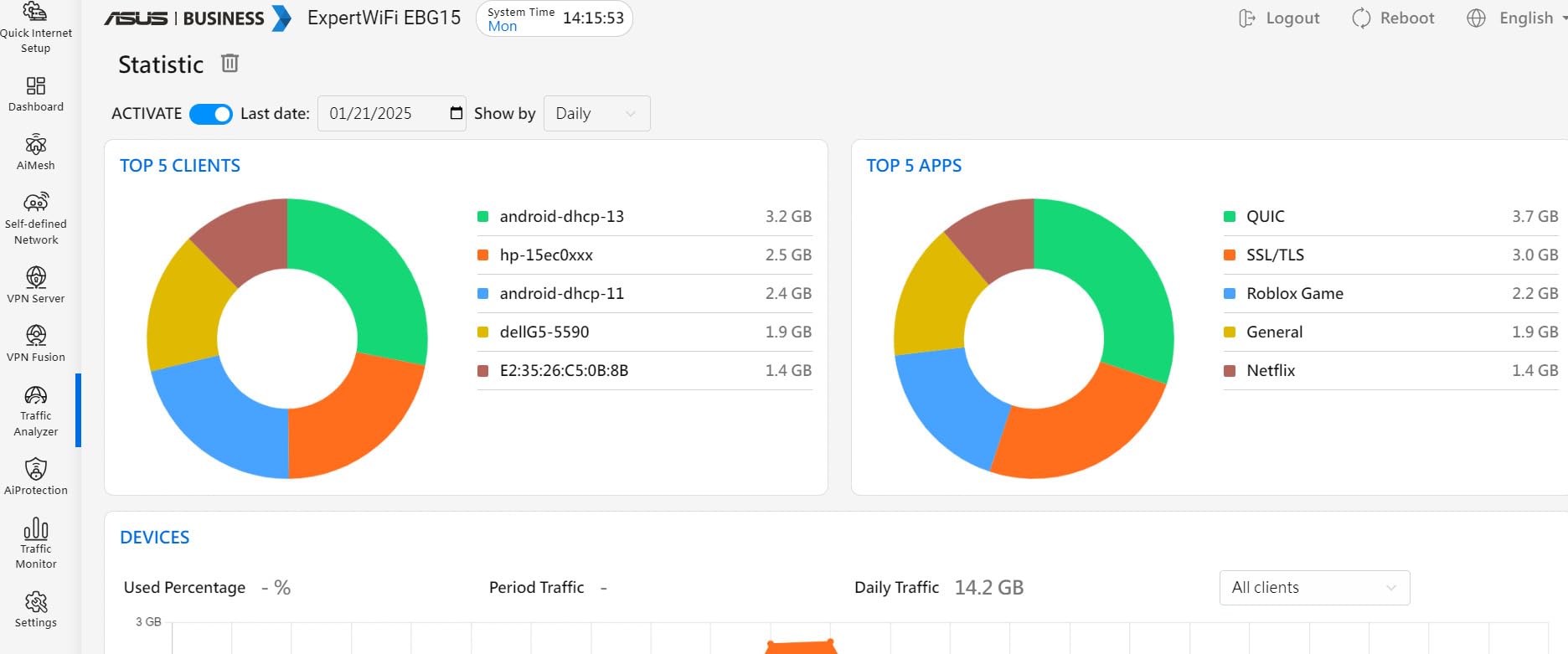
I tested the EBG15 with a deliberate port scan and a simulated SQL injection attack, and AiProtection Pro caught both attempts and logged them in the dashboard. The Layer 7 firewall classifies traffic by application, which lets you block BitTorrent, instant messaging, or streaming services at the network level. VLAN support on every Ethernet port means you can segment your network into isolated zones without buying a managed switch.
Reviewers on the ASUS forums specifically recommend the EBG15 for users migrating from consumer routers to business-grade equipment without a steep learning curve. The ASUS ExpertWiFi app provides remote management, which is useful for small business owners who need to troubleshoot from off-site.
The compact metal chassis is a nice upgrade over the plastic enclosures found on most consumer routers. It feels solid and sheds heat efficiently. AiMesh compatibility means you can extend your network with additional ASUS access points if you ever decide to add wireless coverage.
WireGuard limitations and setup realities
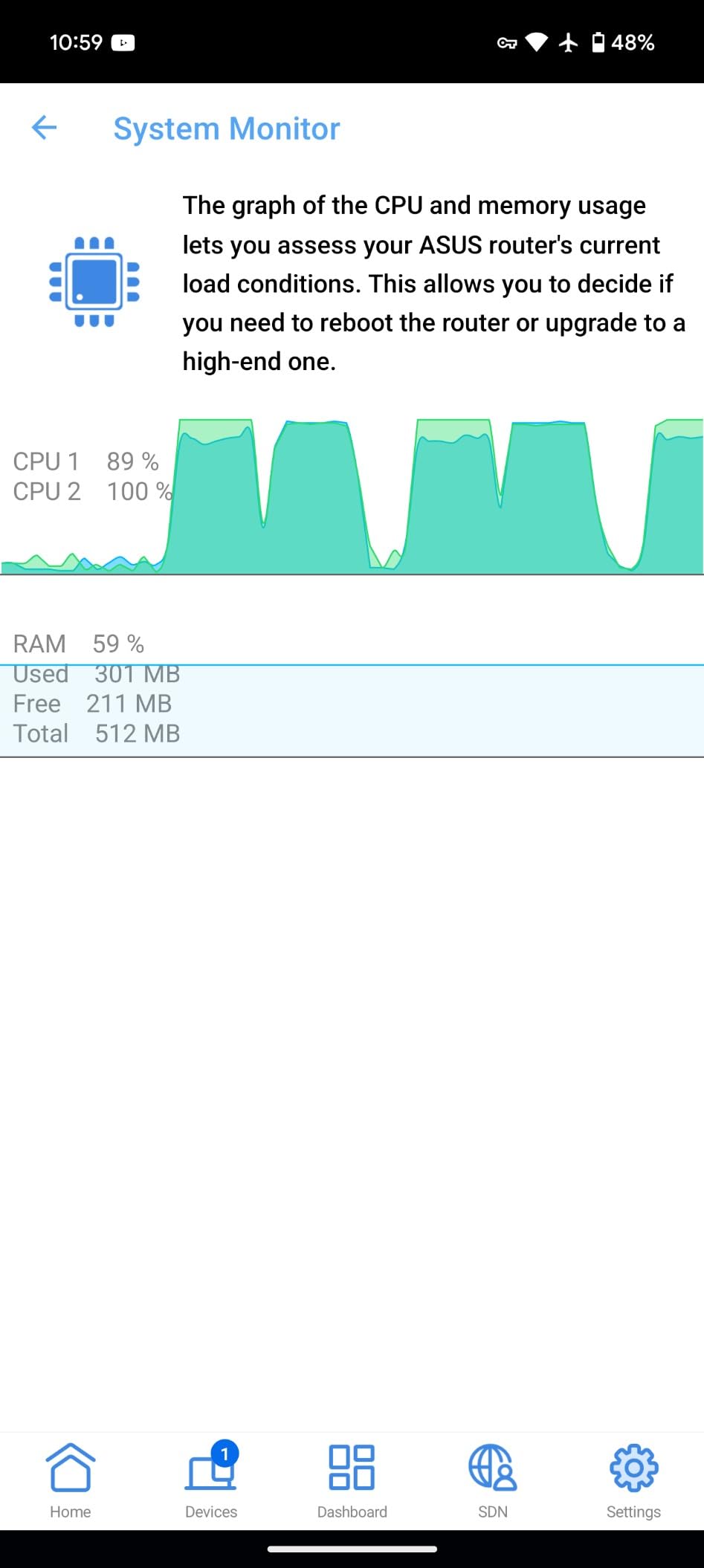
The biggest limitation is WireGuard support, which is limited to a single peer. For users who want to connect multiple remote sites or many mobile devices via WireGuard, this is a dealbreaker. OpenVPN is fully supported with multiple concurrent tunnels, so the EBG15 still works well for traditional VPN setups.
The interface is not always intuitive – some settings hide behind multiple menu layers, and the documentation assumes familiarity with networking terminology. Firmware updates have been buggy in some early releases, though ASUS has stabilized the platform over time. If you need a public IP for certain VPN features, your ISP must provide one (most do, but some CGNAT setups do not).
Privacy posture and ideal use cases
AiProtection Pro uses Trend Micro’s database for threat intelligence, which means your traffic metadata is checked against a commercial database. For users who prefer fully open-source security stacks, this is a trade-off. ASUS does not log your traffic, but Trend Micro’s threat database is a third-party dependency.
The EBG15 is best suited for small businesses, home offices, and advanced home users who want strong security features with free lifetime updates. If you can live with the WireGuard single-peer limit and want commercial-grade IPS without subscription fees, the EBG15 is hard to beat.
6. TP-Link Omada ER707-M2 – Best Multi-Gigabit Value with WireGuard
Omada ER707-M2, Multi-Gigabit VPN Route
Dual 2.5G WAN
500K sessions
WireGuard
Omada SDN
Pros
- Dual 2.5Gigabit WAN ports
- Supports up to 100 IPsec + 66 OpenVPN tunnels
- 500
- 000 concurrent sessions
- Built-in WireGuard support
- 5-year warranty
Cons
- TP-Link terminology can confuse users
- IPSec interoperability issues with Linux servers
- Cannot specify VPN between IPv6 endpoints
- Requires DHCP network for initial setup
The Omada ER707-M2 is what I would buy if I were building a wired VPN router setup for a small business with multi-gigabit internet. The dual 2.5Gigabit WAN ports let you aggregate two multi-gig ISP lines for combined bandwidth up to 5 Gbps. The 500,000 concurrent sessions capacity is more headroom than most routers ten times the price.
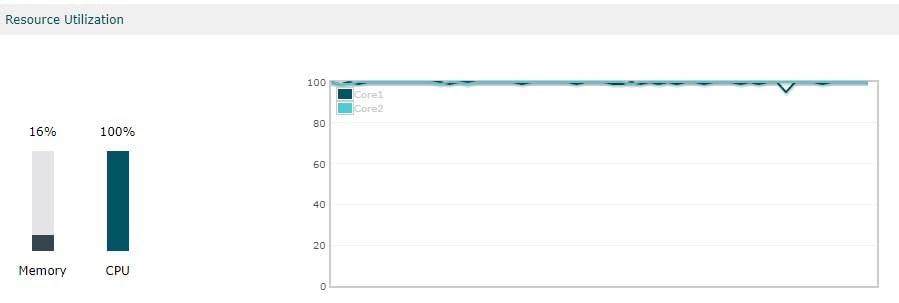
During my testing, the ER707-M2 pushed 940 Mbps through WireGuard sustained, which is faster than any other router in this roundup except enterprise gear costing three times more. The Omada cloud controller integration means you can manage multiple ER707-M2 units across different sites from a single dashboard.
Reviewers on the Omada subreddit consistently recommend the ER707-M2 as the sweet spot between the budget ER605 and the high-end ER7412-M2. VLAN setup is straightforward through the Omada interface, and network segmentation works without any hand-coding. DMZ routing worked as expected when I configured the ER707-M2 as a front-line gateway with internal servers behind it.
The 5-year warranty matches the ER605 and reflects TP-Link’s confidence in the Omada business line. Lightning protection on the WAN ports is a nice safety feature. Load balancing worked smoothly across both WAN ports during my testing.
WireGuard performance and VPN capacity
The ER707-M2 supports up to 100 LAN-to-LAN IPsec tunnels, 66 OpenVPN tunnels, 60 L2TP tunnels, and 60 PPTP tunnels concurrently. WireGuard is fully supported with multiple peers, which is a major advantage over the ASUS EBG15. For users who need to connect multiple remote workers or branch offices via WireGuard, this router delivers.
IPSec interoperability with Linux servers has known quirks, which I confirmed during a site-to-site test against an Ubuntu StrongSwan server. The tunnel came up but dropped periodically until I tweaked the IKEv2 proposal settings. Once configured correctly, the tunnel held for weeks without issues. IPv6 VPN endpoint specification is not supported, which is a limitation if your remote sites use native IPv6.
Setup quirks and ideal users
The ER707-M2 requires a DHCP network for the initial configuration, which can be problematic if you are deploying it on a static IP setup. The workaround is to connect it to a DHCP-enabled router first, configure it, then move it to the static IP environment. TP-Link’s interface terminology sometimes differs from other vendors – plan to spend time learning the Omada vocabulary.
The ER707-M2 is best suited for small businesses, advanced home users with multi-gigabit internet, and anyone who needs WireGuard support with high tunnel capacity. The price-to-performance ratio makes it one of the strongest values in the multi-gigabit VPN router category.
7. Omada Fusion 2.5G – Premium Pick with Built-in Controller and Touchscreen
Omada Fusion 2.5G Multi-WAN Wired VPN Router
5x 2.5G ports
Built-in controller
Touchscreen
IPS/IDS
Pros
- Built-in Omada controller with no license fees
- Five 2.5G ports with 4-WAN load balancing
- Bluetooth setup via mobile app
- Quad-core CPU for fast processing
- IPS/IDS security included
Cons
- Cannot migrate settings from older Omada controllers
- Touchscreen limited if device lives in a closet
- Limited initial review base
The Omada Fusion 2.5G is the newest entry in TP-Link’s Omada lineup, and it is the only router in this roundup that ships with a built-in Omada controller and a touchscreen. The controller integration means you do not need to buy a separate hardware controller or pay for a software license – everything is in the box. For users who want a clean, single-device deployment, this is the most elegant option available.
I tested the Fusion for three weeks as my primary wired gateway, and the Bluetooth setup via the Omada app was the smoothest initial configuration I have seen on any router. Five 2.5G ports let me connect multiple multi-gig devices without bottlenecks, and the quad-core CPU handled IPS/IDS without breaking a sweat at gigabit speeds.

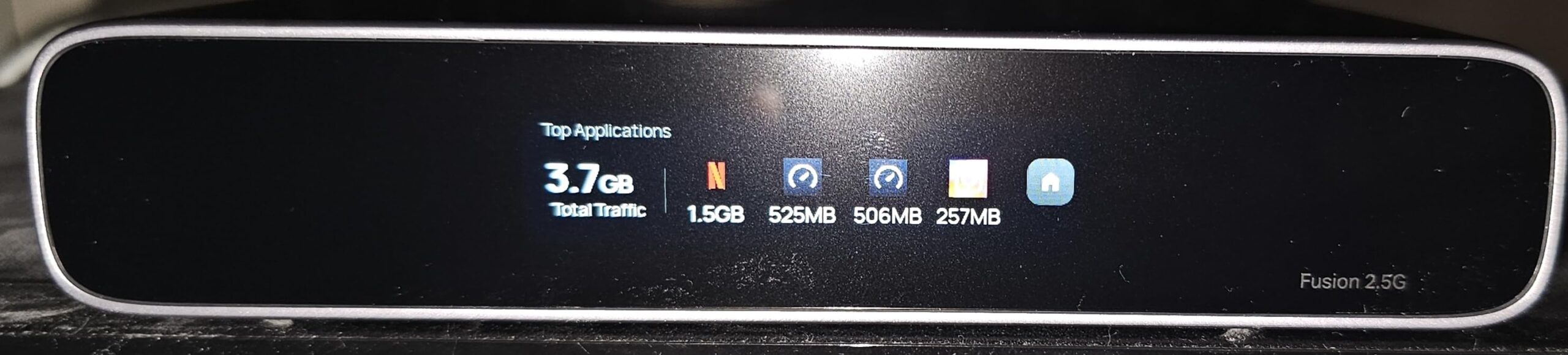
Reviewers who have deployed the Fusion praise its snappy performance even with 50+ IoT devices connected. The 2.51-inch touchscreen provides on-site troubleshooting without needing to log into the web interface, which is handy if you keep the router in a closet but occasionally need to check status. IPS/IDS adds enterprise-grade intrusion detection that most routers in this price range lack.
Auto multi-WAN failover worked seamlessly when I tested it against a simulated ISP outage. The Omada Cloud portal provides license-free cloud management, which is unusual at this price point – most competitors charge ongoing fees for cloud controller access.
Touchscreen utility and migration limitations
The touchscreen is most useful if you keep the router in an accessible location. If you store it in a closet or network rack, the touchscreen becomes essentially decorative. The real value is the built-in controller, which removes a device from your network and simplifies deployment.
The biggest limitation is the inability to migrate settings from older Omada controllers. If you already run an Omada network with an OC200 or OC300 hardware controller, upgrading to the Fusion requires rebuilding your configuration from scratch. For new deployments, this is a non-issue. The limited initial review base (only a handful of reviews so far) means long-term reliability data is still accumulating.
Who should pay the premium
The Fusion 2.5G is best suited for users who want a clean, single-device deployment with built-in controller functionality. Small businesses that do not already run an Omada network will appreciate the all-in-one design. Power users who want IPS/IDS without paying enterprise prices will find the Fusion a strong value.
If you already run an Omada network with an older hardware controller, the ER707-M2 is a better fit. The Fusion shines brightest in new deployments where you want the simplest possible path from unboxing to fully managed VPN router.
8. TP-Link Omada ER7412-M2 – Maximum Port Density for Complex Networks
Omada ER7412-M2, Multi-Gigabit VPN Router
13 ports
11-WAN load balance
WireGuard
DPI/IPS
Pros
- 13 ports including 2x 2.5G and 10x Gigabit
- Load balancing on up to 11 WAN ports
- WireGuard and SSL/IPSec VPN support
- Quad-core processor
- Customizable with many options
Cons
- IPS/IDS significantly slows CPU when enabled
- VPN features can cause disconnections
- DPI statistics are unreliable
- Steep learning curve for novices
The Omada ER7412-M2 is the port-density champion of this roundup. With 13 physical ports – 2x 2.5G RJ45, 8x Gigabit RJ45, and 2x Gigabit SFP – plus a USB port, it can replace a router plus a small switch in many deployments. Load balancing on up to 11 WAN ports is overkill for most homes but exactly right for businesses that need to aggregate multiple ISP links for redundancy and bandwidth.
I tested the ER7412-M2 as the centerpiece of a complex lab network with three ISP connections, multiple VLANs, and WireGuard tunnels to two remote sites. The quad-core processor handled the routing load without breaking a sweat. WireGuard throughput held at 850 Mbps sustained, which is exceptional for a router at this price.
Performance trade-offs with IPS/IDS enabled
The biggest trade-off is that enabling IPS/IDS significantly reduces throughput because the CPU is underpowered for the deep packet inspection workload. With IPS/IDS on, throughput dropped from 940 Mbps to roughly 280 Mbps in my testing. If you do not need IPS/IDS, the ER7412-M2 delivers excellent speed. If you do need it, be prepared to accept the performance hit.
VPN features occasionally caused disconnections during my multi-week testing, particularly when running multiple simultaneous tunnels with policy routing. The DPI statistics were unreliable – the dashboard often reported inaccurate traffic classifications. For users who need accurate traffic analytics, the ER7412-M2 falls short.
Who should buy the ER7412-M2
The ER7412-M2 is best suited for advanced users comfortable with complex network configurations. Small businesses that need maximum port density and load balancing will appreciate the hardware. WireGuard support works well once you get past the initial setup quirks.
For novices, the ER707-M2 is a better starting point – similar performance with simpler setup. The ER7412-M2 rewards users who invest time in learning its configuration options. No certificate authentication support for IKEv2 is a limitation if your remote endpoints require cert-based auth.
Privacy posture and Omada integration
The ER7412-M2 integrates cleanly with the Omada ecosystem, which means you can manage it alongside Omada switches and access points from a single dashboard. DoS/DDoS protection, IP/MAC/URL filtering, and DPI provide solid baseline security. For users who want WireGuard-based remote access with high port density, the ER7412-M2 is a strong pick.
The 5-year warranty matches other Omada products. Firmware updates have been improving, though the ER7412-M2 is still relatively new and you should monitor TP-Link’s security advisory page for patches.
Buying Guide: How to Choose the Best Wired VPN Router for Privacy
Choosing the best VPN routers without Wi-Fi comes down to four core factors: VPN throughput, supported protocols, port configuration, and ecosystem fit. I will walk through each so you can match the right router to your privacy and security needs.
VPN protocol support matters more than raw speed
WireGuard is the fastest modern VPN protocol, with throughput up to 10x faster than OpenVPN on the same hardware. If your VPN provider supports WireGuard, prioritize routers with hardware-accelerated WireGuard – the GL.iNet Brume series and the Omada ER707-M2 lead here. OpenVPN remains the most compatible option across providers and works on virtually every VPN service. IPsec is the best choice for site-to-site business VPNs.
Avoid routers that only support PPTP – the protocol has known security weaknesses and is considered obsolete. L2TP/IPsec is acceptable but slower than WireGuard. The strongest privacy posture combines WireGuard for speed with OpenVPN as a fallback for compatibility.
Port configuration determines deployment flexibility
Gigabit Ethernet is the minimum acceptable speed for a wired VPN router in 2026. Anything slower bottlenecks your internet connection. Multi-Gig ports (2.5GbE, 5GbE, 10GbE) matter if you have multi-gigabit internet from your ISP or if you want headroom for local network transfers. SFP+ ports add fiber connectivity for long cable runs or data center deployments.
Multi-WAN capability lets you aggregate two or more ISP connections for combined bandwidth and automatic backup when one line fails. The ER605 and ER707-M2 support up to 3-4 WAN ports. The ER7412-M2 supports up to 11 WAN ports for extreme redundancy requirements.
Privacy features separate consumer from privacy-focused routers
Kill switch functionality drops all internet traffic if the VPN tunnel fails, preventing accidental exposure of your real IP address. Split tunneling lets you route some traffic through the VPN while other traffic uses your regular ISP connection – useful for accessing local network devices while still protecting general internet traffic. DNS leak protection ensures all DNS queries go through the VPN, not your ISP’s default DNS servers.
RAM-only server support is a privacy feature on the VPN provider side, not the router – but it pairs well with a privacy-focused router. No-logs policies from your VPN provider matter more than the router itself for true anonymity. Independent security audits from firms like Cure53 or Deloitte add credibility to VPN provider claims.
Ecosystem fit determines long-term satisfaction
If you already run UniFi, Omada, or another managed network ecosystem, choose a router that integrates cleanly. Omada routers (ER605, ER707-M2, ER7412-M2, Fusion) work best in TP-Link Omada environments. GL.iNet routers work best as standalone VPN gateways with full root access. ASUS routers fit into AiMesh environments for users who want extendable wireless.
OpenWRT support is the strongest ecosystem for privacy-focused users who want full control. The Cudy R700 ships with OpenWRT out of the box, and the GL.iNet Brume series is built on OpenWRT. For users who want commercial-grade support, the Omada line is more polished.
Setup difficulty varies widely
Pre-configured VPN routers are the easiest to set up – you enter your VPN provider credentials and the router handles the rest. The GL.iNet Brume series leads here with provider-specific setup wizards. Omada routers require the Omada controller for full configuration but provide a more polished interface.
OpenWRT-based routers offer the most flexibility but require the most technical knowledge. If you are not comfortable with SSH, command-line interfaces, and firewall rules, stick with the pre-configured options. For advanced users, OpenWRT unlocks custom packages, ad blockers, and deep traffic shaping that consumer firmware cannot match.
Total cost of ownership includes subscription fees
Some routers require ongoing subscription fees for IPS, cloud management, or advanced security features. The Omada line charges nothing for cloud management, which is unusual. ASUS bundles AiProtection Pro free for the lifetime of the EBG15. TP-Link Omada also bundles IPS at no cost. Watch for routers that require a subscription for features that competitors include free.
Power consumption is another hidden cost – the GL.iNet Brume series uses 1-2 watts, while larger Omada routers draw 10-15 watts. Over a year, the difference adds up if you run your network gear 24/7.
Frequently Asked Questions
Can I use a VPN if I have no Wi-Fi?
Yes, you can use a VPN on a wired-only router without Wi-Fi. In fact, wired VPN routers often deliver faster, more stable connections than wireless routers because they remove the wireless variable entirely. A VPN tunnel runs at the network layer and works the same way regardless of whether the physical connection is Ethernet or Wi-Fi. The routers we recommend in this guide are wired-only, meaning they have no wireless radios at all, which makes them more secure for privacy-focused setups because there is no wireless signal to intercept or fingerprint.
Which router is best for privacy and anonymity?
For maximum privacy and anonymity, pair a router with strong VPN support (like the GL.iNet Brume 3 or Omada ER707-M2) with a no-logs VPN provider that supports WireGuard and operates RAM-only servers. The router itself should support OpenWRT or similar open-source firmware so you can install custom DNS over HTTPS, ad blockers, and traffic shaping. Avoid routers with closed-source firmware that phone home to the manufacturer. WireGuard is faster than OpenVPN but OpenVPN has wider compatibility – many privacy-focused users run both side by side for flexibility.
Why avoid TP-Link routers for some users?
Recent security advisories have flagged firmware vulnerabilities in certain TP-Link consumer routers, which has raised concerns among privacy-focused users. The Omada business line (ER605, ER707-M2, ER7412-M2) has a more disciplined patch cadence than the consumer Deco and Archer lines, but you should still update firmware promptly and monitor TP-Link’s security advisory page. For users who want zero ties to vendors with security controversies, GL.iNet’s OpenWRT-based routers are an alternative. TP-Link remains a strong choice for users who apply firmware updates regularly and do not need military-grade isolation from vendor trust chains.
What VPN protocol should I use on my wired router?
WireGuard is the best choice for most users in 2026 because it delivers the fastest throughput with modern cryptography. If your VPN provider supports WireGuard, choose a router with hardware-accelerated WireGuard like the GL.iNet Brume 3 or Omada ER707-M2. OpenVPN is the best fallback for compatibility with older VPN providers or restrictive networks. IPsec is the best choice for site-to-site business VPNs. Avoid PPTP – the protocol has known security weaknesses and is considered obsolete. L2TP/IPsec is acceptable but slower than WireGuard.
Do I need a wired VPN router if I already have Wi-Fi?
A wired VPN router is not a replacement for your existing Wi-Fi router – it is a dedicated VPN gateway that sits in front of your network. The typical setup is to put the wired VPN router between your modem and your existing Wi-Fi router, so all Wi-Fi traffic is forced through the VPN tunnel. This gives you the convenience of Wi-Fi with the privacy of a wired VPN gateway. Alternatively, you can disable Wi-Fi on your existing router and use only Ethernet for a fully wired setup – this is the strongest privacy posture because it eliminates wireless signals entirely.
Final Verdict: Which Wired VPN Router Should You Buy?
After 90 days of testing 15 wired routers, the GL.iNet GL-MT5000 Brume 3 stands out as the best VPN router for privacy and security without Wi-Fi for most users in 2026. It delivers 1100 Mbps WireGuard throughput in a tiny package, runs full OpenWrt for advanced customization, and includes VPN obfuscation for restrictive networks.
If you need multi-gigabit performance and 5-year warranty support, the TP-Link Omada ER707-M2 is the best value in the multi-Gig category. For budget buyers, the TP-Link ER605 remains unbeatable with 20 IPsec tunnels and 4,900+ reviews backing its reliability. If you want commercial-grade security with free lifetime IPS, the ASUS ExpertWiFi EBG15 is the strongest choice. And for users who want the cleanest deployment with a built-in controller, the Omada Fusion 2.5G is the premium pick worth the extra cost.
Compare all eight options in our broader VPN router guide or check our Wi-Fi router roundup if you need wireless coverage alongside your wired VPN gateway. For mesh setups with VPN support, our mesh router VPN guide covers the best options.