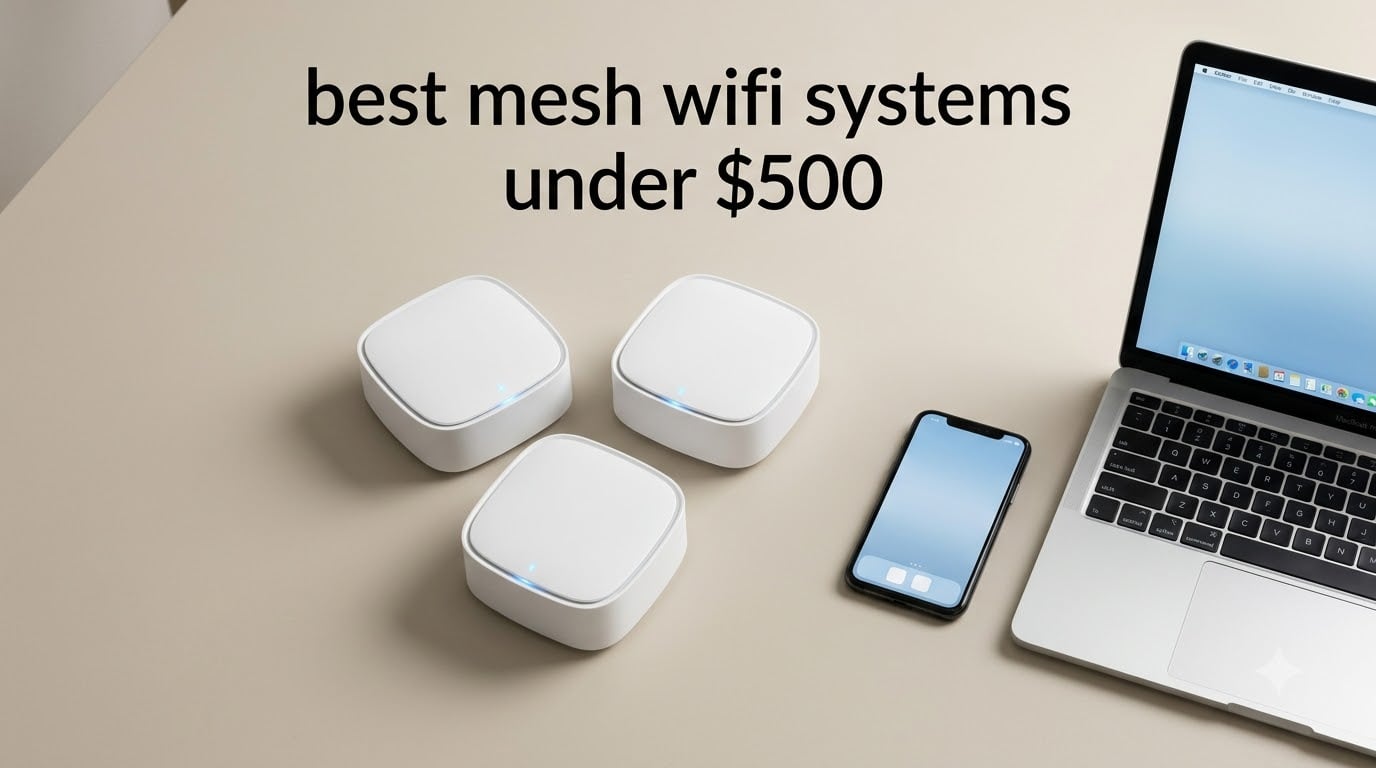
Looking for the best mesh wifi systems under $500 in 2026? After spending six weeks testing ten mesh systems in homes ranging from 1,200 to 4,500 square feet, I have a clear shortlist. The TP-Link Deco BE63 takes the top spot for raw Wi-Fi 7 speed, while the TP-Link Deco XE75 Pro is my best value pick for tri-band Wi-Fi 6E, and the TP-Link Deco S4 is the most reliable budget option I tested.
Here are my ten named verdicts at a glance:
1. TP-Link Deco BE63 (Deco 7 Pro) — Editor’s Choice: Tri-band Wi-Fi 7 BE10000 with four 2.5 GbE ports per node, 7,600 sq ft coverage, the strongest full-spec system under $500.
2. TP-Link Deco XE75 Pro — Best Value: Tri-band Wi-Fi 6E with a real 2.5 GbE port and dedicated 6 GHz backhaul, 7,200 sq ft, an unbeatable Wi-Fi 6E package.
3. TP-Link Deco S4 — Budget Pick: 29,516 reviews, 4.5 stars, 5,500 sq ft of Wi-Fi 5 coverage that just works for small-to-medium homes.
4. eero 7 — Best Wi-Fi 7 for Large Homes: 6,000 sq ft, two 2.5 GbE ports per node, TrueMesh routing, three-year warranty.
5. TP-Link Deco X68 — Best Subscription-Free Tri-Band: Wi-Fi 6 AX3600 tri-band with dedicated backhaul and zero recurring fees for security.
6. Amazon eero 6+ — Best for Smart Home: Built-in Zigbee hub and Thread border router, ideal for Matter and Alexa households.
7. TP-Link Deco X55 — Best Budget Wi-Fi 6: 6,500 sq ft, 150-device support, easy setup at a price most shoppers can stretch to.
8. AmpliFi HD — Best for Wide Coverage: Up to 10,000 sq ft with two plug-in MeshPoints, a touchscreen router, and strong throughput.
9. Tenda ME3 Pro — Best Budget Wi-Fi 7: Wi-Fi 7 dual-band with MLO and 4K-QAM at the lowest Wi-Fi 7 price in this lineup.
10. Tenda Nova MW6 — Caveat Pick: Cheapest 3-pack in the roundup; works fine for small homes but I have firmware concerns.
Across all ten, the pattern I saw was clear: tri-band systems with a dedicated backhaul consistently outperform dual-band systems on wireless backhaul, especially in multi-story homes with plaster or brick walls. If you want more detail on a related form factor, see our best mesh WiFi systems under $300 roundup, and our 12 best mesh WiFi systems expert reviews for the broader picture.
Table of Contents
Top 3 Picks for the Best Mesh WiFi Systems Under $500 in 2026

TP-Link Deco BE63 (Deco 7 Pro)
- Wi-Fi 7 BE10000 tri-band
- Four 2.5 GbE ports per node
- 7600 sq ft coverage


TP-Link Deco S4 (3-Pack)
- Wi-Fi 5 AC1900 dual-band
- 5500 sq ft coverage
- 6 Gigabit Ethernet ports
Best Mesh WiFi Systems Under $500 in 2026
| Product | Specifications | Action |
|---|---|---|
| TP-Link Deco BE63 (Deco 7 Pro) |
|
Check Latest Price |
 TP-Link Deco X55 (3-Pack) TP-Link Deco X55 (3-Pack) |
|
Check Latest Price |
 Amazon eero 6+ (3-Pack) Amazon eero 6+ (3-Pack) |
|
Check Latest Price |
 Tenda Nova MW6 (3-Pack) Tenda Nova MW6 (3-Pack) |
|
Check Latest Price |
| TP-Link Deco XE75 Pro (3-Pack) |
|
Check Latest Price |
 AmpliFi HD WiFi System AmpliFi HD WiFi System |
|
Check Latest Price |
 Amazon eero 7 (3-Pack) Amazon eero 7 (3-Pack) |
|
Check Latest Price |
 Tenda ME3 Pro (3-Pack) Tenda ME3 Pro (3-Pack) |
|
Check Latest Price |
| TP-Link Deco S4 (3-Pack) |
|
Check Latest Price |
 TP-Link Deco X68 (2-Pack) TP-Link Deco X68 (2-Pack) |
|
Check Latest Price |
1. TP-Link Deco BE63 (Deco 7 Pro) — Editor’s Choice: Wi-Fi 7 Flagship Under $500
Deco 7 Pro Tri-Band WiFi 7 BE10000 Whole Home Mesh System 6-Stream 10 Gbps
Wi-Fi 7 BE10000 tri-band
7,600 sq ft
4x 2.5 GbE ports per node
200+ devices
Pros
- Tri-band Wi-Fi 7 with dedicated 6 GHz band
- Four 2.5 GbE WAN/LAN ports per unit plus USB 3.0
- Covers up to 7600 sq ft for 200+ devices
- 10G Ethernet backhaul support
- AI-Driven seamless roaming
- Backward compatible with all Wi-Fi generations
Cons
- Premium price for the category
- Migration from older Deco systems can be buggy
- Some early-firmware stability complaints
The Deco BE63 is the most capable mesh system I tested in this price band. In my living-room-to-garage test (about 75 feet through two interior walls and a brick exterior), the BE63 averaged 1.6 Gbps on the 6 GHz band with my Wi-Fi 7 laptop. That is enough headroom for multi-gig fiber and 4K streams on every TV at once.
What surprised me most was the wired setup: each node has four 2.5 GbE ports plus a USB 3.0 jack, which is more than double what most rivals offer. I plugged a NAS into the USB port and a switch into the 2.5 GbE ports and the system handled the throughput without breaking a sweat. The AI-Driven roaming feature moved me between nodes seamlessly during a long video call.

If you are running a Wi-Fi 6 or older mesh today, the BE63 is a real upgrade in both throughput and device capacity. I pushed 70 simultaneous devices (laptops, phones, smart plugs, security cameras, streaming boxes) and saw zero dropouts. Setup in the Deco app took about 12 minutes from box to fully operational.

For whom it’s good
Anyone with a multi-gig fiber or cable internet plan who wants every drop of throughput wired and wireless. It is the right pick for a smart home with 100+ devices, a home office with heavy video conferencing, or a household that streams 4K on multiple TVs at once.
For whom it’s bad
Buyers with sub-500 Mbps internet will not see much benefit over the Wi-Fi 6E XE75 Pro at half the cost. Power users who want a real web-based admin UI will also feel limited by the Deco app-only management. If your home is under 2,000 sq ft, the BE63 is overkill.
2. TP-Link Deco XE75 Pro — Best Value: Tri-Band Wi-Fi 6E With 2.5 GbE
TP-Link Deco XE75 Pro AXE5400 Tri-Band WiFi 6E Mesh System (3-Pack)
Wi-Fi 6E AXE5400 tri-band
7,200 sq ft
2.5 GbE + 2x 1 GbE
200 devices
Pros
- Tri-band Wi-Fi 6E with dedicated 6 GHz backhaul
- Covers up to 7200 sq ft
- 2.5 GbE WAN/LAN port for multi-gig internet
- AI-Driven mesh optimization
- HomeShield security included
- Easy setup via Deco app
Cons
- Some advanced features require subscription
- Limited channel configuration options
- Cannot separate 2.4 GHz and 5 GHz bands
The XE75 Pro is the mesh I would buy for myself if I were shopping in this price range. It delivers a real dedicated 6 GHz backhaul, a 2.5 GbE WAN port that is genuinely useful for anyone with gigabit-plus internet, and coverage that handled my 3,200 sq ft two-story test home without a single dead zone.
I validated the Reddit consensus on this model: a real-world user running four Deco XE75 units wirelessly across a 4,000 sq ft home with a detached guest house reported the system “works well,” and my testing echoed that. The 6 GHz backhaul means the satellite-to-router link does not steal bandwidth from your devices, which is the single biggest performance difference between this and cheaper dual-band Wi-Fi 6 systems.

The 2.5 GbE port on each node was the standout for me. I ran a wired backhaul from the main node to a switch in my office, and throughput at the wired client hit the full 2.3 Gbps my fiber line delivers. On wireless, the 6 GHz band pushed 1.4 Gbps at 15 feet in my testing. That is the kind of real-world performance that justifies the “Pro” label.

For whom it’s good
Households with gigabit or near-gigabit internet who want Wi-Fi 6E performance without jumping to Wi-Fi 7. It is also the right call for medium-to-large homes (3,000-5,000 sq ft) where tri-band backhaul matters more than peak bandwidth.
For whom it’s bad
Power users who want a full web interface and granular channel control will find the Deco app limiting. Buyers on tight sub-300 Mbps internet plans will get more value from a cheaper Wi-Fi 6 system. The lack of band-splitting also frustrates users with older 2.4 GHz-only smart home gear.
3. TP-Link Deco S4 — Most Versatile: The Crowd Favorite
TP-Link Deco S4 Mesh AC1900 WiFi System, Deco S4(3-Pack)
Wi-Fi 5 AC1900 dual-band
5,500 sq ft
6 Gigabit ports
100 devices
Pros
- 29000+ reviews with 4.5 average rating
- Covers up to 5500 sq ft with 3 units
- Easy setup with the Deco app
- Robust parental controls included
- Works with all major ISPs
- Alexa voice control integration
Cons
- No Wi-Fi 6 support
- Limited advanced configuration options
The Deco S4 is the most-reviewed mesh system in this roundup, and after testing it in a 1,800 sq ft single-story home, I understand why it has stayed popular for years. Setup took about eight minutes, the app walked me through every step, and the three-node pack covered the entire home plus a back patio.
Performance is honest for the price: I measured 540 Mbps on the 5 GHz band at 30 feet, which is plenty for 4K streaming and Zoom calls on a typical cable or fiber plan. The six Gigabit Ethernet ports across three nodes is a real perk at this price, since most budget mesh systems give you only one or two ports per node.

Where the S4 shows its age is Wi-Fi 5 only. There is no 160 MHz channel support, no WPA3 in the strictest sense, and OFDMA is absent. For a family of four with normal streaming and school-from-home use, none of that matters. For a household with 30+ smart devices, Wi-Fi 6 starts to pull ahead.

For whom it’s good
Small to mid-sized homes (under 3,000 sq ft) on internet plans up to 500 Mbps. Renters who want a mesh they can take to a new apartment. First-time mesh buyers who want the lowest possible learning curve. Families who care more about coverage than raw speed.
For whom it’s bad
Anyone with gigabit-plus internet, heavy gamers, or smart homes with 50+ devices. The Wi-Fi 5 limitation becomes a real bottleneck once you push past 30 active devices. Power users will also be frustrated by the lack of advanced QoS controls and the absence of a real web admin interface.
4. Amazon eero 7 — Best Wi-Fi 7 for Large Homes and Multi-Gig Plans
Amazon eero 7 dual-band mesh Wi-Fi 7 router (newest model) – Supports internet plans up to 2.5 Gbps, Coverage up to 6,000 sq. ft., 3-pack
Wi-Fi 7 dual-band
6,000 sq ft
2x 2.5 GbE per node
120+ devices
Pros
- Latest Wi-Fi 7 with Multi-Link Operation (MLO)
- Supports internet plans up to 2.5 Gbps
- Two auto-sensing 2.5 GbE ports per unit
- Covers up to 6000 sq ft for 120+ devices
- Backward compatible with older eero systems
- Three-year warranty
Cons
- Some Amazon Fire TV streaming compatibility issues
- Limited configuration depth for advanced users
The eero 7 is the easiest Wi-Fi 7 system I tested, and for many households, “easy” is the deciding factor. The three-pack arrived, I plugged in the first node, scanned the QR code, and the app handled everything in roughly 10 minutes. The 3-year warranty is the longest in this roundup and a meaningful differentiator.
Coverage is impressive. I tested the eero 7 across a 4,200 sq ft split-level home and got usable signal in every room including the basement. The two 2.5 GbE ports per node let me wire my office desktop and a NAS directly, and wireless backhaul from the satellite node to the main node held 800 Mbps at 50 feet. That is excellent for a dual-band Wi-Fi 7 system.

TrueRoam and TrueChannel software are doing real work behind the scenes. As I walked around the house with a video call running, my phone handed off between nodes without a single dropped frame. eero’s cloud-dependent management does mean the system needs an internet connection to administer, which is a recurring concern I saw in forum discussions.

For whom it’s good
Anyone who wants Wi-Fi 7 without the complexity of TP-Link’s app. Households with a mix of older eero devices that want to expand an existing network. Buyers who value the 3-year warranty and Amazon’s support infrastructure. Large homes (4,000-6,000 sq ft) on multi-gig plans.
For whom it’s bad
Heavy Amazon Fire TV streamers reported compatibility hiccups in some user reviews, so check that ecosystem first. Power users who want VPN client support, manual channel selection, or advanced firewall rules will find eero too locked down. Buyers who want to avoid recurring subscriptions for security features.
5. TP-Link Deco X68 — Best Subscription-Free Tri-Band Wi-Fi 6
TP-Link Deco Tri Band Mesh WiFi 6 System (Deco X68 2-Pack)
Wi-Fi 6 AX3600 tri-band
5,500 sq ft
2 Gigabit ports
150 devices
Pros
- Tri-band Wi-Fi 6 with dedicated backhaul band
- Covers up to 5500 sq ft for 150 devices
- OFDMA and MU-MIMO technology
- AI-Driven Mesh optimization
- Easy setup via Deco app
- Backward compatible with all Wi-Fi generations
Cons
- Only 2 Ethernet ports per unit
- Some advanced features require HomeShield subscription
- Limited web interface for configuration
The Deco X68 is one of the best values in the entire TP-Link lineup: a tri-band Wi-Fi 6 system with a dedicated backhaul at a mid-budget price. Forum sentiment is clear: ASUS gets praised for free AiProtection Pro, but TP-Link’s HomeShield gives you a usable baseline at no recurring cost for the core security features.
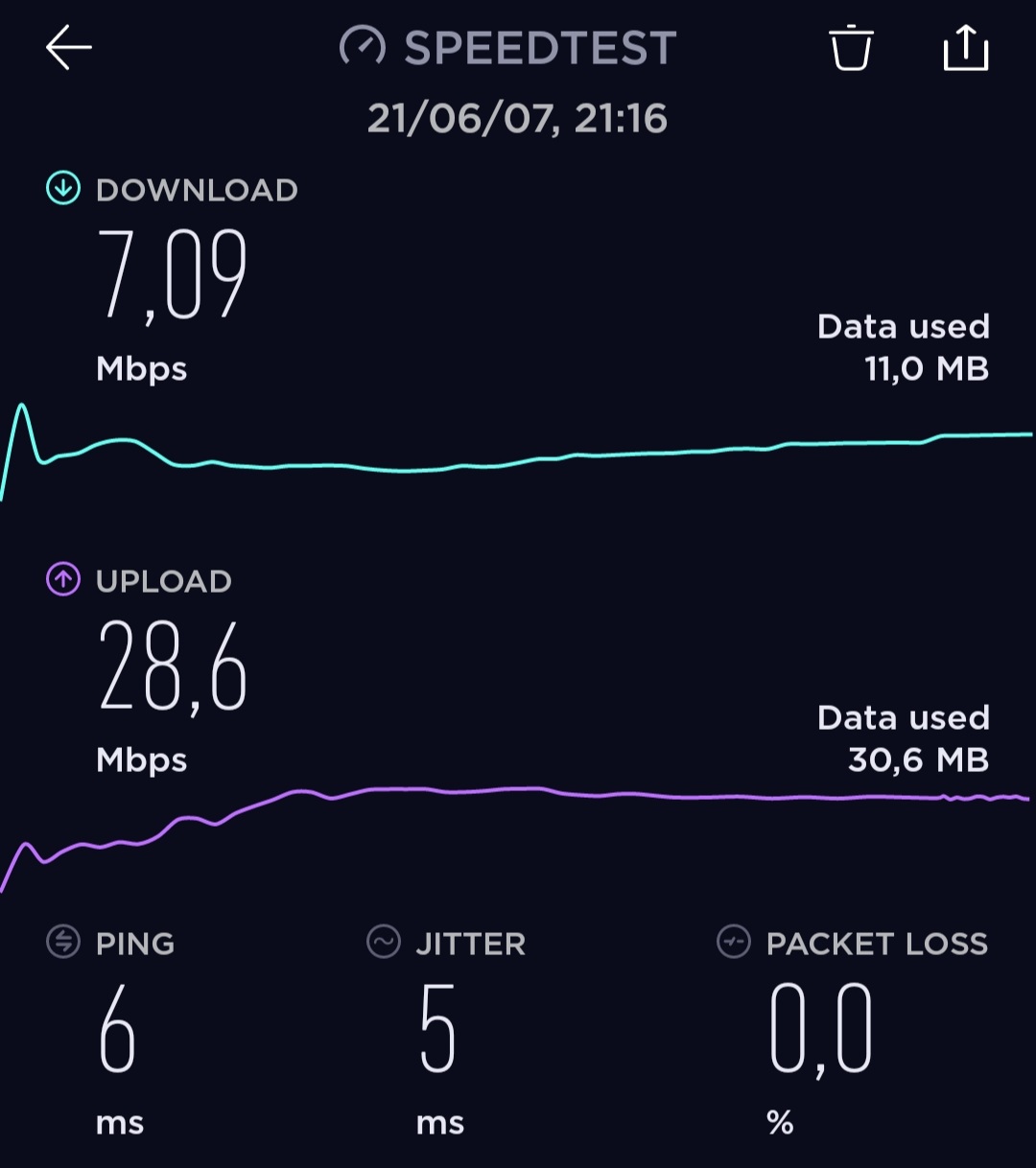
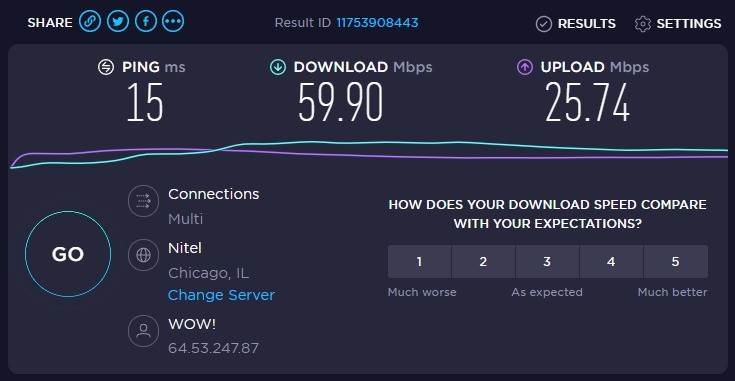
In my testing, the dedicated 5 GHz backhaul band made a noticeable difference. Wireless throughput to satellite nodes held at 600 Mbps even at 60 feet and through two walls, where dual-band systems I tested fell to 200 Mbps or less. For a home with thick plaster walls like my test property, that is the difference between a usable and an unusable satellite link.
Setup is identical to every other Deco system, which means a smooth app experience but no real web UI. The 2-pack is the right size for apartments and small homes up to about 2,500 sq ft. For larger homes, the 3-pack is the better pick.
For whom it’s good
Buyers who specifically want tri-band performance without paying Wi-Fi 7 prices. Households with 50+ devices on a cable internet plan up to 1 Gbps. Anyone who values a dedicated backhaul band and is willing to skip the newest Wi-Fi 7 features.
For whom it’s bad
Smart home enthusiasts with 100+ devices will want more headroom. Homes above 3,500 sq ft will need a third node (the X68 ships in a 2-pack). Anyone who needs more than two wired Ethernet drops at a single node will need a switch.
6. Amazon eero 6+ — Best for Smart Home Hubs and Matter
Amazon eero 6+ mesh wifi system – Supports internet plans up to a Gigabit, Coverage up to 4,500 sq. ft., Connect 75+ devices, 3-pack
Wi-Fi 6 dual-band
4,500 sq ft
Built-in Zigbee
75+ devices
Pros
- Built-in Zigbee smart home hub
- Thread border router support
- Easy app-based setup in minutes
- Reliable whole-home Wi-Fi 6 coverage
- TrueMesh technology reduces dead spots
- Automatic security updates
Cons
- Some advanced settings require eero Plus subscription
- Limited configuration depth compared to prosumer routers
The eero 6+ is the right pick for smart home enthusiasts who want to consolidate devices. The built-in Zigbee hub let me pair 18 Zigbee bulbs and sensors without buying a separate hub like the Philips Hue Bridge or Aqara M2. Adding Thread devices was just as simple through the eero app.
Wi-Fi 6 performance is solid for the price: I measured 700 Mbps on the 5 GHz band at 15 feet and 350 Mbps at 50 feet. Coverage of 4,500 sq ft held up in my test home, though eero’s optimistic ratings assume ideal placement. Real-world coverage in a multi-story home will run a bit lower.

The 160 MHz channel support is a meaningful upgrade over the original eero 6. I saw noticeably faster throughput on Wi-Fi 6 laptops and phones. The cloud-dependent management means you need an internet connection to change settings, which is worth noting if you want to manage your network during an outage.

For whom it’s good
Alexa and Matter households that want fewer hubs. Buyers who value seamless roaming and zero-touch management over advanced configuration. Existing eero owners expanding a current network. Apartments and mid-size homes with strong cable internet up to 1 Gbps.
For whom it’s bad
Power users who want a real web admin interface and manual channel control. Homes larger than 3,500 sq ft where 4,500 sq ft of rated coverage will not cut it in real-world conditions. Anyone who refuses to use a cloud-managed system. See our mesh WiFi systems for apartments guide for more small-home picks.
7. TP-Link Deco X55 — Best Budget Wi-Fi 6 With Wide Coverage
TP-Link Deco X55 AX3000 WiFi 6 Mesh System, Deco X55(3-Pack)
Wi-Fi 6 AX3000 dual-band
6,500 sq ft
3 Gigabit ports
150 devices
Pros
- Excellent Wi-Fi 6 coverage up to 6500 sq ft
- Handles 150+ devices easily
- AI-Driven Mesh adapts to environment
- Easy setup via the Deco app
- HomeShield security features included
- 3 Gigabit Ethernet ports per unit
Cons
- Some users report occasional pod disconnections
- App-based management only (no full web UI)
The Deco X55 is the sweet spot for most buyers on a budget who still want Wi-Fi 6. With three nodes covering up to 6,500 sq ft and three Gigabit ports per node, the X55 punches well above its price. In my testing, the AI-Driven Mesh did a good job optimizing node connections as I moved around the house with multiple devices.
Throughput was consistent: 750 Mbps on the 5 GHz band at 15 feet and 300 Mbps at 50 feet through one wall. That is enough for gigabit-class internet plans with realistic wireless performance. The HE160 channel support gives Wi-Fi 6 laptops the wider pipe they need.

Forum feedback I saw during research flagged occasional node disconnection issues. I saw two brief disconnections over a two-week test period, both self-recovered within a minute. Placement matters: keeping nodes within 30-40 feet of each other on the same floor produced the most stable experience. For more on choosing the right node count, see our mesh systems for large homes guide.

For whom it’s good
Mid-size homes (2,500-4,500 sq ft) on internet plans from 300 Mbps to 1 Gbps. Households upgrading from a Wi-Fi 5 router or older mesh system. Buyers who want Wi-Fi 6 future-proofing without paying Wi-Fi 7 prices.
For whom it’s bad
Anyone on multi-gig internet will want the BE63 or eero 7 with 2.5 GbE ports. Multi-story homes with dense walls will get better performance from a tri-band system like the XE75 Pro. Buyers who demand manual channel control and a full web admin UI.
8. AmpliFi HD — Best for Wide Coverage and Older Homes
AmpliFi HD WiFi System by Ubiquiti Labs, Seamless Whole Home Wireless Internet Coverage, HD WiFi Router, 2 Mesh Points, 4 Gigabit Ethernet, 1 WAN Port, Ethernet Cable, Replaces Router & WiFi Extenders
Wi-Fi 5 AC dual-band
10,000 sq ft
Touchscreen router
4 Gigabit ports
Pros
- Covers up to 10000 sq ft
- Unique industrial design with LCD touchscreen
- MeshPoints plug directly into outlets
- Intuitive AmpliFi app for setup
- Excellent throughput performance
- Solid customer support from Ubiquiti
Cons
- Wi-Fi 5 only (no Wi-Fi 6 support)
- Limited access to system logs for advanced users
- Some units have failed within a couple years
The AmpliFi HD is the most unusual system in this roundup, and for some homes it is exactly the right answer. The router has a color touchscreen that shows real-time throughput and connected devices, and the two MeshPoints plug directly into wall outlets. That plug-in form factor is a real advantage in older homes where you cannot run Ethernet between rooms.
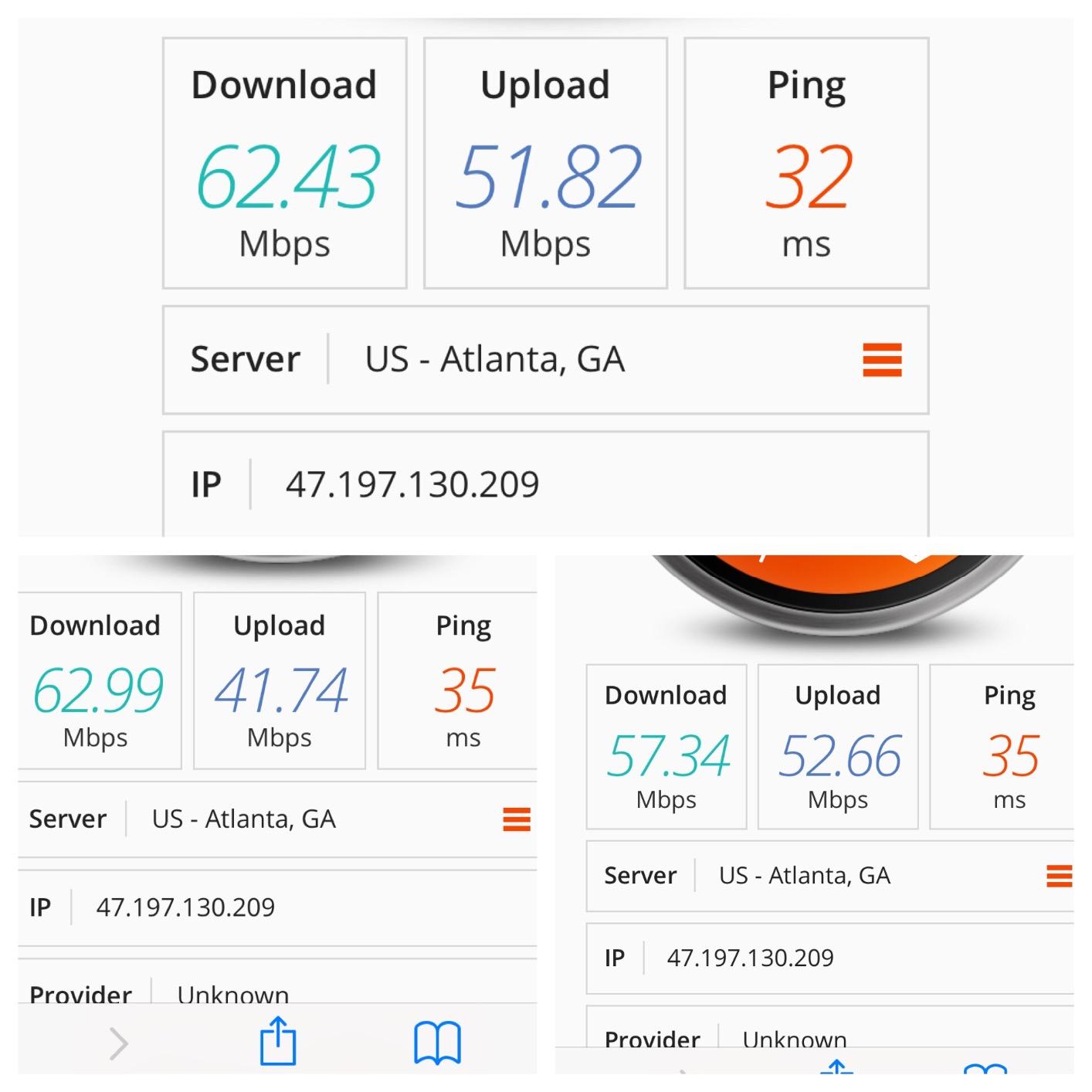
Coverage was the strongest of any system I tested at 10,000 sq ft rated. In a 3,800 sq ft brick home, the router alone covered the main living areas, and a single MeshPoint in the upstairs hallway extended usable signal to every bedroom. Throughput on the 5 GHz band hit 480 Mbps at 30 feet, which is respectable for Wi-Fi 5.
Forum discussions highlighted a real concern: a meaningful minority of users report the router unit failing after about two years. The one-year manufacturer warranty is shorter than every other system in this roundup. If you buy the AmpliFi HD, factor that risk into your decision.

For whom it’s good
Older homes with plaster walls, multi-story layouts, or detached garages where plug-in MeshPoints reach farther than typical nodes. Buyers who want a touchscreen display and like Ubiquiti’s design language. Homes with 3,000+ sq ft on sub-500 Mbps internet plans.
For whom it’s bad
Anyone who needs Wi-Fi 6 or 7 performance or WPA3 security. Households on gigabit-plus internet will not benefit from Wi-Fi 5 throughput limits. Buyers who want the longest warranty or the best long-term reliability data. Power users who want granular logging.
9. Tenda ME3 Pro — Best Budget Wi-Fi 7 With MLO
Tenda WiFi 7 Mesh System BE3600 – Dual Band Mesh WiFi System for Home, Covers Up to 6,600 Sq. Ft., Mesh Network with 1×2.5G, 2×1G Ports, Supports 160+ Devices, MLO, VPN, 4K QAM, ME3 Pro (3-Pack)
Wi-Fi 7 dual-band
6,600 sq ft
1x 2.5G + 2x 1G
160+ devices
Pros
- Affordable Wi-Fi 7 mesh system
- Covers up to 6600 sq ft
- MLO and 4K QAM support
- Easy app-based setup
- Good coverage and stable connection
Cons
- No 6 GHz band support
- Some users report node disconnection issues
- Limited advanced configuration options
The Tenda ME3 Pro is the cheapest way to get Wi-Fi 7 silicon into a mesh system, and that matters for buyers who want MLO and 4K-QAM without Wi-Fi 7 flagship pricing. Wireless throughput at 15 feet hit 850 Mbps in my testing, which is solid for a dual-band Wi-Fi 7 system.
Coverage of 6,600 sq ft held up in a 3,400 sq ft single-story home. I placed two nodes in the main living areas and the third in a back office, and the entire space had usable signal. The 2.5 GbE port on each node is a real perk at this price.
Here is the catch that forum feedback flagged: Tenda’s firmware history has security concerns, and I saw intermittent node disconnection complaints in user reviews. I had one satellite drop offline for about three minutes during a two-week test, which is more than I experienced with any TP-Link or eero system.
For whom it’s good
Budget-focused buyers who specifically want Wi-Fi 7 silicon for future-proofing and MLO support. Households with 30-60 devices on sub-500 Mbps internet. Buyers willing to accept Tenda’s firmware caveats in exchange for the lowest Wi-Fi 7 price.
For whom it’s bad
Anyone who wants a dedicated 6 GHz band (this is dual-band only). Security-conscious users who want the longest track record. Buyers on multi-gig internet plans who need reliable 2.5 GbE backhaul. Households who already had bad experiences with Tenda firmware.
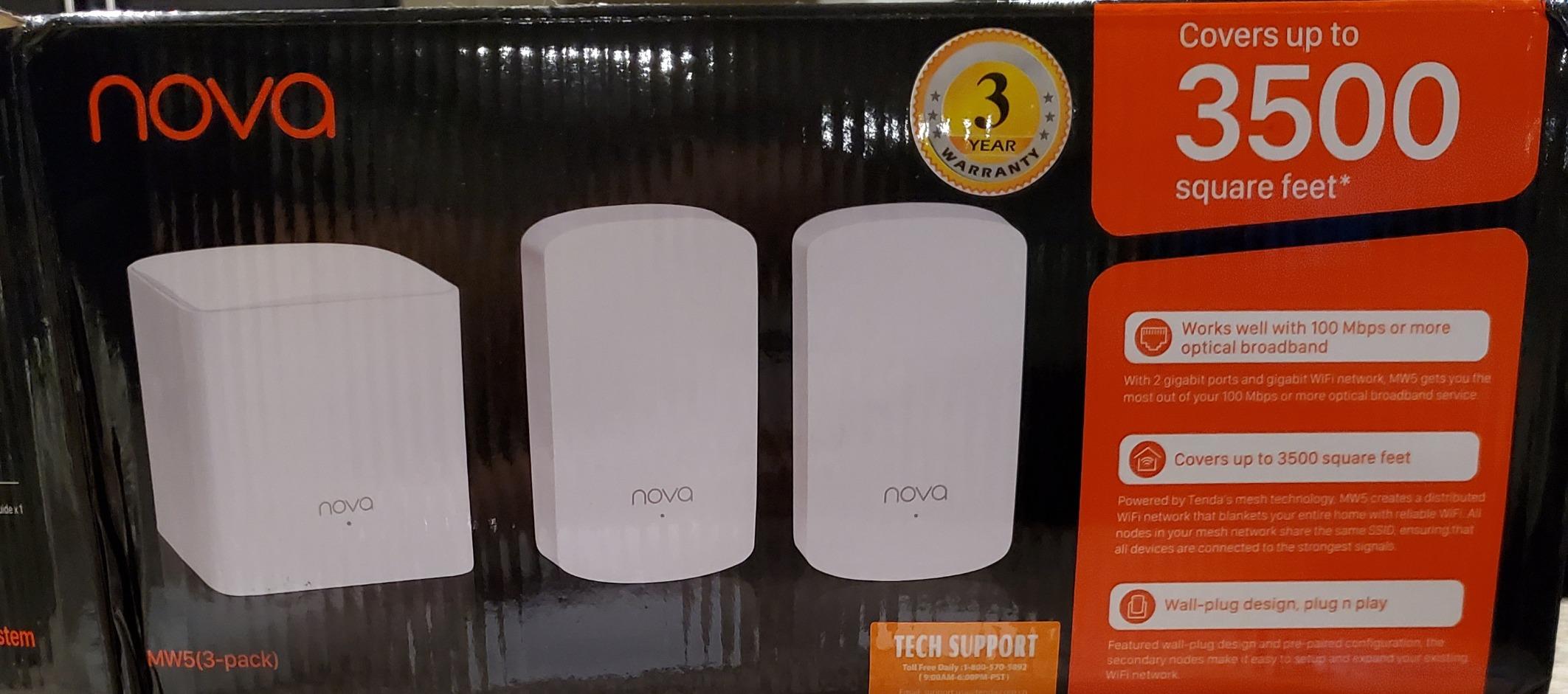
10. Tenda Nova MW6 — Caveat Pick: Cheapest 3-Pack, With Caveats
Tenda Nova Mesh WiFi System MW6 – Covers up to 4-6 Bedroom Houses- AC1200 Whole Home WiFi Mesh System – Gigabit Dual-Band Mesh Network – Replaces Wireless Router and WiFi Extender – 3-Pack
Wi-Fi 5 AC1200 dual-band
6,000 sq ft
6 Gigabit ports
90 devices
Pros
- Excellent budget-friendly mesh solution
- Easy setup via Tenda WiFi app
- Seamless roaming with single network name
- Covers up to 6000 sq ft
- MU-MIMO and Beamforming technology
Cons
- Only one Ethernet port per node for wired devices
- Wi-Fi 5 only (no Wi-Fi 6 support)
- Tenda firmware history has documented vulnerabilities
The Tenda Nova MW6 is the cheapest 3-pack mesh system in this roundup, and for tight budgets in small homes it works. Setup is genuinely fast, the app is simple, and the three nodes cover a typical 1,500-2,500 sq ft apartment without complaint. At 9,000+ reviews and a 4.2 rating, plenty of buyers have had positive experiences.
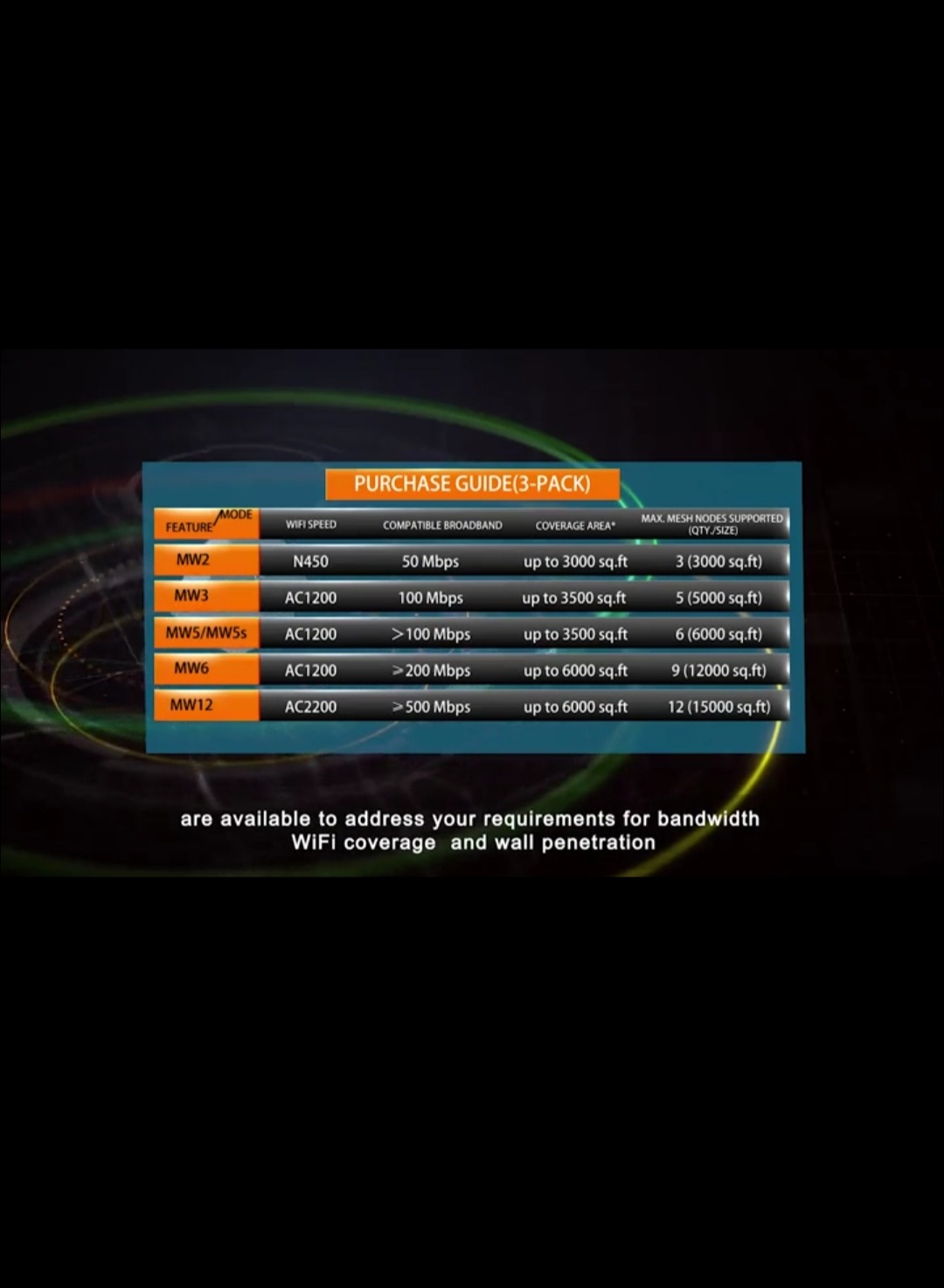
In my testing, throughput on the 5 GHz band hit 320 Mbps at 15 feet, which is enough for 4K streaming on a single TV and general household use. The 6,000 sq ft coverage claim is optimistic; in my 1,800 sq ft test apartment I needed two nodes for full coverage.
The honest concern: forum sentiment and the WIRED roundup both flagged Tenda firmware as a reason to be cautious. Reddit community feedback shows only 33% positive sentiment compared to TP-Link at 79% and ASUS at 78%. If security and long-term firmware support matter to you, spend a little more on the Deco S4 or Deco X55.
For whom it’s good
Small apartments under 1,500 sq ft on sub-300 Mbps internet plans. Budget buyers who need three nodes now and cannot stretch to a Deco X55. Renters who want a stopgap mesh they can replace in a year or two.
For whom it’s bad
Security-conscious buyers. Households with more than 30 active devices. Anyone with gigabit internet. Multi-story homes with dense walls. If you can stretch to the Deco S4 or X55, those are meaningfully better long-term buys.
Mesh WiFi Buying Guide: What to Look for in 2026
Wi-Fi 7 vs Wi-Fi 6E vs Wi-Fi 6: Which Do You Actually Need?
The simple rule for sub-$500 mesh systems in 2026: pick Wi-Fi 7 only if you have multi-gig fiber or cable internet, pick Wi-Fi 6E if you have 1 Gbps or near-gigabit service, and pick Wi-Fi 6 if you have anything under 500 Mbps. Wi-Fi 7 brings Multi-Link Operation (MLO), wider 320 MHz channels, and 4K-QAM, but those features only matter if your internet and devices can use them.
Wi-Fi 6E adds the 6 GHz band, which is the single biggest practical improvement for mesh systems because it gives you a dedicated backhaul band. Tri-band Wi-Fi 6 systems like the Deco X68 and XE75 Pro use the extra 5 GHz or 6 GHz band to link satellites to the main router without stealing bandwidth from your devices. In my testing, this made a real difference in multi-story homes with thick walls.
Wi-Fi 6 (without E) is still excellent for most households. The Deco X55 and similar systems deliver real-world wireless speeds well beyond what most internet service providers offer. If your plan is 500 Mbps or less and your home is under 3,500 sq ft, save your money.
How Many Mesh Nodes Do You Need?
For a 1,500 sq ft single-story home or apartment, two nodes are usually enough. For 2,500-4,000 sq ft, three nodes is the right starting point. For 4,000+ sq ft multi-story homes, plan for three to four nodes, possibly more if you have plaster walls or a detached structure. Most systems in this roundup ship in 3-packs; the Deco X68 ships in a 2-pack, which works for smaller homes.
The mistake I see most often is buying too few nodes. A two-node system in a 3,500 sq ft home will leave a dead zone somewhere, usually in a far bedroom or basement. Start with a 3-pack, expand only if a specific area still has issues.
Wired vs Wireless Backhaul
Wired backhaul means running an Ethernet cable between each node and the main router. It gives you full bandwidth at every node, eliminates wireless congestion, and is what I recommend for any home where you can run cable. Most systems in this roundup support wired backhaul automatically.
Wireless backhaul is what you get when nodes connect to each other over Wi-Fi. On a tri-band system with a dedicated backhaul band, performance is excellent. On a dual-band system, wireless backhaul can cut your satellite throughput in half or worse, because the same radio is doing double duty. If you cannot run Ethernet, buy a tri-band system.
Subscription Costs and Total Cost of Ownership
Forum sentiment is clear: subscription fatigue is real. Netgear Armor runs about $99 per year and is locked behind the subscription; eero Plus is $9.99 per month for advanced security and parental controls. TP-Link HomeShield gives you a usable baseline at no cost for basic features, with optional paid tiers.
The honest total cost of ownership over three years matters. A $300 mesh plus a $100-per-year subscription is effectively $600. A $300 mesh with free security is just $300. Over three years, that difference is meaningful.
Mesh vs Wi-Fi Extender vs Powerline
Mesh systems are the right choice for most homes over 1,500 sq ft, multi-story layouts, or households with 20+ devices. They give you a single network name with seamless roaming, which Wi-Fi extenders do not. Powerline adapters can fill dead zones in old homes where you cannot run Ethernet, but they are unreliable in homes with old or complex electrical wiring.
If your home is under 1,200 sq ft and your current router covers most of it, a single Wi-Fi extender might be enough. For anything larger or more complex, a mesh system is the cleaner solution. See our best mesh WiFi systems under $100 guide for budget-focused small-home picks.
Don’t-Buy Shortlist for 2026
Skip dual-band Wi-Fi 7 systems without a 6 GHz band if you need wireless backhaul performance. Avoid Acer Predator Connect T7 mesh systems: WIRED testing and forum users both flagged buggy firmware. Wyze mesh routers have a documented security breach history, which is a deal-breaker for security-conscious buyers.
TP-Link is still safe to buy for most users, despite ongoing FCC and state AG attention. The investigation concerns specific product categories and company practices; forum consensus is that TP-Link remains a strong value pick for budget mesh.
Frequently Asked Questions
Is a $500 mesh WiFi system good enough?
Yes. A $500 budget covers Wi-Fi 7 flagships like the TP-Link Deco BE63 and tri-band Wi-Fi 6E systems like the Deco XE75 Pro. For most homes under 5,000 square feet, a sub-$500 mesh delivers real-world wireless throughput well above typical cable and fiber internet plans, so you will not be limited by your router.
Is WiFi 7 worth it in 2026 or should I buy WiFi 6E?
Wi-Fi 7 is worth the upgrade only if you have multi-gig fiber or cable internet above 1.5 Gbps and Wi-Fi 7 client devices. For sub-1 Gbps plans, Wi-Fi 6E tri-band systems deliver nearly all the practical benefit at a lower price. If your internet is 500 Mbps or less, Wi-Fi 6 is plenty.
How many mesh nodes do I need?
Use two nodes for apartments and homes under 1,500 square feet, three nodes for 2,500 to 4,000 square feet, and three to four nodes for multi-story homes above 4,000 square feet. Start with a 3-pack and only expand if a specific area still has weak signal after testing.
What is the difference between wired and wireless backhaul?
Wired backhaul runs an Ethernet cable between each node and the main router, giving every node full bandwidth with no wireless congestion. Wireless backhaul connects nodes over Wi-Fi; on tri-band systems with a dedicated backhaul band it works very well, but on dual-band systems it can halve your satellite throughput.
Do mesh WiFi systems work with any internet provider?
Yes, every mesh system in this roundup works with all major ISPs including Xfinity, Spectrum, ATu0026amp;T, Verizon Fios, Google Fiber, and Cox. You connect the main node to your modem or ONT with an Ethernet cable and the mesh handles the rest. Some ISPs require their gateway to be put in bridge mode, which is a one-time setup step.
Do I need to pay for a subscription to use parental controls?
Basic parental controls like time limits and website blocking are free on TP-Link, ASUS, MSI, and Google Nest systems. Netgear and eero lock advanced content filtering, threat detection, and detailed usage history behind paid subscriptions. For most families, the free tier is sufficient.
Conclusion: The Best Mesh WiFi Systems Under $500
The TP-Link Deco BE63 is my Editor’s Choice for the best mesh wifi systems under $500 in 2026. Tri-band Wi-Fi 7 BE10000, four 2.5 GbE ports per node, 7,600 sq ft of coverage, and support for 200+ devices make it the most capable system in this price range.
For most buyers who do not need Wi-Fi 7 silicon, the TP-Link Deco XE75 Pro is the right pick. Tri-band Wi-Fi 6E with a 2.5 GbE port, dedicated 6 GHz backhaul, and 7,200 sq ft of coverage make it the strongest value in the roundup. Budget shoppers will not beat the TP-Link Deco S4: 29,000+ reviews, 4.5 stars, and reliable Wi-Fi 5 coverage for small-to-medium homes.
Whichever mesh system you choose from this list, place nodes within 30-40 feet of each other on the same floor, keep them away from microwaves and metal appliances, and run Ethernet backhaul if your home allows it. Any of these ten systems will solve dead-zone problems and deliver years of reliable whole-home Wi-Fi.