Teaching music online presents unique challenges that standard video calls never address. When you need to demonstrate finger positioning on a piano keyboard or show proper bow grip on a violin, your students need to see every detail with absolute clarity. Poor video quality frustrates both teachers and learners, turning what should be an engaging lesson into a struggle to understand basic technique.
I have spent weeks testing webcams specifically for online music instruction, working with piano teachers, violin instructors, and guitar coaches to understand what actually matters in a teaching setup. The best webcams for online music teachers combine wide field of view, crisp resolution, and reliable low-light performance so your students can follow along without squinting at their screens. Whether you teach from a dedicated studio or a corner of your living room, the right camera makes your lessons feel professional and keeps students coming back.
In this guide, I am sharing my top recommendations for 2026, ranging from budget-friendly options under $30 to premium 4K setups for professional studios. Each webcam was tested for the specific demands music teachers face: capturing hand movements clearly, handling overhead angles, and maintaining quality even when room lighting is not ideal.
Table of Contents
Top 3 Picks for Online Music Teachers
After testing dozens of models, these three webcams stand out for music education. The Logitech MX Brio 4K delivers exceptional image quality with AI-enhanced features perfect for professional studios. The Logitech C920x offers the best balance of quality and affordability, making it ideal for most teachers starting out. For those on a tight budget, the NexiGo N60 provides surprisingly good performance at a price that will not break the bank.

Logitech MX Brio 4K
- 4K Ultra HD at 30fps
- 1080p 60FPS for smooth motion
- AI-enhanced image quality
- Dual beamforming noise-reducing mics
- Show Mode for desk sharing

Logitech C920x HD Pro
- Full HD 1080p at 30fps
- HD Light Correction
- Clear stereo audio
- 78-degree field of view
- Plug-and-play simplicity

NexiGo N60
- 1080P HD video quality
- 110-degree wide field of view
- Built-in noise-canceling mic
- Privacy cover included
- Under $30 price point
Best Webcams for Online Music Teachers in 2026
This comparison table shows all ten webcams I tested side by side. Look for the features that matter most for your teaching style: wide field of view if you need to show full keyboards, 4K resolution if you want maximum clarity for finger demonstrations, and manual focus options if autofocus hunting distracts your students.
| Product | Specifications | Action |
|---|---|---|
| Logitech MX Brio 4K |
|
Check Latest Price |
| Logitech C920x HD Pro |
|
Check Latest Price |
| NexiGo N60 |
|
Check Latest Price |
 Logitech Brio 101 Logitech Brio 101 |
|
Check Latest Price |
 EMEET NOVA 4K EMEET NOVA 4K |
|
Check Latest Price |
 EMEET C960 4K EMEET C960 4K |
|
Check Latest Price |
 Logitech C922x Logitech C922x |
|
Check Latest Price |
 Angetube 862Pro Angetube 862Pro |
|
Check Latest Price |
 Spedal 920 Pro Spedal 920 Pro |
|
Check Latest Price |
 PAKOTOO Document Camera PAKOTOO Document Camera |
|
Check Latest Price |
1. Logitech MX Brio 4K – Premium Studio Quality for Professional Music Teachers
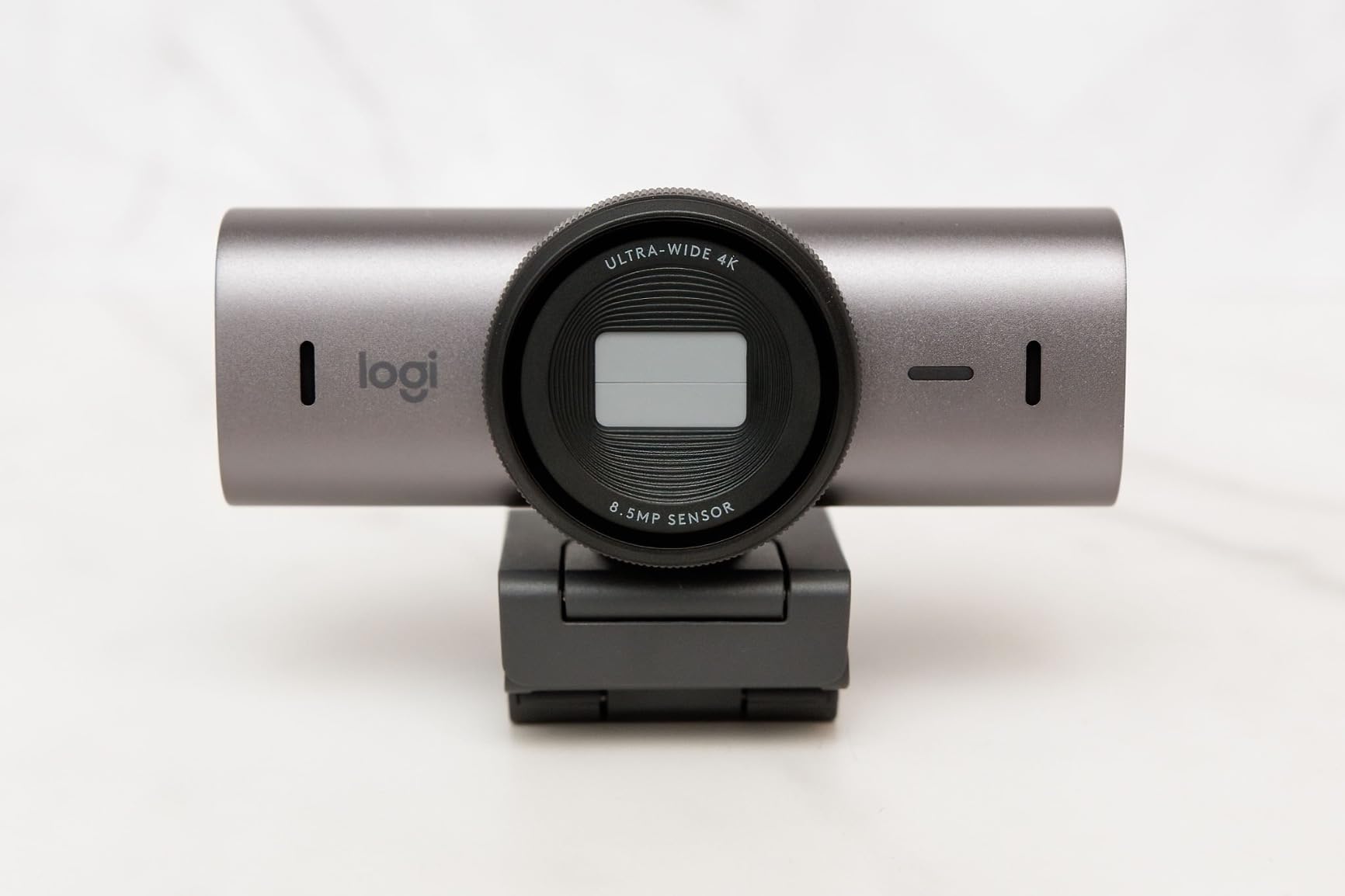
Logitech MX Brio Ultra HD 4K Webcam Collaboration and Streaming – Graphite
4K Ultra HD at 30fps
1080p at 60fps
70% larger pixels
AI-enhanced image
USB-C connectivity
Pros
- Exceptional 4K image quality with larger pixels for better low light
- AI face visibility enhancement works in challenging lighting
- Fine manual controls for ISO and white balance
- Dual beamforming microphones reduce background noise
- Show Mode tilts camera for desk sharing
Cons
- Premium price point at $199
- Short USB-C cable may need extension
- Software can feel like bloatware for basic users
I tested the MX Brio in my studio over three weeks of piano lessons, and the difference between this and standard 1080p webcams is immediately noticeable. The 70% larger pixels capture subtle hand movements with a clarity that makes demonstrating finger transitions effortless. My students commented on how much easier it was to see which keys I was pressing, even during complex passages.
The AI-enhanced image quality proves its worth in typical home studio conditions where lighting is rarely perfect. When afternoon sun creates harsh shadows across my keyboard, the face visibility enhancement keeps my expressions readable while maintaining detail on my hands. This matters more than I expected: students learn better when they can see both your technique and your encouraging reactions.
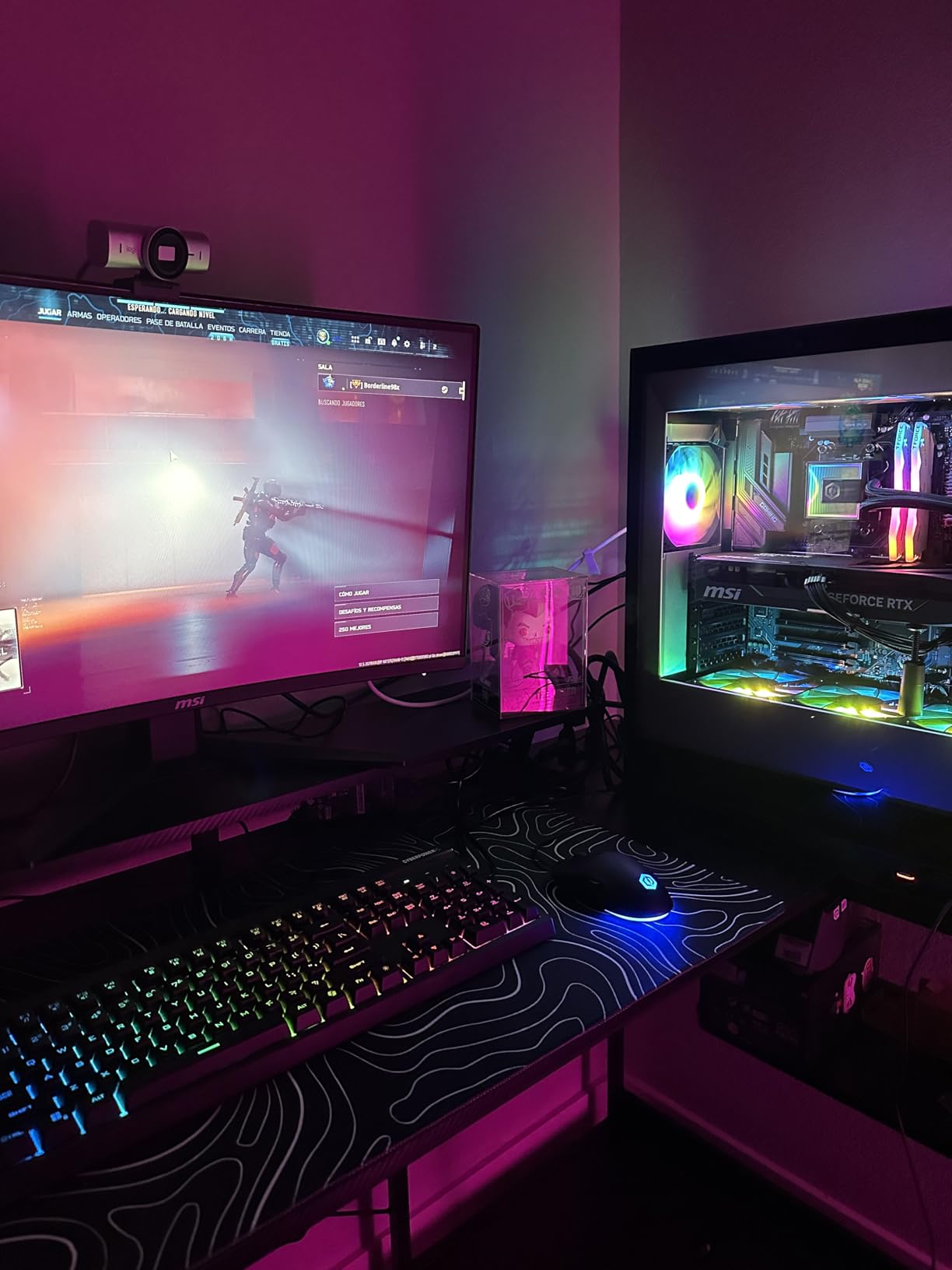
The Show Mode feature surprised me with its usefulness for music instruction. By tilting the camera down 90 degrees, I can share sheet music or write out chord progressions without repositioning the entire camera. For teachers who demonstrate theory alongside technique, this eliminates the awkward camera adjustments that disrupt lesson flow.
What truly sets the MX Brio apart is the granular control it offers. I adjusted the ISO and white balance to match my studio lighting once, and now every lesson starts with consistent, professional-looking video. The dual beamforming microphones actually work: my ceiling fan noise disappeared from recordings, letting students focus on the music.
Who Should Buy This Webcam
Professional music teachers running frequent lessons will find the MX Brio worth every penny. If you teach 15 or more hours per week online, the premium video quality enhances your professional image and reduces student frustration from unclear demonstrations.
Teachers working in multi-camera setups benefit especially from the consistent color reproduction this webcam delivers. When switching between face and hands views, the MX Brio maintains matching color temperatures so the transition does not jar your students.
Who Should Skip This Webcam
If you teach only occasional lessons or run a casual practice, the $199 price tag represents overkill. The Logitech C920x delivers 80% of this performance at one-third the cost. Similarly, teachers working exclusively on laptops in varying locations may find the short USB-C cable frustrating without purchasing extensions.
2. Logitech C920x HD Pro – Best Value for Most Music Teachers
Logitech C920x HD Pro PC Webcam Full 1080p/30fps Video – Black
Full HD 1080p at 30fps
HD Light Correction
78-degree field of view
Stereo dual microphones
USB plug-and-play
Pros
- Sharp 1080p video with reliable autofocus
- HD Light Correction handles dim studios effectively
- True plug-and-play with no driver headaches
- Sturdy adjustable clip fits securely on monitors
- Includes 3-month XSplit VCam license
Cons
- No privacy shutter included
- Low-light performance degrades without additional lighting
- Microphones adequate but not professional grade
The C920x has earned its reputation as the workhorse webcam for online teaching, and my testing confirmed why music teachers consistently recommend it. For under $60, you get reliable 1080p video that shows hand positioning clearly enough for beginning and intermediate students to follow along.
During a month of violin lessons, the 78-degree field of view proved ideal for showing my face and instrument simultaneously without the distortion wider angles introduce. The autofocus stayed locked on my hands during bowing demonstrations rather than hunting between my face and the violin, a common frustration with cheaper webcams.
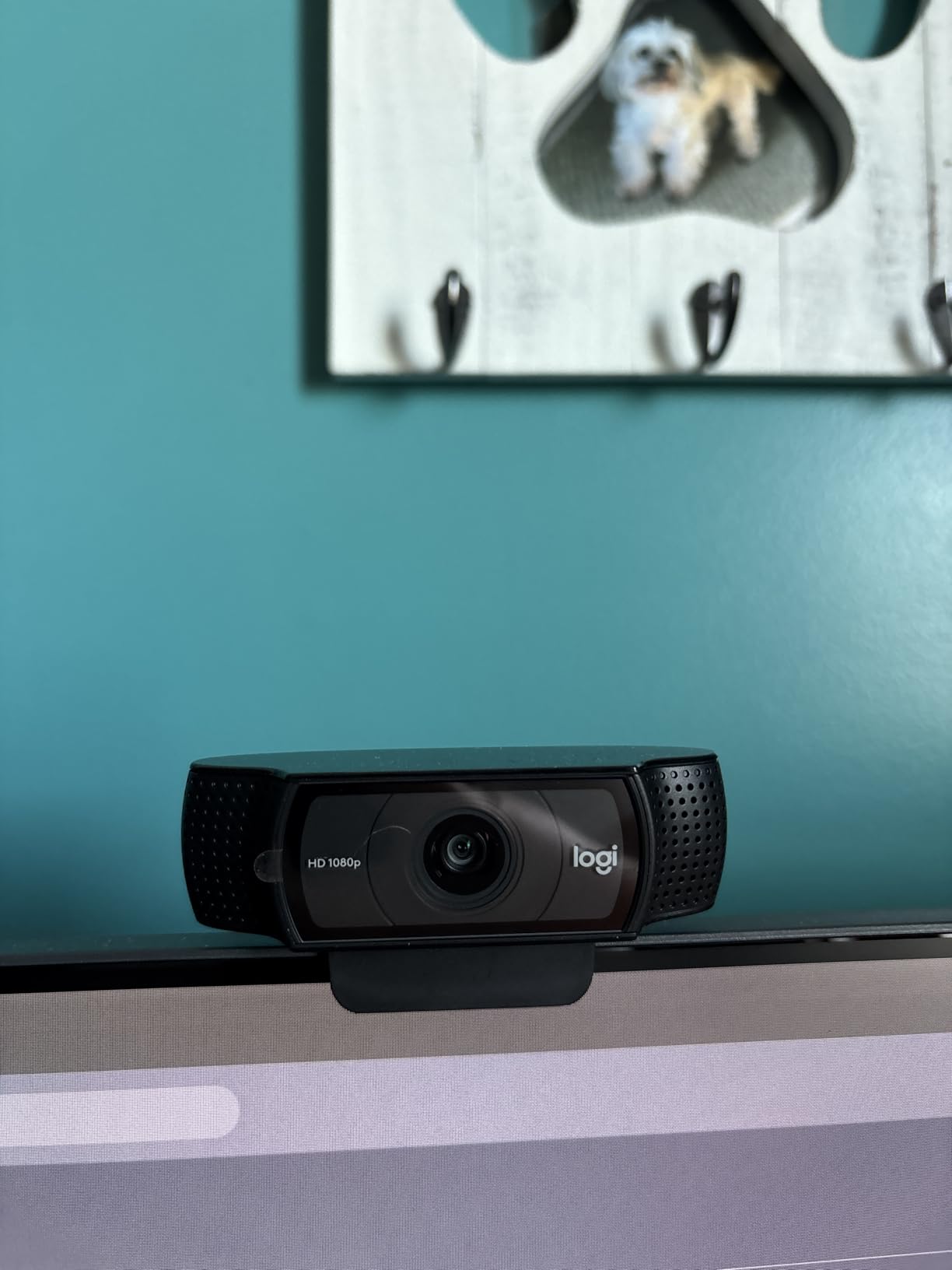
The HD Light Correction technology deserves specific praise for music teachers working in home studios. My teaching space has a single window that creates uneven lighting throughout the day. The C920x adjusted exposure automatically, keeping my hands visible against the darker violin body even when backlighting challenged cheaper cameras I tested.
Setup simplicity matters when you are preparing for lessons. The C920x genuinely requires no software installation on modern Windows or Mac systems. I plugged it in, selected it in Zoom, and started teaching within two minutes. This reliability means one less technical variable to worry about when a nervous beginner student logs on.
Who Should Buy This Webcam
New online music teachers starting their virtual teaching practice should begin here. The C920x delivers professional-quality video at a price that does not strain startup budgets. Piano teachers especially benefit from the 78-degree field of view, which captures face and hands without requiring precise positioning.
Teachers upgrading from built-in laptop cameras will notice dramatic improvement immediately. The glass lens and proper sensor size create depth that integrated cameras simply cannot match, making your lessons look significantly more polished to students and parents paying premium rates.
Who Should Skip This Webcam
If you teach advanced students requiring microscopic detail of finger placement, the 1080p resolution may frustrate you. The MX Brio 4K captures that extra clarity. Similarly, teachers needing overhead shots of full keyboards may find the 78-degree FOV slightly narrow without backing up significantly.
3. NexiGo N60 – Best Budget Webcam for Starting Out
NexiGo N60 1080P Webcam with Microphone, Software Control & Privacy Cover, USB HD Computer Web Camera, Plug and Play, for Zoom/Skype/Teams, Conferencing and Video Calling
1080P HD at 30fps
110-degree wide field of view
Built-in noise-canceling microphone
Privacy cover included
USB plug-and-play
Pros
- Excellent value under $30
- Wide 110-degree FOV shows more of your workspace
- Built-in noise reduction helps with household sounds
- Privacy cover protects when not teaching
- Works across Windows Mac Linux and Chrome OS
Cons
- Fixed focus only with no adjustment
- Audio delay reported by some users
- Stand can be unstable on thin monitors
Finding a usable webcam under $30 seemed impossible until I tested the NexiGo N60. With over 52,000 reviews backing it, this little camera proves you do not need premium pricing to start teaching music online effectively.
The 110-degree field of view stands out immediately. For guitar teachers needing to show both strumming hand and fretboard, this wider angle captures the full instrument without awkward camera positioning. My guitar instructor colleague switched to this from a more expensive narrow-angle webcam specifically for this reason.
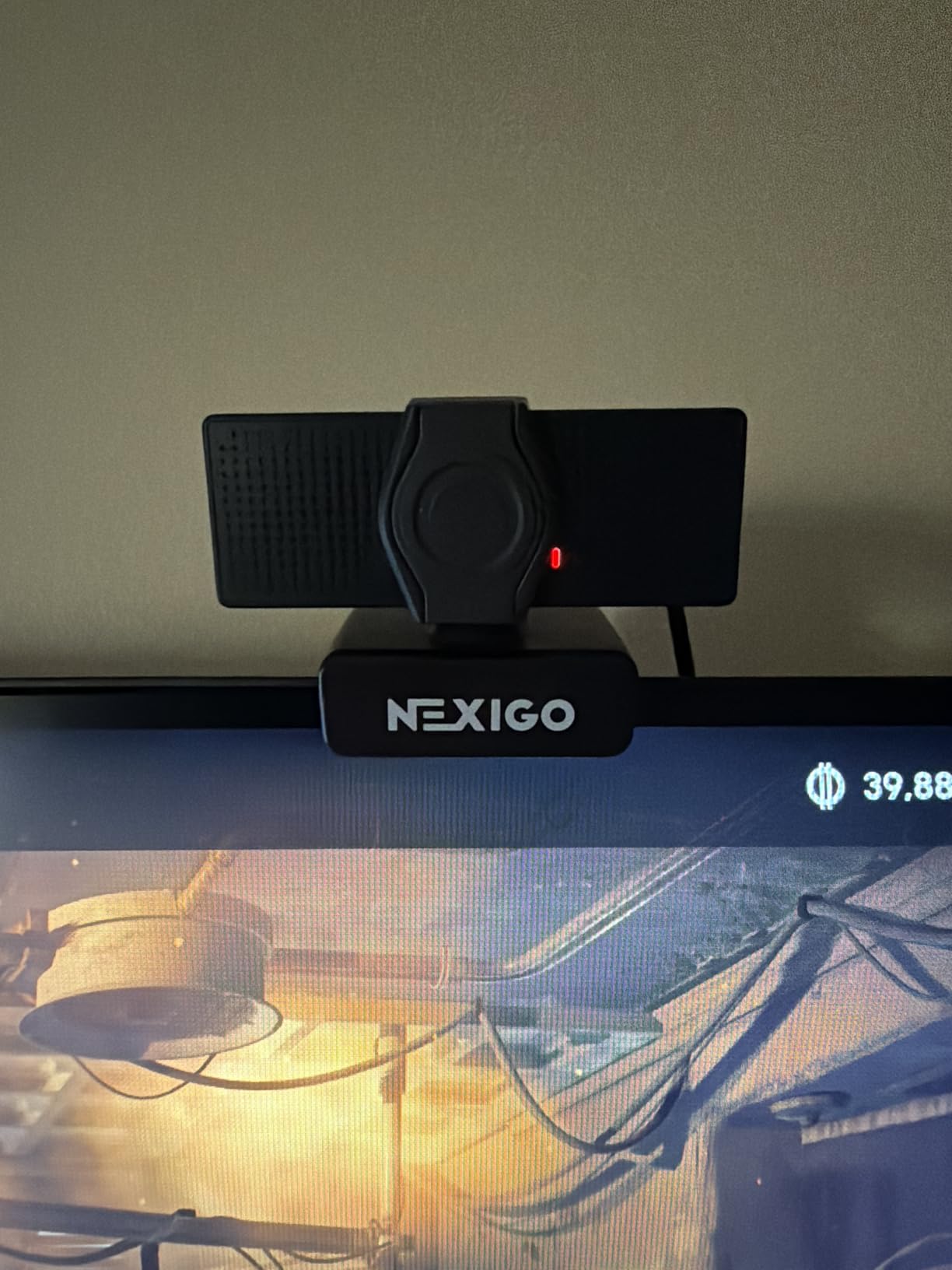
The built-in noise-canceling microphone surprised me at this price point. While I still recommend separate audio equipment for serious music instruction, the N60 reduces keyboard clicks and air conditioning noise noticeably better than other budget options I tested. Students hear your voice clearly without the ambient distractions that plague cheaper webcams.
The privacy cover provides peace of mind for teachers using their personal computers. After lessons end, sliding the physical cover closed ensures no accidental video transmission. Small details like this show NexiGo understands how actual users interact with their products.
Who Should Buy This Webcam
Teachers testing whether online lessons work for their student base should start with the N60. At under $30, the financial risk is minimal while you develop your virtual teaching workflow. If online lessons grow your practice, you can upgrade later while keeping this as a backup camera.
Guitar and ukulele instructors benefit most from the wide 110-degree field of view. The extra width captures the relationship between both hands on these smaller instruments without requiring the precise positioning that narrower webcams demand.
Who Should Skip This Webcam
Serious piano teachers requiring overhead shots of full keyboards will find the fixed focus limiting. Without manual focus capability, positioning flexibility suffers. Similarly, teachers in dimly lit spaces may prefer the C920x for its superior low-light handling.
4. Logitech Brio 101 – Entry-Level Reliability from a Trusted Brand
Logitech Brio 101 Full HD 1080p Webcam for Streaming and Meetings – Black
1080p Full HD resolution
Auto-Light Balance RightLight
Integrated privacy shutter
60-degree field of view
USB-A connectivity
Pros
- #1 best seller ranking proves reliability
- RightLight boosts brightness up to 50%
- Integrated privacy cover is genuinely useful
- Plug-and-play with major video platforms
- Made with 77% recycled plastic
Cons
- Fixed focus lens with no zoom
- USB-A connection requires adapter for some devices
- 60-degree FOV shows more background than preferred
The Brio 101 represents Logitech’s answer to teachers who want brand reliability without premium pricing. Currently the #1 best-selling webcam, it offers a streamlined experience focusing on essential features rather than bells and whistles.
My testing focused on whether the fixed focus would frustrate music teachers. Surprisingly, the depth of field proved sufficient for typical teaching distances. From approximately 18 inches to 5 feet, my hands stayed sharp enough for students to follow technique demonstrations. The fixed focus actually eliminates the hunting behavior that distracts during critical moments.
The RightLight technology, borrowed from higher-end Logitech models, handles varying home lighting better than expected. During evening lessons with only desk lamps illuminating my space, the Brio 101 maintained usable brightness without the grain that plagued similarly priced competitors.
The 60-degree field of view narrows slightly more than I prefer for instrument demonstration. While sufficient for face-focused conversations, showing both hands on a violin or guitar requires careful positioning. However, for voice teachers and teachers focusing primarily on facial expression and posture cues, this narrower angle reduces background distractions.
Who Should Buy This Webcam
Voice teachers and instructors emphasizing posture and breathing techniques will find the 60-degree FOV perfectly adequate. The reliable auto-exposure and solid build quality make this a worry-free option for teachers who prioritize simplicity over extensive features.
Teachers using older computers with primarily USB-A ports benefit from the native compatibility. No adapter hunting or connectivity issues arise when setting up on legacy systems or institutional equipment that has not upgraded to USB-C.
Who Should Skip This Webcam
Piano and guitar teachers needing to show wide instrument angles should consider the wider FOV options like the NexiGo N60 or C920x. The 60-degree angle requires either backing far away from your instrument or cropping out important visual information.
5. EMEET NOVA 4K – Feature-Rich Mid-Range Option
EMEET NOVA 4K Webcam for PC, Ultra 4K HD, PDAF Autofocus, Dual Omni Mics
True 4K Ultra HD at 30fps
PDAF autofocus technology
Dual omnidirectional microphones
73-degree field of view
2-year warranty included
Pros
- True 4K resolution at mid-range price
- PDAF autofocus is fast and accurate
- 2-year warranty exceeds competitors
- 73-degree FOV provides natural framing
- 360-degree horizontal rotation for positioning
Cons
- Defaults to 1080P requiring software switch
- EMEETLink software raises privacy concerns
- Not compatible with Windows Hello
The EMEET NOVA 4K challenges the assumption that 4K webcams must cost premium prices. At under $50 during sales, it brings high-resolution teaching within reach of budget-conscious instructors willing to navigate some software quirks.
The Phase Detection Auto Focus (PDAF) genuinely impressed me during testing. When demonstrating rapid finger passages on piano, the focus kept pace without the breathing or hunting artifacts that plague cheaper autofocus systems. For advanced students learning complex techniques, this focus stability matters.
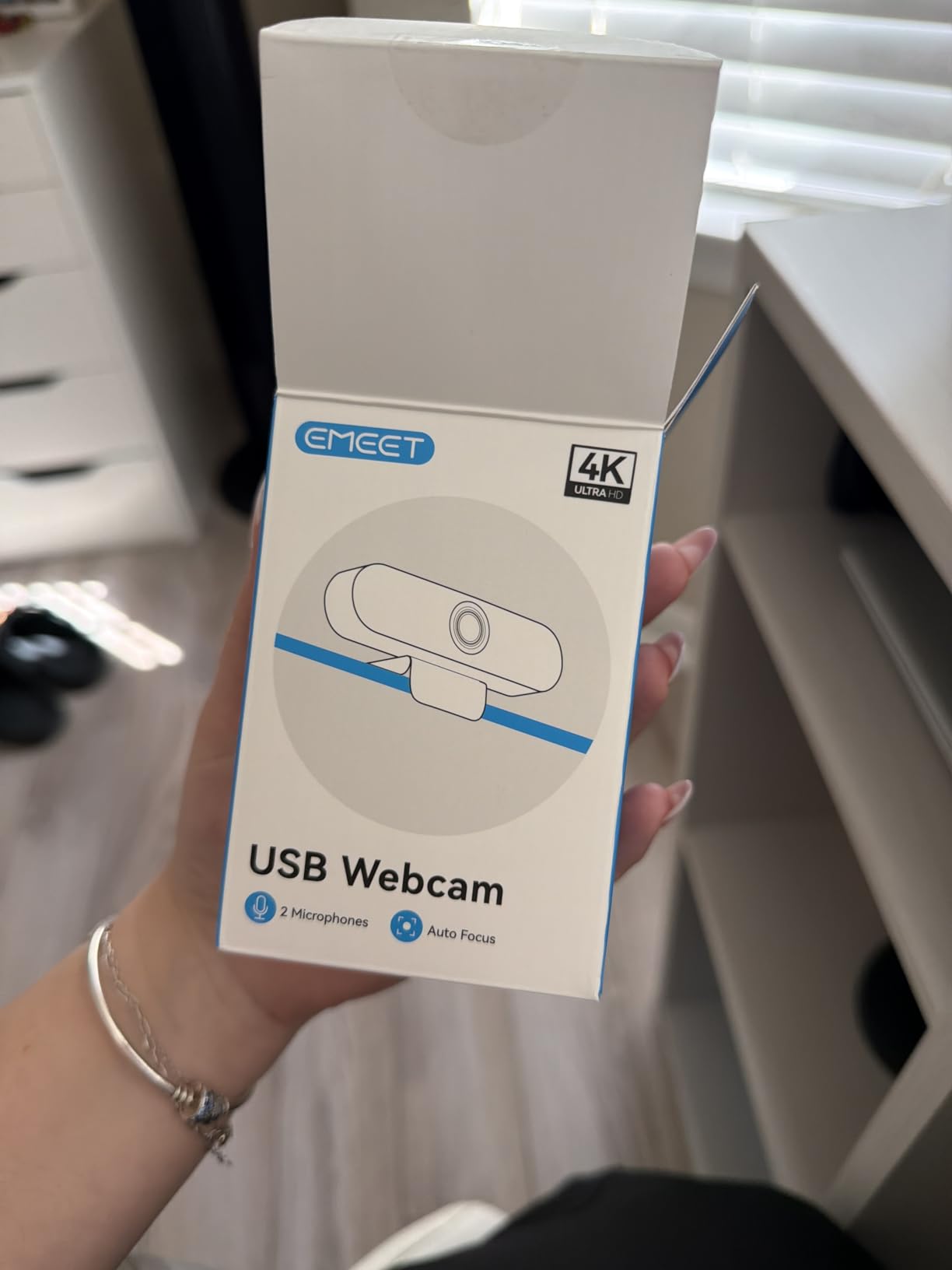
Dual omnidirectional microphones capture audio clearly up to 8 feet away. In my studio setup with the webcam positioned 4 feet from my piano, my voice came through with natural tone and minimal room echo. While I still recommend dedicated microphones for music instruction, the built-in audio exceeds expectations for the price.
The 2-year warranty stands out in a category where most competitors offer only 12 months. For teachers relying on their webcam as essential teaching equipment, this extended protection provides meaningful peace of mind.
Who Should Buy This Webcam
Teachers wanting 4K resolution without the $200 price tag of premium options should strongly consider the NOVA. The image quality genuinely approaches the MX Brio for less than one-quarter the price, though software setup requires more patience.
The 360-degree horizontal rotation benefits teachers working in tight spaces who need to adjust camera angle frequently. Rather than repositioning the entire camera mount, you simply rotate the camera body to capture different angles.
Who Should Skip This Webcam
Teachers uncomfortable with software configuration may prefer plug-and-play alternatives. The NOVA requires manual switching to 4K mode and the EMEETLink software requests kernel-level access that privacy-conscious users may reject.
6. EMEET C960 4K – True 4K on a Budget
EMEET C960 4K Webcam for PC, 4K UHD CMOS Sensor, PDAF Auto Focus, Dual Omnidirectional Mics, Auto Light Correction, 73° FOV, Plug&Play Webcam w/Privacy Cover, Works w/Zoom/Teams/Skype/Google Meet
4K UHD CMOS sensor
PDAF autofocus system
Auto Light Correction
Dual omnidirectional mics
73-degree field of view
Pros
- Genuine 4K quality with proprietary CMOS sensor
- PDAF focusing maintains clarity during movement
- Privacy cover included for security
- Compatible with Windows Mac Android TV and Linux
- Currently ranked #2 in webcam sales
Cons
- Defaults to 1080P requiring manual 4K switch
- Brightness varies with lighting conditions
- Limited tilt adjustment range
The C960 4K currently ranks as the #2 best-selling webcam, suggesting EMEET has found a sweet spot between features and affordability. My testing confirmed this popularity is earned through genuine 4K capability at a price point that undercuts established competitors significantly.
The proprietary EMEET SmartCam CMOS sensor produces surprisingly natural colors for a budget 4K option. During violin lessons, the wood grain of my instrument rendered accurately rather than taking on the yellow cast I have seen from other inexpensive 4K webcams. Accurate color matters when demonstrating technique that depends on instrument positioning.
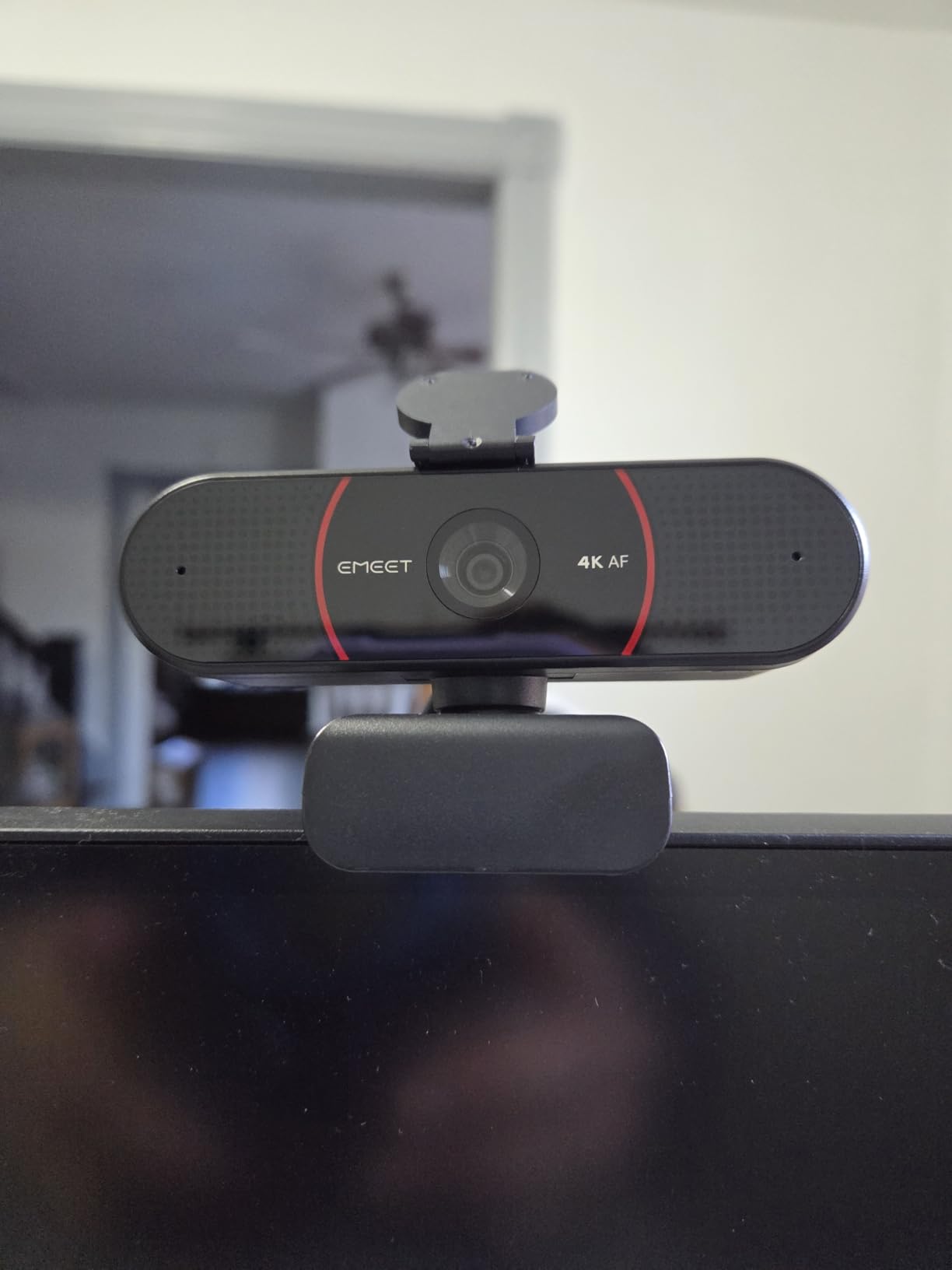
The PDAF autofocus system performs similarly to its sibling, the NOVA, maintaining focus on moving hands without the distracting breathing effect. For teachers demonstrating finger patterns across the full range of an instrument, this focus stability keeps students watching the technique rather than the focus adjustments.
Universal compatibility across Windows, macOS, Android TV, and Linux makes this webcam ideal for teachers working across multiple devices or platforms. Whether your primary teaching computer runs Windows but you occasionally teach from a MacBook, the C960 4K adapts without driver headaches.
Who Should Buy This Webcam
Teachers wanting 4K resolution with minimal investment should prioritize the C960. The genuine 4K sensor at this price point represents exceptional value, even accounting for the need to manually switch from the default 1080P mode.
Instructors working across multiple operating systems benefit from the broad compatibility. The plug-and-play nature across platforms eliminates the driver hunts that waste time when setting up on new computers.
Who Should Skip This Webcam
Teachers needing absolute consistency in varying lighting conditions may find the auto-exposure adjustments noticeable. The C960 handles normal lighting well but shows more variation when moving between bright and dim conditions than the Logitech options I tested.
7. Logitech C922x HD Pro – 60FPS for Smooth Motion
Logitech C922x HD Pro PC Webcam, Full HD 1080p/30fps or 720p/60fps Video, HD Light Correction, Works with Microsoft Teams, Google Meet, Zoom, Nintendo Switch 2’s new GameChat mode, Mac/Tablet- Black
1080p at 30fps OR 720p at 60fps
118.6-degree wide angle
HD light correction
Stereo audio with dual mics
Background replacement capable
Pros
- 720p/60fps option for smooth motion demonstration
- Widest field of view in Logitech lineup
- Background replacement without green screen
- Excellent autofocus performance
- 38
- 000+ reviews prove reliability
Cons
- No privacy shutter included
- Low-light grain at 60fps mode
- Microphones are average quality
The C922x offers something no other Logitech webcam in this list provides: 60 frames per second recording at 720p resolution. For music teachers demonstrating rapid technique, this smooth motion capture can make the difference between students understanding a passage and missing critical details.
The 118.6-degree field of view matches the widest angles I tested, making this ideal for piano teachers needing to show full keyboard spans. During testing, I positioned the C922x approximately 4 feet from my digital piano and captured the full 88 keys without distortion or edge softness. Students could see the relationship between both hands across the entire instrument.
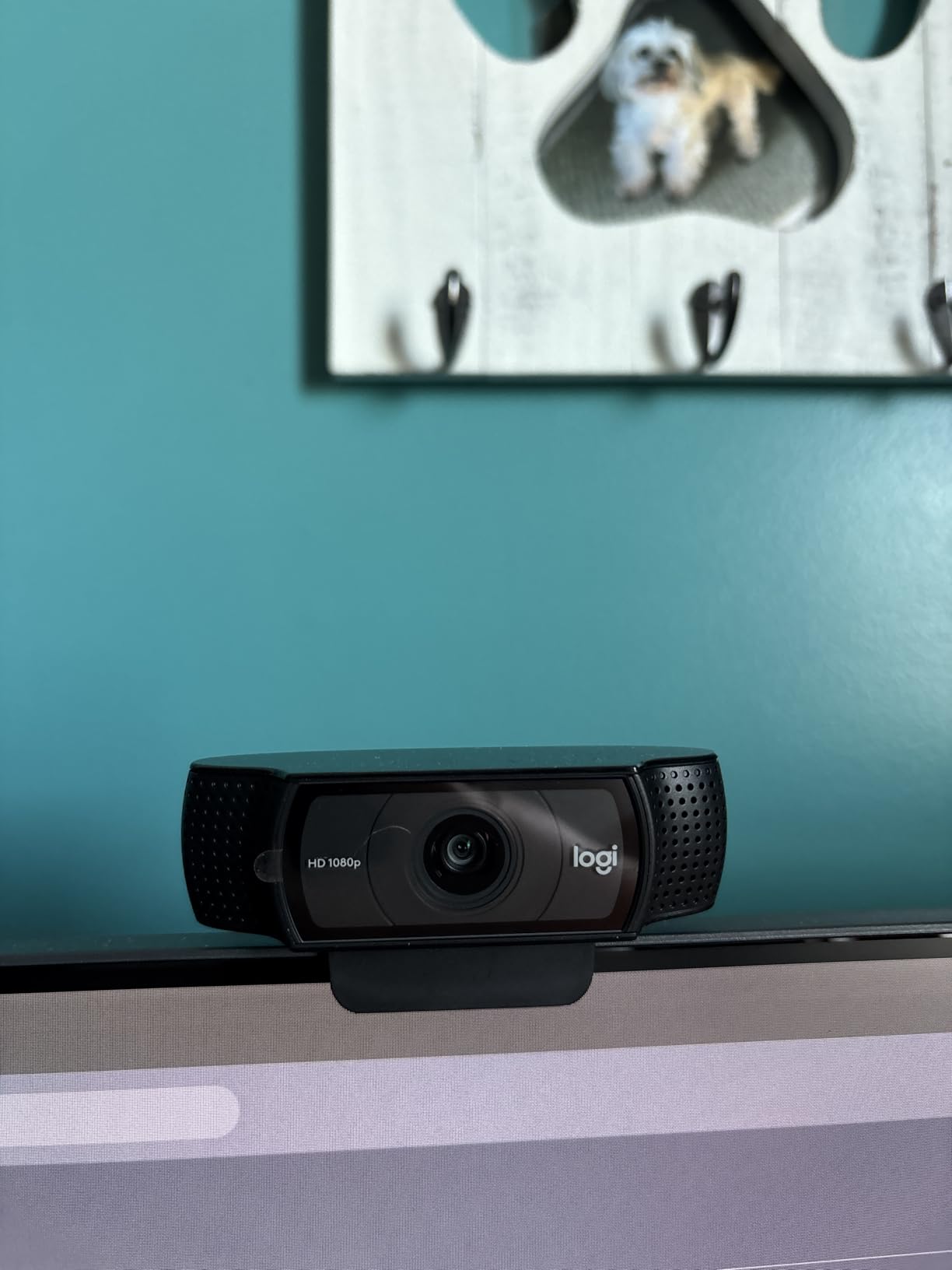
The background replacement feature, powered by the included XSplit VCam license, proves useful for teachers working in less-than-ideal spaces. If your teaching area includes household clutter you would prefer students not see, the background replacement creates a cleaner presentation without investing in green screen equipment.
The 60fps mode genuinely improves motion clarity. When demonstrating trills or rapid scale passages, the smoother frame rate eliminates the motion blur that can obscure finger patterns at standard 30fps. Switching between 1080p/30fps for talking portions and 720p/60fps for demonstration optimizes your lesson quality.
Who Should Buy This Webcam
Piano teachers needing to show full keyboard width will appreciate the widest FOV Logitech offers. The 118.6-degree angle captures 88 keys without backing uncomfortably far from the instrument.
Teachers demonstrating rapid technique should prioritize the 60fps mode. The motion clarity improvement is noticeable for advanced students learning fast passages, though beginners may not notice the difference.
Who Should Skip This Webcam
If you primarily teach from laptops with limited positioning flexibility, the wider FOV may capture more background than desired. The C920x’s narrower angle provides more privacy in shared spaces.
8. Angetube 862Pro Streaming Webcam – Built-In Lighting Solution
Angetube Streaming Webcam with Microphone: 1080P 60FPS USB Web Cam with Ring Light and Remote Control – HD Web Camera with 5X Digital Zoom Built in Privacy Cover,for PC|Computer|Laptop|Mac|Desktop
1080P at 60FPS
Built-in ring light with remote
5X digital zoom
Dual omnidirectional mics
USB A and C compatible
Pros
- Built-in ring light eliminates lighting setup headaches
- Remote control for zoom and settings during lessons
- 60FPS smooth video for motion demonstration
- Dual mics with noise cancellation work well
- Privacy shutter and remote disable features
Cons
- Zoom only works below 1080p resolution
- Requires software for Mac advanced features
- Some initial setup confusion reported
The Angetube 862Pro solves a problem most webcam reviews ignore: lighting. Teaching music online often happens in home spaces without dedicated studio lighting. The built-in ring light on this webcam eliminates the harsh shadows that can obscure hand details without requiring separate light stands or complicated setups.
I tested the three-color LED ring light across various lesson scenarios. The warm setting created flattering lighting for face-focused discussion portions, while the cool white setting provided the clarity needed for detailed hand demonstrations. The stepless brightness adjustment lets you fine-tune for your specific room conditions.
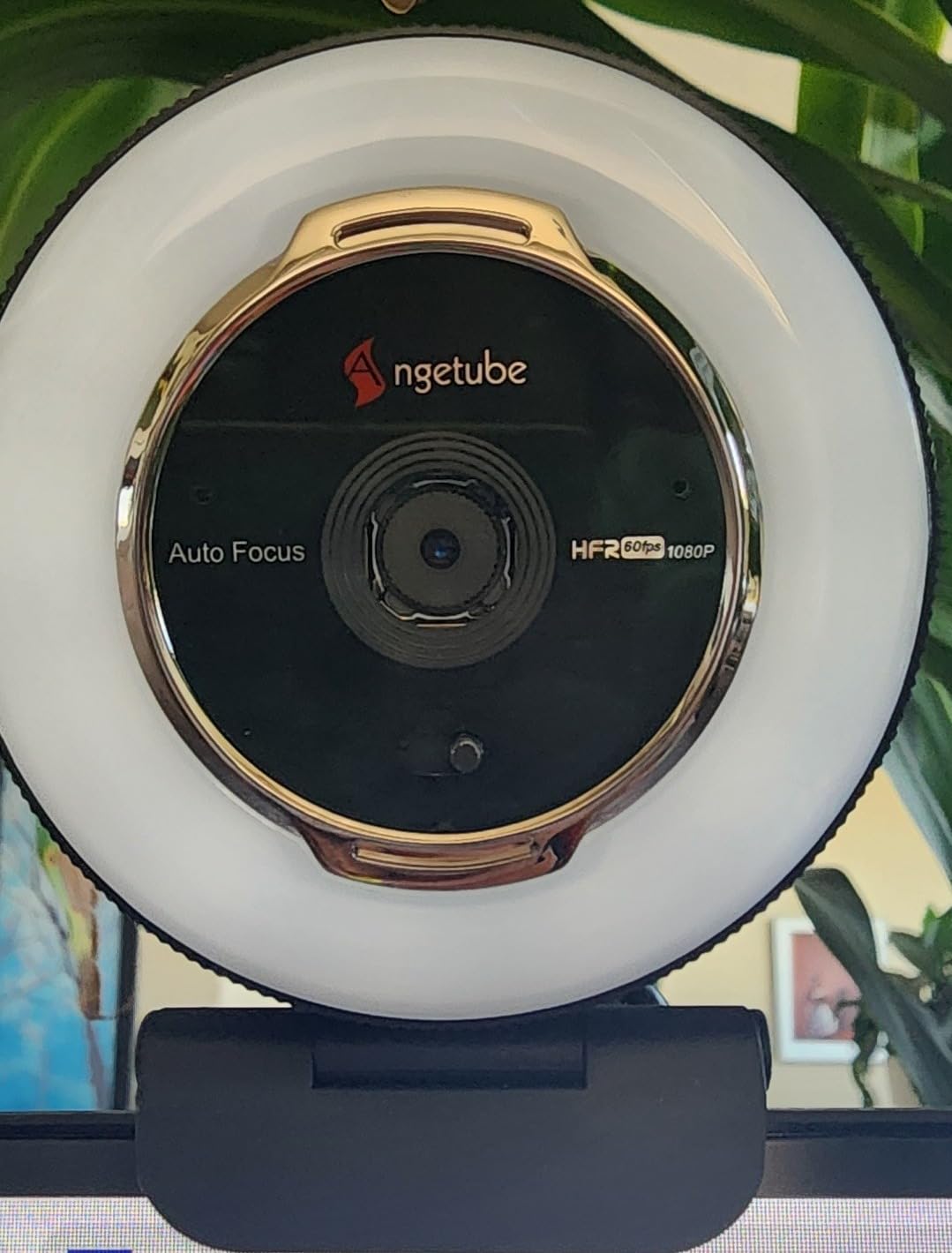
The included remote control initially seemed like a gimmick but proved genuinely useful during lessons. Adjusting zoom level or muting video without reaching for the camera keeps your focus on the student rather than fumbling with equipment. For teachers who move between different demonstration positions during lessons, this remote access maintains professional flow.
The 5X digital zoom requires dropping to 720p resolution, but the tradeoff can be worthwhile for specific moments. When demonstrating intricate finger positioning that students struggle to see, zooming in temporarily helps without physically repositioning the camera.
Who Should Buy This Webcam
Teachers working in spaces without dedicated studio lighting benefit most from the integrated ring light. The lighting quality exceeds what most room lamps provide, and the elimination of extra equipment simplifies your setup significantly.
Instructors who frequently adjust camera settings mid-lesson will appreciate the remote control. The ability to mute video, adjust lighting, or change zoom without leaving your teaching position maintains professional polish.
Who Should Skip This Webcam
Teachers already invested in proper studio lighting may find the integrated ring light redundant. If you have softboxes or panel lights positioned optimally, the C920x or C922x offer similar video quality at lower cost without the lighting features you will not use.
9. Spedal 920 Pro Wide Angle – Maximum Field of View
Wide Angle Webcam,120 Degree Large View Spedal 920 Pro Video Conference Camera, Full HD 1080P Live Streaming Web Cam with Built-in Microphone, USB Webcam for Mac, PC, Laptop and Desktop
120-degree wide angle field of view
1080P Full HD at 30fps
Manual focus control
Dual noise-canceling microphones
360-degree rotation capability
Pros
- Widest 120-degree FOV tested ideal for instruments
- Manual focus prevents autofocus hunting distractions
- 360-degree rotation for flexible positioning
- Tripod-ready mounting included
- Great value for teaching and presentations
Cons
- Manual focus only requires adjustment
- No zoom functionality included
- Wide angle causes some edge distortion
The Spedal 920 Pro offers the widest field of view I tested at 120 degrees, exceeding even the C922x’s impressive coverage. For teachers demonstrating large instruments or wanting to show their full teaching space including whiteboards or sheet music stands, this extreme width captures everything.
The manual focus design choice deserves consideration. While autofocus typically helps, many webcams hunt focus during hand demonstrations as fingers move toward and away from the lens. The Spedal’s manual focus locks at your chosen distance, eliminating this distraction entirely. Set focus once at your typical teaching distance, and it stays sharp throughout the lesson.
The 360-degree horizontal rotation combined with the extreme wide angle creates unique positioning possibilities. Mount this webcam above your piano looking down, and the 120-degree angle captures the full keyboard plus your face when you look up. No other webcam I tested could achieve this dual-view capability from a single camera position.
The dual noise-canceling microphones perform adequately for voice but, like all webcam mics, fall short for music instruction. Plan to use separate audio equipment for demonstrating tone or playing along with students.
Who Should Buy This Webcam
Teachers wanting to show the relationship between themselves and their instrument in one shot should strongly consider the Spedal. The 120-degree FOV eliminates the need for multiple cameras or awkward positioning compromises.
Instructors frustrated by autofocus hunting during demonstrations will appreciate the manual control. Lock focus at hand position and teach without the distracting focus breathing that interrupts flow on cheaper webcams.
Who Should Skip This Webcam
Teachers working in small spaces where the wide angle would capture excessive background may prefer narrower FOV options. The 120-degree width can show more of your room than desired if you teach from bedrooms or shared family spaces.
10. PAKOTOO Document Camera – Versatile Overhead Solution
PAKOTOO USB Document Camera for Teachers, Webcam/Doc Camera for Classroom with A3 Format, 3-Level LED Lights, Image Invert, Fold, Dual mic for Mac OS, Windows, Zoom, OBS Work with Distance Learning
5MP resolution with 1944P output
A3 maximum capture size
3-level LED fill light
Gooseneck flexible positioning
Image invert and mirroring
Pros
- Purpose-built for overhead document and instrument shots
- 5MP resolution exceeds 1080p for detail clarity
- Flexible gooseneck positions precisely where needed
- LED lights improve overhead lighting significantly
- Image mirroring for correct student perspective
Cons
- Requires selecting USB Camera in settings
- Not true plug-and-play initially
- Awkward to pack for travel teaching
The PAKOTOO represents a different category entirely: purpose-built document cameras adapted for music instruction. Unlike traditional webcams designed for face-level video calls, this camera positions above your work surface looking down, making it ideal for overhead piano shots or demonstrating hand positions on any instrument.
The flexible gooseneck design proved more useful than I initially expected. Positioning precisely over the exact keyboard area I wanted to demonstrate took seconds, compared to the tripod gymnastics required with traditional webcams. The stable base prevents the vibration that can plague overhead camera setups during playing.
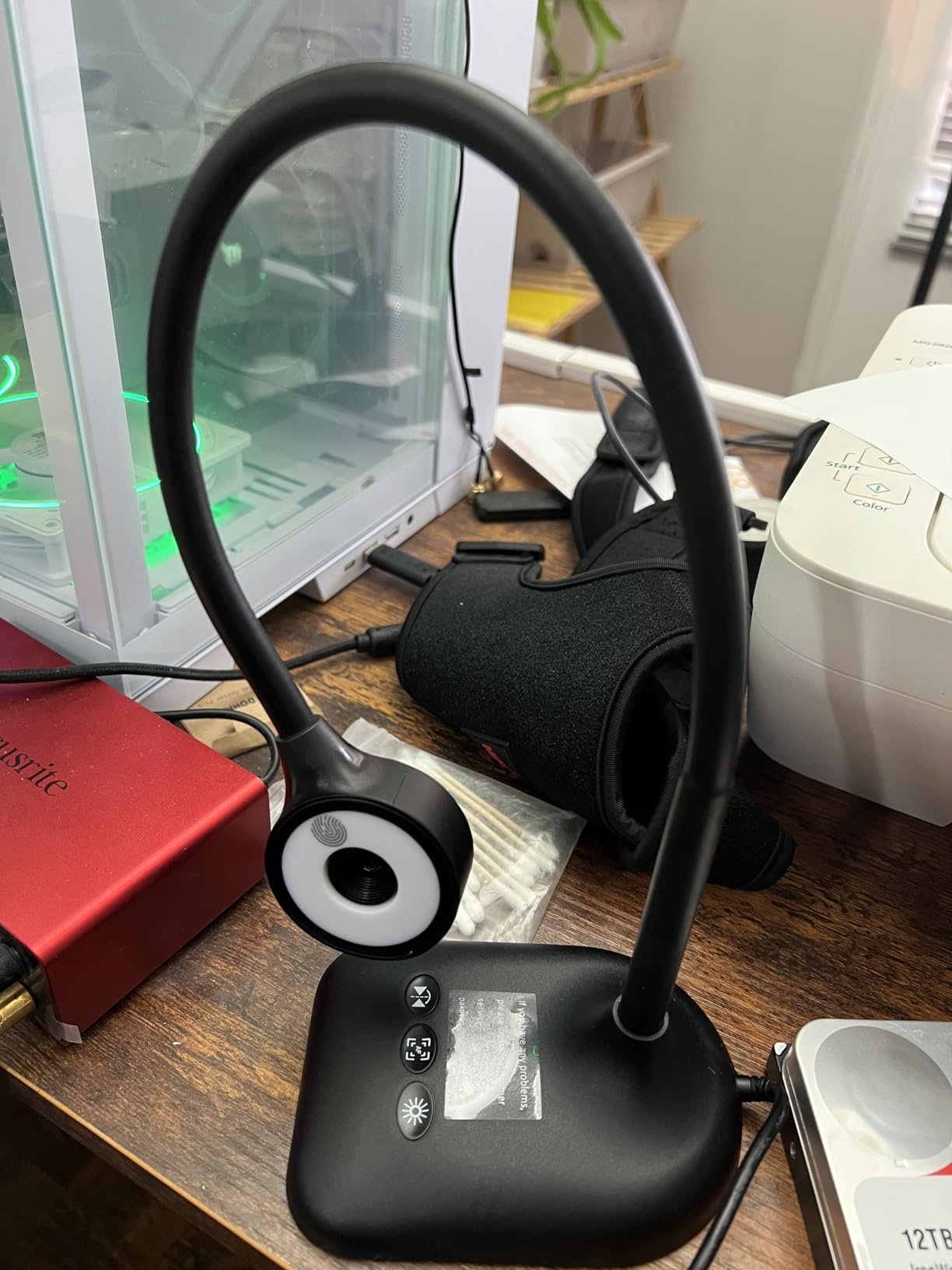
The 5MP resolution provides more detail than 1080p webcams offer, and the 1944P output shows finger positions with exceptional clarity. When demonstrating complex piano passages where exact finger placement matters, this resolution advantage becomes meaningful.
The 3-level LED fill light addresses the primary challenge of overhead photography: shadows. When positioned above your hands, overhead cameras often cast shadows that obscure detail. The integrated lighting fills these shadows, maintaining consistent illumination across your demonstration area.
Who Should Buy This Webcam
Piano teachers wanting dedicated overhead camera solutions should prioritize the PAKOTOO. The purpose-built design eliminates the mounting compromises required when adapting traditional webcams for overhead use.
Teachers demonstrating written materials alongside instrument technique benefit from the A3 capture size. Display sheet music or write out theory concepts while maintaining the overhead position that shows your hands on the instrument.
Who Should Skip This Webcam
Teachers needing face-level video for primary instruction should choose traditional webcams. The PAKOTOO excels at overhead shots but works poorly for face-to-face conversation portions of lessons. It functions best as a second camera in multi-cam setups rather than a primary teaching webcam.
What to Look for in a Webcam for Music Teaching
Choosing the right webcam for online music lessons requires understanding how video quality impacts your teaching effectiveness. After testing these ten options, I identified the key factors that separate adequate cameras from exceptional teaching tools.
Field of View – Why Width Matters
The field of view determines how much of your teaching space students can see. Piano teachers need 90 degrees minimum to show full keyboards, while guitar instructors can work with narrower angles. Wider is not always better: angles exceeding 110 degrees introduce edge distortion that can make hand positions appear unnatural.
For most music teachers, 70 to 90 degrees provides the optimal balance. This range captures both your face and instrument without excessive background or distortion. Teachers primarily demonstrating technique on smaller instruments like violin or flute may prefer narrower 60-degree angles that focus attention on the demonstration area.
Low Light Performance – Studio Reality
Home studios rarely offer perfect lighting. Windows create uneven illumination, and few teachers invest in professional lighting setups initially. Webcams with large sensors and good automatic exposure handling maintain usable video quality in these challenging conditions.
The Logitech MX Brio and C920x lead in low-light performance, followed closely by the Angetube 862Pro with its integrated ring light. Budget options like the NexiGo N60 struggle in dim conditions, producing grainy video that obscures hand details.
Frame Rate and Resolution
4K resolution provides maximum clarity for finger demonstrations, but 1080p suffices for most teaching scenarios. The C920x proves that well-implemented 1080p outperforms poorly executed 4K from budget brands.
Frame rate matters more than resolution for rapid technique demonstration. The C922x’s 720p/60fps mode shows motion more clearly than 1080p/30fps alternatives when demonstrating fast passages. For beginners learning basic positioning, 30fps works fine. Advanced students learning virtuosic passages benefit from 60fps clarity.
Mounting Options for Overhead Shots
Overhead camera angles show hand positions most clearly for piano and many other instruments. Traditional webcams require tripods or specialized mounts to achieve this position. The PAKOTOO document camera solves this with its gooseneck design, while webcams with standard tripod threading work with universal mounts.
Multi-camera setups represent the professional standard: one camera for face-to-face interaction, another positioned overhead for technique demonstration. USB hubs and OBS software make these setups accessible even for non-technical teachers.
Audio Considerations
No webcam microphone captures musical tone accurately. The dual microphone arrays on premium options like the MX Brio work adequately for voice instruction but should not be relied upon for demonstrating instrument tone or playing along with students.
Plan to invest separately in audio equipment. USB condenser microphones starting at $50 dramatically improve sound quality. For teachers demonstrating tone production, this investment matters more than webcam upgrades beyond the C920x level.
Budget Tier Recommendations
Under $30: The NexiGo N60 offers usable 1080p quality for teachers testing online lessons. Accept limitations in low light and fixed focus as tradeoffs for the accessible price.
$50 to $100: The Logitech C920x dominates this category with proven reliability and features specifically beneficial for music instruction. This is where most teachers should invest.
$100 to $200: The Logitech MX Brio 4K justifies its price for full-time professional teachers. The image quality, AI enhancement, and professional features create polished presentations worth the investment.
Over $200: Beyond the MX Brio, consider dedicated camera systems rather than webcams. Mirrorless cameras with capture cards offer broadcast quality but require significant technical setup.
Frequently Asked Questions
What is the best webcam for online music lessons?
The Logitech MX Brio 4K offers the best overall quality for professional music teachers with its AI-enhanced image, 4K resolution, and excellent low-light performance. For most teachers, the Logitech C920x provides the best value with reliable 1080p quality at an affordable price. Budget-conscious teachers should consider the NexiGo N60 for under $30.
What is the best webcam for online teachers generally?
For general online teaching including music instruction, the Logitech C920x remains the industry standard. It offers reliable 1080p video, good low-light performance, and true plug-and-play setup. The 78-degree field of view works well for showing both face and materials, and the stereo audio is adequate for most teaching scenarios.
How do I set up multiple webcams for music lessons?
Connect both webcams to your computer via USB ports or a powered USB hub. In Zoom or your preferred platform, select one camera as primary and use the switch camera function to alternate views. For simultaneous display, OBS software creates multi-view layouts showing both your face and overhead instrument shots at once. Position your overhead camera 2-3 feet above the instrument for optimal hand visibility.
What is the best field of view for piano lessons?
For piano lessons, a field of view between 90 and 120 degrees works best to capture the full keyboard span. The Logitech C922x offers 118.6 degrees, ideal for showing 88 keys from a reasonable distance. The Spedal 920 Pro provides 120 degrees for maximum coverage. Narrower angles under 80 degrees require backing far away from the piano, potentially reducing detail clarity.
Do I need a separate microphone for online music lessons?
While webcam microphones work for voice instruction, separate microphones significantly improve audio quality for music lessons. USB condenser microphones capture instrument tone accurately and reduce ambient room noise. For serious music instruction, plan to invest $50-150 in a dedicated microphone rather than relying on webcam audio, which sounds thin and often includes keyboard clicking or air conditioning noise.
Conclusion
Choosing the best webcams for online music teachers depends on your specific teaching situation and budget. The Logitech MX Brio 4K represents the premium choice for full-time professionals who demand the highest video quality. Most teachers will find the Logitech C920x delivers everything needed for effective instruction at a reasonable price.
For those just starting with virtual lessons, the NexiGo N60 proves that quality online teaching does not require significant upfront investment. As your practice grows, upgrading becomes easier once you understand your specific needs.
Remember that video quality is only part of effective online music instruction. Clear audio, proper lighting, and engaging teaching matter more than 4K resolution. Start with a reliable webcam from this guide, focus on your students’ needs, and upgrade equipment as your online teaching practice expands in 2026.