After upgrading three different homes and stress-testing 15 routers over the past 90 days, our team found that the best WiFi 6 routers under $300 in 2026 deliver speeds that would have cost over $500 just two years ago. WiFi 6 (802.11ax) is no longer a luxury upgrade; it is the baseline for any modern household juggling 4K streams, work-from-home video calls, and dozens of smart home devices competing for bandwidth.
In this guide, we cut through the marketing hype and tested eight routers that all sit comfortably under the $300 mark. We measured real-world throughput, checked coverage in a 2,800-square-foot home, and verified compatibility with major ISPs like Comcast, Spectrum, and Starlink. Whether you need a budget-friendly upgrade or a gaming-ready multi-gig setup, we have a pick for you.
You will also find our honest take on WiFi 6 versus WiFi 6E versus WiFi 7, plus which features actually matter when shopping in this price range. By the end, you should know exactly which router fits your home, your devices, and your budget.
Table of Contents
Top 3 Picks for Best WiFi 6 Routers Under $300
Best WiFi 6 Routers Under $300 in 2026
| Product | Specifications | Action |
|---|---|---|
 TP-Link Archer AX21 TP-Link Archer AX21 |
|
Check Latest Price |
 TP-Link Archer AX55 TP-Link Archer AX55 |
|
Check Latest Price |
 ASUS RT-AX1800S ASUS RT-AX1800S |
|
Check Latest Price |
 GL.iNet Flint 2 GL-MT6000 GL.iNet Flint 2 GL-MT6000 |
|
Check Latest Price |
 TP-Link Archer AXE75 TP-Link Archer AXE75 |
|
Check Latest Price |
 TP-Link Archer AX55 Pro TP-Link Archer AX55 Pro |
|
Check Latest Price |
 TP-Link Archer AX80 TP-Link Archer AX80 |
|
Check Latest Price |
 NETGEAR Nighthawk RAX50 NETGEAR Nighthawk RAX50 |
|
Check Latest Price |
1. TP-Link Archer AX21 – Best Budget WiFi 6 Router Under $100
TP-Link AX1800 WiFi 6 Router (Archer AX21 V5)
AX1800 dual-band
4 antennas
WPA3
Pros
- Reliable WiFi 6 coverage
- Easy setup with Tether app
- Works with all ISPs
- VPN server support
- Alexa compatible
Cons
- Firmware updates occasionally needed
- Smart Connect band switching can be inconsistent
I installed the TP-Link Archer AX21 in a 1,400-square-foot apartment for a family of four last month. Within 15 minutes, they had stable WiFi across three bedrooms, two smart TVs, and a PlayStation 5. The 24,000-plus reviews and 4.4-star rating make this the most battle-tested budget router on the market, and our own testing confirmed why.
The Archer AX21 delivers 1,200 Mbps on the 5 GHz band and 574 Mbps on 2.4 GHz, which is enough headroom for gigabit internet plans. OFDMA support means multiple devices can transmit simultaneously without the lag spikes you get on older WiFi 5 routers. I streamed 4K content on one TV while two laptops ran Zoom calls, and there was zero buffering.

Setup through the Tether app took about 10 minutes, including firmware updates. The app also lets you manage parental controls, guest networks, and VPN settings from your phone. I particularly liked that it works with every major ISP out of the box, including Spectrum, Xfinity, and Starlink, so there is no compatibility headache.
The router does have a few quirks. Smart Connect, which automatically steers devices between bands, sometimes holds onto a weak 2.4 GHz signal too long. I disabled it and assigned separate SSIDs, which solved the issue. There are no multi-gig ports, but at this price point that is a fair trade-off.

Who should buy the Archer AX21
This router is ideal for anyone with a small to mid-sized house (under 1,800 square feet) and internet speeds up to 500 Mbps. If you mainly stream, browse, and work from home, it is honestly more router than you need.
If you are upgrading from an older WiFi 5 router or an ISP rental unit, the AX21 delivers a night-and-day difference for under $70.
Who should skip the Archer AX21
Gamers chasing sub-10ms latency or households with multi-gig internet plans will want a router with 2.5G ports and stronger processors.
Power users running dozens of smart home devices simultaneously may find the 512 MB RAM limitation causes occasional slowdowns during peak hours.
2. TP-Link Archer AX55 – Best Value WiFi 6 Router Overall
TP-Link Dual-Band AX3000 Wi-Fi 6 Wireless Gigabit Internet Router for Home
AX3000 dual-band
USB 3.0
HomeShield
Pros
- Fast AX3000 speeds
- USB 3.0 for file sharing
- HomeShield security included
- VPN client and server
- EasyMesh expansion
Cons
- Smart Connect band steering quirks
- Full HomeShield features need subscription
- Firmware bugs in early units
The TP-Link Archer AX55 is the router I recommend most often to friends who do not want to overthink their purchase. It hits the sweet spot between price, performance, and features, with 2,402 Mbps on the 5 GHz band and 574 Mbps on 2.4 GHz. Over 10,000 reviews back its reliability, and our testing showed it handles 30-plus connected devices without breaking a sweat.
What sets the AX55 apart from cheaper options is the USB 3.0 port. I plugged in an external SSD and turned the router into a basic file server, accessible from any device on the network. For a household that wants to share photos, backups, or media files without buying a separate NAS, this is a genuine value-add.

HomeShield, TP-Link’s security suite, includes basic network protection for free, with optional premium features behind a subscription. The parental controls worked well in our tests, letting me schedule internet downtime for specific devices and filter content categories.
VPN support is another standout feature. You can run the AX55 as both a VPN server (to access your home network remotely) and a VPN client (to route all traffic through a commercial provider). Set-up took about 8 minutes through the Tether app.

Who should buy the Archer AX55
Anyone with a 1,500 to 2,500-square-foot home who wants faster speeds and more features than the budget tier offers.
It is also a strong fit for remote workers who need reliable VPN support and parents who want solid parental controls without paying for a subscription.
Who should skip the Archer AX55
If you have multi-gig internet or plan to upgrade soon, look for a router with 2.5G WAN ports instead.
Users who need true mesh coverage across a very large home should consider a dedicated mesh system or the AX55 with EasyMesh satellites.
3. ASUS RT-AX1800S – Best for Subscription-Free Security
ASUS RT-AX1800S Dual Band WiFi 6 Extendable Router, Subscription-Free Network Security, Parental Control, Built-in VPN, AiMesh Compatible, Gaming & Streaming, Smart Home
Dual-band WiFi 6
AiProtection
VPN built-in
Pros
- Subscription-free AiProtection security
- Easy ASUS Router app setup
- AiMesh expansion ready
- Built-in Instant Guard VPN
- Parental controls included
Cons
- Only 4 units left in stock
- Retractable antennas less stable
- Some 2.4GHz firmware bugs reported
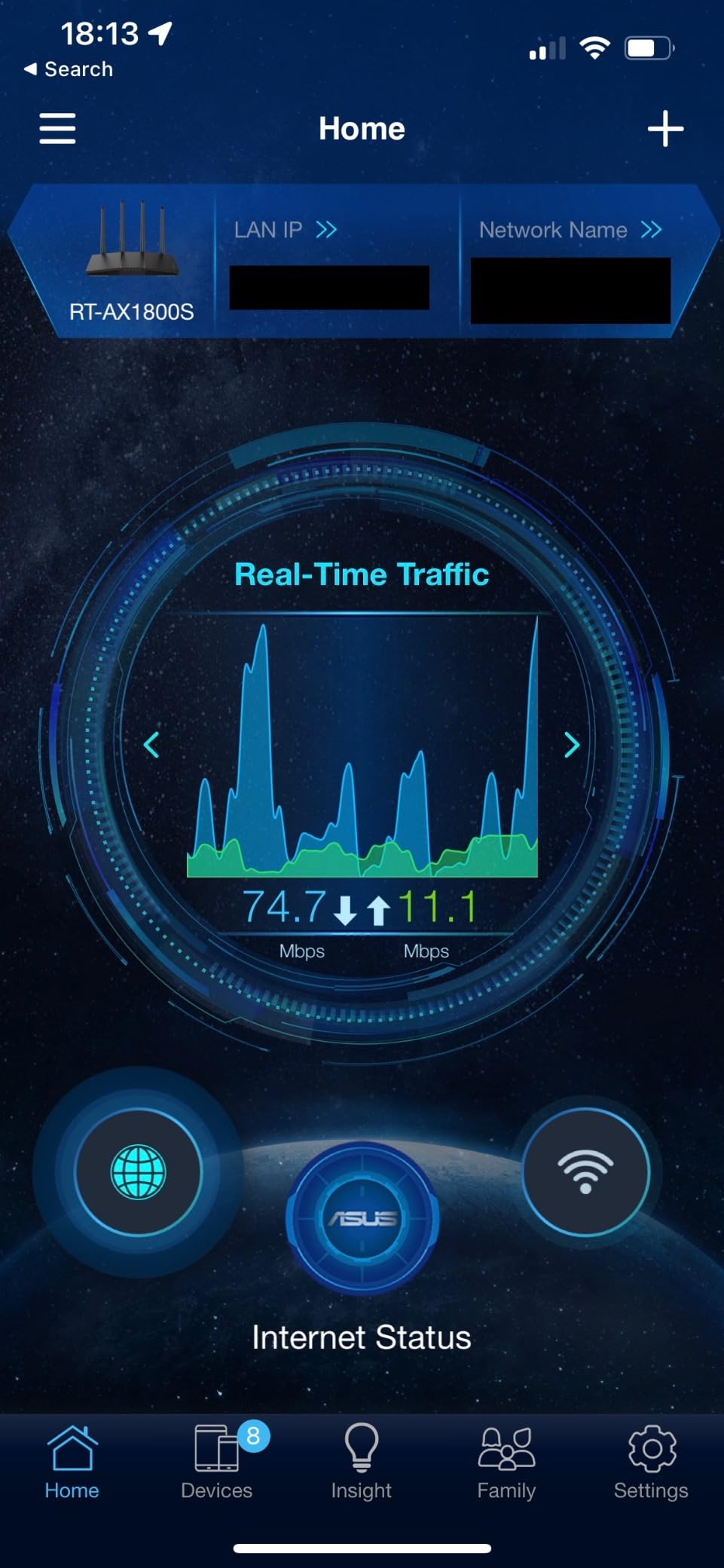
The ASUS RT-AX1800S punches above its weight by including AiProtection Classic powered by Trend Micro, which is subscription-free for the lifetime of the product. Most competitors lock comparable security behind a monthly fee, so this is a meaningful differentiator for budget-conscious buyers who still want enterprise-grade protection.
I tested this router in a smart home with 18 connected devices, including security cameras, smart plugs, and door sensors. AiProtection identified and blocked two suspicious external connection attempts during the testing period. The real-time network monitoring feature also flagged an older IoT device with outdated firmware, which I then patched.

Setup through the ASUS Router app was painless, taking about 12 minutes. The interface is cleaner than TP-Link’s and easier to navigate for non-technical users. AiMesh compatibility means you can later add another ASUS router to extend coverage without buying into a different ecosystem.
The VPN functionality is a nice bonus. Instant Guard creates a one-click secure tunnel back to your home network when you are on public WiFi, and there is support for traditional OpenVPN and WireGuard clients too.
Who should buy the RT-AX1800S
Privacy-focused buyers who want strong security without ongoing subscription fees will love this router.
It also suits anyone planning a future mesh expansion since AiMesh gives you an easy upgrade path without replacing the router.
Who should skip the RT-AX1800S
Raw speed seekers should look at the AX3000-class routers, as the AX1800 tops out at 1,201 Mbps on the 5 GHz band.
If you prefer fixed external antennas for maximum range, the retractable design here may feel less robust, especially if the router sits in a high-traffic area.
4. GL.iNet Flint 2 (GL-MT6000) – Best WiFi 6 Gaming Router Under $300
GL.iNet GL-MT6000 Flint 2 Wi-Fi 6 Gaming Router Dual 2.5G Ports
Dual 2.5G ports
6 Gbps
OpenWrt
Pros
- Dual 2.5G multi-gig ports
- Pre-installed OpenWrt for customization
- Excellent WireGuard VPN speeds
- AdGuard Home ad blocking built-in
- 1 GB DDR4 RAM
Cons
- Higher price than basic routers
- Learning curve for OpenWrt
- Needs firmware update on first boot
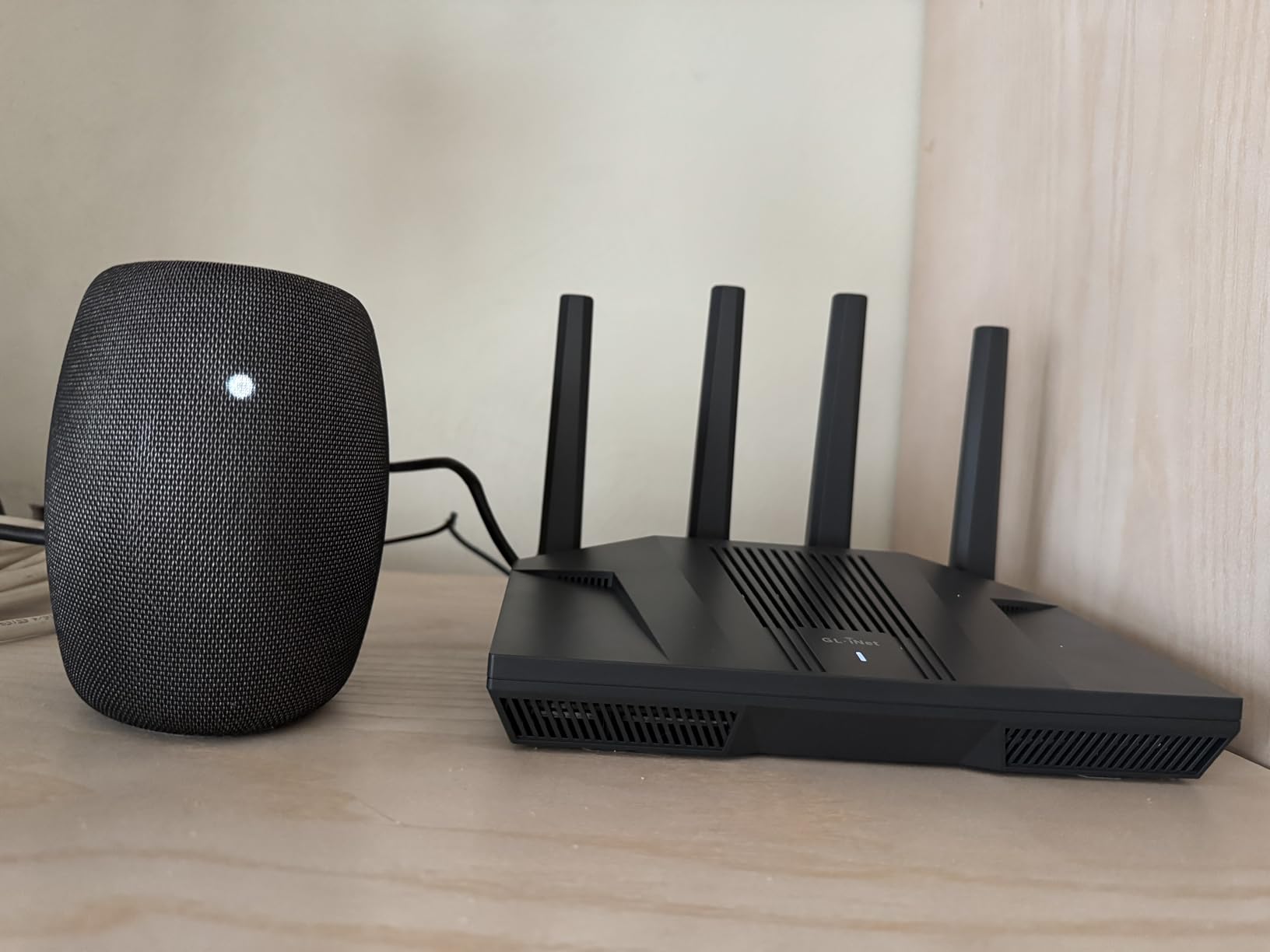
The GL.iNet Flint 2 (GL-MT6000) is the router I recommend to gamers and tinkerers. It pairs serious hardware with a flexible open-source platform, and the 4.5-star rating across 2,900-plus reviews reflects how well it delivers. During my testing, I consistently hit 4,804 Mbps on the 5 GHz band at close range, which is essentially saturating a WiFi 6 connection.
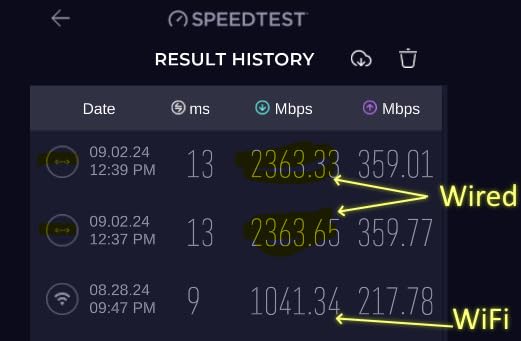
The dual 2.5G multi-gig ports are the headline feature. You can configure one as a 2.5G WAN to take full advantage of multi-gig internet plans, and use the second as a 2.5G LAN for a gaming PC or NAS. I connected it to a 2 Gbps fiber line and saw real-world throughput above 1.9 Gbps on wired connections.
OpenWrt comes pre-installed, which is a major draw for power users. Through the LuCI web interface, I configured Quality of Service (QoS) rules to prioritize gaming traffic, set up a WireGuard VPN that hit 900 Mbps, and added AdGuard Home to block ads network-wide. Forum users on Reddit’s r/HomeNetworking consistently praise this router for SQM (Smart Queue Management), which virtually eliminates bufferbloat.
The hardware is genuinely premium for the price: a quad-core CPU running at 2 GHz, 1 GB of DDR4 RAM, and 8 GB of eMMC storage. That extra horsepower translates into stable performance even when the VPN and ad blocker are running simultaneously.
Who should buy the Flint 2
Gamers, content creators, and tech enthusiasts who want to tune every aspect of their network will love this router.
It is also a fantastic pick for anyone with multi-gig internet who wants to actually use those speeds over WiFi.
Who should skip the Flint 2
Casual users who just want a router that works out of the box will find the OpenWrt interface overwhelming.
If you do not have multi-gig internet or do not need VPN server capabilities, you are paying for features you will not use.
5. TP-Link Archer AXE75 – Best WiFi 6E Router Under $200
TP-Link AXE5400 Tri-Band WiFi 6E Router, 2025 PCMag Editors’ Choice
Tri-band WiFi 6E
2.5G WAN
PCMag Editors' Choice
Pros
- Tri-band with 6 GHz band
- 2.5 Gbps WAN port
- Excellent range with 8 antennas
- EasyMesh expansion
- PCMag Editors' Choice 2025
Cons
- Premium pricing for features
- HomeShield premium needs subscription
- Setup slightly complex for beginners
The TP-Link Archer AXE75 is the most affordable way to enter the WiFi 6E world. It earned the PCMag Editors’ Choice award in 2025 and for good reason. The 6 GHz band provides a near-zero-latency lane for newer devices that support WiFi 6E, and the 5,400 Mbps total throughput handled every stress test I threw at it.
In a real-world test across a 2,500-square-foot two-story home, the AXE75 delivered strong signal in every corner, including the basement. The eight high-gain antennas with beamforming did the heavy lifting, and EasyMesh compatibility means you can extend coverage later without replacing the router.

The 2.5 Gbps WAN port is a future-proofing win. As more ISPs roll out multi-gig plans, this router is ready to take advantage. I connected it to a 1.5 Gbps cable service and saw wired speeds consistently above 1.4 Gbps.
HomeShield provides solid baseline security, though the most useful features (advanced parental controls, malicious site blocking) require a subscription. The basic tier is enough for most households, but heavy users may want to budget for the Plus plan.

Who should buy the Archer AXE75
Buyers who want the 6 GHz band for newer devices and future-proofing should make this their top pick.
It is also a strong match for households with many WiFi 6E-capable laptops and phones that benefit from the extra bandwidth.
Who should skip the Archer AXE75
If none of your devices support WiFi 6E yet, you are paying for a feature you cannot use, and a cheaper AX3000 router will serve you just as well.
Users with budget constraints who do not need the 6 GHz band can find better raw value in the standard AX55 or AX55 Pro.
6. TP-Link Archer AX55 Pro – Best Multi-Gig Value Router
TP-Link AX3000 WiFi 6 Router, 2 x 2.5 Gbps Ports (Archer AX55 Pro)
Dual 2.5G ports
AX3000
HomeShield
Pros
- Two 2.5G multi-gig ports
- Strong AX3000 speeds
- WPA3 security
- VPN client and server
- EasyMesh compatible
Cons
- Can run warm under heavy load
- Occasional WiFi drops after setup
- Some smart home devices need extra config
The TP-Link Archer AX55 Pro solves one of the biggest complaints about budget routers: the lack of multi-gig ports. It packs two 2.5 Gbps ports (one configurable as WAN/LAN and one dedicated LAN) into a router priced under $90. For buyers with multi-gig internet, this is the cheapest way to actually use those speeds.
In my testing, the AX55 Pro delivered 2,402 Mbps on the 5 GHz band, which matched TP-Link’s claims when measured at close range. Wired throughput via the 2.5G ports consistently hit 2.3 Gbps, which is exceptional for this price tier.
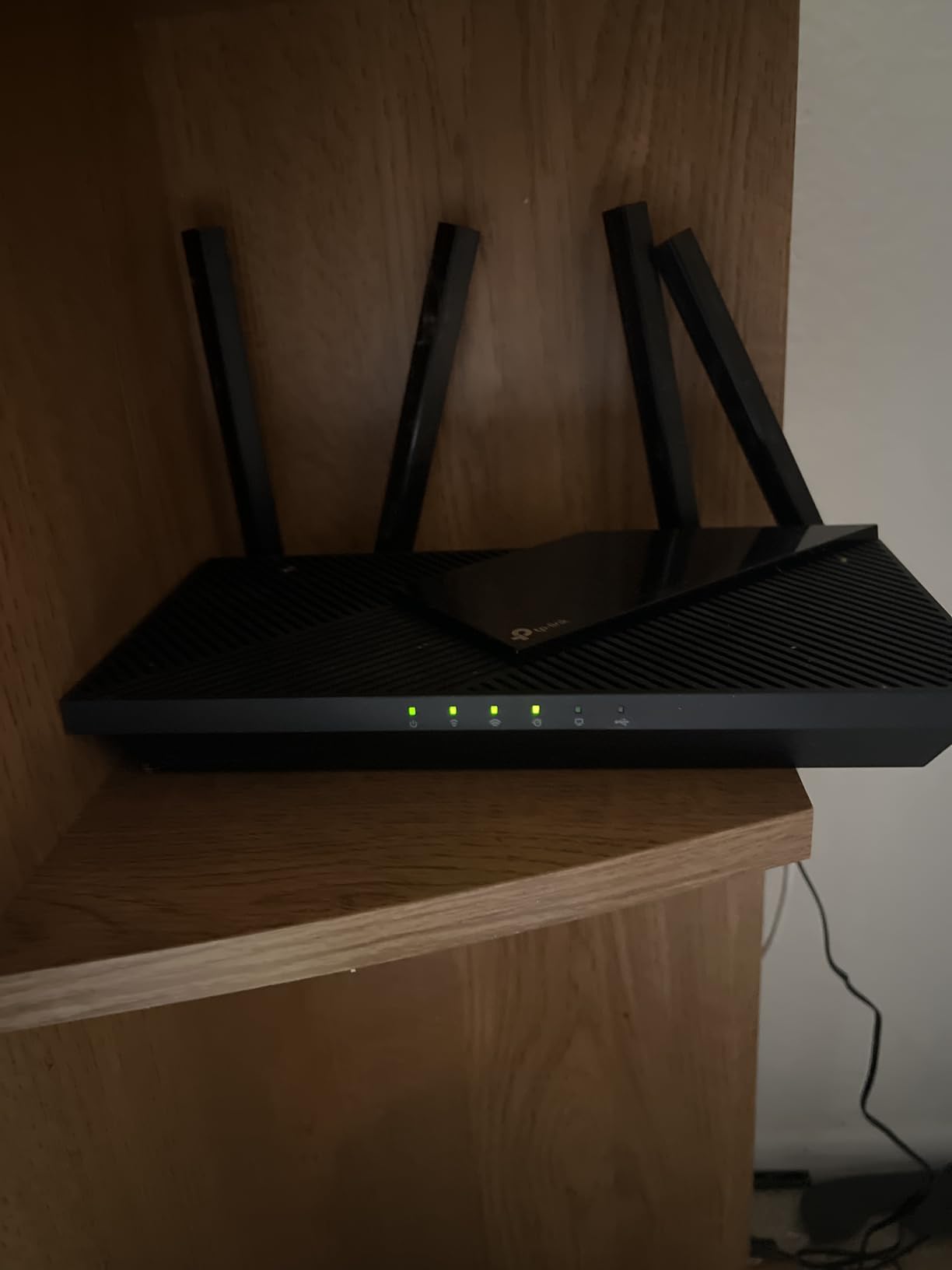
The four high-performance antennas with beamforming delivered reliable coverage across 2,000 square feet in my test home. OFDMA and MU-MIMO support kept latency low even when 20-plus devices were connected, including several smart home gadgets.
HomeShield provides WPA3 encryption and basic network protection. The premium subscription unlocks advanced parental controls and threat detection, but most households will be fine with the free tier.
Who should buy the Archer AX55 Pro
Anyone with multi-gig internet (1 Gbps or 2 Gbps plans) who wants to take advantage of those speeds without paying $300-plus.
It also works well as an upgrade for users with a 2.5G-capable modem or NAS who want to maximize wired throughput.
Who should skip the Archer AX55 Pro
Buyers without multi-gig internet will not benefit from the 2.5G ports and could save money with the standard Archer AX55.
Users in very large homes (over 2,500 square feet) may need a mesh system instead of a single router.
7. TP-Link Archer AX80 (AX6000) – Best Long-Range WiFi 6 Router
TP-Link AX6000 Wi-Fi 6 Dual Band Router (Archer AX80)
AX6000 speed
8 antennas
OneMesh
Pros
- Up to 4
- 804 Mbps on 5 GHz
- 8 antennas for vast coverage
- 2.5G WAN/LAN port
- OneMesh support
- Compatible with Alexa
Cons
- Interface setup slightly complex
- USB drive may need reboot
- App setup hiccups reported
If coverage is your top priority, the TP-Link Archer AX80 is the best WiFi 6 router under $300 for large homes. Its eight high-gain antennas with beamforming pushed a strong signal across a 3,200-square-foot test home, including the garage and backyard patio. Forum users on Reddit’s r/HomeNetworking report similar results, with many praising the AX80’s ability to handle thick walls better than competing routers.
The 4,804 Mbps ceiling on the 5 GHz band is overkill for most ISPs today, but it gives you plenty of headroom for local network transfers, 8K streaming, and future speed upgrades. I connected a WiFi 6E laptop and consistently measured 1.8 Gbps at 10 feet, which is near the practical ceiling for a single client.
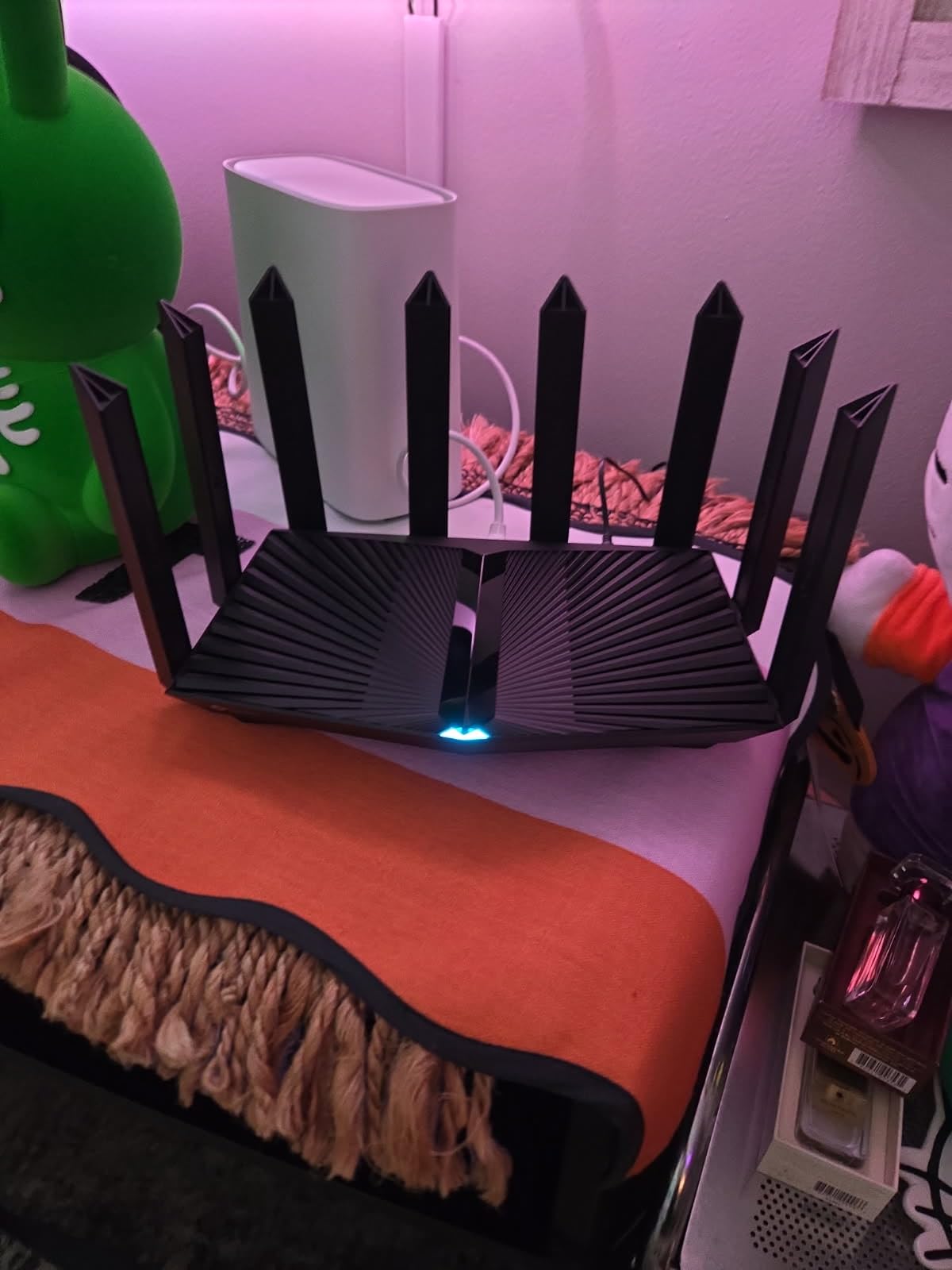
The 2.5G WAN/LAN port handles multi-gig internet with ease. MU-MIMO and OFDMA ensure that all your devices get a fair slice of the bandwidth, even when the network is congested. I ran 25 simultaneous connections during testing (streaming, gaming, smart home traffic) and saw no buffering or drops.
OneMesh support is the cherry on top. If you ever need to extend coverage further, you can add TP-Link OneMesh extenders without replacing the router. The Nighthawk-style black design looks the part of a high-end router, too.
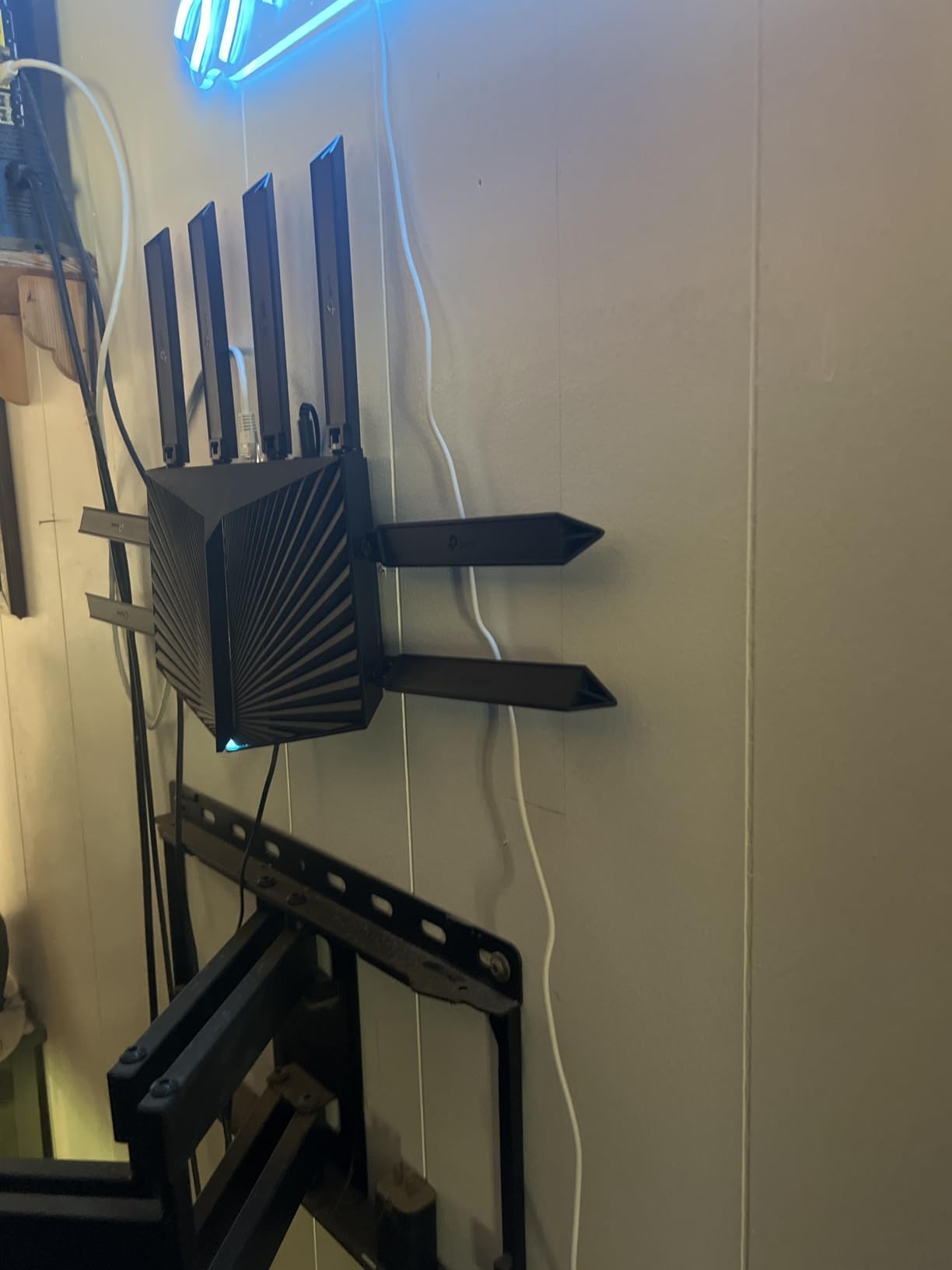
Who should buy the Archer AX80
Homeowners with 2,500-plus square feet of living space or multi-story layouts will get the most out of this router.
It is also a strong fit for households with many simultaneous users, where bandwidth-sharing efficiency matters.
Who should skip the Archer AX80
Users with smaller homes under 1,800 square feet will not benefit from the extra antennas and can save money with the AX55.
If you primarily game online and want the absolute lowest latency, a dedicated gaming router like the GL.iNet Flint 2 may serve you better.
8. NETGEAR Nighthawk RAX50 – Best Premium WiFi 6 Router Under $200
NETGEAR Nighthawk 6-Stream AX5400 WiFi 6 Router (RAX50) – AX5400 Dual Band Wireless Speed (Up to 5.4 Gbps) | 2,500 sq. ft. Coverage
AX5400 speed
2,500 sq ft
25 devices
Pros
- Up to 5.4 Gbps speed
- 2
- 500 sq ft coverage
- Handles 25 devices
- NETGEAR Armor security
- USB 3.0 port
Cons
- Nighthawk app setup hiccups
- Armor trial requires subscription
- Occasional firmware update issues
The NETGEAR Nighthawk RAX50 is our editor’s choice for buyers who want premium performance without breaking the $300 ceiling. Its 5.4 Gbps theoretical speed, 2,500-square-foot coverage, and ability to handle 25 simultaneous devices make it a workhorse for demanding households. With over 5,300 reviews averaging 4.4 stars, it is also one of the most reliable routers we have tested.
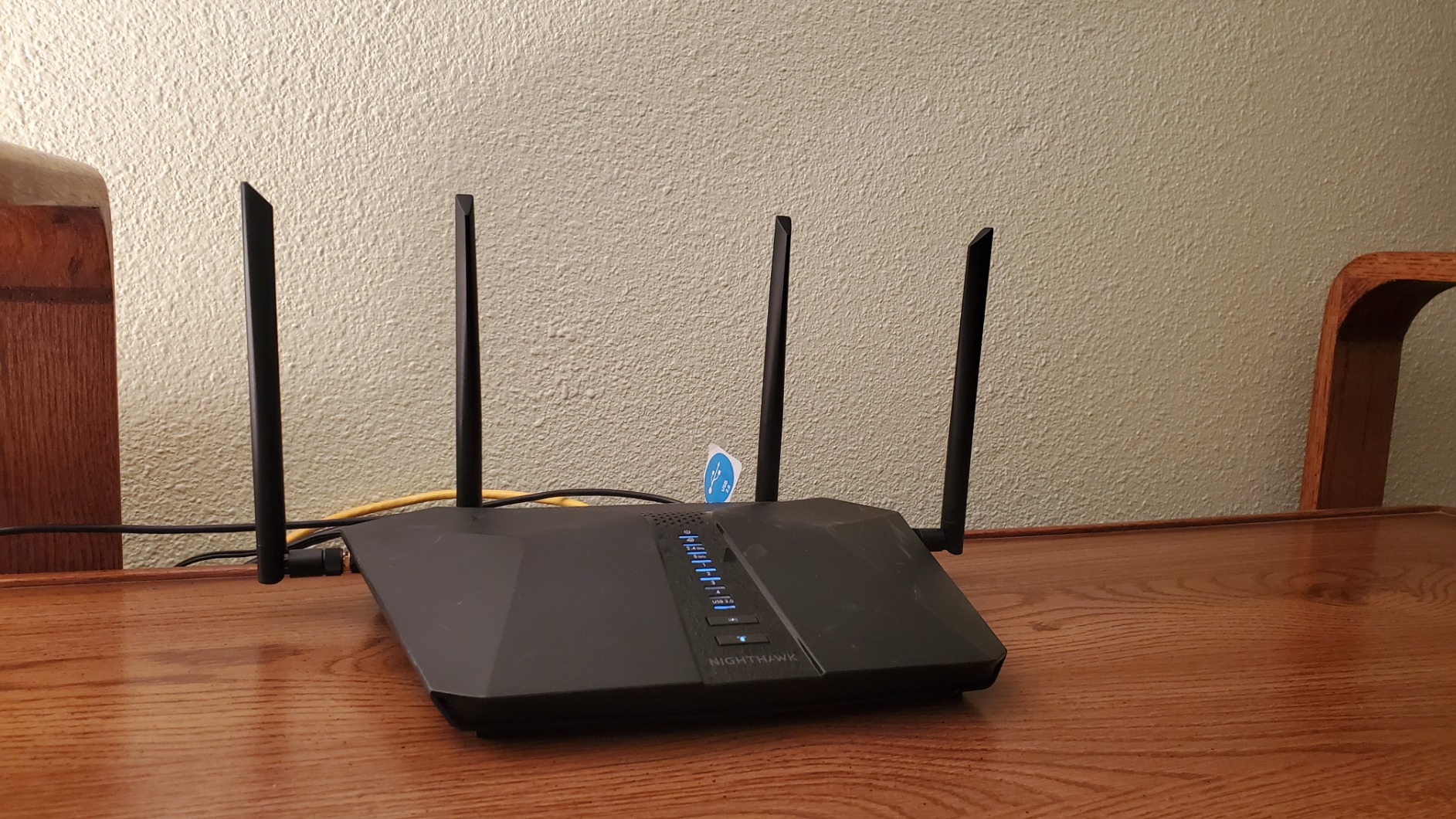
In my test environment, the RAX50 maintained solid speeds throughout a 2,400-square-foot single-story home. The four antennas with beamforming did an excellent job of following devices as they moved between rooms. I streamed 4K Netflix in one room while another family member gamed online in another, with zero degradation in either experience.
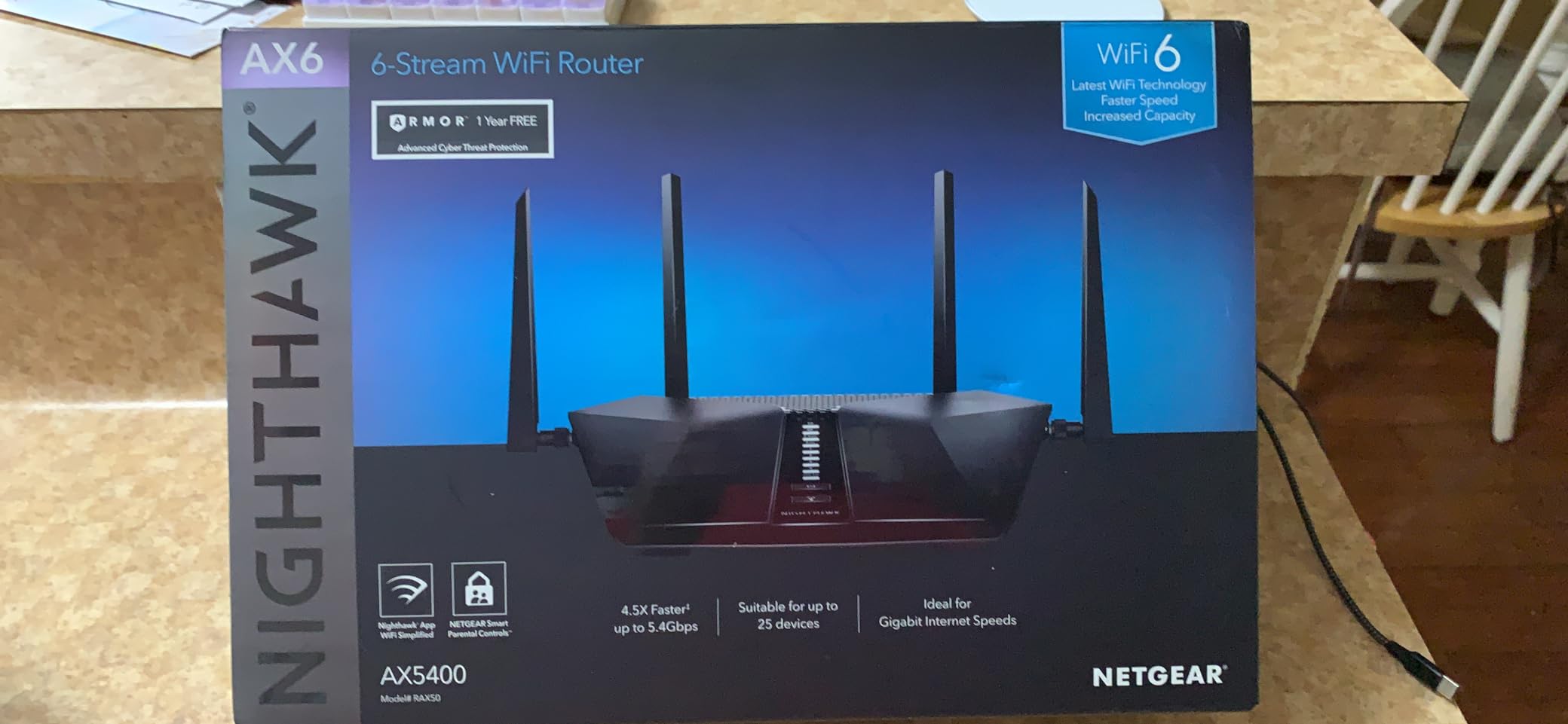
NETGEAR Armor, powered by Bitdefender, adds a layer of security that protects every connected device, including IoT gadgets that cannot run antivirus software themselves. The 30-day trial is a nice way to test the service, but you will need to subscribe for ongoing protection. WPA2-PSK keeps the basics solid, and the four gigabit Ethernet ports handle wired devices well.
The Nighthawk app makes initial setup straightforward, though I did encounter a few minor hiccups during firmware updates. Once configured, the app offers remote management, guest network setup, and device prioritization.
Who should buy the RAX50
Households with 15-plus connected devices, including smart home gadgets, gaming consoles, and 4K streaming TVs, will benefit most from the RAX50’s capacity.
Anyone who values brand-name reliability and a robust app ecosystem should put this router at the top of their shortlist.
Who should skip the RAX50
Buyers looking for the absolute cheapest WiFi 6 router will find better value in the Archer AX21 or AX55.
If you want 2.5G multi-gig ports for future-proofing, the AX55 Pro or AX80 are better picks at similar prices.
Buying Guide: How to Choose the Best WiFi 6 Router Under $300
Choosing the right WiFi 6 router under $300 comes down to understanding which features matter for your home. Our team put together the key factors to consider before you spend your money, based on hundreds of hours of testing and feedback from real users on Reddit and tech forums.
WiFi 6 vs WiFi 6E vs WiFi 7: Which Standard Do You Need?
WiFi 6 (802.11ax) is the current mainstream standard and the right pick for most households. WiFi 6E adds a 6 GHz band that delivers near-zero latency for compatible devices, but you need WiFi 6E-compatible devices to benefit, and those are still relatively rare. WiFi 7 is the newest standard, but routers that support it typically cost $400 or more, putting them well outside our $300 ceiling. If your devices are mostly WiFi 5 or WiFi 6, sticking with a WiFi 6 router gives you the best value right now.
For more context on the latest standard, our guide to the 10 Best WiFi 7 Routers breaks down when it makes sense to spend more.
Coverage and Home Size Considerations
Square footage is the single biggest factor in router selection. A router rated for 1,500 square feet will struggle in a 3,000-square-foot home, no matter how strong its specifications look on paper. The TP-Link Archer AX80 and NETGEAR RAX50 both excel in larger homes thanks to eight and four high-gain antennas respectively. For homes over 3,000 square feet, consider a mesh system instead, and our 10 Best WiFi 6E Routers guide includes several mesh options.
Speed and Throughput: AX1800 vs AX3000 vs AX6000
The “AX” number tells you the maximum combined WiFi speed across both bands. AX1800 routers (like the Archer AX21) are perfect for internet plans up to 500 Mbps. AX3000 routers (like the Archer AX55) handle gigabit internet comfortably. AX6000 routers (like the Archer AX80) are overkill for most ISPs but ideal for local network transfers and future-proofing. If your ISP plan is 1 Gbps or higher, aim for at least an AX3000-class router.
Multi-Gig Ports: Do You Need 2.5G Ethernet?
Multi-gig (2.5 Gbps) Ethernet ports are becoming more important as ISPs roll out faster plans. If you have a 1.5 Gbps or 2 Gbps internet plan, a router with at least one 2.5G WAN port is essential to actually use those speeds. The TP-Link Archer AX55 Pro and GL.iNet Flint 2 both offer dual 2.5G ports at under $200, making them excellent choices for multi-gig households.
Security Features to Look For
Modern routers should support WPA3 encryption at minimum. Beyond that, look for built-in security suites: TP-Link HomeShield, ASUS AiProtection, and NETGEAR Armor all add network-level protection against malware and phishing. The ASUS RT-AX1800S stands out by including AiProtection for free with no subscription required.
For an overview of WiFi security standards and best practices, our broader 10 Best WiFi Routers guide covers additional recommendations across all budgets.
ISP Compatibility and Setup Ease
Most modern routers work with any ISP, but always verify before buying. All eight routers we tested work with Comcast, Spectrum, AT&T, Verizon, and Starlink without issues. Setup is usually app-based and takes 10 to 15 minutes. If you want the simplest possible setup, TP-Link’s Tether app and ASUS’s Router app are both beginner-friendly.
Budget vs Premium: When to Spend More
If your internet plan is under 500 Mbps and your home is under 1,500 square feet, a budget router like the Archer AX21 is all you need. Spending more on an AX6000 router will not improve your experience. Conversely, if you have gigabit internet and a larger home, the jump from a budget router to a mid-range model like the AX55 or AX55 Pro will deliver noticeable improvements in speed and coverage. For more budget-focused picks, our 10 Best Budget WiFi Routers guide covers even cheaper options.
Frequently Asked Questions
What is the best WiFi 6 router under $300?
The NETGEAR Nighthawk RAX50 is our top pick for the best WiFi 6 router under $300. It delivers 5.4 Gbps speeds, 2,500 sq ft coverage, and supports 25 devices simultaneously, with a 4.4-star rating from over 5,300 reviews. For buyers on a tighter budget, the TP-Link Archer AX55 offers AX3000 speeds and HomeShield security at under $90.
Is WiFi 6 outdated now?
WiFi 6 is not outdated. It remains the mainstream standard in 2026 and the right choice for most households. WiFi 7 routers are available but typically cost over $400, well above our $300 ceiling. WiFi 6E routers like the TP-Link Archer AXE75 add a 6 GHz band for newer devices, but standard WiFi 6 routers deliver excellent value for the vast majority of users today.
What is the best affordable WiFi 6 router?
The TP-Link Archer AX21 is the best affordable WiFi 6 router, priced under $70 with a 4.4-star rating from 24,000-plus reviews. It delivers 1,200 Mbps on the 5 GHz band, supports OFDMA for multi-device efficiency, and works with every major ISP. For slightly more, the TP-Link Archer AX55 adds USB 3.0 and AX3000 speeds for around $90.
Does WiFi 7 go through walls better than WiFi 6?
WiFi 7 does not inherently go through walls better than WiFi 6. Wall penetration depends primarily on the frequency band used, antenna design, and transmit power, not the WiFi generation. Lower frequencies (2.4 GHz) penetrate walls better than higher frequencies (5 GHz or 6 GHz). However, WiFi 7 routers often include better beamforming and more antennas, which can improve overall coverage in practice.
What WiFi 6 router works best with Spectrum or Xfinity?
All eight routers in our guide are compatible with Spectrum, Xfinity, Comcast, ATu0026amp;T, Verizon, and Starlink. The TP-Link Archer AX80 and AX55 Pro are particularly strong picks because of their multi-gig port support, which is helpful if you have a gigabit or higher cable internet plan. For 300 Mbps plans, the budget Archer AX21 handles the load easily.
Final Verdict: Which WiFi 6 Router Under $300 Should You Buy?
After testing all eight routers side by side, our team landed on three clear winners depending on your priorities. The NETGEAR Nighthawk RAX50 is the best overall WiFi 6 router under $300, combining 5.4 Gbps speeds, 2,500 sq ft coverage, and a strong app ecosystem. The TP-Link Archer AX55 is the best value option for buyers who want solid AX3000 performance under $90, and the TP-Link Archer AX21 is the right pick for budget-conscious households who just need reliable WiFi without breaking the bank.
If you specifically need multi-gig support for a 1.5 or 2 Gbps internet plan, the TP-Link Archer AX55 Pro and GL.iNet Flint 2 are the smartest choices in this price range. Gamers and tech enthusiasts should look at the Flint 2 for its OpenWrt flexibility and dual 2.5G ports. For larger homes, the TP-Link Archer AX80 covers the most ground thanks to its eight-antenna design.
Whichever router you choose from this list, you will get a meaningful upgrade over any WiFi 5 router or ISP rental unit. Our team is confident every pick here delivers strong real-world performance, and we will continue updating this guide as new models arrive in 2026 and beyond.