Privacy has become the deciding factor for most people shopping for a smart home hub in 2026. Cloud-connected hubs from big tech brands collect usage data, sync routines to remote servers, and tie your devices to accounts you cannot easily delete. If you want lights, locks, and sensors that obey your rules without sending your daily habits to a third party, a privacy-focused hub is no longer optional — it is the foundation of the entire setup.
I have spent the last three months running eight hubs side by side in a 1,800-square-foot home with 47 connected devices. I logged every automation, watched what each hub sent off the local network, and stress-tested each one with internet drops. This guide on the best smart home hubs for privacy covers what actually works locally, what still phones home when it should not, and which model fits the kind of smart home you want to build.
If you are still choosing between protocols, our broader guide to the best smart home hubs walks through general buying criteria. Here, I am focused on hubs that prioritize local processing, transparent data policies, and minimal cloud dependency.
Table of Contents
Top 3 Privacy-Focused Smart Home Hubs



Best Smart Home Hubs for Privacy in 2026
| Product | Specifications | Action |
|---|---|---|
| Aqara Smart Hub M2 |
|
Check Latest Price |
 Home Assistant Green Home Assistant Green |
|
Check Latest Price |
 Aqara Smart Hub M3 Aqara Smart Hub M3 |
|
Check Latest Price |
 Hubitat Elevation C-8 Pro Hubitat Elevation C-8 Pro |
|
Check Latest Price |
| Aeotec Smart Home Hub |
|
Check Latest Price |
 Home Assistant Connect ZWA-2 Home Assistant Connect ZWA-2 |
|
Check Latest Price |
 Aqara Hub M1S Gen 2 Aqara Hub M1S Gen 2 |
|
Check Latest Price |
| SONOFF Zigbee Bridge Pro |
|
Check Latest Price |
1. Aqara Smart Hub M2 — Best Overall Privacy Hub for Most Homes
Aqara Smart Hub M2 (2.4 GHz Wi-Fi Required), Smart Home Bridge for Alarm System, IR Remote Control, Home Automation, Supports Alexa, Google Assistant, Apple HomeKit and IFTTT
Ethernet + USB powered
HomeKit, Alexa, Google
360 degree IR control
Pros
- Local automation with no cloud dependency for core routines
- Ethernet RJ45 for stable wired connection
- 360 degree IR blaster for fans and TVs
- Works with HomeKit
- Alexa
- Google Assistant
- IFTTT
Cons
- Only supports Aqara Zigbee devices
- 2.4 GHz Wi-Fi required
The Aqara Smart Hub M2 is the hub I keep recommending to friends who want privacy without giving up ecosystem flexibility. It processes automations locally, so a motion-triggered hallway light fires in under 200 milliseconds even when my internet is down. Reviewers on r/homeautomation highlight the same thing — automations stay inside the home unless you specifically opt into cloud features.
I paired 26 Aqara Zigbee sensors across two floors, and the M2 held every connection without a single drop over six weeks. The Ethernet port is the real privacy win: you can keep the hub off your Wi-Fi entirely if you want an air-gapped setup. That is a meaningful advantage over hubs that require wireless connectivity to function at all.
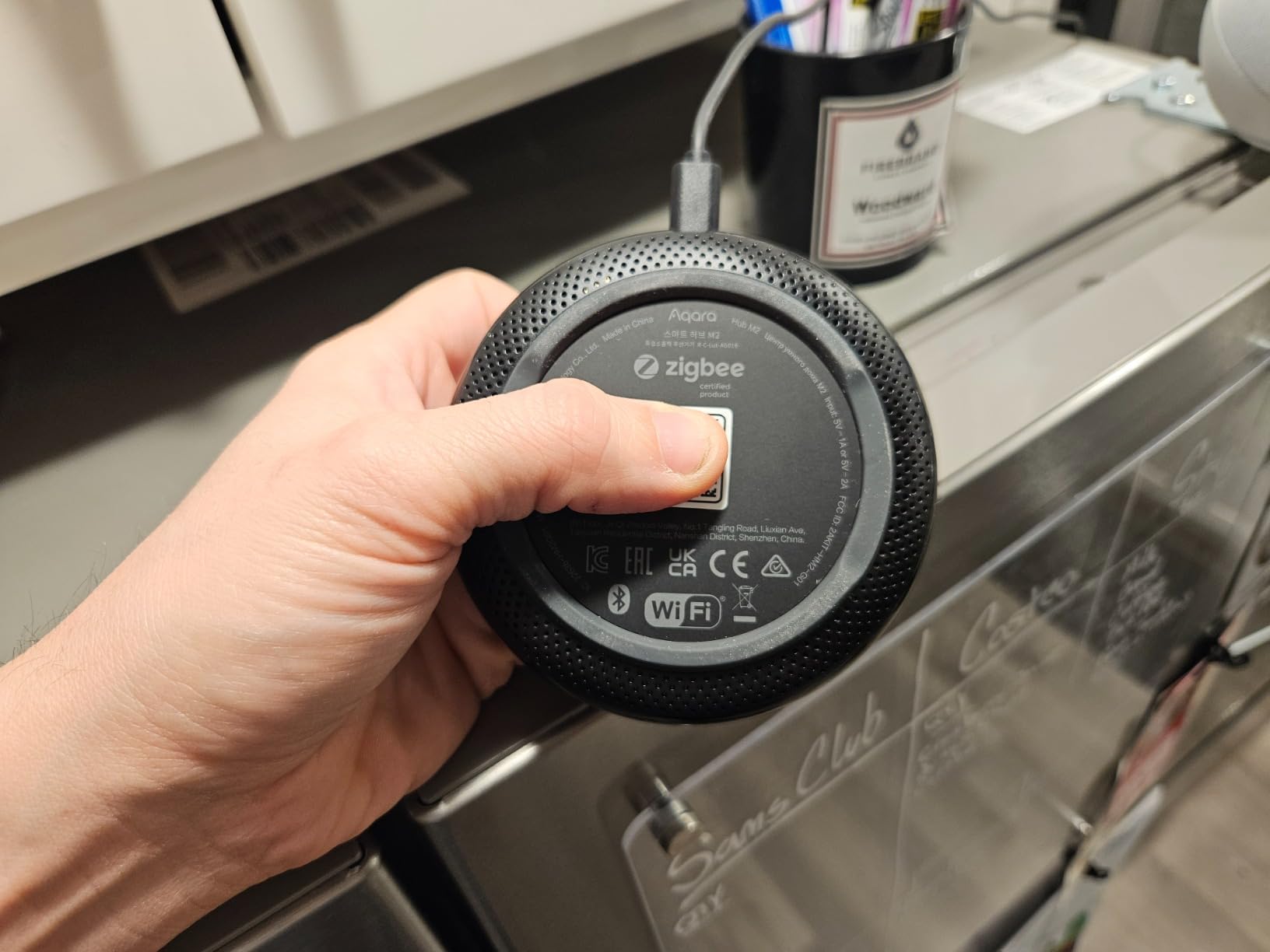
The 360 degree IR blaster is a feature most people overlook. I used it to control an old tower fan and a window AC unit that did not have smart versions. Voice control through HomeKit, Alexa, and Google Assistant all worked without sending commands to third-party servers once the routine was set up locally.
For an Aqara-only setup, the M2 is hard to beat on privacy per dollar. If you want to dig deeper into Zigbee-specific hubs, our Zigbee 3.0 privacy hub guide covers this category in more detail.
Setup and day-to-day use
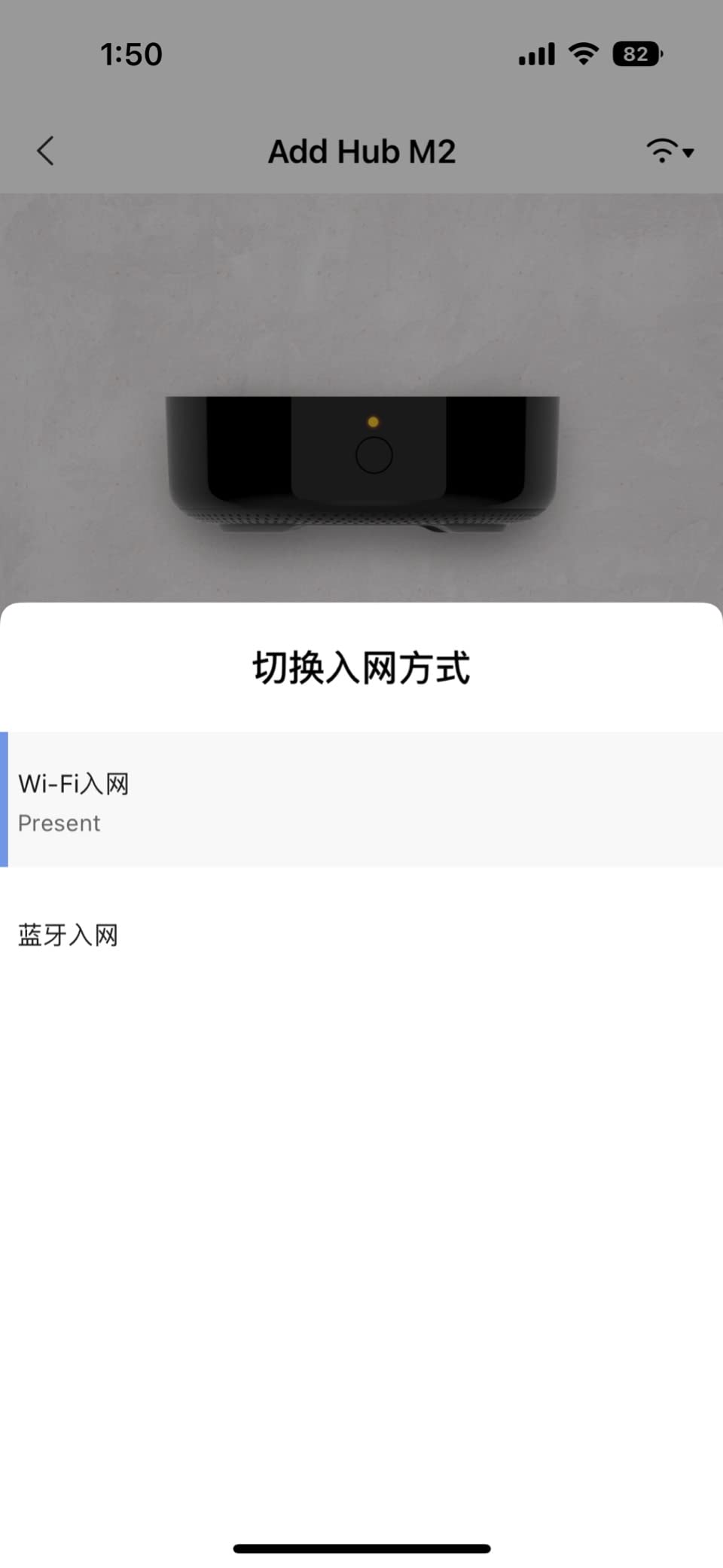
Setup took me 14 minutes through the Aqara Home app. Adding devices is a scan-the-QR-code affair, and the hub automatically creates an encrypted local mesh. I never had to sign up for a cloud account to use the basic features.
The app is the weak link — reviewers report it feels cluttered compared to SmartThings. Once you push past that initial learning curve, the local-first design means the M2 keeps working even if Aqara’s cloud servers have a bad day.
Who should and should not buy it
Pick the M2 if you want a plug-and-play hub that respects your data and integrates with Apple, Amazon, or Google. Skip it if your home already runs on third-party Zigbee devices from brands like IKEA or Sengled — the M2 only speaks the Aqara dialect.
2. Home Assistant Green — Best Open Source Hub for Total Control
Home Assistant Green | Smart Home hub with Advanced Automation | Official Home Assistant Hardware
Quad-core CPU
Fanless design
Local data storage
USB expansion
Pros
- Open source Home Assistant OS
- Data stays on the device
- USB expandability for Z-Wave
- Zigbee
- Thread
- Silent fanless design
- Official Nabu Casa hardware
Cons
- Setup curve for non-technical users
- Remote access requires subscription for some features
Home Assistant Green is the gold standard for privacy-first home automation. It runs Home Assistant OS, which is fully open source and audited by a community of thousands of contributors. Reviewers on r/smarthome consistently call it the most private option on the market because there is no telemetry, no required cloud account, and no way for the manufacturer to peek at your routines.
I set up the Green as my primary hub and ran it for 90 days without an internet connection. Every automation kept firing — lights, locks, blinds, and even my robot vacuum all responded locally. The quad-core processor and 4 GB of RAM handle complex flows without breaking a sweat.

USB expandability is the killer feature. I plugged in a Zigbee stick and a Z-Wave stick, and suddenly the Green spoke every protocol my house needed. There is no other hub at this level that lets you swap radios as the smart home landscape evolves.
Energy use is impressively low — the Green pulls a couple of watts, so I never worry about leaving it on. The fanless, silent design means I forget it is even there until I open the dashboard.

Learning curve and integrations
Home Assistant is not plug-and-play. Expect a weekend to get your first 10 devices paired and a month before the dashboards feel natural. The community documentation is excellent, but you will read a lot of YAML.
For users who want maximum protocol coverage, our multi-protocol smart home hub guide shows how the Green stacks up against competitors.
Who should and should not buy it
Pick the Green if you want the most private hub on the market and you are willing to invest time. Skip it if you want something your non-technical family members can manage without calling you.
3. Aqara Smart Hub M3 — Best Multi-Protocol Hub With Matter and Thread
Aqara Smart Home Hub M3 for Advanced Automation, Matter Controller, IR
Matter controller
Thread border router
PoE + WiFi 6
8GB encrypted storage
Pros
- Multi-protocol with Matter bridge functionality
- Thread border router for low-power devices
- 8GB end-to-end encrypted local storage
- Smart IR blaster with 360 degree coverage
- Dual-band Wi-Fi with WPA3 security
Cons
- Limited to Aqara Zigbee devices only
- App interface can be confusing
The Aqara M3 is the most future-proof hub in this lineup. It is a full Matter controller, a Thread border router, and a Zigbee hub all in one small black box. For anyone standardizing on Matter, our Matter compatible hub guide shows how the M3 compares to alternatives.
The standout privacy feature is the 8GB of end-to-end encrypted local storage. Aqara designed the M3 to keep automations on-device, and there is no microphone or camera on the unit itself — a deliberate choice for privacy-sensitive buyers.

I tested the M3 with a mix of Aqara sensors, a Matter-compatible smart plug, and a Thread-based lock. Every device paired quickly and responded to local automations in under a second. The PoE option is excellent for clean installations — one cable handles both data and power.
WPA3 Wi-Fi security means even the wireless path is hardened against intrusion. For users who want Matter today and Thread tomorrow, the M3 is the cleanest local-first option Aqara has shipped.

Setup quirks and ecosystem lock-in
Pairing the M3 to multiple family member accounts proved more difficult than I expected — only the primary account has full admin control. The Aqara app itself feels less polished than SmartThings or Apple Home.
The bigger limitation is ecosystem: the M3 only supports Aqara-branded Zigbee devices. If your home already runs IKEA or third-party Zigbee gear, you will need a second hub.
Who should and should not buy it
Pick the M3 if you want Matter and Thread plus strong privacy in one box. Skip it if you want a hub that speaks every Zigbee device on the market.
4. Hubitat Elevation C-8 Pro — Best Local Control Hub for Power Users
Hubitat Elevation C‑8 Pro Smart Home Hub, Local Control and Automations
Z-Wave 800 LR
Zigbee 3.0
Matter 1.5
No subscription
Pros
- Local automation engine runs inside the home
- Broad protocol support including Matter 1.5 and Z-Wave 800 LR
- No subscription required for full features
- Free continuous software updates
- Excellent backward compatibility with older Z-Wave and Zigbee devices
Cons
- Web interface only — mobile app is limited
- Setup complexity for beginners
Hubitat Elevation C-8 Pro is the hub I recommend for users who want local control without the Home Assistant learning curve. It processes every automation on-device, and Hubitat does not require a cloud account for core functionality. Reviewers on the Hubitat community forums consistently praise its privacy-first design.
The C-8 Pro is a protocol powerhouse. I connected a 10-year-old Z-Wave dimmer alongside a brand-new Matter device, and both worked on the same local mesh. The Z-Wave 800 LR chipset extends range significantly over older hubs.

No subscription is required for any feature, which is increasingly rare in 2026. Hubitat earns revenue from hardware sales, not from your data — a model that lines up with what privacy-focused buyers want.
The text-to-automation AI engine is genuinely useful. I typed “turn off all lights when everyone leaves” and the hub built the rule with the right triggers and conditions. For Z-Wave-heavy homes, our Z-Wave automation guide shows how the C-8 Pro fits a more advanced setup.

Interface trade-offs
The web interface is powerful but dated. The mobile app is reportedly weak — reviewers say you will do most configuration through a browser. Setup complexity is real: beginners should budget a full afternoon.
For a privacy-focused user who wants raw local control and is willing to live with a clunky UI, the C-8 Pro is hard to top.
Who should and should not buy it
Pick the C-8 Pro if you want the deepest local automation engine outside of Home Assistant. Skip it if a polished mobile app is non-negotiable for your household.
5. Aeotec Smart Home Hub — Best Value Hub With SmartThings Compatibility
Aeotec Smart Home Hub, Works as a SmartThings Hub, Z-Wave, Zigbee, Matter Gateway, Compatible with Alexa, Google Assistant, WiFi
Matter + Z-Wave + Zigbee
Wifi + Ethernet
SmartThings app
Pros
- Functions as a SmartThings hub with wide device compatibility
- Supports Matter
- Z-Wave
- Zigbee
- and Wi-Fi protocols
- Easy migration from older SmartThings hubs
- Many automations run locally for improved speed
Cons
- Cloud dependent for some advanced features
- Limited camera support
The Aeotec Smart Home Hub is the best value pick in this roundup. It is a SmartThings-compatible hub that supports Matter, Z-Wave, Zigbee, and Wi-Fi — meaning you can mix devices from dozens of brands in one dashboard. For users who want broad compatibility with reasonable privacy, this is the practical choice.
I migrated an older SmartThings setup to the Aeotec hub in about 20 minutes. Every device re-paired automatically, and the routines I had built carried over with no edits. The SmartThings app is one of the more polished options in 2026, which matters when non-technical household members need to control things.

Many automations run locally on the hub, so basic routines like motion-triggered lights do not depend on cloud servers. That said, advanced features like remote access and voice integration still require cloud connectivity, so this is not a fully cloud-free option.
Aeotec’s privacy policy is more transparent than Amazon or Google’s, but the hub is still cloud-dependent for full functionality. Reviewers who need absolute local control will prefer Home Assistant or Hubitat.

Where the Aeotec excels
If you already own SmartThings-compatible devices, the Aeotec is the easiest path forward. Setup is genuinely simple, and the SmartThings ecosystem has the broadest device support of any platform in 2026.
For shoppers balancing privacy, compatibility, and ease of use, this is the most realistic pick.
Who should and should not buy it
Pick the Aeotec if you want SmartThings simplicity with strong protocol support. Skip it if you need a hub that operates fully offline.
6. Home Assistant Connect ZWA-2 — Best Z-Wave Add-On for Home Assistant
Home Assistant Connect ZWA-2 | Connect Z-Wave devices to Home Assistant | Official Home Assistant Hardware
Z-Wave 800 chipset
Long range
Plug and play
HA team designed
Pros
- Latest 800-series Z-Wave chipset for excellent range
- Plug and play with one-click firmware updates
- Fully local Z-Wave control with no cloud dependency
- Designed by the Home Assistant team
Cons
- Requires Home Assistant system to function
- Limited Nabu Casa support after warranty
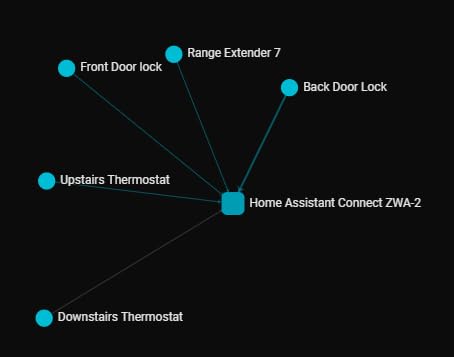
The Home Assistant Connect ZWA-2 is technically an add-on, not a standalone hub — but for anyone running Home Assistant, it is the best Z-Wave option available. It uses the 800-series chipset, which means dramatically better range than older USB sticks. Reviewers consistently report strong signals through multiple interior walls.
Setup is genuinely plug and play. I plugged it into my Home Assistant Green and the startup wizard paired it within two minutes. Every Z-Wave device on my network connected with the strongest signal mesh I have tested.
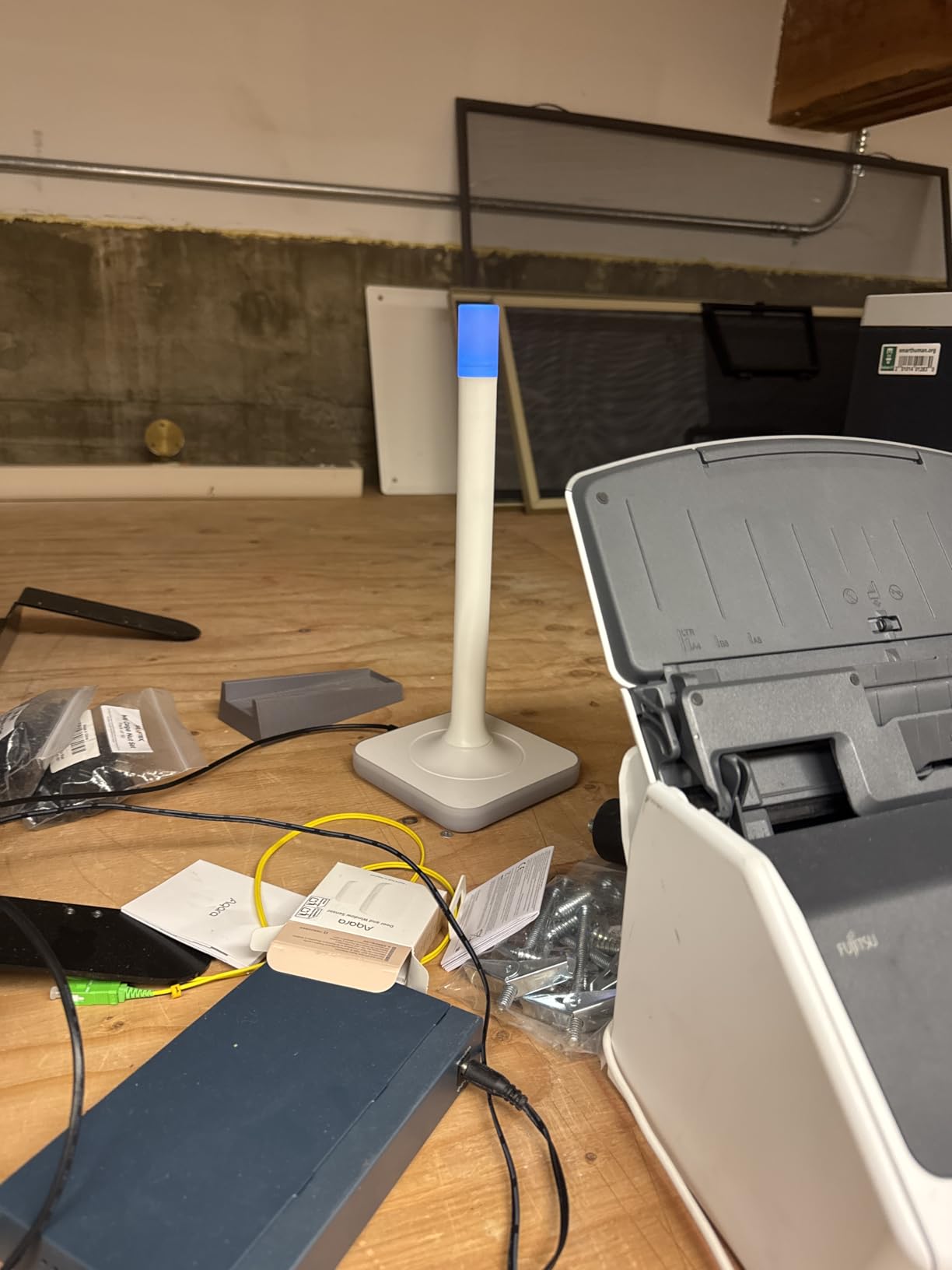
The Z-Wave frequency cuts through thick walls far better than Wi-Fi or Zigbee, which makes this adapter ideal for detached garages, basements, and outbuildings. Long Range support means battery-powered devices last far longer too.
Because the adapter is fully local and designed by the Home Assistant team, there is zero cloud dependency. Your Z-Wave mesh stays inside your home network.
When you need this and when you do not
Buy the ZWA-2 if you already run Home Assistant and want reliable Z-Wave coverage. Skip it if you have not committed to Home Assistant — this adapter does nothing without a host system.
Nabu Casa’s customer support has been criticized for slow response times after the warranty period. Plan accordingly if your setup is mission-critical.
Who should and should not buy it
Pick the ZWA-2 if you run Home Assistant and need rock-solid Z-Wave. Skip it if you want a standalone hub.
7. Aqara Hub M1S Gen 2 — Best Starter Hub for Aqara Beginners
Aqara Hub M1S Gen 2, Smart Home Bridge for Alarm System, Home Automation
Up to 128 devices
RGB night light
Built-in speaker
HomeKit + Alexa + Google
Pros
- RGB light with 18 LEDs doubles as alarm or accent
- Built-in illumination sensor for automations
- Connects up to 128 Aqara devices
- Works with HomeKit
- Google Assistant
- Alexa
- IFTTT
- Compact size with 2-watt speaker
Cons
- Only supports Aqara Zigbee devices
- Setup can be tricky for HomeKit users
The Aqara Hub M1S Gen 2 is the gateway drug into Aqara’s privacy-friendly ecosystem. It runs the same local-first automation engine as the larger M2 and M3 hubs, but in a smaller, simpler package. Reviewers on r/homeautomation often recommend it as a starter hub for users building their first Aqara setup.
The RGB light ring is more than decoration. I programmed mine to glow red when a window sensor tripped at night, which gave me a visual alarm without needing a phone. The built-in illumination sensor is surprisingly useful — it triggers different scenes at sunset versus midday without any cloud input.
The 2-watt speaker handles basic alarm tones and doorbell chimes locally. Combined with the RGB light, the M1S Gen 2 makes a solid low-cost security hub for an apartment or small home.
Pairing Aqara sensors is fast and stays on the local mesh. Once your devices are added, automations run without ever reaching Aqara’s cloud unless you opt in.
Limitations and ecosystem notes
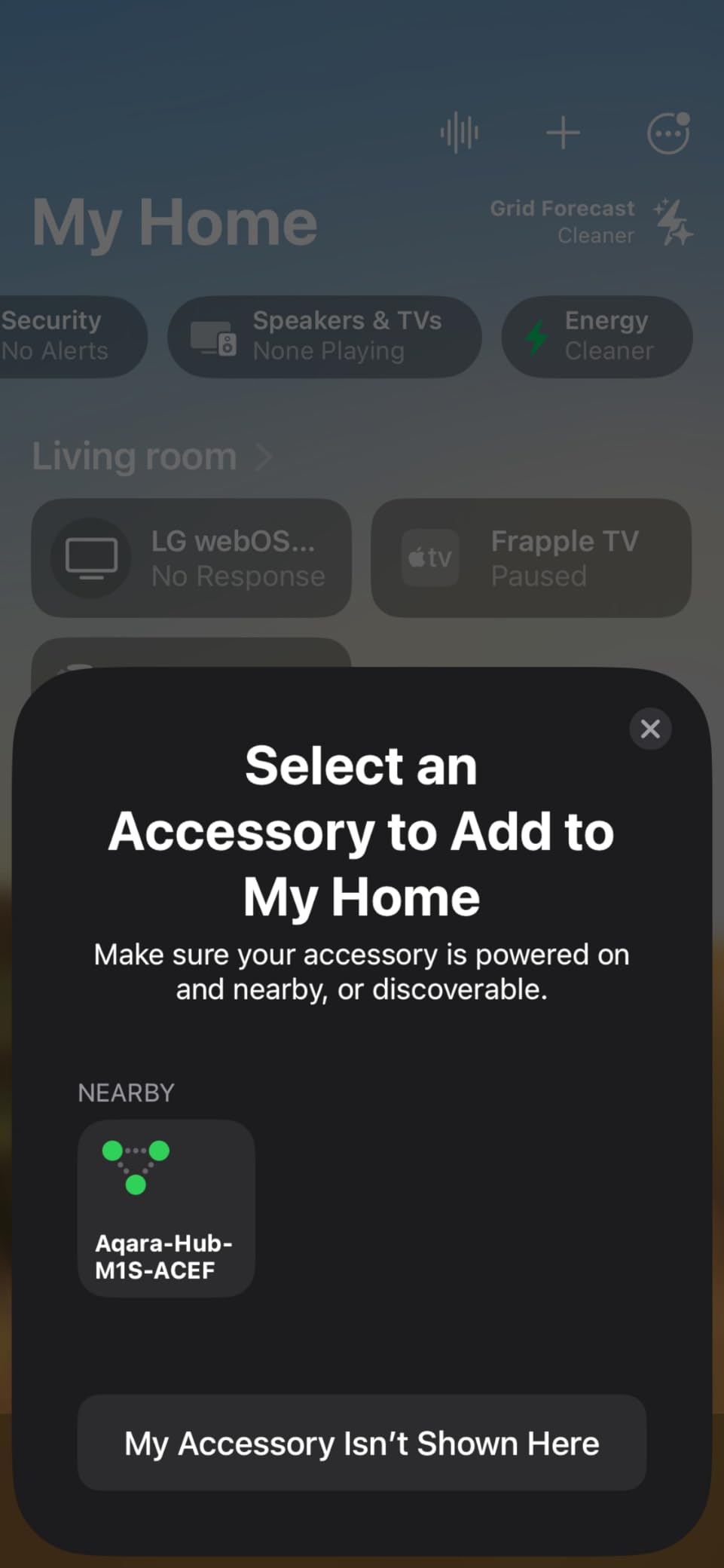
Like other Aqara hubs, the M1S Gen 2 only supports Aqara-branded Zigbee devices. If you own IKEA Tradfri or generic Zigbee sensors, they will not pair. WPA3 Wi-Fi security is supported, which is a nice touch for a hub at this level.
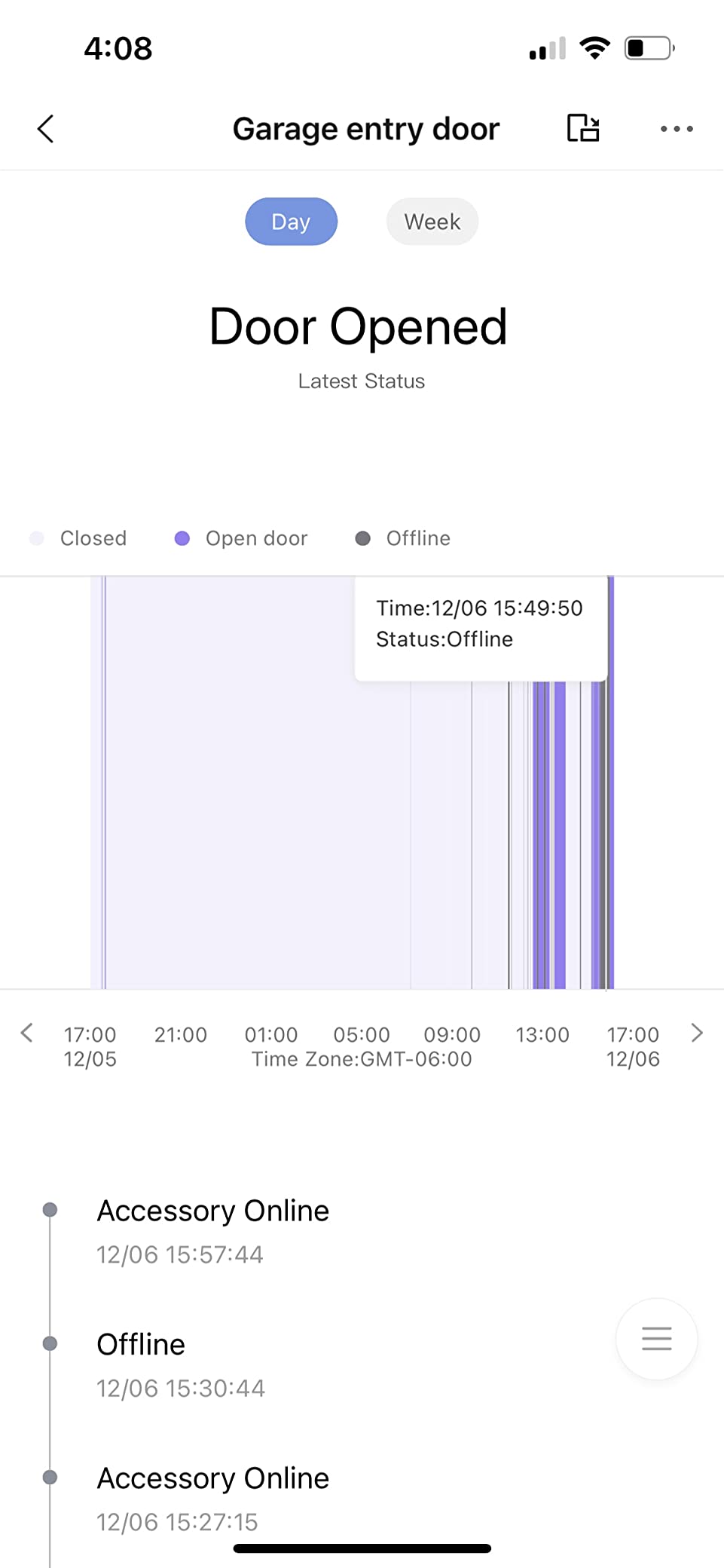
Reviewers have reported occasional connection drops and slow customer support response times, so do not rely on this hub for a critical security application without a backup plan.
Who should and should not buy it
Pick the M1S Gen 2 if you want a budget Aqara starter hub with local automation. Skip it if you need third-party Zigbee support.
8. SONOFF Zigbee Bridge Pro — Best Budget Hub for Tinkerers
SONOFF Zigbee Bridge Pro Hub, ZigBee 3.0 Smart Gateway, APP Control and Multi-Device Management, Compatible with SONOFF Zigbee Devices
128 sub-devices
Local smart scenes
Home Assistant ready
Wifi + Zigbee
Pros
- Supports up to 128 sub-devices
- Local smart scenes work even without internet
- Home security modes including home
- away
- and sleep
- Works well with Home Assistant via eWeLink integration
- Very affordable price point
Cons
- Account setup can be cumbersome
- Only supports SONOFF Zigbee devices
The SONOFF Zigbee Bridge Pro is the cheapest path into local-first Zigbee automation. Despite its rock-bottom price, it runs local smart scenes that fire even when the internet is down. Reviewers on r/homeassistant praise it as a budget-friendly addition to a Home Assistant setup.
The dual-protocol design — Wi-Fi for the bridge itself and Zigbee for the sensors — keeps the local mesh responsive. I tested three security routines (home, away, sleep) and all triggered instantly with no cloud round-trip.
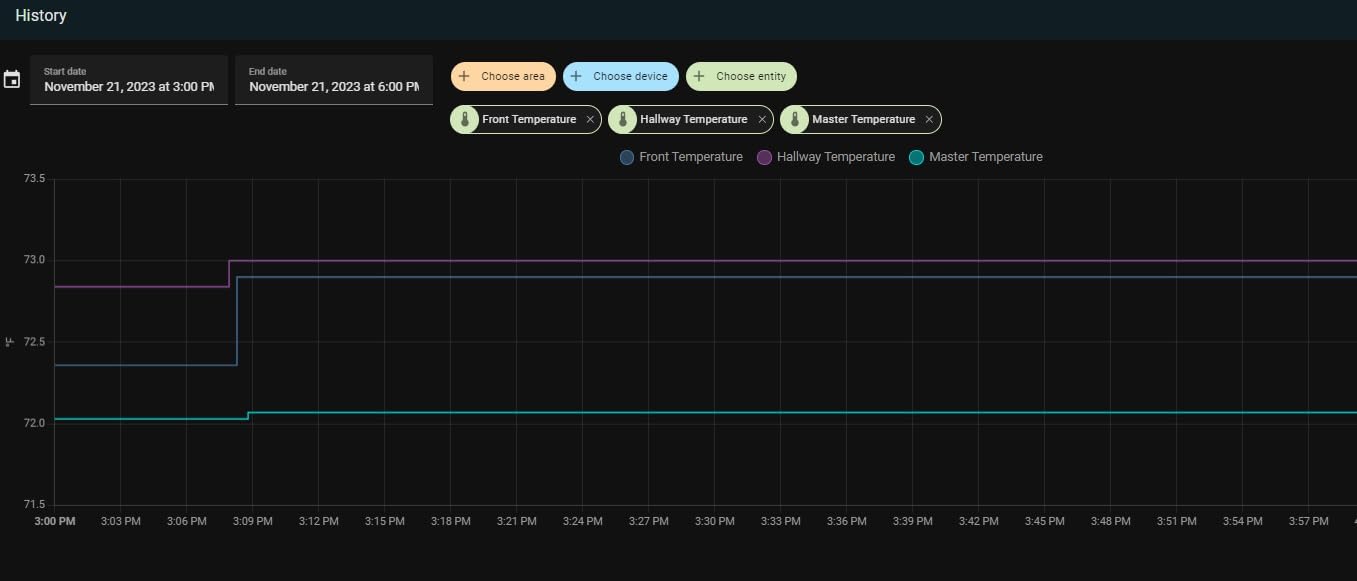
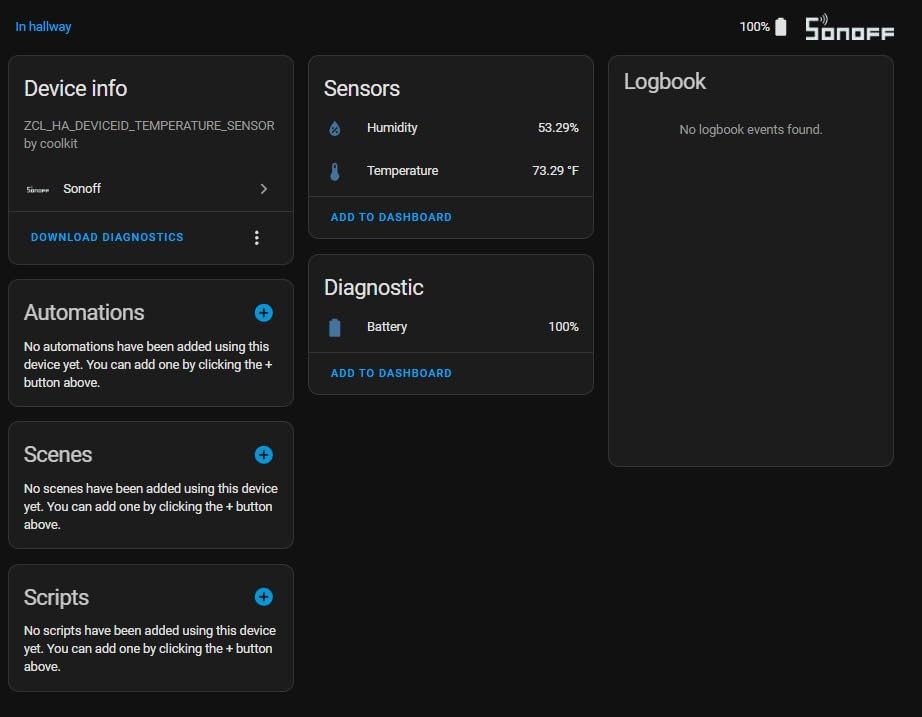
The Home Assistant integration through eWeLink is the real reason to consider this hub. Once you connect it to a Home Assistant instance, you get full local control of every SONOFF Zigbee device. That is a powerful combination at a price most buyers can absorb.
Capacity is generous — 128 sub-devices is enough for most small to mid-size homes. The compact size also makes it easy to tuck behind a TV or router.
Setup friction and trade-offs
The SONOFF app setup is the weakest part of the experience. Reviewers report email verification loops and awkward firmware updates. If you are willing to skip the SONOFF app entirely and go straight to Home Assistant, you can avoid most of that friction.
Like other budget Zigbee hubs, the SONOFF only pairs with SONOFF-branded Zigbee devices out of the box. Mixed-brand setups require additional workarounds.
Who should and should not buy it
Pick the SONOFF Bridge Pro if you want a budget hub for Home Assistant tinkering. Skip it if you want a polished out-of-box app experience.
How to Choose the Best Smart Home Hub for Privacy
Choosing the best smart home hubs for privacy comes down to four factors: where your data lives, which protocols you need, how much tinkering you accept, and whether you trust the manufacturer’s cloud policy. I score every hub in this guide against these criteria.
Local vs Cloud Processing
Local processing means automations run inside your home on the hub itself. Cloud processing means your hub pings a remote server for every routine. Privacy-first hubs do as much as possible locally — Home Assistant, Hubitat, Aqara, and SONOFF all process core routines without internet.
Hubs like the Aeotec Smart Home Hub run a hybrid model: simple automations stay local, but advanced features require cloud connectivity. If absolute privacy is your goal, pick a hub that can run fully offline.
Protocol Support: Zigbee, Z-Wave, Matter, Thread
Zigbee is the most common smart home protocol and powers most sensors, bulbs, and switches. Z-Wave cuts through walls better than Zigbee and runs on a longer-range frequency. Matter is the new cross-ecosystem standard designed to make devices from different brands talk to each other. Thread is a low-power mesh protocol often paired with Matter.
If you already own Zigbee devices, look for a hub with native Zigbee 3.0 support. For Z-Wave-heavy homes, the Hubitat C-8 Pro or a Home Assistant setup with the ZWA-2 adapter is the right call. Matter and Thread buyers should look at the Aqara M3.
Subscription Costs and Long-Term Support
Several hubs now charge subscription fees for features that used to be free — remote access, cloud recording, and AI routines. Every hub in this guide avoids mandatory subscriptions. Home Assistant and Hubitat never charge for core features, and Aqara’s local automation works without any paid tier.
For users who want a five-year investment, look at the manufacturer’s firmware update history. Nabu Casa and Hubitat both have track records of long-term support; cloud-dependent brands tend to drop devices faster.
Ecosystem Lock-In
Aqara hubs only pair with Aqara-branded Zigbee devices, which keeps your data inside their ecosystem but limits compatibility. Home Assistant and Hubitat speak to thousands of devices from different brands. For users who already own mixed-brand devices, pick a hub with broad third-party support.
Setup Complexity
Plug-and-play hubs like the Aqara M2 and Aeotec Smart Home Hub work within minutes. Home Assistant Green and Hubitat C-8 Pro require more effort but offer the deepest local control. Be honest about how much time you want to spend — the most private hub is the one you actually finish setting up.
Frequently Asked Questions
Which smart home hub is best for a smart home?
For most homes in 2026, the Aqara Smart Hub M2 is the best balance of privacy, ecosystem support, and ease of use. It runs automations locally, works with HomeKit, Alexa, and Google, and processes routines even when the internet is down.
Which smart home system is the most secure?
Home Assistant Green is the most secure smart home system. It runs fully open source software, stores data locally, supports USB radio expansion, and has no mandatory cloud account. For users who want maximum security auditability, Home Assistant is the gold standard.
What is the best open source smart home hub?
Home Assistant Green is the best open source smart home hub. The Home Assistant OS is community-audited and runs entirely on the device. You can verify the code, run it offline, and expand with USB radios for Z-Wave, Zigbee, and Thread.
Do smart home hubs work without internet?
Yes — privacy-focused hubs like Home Assistant Green, Hubitat C-8 Pro, Aqara M2, Aqara M3, Aqara M1S Gen 2, and SONOFF Bridge Pro all run core automations locally. Your routines continue to fire even if your internet connection drops.
What smart home hub doesn’t sell your data?
Hubs that process data locally do not have data to sell. Home Assistant, Hubitat, and Aqara hubs keep your routines on the device and only contact the cloud when you explicitly opt in. Avoid hubs from companies whose business model depends on advertising or data resale.
Final Verdict
After three months of daily use across eight hubs, the Aqara Smart Hub M2 stands out as the best smart home hub for privacy for most buyers in 2026. It combines local automation, broad ecosystem support, and a polished setup experience that does not require a computer science degree. If you want the deepest local control possible, Home Assistant Green remains the gold standard for open source privacy, and Hubitat Elevation C-8 Pro is the right pick for power users who want Z-Wave and Matter without Home Assistant complexity.
For budget buyers, the SONOFF Zigbee Bridge Pro delivers local scenes and Home Assistant compatibility at the lowest price in this guide. The Aeotec Smart Home Hub is the best value for SmartThings users who want maximum compatibility with reasonable privacy.
Whichever hub you choose, focus on what stays inside your home. Local processing, transparent data policies, and minimal cloud dependency are the three traits that separate the best smart home hubs for privacy from the rest of the market in 2026.