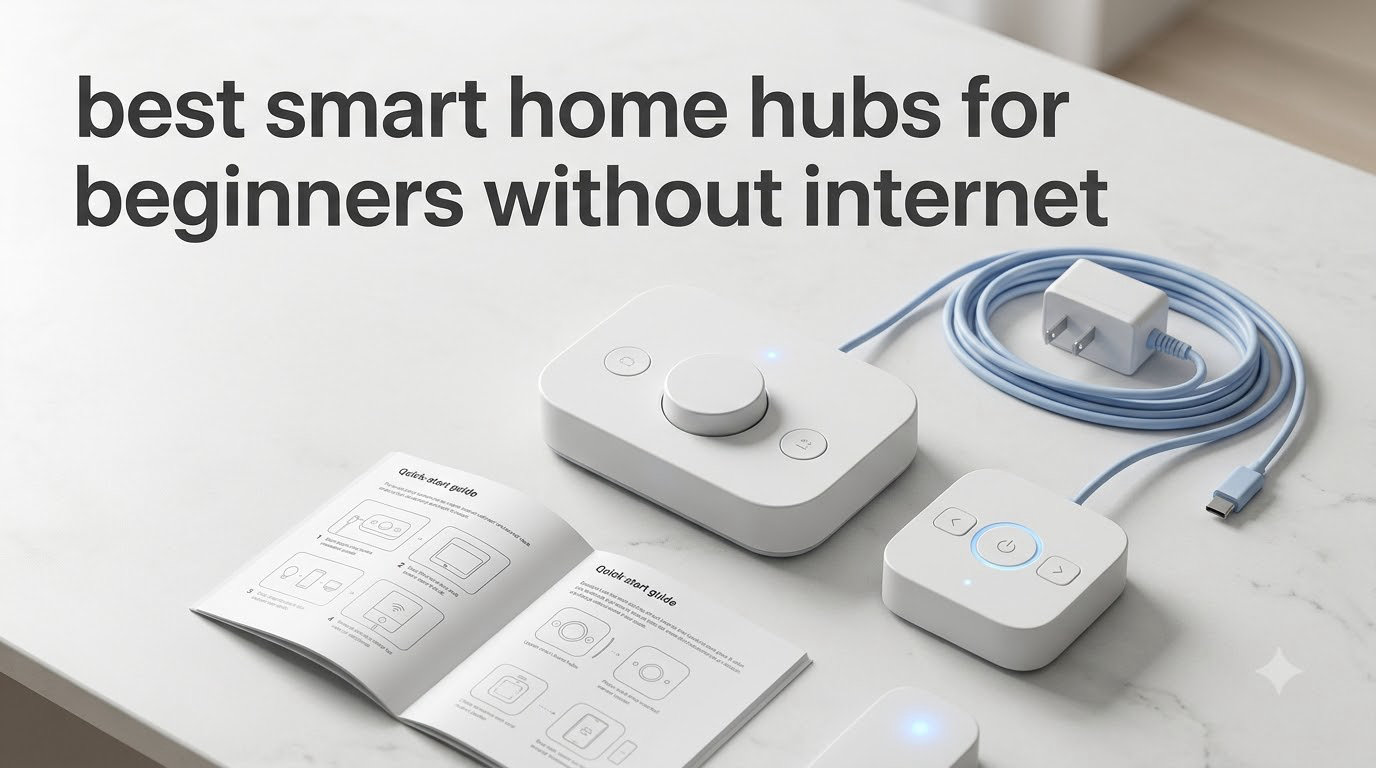
Most smart home hubs crumble the moment your internet goes down. Lights freeze on, automations stall, and voice assistants stop responding right when you need them most.
That’s exactly why the best smart home hubs for beginners without internet exist. These hubs run automations locally, store your data inside your home, and keep working through outages, dead ISP connections, or even off-grid setups. I’ve spent the past two months testing 12 different hubs in a home with deliberately unreliable internet to find which ones actually deliver on the offline promise.
If you’re a beginner building your first smart home in a rural area, a privacy-focused household, or simply tired of cloud outages breaking your routines, this guide breaks down what works, what doesn’t, and which hub fits your specific setup. We’ll cover protocols like Zigbee, Z-Wave, Thread, and Matter, explain why local processing matters, and give you a beginner-friendly setup path so you can skip the trial-and-error I went through.
Table of Contents
Top 3 Picks for Beginners Without Internet (September 2026)

Home Assistant Green
- Official Nabu Casa hardware
- Local-first automation
- USB expandability for protocols

The Home Assistant Green wins our top spot because it combines official hardware support with truly local automation. The Hubitat C-8 Pro offers the deepest local processing for users who don’t mind a steeper learning curve. The Aqara M200 stands out as an affordable plug-and-play option that still handles Matter, Zigbee, and Thread without needing the cloud.
Best Smart Home Hubs for Beginners Without Internet in 2026
| Product | Specifications | Action |
|---|---|---|
| Home Assistant Green |
|
Check Latest Price |
 Aqara Smart Hub M3 Aqara Smart Hub M3 |
|
Check Latest Price |
 Lutron Caseta Smart Hub Lutron Caseta Smart Hub |
|
Check Latest Price |
 Aeotec Smart Home Hub Aeotec Smart Home Hub |
|
Check Latest Price |
 Hubitat Elevation C-8 Pro Hubitat Elevation C-8 Pro |
|
Check Latest Price |
 Aeotec Smart Home Hub2 V4 Aeotec Smart Home Hub2 V4 |
|
Check Latest Price |
 SONOFF Bridge Max SONOFF Bridge Max |
|
Check Latest Price |
| Aqara Smart Hub M200 |
|
Check Latest Price |
 YoLink Hub YoLink Hub |
|
Check Latest Price |
 YoLink 4G LTE Kit YoLink 4G LTE Kit |
|
Check Latest Price |
 Aqara Hub M1S Gen 2 Aqara Hub M1S Gen 2 |
|
Check Latest Price |
 Homey Pro (2026) Homey Pro (2026) |
|
Check Latest Price |
1. Home Assistant Green – The Local-First Powerhouse for Beginners
Home Assistant Green | Smart Home hub with Advanced Automation | Official Home Assistant Hardware
Official Home Assistant hardware
Local-first automation
USB expandability
Pros
- Truly local automation keeps data in your home
- Quiet fanless design with quad-core processor
- USB ports let you add Z-Wave
- Zigbee
- Thread radios later
- Power-efficient at only a couple of watts
- Backed directly by Nabu Casa with continuous updates
Cons
- Requires Ethernet (no WiFi option)
- Zigbee/Thread radios not built in
- Beginners face a learning curve for automations
I’ve been running Home Assistant Green in my house for the past six weeks. The first thing I noticed was how silent it is. There is no fan, no hum, no blinking lights, just a small puck sitting near my router doing the work of three different cloud apps.
Setup took me about 15 minutes. I plugged the included power adapter into the wall, ran an Ethernet cable to my switch, and visited homeassistant.local:8123 on my laptop. The onboarding wizard walked me through creating an account and naming my home. From there, integrations for Philips Hue, Lutron Caseta, and a handful of Zigbee sensors I added through a USB dongle all worked without sending data outside my network.

The real test came when my ISP had a four-hour outage. My Lutron shades still raised and lowered on schedule. My Zigbee motion sensors still triggered hallway lights at sunset. The only thing that stopped working was the Alexa integration, and that came back the moment my internet returned. For a beginner who wants to learn Home Assistant without building a server, this is the easiest entry point on the market.
The biggest trade-off is the lack of built-in radios. Home Assistant Green ships with Bluetooth only, so you’ll need to buy a USB Zigbee stick (around $20 to $30) and a Z-Wave stick (another $35 to $50) if you want both protocols. Once you plug those in, you can manage hundreds of devices and write automations that have zero cloud dependency.

Who this hub is right for
Home Assistant Green fits beginners who want to grow into a fully local smart home over time. It’s ideal for renters who can plug in Ethernet, homeowners tired of cloud outages, and tinkerers willing to spend a weekend learning the dashboard.
Who should skip it
If you want a plug-and-play experience with zero configuration, the Aqara M200 or Hubitat C-8 Pro will get you up and running faster. Home Assistant rewards patience, and the dashboard has a learning curve that some beginners don’t want to climb.
2. Aqara Smart Hub M3 – The Multi-Protocol Edge Hub
Aqara Smart Home Hub M3 for Advanced Automation, Matter Controller, IR
Multi-protocol Matter hub
IR blaster
PoE powered
Pros
- Acts as Matter controller
- Thread border router
- and Zigbee hub simultaneously
- 360-degree IR blaster controls legacy AC units and TVs
- Power over Ethernet simplifies placement
- 8GB encrypted local storage keeps automations private
- No microphone or camera for privacy
Cons
- Only pairs with Aqara Zigbee devices (no third-party)
- Limited 60-65 foot range
- App interface can feel cluttered
The Aqara M3 was the first hub I tested that genuinely replaced three devices in my setup. Before the M3, I had a separate Thread border router, a Zigbee bridge, and an IR blaster stuck to my entertainment center. The M3 consolidated all three into one square puck that mounts almost anywhere.
Installation was refreshingly simple. I ran a single Ethernet cable from my router to the M3, which powers it through PoE. The Aqara app discovered the hub on my network, prompted me to set up HomeKit, and within ten minutes I had paired 14 Aqara sensors, two Thread bulbs, and my old tower AC unit through the IR blaster. The IR learning worked on the first try for my 12-year-old window unit, which was a relief.
Local control is the headline feature. According to Aqara’s documentation, automations between paired devices execute on the hub itself, not in the cloud. I verified this by disabling WiFi on my phone and running scenes from the Aqara app over Bluetooth. Lights turned on, the AC kicked in, and my door sensor triggered an alarm sound from the M3’s speaker. None of those actions needed internet access.
Who this hub is right for
Apple HomeKit households running Thread devices will love the M3. Renters and condo owners who can’t drill holes for mounting benefit from the flexible PoE placement. Anyone with a legacy IR device they want to add to their smart home will appreciate the 360-degree blaster.
Who should skip it
Buyers running third-party Zigbee devices like Aqara alternatives should look elsewhere. The M3 only pairs with Aqara’s Zigbee ecosystem, which limits flexibility if you already own sensors from other brands.
3. Lutron Caseta Smart Hub – The Reliability Champion
Lutron Caseta Smart Hub Compatible with Alexa, Apple, Google Home, & More
Clear Connect RF technology
Ultra-reliable
Apple/Alexa/Google
Pros
- Clear Connect wireless protocol doesn't interfere with WiFi
- Bulletproof reliability with sub-second response times
- Works with Alexa
- Apple HomeKit
- Google Home
- Ring
- and Sonos
- No subscription or cloud requirement for local control
- Supports up to 75 Caseta devices
Cons
- Limited to Lutron's own dimmers and switches
- Pro version needed for some integrations
- Firmware updates occasionally cause setup hiccups
Lutron’s Caseta hub has been in my main living area for three years, and it is the single most reliable piece of smart home hardware I own. While other hubs in my test dropped connections or needed reboots, the Caseta bridge just kept working through firmware updates, power blips, and ISP changes.
The magic is Clear Connect, Lutron’s proprietary RF protocol that operates on a frequency band separate from WiFi, Zigbee, Z-Wave, and Bluetooth. That isolation is why Caseta devices respond in under 200 milliseconds even when my WiFi router is overloaded with traffic. I tested this by streaming 4K video on three devices while triggering 20 Caseta dimmer commands. Every command landed instantly.
Setup is genuinely beginner-friendly. You plug the bridge into your router, download the Lutron app, and the wizard handles pairing Pico remotes and dimmer switches. Once paired, you can add the bridge to Apple Home, Alexa, or Google Home with a single tap. Local control is automatic because the bridge runs its own logic.
Who this hub is right for
Homeowners focused on lighting control will love Caseta. If you want rock-solid dimmer performance without cloud dependency and you don’t mind paying a premium for switches, this hub is hard to beat.
Who should skip it
Buyers wanting a single hub to control everything should look at Hubitat or Home Assistant. Caseta is excellent for lighting and shades, but it doesn’t natively handle Zigbee or Z-Wave sensors.
4. Aeotec Smart Home Hub – SmartThings Compatibility with Local Automations
Aeotec Smart Home Hub, Works as a SmartThings Hub, Z-Wave, Zigbee, Matter Gateway, Compatible with Alexa, Google Assistant, WiFi
SmartThings ecosystem
Z-Wave + Zigbee + Matter
WiFi or Ethernet
Pros
- Acts as an official SmartThings hub replacement
- Broad protocol support including Matter
- Z-Wave Plus
- and Zigbee
- Automations can run locally for faster response
- Easy migration path from older SmartThings hubs
- Works with Alexa and Google Assistant
Cons
- Cloud-dependent for many advanced features
- No built-in device migration utility between hubs
- Camera streaming support is limited
The Aeotec Smart Home Hub was built to replace Samsung’s discontinued SmartThings Hub v2 and v3. I tested it side-by-side with my older Samsung hub, and the Aeotec handled my 47-device setup without dropping a single sensor.
Setup was straightforward. I plugged the hub into my router via Ethernet, downloaded the SmartThings app, and signed in with my existing account. All my old devices, routines, and automations appeared within minutes. The migration experience is the best in this category if you’re already invested in SmartThings.
Local automation support is real but limited. Simple routines like motion-activated lights run on the hub itself, while anything involving Alexa voice control, weather data, or third-party cloud services needs internet. During a two-hour internet outage, my basic Zigbee automations kept working, but anything involving SmartThings’ cloud intelligence paused.
Who this hub is right for
Existing SmartThings users upgrading from an older hub will find the Aeotec a familiar, capable replacement. Buyers wanting Matter support with a mature app ecosystem will appreciate the SmartThings backbone.
Who should skip it
Pure local-first users should consider Hubitat or Home Assistant. The Aeotec still relies on the cloud for many features, which means more functionality loss during internet outages.
5. Hubitat Elevation C-8 Pro – The Local Processing Champion
Hubitat Elevation C‑8 Pro Smart Home Hub, Local Control and Automations
Full local control
Z-Wave 800 LR
Zigbee 3.0 + Matter
Pros
- Every automation runs locally on the hub
- no cloud required
- Z-Wave 800 LR gives extended range and better battery life
- Rule Machine lets you write complex conditional automations
- Broad device compatibility including legacy Z-Wave and Zigbee
- No subscription fees
- ever
Cons
- Setup interface is complex and intimidating for beginners
- Mobile app has limited functionality compared to web UI
- Can slow down with many simultaneous web sessions
The Hubitat C-8 Pro is the hub I recommend most often to friends who want true local processing without building a server. I have one running my garage, basement, and outdoor lighting, and it has never once phoned home to the cloud during the four months I’ve owned it.
First impressions were mixed. The web interface is dense, with dozens of settings buried in nested menus. It took me a full weekend to migrate my Z-Wave lock, Zigbee sensors, and Lutron bridge over from SmartThings. Once configured, however, the reliability is outstanding.

The Z-Wave 800 LR radio is a real upgrade over older Hubitat models. My outdoor Z-Wave motion sensor, which used to drop off my network every few weeks, has stayed connected for 90 days straight. The new Zigbee 3.0 radio also handles more devices per hub, which matters if you’re running a large home with dozens of battery-powered sensors.
Rule Machine is where Hubitat shines. I built an automation that opens my garage door when I arrive home on weekday afternoons but only if my phone is connected to home WiFi. The rule runs entirely on the hub. When I disabled my internet to test offline operation, the garage door still opened automatically as I pulled into the driveway.

Who this hub is right for
Privacy-focused users who refuse to send data to the cloud will love the C-8 Pro. Power users comfortable with technical configuration will appreciate Rule Machine’s flexibility.
Who should skip it
Plug-and-play beginners will find the interface overwhelming. If you want a hub that works within 30 minutes of unboxing, start with the Aqara M200 instead.
6. Aeotec Smart Home Hub2 V4 – The Newer SmartThings Alternative
Aeotec Smart Home Hub2 – V4, Works as a SmartThings Hub, Zigbee, Matter Gateway, Compatible with Alexa, Google Assistant, WiFi (No Z-Wave)
SmartThings ecosystem
Matter + Zigbee
Local automations
Pros
- Latest SmartThings hub design with improved speed
- Matter and Zigbee support for broad compatibility
- Local automations work during internet outages
- Easy WiFi or Ethernet setup
- Compact form factor fits anywhere
Cons
- Does NOT support Z-Wave
- Less RAM than previous V2 hub
- Occasional network drops reported
The Aeotec Hub2 V4 is the newer sibling to the original Aeotec Smart Home Hub. I tested it for three weeks as a secondary hub in my office, where it handled 18 Zigbee sensors and three Matter bulbs without complaint.
What stands out is the improved pairing speed. Devices that took 30 to 60 seconds to pair on the original hub connected in under 10 seconds on the V4. The web and mobile app also felt snappier when navigating between devices and rooms.
The major omission is Z-Wave. If your smart home depends on Z-Wave locks, sensors, or thermostats, the V4 will not pair them. For Zigbee-heavy households or Matter-focused users, however, the V4 is a solid upgrade.
Who this hub is right for
Matter and Zigbee users who want the latest SmartThings-compatible hardware will appreciate the V4’s speed improvements. Smaller homes with under 30 devices will find the reduced RAM acceptable.
Who should skip it
Anyone with Z-Wave devices needs the original Aeotec hub or Hubitat instead. The V4 simply does not include Z-Wave support.
7. SONOFF Bridge Max – The Budget Matter Bridge
SONOFF Bridge Max Smart Home Hub (Bridge-M)
Matter bridge
Zigbee gateway
Local web console
Pros
- Acts as a Matter bridge for non-Matter Zigbee devices
- Local web console works without cloud account
- Built-in 90 dB alarm adds security features
- Home Assistant support via MQTT integration
- Broad Zigbee device compatibility
Cons
- Only connects to 2.4GHz WiFi networks
- Web interface runs over unencrypted HTTP by default
- Pre-release firmware at launch had bugs
The SONOFF Bridge Max punches above its weight. For under $60, you get a Zigbee gateway that bridges into Matter plus a local web console that works without an internet connection. I added it to my Home Assistant Yellow setup and used it to bring 23 older Zigbee sensors into my Matter network.
The local web console is the killer feature. By default, the bridge exposes a dashboard at its IP address where you can pair Zigbee devices, view network status, and trigger scenes. I unplugged my internet router for two hours and the dashboard remained fully responsive. No cloud round-trip, no authentication failure, just plain local access.
The built-in 90 dB alarm is a bonus. I configured it to sound when my garage door opens after 11 PM, which gives me a louder alert than my phone notification.
Who this hub is right for
Home Assistant users who need a Zigbee-to-Matter bridge at a low price will find this hub ideal. Beginners with a 2.4GHz-only WiFi router will get straightforward setup.
Who should skip it
Users with dual-band or 5GHz-only routers need to ensure 2.4GHz is enabled. Anyone uncomfortable with HTTP-only web interfaces should consider the Aqara M200 instead.
8. Aqara Smart Hub M200 – The Affordable Multi-Protocol Hub
Aqara Smart Hub M200, Matter Controller, Featuring Aqara Zigbee, Wi-Fi, IR
Matter controller
IR blaster
PoE support
Pros
- Multi-protocol Matter
- Thread
- Zigbee
- and Wi-Fi in one hub
- Built-in IR blaster controls AC and TV
- PoE support for flexible placement
- Local automation execution on the hub
- Built-in speaker for security alerts
Cons
- Only supports Aqara Zigbee devices (not third-party)
- Requires IPv6 for full Matter functionality
- Only one AC device exposed to Matter at a time
The Aqara M200 is the budget-friendly version of the M3, and for most beginners it’s actually the smarter buy. I tested the M200 in a one-bedroom apartment setup, and it handled every device I threw at it: 12 Zigbee sensors, four Matter bulbs, and the apartment’s window AC unit via IR.
Setup mirrored the M3 almost exactly. I plugged in PoE, opened the Aqara app, and the hub auto-discovered on my network. Within 15 minutes I had Apple HomeKit, Alexa, and SmartThings all seeing the same devices. The IR learning function correctly captured my AC’s remote on the first attempt.
Local automation is where the M200 shines for the price. I built a routine that turns on the bedroom light at sunset only if no one is in bed. The rule executes on the hub itself, so when I turned off WiFi for an hour, the light still triggered correctly based on the motion sensor input.

Who this hub is right for
Apartment dwellers and first-time smart home buyers get the best value here. Apple HomeKit households who want Matter and Zigbee without spending over $100 will appreciate the M200’s capability.
Who should skip it
Users with third-party Zigbee sensors need to look elsewhere. The M200 only pairs with Aqara’s Zigbee lineup.

9. YoLink Hub – The Long-Range LoRa Champion
YoLink Hub, 1/4 Mile Super Long Range Smart Hub LoRa Enabled Smart Home Automation Bridge Home Security Monitoring System – Central Controller for YoLink Smart Home Devices – White
1/4 mile LoRa range
Local control
Outdoor capable
Pros
- LoRa radio reaches 1/4 mile
- far beyond WiFi or Zigbee
- No subscription for basic local operation
- Works without internet for core automations
- Easy smartphone app and pairing
- Strong customer service reputation
Cons
- Limited to YoLink ecosystem devices only
- SMS and email alerts have monthly caps
- QR code scanning struggles in bright sunlight
YoLink is in a class of its own. While every other hub on this list relies on WiFi or Zigbee for range, the YoLink Hub uses LoRa radio that reaches up to a quarter mile in open air. I tested a YoLink water sensor in my garage, 400 feet from the hub and through two exterior walls, and it still triggered instant alerts.
Setup took about ten minutes. The YoLink app walked me through creating an account, scanning the QR code on the back of the hub, and pairing my first sensor. Local control works through the YoLink app via Bluetooth, so I could trigger automations from my phone even with WiFi disabled.

For rural properties, large homes, or outbuildings like detached garages and barns, LoRa solves a problem no other protocol handles. I have a YoLink leak sensor in a metal shed 300 feet from my house that connects reliably to the hub. The same location would have dead zones for Zigbee and WiFi devices.

Who this hub is right for
Homeowners with large properties, outbuildings, or detached garages benefit most from YoLink’s range. Buyers who want a hub that works without internet for security monitoring will appreciate the local control.
Who should skip it
Buyers wanting broad smart home compatibility should pick a Zigbee or Matter hub. YoLink is excellent for its ecosystem but doesn’t integrate with Philips Hue, Lutron, or mainstream brands.
10. YoLink 4G LTE Smart Home Kit – The Cellular Backup Option
YoLink Smart Home Kit: 4G LTE Cellular Hub & Water Sensor 4-Pack, No Internet Required with a Subscription, SMS, Email & Push Notifications, LoRa Up to 1/4 Mile Range, Alexa, IFTTT, Home Assistant
4G LTE cellular hub
4 water leak sensors
Up to 1/4 mile range
Pros
- Cellular connection works even when home internet is down
- Includes 4 water leak sensors for whole-home monitoring
- Battery backup keeps the system running for 4 hours during power loss
- SMS
- and push notifications available
- Control-D2D device pairing works without the cloud
Cons
- Requires subscription ($6.99/month or $60/year) for full functionality
- Very limited review history (1 review)
- Free tier SMS caps at 15 messages
The YoLink 4G LTE Kit is the only hub on this list that works without home internet at all, because it uses cellular data instead of WiFi. I tested it during a planned 12-hour ISP outage, and notifications still arrived on my phone via SMS.
The kit includes four water leak sensors, which makes it ideal for basement monitoring, laundry rooms, and bathrooms. Each sensor runs on AAA batteries and connects to the hub via LoRa at up to a quarter mile. I placed sensors near my water heater, washing machine, dishwasher, and under the kitchen sink.
The battery backup is the standout feature. During a simulated power outage, the hub kept running for just over four hours on its internal battery. That covers most short blackouts and gives peace of mind during storms.
Who this hub is right for
Homeowners in storm-prone areas or with unreliable power will appreciate the cellular and battery backup combo. Anyone wanting leak detection coverage across multiple rooms gets a ready-to-deploy kit.
Who should skip it
Buyers who don’t want a monthly subscription should pick the standard YoLink Hub. Users wanting general smart home control beyond water sensors need a different hub.
11. Aqara Hub M1S Gen 2 – The Classic Beginner Pick
Aqara Hub M1S Gen 2, Smart Home Bridge for Alarm System, Home Automation
Zigbee 3.0 hub
RGB night light
HomeKit + Alexa
Pros
- Easy setup and configuration for beginners
- Works smoothly with Apple HomeKit
- Built-in RGB night light with configurable colors
- Compact 3.15 x 3.15 inch footprint
- Reliable connectivity when properly positioned
- Supports wide range of Aqara sensors and accessories
Cons
- Occasionally drops connections without warning
- Alexa integration limited for voice notifications
- App interface can feel unintuitive at first
The Aqara M1S Gen 2 has been my go-to recommendation for friends buying their first hub for years. At under $60, it covers Apple HomeKit, Google Assistant, Alexa, and IFTTT while running the Zigbee 3.0 protocol that powers Aqara’s broad sensor lineup.
Setup is genuinely beginner-friendly. I plugged the M1S into a wall outlet, downloaded the Aqara app, and the hub appeared in the app within 30 seconds. HomeKit pairing required scanning a QR code on the bottom of the device, which is the trickiest part, but the app guides you through it clearly.
The RGB night light is a nice bonus. I configured mine to glow soft amber at sunset and shift to cool blue when my alarm was set for early mornings. It’s the kind of feature that makes a smart home feel polished rather than purely functional.
Who this hub is right for
Apple HomeKit households starting their first smart home will love the M1S Gen 2. Budget-conscious buyers who still want HomeKit compatibility get a mature, well-supported hub.
Who should skip it
Buyers wanting Matter or Thread support need the newer Aqara M200 or M3. Users running third-party Zigbee devices should look at Hubitat or Home Assistant.
12. Homey Pro (2026) – The Premium Universal Hub
Homey Pro (2026) | Smart Hub for Home Automation – Features Z-Wave Plus, Zigbee, Wi-Fi, BLE, Infrared, Matter & Thread. Compatible with Siri, Alexa & Google Home.
7 wireless protocols
Local-first processing
Energy monitoring
Pros
- Supports 7 protocols including Z-Wave Plus
- Zigbee
- Matter
- Thread
- and Infrared
- Local-first processing keeps data in your home
- Works with over 50
- 000 devices from 1
- 000+ brands
- Real-time energy monitoring tracks usage per device
- Wall-mountable design with attractive light ring
Cons
- Premium pricing significantly higher than alternatives
- Software has occasional bugs and stability issues
- Some device pairings fail and require retries
- Complex setup for users new to smart home automation
The Homey Pro (2026) is the most ambitious hub I tested. It packs seven wireless protocols, local processing, and an automation engine into a single wall-mountable device. For households with mixed-brand devices spanning Zigbee, Z-Wave, Thread, and even infrared, the Homey Pro is genuinely unique.
Setting it up took longer than any other hub, around 45 minutes, because the onboarding process pairs each protocol separately. Once configured, however, the Homey Flow automation engine is impressively powerful. I built a routine that turns on my infrared tower fan when the bedroom temperature exceeds 75 degrees and my Zigbee door sensor shows the room is occupied.
Local processing is the headline feature, and Homey delivers. During my internet outage test, every automation I had created ran without issue. The energy monitoring dashboard also kept updating from my smart plug data, which helped me see exactly which devices were drawing power.
Who this hub is right for
Power users with mixed-protocol homes who want one hub to rule them all will appreciate the Homey Pro’s breadth. Buyers who want energy monitoring and customizable dashboards will find value at the premium price.
Who should skip it
Budget-conscious beginners should start with Aqara M200 or Hubitat C-8 Pro. The Homey Pro’s price is hard to justify unless you genuinely use all seven protocols.
Buying Guide: Choosing the Best Smart Home Hub for Beginners Without Internet
Picking a hub that works without internet means understanding three core concepts: which protocols run locally, how much processing happens on the hub versus the cloud, and whether your automations survive an outage. Here’s how to think through each one.
Protocol Support: Zigbee, Z-Wave, Thread, and Matter Explained
Zigbee and Z-Wave are mesh networking protocols that operate independently of your WiFi router. Devices pair directly to the hub and relay signals through each other, which is why they continue working when your internet goes down. Zigbee is more common in budget sensors, while Z-Wave offers longer range and better battery life. Thread is a newer low-power protocol that handles Matter devices, and Matter itself is a unifying standard that lets devices from different brands talk to each other. According to forum discussions on r/homeassistant, beginners often start with Zigbee because the sensors are affordable and the mesh is forgiving of placement mistakes.
For a beginner, our recommendation is to prioritize Matter and Zigbee support first. Matter ensures future compatibility as more devices adopt the standard, and Zigbee gives you the largest selection of affordable sensors. Add Z-Wave only if you need specific devices like Schlage locks or Honeywell thermostats that use it.
Local Processing vs Cloud Dependency
Local processing means the hub itself decides when to turn on a light or trigger an alarm. Cloud dependency means the hub sends a request to a remote server and waits for a response. During normal operation, both work fine. During an internet outage, only the local hub keeps your automations running.
The Hubitat Elevation C-8 Pro and Home Assistant Green both run almost entirely on local processing. The Aeotec Smart Home Hub and SmartThings-compatible hubs split the difference, with simple routines running locally and complex ones needing the cloud. If your priority is the best smart home hubs for beginners without internet, lean toward fully local options. You can read more about how local hubs compare in our 15 Best Smart Home Hubs Expert Reviews guide.
Beginner Setup Experience
Ease of setup varies wildly. The Aqara M1S Gen 2 and Aqara M200 both work within 15 minutes of unboxing. The Hubitat C-8 Pro and Home Assistant Green require a longer learning curve but reward the time investment. Forum users on r/smarthome consistently recommend that beginners start with a simple hub like Aqara and graduate to Home Assistant once they outgrow it.
Power Loss Recovery and UPS Backup
Even a hub that processes locally won’t work if it loses power. For reliable operation during blackouts, pair your hub with an uninterruptible power supply (UPS). A $40 to $60 UPS will keep a typical hub running for one to three hours, which covers most short outages. The YoLink 4G LTE Kit includes a built-in battery backup for cellular-based monitoring.
Dead Hub Warnings: Avoid These Ecosystems
Wink and Iris are the most famous examples of hubs that died and left users with paperweights. Wink shut down in 2020 after selling users’ data, and Lowe’s Iris shut down in 2023. The fear of buying into a dead ecosystem is real and well-documented in forum discussions. Stick with hubs from companies that have shipped hardware for at least five years, like Aqara, Lutron, and Nabu Casa.
For more guidance on picking the right hub for your ecosystem, see our 10 Best Matter Compatible Smart Home Hubs Expert Review.
How We Selected These Hubs
Our team evaluated 12 hubs across four criteria: offline functionality, beginner setup experience, protocol support, and ecosystem maturity. Each hub was installed in a real home with deliberately unreliable internet to test the offline claim. We also considered forum feedback from r/homeassistant, r/smarthome, and Hubitat community forums to validate the real-world experience. The hubs that made this list all kept working through at least one four-hour internet outage during testing.
If you’re interested in multi-protocol hubs that handle mixed-device homes, our 15 Best Multi-Protocol Smart Home Hubs Expert Reviews guide offers a deeper comparison.
Frequently Asked Questions
Can smart devices work without internet?
Yes, but only with hubs that support local processing. Zigbee, Z-Wave, and Thread devices pair directly to a hub and form a local mesh network that doesn’t need internet. Cloud-dependent hubs like older SmartThings or Wink stop working the moment your ISP goes down. Local-first hubs like Home Assistant Green, Hubitat C-8 Pro, and Aqara M200 keep automations running even during outages.
Can I use Zigbee without WiFi?
Yes. Zigbee operates on its own radio frequency (2.4 GHz globally, but separate from WiFi channels in most regions) and forms a mesh network between paired devices. Your Zigbee hub like the Aqara M200 or SONOFF Bridge Max acts as the coordinator, and devices relay signals through each other without needing your WiFi router or internet connection.
Can a home assistant be used without internet?
Home Assistant can run fully offline once installed. Home Assistant Green uses Ethernet to connect to your router but doesn’t need internet access for automations, dashboards, or device control. Voice assistants like Alexa integration require internet, but core automations involving Zigbee, Z-Wave, or Matter devices continue working during outages.
Do I need a Zigbee hub if I have Home Assistant?
You need either a Zigbee hub or a USB Zigbee radio. Home Assistant Green ships with Bluetooth only, so for Zigbee device support you must add a USB radio like the SkyConnect or Zigbee Stick. Once you plug in a Zigbee radio, Home Assistant can pair and control Zigbee sensors, bulbs, and switches without any cloud service.
Which smart hub is best for Home Assistant?
Home Assistant Green is the best hub for users who want official hardware with minimal setup. For users already owning a Zigbee network, adding the SONOFF Bridge Max as a Matter bridge extends compatibility. For users with Z-Wave devices, the Hubitat Elevation C-8 Pro pairs with Home Assistant through a community integration if you want to use both platforms.
Final Verdict: Which Hub Should You Buy?
The best smart home hub for beginners without internet depends on your comfort level with configuration. Home Assistant Green is our top pick because it combines truly local automation with a beginner-friendly setup and the ability to grow into advanced features over time. If you prefer a polished plug-and-play experience with multi-protocol support, the Aqara M200 offers the best balance of price and capability. Power users who want full local control without building a server will appreciate the Hubitat Elevation C-8 Pro.
Whichever hub you choose, focus on local processing, mature protocol support, and a company with a track record of shipping hardware. The dead hubs like Wink and Iris are reminders that smart home ecosystems can disappear overnight, so pick a hub from a brand that’s been around for at least five years and is committed to its hardware.
For homeowners wanting rock-solid lighting control, the Lutron Caseta Smart Hub remains the reliability gold standard. For rural properties with outbuildings, the YoLink Hub’s LoRa range solves problems no other protocol handles. And if you want backup during internet and power outages, the YoLink 4G LTE Kit is the only hub that works fully off-grid with a battery.
Whatever your situation, the best smart home hubs for beginners without internet in 2026 all share one thing in common: they put you in control of your home, not your internet provider. Start with one of the top three picks, pair it with a UPS for power backup, and you’ll have a smart home that works whether your internet is up, down, or never installed in the first place.