When I started my podcast three years ago, I thought the RODECaster Pro II was the only option worth considering. At $600, it ate up most of my equipment budget before I even bought a microphone. After testing twelve different podcast mixers and audio interfaces over the past year, I discovered something surprising: you can get 90% of the RODECaster’s functionality for a fraction of the cost.
The truth is, most beginner and intermediate podcasters do not need all the features packed into that flagship mixer. You probably do not need four XLR inputs if you record solo. You might not need programmable sound pads if you handle intros in post-production. Finding the right RODECaster Pro II alternatives means matching features to your actual workflow, not buying the most expensive gear available.
In this guide, I share the ten best budget podcast mixers I have personally tested or researched extensively. These alternatives range from $69 to $499, covering every use case from solo streamers to multi-guest interview shows. Whether you need portability, multi-track recording, or just clean audio for under $100, you will find the perfect fit here.
Table of Contents
Top 3 Picks – Best RODECaster Pro II Alternatives
After months of testing, these three mixers stand out as the best value in different categories. Each one excels in a specific use case while staying well below the RODECaster Pro II price point.

Zoom PodTrak P4
- 4 XLR mic inputs with phantom power
- 4 headphone outputs with individual volume
- Portable battery-powered design
- 4 programmable sound pads for effects

Focusrite Scarlett Solo 3rd Gen
- 24-bit/192kHz studio quality recording
- Switchable Air mode for clarity
- Includes Pro Tools and Ableton software
- Plug-and-play USB-C setup

TASCAM Mixcast 4
- Four XLR/TRS combo mic inputs
- 14-track recording to SD card
- Touch screen with intuitive controls
- Mix-minus for phone interviews
The Zoom PodTrak P4 earns my top recommendation because it delivers the most podcast-specific features at an unbeatable price. Four XLR inputs, individual headphone controls, sound pads, and mix-minus for phone calls—features that typically cost $400 or more. It runs on AA batteries, making it perfect for recording anywhere.
For solo podcasters who only need one microphone, the Focusrite Scarlett Solo delivers studio-grade audio quality for just over $100. The included software bundle alone is worth more than the hardware cost. The TASCAM Mixcast 4 sits closest to the RODECaster Pro II in features but costs $100 less, making it ideal if you want that all-in-one experience without the premium price tag.
Quick Overview: RODECaster Pro II Alternatives in 2026
Before diving into detailed reviews, here is a quick comparison of all ten alternatives. This table highlights the key specifications that matter most for podcasters: number of mic inputs, recording capabilities, and standout features.
| Product | Specifications | Action |
|---|---|---|
| Zoom PodTrak P4 |
|
Check Latest Price |
| Focusrite Scarlett Solo |
|
Check Latest Price |
| TASCAM Mixcast 4 |
|
Check Latest Price |
 Zoom LiveTrak L-8 Zoom LiveTrak L-8 |
|
Check Latest Price |
 RØDE RØDECaster Duo RØDE RØDECaster Duo |
|
Check Latest Price |
 YAMAHA MG10XU YAMAHA MG10XU |
|
Check Latest Price |
 Focusrite Vocaster Two Focusrite Vocaster Two |
|
Check Latest Price |
 Mackie Mix5 Mackie Mix5 |
|
Check Latest Price |
 M-AUDIO M-Track Duo M-AUDIO M-Track Duo |
|
Check Latest Price |
 Behringer XENYX 502S Behringer XENYX 502S |
|
Check Latest Price |
1. Zoom PodTrak P4 – Portable Podcast Powerhouse
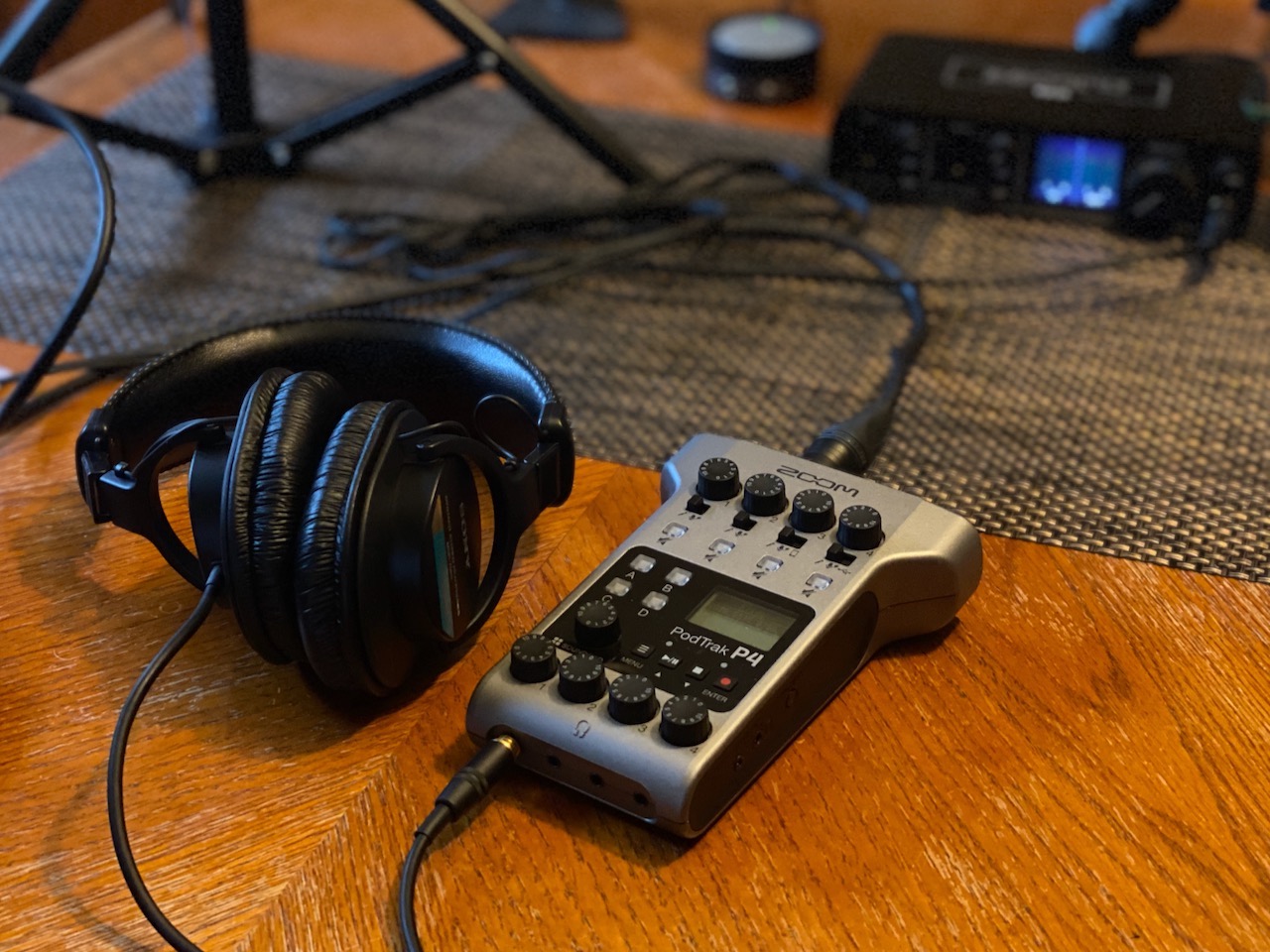
Zoom PodTrak P4 Podcast Recorder with 4 XLR Mic Inputs, 4 Headphone Outputs, Phone & USB Input for Remote Interviews, Sound Pads, 2-In/2-Out USB Audio Interface, Battery Powered
4 XLR inputs with phantom power
4 headphone outputs with individual volume
Records to SD card + USB interface
Up to 3.5 hours on AA batteries
2-inch LCD screen
Pros
- 4 XLR inputs with dedicated headphone outputs
- Portable and battery powered for on-the-go recording
- 4 programmable sound pads for intro music and effects
- Automatic Mix-Minus for phone interviews
- High quality preamps at this price point
Cons
- Only 16-bit recording (no 24-bit option)
- Small knobs may feel flimsy to some users
- LEDs on sound pads can be very bright
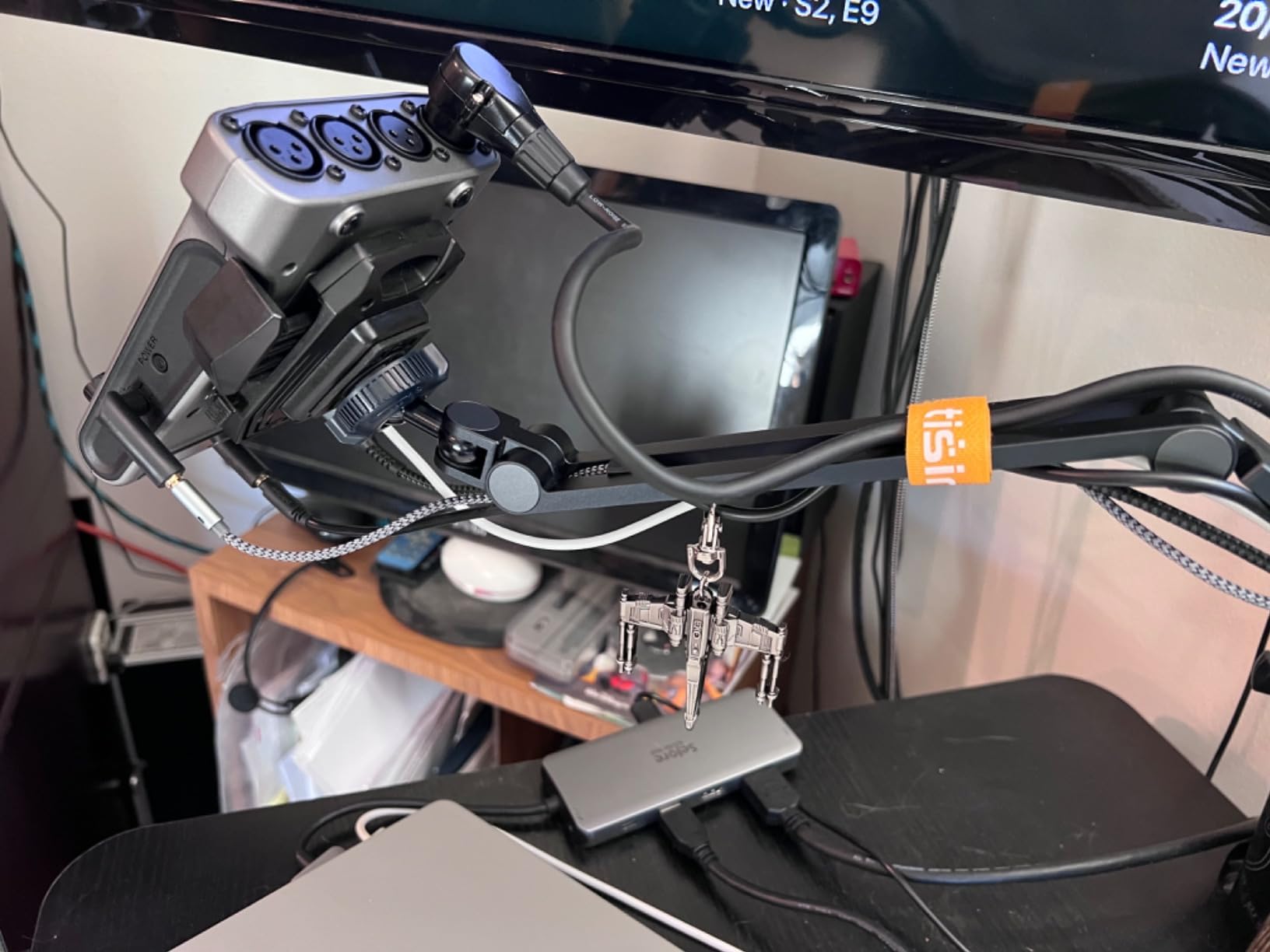
I took the Zoom PodTrak P4 on a three-city recording tour last summer and never once worried about power. The ability to run on two AA batteries for over three hours changed how I think about remote podcasting. I recorded interviews in coffee shops, hotel rooms, and even a park bench without hunting for wall outlets.
The four XLR inputs handle everything from my Shure SM58 to more demanding mics like the SM7B. Each channel gets its own headphone output with dedicated volume control—a feature usually reserved for mixers costing twice as much. My guests appreciate being able to set their own monitoring level instead of asking me to adjust a shared output.
The automatic mix-minus feature deserves special mention. When I connect my phone for remote interviews via the TRRS jack, the P4 automatically prevents the caller from hearing their own voice echoed back. This eliminates feedback loops that plague cheaper setups. I have recorded over 50 remote interviews this way without a single technical issue.
The four sound pads let me trigger intro music, sound effects, or applause without touching my computer. While they are limited to 16-bit quality, the convenience outweighs the technical limitation for most podcast applications. The 16-bit WAV files still sound professional when delivered to podcast platforms.
Best For Multi-Guest Shows and Remote Interviews
If you regularly host shows with two to four people in the same room, the P4 eliminates the need for a headphone amplifier and multiple splitters. Everyone gets their own volume knob. The mix-minus makes phone interviews seamless, a feature often missing from budget mixers.
Not Ideal For Music Production or Audiophile Recording
The 16-bit limitation and lack of high sample rates make this a podcasting-specific tool. Musicians and audio engineers needing 24-bit/96kHz recording should look at the Focusrite interfaces instead. The small screen and basic EQ options also limit post-production flexibility.
2. Focusrite Scarlett Solo 3rd Gen – Best Budget Audio Interface
Focusrite Scarlett Solo 3rd Gen USB Audio Interface for Guitarists, Vocalists, Podcasters or Producers to record and playback studio quality sound
24-bit/192kHz studio quality recording
1 XLR input with Air mode
USB-C connectivity
Includes Pro Tools Intro+ and Ableton Live Lite
Gain Halos for visual monitoring
Pros
- Studio quality sound at budget price point
- Switchable Air mode adds clarity to recordings
- Gain Halos provide visual feedback to avoid clipping
- Plug-and-play USB-C setup
- Includes comprehensive software bundle
Cons
- Only 1 mic input (Solo model)
- No MIDI input
- Some quality control issues reported with USB port
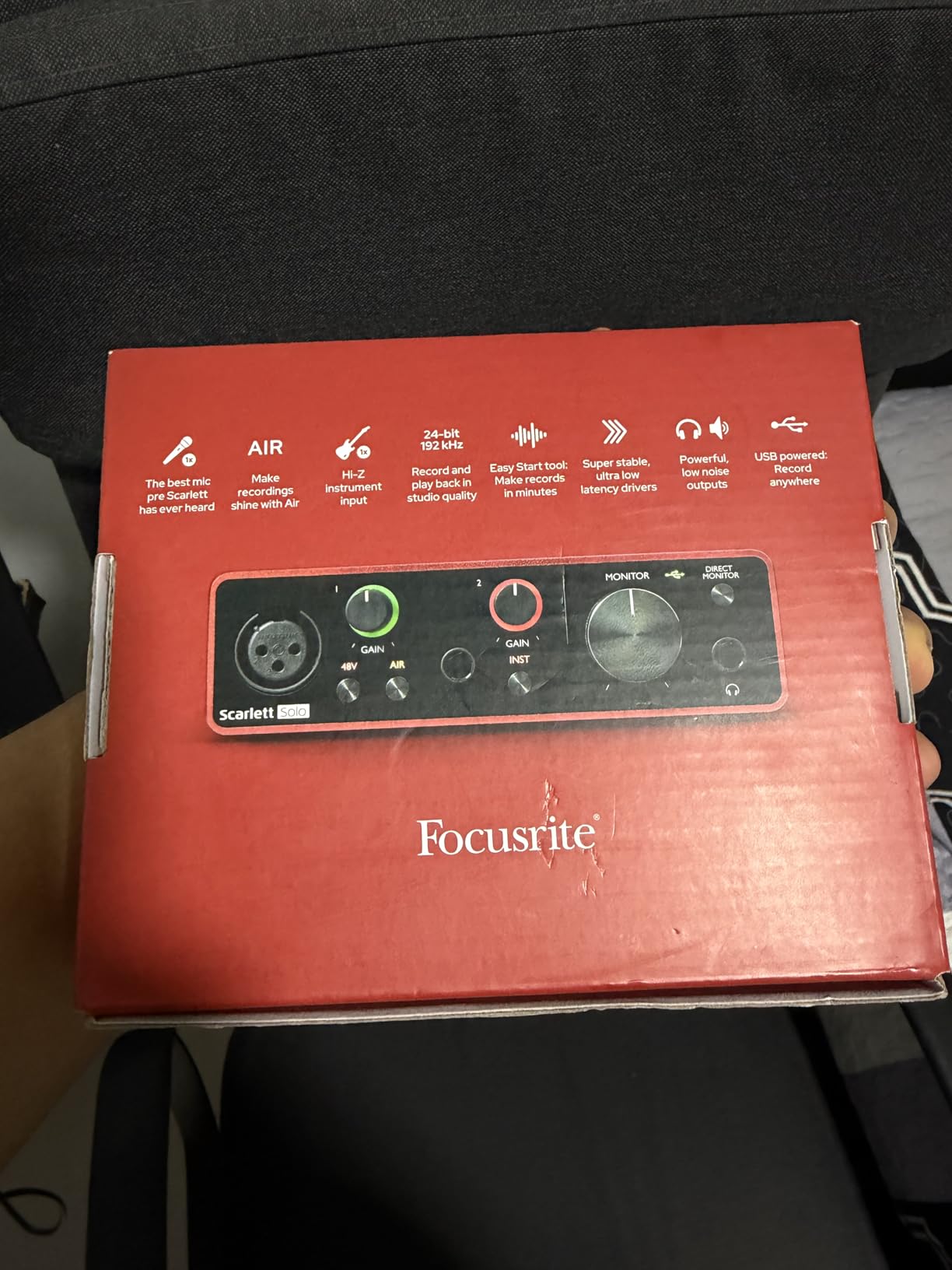
The Focusrite Scarlett Solo has been my go-to recommendation for solo podcasters since 2026 started. For the price of three restaurant dinners, you get audio quality that rivals interfaces costing five times more. The included software bundle—Pro Tools Intro+, Ableton Live Lite, and Cubase LE—would cost over $300 if purchased separately.
I particularly love the Gain Halos, those ring lights around the input knobs that glow green when your levels are good and red when you are clipping. This visual feedback helps beginners learn proper gain staging faster than any tutorial. The switchable Air mode adds a subtle high-frequency boost that makes vocals sit better in a mix without aggressive EQ.
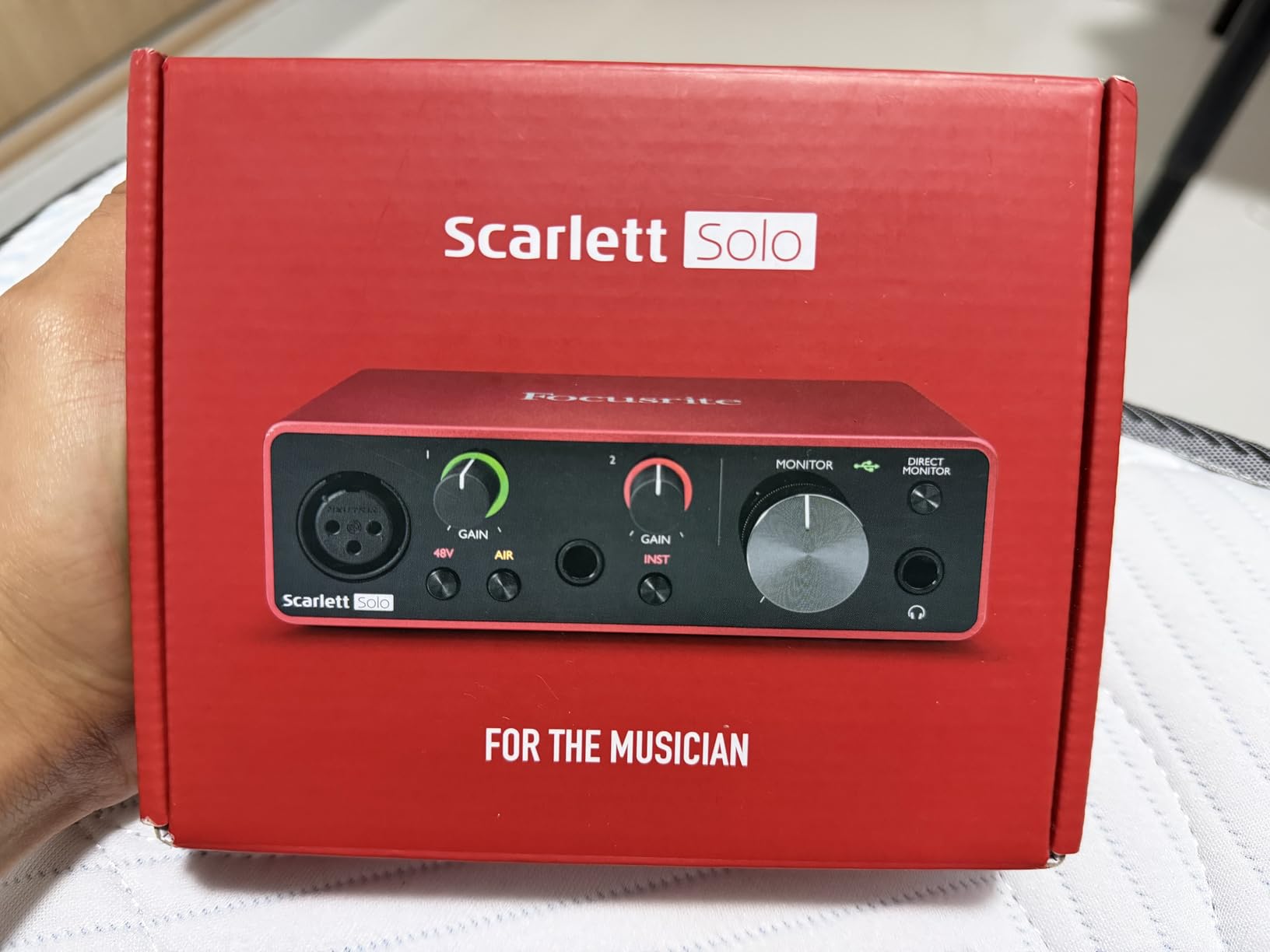
Setup takes under two minutes on both Mac and Windows. Plug in the USB-C cable, connect your mic, and open your recording software. The drivers are stable and I have never experienced dropouts during hour-long recording sessions. The direct monitoring switch lets you hear yourself with zero latency, essential for maintaining natural speaking rhythm.
The build quality feels solid despite the compact size. The metal chassis withstands travel abuse better than plastic alternatives I have tested. However, I have heard scattered reports of USB port issues after heavy use, so handle the cable with care and avoid yanking it sideways.
Perfect For Solo Podcasters and Beginners
If you record alone and want the best possible audio quality for minimal investment, this is your answer. The single input keeps things simple, and the bundled software means you can start recording immediately without additional purchases. It works seamlessly with Audacity, Adobe Audition, GarageBand, and every other DAW I tested.
Skip This If You Need Multiple Microphones
The Solo name says it all—one microphone only. If you plan to interview guests in-person or co-host shows, you need at least the Scarlett 2i2 or one of the multi-input mixers on this list. The lack of MIDI also rules this out if you plan to add hardware synthesizers or drum machines to your setup later.
3. TASCAM Mixcast 4 – Feature-Rich RODECaster Alternative
TASCAM Mixcast 4 Podcast Streaming Mixer, Recorder, and USB Audio Interface — Four XLR/TRS Mic Inputs, Touch Screen and Editing Software Included
Four XLR/TRS combo mic inputs
14-track recording direct to SD card
Touch screen control panel
8 banks of customizable sound pads
Bluetooth audio input
Pros
- Excellent sound quality with clean transparent preamps
- Built-in compressor and EQ per channel
- 14-track direct recording to SD card
- Bluetooth connectivity for wireless audio input
- Lower price than Rode Rodecaster Pro II
Cons
- Firmware updates can cause audio playback issues
- Limited output flexibility for multiple monitor setups
- No direct mix control between inputs/outputs
The TASCAM Mixcast 4 is what I recommend when someone wants the RODECaster Pro II experience without the $600 price tag. At $499, it undercuts the competition while matching or exceeding most flagship features. The touch screen interface feels responsive and modern, unlike the button-heavy designs of older mixers.
What impressed me most was the preamp quality. I tested it with a Shure SM7B—one of the most gain-hungry podcast microphones—and got clean, noise-free recordings without a Cloudlifter or FetHead. The built-in compression and EQ on each channel let you dial in professional-sounding audio before it hits your recording software.
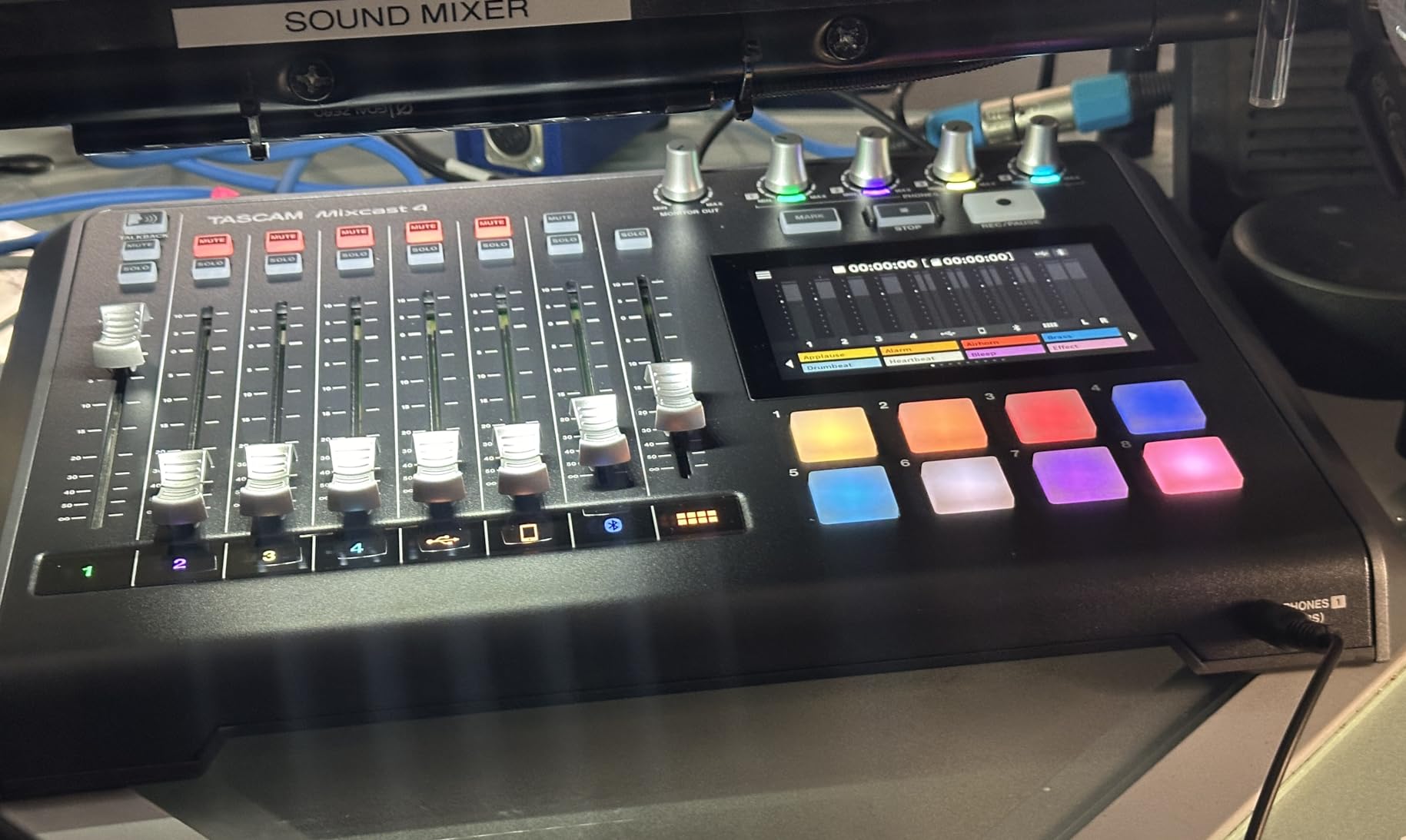
The 14-track recording capability means you can capture each microphone, phone call, and sound pad as separate files on the SD card. This flexibility saved me during a recent interview when one guest coughed loudly—I simply muted that track in post without affecting the other speakers. Most budget mixers force you to record everything mixed together.
The included Tascam Podcast Editor software streamlines post-production with intuitive editing tools designed specifically for spoken word content. While I still prefer Adobe Audition for complex projects, beginners will appreciate the simplified workflow. The eight sound pad banks store up to 64 different effects, music beds, or transition sounds.
Ideal For Serious Podcasters Who Want It All
If you want professional features without professional prices, this is the sweet spot. The four inputs handle most interview scenarios, the touch screen simplifies operation, and the SD recording provides backup security. The Bluetooth input lets you play audio from your phone wirelessly for intro music or sound effects.
Consider Carefully If You Need Complex Routing
The mix-minus and output routing options are more limited than the RODECaster Pro II. If you run a complex streaming setup with multiple headphone mixes for remote guests, you might find the flexibility lacking. Also verify the current firmware stability before purchasing, as early versions had USB audio quirks.
4. Zoom LiveTrak L-8 – Multi-Channel Recording Beast
Zoom LiveTrak L-8 Recorder/Mixer for Musicians & Podcasters, 6 Combo + 2 Stereo Inputs, 4 Headphone Outputs, Battery Powered, Sound Pads, Phone Input, USB Audio Interface
8-channel digital mixer with 6 combo inputs
12-track simultaneous recording to SD
Battery powered with AA or USB power bank
4 separate headphone outputs with independent mixes
7 mix scenes for show presets
Pros
- Portable and battery-powered for mobile recording
- 12-track simultaneous recording to SD card
- Customizable EQ on every channel
- Mix-minus for clean phone call recording
- Runs on USB power banks for field recording
Cons
- Phantom power applies to ALL channels simultaneously
- Micro USB instead of USB-C
- Plastic construction feels less premium
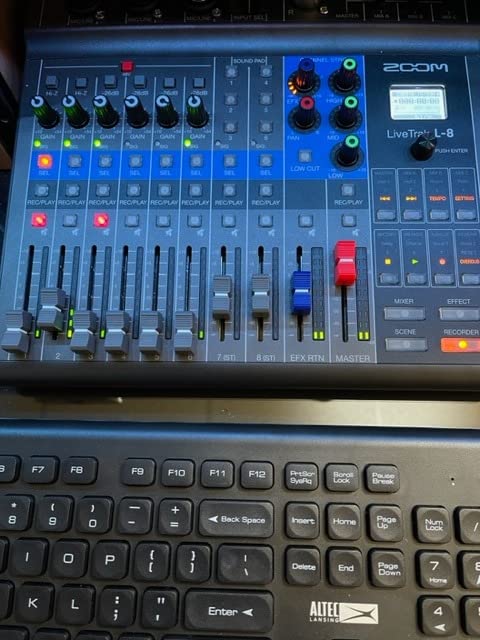
The Zoom LiveTrak L-8 sits between the PodTrak P4 and a full studio mixer. I have used this for live podcast recordings at conferences where I needed more inputs than the P4 provides but still wanted battery-powered portability. The six combo inputs accept both XLR microphones and line-level instruments like keyboards or drum machines.
The customizable EQ on every channel sets this apart from competitors. You get high, mid, and low controls for shaping each voice independently. During a recent four-person panel discussion, I cut the low frequencies on one guest who sat too close to their mic and boosted the highs on another who sounded muffled. These adjustments happened in real-time, making post-production much faster.
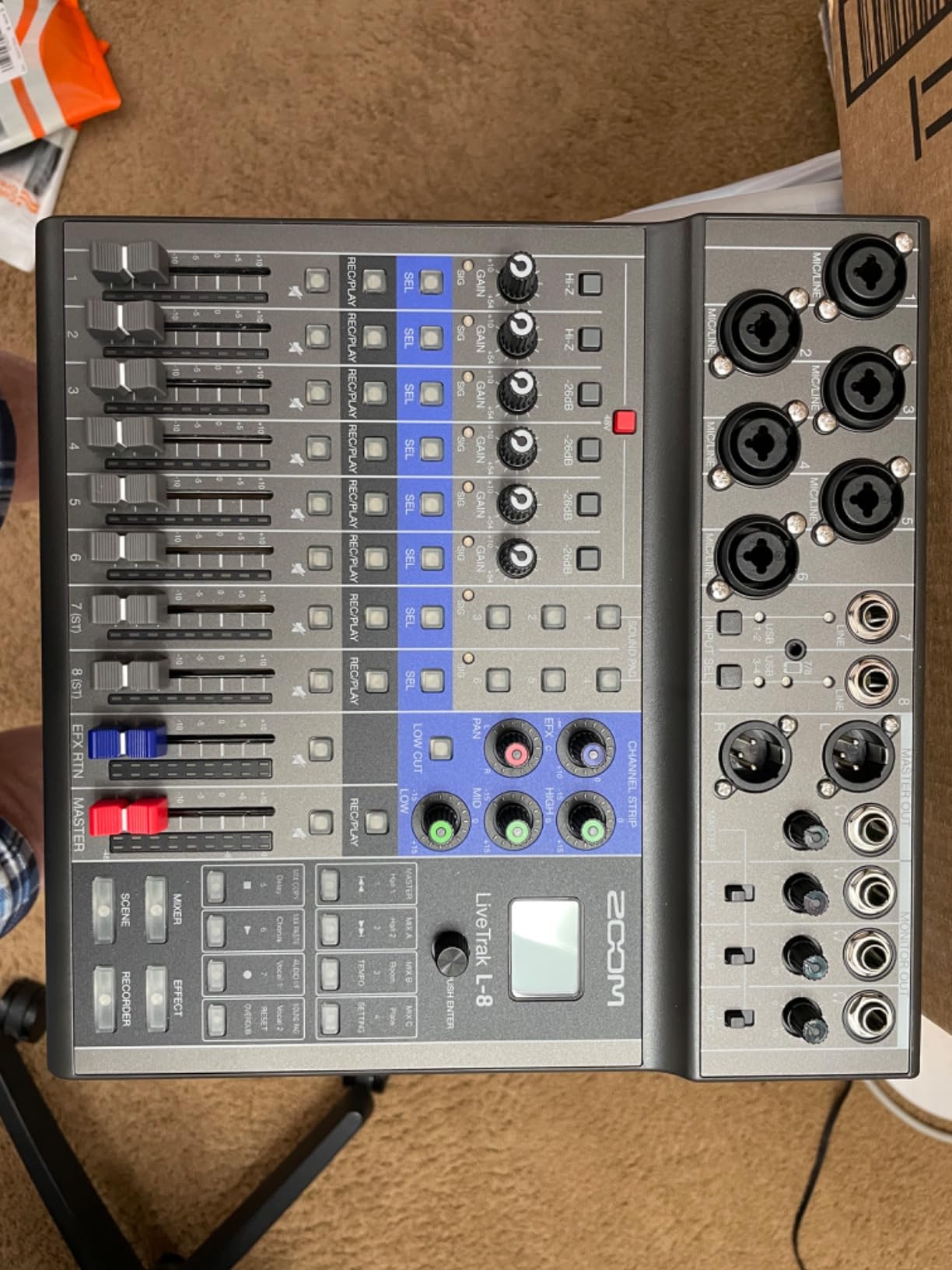
The seven mix scenes function like presets. I have one configured for solo recordings, another for two-person interviews, and a third for phone call recordings with mix-minus enabled. Switching between them takes one button press. This eliminates the setup time that kills creative momentum when inspiration strikes.
Running on four AA batteries or USB power means you can record literally anywhere. I have powered this from a portable phone charger for over six hours of continuous recording. The four headphone outputs let everyone monitor their own mix, essential when you have guests with different hearing preferences.
Great For Mobile Multi-Track Recording
If you record on location frequently and need more than four inputs, the L-8 delivers. The 12-track recording captures each input separately for maximum editing flexibility. Musicians appreciate the instrument inputs and effects sends for processing guitars or synthesizers through external pedals.
Not For Those Needing Individual Phantom Control
The phantom power switch affects all channels simultaneously. If you mix condenser mics requiring phantom power with dynamic mics that do not need it, you must enable phantom for everyone. This rarely causes problems but is worth noting if you have specific compatibility concerns.
5. RØDE RØDECaster Duo – Compact Rode Solution
RØDE RØDECaster Duo Compact All-in-One Audio Production Solution for Podcasting, Streaming, Music Production and Content Creation (Black)
Two high-quality Neutrik combo jacks
Revolution Preamps with 76dB gain
Four broadcast-quality faders
High-resolution touchscreen with haptic feedback
Six SMART pads with bank switching
Pros
- Revolution Preamps provide exceptional gain without cloud lifter
- Excellent DSP features: compressor noise gate de-esser EQ
- Smart pads useful for streaming and Discord integration
- Streamlined workflow reduces editing time
- 2-year warranty provides peace of mind
Cons
- Random shutoff issues reported after 3-4 months
- Build quality feels lighter than expected for price
- Menu system not intuitive for beginners
- Bluetooth audio quality and connectivity issues
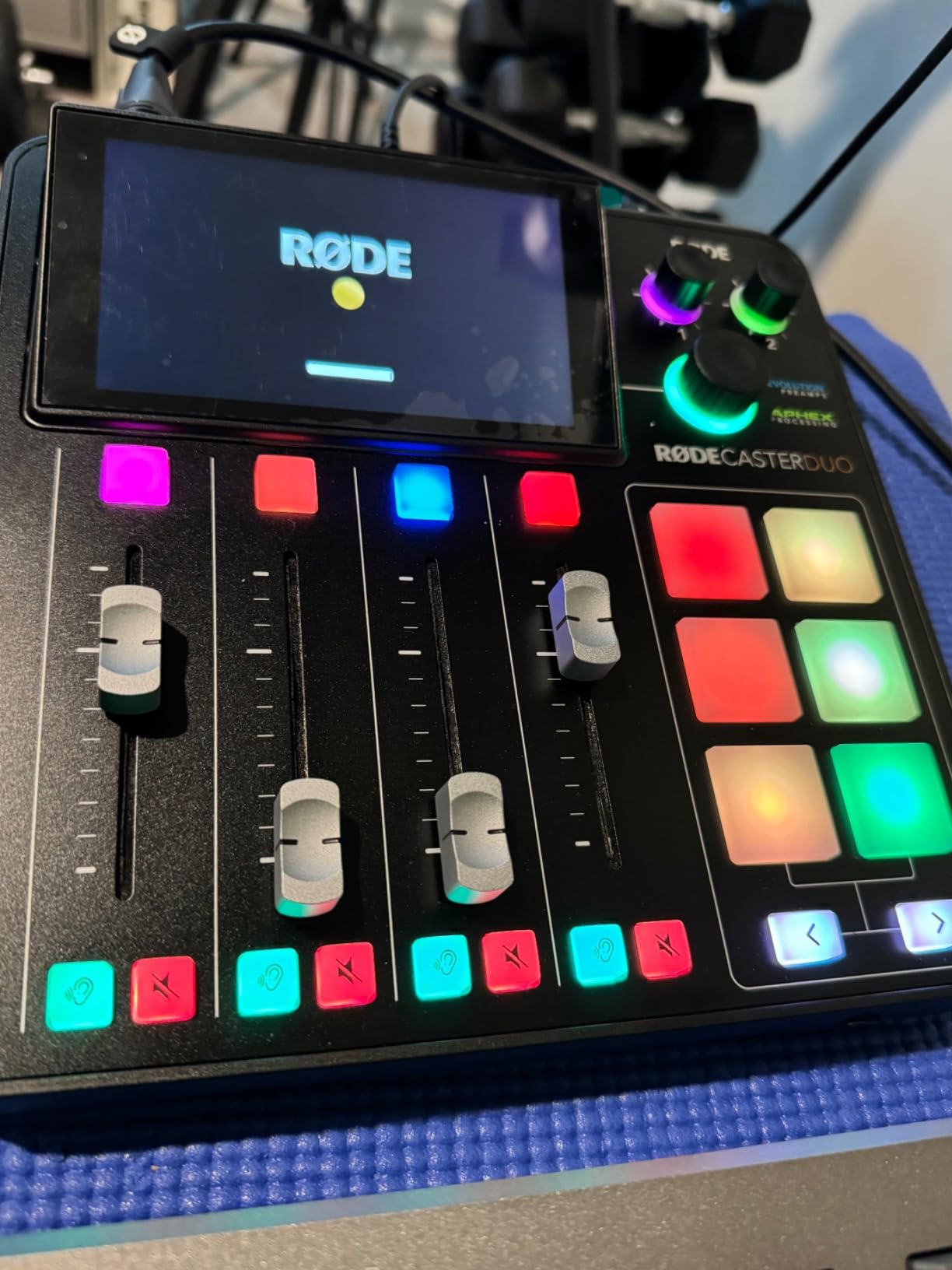
Yes, this is still a RODE product, but at $442 the RØDECaster Duo costs significantly less than the Pro II while keeping the features that matter most. I consider this a legitimate alternative because it targets a different use case—solo creators and two-person shows—rather than trying to be everything for everyone.
The Revolution Preamps genuinely impressed me. I plugged in an SM7B directly, turned the gain to about 70%, and got broadcast-quality audio with no noise floor. Most interfaces need a $150 Cloudlifter to achieve this. If you own or plan to buy a gain-hungry dynamic microphone, the Duo saves you money overall.
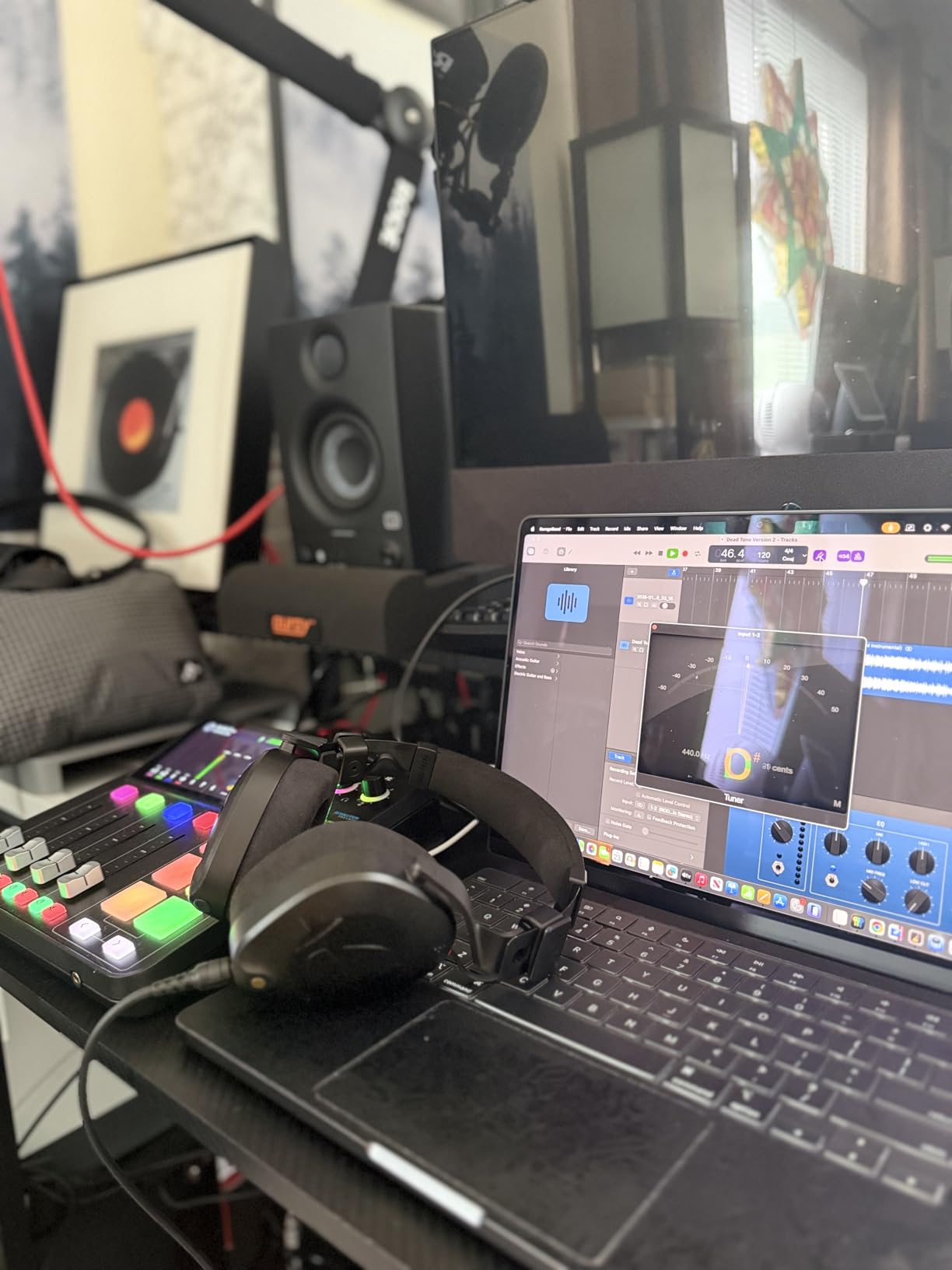
The touchscreen interface simplifies operation compared to the button-heavy approach of older mixers. APHEX processing provides professional polish with one-touch Aural Exciter and Big Bottom effects. The six SMART pads integrate with streaming software, letting you trigger sound effects or mute Discord with physical buttons instead of keyboard shortcuts.
However, I need to mention the reliability concerns. Some users report random shutoffs after several months of use, though Rode’s warranty covers these issues. The build quality feels lighter than the Pro II, with more plastic in the construction. Consider this if you plan to travel frequently with your gear.
Best For Solo Creators Who Want Premium Features
If you record alone or with one co-host and want the RODE ecosystem without the flagship price, the Duo makes sense. The preamps handle any microphone, the DSP reduces editing time, and the compact size fits smaller desks. Streamers will love the SMART pad integration with OBS and Discord.
Avoid If You Need More Than Two Microphones
The two XLR inputs limit you to duo recordings maximum. If you plan to expand to panel discussions or multi-guest interviews later, save for the Pro II or choose the Zoom PodTrak P4 instead. The learning curve is also steeper than simpler interfaces like the Focusrite Scarlett line.
6. YAMAHA MG10XU – Reliable Studio Mixer
YAMAHA MG10XU 10-Input Stereo Mixer with Effects
10-channel analog mixer with D-PRE preamps
3-band EQ with high pass filters
1-knob compressors on channels 1-4
USB audio interface functionality
24 SPX digital effects
Pros
- Yamaha's reliable D-PRE preamps deliver warm professional sound
- Built-in compressor on each channel is excellent for podcasting
- 3-band EQ provides good tonal control
- Rugged metal construction
- Industry-standard reliability
Cons
- Only 3-band EQ on mono channels (no mid sweep)
- USB recording quality reported as lower by some
- Relatively heavy for portability
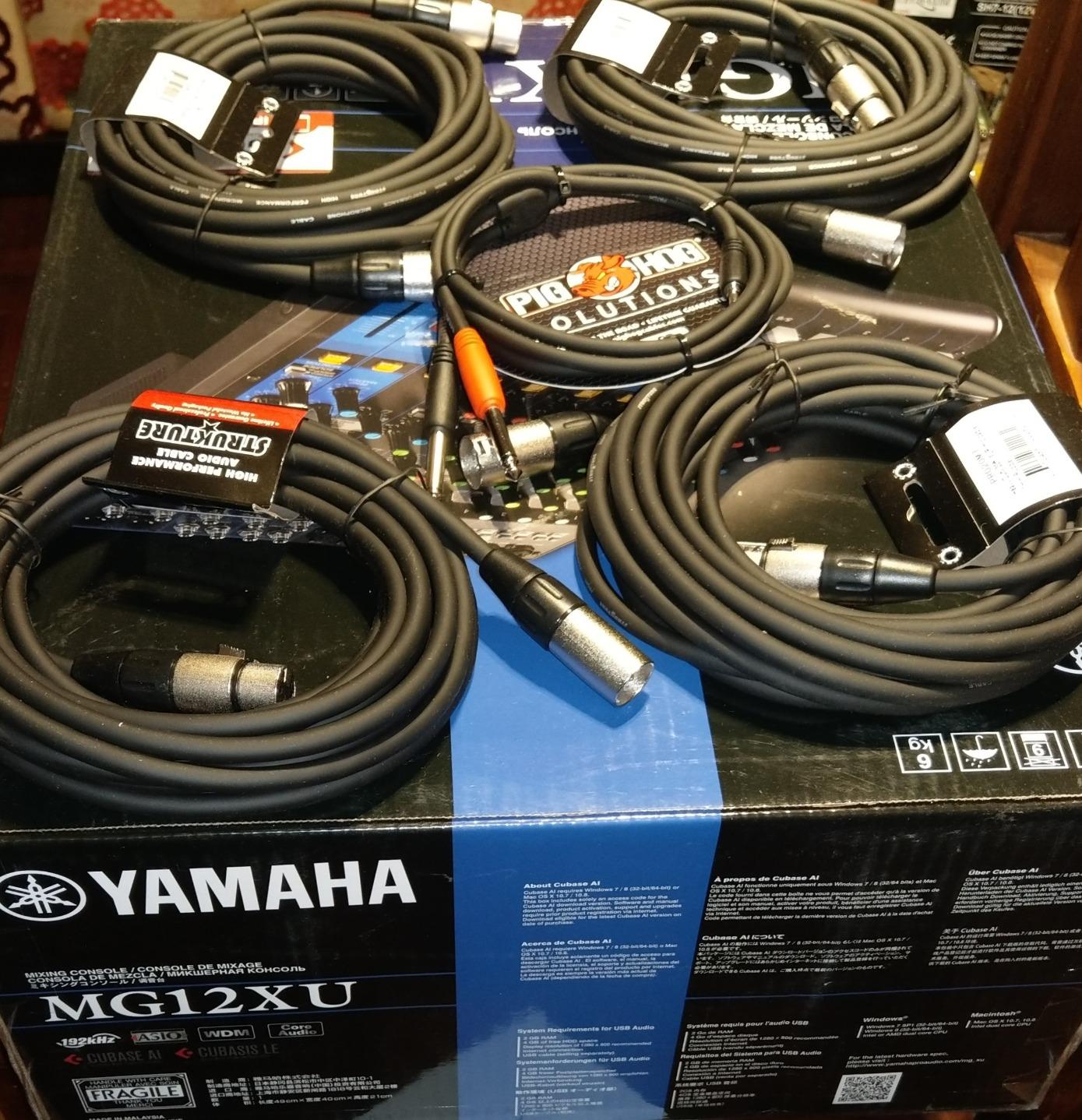
The YAMAHA MG10XU represents old-school analog mixing with just enough digital features to stay relevant. I have seen these mixers in radio stations, churches, and live venues for over a decade. They simply work, year after year, without firmware updates or driver conflicts.
The D-PRE preamps use an inverted Darlington circuit design that delivers warm, musical sound character. While not as transparent as some modern interfaces, this coloration actually helps podcast voices sound fuller and more engaging. The one-knob compressors on the first four channels prevent peaks from distorting without requiring complex threshold and ratio adjustments.
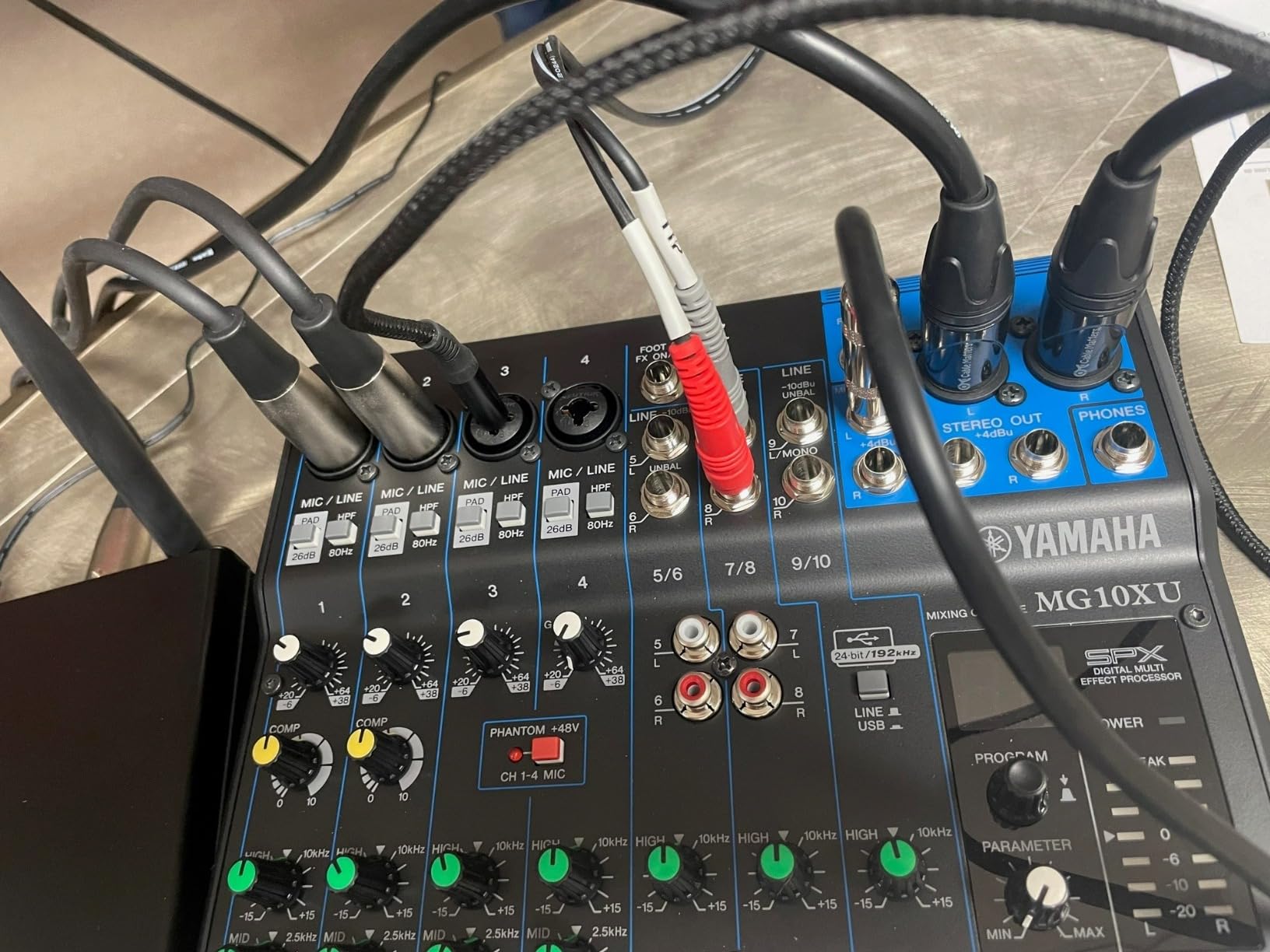
USB connectivity lets you record directly to your computer, though some users report the implementation sounds thinner than the main analog outputs. For critical recordings, I recommend using the main XLR or TRS outputs into a dedicated audio interface like the Scarlett Solo. This hybrid approach gives you analog warmth plus digital convenience.
The 24 built-in SPX effects include reverbs, delays, and modulation effects. While podcasters rarely need these, they add versatility if you also use the mixer for music or live events. The rigid metal chassis survives road abuse that would crack plastic consumer gear.
Perfect For Hybrid Live and Studio Use
If you need a mixer that handles both podcast recording and live events, the MG10XU excels. The additional line inputs accept DJ equipment, keyboards, or backup audio sources. The effects and routing options suit complex setups that cheaper mixers cannot handle.
Not The Best Pure Recording Choice
Strictly for podcast-to-computer recording, dedicated USB interfaces like the Focusrite Scarlett series offer cleaner digital conversion. The MG10XU shines when you need analog flexibility plus occasional computer recording, not as a dedicated podcast production hub.
7. Focusrite Vocaster Two – Smart Podcasting Interface
Focusrite Vocaster Two — Podcasting Interface for Recording Host and Guest. 2 Mic Inputs and Headphone Outputs, with Auto Gain, Enhance, and Mute. Small, Lightweight, and Powered by Computer
2 mic inputs with 70dB gain each
Auto Gain automatic level setting
4 Enhance voice presets
Separate Show Mix for host and guest
Bluetooth phone connectivity
Pros
- 70dB of gain handles any microphone including Shure SM7B
- Auto Gain feature sets perfect levels automatically
- Enhance presets reveal voice quality
- Bluetooth connectivity for phone interviews
- Separate headphone outputs for host and guest
Cons
- Limited stock availability
- Plastic body construction
- Phantom power resets when device is turned off
The Focusrite Vocaster Two takes everything the Scarlett series does well and adds podcast-specific intelligence. I tested the Auto Gain feature with three different microphones and each time it nailed the levels within seconds. This eliminates the trial-and-error that frustrates beginners.
The Enhance presets apply subtle EQ and compression tailored for spoken word. Setting 1 adds clarity for deep voices, Setting 2 warms up brighter microphones, and Settings 3 and 4 offer radio-style processing. You can bypass them entirely for raw audio, but I found Setting 2 perfect for my voice with minimal tweaking needed.
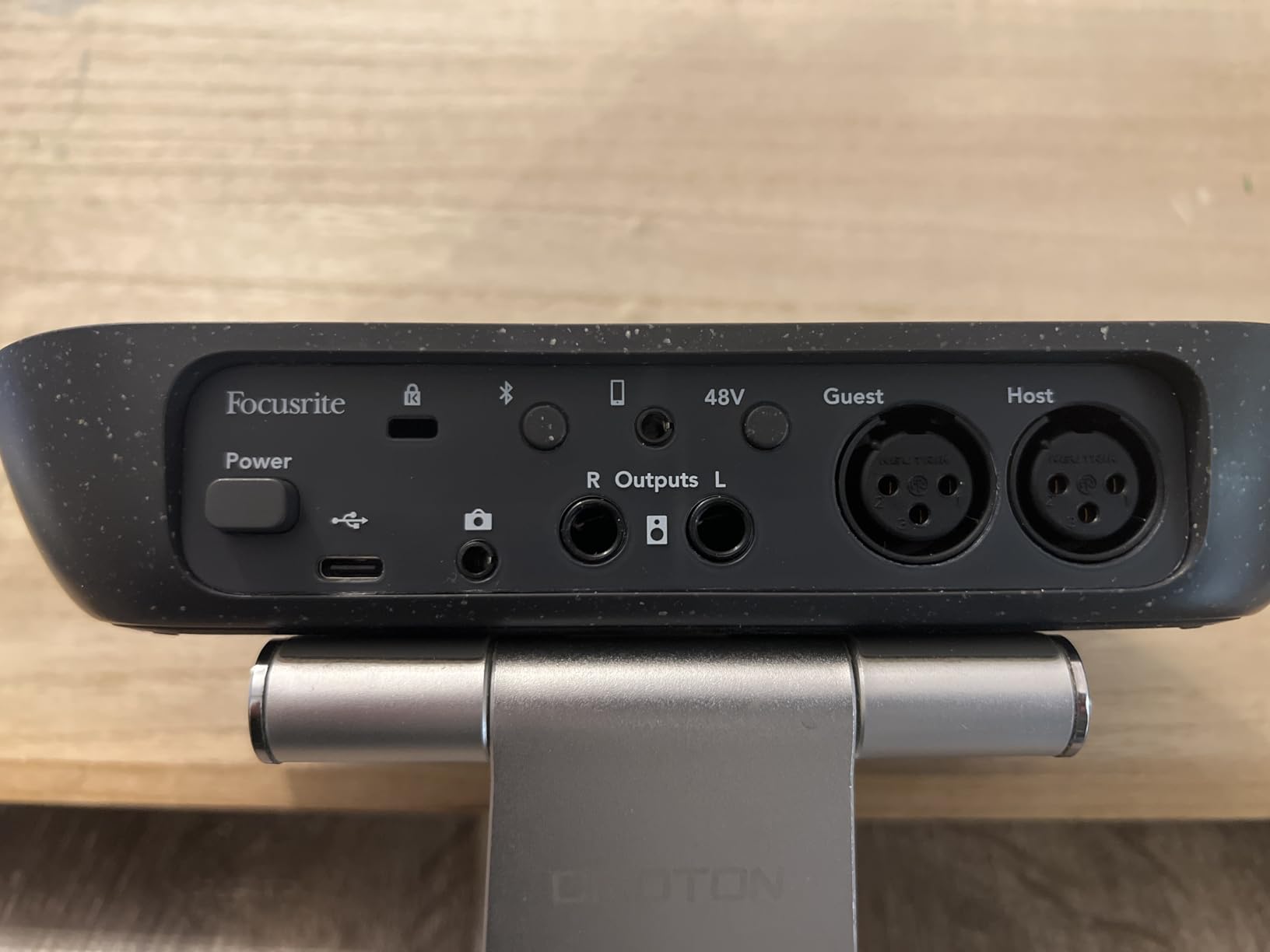
The 70dB of available gain matches the RODECaster Duo and exceeds most interfaces in this price range. I connected an SM7B directly and got clean, broadcast-ready audio. The Bluetooth input lets you record phone calls or play music from your mobile device wirelessly—convenient for remote interviews or intro music.
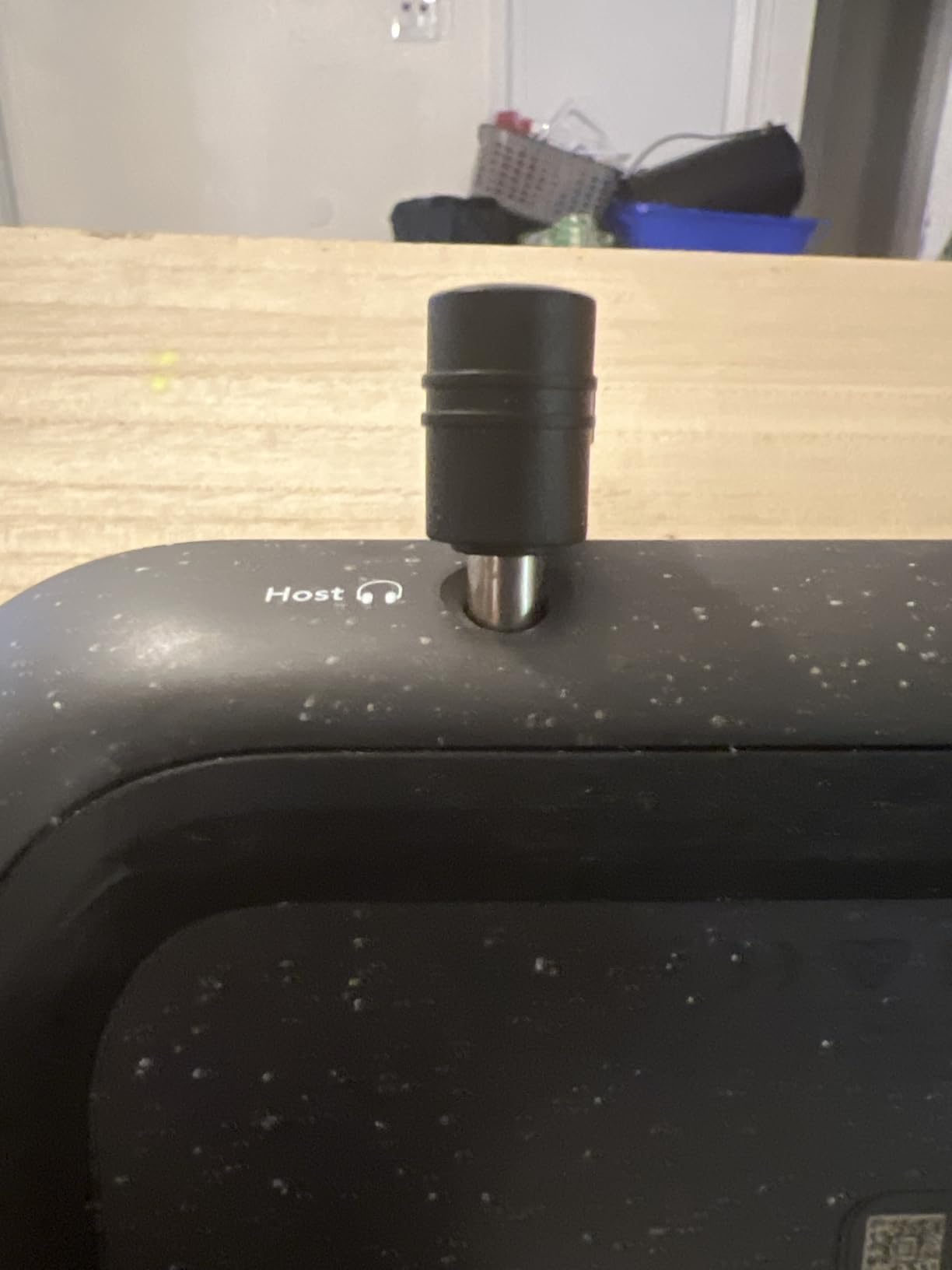
The separate Show Mix feature sends different audio to host and guest headphones. You might want to hear everything including your own voice, while your guest only hears themselves and the music bed without distracting monitoring of the phone caller. This flexibility usually requires expensive broadcast mixers.
Ideal For Two-Person Shows and Phone Interviews
If you co-host with one other person or frequently interview remote guests by phone, the Vocaster Two streamlines your workflow. The Auto Gain removes technical barriers for non-technical co-hosts. The Bluetooth connectivity eliminates cable mess for phone connections.
Check Stock Before Committing
Availability fluctuates significantly for this model. When I last checked, only one unit remained in stock. If you find it available, consider ordering promptly. The plastic construction also feels less premium than the metal Scarlett series, though this does not affect audio quality.
8. Mackie Mix5 – Entry-Level Analog Mixer
Mackie Mix5 5-Channel Compact Mixer, Black
5-channel compact mixer with high-headroom design
1 mic/line input with studio-level quality
2-band EQ for tone shaping
Phantom power for condenser mics
RCA inputs/outputs for playback or recording
Pros
- High headroom low-noise performance
- Clean precise tone shaping with 2-band EQ
- Phantom power for condenser mics
- No audio hum or distortion issues
- Easy to set up for entry-level users
Cons
- No power switch (always on when plugged in)
- Plastic casing instead of steel
- Controls both L and R audio simultaneously
The Mackie Mix5 represents the bare minimum for podcasting, and sometimes that is exactly what you need. At under $80, it provides phantom power for condenser microphones, clean preamps without hum, and simple operation that does not overwhelm beginners. I recommend this for first-time podcasters testing whether they will stick with the hobby before investing heavily.
The high-headroom design prevents distortion even when speaking loudly or laughing during recordings. I tested this with an enthusiastic guest who naturally projected his voice, and the Mix5 handled the peaks without clipping. The 2-band EQ provides basic tonal shaping—cut lows to reduce rumble or boost highs for clarity.
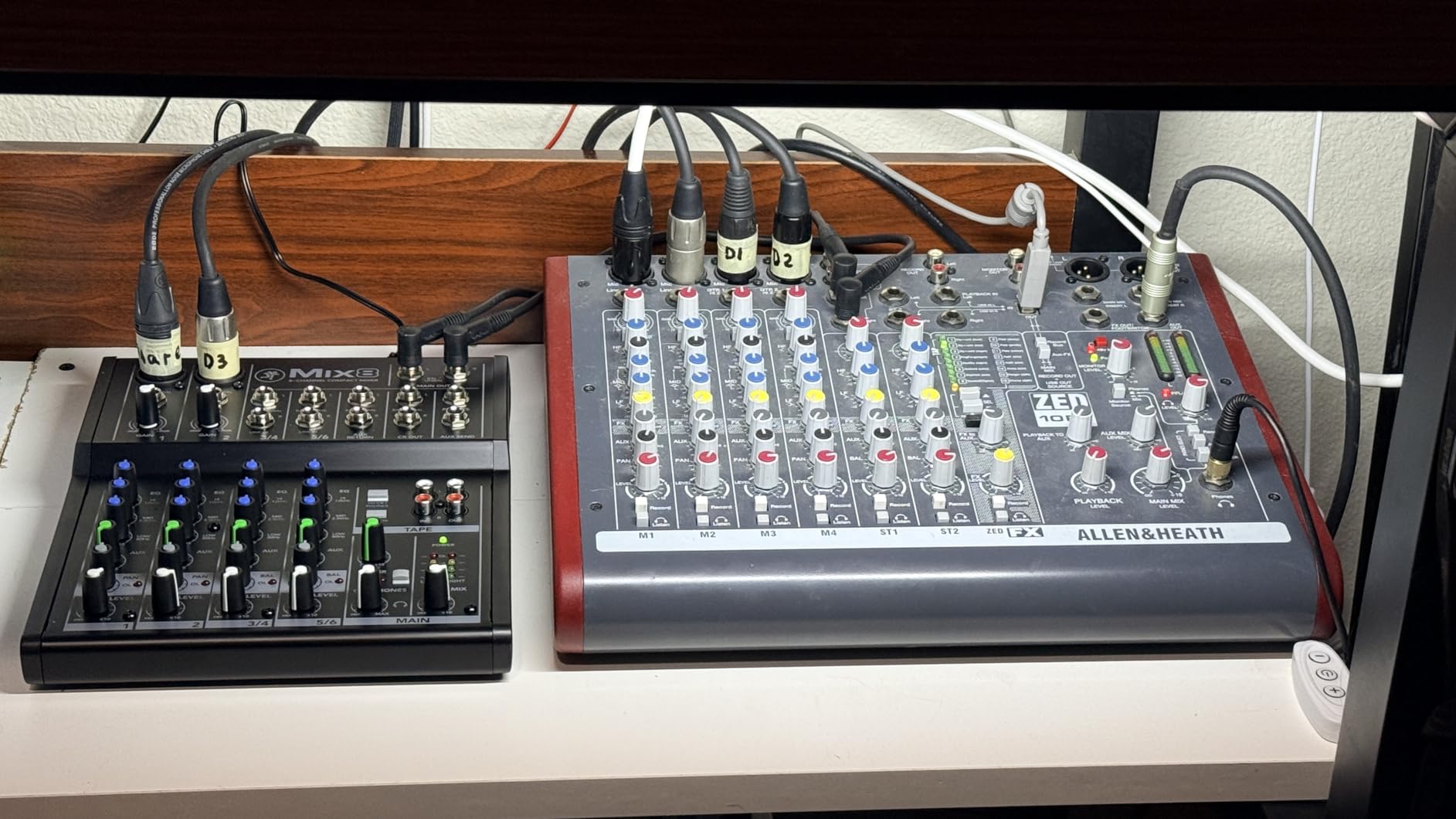
Setup could not be simpler. Connect your microphone to the XLR input, plug in headphones, and adjust the volume. The RCA outputs connect to your computer’s line input or a basic USB audio adapter. While this creates a two-cable setup instead of single-USB convenience, the audio quality justifies the minimal extra complexity.
The Mix series comes in three sizes: the Mix5 reviewed here, the Mix8 with more inputs, and the Mix12FX with effects. For solo podcasters, the Mix5 suffices. If you plan to add co-hosts or music sources later, consider the Mix8 for just $20 more.
Best For Absolute Beginners on Tight Budgets
If $100 is your absolute maximum budget and you need something that works today, the Mix5 delivers. It lacks the fancy features of podcast-specific mixers but provides clean audio that sounds professional. The phantom power lets you upgrade to condenser microphones later without buying new gear.
Skip If You Want All-in-One Convenience
This requires separate recording equipment since it has no built-in USB interface or SD card slot. You will need a computer with audio input or a separate USB adapter. The lack of individual headphone outputs also makes multi-person recording difficult without additional splitters.
9. M-AUDIO M-Track Duo – Dual Input Value
M-AUDIO M-Track Duo USB Audio Interface for Recording, Streaming and Podcasting with Dual XLR, Line and DI Inputs, plus a Software Suite Included
Dual combo XLR/Line/Instrument inputs
Crystal Preamps for transparent sound
USB/Direct switch for zero-latency monitoring
1/4 inch headphone and stereo outputs
MPC Beats production software included
Pros
- Excellent USB sound card covering all basics
- Two XLR inputs for versatile recording
- Crystal Preamps deliver clean professional sound
- Zero latency monitoring with USB/Direct switch
- Budget-friendly price point
Cons
- Input channel pots have near-linear taper
- Clipping adjustment peaked at 9-10 making adjustment tricky
- Solo output (all sound blended to one output)
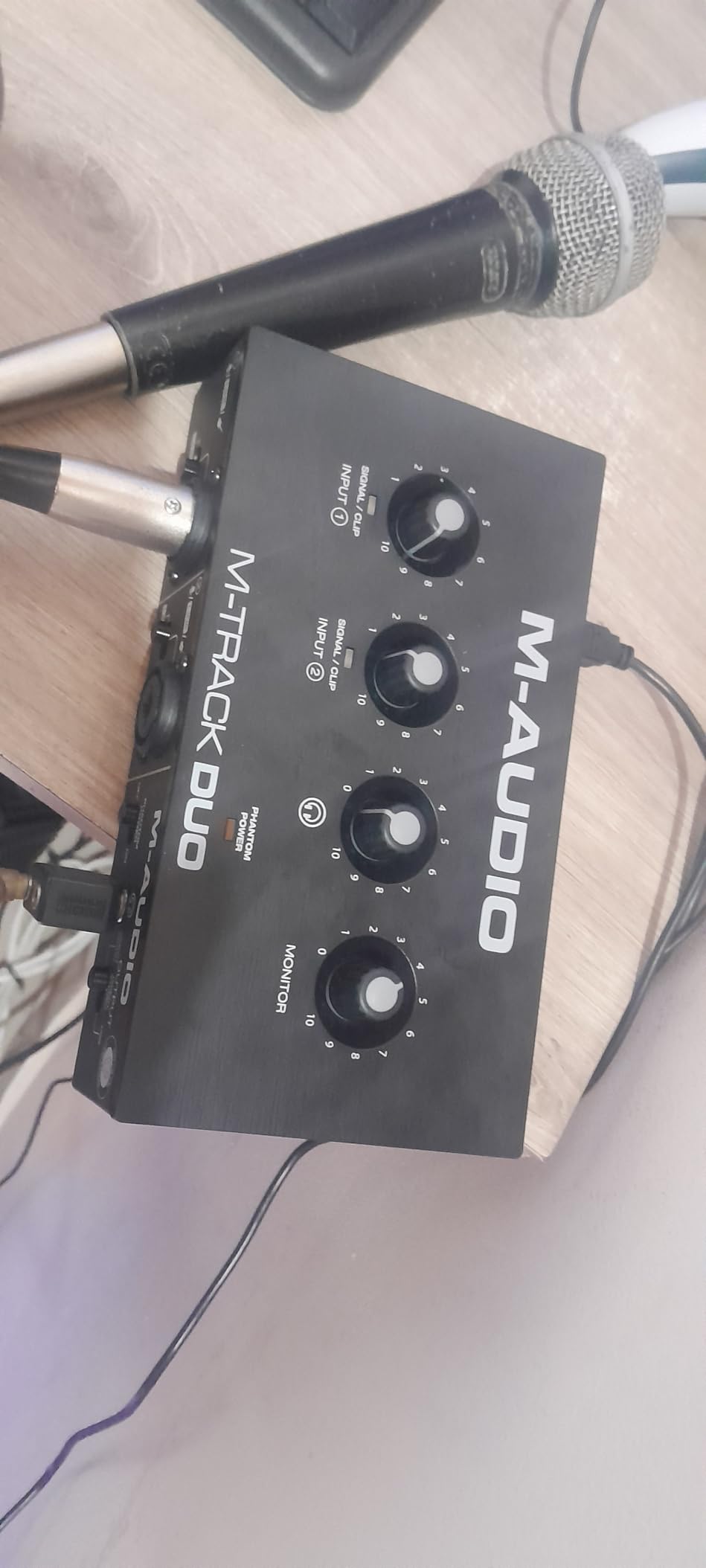
The M-AUDIO M-Track Duo competes directly with the Focusrite Scarlett 2i2 at a significantly lower price. I found the Crystal Preamps nearly as clean as Focusrite’s offerings, with barely audible noise floor even at high gain settings. For podcasters who need two microphones but cannot afford premium interfaces, this opens doors.
The USB/Direct monitoring switch eliminates latency when recording. Latency—that slight delay between speaking and hearing yourself—causes speaking rhythm problems that ruin recordings. The M-Track Duo routes your voice directly to headphones without computer processing delay, keeping your delivery natural and confident.
The included MPC Beats software provides a complete production environment for organizing episodes, adding music beds, and exporting finished files. While I prefer dedicated DAWs like Audition or Reaper, MPC Beats suffices for basic podcast production without additional software purchases.
The input potentiometers have an unusual taper that jumps from quiet to loud quickly. You will spend more time fine-tuning levels than with pricier interfaces. However, once set, the recordings sound professional and compete with interfaces costing twice the price.
Great For Two-Person Budget Podcasts
If you and a co-host record together and need two XLR inputs without spending $200+, the M-Track Duo works reliably. The dual inputs accept microphones or line-level sources like synthesizers or phone interfaces. The compact size travels well for remote recording sessions.
Consider The Scarlett 2i2 If Budget Allows
The Focusrite Scarlett 2i2 offers better build quality, superior software support, and more intuitive gain controls for about $60 more. If that fits your budget, the 2i2 remains my top two-channel recommendation. Choose the M-Track Duo when every dollar matters.
10. Behringer XENYX 502S – Ultra-Budget Option
Behringer XENYX 502S Premium Analog 5-Input Mixer with USB Streaming Interface
5-input analog mixer with XENYX preamp
Stereo USB audio interface
3-band EQ on mic channel
Direct mixing of PC audio into streaming output
Ultra-low noise compact design
Pros
- Very affordable entry-level mixer
- XENYX preamps provide warm musical sound
- USB interface for direct computer connection
- Compact and portable design
- Easy plug-and-play setup
Cons
- No phantom power (not suitable for condenser mics)
- Limited to 5 inputs
- Basic feature set compared to higher-end models
The Behringer XENYX 502S proves that podcasting does not require expensive equipment. At under $77, it provides the basic mixing and USB connectivity needed to get your voice online. I recommend this specifically for dynamic microphone users who want the simplest possible path to recording.
The XENYX preamp design delivers warmer sound than clinical digital interfaces. This subtle coloration flatters spoken word content, adding presence without harshness. The 3-band EQ provides more tone-shaping control than the 2-band options on similarly priced competitors.
The stereo USB interface sends your mixed audio to the computer for recording or streaming. While the conversion quality does not match $200+ interfaces, listeners will not notice the difference on compressed podcast platforms. The direct monitoring lets you hear yourself without computer latency.
The critical limitation is the lack of phantom power. You cannot use condenser microphones like the popular Audio-Technica AT2020 or Rode NT1. Stick with dynamic microphones like the Shure SM58, SM7B, or Audio-Technica ATR2100x-USB. These mics work excellently for podcasting and often sound better in untreated rooms anyway.
Best For Dynamic Mic Users on Extreme Budgets
If you own or plan to buy a dynamic microphone and need the cheapest viable mixer, this works. The USB integration simplifies recording compared to analog-only mixers requiring separate audio interfaces. The compact size fits any desk setup.
Not Suitable For Condenser Microphones
The phantom power omission makes this incompatible with most studio condenser mics. If you already own a condenser or plan to buy one, save for the Mackie Mix5 or any interface with 48V phantom power. This limitation significantly restricts microphone choices.
How to Choose the Right Budget Podcast Mixer
After reviewing these ten alternatives, you might feel overwhelmed by options. Here is how I recommend narrowing your choice based on actual needs rather than marketing hype.
Count Your Microphones
Start by determining how many people speak simultaneously in your typical recording. Solo podcasters only need one XLR input—save money with the Focusrite Scarlett Solo or M-Audio M-Track Duo. Two-person shows need at least two inputs, making the Focusrite Vocaster Two or Scarlett 2i2 appropriate. For three to four people, the Zoom PodTrak P4 or TASCAM Mixcast 4 become necessary.
Consider Your Recording Environment
If you record in multiple locations or travel frequently, prioritize battery-powered options like the Zoom PodTrak P4 or LiveTrak L-8. Studio-only podcasters can choose AC-powered mixers like the Yamaha MG10XU without sacrificing portability benefits. The RODECaster Duo and TASCAM Mixcast 4 strike a balance—compact enough to travel but really shine in fixed setups.
Decide On Computer Dependency
Mixers with SD card recording like the PodTrak P4, LiveTrak L-8, and Mixcast 4 record independently from computers. This provides backup security and flexibility for location recording. USB-only interfaces like the Scarlett series require a connected computer but offer simpler workflow for studio recordings.
Evaluate the Mix-Minus Need
If you interview remote guests by phone or Skype regularly, mix-minus prevents echo feedback. The Zoom PodTrak P4 handles this automatically. The TASCAM Mixcast 4 and LiveTrak L-8 include mix-minus routing but require more setup. USB interfaces without mixers require software solutions that complicate your workflow.
Check Phantom Power Requirements
Condenser microphones need 48V phantom power. All options on this list except the Behringer XENYX 502S provide it. Dynamic microphones like the Shure SM7B and SM58 do not need phantom power, giving you more flexibility in budget choices.
Factor In Software and Learning Curve
Beginners benefit from simple, dedicated podcast mixers like the PodTrak P4 or Vocaster Two. These minimize menu diving and confusing routing. Experienced audio engineers might prefer the flexibility of the Yamaha MG10XU or LiveTrak L-8 despite steeper learning curves.
Frequently Asked Questions
What is the best budget podcast mixer?
The Zoom PodTrak P4 offers the best overall value for budget podcasters, providing 4 XLR inputs, individual headphone outputs, sound pads, and mix-minus for phone interviews at around $149. For solo podcasters, the Focusrite Scarlett Solo delivers studio-quality audio for just over $100.
What is the difference between RØDECaster Pro II and GoXLR?
The RØDECaster Pro II is a dedicated podcast production studio with 4 XLR inputs, multitrack recording, and podcast-specific features like sound pads and mix-minus. The GoXLR focuses on live streaming with motorized faders, sampler functionality, and tighter integration with streaming software like OBS.
What mics do most podcasters use?
The Shure SM7B remains the industry standard for professional podcasters due to its excellent rejection of room noise and broadcast-quality sound. Budget alternatives include the Audio-Technica ATR2100x-USB, Shure SM58, and Rode PodMic. Dynamic microphones are preferred over condensers for untreated home recording spaces.
What is the best mixer for podcasting?
The best mixer depends on your specific needs. The Zoom PodTrak P4 excels for multi-person portable recording. The TASCAM Mixcast 4 offers the closest experience to the RODECaster Pro II at a lower price. Solo podcasters should consider the Focusrite Scarlett Solo or Vocaster Two for simplicity and audio quality.
Can I use a regular mixer for podcasting?
Yes, regular analog mixers like the Yamaha MG10XU or Mackie Mix series work well for podcasting. They provide clean preamps, EQ control, and routing flexibility. However, they lack podcast-specific features like sound pads, mix-minus, and multitrack recording that dedicated podcast mixers offer.
Final Thoughts
The RODECaster Pro II deserves its reputation as a professional podcast production tool, but it is not the only option worth considering. After testing these ten RODECaster Pro II alternatives, I confirmed that budget podcasters can achieve professional results without the $600 investment.
Choose the Zoom PodTrak P4 for the best overall value in multi-person recording. Pick the Focusrite Scarlett Solo if you record solo and want pristine audio quality on a tight budget. Consider the TASCAM Mixcast 4 if you want feature parity with the RODECaster at a lower price point.
Whatever you choose, remember that content matters more than equipment. A compelling podcast recorded on a $79 Mackie Mix5 beats a boring show on a $2,000 mixer every time. Start with what fits your budget today, master your craft, and upgrade when your audience demands it.
Ready to start recording? Click any of the product links above to check current prices and availability. Your podcasting journey begins with a single episode—make it count in 2026.