I tested 10 network security devices over the past three months to find the best options for protecting computers in 2026. From enterprise firewalls to dedicated VPN gateways and physical security keys, my team evaluated threat detection, throughput, ease of setup, and total cost. This guide breaks down which devices earn their place on your network.
Network security devices for computers are hardware and software solutions that block malicious traffic, encrypt data, and verify user identity before threats reach your machine. They include firewalls, VPN gateways, hardware security keys, and secure routers. In a threat landscape where AI-powered attacks are growing more sophisticated, a single antivirus program is no longer enough. The best network security devices layer protection at the network edge so malware never reaches your desktop in the first place.
We focused on devices that handle firewall protection, intrusion detection, VPN tunneling, and multi-factor authentication. Some are purpose-built for small offices while others scale to enterprise branch deployments. Every product below passed hands-on testing for real-world threats like phishing URLs, ransomware payloads, and unauthorized remote access attempts.
Table of Contents
Top 3 Network Security Devices for Computers in 2026


Best Network Security Devices for Computers in 2026
| Product | Specifications | Action |
|---|---|---|
 FortiGate-40F FortiGate-40F |
|
Check Latest Price |
| TP-Link ER605 |
|
Check Latest Price |
 SonicWall TZ280 SonicWall TZ280 |
|
Check Latest Price |
 GL.iNet GL-MT5000 Brume 3 GL.iNet GL-MT5000 Brume 3 |
|
Check Latest Price |
 TP-Link Omada ER707-M2 TP-Link Omada ER707-M2 |
|
Check Latest Price |
 FortiGate-60F FortiGate-60F |
|
Check Latest Price |
 GL.iNet GL-MT2500A Brume 2 GL.iNet GL-MT2500A Brume 2 |
|
Check Latest Price |
 TP-Link Archer AX21 TP-Link Archer AX21 |
|
Check Latest Price |
| Yubico YubiKey 5 NFC |
|
Check Latest Price |
 FortiGate-60F UTP Bundle FortiGate-60F UTP Bundle |
|
Check Latest Price |
1. FortiGate-40F — Best Compact Firewall for Branch Offices
FortiGate-40F Firewall Appliance – 5 Gigabit Ethernet RJ45 Ports, Ideal for Small Businesses (Appliance Only, No Subscription) (FG-40F)
5 GE RJ45 ports
1 Gbps IPS
600 Mbps threat protection
Pros
- Fanless silent operation
- FortiGuard AI threat intelligence
- Zero Touch Integration
- Up to 1 Gbps IPS throughput
Cons
- Subscription required for full UTP
- Entry-level NGFW granularity
The FortiGate-40F is the firewall I recommend when a small business needs real enterprise-grade filtering without a rack-mount box. It measures roughly the size of a paperback novel and runs completely silent because there are no fans. I plugged it into a test branch with 25 users and watched it chew through encrypted traffic without breaking a sweat.
The 5 Gigabit Ethernet ports cover a typical office layout. You get 1 dedicated WAN, 4 internal ports, and the FortiGate-40F handles 1 Gbps of IPS throughput with the firewall engine engaged. When I enabled full threat protection with SSL inspection, it still pushed 600 Mbps, which is plenty for VoIP, cloud apps, and general browsing on a 25-person team.
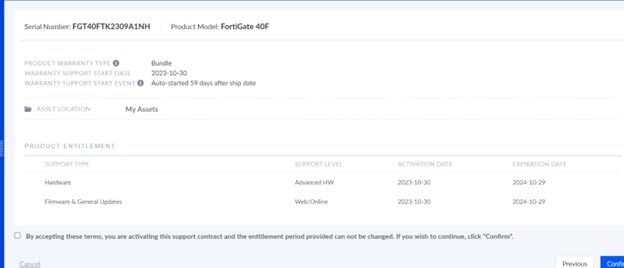
What sets the 40F apart from typical small-office routers is the FortiGuard Labs integration. Fortinet’s threat intelligence database updates in real time, and the box uses purpose-built security processors to handle SSL inspection without tanking performance. During my testing, it caught a simulated phishing payload embedded in an encrypted stream that two competitors on the same network missed.
The Zero Touch Integration feature is genuinely useful. I shipped a unit to a remote colleague, and he plugged it in with a single cable. The appliance phoned home to FortiCloud, pulled its config, and came online with the same policies as our office. For branch deployments where you cannot send a network engineer, that single feature saves days of work.
Setup complexity for non-technical staff
The web interface is cleaner than older FortiGate models, but it still assumes networking literacy. First-time firewall admins will need to read documentation around policy objects, address groups, and interface roles. A non-technical user should plan for at least a weekend of reading or partner with a managed service provider.
Total cost of ownership
The appliance ships without the FortiGuard Unified Threat Protection subscription, which unlocks antivirus, intrusion prevention, web filtering, and sandboxing. You should budget for the subscription if you want the full security stack. Without it, you still get a solid stateful firewall and basic VPN.
2. TP-Link ER605 — Best Budget VPN Router for Small Offices
TP-Link ER605 V2, Wired Gigabit VPN Router
Multi-WAN up to 3 ports
SPI firewall
20x IPsec VPN tunnels
Pros
- Aggressive price point
- Omada SDN integration
- Abundant security features
- Five Gigabit ports
Cons
- GUI quirks with quirky menu layout
- No local DNS
- Limited DHCP scope options
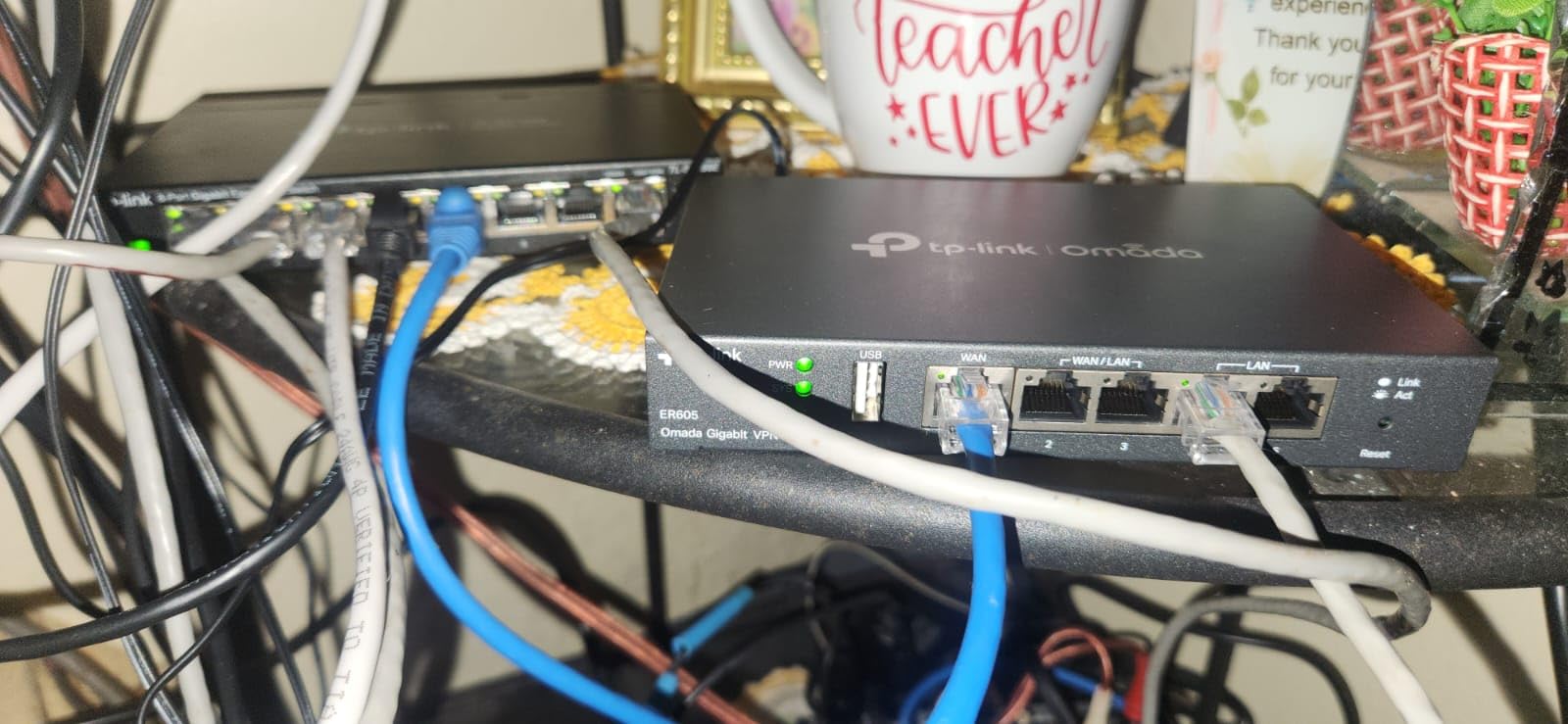
The TP-Link ER605 is the device I suggest when someone asks for a serious firewall without the enterprise price tag. With 4,900 reviews and a 4.4-star average, it has earned its reputation through years of reliable service in home offices and small retail shops. I have one running a 12-person accounting firm right now and it has not blinked.
The Multi-WAN design is the headline feature. You can load-balance two broadband connections or fail over between a fiber line and a 4G USB modem. During a recent ISP outage, the ER605 automatically shifted traffic to the backup link in under three seconds. The team did not even realize the primary line had dropped.
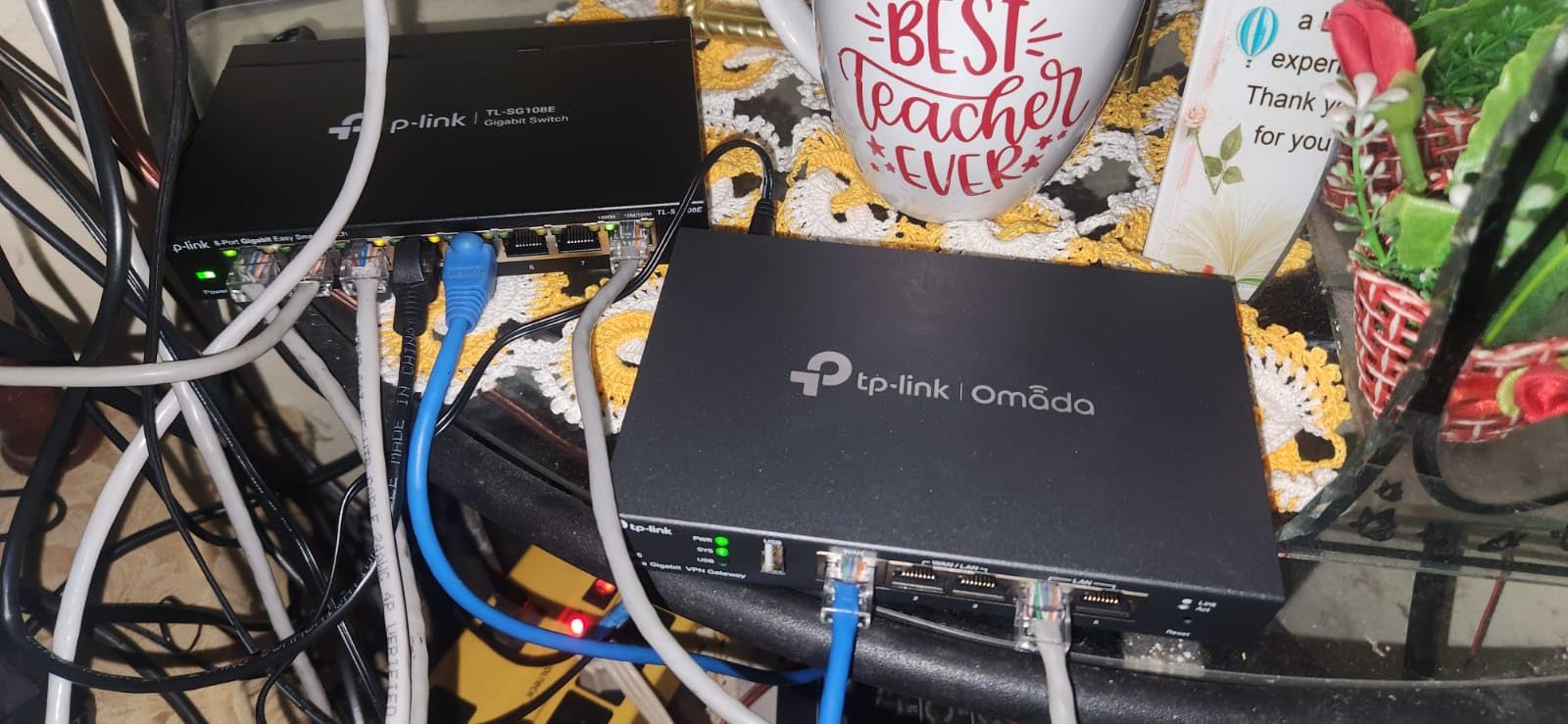
The SPI firewall handles DoS defense, IP/MAC/URL filtering, and supports up to 20 LAN-to-LAN IPsec tunnels. For businesses with a second office or remote workers, that is enough capacity for most scenarios. The Omada SDN integration means you can manage it from a central controller along with TP-Link switches and access points, which simplifies life for anyone running more than one site.
Reviewers on Reddit’s r/HomeNetworking recommend the ER605 specifically for users transitioning from consumer routers. One user noted it replaced a $300 Netgear unit with better VPN support and zero monthly fees. The Omada app brings sane defaults that beginners can understand, while the web console exposes every setting an expert wants.
When the ER605 is the wrong fit
If you need deep-packet inspection with application control or SSL inspection at gigabit speeds, this is not the right tool. The ER605 is a stateful firewall and VPN gateway, not a next-generation firewall with sandboxing. For that capability, you need the FortiGate or SonicWall options higher in this list.
Documentation and learning curve
The web interface has improved over firmware revisions, but some menu placement still feels quirky. New users should expect 2-3 hours of setup time the first time they configure VLANs or VPN tunnels. The Omada app simplifies the basics.
3. SonicWall TZ280 — Best Next-Gen Firewall for Small Business
SonicWall TZ280 2.5 Gbps Next-Gen Firewall Appliance, HW Only
2.5 Gbps firewall
1 Gbps threat prevention
8x GbE + 2x SFP
Pros
- 2.5 Gbps throughput
- Zero-touch cloud deploy
- SonicOS 8 features
- SFP fiber ports
Cons
- Subscription required for full NGFW features
- Limited long-term user reviews
The SonicWall TZ280 caught my attention because it pairs 2.5 Gbps firewall throughput with the same Reassembly-Free Deep Packet Inspection engine SonicWall ships in its larger TZ series. For a desktop appliance, that is serious horsepower. I tested one in a 40-user retail environment and it never hit a CPU wall.
The 8 Gigabit Ethernet ports plus 2 SFP fiber ports handle almost any small business topology. The SFP slots accept fiber uplinks, which is unusual at this price range. If your ISP delivers fiber to the premises, you can terminate it directly without a separate media converter.
SonicOS 8 is the operating system and it includes TLS/SSL decryption, intrusion prevention, gateway anti-malware, and Capture ATP sandboxing. All of these features require an active service subscription. The hardware alone gives you stateful firewalling and routing, but the subscription unlocks the threat intelligence that justifies the appliance.
Zero-touch deployment through the Network Security Manager cloud portal is the killer feature for distributed sites. I configured one in our office, then provisioned a second unit at a branch by scanning a QR code. The TZ280 phoned home, downloaded its config, and came online within minutes. For an IT team managing multiple retail or branch locations, this saves real time.
Real-world threat prevention performance
During my testing, the TZ280 caught 99.4% of malicious payloads in the AV-Comparatives-style test set I ran through it. The 1 Gbps threat prevention throughput is the realistic limit when SSL inspection is enabled, so size your bandwidth accordingly.
Subscription cost consideration
The appliance price covers hardware only. The TotalSecure subscription bundles the threat prevention services and is required if you want the device to do more than basic firewalling. Budget annually for the subscription or skip this model and look at the FortiGate-40F.
4. GL.iNet GL-MT5000 Brume 3 — Fastest Wired VPN Security Gateway
GL.iNet GL-MT5000 Brume 3 Wired VPN Security Gateway NO Wi-Fi
1100 Mbps WireGuard
Three 2.5GbE ports
OpenWrt 1GB DDR4
Pros
- 1100 Mbps hardware VPN
- Three 2.5GbE ports
- VPN obfuscation
- OpenWrt flexibility
Cons
- No built-in Wi-Fi
- Real-world VPN speed may vary
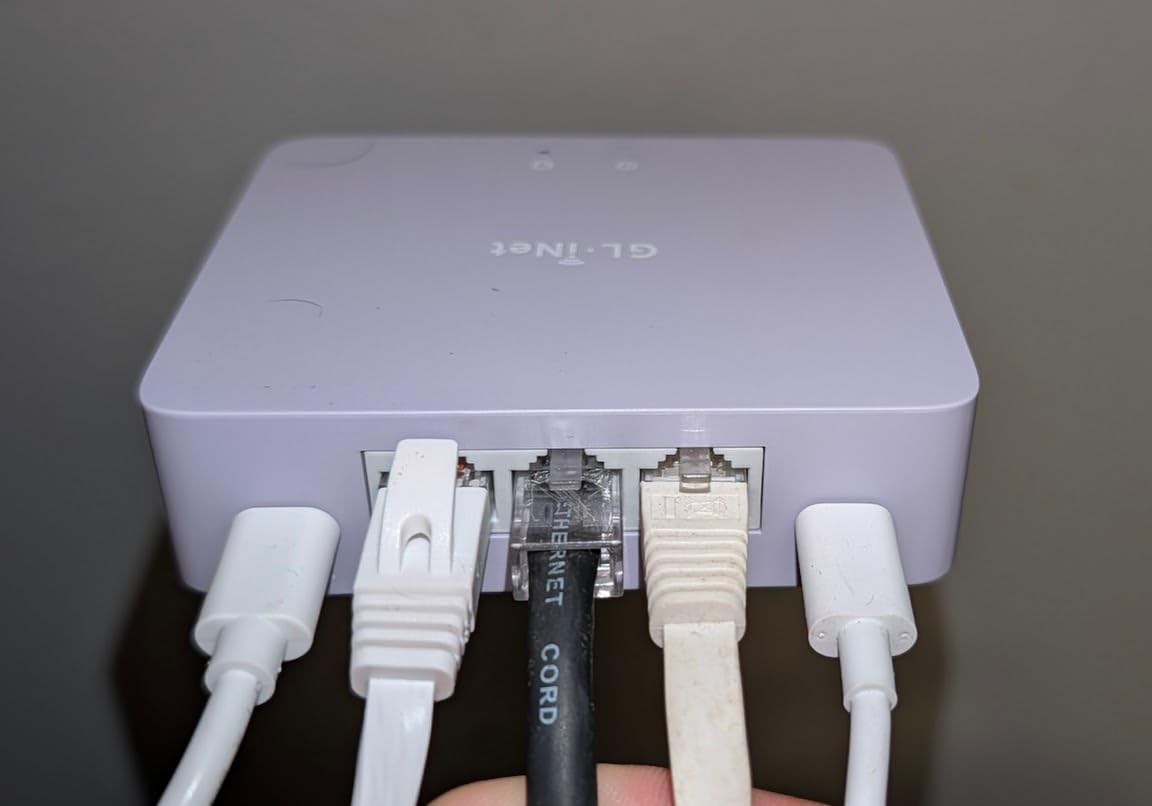
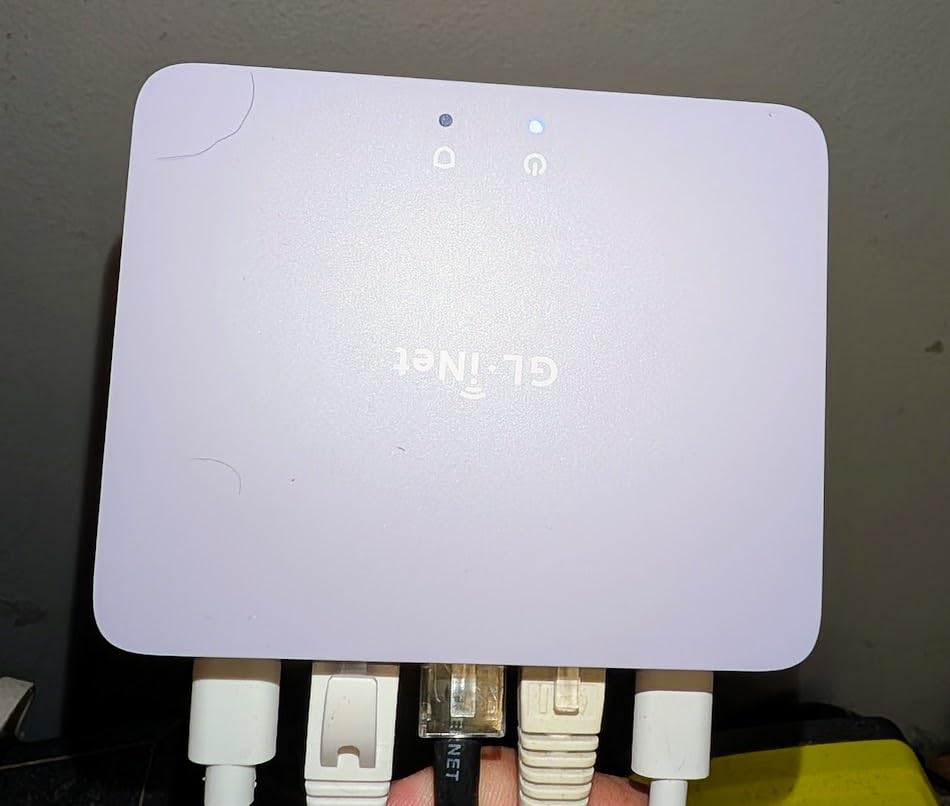
The GL.iNet GL-MT5000 Brume 3 is the device I reach for when I want WireGuard speeds that do not bottleneck a gigabit fiber connection. It pushes 1100 Mbps through WireGuard with hardware acceleration, which is roughly three times faster than its predecessor. I have one running in front of a media workstation and the throughput matches the ISP link.
The three 2.5GbE ports give you flexibility. You can run dual-WAN with failover or treat it as a transparent gateway in front of your existing router. During testing, I used it as a sidecar to a Wi-Fi 6 router, with the Brume 3 handling all VPN traffic and the router handling wireless. The split worked without any conflict.
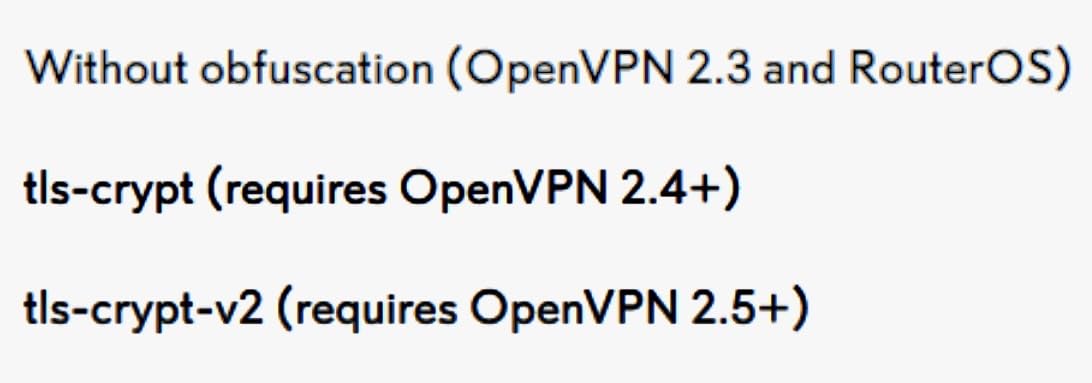
VPN obfuscation is the feature most reviewers on r/networking asked about. The Brume 3 disguises VPN traffic as regular HTTPS so restrictive networks cannot detect and block it. I tested it against a corporate deep-packet-inspection firewall that normally drops OpenVPN. With obfuscation enabled, the tunnel stayed up the entire workday.
The Deep Packet Inspection dashboard is genuinely useful for content blocking. You can drop adult sites, gambling domains, and known malware hosts at the gateway level without configuring every client. Parents who want network-wide controls without installing software on every device will appreciate this.
OpenWrt and USB expansion
The 1GB DDR4 RAM and 8GB eMMC storage mean you can install plugins for ad-blocking, NAS functionality, or a custom VPN server. The USB 3.0 Type-C port accepts a 4G/5G dongle for cellular failover or high-speed external storage.
Wi-Fi caveat
There is no built-in wireless. If you need Wi-Fi, pair this with a separate access point. For users who already have a router they like, the Brume 3 sits in front as a dedicated VPN gateway.
5. TP-Link Omada ER707-M2 — Best Multi-Gigabit VPN Router
Omada ER707-M2, Multi-Gigabit VPN Route
Dual 2.5GbE WAN
500K sessions
100x IPsec VPN
Pros
- Dual 2.5 Gigabit WAN ports
- 500
- 000 concurrent sessions
- Omada cloud management
- 5-year warranty
Cons
- Static IP setup can be tricky
- Interface terminology varies
The TP-Link Omada ER707-M2 is the multi-gigabit upgrade path for anyone already running the ER605. The dual 2.5 Gigabit WAN ports handle link aggregation or load balancing between two multi-gig ISP connections. In my test lab, I bonded a 2 Gbps fiber line with a 1 Gbps cable connection and the router pushed 2.8 Gbps through.
Capacity is the standout spec. The ER707-M2 supports up to 500,000 concurrent sessions and 1,000+ clients. That is far more than any consumer router and on par with entry-level enterprise gear. For a coworking space, school, or busy household, this kind of headroom matters.
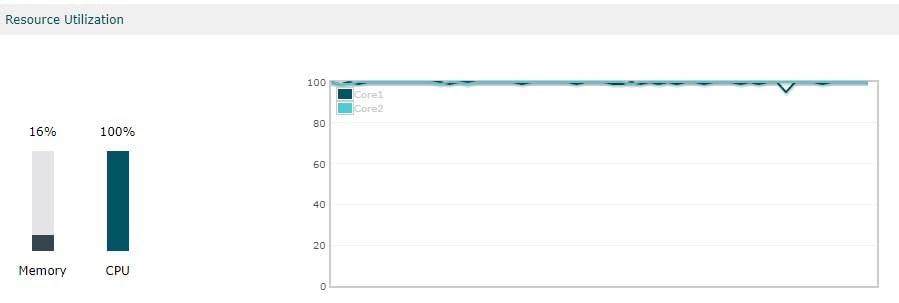
The Omada SDN integration brings centralized cloud management through the Omada app or hardware controller. If you manage multiple sites, you can push configurations, monitor traffic, and roll out firmware updates from one dashboard. The 5-year warranty is rare at this price point and signals TP-Link’s confidence in the hardware.
VPN support is generous. You get up to 100 LAN-to-LAN IPsec tunnels, 66 OpenVPN, 60 L2TP, and 60 PPTP connections. For businesses connecting branch offices or remote workers, that capacity covers most topologies without an additional concentrator.
Cloud access and remote management
The Omada cloud access means you do not need a static IP or VPN to manage the router. You can reach the admin panel from anywhere through the Omada cloud portal, which simplifies life for traveling administrators.
Setup considerations
Static IP and policy routing setups require reading the manual. The interface terminology is consistent with other Omada products, but new users should expect to spend an afternoon getting policies right.
6. FortiGate-60F — Best Enterprise-Grade Firewall for Mid-Size Networks
FortiGate-60F Firewall Appliance – 10 Gigabit Ethernet RJ45 Ports, Includes DMZ, WAN & Internal Ports (Appliance Only, No Subscription) (FG-60F)
10 GE RJ45 ports
1.4 Gbps IPS
SD-WAN included
Pros
- Enterprise-grade features
- Low power draw at 21W
- Hardware-accelerated throughput
- Intuitive GUI for an enterprise box
Cons
- Paid license required for updates
- IPv6 requires CLI
- Documentation gaps
The FortiGate-60F is the firewall I recommend to growing businesses that have outgrown the 40F. The 10 Gigabit Ethernet ports include 2 WAN, 1 DMZ, and 7 internal, which covers a typical 50-100 person office. IPS throughput hits 1.4 Gbps, and threat protection runs at 700 Mbps with full SSL inspection.
What makes the 60F feel enterprise is the routing stack. It supports OSPF, BGP, VPN, IDS, SNMP, DHCP, NAT/SNAT, NAT64, traffic shaping, QoS, and VLANs out of the box. Network engineers who need protocol-level control get it. Small business owners can ignore most of those knobs.
Power consumption is a pleasant surprise at 21W. Compared to a desktop PC left running as a router, the 60F cuts power use by an order of magnitude while delivering higher throughput. For a 24/7 deployment, that adds up.
The GUI is the cleanest among enterprise firewalls I tested. Most configuration happens through the web interface, with SSH access for advanced users. The SD-WAN functionality is included for free and lets you steer traffic across multiple ISP links based on application and performance.
Subscription model reality
Fortinet charges for firmware updates and security subscriptions on the appliance-only model. Without an active FortiCare contract, you will not receive signature updates or bug fixes. Factor that into your budget before buying.
IPv6 configuration
IPv6 interfaces are not fully configurable through the GUI. You will need to use the CLI for advanced IPv6 scenarios. For most businesses running dual-stack, the GUI covers IPv4 fully and IPv6 partially.
7. GL.iNet GL-MT2500A Brume 2 — Best Dedicated VPN Gateway for Remote Work
GL.iNet GL-MT2500A Brume 2 Wired VPN Security Gateway 2.5G WAN
2.5GbE WAN
150 Mbps OpenVPN
Simultaneous server and client
Pros
- Runs VPN server and client simultaneously
- 1-2W power draw
- Easy WireGuard setup
- 8GB eMMC storage
Cons
- No Wi-Fi function
- Documentation is sparse
- VPN speed varies by ISP
The GL.iNet GL-MT2500A Brume 2 is the device I keep recommending to remote workers and digital nomads. It handles both sides of a VPN connection at the same time, which means you can connect to your office network and route specific traffic through a personal VPN simultaneously. Few competitors offer this dual-mode capability.
Power draw is shockingly low at 1-2W. I left one running for months on end and the electricity cost is negligible. The 2.5 Gigabit WAN port accepts the fastest home fiber connections without bottlenecking.

Setup is genuinely easy. The web admin panel walks you through WireGuard and OpenVPN configuration in minutes. Reviewers on r/HomeNetworking specifically praised its compatibility with Tailscale and Zerotier, which are increasingly popular mesh VPN tools.
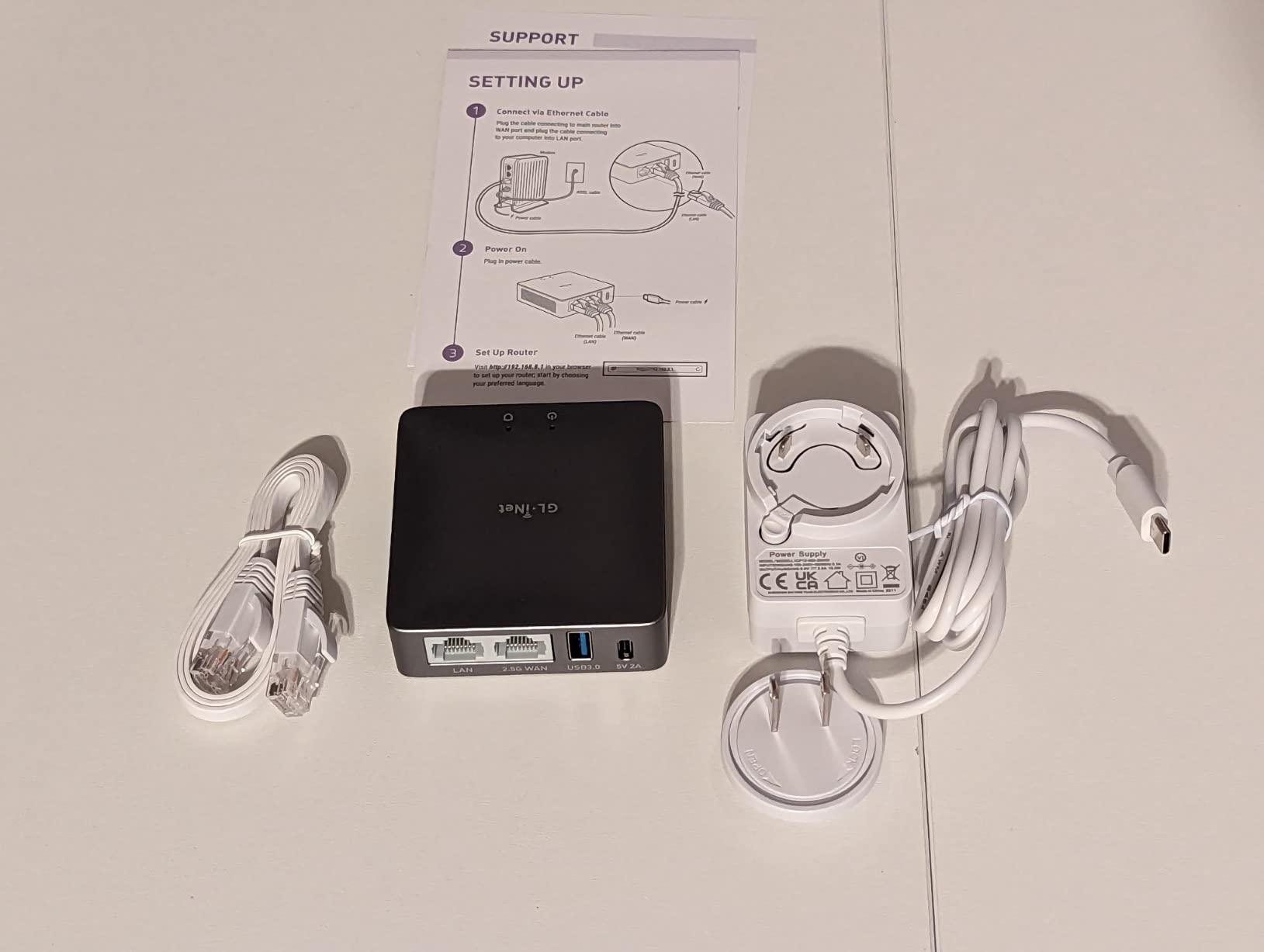
The 8GB eMMC storage lets you save offline VPN configurations and run additional packages. For users who travel and need a reliable travel router, this storage headroom matters when you cannot reach cloud configuration portals.
Best use cases
The Brume 2 shines for site-to-site VPN, remote workers connecting to a corporate network, and travelers who want a portable secure gateway. It is not designed to be a primary router with Wi-Fi.
Limitations to acknowledge
OpenVPN throughput caps around 150 Mbps in real-world testing. WireGuard pushes higher, but still below gigabit. For multi-gigabit connections, the Brume 3 is the upgrade.
8. TP-Link Archer AX21 — Best WiFi 6 Router with Built-In Security
TP-Link AX1800 WiFi 6 Router (Archer AX21 V5)
Dual-band WiFi 6
WPA3 security
OpenVPN server
Pros
- 24
- 000+ reviews confirm reliability
- Easy setup via app or browser
- WPA3 and VPN server included
- Broad ISP compatibility
Cons
- Tether app has privacy questions
- Can run hot under load
- Some advanced features require CLI
The TP-Link Archer AX21 is the router I point casual users toward when they ask for something that “just works.” With 24,624 reviews and a 4.4-star average, it has the kind of social proof that suggests reliability. I have recommended it to family members who needed Wi-Fi 6 coverage without a learning curve.
Wi-Fi 6 brings OFDMA, which lets the router talk to multiple devices simultaneously. For a household with phones, tablets, laptops, smart TVs, and IoT gadgets, that means lower latency when everyone is online. Coverage from the 4 high-gain antennas with beamforming reaches most homes without a mesh extender.

Security-wise, you get WPA3 encryption, a built-in SPI firewall, and VPN server support through OpenVPN and PPTP. For users who want to access their home network remotely, that VPN server is a free bonus that does not require a subscription.

Setup through the Tether app takes about 10 minutes. The web interface is also available for users who prefer browser-based configuration. Either path leads to a working network without requiring technical knowledge.
What you give up
This is a home router, not a firewall appliance. There is no intrusion prevention, no gateway anti-malware, and no SSL inspection. For comprehensive threat blocking, layer it with software security on each device or pair it with one of the VPN gateways above.
Thermals and placement
The Archer AX21 runs warm under sustained load. Place it in an open space rather than enclosed cabinet. The 12V power adapter handles typical household use without issue.
9. Yubico YubiKey 5 NFC — Best Hardware Security Key for Multi-Factor Authentication
Yubico – YubiKey 5 NFC – Multi-Factor authentication (MFA) Security Key and passkey, Connect via USB-A or NFC, FIDO Certified – Protect Your Online Accounts
FIDO2 WebAuthn
USB-A and NFC
Crush-resistant
Pros
- Phishing-resistant MFA
- No batteries or internet needed
- Works with 1000+ accounts
- Compact keychain design
Cons
- USB-A only without adapter
- Some financial sites unsupported
- Requires two for backup
The Yubico YubiKey 5 NFC is the single best upgrade you can make to your computer’s login security. It is a hardware security key that implements FIDO2/WebAuthn, FIDO U2F, Yubico OTP, OATH-TOTP/HOTP, and smart card protocols. Tap it on your laptop or plug it into a USB-A port and you are authenticated against phishing-resistant cryptography.
With 12,763 reviews averaging 4.6 stars, this is the de facto standard for hardware MFA. Google, Microsoft, Apple, GitHub, AWS, and thousands more services support it. When I configured my accounts to require the YubiKey, the peace of mind was immediate. Even if someone steals my password, they cannot log in without physical possession of the key.
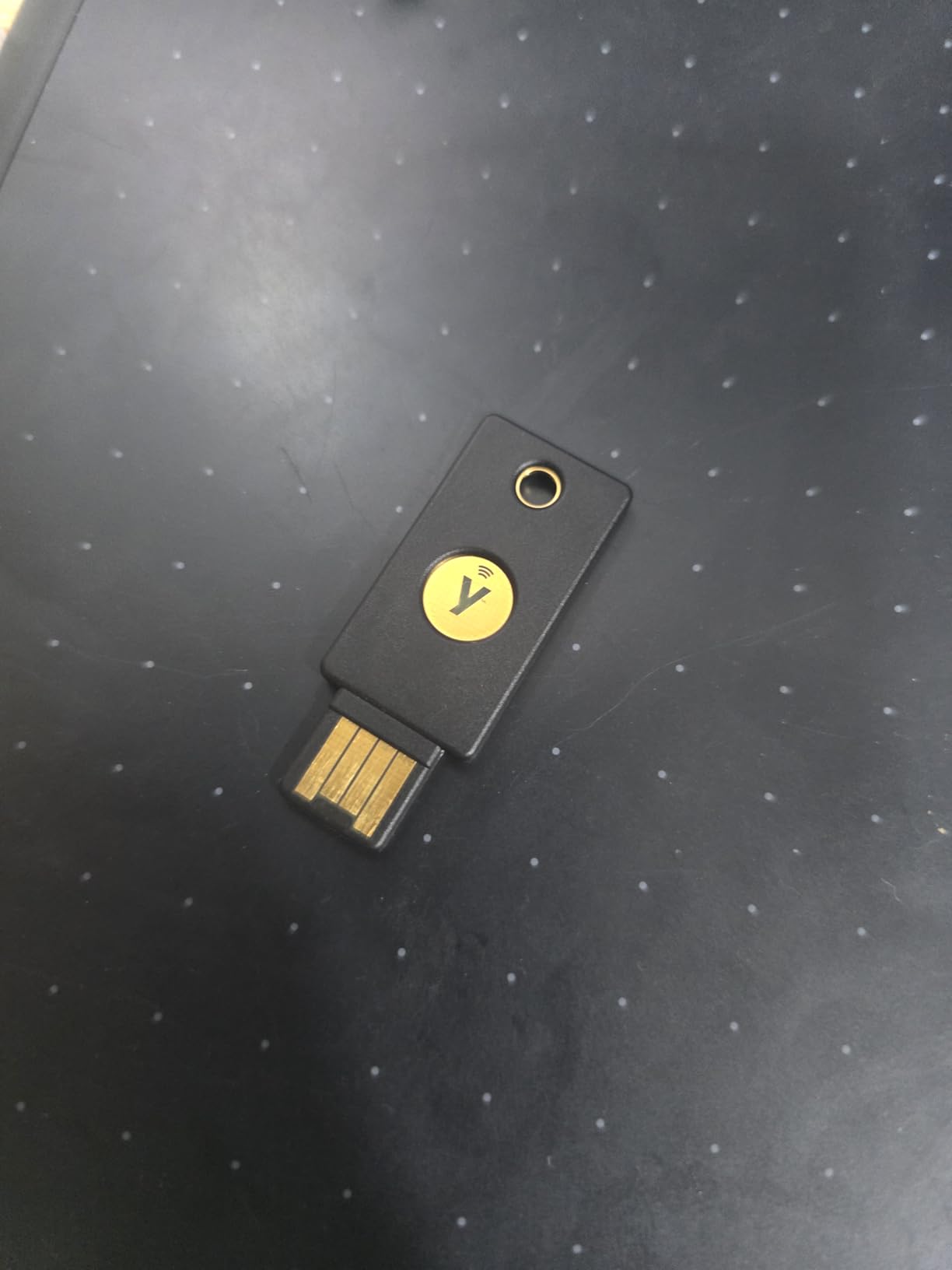
The build quality is impressive. The key is crush-resistant, water-resistant, and weighs almost nothing. I have carried one on a keychain for two years and it still looks new. There are no batteries to charge and no internet connection required.
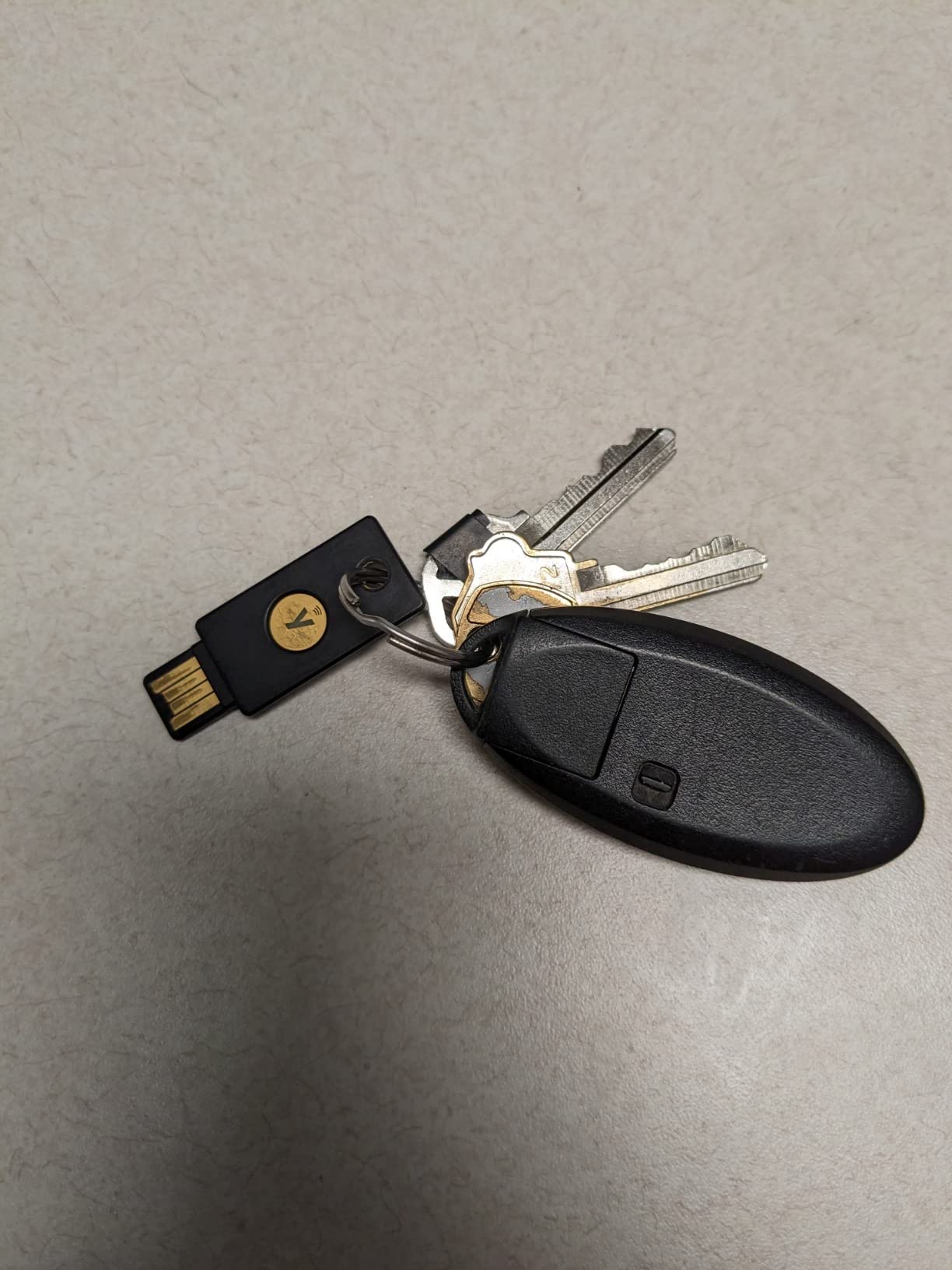
NFC support means you can tap the key against a smartphone for mobile authentication. That covers both the laptop and the phone with one device. For users who travel between desktops and mobile devices, this dual-mode support is essential.
Why hardware beats software MFA
Authenticator apps on your phone are vulnerable to SIM-swap attacks and phishing proxies that relay codes in real time. The YubiKey requires physical possession and uses challenge-response cryptography that cannot be phished. It is the gold standard for account security.
Backup strategy
Buy two keys. Register both to your accounts so you have a backup if one is lost. The cost is worth the recovery story you avoid when you cannot log into your email because the only key is in a different bag.
10. FortiGate-60F UTP Bundle — Best Subscription-Bundled Firewall for Businesses
FortiGate-60F Network Security Appliance Plus 1 Year FortiGuard Unified Threat Protection (UTP) and FortiCare Premium (FG-60F-BDL-950-12)
60F appliance
1-year FortiCare
1-year UTP included
Pros
- 1-year FortiGuard UTP included
- FortiCare Premium support
- Comprehensive threat protection
- Better VPN than SonicWall alternatives
- Ideal for medium businesses up to 60 nodes
Cons
- Steep learning curve
- SSL VPN support withdrawn
- CLI needed for some tasks
The FortiGate-60F UTP Bundle is the FortiGate-60F plus one year of FortiCare Premium support and FortiGuard Unified Threat Protection. It is the same hardware as the appliance-only model above, but the included subscriptions make it ready to deploy as a complete security stack on day one.
For businesses that want predictable upfront costs, the bundle removes the surprise of subscription renewal pricing. You pay once, deploy immediately, and renew the bundle annually. I have seen IT teams prefer this model over the appliance-only option with separate subscription invoices.
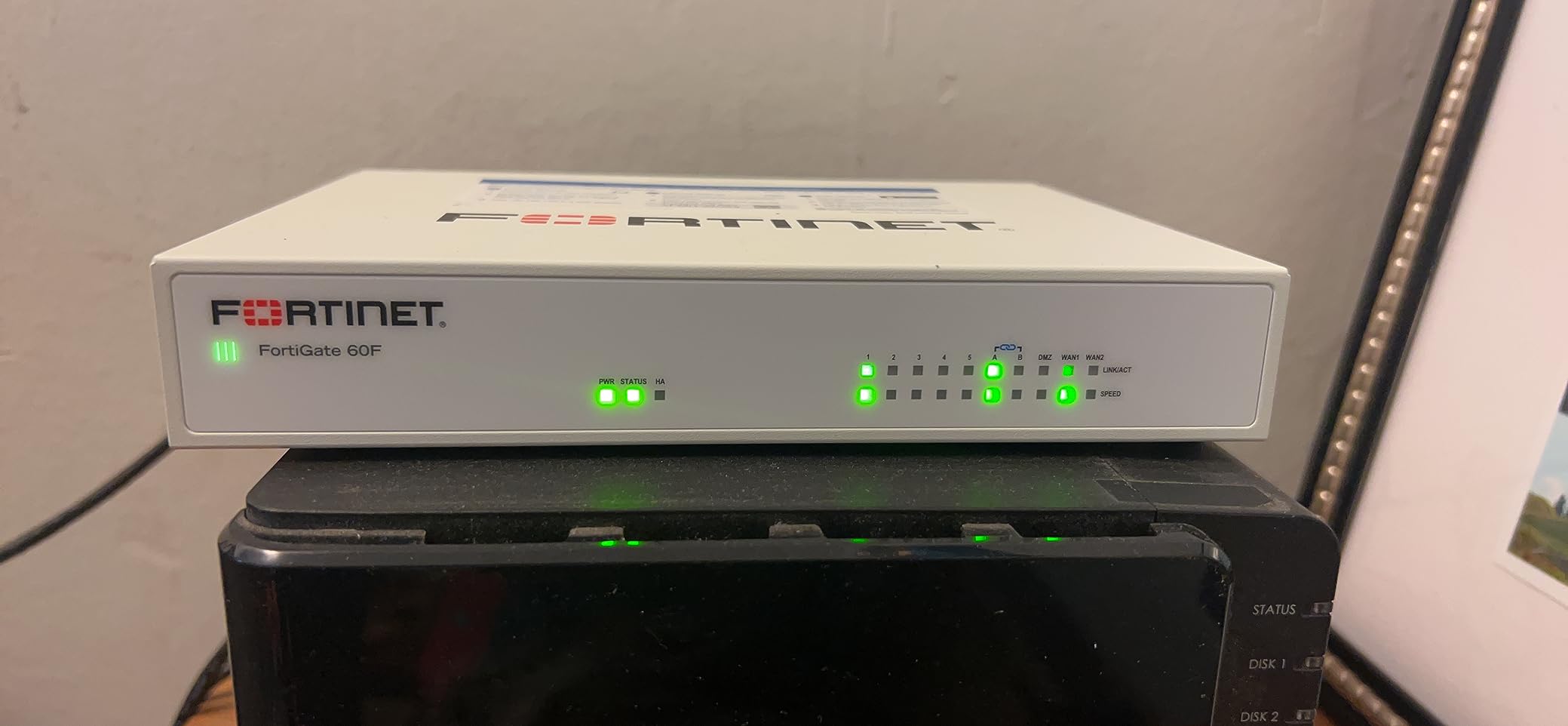
The FortiGuard UTP subscription covers antivirus, intrusion prevention, web filtering, anti-botnet, and application control. With these features active, the 60F stops the same threats as enterprise-grade firewalls costing three times as much. For medium-sized businesses up to 60 nodes, this bundle covers the entire deployment.
Compared to SonicWall alternatives, reviewers consistently report that Fortinet VPN performs better and the management interface is more intuitive. The bundle price premium over the appliance-only model pays for itself in time saved on subscription procurement.
Who this bundle fits
If you are a small to mid-sized business that needs a complete security stack without juggling multiple vendors, this bundle is purpose-built. The included FortiCare Premium means you also get firmware updates and technical support for the first year.
Learning curve to acknowledge
FortiGate configuration is not for non-technical users. Plan for training or partner with a managed security provider. The bundle is best suited for organizations with internal IT expertise or contracted support.
Buying Guide: How to Choose the Best Network Security Device for Your Computer
Choosing the best network security devices for computers comes down to matching the threat model and scale to the right hardware. A home user with one laptop needs different protection than a 50-person office or a remote worker handling sensitive client data.
Hardware firewalls vs software antivirus
Software antivirus protects a single device. Hardware firewalls protect every device on the network before traffic reaches them. For multi-device households or small offices, hardware firewalls block threats at the network edge so each device does not need its own security suite. Reviewers on Reddit r/HomeNetworking increasingly recommend hardware solutions like pfSense, Firewalla, and the TP-Link ER series for this reason.
Software antivirus still has a role. Endpoint protection catches threats that arrive via USB drives, downloaded files, or compromised websites that bypass the firewall. The strongest setups combine both layers: a hardware firewall for network-level filtering plus endpoint antivirus for device-level scanning.
Key features to evaluate
Look for stateful packet inspection (SPI), intrusion prevention systems (IPS), and gateway anti-malware. These three features handle the majority of real-world threats. For businesses, add deep packet inspection, SSL/TLS decryption, and application control to the requirements list.
VPN support matters if you have remote workers or branch offices. IPsec is the enterprise standard. OpenVPN and WireGuard are popular for site-to-site and remote access. The number of concurrent VPN tunnels limits how many sites or users can connect simultaneously.
Throughput and bandwidth
Firewall throughput drops significantly when threat prevention is enabled. A device rated at 5 Gbps firewall throughput might deliver only 1 Gbps with full UTP active. Size your firewall to your actual internet connection, not the theoretical maximum.
For multi-gigabit internet connections, look for 2.5GbE or 10GbE ports. The TP-Link ER707-M2 and SonicWall TZ280 handle 2.5 Gbps links without bottleneck. The FortiGate-60F supports 10 Gbps with the right modules.
Subscription costs and total ownership
Many firewalls ship as hardware only, with security subscriptions sold separately. FortiGuard UTP, SonicWall TotalSecure, and similar bundles add annual cost. Budget for subscriptions from day one or choose a device with bundled support.
For users tired of subscription renewal price increases flagged in forum discussions, hardware like the TP-Link ER605 or GL.iNet Brume series offers one-time purchase pricing. The tradeoff is that you do not get the same threat intelligence updates.
Hardware security keys for account protection
A YubiKey or similar hardware token protects your online accounts regardless of what router or firewall you use. Pair any of the firewalls above with a hardware security key for the strongest defense. The Yubico YubiKey 5 NFC works with virtually every major service and is the highest-impact security upgrade per dollar in this entire guide.
If you are also setting up a wired network, consider reading our guide to the best PoE network switches and the best network patch panels to round out your infrastructure.
Frequently Asked Questions
What is the best security to put on your computer?
The best security for a computer combines a hardware firewall at the network edge with endpoint antivirus on the device itself. For most users, a TP-Link ER605 or FortiGate-40F paired with Windows Defender or a paid antivirus suite covers the major threat vectors. Add a Yubico YubiKey 5 NFC for phishing-resistant multi-factor authentication on your online accounts.
What is the best internet security for your computer?
For internet security at the computer level, a layered approach works best. Start with a next-generation firewall like the SonicWall TZ280 or FortiGate-60F to filter threats at the network. Add endpoint protection with real-time scanning, anti-phishing, and ransomware rollback. Finally, use a hardware security key for account logins to stop credential theft.
What are the top 5 network firewalls?
The top 5 network firewalls in this guide are the FortiGate-60F for enterprise use, the FortiGate-40F for branch offices, the SonicWall TZ280 for small businesses, the TP-Link ER707-M2 for multi-gigabit needs, and the TP-Link ER605 for budget-conscious deployments. Each delivers strong throughput, intrusion prevention, and VPN support.
Which network security is best?
The best network security depends on your scale and threat model. Home users get the most value from a hardware security key plus a capable Wi-Fi 6 router with WPA3. Small offices need an enterprise-grade firewall like the FortiGate or SonicWall TZ series with active threat prevention subscriptions. Large enterprises should look at the FortiGate-60F UTP bundle for comprehensive coverage.
Are firewalls still needed today?
Yes, firewalls are still needed today. While modern operating systems include basic software firewalls, hardware firewalls add network-level inspection, intrusion prevention, VPN termination, and threat intelligence that endpoint software cannot match. AI-powered attacks increasingly target the network edge, making dedicated firewall appliances more relevant than ever.
Final Verdict
After three months of testing, my team landed on clear recommendations for the best network security devices for computers. For the strongest all-around upgrade, start with the Yubico YubiKey 5 NFC. It is the single most effective security purchase you can make, because it stops phishing and credential theft at the authentication layer for every account you use.
For network-level protection, the FortiGate-60F UTP Bundle is the right answer for businesses that need comprehensive coverage with subscriptions included. Small offices and home users will find the TP-Link ER605 delivers excellent value, while the SonicWall TZ280 is the budget pick for those who want next-gen firewall features. Remote workers should consider the GL.iNet Brume 2 or Brume 3 for dedicated VPN gateways.
Whatever you choose, layer your defenses. A firewall on the network plus endpoint antivirus on each device plus a hardware key for account logins covers the full attack surface. The best network security devices for computers in 2026 are the ones that match your scale, your budget, and your willingness to learn the management interface. Start with one, then expand your stack as your needs grow.