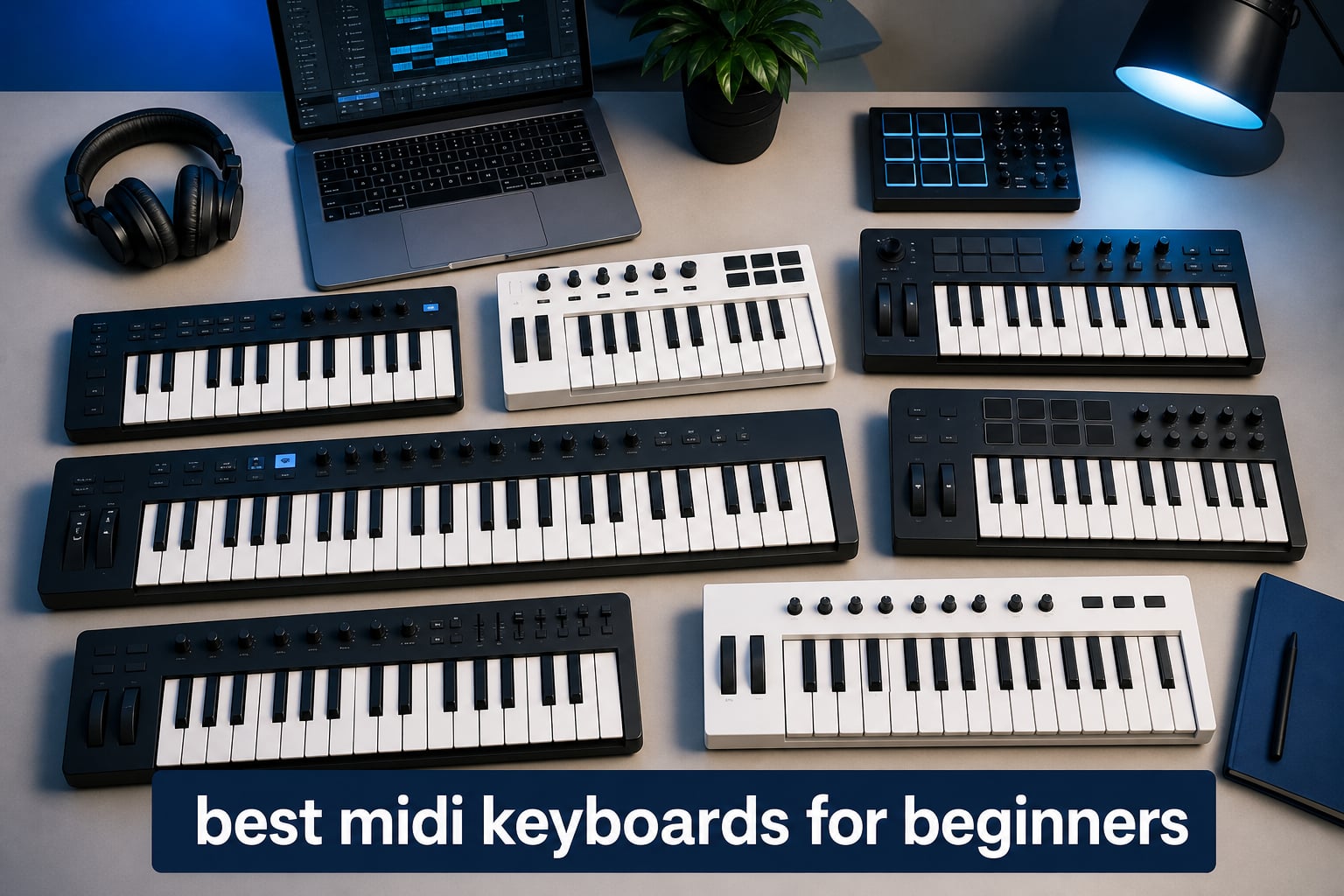
A MIDI keyboard is one of the simplest ways to turn musical ideas into notes, beats, and automation inside a computer. The best MIDI keyboards for beginners are not necessarily the ones with the most buttons; they are the ones whose keys, pads, software, and connections fit the way you want to learn.
One point clears up a common first-purchase mistake: a MIDI keyboard controller usually does not make sound by itself. It sends note, velocity, and control messages to a DAW, a music app, or a compatible hardware instrument, which supplies the sound.
We compared the eight analyzed controllers by their published specifications, included software, verified connectivity, warranty where stated, and customer review data. Compact 25-key controllers make sense for beat-making and a small desk, while a 49-key model makes two-handed practice and longer chord shapes much more comfortable.
Our short answer is straightforward. Pick the Arturia MiniLab 3 for a balanced first controller with useful controls and a long listed warranty, choose the Akai MPK Mini IV when expressive MPC-style pads and full-size MIDI Out matter most, or start with the M-Audio Oxygen 49 MKV when full-size keys are your priority.
Table of Contents
Top 3 Picks for Best MIDI Keyboards for Beginners (September 2026)
These three cover the most common starting points: a compact all-rounder, a portable pad-focused controller, and a larger keyboard for learning chords and piano parts. Each one remains a controller, so plan to use it with the included software or another compatible DAW.
Best overall: Arturia MiniLab 3. It combines 25 velocity-sensitive slim keys, eight RGB pads, eight encoders, four faders, an arpeggiator, USB-C, and MIDI Out in a compact controller.
Best for pad-led production: Akai MPK Mini IV. Its eight pressure-sensitive MPC pads, display, 360-degree knobs, Scale mode, Chord mode, and full-size MIDI Out give a beginner plenty to explore without a large footprint.
Best for piano-style practice: M-Audio Oxygen 49 MKV. Its 49 full-size velocity-sensitive keys, pitch and mod wheels, sustain-pedal input, pads, knobs, and faders make it the more natural starting point for two-handed parts.
Best MIDI Keyboards for Beginners In 2026
The overview below includes every controller reviewed here. Use key count and physical controls as your first filters, then check whether its connection type and included software match the computer, tablet, DAW, or hardware gear you plan to use.
| Product | Specifications | Action |
|---|---|---|
 Arturia MiniLab 3 Arturia MiniLab 3 |
|
View Product Details |
 Novation Launchkey Mini 25 MK4 Novation Launchkey Mini 25 MK4 |
|
View Product Details |
 M-Audio Oxygen 49 MKV M-Audio Oxygen 49 MKV |
|
View Product Details |
 Akai MPK Mini IV Akai MPK Mini IV |
|
View Product Details |
 Arturia KeyLab Essential 49 mk3 Arturia KeyLab Essential 49 mk3 |
|
View Product Details |
 M-VAVE 25 Key MIDI Keyboard M-VAVE 25 Key MIDI Keyboard |
|
View Product Details |
 RockJam RJMK25 RockJam RJMK25 |
|
View Product Details |
 Donner N-25 Donner N-25 |
|
View Product Details |
1. Arturia MiniLab 3 is the best balanced first MIDI controller
Arturia MiniLab 3 – Universal MIDI Controller for Music Production, with All-in-One Software Package – 25 Keys, 8 Multi-Color Pads – White
25 slim keys
8 RGB pads
4 faders
USB-C and MIDI Out
Pros
- 25 velocity-sensitive slim keys
- 8 RGB pads
- 8 encoders and 4 faders
- USB-C and MIDI Out
- 5-year limited warranty
Cons
- 25 keys limit piano range
- Slim keys do not suit every player
- MIDI cable is separate
The MiniLab 3 is our strongest all-round pick because its controls answer several beginner needs at once. You get 25 velocity-sensitive slim keys for melodies and chords, eight RGB velocity- and pressure-sensitive pads for drums, plus eight encoders and four faders for hands-on changes.
That layout makes a small home studio feel less mouse-dependent. The included software list includes Ableton Live Lite, Analog Lab Intro, and UVI Model D, giving a new owner instruments and a DAW starting point rather than a controller with nothing to play.
The built-in arpeggiator is helpful when a simple held chord needs movement, and the small display with browsing knob gives the controller a more direct feel. Its capacitive touch strips handle pitch bend and modulation, so players do not need to reach for on-screen controls every time.
The MiniLab 3 fits beginners who want controls without a wide keyboard
This is a sensible beginner MIDI controller for beat-makers, songwriters, and laptop producers who have limited desk space. At 3.09 pounds and 14 inches wide, it is compact enough to move, but it still includes four faders that many mini controllers leave out.
Community discussions often point to the MiniLab 3 as a balance of quality and features. That makes sense from the listed hardware: pads, encoders, faders, USB-C, and MIDI Out cover both software instruments and a future external MIDI setup.
The MiniLab 3 requires comfort with slim keys and octave buttons
A player learning traditional two-handed piano pieces will run out of room on 25 keys quickly. The octave controls expand the available range, but they do not replace a 49-key controller when both hands need to stay in position.
Its MIDI Out also requires a separate cable, so hardware-synth users should account for that before connecting anything. Arturia lists a five-year limited warranty, which is unusually reassuring for a controller intended to grow with a beginner.
2. Akai MPK Mini IV is the best beginner pick for drum-pad workflow
Akai Professional MPK Mini IV USB-C MIDI Keyboard Controller for Beginners and Producers – MPC Drum Pads, 360° Knobs, Pitch and Mod Wheels, Production Software, Native Instruments Sound Package, Black
25 mini keys
8 MPC pads
Color screen
USB-C and MIDI Out
Pros
- Pressure-sensitive MPC pads
- full-color screen
- 8 360-degree knobs
- USB-C and full-size MIDI Out
Cons
- Only 25 mini keys
- 1-year warranty
- No wireless connection
The Akai MPK Mini IV is built for a beginner who imagines finger-drumming as often as playing notes. Its eight MPC pads are velocity- and pressure-sensitive with RGB feedback, while eight assignable 360-degree knobs handle parameter changes.
The full-color screen and push-turn encoder are practical additions because they put settings and DAW functions closer to the controller. Chord and Scale modes can keep early experiments musical, and the arpeggiator offers Pattern, Freeze, and Mutate functions for quick rhythmic ideas.
USB-C works with Mac, PC, and mobile use according to the product data, while full-size MIDI Out is a major advantage for someone who may later connect a hardware synth. The included software list names Ableton Live Lite 12 and a Melodics trial, among other music tools.
The MPK Mini IV makes sense for beats, clips, and hardware connections
The controller’s pad-first arrangement suits hip-hop, electronic music, and clip-based DAW work. Its full-size MIDI Out means you can send MIDI note data to compatible external gear without treating a tiny 3.5 mm port as the only path.
Akai also lists a 10-octave up/down range. That is useful for reaching bass and lead registers from a small keyboard, though switching octaves interrupts the flow of a long two-handed performance.
The MPK Mini IV is less suitable for piano-first learners
All 25 keys are mini keys, so large hands and formal piano exercises can feel crowded. The controller is very portable at 2.2 pounds, but the tradeoff for that portability is less physical room for finger placement.
The listed warranty is one year. It has NKS integration for Native Instruments and a substantial software package, yet a beginner should still choose it for its pad workflow and compact controls rather than expecting a piano-style keybed.
3. Novation Launchkey Mini 25 MK4 is the best portable controller for DAW guidance
Novation Launchkey Mini 25 MK4 — Portable 25 Mini-Key, USB, MIDI Keyboard Controller with DAW Integration. Chord Mode, Scale Mode, Drum Pads, and Arpeggiator. Includes Music Creation Software Bundle
25 mini keys
16 RGB pads
Scale and Chord modes
USB and MIDI 3.5mm
Pros
- 16 pads with polyphonic aftertouch
- Wide DAW integration
- Scale and Chord modes
- Lightweight 1.7-pound design
Cons
- Mini keys feel cramped
- MIDI 3.5mm can need an adapter
- FSR pads have a learning curve
The Launchkey Mini 25 MK4 stands out when DAW integration matters more than a large keybed. Novation lists direct integration for Ableton Live, Logic, Cubase, Reason, Reaper, FL Studio, and Ardour, which makes this a flexible MIDI controller for DAW beginners.
Its Scale and Chord modes are especially friendly when music theory is still new. Scale mode can constrain played notes to a chosen scale, while Chord mode lets a single key trigger a chord shape; both reduce the friction of sketching a first progression.
The controller has 16 RGB-backlit velocity-sensitive FSR pads with polyphonic aftertouch. Those pads can serve as step sequencers, clip launchers, and chord triggers, so there is more to explore here than the 25 synth-style mini keys suggest.
The Launchkey Mini 25 MK4 works best with a laptop-based DAW setup
This controller weighs 1.7 pounds and is under 16 inches wide, making it the most travel-friendly option among the compact mainstream picks here. It also includes Ableton Live Lite, Cubase LE, Novation Play, Melodics lessons, and other listed software content.
A beginner using Ableton can benefit from the clip-launcher workflow, but the broader DAW list prevents this pick from being locked to one program. NKS readiness also helps users with compatible Native Instruments software.
The Launchkey Mini 25 MK4 needs an adapter in some hardware rigs
Its hardware MIDI connection is MIDI 3.5 mm rather than a full-size DIN port. That is compact, but some hardware configurations will need the correct adapter before the controller can talk to a synth.
The pads use FSR technology, which some people need time to adjust to compared with conventional pads. The 25 mini keys are also a poor match for sustained, two-handed piano learning, even though the scale tools are excellent for composition practice.
4. M-Audio Oxygen 49 MKV is the best choice for full-size beginner practice
M-AUDIO Oxygen 49 (MKV) Key USB MIDI Keyboard Controller with Beat Pads, Smart Chord, Scale Modes, Arpeggiator and Native Instruments Sound Package (NKS Integration)
49 full-size keys
16 pads
9 faders
Sustain pedal input
Pros
- 49 full-size piano-style keys
- 9 faders and 8 knobs
- Smart Chord and Smart Scale
- Sustain pedal input
Cons
- 6.7-pound body is less portable
- 1-year warranty
- Needs more desk space
The M-Audio Oxygen 49 MKV is the sensible step up from mini-key controllers for a learner who wants a familiar piano-style layout. Its 49 velocity-sensitive full-size keys offer enough width for two-handed chords, bass notes, and basic piano practice without moving into a much larger 61- or 88-key format.
It does not give up production controls to gain those keys. The keyboard has two banks of eight backlit velocity-sensitive pads with Note Repeat, eight assignable knobs, nine assignable faders, and pitch and modulation wheels.
Smart Chord and Smart Scale modes can help a new player create usable harmony while learning why the notes work. M-Audio also lists NKS integration, auto-mapping for DAW controls and plug-in parameters, plus Ableton Live Lite, MPC Beats, Hybrid 3, and Mini Grand software.
The Oxygen 49 MKV gives beginners space for real two-handed parts
For piano practice, key size matters more than a long row of pads. The 49-key layout avoids the cramped spacing that forum users with larger hands regularly flag, and the sustain-pedal input supports a more piano-like playing technique.
The 9 faders are valuable when mixing multiple tracks or controlling organ-style sounds. A beginner can learn MIDI Learn by assigning one fader at a time to volume, filter, or effect level inside a DAW, then saving that mapping if the software supports it.
The Oxygen 49 MKV belongs on a stable desk rather than in a daily backpack
At 6.7 pounds and about 32 inches wide, this is not a casual travel controller. It is USB powered and the USB MIDI cable is included, which keeps setup simple once it has a dedicated place.
The one-year manufacturer warranty is shorter than the coverage listed for several competitors. Choose this model for full-size keys, pedal support, and control depth, not for the smallest possible footprint.
5. Arturia KeyLab Essential 49 mk3 is the best full-control upgrade for beginners
Arturia KeyLab Essential mk3 — 49 Key USB MIDI Keyboard Controller with Analog Lab V Software Included
49 keys with aftertouch
8 RGB pads
9 faders and encoders
USB-C and MIDI DIN
Pros
- 49 keys with aftertouch
- 9 faders and 9 encoders
- Analog Lab V software
- USB-C and MIDI DIN
Cons
- Large 6.1-pound chassis
- 49 keys only
- More controls take time to learn
The KeyLab Essential 49 mk3 fits a beginner who wants to start with a deeper studio-control layout rather than upgrade soon. Its 49 velocity-sensitive keys include aftertouch, an extra expressive message that can change a sound after the key is pressed when the software instrument supports it.
Eight velocity- and pressure-sensitive RGB pads sit alongside nine faders and nine encoders. That is a lot of physical control for a beginner, but it also creates room to learn track levels, filter sweeps, effects sends, and instrument parameters without hunting through menus.
Arturia lists a 2.5-inch LCD screen, contextual buttons, Scale mode, Chord mode, and an arpeggiator. Its software package includes Analog Lab V, UVI Model D, and NI The Gentleman, while custom DAW scripts cover Ableton Live, Logic Pro X, FL Studio, and Cubase.
The KeyLab Essential 49 mk3 suits a beginner building a lasting desk setup
This controller offers a practical bridge between first lessons and more involved arranging. The aftertouch, display, and nine-by-nine fader-and-encoder layout are not required on day one, but they can remain useful as a beginner learns sound design and mixing.
USB-C and MIDI DIN connectivity give it a clear advantage for a mixed software-and-hardware studio. MIDI DIN is the traditional five-pin connection found on many synthesizers, so it can be easier to integrate with standard hardware than controllers that only offer a smaller MIDI jack.
The KeyLab Essential 49 mk3 asks for desk space and patience
It is 31.1 inches wide and weighs 6.1 pounds, so this is not the compact pick for a dorm room or commuting. Its number of controls can also seem busy at first, although the contextual buttons and screen are intended to provide feedback.
Arturia lists a two-year manufacturer warranty. Choose it when you want 49 keys, aftertouch, deep physical control, and the Analog Lab V instrument library, rather than merely the simplest first keyboard.
6. M-VAVE 25 Key MIDI Keyboard is the best wireless beginner option
M-VAVE 25 Key USB MIDI Keyboard Controller With 8 Backlit Drum Pads, Bluetooth Semi Weighted Professional dynamic keybed 8 Knobs and Music Production,Software Included (Black)
25 velocity-sensitive keys
Bluetooth
16-hour battery
8 RGB pads
Pros
- Bluetooth wireless connection
- 16-hour rechargeable battery
- 8 RGB pads
- Works with computers and mobile devices
Cons
- Semi-weighted keys may not suit pianists
- Smaller keys need adjustment
- Hardware MIDI Out is not listed
The M-VAVE 25 Key MIDI Keyboard is the outlier here because wireless use is one of its defining features. It combines Bluetooth and USB connectivity with a built-in 2,000 mAh battery listed for up to 16 hours, which can make a tablet or phone music setup feel less cluttered.
Its 25 velocity-sensitive keys, eight RGB backlit velocity-sensitive pads, eight assignable encoders, and two capacitive touch stripes cover the primary controls most beginners expect. Smart chord and scale features can also make early songwriting sessions less intimidating.
Compatibility is listed for Windows, Mac OS, Android, and iOS, as well as major DAWs including Ableton Live, FL Studio, Cubase, Logic Pro X, Bitwig, Reason, Studio One, and GarageBand. That range is attractive if you do not want your first music production keyboard tied to one device type.
The M-VAVE keyboard is a good fit for mobile and cable-light music making
Bluetooth and battery power make this controller a useful choice for a learner using a tablet, phone, or small laptop away from a fixed desk. The published dimensions are 12.6 inches wide, so it also stores easily when practice time is over.
Wireless MIDI does not alter the basic concept: the receiving app or DAW still supplies the sound. Before buying, confirm that your intended app supports MIDI input and that your device can pair with the controller in the way you expect.
The M-VAVE keyboard is not a substitute for a traditional piano keybed
The keybed is described as semi-weighted, but its smaller layout will still require adjustment for players used to full-size keys. It is better framed as a portable controller for production and sketches than as a dedicated piano-practice instrument.
The listed product data does not name a hardware MIDI Out connection. If connecting vintage or standalone synth gear is part of your plan, a controller with specified MIDI Out is the safer choice.
7. RockJam RJMK25 is the best simple portable controller with headphones support
RockJam RJMK25 25 Key USB MIDI Keyboard Controller with Drum Pads
25 mini keys
8 backlit pads
Rechargeable battery
Bluetooth and USB
Pros
- Rechargeable battery
- 8 pads with Note Repeat
- 8 assignable knobs
- 3.5 mm headphone jack
Cons
- Mini keys require adjustment
- Some reported DAW connection issues
- Hardware MIDI Out is not listed
The RockJam RJMK25 is a compact controller for a beginner who wants familiar basics and the convenience of a rechargeable battery. It has 25 velocity-sensitive mini keys, eight backlit MPC-style pads with Note Repeat, and eight assignable 360-degree knobs.
USB, Bluetooth, and auxiliary connectivity are listed, as is a 3.5 mm headphone jack. The headphone jack is a notable convenience for private practice, although the keyboard remains a MIDI controller and you still need an app, computer, or other sound source in the chain.
RockJam lists compatibility with major DAWs, including Ableton Live, FL Studio, Logic Pro, Pro Tools, Cubase, and Reason. Its review count is much larger than most products here, and the product data reports a 4.4 rating from 27.8k+ reviews.
The RockJam RJMK25 makes sense for private, portable beginner sessions
The combination of battery power, Bluetooth, compact dimensions, and a headphone jack can be appealing for a learner who cannot leave a studio setup assembled. Note Repeat on the pads is useful for fast drum patterns and repeatable rhythmic practice.
Eight knobs offer a good place to learn control assignment. In a DAW, open a parameter’s MIDI Learn function, move a knob, and the software can associate that physical movement with the selected control when the program supports MIDI Learn.
The RockJam RJMK25 needs a careful DAW setup check
Some reviewers report connectivity problems with certain DAWs, according to the provided review summary. That does not make it incompatible, but it does make it wise to check your DAW’s MIDI-device preferences, cable connection, Bluetooth pairing, and input settings before assuming the keyboard is faulty.
Its mini keys also need an adjustment period and will not please every hand size. Buyers who expect a traditional piano feel should choose one of the 49-key full-size options instead.
8. Donner N-25 is the best basic controller for guided first lessons
Donner Mini MIDI Keyboard, N-25 25 Key MIDI Controller for Beginner with Velocity-Sensitive Mini Keys&Light-up Rocker&Music Production Software, Small Controlador MIDI with 40 Teaching Courses
25 mini keys
40 teaching courses
Light-up rocker
USB plug and play
Pros
- 40 teaching courses
- Velocity-sensitive mini keys
- Plug-and-play USB
- Arpeggiator and pitch-bend rocker
Cons
- More mixed review results
- Plastic build
- No pads or knobs listed
The Donner N-25 is aimed squarely at someone who wants a no-frills place to begin. It has 25 velocity-sensitive mini keys, USB connectivity, a light-up rocker for pitch bend, octave and sustain functions, tap tempo, and an arpeggiator.
Its defining inclusion is 40 teaching courses, along with music production software. For a beginner who needs a prompt to practice rather than a dense grid of controls, that learning material may be more useful at the beginning than extra pads and faders.
The N-25 is compatible with Mac, PC, smartphones, and listed DAWs such as Cubase LE, Ableton Live, Logic Pro, Pro Tools, and Studio One. It is described as plug and play with no drivers needed, which reduces the number of setup steps for a first USB MIDI keyboard.
The Donner N-25 is right for a learner who values simple guided practice
This is the most stripped-back controller in the roundup. Its four user-programmable banks and arpeggiator still give room to learn MIDI functions, but its layout focuses on playing and teaching content rather than beat pads or a mixer-style surface.
Because it works with smartphones and tablets as well as Mac and PC, it offers flexibility for a beginner who is not ready to commit to a full desktop DAW. Confirm your chosen app accepts external MIDI before you connect.
The Donner N-25 asks buyers to accept fewer physical controls
No drum pads or rotary knobs are listed in the product specifications, so it is not the best choice for a hands-on beat-making workflow. Its 4.2 rating is also the lowest in this group, and the review summary reports a higher share of one-star reviews than the other listed controllers.
The plastic build and mini keys are reasonable tradeoffs for a basic entry-level MIDI controller, but they are still tradeoffs. Pick this model for its teaching focus and simple USB operation, not for a large controller surface or premium key feel.
The right beginner MIDI keyboard depends on five practical choices
Start with the music you want to make, not a feature checklist. A controller that feels right for finger drumming may feel restrictive for piano practice, and a large 49-key model may be unhelpful if you need to pack it away after every session.
Choose 25 keys for portability and 49 keys for two-handed practice
Twenty-five keys are enough for bass lines, melodies, beat-making, chords with octave shifting, and travel. They are not enough for comfortable two-handed piano parts without interrupting yourself to change octaves.
Forty-nine keys give much more room while staying smaller than a full digital piano. Choose full-size keys if your hands feel cramped on mini keys or if piano practice is a serious part of your goal; choose mini keys if desk space and portability lead the decision.
Choose pads and controls based on the work you will actually do
Drum pads are useful for finger drumming, triggering clips, entering notes, and step sequencing. They are optional for a beginner who only wants to play piano-style software instruments, but they add creative options for electronic music and beat-making.
Knobs and faders are not just decoration. They can be assigned to volume, filter cutoff, reverb, virtual-instrument parameters, and DAW controls, giving you a tactile way to learn how sound changes.
Choose DAW integration and bundled software before adding more features
A controller can send standard MIDI to many programs, but direct DAW integration can make transport buttons, pads, and controls work with fewer manual assignments. Novation lists integration across several major DAWs, while Arturia and M-Audio list bundled DAWs and virtual instruments that can help a new owner start immediately.
Software bundles matter because a controller has no sound engine of its own. Check that your operating system supports the included programs and that the instruments suit the music you want to make before treating any bundle as a deciding feature.
Choose USB for a computer and MIDI Out for future hardware
USB MIDI carries notes, velocity, and control data between the controller and a computer or compatible mobile device. Most beginners can plug in a USB cable, select the controller as a MIDI input in their DAW, load a software instrument, and play.
MIDI Out sends that same type of data to external gear. The MiniLab 3 and MPK Mini IV list MIDI Out, and the KeyLab Essential 49 mk3 lists MIDI DIN; these connections matter if you expect to use a standalone synth, drum machine, or other hardware instrument later.
Learn MIDI Learn one parameter at a time
MIDI Learn is a DAW or plug-in function that links a physical controller to an on-screen parameter. For example, select a filter knob in a software synth, activate MIDI Learn, turn a hardware knob, and save the assignment if the program offers that option.
There is no need to map every control on day one. Start with one knob for filter, one fader for track volume, and one pad for a drum sound; that small setup teaches the concept without turning music making into a configuration task.
Check warranty and connection details before ordering
Warranty periods vary in the supplied data: Arturia lists five years for the MiniLab 3, two years for the KeyLab Essential 49 mk3, three years for the Launchkey Mini 25 MK4, and one year for the two named Akai and M-Audio models. A warranty is only one factor, but it is useful context when you expect daily use.
Also check what cable or adapter your setup needs. USB cables are listed with several products, but a controller using MIDI 3.5 mm may need an adapter for some hardware, and the MiniLab 3’s MIDI Out cable is listed separately.
These FAQs answer the common beginner MIDI keyboard questions
What MIDI keyboard should I buy as a beginner?
Buy the Arturia MiniLab 3 if you want a compact all-round controller with pads, faders, encoders, USB-C, MIDI Out, and bundled software. Choose the M-Audio Oxygen 49 MKV instead if full-size keys and two-handed practice matter more. The best choice is the one that matches your key-size needs, DAW, and available desk space.
Is a MIDI keyboard good for beginners?
Yes. A MIDI keyboard makes it easier to play notes, chords, drum patterns, and software instruments than entering every note with a mouse. It normally needs a computer, music app, or compatible external sound source because a MIDI controller sends performance data rather than making its own sound.
Is it worth it to buy a MIDI keyboard?
It is worth buying if you want to create music with a DAW, play virtual instruments, program beats, or control software with keys and knobs. A basic controller can make learning chords and rhythms more immediate, while a model with 49 full-size keys suits more serious piano-style practice.
Does anyone use MIDI anymore?
Yes. MIDI remains the standard data language used by DAWs, virtual instruments, controllers, synthesizers, drum machines, and many mobile music apps. Modern controllers send MIDI through USB, Bluetooth in some cases, and hardware MIDI connections, so it remains central to music production.
Do I need 25, 49, or 88 keys as a beginner?
Choose 25 keys for portability, beats, bass lines, and simple melodies. Choose 49 keys when you want comfortable two-handed chords or piano practice. An 88-key controller is mainly for players who need the full piano range and have a permanent space for a much larger keyboard.
What is the difference between a MIDI keyboard and a synthesizer?
A MIDI keyboard controller sends note and control messages to a computer, app, or external device that produces sound. A synthesizer generally contains its own sound engine, so it can create audio itself. Some synthesizers also act as MIDI controllers, but not every MIDI controller is a synthesizer.
The Arturia MiniLab 3 is our first choice for most new producers
The best MIDI keyboards for beginners in 2026 range from simple lesson-focused controllers to 49-key models with detailed DAW control. Start with the MiniLab 3 for a compact, complete balance, the MPK Mini IV for pads and full-size MIDI Out, or the Oxygen 49 MKV for a roomier full-size keyboard.
Choose based on the way you expect to play in the first month, then connect it to a DAW or app and learn one sound, one beat, and one control assignment at a time. That first small routine will tell you far more than a crowded specification list.