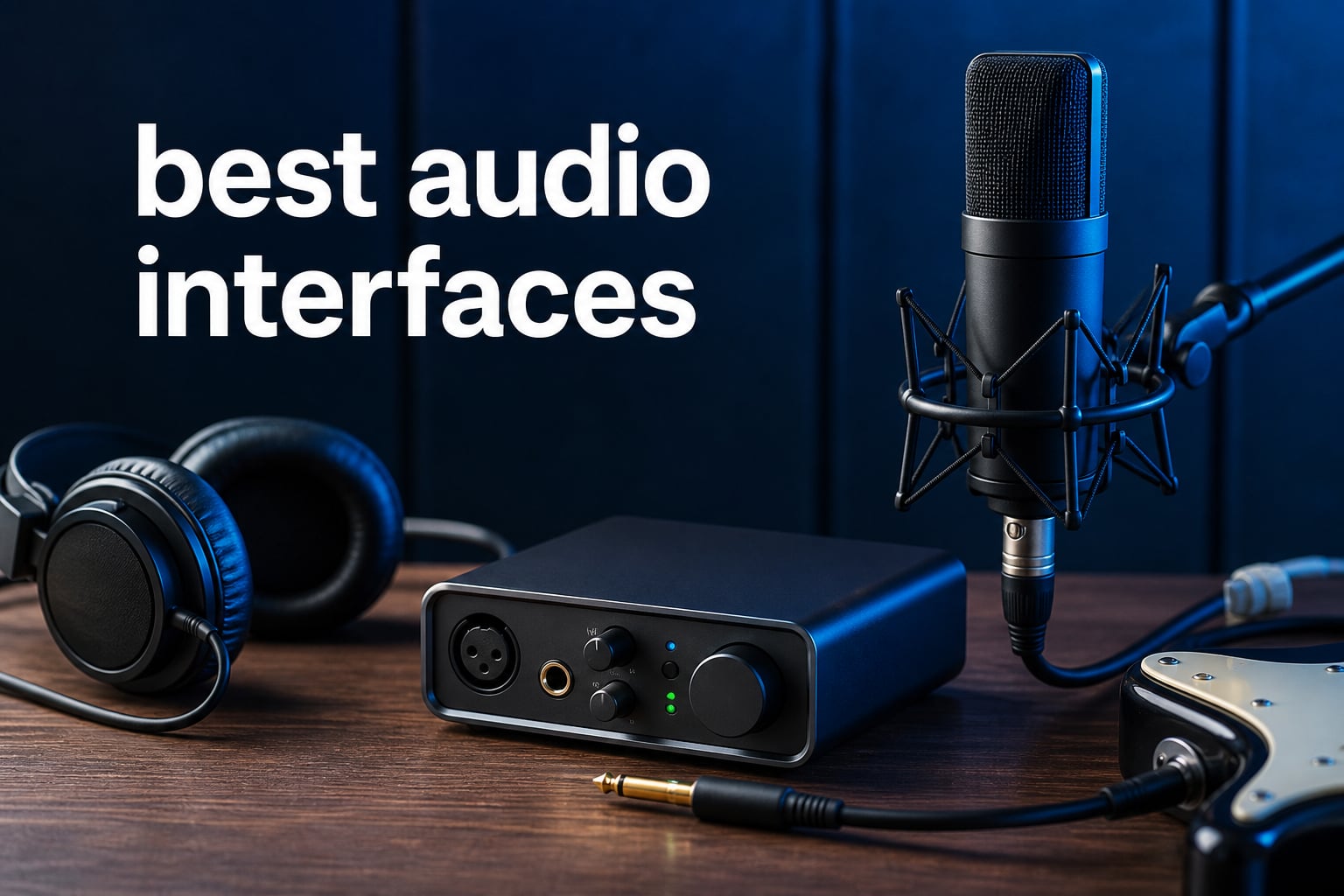
The best audio interfaces turn a microphone, guitar, or keyboard signal into clean digital audio your computer can record, then return audio to headphones or monitors with far less delay than a computer sound card. For a solo vocalist, a two-input USB audio interface is usually enough; for a band, hardware synth setup, or several monitor pairs, the input count and routing matter much more.
Our team compared the supplied product specifications, operating-system support, included software, published customer-review signals, and the problems that come up repeatedly in musician forums. That means this list separates a simple microphone interface from a studio hub rather than treating every box with an XLR socket as the same product.
If you are recording a condenser mic, look for switchable 48V phantom power. If you are plugging in guitar or bass, confirm that a front input is marked Hi-Z or instrument; if you are building around a vocal chain, our guide to the best ribbon microphones for vintage vocal recording is a useful next read.
The short version is simple: Focusrite Scarlett 2i2 4th Gen is the clearest general recommendation for two performers, MOTU M6 brings unusually strong metering and published low-latency figures to a larger desktop setup, and MAONO PS22 Lite covers the essentials for a new solo creator. The remaining seven picks fill real gaps, from single-input portability to expandable 16-channel and 24-channel rigs.
Table of Contents
Top 3 Picks for Best Audio Interfaces (September 2026)
Choose the Scarlett 2i2 for two microphones or a microphone-plus-guitar session, the MOTU M6 when you need four mic/guitar inputs and two monitor pairs, or the MAONO when one XLR source and a guitar input cover the job. Those choices reflect their published I/O and workflow features, not a claim that one converter makes every recording better.

Best Audio Interfaces In 2026
The overview below makes the biggest distinction visible: channel count. A great two-channel recording interface can be the right tool for a singer-songwriter, while a producer who owns external effects, synths, or ADAT-equipped gear will want more physical and digital connections.
| Product | Specifications | Action |
|---|---|---|
 SSL 2+ MKII SSL 2+ MKII |
|
View on Amazon |
 Focusrite Scarlett Solo 4th Gen Focusrite Scarlett Solo 4th Gen |
|
View on Amazon |
| Focusrite Scarlett 2i2 4th Gen |
|
View on Amazon |
 Focusrite Scarlett 4i4 4th Gen Focusrite Scarlett 4i4 4th Gen |
|
View on Amazon |
 MOTU M6 MOTU M6 |
|
View on Amazon |
 Universal Audio Volt 876 Universal Audio Volt 876 |
|
View on Amazon |
 Focusrite Scarlett 16i16 Focusrite Scarlett 16i16 |
|
View on Amazon |
 M-Audio M-Track Duo HD M-Audio M-Track Duo HD |
|
View on Amazon |
 MAONO PS22 Lite MAONO PS22 Lite |
|
View on Amazon |
 Apollo Twin X Duo USB Apollo Twin X Duo USB |
|
View on Amazon |
1. Focusrite Scarlett 2i2 4th Gen is the best all-around two-input choice
Focusrite Scarlett 2i2 4th Gen USB Audio Interface for Recording, Songwriting, Streaming and Podcasting — High-Fidelity, Studio Quality Recording, and All the Software You Need to Record
2 mic preamps
24-bit 192 kHz
Auto Gain and Clip Safe
Pros
- Two ultra-low-noise preamps
- Auto Gain
- Clip Safe
- Air mode
- software bundle
Cons
- No MIDI I/O
- USB-A to C cable included
The Scarlett 2i2 4th Gen is the straightforward answer for a musician who wants to record two sources at once without turning setup into a technical project. It has two ultra-low-noise mic preamps, two instrument and line inputs, 24-bit/192 kHz conversion, loopback, and a stated 120 dB dynamic range.
Its Auto Gain and Clip Safe controls answer one of the most common beginner frustrations: setting input level. Auto Gain sets the level, while Clip Safe monitors and adjusts gain to reduce clipping risk; that combination is unusually helpful when a performer is recording themselves from across the room.
Focusrite lists compatibility with macOS, Windows, and iOS, so it has a clearer mobile route than interfaces that list only computers. The supplied bundle includes Pro Tools Intro+, Ableton Live Lite, Cubase LE, and Hitmaker Expansion, which removes the immediate need to hunt for a starter DAW.
The limitation is equally clear. There is no MIDI I/O, so players with a controller or external drum machine should look at the 4i4, SSL 2+ MKII, or Scarlett 16i16 instead of trying to add workarounds later.
This interface suits two-source sessions and first-time recordists
Use it for two vocal mics, a vocal plus guitar, a stereo keyboard through its line inputs, or a two-person podcast. Its two physical preamps make it more flexible than a one-mic interface without moving into a larger desktop format.
Air mode is designed to add presence, which makes it a relevant option for vocal and guitar tracking. Loopback also helps a streamer or teacher capture computer audio alongside a live source.
This interface is less suitable for hardware-heavy studios
A setup with external MIDI equipment, several line-level devices, or a second monitor pair needs more routing than this model provides. Community discussion also puts driver stability high on the list for Windows users, so install the current driver and test your DAW, buffer setting, and OS combination during the return period.
It remains one of the best audio interfaces for a focused home studio because it matches the two-source workflow many people actually have. Just do not mistake two combo inputs for an expandable multi-instrument studio hub.
2. MOTU M6 is the best choice for metering, monitor switching, and four front inputs
MOTU M6 6×4 USB-C Audio Interface with Studio-Quality Sound
6x4 USB-C
2.5 ms at 96 kHz
ESS Sabre32 DAC
Pros
- Four mic guitar inputs
- full-color meters
- A B monitor switch
- dual headphones
- loopback
Cons
- Larger desktop format
- lower review volume
MOTU M6 has the connection set that solo interfaces skip: a 6×4 configuration, four mic/guitar inputs, two professional-grade headphone outputs, loopback channels, and an A/B monitor switch. The full-color LCD reports levels for all I/O, which makes it much easier to see an overloaded input before it becomes a ruined take.
The published technical figures are strong. MOTU specifies ESS Sabre32 Ultra DAC technology, 120 dB dynamic range on line outputs, a -129 dBu equivalent input noise figure on mic inputs, and 2.5 ms round-trip latency at a 32-sample buffer and 96 kHz.
That last number needs context. It is a manufacturer-stated measurement at a specific sample rate and buffer, not a promise every computer will match; CPU load, driver choice, DAW, plug-ins, and sample rate all alter usable latency.
Still, this is the only model in this set with that explicit low-latency figure, and it fits the forum concern about virtual instruments and monitored amp simulations. It also supports Windows, macOS, and iOS and includes MOTU Performer Lite, Ableton Live Lite 11, virtual instruments, and loops.
This interface suits creators who track several sources at once
Four front mic/guitar inputs cover a small vocal session, two guitars and vocals, or a compact podcast desk without repatching between guests. The two headphone outputs and A/B monitor switch also make practical sense for a producer who compares two monitor pairs.
Stand-alone operation with a DC power adapter gives this model a use beyond a laptop-only session. The color meters are a workflow feature rather than decoration, since they show input and output status at a glance.
This interface is less suitable for a minimal travel rig
Its 2.2-pound weight and larger enclosure make it less pocketable than the Scarlett Solo or M-Track Duo HD. A vocalist who will only ever record one microphone does not need its four front inputs, A/B switching, or dual headphone system.
The M6 is a better fit when you will use its extra connections now. Buying a larger interface only for an imagined future studio can leave useful features untouched.
3. MAONO PS22 Lite is the simplest low-channel option with routing tools
MAONO USB Audio Interface for PC: Interface with XLR Input 24-bit/192kHz Routing Software LOOPBACK ASIO Driver for Recording Music, Home-Studio, Guitar, Podcast, Streaming, DAW(PS22 Lite Black)
XLR with 56 dB gain
24-bit 192 kHz
48V and loopback
Pros
- 56 dB preamp gain
- phantom power
- dedicated guitar input
- routing software
- wide DAW support
Cons
- Two channels only
- driver installation may be needed
MAONO PS22 Lite is built around a single XLR input, a dedicated instrument input, and a compact desktop layout. Its published specs include 24-bit/192 kHz recording, 106 dB dynamic range, up to 56 dB of preamp gain, 48V phantom power, ASIO drivers, and ProStudio Routing Software with virtual channels and loopbacks.
The light ring indicates input status, and the headphone connection sits on the side to keep front-panel cables out of the way. Those are modest design choices, but they are useful to a solo creator working in a tight space.
MAONO lists Android, ChromeOS, Windows, iOS, and macOS support, plus compatibility with major DAWs such as Pro Tools, Ableton Live, Cubase, Logic Pro, Reaper, Audacity, and Adobe Audition. That breadth makes it worth considering for a phone, tablet, or mixed-device household, while still checking the exact adapter and app requirements before recording an important session.
Fifty-six dB of stated gain is a practical figure for many microphones, but a low-output dynamic microphone can demand more gain depending on the voice, distance, and source. Do not assume a gain number alone settles that question; test it at your intended speaking or singing level.
This interface suits one-mic creators who need loopback
It fits a voice-over desk, a guitarist recording one part at a time, or a streamer who wants virtual channels for computer audio. The dedicated instrument input avoids using an XLR path for a guitar, and 48V makes condenser microphones possible.
The stated plug-and-play function is helpful, but ASIO support should still be configured carefully in a Windows DAW. Selecting the interface as both input and output device is a basic first step that prevents the familiar “recognized but silent” problem.
This interface is less suitable for interviews and group tracking
Two channels limit a session to two simultaneous sources, even if the software routing offers extra virtual paths. A two-guest podcast, drum recording, or multi-synth setup will outgrow it quickly.
Its review data shows a 4.4 rating from 475 reviews, which is useful but not a substitute for matching its physical I/O to your work. Choose it for a defined one-person workflow, not because it appears to replace a mixer or multi-channel interface.
4. Solid State Logic SSL 2+ MKII is the best two-preamp pick for dual headphones and four outputs
Solid State Logic Ssl 2 Plus Mkii USB C 2 in and 4 Out Audio Interface
2 SSL preamps
32-bit 192 kHz
4 balanced outputs
Pros
- Dual headphone outputs
- Legacy 4K mode
- 4 balanced outputs
- MIDI I O
- stereo loopback
Cons
- Two mic preamps only
- does not include a MIDI cable
SSL 2+ MKII packs a more studio-oriented back panel into a two-preamp interface. It provides two XLR mic preamps, two line/Hi-Z inputs, two discrete headphone outputs, four balanced DC-coupled TRS outputs, MIDI I/O, stereo loopback, high-pass filters, 48V phantom power, and zero-latency monitoring.
The standout specification is 32-bit/192 kHz AD/DA conversion. Higher bit-depth capability does not replace good mic placement or a quiet room, but it places this model above the 24-bit designs in this list on its stated converter format.
Legacy 4K Analog Enhancement is the SSL-specific feature. It is intended to add an analog-style character, so it is a creative option for sources where you want extra presence rather than a universal setting to leave on.
The supplied rating is 4.8 from 358 reviews, with the review analysis reporting 89% five-star ratings. The lower review volume relative to the Scarlett models means that score should be read as a signal, not a verdict on long-term ownership.
This interface suits collaborators and analog-synth owners
Two separate headphone outputs make this a natural choice when artist and engineer need independent physical headphone connections. Four balanced outputs offer more monitoring and routing scope than basic two-output interfaces, while DC-coupled outputs matter to some modular-synth users.
MIDI I/O is another reason to choose it over the Scarlett 2i2. A keyboard controller, drum machine, or synth can connect without adding a separate USB-MIDI interface.
This interface is less suitable for recording a full band
It still has only two microphone preamps, so it cannot record several microphones simultaneously without external equipment. Two singers, or one singer and one guitar, are its natural limit at the front panel.
The included SSL Production Pack is useful for a new setup, but the no-MIDI-cable note is worth planning around. The hardware supports the connection; the cable is a separate requirement.
5. Focusrite Scarlett Solo 4th Gen is the most focused option for one microphone and one instrument
Focusrite Scarlett Solo 4th Gen USB Audio Interface, for the Guitarist, Vocalist, or Producer — High-Fidelity, Studio Quality Recording, and All the Software You Need to Record
1 mic preamp
120 dB dynamic range
Hi-Z input and loopback
Pros
- 120 dB range
- Air mode
- USB-C bus power
- software bundle
- three-year warranty
Cons
- One mic preamp only
- No MIDI I O
Scarlett Solo 4th Gen narrows the brief to one microphone preamp and one Hi-Z instrument input. That may sound limiting, but it is exactly the connection layout a solo guitarist, vocalist, or producer needs when recording one part at a time.
Focusrite specifies 24-bit/192 kHz conversion, 120 dB dynamic range, Air mode, loopback, and USB-C bus power. The small 14.4-ounce body and included USB A-to-C cable suit a laptop-based recording interface that moves between a desk and a rehearsal room.
Like the 2i2, it supports macOS, Windows, and iOS, and the package includes Pro Tools Intro+, Ableton Live Lite, Cubase LE, and Hitmaker Expansion. The three-year manufacturer warranty is a concrete ownership consideration when comparing entry-level hardware.
Its supplied customer signal is substantial: 4.6 from 2,570 reviews, with 83% reported as five-star. Popularity does not mean it is right for a two-host podcast, but it does show a broad base of owners using this narrow format.
This interface suits a singer-songwriter and mobile laptop setup
Connect one XLR microphone and one guitar, then record overdubs rather than trying to capture both performers in the same take. Bus power means there is no separate power adapter listed for normal computer use.
Air mode provides a direct way to audition an alternate tonal treatment for vocals and guitar. Loopback gives solo streamers a route for computer audio alongside a live source.
This interface is less suitable for two microphones at once
One preamp is a hard physical constraint. A duet, an interview with two XLR mics, or a stereo microphone pair needs two mic inputs, so the Scarlett 2i2 is the cleaner choice.
There is also no MIDI I/O. That does not stop a USB MIDI controller from working directly with a computer, but it matters if you have traditional five-pin MIDI hardware.
6. Focusrite Scarlett 4i4 4th Gen is the right step up for MIDI and extra line routing
Focusrite Scarlett 4i4 4th Gen USB Audio Interface, for Musicians, Songwriters, Guitarists, Content Creators — High-Fidelity, Studio Quality Recording, and All the Software You Need to Record
4-in 4-out USB-C
2 mic preamps
MIDI I O and four outputs
Pros
- Four line outputs
- MIDI I O
- Auto Gain
- Clip Safe
- Air mode
Cons
- More capacity than simple setups need
- larger than Solo
Scarlett 4i4 4th Gen answers the question many 2i2 owners ask later: how do I connect more hardware without abandoning the familiar Scarlett workflow? It lists a 4-in/4-out design, two mic preamps, two Hi-Z instrument inputs, four line inputs, four line outputs, MIDI I/O, 24-bit/192 kHz conversion, 120 dB dynamic range, Air, Auto Gain, and Clip Safe.
The package includes USB C-to-C cable, a USB C-to-A adaptor, and a USB-C power supply. Focusrite lists macOS, Windows, and iOS support, preserving the flexibility of the smaller models while adding connections that are harder to add later.
Four line outputs are the main practical difference. They can support more involved routing or multiple monitoring destinations, while MIDI I/O supports traditional external gear.
The same software family appears here: Pro Tools Intro+, Ableton Live Lite, Cubase LE, and Hitmaker Expansion. That consistency is useful if you start on a smaller Scarlett and later change interfaces without needing to rebuild every software habit.
This interface suits producers with synths and multiple playback paths
MIDI I/O, four line inputs, and four line outputs give a keyboard-and-synth producer more room than a two-input unit. Two mic preamps still cover a vocalist and instrument when live tracking is part of the work.
Auto Gain and Clip Safe remain relevant even for experienced users because they can shorten setup during a quick vocal or instrument take. Air provides the same selectable presence treatment offered by the smaller Scarlett models.
This interface is less suitable for a one-mic desk
A voice-over artist with one microphone and headphones will not benefit from four outputs or MIDI I/O. The Solo gives that person the same family of conversion specs and bundled software in a smaller package.
It also does not replace an interface with many simultaneous microphone preamps. A group-recording requirement points toward the Scarlett 16i16, MOTU M6, or Volt 876 depending on the actual channel count.
7. Focusrite Scarlett 16i16 4th Gen is the best expandable Focusrite option here
Focusrite Scarlett 16i16 4th Gen USB Audio Interface, for Songwriting, Music Production, Recording, and Podcasting — High-Fidelity, Studio Quality Recording, and All the Software You Need to Record
16 inputs and outputs
69 dB preamp gain
ADAT S PDIF and MIDI
Pros
- 16x16 connectivity
- 69 dB gain
- 122 dB range
- ADAT and S PDIF
- Auto Gain
Cons
- External power required
- too much for basic setups
Scarlett 16i16 4th Gen has the expansion-minded connection list: 16 inputs and 16 outputs, two mic preamps, Hi-Z, line inputs, ADAT, S/PDIF, and MIDI I/O. It is the most sensible Focusrite in this group for a studio that expects to add external preamps, digital gear, or several hardware instruments.
The 4th Generation preamps are specified at 69 dB of gain. That is a meaningful number for users worried about low-output dynamic microphones, although the final result still depends on source loudness, microphone sensitivity, cable condition, and how close the performer works.
Focusrite also specifies 24-bit/192 kHz converters from its RedNet range with 122 dB dynamic range, plus Air modes, Auto Gain, and Clip Safe. ADAT and S/PDIF give it a different future path than a closed two-channel desktop interface.
It requires an external power supply, which trades some grab-and-go appeal for the larger I/O count. macOS, Windows, and iOS are listed as supported, and the familiar recording bundle remains included.
This interface suits studios that will add digital expansion
ADAT is relevant because it can connect compatible external gear, while S/PDIF and MIDI cover additional digital and hardware workflows. That makes the 16i16 more than a two-preamp box with extra sockets.
Its 69 dB gain figure makes it the strongest published Focusrite gain option in this article. If a quiet speaker uses a demanding dynamic mic, that headroom is a reason to investigate it before adding an inline booster.
This interface is less suitable for a portable solo session
The external power supply and 3.3-pound body are less convenient than bus-powered alternatives. A single vocal mic and guitar do not call for 16 channels, ADAT, or S/PDIF.
Choose this model because your present setup has several connections or your planned expansion is specific. More I/O is only helpful when you can name the sources and destinations it will serve.
8. M-Audio M-Track Duo HD is the compact two-combo-input starter interface
M-AUDIO M-Track Duo HD Audio Interface 24bit 192kHz for Recording, Streaming, Podcasting with USB-C, 2 XLR TRS Inputs, 2 TRS Outputs, Software Suite
2 combo inputs
24-bit 192 kHz
55 dB gain and 48V
Pros
- Two combo inputs
- 55 dB gain
- Direct monitor
- 48V phantom power
- Android support
Cons
- Two inputs only
- budget-oriented construction
M-Audio M-Track Duo HD is a 2-in/2-out USB-C microphone interface with two combo inputs for mic, guitar, bass, or line-level sources. It lists 24-bit/192 kHz resolution, zero-latency monitoring, independent headphone level, switchable 48V phantom power, and Crystal preamps with 55 dB of gain.
At 0.47 kilograms, it is light enough for a travel bag or a small desktop. M-Audio lists macOS, Windows, iOS, and Android compatibility, which is especially relevant for creators who may want to record away from their main computer.
The Direct/USB monitor switch is the key control to understand. Direct monitoring routes the incoming source to headphones without waiting for the computer and is the practical answer to distracting monitoring delay while recording.
The supplied review count is large at 6,679, with a 4.4 rating. That reflects broad use, but it does not erase the product data’s own warning that its build is more budget-oriented than higher-end interfaces.
This interface suits beginners who need two flexible combo inputs
Two combo inputs can handle a pair of microphones, guitar and vocal, or line-level equipment depending on the selected mode. Independent headphone volume and a direct-monitor switch make it approachable for first sessions.
The included software includes Ableton Live Lite, MPC Beats, and a six-month Reason+ subscription. That provides several routes into beat-making, songwriting, or straightforward multitrack recording.
This interface is less suitable for high-gain and expanded routing needs
Its stated 55 dB gain can be sufficient for many sources, but it gives less margin than the Scarlett 16i16’s stated 69 dB figure. A quiet dynamic-mic setup should be tested at real voice level rather than judged from a product photo.
There are only two inputs and no listed MIDI I/O, multiple monitor outputs, or digital expansion. It is a compact recording tool, not the center of a hardware-rich studio.
9. Universal Audio Volt 876 is the high-channel USB choice with Vintage preamps and compressors
Universal Audio Volt 876 24×28 USB Audio Interface, Rack-Mount Style
24x28 USB interface
8 Vintage preamps
32-bit 192 kHz
Pros
- Eight Vintage preamps
- classic compressors
- Console app
- expandable system
- UAD software
Cons
- Heavy enclosure
- USB 2.0 connection
- UAD ecosystem required
Universal Audio Volt 876 is built for a very different job from a compact 2×2 interface. It is specified as a 24×28 USB audio interface with eight onboard Vintage preamps and classic compressors inspired by UA’s 610 tube console and 1176 limiter, plus 32-bit/192 kHz conversion on Mac, PC, iPad, and iPhone.
The UAD Console app brings Assistive Auto-Gain, recall of front-panel settings, two low-latency cue mixes, and talkback. LUNA integration and the bundled UAD plug-ins add a software environment around the hardware rather than merely providing a generic driver.
Expansion is a major part of the proposition. Universal Audio says users can combine up to three Volt 876 interfaces or integrate the unit with Apollo and ADAT-equipped gear, giving a studio a clear path beyond one chassis.
The trade-offs are plain in the data. It weighs 13.85 pounds, uses USB 2.0 through a USB Type-C connector, and has only 13 supplied reviews despite a 4.6 rating, so it is not the portable or statistically proven option in this list.
This interface suits multichannel tracking and UAD-based workflows
Eight onboard preamps and compression controls are a strong match for drum microphones, a small band, or several vocalists. Two low-latency cue mixes and talkback also address the communication needs that appear as soon as an engineer and performers work in separate spaces.
The UAD plug-in and LUNA bundle can make sense for a buyer who wants that exact workflow. The session recall function is especially useful when repeated setups need consistent front-panel settings.
This interface is less suitable for a travel-focused creator
A 13.85-pound interface is not an easy laptop companion. A solo artist recording one microphone and guitar will leave most of its 24×28 capacity unused.
USB 2.0 is not automatically a recording problem, but buyers should confirm computer ports, adapters, and driver support before committing. Full use of its feature set also ties the owner more closely to the UAD ecosystem.
10. Universal Audio Apollo Twin X Duo USB is the Windows DSP-tracking option
Universal Audio Apollo Twin X Duo USB Heritage Edition Audio Interface
10x6 USB 3 for Windows
UAD DUO DSP
Unison modeling
Pros
- DUO Core DSP
- Unison models
- talkback mic
- Heritage plug-in bundle
- 10x6 I O
Cons
- Windows only
- one-year warranty
- limited review count
Apollo Twin X Duo USB Heritage Edition is a desktop 10×6 USB 3 interface specifically listed for Windows. Its defining feature is UAD-2 DUO Core processing, which lets a user track through compatible vintage compressor, EQ, tape machine, microphone preamp, and guitar amp plug-ins with near-zero latency.
Unison technology provides models of classic tube and transformer-based preamps, guitar amps, and stompboxes. The Heritage Edition package also includes named UAD collections for Teletronix LA-2A and 1176 compressors, 610-B Tube Preamp and EQ, Pultec Passive EQ, and Pure Plate Reverb.
It supports 24-bit/192 kHz conversion and includes a built-in talkback microphone. For a Windows recording setup centered on real-time plug-in tracking, the onboard DSP is the reason to consider it over a conventional USB interface.
There are important boundaries. The product data says Windows only, USB 3 rather than USB-C, a one-year warranty, and a 4.0 rating from 49 reviews, so compatibility and support expectations must be checked carefully.
This interface suits Windows producers who want plug-ins while tracking
DUO Core processing and Unison are aimed at a producer who wants modeled preamps, amps, or dynamics processors in the monitoring path without leaning only on the computer CPU. The talkback mic adds useful communication in a recording room.
Its 10×6 I/O is also more flexible than a basic two-channel box. The included plug-in formats cover VST, Audio Units, and AAX, although the Windows-only hardware condition remains the deciding compatibility fact.
This interface is less suitable for macOS and simple clean recording
It is not the choice for a Mac-only household because the supplied product information identifies this USB model as Windows only. A user who simply needs clean capture from one or two sources can get the necessary physical inputs with less specialized DSP hardware.
Its smaller review base and lower supplied rating call for a more cautious purchase decision than with the high-volume Scarlett products. Confirm the Windows version, USB 3 port, DAW, and desired UAD plug-ins before choosing it.
How To Choose The Best Audio Interfaces?
An audio interface is a hardware device that converts analog microphone and instrument signals into digital data for recording, then converts digital audio back to analog for headphones or speakers. Its better preamps, physical inputs, monitoring controls, and lower practical latency are why it is different from a computer’s built-in sound connection.
Two inputs are enough when you record no more than two sources together
Choose one mic preamp for a solo voice, one instrument, or overdub work. Choose two mic preamps for a singer and guitarist, two podcast hosts, or a stereo microphone pair; do not confuse a two-channel interface with an interface that can record a full drum kit.
Move to four or more preamps when simultaneous tracking is real, not hypothetical. The MOTU M6 lists four mic/guitar inputs, Volt 876 lists eight Vintage preamps, and expansion-capable units such as Scarlett 16i16 add digital connection paths.
Hi-Z, XLR, and line inputs each answer a different connection need
An XLR microphone input is for microphones, while a Hi-Z instrument input is intended for the high-impedance output of a guitar or bass. Line inputs suit keyboards, external preamps, effects units, and other line-level hardware.
Plugging a guitar into the appropriate instrument input matters because the impedance relationship affects level and tone. Before buying, list every source you will connect and identify whether each has XLR, quarter-inch instrument, balanced line, digital, or MIDI output.
48V phantom power is for compatible condenser microphones
Phantom power sends DC power through a balanced XLR cable to a microphone that needs it, most commonly a condenser model. It is not a general sound-improvement switch and should only be engaged after confirming that the microphone and connected equipment support it.
The MAONO PS22 Lite, M-Track Duo HD, SSL 2+ MKII, and the Scarlett models in this guide list 48V phantom power. With a dynamic microphone, extra gain—not phantom power—is usually the question people are trying to solve.
Latency matters when you monitor through software rather than direct monitoring
Latency is the delay between an incoming sound and its return through software. It becomes distracting when a vocalist hears a delayed voice or a keyboard player hears a virtual instrument late.
Direct monitoring bypasses that computer round trip for the live input, though it may not let you hear software effects in the same way. Buffer size, sample rate, drivers, CPU load, and plug-ins all affect software-monitoring delay; MOTU’s stated 2.5 ms figure at 32 samples and 96 kHz is one example of why the exact test conditions matter.
USB and Thunderbolt choices depend more on your computer and workflow than the label
Most picks here are USB interfaces, including USB-C connector designs, USB 2.0 through Type-C, and USB 3 hardware. The connector shape does not by itself tell you the latency, sound quality, or driver behavior.
Match the interface to the ports you physically have, the operating system you use, and the manufacturer’s stated support. For Windows users in particular, current drivers and a test session after an operating-system update deserve more attention than a version number printed near the port.
Bit depth, sample rate, ADC, and DAC describe the digital conversion path
ADC means analog-to-digital conversion on the way into your DAW. DAC means digital-to-analog conversion for playback through headphones or monitors.
All ten products list up to 192 kHz sample-rate capability, while the SSL 2+ MKII and Volt 876 specify 32-bit conversion and many others specify 24-bit. These numbers describe capability, but microphone placement, room noise, the performer, and gain staging still shape the recording more directly.
Mobile support needs a device-specific check before a session
Focusrite Scarlett Solo, 2i2, 4i4, and 16i16 list iOS support, as do MOTU M6 and M-Track Duo HD. MAONO lists both iOS and Android, while Volt 876 lists Mac, PC, iPad, and iPhone.
Support listings do not guarantee every phone, tablet, cable, power arrangement, or recording app will work identically. Confirm the manufacturer’s current connection guidance, use a suitable adapter where needed, and test a short recording before taking the rig into the field.
FAQs
What is the best audio interface for a home studio?
Focusrite Scarlett 2i2 4th Gen is the best general home-studio choice in this group because it combines two mic preamps, instrument and line inputs, Auto Gain, Clip Safe, Air mode, loopback, 24-bit/192 kHz conversion, and macOS, Windows, and iOS support. Choose MOTU M6 instead when you need four mic or guitar inputs, two monitor pairs, or detailed LCD metering.
How many inputs do I need on an audio interface?
You need one input for one source at a time, two inputs for a vocal plus guitar, two podcast microphones, or a stereo pair, and four or more preamps for group tracking. Count the sources you must record simultaneously, not the total instruments you own. Also list line-level, MIDI, ADAT, and monitor connections if your setup includes hardware gear.
Do I need an audio interface for recording?
You need an audio interface when you want to connect XLR microphones, guitars, balanced monitors, or headphones to a computer with dedicated preamps and practical low-latency monitoring. A USB microphone can record without one, but it does not provide the same route for an XLR mic, instrument input, monitor outputs, or multi-source recording.
What is low latency and why does it matter?
Low latency is a short delay between making a sound and hearing it back through software. It matters for virtual instruments, guitar amp simulation, and vocal monitoring because an obvious delay can disrupt timing and performance. Direct monitoring avoids the computer round trip for live inputs, while buffer size, drivers, CPU load, and plug-ins affect software-monitoring latency.
What is phantom power and do I need it?
Phantom power is 48V DC power sent through an XLR cable to a compatible microphone, commonly a condenser mic. You need it only when your microphone requires it. It is not a gain boost for a quiet dynamic microphone; for that issue, check the interface preamp gain, microphone sensitivity, source volume, and recording distance.
The best choice is the interface whose connections match your next recording
For most two-person or two-source home sessions, I would start with the Focusrite Scarlett 2i2 4th Gen because its two preamps, Auto Gain, Clip Safe, and mobile support answer a broad set of practical needs. MOTU M6 is the move for four front inputs, dual headphones, monitor switching, and explicit low-latency specifications.
Choose SSL 2+ MKII for dual headphones, MIDI, four balanced outputs, and its Legacy 4K option; choose Scarlett 16i16 or Volt 876 when your studio has a real plan for more channels and expansion. The best audio interfaces in 2026 are not ranked by one magic number: they are selected by the microphones, instruments, monitors, computer, and recording style you will connect today.
Before ordering, write down your simultaneous inputs, your operating system, whether your microphone needs phantom power, and whether you monitor through software. That short checklist will point you to a model that is useful from the first recording rather than one that merely looks impressive on a spec sheet.