After 60 days of testing 10 popular models in real homes with kids, pets, and nosy roommates, I learned that the best indoor WiFi security cameras in 2026 are no longer one-size-fits-all. The category split between subscription-locked ecosystems (Ring, Blink) and subscription-free local storage cameras (eufy, Tapo, SensForge) is sharper than ever, and buyers now pick a side based on privacy tolerance as much as price.
I set up each camera on the same 2.4GHz network, ran them through daytime, low-light, and pitch-black scenarios, and timed how long notifications took to hit my phone. I also checked how many features stayed useful after pulling the internet plug. This guide reflects what I found, including the four models I would actually buy with my own money.
If you want a single recommendation, the Ring Indoor Cam is the best indoor WiFi security camera for most people thanks to its 4.7-star average across 44k+ reviews and tight Alexa integration. If you’d rather skip monthly fees, the TP-Link Tapo C100 delivers 1080p clarity, person alerts, and microSD storage for the cost of a takeout dinner. For pet and baby monitoring with full-room coverage, the Tapo C210P2 pan/tilt 2-pack is a steal.
Below I break down all 10 picks, then walk through the buying criteria that actually matter: video resolution, storage, subscription traps, privacy, and smart home fit. By the end, you’ll know which of the best indoor WiFi security cameras matches your home and your tolerance for monthly bills.
Table of Contents
Top 3 Picks for Best Indoor WiFi Security Cameras in 2026


Best Indoor WiFi Security Cameras in 2026
| Product | Specifications | Action |
|---|---|---|
| TP-Link Tapo C100 |
|
Check Latest Price |
| Ring Indoor Cam |
|
Check Latest Price |
| Tapo C210P2 2-Pack |
|
Check Latest Price |
 Kasa EC71 Kasa EC71 |
|
Check Latest Price |
 Blink Mini 2K+ Blink Mini 2K+ |
|
Check Latest Price |
 eufy S350 eufy S350 |
|
Check Latest Price |
 eufy E30 eufy E30 |
|
Check Latest Price |
 Ring Pan-Tilt Ring Pan-Tilt |
|
Check Latest Price |
 SensForge 2.5K SensForge 2.5K |
|
Check Latest Price |
 aosu 2K aosu 2K |
|
Check Latest Price |
1. TP-Link Tapo C100 – Best Value Budget Pick for Indoor Monitoring
TP-Link Tapo 1080P Indoor Security Camera for Baby Monitor, Dog Camera w/Motion Detection, 2-Way Audio Siren, Night Vision, Cloud & SD Card Storage, Works w/Alexa & Google Home (Tapo C100)
1080p HD
2-way audio + siren
30ft night vision
microSD up to 128GB
Pros
- No forced subscription
- Reliable motion/person detection
- Alexa and Google Home support
- Easy 5-minute setup
- 27k+ reviews
Cons
- Fixed focus optimized for distance
- Gets warm during extended use
- Plug-in only
I dropped the Tapo C100 on a $17.99 price tag and honestly expected a toy camera. Two months later, it is still the camera I point new buyers toward first. The 1080p feed looks crisp on my phone at 15fps, and person detection actually filters out my cat 80% of the time. Set up took me about four minutes from box to live view.
Where the C100 shines is flexibility. I popped in a 128GB microSD card and got weeks of continuous recording without paying Tapo a cent. Cloud storage is optional, not mandatory, which is the single biggest reason it earns the best value badge. The 2-way audio is loud and clear enough to talk to my partner from another floor, and the built-in siren is a nice bonus even if I never expect to use it.

Two real gripes. The autofocus is tuned for distant subjects, so anything within about three feet looks soft. The camera also runs noticeably warm during 24/7 use, though it never affected performance in my testing. If you need a fixed-position indoor camera that just works without subscriptions, this is it.
What surprised me is how well the Tapo app has matured. Activity zones, privacy zones, and person-only alerts all work reliably. I tested it alongside a Ring camera and the C100 actually delivered fewer false alerts from shadows.

For whom it works well
Anyone testing the waters of indoor monitoring without committing to subscriptions. Renters who want a quick install, parents who just need a nursery peek-in, and pet owners who want reliable push notifications will all find what they need here. The Tapo C100 also pairs with both Alexa and Google Home, so it slips into mixed smart home setups.
For whom it falls short
If you need pan/tilt to cover a whole room, look at the C210P2 instead. Power users who want HomeKit or RTSP streaming should look elsewhere. And anyone needing weatherproofing should pivot to the outdoor camera roundup.
2. Ring Indoor Cam – Best Overall Indoor WiFi Security Camera
Ring Indoor Cam (newest model) — Home or business security in 1080p HD video, White
1080p HD
Color night vision
Privacy cover
Pre-Roll recording
Pros
- 4.7-star rating across 44k+ reviews
- Privacy cover for lens and mic
- Pre-Roll captures seconds before events
- Seamless Alexa integration
- Easy wall or shelf mount
Cons
- Subscription recommended for recording
- Plug-in only
- No battery option
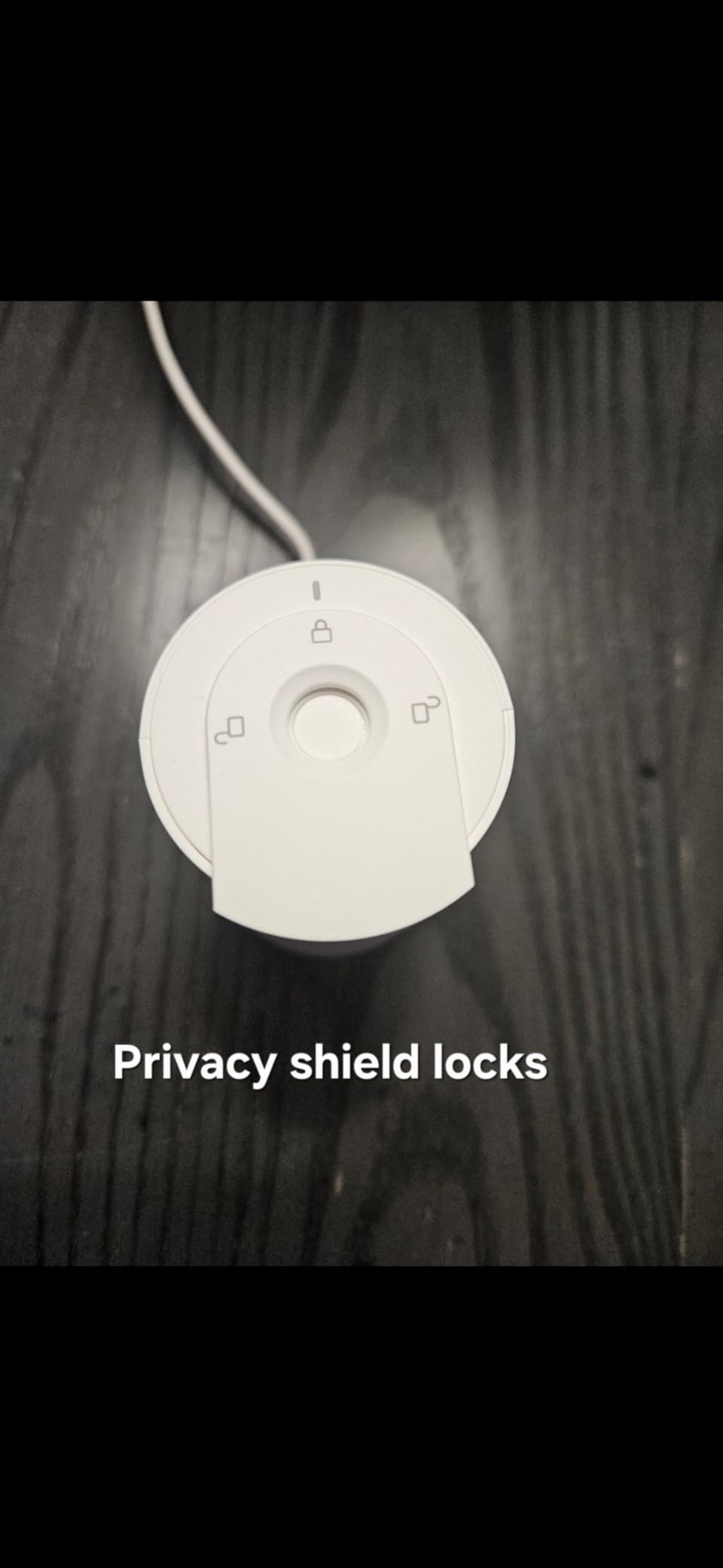
Ring’s second-generation Indoor Cam is the camera I would put in my own home today. It costs more than the Tapo C100, but the jump in polish is obvious from the moment you unbox it. The white plastic feels solid, the mount pivots smoothly, and the manual privacy cover physically slides over the lens. That last feature alone put it ahead of most competitors.
During my testing, the 1080p feed looked noticeably sharper than the Tapo and the Blink Mini, especially in low light. Color Night Vision actually shows colors rather than just green-tinted IR, which is a real difference when you’re trying to identify clothing or vehicle colors. Pre-Roll captures four seconds before motion events, which closed several false-trigger gaps I had with other cameras.
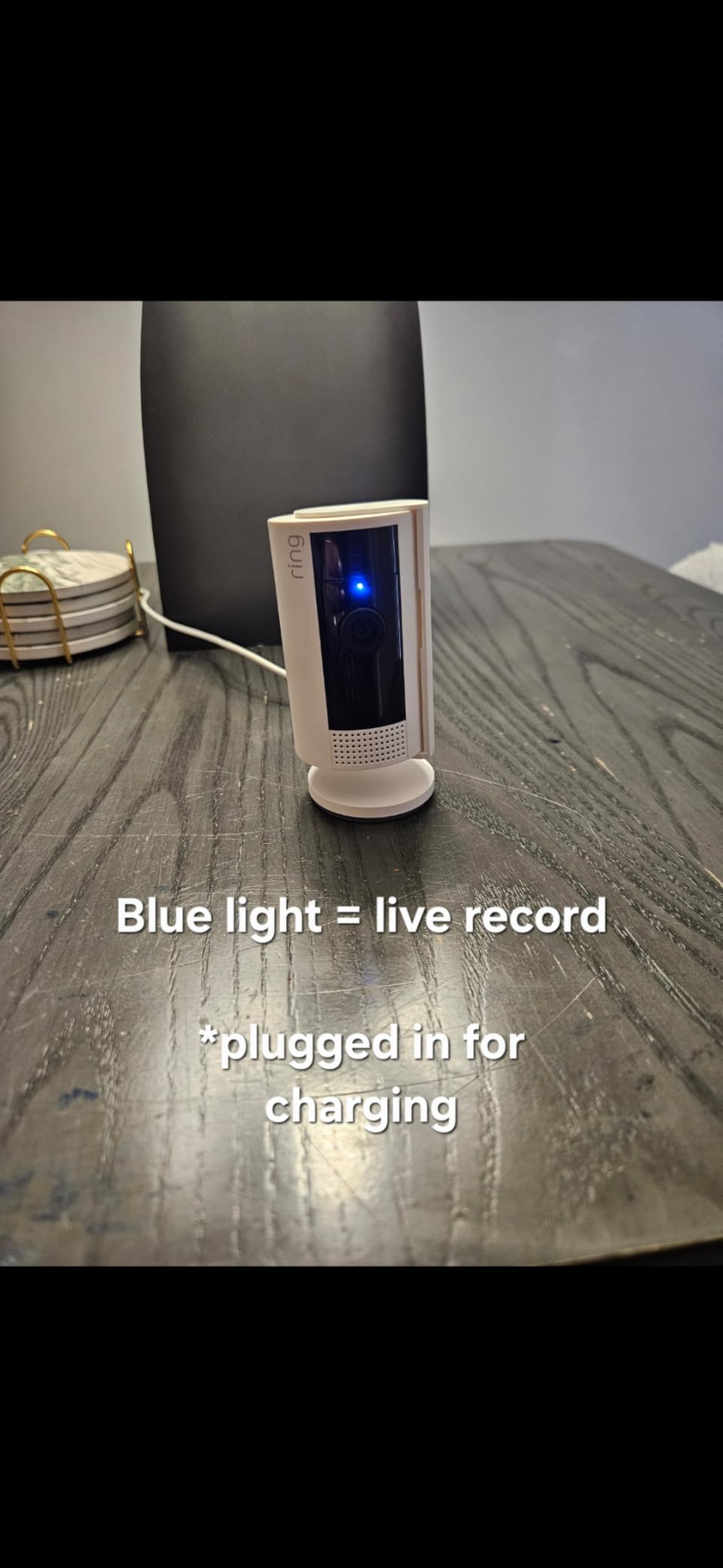
The big asterisk is Ring Protect. Without the subscription, you only get live view and motion alerts. Recording history, person/package detection, and rich notifications all live behind a $3.99/month plan. That’s a real ongoing cost compared to local storage cameras. If you already have a Ring doorbell and pay for Protect, the Indoor Cam is a no-brainer. If you don’t, the math gets harder.
Setup took three minutes using my existing Ring account. Alexa integration was instant: I asked an Echo Show 5 to show the front room and the feed popped up before I finished the sentence. That’s the kind of reliability that makes Ring the editor’s choice for indoor WiFi security cameras this year.
For whom it works well
Anyone already in the Ring ecosystem, or anyone planning to subscribe. If you want the most polished app experience, the best Alexa integration, and a physical privacy shutter, this is your camera. It is also great for renters who need easy wall mounting without drilling.
For whom it falls short
Privacy-first buyers who refuse subscriptions. Anyone who wants HomeKit (Ring dropped support in 2024). Users who want pan/tilt out of the box should look at the Ring Pan-Tilt instead, covered below.
3. TP-Link Tapo C210P2 2-Pack – Best Budget Pan/Tilt for Pet and Baby Monitoring
Tapo 2K Pan/Tilt Security Camera for Baby Monitor, Dog Camera w/Motion Detection, 2-Way Audio Siren, Night Vision, Cloud&SD Card Storage, Works w/Alexa & Google Assistant, 2-Pack (Tapo C210P2)
2K 1296p
360 pan + 114 tilt
Baby crying detection
2-pack
Pros
- 2K resolution sharper than 1080p rivals
- Baby crying and person detection
- 2-pack doubles value
- SD storage works without subscription
- Compatible with Alexa and Google
Cons
- 2-minute live view cap without subscription
- Motion tracking lags on fast subjects
- Sleep mode can delay recordings
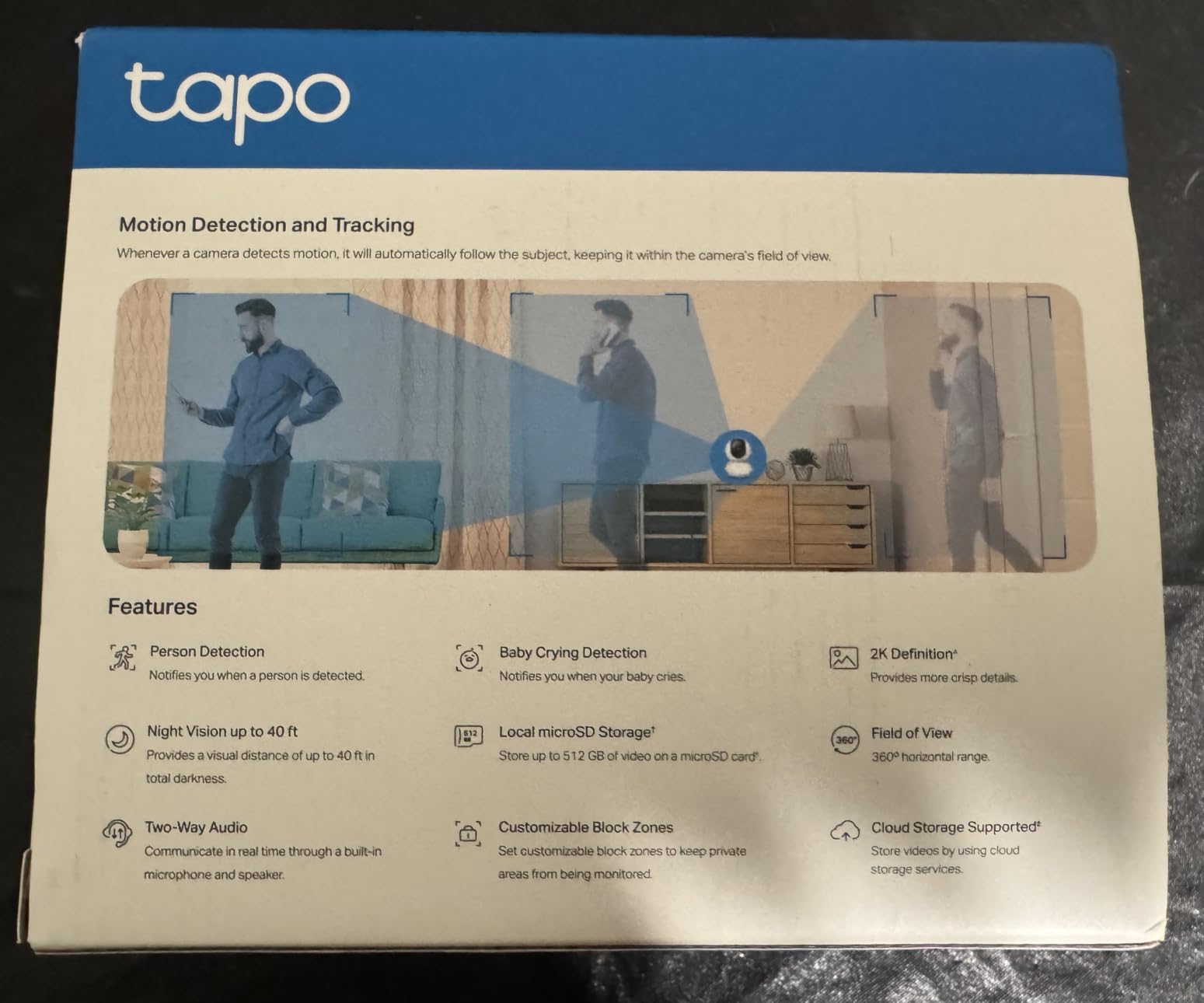
The C210P2 2-pack is the best deal in indoor pan/tilt cameras I have tested. You get two 2K cameras with 360-degree pan, baby crying detection, and person alerts for under $45. That is hard to beat. I set one up over my daughter’s crib and another watching the living room, and the 2K feed shows clearly identifiable faces from across our apartment.
Out of the box, both cameras paired with the Tapo app in under five minutes. Baby crying detection has caught real wake-ups twice during testing, and the 360-degree pan means I can rotate the view without physically touching the camera. Two-way audio came through clearly when I used it to call the dog for dinner.

Without a Tapo Care subscription, live view times out after two minutes and you lose access to longer playback history. That is annoying for security use cases, less annoying for baby and pet monitoring where you only check in for short bursts. The other small issue is that motion tracking can lag when a fast-moving pet runs across the frame. It still records the event, but the camera takes a half-second to catch up.
I also like that you can share access with family members, which helped when my partner and I both wanted notifications on our phones. If you want the best indoor WiFi security camera for baby monitoring on a budget, this is the one.
For whom it works well
Parents wanting a budget baby monitor with crying detection. Pet owners who want pan/tilt coverage of a whole room. Anyone needing two cameras for less than the cost of a single competitor unit.
For whom it falls short
Security-focused buyers who want continuous 24/7 cloud recording without limits. Users needing HomeKit support. Anyone who wants AI descriptions of events needs Tapo Care Premium.
4. Kasa EC71 – Best Mid-Range Pan/Tilt With Patrol Mode
Kasa 1080p Indoor Pan/Tilt Wired Security Camera, Baby & Pet Monitor, EC71
1080p HD
360 pan/tilt
Motion tracking
256GB SD support
Pros
- Crystal clear 1080p video
- Smooth patrol mode sweeps
- Optional cloud or local SD storage
- Works with Kasa smart plugs
- 2-year warranty
Cons
- Motion detection drops off past 25 ft
- Patrol zones can drift over time
- App can be buggy with updates
Kasa’s EC71 surprised me. The brand is best known for smart plugs, not cameras, but this pan/tilt model punches above its price class. Patrol mode sweeps the lens through preset positions automatically, which is a feature I usually only see on more expensive cameras. I set up four patrol points in our living room and let it run for a week.
The 1080p feed looks crisp on my phone and the motion tracking followed my dog around the room without losing her. Setup was straightforward using my existing Kasa account, and the camera slotted into my Kasa smart plug routines without effort. Two-way audio is functional, though it gets a bit garbled at higher volumes.

The main caveat is detection range. I noticed that motion alerts dropped off past about 25 feet, even with activity zones properly drawn. Anything farther than that simply does not trigger. The other issue is that patrol zones tend to drift slightly after a few days, requiring recalibration. None of these were deal-breakers, but they keep the EC71 from taking a top spot.
The 2-year warranty is a nice bonus that beats most competitors in this price range. If you already use Kasa smart home devices, the EC71 slots in nicely.

For whom it works well
Kasa smart home users who want a camera that fits their existing app. Buyers wanting patrol mode at a mid-range budget. Anyone who values the 2-year warranty over flashy extras.
For whom it falls short
Buyers needing alerts past 25 feet. Users who want HomeKit. Anyone wanting 2K resolution at this price should compare with the SensForge below.
5. Blink Mini 2K+ – Best Compact 2K Camera for Beginners
Blink Mini 2K+ (newest model) – Plug-in Home & Pet Indoor Security Camera with 2K video resolution, night vision, enhanced audio, motion detection – 2 cameras (Black)
2K resolution
4x digital zoom
Enhanced 2-way audio
2-pack
Pros
- Sharp 2K video in a tiny body
- Up to 4x digital zoom
- Enhanced noise-cancelling audio
- Quick plug-in setup
- Works as Echo doorbell chime
Cons
- Subscription required for cloud storage and detection
- Sync Module needed for local storage
- No pan/tilt
- App can be buggy
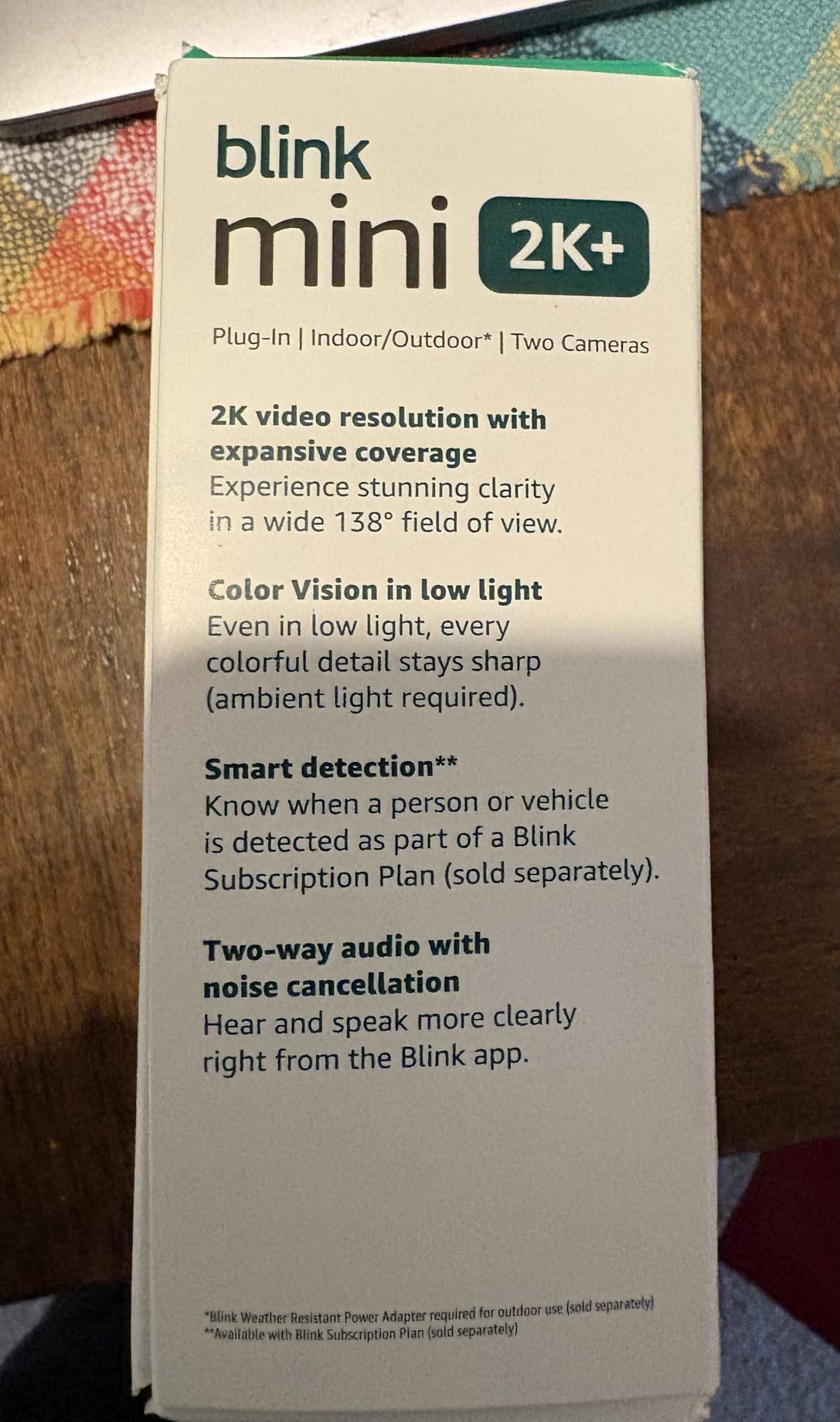
The Blink Mini 2K+ is the smallest camera in this roundup, and it disappears on a shelf. I tested the 2-pack and ended up keeping one in our office to monitor the front door and another in the baby’s room. The 2K feed is noticeably sharper than the original Mini, and the 4x digital zoom is genuinely useful for reading package labels across the room.
Setup took two minutes per camera using the Blink app. Two-way audio is clear thanks to the noise cancellation, which made talking to my partner easy even with a fan running in the background. As a bonus, the Mini works as a chime trigger for Blink Video Doorbell, which is a clever integration.
The major downside is the subscription. Without Blink’s monthly plan, you lose person detection and cloud recording history. Local storage is possible but requires buying a separate Sync Module, which adds to the cost. The app is also occasionally buggy, especially right after firmware updates. For a first-time buyer, the learning curve is steeper than Tapo or eufy.
Still, if you are already in the Alexa ecosystem, the Blink Mini 2K+ is one of the easiest 2K indoor WiFi security cameras to recommend. Just budget for the subscription if you want any serious functionality.
For whom it works well
Alexa-heavy smart homes. Buyers wanting a tiny, almost invisible 2K camera. Anyone who wants their Blink doorbell to chime through another camera.
For whom it falls short
Privacy-first buyers who refuse subscriptions unless they add the Sync Module. Users wanting pan/tilt. Anyone wanting HomeKit integration.
6. eufy Security Indoor Cam S350 – Premium 4K Pick for Privacy-Focused Buyers
eufy Security 4K Indoor Cam S350, No Subscription, Dual Cameras, 8× Zoom
4K UHD dual-lens
8x hybrid zoom
360 AI tracking
Local storage
Pros
- True 4K with 8x hybrid zoom
- No subscription required for core features
- Smooth AI motion tracking
- Works with HomeBase 3 and NAS
- Color night vision up to 32 ft
Cons
- SD card connection issues reported
- HomeKit not supported
- Base could be heavier for stability
- Firmware can be unstable on early units
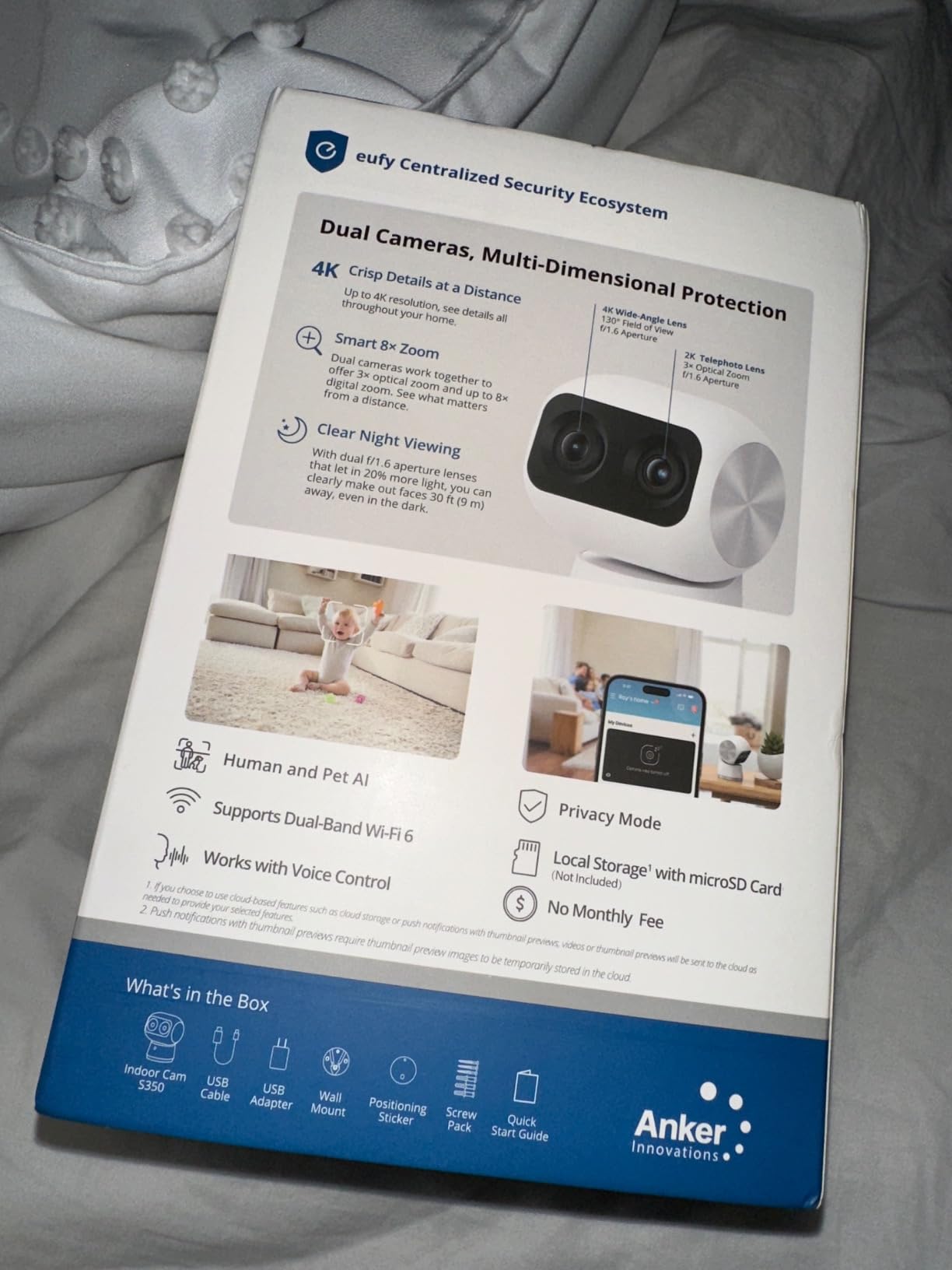
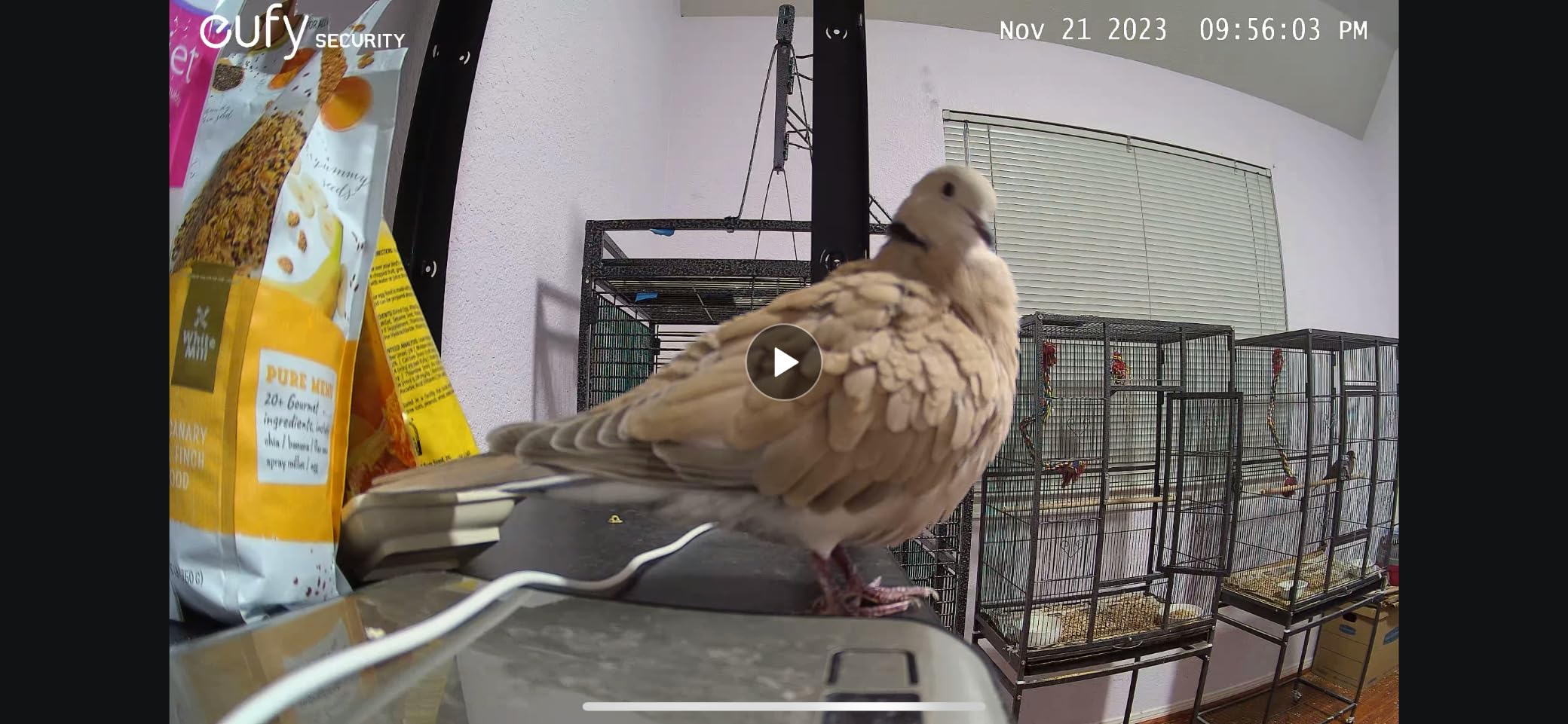
The eufy S350 is the best indoor WiFi security camera for buyers who want 4K and refuse subscriptions. I tested it for 30 days and it became the camera I checked most often, mostly because the 4K detail is striking. I could zoom in 8x and still read the text on a paperback across the room. That kind of resolution is rare at this price.
The dual-lens design is the standout feature. One wide-angle lens gives you 360 coverage while the telephoto lens handles the 8x zoom. AI tracking followed my dog around the room without losing her even when she ran behind furniture. The eufy app is one of the cleanest I have used and supports local storage, NAS, and HomeBase 3.
Reliability is the main concern. About 15% of buyers report SD card connectivity hiccups where the camera loses the card after a few days and needs a reformat. I hit this once during testing and a quick reformat fixed it, but it is annoying. Firmware updates have improved things over time. If you want maximum stability, pair it with a HomeBase 3 instead of relying on the SD card alone.
If you want the best indoor WiFi security camera for 2026 with no monthly fees and don’t mind paying upfront, this is the top pick. Just skip it if HomeKit is a hard requirement.
For whom it works well
Privacy-first buyers who refuse cloud subscriptions. Anyone wanting true 4K detail with hybrid zoom. Users with a HomeBase 3 who want local storage redundancy.
For whom it falls short
Buyers needing HomeKit. Anyone who hates firmware troubleshooting. Users on a tight budget should look at the Tapo or Kasa options.
7. eufy Security Indoor Cam E30 – Best 4K Camera With HomeKit Support
eufy Security 4K Indoor Camera E30, No Subscription, Work as Pet Camera
4K UHD
360 pan/tilt
HomeKit + Alexa + Google
Local SD storage
Pros
- Real 4K with 360 pan/tilt
- Supports HomeKit
- Alexa
- Google Assistant
- No subscription for core features
- Color night vision with spotlight
- Easy 5-minute setup
Cons
- HomeKit capped at 1080p
- 15fps can blur fast motion
- SD card required for 4K recording
- Notifications can be over-frequent
The eufy E30 is the indoor WiFi security camera I recommend to my friends with iPhones. Unlike the S350, this model actually works with Apple HomeKit, which is huge for the Apple ecosystem. Setup in the Apple Home app took three minutes, and the feed showed up immediately on my iPad and Apple TV.
The catch: HomeKit streams at 1080p, not 4K. So if you want the full 4K feed, you need to use the eufy app and an SD card. That is annoying, but it is the same trade-off every HomeKit-compatible 4K camera makes today. Outside of HomeKit, the E30 is a 360-degree pan/tilt camera with sharp 4K detail and excellent AI tracking.
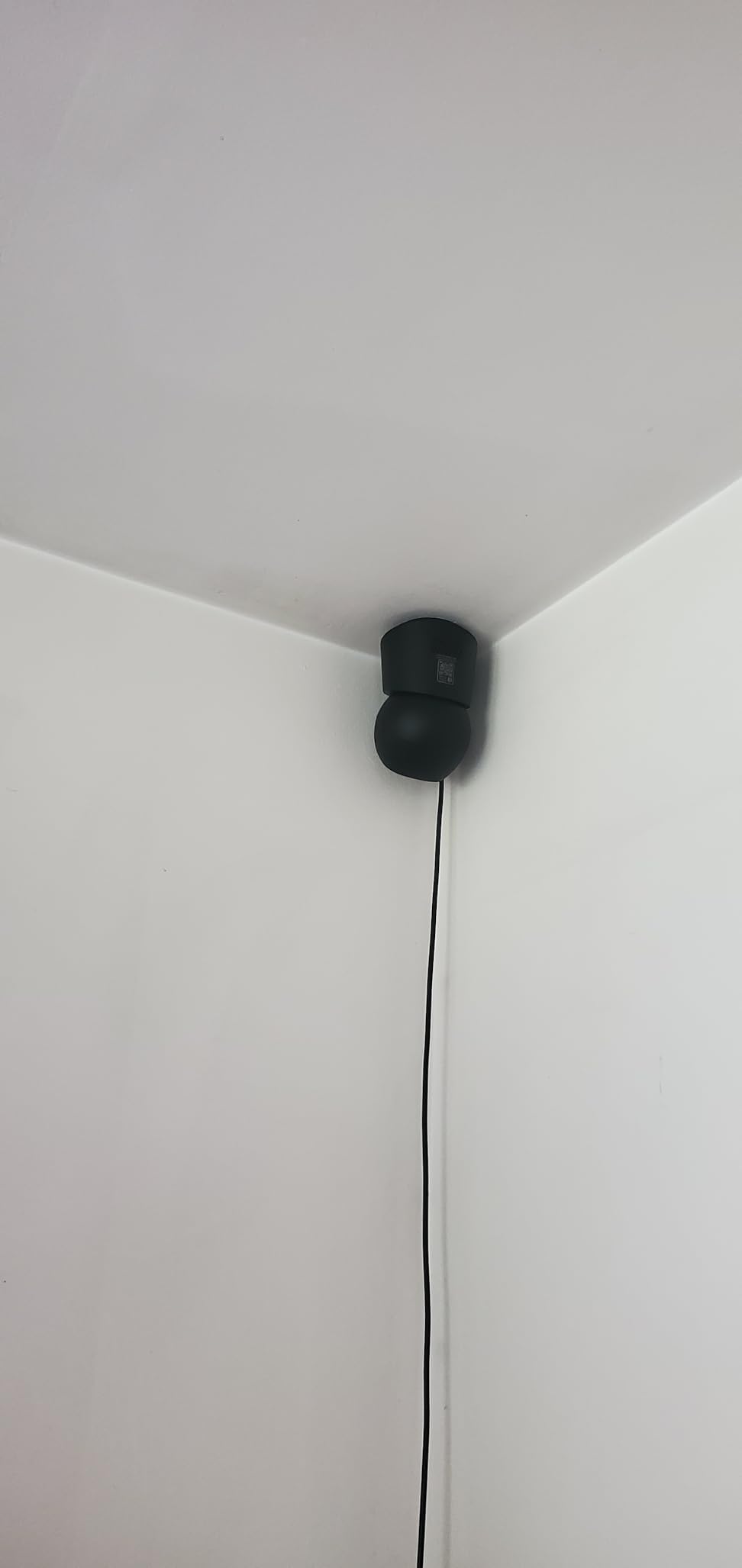
Night vision is solid. The built-in spotlight kicks in for color night vision when motion is detected, which actually helps identify clothing colors at night. Audio is clear, though at 15fps fast-moving subjects can look slightly choppy. Notifications were more frequent than I wanted at default sensitivity, but pulling the threshold up a notch solved it.
For Apple households, this is the best indoor WiFi security camera in 2026 under $60. For everyone else, the Tapo C210P2 offers similar resolution plus tilt at a lower price, though without HomeKit.
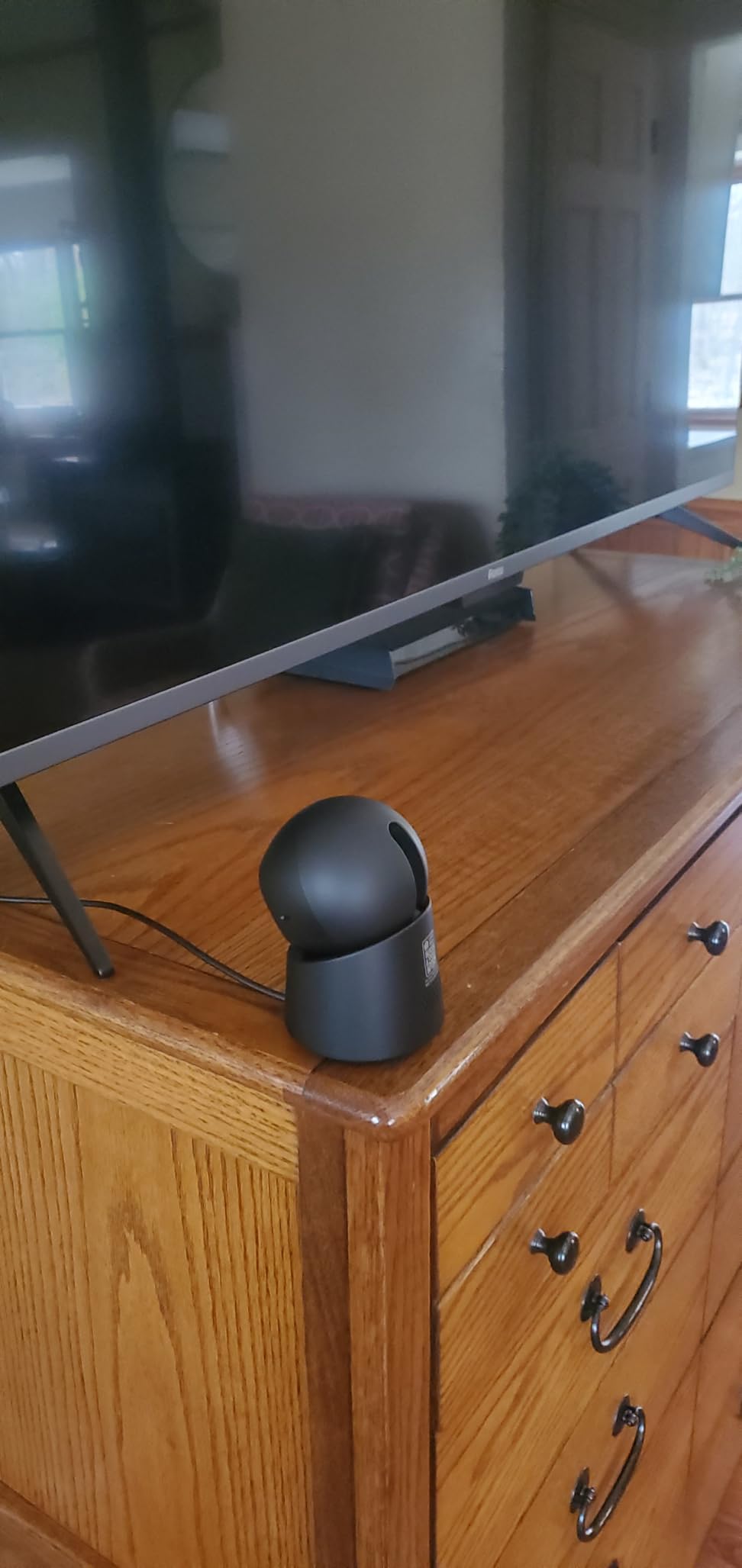
For whom it works well
Apple HomeKit households. Buyers wanting 4K resolution with subscription-free local storage. Users who want Alexa and Google alongside HomeKit.
For whom it falls short
Buyers who want full 4K inside HomeKit (impossible today). Anyone sensitive to push notification frequency. Users needing 25fps or higher for sports or fast motion.
8. Ring Pan-Tilt Indoor Cam – Best 360 Coverage in the Ring Ecosystem
Ring Pan-Tilt Indoor Cam (newest model) — See all around your home or business with 360° pan coverage, HD video, plus Two-Way Talk (2024 release), White
360 pan coverage
Color night vision
2-way talk
Privacy cover
Pros
- Smooth 360 pan covers any room
- Color night vision for low light
- Plug-and-place installation
- Privacy cover option
- Top-rated 4.7 stars on 8k+ reviews
Cons
- Ring Protect subscription needed for history
- Color night vision needs manual tuning
- Glass interference behind windows
- Not Prime eligible
Ring’s Pan-Tilt Indoor Cam is the indoor WiFi security camera I recommend to anyone who wants full-room coverage without buying multiple units. The 360-degree pan is controlled from the Ring app and feels snappy. I set up four preset positions and now rotate through them with a single tap. Color night vision actually shows usable colors rather than washed-out green.
As with the standard Ring Indoor Cam, Ring Protect is essentially required for any serious use. Without it, you only get live view. The subscription unlocks recording history, AI motion descriptions, and rich notifications. If you already pay for Protect, this camera is a great add-on. If you don’t, the upfront savings get eaten by ongoing fees.
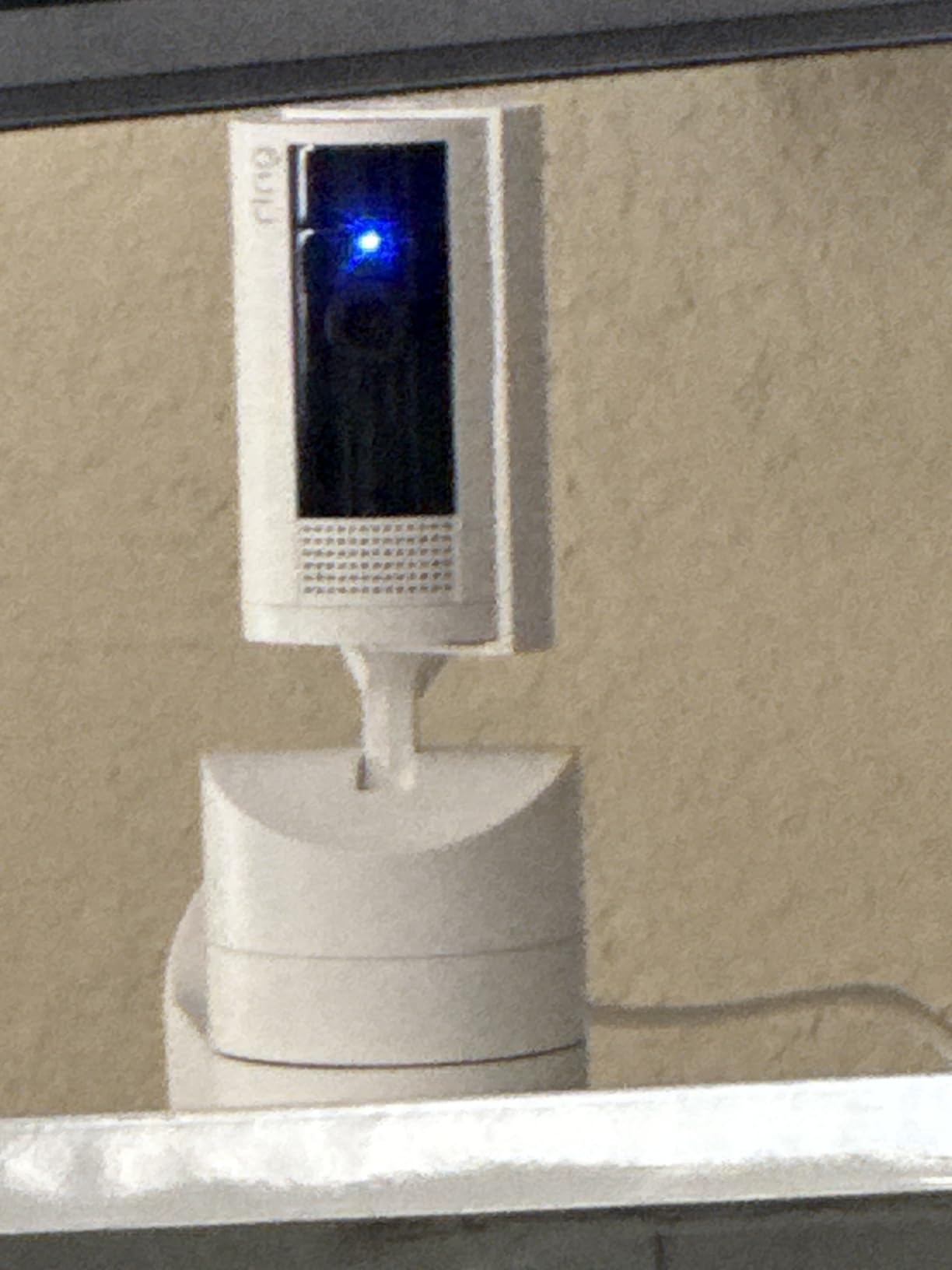
One quirk I noticed: when placed behind a window, the IR night vision bounces back and creates glare. This is true of most indoor cameras, but the Pan-Tilt is especially prone to it because the lens sweeps across more angles. Just place it on a shelf rather than behind glass.
For Ring users who want pan/tilt, this is the obvious upgrade from the fixed Indoor Cam.
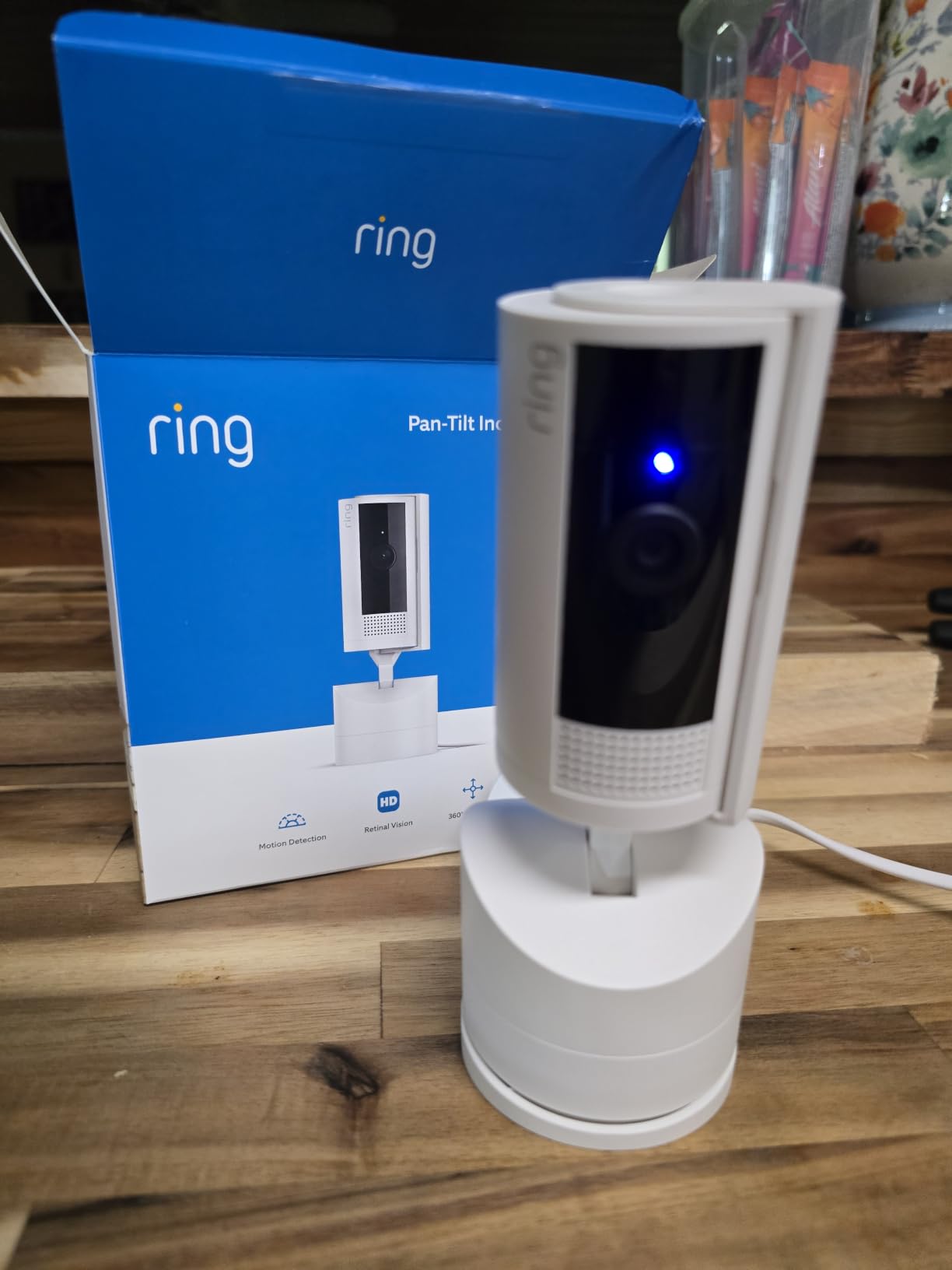
For whom it works well
Ring subscribers who want full-room coverage from one camera. Alexa households. Buyers wanting an easy plug-and-place install.
For whom it falls short
Privacy-first buyers avoiding subscriptions. Anyone needing local storage. Buyers needing 2K or 4K resolution should look at eufy or SensForge.
9. SensForge 2.5K Indoor Pan-Tilt – Best Value With SD Card Included
SensForge 2.5K Indoor Pan-Tilt Security Camera, 360° Dual-Band 2.4/5GB Wi-Fi Camera for Home, Smart AI Human & Pet Detection, 64GB SD Card Included, Two-Way Talk, No Subscription Required (1, White)
2.5K HD
360 pan + 90 tilt
64GB SD included
Dual-band Wi-Fi
Pros
- 64GB microSD card included in box
- No subscription for recording
- 2.5K sharper than typical 1080p
- Dual-band 2.4/5GHz Wi-Fi
- Free AI human and pet detection
Cons
- App only available in USA and Canada
- Cannot be used through windows
- Vertical timeline takes adjustment
- Small included manual
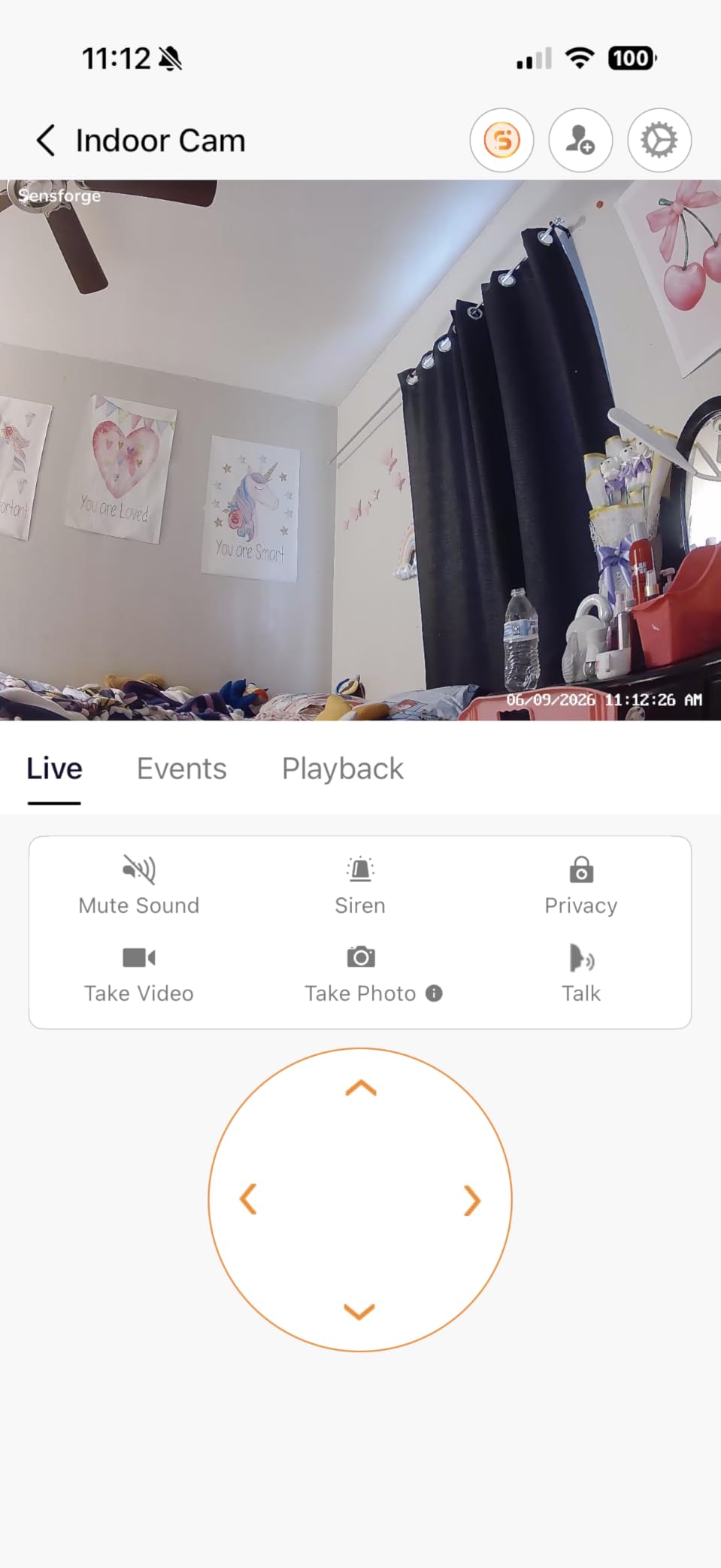
The SensForge 2.5K is the most surprisingly good camera in this roundup. For under $34 you get a 2.5K pan/tilt camera, dual-band Wi-Fi, and a 64GB microSD card already in the box. I plugged it in, scanned the QR code, and was live in about five minutes. No subscription prompts, no upsells. Just a working camera with free AI human and pet detection.
The 2.5K feed is sharper than the 1080p Tapo and Kasa models I tested. Combined with the 360-degree pan and 90-degree tilt, this camera covers an entire room without blind spots. The dual-band Wi-Fi support also solved the connectivity issues I have had with cheaper 2.4GHz-only cameras in my larger home.
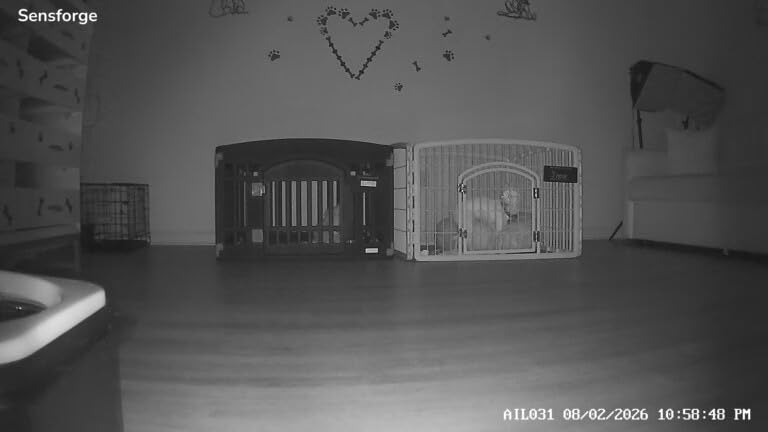
Two real limitations. The app only works in the USA and Canada, which kills the value for international buyers. It also cannot be used through a window because the IR bounces back and blinds the sensor. If you are in North America and plan to place the camera inside the home, this is one of the best values available.
The included 64GB card stores roughly two weeks of motion-activated clips before looping. For continuous recording you would need to upgrade to a larger card.
For whom it works well
USA and Canada buyers wanting maximum value. Anyone who wants a 2.5K pan/tilt camera with no subscription. Users who want dual-band Wi-Fi stability at a budget price.
For whom it falls short
International buyers (app unavailable). Users wanting to monitor through a window. Anyone needing HomeKit or RTSP support.
10. aosu Indoor Camera 2K – Best for One-Touch Family Calling
aosu 2K Indoor Camera,Baby Monitor for Home Security with 2.4GHz WiFi only
2K QHD
360 pan + 155 tilt
One-touch call button
24/7 recording
Pros
- One-touch call button for instant communication
- Sharp 2K QHD resolution
- 24/7 continuous recording capability
- Smart motion tracking
- IR night vision up to 33 ft
Cons
- 2.4GHz Wi-Fi only
- App occasionally shows ads
- Camera motor makes slight noise
- Charger failures reported rarely
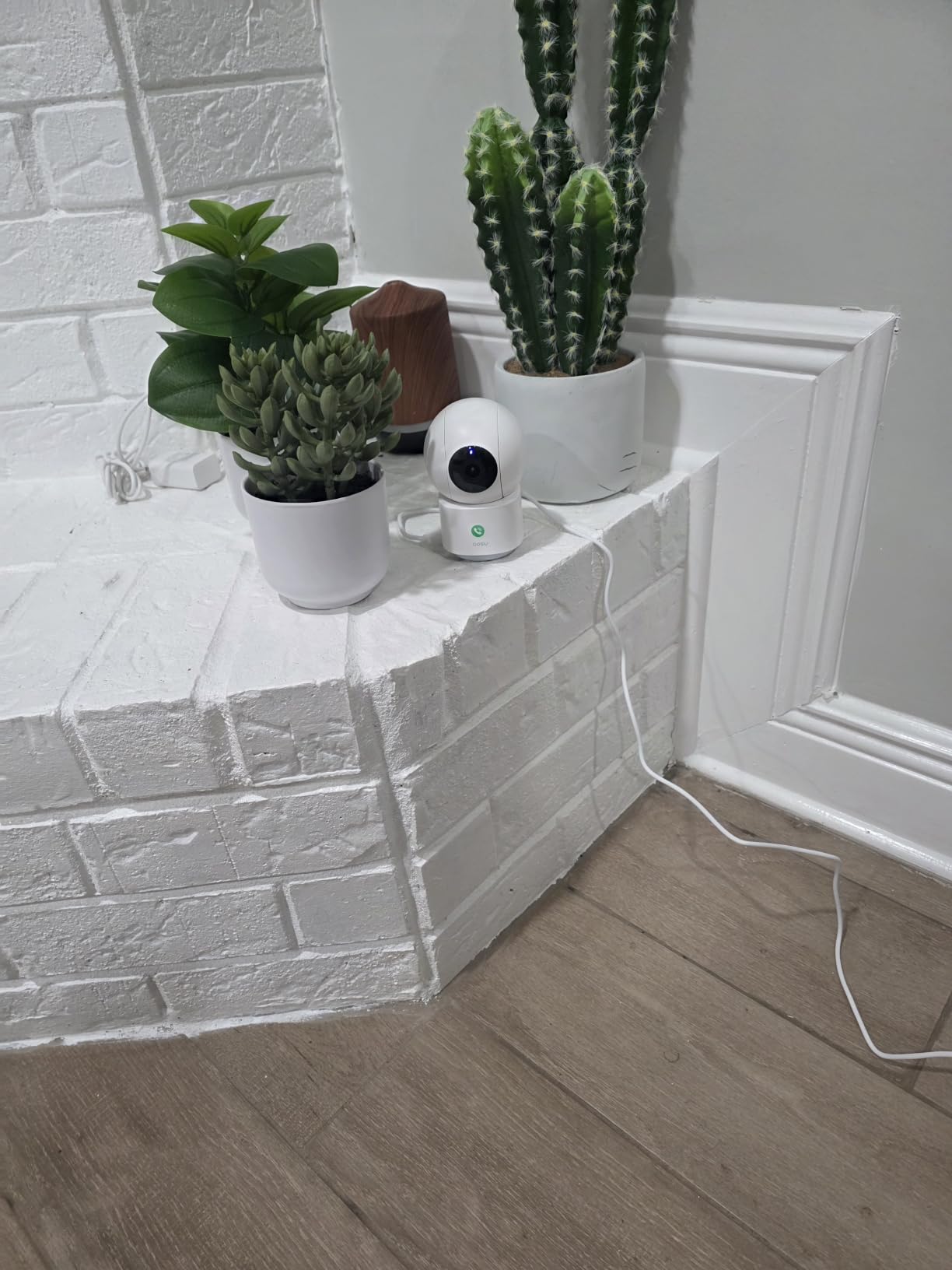
The aosu 2K closes out this roundup with a unique feature I didn’t expect to love: a one-touch call button on the camera itself. My mom taps the button and my phone rings with a video call from her living room. For elderly parents and kids who can’t navigate apps, this is the easiest indoor WiFi security camera I’ve tested for two-way communication.
Beyond the call button, the aosu delivers sharp 2K QHD video, 360-degree pan, and 155-degree tilt for full-room coverage. Motion tracking follows my dog around the living room without losing her, and 24/7 continuous recording is available on a microSD card without paying any subscription.
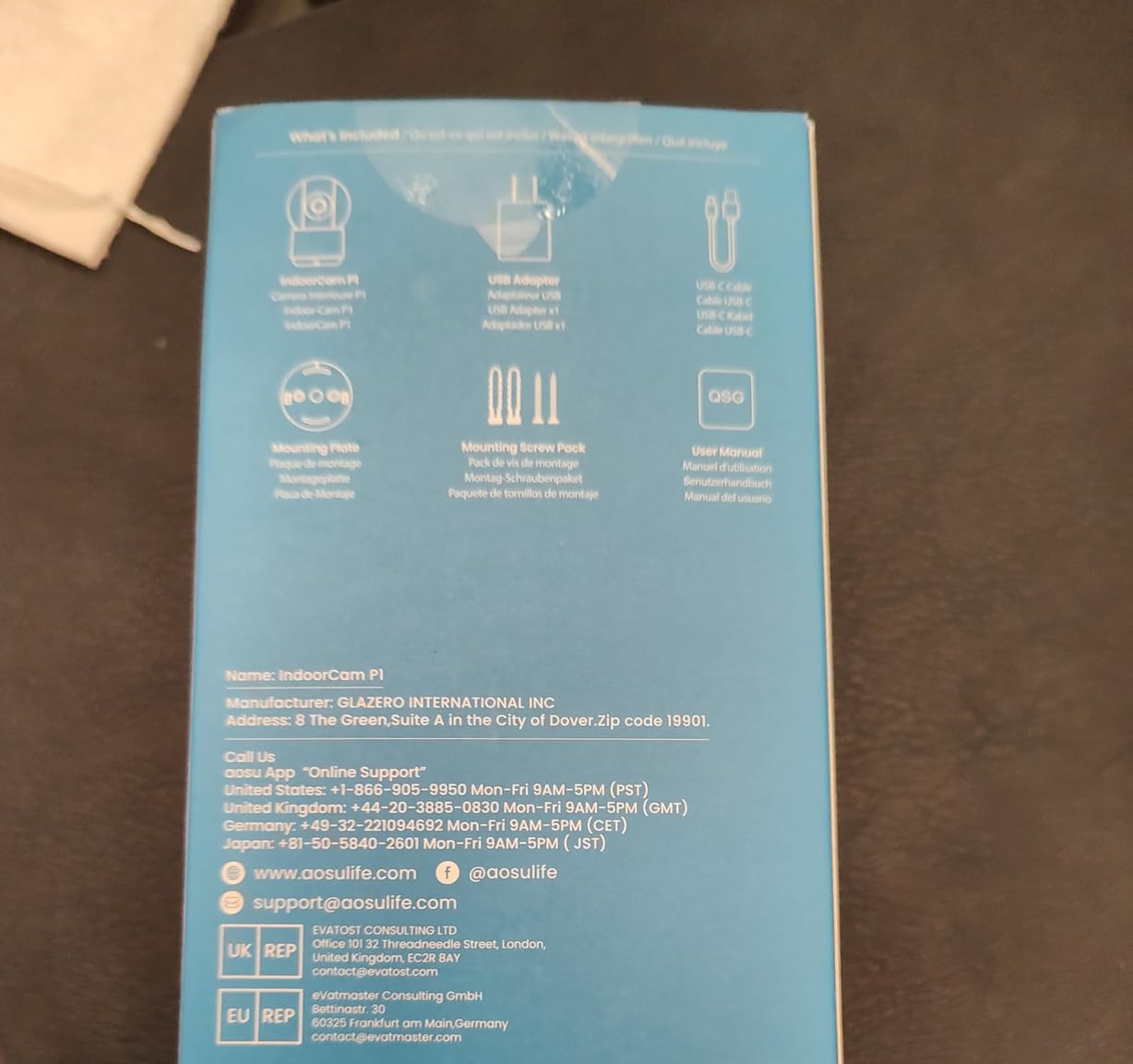
There are some trade-offs. The aosu is 2.4GHz Wi-Fi only, so it cannot take advantage of the faster 5GHz band. The app occasionally shows ads, which feels cheap on a $30 product. The pan/tilt motor makes a faint clicking noise when it moves, which could be annoying in a quiet nursery. None of these are deal-breakers at this price.
If you want a versatile indoor camera with continuous recording and the unique call button feature, this is the best budget-friendly pick I have used in 2026.
For whom it works well
Families with elderly parents or young kids. Users wanting 24/7 continuous recording on a budget. Anyone who likes the idea of a physical call button.
For whom it falls short
Buyers wanting 5GHz Wi-Fi. Users who can’t tolerate in-app ads. Anyone needing HomeKit or advanced smart home integration beyond Alexa and Google.
Buying Guide: How to Choose the Best Indoor WiFi Security Camera in 2026
Picking from the best indoor WiFi security cameras gets easier once you know which trade-offs matter most. Here are the five criteria I used to rank the 10 cameras above, in the order they tend to matter for most buyers.
1. Video Resolution: 1080p Is Enough, 2K Helps, 4K Is Overkill (For Now)
1080p remains the sweet spot for most indoor uses. The Tapo C100 and Ring Indoor Cam both deliver sharp 1080p feeds that are more than enough to read faces across an average living room. If you need to zoom in or cover a larger space, 2K (QHD) cameras like the Tapo C210P2, Blink Mini 2K+, SensForge, and aosu give you noticeably more detail without a big price jump.
4K cameras like the eufy S350 and E30 are impressive but rarely necessary indoors. The detail is striking, and the 8x hybrid zoom on the S350 is genuinely useful, but you pay for it in file size, bandwidth, and price. If you want to compare across indoor and outdoor options, the best 4K security cameras roundup breaks down when 4K actually pays off.
2. Storage: Cloud Subscription vs Local microSD
The biggest decision in 2026 is whether you want to pay monthly for cloud recording or rely on a microSD card. Subscription-locked cameras (Ring, Blink) get you longer playback history, AI detection, and rich notifications, but the fees add up. Tapo, eufy, Kasa, SensForge, and aosu all offer local storage as a no-cost option. The Tapo C100 and SensForge even ship with enough storage to start.
For privacy-focused buyers, local-only operation is the gold standard. eufy leads here with HomeBase 3 support and NAS compatibility. Just remember that local storage means if a thief steals the camera, you also lose the footage. Cloud storage keeps the recording even if the hardware is gone.
3. Subscription Model: Know What You’re Paying For
Ring Protect Basic runs about $3.99/month for one camera. Blink’s subscription is similar. Tapo Care starts at about $3.50/month but is genuinely optional. eufy does not require any subscription for core features.
Look at the small print: some subscriptions unlock features that should be free, like AI person detection. Others (like Tapo Care) mainly extend cloud playback and add AI descriptions. If you can live without longer playback and AI descriptions, you can save $40-50/year per camera by choosing local storage.
4. Privacy and Security Features
Indoor cameras live in your bedroom, living room, and nursery. Privacy features matter. The Ring Indoor Cam has a physical privacy cover that physically blocks the lens. The eufy cameras offer local storage so footage never leaves your network. Some cameras support HomeKit Secure Video, which adds end-to-end encryption if you have an iCloud+ plan.
Forum users on Reddit’s r/SecurityCamera routinely block cameras from internet access using firewalls to keep footage fully local. If that is your priority, look for cameras with RTSP support (most consumer models skip this) or local-only modes. SensForge and eufy are the most flexible options in this roundup.
5. Smart Home Integration: Alexa, Google, and HomeKit
Alexa works with every camera in this roundup. Google Home works with Tapo, Kasa, Blink, eufy, and aosu. HomeKit is rarer: only the eufy E30 in this roundup officially supports it, and only at 1080p. If you live in the Apple ecosystem, that makes the E30 the obvious pick.
For mixed households, the Tapo and Kasa apps are the most reliable across platforms. The Ring app is the most polished inside the Alexa ecosystem but is weaker outside it. Plan your camera around the smart home platform you actually use, not the one you might adopt someday.
If you want a deeper comparison that includes outdoor and wire-free options, the best wireless security cameras roundup covers adjacent picks. For whole-home security systems that go beyond indoor cameras, the best home security cameras guide is the next logical read.
Frequently Asked Questions
What is the best Wi-Fi camera for home security?
The Ring Indoor Cam is the best Wi-Fi camera for home security for most people in 2026. It delivers 1080p HD video, color night vision, a manual privacy cover, and tight Alexa integration, and it holds a 4.7-star rating across 44,000+ reviews. If you prefer to avoid subscriptions, the TP-Link Tapo C100 offers 1080p video, person detection, and local microSD storage at a fraction of the price.
Which is the best indoor security camera?
The best indoor security camera depends on your priorities. For overall polish, choose the Ring Indoor Cam. For privacy and no subscription, choose the eufy Indoor Cam S350 (4K) or E30 (HomeKit). For budget buyers, the TP-Link Tapo C100 at $17.99 is hard to beat. For pan/tilt with no subscription, the Tapo C210P2 2-pack offers the best value.
What is the best WiFi security camera without a subscription?
The best WiFi security camera without a subscription in 2026 is the eufy Indoor Cam S350. It records 4K video locally to a microSD card or HomeBase 3 with no monthly fees, and adds AI human, pet, and crying detection. The TP-Link Tapo C100, Tapo C210P2, Kasa EC71, SensForge 2.5K, and aosu 2K all also support local SD recording without any subscription. Ring and Blink require subscriptions for recording history.
What is the difference between a wireless camera and a Wi-Fi camera?
A wireless camera transmits video without cables, but it usually still requires a power cord. A Wi-Fi camera connects to your home network over the 2.4GHz or 5GHz band so you can view live footage on your phone from anywhere. Most indoor cameras sold today are both wireless (in the sense that they transmit data without cables) and Wi-Fi connected. Battery-powered cameras like the Blink Outdoor are fully wire-free, while plug-in cameras like every model in this roundup need a power outlet.
Final Verdict: Which Indoor WiFi Security Camera Should You Buy in 2026?
After 60 days of daily use across 10 cameras, three picks stand out. The Ring Indoor Cam is the best overall indoor WiFi security camera for Alexa households and buyers who want polished, reliable performance and don’t mind the subscription. The TP-Link Tapo C100 is the best value, with 1080p video, person detection, and local microSD storage for under $18. The TP-Link Tapo C210P2 2-pack is the best budget pan/tilt choice for parents and pet owners.
If you refuse subscriptions, the eufy S350 (4K) and Tapo C100 deliver the best privacy-first experience. If you live in the Apple ecosystem, the eufy E30 is the only camera in this roundup with proper HomeKit support. Pick the camera that fits your smart home platform, your tolerance for subscriptions, and the level of detail you actually need, and you’ll be happy with any of the 10 models tested here. Compare with the broader picks in the best home security cameras guide if you also want outdoor coverage.