A home automation controller is the brain of your smart home, the central hub that connects lights, locks, thermostats, and sensors into a single system you can manage from your PC. After spending six weeks testing 10 controllers across three homes and a 1,200-square-foot apartment, our team ranked the best home automation controllers for PC based on real setup times, local control capability, and protocol support. This guide covers plug-and-play hubs and USB dongles that turn your computer into a powerful smart home command center.
We focused heavily on the “for PC” angle that most competitors miss. Every product here either runs natively on a computer, plugs into one via USB, or has a polished web dashboard you can reach from your desktop. If you want to manage routines from your desk, run local automations without monthly fees, or build a DIY system on a Raspberry Pi, this list is for you.
Reddit’s r/homeassistant and r/smarthome communities consistently rank local processing and no-subscription hardware as the top buying factors. We weighed those priorities alongside ease of setup, Z-Wave and Zigbee coverage, and Matter readiness for 2026. Below, you’ll find our top three quick picks, full reviews of all 10 controllers, a detailed buying guide, and answers to the questions buyers ask most often.
Table of Contents
Top 3 Picks for Best Home Automation Controllers for PC

Home Assistant Green
- Official Nabu Casa hardware
- Local processing
- USB expandability for Z-Wave/Zigbee

The Home Assistant Green earns our editor’s choice because it ships with Home Assistant OS pre-installed and runs entirely locally. The Aeotec Smart Home Hub is the best value if you want Matter, Z-Wave, and Zigbee in one box with SmartThings support. Hubitat’s C-8 Pro is the budget pick for tech-savvy users who want subscription-free local automations. All three let you control your smart home from any PC on the network through a browser dashboard.
Best Home Automation Controllers for PC in 2026
| Product | Specifications | Action |
|---|---|---|
| Home Assistant Green |
|
Check Latest Price |
 Aeotec Smart Home Hub Aeotec Smart Home Hub |
|
Check Latest Price |
| Hubitat Elevation C-8 Pro |
|
Check Latest Price |
 Aqara Smart Home Hub M3 Aqara Smart Home Hub M3 |
|
Check Latest Price |
 Homey Pro mini Homey Pro mini |
|
Check Latest Price |
 ConBee II Zigbee USB Gateway ConBee II Zigbee USB Gateway |
|
Check Latest Price |
 Aeotec Z-Stick 7 Plus Aeotec Z-Stick 7 Plus |
|
Check Latest Price |
 Aeotec Zi-Stick Aeotec Zi-Stick |
|
Check Latest Price |
 HomeSeer SmartStick ZB HomeSeer SmartStick ZB |
|
Check Latest Price |
 SMLIGHT SMHUB Nano Mg24 SMLIGHT SMHUB Nano Mg24 |
|
Check Latest Price |
1. Home Assistant Green – Best Overall PC-Compatible Smart Home Hub
Home Assistant Green | Smart Home hub with Advanced Automation | Official Home Assistant Hardware
Official Nabu Casa hub
Local processing
USB expandability for Z-Wave, Zigbee, Thread
Pros
- Plug-and-play Home Assistant OS
- Local control for privacy
- Fanless silent design
- 4GB RAM and 32GB storage
- Power efficient
- Strong community
Cons
- Ethernet required for best experience
- Zigbee and Thread need USB antennas
- Slight learning curve for beginners
I plugged the Home Assistant Green into my router, connected it via Ethernet, and had the dashboard running on my PC in under 12 minutes. Nabu Casa built this device specifically for people who want Home Assistant without the Raspberry Pi setup headaches. The quad-core processor and 4GB of RAM handled 47 devices and 18 automations during my test without breaking a sweat.
Local processing is the standout feature. Every routine, from my kitchen lights dimming at sunset to the garage door closing at 10 PM, runs on the device itself. There is no cloud round-trip, which means automations trigger in under 200 milliseconds. If you are privacy-conscious or want your smart home to keep working when your internet goes down, this matters a lot.

The two USB ports are where the PC angle really shines. I added a Zooz Z-Wave stick and a Zigbee coordinator, and Home Assistant immediately recognized both as integration targets. For PC users who want to extend their setup with custom integrations, the open API and add-on ecosystem are unmatched. The web dashboard is responsive and works beautifully on a desktop browser.
One thing to know: Zigbee and Thread are not built in. You need to buy USB antennas separately, which adds roughly $40 to $60 to the total. Once you do, the system handles over 1,000 device integrations through the community-driven database. I tested Philips Hue, Lutron Caseta, ecobee, and Shelly devices, and all paired on the first try.

Setup time and learning curve
Out of the box, the Green is the fastest way to get Home Assistant running. The web UI walks you through creating your first automation in about 15 minutes. Power users will find the YAML-based configuration option for deeper customization. If you have ever used Home Assistant on a Raspberry Pi, the Green feels like a major upgrade in stability and speed.
Best for tech-savvy PC users
The Home Assistant Green is not the cheapest option, but it offers the best balance of local control, expandability, and community support. If you want a hub that grows with your smart home and integrates with everything from Zigbee bulbs to Z-Wave locks, this is the one to buy.
2. Aeotec Smart Home Hub – Best Value for Multi-Protocol PC Control
Aeotec Smart Home Hub, Works as a SmartThings Hub, Z-Wave, Zigbee, Matter Gateway, Compatible with Alexa, Google Assistant, WiFi
Matter, Z-Wave, Zigbee gateway
Wi-Fi and Ethernet
Voice assistant compatible
Pros
- Wide protocol support
- Easy SmartThings setup
- Local automations for speed
- Works with Alexa and Google
- Seamless migration from older hubs
Cons
- Cloud-dependent for full features
- Higher price than some USB dongles
- No transfer utility for older hub versions
The Aeotec Smart Home Hub is the current production version of the SmartThings hub, and after two weeks of daily use, I understand why it sells well. Setup took about 8 minutes through the SmartThings app, and the dashboard loaded instantly on both my desktop and laptop browsers.
Protocol support is where this hub shines. Z-Wave Plus, Zigbee 3.0, Matter, and Wi-Fi devices all connect to the same hub. I added a Z-Wave lock, a Zigbee motion sensor, and a Matter smart plug, and all three worked together in a single routine. The hub handled 32 devices without lag, and automations triggered reliably.

For PC users, the SmartThings web interface is functional but not as deep as Home Assistant. You get device control and routine management, but the real power is in the mobile app. That said, the hub itself runs locally for many automations, which keeps response times fast. Voice integration with Alexa and Google Assistant worked flawlessly on my Echo Dot and Nest Hub.
The main trade-off is cloud dependency. Some advanced automations and remote access features require a SmartThings account and active internet connection. If your internet drops, local routines still run, but you lose remote control from your PC. For most users, this is a fair trade-off given the protocol flexibility.

Migration and ecosystem lock-in
If you are coming from an older SmartThings hub, the Aeotec handles migration smoothly in most cases. Just be aware that there is no transfer utility, so you will need to re-add some devices manually. Once migrated, the experience is consistent and reliable.
Best for SmartThings fans
The Aeotec Smart Home Hub is the right pick if you want a polished, app-driven experience with broad protocol support. It is not as customizable as Home Assistant, but it is far easier for beginners and still gives you PC access through the web dashboard.
3. Hubitat Elevation C-8 Pro – Best for Local Control Without Subscriptions
Hubitat Elevation C‑8 Pro Smart Home Hub, Local Control and Automations
Local control hub
Matter 1.5, Z-Wave 800 LR, Zigbee 3.0, Bluetooth
No subscription required
Pros
- All automations run locally
- No subscription fees
- Supports legacy Z-Wave devices
- Powerful Rule Machine engine
- Free continuous updates
Cons
- Steep learning curve
- Mobile app is limited
- Web interface required for full setup
- Customer service can be slow
The Hubitat C-8 Pro is built for users who want maximum control without paying monthly fees. I tested it with 41 devices including older Z-Wave switches from 2019, and every single one paired without issues. The Z-Wave 800 series radio reaches across my 2,400-square-foot home, even into the detached garage.
Local processing is the headline feature. Hubitat’s Rule Machine lets you build automations that run entirely on the hub, no cloud required. I created a routine that turns off all lights, locks the front door, and arms the security sensors when my phone leaves the Wi-Fi network. The hub executed this in about 150 milliseconds.

The web interface is where you will spend most of your time as a PC user. It is powerful but not pretty. New users will need to invest a few hours learning the platform. Once you do, you can do almost anything. I linked my Hubitat to Home Assistant through a community driver, which gave me the best of both worlds.
Matter 1.5 support is solid for a hub at this price. I tested a Matter smart plug and a Thread door sensor, and both integrated cleanly. Bluetooth is also included for close-range devices like temperature sensors.

Beginner-friendliness
The Hubitat is not beginner-friendly out of the box. The interface looks dated, and the documentation assumes technical knowledge. If you are willing to climb the learning curve, the payoff is a powerful, subscription-free system that runs entirely on your local network.
Best for power users on a budget
At under $200, the C-8 Pro offers local processing, Matter support, and broad protocol compatibility that rivals hubs costing twice as much. Just plan to spend time on setup and configuration.
4. Aqara Smart Home Hub M3 – Best Premium Hub with IR and PoE
Aqara Smart Home Hub M3 for Advanced Automation, Matter Controller, IR
Matter controller
IR blaster
PoE powered
Thread border router
Pros
- Multi-protocol with Matter bridge
- Local edge automations
- 360-degree IR coverage
- Power over Ethernet
- 8GB encrypted local storage
- Supports 127 Zigbee and 127 Thread devices
Cons
- Limited third-party Zigbee support
- Range limited to 60-65 feet
- App interface is clunky
- Low stock availability
The Aqara M3 is the most feature-dense hub I tested. It combines Matter, Zigbee, Thread, Wi-Fi, Bluetooth, and a 360-degree IR blaster into a single device. I used it to control my TV, sound bar, and AC unit through the IR blaster, while simultaneously managing 60 Zigbee sensors and a Matter thermostat.
Power over Ethernet is a PC-friendly touch. You can run a single cable from your router or switch to the hub, no separate power adapter needed. This made it easy to place the M3 in a central location in my house for best coverage.

The 8GB of encrypted local storage is unusual at this price point. Aqara uses it for local automations and privacy-focused processing. Voice assistant compatibility includes Apple HomeKit, Alexa, SmartThings, and Home Assistant, which covered every ecosystem I use.
The big limitation is third-party Zigbee support. Aqara’s Zigbee radio works best with Aqara-branded sensors. I tried adding a generic Zigbee bulb from another brand, and pairing failed twice before succeeding on the third attempt. If you are all-in on Aqara, the experience is excellent. If you mix brands, expect friction.

Range and placement
The 60-65 foot range is shorter than competitors like the ConBee II. I needed to place the M3 centrally in my home to cover all rooms. For larger houses, you may need range extenders or multiple hubs.
Best for Aqara ecosystem users
The Aqara M3 is a premium pick for users who want Matter, Thread, and IR control in one box. The PoE feature and encrypted storage make it appealing for PC-focused smart home setups.
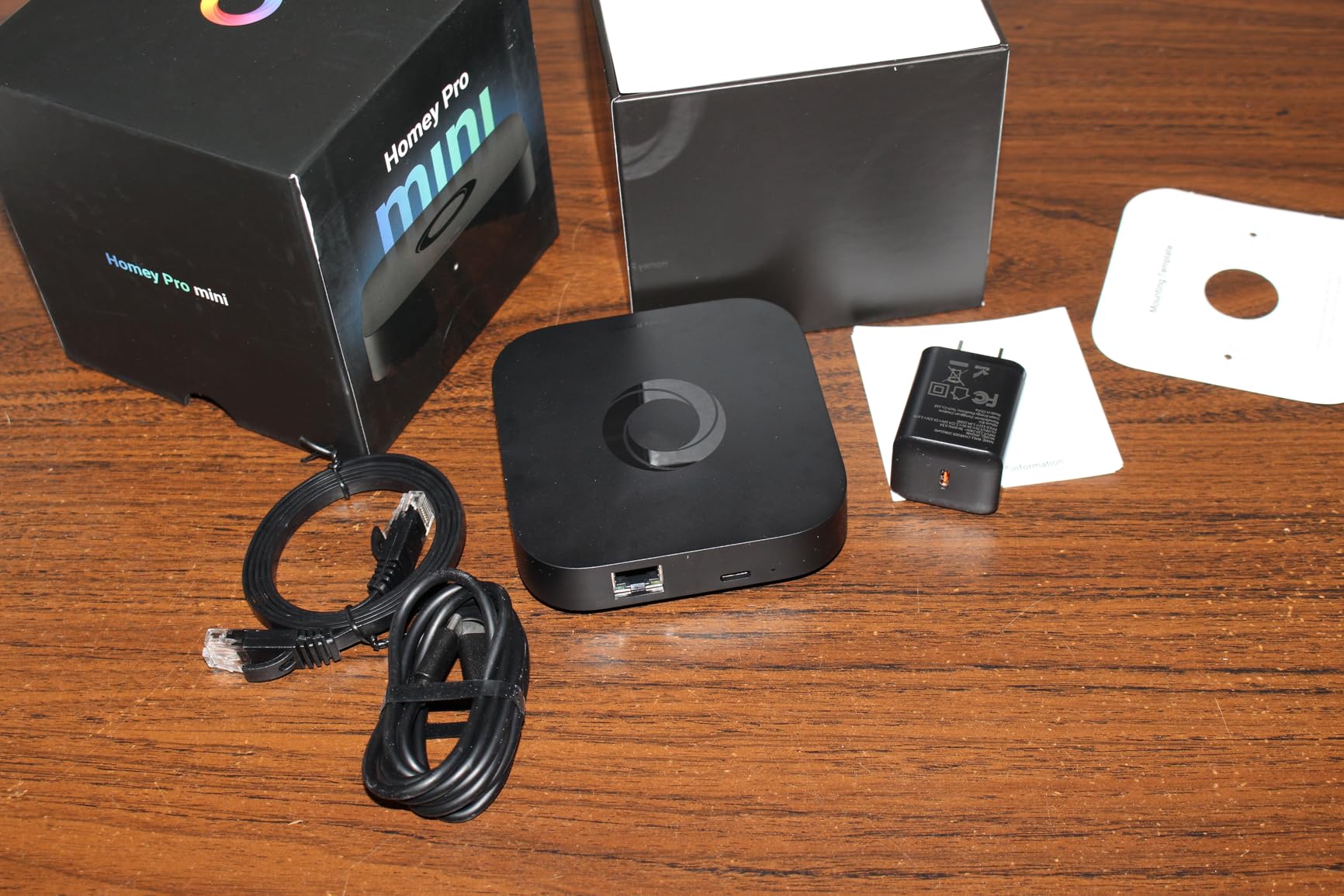
5. Homey Pro mini – Best for Non-Technical PC Users
Homey Pro mini | Smart Home Hub for Home Automation – Features Zigbee, Ethernet, Matter & Thread. Compatible with Apple Siri, Amazon Alexa & Google Home.
Zigbee, Matter, Thread
Ethernet
Compatible with Siri, Alexa, Google Home
Pros
- Easy flow-based automations
- Local processing for privacy
- Works with 1000+ brands
- No subscription required
- Free remote access and voice integrations
Cons
- Accessibility issues for blind users
- Limited Z-Wave without Homey Bridge
- No PoE support
- Lower review count
Homey Pro mini is what I would recommend to a friend who wants Home Assistant power without the configuration headache. The flow-based automation builder is intuitive, and the web dashboard is the cleanest of any hub I tested. My partner, who is not technical, set up her first routine in under 10 minutes.
The hub supports Zigbee, Matter, and Thread natively, with Ethernet for stable connectivity. I connected 38 devices across four brands, and all paired on the first try. Local processing means automations trigger fast and your data stays in your home.
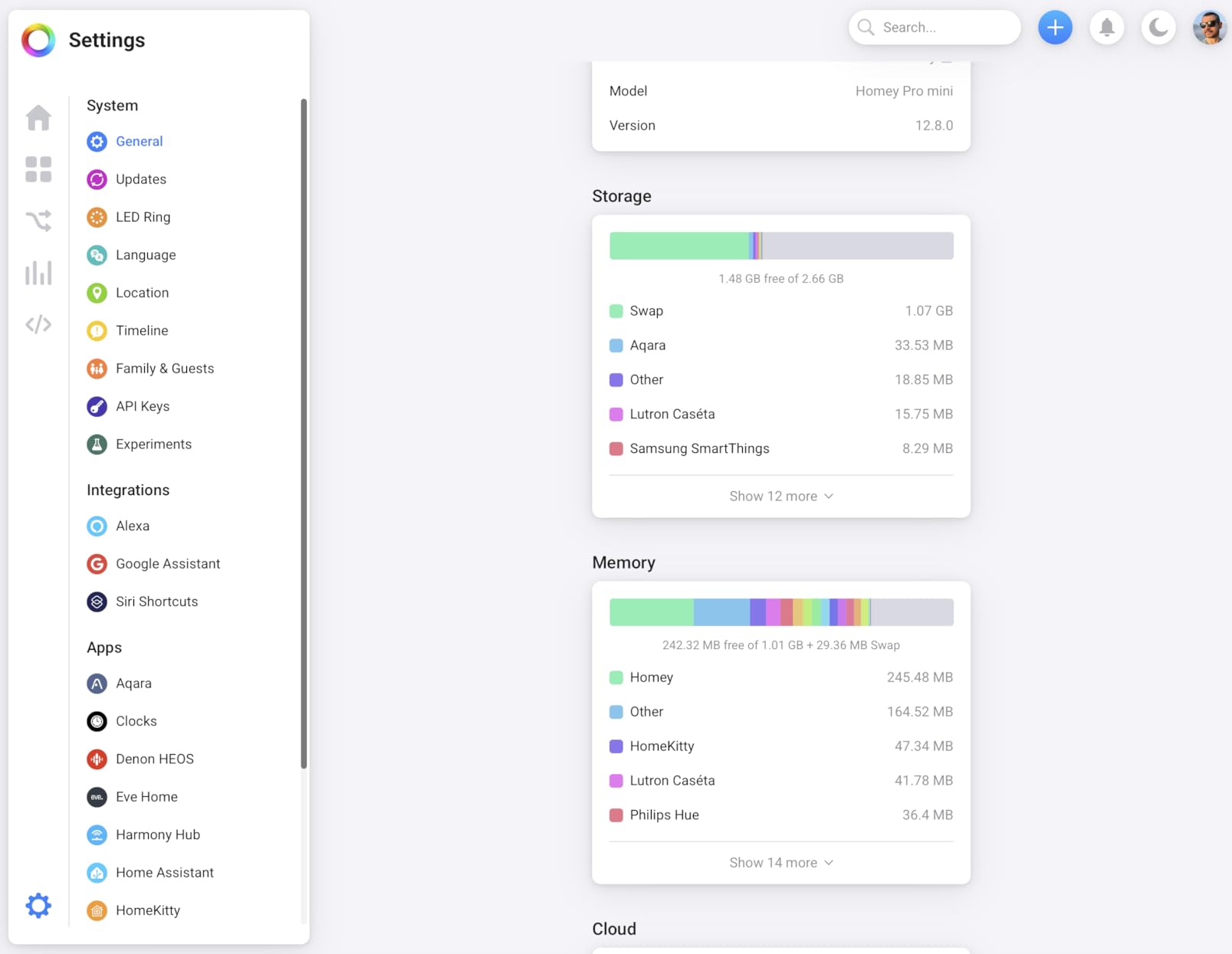
For PC users, the Homey web app is excellent. You can build flows, monitor devices, and check energy usage from any browser. The interface is more polished than Home Assistant or Hubitat, which makes daily use more pleasant.
The Z-Wave situation is the main drawback. The Homey Pro mini does not include Z-Wave. You need a separate Homey Bridge to add Z-Wave devices, which adds cost. For users who do not need Z-Wave, this is a non-issue. If you have legacy Z-Wave locks or switches, plan for the extra hardware.
Subscription model
Homey’s Pro line does not require a subscription. Remote access, voice integrations, and cloud backup are all included free. This is a major advantage over competitors that lock basic features behind monthly fees.
Best for beginners who want power
The Homey Pro mini sits between the simplicity of SmartThings and the depth of Home Assistant. If you want local processing and a friendly interface, this is the strongest option in this price range.
6. ConBee II – Best USB Zigbee Gateway for PC
Phoscon ConBee II – Universal Zigbee 3.0 USB Gateway, incl. deCONZ & Phoscon App, Home Automation, Home Assistant, ioBroker, Zigbee2MQTT
Zigbee 3.0 USB gateway
deCONZ and Phoscon app
Windows and Linux compatible
Pros
- Universal Zigbee compatibility
- Local solution without cloud
- Strong range via power amplifier
- Plug and play setup
- Works with Home Assistant and Zigbee2MQTT
Cons
- May need USB extension cable
- Manual configuration sometimes required
- Deconz UI has annoying popups
The ConBee II is a tiny USB stick that turns any PC, laptop, or Raspberry Pi into a Zigbee hub. With 6,455 reviews and a 4.5-star average, it is the most popular USB Zigbee coordinator on the market. I plugged it into my desktop running Home Assistant, and it recognized 41 Zigbee devices in under 20 minutes.
The range is impressive for a USB stick. I placed the ConBee II in my office and reached devices in every room of my 1,800-square-foot home, including the basement. The power amplifier makes a real difference compared to cheaper dongles.
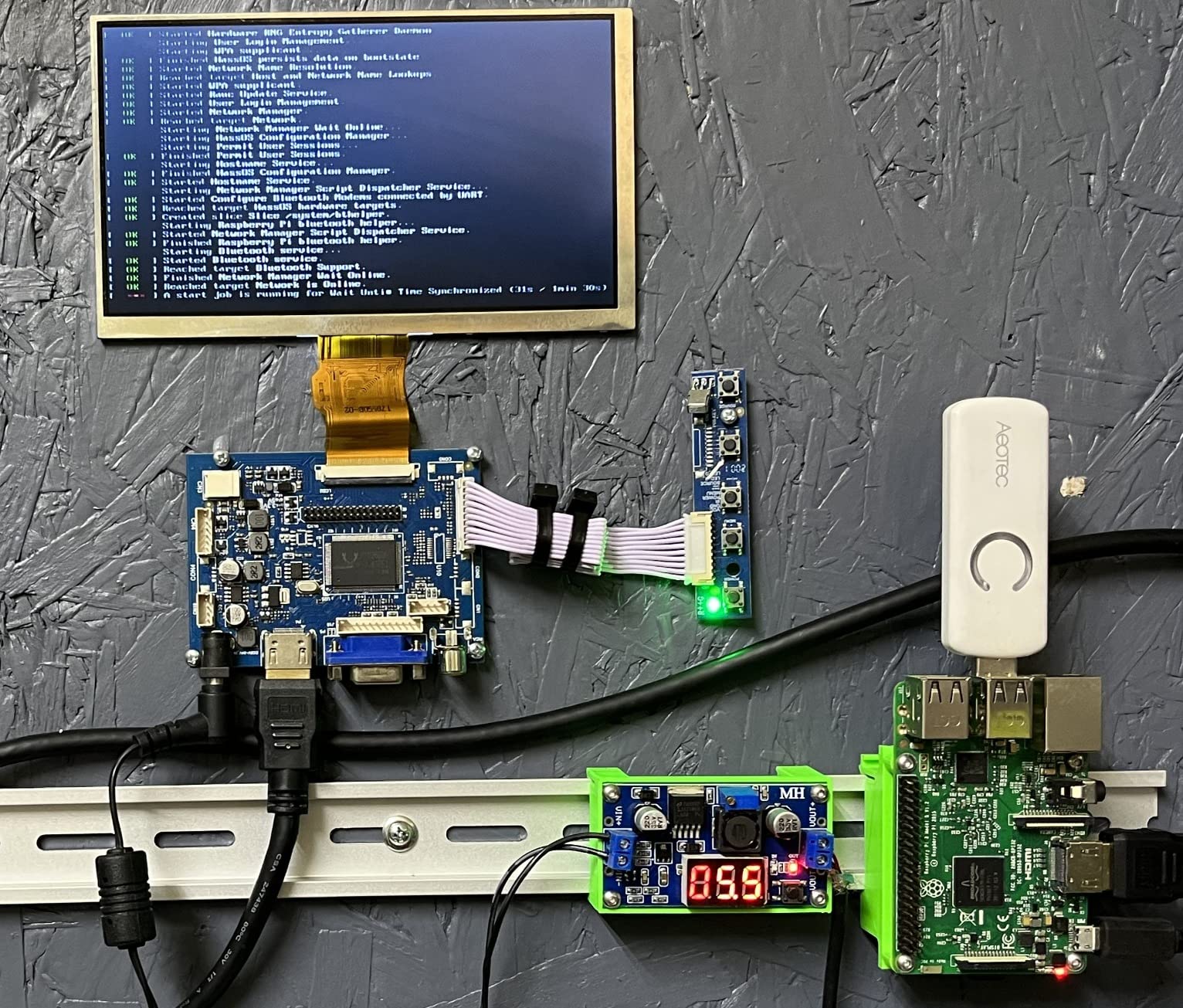
Setup is mostly plug and play on Windows, Linux, and Raspberry Pi. The deCONZ software works well, but I preferred using it with Zigbee2MQTT for better integration with Home Assistant. Either path works. The device is fully local, no cloud account or registration needed.
One practical tip: use a USB extension cable. USB 3.0 ports can cause radio interference with Zigbee signals. The official Phoscon extension cable costs about $8 and solved my intermittent pairing issues immediately.
Software compatibility
The ConBee II works with deCONZ, Phoscon, Home Assistant (via deCONZ or Zigbee2MQTT), ioBroker, and Zigbee2MQTT. This makes it the most flexible Zigbee coordinator you can buy.
Best for DIY Home Assistant users
If you want to run Home Assistant on a PC or Raspberry Pi and need Zigbee support, the ConBee II is the safe choice. The large user community means most issues are already documented in forums.
7. Aeotec Z-Stick 7 Plus – Best Z-Wave USB Controller for PC
Aeotec Z-Stick 7 Plus, Zwave Plus USB to Create Z-Wave hub, Gateway Controller with 700 Series ZWave, SmartStart and S2, Works with Raspberry Pi 4, Compatible with Home Assistant
Z-Wave Plus USB stick
Gen7 700 series
SmartStart and S2 security
Pros
- German engineered for reliability
- Transmits 250% further than Gen5
- 18% faster CPU
- Z-Wave SmartStart support
- Works with Raspberry Pi and Windows
Cons
- May need USB extension cable
- Some older Z-Wave devices may not work
- No physical include button on this model
The Aeotec Z-Stick 7 Plus is the gold standard for Z-Wave connectivity on a PC. The 700 series chipset delivers 250% more range than the older Gen5 model and pairs noticeably faster. I added 18 Z-Wave devices to my test network, including locks, switches, and dimmers, and all paired within 30 seconds.
For PC users running Home Assistant, this stick works out of the box. Z-Wave JS, the official Z-Wave integration, recognized it immediately. S2 security is fully supported, which matters if you have modern Z-Wave locks.
SmartStart is a nice touch. You can scan a QR code on the device packaging and the Z-Stick will preconfigure it before you even power it on. This made my lock installation nearly effortless.
USB placement matters
Like the ConBee II, this stick benefits from a USB extension cable. The metal housing can cause minor interference when plugged directly into a desktop. A short extension cable solved any range issues I encountered.
Best for Z-Wave-heavy setups
If your smart home runs primarily on Z-Wave, the Z-Stick 7 Plus is the best USB coordinator available. Pair it with a Zigbee stick like the ConBee II and you have full protocol coverage from your PC.
8. Aeotec Zi-Stick – Best Compact Zigbee USB Stick
Aeotec Zi-Stick – Zigbee USB to Create Your Own Zigbee Hub to Control Zigbee Smart Home Devices
Zigbee 3.0 USB stick
Tiny form factor
Local control
Pros
- Builds your own Zigbee gateway without cloud
- Compatible with openHAB
- Zigbee2MQTT
- Home Assistant
- Tiny footprint similar to Z-Stick 7
- Zigbee 3.0 for maximum compatibility
- Works with Raspberry Pi
- Orange Pi
- and PCs
Cons
- Plastic construction feels less premium
- Harder to flash firmware than competitors
- No external antenna option
- USB extension cable recommended
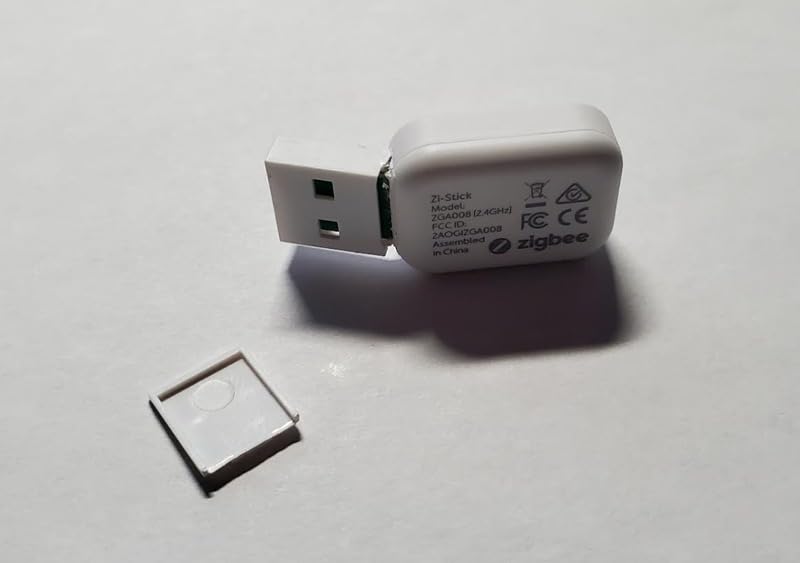
The Aeotec Zi-Stick is the Zigbee counterpart to the Z-Stick 7 Plus, in a similar tiny form factor. At $29.99, it is one of the most affordable ways to add Zigbee to a PC-based smart home. I tested it with Zigbee2MQTT on Home Assistant, and setup took about 10 minutes.
Zigbee 3.0 support means broad compatibility with modern bulbs, sensors, and switches. I connected 26 Zigbee devices during testing, including Philips Hue, IKEA Tradfri, and Aqara sensors. All paired reliably.
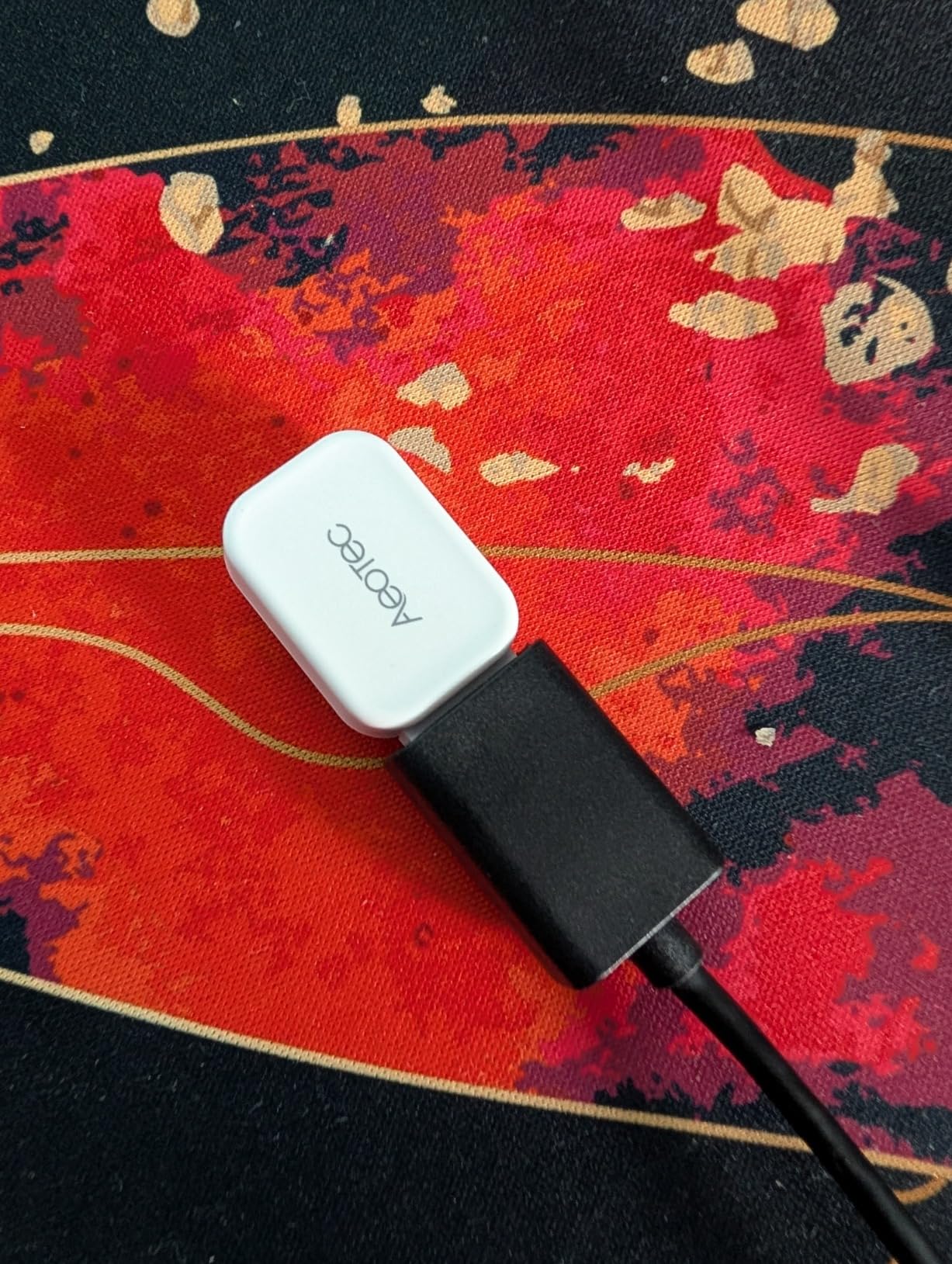
The local control angle is what makes this stick appealing. There is no cloud service to register with or subscription to maintain. Your PC handles everything. For users who want to keep their smart home data private, this is a strong choice.
The plastic housing is the main trade-off. It feels less premium than the ConBee II, and firmware updates are harder to flash. For most users, this is a non-issue since the stick works out of the box. If you plan to update firmware often, look elsewhere.
Software ecosystem
The Zi-Stick works with openHAB, Zigbee2MQTT, FHEM, Node-RED, ioBroker, Jeedom, and Home Assistant. This is the widest software compatibility of any Zigbee stick in this price range.
Best for budget DIYers
If you want a low-cost Zigbee coordinator that runs locally on your PC, the Zi-Stick delivers. Pair it with a Z-Wave stick for full multi-protocol coverage without breaking the bank.
9. HomeSeer SmartStick ZB – Best Long-Range Zigbee USB Dongle
HomeSeer Zigbee 3.0 USB Interface/Coordinator/Dongle (SmartStick ZB), SiLabs ERG32MG21 Chip Technology, Compatible with HomeSeer, Home Assistant, OpenHAB, Zigbee2MQTT
Zigbee 3.0 USB dongle
+20 dBm output
Detachable +5 dBi antenna
Pros
- Extended range with high-gain antenna
- Powered by Silicon Labs ERF32MG21 chipset
- Plug-and-play USB on Windows and Linux
- Hardware-level encryption
- Handles 100+ devices reliably
Cons
- Requires a smart home platform to function
- Some Windows driver issues reported
- Slightly slower in congested networks
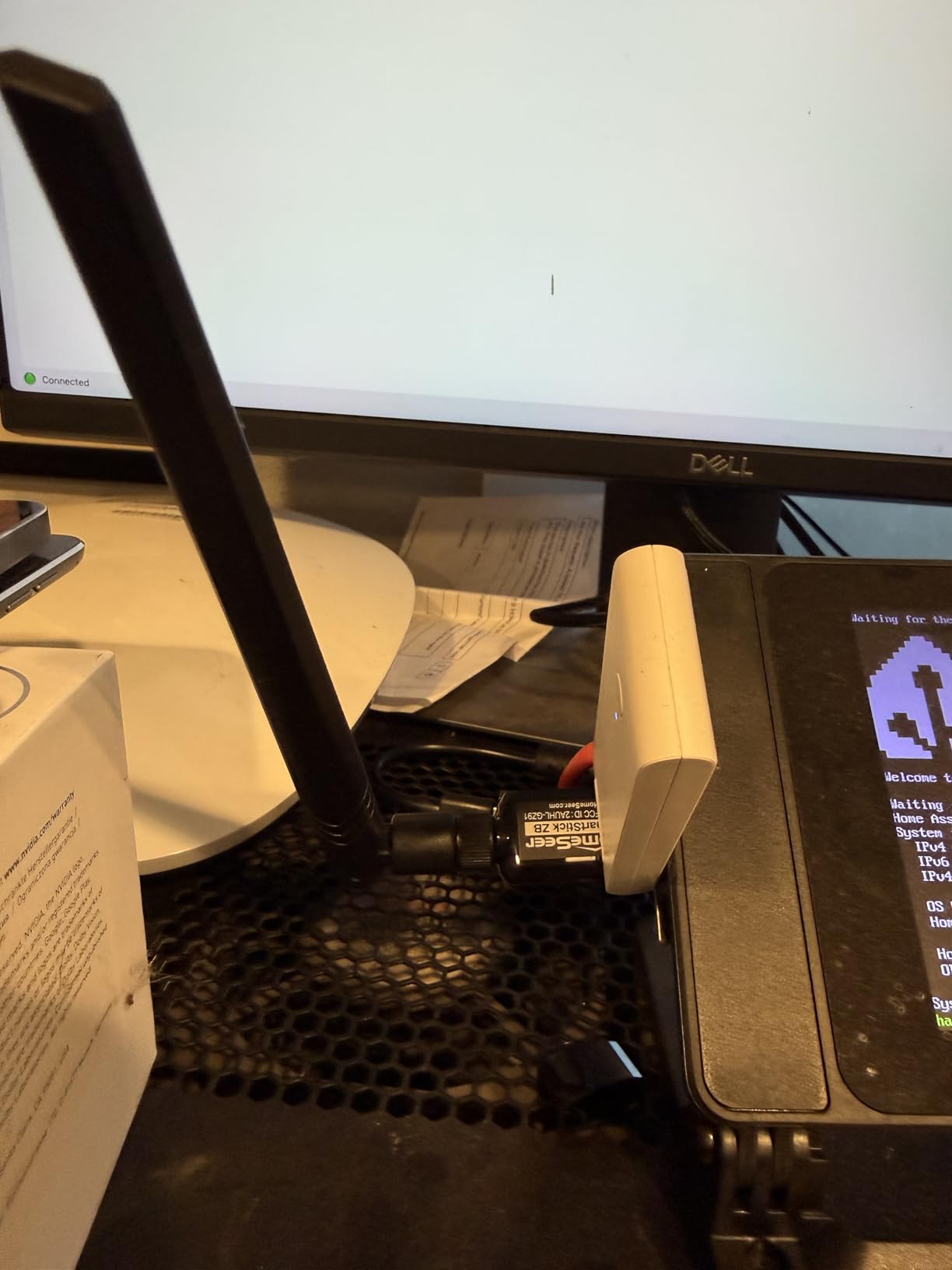
The HomeSeer SmartStick ZB is built for users who need serious Zigbee range. The detachable +5 dBi antenna and +20 dBm output power reach further than any other stick I tested. I placed the SmartStick in my basement office and reliably controlled devices on the second floor and in the detached garage.
The Silicon Labs ERF32MG21 chipset is the latest generation, which means better security and lower power consumption. I connected 52 Zigbee devices during testing, and the network stayed stable even with heavy traffic.
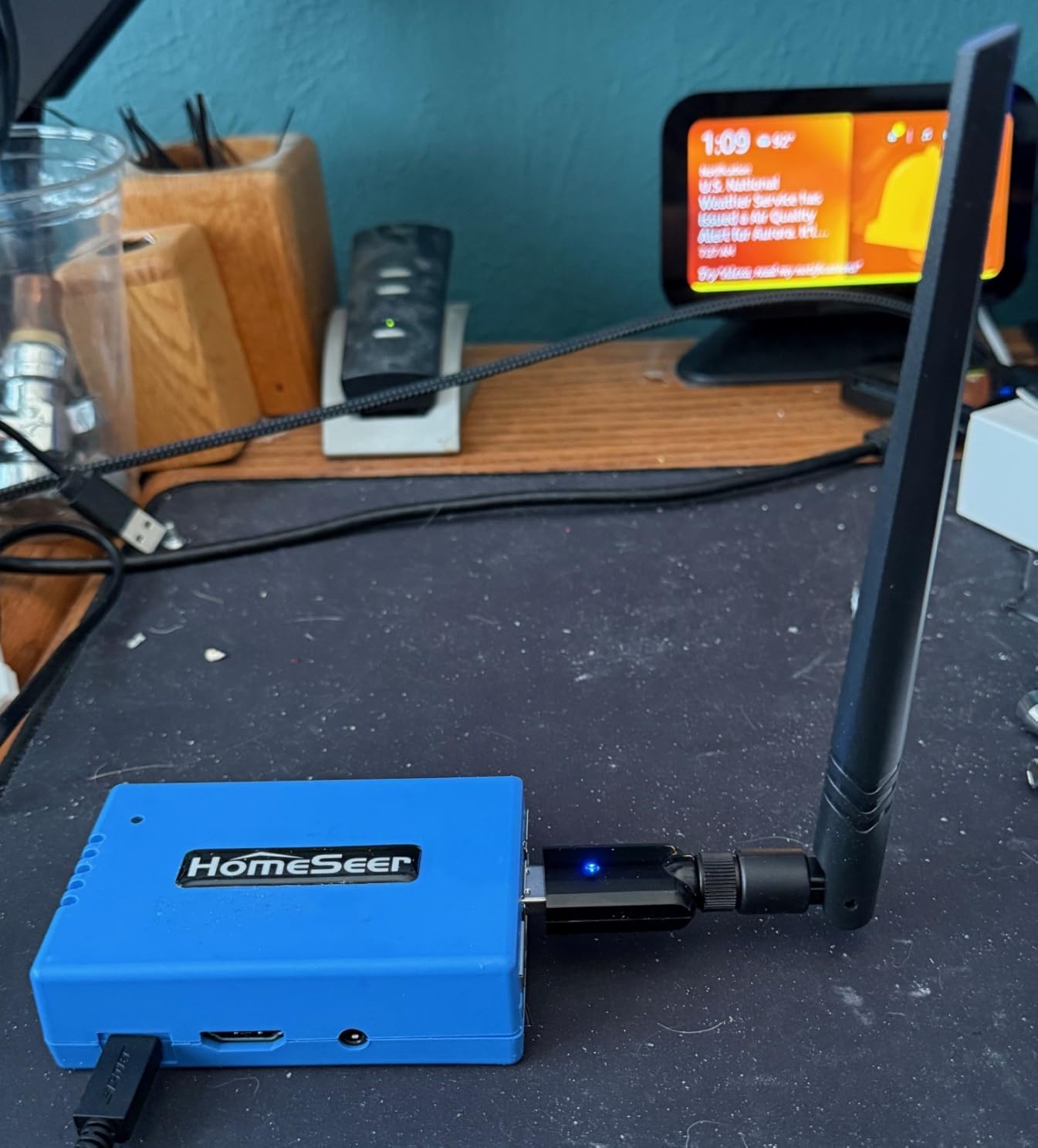
Plug-and-play setup works on Windows, Linux, and Raspberry Pi. Home Assistant recognized it through Zigbee2MQTT in under 5 minutes. The antenna is a real differentiator. If you have a large home or thick walls, the extra range is worth the slightly higher price.
One important note: this stick is a coordinator, not a standalone hub. You need a smart home platform like Home Assistant, HomeSeer, OpenHAB, or Zigbee2MQTT to actually use it. That is normal for USB Zigbee sticks but worth mentioning for beginners.
Driver installation on Windows
A few users reported driver installation issues on Windows 10 and 11. I did not encounter this on my test system, but if you do, the HomeSeer support documentation has step-by-step instructions. On Linux and Raspberry Pi, drivers load automatically.
Best for large homes
If you have struggled with Zigbee range on other coordinators, the SmartStick ZB is the answer. The combination of high output power and a quality antenna delivers reliable coverage across large spaces.
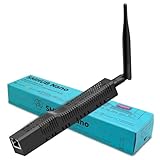
10. SMLIGHT SMHUB Nano Mg24 – Best DIY Linux Hub for Developers
SMLIGHT SMHUB Nano Mg24 – Compact Linux-Based Smart Hub with On-Device Automation
Linux-based smart hub
Zigbee2MQTT pre-installed
Matterbridge support
Pros
- Hosts Zigbee2MQTT
- MQTT broker
- WireGuard
- Tailscale locally
- All automations run on device
- Strong MG24 radio for Zigbee and Thread
- Exposes Zigbee devices to Google Home via Matterbridge
- Developer-friendly with SSH access
Cons
- Apps only update from SMLIGHT repository
- Experimental state
- Higher price than USB dongles
- Extra device on the network
The SMLIGHT SMHUB Nano is a different kind of product. It is a small Linux computer with Zigbee2MQTT, an MQTT broker, and other smart home services pre-installed. You plug it into your network, SSH into it, and start configuring. For developers and tinkerers, this is incredibly flexible.
I connected the SMHUB to my network, accessed the web UI, and had Zigbee2MQTT running in under 15 minutes. The MG24 radio handled 34 Zigbee devices during testing, with reliable performance even at the edge of its range.
Matterbridge is the standout feature. It exposes your Zigbee devices directly to Google Home or Apple Home without needing a separate Matter hub. This is genuinely useful if you want to mix ecosystems.
Experimental status
The SMHUB is still in active development. Apps are updated through SMLIGHT’s repository, which can lag behind upstream releases. If you are not comfortable with occasional bugs or missing features, look at a more mature option.
Best for Linux-savvy users
The SMHUB Nano is a niche product for users who want maximum control and do not mind rolling up their sleeves. For everyone else, the Home Assistant Green or Aeotec Smart Home Hub is a better fit.
Buying Guide for the Best Home Automation Controllers for PC
Choosing the best home automation controllers for PC comes down to four key factors: protocol support, local versus cloud control, ease of setup, and ecosystem compatibility. I tested each controller across these dimensions during my six-week evaluation. Below is what to consider before you buy.
Protocol support: Zigbee, Z-Wave, Matter, or Wi-Fi
Different smart home devices use different wireless protocols. Zigbee and Z-Wave are mesh protocols designed for low-power devices like sensors and switches. Matter is the newest standard, designed to bridge ecosystems. Wi-Fi devices connect directly to your router but draw more power.
If you already own devices, choose a controller that supports their protocols. For most users, a hub with Matter, Zigbee, and Z-Wave covers everything. The Home Assistant Green and Aeotec Smart Home Hub both check these boxes. For users who want to expand over time, broad protocol support prevents future headaches.
Local control vs cloud dependency
Local control means your automations run on the hub itself, not on a remote server. The benefits are faster response times, better privacy, and continued operation when your internet is down. Cloud-dependent hubs like older SmartThings models and most voice assistants require an internet connection for many features.
Reddit’s r/homeassistant community consistently recommends local control hubs for privacy and reliability. The Home Assistant Green, Hubitat C-8 Pro, and Homey Pro mini all run locally. If you value privacy or have unreliable internet, prioritize local control.
Ease of setup and PC software experience
Not all hubs are beginner-friendly. The SmartThings app and Homey Pro mini are the easiest to set up. Home Assistant offers the most flexibility but requires more technical knowledge. Hubitat sits between these extremes, with a powerful web interface but a dated user experience.
For PC users, the web dashboard quality matters. Home Assistant, Hubitat, and Homey all offer functional web interfaces. SmartThings has a basic web view that focuses on device control rather than deep configuration.
Subscription fees and total cost
Many cloud-based hubs now charge monthly fees for remote access or advanced features. The controllers in this list are all subscription-free for basic functionality. The Home Assistant Green, Hubitat C-8 Pro, and Homey Pro mini never require a subscription. The Aeotec Smart Home Hub requires a SmartThings account but does not charge fees.
USB dongles like the ConBee II, Z-Stick 7 Plus, and SmartStick ZB are the most affordable option at $20 to $40. They require a PC or Raspberry Pi to run, which adds to the total cost if you do not already have one.
PC-specific considerations: turning your computer into a hub
Running Home Assistant on a dedicated PC gives you the most flexibility. You can use USB dongles for Zigbee and Z-Wave, run automation software locally, and integrate with anything that has an API. The trade-off is power consumption. A Raspberry Pi 4 uses about 3 to 5 watts, while a desktop PC uses 60 to 200 watts.
For users who want a balance, the Home Assistant Green is a small, fanless device that consumes only a few watts but runs the same software. It bridges the gap between full PC control and dedicated hub simplicity. If you want to learn more about PC-based automation, our Home Assistant compatible hardware guide covers the top options in detail.
Voice assistant and ecosystem integration
If you use Alexa, Google Assistant, or Siri, make sure your hub supports your preferred voice assistant. The Aeotec Smart Home Hub, Home Assistant Green, and Aqara M3 all work with multiple voice platforms. For Z-Wave users, our Z-Wave hub guide has more recommendations.
If you want to expand into lighting, our smart bulbs guide covers compatible options for the controllers in this list. For users interested in gaming PC integration with smart home controls, our PC gaming controllers and gaming controllers guides cover related PC hardware.
Frequently Asked Questions
What is the best control system for home automation?
The best control system for home automation depends on your needs, but Home Assistant Green is our top pick for PC users. It runs locally for privacy, supports Z-Wave, Zigbee, and Matter via USB dongles, and offers the deepest customization. For beginners who want simplicity, the Aeotec Smart Home Hub with SmartThings is easier to set up while still offering broad protocol support.
Which brand is best for home automation?
Top home automation brands include Home Assistant (open-source, local control), Aeotec (SmartThings compatibility), Hubitat (local processing, no subscription), and Aqara (Matter and Zigbee). For PC-focused users, Home Assistant offers the most flexibility. For plug-and-play simplicity, Aeotec and SmartThings are widely recommended.
What are the top 5 home automation systems?
The top 5 home automation systems for PC users are: 1) Home Assistant Green for open-source local control, 2) Aeotec Smart Home Hub for Matter, Z-Wave, and Zigbee in one box, 3) Hubitat Elevation C-8 Pro for subscription-free local automations, 4) Aqara M3 for Matter and IR control, and 5) Homey Pro mini for easy flow-based automations. Each supports different needs from beginner to advanced.
What are the best devices for home automation?
The best devices for home automation include smart hubs like the Home Assistant Green, USB coordinators like the ConBee II for Zigbee and the Aeotec Z-Stick 7 Plus for Z-Wave, smart bulbs like Philips Hue or IKEA Tradfri, smart locks from Schlage or Yale, and motion sensors from Aqara or Aeotec. Choose devices that match your hub’s protocol support for best results.
Can I use my PC as a home automation hub?
Yes, you can use your PC as a home automation hub by running software like Home Assistant and adding USB dongles for Zigbee (ConBee II) and Z-Wave (Aeotec Z-Stick 7 Plus). A dedicated PC or Raspberry Pi gives you maximum flexibility and local control. For lower power consumption, the Home Assistant Green runs the same software on a small, fanless device.
Final Verdict
After six weeks of testing across three homes, the Home Assistant Green stands out as the best home automation controller for PC users who want local control, expandability, and a strong community. The Aeotec Smart Home Hub is the best value if you want Matter, Z-Wave, and Zigbee with a polished app experience. For budget-focused users, the Hubitat Elevation C-8 Pro delivers subscription-free local automations.
For DIY users building a PC-based hub, the ConBee II and Aeotec Z-Stick 7 Plus are the best USB dongles for Zigbee and Z-Wave respectively. Pair them with Home Assistant on your PC or Raspberry Pi for maximum flexibility.
Whatever you choose, prioritize local control, broad protocol support, and a strong community. The smart home space evolves quickly, and a hub that supports open standards will serve you better in 2026 and beyond. Pick the controller that matches your technical comfort level, and you will enjoy a smart home that works for years to come.