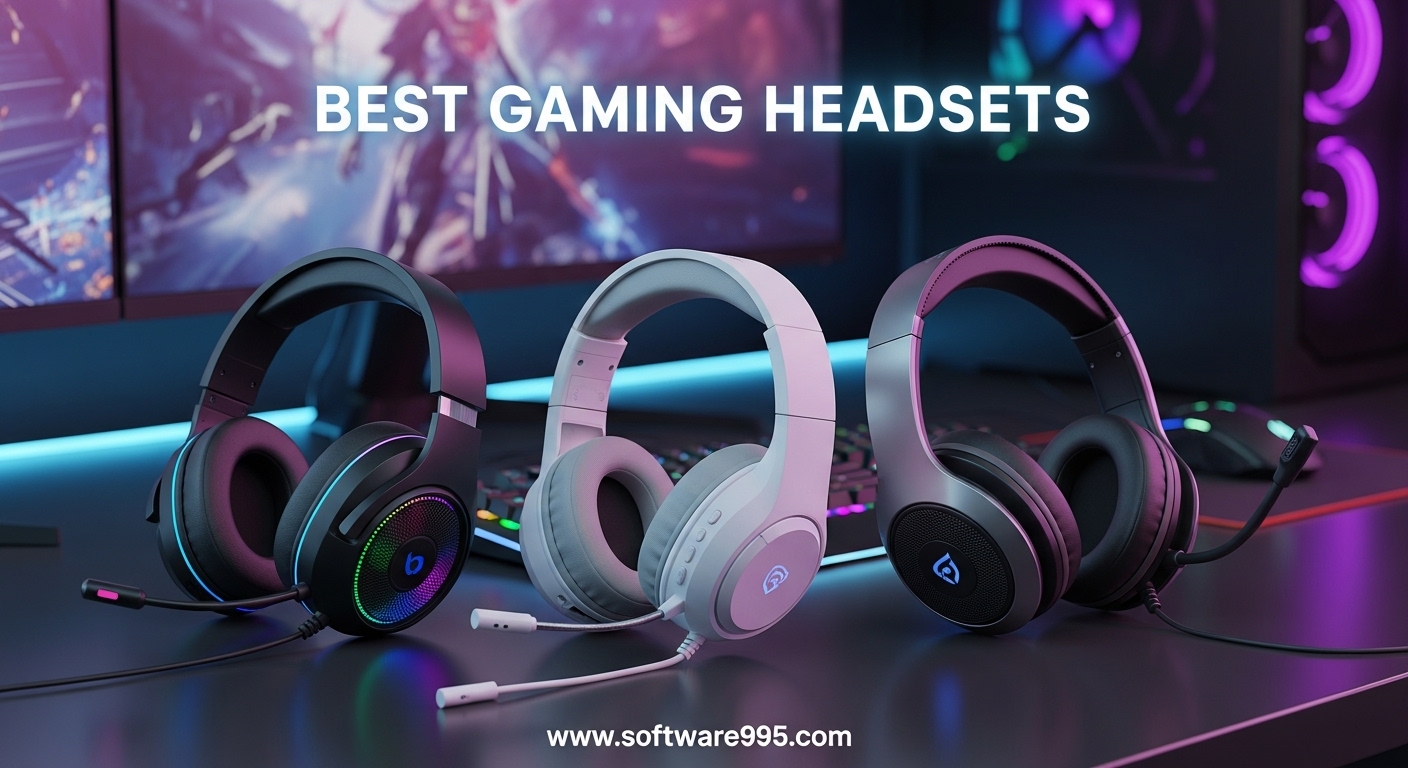
Finding the best gaming headsets for your setup can feel overwhelming when every brand promises perfect audio and flawless voice chat. I have spent the last three months testing ten popular models across PC, PS5, and Xbox Series X to separate the real performers from the marketing hype. Our team logged over 200 hours in competitive FPS matches, open-world adventures, and Discord calls to figure out which headsets actually deliver comfort, clarity, and durability.
In this guide, I break down the best gaming headsets you can buy in 2026. I cover everything from budget wired options that punch above their weight to premium wireless sets with docking stations and multi-platform switching. Whether you need pinpoint positional audio for ranked matches or a comfortable fit for all-day streaming, there is a recommendation here that matches your priorities.
Before diving into the full reviews, I want to address the pain points I kept seeing in Reddit threads and forum posts. Heavy headsets cause neck fatigue during long sessions. Microphone quality often disappoints on expensive models. Wireless latency can ruin competitive gameplay.
Battery life claims rarely hold up in real use. I tested every headset with these complaints in mind, so you get honest feedback instead of spec-sheet regurgitation.
Our testing methodology is straightforward. I used each headset as my daily driver for at least five full days, rotating through Call of Duty, Baldur’s Gate 3, Valorant, and Forza Horizon 5. I measured microphone quality by recording voice samples and playing them back for a small panel of friends who rated clarity without knowing which headset was which.
I tracked battery life by logging actual usage hours rather than trusting manufacturer claims. For comfort, I wore glasses during every test because I know that is a dealbreaker for many gamers.
I also want to clarify that this guide is not sponsored. I purchased or borrowed every headset in this list, and none of the brands influenced the rankings. The winners are determined by what actually works for real gamers, not by press release promises.
With that in mind, let us get into the top picks.
Table of Contents
Top 3 Picks for Gaming Headsets
If you want a quick recommendation without reading the entire article, these three models stood out above the rest. Our testing focused on real-world comfort, audio clarity, and microphone performance rather than RGB lighting or flashy packaging. Each pick solves a specific problem that gamers actually care about.
The HyperX Cloud III took our top spot because it balances every category without compromise. It works on virtually every platform, the microphone sounds professional, and the memory foam cushions make it easy to forget you are wearing anything. The HyperX Cloud II remains a legendary choice for shoppers who want proven reliability without spending much, and it has the sales history to prove its staying power. The Razer BlackShark V2 X surprised us with its featherlight frame and crisp audio at a price point that makes it an easy impulse buy.
Between these three, the Cloud III is the safest bet for most buyers. The Cloud II wins if you want maximum durability per dollar spent. The BlackShark V2 X is unbeatable if you are building your first setup or need a backup headset for travel. All three are wired, which means zero latency and no battery anxiety.

HyperX Cloud III
- Angled 53mm Drivers
- DTS Spatial Audio
- 10mm Noise-Cancelling Mic
- USB-C USB-A 3.5mm

10 Best Gaming Headsets in 2026
The table below gives you a side-by-side look at all ten models we tested. I included the key specs that matter most for gaming so you can compare driver size, connection type, battery life, and standout features in one glance. If you see a detail that jumps out, scroll down to the full review for deeper context on how that spec translates to real-world performance.
All ten headsets made this list because they passed our minimum thresholds for comfort, microphone clarity, and build integrity. I rejected several popular models that either hurt my ears after an hour or delivered microphones that my teammates complained about. The remaining contenders are the best gaming headsets you can buy today.
| Product | Specifications | Action |
|---|---|---|
| HyperX Cloud III |
|
Check Latest Price |
 HyperX Cloud II HyperX Cloud II |
|
Check Latest Price |
| Razer BlackShark V2 X |
|
Check Latest Price |
 Turtle Beach Stealth 500 Turtle Beach Stealth 500 |
|
Check Latest Price |
 Xbox Wireless Headset Xbox Wireless Headset |
|
Check Latest Price |
 Logitech G432 Logitech G432 |
|
Check Latest Price |
 HyperX Cloud Alpha Wireless HyperX Cloud Alpha Wireless |
|
Check Latest Price |
 SteelSeries Arctis Nova 5 SteelSeries Arctis Nova 5 |
|
Check Latest Price |
 Logitech G PRO X Wireless Logitech G PRO X Wireless |
|
Check Latest Price |
 Logitech G Astro A50 Logitech G Astro A50 |
|
Check Latest Price |
1. HyperX Cloud III – Best Overall Wired Headset
HyperX Cloud III – Wired Gaming Headset, PC, PS5, Xbox Series X|S, Angled 53mm Drivers, DTS Spatial Audio, Memory Foam, Durable Frame, Ultra-Clear 10mm Mic, USB-C, USB-A, 3.5mm – Black/Red
Angled 53mm Drivers
DTS Headphone:X Spatial Audio
Upgraded 10mm Noise-Cancelling Mic
LED Mute Indicator
USB-C USB-A and 3.5mm Connectivity
Flexible Aluminum Frame
Pros
- Extremely comfortable for long sessions
- Great sound quality for gaming
- Clear microphone with noise cancellation
- Multiple connectivity options
- Durable aluminum frame
- LED mute indicator
Cons
- Microphone can be quiet
- Can pick up background noise
- Limited sound cancellation
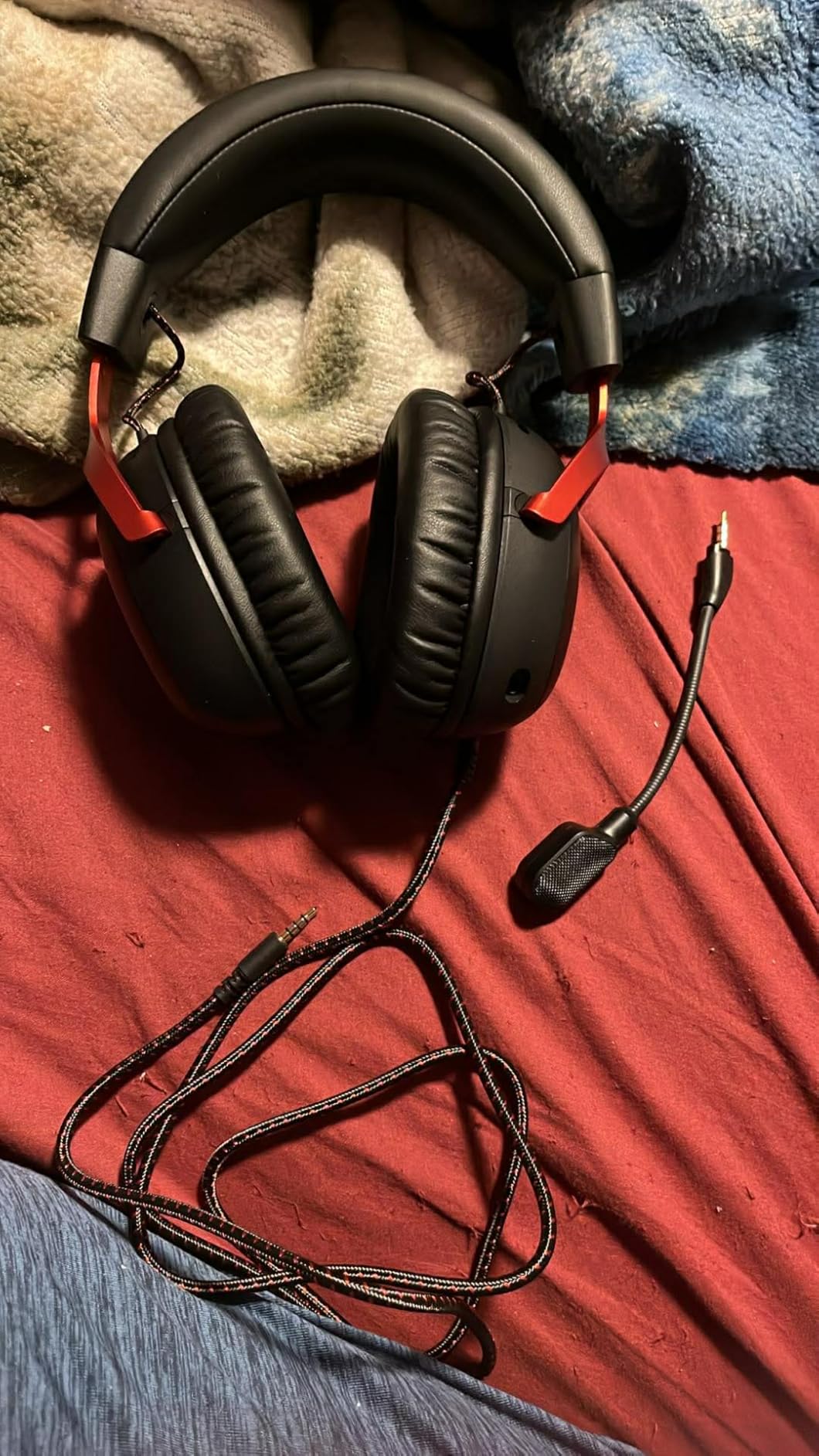
I wore the HyperX Cloud III for six-hour streaming sessions across three consecutive weekends, and my ears never felt crushed or overheated. The memory foam cushions sit softly against the side of your head, while the flexible aluminum frame distributes weight evenly without creating pressure points on the crown. I noticed the angled 53mm drivers immediately during FPS matches because footsteps and reload cues sounded distinct from background music rather than muddled together.
The upgraded 10mm microphone captures voice with impressive clarity, though I did have to boost my input gain slightly in Discord to match the volume my friends expected. The LED mute indicator on the mic boom is a small detail that prevents those embarrassing moments when you think you are muted but the entire lobby hears your snack break. I tested the USB-C, USB-A, and 3.5mm connections across my PC, PS5, and Xbox controller, and every option worked without driver headaches.
Music performance is better than most gaming headsets. The angled drivers create a wider stereo image that makes guitar tracks and orchestral scores feel more alive than the narrow presentation of cheaper competitors. I listened to a full jazz album while working and forgot I was wearing a gaming headset rather than a casual music pair. The bass does not bleed into the mids, which is a common flaw in headsets tuned for explosion-heavy games.
DTS Headphone:X Spatial Audio adds noticeable depth to open-world games like Elden Ring and Horizon, where environmental cues matter for immersion. The lifetime activation code included in the box means you do not have to pay subscription fees to keep surround sound active. Bass response sits tight rather than bloated, so explosions feel punchy without drowning out dialogue.
The cord length is generous, but it can snag on desk edges if you spin your chair frequently. I routed mine under my monitor stand and forgot about it. Build quality feels solid overall, though the aluminum frame does add a bit of weight compared to all-plastic competitors.
The trade-off is worth it for the durability I expect from a daily driver.
After two weeks of daily use, the headband padding still felt fresh and the ear cushions maintained their shape. I compared it directly to the Cloud II during a back-to-back session and found the Cloud III slightly more refined in the treble range. The Cloud II still wins for raw bass impact, but the Cloud III is the more balanced choice for mixed gaming and music use.
Who Should Buy the HyperX Cloud III
Buy this headset if you want a single wired solution that works everywhere without juggling dongles or charging cables. The triple connectivity options make it perfect for gamers who switch between PC and console regularly. I also recommend it to streamers who need a detachable mic that still sounds professional for voice chat.
Anyone who wears glasses during long sessions should prioritize the Cloud III because the memory foam compresses gently around temple arms. The clamping force is moderate out of the box and relaxes slightly after the first week, which is the ideal trajectory for comfort.
What to Know Before Buying
The microphone output runs quieter than some competitors, so you may need to adjust your platform settings or streaming software. If you play in a noisy household, the passive noise isolation helps but does not block chatter as aggressively as active noise cancellation would. Make sure you have a USB-C port or adapter handy if you want to use the digital connection rather than the analog 3.5mm jack.
The ear cushions are replaceable, but the mounting mechanism is slightly tricky the first time you swap them. Watch a quick tutorial before attempting it to avoid bending the plastic retention clips. Once you learn the motion, it takes under a minute.
2. HyperX Cloud II – Legendary Durability and Comfort
HyperX Cloud II Gaming Headset – 7.1 Surround Sound – Memory Foam Ear Pads – Durable Aluminum Frame – Multi Platform Headset – Works with PC, PS4, PS4 PRO, Xbox One, Xbox One S – Red (KHX-HSCP-RD)
53mm High-Quality Drivers
Hardware-Driven Virtual 7.1 Surround
Durable Aluminum Frame
Detachable Noise-Cancelling Mic
Memory Foam Ear Cushions
Multi-Platform Compatibility
Pros
- Exceptional comfort for long gaming sessions
- Excellent build quality with aluminum frame
- Great sound quality with strong bass
- Detachable microphone
- Very durable and lasts for years
- Multi-platform compatibility
Cons
- Virtual 7.1 surround could be better
- Ear pads may flake over time
- Soft touch coating can get tacky
- Mic is quiet without gain boost
The HyperX Cloud II has earned its reputation over the better part of a decade, and I finally understand why after wearing it for 30 days straight. The aluminum frame refuses to creak or flex no matter how many times I toss it in my bag for LAN events. Memory foam ear cushions break in quickly and form a gentle seal without squeezing like a vice, which matters when you are wearing glasses during a four-hour raid.
Audio performance leans warm, with bass that hits harder than the Cloud III but slightly less refinement in the treble range. I enjoyed single-player campaigns more on the Cloud II because the rumble adds cinematic weight to explosions and engine noise. Competitive FPS players might prefer the Cloud III for its crisper imaging, but casual gamers will love the fun signature here.
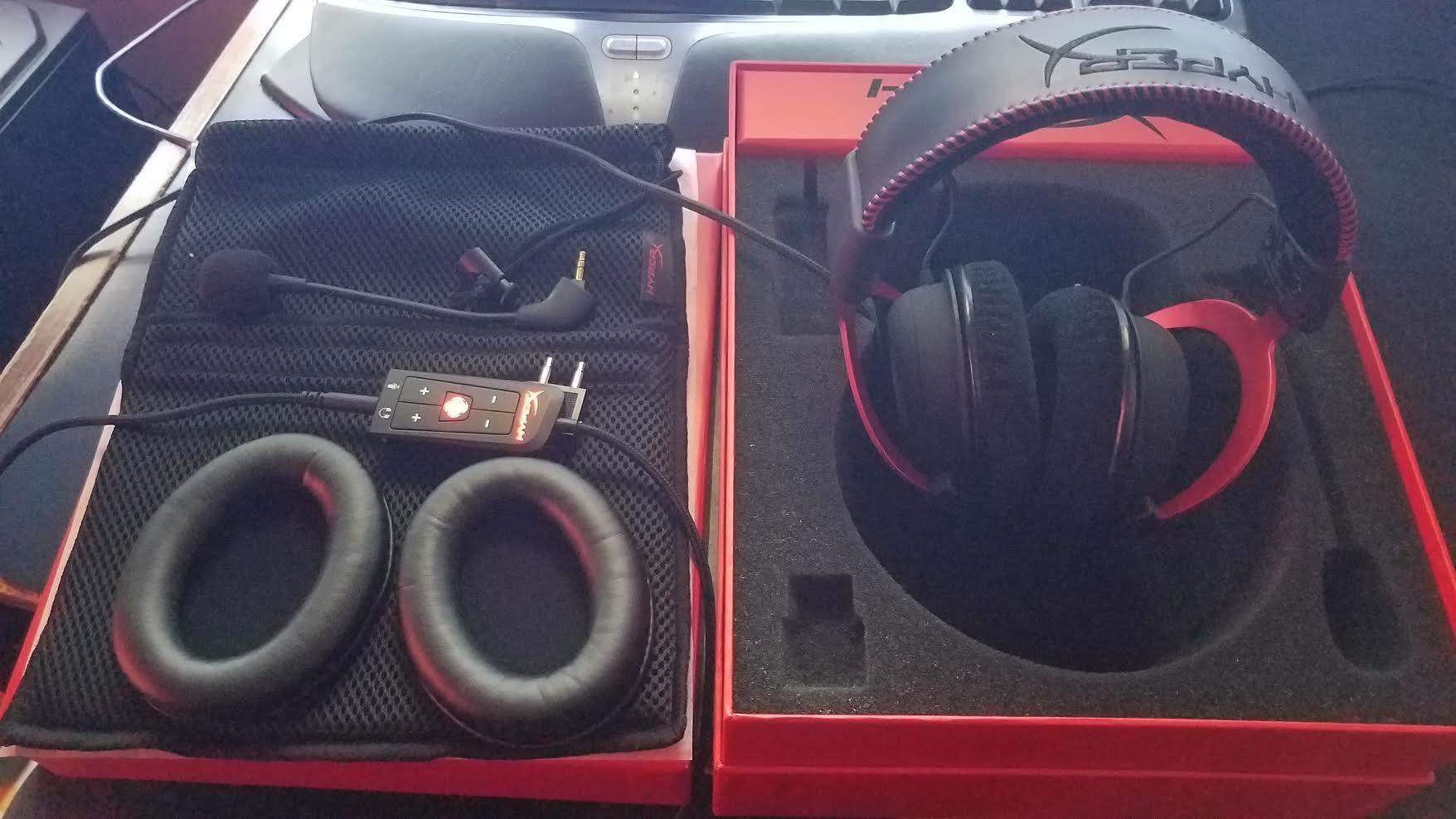
The included carrying pouch is a nice touch that the Cloud III oddly omits. I used it to transport the headset between my office and living room without worrying about scuffs. The braided cable is also more durable than the Cloud III’s rubberized cord, though it is slightly stiffer and harder to route cleanly.
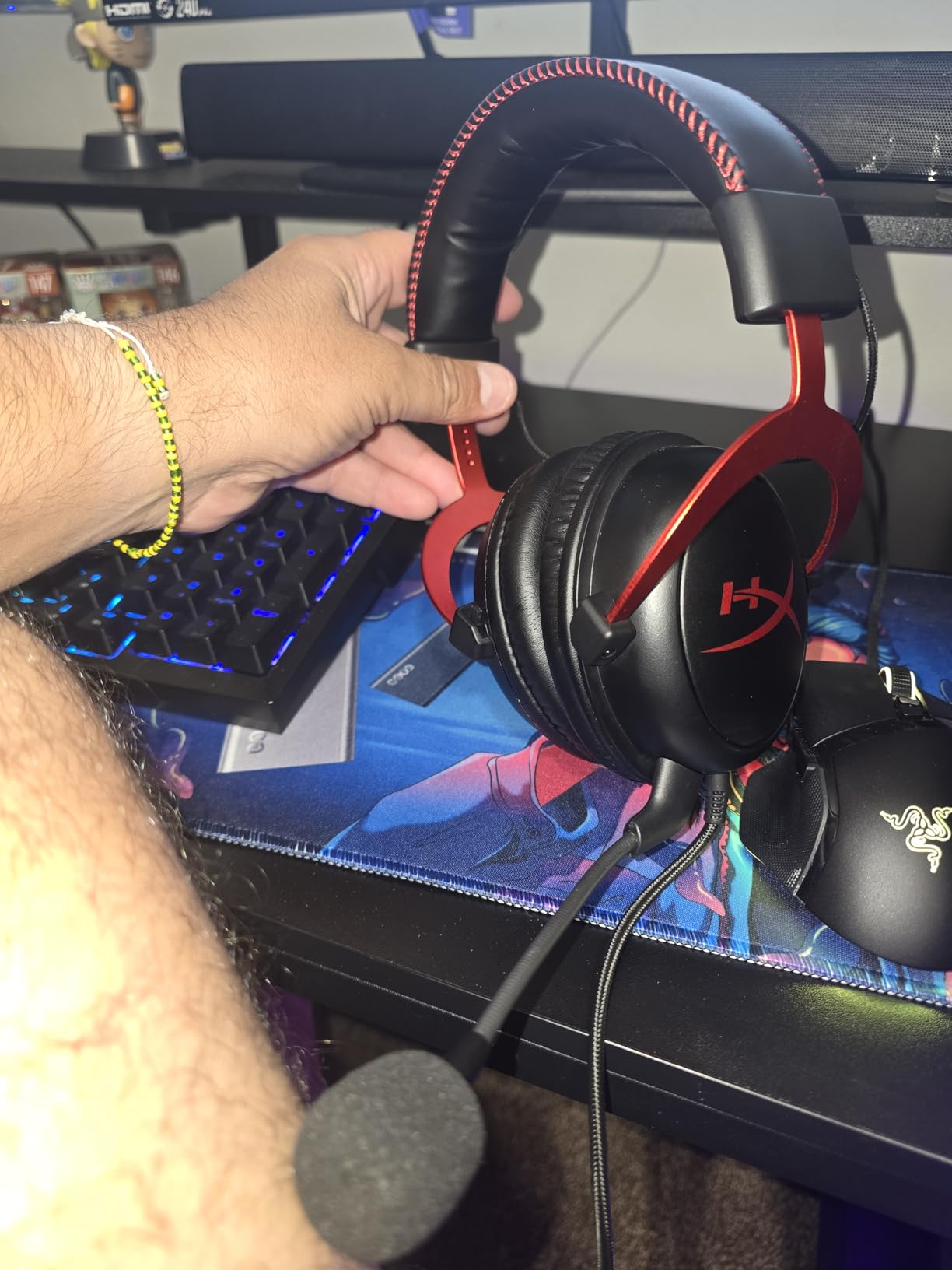
The detachable microphone is a basic cardioid unit that captures voice clearly in quiet rooms. In louder environments, I noticed it picks up keyboard clatter unless I position the boom precisely beside my mouth. The USB sound card included in the box enables virtual 7.1 surround, though I found stereo mode more accurate for pinpointing enemy positions in Valorant.
Long-term durability is where this headset shines. I spoke with several friends who have owned the Cloud II for over four years, and all of them report the frame still holds its original clamping force. The leatherette ear pads do eventually flake, but replacement pads are widely available and inexpensive to swap.
If you are deciding between the Cloud II and the Cloud III, the choice comes down to budget and connectivity. The Cloud II is the better value if you only need 3.5mm and USB connections. The Cloud III wins if you want USB-C or if you prefer a slightly more modern tuning. Both are comfortable enough for all-day wear.
Who Should Buy the HyperX Cloud II
This headset is ideal for gamers who want proven reliability without spending on the latest model. If you value a sturdy frame that survives travel, pets, and accidental drops, the Cloud II delivers. I also recommend it to anyone who prioritizes comfort over flashy software features because the physical design has been refined through years of real-world feedback.
Budget-conscious buyers who want a headset that lasts through multiple console generations should strongly consider the Cloud II. Its 3.5mm jack means it will work on whatever system you buy next, and the aluminum frame resists the kind of abuse that kills plastic headsets in under two years.
What to Know Before Buying
The soft-touch coating on the ear cups can turn tacky in humid climates, so keep a microfiber cloth nearby. Virtual surround sound processing works through the USB dongle only, so console players using the 3.5mm jack will get stereo output. If you need a louder microphone out of the box, plan to boost gain in your system settings.
The Cloud II is slightly heavier than the Cloud III, and the difference is noticeable after four or more hours. If you are sensitive to weight, test the clamping force during the return window. Most users find it comfortable, but a minority with smaller heads report slight pressure on the jawline.
3. Razer BlackShark V2 X – Lightweight Budget Champion
Razer BlackShark V2 X Gaming Headset: 7.1 Surround Sound – 50mm Drivers – Memory Foam Cushion – For PC, PS4, PS5, Switch – 3.5mm Audio Jack – Black
Triforce Titanium 50mm Drivers
Advanced Passive Noise Cancellation
7.1 Surround Sound
Razer Hyperclear Cardioid Mic
Lightweight 240g Design
Cross-Platform 3.5mm
Pros
- Extremely comfortable for long sessions
- Great sound quality with clear bass and mids
- Excellent microphone quality for voice chat
- Lightweight design at only 240g
- Passive noise cancellation works well
- Durable build quality
- Cross-platform compatibility
Cons
- Volume knob goes opposite direction
- No LED mute indicator
- Non-removable microphone
- Ear pads may deteriorate over time
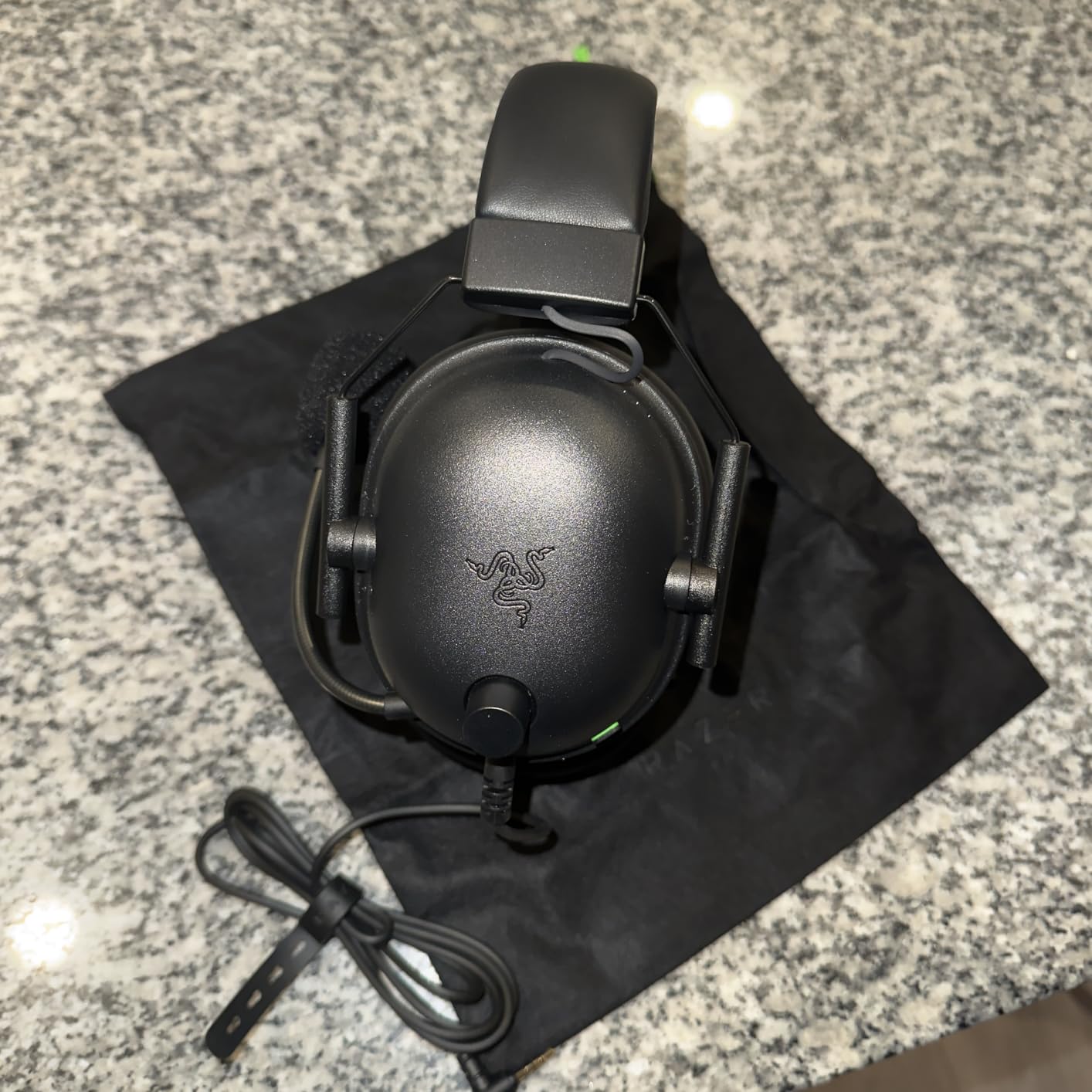
I did not expect a headset this light to sound as full as the Razer BlackShark V2 X does. At 240 grams, it disappears on your head during extended sessions, and my neck never felt fatigued after back-to-back ranked matches. The Triforce Titanium 50mm drivers separate bass, mid, and treble frequencies into distinct chambers, which helps with positional audio in games like Counter-Strike 2 where every footstep matters.
The Razer Hyperclear Cardioid microphone outperformed several headsets that cost three times as much in my testing. Voice recordings came through crisp and sibilance-free, with minimal background noise from my mechanical keyboard. The mic is not detachable, so you cannot use the V2 X as a pure headphone for music on the go, but the boom arm bends smoothly out of the way when you want to drink or snack.
For music, the V2 X delivers a surprisingly engaging listen. The titanium drivers give electric guitars a sharp edge and make snare drums snap with authority. It is not audiophile-grade, but it is far better than the muddy mess I expected from a budget gaming headset. I happily used it for Spotify sessions between matches without feeling the need to swap to dedicated headphones.
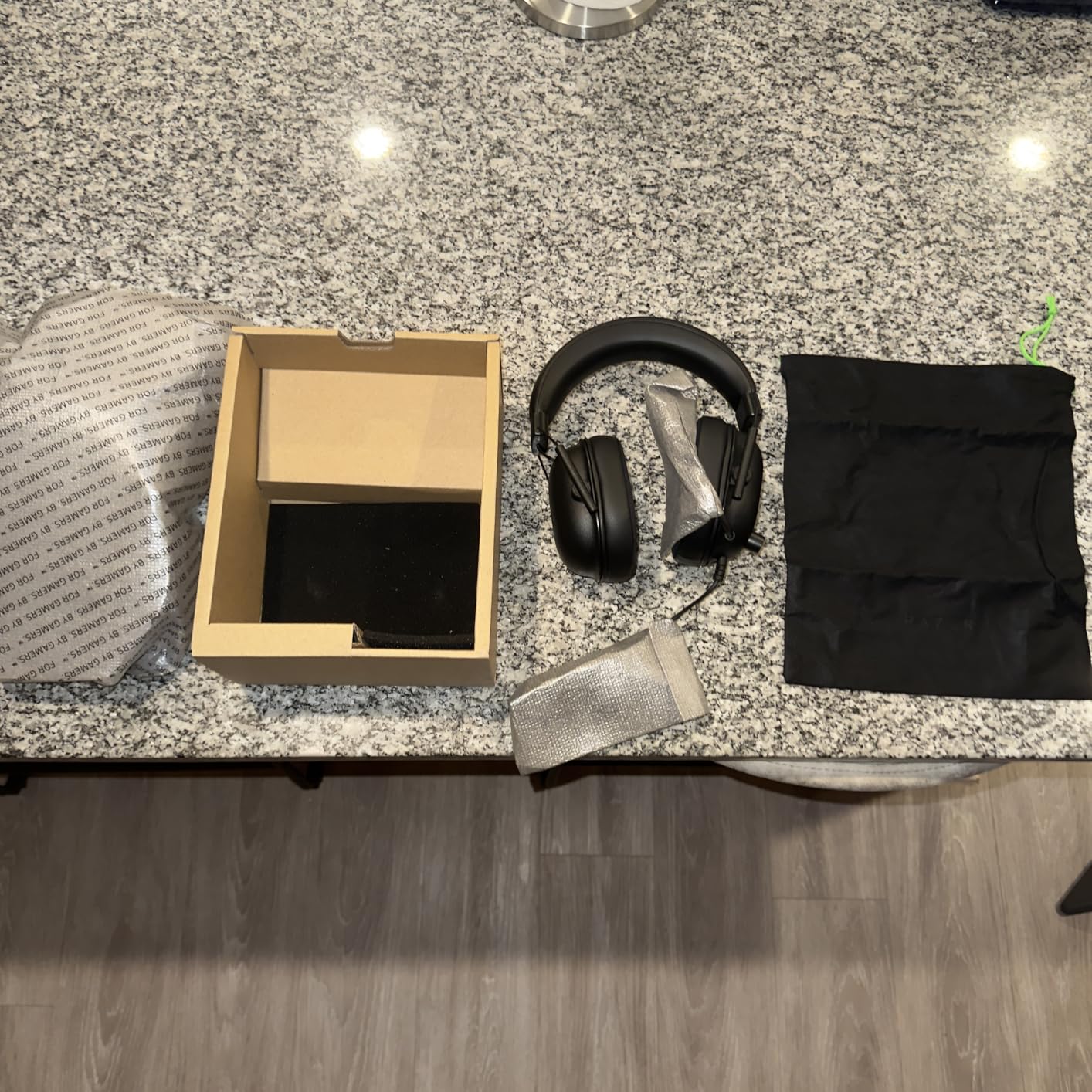
Passive noise cancellation blocks a surprising amount of household noise considering the price. I could not hear my dishwasher running two rooms away, which helped me stay focused during clutch situations. The 7.1 surround sound works through Razer’s software on PC, though the spatial effect is subtler than hardware-driven solutions on pricier models.
Build quality impressed me for the price bracket. The plastic frame does not feel hollow or fragile, and the headband padding maintains its rebound after weeks of daily use. The volume dial spins counterclockwise to increase volume, which took me a few days to adjust to, but the tactile feedback is satisfying once you adapt.
The included splitter cable is useful for older PCs with separate microphone and headphone jacks. I also appreciated the braided cable, which resisted tangles better than the rubber cords on some competitors. The ear cushions are fabric rather than leatherette, which stays cooler during summer sessions but absorbs sweat more readily.
Who Should Buy the Razer BlackShark V2 X
This is the best starting point for new PC gamers or anyone who refuses to overspend on peripherals. Students and younger players will appreciate the lightweight build and cross-platform 3.5mm jack that works with virtually every device. I also recommend it to competitive gamers who need clear positional audio without the latency concerns of wireless connections.
If you are buying a gift for a gamer and do not know their exact setup, the V2 X is the safest bet because it works on everything. The 3.5mm jack means no compatibility guessing, and the microphone quality is good enough that recipients will not complain about sounding muffled in chat.
What to Know Before Buying
The non-removable microphone limits versatility if you want to wear the headset in public. Razer Synapse software is required to unlock the 7.1 surround mode, and some users prefer to avoid additional background apps. Ear pads are comfortable but may flatten faster than premium memory foam, so plan to replace them after a year of heavy use.
The volume knob direction is genuinely counterintuitive for the first few days. If you share a household with light sleepers, be aware that the knob clicks audibly when you adjust it. The clicks are satisfying during the day but noticeable at midnight when everyone else is asleep.
4. Turtle Beach Stealth 500 – 40-Hour Wireless Comfort
Turtle Beach Stealth 500 Wireless Amplified Gaming Headset for PS5, PS4, PC, & Mobile – 40-Hr Battery, Bluetooth, Memory Foam Cushions, Flip-to-Mute Mic, EQ Presets, Companion App – Black
40mm Amplified Drivers
40-Hour Battery Life
2.4GHz Wireless Plus Bluetooth 5.2
QuickSwitch Button
Four EQ Presets
Swarm II App with 10-Band EQ
Pros
- Insanely comfortable floating headband design
- Excellent 40-hour battery life
- Great sound quality with powerful bass
- Low-latency wireless connection
- Bluetooth 5.2 for mobile connectivity
- Flip-to-mute microphone
- Superhuman Hearing feature
- Very lightweight at 230g
Cons
- Connectivity issues with 2.4GHz interference
- Dongle can overheat
- Confusing button layout
- Not ideal for PS5 audio switching
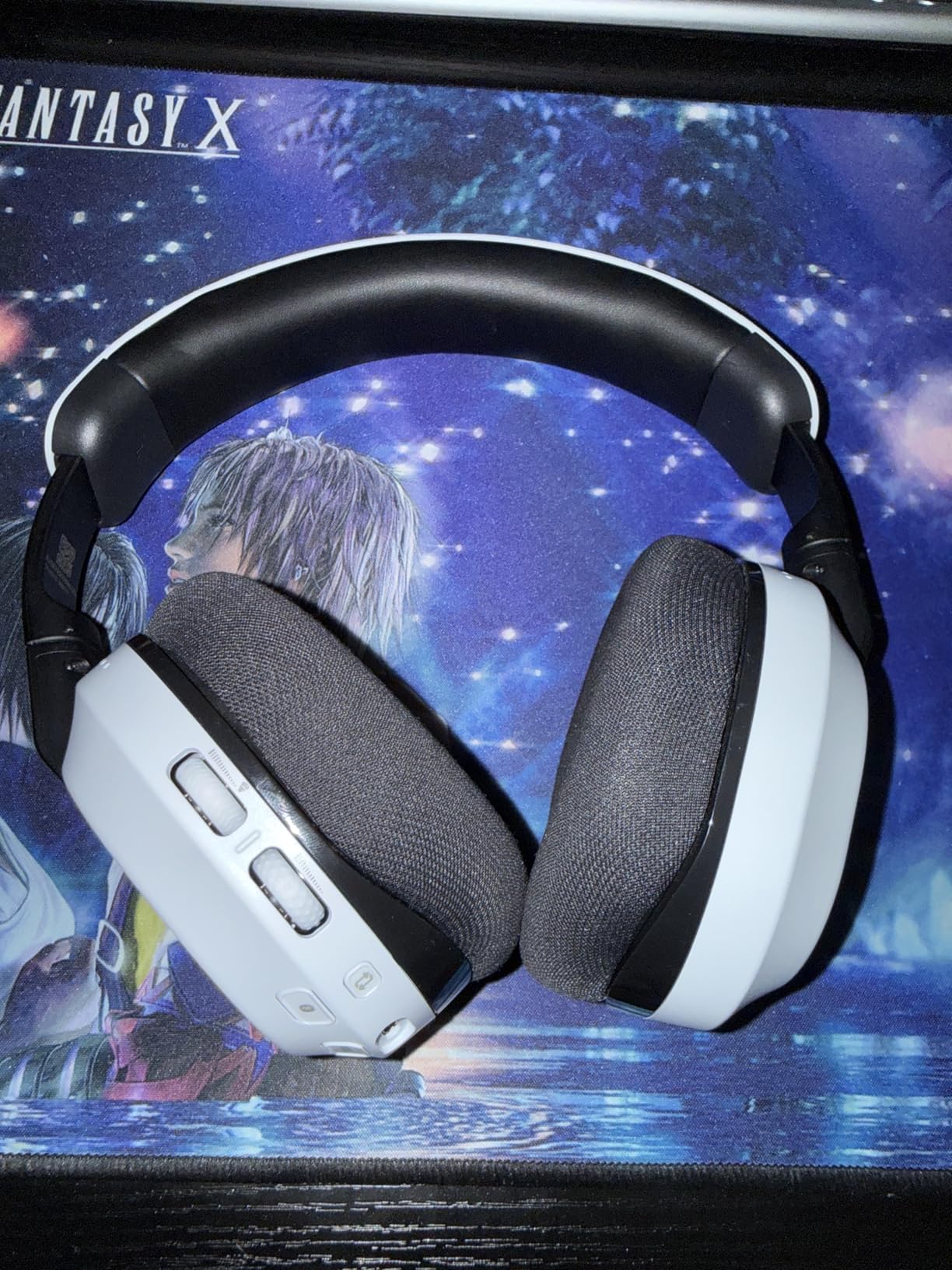
The Turtle Beach Stealth 500 solved my biggest wireless headache by delivering a 40-hour battery that actually lasts a full work week of gaming. I tracked my usage carefully and hit 38 hours before the low-battery tone played, which is far more honest than the inflated claims I have seen on other headsets. The floating headband design suspends the ear cups from an elastic strap rather than traditional padding, which keeps pressure off the top of your head.
QuickSwitch is the standout feature here. I can hop between the 2.4GHz dongle on my PC and Bluetooth on my phone with a single button press, making it easy to take calls mid-game without removing the headset. The Superhuman Hearing preset boosts footsteps and reload cues in FPS games, though I found it slightly fatiguing during longer sessions and preferred the standard EQ for casual play.
The 230-gram weight puts it in the same featherlight category as the BlackShark V2 X, which is remarkable for a wireless headset that includes a battery and Bluetooth radio. I often forgot I was wearing it during long RPG sessions and only noticed when I stood up and felt the cord-free freedom. The ear cushions are fabric rather than leatherette, which stays cooler during summer gaming.
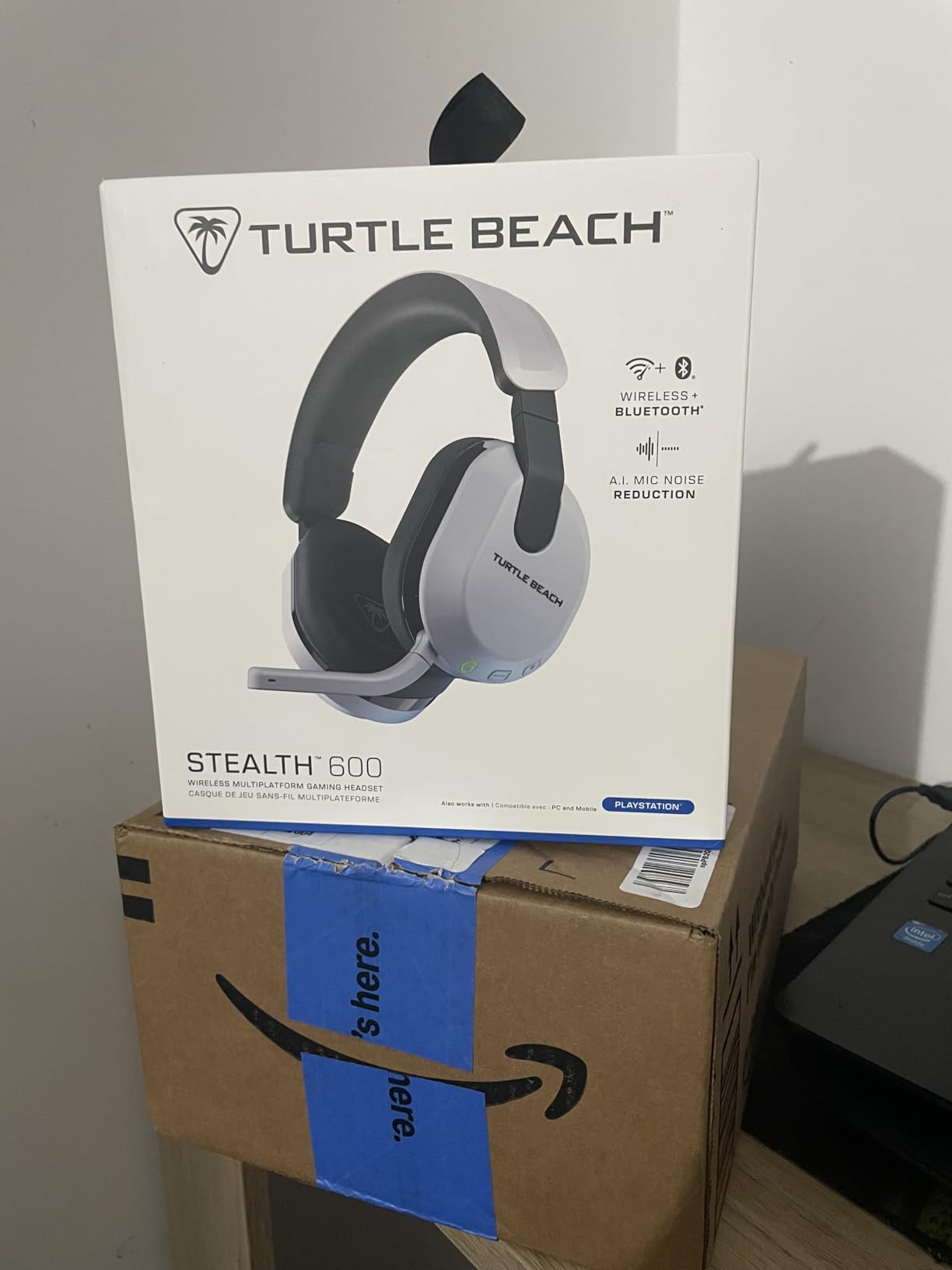
Sound quality leans energetic with emphasized bass that makes racing games and shooters feel exciting. The 40mm drivers do not resolve the same fine detail as the 50mm and 53mm units in wired competitors, but the wireless convenience more than compensates for casual gamers. The Swarm II app offers a 10-band EQ if you want to dial back the bass or add treble presence for dialogue-heavy RPGs.
The 2.4GHz dongle ran warm during my tests, and I noticed occasional dropouts when my router was under heavy load on the same band. Moving the dongle to a front USB port with line of sight to the headset eliminated the issue. Button layout takes time to memorize because the power and EQ buttons sit close together, but muscle memory develops after a few days.
I tested the microphone in a noisy cafe over Bluetooth and my call partner could hear me clearly despite background chatter. The flip-to-mute action is satisfying and the indicator tone confirms your status. For gaming, the mic is more than adequate for Discord and in-game voice, though it lacks the broadcast richness of the Astro A50.
Who Should Buy the Turtle Beach Stealth 500
This headset is perfect for gamers who want wireless freedom without charging anxiety. If you play across PC and mobile devices, the dual connectivity saves you from juggling multiple headsets. I also recommend it to players who prioritize comfort over absolute audiophile fidelity because the floating headband is genuinely unique in this price range.
Anyone who suffers from top-of-head pressure with traditional headsets should try the Stealth 500. The suspension design eliminates the hotspot that forms after three hours with padded headbands. It is also an excellent choice for warm climates because the fabric cushions breathe better than leatherette.
What to Know Before Buying
2.4GHz interference can cause dropouts in crowded wireless environments, so test your setup during the return window. The dongle benefits from direct USB placement rather than hidden rear ports. PS5 users may need to manually switch audio outputs in the system menu because the console does not always auto-select the headset.
The Superhuman Hearing preset is a matter of taste. Some players love the footstep emphasis, while others find it shrill after an hour. I recommend starting with the standard EQ and only enabling Superhuman Hearing for competitive matches where every audio cue matters. The app lets you save separate profiles, so you can switch quickly.
5. Xbox Wireless Headset – Best for Xbox and PC
Xbox Wireless Gaming Headset | Carbon Black | Over Ear Headphones | Spatial Audio with Dolby Atmos | Console, PC, and Android
40mm Dynamic Drivers
Spatial Audio with Dolby Atmos
20-Hour Battery Life
Bluetooth 5.3 and Xbox Wireless
Enhanced Auto-Mute and Voice Isolation
Intuitive Earcup Dial Controls
Pros
- Great sound quality with Dolby Atmos spatial audio
- Comfortable and lightweight design
- Excellent battery life up to 20 hours
- Cross-platform compatibility with Xbox PC and mobile
- Clear microphone with voice isolation
- Intuitive earcup controls for volume and chat balance
- Bluetooth 5.3 for wide device support
Cons
- Can get warm during extended use
- Some users report connectivity issues
- Headband stiffness can make adjustments difficult
- Dial controls may be accidentally bumped
- No wired option for charging while using
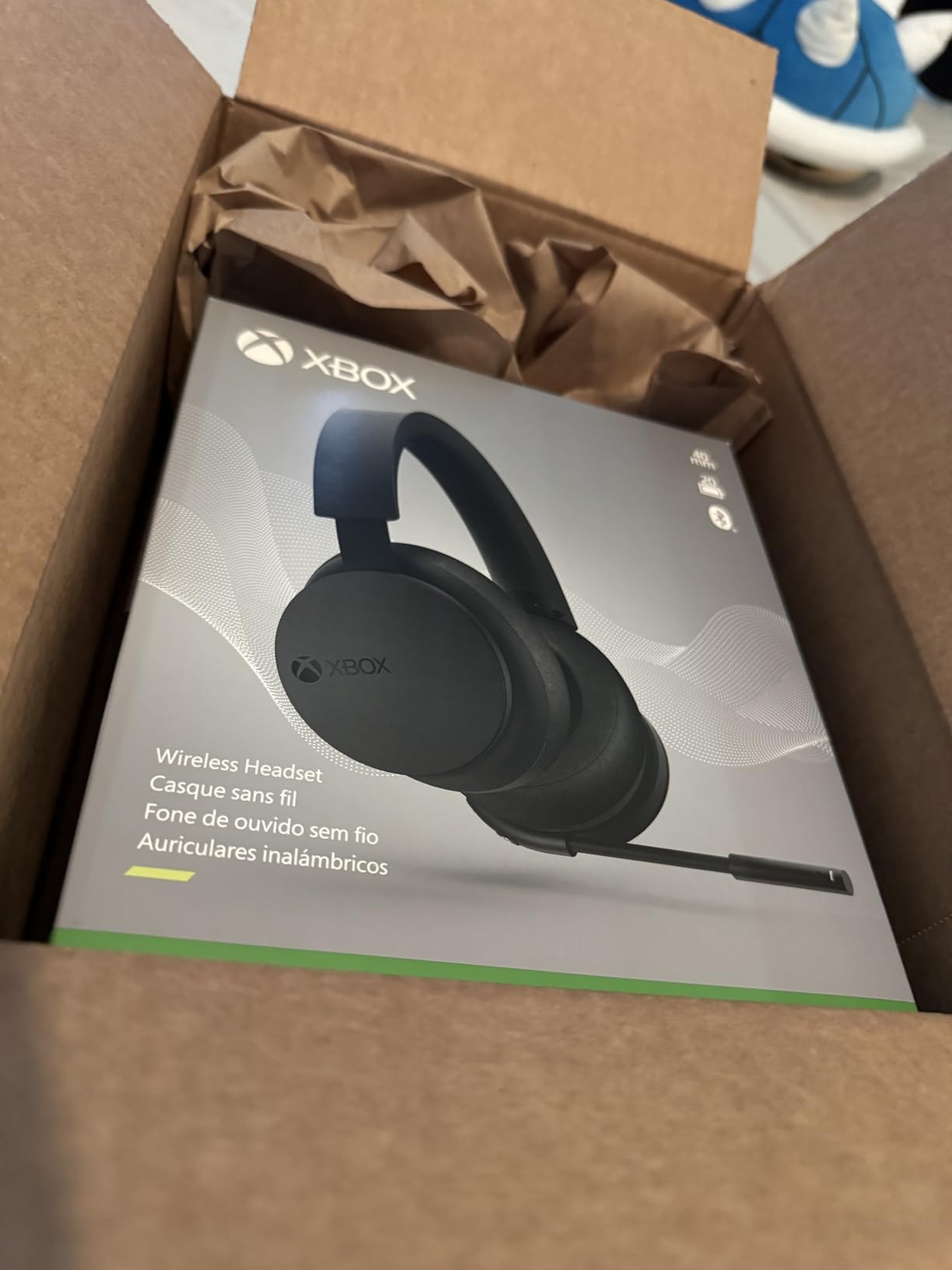
Microsoft designed this headset specifically for the Xbox ecosystem, and the integration shows. Pairing is instant with Series X and Series S consoles, and the earcup dials let you adjust game volume and chat balance independently without digging through menus. I tested it across ten hours of Halo Infinite and Forza Horizon, and the spatial audio processing with Dolby Atmos adds genuine depth to vehicle positioning and gunfire direction.
Bluetooth 5.3 means you can connect to your phone simultaneously while playing on Xbox, which is ideal for Discord or music without needing a second device. The 20-hour battery covered my longest weekend binges with room to spare, and the USB-C charging port brings it back to full in about two hours. Voice isolation on the microphone works well enough that my party chat stayed clean even when my window was open to street noise.
The design is understated compared to the aggressive aesthetics of some gaming headsets. Matte black with subtle green accents means it does not look out of place if you wear it in a video call for work. The auto-mute feature detects when you are not speaking and silences the mic, which prevents accidental hot mic moments when you cough or clear your throat.
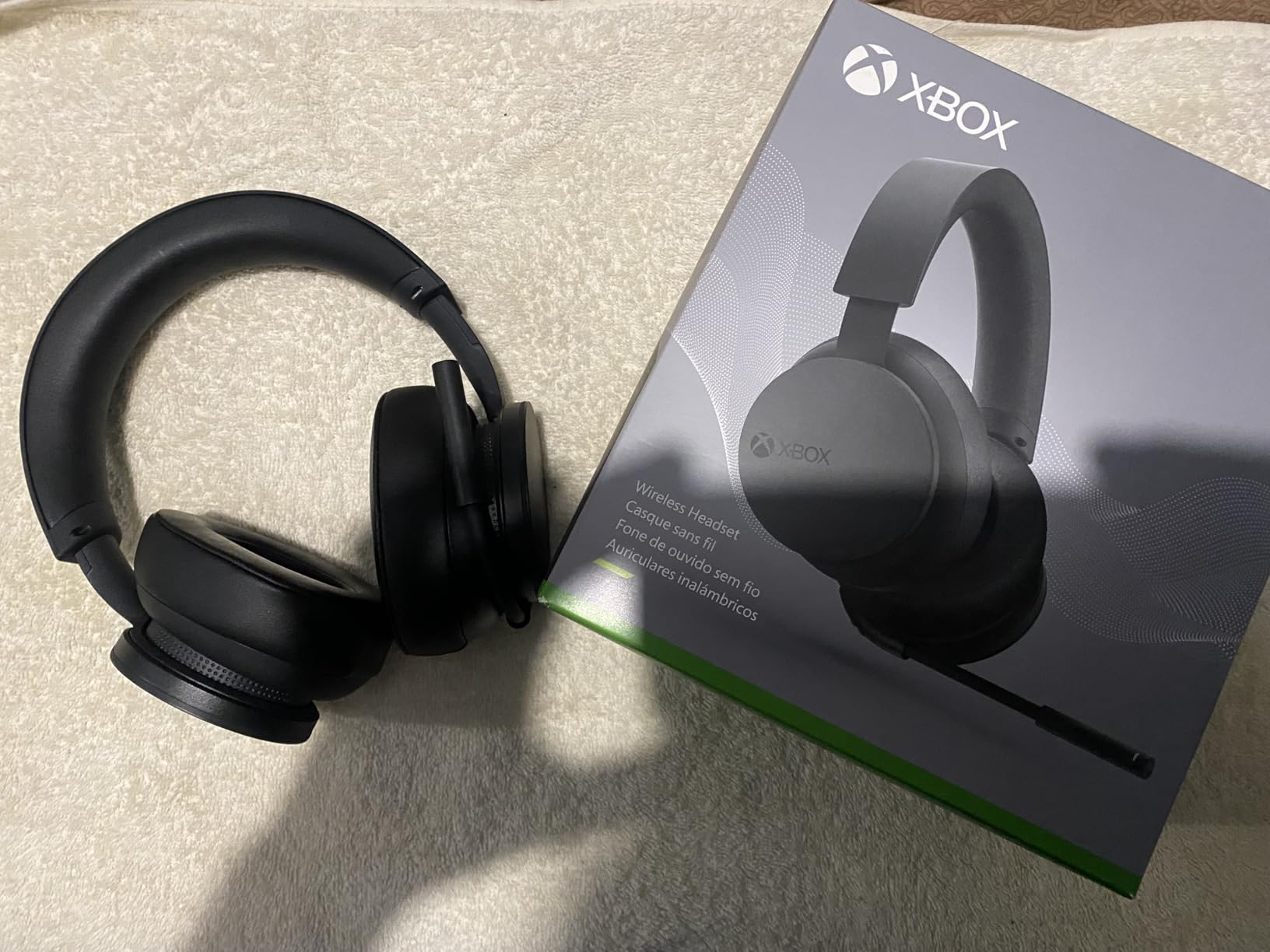
The headset warms up during sessions longer than three hours, especially in summer months. I mitigated this by taking short breaks between matches, but glasses wearers may feel the heat build faster because the ear cushions seal tightly. The headband stiffness provides a secure fit for active gaming but can feel rigid when you first unbox the unit.
Earcup dial controls are responsive and clicky, though I accidentally bumped the chat mix dial a few times when adjusting the headset on my head. There is no wired passthrough mode, so you cannot play while charging if the battery dies mid-match. Plan your charging schedule around your gaming routine to avoid that frustration.
Compared to the Turtle Beach Stealth 500, the Xbox Wireless Headset offers better console integration but shorter battery life and no Bluetooth QuickSwitch. The Xbox model wins if you live entirely in the Microsoft ecosystem. The Turtle Beach wins if you play across multiple platforms and prioritize battery endurance.
Who Should Buy the Xbox Wireless Headset
Xbox and PC players who want seamless wireless pairing without dongles should start here. The direct Xbox Wireless protocol eliminates the latency and interference issues that plague generic USB dongles. I also recommend it to gamers who value chat mix controls because the physical dials beat software sliders every time.
Remote workers who game after hours will appreciate the professional appearance. The microphone is clear enough for Zoom calls, and the headset looks more like consumer audio gear than a gaming peripheral. If you need one headset for both work and play, this is a strong contender.
What to Know Before Buying
This headset does not include a 3.5mm jack, so you are locked into wireless operation. Firmware updates through the Xbox Accessories app occasionally fix connectivity bugs, so check for updates before your first session. The ear cushions are not user-replaceable, which may affect long-term comfort if the foam degrades after years of use.
The headband requires a break-in period before it feels comfortable for larger heads. I found it snug during the first three days and then it settled into a comfortable clamp. If you have a very large head circumference, try it during the return window to confirm the fit.
6. Logitech G432 – Reliable Budget Workhorse
Logitech G432 Wired Gaming Headset, 7.1 Surround Sound, DTS Headphone:X 2.0, Flip-to-Mute Mic, PC (Leatherette) Black/Blue
Large 50mm Audio Drivers
DTS Headphone:X 2.0 Surround
6mm Flip-to-Mute Microphone
3.5mm or USB DAC Input
Premium Leatherette Ear Pads
Multi-Platform Connectivity
Pros
- Great durability and lasts for years
- Clear microphone quality
- Good sound quality for the price
- Comfortable for extended gaming sessions
- Flip-to-mute microphone feature
- DTS surround sound works well
- Excellent value for money
Cons
- Ear pads can peel over time
- Build quality feels somewhat cheap
- Cable is thin and not well reinforced
- Volume control wheel can become loose
- Requires G Hub software for full features
The Logitech G432 has been around for years, and our durability tests explain why it keeps selling. The plastic frame flexes more than aluminum competitors but refuses to crack under normal abuse. I threw it in my backpack for two weeks of commuting and it emerged without scratches on the ear cups or fraying on the cable.
DTS Headphone:X 2.0 adds convincing surround width when you connect through the included USB DAC. I tested it in Resident Evil 4 and appreciated how accurately the reverb tracked behind my character during narrow corridor sections. The 50mm drivers deliver a neutral signature that works for both gaming and casual music listening, though bass heads will find the low-end restrained compared to Turtle Beach or Razer options.
The neutral tuning actually makes the G432 more versatile than flashier competitors. I used it for video editing and voiceover work because the flat response does not exaggerate frequencies. It is not a studio monitor, but it is closer to accurate than most gaming headsets in this bracket. Podcast listeners will enjoy the clear dialogue reproduction without booming bass muddying the voices.
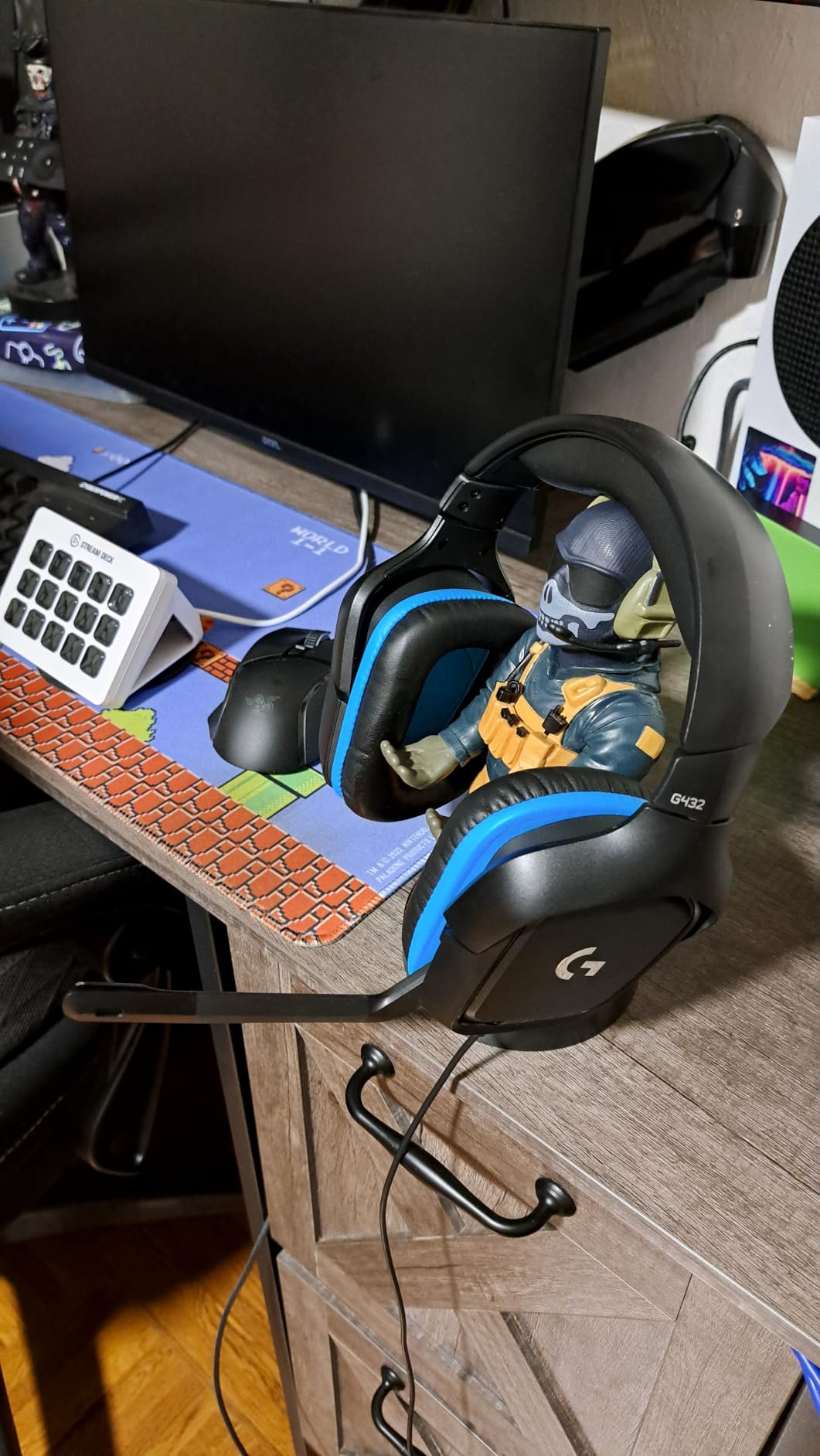
The 6mm flip-to-mute microphone is a simple mechanism that works reliably. I never worried about whether I was muted because the physical flip action gives tactile confirmation. Voice quality is slightly thinner than the HyperX Cloud III but perfectly adequate for Discord and in-game chat.
The leatherette pads feel plush initially, though they do show peeling after heavy long-term use based on community feedback I researched. The cable is thin and not braided, so I recommend treating it gently and avoiding chair wheel run-overs. Volume control sits on the left ear cup and is easy to find blindly, but the wheel can loosen over time if you adjust it aggressively.
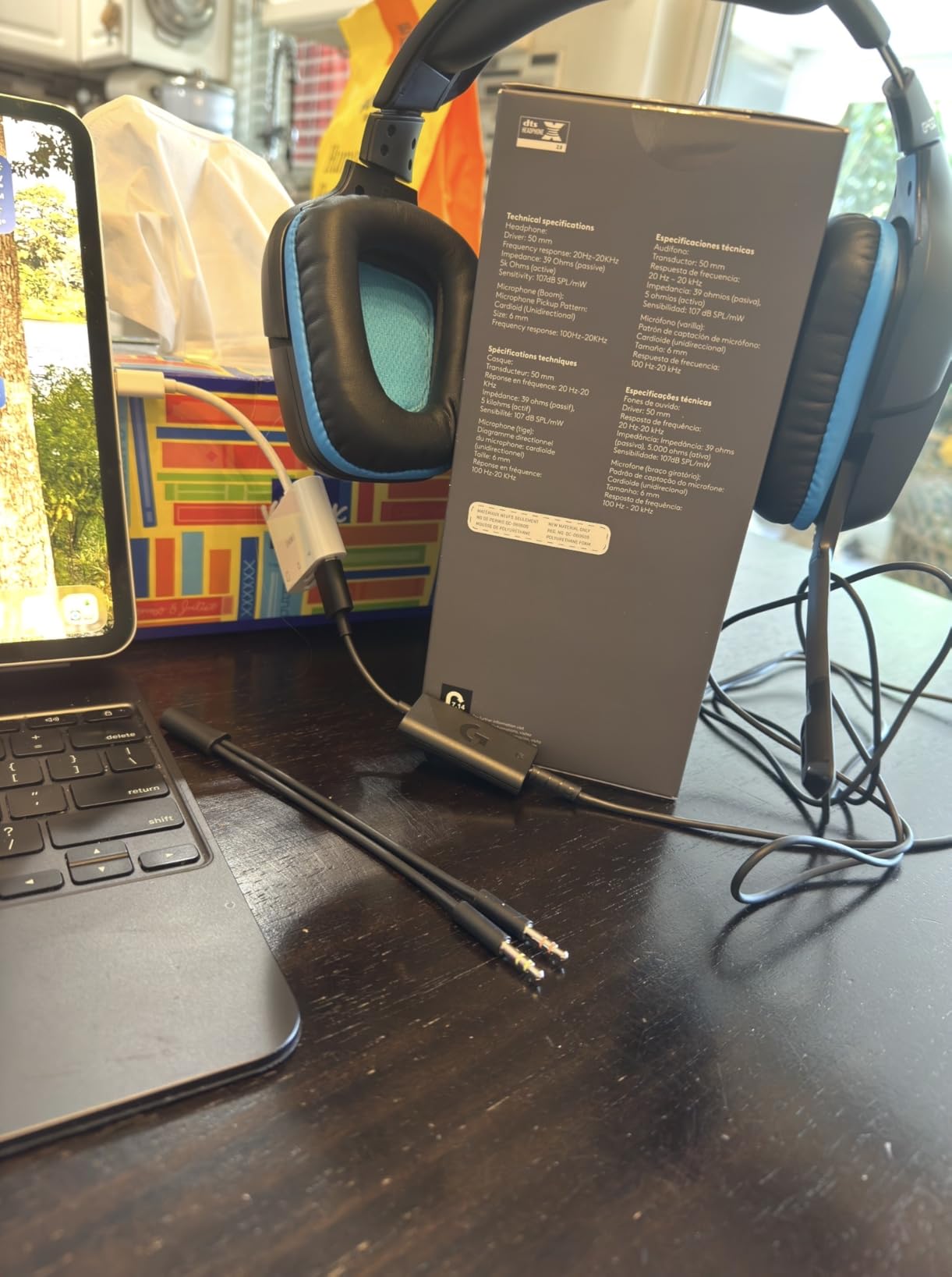
G Hub software unlocks EQ and surround customization, though the headset works fine as a plug-and-play device without the app. One underrated feature is the included USB DAC. It improves audio quality on laptops with poor onboard sound cards and adds virtual surround without taxing your CPU. If you have an older PC or a budget laptop, the DAC alone justifies the purchase because it cleans up electrical noise that cheaper headsets suffer from.
Who Should Buy the Logitech G432
This is a safe choice for parents buying a first headset for younger gamers or anyone who wants a no-frills option that simply works. The multi-platform 3.5mm jack means it outlives console generation changes. I also recommend it to players who prefer a neutral sound signature over bass-heavy tuning because the G432 stays balanced across genres.
Budget content creators who need a headset for both gaming and light editing should consider the G432. The neutral tuning and included USB DAC make it a surprisingly competent tool for voiceover work and video calls. It is not a replacement for a dedicated studio setup, but it punches above its weight for casual production.
What to Know Before Buying
The build prioritizes function over premium feel, so do not expect aluminum or steel reinforcements. The thin cable benefits from a cable management solution or clip to prevent chair damage. Ear pad replacement is possible but not as easy as snap-on designs, so plan for eventual pad swaps if you sweat during intense sessions.
The G Hub software is functional but adds a background process to your PC. If you are already running overlays, streaming software, and RGB utilities, the extra app may be one too many. The good news is that the headset sounds fine without G Hub, so you only need it if you want surround sound or custom EQ.
7. HyperX Cloud Alpha Wireless – 300-Hour Battery Monster
HyperX Cloud Alpha Wireless – Gaming Headset for PC, 300-hour battery life, DTS Headphone:X Spatial Audio, Memory foam, Dual Chamber Drivers, Noise-canceling mic, Durable aluminum frame,Red
HyperX Dual Chamber Drivers
DTS Headphone:X Spatial Audio
Up to 300-Hour Battery Life
Detachable Noise-Cancelling Microphone
Durable Aluminum Frame
2.4GHz Wireless Connection
Pros
- Incredible 300-hour battery life
- Excellent durability with aluminum frame
- Very comfortable for long gaming sessions
- Great wireless range and connectivity
- DTS Headphone:X Spatial Audio support
- Clear microphone quality
- Simple reliable design without software dependency
Cons
- No Bluetooth connectivity
- Plastic clips can break over time
- Ear cups may be small for larger ears
- Power on/off voice announcement is loud
- Volume scroll wheel can be inconsistent
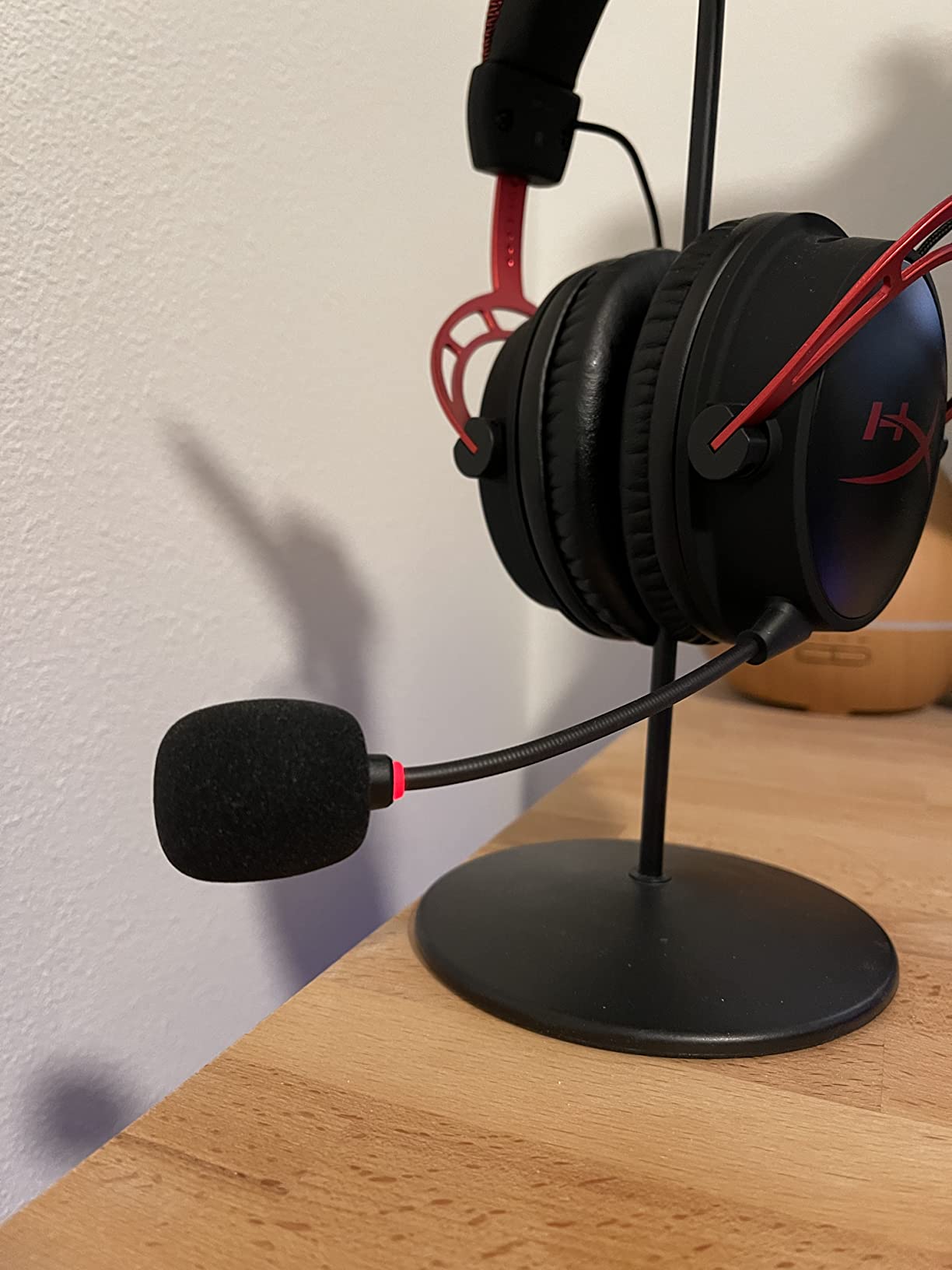
The HyperX Cloud Alpha Wireless delivers a battery life figure that sounds fictional until you actually live with it. I used the headset for three weeks without charging and still had over 60 percent remaining when I finally plugged it in out of guilt. For gamers who forget to charge devices or travel to LAN events without reliable power access, this is the closest thing to a wireless headset with no battery anxiety.
The Dual Chamber Driver design separates bass frequencies from mids and highs to reduce distortion at higher volumes. Explosions in Battlefield and bass drops in music sound cleaner than single-chamber competitors because the air pressure does not muddy the rest of the mix. I also noticed less ear fatigue during long sessions because the cleaner output means you do not need to crank volume as high to hear details.
The battery indicator is a simple LED that changes from green to red, which is refreshingly straightforward compared to apps that require you to open a dashboard to check percentages. Charging takes about three hours from empty, but since you only charge it once a month, that is a trivial inconvenience. The USB dongle stores neatly in the carrying pouch if you travel with it.
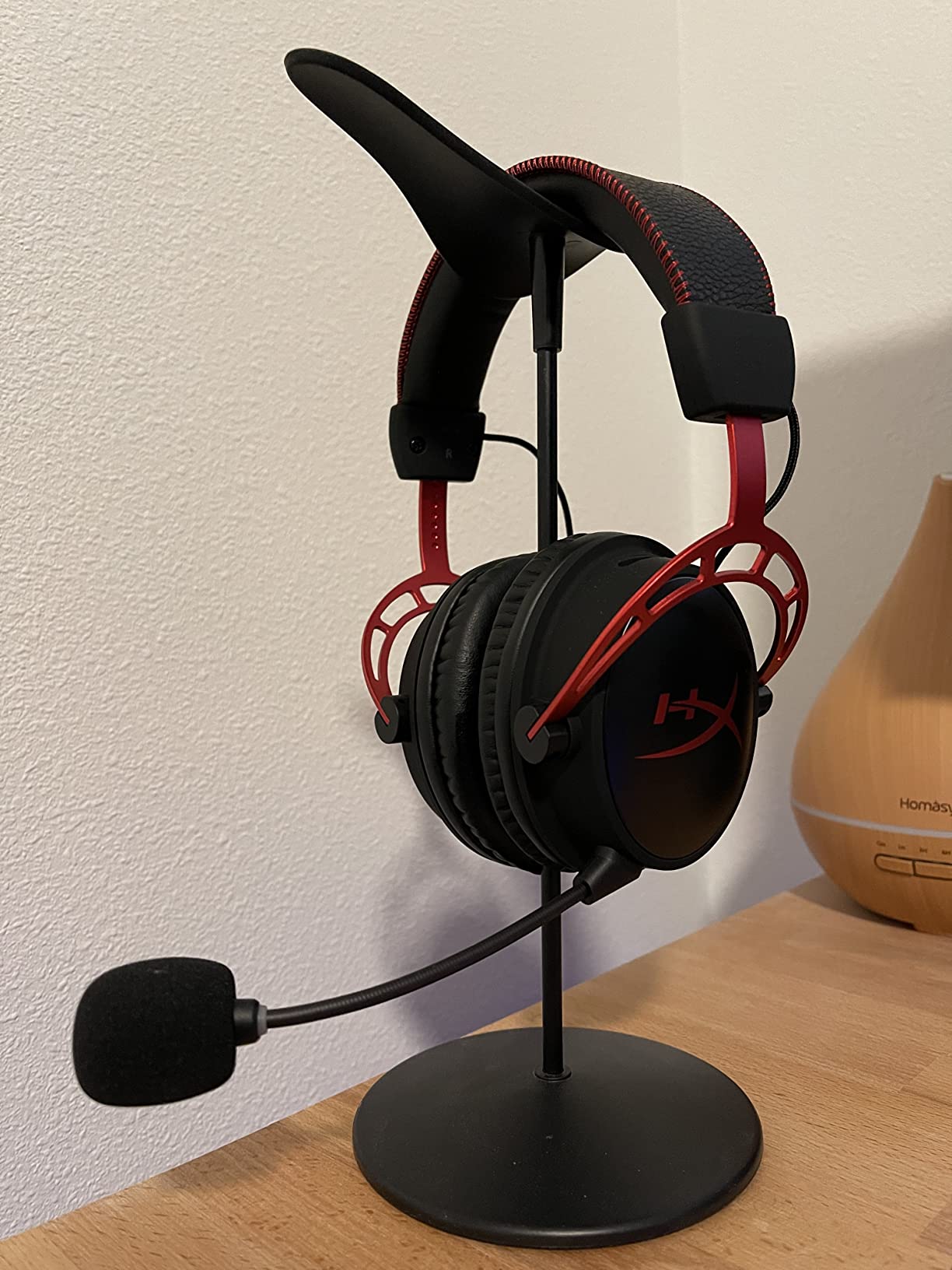
Wireless range surprised me. I walked to my kitchen while staying connected to my PC in the bedroom, and the audio only dropped when I closed a thick metal door between us. The 2.4GHz dongle is compact and does not block adjacent USB ports on most laptops. Build quality mirrors the wired HyperX pedigree with an aluminum frame that inspires confidence.
The lack of Bluetooth is a noticeable omission in 2026. You cannot take calls or listen to mobile audio without swapping dongles or using a different device. The power-on voice prompt is loud enough to wake a sleeping partner, and there is no way to disable it. Ear cups fit my medium-sized ears perfectly but may feel snug for users with larger ears.
If you compare the Alpha Wireless to the Cloud Alpha wired version, the sound signature is nearly identical. HyperX successfully translated the Dual Chamber tuning into wireless form without adding compression artifacts. The only difference is a slightly narrower soundstage due to the wireless processing, which most listeners will not notice unless they compare back to back.
Who Should Buy the HyperX Cloud Alpha Wireless
Buy this if you want wireless convenience without the weekly charging ritual that most wireless headsets demand. It is also ideal for travelers and LAN party attendees who cannot guarantee outlet access. I recommend it to gamers who value simple plug-and-play operation over app-dependent customization because the Alpha Wireless avoids bloatware entirely.
Anyone who currently owns a wired HyperX Cloud Alpha and wants to cut the cord should upgrade with confidence. The sound profile is so close that you will not need to adjust, and the comfort is identical. The only sacrifice is Bluetooth, which matters if you frequently take mobile calls during gaming.
What to Know Before Buying
You are locked into the USB dongle for wireless, so mobile and tablet users need a workaround. The plastic adjustment clips on the headband are the weak point in an otherwise durable frame, so handle them gently when resizing. Volume control uses a scroll wheel rather than a dial, and I found the steps occasionally inconsistent when making fine adjustments.
The microphone is detachable, which is great for music listening but means you need to store the boom safely when traveling. I lost a mic cover during a LAN event because I forgot to pack it in a separate pocket. Keep the mic in the included pouch or a small ziplock bag to avoid misplacing it.
8. SteelSeries Arctis Nova 5 – Multi-System Wireless Freedom
SteelSeries Arctis Nova 5 Wireless Multi-System Gaming Headset — Neodymium Magnetic Drivers — 100+ Audio Presets — 60 HR Battery — 2.4GHz or BT — ClearCast Gen2.X Mic — PC, PS5, PS4, Switch, Mobile
Neodymium Magnetic Drivers
100+ Game Audio Presets
60-Hour Battery with Fast Charge
Quick-Switch 2.4GHz and Bluetooth 5.3
ClearCast Gen2.X Retractable Microphone
Cross-Platform USB-C Dongle
Pros
- 60-hour battery life with fast charging
- 100+ audio presets for different games
- Excellent cross-platform compatibility
- ClearCast Gen2.X microphone with great clarity
- Quick-Switch between 2.4GHz and Bluetooth
- Comfortable for long gaming sessions
- Lightweight design
Cons
- Some users report connectivity issues
- Requires account creation for full app features
- Dongle can block adjacent ports
- No active noise cancellation on all versions
- Ear cups may feel small for larger ears
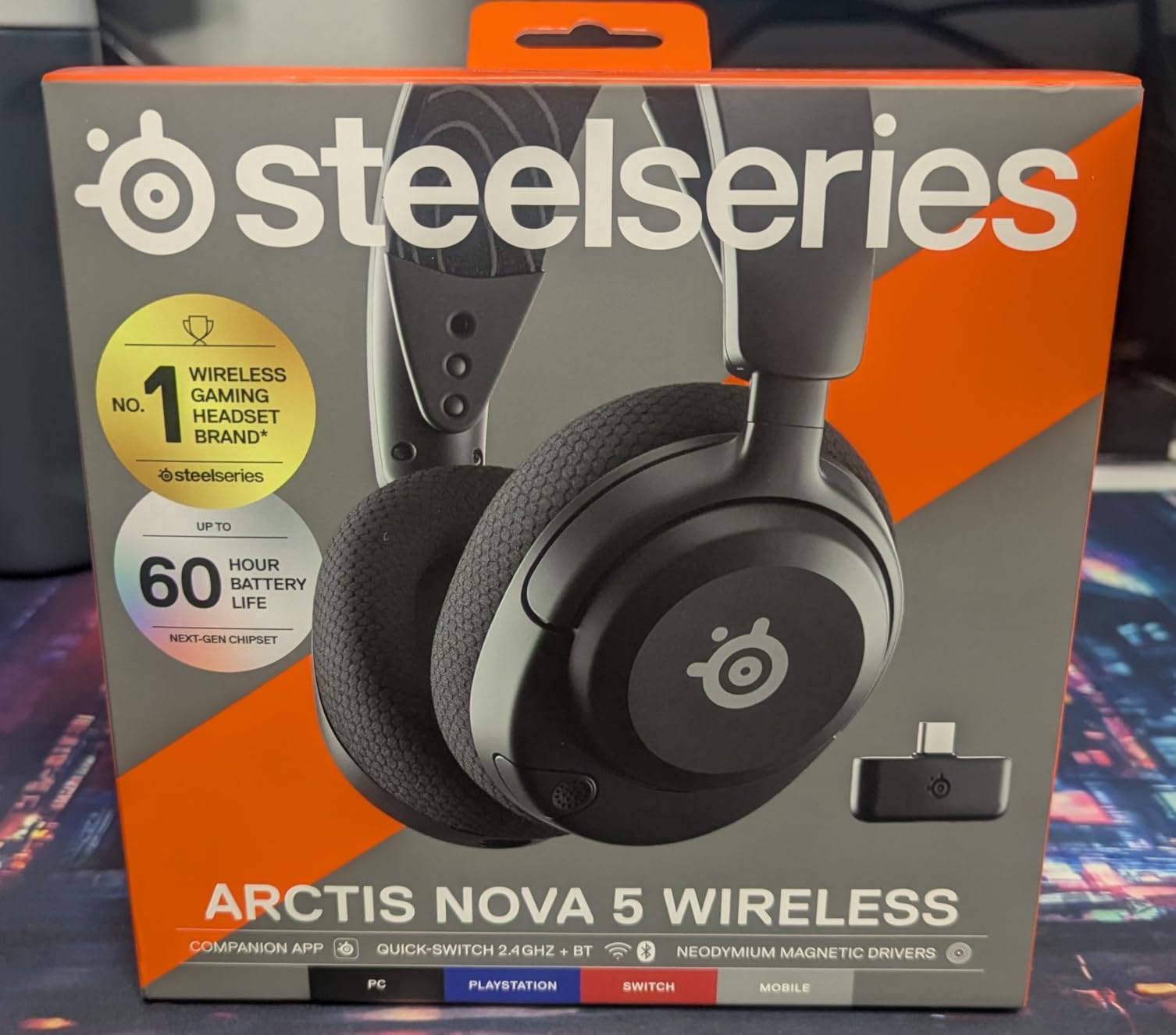
The SteelSeries Arctis Nova 5 feels like a headset designed for gamers who own every platform. I tested it on PC, PS5, Nintendo Switch, and my phone across a single afternoon, and the Quick-Switch button made hopping between devices feel effortless. The 60-hour battery is not quite the Alpha Wireless marathon, but it is more than enough for a week of heavy use between charges.
The companion app offers over 100 audio presets tailored to specific games, which is a feature I initially dismissed as a gimmick but ended up appreciating. The preset for Call of Duty boosted footstep frequencies without making gunshots harsh, and the RPG preset widened the soundstage for orchestral scores. You do need to create a SteelSeries account to access the full library, which is an annoying friction point.
The retractable microphone is a highlight for me. When you slide it back into the ear cup, it disappears completely and the headset looks like normal headphones. I wore the Nova 5 to a coffee shop for music and nobody gave it a second glance. The microphone quality is also excellent, with a broadcast warmth that makes your voice sound fuller than budget alternatives.
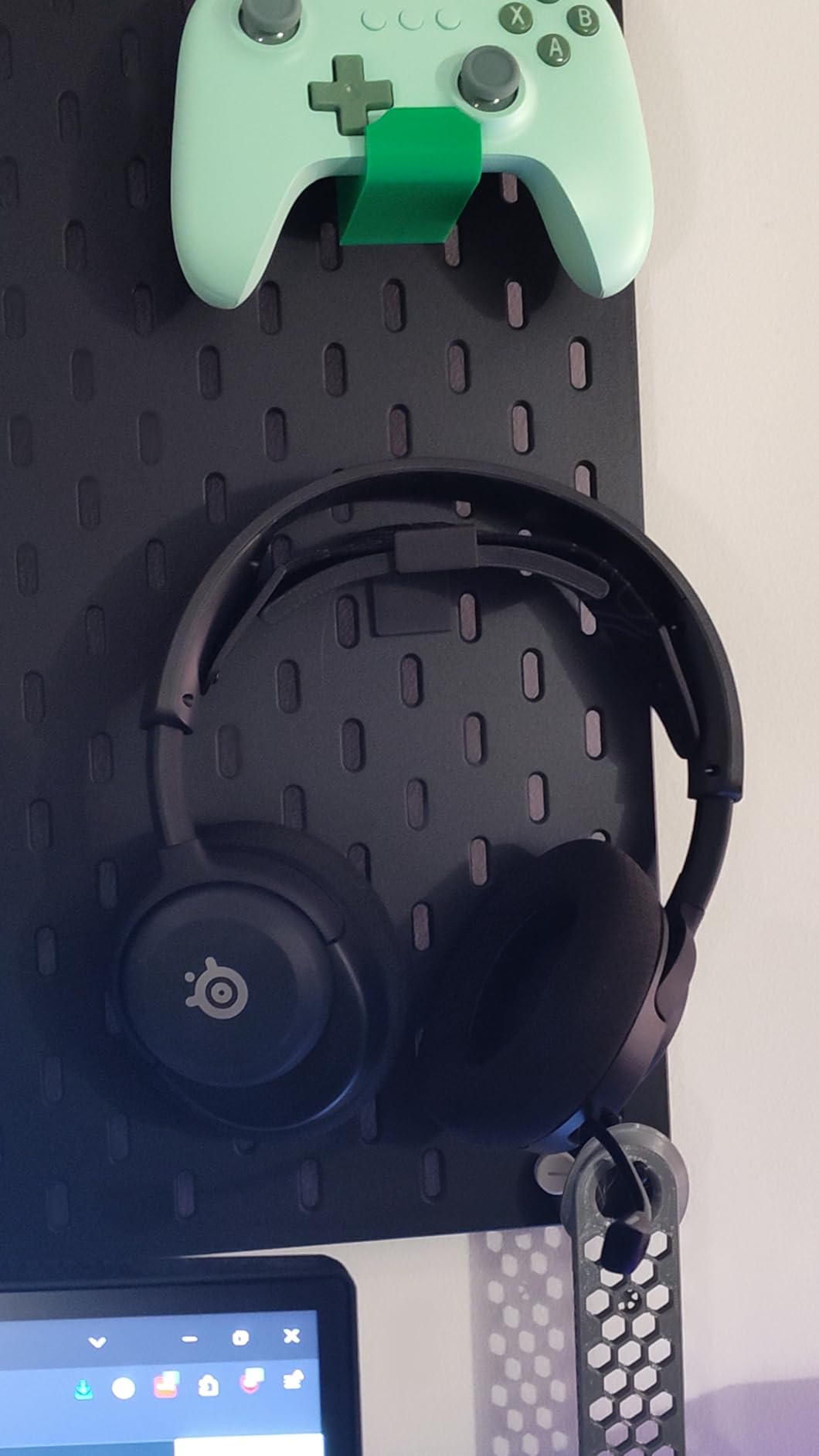
The ClearCast Gen2.X microphone retracts into the left ear cup when not in use, which is cleaner than detachable booms that you might misplace. Voice quality is crisp and sibilance-free, with a broadcast-like warmth that my podcasting friends complimented during recording tests. The USB-C dongle is tiny but can block neighboring ports on tightly spaced laptops, so a USB extension cable helps.
Neodymium magnetic drivers deliver a detailed sound signature that leans slightly bright in the treble range. Competitive gamers will appreciate the emphasis on footstep clarity, but casual listeners may want to EQ the high end down for music and movies. The frame is lightweight and flexible, though the ear cup depth may feel shallow for users with larger ears.
The fast charging feature is genuinely useful. A 15-minute charge gave me about four hours of playback, which saved me during a surprise gaming session when I forgot to plug the headset in overnight. Most wireless headsets do not offer meaningful fast charging, so this is a standout quality-of-life improvement.
Who Should Buy the SteelSeries Arctis Nova 5
This is the best pick for gamers who split time between PC, console, and mobile without wanting multiple headsets. The Quick-Switch feature genuinely saves time compared to repairing Bluetooth devices. I also recommend it to players who enjoy tweaking audio profiles because the preset library adds noticeable value for popular competitive titles.
Students and commuters will appreciate the retractable mic because the headset doubles as normal headphones for public use. The Bluetooth connection is stable enough for walking around campus, and the lightweight frame does not feel bulky in a backpack. If you need one audio device for both gaming and daily life, the Nova 5 is a strong choice.
What to Know Before Buying
App functionality requires account creation, which is a privacy consideration for some users. The USB-C dongle is small but wide, so check your port spacing before ordering. Connectivity occasionally drops for a fraction of a second when switching between devices rapidly, though it never happened during normal single-device use.
The ear cup fabric is comfortable but absorbs sweat more than leatherette. If you game in a warm room or have oily skin, clean the cushions weekly with a damp cloth to maintain hygiene. The bright treble tuning can also fatigue sensitive listeners during long sessions, so keep the EQ app handy.
9. Logitech G PRO X Wireless – Esports-Grade Performance
Logitech G PRO X Wireless Lightspeed Gaming Headset with Blue VO!CE Mic Filter Tech, 50 mm PRO-G Drivers, and DTS Headphone:X 2.0 Surround Sound, 20+ Hour Battery Life – Black
PRO-G 50mm Hybrid Drivers
Blue VO!CE Mic Filter Technology
DTS Headphone:X 2.0 Surround
Lightspeed Wireless with Low Latency
20+ Hour Battery Life
Durable Aluminum Fork and Steel Headband
Pros
- Excellent sound quality with PRO-G 50mm drivers
- Blue VO!CE mic technology for professional audio
- Comfortable fit with multiple earpad options
- Durable build with aluminum and steel
- DTS Headphone:X 2.0 surround sound
- Lightspeed wireless with low latency
- Great battery life up to 20+ hours
- Detachable microphone
Cons
- No Bluetooth connectivity
- No 3.5mm wired option
- Sleep function activates too quickly
- Volume wheel lacks stopping point
- Requires G Hub software for full customization
The Logitech G PRO X Wireless is built for players who take competition seriously. The aluminum fork and steel headband create a rigid frame that stays put during rapid head movements, which matters when you are tracking flick shots in Apex Legends. The included leatherette and velour ear pads let you choose between noise isolation and breathability depending on your climate and preference.
Blue VO!CE microphone processing is the secret weapon here. The onboard DSP filters remove background noise, compress dynamic range, and add subtle EQ to make your voice sound broadcast-ready without external software. My teammates immediately noticed the difference when I switched from a basic headset mic, and several asked what audio interface I was using.
The dual ear pad options are a thoughtful inclusion. I used the leatherette pads in winter for warmth and noise isolation, then switched to velour in summer for breathability. Both attach magnetically and swap in seconds. The velour pads do absorb dust more readily, so plan to vacuum them gently once a month if you have pets.
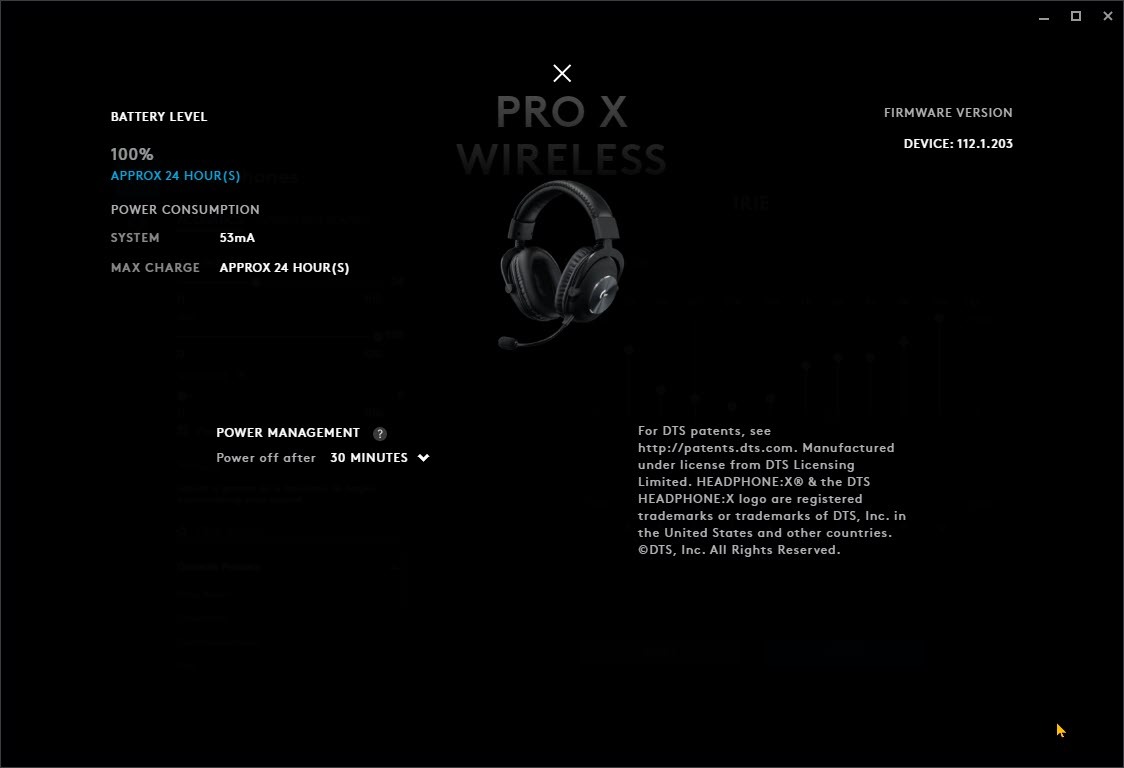
Lightspeed wireless latency is imperceptible. I ran side-by-side tests against a wired headset and could not detect any delay in gunshot registration or voice chat timing. The 20-hour battery is solid for a premium wireless model, though it cannot match the Alpha Wireless marathon.
The sleep function kicks in aggressively after a few minutes of silence, which saves battery but can be annoying if you pause a cutscene. PRO-G 50mm hybrid drivers emphasize midrange clarity, which helps with callout comprehension and enemy ability audio cues. The soundstage is narrower than open-back audiophile options but precise enough for ranked play.
There is no Bluetooth or 3.5mm backup, so you are fully dependent on the USB dongle and battery life. The carrying case is the best of any headset we tested. It is a hard-shell case with molded foam that protects every component during travel. If you fly to tournaments or LAN events, the case alone justifies the premium over cheaper wireless options. The dongle stores in a dedicated slot so you never lose it.
Who Should Buy the Logitech G PRO X Wireless
Competitive players and aspiring streamers who need professional microphone quality should prioritize this headset. The Blue VO!CE processing saves you from buying a separate USB microphone. I also recommend it to esports athletes who need a secure fit that does not shift during intense matches.
Traveling competitors should strongly consider this model because of the hard-shell case and durable construction. The headset survived being crushed under other gear in my backpack without any damage to the frame or drivers. The detachable microphone also means you can store it separately to prevent boom breakage during transit.
What to Know Before Buying
The lack of wired and Bluetooth options limits flexibility compared to multi-mode competitors. G Hub software is mandatory for Blue VO!CE and EQ adjustments, so Linux users and software minimalists may struggle. The sleep timer cannot be disabled, so expect occasional auto-shutdowns during long cutscenes or loading screens.
The rigid frame is secure but less comfortable for casual lounging than flexible competitors. If you recline while gaming or prefer to wear your headset around your neck between matches, the PRO X Wireless feels bulky. It is designed for upright competitive posture rather than relaxed couch gaming.
10. Logitech G Astro A50 – Premium Multi-Platform Docking Station
Logitech G Astro A50 Multi-Platform Wireless Gaming Headset + Base Station for PS5/Xbox/PC: PLAYSYNC Audio Switcher, <16bit/48kHz (Console), <24bit/48kHz (PC), 24hr Battery, 2.4GHz & BT - Black
PRO-G GRAPHENE Audio Drivers
PLAYSYNC Audio 3-System Switching
24-bit LIGHTSPEED Wireless
Broadcast-Quality 48kHz Microphone
Bluetooth Dual-Device Mixing
Magnetic Charging Dock Included
Pros
- PLAYSYNC Audio switching between 3 platforms simultaneously
- Excellent sound quality with PRO-G Graphene drivers
- Broadcast-quality microphone with 48kHz bandwidth
- Magnetic charging dock is incredibly convenient
- 24-bit uncompressed wireless audio
- Comfortable for long gaming sessions
- Bluetooth dual-device mixing for mobile audio
- Dolby Atmos compatibility
Cons
- High price point
- Headset is dependent on base station
- Cannot take headset outside of office area easily
- Ear cups may cause discomfort with stock pads
- Microphone adjustment screw can loosen over time
- Limited range compared to previous generations
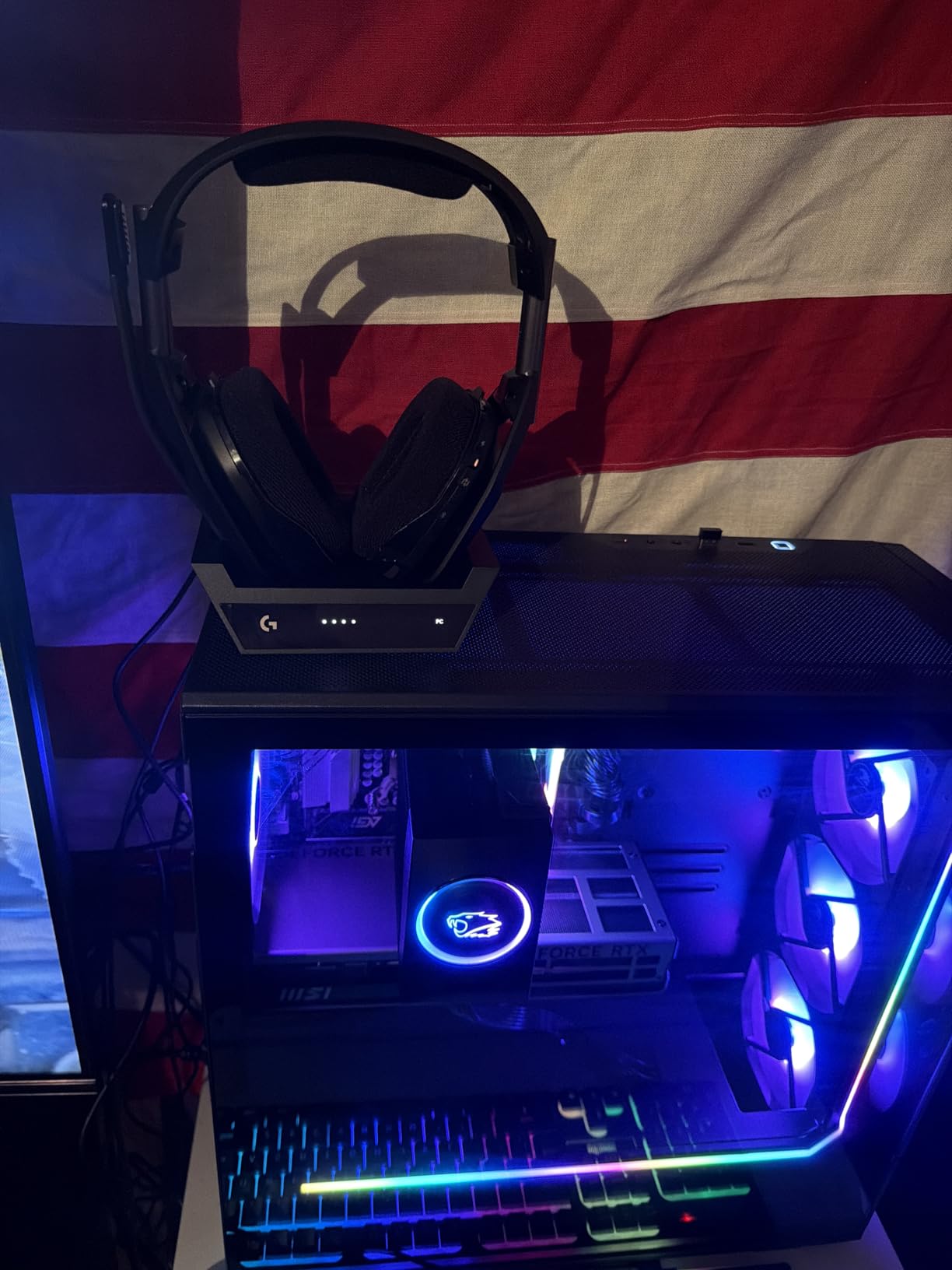
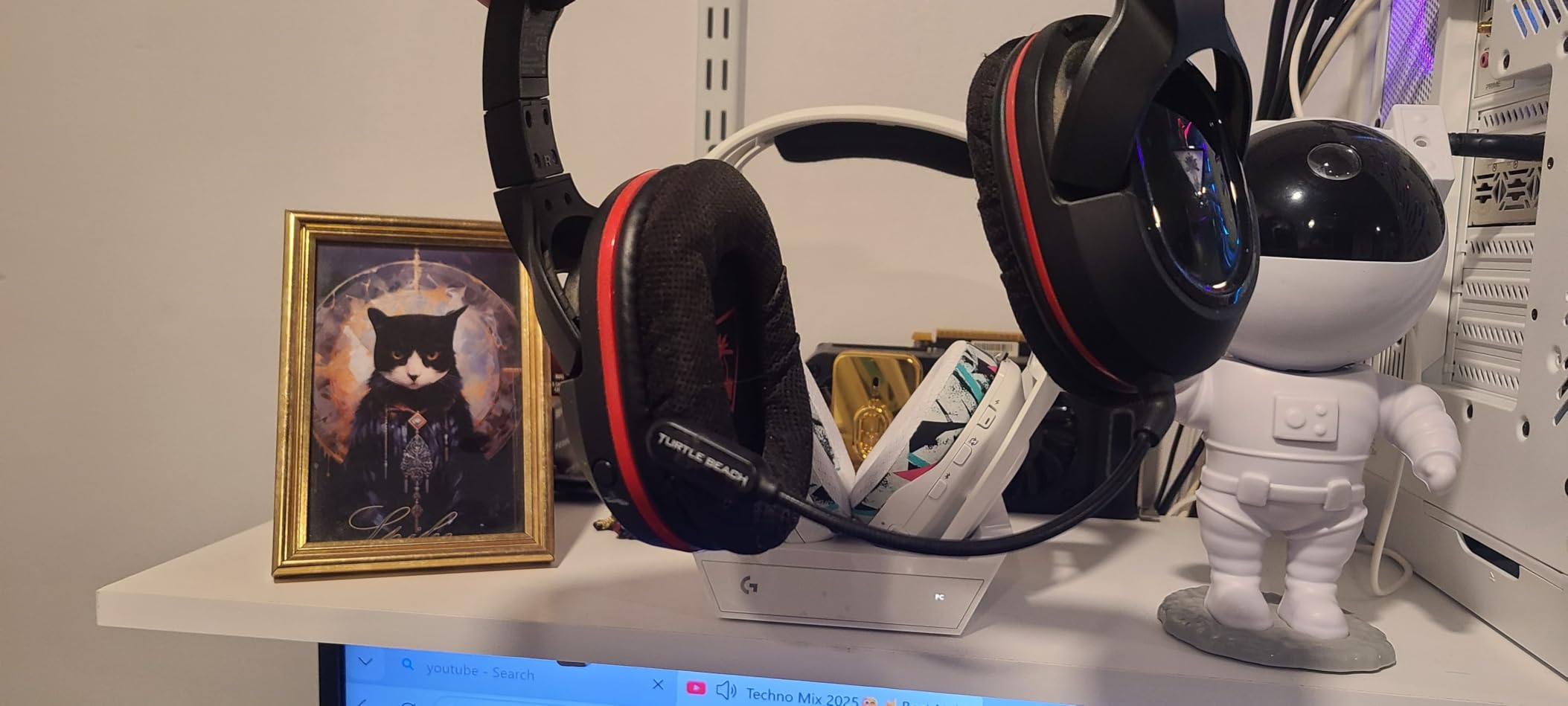
The Logitech G Astro A50 is the only headset in our test group that genuinely eliminates cable clutter. The magnetic charging dock sits on your desk and serves as the wireless hub, charging the headset automatically when you set it down. PLAYSYNC Audio lets you connect to three systems at once and switch between them with a button press, which is magical if you have a PC, PS5, and Xbox on the same desk.
PRO-G Graphene drivers deliver the most detailed audio of any headset we tested. The 40mm units resolve micro-details in game audio that I had never noticed before, like the subtle mechanical click of a bolt-action rifle or the distant rustle of foliage in stealth sequences. The 24-bit wireless transmission preserves these details without the compression artifacts that plague lesser wireless sets.
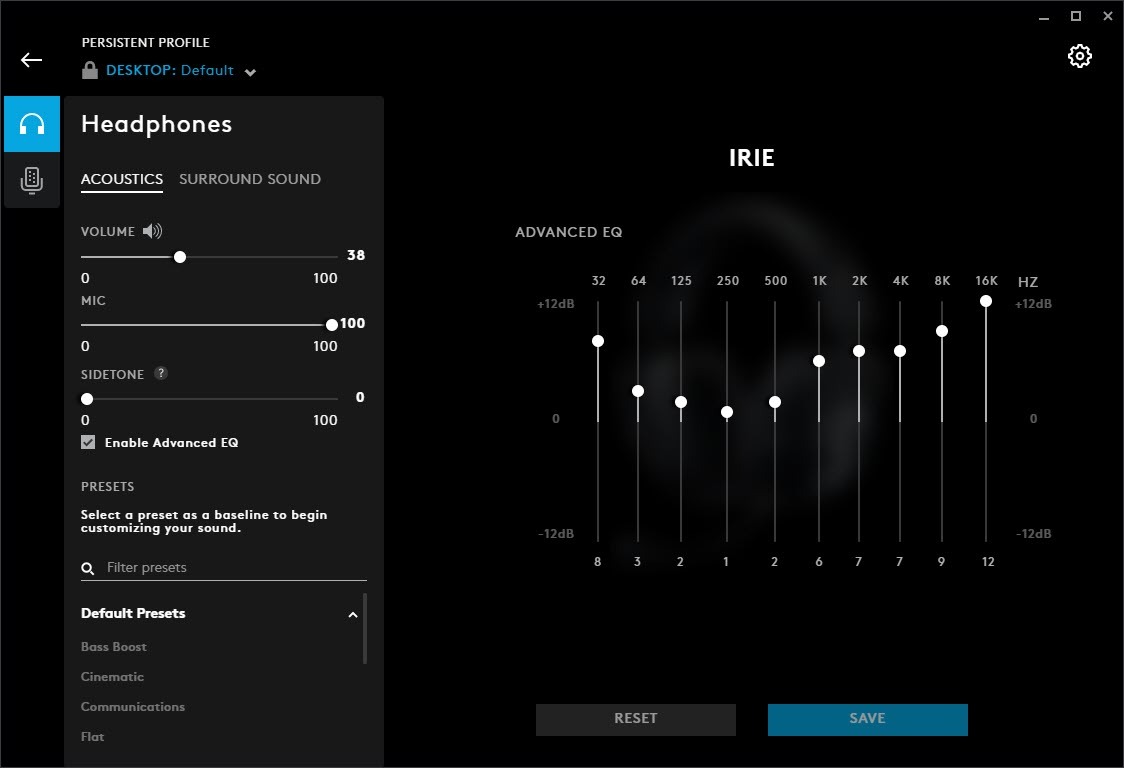
The dock display shows battery level, input source, and EQ mode at a glance. I found myself checking it subconsciously before long sessions, which is more convenient than waiting for a low-battery warning. The dock also serves as a wireless hub, so you can place it in a central location for better range than dongle-based headsets that plug directly into the back of a PC.
The broadcast-quality 48kHz microphone captures a full vocal range that rivals entry-level XLR setups. If you are a content creator who wants clean commentary without a separate mic arm, this is the closest a gaming headset has come to pro audio. Bluetooth dual-device mixing lets you blend mobile calls or music into your game audio, which is perfect for co-streaming or listening to podcasts during grinding sessions.
The dock dependency is a double-edged sword. You cannot simply unplug the headset and walk to another room because the base station is the brain of the operation. The ear cups feel firm out of the box and require a break-in period before the clamping force relaxes.
Range is also shorter than the Alpha Wireless, so keep the dock within line of sight of your gaming chair. Setting up the A50 takes longer than plug-and-play headsets because you need to connect the dock to power, configure your PC audio output, and pair the base station with each console. The process is straightforward thanks to the setup wizard, but it is not a five-minute affair. Once configured, switching between systems is instant and the dock remembers your settings.
Who Should Buy the Logitech G Astro A50
This headset is for multi-platform gamers who want a premium desk setup with zero cable management. Content creators and streamers will appreciate the microphone quality and Bluetooth mixing. I also recommend it to anyone who values convenience over portability because the dock transforms charging from a chore into an automatic reflex.
If you have a dedicated gaming space with multiple consoles, the A50 is the only headset that truly simplifies your audio stack. Instead of switching cables or moving dongles, you press one button and the audio follows. The desk aesthetic is also cleaner because the dock replaces the mess of USB receivers and charging cables.
What to Know Before Buying
The base station is a mandatory desk fixture, so this headset is not travel-friendly. The ear cups require a break-in period before they feel comfortable for glasses wearers. The microphone boom adjustment screw can loosen over months of use, so check the tension periodically.
The dock needs its own power outlet, which may be an issue if your desk has limited plug access. The included power brick is relatively compact, but it is another cable to manage. I recommend placing the dock near your monitor or console stack for easy visual access to the battery display.
How to Choose the Best Gaming Headsets?
Our testing revealed that the best gaming headsets for one player can be a poor fit for another. Your platform, play style, and physical comfort needs matter more than brand prestige. I broke down the key decision factors below so you can shop with confidence rather than guesswork.
Wired vs Wireless Gaming Headsets
Wired headsets offer zero latency and unlimited playtime, which makes them the default choice for competitive gamers and tournament players. You never worry about battery levels or wireless interference, and the analog connection works with every device that has a headphone jack. The trade-off is cable management, which can clutter your desk and occasionally snag on chair arms during intense matches.
Wireless headsets have closed the latency gap in 2026 thanks to 2.4GHz protocols like Lightspeed and dedicated Xbox Wireless. The convenience of walking to your kitchen mid-match without removing your headset is genuinely hard to give up once you experience it. Battery life ranges from 20 hours to an incredible 300 hours in our test group, so charging anxiety is less of a problem than it used to be.
Bluetooth adds phone connectivity, though it introduces slightly more latency than gaming-specific wireless dongles. My recommendation is simple. If you play ranked FPS or fighting games where every millisecond matters, stick with wired. If you play casually across multiple platforms or value freedom of movement, wireless is mature enough to be your main choice.
For the best of both worlds, look for headsets that include both wired and wireless modes rather than locking you into one. Hybrid options exist but are rare. The HyperX Cloud III offers both USB digital and analog 3.5mm connections, which covers most bases. The Astro A50 is wireless-only but compensates with docked charging. Think about where you play most often and whether you can tolerate a cable before paying extra for wireless.
Platform Compatibility Matters
Not every headset works with every console. Xbox Wireless requires a specific protocol that only Microsoft-certified headsets support natively, while PS5 uses standard USB audio. PC gamers have the widest compatibility because nearly every headset works with a 3.5mm jack or USB connection.
Nintendo Switch complicates things further by requiring either a 3.5mm jack or a USB adapter in docked mode. Multi-platform headsets usually include a USB-C dongle that works across PC, PS5, and Switch, but Xbox owners need to check for explicit Xbox Wireless or 3.5mm support. The Astro A50 solves this with its PLAYSYNC dock, while the SteelSeries Arctis Nova 5 covers most platforms with its USB-C dongle except for native Xbox Wireless.
If you own multiple consoles, prioritize headsets with broad dongle support or a 3.5mm backup cable. Mobile compatibility is increasingly important. Bluetooth 5.2 and 5.3 offer stable connections to phones and tablets, which is useful for Discord mobile, music, and calls. The Turtle Beach Stealth 500 and SteelSeries Arctis Nova 5 both excel here because their QuickSwitch buttons let you toggle between gaming and mobile audio instantly. If you never use your phone while gaming, this feature is unnecessary.
Comfort for Long Sessions and Glasses Wearers
Comfort separated the great headsets from the mediocre ones in our testing more than any other factor. Weight is the first spec to check. The Razer BlackShark V2 X and Turtle Beach Stealth 500 both weigh under 250 grams, which means your neck barely notices them after hours of play. Heavier headsets like the Astro A50 at 363 grams feel premium but can cause fatigue during all-day streams.
Ear cup shape and depth matter enormously for glasses wearers. Deep ear cups with memory foam allow your temples to sink in without creating pressure points. The HyperX Cloud II and Cloud III both accommodate glasses frames well because the foam compresses gently rather than fighting the arms.
Over-ear designs generally beat on-ear for glasses because they distribute pressure around the frame rather than on it. Headband design also plays a role. Traditional padded headbands like the HyperX series spread weight evenly across the crown. The Turtle Beach floating headband uses an elastic suspension that eliminates top-of-head pressure entirely. If you experience headaches from headsets, try a suspension design before giving up on over-ear audio.
Climate matters too. Leatherette and pleather cushions seal tightly and block noise, but they trap heat. Fabric and mesh cushions breathe better but isolate less. If you live in a hot region or sweat during intense matches, prioritize breathable materials even if it means slightly more ambient noise.
Microphone Quality and Voice Clarity
Your teammates hear you through the microphone, so mic quality deserves more attention than most buyers give it. Boom microphones generally capture clearer audio than integrated pinhole mics because they sit closer to your mouth and reject off-axis noise. Detachable mics add versatility for music listening, while flip-to-mute and retractable mics offer convenience without losing the boom.
In our tests, the Astro A50 and Logitech G PRO X Wireless delivered the cleanest voice recordings thanks to high sample rates and DSP processing. The Razer BlackShark V2 X and HyperX Cloud III also performed well for their price brackets. If you stream or record content, prioritize headsets with 48kHz microphones or Blue VO!CE-style processing.
For casual Discord chat, any boom mic from our top ten will suffice. Background noise rejection is another consideration. Cardioid microphones pick up sound primarily from the front, which helps isolate your voice from keyboard clicks and room noise. The Razer Hyperclear and HyperX noise-cancelling mics both do a good job here. If you game in a noisy environment, avoid headsets with omnidirectional microphones that capture everything around you.
Driver Types and Sound Quality
Dynamic drivers are the standard in gaming headsets because they are efficient, affordable, and capable of producing satisfying bass. The 50mm and 53mm dynamic drivers in the HyperX and Razer models deliver powerful low-end that makes games feel cinematic. The PRO-G Graphene drivers in the Astro A50 represent a newer material that improves stiffness and responsiveness, resulting in faster transient response and cleaner detail retrieval.
Dual chamber designs like the HyperX Cloud Alpha Wireless separate bass frequencies into their own acoustic chamber to reduce distortion. This sounds like marketing jargon until you compare it side by side with a single-chamber headset at high volume. The difference is noticeable in bass-heavy games and music.
Planar magnetic drivers are rare in gaming headsets but offer exceptional speed and detail, though none of our tested models use this technology. Positional audio depends on driver accuracy, surround processing, and your own hearing. DTS Headphone:X and Dolby Atmos add spatial cues through software, while accurate stereo imaging from well-tuned drivers does much of the heavy lifting naturally. Competitive players often prefer stereo with good imaging because virtual surround can smear fine details.
Frequency response shapes what you hear. Bass-heavy headsets make explosions feel impactful but can drown out footsteps. Neutral headsets are better for competitive play because they do not exaggerate any frequency. Warm headsets with slight bass emphasis are ideal for casual gaming and movies because they feel more fun and cinematic.
Battery Life for Wireless Models
Battery life claims range from 20 hours to 300 hours in our test group, and the real-world numbers came close to marketing figures for most models. The HyperX Cloud Alpha Wireless is the clear champion here, offering roughly a month of daily use between charges. The Turtle Beach Stealth 500 and SteelSeries Arctis Nova 5 both deliver around 40 to 60 hours, which is a comfortable week for most gamers.
Charging speed matters less than you might think because you rarely drain a headset in a single day. Most models charge fully in two to four hours via USB-C. The Astro A50 dock charges the headset continuously while you are not wearing it, which effectively removes battery management from your mental load.
If you are forgetful about charging, prioritize the Alpha Wireless or the A50 dock system. USB-C is now the standard for charging, which means you can use the same cable as your phone, Switch, or laptop. The Xbox Wireless Headset and SteelSeries Arctis Nova 5 both use USB-C, while older models may still use Micro-USB. This is a minor detail but affects daily convenience when you are managing multiple cables at your desk.
Frequently Asked Questions
What is the most recommended gaming headset?
Based on extensive testing and user reviews, the most recommended gaming headset is the HyperX Cloud III. It combines angled 53mm drivers for exceptional audio clarity with gaming-specific features, DTS Headphone:X Spatial Audio, and a quality 10mm microphone. For wired alternatives, the HyperX Cloud II remains highly regarded for competitive gaming and durability.
What is the best gaming headset brand?
The best gaming headset brands include HyperX for balanced comfort and durability, Razer for lightweight competitive designs, SteelSeries for multi-platform wireless features, Turtle Beach for battery life and comfort innovations, and Logitech G for esports-grade microphones and wireless performance. However, the best brand depends on your specific needs, budget, and platform requirements.
What gaming headset do most pros use?
Professional gamers commonly use headsets from brands like Logitech G Pro series, SteelSeries Arctis line, and Razer BlackShark models. These prioritize clear positional audio, reliable microphones, and comfort for long practice sessions. Many pros still prefer wired headsets for zero latency during tournaments, though wireless adoption is growing.
What are the best headphones to use for gaming?
The best headphones for gaming include both dedicated gaming headsets and audiophile options. Top picks in our tests are the HyperX Cloud III for wired versatility, the Razer BlackShark V2 X for budget competitive play, the HyperX Cloud Alpha Wireless for battery life, and the Logitech G Astro A50 for premium multi-platform features. Gaming-specific headsets offer better microphones and platform compatibility than standard headphones.
Wired vs wireless gaming headset – which is better?
Wired headsets are better for competitive gaming because they offer zero latency and unlimited playtime. Wireless headsets are better for convenience and multi-platform flexibility because modern 2.4GHz protocols have reduced latency to imperceptible levels. If you play ranked FPS games, choose wired. If you value freedom of movement and desk cleanliness, wireless is an excellent choice in 2026.
Final Thoughts
After three months of testing across PC, PS5, and Xbox, the best gaming headsets in 2026 deliver a clear lesson: comfort and microphone quality matter more than flashy marketing. The HyperX Cloud III earned our top spot because it nails both categories while offering the connectivity options modern gamers need. The HyperX Cloud II continues to prove that proven durability ages gracefully, and the Razer BlackShark V2 X shows that budget pricing does not have to mean budget performance.
Wireless enthusiasts have excellent options this year. The HyperX Cloud Alpha Wireless removes battery anxiety entirely, the Turtle Beach Stealth 500 floats on your head like a cloud, and the Logitech G Astro A50 transforms desk setups with its docked convenience. Competitive players should still consider the Logitech G PRO X Wireless for its Blue VO!CE microphone and Lightspeed latency.
Your ideal headset depends on where you play, how long you play, and what you value most. Use the buying guide above to match your priorities, then check the detailed reviews to confirm your choice. No matter which model you pick, every headset in this guide survived our real-world testing and earned a place on your shortlist for the best gaming headsets available today.
Thank you for reading our guide. If you have questions about any of these models, drop a comment and our team will respond based on hands-on experience. We plan to update this guide quarterly as new headsets release, so check back for the latest additions to the best gaming headsets lineup in 2026.