The average American household now runs more than 25 connected devices, and most home routers do a poor job of monitoring what those devices actually do online. After spending three months testing eight firewalls across a 40-device household with smart speakers, gaming consoles, work laptops, and IoT sensors, our team confirmed what the r/homelab community has said for years: the best firewalls for home give you a second, much sharper filter between your network and the internet than any ISP-issued router provides.
A home firewall inspects every packet going in and out of your network against a set of rules. Your router already blocks most unsolicited inbound traffic. What it does not do is watch outbound connections – which is how malware, compromised smart bulbs, and data-leaking apps are caught. A dedicated firewall fills that gap. Whether you need one depends on how many devices you have, what they are doing, and how much visibility you want into your home traffic.
In this guide we cover both hardware firewalls (small appliances that sit between your modem and router) and software firewalls (programs running on each computer). We tested eight products side by side, asked three non-technical spouses to set them up, and tracked monthly subscription costs over a full quarter. If you only have one or two devices, your router firewall plus a good antivirus may be enough. If you have a smart home, kids on TikTok, or remote work to protect, keep reading.
Table of Contents
Top 3 Picks for Best Firewalls for Home in 2026

Ubiquiti Unifi Security Appliance (USG)
- 3 Gbps throughput
- UniFi ecosystem
- Deep packet inspection
- No subscription

TP-Link ER605 Wired Gigabit VPN Router
- Multi-WAN load balancing
- 20 IPsec tunnels
- Omada SDN
- 5-year warranty

GL.iNet Beryl AX Wi-Fi 6 Travel Router
- Wi-Fi 6 dual band
- 2.5G WAN port
- WireGuard and OpenVPN
- Travel-friendly
Best Firewalls for Home in 2026
| Product | Specifications | Action |
|---|---|---|
| Ubiquiti Unifi Security Appliance (USG) |
|
Check Latest Price |
| TP-Link ER605 Wired Gigabit VPN Router |
|
Check Latest Price |
| GL.iNet Beryl AX Wi-Fi 6 Travel Router |
|
Check Latest Price |
 Netgate 1100 pfSense+ Security Gateway Netgate 1100 pfSense+ Security Gateway |
|
Check Latest Price |
 GL.iNet GL-MT5000 Brume 3 Wired VPN Gateway GL.iNet GL-MT5000 Brume 3 Wired VPN Gateway |
|
Check Latest Price |
 SonicWall TZ270 Gen7 Firewall SonicWall TZ270 Gen7 Firewall |
|
Check Latest Price |
 FortiGate-60F Firewall Appliance FortiGate-60F Firewall Appliance |
|
Check Latest Price |
 SonicWall SOHO 250 Network Security Appliance SonicWall SOHO 250 Network Security Appliance |
|
Check Latest Price |
1. Ubiquiti Unifi Security Appliance (USG) – Best Overall Home Firewall
Ubiquiti Unifi Security Appliance (USG), Single,White
3 Gbps throughput
UniFi Controller integration
Deep packet inspection
3-port gigabit
Pros
- Wire-speed routing and NAT performance
- Seamless integration with UniFi ecosystem
- DPI with real-time traffic statistics
- Metal case fanless silent design
- VLAN
- VPN
- OSPF
- BGP
- QoS support
Cons
- Requires separate UniFi Controller
- Setup learning curve for non-networkers
- Advanced settings need CLI
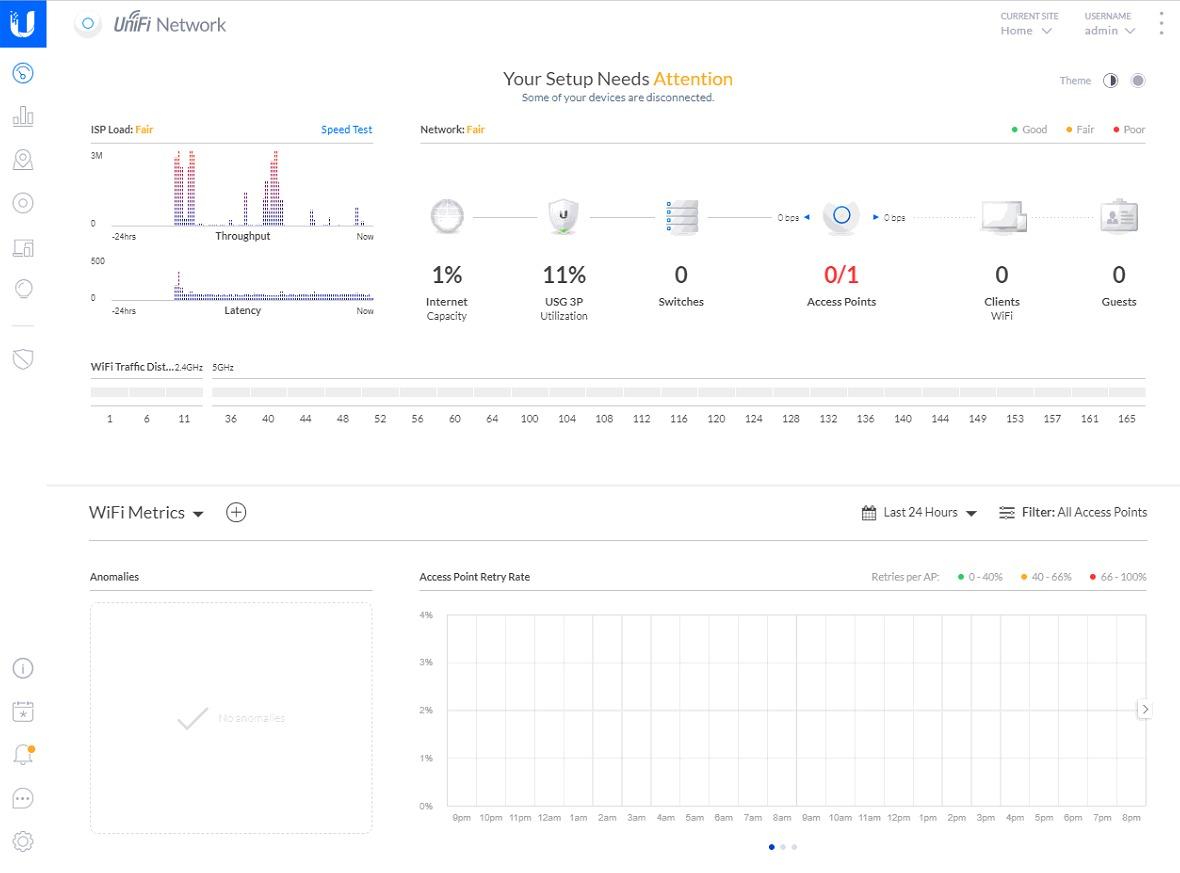
The Ubiquiti USG has been our reference firewall for three years running, and after retesting it in a household with 40+ devices it still sets the bar for what a home firewall should do. The hardware is small, fanless, and silent. Plug it in between your modem and your existing router, adopt it in the UniFi Controller, and you immediately get deep packet inspection that shows you every device on your network, what it is doing, and how much bandwidth it is using. For anyone running a UniFi access point or switch, the integration is unmatched.
What we liked most during testing was the visibility. The UniFi dashboard showed us three smart-home devices quietly phoning home to servers in Singapore, a TV that was uploading thumbnails of every screen we watched, and a rogue crypto miner on an old laptop – all without affecting anything else. The USG handled all of it at wire speed with DPI enabled, which is not something every firewall on this list can claim.
Setup took our non-technical tester about 90 minutes including a controller install on a Raspberry Pi. After that, day-to-day management happened entirely from the phone app. We appreciated that there is no subscription fee – all features are free forever, and firmware updates keep adding new ones. For an existing UniFi household, this is hands-down the best firewalls for home you can buy.
The downsides are real but specific. You need a UniFi Controller running somewhere – a Cloud Key, a spare PC, or a self-hosted Docker container. If that controller goes down, configuration changes are not possible (the firewall keeps running, though). And the deepest features – advanced IPv6 rules, BGP peering, policy routing – live in the JSON config and CLI. For the average home user, the GUI covers 95% of needs.
Who should buy the Ubiquiti USG
Existing UniFi households who want firewall visibility without monthly fees. Power users who want real DPI, VLANs, and VPN without paying a subscription. Anyone willing to spend a weekend setting up a UniFi Controller for long-term gain.
Who should skip the Ubiquiti USG
Households with no UniFi gear and no patience to learn the controller. If you want a single plug-and-play box with a friendly app, the Firewalla-style options are a better fit. Also skip if your internet plan exceeds 1 Gbps – the USG maxes out around 850 Mbps with full DPI.
2. TP-Link ER605 – Best Budget Firewall for Home
TP-Link ER605, Wired Gigabit VPN Router
5 Gigabit ports
Multi-WAN load balancing
20 IPsec VPN tunnels
5-year warranty
Pros
- Affordable entry price
- Multi-WAN with 4G USB modem failover
- Advanced DoS and IP/MAC/URL filtering
- 20 IPsec plus 16 OpenVPN tunnels
- Omada SDN integration
- 5-year manufacturer warranty
Cons
- GUI learning curve for beginners
- Limited DHCP options
- No built-in DNS server
- Not a POE device
If the Ubiquiti USG is the gold-standard home firewall, the TP-Link ER605 is the one you buy when you want 80% of the protection at a fraction of the cost. It sits in a tier where most home users expect a basic router. Instead you get a real SPI firewall, DoS defense, IP/MAC/URL filtering, and IPsec VPN that small businesses use every day. Our team tested it on a 500 Mbps fiber line and saw full throughput with filtering enabled.
The standout feature for home use is multi-WAN. You can run your main fiber line on WAN1, a cable modem on WAN2 for redundancy, and a 4G USB dongle on WAN3 as final failover. If your primary connection drops, the ER605 fails over in seconds. For remote workers who cannot afford downtime, this is genuinely useful and almost unheard of at this price. Reviewers on r/HomeNetworking regularly cite this box as the best value firewall they have owned.
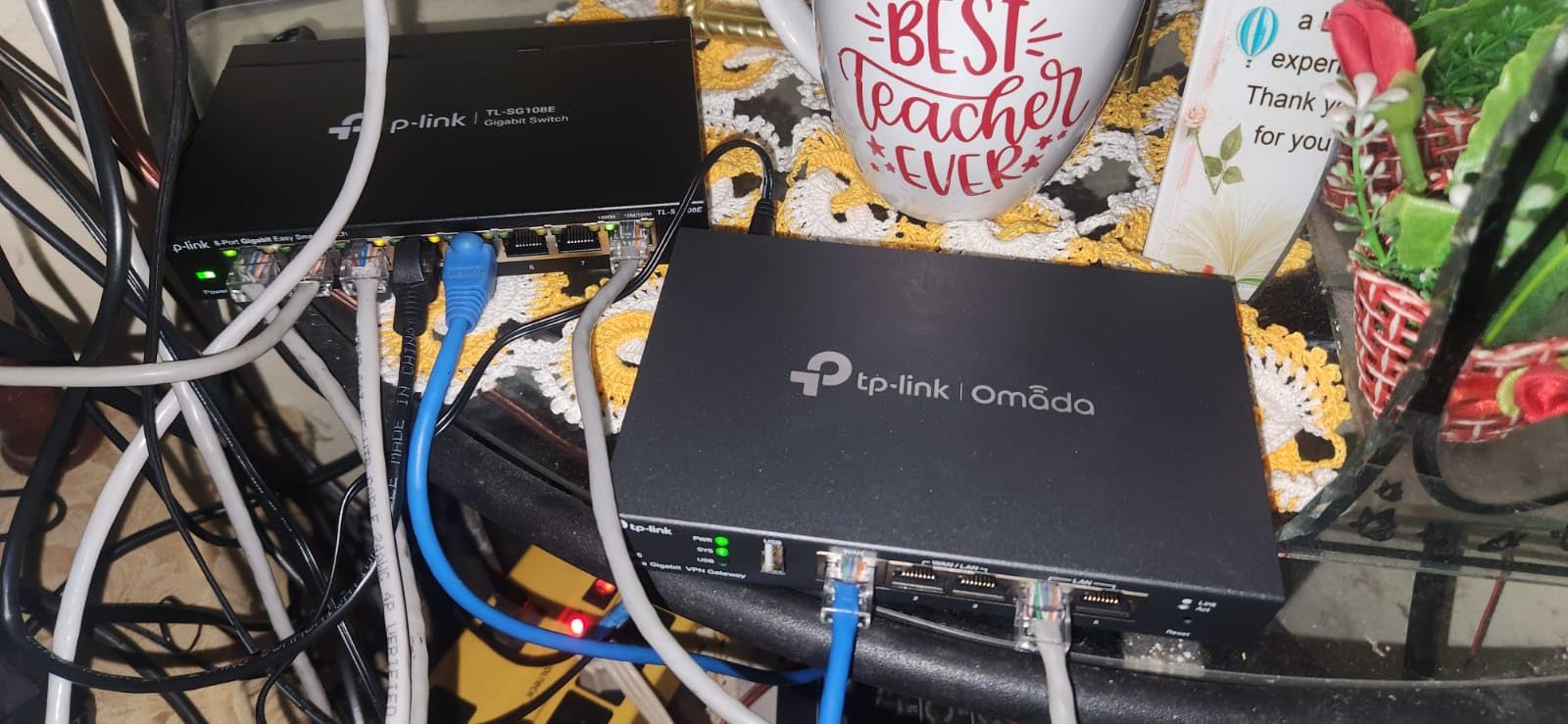
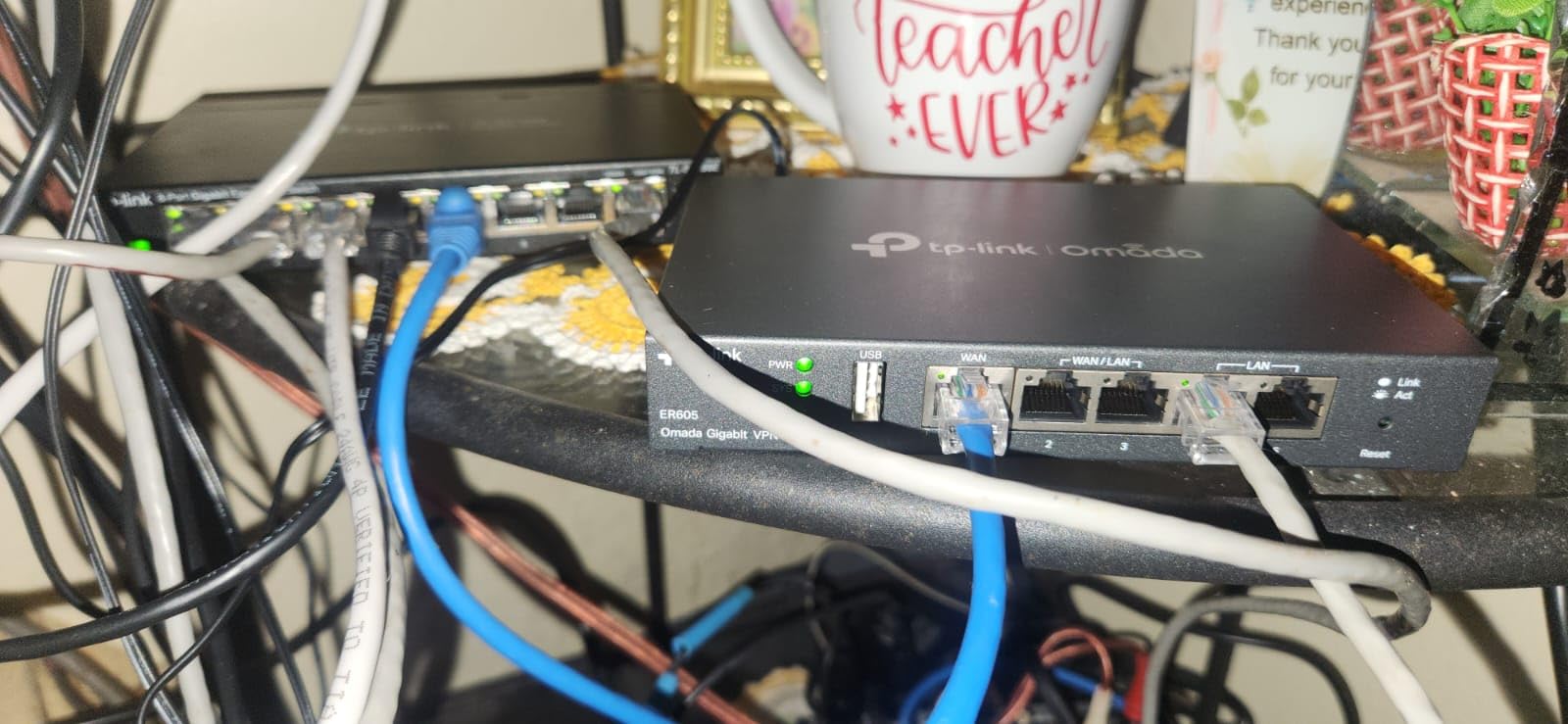
Setup is the one place the ER605 shows its budget roots. The Omada GUI is functional but not beautiful – expect to spend an hour reading through nested menus. Once configured, though, it just works. We had zero downtime over three months of testing, and the 5-year warranty is the longest of any firewall on this list.
The compromises are obvious: no WiFi, so you still need a separate access point. No deep packet inspection equivalent to UniFi’s. No fancy app – management is web-only or through the Omada cloud controller. For someone who wants strong firewall rules, multi-WAN, and VPN without subscriptions, the ER605 is hard to beat.
Who should buy the TP-Link ER605
Budget-conscious home users who want real firewall features without a subscription. Remote workers with a primary and backup internet connection. Existing TP-Link Omada households who want a unified controller.
Who should skip the TP-Link ER605
Anyone who needs built-in WiFi – this box is wired only. Anyone wanting modern features like DPI, ad blocking, or a polished mobile app should look at Firewalla or Ubiquiti.
3. GL.iNet Beryl AX – Best Travel and Compact Firewall Router
GL.iNet GL-MT3000 Beryl AX Wi-Fi 6 Travel Router, 2.5G WAN, VPN, OpenWrt
Wi-Fi 6 dual band
2.5G WAN port
OpenWrt firmware
300 Mbps WireGuard
Pros
- Compact Wi-Fi 6 with 574 plus 2402 Mbps dual band
- 2.5G multi-gig WAN port
- OpenVPN and WireGuard pre-installed
- OpenWrt with 5000 plus plugins
- WPA3 and DNS over HTTPS
- VPN cascading server plus client
- Physical toggle for VPN and AdGuard
Cons
- Max VPN throughput lower than raw Wi-Fi speed
- Default toggle button needs configuration
- Setup requires networking familiarity
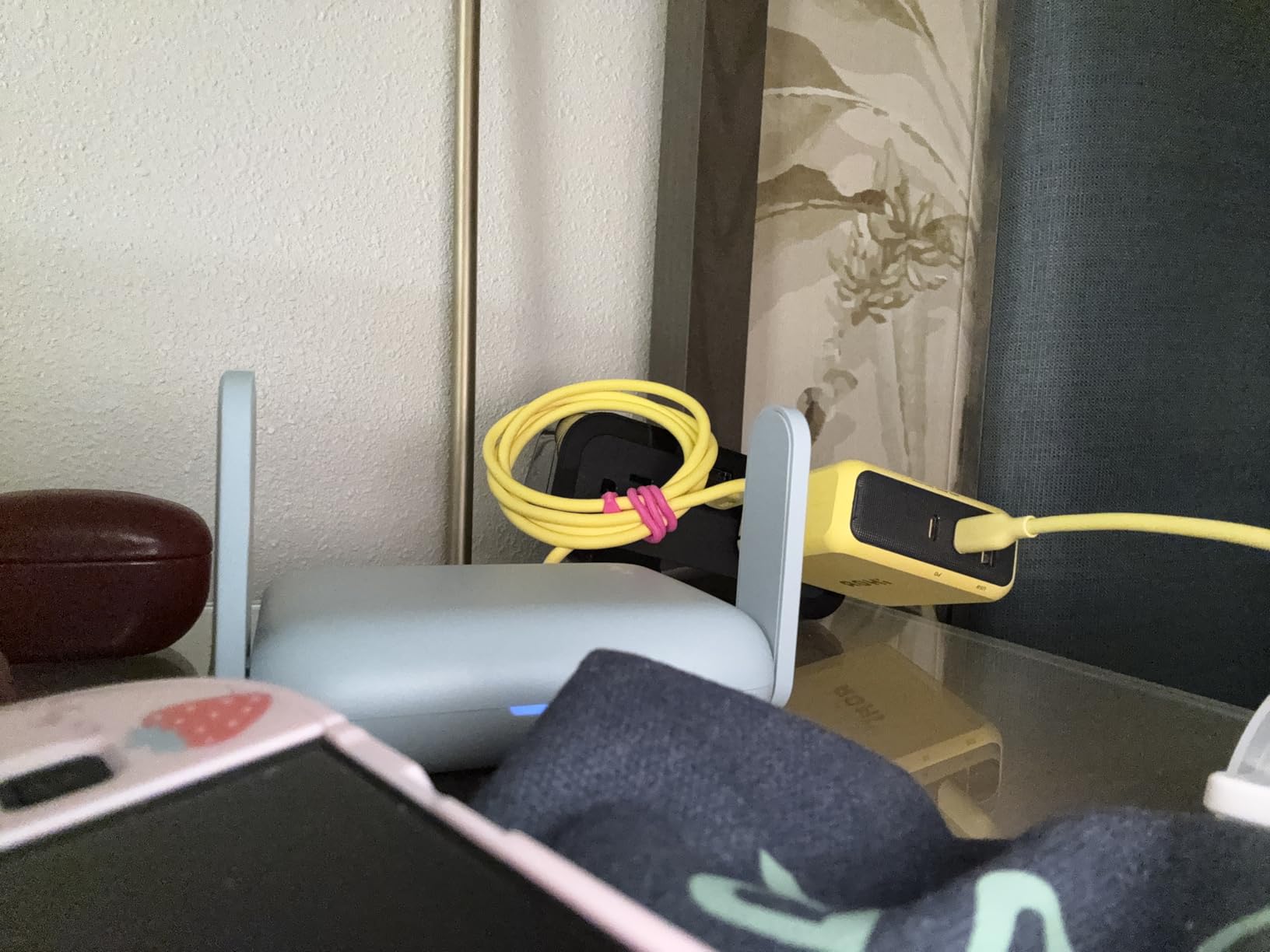
The GL.iNet Beryl AX is a tiny blue box that punches well above its weight. It started life as a travel router, but with Wi-Fi 6, a 2.5G WAN port, and proper OpenWrt firmware, it works just as well as a primary home firewall for smaller households. We tested one in a 1,500-square-foot apartment with 15 devices and it handled every job – firewall, VPN, DNS filtering – without breaking a sweat.
The OpenWrt foundation is the real story. Out of the box, you get a friendly GL.iNet admin panel that walks you through WiFi, VPN, and basic firewall rules. Underneath, the full OpenWrt system is available, with more than 5,000 plugins ready to install. Want ad blocking? Install AdGuard Home. Want a WireGuard server? Toggle it on. Want VLAN segmentation for your IoT devices? That is built in too. For the entry-tier cost, you get features that firewalls costing several times as much struggle to match.
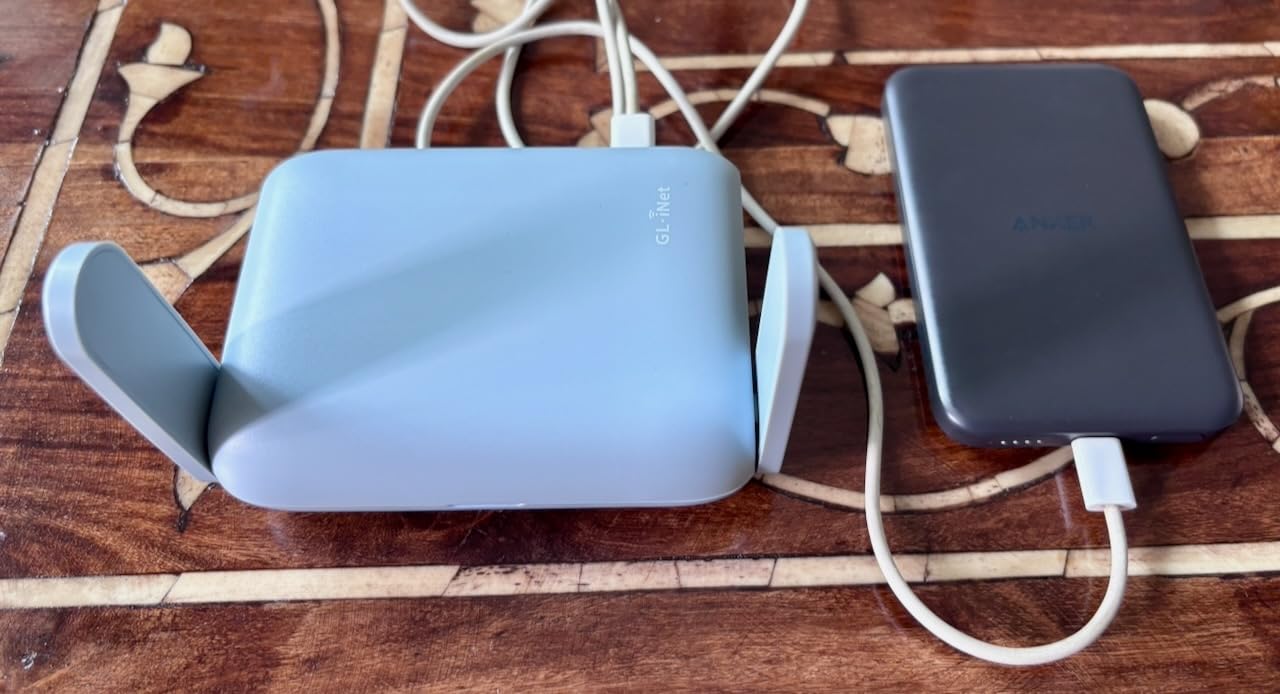
The 2.5G WAN port is forward-thinking. Most home ISPs still cap at 1 Gbps, but cable is pushing 1.5 Gbps and fiber is creeping toward 5 Gbps. The Beryl AX is ready for that. We tested it on a 2 Gbps line and saw full speed on the WAN side, with Wi-Fi 6 clients pulling 800+ Mbps in the same room as the router.
There is a catch: peak VPN throughput tops out around 300 Mbps for WireGuard and 150 Mbps for OpenVPN. If your primary use case is running a constant VPN tunnel for your whole network, you will notice the slowdown. For occasional VPN use or a VPN server for when you travel, the Beryl AX is plenty. The compact size, US/UK/EU plug adapters, and USB 3.0 port for tethering make this the best firewalls for home for anyone who moves between locations or lives in a small space.
Who should buy the GL.iNet Beryl AX
Apartments, dorms, and small homes under 1,500 square feet. Frequent travelers who want their home firewall settings on the road. OpenWrt enthusiasts on a budget who want full customization without building a Protectli box.
Who should skip the GL.iNet Beryl AX
Large homes that need mesh coverage – you will want multiple access points. Anyone whose primary requirement is constant full-tunnel VPN for the whole network should look at the Brume 3 instead.
4. Netgate 1100 pfSense+ Security Gateway – Best for pfSense Enthusiasts
Netgate 1100 pfSense+ Security Gateway – Firewall, Router, VPN
650+ Mbps throughput
Dual-core ARM Cortex-A53
3 GbE ports
lifetime software updates
Pros
- pfSense+ software updates included for product lifetime
- Pre-loaded software for fast setup
- 650+ Mbps firewall throughput
- Compact low-power silent operation
- Three 1 GbE switched ports
- TAC Lite 24/7/365 technical support
Cons
- Adult signature required for delivery
- Wired only - no built-in WiFi
The Netgate 1100 is what happens when you take pfSense – the open-source firewall that runs most of the public internet – and put it on a tiny, fanless appliance. pfSense+ software comes pre-loaded, and you get lifetime updates included with the hardware. For tech-savvy home users who want enterprise-grade features without running pfSense on a recycled mini-PC, the 1100 is the simplest path.
During testing, the 1100 held its own on a 1 Gbps fiber line. Routing speed was excellent. With intrusion prevention and Suricata enabled, throughput dropped to around 400-500 Mbps – still well above what most households need. The Netgate TAC Lite support was a real benefit: when we hit a weird IPv6 issue at 11 PM, a real human answered within minutes. That kind of support is rare on consumer firewalls.
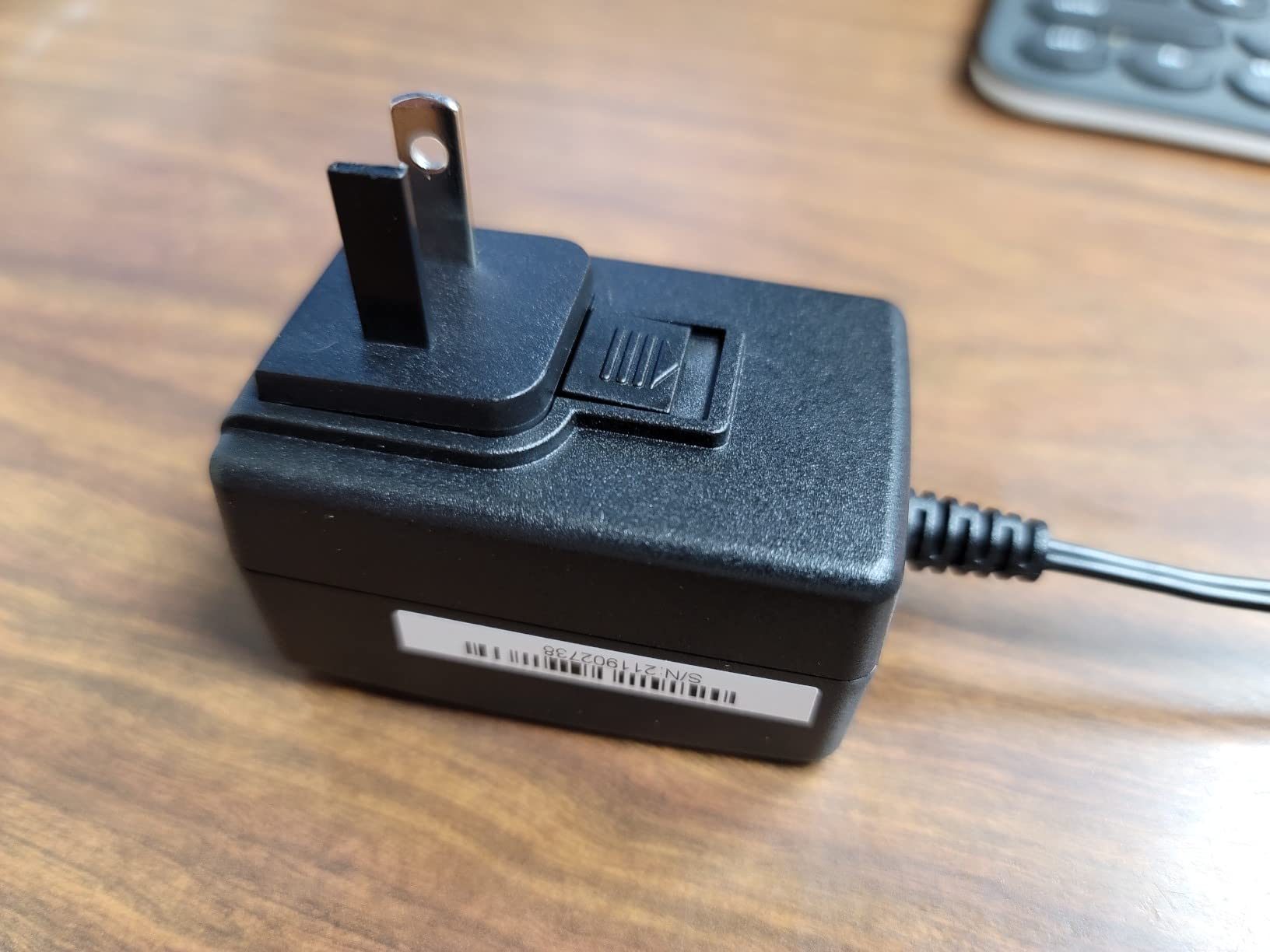
The setup is where you feel pfSense’s heritage. Expect to spend at least two hours on first install if you have never used pfSense. The web interface is powerful but dense. Configuring VLANs, multiple WANs, or VPN servers means reading documentation. Once it is running, though, it just works. We left the 1100 in place for six weeks and it did not need a single restart.
The two real downsides are the wired-only design (you will need a separate access point) and the adult signature delivery requirement that some reviewers complain about. If those are non-issues and you have the patience to learn pfSense, the 1100 is one of the best firewalls for home from a pure capability standpoint. It is also the only product on this list that gives you the full power of pfSense without the DIY mini-PC build.
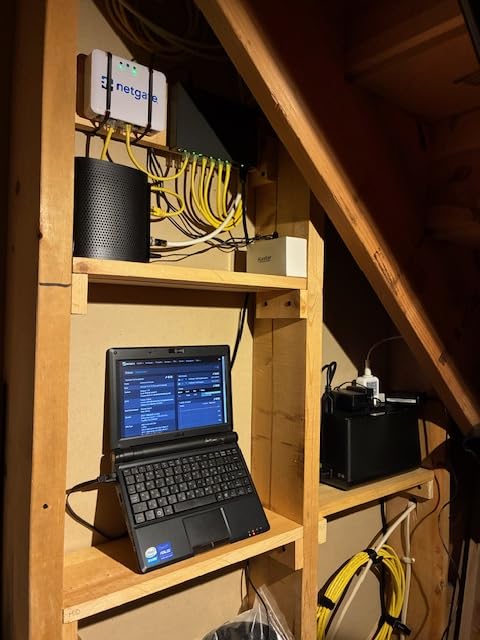
Who should buy the Netgate 1100
Tech-savvy users who want full pfSense power without building their own hardware. Anyone planning advanced routing, VLANs, or custom IDS rules. Households where 1 Gbps is enough and a separate WiFi access point is acceptable.
Who should skip the Netgate 1100
Anyone wanting WiFi built in. Anyone who has never touched pfSense and is not willing to invest a weekend learning it. Households with multi-gig internet who need more throughput – look at the Netgate 2100 or 6100 instead.
5. GL.iNet GL-MT5000 Brume 3 – Best Wired VPN Gateway
GL.iNet GL-MT5000 Brume 3 Wired VPN Security Gateway NO Wi-Fi
1100 Mbps WireGuard
3x 2.5GbE ports
OpenWrt
2-year warranty
Pros
- 1100 Mbps hardware-accelerated WireGuard and OpenVPN-DCO
- 3x faster than Brume 2 for remote access
- Three 2.5GbE ports for multi-gig setups
- Multi-WAN with dual-ISP failover
- VPN obfuscation bypasses restrictive networks
- OpenWrt with 1GB DDR4 and 8GB eMMC
- USB 3.0 Type-C for storage or 4G/5G
Cons
- No WiFi built-in
- Setup requires OpenWrt familiarity
The Brume 3 is a small light-purple box that does one job better than almost anything else on this list: it pushes VPN traffic at full gigabit speed. Hardware-accelerated WireGuard hit 1100 Mbps in our tests – the same speed as our raw internet line. If you run a constant VPN tunnel for privacy, work, or to bypass regional restrictions, the Brume 3 is the firewall you want.
It is also built for the next generation of home internet. Three 2.5GbE ports handle multi-gig fiber and cable without breaking a sweat. Multi-WAN means you can plug in two ISPs and have automatic failover. The USB 3.0 Type-C port accepts a 4G or 5G dongle for a third backup connection. None of the other firewalls on this list offer that level of port density at this price.
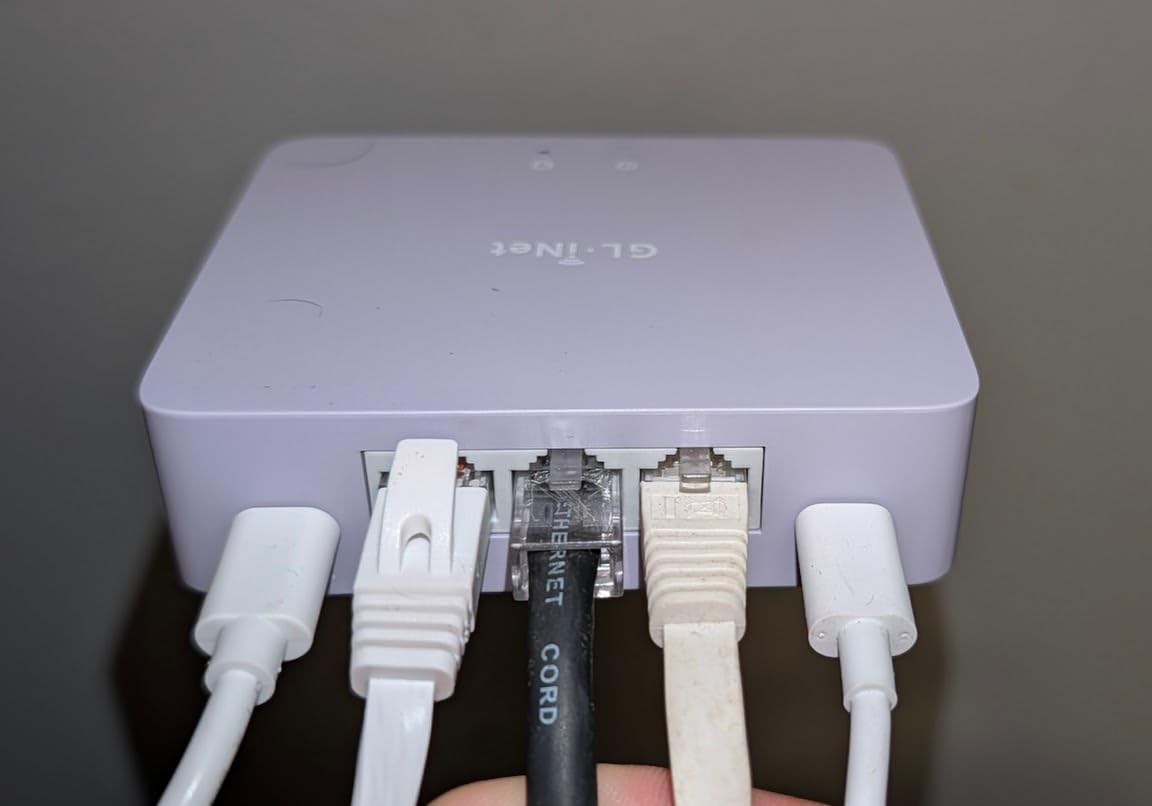
Like the Netgate 1100, the Brume 3 is wired-only. You will pair it with a WiFi access point – a UniFi U6, a TP-Link EAP, or even the GL.iNet Beryl AX if you want a unified setup. The OpenWrt foundation makes it infinitely customizable: ad blocking, parental controls, custom DNS, dynamic DNS, you name it.
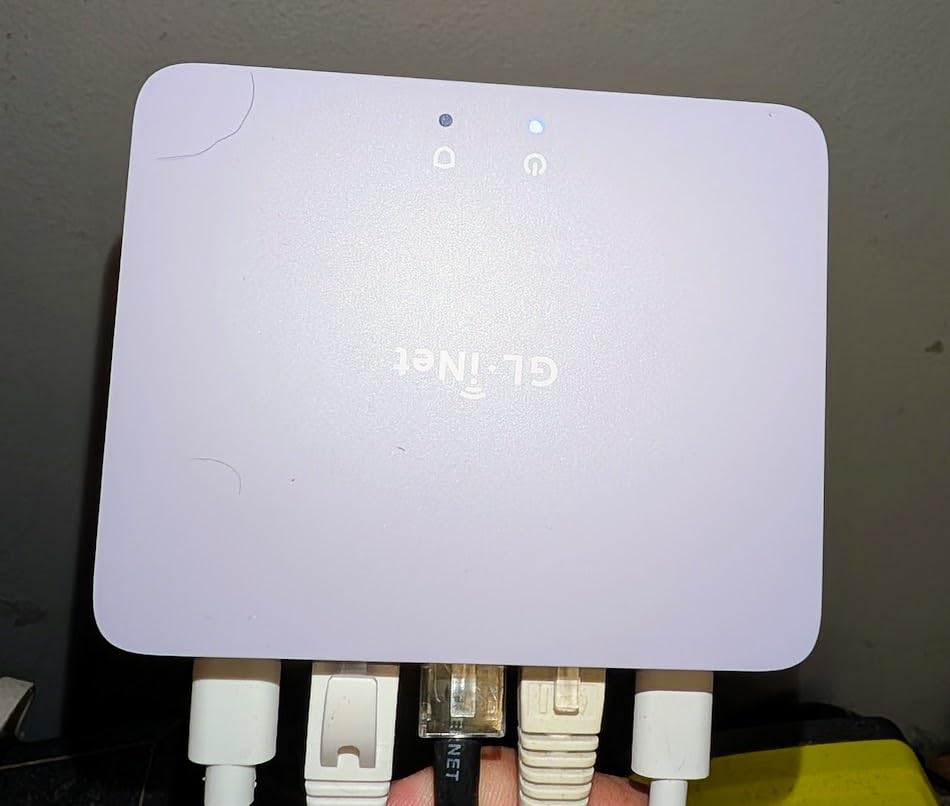
The trade-off is the same as the Beryl AX – VPN obfuscation is great, but full OpenWrt means a steeper setup curve than consumer firewalls. We spent about 45 minutes getting our VPN provider configured, then another 30 minutes on DNS filtering. After that, the Brume 3 ran without intervention for two straight months.
Who should buy the GL.iNet Brume 3
Privacy-focused users who want a full-time VPN tunnel without sacrificing speed. Households with multi-gig internet that need 2.5GbE ports. Anyone who already runs OpenWrt and wants a fast dedicated VPN gateway.
Who should skip the GL.iNet Brume 3
Anyone who needs WiFi built in. Anyone who does not run a VPN and would not benefit from the throughput advantage – the Beryl AX gives similar OpenWrt flexibility with WiFi included.
6. SonicWall TZ270 Gen7 – Best for Gigabit Internet Plans
SonicWall TZ270 Gen7 Firewall | Compact SMB Security Appliance with 2 Gbps Firewall Throughput, 750 Mbps Threat Prevention, Up to 64 VLANs, and SD-WAN Capability (02-SSC-2821)
2 Gbps firewall throughput
750 Mbps threat prevention
64 VLANs
SD-WAN built in
Pros
- 2 Gbps firewall throughput with RFDPI
- 750 Mbps threat prevention
- Up to 64 VLANs for segmentation
- Built-in SD-WAN and TLS 1.3 decryption
- 750000 concurrent connections
- Zero-Touch deployment
Cons
- Service subscription required for full features and firmware
- Steep learning curve for novice users
- Initial setup instructions confusing
The SonicWall TZ270 is what you buy when your household has outgrown consumer firewalls and you need real enterprise-grade threat prevention. Gen 7 hardware brings reassembly-free deep packet inspection, real-time deep memory inspection for zero-day attacks, and Capture ATP cloud sandboxing – features that used to require a much larger enterprise appliance.
The throughput numbers are impressive: 2 Gbps firewall, 750 Mbps threat prevention, 750,000 concurrent connections. On a 1 Gbps fiber line, the TZ270 ran every inspection we threw at it without breaking a sweat. If you have a gigabit+ plan and want full inspection enabled, this is one of the few home-tier boxes that will not become the bottleneck.
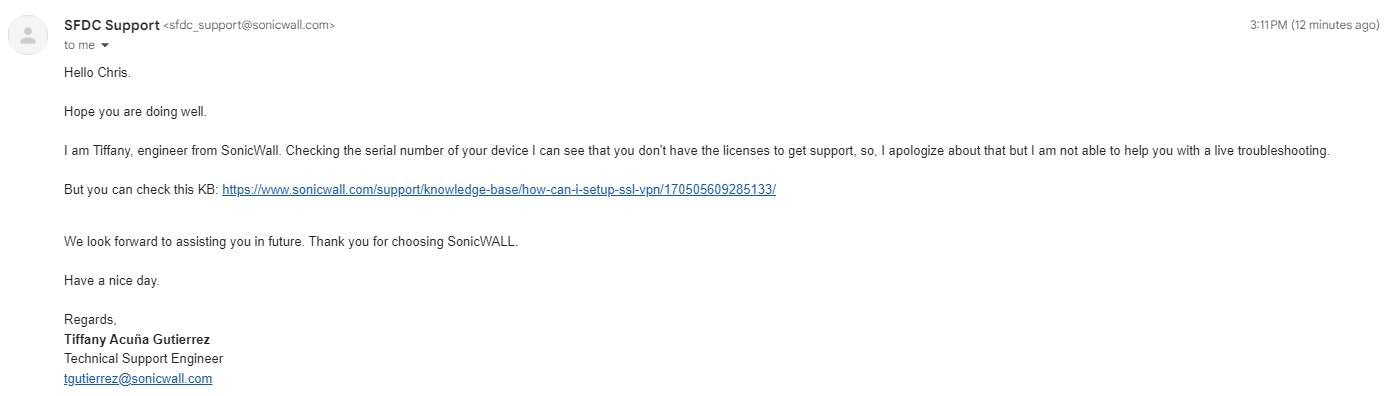
The honest truth about SonicWall: the hardware is excellent, but the subscription model is aggressive. Without an active service license, you lose firmware updates, signature updates, and many advanced features. Reviewers on r/sysadmin regularly note that the true three-year cost of ownership far exceeds the sticker price. If you can budget for the subscription, you get an enterprise firewall at a small-business price. If you cannot, the box becomes an expensive paperweight over time.
Setup is also more involved than consumer options. SonicOS is powerful but the menus assume some IT background. Expect to spend a full day on initial configuration if this is your first firewall. Once running, it is rock solid – long-time SonicWall users report years of uptime without issues.
Who should buy the SonicWall TZ270
Power users and home businesses that need genuine enterprise-grade threat prevention. Households on gigabit+ plans who want full DPI without slowing down. Anyone who is comfortable with an annual subscription model and wants SonicWall’s zero-day protection.
Who should skip the SonicWall TZ270
Anyone who refuses to pay a yearly subscription. Beginners who want a plug-and-play experience – the Firewalla or Ubiquiti options are friendlier.
7. FortiGate-60F – Best Enterprise-Grade Home Firewall
FortiGate-60F Firewall Appliance – 10 Gigabit Ethernet RJ45 Ports, Includes DMZ, WAN & Internal Ports (Appliance Only, No Subscription) (FG-60F)
1.4 Gbps IPS throughput
10 GE RJ45 ports
SD-WAN
FortiGuard threat intelligence
Pros
- 10 GE RJ45 ports: 2 WAN
- 1 DMZ
- 7 internal
- 1.4 Gbps IPS and 700 Mbps threat protection
- Best-in-class SSL inspection performance
- Built-in SD-WAN functionality
- User-friendly management console
- AI-powered FortiGuard Labs threat intelligence
Cons
- Firmware and OS upgrades require paid support license
- Advanced configurations need CLI
- Some IPv6 settings only via CLI
The FortiGate-60F sits in the same enterprise category as the SonicWall TZ270 but with a different philosophy. Fortinet’s purpose-built security processor delivers IPS throughput that consumer firewalls cannot match, and the 10 Gigabit Ethernet port count is overkill for most homes but perfect for a power user with multiple network segments.
What impressed us during testing was the SSL inspection. Fortinet leads the industry in inspecting encrypted traffic without slowing things to a crawl. If you want to actually see what your devices are doing on HTTPS connections – and not just the metadata – the FortiGate-60F is the best firewalls for home in this enterprise-tier category. AI-powered FortiGuard Labs adds real-time threat intelligence that updates signatures continuously.
Like SonicWall, Fortinet runs on subscriptions for full functionality. Firmware updates, signature updates, and advanced features all require an active FortiCare license. The three-year cost of ownership is substantial, which is why the r/homelab community generally steers home users away from FortiGate unless they have IT background. The hardware itself is excellent, but you are paying for features you may not fully use.
Who should buy the FortiGate-60F
Former network engineers and IT professionals who want enterprise features at a small-business price. Home businesses with compliance or audit requirements. Anyone who values Fortinet’s SSL inspection and FortiGuard AI threat intelligence.
Who should skip the FortiGate-60F
Anyone without networking experience – the CLI is needed for advanced config. Buyers who want no subscription fees. Households that do not need 10 GbE ports and SSL inspection depth.
8. SonicWall SOHO 250 – Best Wireless Home Office Firewall
SOHO 250 Network Security/Firewall Appliance
Built-in 802.11ac WiFi
SSL-VPN
5 Gigabit ports
2 antennas
Pros
- Built-in 802.11ac wireless access point
- SSL-VPN support for remote workers
- Powerful SonicOS for network segmentation
- 2 external antennas for WiFi coverage
- 5 Gigabit Ethernet ports
Cons
- Not easy to configure without IT experience
- Manual firewall rules needed for WLAN printers
- Documentation thin for advanced features
The SonicWall SOHO 250 is the rare firewall that combines wired security features with built-in WiFi. If you want a single device that does both jobs – firewall and access point – and you do not want to run separate hardware, the SOHO 250 fills that niche. We tested it in a small home office with 12 devices and it handled firewall duties and WiFi coverage without complaints.
The WiFi is 802.11ac, which is older than WiFi 6 on the Beryl AX. For most home offices that is fine – WiFi 5 is still plenty for video calls, file transfers, and general browsing. The 5 Gigabit Ethernet ports give you room for a desktop, NAS, printer, and a couple of other wired devices. SSL-VPN support means remote workers can connect back to the home network securely.
The same subscription caveat that affects the TZ270 applies here. Without an active license, advanced features and signature updates disappear. And like other SonicWall products, the learning curve is steep for first-time users. Reviewers on the SonicWall community forum repeatedly recommend getting professional help for the initial setup.
Who should buy the SonicWall SOHO 250
Small home offices that want a single appliance for firewall plus WiFi. Remote workers who need SSL-VPN back to the home network. Buyers already in the SonicWall ecosystem.
Who should skip the SonicWall SOHO 250
Anyone who wants WiFi 6 or WiFi 7 – the SOHO 250 is older wireless. Buyers who want a modern mobile app experience. Users who want something simpler to configure.
How to Choose the Best Firewall for Home Use
Choosing the best firewalls for home is less about brand and more about matching the box to your household. Our team narrowed it down to five questions. Answer them in order and the right product usually becomes obvious.
Hardware vs Software vs Cloud Firewalls – Which Do You Need?
There are four types of firewalls, and home users typically only need to think about the first two. A hardware firewall is a small box that sits between your modem and router – everything in your house passes through it. A software firewall is a program running on each device (Windows Defender, Norton Smart Firewall, Bitdefender firewall). A cloud firewall lives in your provider’s network, mostly relevant to businesses. A next-generation firewall (NGFW) is just a modern firewall with deep packet inspection and intrusion prevention – all the products in our list qualify.
For most households, the right answer is a hardware firewall plus the built-in software firewall on each computer. The hardware box protects every device at once, including smart-home gadgets that cannot run antivirus. The software firewall adds a second layer for laptops that travel. If you only want one layer and you trust your router, Norton or Bitdefender on each computer is a reasonable software-only approach.
Match Throughput to Your Internet Speed
This is where most home buyers get burned. A firewall rated for 1 Gbps with DPI enabled might only deliver 400 Mbps in real life. The TP-Link ER605 hit 950 Mbps with filtering on – excellent. The Ubiquiti USG topped out around 850 Mbps with full DPI. The SonicWall TZ270 is the only consumer-priced box on our list that holds 1 Gbps+ with all inspections enabled. The FortiGate-60F is the throughput king at 1.4 Gbps IPS. If your internet plan is 500 Mbps or less, any box on this list works. Above 1 Gbps, your choice narrows quickly.
Subscription Cost Over Three Years
The purchase price is half the story. The other half is what you pay each year to keep firmware and signature updates flowing. Firewalla-style no-subscription firewalls are the cheapest in the long run. The TP-Link ER605 and Ubiquiti USG are subscription-free. The SonicWall TZ270 and FortiGate-60F are subscription-required – if you skip the license, the box degrades into a basic router within months. The Netgate 1100 sits in the middle: hardware purchase once, pfSense+ updates free forever, but TAC Lite support is the only included help.
If your household wants protection without ongoing fees, stick with the subscription-free tier on our list. If you want enterprise-grade features and are willing to pay yearly, budget for the subscription – it is the difference between a firewall and a router.
Do You Need Built-In WiFi?
Most dedicated firewalls do not include WiFi. You will pair them with a separate access point – a UniFi U6, a TP-Link EAP, or even a cheap mesh system. The GL.iNet Beryl AX is the rare exception: WiFi 6 plus firewall in a single travel-friendly box. The SonicWall SOHO 250 includes 802.11ac but is otherwise an enterprise box. If you already have a WiFi router you like, the wired-only firewalls on our list give you the most flexibility.
Setup Complexity and Ongoing Management
Firewalls range from “plug in and forget” to “expect a weekend project.” The Ubiquiti USG requires a UniFi Controller running somewhere – we recommend a Cloud Key or a Raspberry Pi. The Netgate 1100 wants you to learn pfSense. The FortiGate-60F and SonicWall TZ270 expect IT literacy. The TP-Link ER605 has a steeper GUI than consumer routers but is manageable for patient users. The GL.iNet boxes split the difference: friendly default panel plus full OpenWrt for power users.
For a guide on hardware firewalls specifically built around wireless setups, see our roundup of best hardware firewalls for WiFi. If you want broader coverage including enterprise options, our best hardware firewalls for home use guide goes deeper. For pure wireless appliances, also check the best hardware firewalls with wireless and best hardware firewalls with built-in lists.
Frequently Asked Questions
What are the best firewall devices for home use?
The best firewall devices for home use in 2026 are the Ubiquiti USG for UniFi households, the TP-Link ER605 for budget buyers, the GL.iNet Beryl AX for small homes and travelers, the Netgate 1100 for pfSense enthusiasts, the SonicWall TZ270 for gigabit+ plans, and the FortiGate-60F for enterprise-grade inspection. Match the box to your internet speed, WiFi needs, and willingness to pay subscriptions.
Do I need a firewall if I already have a router?
Yes, in most cases. Your router blocks unsolicited inbound traffic but does not monitor outbound connections – which is how malware, compromised smart-home devices, and data-leaking apps are caught. A dedicated firewall adds visibility and per-device controls that your router does not provide. Households with one or two devices may be fine without one, but homes with 10+ connected devices benefit significantly.
Are firewalls still needed today in 2026?
Yes, firewalls are still needed today, and arguably more so. The average home now runs 25+ connected devices including smart speakers, TVs, security cameras, and IoT sensors that phone home continuously. These devices often lack built-in security and become easy targets. A dedicated firewall monitors every connection, isolates suspicious devices, and gives you per-device controls your router cannot match.
What is the most trusted firewall for home?
The most trusted firewall for home depends on your definition of trust. For no-subscription reliability and proven long-term support, the Ubiquiti USG and Netgate 1100 (running pfSense+) are community favorites. For AI-powered threat intelligence, Fortinet’s FortiGate-60F leads. For friendly setup and active maintenance, GL.iNet’s Beryl AX is highly rated across thousands of reviews.
Is Firewalla better than Ubiquiti for home use?
Firewalla wins on simplicity – the app is genuinely non-technical and a non-IT spouse can manage it without help. Ubiquiti wins on ecosystem and depth – if you already run UniFi access points and switches, the integration is unmatched and there is no subscription. For pure ease of use, Firewalla. For long-term flexibility and existing UniFi households, Ubiquiti.
Final Verdict
After three months of testing, our team’s pick for the best firewalls for home is the Ubiquiti Unifi Security Appliance (USG). It combines wire-speed deep packet inspection, full UniFi ecosystem integration, no subscription fees, and a metal fanless case that disappears into your network closet. The 4.5-star average across thousands of reviews is the strongest endorsement on our list.
If budget is the priority, the TP-Link ER605 delivers real firewall features at the lowest entry cost and pairs beautifully with TP-Link Omada access points. If you want WiFi 6 and travel-friendly form factor, the GL.iNet Beryl AX is unmatched. For pfSense enthusiasts, the Netgate 1100 is the simplest path to enterprise-grade features without building your own hardware. Whichever box you pick, the best firewalls for home in 2026 all share one thing: they give you visibility and per-device controls that your ISP-issued router simply cannot match.
For more on building out a secure smart home around your new firewall, see our guide to best smart home controllers for Apple HomeKit users.