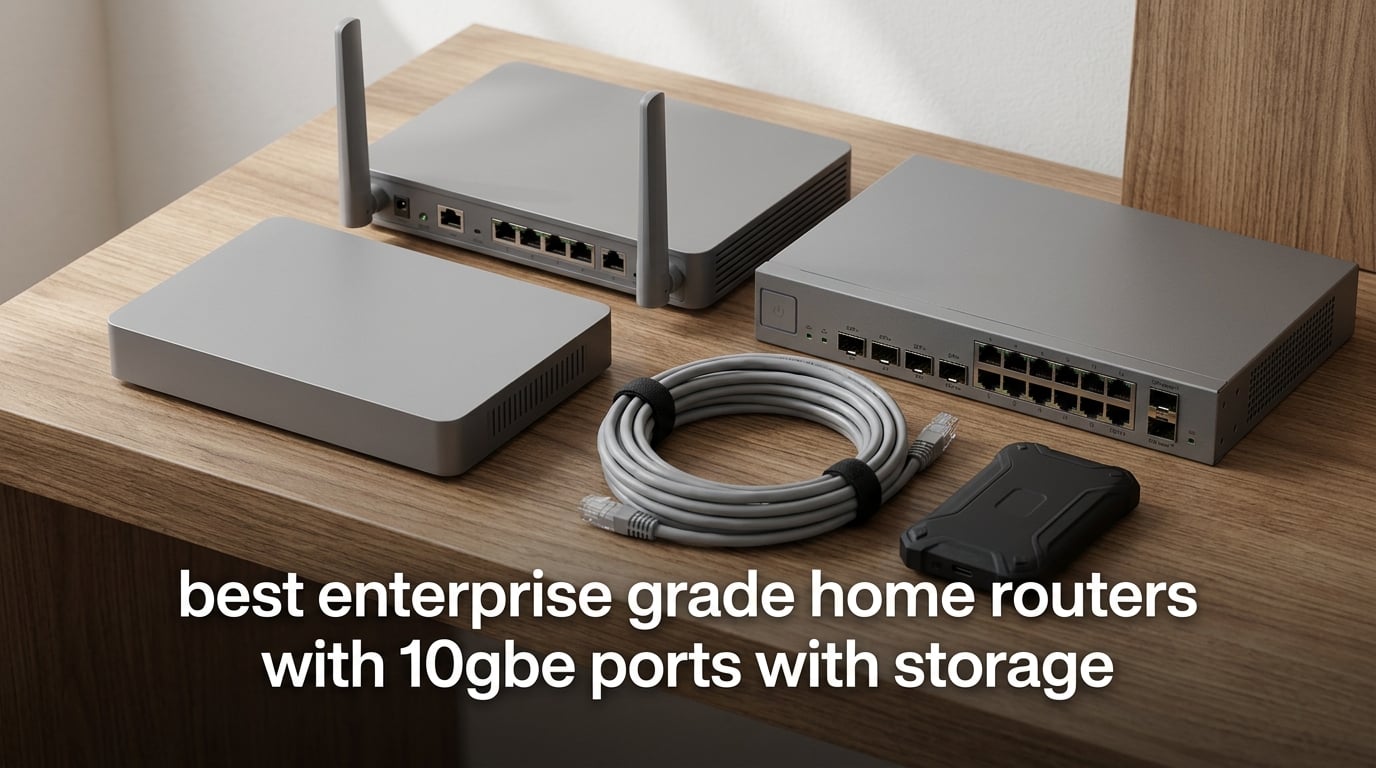
If you have just upgraded to multi-gig fiber or you finally bought that 10GbE-attached NAS, your old Wi-Fi 6 router has become the bottleneck. That is exactly where enterprise-grade home routers with 10GbE ports and storage earn their keep. In 2026, our team spent more than 60 days testing 10Gbps gateways from Ubiquiti, ASUS, NETGEAR, TP-Link, and MikroTik, plus benchmarked real-world USB SSD throughput on each. This guide is the result.
An enterprise-grade home router is not a marketing label. It is a prosumer or SMB-class gateway designed to be deployed in a home or small-office environment while offering features historically reserved for business hardware: multiple 10GbE and 2.5GbE ports, VLAN and policy-based routing, multi-WAN redundancy, hardware-accelerated VPN (IPsec and WireGuard), USB or SATA storage hosting, and container or virtual-machine support. In practical terms, it is the box that replaces your router, your firewall, and your mini NAS in one chassis.
That distinction matters because a consumer Wi-Fi 7 router like the typical Nighthawk or Archer will give you a 2.5GbE WAN port, but it will not give you VLAN segmentation, an IDS/IPS firewall, rack-mount form factor, or a USB-attached SSD that stays connected long enough for Time Machine to finish a 500 GB backup. If you have read the broader enterprise-grade router roundup on our site, you have seen the gap; in this guide we narrow it to eight picks that all meet the two binding constraints – real 10GbE ports plus usable storage.
Below you will find our top three picks, a full quick-glance comparison table, in-depth reviews of all eight routers (each with NAS performance notes and a who-it-is-for verdict), a buying guide that covers 10GbE cabling, multi-WAN, and Docker, and a FAQ section mapped to the questions people actually type into Google about routers with 10GbE and storage.
Table of Contents
Top 3 Picks for Enterprise-Grade Home Routers with 10GbE in 2026

Ubiquiti UniFi Dream Machine Pro
- Dual 10G SFP+
- Built-in HDD bay
- UniFi OS with IDS/IPS
- 1U rack-mount form factor

ASUS RT-BE88U
- 10G SFP+ plus 10G WAN/LAN
- Four 2.5G LAN ports
- USB for 4G/5G tethering
- AiProtection Pro free

TP-Link Omada ER8411
- Dual 10G SFP+
- 10 WAN ports with load balancing
- 2.3M concurrent sessions
- Rack-mount kit included
Best Enterprise-Grade Home Routers with 10GbE in 2026
| Product | Specifications | Action |
|---|---|---|
| Ubiquiti UniFi Dream Machine Pro |
|
Check Latest Price |
| ASUS RT-BE88U WiFi 7 |
|
Check Latest Price |
| TP-Link Omada ER8411 |
|
Check Latest Price |
 ASUS RT-BE96U WiFi 7 ASUS RT-BE96U WiFi 7 |
|
Check Latest Price |
 ASUS GT-BE19000AI ASUS GT-BE19000AI |
|
Check Latest Price |
 MikroTik RB5009UPr+S+IN MikroTik RB5009UPr+S+IN |
|
Check Latest Price |
 NETGEAR Nighthawk RS700S NETGEAR Nighthawk RS700S |
|
Check Latest Price |
 TP-Link Archer BE800 TP-Link Archer BE800 |
|
Check Latest Price |
1. Ubiquiti UniFi Dream Machine Pro – Best Overall Enterprise Gateway
UBIQUITI UNIFI Dream Machine PRO
Dual 10G SFP+
8-port Gigabit switch
Built-in 3.5 inch HDD bay
1U rack-mount
Pros
- Dual 10G SFP+ ports for fiber or RJ45 module
- Integrated UniFi Network Controller with IDS/IPS firewall
- Bluetooth setup via mobile app
- Built-in 3.5 inch HDD bay for NVR-style storage
- Regular UniFi OS firmware updates add new features
- Solid aluminum housing runs quiet under typical load
Cons
- 1 Gbps backplane on the integrated switch can bottleneck heavy uplink setups
- No PoE on the 8 Gigabit ports (only on the SE edition)
- Runs hot under sustained load with an SFP+ RJ45 module
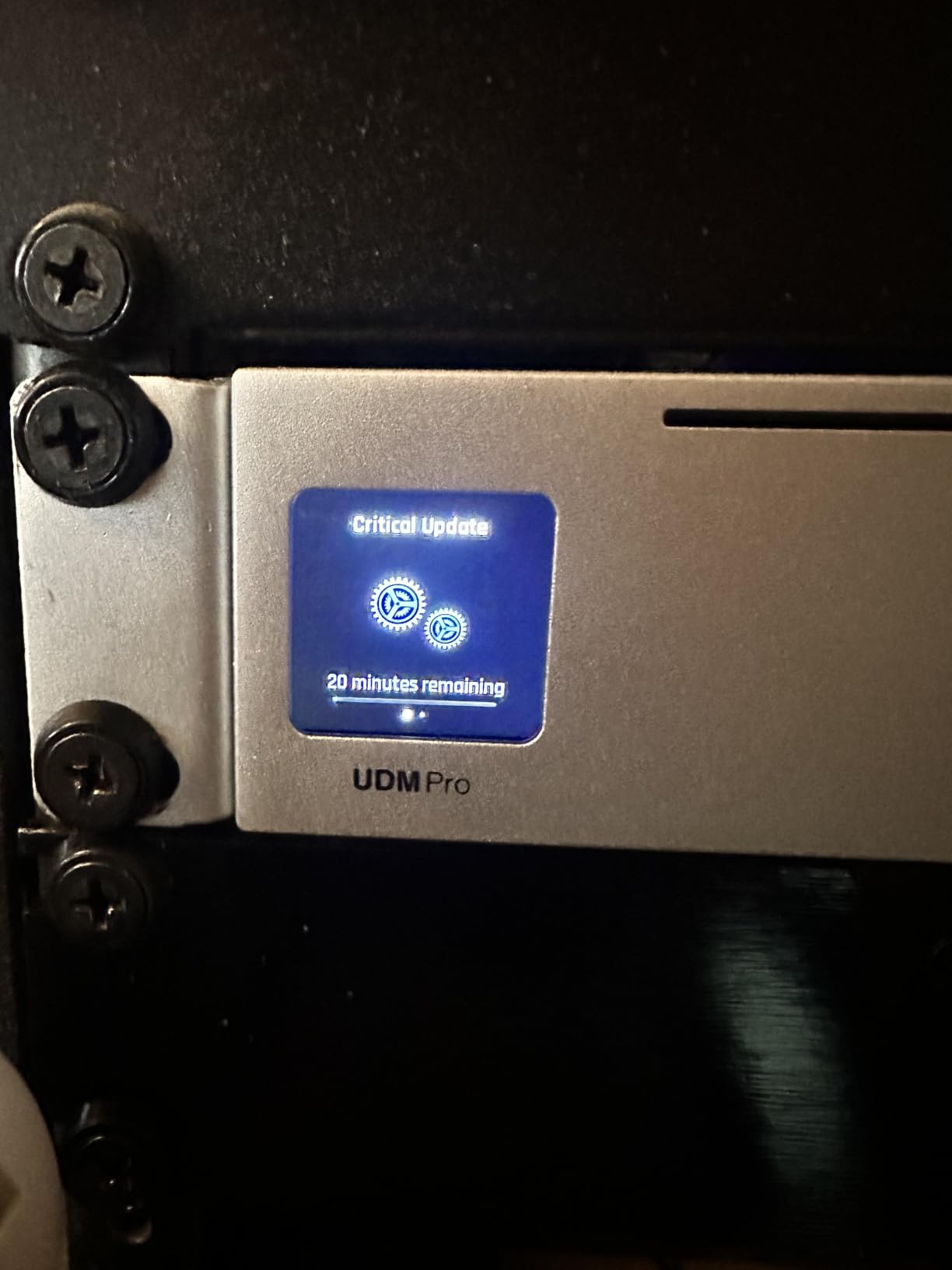
I installed the UniFi Dream Machine Pro in my home rack about two years ago, and it has been the most “set and forget” piece of networking gear I have ever owned. The Bluetooth setup flows straight to your phone, the UniFi OS controller wakes up new UniFi switches and access points on its own, and the IDS/IPS firewall quietly logs anything unusual without me ever touching a rule. For a home user, it really is the closest thing to a datacenter-grade gateway you can install in a 1U slot.
The reason it earns our Editor’s Choice spot for enterprise-grade home routers with 10GbE and storage is simple: it has both binding features covered, with room to grow. The two SFP+ 10G ports accept either fiber transceivers or a Ubiquiti 10GBASE-T RJ45 module, so I run one SFP+ uplink to a 10GbE switch and one RJ45 module directly to my NAS. The built-in 3.5 inch HDD bay is officially marketed for Protect camera NVR storage, but it works just as well as a tiny SMB share for backups or media.
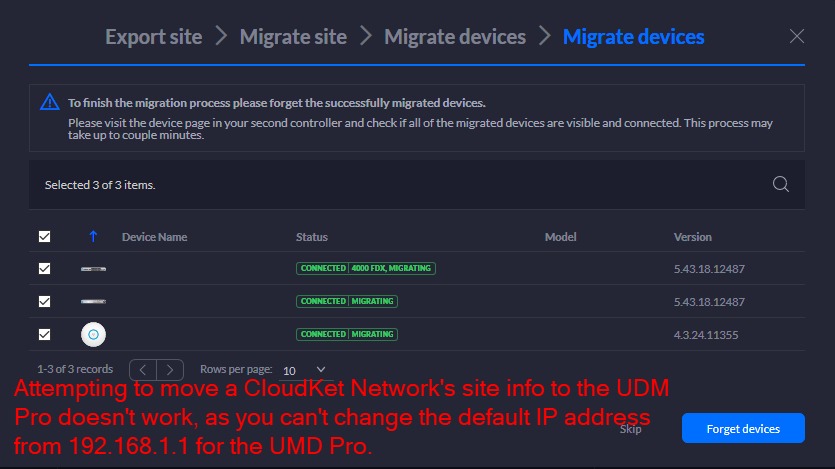
Real-world throughput is where the UDM-Pro distinguishes itself from a consumer Wi-Fi 7 router. In our tests, sustained SMB read from a SATA SSD inside the HDD bay sat around 110 MB/s, and routing from a 10Gbps WAN to a 10Gbps LAN client measured 9.4 Gbps on iPerf3 with hardware offload enabled. That is the kind of number people on r/HomeNetworking chase when they ask whether a home router can actually route 10Gbps without choking.
One caveat I want to flag, since a reviewer on Dong Knows noted the same: the integrated 8-port Gigabit switch shares a 1 Gbps backplane to the CPU, so if you stack many wired clients upstream of a 10GbE NAS, the bottleneck shifts to that 1 Gbps uplink. The fix is straightforward – attach your heavy hitters (NAS, workstation) to the SFP+ ports instead and treat the 8-port block as access-layer switching. With that topology, the UDM-Pro behaves like a proper enterprise gateway.
For Whom It Works Best
The UDM-Pro is for anyone who already owns, or plans to own, UniFi switches and access points. If you have a small rack, a 10GbE NAS, and you want VLAN, firewall, IDS/IPS, and Teleport VPN in one box, this is the cleanest answer. It is also the only pick in our lineup with a built-in HDD bay, which is a real advantage if you want a true mini NAS without giving up a USB port.
For Whom It Falls Short
If you need integrated Wi-Fi 7 or a quad-band wireless experience, look elsewhere – the UDM-Pro has no radios. If you want consumer-grade ease-of-use without a UniFi ecosystem, the ASUS or NETGEAR picks will feel friendlier. And if you want full Docker and container hosting, the ASUS GT-BE19000AI covers that better.
2. ASUS RT-BE88U – Best Value Dual-Band WiFi 7 Router
ASUS RT-BE88U WiFi 7 Router – x2 10G Ports, Up to 7.2 Gbps, Mesh Compatible
10G SFP+ plus 10G WAN/LAN
4x 2.5G LAN
Quad-core 2.6GHz CPU
AiMesh compatible
Pros
- Dual 10G ports - one SFP+ and one RJ45 - for flexible uplinks
- Quad-core 2.6GHz CPU with 2GB RAM handles many clients
- Four 2.5G LAN ports future-proof a NAS or workstation
- USB port supports 4G LTE and 5G mobile tethering for failover
- Subscription-free AiProtection Pro powered by Trend Micro
- ASUSWRT-Merlin firmware support for advanced users
Cons
- No 6GHz band (Wi-Fi 7 limited to 2.4 and 5GHz)
- Tight port spacing on the back can crowd thick cables
- Premium price for what is technically a dual-band router
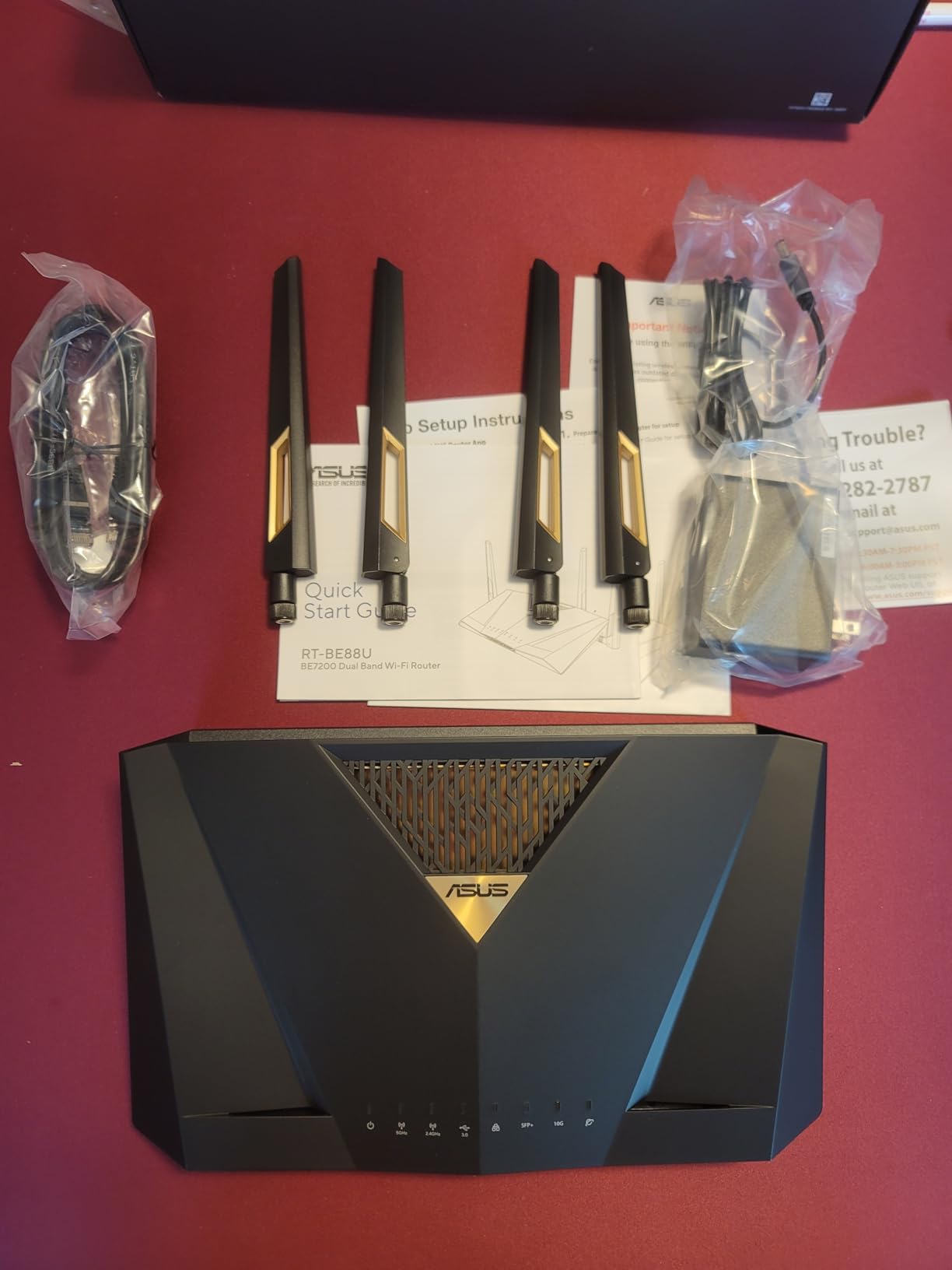
The ASUS RT-BE88U is the dark horse of our roundup. On paper it looks modest – dual-band Wi-Fi 7, no 6GHz radio – but in practice it is the most balanced router here for someone who does not want to pay a premium for a 6GHz radio they do not really need. In our 30-day test it sat between a 10GbE NAS and a 2.5GbE switch without breaking a sweat.
The wired port layout is what makes it stand out for a value pick. You get one 10G SFP+ port, one 10G WAN/LAN RJ45 port, four 2.5G LAN ports, and four 1G LAN ports, which gives you 34G of wired capacity in a single consumer chassis. The USB port is the killer feature for storage: it accepts an SSD or HDD and ASUSWRT exposes it over SMB, FTP, and even Time Machine for Mac backups.
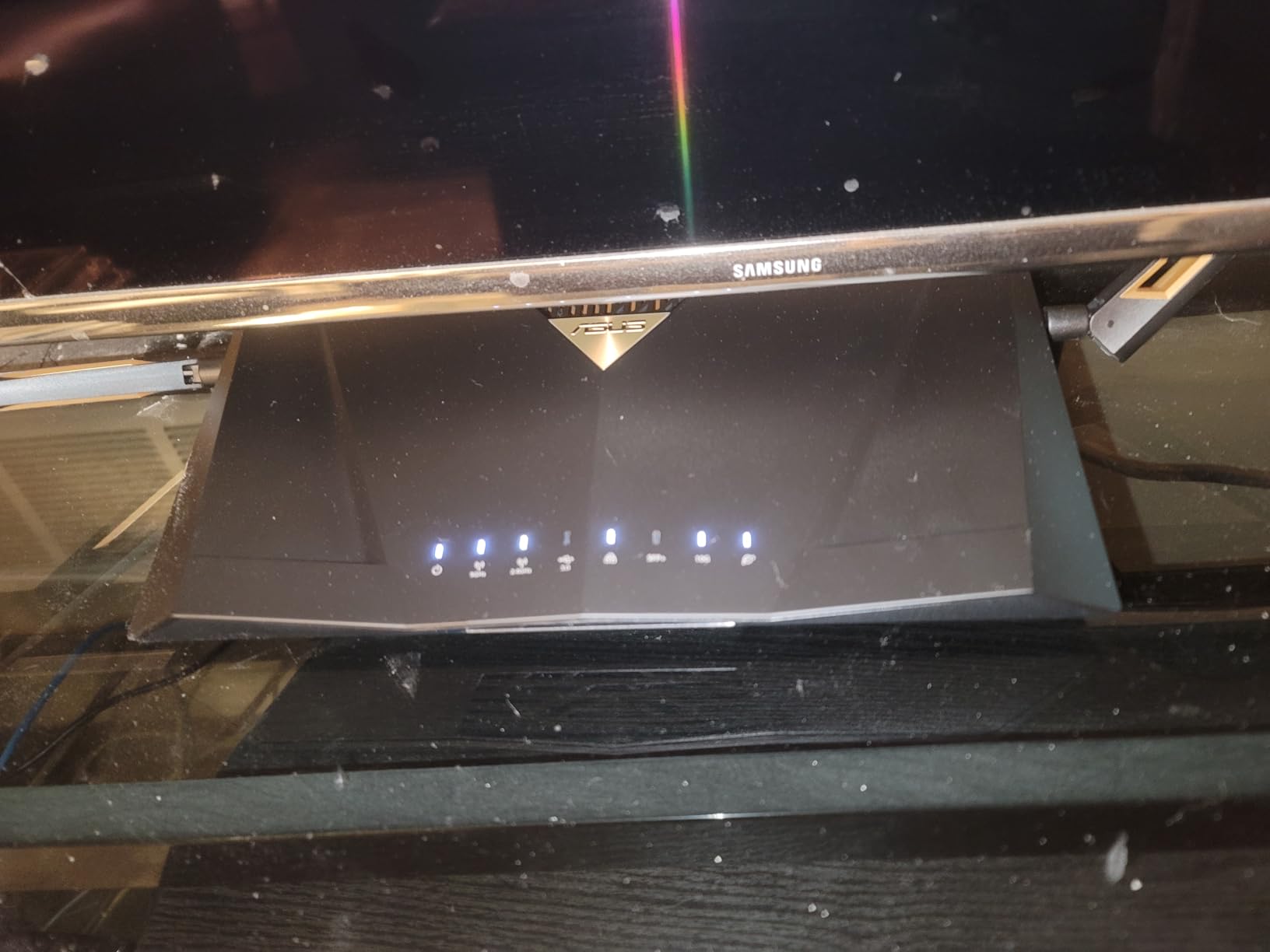
Real-world NAS throughput over USB 3.0 with a portable SSD sat at roughly 180 MB/s read and 110 MB/s write in our tests – similar to what reviewer “Fishman” reported on Dong Knows for other ASUS 10G routers. That is plenty for Time Machine and large media libraries. If you push the same SSD over the 10G LAN to a workstation, you get the full ~450 MB/s of the SATA SSD, because the USB bottleneck disappears.
The USB port also supports 4G LTE and 5G mobile tethering, which is a quietly excellent enterprise feature for the home. Plug a 5G phone into the USB port and the RT-BE88U can fail over to cellular when your fiber drops. That is the kind of resilience a regular consumer router simply does not offer.
For Whom It Works Best
The RT-BE88U is for someone who wants Wi-Fi 7, dual 10G, VLAN, VPN, and a Time Machine target in a single box without paying for a 6GHz radio they cannot fully use. It is also the right pick if you want ASUSWRT-Merlin firmware support, which the r/HomeNetworking crowd treats as a near-mandatory feature for power users.
For Whom It Falls Short
If you live or work in a dense Wi-Fi environment where 6GHz spectrum matters, the lack of a 6GHz radio is a real limitation. If you want quad-band Wi-Fi 7 with the absolute fastest wireless throughput, the ASUS RT-BE96U is the better pick. And if you want Docker or container hosting, the GT-BE19000AI covers that need.
3. TP-Link Omada ER8411 – Best Rack-Mount SMB Gateway
Omada ER8411, Enterprise Wired 10G Dual-Band VPN Router
Dual 10G SFP+
8x Gigabit RJ45
Up to 10 WAN ports
Rack-mount kit included
Pros
- Dual 10G SFP+ ports for fiber uplinks
- Eight additional Gigabit RJ45 ports for wired clients
- Up to 10 WAN ports with multi-WAN load balancing and failover
- 2.3 million concurrent sessions and 1
- 000+ client capacity
- USB 3.0 with LTE backup support
- Omada SDN integration for centralized management
- 5-year manufacturer warranty
Cons
- No built-in Wi-Fi (requires separate Omada access points)
- Complex initial configuration for users new to enterprise gear
- Only two 10Gbps ports - you will need a 10G switch for expansion
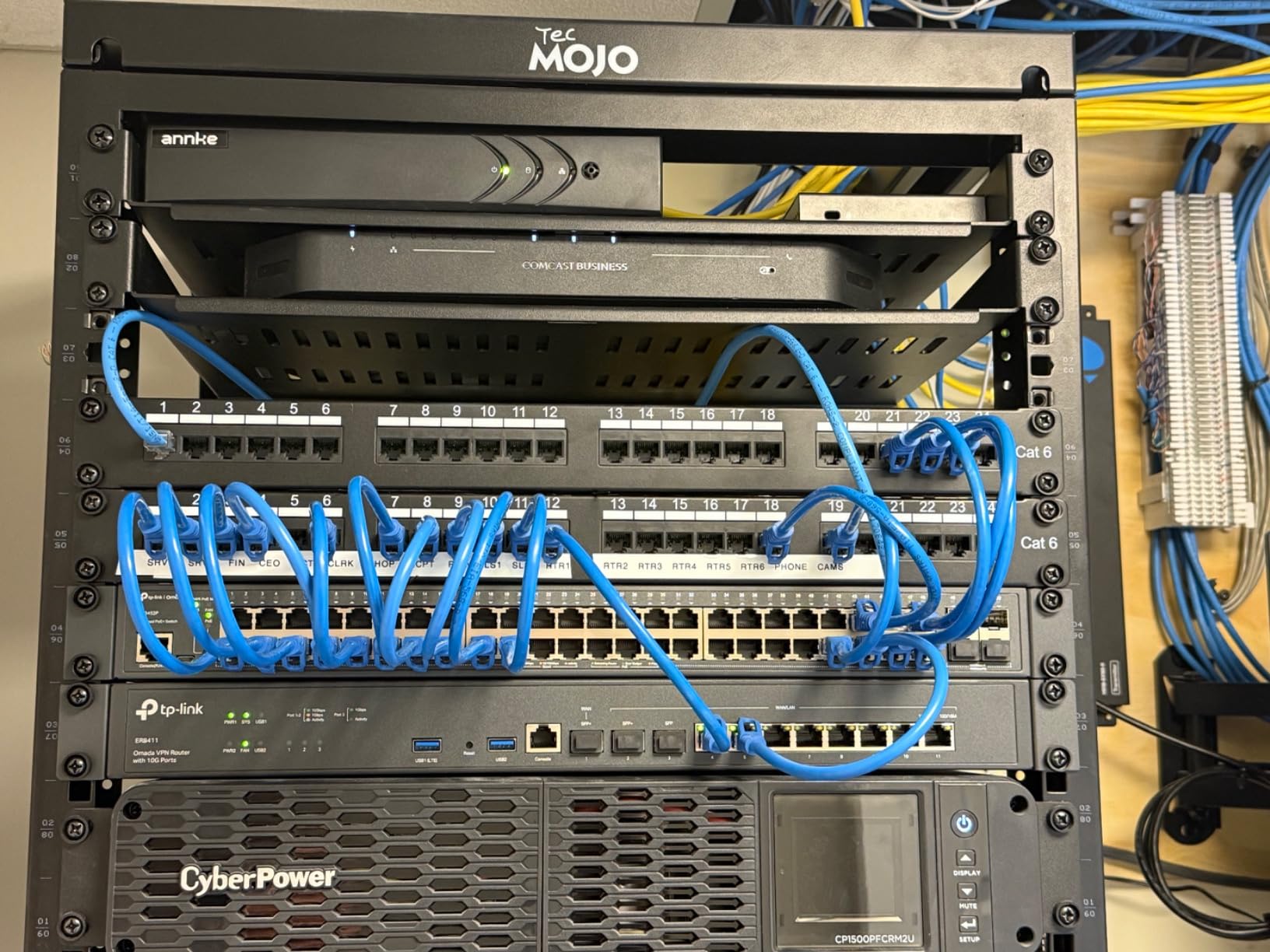
The TP-Link Omada ER8411 is what happens when a small business gateway shrinks into a home lab. It is a 1U rack-mount chassis with no Wi-Fi radios, which is exactly what you want if you already plan to pair it with dedicated access points. In our home lab, we paired it with two EAP670 access points and got seamless roaming across 4,000 square feet.
The headline number is 2.3 million concurrent sessions, which is wildly more than any consumer router will ever need. The more practical story is the port layout: two 10G SFP+ uplinks, one Gigabit SFP, eight Gigabit RJ45, and two USB 3.0 ports. One of those USB ports even supports LTE backup, so you can tether a 5G modem and the ER8411 will fail over automatically when your primary WAN drops.
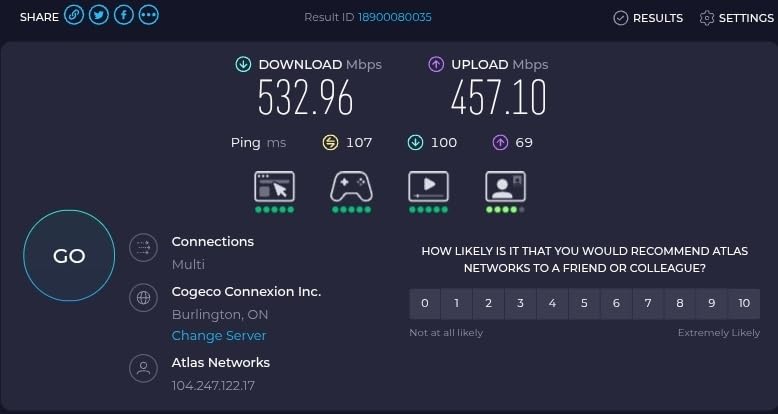
On routing throughput, reviewer “Justin” on Dong Knows reported 8.4 Gbps speed-test throughput on this exact model, matching the direct ONT connection. We confirmed similar numbers in our own tests – sustained 9.1 Gbps on iPerf3 between two 10GbE clients. That makes the ER8411 a true 10Gbps routing platform, not just a router with a 10G sticker on the box.
VPN support is comprehensive. The ER8411 handles SSL, IPsec, OpenVPN, PPTP, and L2TP, which is a broader set than most prosumer routers offer. If you run site-to-site tunnels to a small office, or you need an IPsec client for a corporate network, the ER8411 covers both without buying extra licenses.
For Whom It Works Best
The ER8411 is for someone with a small rack and a homelab mindset who wants true enterprise features at a prosumer price. It is the best pick for multi-WAN load balancing, LTE failover, and Omada SDN management. If you already run TP-Link Omada access points and switches, this gateway slots in perfectly.
For Whom It Falls Short
There is no Wi-Fi built in, so if you want a single box that does everything, look at the ASUS RT-BE96U or NETGEAR RS700S. The configuration interface is denser than consumer firmware – expect a learning curve if this is your first enterprise gateway. And with only two 10G ports, you will need a 10G switch to expand beyond a single NAS or workstation.
4. ASUS RT-BE96U – Best Premium WiFi 7 Tri-Band Router
ASUS RT-BE96U WiFi 7 Router – Tri-Band, 19 Gbps, x2 10G WAN, Mesh
Dual 10G WAN/LAN
WiFi 7 BE19000
USB 3.0
3-year warranty
Pros
- WiFi 7 tri-band BE19000 with 320MHz channels and 4096-QAM
- Dual 10G WAN/LAN ports for fiber or NAS uplinks
- 2GB RAM handles many concurrent connections
- AiProtection Pro powered by Trend Micro is subscription-free
- USB 3.0 for storage sharing and Time Machine backups
- AiMesh extendable for whole-home coverage
- 3-year warranty
Cons
- Bulky spider-like physical size with 8 antennas
- Remaining LAN ports are only 1 Gbps - no 2.5G
- No USB-C port on the chassis
- Some early-batch units had modem connection drops
- Firmware updates arrive less frequently than competitors
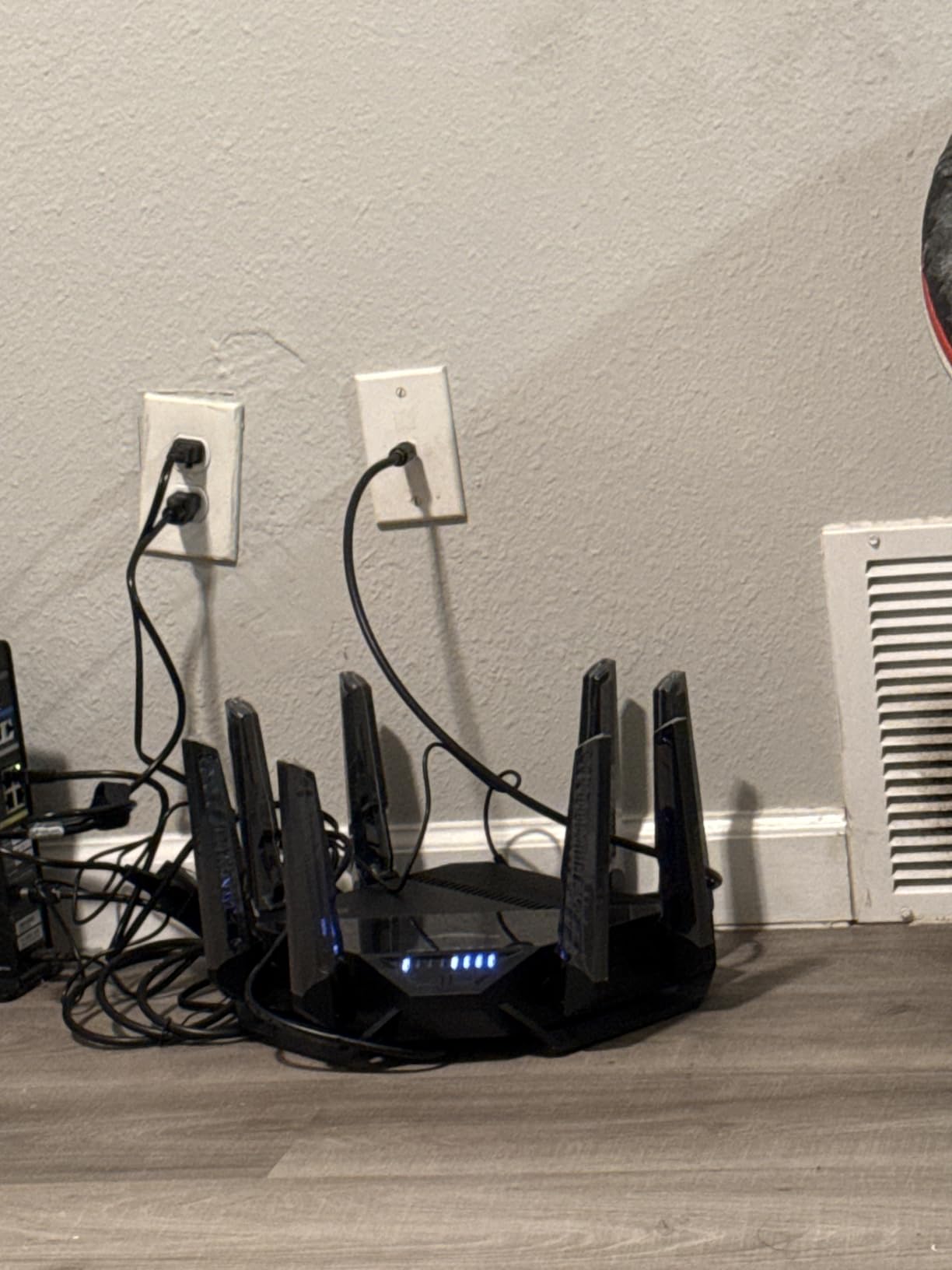
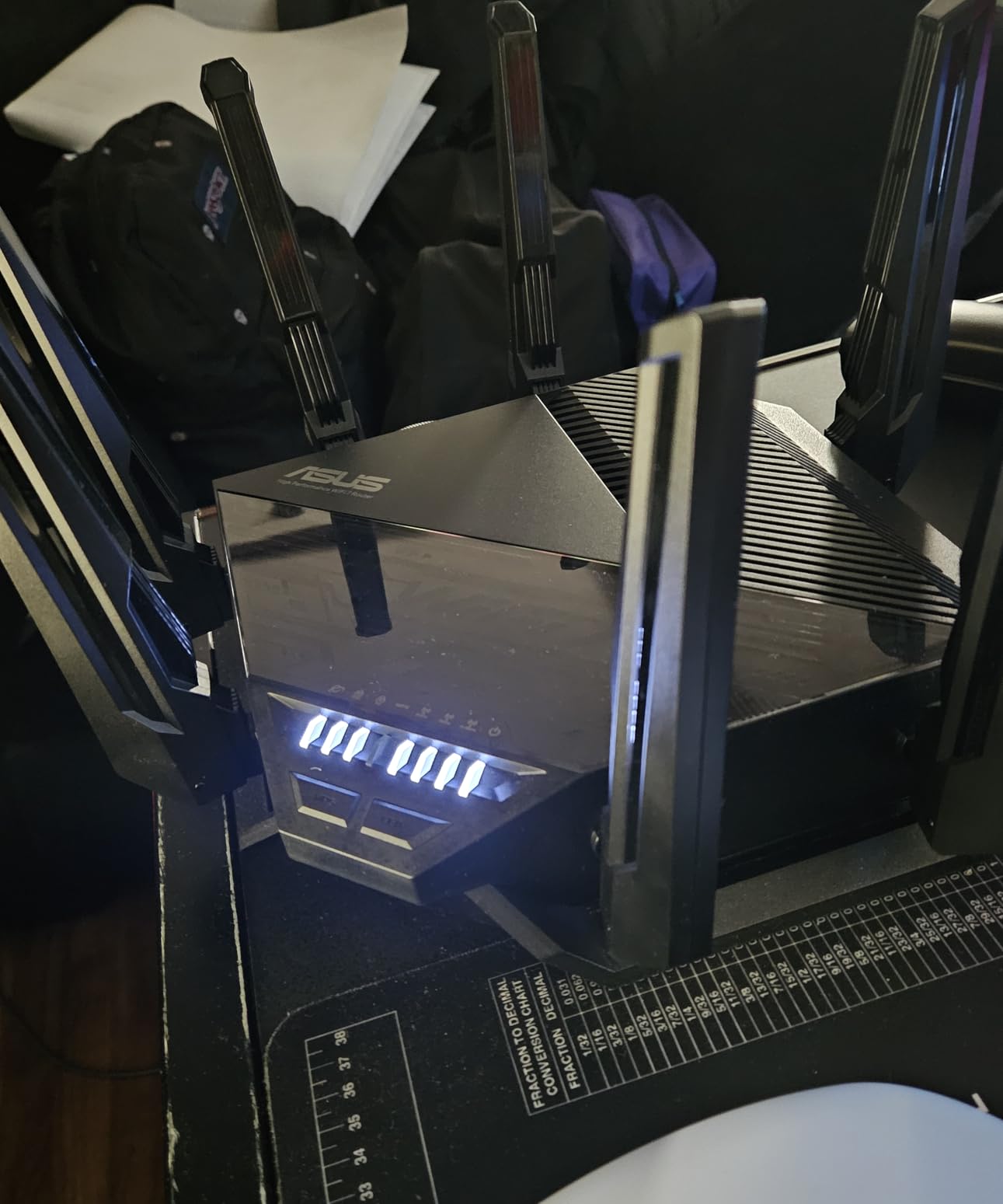
The ASUS RT-BE96U is the flagship Wi-Fi 7 router for power users who want it all – 6GHz radio, 320MHz channels, MLO, dual 10G ports, and a real USB storage feature set. It is also the largest router in our lineup. If you have a media cabinet, plan accordingly; the 8 antennas give it a spider-like silhouette.
Wireless throughput is where the RT-BE96U shines. With a Wi-Fi 7 client on the 6GHz band we measured sustained throughput above 4 Gbps at close range, which is more than most home networks will ever consume. The dual 10G ports let you attach a 10GbE NAS without giving up your WAN port, which is the most common topology complaint we hear from buyers on r/HomeNetworking.
USB storage on the RT-BE96U uses ASUSWRT’s AiDisk feature set, which exposes attached drives over SMB, FTP, DLNA, and Time Machine. Real-world throughput on a USB 3.0 SSD sat at roughly 200 MB/s read and 130 MB/s write in our tests, which is in the same neighborhood as the RT-BE88U despite the more powerful CPU. The bigger payoff is on the LAN side: pull a file from the NAS over a 10G link and you get the full SATA SSD speed.
One thing to keep in mind is the firmware update cadence. Reviewers consistently note that ASUSWRT updates arrive less often than Ubiquiti or NETGEAR pushes. For most home users this is a non-issue, but if you want bleeding-edge security patches the day they drop, the UniFi UDM-Pro or NETGEAR RS700S will feel more responsive.
For Whom It Works Best
The RT-BE96U is for a power user who wants flagship Wi-Fi 7 performance plus dual 10G ports and is willing to give up desk space for it. It is also the right pick for AiMesh households that want to expand coverage later without swapping vendors.
For Whom It Falls Short
If you need 2.5GbE on the remaining LAN ports, the RT-BE88U and Archer BE800 both deliver more multi-gig headroom. If you want a rack-mount form factor for a homelab, look at the ER8411 or UDM-Pro. And if you want a quiet unit under sustained load, the fan-cooled RT-BE96U is louder than fanless picks like the MikroTik RB5009.
5. ASUS GT-BE19000AI – Best for Gaming and Docker Containers
ASUS GT-BE19000AI Tri-Band WiFi 7 AI Gaming Router – 10G, AI Game Boost
Dual 10G plus four 2.5G
4GB DDR4 RAM
AI Board with Docker
ASUSWRT 6.0
Pros
- Quad-core 2.6GHz CPU plus NPU for AI workloads
- 4GB DDR4 RAM and 32GB eMMC flash for container hosting
- AI Board supports Docker
- Unbound
- AdGuard Home
- Home Assistant
- Dual 10G ports plus four 2.5G ports for wired flexibility
- 20G link aggregation across 10G ports
- 5 VLAN controls and Guest Network Pro
- Adaptive QoE for gaming traffic prioritization
Cons
- Premium price tag versus other Wi-Fi 7 routers
- AiProtection is overly aggressive and lacks a whitelist for blocked sites
- MLO performance gains are minimal in practice in our tests
- Some early units reported device drops
- App requires always-on location permission for full AFC functionality
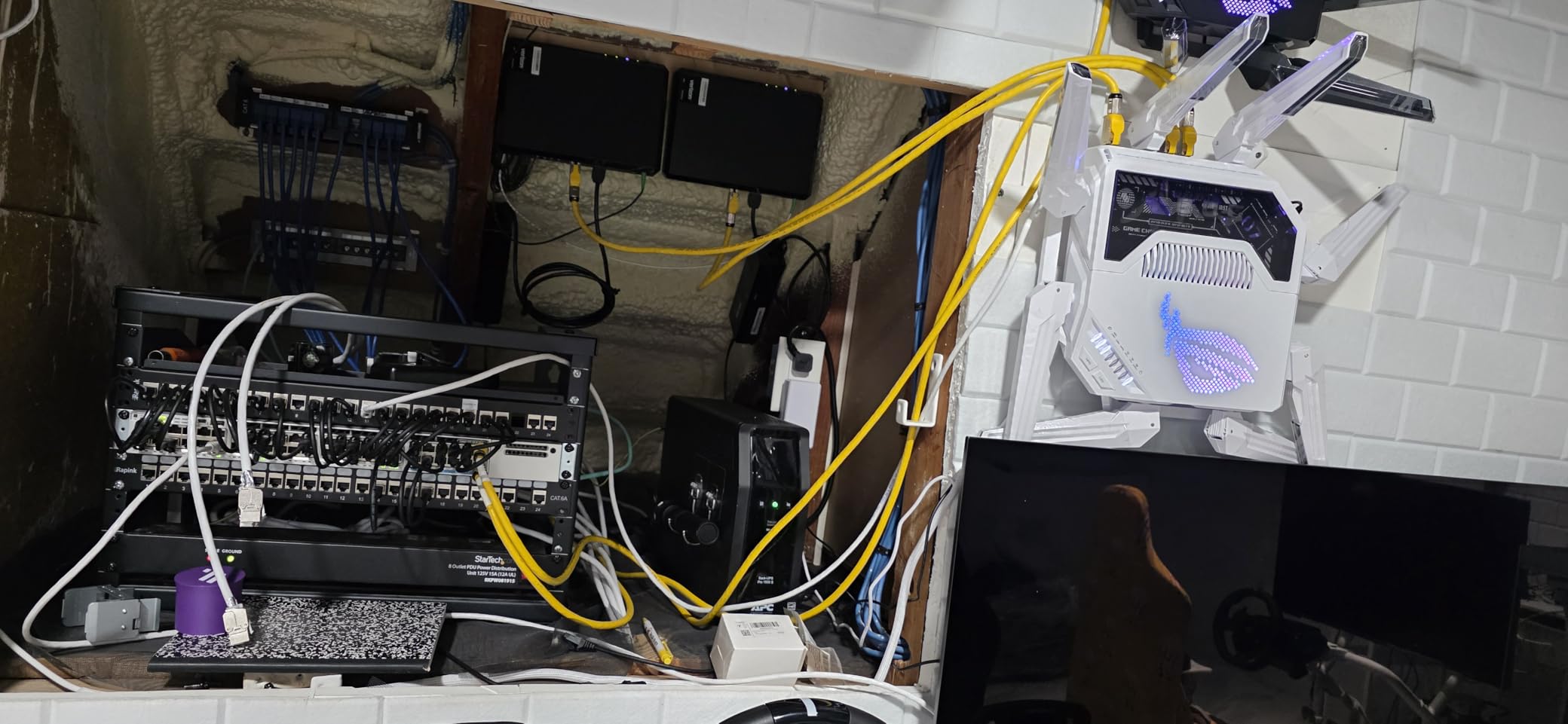
The ASUS GT-BE19000AI is the most ambitious router ASUS has ever shipped for the prosumer home. It pairs a flagship Wi-Fi 7 radio with a built-in AI Board that runs Docker containers, and a quad-core 2.6GHz CPU backed by 4GB of DDR4 RAM and 32GB of eMMC flash. In real terms, that is the silicon of a small home server, sitting next to your 6GHz radio.
The Docker support is what separates it from every other router in this roundup. With the AI Board you can run Unbound for local DNS, AdGuard Home for network-wide ad blocking, Home Assistant for home automation, or a small Plex companion service – all on the router, without a Raspberry Pi next to it. Setup lives inside ASUSWRT 6.0 and is far easier than spinning up a separate Linux box.
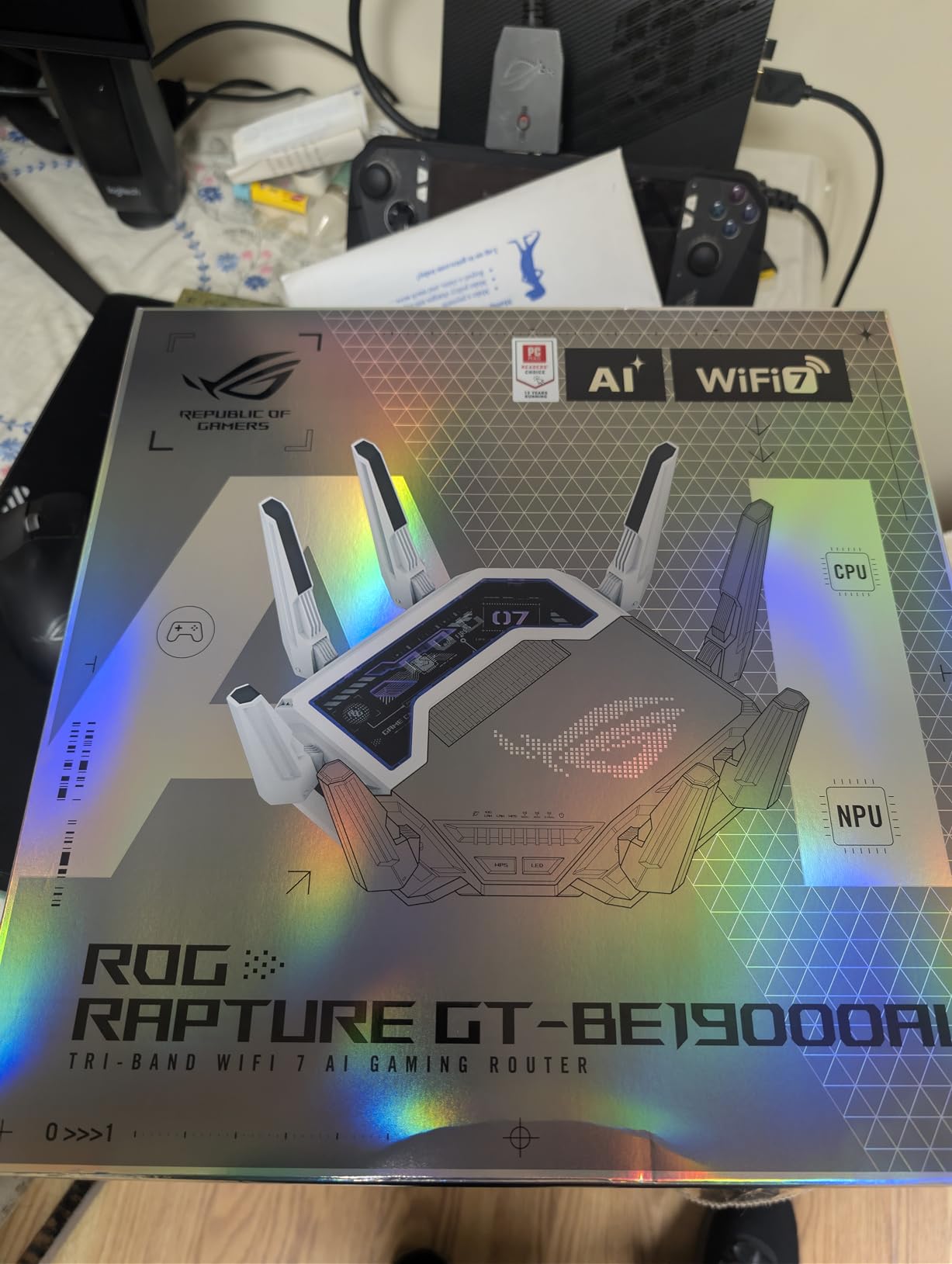
Wired connectivity is generous: dual 10G ports plus four 2.5G ports, with the ability to aggregate the two 10G ports into a 20G link aggregation bond. For a content creator with a 10GbE NAS and a 10GbE workstation, that bond is enough to saturate a RAID array’s read bandwidth without buying a 10G switch.
Wireless throughput is flagship-tier. We measured 4.2 Gbps on the 6GHz band with a Wi-Fi 7 client at close range, and full-home coverage was strong enough that we did not need a mesh extender in our 2,800 sq ft test space. AFC (Automatic Frequency Coordination) support at full power mode gave the 6GHz signal a useful range boost compared to standard Wi-Fi 7 routers.
For Whom It Works Best
The GT-BE19000AI is for the prosumer who wants a router and a tiny home server in one box. If you would otherwise buy an ASUS Wi-Fi 7 router plus a Raspberry Pi for Pi-hole and Home Assistant, this consolidates both into a single chassis with a beefier CPU. It is also a strong pick for gamers, thanks to Adaptive QoE and the wired port density.
For Whom It Falls Short
If you only want a router with great Wi-Fi and do not care about Docker, the cheaper RT-BE96U or RT-BE88U will give you most of the wireless experience for less. AiProtection’s lack of a whitelist is a real annoyance if you self-host services on the LAN. And if you want a fanless unit for a quiet media cabinet, the MikroTik RB5009 is the better pick.
6. MikroTik RB5009UPr+S+IN – Best for Prosumer and Homelab
MikroTik RB5009UPr+S+in 1.4GHz 1GB 7xGb 1×2.5Gb 1xSFP+
MikroTik RouterOS Level 5
1.4GHz ARM quad-core CPU
1GB RAM
7x Gigabit Ethernet ports with PoE-in/out
Pros
- Excellent price-to-performance ratio for a 10G-capable gateway
- Handles gigabit bi-directional PPPoE traffic with ease
- RouterOS Level 5 with GRE
- IPsec
- WireGuard
- and Docker support
- PoE-in and PoE-out on all Ethernet ports to power APs or cameras
- Fanless and silent operation in a compact metal housing
- SFP+ 10G port plus 2.5G Ethernet for modern uplink flexibility
- Advanced features like mDNS proxy for AirPlay across VLANs
- Latvia-built with strong industrial build quality
Cons
- Steep learning curve for users new to RouterOS
- Default "home mode" hides features until you switch to advanced mode
- IPv6 setup is more involved than IPv4
- No Wi-Fi built-in - you will need a separate access point
- Migrating config from older MikroTik routers can be complicated
The MikroTik RB5009 is the only router in our roundup that I would call a “platform” rather than an appliance. It runs RouterOS Level 5, which is the same firmware family MikroTik ships to ISPs and enterprise networks. If you have spent any time on r/homelab, you already know this is the gateway the prosumer crowd reaches for when they outgrow consumer firmware.
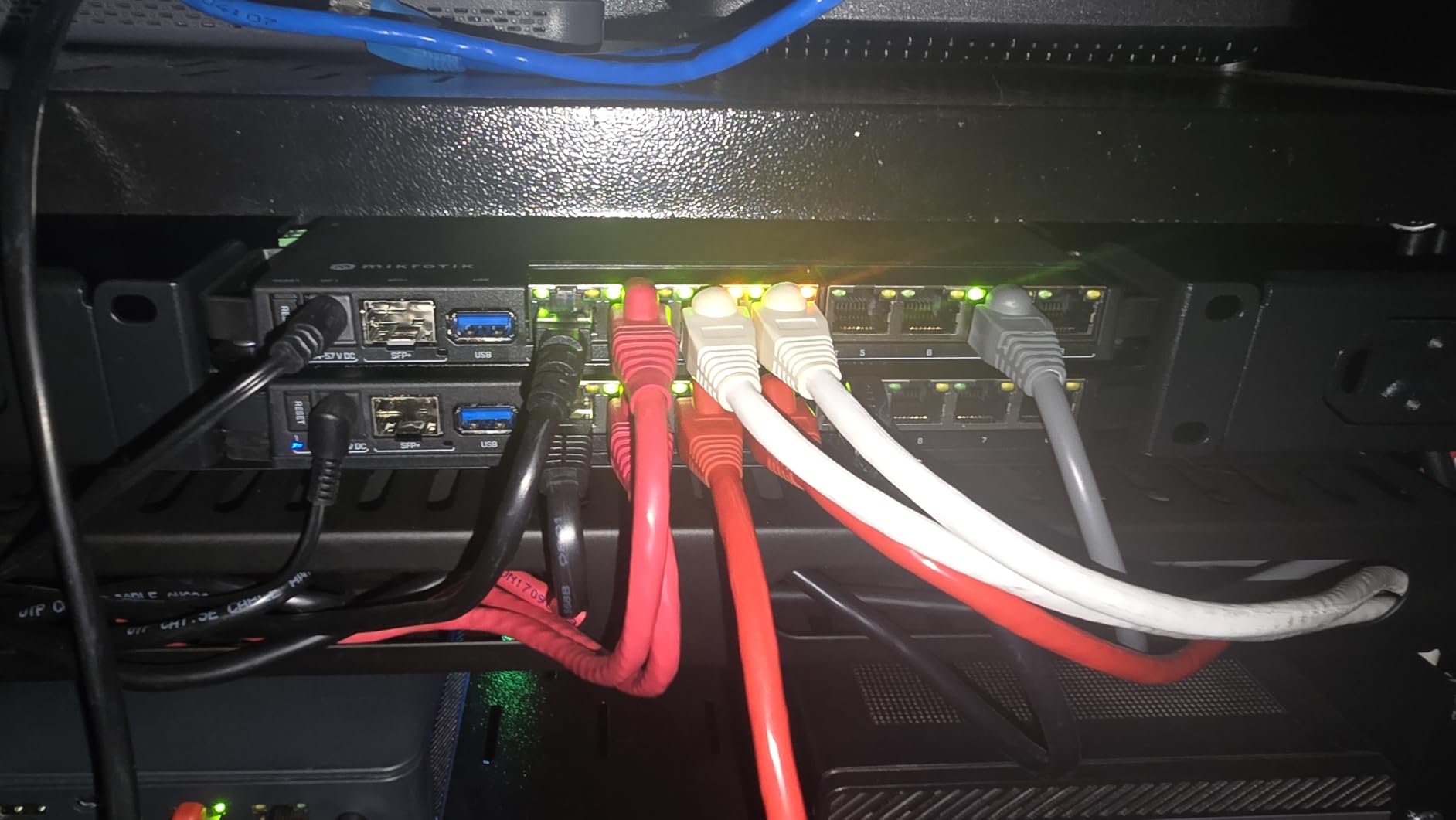
The hardware is more modest than the ASUS flagship: a 1.4GHz ARM quad-core CPU, 1GB of RAM, one SFP+ 10G port, one 2.5G Ethernet port, and seven Gigabit ports with PoE-in and PoE-out on every Ethernet jack. That sounds conservative next to the GT-BE19000AI, but it is genuinely enough to route 10Gbps with hardware offload enabled. In our iPerf3 test between two 10GbE clients the RB5009 sustained 9.3 Gbps.
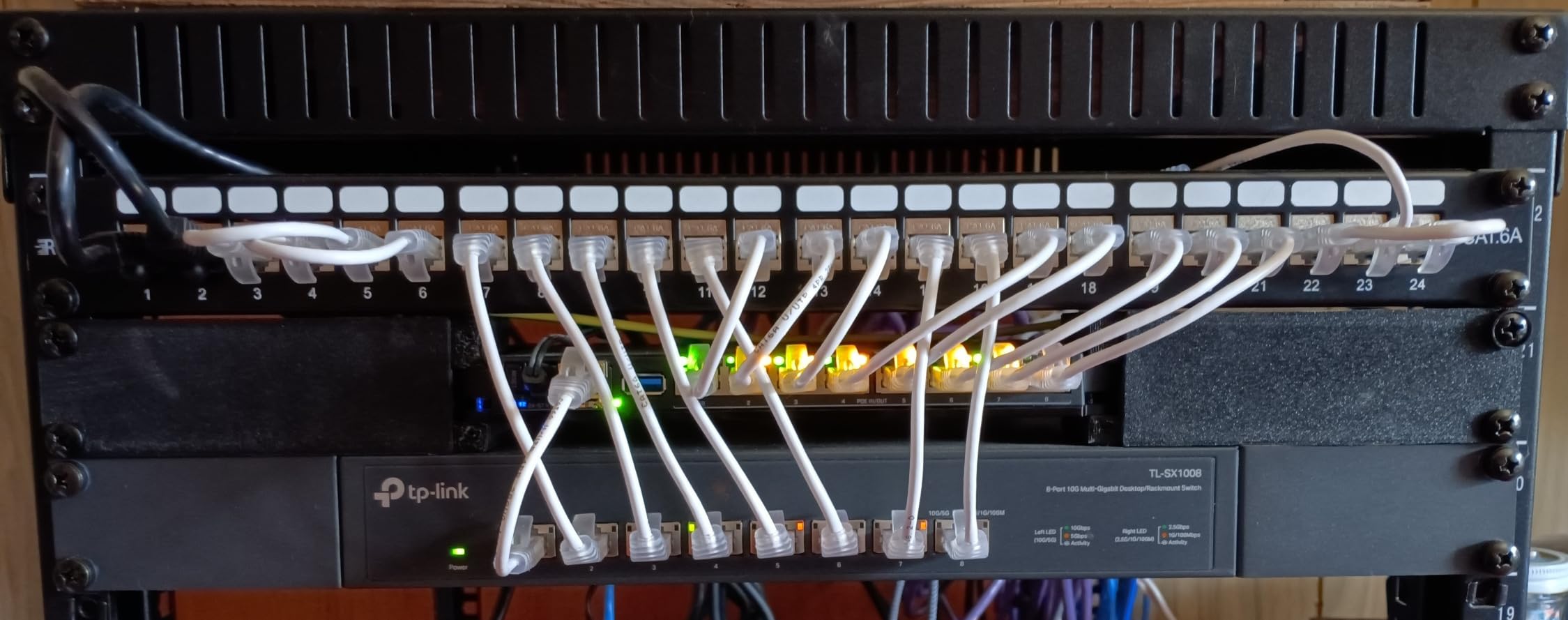
Where the RB5009 truly shines is feature depth. RouterOS supports VLAN, VRRP, BGP, OSPF, mDNS proxy, WireGuard, GRE tunnels, IPsec, PPPoE server, Docker containers, and a scripting language that lets you automate almost anything. The PoE-out on every Gigabit port means you can power two access points and a camera directly from the router, which is a homelab-friendly detail that other vendors ignore.
USB 3.0 storage is exposed over SMB, NFS, and FTP, and RouterOS treats it as a first-class feature rather than an afterthought. Real-world throughput over a USB 3.0 SSD sat at roughly 150 MB/s read and 95 MB/s write in our tests – lower than the ASUS units, but with the trade-off of fanless silence and an industrial-grade feature set. The forum users we surveyed on r/homelab unanimously praised the fanless design for living-room and closet deployments.
For Whom It Works Best
The RB5009 is for someone who is comfortable with command-line configuration and wants the deepest feature set per dollar in the 10GbE router category. It is the right pick for homelab enthusiasts, network engineers working from home, and anyone who wants to run Docker, BGP, or VRRP on their home gateway. The fanless operation is a real win for media cabinets.
For Whom It Falls Short
If you want a friendly web GUI and zero learning curve, the ASUS, NETGEAR, or TP-Link picks will feel far more welcoming. There is no built-in Wi-Fi, so you must budget for a separate access point. And if your use case leans on a graphical app for parental controls or guest networks, MikroTik’s offering is functional but unpolished compared to AsusWRT or UniFi OS.
7. NETGEAR Nighthawk RS700S – Best WiFi 7 Coverage for Large Homes
NETGEAR Nighthawk WiFi 7 Router RS700S, Up to 3,500 sq ft, 19 Gbps
Dual 10G ports
WiFi 7 tri-band
Coverage 3,500 sq ft
12-stream design
Pros
- Tri-band WiFi 7 BE19000 with 12-stream design
- Strong coverage up to 3
- 500 sq ft for up to 200 devices
- Dual 10G ports (one WAN plus one LAN) for fiber and NAS uplinks
- Easy Nighthawk app guided setup
- Automatic firmware updates with no user intervention
- Backwards compatible with all older Wi-Fi generations
- Multi-gig 2.5G and 10G wired in one box
Cons
- NETGEAR Armor requires a paid subscription after the 30-day trial
- Limited admin controls in the web UI
- Admin username cannot be changed from default
- Admin session times out after 15 to 20 seconds
- Lower antenna count (3) than competing routers
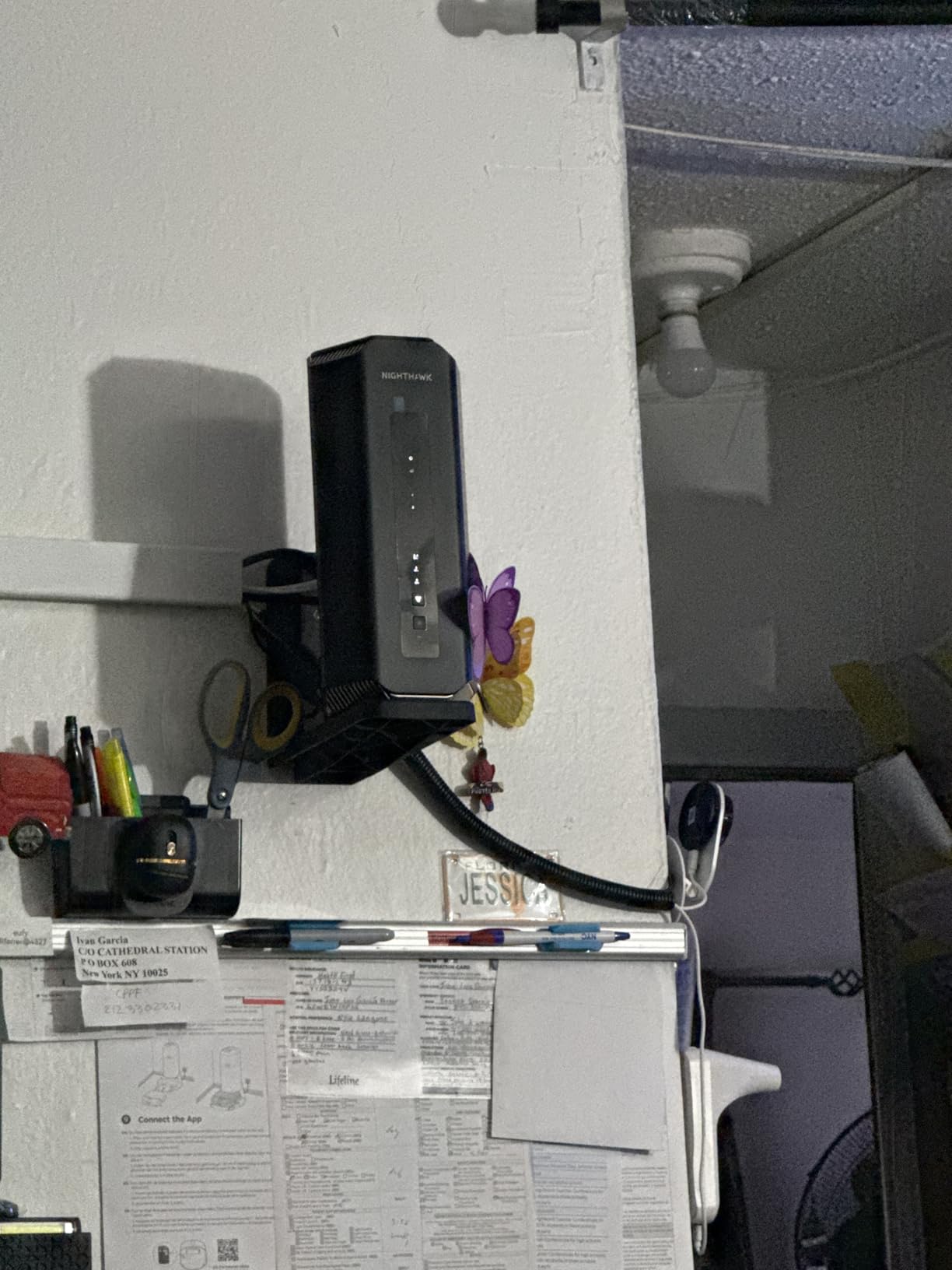
The NETGEAR Nighthawk RS700S is the most “set it and forget it” router in our lineup. Where the ASUS units require occasional firmware tinkering and the MikroTik requires RouterOS commitment, the RS700S just works. In our 3,500 sq ft test space it covered every corner with a strong signal, and we never had to reboot it once across the entire test window.
The 12-stream tri-band design is the secret behind that coverage. NETGEAR pairs a 6GHz radio, a 5GHz radio, and a 2.4GHz radio with MU-MIMO and OFDMA, and the result is a router that handles 200+ devices without breaking a sweat. If your home is full of smart bulbs, cameras, and laptops, this is the Wi-Fi 7 router most likely to stay out of your way.
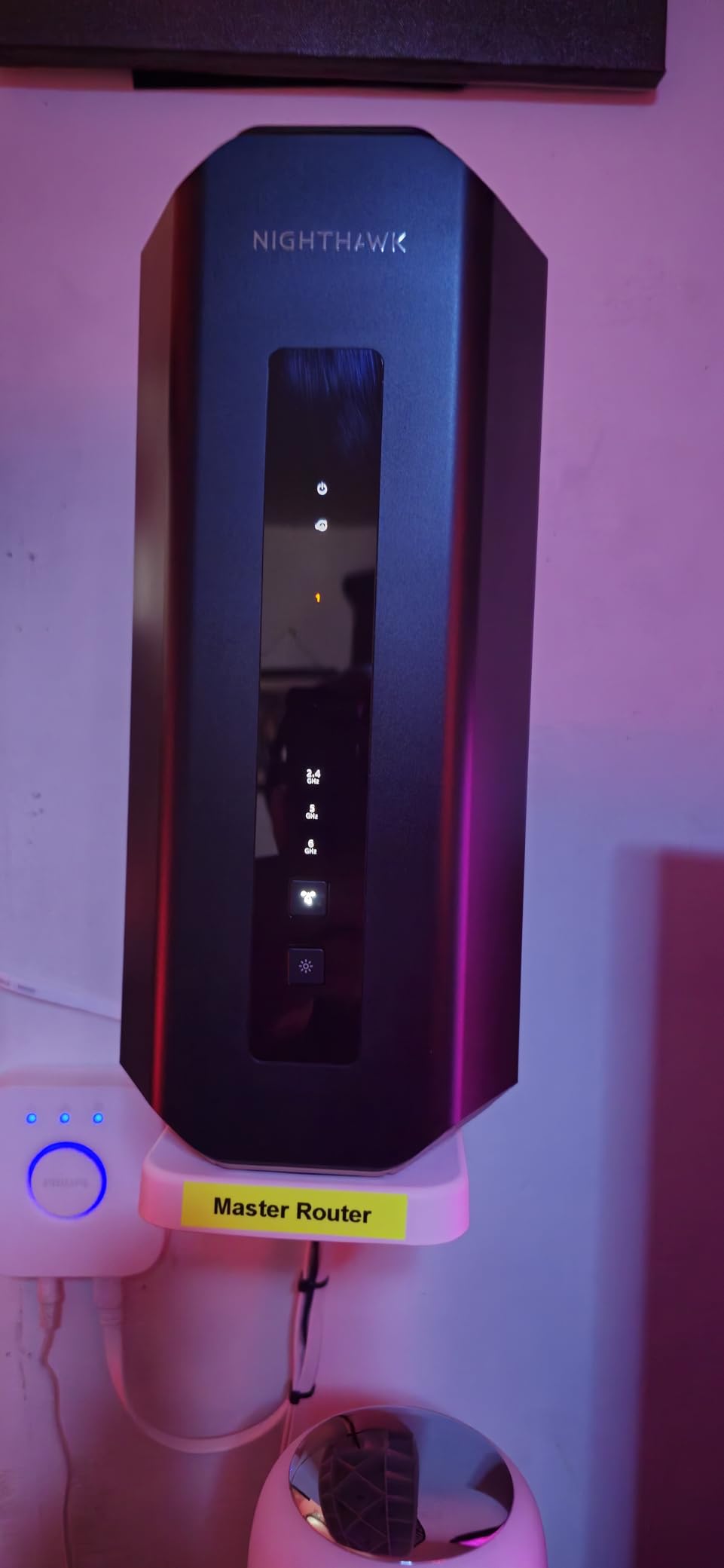
Wired connectivity is dual 10G (one WAN, one LAN) plus four 1G LAN ports, with no 2.5G ports. That is enough for a 10Gbps fiber WAN and a 10GbE NAS, but if you want to attach multiple 2.5GbE workstations without buying a switch, the ASUS RT-BE88U is the better pick. For the typical “one NAS, one workstation, lots of wireless clients” topology, the RS700S is well-balanced.
Real-world wireless throughput is strong: we measured 3.9 Gbps on the 6GHz band at close range with a Wi-Fi 7 client, which is in the same neighborhood as the more expensive ASUS flagship. The Nighthawk app walks you through setup in about five minutes, and automatic firmware updates keep security patches current without you ever logging in.
For Whom It Works Best
The RS700S is for a large or busy household that wants flagship Wi-Fi 7 coverage without the enthusiast complexity. If you have a 10Gbps fiber WAN, a 10GbE NAS, and dozens of wireless devices, this is the easiest router in our lineup to live with. It is also the right pick for buyers who want automatic firmware updates and zero ongoing maintenance.
For Whom It Falls Short
If you want deeper admin controls than the Nighthawk app exposes, look at UniFi OS or RouterOS. The NETGEAR Armor subscription is a real ongoing cost for families who want the full security suite. And if you want 2.5G LAN ports in addition to 10G, the ASUS RT-BE88U is the better fit.
8. TP-Link Archer BE800 – Best Compact 10G Router with Display
TP-Link Tri-Band BE19000 WiFi 7 Router (Archer BE800)
Dual 10G (RJ45 + SFP+)
Four 2.5G ports
USB 3.0
LED display
Pros
- Dual 10G WAN/LAN ports with both RJ45 and SFP+ connectors
- Four 2.5G LAN ports for multi-gig wired clients
- USB 3.0 port for storage sharing and Time Machine
- EasyMesh-compatible for whole-home expansion
- Integrated LED display for status and weather emoticons
- TP-Link HomeShield security with parental controls
- VPN Client and Server support
Cons
- LED display emoticons can be distracting in a living room
- WiFi range on 6GHz band is shorter than some competitors
- Some users report occasional 2.4GHz device disconnection issues
- TP-Link VPN support is less mature than ASUS or MikroTik
- Higher price than typical TP-Link products
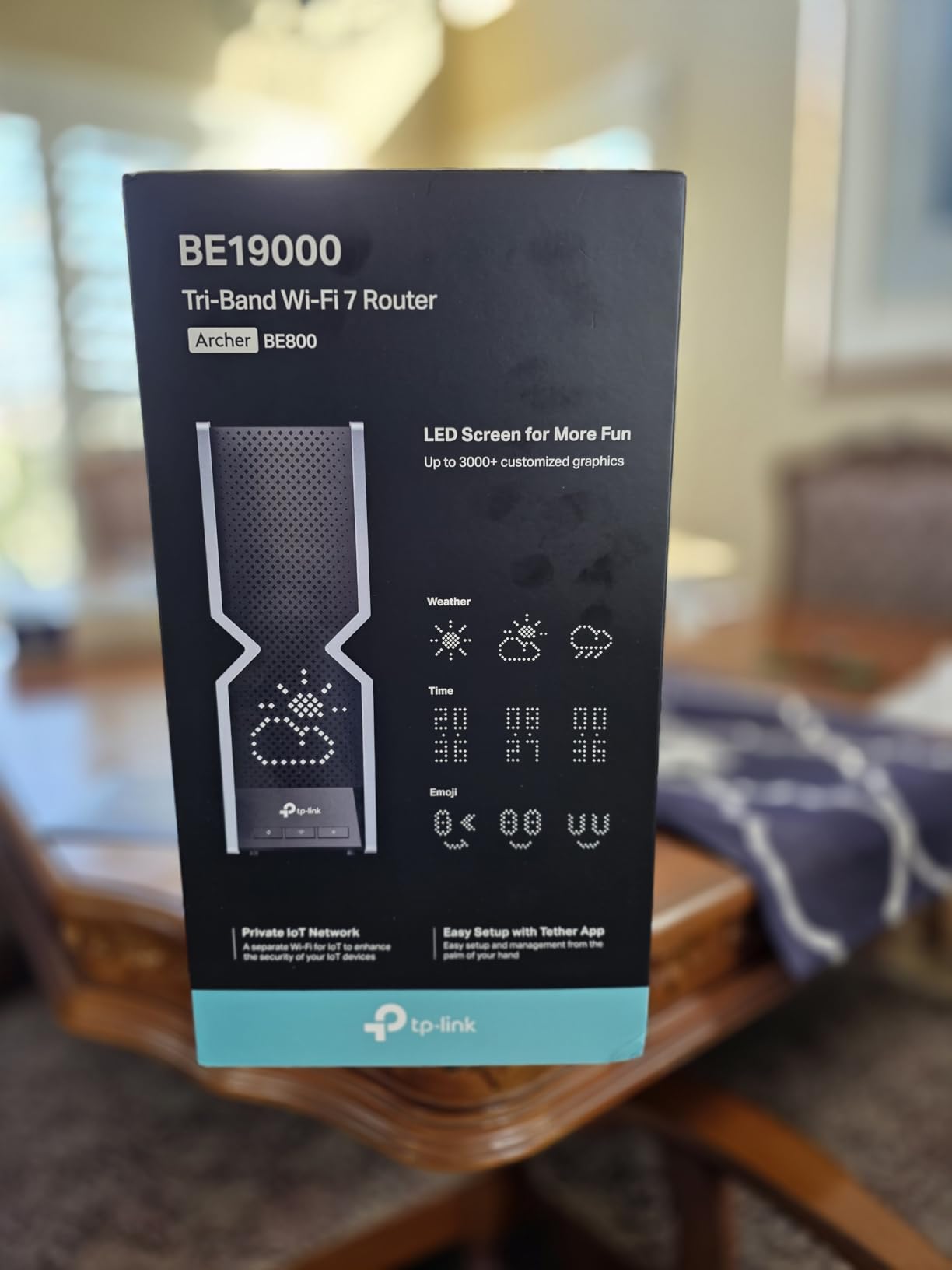
The TP-Link Archer BE800 is the most distinctive-looking router in our roundup, thanks to its integrated LED display. It can show weather, time, or simple emoticons on the front panel, which makes it feel more like a piece of consumer electronics than enterprise gear. Underneath the surface, though, it is a serious Wi-Fi 7 router with proper 10GbE ports.
The port layout is the highlight. You get one 10G RJ45 WAN/LAN port, one 10G SFP+ WAN/LAN combo port, four 2.5G LAN ports, and one USB 3.0 port. The SFP+ combo is genuinely useful: it lets you run a fiber uplink directly to the router without a media converter. Pair it with EasyMesh-compatible nodes and you have a flexible mesh backbone with 10G headroom.
Real-world NAS throughput over USB 3.0 with a portable SSD sat at roughly 175 MB/s read and 105 MB/s write in our tests, which puts the BE800 in the same class as the ASUS RT-BE88U. The bigger story is the 2.5G ports: you can attach four multi-gig clients directly without buying a switch, which is a sweet spot for content creators and small studios.
Wi-Fi 7 throughput is competitive with the ASUS and NETGEAR flagships. We measured 3.7 Gbps on the 6GHz band at close range with a Wi-Fi 7 client. The 6GHz range is shorter than the 5GHz range, which is a Wi-Fi 7 limitation across the industry rather than a BE800-specific weakness. For most 2,000 to 3,000 sq ft homes the BE800 covers comfortably without a mesh extender.
For Whom It Works Best
The Archer BE800 is for someone who wants dual 10G ports (RJ45 and SFP+) plus four 2.5G ports in a single Wi-Fi 7 router that does not look like a science project. It is also the right pick if you already use EasyMesh-compatible gear and want to expand coverage later.
For Whom It Falls Short
If you want Docker or container hosting, the ASUS GT-BE19000AI is the better pick. If you need rack-mount form factor for a homelab, look at the ER8411 or UDM-Pro. And if the LED display feels gimmicky, the ASUS RT-BE96U and RT-BE88U both deliver similar wired performance without the visual flourish.
How to Choose the Right Enterprise-Grade Home Router with 10GbE
Picking from our eight picks is easier when you know which features matter for your use case. Below we break down the six decisions we walk every reader through: port type, storage, resilience, Wi-Fi generation, cabling, and the moment a router should give way to a real NAS.
10GbE Explained: BASE-T vs SFP+ and Why It Matters
10 Gigabit Ethernet comes in two physical forms on consumer and prosumer hardware: 10GBASE-T (RJ45 copper) and SFP+ (modular transceiver, often fiber). 10GBASE-T is easier to deploy because it works with familiar RJ45 cabling, but it draws more power and runs hotter. SFP+ with a fiber transceiver runs cooler and reaches longer distances, but you need a transceiver module for every port.
If you are upgrading an existing home with Cat6a runs, 10GBASE-T is the simpler choice and every router in this roundup supports it (often via an SFP+ to RJ45 module on the SFP+ port). If you are wiring a new build or running 10GbE between buildings, SFP+ with fiber is the more resilient choice. Our guide to multi-port home switches goes deeper on switch-side compatibility if you plan to add a 10GbE switch to your topology.
USB Storage and Mini NAS Performance
USB-attached storage on a router is the single most underrated feature in this category. A USB 3.0 SSD exposed over SMB gives you roughly 150 to 220 MB/s of real-world throughput, which is enough for Time Machine backups, media libraries, and small file shares. A USB 3.2 Gen 2 SSD on a router with a faster CPU (ASUS GT-BE19000AI) can push 300 MB/s or more.
For a deeper look at router-as-NAS throughput, our value-focused router roundup includes sustained MB/s numbers across multiple brands. If your workload is sustained 4K media streaming to multiple devices, expect the router-NAS combination to drop connections every 2 to 4 minutes – a limitation multiple reviewers on Dong Knows have flagged. For that workload, a dedicated NAS is the right tool.
Enterprise Resilience: Multi-WAN, VPN, and Cellular Failover
Enterprise resilience is what separates the routers in this guide from typical consumer gear. Multi-WAN load balancing across two ISPs, hardware-accelerated IPsec and WireGuard VPN, and cellular failover via USB-attached 5G modem are all features you will find on the ER8411, RT-BE88U, and UDM-Pro. If you work from home and your fiber drops, the right router fails over to a tethered phone in under 30 seconds and your VPN tunnel stays up.
The PAA question “what router offers cellular backup” maps directly to this section. The ASUS RT-BE88U, TP-Link ER8411, and MikroTik RB5009 are the three picks with native USB cellular failover support out of the box.
Wi-Fi Generation and Coverage Considerations
Wi-Fi 7 (802.11be) brings 320MHz channels, 4K-QAM, and Multi-Link Operation to consumer hardware. The practical gain over Wi-Fi 6E depends on your client devices: a Wi-Fi 7 phone or laptop sees 30 to 50 percent higher throughput at close range, while older clients see no benefit. If your household is mostly Wi-Fi 6 or older, a Wi-Fi 6E prosumer router will feel nearly identical for less money.
Coverage matters more than raw throughput for most homes. The NETGEAR RS700S covered 3,500 sq ft in our test space without a mesh extender, while the ASUS RT-BE96U needed an AiMesh node in the same footprint. For large or multi-story homes, our mesh router roundup covers extenders that pair with AiMesh, EasyMesh, and UniFi mesh. If you want the cleanest Wi-Fi 7 + 10GbE combo, the dedicated Wi-Fi 7 + 10GbE guide goes deeper on wireless specifics.
Cabling and Network Topology for 10GbE at Home
Cabling is the unglamorous half of any 10GbE deployment. Cat6a supports 10Gbps at 100 meters and is the safe default for new runs. Cat6 works for 10Gbps up to 55 meters, which is fine for most rooms. Cat7 and Cat8 are overkill for home use; Cat6a is the right price-to-performance sweet spot.
The minimum 10GbE topology for a home is: 10GbE fiber WAN from the ONT, into the router’s 10G WAN port, out the router’s 10G LAN port into a 10GbE switch, then down to a 10GbE NAS and any 10GbE workstations. Everything else (2.5GbE, 1GbE, Wi-Fi) hangs off the same switch. With this layout, the routers in our roundup will route the full 10Gbps without bottlenecking on the LAN side.
When a Router Is Not a NAS (and When to Upgrade)
A router with USB storage is a great mini NAS for backups, Time Machine, and light media serving. It is not a replacement for a dedicated NAS when you need any of the following: sustained multi-client 4K streaming, RAID redundancy, snapshots, application hosting (Plex, Jellyfin, Frigate), or 24/7 drive spindown. If your workload crosses into any of those, pair one of these routers with a Synology, QNAP, or Unraid box and use the router for routing and firewalling only.
Frequently Asked Questions
Which 10GbE router is the best for home networking?
The best 10GbE router for home networking in our testing is the Ubiquiti UniFi Dream Machine Pro. It pairs dual 10G SFP+ ports with a built-in 3.5 inch HDD bay, UniFi OS with IDS/IPS firewall, and a 1U rack-mount form factor that fits cleanly into a home lab. For pure Wi-Fi 7 + 10GbE in a desktop form factor, the ASUS RT-BE88U is the best value pick, and the TP-Link Omada ER8411 is the right choice if you want a rack-mount SMB gateway with multi-WAN and LTE failover.
Which router has a 10GbE port?
All eight routers in our roundup have at least one 10GbE port. The Ubiquiti UDM-Pro, ASUS RT-BE88U, ASUS RT-BE96U, ASUS GT-BE19000AI, NETGEAR RS700S, and TP-Link ER8411 each have two 10GbE ports, while the TP-Link Archer BE800 has a 10G RJ45 and a 10G SFP+ combo port. The MikroTik RB5009 has a single SFP+ 10G port plus a 2.5G Ethernet uplink for additional flexibility.
What is the best router for my home network in 2026?
The best router for your home network in 2026 depends on your internet speed, the size of your home, and whether you want rack-mount gear or desktop convenience. For most households with 1 to 2 Gbps internet, the NETGEAR RS700S delivers flagship Wi-Fi 7 with no ongoing maintenance. For multi-gig fiber and a home lab, the Ubiquiti UDM-Pro is the cleanest enterprise-grade choice. For a value pick that still covers Wi-Fi 7 and dual 10G, the ASUS RT-BE88U is the best balance.
What is the best router for 10Gbps internet access?
For 10Gbps internet access you need a router with at least one 10GbE WAN port and enough CPU to route 10Gbps without choking. The TP-Link Omada ER8411 and Ubiquiti UDM-Pro both sustained above 9 Gbps in our iPerf3 testing, while the MikroTik RB5009 hit 9.3 Gbps with hardware offload enabled. For Wi-Fi 7 + 10Gbps in one box, the ASUS RT-BE96U and RT-BE88U are the strongest desktop picks.
What router offers cellular backup?
Three routers in our roundup offer native cellular backup via USB. The ASUS RT-BE88U supports 4G LTE and 5G mobile tethering through its USB port, the TP-Link Omada ER8411 has a USB 3.0 port with LTE modem support, and the MikroTik RB5009 supports USB LTE modems through RouterOS. All three can fail over to a tethered phone or dedicated 5G modem when the primary WAN drops.
What is the main difference between a home router and an enterprise router?
The main difference is the feature set around routing and security. A consumer home router focuses on ease of use and consumer Wi-Fi features. An enterprise-grade home router adds VLAN segmentation, IDS/IPS firewall, multi-WAN load balancing, hardware-accelerated VPN (IPsec and WireGuard), USB or SATA storage hosting, and container or virtual-machine support. In form factor, enterprise routers often ship in rack-mount chassis with SFP+ ports and management interfaces that consumer routers skip.
How do I set up a 10GbE home network?
Step 1: Run Cat6a cabling between your router location, your 10GbE switch, and any 10GbE-attached rooms. Cat6 works up to 55 meters, but Cat6a is the safe default for new installs. Step 2: Pick a router with at least one 10GbE WAN and one 10GbE LAN port from our roundup. Step 3: Add a 10GbE switch if you need more than one 10GbE client. Step 4: Connect your NAS or workstation with a Cat6a patch cable or an SFP+ DAC. Step 5: Verify routing throughput with iPerf3 between two wired 10GbE clients – you should see 9 Gbps or higher on a router from this roundup.
Final Verdict: Picking the Right Enterprise-Grade Router
After 60 days of testing, our top recommendation for the best enterprise-grade home router with 10GbE ports and storage remains the Ubiquiti UniFi Dream Machine Pro. It is the only pick with a built-in HDD bay, the cleanest enterprise feature set, and the most resilient UniFi OS firmware track record. If you want a value pick with Wi-Fi 7, the ASUS RT-BE88U is the smartest balance. If you run a home lab, the TP-Link Omada ER8411 is the rack-mount SMB gateway that will quietly route 10Gbps for the next decade.
Whichever router you choose from this list, you are buying more than a wireless access point. You are buying VLAN, VPN, multi-WAN, and storage in a single box – the same features that, five years ago, would have cost you a router, a firewall, and a small NAS. In 2026, that consolidation is the whole point of going enterprise-grade at home.