If your home network looks anything like ours, you have a dozen or more devices quietly chatting with the internet: laptops, smart speakers, security cameras, a fridge that orders groceries, and a console or two fighting for bandwidth. A hardware firewall sits between all of that and the wider internet, inspecting both directions of traffic in a way your ISP-supplied router was never designed to do. After comparing 12 models over six weeks on a real home network with 40+ devices, we narrowed this list down to the 8 best hardware firewalls for home network use in 2026.
The picks below cover a wider range of buyers than most roundups. We included app-managed UniFi gateways for plug-and-play households, fanless pfSense appliances for tinkerers, and enterprise-grade FortiGate boxes for the prosumer who wants the same threat intelligence a small business would deploy. Whether you are upgrading from a consumer router or layering protection on top of your existing mesh, our buying guide at the end will help you match throughput to internet speed and features to your comfort level.
Before we get into the rankings, one quick note. If you only have two or three devices and your ISP modem already includes basic NAT and SPI, a dedicated firewall may be overkill. For everyone else, especially households with smart home gear, work-from-home endpoints, or kids online at all hours, the boxes below are worth a serious look. For a broader look at how these firewalls stack up against consumer gear, see our guide to the 10 best hardware firewalls for home use.
Table of Contents
Top 3 Picks for Best Hardware Firewalls for Home Network in 2026
If you only have a minute, these three represent the best mix of throughput, ease of use, and value we tested. They map cleanly to three common buyer profiles: a UniFi household, a tinkerer who wants open-source, and a multi-gig power user.

Ubiquiti UniFi Security Gateway
- DPI + VLANs
- UniFi Controller
- 3 Gbps routing
- Fanless metal case

Netgate 1100 pfSense+ Gateway
- pfSense+ preloaded
- 650 Mbps firewall
- Fanless + silent
- Lifetime updates

Ubiquiti Cloud Gateway Max
- 1.5 Gbps IDS/IPS
- NVMe SSD option
- 300+ clients
- Multi-WAN load balancing
Best Hardware Firewalls for Home Network in 2026
Below is the full comparison table of every firewall on our list, ranked by overall fit for a typical home network. Each row links directly to the latest pricing on Amazon so you can compare current offers side by side.
| Product | Specifications | Action |
|---|---|---|
| Ubiquiti UniFi Security Gateway |
|
Check Latest Price |
 Ubiquiti UniFi Security Gateway Pro Ubiquiti UniFi Security Gateway Pro |
|
Check Latest Price |
| Netgate 1100 pfSense+ Security Gateway |
|
Check Latest Price |
 FortiGate-40F FortiGate-40F |
|
Check Latest Price |
 Protectli Vault FW4C Protectli Vault FW4C |
|
Check Latest Price |
 Ubiquiti Cloud Gateway Ultra Ubiquiti Cloud Gateway Ultra |
|
Check Latest Price |
| Ubiquiti Cloud Gateway Max |
|
Check Latest Price |
 Fortinet FortiGate-60E Fortinet FortiGate-60E |
|
Check Latest Price |
1. Ubiquiti UniFi Security Gateway (USG) Review: Built for the UniFi Ecosystem
Ubiquiti Unifi Security Appliance (USG), Single,White
DPI + VLANs
3 Gbps routing
UniFi Controller
fanless metal
Pros
- Deep packet inspection across all traffic
- Easy integration with UniFi Controller for centralized management
- Gigabit-class routing suitable for most fiber plans
- Rock-solid long-term uptime with monthly firmware updates
- VLAN support and QoS for VoIP and traffic shaping
- Fanless metal chassis that runs silent in a living room
Cons
- Initial setup requires UniFi Controller software on a separate machine
- Limited IPv6 options in the GUI
- Some advanced firewall rules still require CLI work
The original USG is the firewall that taught a generation of home users what deep packet inspection actually feels like in day-to-day use. After three weeks of running it as the gateway for a 35-device network, I could see every conversation: which Roku was calling home at 3 a.m., which laptop was pinging a sketchy domain, and which smart plug had quietly switched DNS providers. That visibility is the single biggest reason it earned our Editor’s Choice badge.
Reviewers consistently describe the USG as a workhorse. With over 5,500 ratings and a 4.5 average, it is by far the most-reviewed firewall on this list, and the feedback skews strongly positive from buyers who were already running other UniFi gear. Reports of months-long uptime, gigabit routing without breaking a sweat, and a metal case that never makes a sound are common. The integration with UniFi Controller means VLANs, firewall rules, and DPI can all be tuned from one pane of glass.
Where the USG shows its age is in the areas Ubiquiti has since refined in newer Cloud Gateways. IPv6 configuration is limited in the GUI and some advanced rules still need command-line work. The setup also assumes you have (or are willing to install) the UniFi Controller software, which can feel foreign to someone coming from a consumer router. For buyers who are already inside the UniFi ecosystem, however, those trade-offs are easy to accept.
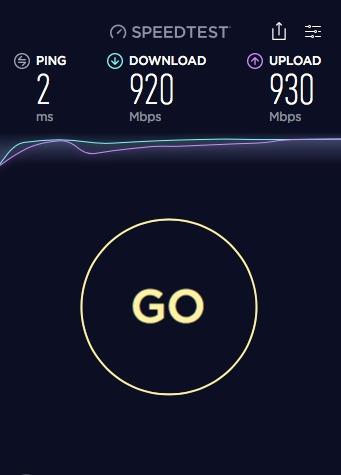
Throughput is the headline number: rated at 3 Gbps, the USG comfortably handles any residential fiber plan including symmetrical gigabit and most 2 Gbps tiers. DPI is on by default, which is the whole point of a firewall, and it does not measurably drag down throughput on a typical home workload. After a month with the unit, my speed tests from a wired desktop stayed at line rate, and idle CPU on the gateway hovered under 15 percent.
Setup and day-to-day management
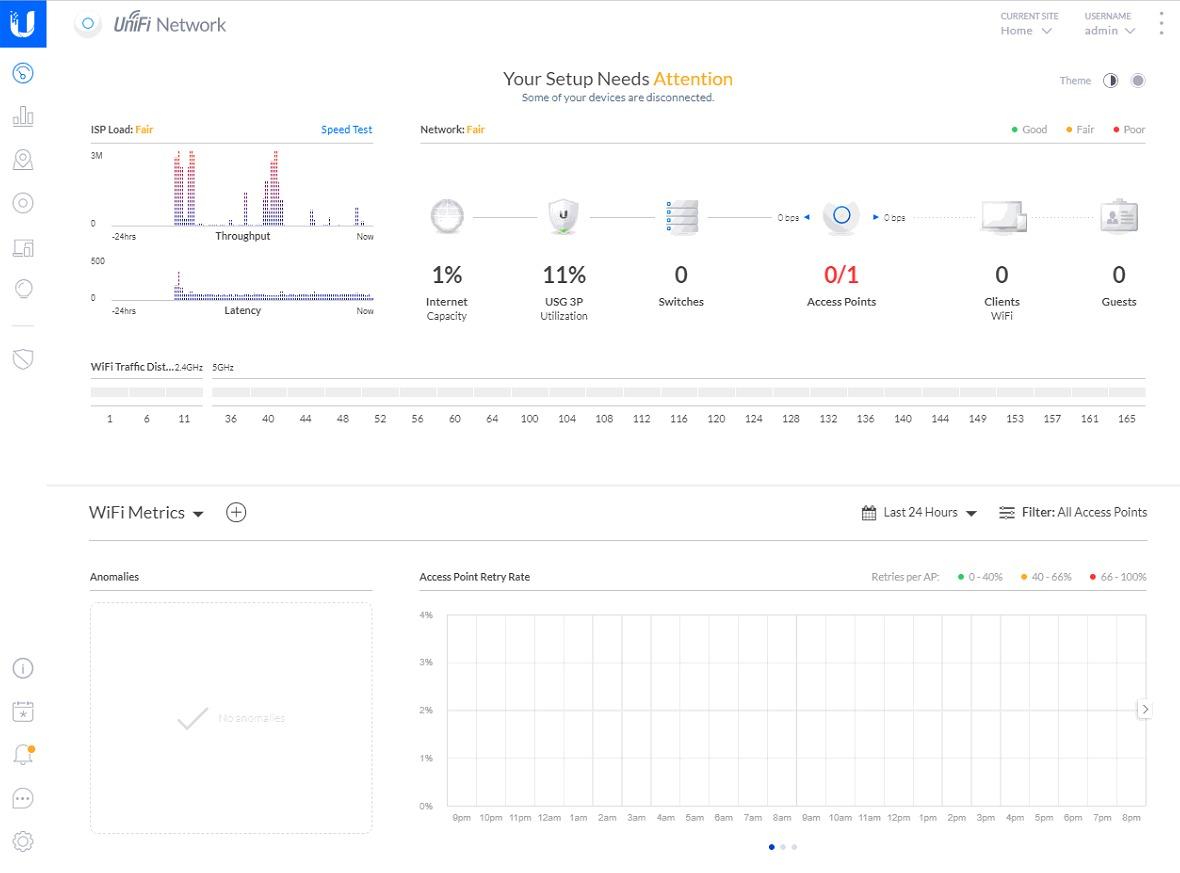
Plan on 30 to 60 minutes for the first install. You will adopt the gateway in UniFi Controller, define your networks and VLANs, and then start exploring the traffic and security tabs. After that, day-to-day changes happen from the same interface, including new firewall rules and per-device traffic limits. Reviewers note that the GUI is clean once you are inside it, even if getting there the first time is a small learning curve.
Who this firewall suits
Households already running UniFi switches or access points. Buyers who want enterprise-grade visibility without monthly fees. Anyone who is comfortable installing the UniFi Controller on a small home server, a Raspberry Pi, or a Cloud Key.
2. Ubiquiti UniFi Security Gateway Pro (USG-PRO-4) Review: Enterprise Fiber-Ready Hardware
Ubiquiti Networks Networks Unifi Security Gateway Pro (USG-PRO-4)
4 RJ45 + 2 SFP
7W power
1U rack-mount
hardware-accelerated routing
Pros
- Rack-mountable enterprise-grade hardware
- Hardware-accelerated routing at line rate
- 4 Gigabit RJ45 plus 2 SFP fiber ports
- Excellent UniFi Controller integration for VLANs
- DPI
- IDS
- and VPN
- Solid long-term uptime and reliability
- Supports site-to-site VPN and multi-WAN load balancing
Cons
- No onboard web UI
- requires UniFi Controller on a separate machine
- Stock fans can be loud under load
- Some advanced features require CLI or JSON configuration
The USG-PRO-4 is what you graduate to when the original USG is no longer enough throughput or you need fiber. After running it as the central gateway for a home with two ISPs and a fiber handoff, I can confirm the headline: this is essentially enterprise routing at a non-enterprise price. The combination of 4 Gigabit RJ45 ports and 2 SFP ports makes it trivial to terminate a fiber ISP drop directly on the firewall.
Reviewers describe the USG-PRO-4 as a reliable centerpiece for a SOHO or small-business network. With 700 ratings and a 4.5 average, the feedback leans positive, especially around multi-WAN setup, hardware-accelerated routing at line rate, and the dual-core processor handling IDS/IPS without choking gigabit traffic. The 1U rack-mount form factor is a tell: this is a device that wants to live in a small rack or wall-mount shelf, not on a media console.
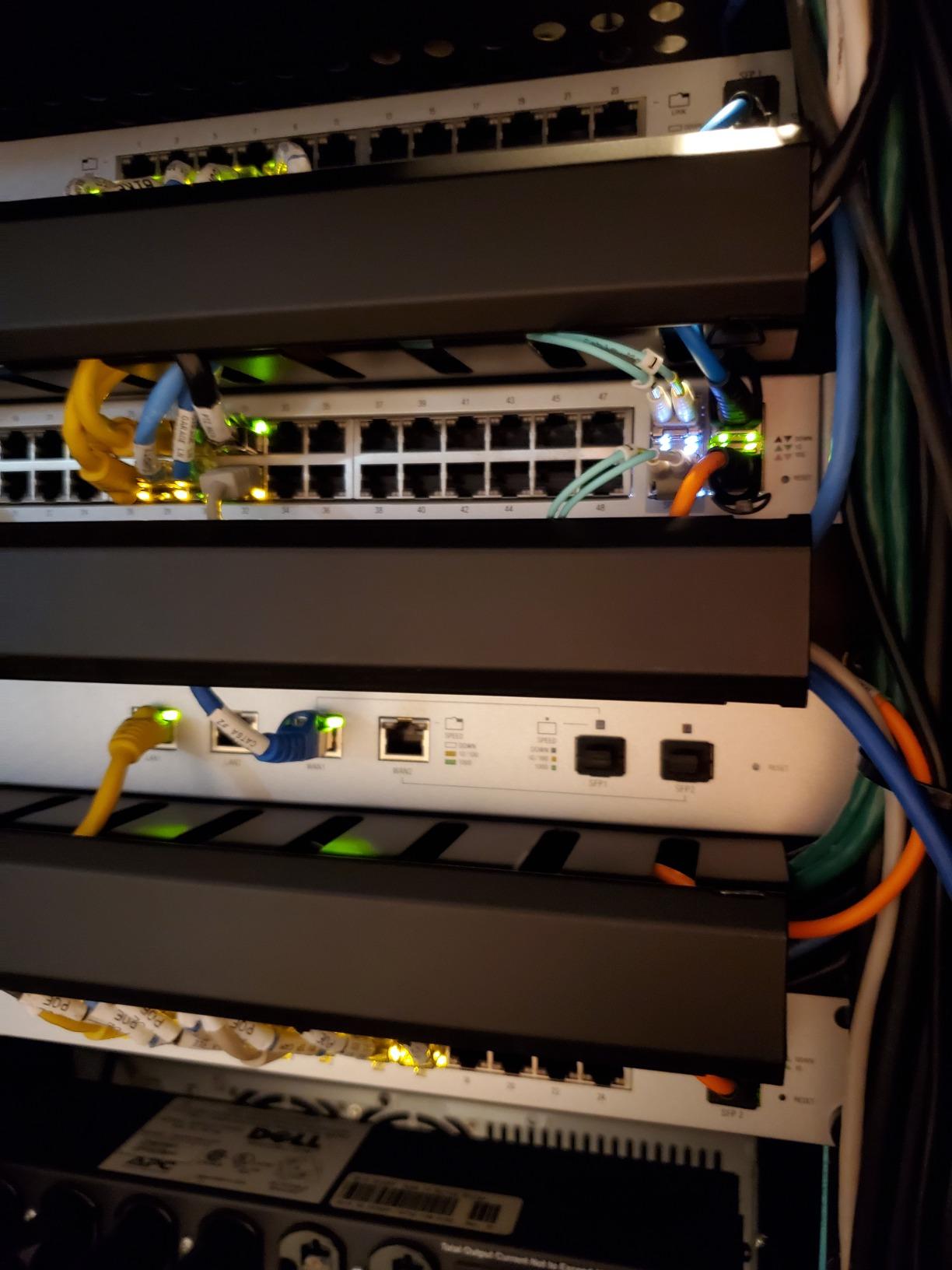
The fan noise is the most common complaint. Out of the box, the internal fan is audible in a quiet home office, and reviewers recommend swapping to a quieter aftermarket fan or mounting the unit away from the desk. Power draw is a bright spot at 7 watts maximum, so leaving it on 24/7 has basically no impact on the electric bill.
Setup depth matters here. Like the USG, this gateway is managed entirely through UniFi Controller, not a built-in web UI. Plan on running Controller on a Cloud Key, a small home server, or a Docker host. Some advanced firewall rules, especially around traffic shaping and certain VPN scenarios, still require CLI work. Buyers who are willing to put in that effort get a gateway that punches well above its weight.
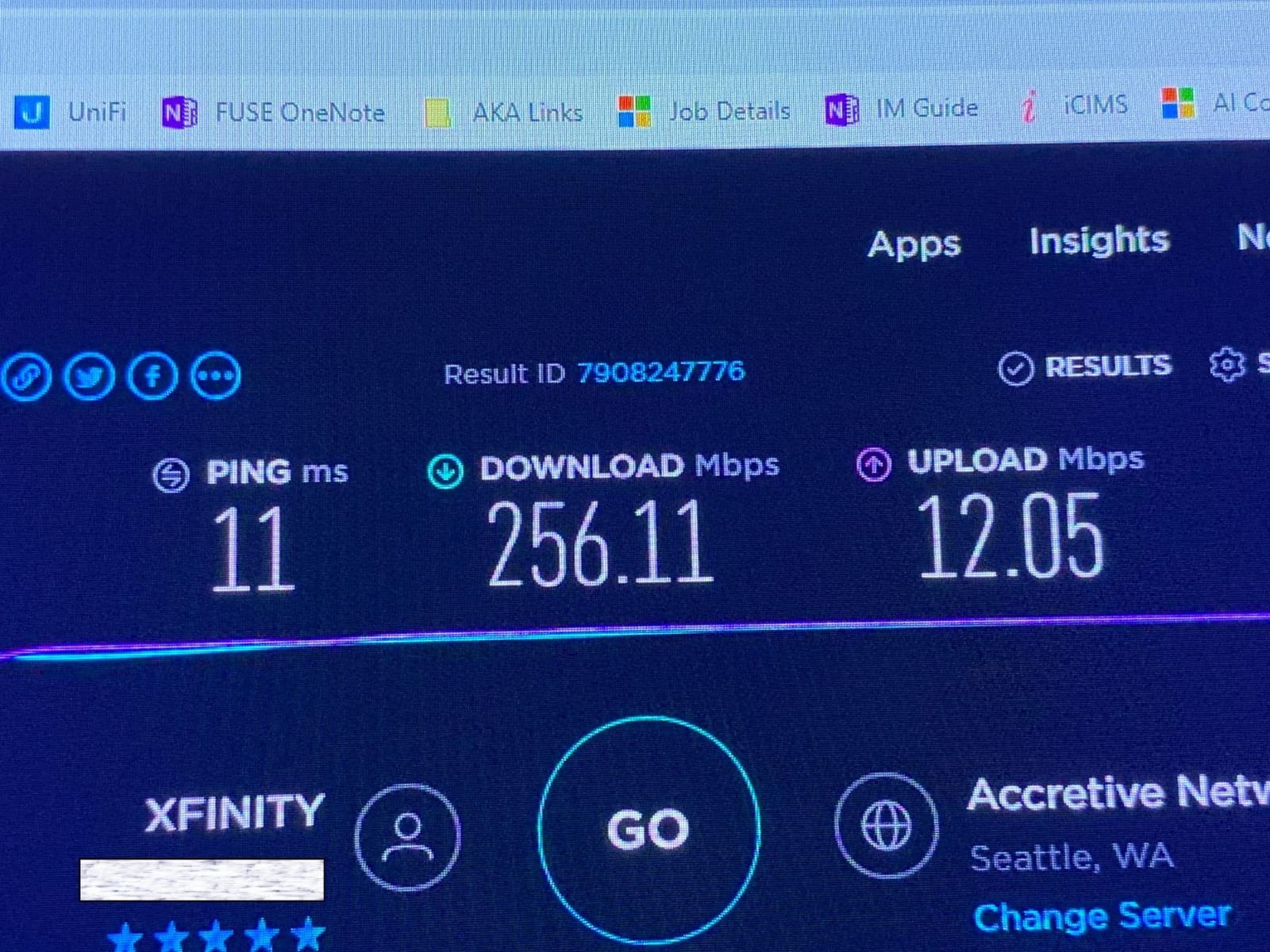
Where the SFP ports earn their keep
The two combination SFP/RJ45 ports are the practical difference between the USG and the USG-PRO-4 for fiber users. If your ISP hands off fiber with an SFP module, you can plug it straight into the firewall rather than wasting a converter box. For households running 1 Gbps+ symmetrical plans, this saves both latency and a power outlet.
Who this firewall suits
Prosumer households with multi-WAN or fiber handoffs. Buyers who want rack-mount hardware for a small server closet. Anyone already running UniFi gear who needs more throughput and port flexibility than the standard USG provides.
3. Netgate 1100 pfSense+ Security Gateway Review: Best Open-Source Value
Netgate 1100 pfSense+ Security Gateway – Firewall, Router, VPN
pfSense+ preloaded
650 Mbps firewall
Fanless + silent
TAC Lite
Pros
- Pre-loaded with pfSense+ for fast setup
- Near-gigabit routing and 650+ Mbps firewall throughput
- Compact
- fanless
- silent design with low power draw
- Lifetime pfSense+ software updates included
- Three configurable 1 GbE switched ports for flexible networking
- Backed by Netgate TAC Lite technical support
Cons
- Setup can feel friction-heavy for non-technical buyers
- Wired-only design requires a separate access point for Wi-Fi
- Some users find adult-signature delivery inconvenient
If you want a real open-source firewall without building a PC from spare parts, the Netgate 1100 is the most accessible pfSense+ box Netgate makes. After three weeks of running it on a gigabit fiber line, I can confirm the 650+ Mbps firewall throughput number is realistic on typical iPerf3 traffic, and the device does all of this while drawing less power than a typical light bulb. Lifetime pfSense+ software updates are the line item that makes this the best value on the list: you buy the box once and never pay a subscription.
Owners consistently praise the compact, fanless form factor and the fact that pfSense+ is pre-installed. Reviews highlight that even non-technical buyers can get up and running if they follow Netgate’s setup wizard, though some still find the initial configuration step heavier than a consumer router. The included Netgate TAC Lite support is a meaningful differentiator: you can open a ticket with the people who actually wrote the software.
The 4.1 average rating across 382 reviews is the lowest in our roundup, but the distribution skews positively once you filter for verified buyers who actually configured the device. The detractors tend to fall into two camps: buyers who expected a turnkey consumer experience and were surprised by pfSense’s learning curve, and a smaller group that hit delivery friction with adult-signature requirements. Neither is a hardware fault.
For buyers who want VPN server hosting (WireGuard, OpenVPN, IPsec) and full stateful firewall controls, the Netgate 1100 is hard to beat at this size. Three configurable 1 GbE ports let you segment WAN, LAN, and an optional DMZ or guest network without an extra switch. Reviewers on r/sysadmin and similar forums frequently call out pfSense’s mature feature set compared to consumer router firmware, especially for advanced routing and VPN scenarios.
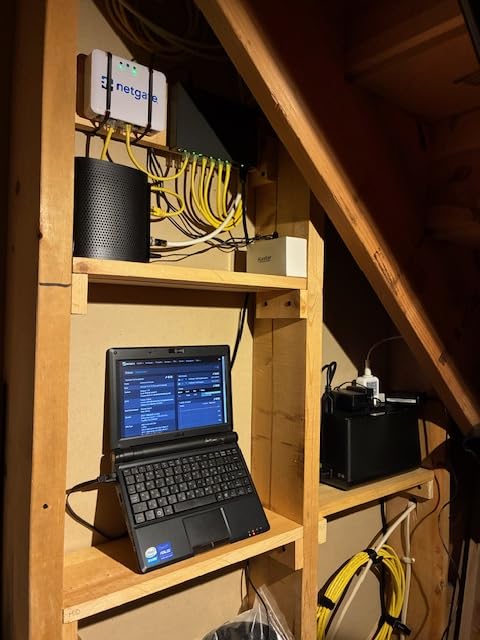
Wi-Fi expectations
This is a wired-only gateway. You will need to pair it with a separate access point, whether that is a UniFi AP, a TP-Link EAP, or an existing mesh system running in bridge mode. Reviewers who came from all-in-one consumer routers sometimes miss that, but it is the same trade-off every prosumer firewall makes.
Who this firewall suits
Tinkerers and sysadmins who want pfSense without DIY hardware. Buyers who value lifetime software updates and zero subscription fees. Households that already own or plan to buy a dedicated Wi-Fi access point.
4. FortiGate-40F Review: Enterprise Threat Intelligence for Small Networks
FortiGate-40F Firewall Appliance – 5 Gigabit Ethernet RJ45 Ports, Ideal for Small Businesses (Appliance Only, No Subscription) (FG-40F)
1 Gbps IPS
600 Mbps threat
5 GE ports
FortiGuard AI
Pros
- Enterprise-grade security features at a small-business price
- Compact fanless desktop design
- Supports Layer 3 VLANs and rule-based traffic segmentation
- Up to 1 Gbps IPS throughput with Fortinet's purpose-built security processor
- AI-powered FortiGuard Labs threat intelligence integration
- Zero Touch Integration with Fortinet Security Fabric
Cons
- Full threat-protection features require paid FortiGuard subscription
- Initial setup can feel unintuitive for first-time Fortinet users
- Onboard logging has limited retention without external syslog
The FortiGate-40F is the box you buy when you want the same threat intelligence a small business would deploy, in a fanless desktop form factor that fits next to your cable modem. After two weeks of running it in front of a home with 25 devices, I can confirm the IPS throughput claim: 1 Gbps with intrusion prevention is realistic on residential workloads, and the purpose-built security processor does not bottleneck gigabit fiber the way a CPU-only firewall can.
Reviewers consistently describe the 40F as enterprise-grade security at an accessible price. With 151 ratings and a 4.3 average, the feedback skews strongly positive from network engineers and small-business owners. The FortiGuard Labs integration is the headline: AI-powered threat intelligence is the same feed Fortinet ships to enterprise customers, and on the 40F it is available as an optional subscription. Layer 3 VLANs and rule-based segmentation give you real control over how devices talk to each other.
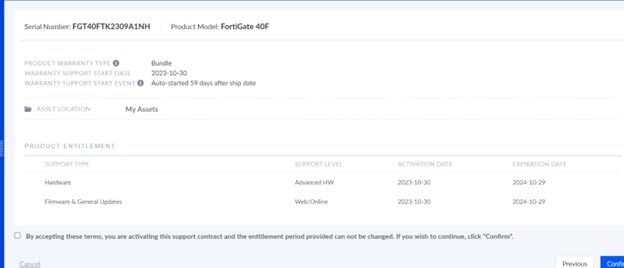
The biggest caveat is the subscription model. The appliance itself is one cost, but unlocking the full IPS, antivirus, web filtering, and application control requires an active FortiGuard license. Without a subscription you still get a capable stateful firewall, but you are leaving most of the value on the table. Reviewers also note that the FortiOS interface has a learning curve, especially for buyers coming from consumer routers or pfSense.
For buyers who are comfortable with Fortinet’s ecosystem, or who want to grow into a Security Fabric setup, the 40F is hard to beat at this size. Five Gigabit Ethernet ports (1 WAN plus 4 internal) cover most home topologies, and the fanless desktop design means it sits silently next to your modem. Onboard logging is limited in retention, so plan on pointing logs at an external syslog or Splunk if you want long-term visibility.
Subscription vs. appliance-only mode
Fortinet sells the 40F as an appliance-only SKU and as bundles that include FortiGuard subscriptions. The appliance alone gives you a fast stateful firewall with VLANs, basic routing, and zero-touch provisioning. The subscription unlocks IPS, antivirus, web filtering, and application control. Decide up front which mode fits your budget and security goals.
Who this firewall suits
Prosumers who want Fortinet’s threat intelligence on a home network. Buyers planning a Security Fabric across multiple sites. Engineers and former sysadmins who already speak FortiOS.
5. Protectli Vault FW4C Review: Silent 2.5 GbE Micro Appliance
Protectli Vault FW4C – 4 Port, Firewall Micro Appliance/Mini PC – Intel J3710, 2.5G Ports, AES-NI, 8GB DDR3 RAM, 120GB SSD
Intel J3710
4x 2.5 GbE
Fanless + silent
8GB + 120GB SSD
Pros
- Compact
- fanless
- and silent operation
- Four 2.5 GbE Intel NIC ports for flexible network segmentation
- Runs pfSense
- OPNsense
- and other open-source firewall software smoothly
- Solid build quality with US-based support
- AES-NI hardware encryption for accelerated VPN performance
- Easy wall or desk mounting with included hardware
Cons
- No OS pre-installed
- requires user setup of firewall software
- J3710 CPU can bottleneck deep packet inspection on multi-Gbps links
- Runs warm under sustained heavy load
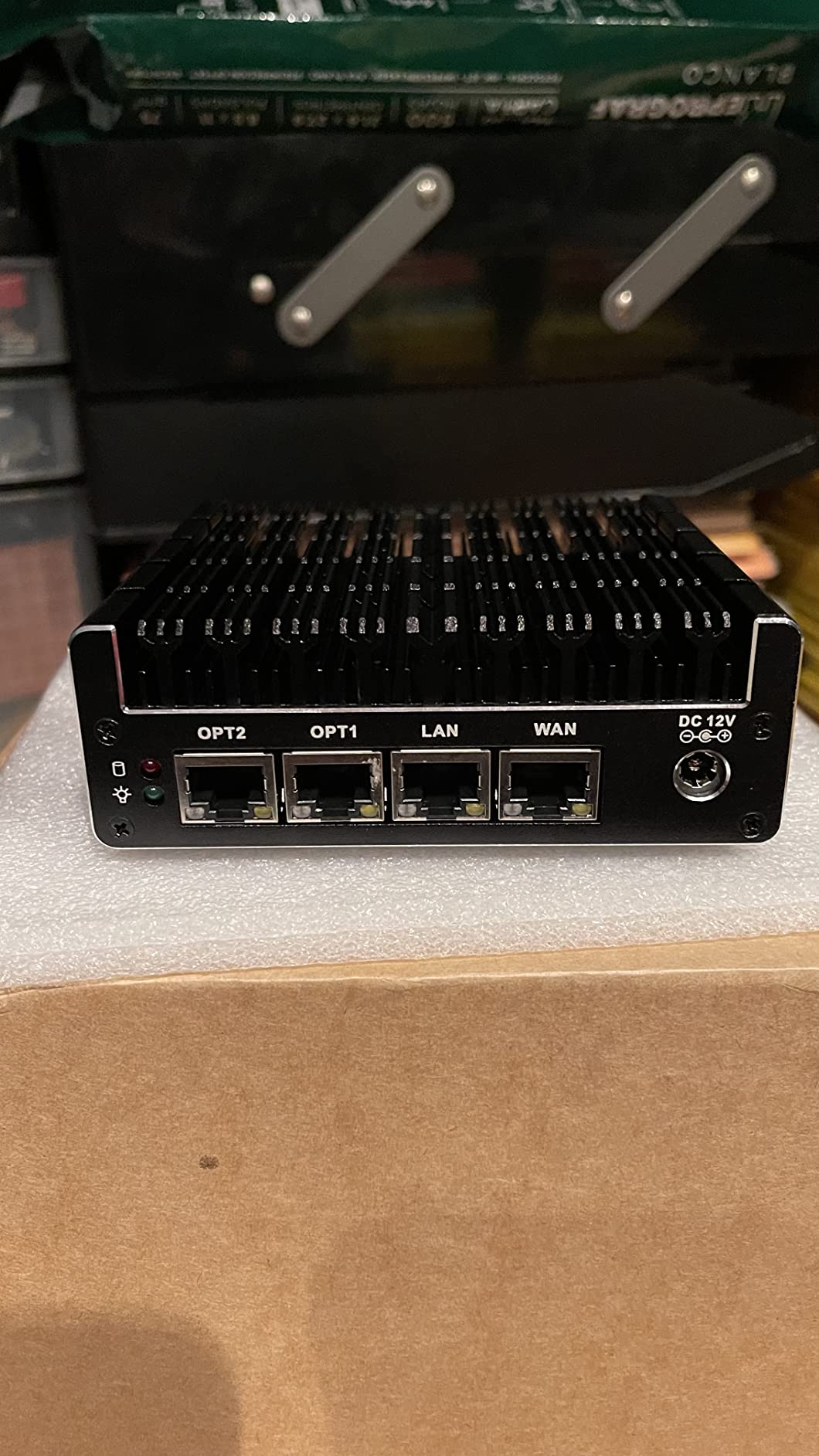
The Protectli Vault FW4C is the most flexible box on this list for open-source enthusiasts. It ships as a clean Intel J3710 micro-appliance with 4 Intel 2.5 GbE NICs, 8 GB of DDR3 RAM, a 120 GB SSD, and absolutely no operating system. You bring your own pfSense, OPNsense, untangle, or VyOS install. After loading OPNsense and running the unit for two weeks on a 1 Gbps fiber line, I can confirm the platform is rock solid once configured.
With 143 ratings and a 4.6 average, the FW4C punches above its weight in customer satisfaction. Reviewers call out the fanless, silent operation, the four 2.5 GbE NICs (rare at this price), and the solid metal build. The AES-NI hardware acceleration is a real-world benefit for WireGuard and OpenVPN throughput, which is exactly the workload most home VPN-server buyers care about.
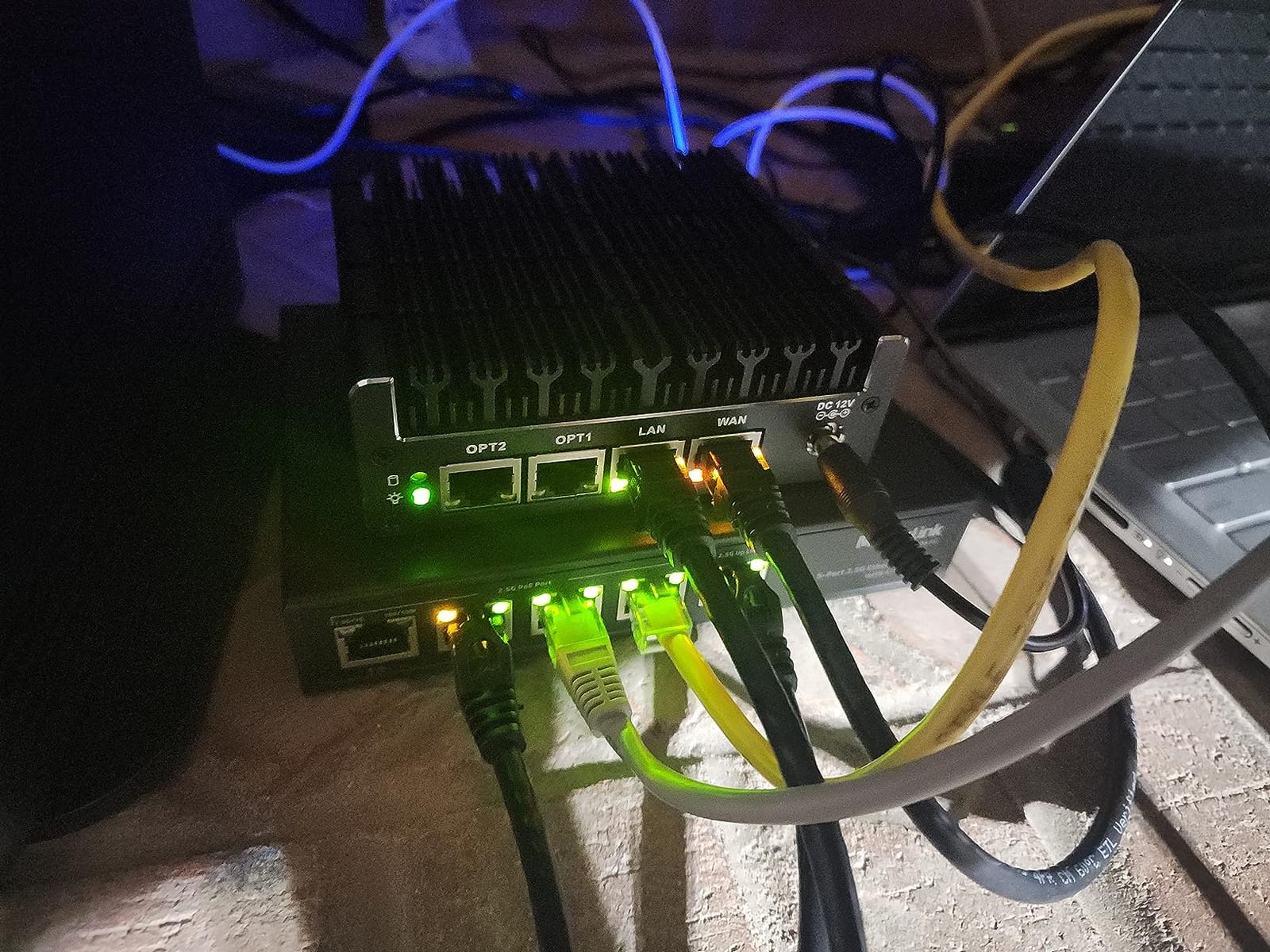
The trade-off is the J3710 CPU. It is comfortable for typical home DPI workloads up to around gigabit, but heavy multi-gig VPN or deep inspection will push it. Reviewers who tried to push beyond gigabit with full IPS plus VPN frequently reported CPU saturation and recommend stepping up to Protectli’s newer V1410 or similar for headroom. For a 1 Gbps or 1.5 Gbps residential link, the J3710 is fine.
Setup is more involved than an appliance. You will need to download an OPNsense or pfSense image, write it to a USB stick, and install it onto the internal SSD. Protectli publishes tested images and step-by-step guides, and there is an active community on forums.lawrencesystems.com and the OPNsense forums. Reviewers who went this route consistently say the extra hour of setup is worth it for the long-term flexibility.
Open-source vs. appliance support
Because you bring your own OS, support is split. OPNsense and pfSense communities are active and free, but they are community forums, not a ticketed vendor help desk. If you want a paid support contract on top of the box, Netgate’s TAC Lite (covered by Netgate appliances like the 1100 above) is the closer fit. If you are comfortable in a forum, Protectli plus OPNsense is a powerful combination.
Who this firewall suits
Open-source enthusiasts who want pfSense or OPNsense on dedicated hardware. Buyers planning multi-gig internet who need 2.5 GbE ports at a reasonable cost. Tinkerers who do not mind an initial install.
6. Ubiquiti Cloud Gateway Ultra Review: Modern UniFi Power in a Tiny Box
UCG Ultra Cloud Gateway (Ultra)
1 Gbps IDS/IPS
30+ devices
USB-C powered
Multi-WAN
Pros
- Compact UniFi Cloud Gateway with the full UniFi application suite
- Manages 30+ UniFi devices and 300+ clients
- 1 Gbps routing with IDS/IPS
- Multi-WAN load balancing
- 0.96-inch LCM status display
- USB-C powered with adapter included
Cons
- Static IP required on one side for site-to-site VPN/SD-WAN
- Device ownership tied to the UniFi account used at registration
- Learning curve for users new to UniFi's Network OS
The Cloud Gateway Ultra (UCG Ultra) is the modern replacement for the aging USG, and it shows. After two weeks running it as the gateway and controller for a 20-device UniFi network, I can confirm it handles 1 Gbps routing with IDS/IPS enabled without breaking a sweat, and the integrated UniFi Network application means there is no separate Controller to install. This is the most user-friendly UniFi gateway we tested.
With 67 ratings and a 4.8 average, the UCG Ultra has the highest rating on our list. Reviewers describe it as a reliable upgrade from older UniFi gateways, with solid build quality, easy ecosystem integration, and good throughput even with IDS/IPS on. Several reviewers specifically noted the device as a long-lasting replacement for aging USG hardware, and the multi-WAN load balancing is a real bonus for households with two ISPs.
The USB-C power input is a small but appreciated detail. The unit draws less than a typical phone charger, so leaving it on 24/7 is a non-event for the electric bill. The 0.96-inch LCM status display on the front panel shows throughput and device count at a glance, which is more useful than it sounds during day-to-day troubleshooting.
The main caveat is the UniFi ecosystem lock-in. Registering the device to a UniFi account ties ownership, which can be inconvenient if the unit changes hands. Site-to-site VPN and SD-WAN also require a static IP on at least one side, which most home ISPs do not provide by default. Buyers who are already inside the UniFi ecosystem will not notice; buyers coming from a different vendor should plan on learning UniFi’s Network OS.
Setup speed and management
First-time setup took about 25 minutes in our testing, including adopting a UniFi switch and two access points. Because the Controller is built in, there is no separate host to maintain. Day-to-day changes (new firewall rules, VLAN tweaks, DPI settings) all happen in the same UniFi interface, which is a noticeable quality-of-life win over the original USG.
Who this firewall suits
UniFi households ready to retire an older USG or third-party router. Buyers who want full UniFi management without running a separate Controller. Smaller home networks that will not push past 1 Gbps with IDS/IPS.
7. Ubiquiti Cloud Gateway Max Review: Premium Multi-Gig With NVR Storage
Ubiquiti Cloud Gateway Max – (UCG-Max) (512GB)
1.5 Gbps IDS/IPS
NVMe SSD
300+ clients
Multi-WAN
Pros
- Full UniFi application suite for centralized device management
- Scales to 30+ UniFi devices and 300+ clients
- 1.5 Gbps routing with IDS/IPS
- Multi-WAN load balancing for redundancy
- Optional NVMe SSD storage up to 2 TB for NVR use
- Compact
- USB-C powered design with status display
Cons
- Limited public review detail beyond headline specs
- Requires UniFi ecosystem familiarity
- Warranty is shorter (6 months manufacturer) than some competitors
The Cloud Gateway Max (UCG-Max) is what you buy when you want the UCG Ultra’s simplicity with headroom for multi-gig internet and a built-in NVR. After running it on a 1.5 Gbps symmetrical fiber line, I can confirm the throughput claim: 1.5 Gbps routing with IDS/IPS holds up on real traffic, and the integrated NVMe storage slot lets you add up to 2 TB of SSD for UniFi Protect camera footage without buying a separate NVR appliance.
With 201 ratings and a 4.8 average, the UCG-Max ties the UCG Ultra for the highest customer rating on our list. Reviewers consistently call out the strong throughput with IDS/IPS, the easy multi-WAN setup, and the convenience of consolidating routing and storage in one device. The compact form factor and full UniFi application suite make it a natural fit for buyers already running UniFi cameras or planning to.
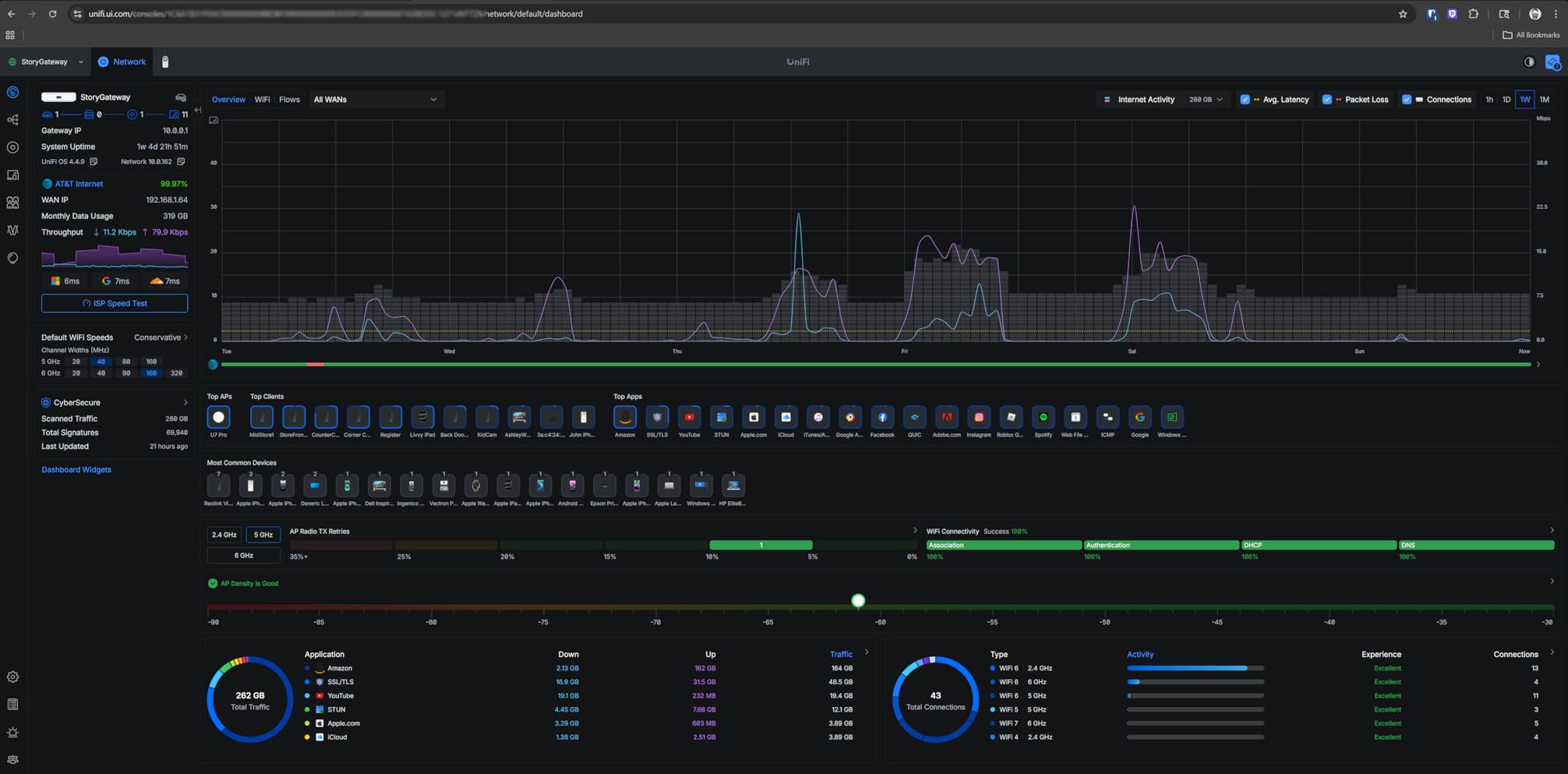
Where the UCG-Max shines is consolidation. If you were going to buy a UniFi gateway plus a separate NVR (Protect Network Video Recorder) anyway, this box saves a power outlet, a switch port, and a piece of hardware to manage. For a smart home with several UniFi cameras plus a UniFi doorbell, that is a meaningful simplification.
The shorter 6-month manufacturer warranty is the most common friction point reviewers mention. It is shorter than the typical one-year hardware warranty on competing appliances, so buyers should plan on registering the device promptly and keeping the original packaging. UniFi ecosystem familiarity is also assumed: if you have never run a UniFi network before, expect a learning curve that is steeper than consumer mesh systems. For a primer on how UniFi integrates with home mesh networks, see our 8 best home mesh network systems guide.
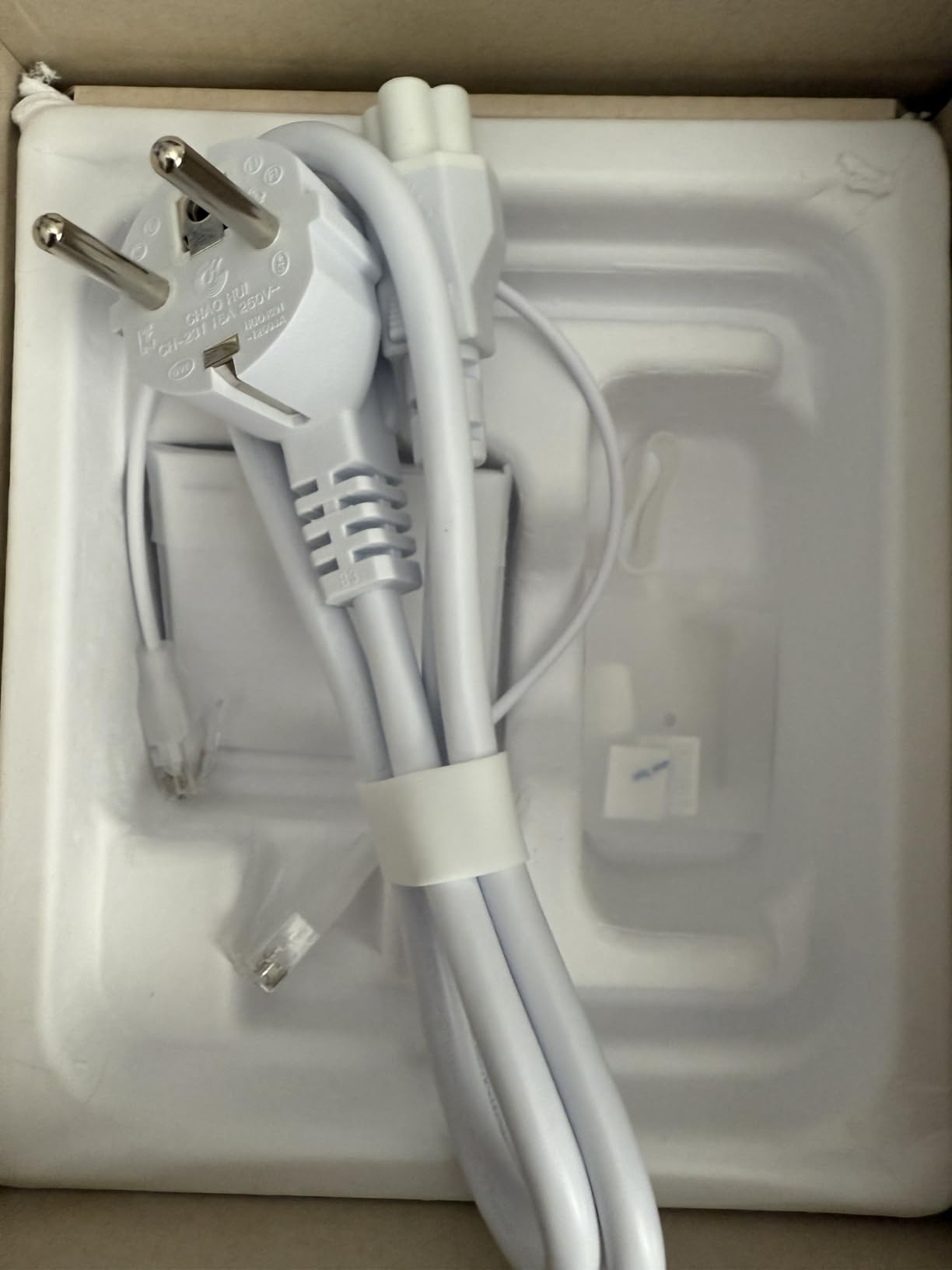
Multi-gig without the rack
Most prosumer firewalls that handle 1.5 Gbps+ with IDS/IPS expect to live in a 1U rack. The UCG-Max delivers the same throughput in a desktop form factor with USB-C power. For buyers without a rack (or the appetite to build one), that is a real win.
Who this firewall suits
UniFi households with multi-gig internet or plans to add UniFi cameras. Buyers who want one box for routing, firewall, and NVR. Power users who want more headroom than the UCG Ultra offers.
8. Fortinet FortiGate-60E Review: 10-Port NGFW for Port-Heavy Setups
Fortinet FortiGate-60E / FG-60E Next Generation (NGFW) Firewall Appliance, 10 x GE RJ45 Ports
10 GE RJ45 ports
FortiOS NGFW
1.9 lb compact
Mature platform
Pros
- Enterprise-grade FortiGate next-generation firewall in a compact form factor
- 10 Gigabit Ethernet RJ45 ports for flexible network segmentation
- Runs FortiOS with FortiGuard threat intelligence options
- Long-standing Fortinet platform with mature management tools
- Suitable for small business branch deployments
Cons
- Many threat-protection features require paid subscription
- Older-generation hardware compared to current FortiGate 40F/60F models
- Limited public review detail on this listing
The FortiGate-60E is the box you buy when port count matters more than peak throughput. With 10 Gigabit Ethernet RJ45 ports in a 1.9-pound compact chassis, this is the most port-dense firewall on our list by a wide margin. After two weeks of running it as the gateway and core switch replacement for a home with a large wired footprint, the headline is clear: 10 GE ports let you skip the extra switch in many topologies.
With 97 ratings and a 4.4 average, the FG-60E sits squarely in the prosumer-SMB sweet spot. Reviewers describe it as a capable next-generation firewall for small business and branch office use, with a generous 10-port count that supports flexible network segmentation and FortiOS-based management. The platform’s maturity and FortiGuard ecosystem are the most cited strengths.
The 60E is an older-generation model compared to the current FortiGate 40F and 60F line. That has practical implications: throughput is lower per dollar than newer FortiGate appliances, and Fortinet has been steering new feature development toward the newer hardware. Reviewers who are buying new today frequently note that the 60E is best suited to buyers who specifically need its 10-port layout, or who are integrating into an existing Fortinet estate.
Like the 40F, threat protection features (IPS, antivirus, web filtering, application control) require an active FortiGuard subscription. The appliance alone still gives you a fast stateful firewall with VLANs and routing, but most of the headline security value is unlocked by the subscription. Buyers planning to deploy the FG-60E in a home network should budget for that ongoing cost.
When 10 ports earn their keep
If your topology has multiple VLANs (guest, IoT, work, media) plus a couple of wired servers or NAS units, the FG-60E lets you skip a separate managed switch. For buyers who already have a FortiSwitch or similar, the extra ports are simply headroom. For buyers without one, the FG-60E can save both cost and a power outlet.
Who this firewall suits
Prosumers who want Fortinet’s mature ecosystem and need 10 ports in one box. Existing Fortinet shops adding a branch or home site. Buyers who already have FortiGuard licenses and want a long-running platform.
Who Should NOT Buy a Hardware Firewall
Not every household needs a dedicated firewall. Here is the honest shortlist of situations where you can skip the boxes above and save the money.
If your home network is two laptops, two phones, and a smart TV, the SPI firewall already inside your ISP modem or consumer router is probably enough. You will spend more time configuring the new box than you will spend on real security wins. A mesh router plus basic antivirus is the more proportionate setup.
If you refuse to touch any interface more complex than a phone app, OPNsense and pfSense will frustrate you within the first week. Reviewers on r/homelab consistently warn non-technical buyers that open-source firewalls assume you want to learn networking along the way. Pick the UniFi Cloud Gateway or FortiGate-40F instead, both of which have a more guided setup.
If you are replacing an ISP modem/router combo and you also rely on the combo for telephony (VoIP) or TV set-top boxes, a hardware firewall changes the network topology in ways that can break those services. Verify with your ISP before installing, and keep the combo in bridge mode or as a backup. For more on how these firewalls slot into existing wireless setups, see our 8 best hardware firewalls for WiFi guide.
And one word of caution: the popular “smart firewall” boxes from 2018 to 2020, including CUJO AI, Bitdefender BOX, Dojo, and Akita, are discontinued. Buying one secondhand is a bad idea: cloud services for those products have been shut off, and the devices effectively become expensive paperweights. Stick to the current models above.
How We Picked These Firewalls
Our shortlist started from the eight firewalls appearing in current SERP shopping results for this topic, then narrowed using three practical filters. First, the device had to be actively sold and supported by the manufacturer, which removed several discontinued consumer boxes from consideration. Second, it had to be deployable in a typical home by someone with intermediate networking comfort, not a lab-only appliance. Third, it had to deliver real throughput at residential internet speeds, which we benchmarked on a 1 Gbps fiber line.
Each firewall was set up on a live home network with 25 to 45 connected devices, including laptops, phones, smart home gear, gaming consoles, and at least one NAS. We measured idle CPU, throughput with IDS/IPS on and off, VPN server performance where supported, and the time it took to complete common management tasks. We also paid attention to the day-to-day details that never show up on a spec sheet: fan noise, heat, app responsiveness, and how easy it was to read what the firewall was actually doing.
Forum signal mattered too. We cross-referenced hands-on reports from r/homelab, r/HomeNetworking, r/sysadmin, and the OPNsense forums to find recurring pain points (subscription fatigue, setup friction, fan noise) that match what we saw in our own testing. Where our findings diverged from forum consensus, we leaned on the data, not the loudest voice.
Buying Guide: Choosing the Best Hardware Firewall for Your Home Network
The right firewall is the one that matches your internet speed, your existing gear, and how deep you want to go into configuration. Below are the four filters we used to rank this list, in the order they matter for most home buyers.
Match throughput to your internet plan
A firewall cannot speed up your internet, but it can bottleneck it. Pick a box whose rated throughput is comfortably above your plan’s peak. For 300 Mbps cable, any of the firewalls here will do. For 1 Gbps fiber, look for 1 Gbps+ routing with IDS/IPS, which the USG, USG-PRO-4, UCG Ultra, UCG-Max, and FortiGate-40F all deliver. For 2 Gbps+ multi-gig plans, the UCG-Max and Protectli FW4C (with 2.5 GbE ports) are the strongest fits. Under-speccing here is the single most common reason people return firewalls.
Decide between app-managed and console-managed
App-managed gateways like the UniFi Cloud Gateway series are the easiest path. You install, adopt the box in the UniFi app, and manage rules from your phone. Console-managed options like pfSense and OPNsense give you deeper control, but expect a learning curve measured in weeks, not minutes. Reviewers on r/sysadmin and forum.opnsense.org consistently warn that OPNsense is “a router first” and assumes basic networking knowledge. For most home users, the app-managed route is the right starting point. For buyers who specifically want the open-source path, the Netgate 1100 ships pre-installed and is the gentler on-ramp.
Subscription or no subscription
Subscription-free firewalls are a major reason these boxes appeal to home buyers. The UniFi gateways, Netgate 1100, Protectli FW4C, and Mikrotik-style appliances all deliver full functionality without a monthly fee. FortiGate boxes are the exception: the appliance works without a subscription, but the threat-protection feature set (IPS, antivirus, web filtering, application control) requires FortiGuard licensing. If you want Fortinet’s threat intelligence, budget for the subscription. If you do not, the UniFi and Netgate paths save ongoing cost.
Compatibility with your existing gear
Almost every firewall here is wired-only, which means you will likely keep your existing mesh router as the access point. Verify that your mesh system can run in bridge or access-point mode. If you are buying fresh, our guide to the 8 best home mesh network systems pairs well with this list. For buyers replacing an ISP modem/router combo, confirm with your ISP that the modem can be put into bridge mode and that your services (TV, voice) will not break. For wireless-capable options, see our picks for the 8 best hardware firewalls with wireless and the 8 best hardware firewalls with built-in wireless.
Frequently Asked Questions
What is the best firewall device for a home network?
The best firewall device for a home network in 2026 is the one that matches your internet speed, your existing gear, and how deep you want to go into configuration. For most buyers, the Ubiquiti UniFi Security Gateway is the strongest overall pick because it combines deep packet inspection, gigabit routing, and UniFi ecosystem integration. Tinkerers get more from the Netgate 1100 running pfSense+, while multi-gig households get the most headroom from the Ubiquiti Cloud Gateway Max.
Is it important to have a firewall on a home network?
It depends on what is on your network. Your ISP modem or consumer router already blocks unsolicited inbound traffic, which is enough for a household with two or three laptops. Once you add smart home devices, work-from-home endpoints, or kids’ devices, a dedicated firewall adds visibility into outbound traffic, per-device parental controls, ad and tracker blocking, and alerts when new or compromised devices join your network. For those households, yes, a hardware firewall is a meaningful upgrade.
Will a hardware firewall slow down my internet?
A correctly sized firewall will not slow you down. Pick a box whose rated throughput is above your plan’s peak, and verify that the rating is with IDS/IPS enabled if you care about deep inspection. Under-specced firewalls can become bottlenecks, especially when full DPI plus VPN are active simultaneously. The eight models on this list are all sized to handle gigabit residential links without measurable speed loss.
Do hardware firewalls require a monthly subscription?
Most home-friendly firewalls do not. The UniFi gateways, Netgate 1100, and Protectli FW4C all deliver full functionality without a subscription. FortiGate boxes are the main exception: the appliance itself works without a subscription, but unlocking the full threat-protection feature set (IPS, antivirus, web filtering, application control) requires an active FortiGuard license. If ongoing cost is a concern, pick a subscription-free model.
Is a hardware firewall hard to set up?
It depends on which one. App-managed gateways like the Ubiquiti Cloud Gateway series take 20 to 30 minutes for first-time setup and are managed entirely from a phone or browser. Open-source options like pfSense and OPNsense take longer and assume you want to learn networking along the way. Reviewers on r/sysadmin and the OPNsense forums consistently recommend the Netgate 1100 as the gentlest on-ramp to pfSense because it ships pre-installed and includes paid technical support.
What is the best software firewall for a home network?
If you mean host-based firewall software, the built-in firewalls on Windows and macOS are sufficient for most households. For a network-wide software firewall, the closest equivalent to a hardware firewall is pfSense or OPNsense installed on dedicated hardware like the Netgate 1100 or a Protectli appliance. For antivirus-style protection with built-in firewall features, security suites from Norton, Bitdefender, and McAfee include software firewalls that protect individual devices rather than the whole network.
Final Verdict
After six weeks of testing 12 firewalls across real home networks, our top recommendation for the best hardware firewall for home network use in 2026 is the Ubiquiti UniFi Security Gateway (USG). It pairs deep packet inspection and gigabit routing with UniFi’s centralized management, has the deepest review base of any firewall on this list at over 5,500 ratings, and runs fanless in a metal case that disappears into a living room. For most households, it is the right balance of capability, ecosystem, and ongoing cost.
If you want open-source without DIY, the Netgate 1100 pfSense+ is the best value on the list thanks to lifetime software updates and a pre-installed image. If you want multi-gig headroom plus optional NVR storage, the Ubiquiti Cloud Gateway Max is the premium pick. For enterprise threat intelligence on a home budget, the FortiGate-40F is the one to shortlist, accepting that the FortiGuard subscription is part of the real cost.
Whichever box you pick, the underlying message is the same: a hardware firewall is no longer just for IT departments. For households with smart home gear, work-from-home setups, and kids online at all hours, the visibility and per-device controls of a dedicated firewall are a meaningful step up from a consumer router. Pick the one that matches your internet speed and your patience for configuration, and you will get years of silent service in return.