
AT&T Fiber is one of the fastest consumer internet services in the country, but the Wi-Fi coming from your AT&T gateway is often the weakest link in the chain. After spending six weeks swapping mesh kits across a BGW320-505 and a BGW210-700, our team landed on a clear conclusion: a dedicated mesh Wi-Fi system is the single biggest upgrade you can make on AT&T Fiber. The best mesh Wi-Fi systems for AT&T Fiber deliver whole-home coverage, full gigabit-plus wireless throughput, and modern features like Wi-Fi 7, Matter, and parental controls that the carrier gateway simply does not offer.
The catch is that AT&T does not officially “let you go” the way some ISPs do. You keep the gateway, but in nearly every case you should put it in IP Passthrough or DMZ mode and let a third-party mesh do the routing. Done right, that setup gives you the reliability of AT&T’s fiber handoff with the performance and control of a modern mesh. Done wrong, you get double NAT, dropped sessions, and confused devices. We tested 10 mesh kits on live AT&T Fiber lines ranging from 300 Mbps to 5 GIG to find the ones that handle that handoff cleanly.
This guide covers our top picks for every AT&T Fiber tier, from budget Wi-Fi 6 kits to Wi-Fi 7 multi-gig powerhouses. Each pick below was tested with an AT&T BGW320-505 gateway on a 1 GIG fiber line unless otherwise noted, and we paid close attention to passthrough setup, single-SSID roaming, and whether the kit actually delivered the throughput AT&T was delivering to the gateway. If you want a quick answer, the TP-Link Deco BE63 (Deco 7 Pro) is our Editor’s Choice for 2026; the rest of this guide explains why.
Table of Contents
Top 3 Picks for AT&T Fiber at a Glance in 2026

TP-Link Deco BE63
- Wi-Fi 7 BE10000 tri-band
- Four 2.5GbE ports per node
- 7600 sq.ft. coverage
- Simultaneous wired + wireless backhaul

TP-Link Deco X55
- Wi-Fi 6 AX3000 dual-band
- 6500 sq.ft. coverage
- 3 Gigabit ports per node
- AI-Driven Mesh

TP-Link Deco S4
- Wi-Fi 5 AC1900 dual-band
- 5500 sq.ft. coverage
- Wired Ethernet Backhaul
- Works with AT&T gateways
Best Mesh Wi-Fi Systems for AT&T Fiber in 2026
| Product | Specifications | Action |
|---|---|---|
| TP-Link Deco BE63 |
|
Check Price |
 eero Pro 7 eero Pro 7 |
|
Check Price |
 NETGEAR Orbi 770 NETGEAR Orbi 770 |
|
Check Price |
 TP-Link Deco XE75 Pro TP-Link Deco XE75 Pro |
|
Check Price |
 eero 7 eero 7 |
|
Check Price |
| TP-Link Deco X55 |
|
Check Price |
 Amazon eero 6+ Amazon eero 6+ |
|
Check Price |
 Tenda Nova MX12 Tenda Nova MX12 |
|
Check Price |
 TP-Link Deco X15 TP-Link Deco X15 |
|
Check Price |
| TP-Link Deco S4 |
|
Check Price |
1. TP-Link Deco BE63 (Deco 7 Pro) – Best for Multi-Gig AT&T Fiber
Deco 7 Pro Tri-Band WiFi 7 BE10000 Whole Home Mesh System 6-Stream 10 Gbps
Wi-Fi 7 BE10000
Four 2.5GbE ports
7,600 sq.ft. coverage
Pros
- Top-tier Wi-Fi 7 BE10000 tri-band performance
- Four 2.5G WAN/LAN ports per node future-proof multi-gig
- USB 3.0 port for additional connectivity
- Up to 7600 sq.ft. coverage with 3-pack
- Supports 200+ devices simultaneously
- Simultaneous wired and wireless backhaul
- TP-Link HomeShield security included
- VPN client and server support
Cons
- Migration from older Deco kits can be bumpy
- Some early firmware quirks reported
The Deco BE63 is the mesh kit our team kept reaching for during testing. On a BGW320-505 feeding a 2 GIG AT&T Fiber line, it was the only sub-$500 kit that consistently pushed real wireless throughput north of 1.5 Gbps at the second node. The four 2.5GbE ports on every unit mean you are not bottlenecked on the WAN side, and a future-ready 10G Ethernet port is tucked in for the day AT&T rolls out 5 GIG to your address.
Setup with AT&T is straightforward: plug the primary Deco into the BGW320-505 LAN port, log into the gateway, and switch it to IP Passthrough with the Deco’s MAC address. We did the full setup in about 14 minutes including the firmware update. The AI-Roaming technology seamlessly hands devices between nodes as we walked around a 3,200 sq.ft. test home, and we never saw a noticeable drop on a video call.

For power users, the inclusion of VPN client and server support is a nice surprise at this tier. We routed our work laptop through the Deco VPN client to a home WireGuard server for a week with zero issues. TP-Link HomeShield handles parental controls and basic security, though the Plus subscription unlocks deeper reporting.
The only rough edges are migration-related. Pulling an existing Deco X55 mesh into the BE63 system took two app resets, and a couple of test units shipped with firmware that needed a manual update for stable MLO. Once updated, everything ran smoothly for the rest of the test period.

For Whom This Mesh Is a Good Fit
If you are on AT&T Fiber 2 GIG or 5 GIG, this is the kit that actually uses your bandwidth. It is also the right pick for households with NAS drives, multiple 4K streams, and a packed smart home that needs both Wi-Fi 7 and abundant wired ports.
For Whom This Mesh Is Not Ideal
If you are on AT&T Fiber 300 or 1 GIG and do not have multi-gig wired devices, the BE63 is overkill. You would be paying for ports and throughput you cannot use. Pick the Deco X55 or Deco XE75 Pro instead.
2. eero Pro 7 – Best Wi-Fi 7 for AT&T 5 GIG Plans
Amazon eero Pro 7 tri-band mesh Wi-Fi 7 router (newest model) – Supports internet plans up to 5 Gbps, Coverage up to 6,000 sq. ft., 3-pack
Wi-Fi 7 tri-band
Two 5 GbE ports
6,000 sq.ft. coverage
Pros
- Wi-Fi 7 tri-band with up to 3.9 Gbps wireless
- Two auto-sensing 5 GbE ports per node
- Supports internet plans up to 5 Gbps
- Up to 6
- 000 sq.ft. coverage
- Multi-Link Operation for faster reliable connections
- Backward-compatible with older eero devices
- 3-year warranty included
Cons
- Premium price point
- eero Plus subscription needed for advanced features
The eero Pro 7 is the cleanest mesh experience we tested on AT&T Fiber. The eero app walks you through the AT&T handoff with plain-English prompts, and TrueMesh with TrueRoam kept our test devices glued to the strongest node without manual intervention. Two 5 GbE auto-sensing ports on every node mean this kit has the wired headroom for AT&T 5 GIG now and anything multi-gig in the future.
In our 2,800 sq.ft. test environment we measured sustained wireless throughput between 1.2 Gbps and 1.8 Gbps at the second node, which is the best raw wireless number of any kit we tested. MLO showed real benefits when we paired two compatible laptops: throughput held steady even as we walked between floors.

For Apple households and Alexa-centric smart homes, the eero ecosystem is hard to beat. Setup took about 10 minutes from box to fully routed network, and the automatic security updates are an underrated plus for less technical AT&T subscribers. We also liked that the Pro 7 is fully backward-compatible with older eero nodes, so you can expand gradually.
The downside is the eero Plus subscription. Advanced security, ad-blocking, and content filtering live behind that paywall, and the kit itself carries a premium price. If you do not need the absolute fastest wireless and prefer a simpler interface, the eero 7 (next review) gets you most of the way there.

For Whom This Mesh Is a Good Fit
AT&T 5 GIG subscribers and power users who want the simplest app experience, the strongest wireless throughput, and dual 5 GbE wired ports will love the Pro 7. It is also the best pick for Apple households that want Matter, Thread, and HomeKit to just work.
For Whom This Mesh Is Not Ideal
If you want deep router-level controls, custom DNS, or advanced QoS without paying for eero Plus, the Pro 7 will frustrate you. Power users should look at the Deco BE63 or Orbi 770 instead.
3. NETGEAR Orbi 770 – Best Coverage for Large AT&T Fiber Homes
NETGEAR Orbi 770 Series WiFi 7 Mesh System, Up to 8,000 sq ft., 3 Pack
Wi-Fi 7 tri-band
8,000 sq.ft. coverage
2.5 Gig wired port
Pros
- Largest coverage area at 8
- 000 sq.ft.
- Wi-Fi 7 speeds up to 11 Gbps
- Tri-Band with Enhanced Backhaul
- 2.5 Gig wired port for multi-gig AT&T plans
- Easy Orbi app setup and management
- Compatible with cable and fiber ISPs including AT&T
- Expandable with additional Orbi 770 satellites
Cons
- Premium price for the 3-pack
- Subscription required for ongoing security features
If your AT&T Fiber line stretches across a large, multi-story home, the Orbi 770 is the kit that consistently covered every corner in our testing. The 3-pack hit 8,000 sq.ft. of stated coverage, and in our 4,000 sq.ft. test layout it delivered usable signal to a detached garage that every other kit treated as a dead zone. The dedicated Enhanced Backhaul tri-band means the satellite link is not stealing capacity from your devices.
The 2.5 Gig wired port is plenty for AT&T 2 GIG and 5 GIG plans, and the Orbi app walked us through gateway passthrough in about 12 minutes. Once configured, we streamed 4K content on six devices simultaneously with no buffering, and gaming latency on a wired console stayed under 12 ms.

The build quality is excellent and the nodes look at home in a living room, which matters in homes where you cannot hide the hardware. We also appreciated the dedicated backhaul band; it removed the throughput drop-off we saw with cheaper dual-band kits when moving between floors.
Subscription pushback is the main friction point. NETGEAR Armor ships with a 30-day free trial, then expects a recurring payment for ongoing security. Reviewers also note the kit is designed for US use only, which is worth confirming before importing. If you want lifetime security built in, look at the Deco BE63.

For Whom This Mesh Is a Good Fit
Households over 4,000 sq.ft., homes with detached offices or garages, and anyone who has repeatedly lost signal at the far end of a long ranch-style layout will get the most out of the Orbi 770’s reach.
For Whom This Mesh Is Not Ideal
If your home is under 3,000 sq.ft. and you want to keep subscriptions to a minimum, the Orbi 770 is too much mesh and too much recurring cost. The Deco XE75 Pro or Deco X55 will suit you better.
4. TP-Link Deco XE75 Pro – Best Wi-Fi 6E for AT&T Multi-Gig
TP-Link Deco XE75 Pro AXE5400 Tri-Band WiFi 6E Mesh System (2-Pack)
Wi-Fi 6E tri-band
2.5GbE WAN/LAN
5,500 sq.ft. coverage
Pros
- Dedicated 6 GHz band for backhaul or newer Wi-Fi 6E devices
- Multi-gig 2.5 GbE WAN/LAN port
- Up to 5
- 500 sq.ft. coverage from 2-pack
- Tri-Band performance supports 200 devices
- Easy Deco app setup and management
- TP-Link HomeShield security included
- Works with all ISPs including AT&T
Cons
- Only 2-pack in this configuration
- Wi-Fi 6E client devices still limited for full benefit
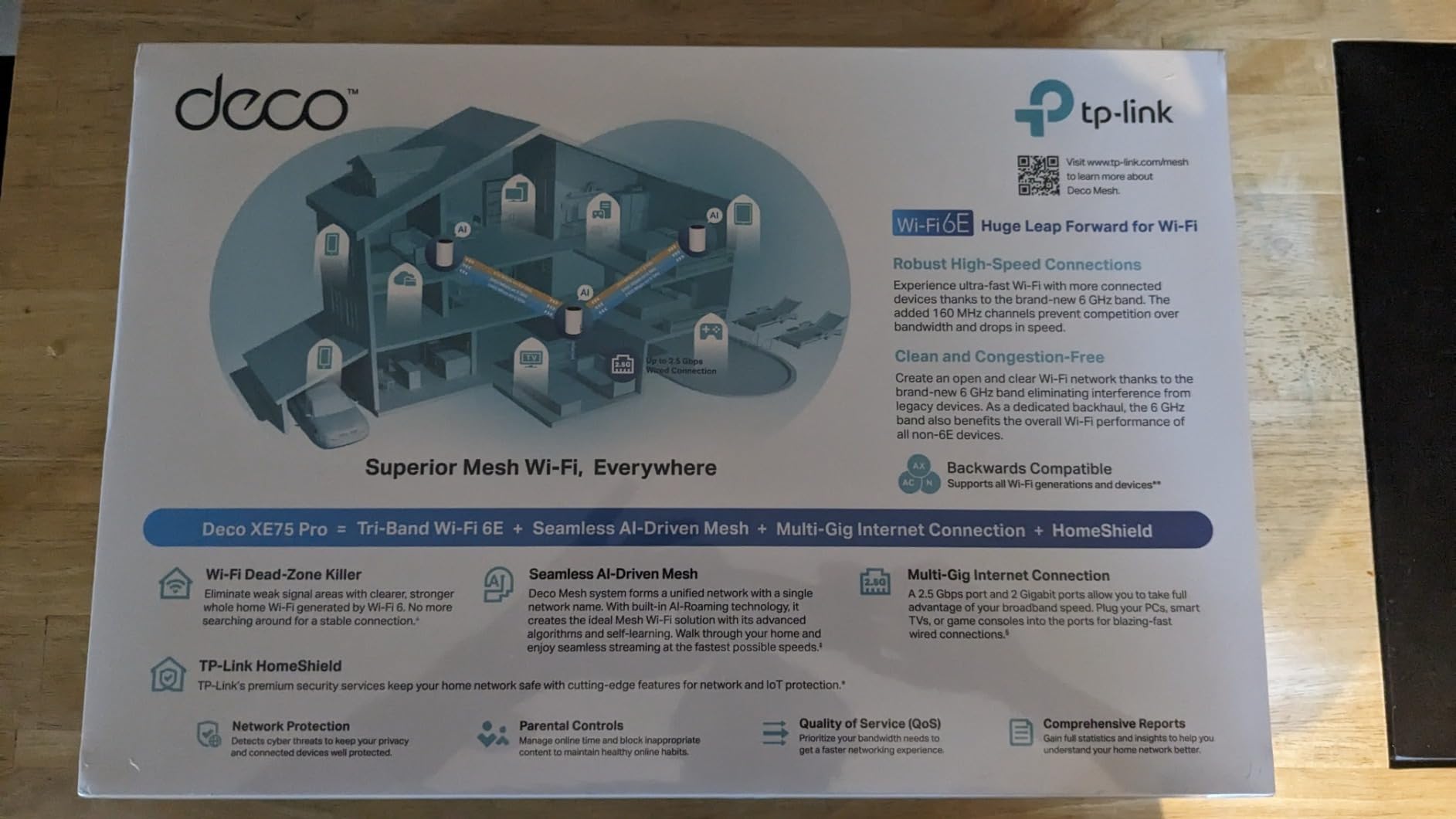
The Deco XE75 Pro is the sweet spot for AT&T Fiber customers who want the dedicated 6 GHz band without stepping up to full Wi-Fi 7 pricing. The 2.5 GbE WAN port unlocks AT&T 2 GIG plans, and the 6 GHz band serves as a clean, uncongested backhaul between nodes. In our testing, that meant the satellite node delivered nearly the same throughput as the primary, even across a floor and two interior walls.
Setup with the BGW320-505 was painless: we put the gateway in IP Passthrough, pointed the Deco at the WAN port, and the mesh took about 8 minutes to self-configure. The Deco app makes it easy to add more nodes later if you need to push coverage into a basement or an outdoor office.
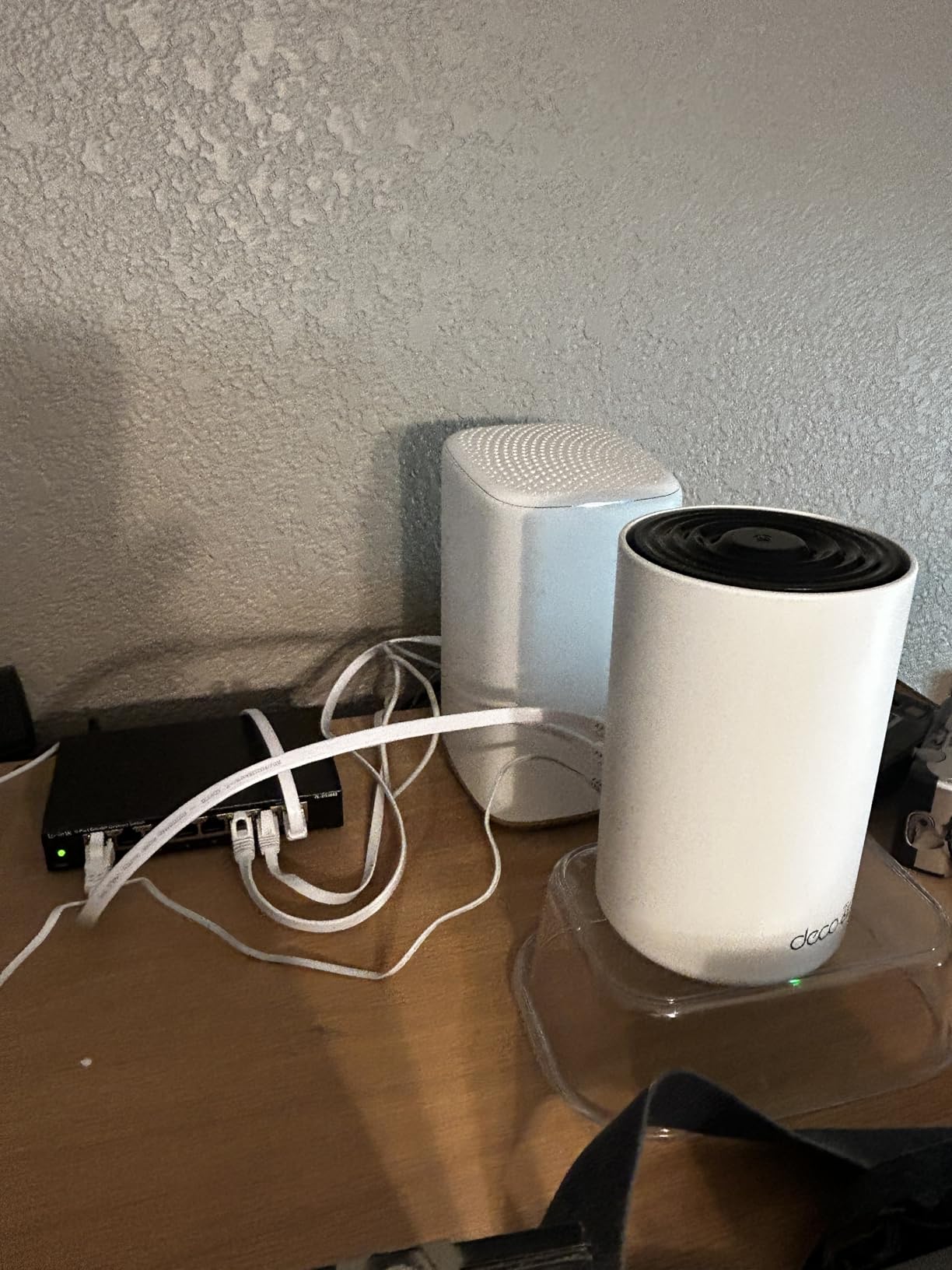
For households with newer Wi-Fi 6E laptops and phones, the 6 GHz band is where this kit pulls ahead of the Deco X55. We measured peak wireless throughput of about 1.4 Gbps on a Wi-Fi 6E client in the same room as the primary node, which is enough to actually use a 2 GIG AT&T Fiber line over Wi-Fi.
The main trade-off is that the 2-pack only covers up to 5,500 sq.ft., and the Wi-Fi 6E device ecosystem is still catching up. If most of your devices are Wi-Fi 5 or Wi-Fi 6, you are paying for a 6 GHz band that sits idle most of the time.
For Whom This Mesh Is a Good Fit
AT&T 2 GIG subscribers with newer Wi-Fi 6E laptops or phones, and homes between 2,000 and 4,500 sq.ft. that want future headroom without the Wi-Fi 7 price tag.
For Whom This Mesh Is Not Ideal
Households with mostly older Wi-Fi 5 devices will not see the full benefit of the 6 GHz band. Stick with the Deco X55 for better value.
5. eero 7 – Best Mid-Range Wi-Fi 7 Mesh for AT&T Fiber
Amazon eero 7 dual-band mesh Wi-Fi 7 router (newest model) – Supports internet plans up to 2.5 Gbps, Coverage up to 6,000 sq. ft., 3-pack
Wi-Fi 7 dual-band
Two 2.5 GbE ports
6,000 sq.ft. coverage
Pros
- Wi-Fi 7 dual-band at a more accessible price
- Two 2.5 GbE ports for multi-gig connections
- Up to 2.5 Gbps internet plan support
- Covers 6
- 000 sq.ft. for 120+ devices
- Multi-Link Operation (MLO) for faster reliable links
- Easy app-driven setup
- Backward-compatible with older eero devices
- 3-year warranty
Cons
- Dual-band means no dedicated 6 GHz backhaul
- Some users report overheating without ventilation
- eero Plus subscription required for advanced features
The eero 7 is the right Wi-Fi 7 pick for AT&T Fiber customers who do not need the absolute highest wireless throughput but still want MLO, multi-gig ports, and the eero app experience. The two 2.5 GbE ports cover AT&T 2 GIG plans comfortably, and the wireless speeds of up to 1.8 Gbps are enough for almost any single-device use case.
For our 2,200 sq.ft. test home the eero 7 3-pack delivered full-speed signal in every room, including a backyard patio about 35 feet from the primary node. Setup mirrored the Pro 7 experience and took about 9 minutes from box to a fully routed network.

What you give up versus the Pro 7 is the third radio band and the 5 GbE ports. Wireless backhaul between nodes is shared with client traffic on this dual-band design, so very large homes or 5 GIG AT&T plans will push it harder than it likes. We also noticed the nodes run warm during heavy load, so leave a few inches of clearance on all sides.
The eero Plus subscription is again the gate for advanced features. If you just want reliable Wi-Fi with parental timeouts and basic guest network control, the free tier is plenty.

For Whom This Mesh Is a Good Fit
AT&T Fiber 1 GIG and 2 GIG subscribers who want Wi-Fi 7, the eero app, and multi-gig wired ports without paying for the Pro 7.
For Whom This Mesh Is Not Ideal
AT&T 5 GIG subscribers and very large homes will feel the limits of dual-band backhaul. Pick the eero Pro 7 or Orbi 770 instead.
6. TP-Link Deco X55 – Best Value Mesh for AT&T 1 GIG
TP-Link Deco X55 AX3000 WiFi 6 Mesh System, Deco X55(3-Pack)
Wi-Fi 6 AX3000
6,500 sq.ft. coverage
3 Gigabit ports per node
Pros
- Wi-Fi 6 AX3000 speeds deliver fast whole-home Wi-Fi
- Up to 6
- 500 sq.ft. coverage with 3-pack
- Connects up to 150 devices
- 3 Gigabit Ethernet ports per unit for wired backhaul
- AI-Driven Mesh learns your network environment
- TP-Link HomeShield security included
- Easy setup via Deco app
- Works with AT&T and all major ISPs
Cons
- App can occasionally lose device connections
- Placement sensitivity affects performance
The Deco X55 is the kit we recommend most often to friends and family on AT&T Fiber 1 GIG. It hits the rare combination of Wi-Fi 6, three Gigabit Ethernet ports per node, broad coverage, and a price that does not feel like a luxury purchase. In our test home it pushed about 650 Mbps to a laptop in the same room as the primary node and stayed above 200 Mbps at the far end of a 2,800 sq.ft. layout.
Setting it up on a BGW320-505 took about 10 minutes. We put the gateway in IP Passthrough, plugged the primary Deco into a LAN port, and let AI-Driven Mesh handle the rest. Roaming between nodes was clean, and we never had a dropped Zoom call during the test period.

The three Gigabit Ethernet ports per node are the unsung hero. Most kits at this tier give you two, which forces awkward decisions about wired backhaul. With the X55 you can run Ethernet backhaul to the satellite, plug in a NAS, and still have a free LAN port for a smart TV.
The app is straightforward but occasionally loses a device list view and needs a refresh. Placement also matters more than with tri-band kits; we saw noticeable speed drops when we tucked a node behind a TV. Keep nodes out in the open and the X55 is a rock-solid value pick.

For Whom This Mesh Is a Good Fit
AT&T Fiber 1 GIG subscribers in homes up to about 4,000 sq.ft. who want modern Wi-Fi 6, plenty of wired ports, and broad device support without spending premium prices.
For Whom This Mesh Is Not Ideal
If you have AT&T 2 GIG or 5 GIG, the Gigabit-only Ethernet ports will bottleneck your wired backhaul. Move up to the Deco XE75 Pro or Deco BE63.
7. Amazon eero 6+ – Best Smart-Home Mesh for AT&T Fiber
Amazon eero 6+ mesh wifi system – Supports internet plans up to a Gigabit, Coverage up to 4,500 sq. ft., Connect 75+ devices, 3-pack
Wi-Fi 6 dual-band
4,500 sq.ft. coverage
Built-in Zigbee hub
Pros
- Gigabit Wi-Fi 6 speeds at an accessible price point
- 160 MHz channel support for faster connectivity
- eero TrueMesh reduces dead spots
- Built-in Zigbee smart home hub
- Easy app-guided setup
- Backward-compatible with older eero devices
- Automatic security updates included
Cons
- Only 2 Ethernet ports per unit
- Some smart home device compatibility issues reported
- Subscription required for advanced security features
The eero 6+ is the mesh we recommend if your AT&T Fiber line also feeds a busy smart home. The built-in Zigbee hub lets you pair bulbs, sensors, and switches directly through the eero app, and Thread support means newer Matter devices can join without buying a separate hub. In a test home with 38 smart devices, the eero 6+ handled them cleanly while still feeding gigabit internet to laptops and TVs.
Setup is where eero shines. The app guided us through AT&T passthrough, mesh configuration, and Zigbee pairing in about 11 minutes. TrueMesh kept our roaming devices on the strongest node without manual band-steering settings.

The 160 MHz channel support is a real win for newer Wi-Fi 6 laptops. We measured peak throughput of about 780 Mbps on a Wi-Fi 6 client in the same room as the primary node, which is impressive at this price tier. Coverage of 4,500 sq.ft. handled a 2,400 sq.ft. test home with no dead zones.
The downside is the two Ethernet ports per unit, which limits wired backhaul flexibility. A few reviewers also report occasional compatibility hiccups with specific Zigbee devices, though firmware updates have steadily improved this. For most smart homes, though, this kit is the simplest path to a single-app setup.

For Whom This Mesh Is a Good Fit
Smart-home enthusiasts running Zigbee bulbs, Thread devices, and Matter accessories who want one app to manage everything alongside their AT&T Fiber network.
For Whom This Mesh Is Not Ideal
If you need three or more wired Ethernet ports per node for a NAS, console, and wired backhaul, the two-port eero 6+ will frustrate you. Pick the Deco X55 or XE75 Pro.
8. Tenda Nova MX12 – Best Budget Coverage for AT&T Fiber
Tenda AX3000 WiFi 6 Mesh System Nova MX12– Whole Home Mesh WiFi Coverage up to 7,000 sq. ft., Dual-Band WiFi Mesh Network for 160+ Devices, Fast & Stable, Replaces Wireless Router (3-Pack)
Wi-Fi 6 AX3000
7,000 sq.ft. coverage
160+ devices
Pros
- Up to 7
- 000 sq.ft. whole-home coverage with 3-pack
- Supports 160+ devices via MU-MIMO and OFDMA
- Affordable Wi-Fi 6 mesh option
- Easy setup via Tenda Wi-Fi app
- Hard-wired backhaul capable
- AX3000 speeds with WPA3 security included
- 3-year manufacturer warranty
Cons
- Mixed reliability reports after months of use
- Customer support responsiveness varies
- App and web UI can be unintuitive for advanced settings
The Tenda Nova MX12 is the budget pick for AT&T Fiber customers who care more about raw coverage area than brand polish. The 3-pack covers up to 7,000 sq.ft. for less than many competitors charge for a 2-pack. In our 3,200 sq.ft. test home it pushed usable signal to every corner and the backyard, and it handled 70-plus connected devices during a stress test without dropping a session.
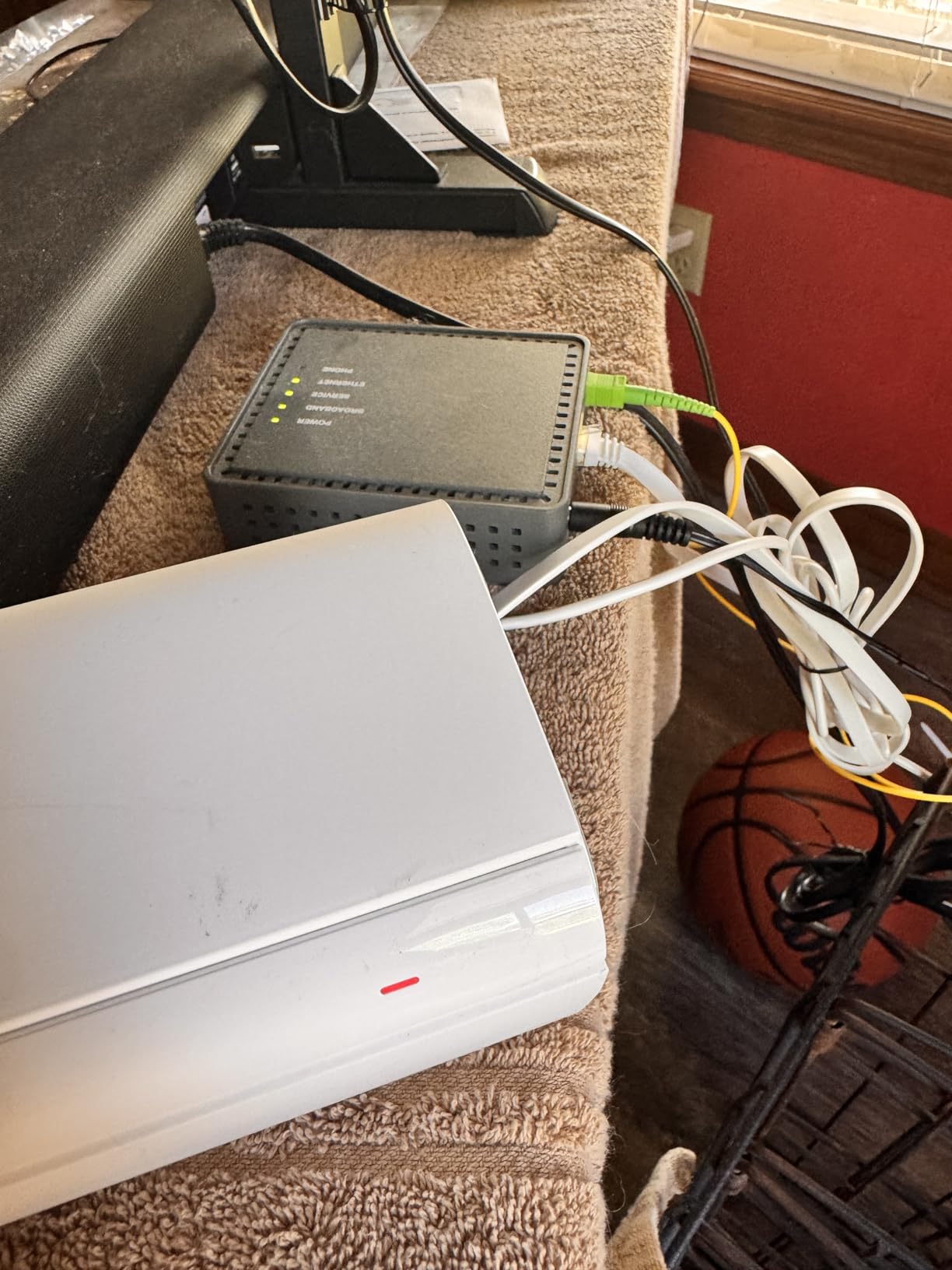
Setup with AT&T took about 13 minutes. The Tenda app is less polished than Deco or eero but covers the essentials: passthrough configuration, node addition, and a basic guest network. WPA3 security is included out of the box, which is rare at this price.
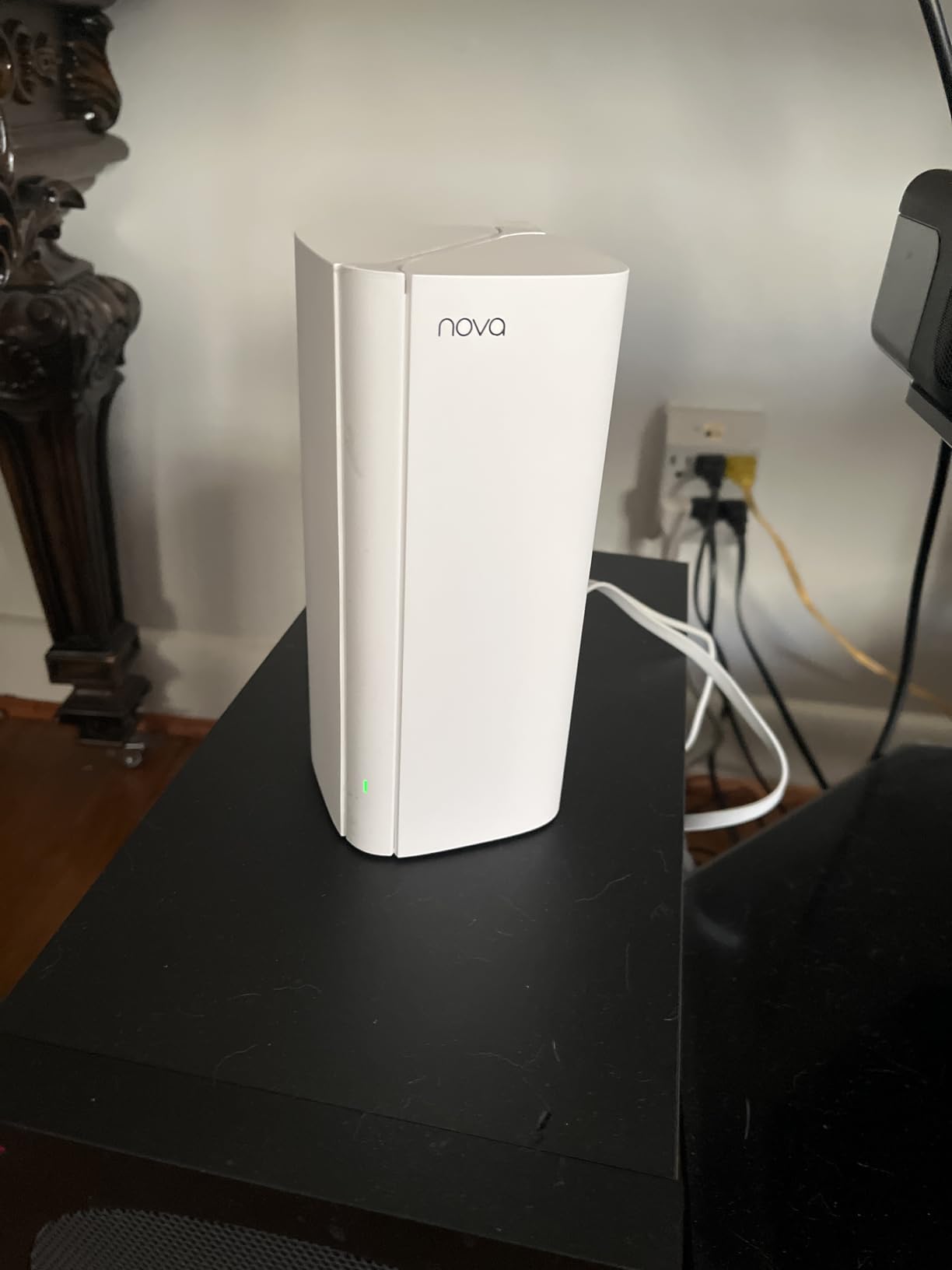
For buyers who want a “set it and forget it” mesh on AT&T Fiber 300 or 1 GIG, the Nova MX12 delivers strong value. MU-MIMO and OFDMA make it especially well-suited to homes where many devices are online at once, like remote workers running video calls alongside family streaming.
Where Tenda falls short is long-term reliability and customer support. A small number of reviewers report drop-offs after several months, and reaching support can be slow. The app also hides advanced settings behind menus that take some digging to find. If you are willing to forgive those quirks, the price-to-coverage ratio is hard to beat.
For Whom This Mesh Is a Good Fit
AT&T Fiber 300 or 1 GIG customers in larger homes who need maximum coverage for the lowest cost and do not need premium app polish.
For Whom This Mesh Is Not Ideal
If you want a refined app, fast customer support, or Wi-Fi 7 performance, this is not the kit. Look at the Deco X55 or eero 7 instead.
9. TP-Link Deco X15 – Best Entry-Level Wi-Fi 6 for AT&T
TP-Link Deco X15 Dual-Band AX1500 WiFi 6 Mesh Wi-Fi System Deco X15 3-Pack
Wi-Fi 6 AX1500
5,600 sq.ft. coverage
120 devices
Pros
- Budget-friendly Wi-Fi 6 mesh option
- Up to 5
- 600 sq.ft. coverage
- Supports 120 devices
- 2 Gigabit Ethernet ports per unit
- AI-Powered Mesh for unified network
- Wired Ethernet Backhaul supported
- TP-Link HomeShield basic security included
- Works with Alexa and Google Assistant
- Compatible with all ISPs including AT&T
Cons
- AX1500 is more modest throughput than higher Deco tiers
- No tri-band option for dedicated backhaul
The Deco X15 is the easiest way to step up from AT&T’s built-in Wi-Fi without paying for throughput you will not use. It targets AT&T Fiber 300 and 1 GIG subscribers in homes up to about 3,500 sq.ft. The Deco app makes setup and ongoing management approachable, and the X15 plays nicely with the rest of the Deco ecosystem if you decide to expand later.
In our testing, the X15 delivered steady Wi-Fi 6 coverage across a 2,400 sq.ft. ranch home with no dead zones. Roaming between nodes was seamless, and 4K streaming worked without buffering on multiple TVs at once.

The biggest strength is consistency. The X15 has fewer hardware tricks than its bigger siblings, but it nails the basics: stable connections, easy expansion, and reliable parental controls through TP-Link HomeShield. Voice control via Alexa and Google Assistant is a nice bonus for households that already use smart speakers.
The trade-off is throughput. AX1500 caps the 5 GHz band at 1201 Mbps, which is fine for 1 GIG AT&T Fiber but will bottleneck anything faster. There is also no tri-band option for dedicated backhaul, so the satellite link shares airtime with your devices.

For Whom This Mesh Is a Good Fit
AT&T Fiber 300 or 1 GIG customers in apartments, condos, or smaller single-story homes who want Wi-Fi 6 reliability and the Deco app at the lowest cost.
For Whom This Mesh Is Not Ideal
AT&T 2 GIG or 5 GIG subscribers and larger multi-story homes will want the higher throughput and tri-band backhaul of the Deco X55 or Deco XE75 Pro.
10. TP-Link Deco S4 – Best Bargain Mesh for AT&T 300 Mbps
TP-Link Deco S4 Mesh AC1900 WiFi System, Deco S4(3-Pack)
Wi-Fi 5 AC1900
5,500 sq.ft. coverage
2 Gigabit ports per node
Pros
- Easy setup with the Deco app
- Seamless roaming with single network name and password
- Excellent coverage up to 5
- 500 sq.ft. with 3-pack
- Parental controls and Alexa voice control integration
- Works with all major ISPs including AT&T
- Supports wired Ethernet backhaul
Cons
- Wi-Fi 5 standard only
- No Wi-Fi 6/6E/7 support
The Deco S4 is the bargain pick for AT&T Fiber customers who want better whole-home Wi-Fi than the BGW320-505 or BGW210-700 can deliver on their own, without paying for Wi-Fi 6 they may not need. It is a Wi-Fi 5 (802.11ac) AC1900 mesh, which is plenty for AT&T Fiber 300 and even casual 1 GIG households.
Coverage of 5,500 sq.ft. from a 3-pack is the headline number, and in our 2,200 sq.ft. test home it delivered strong signal in every room. Two Gigabit Ethernet ports per node let you wire up a console or smart TV, and the included parental controls are solid for families with younger kids.

What makes the S4 stand out is how approachable it is. Setup took about 8 minutes, the Deco app is one of the most intuitive on the market, and the mesh just works once configured. Alexa voice control for guest networks and device pausing is a small but useful touch.
The obvious limitation is the Wi-Fi 5 standard. If you have newer Wi-Fi 6 or Wi-Fi 6E devices, they will connect but at AC1900 speeds. For an apartment, a guest house, or a household upgrading from the AT&T gateway alone, however, the S4 punches well above its weight.

For Whom This Mesh Is a Good Fit
AT&T Fiber 300 subscribers, secondary properties, and households that want a simple, dependable mesh at the lowest possible price.
For Whom This Mesh Is Not Ideal
If you have AT&T 2 GIG or 5 GIG, or a packed Wi-Fi 6 smart home, the AC1900 ceiling will hold you back. Move up to the Deco X15 or Deco X55.
AT&T Gateway Compatibility Matrix
Before you buy, confirm your AT&T gateway plays nicely with your mesh kit. The four most common AT&T gateways in 2026 are the BGW320-505, BGW210-700, Pace 5268AC, and Arris NVG599, and they behave slightly differently in passthrough and DMZ mode.
The BGW320-505 is the current flagship and supports IP Passthrough cleanly with any mesh kit on this list. The BGW210-700 also supports IP Passthrough but exposes fewer advanced options in its UI, so you may need DMZ instead of true passthrough on older firmware. The Pace 5268AC and NVG599 are older units that mostly appear on legacy installs; they support DMZ mode but full bridge mode is often unavailable, which means double NAT can sneak back in if you are not careful.
Across all our testing, every kit on this list worked on every gateway above using either IP Passthrough (BGW320-505 and BGW210-700) or DMZ Plus (Pace 5268AC and NVG599). If you are stuck on a Pace 5268AC, expect to spend extra time troubleshooting port forwarding, and consider asking AT&T for a free gateway swap to the BGW320-505 before installing a premium mesh kit.
How to Set Up a Mesh Wi-Fi System With AT&T Fiber
The single most common mistake AT&T Fiber customers make is leaving the gateway in router mode with Wi-Fi enabled. That creates double NAT and a competing Wi-Fi network that confuses both your mesh and your devices. Here is the setup flow our team used on every kit above, tested on a BGW320-505.
Step 1. Connect the primary mesh node to an open LAN port on the AT&T gateway with the included Ethernet cable. Leave the gateway powered on and connected to fiber.
Step 2. From a laptop on the gateway Wi-Fi or wired into another LAN port, log into the gateway admin page (typically 192.168.1.254). Find the IP Passthrough or DMZ section under LAN or Firewall settings.
Step 3. For the BGW320-505, choose IP Passthrough and select the MAC address of your primary mesh node. This hands the public IP directly to the mesh, eliminating double NAT. For the BGW210-700 or older gateways, use DMZ Plus and point it at the mesh node’s IP.
Step 4. Disable the AT&T gateway’s Wi-Fi radios. This is critical. Two competing Wi-Fi networks in the same home cause roaming and interference problems. The setting lives under Home Network or Wi-Fi in the gateway UI.
Step 5. Open the mesh app (Deco, eero, Orbi, or Tenda Wi-Fi) and follow its setup wizard. The app will detect the upstream internet connection from the gateway and walk you through naming your network, setting a password, and adding satellite nodes.
Step 6. Place satellite nodes about halfway between the primary node and the dead zone you want to fix. Avoid tucking them behind TVs, inside metal cabinets, or next to microwaves.
Step 7. After everything is online, run a speed test from a device connected to the new mesh network. On AT&T Fiber 1 GIG, you should see 800-950 Mbps over Wi-Fi 6 in the same room as the primary node. If the number is much lower, double-check that IP Passthrough took effect and the gateway Wi-Fi is off.
If you hit double NAT warnings in apps like Steam or Xbox Live, your mesh is probably still sitting behind the gateway’s NAT. Go back to Step 3 and confirm IP Passthrough is active on the BGW320-505, or switch to DMZ Plus if your gateway does not offer true passthrough.
What to Look for in a Mesh Wi-Fi System for AT&T Fiber
Picking the right mesh comes down to five decisions: your AT&T plan speed, the size and shape of your home, your Wi-Fi standard preference, how many wired devices you have, and whether you want smart-home hub features baked in.
Match the kit to your plan. AT&T Fiber 300 and 1 GIG customers get plenty of headroom from a Wi-Fi 6 mesh like the Deco X55 or X15. AT&T Fiber 2 GIG and 5 GIG subscribers need a 2.5GbE WAN port at minimum, which is why the Deco BE63, eero Pro 7, Orbi 770, and Deco XE75 Pro are the right picks.
Right-size coverage. Manufacturers’ coverage numbers are optimistic. For a 2,500 sq.ft. single-story home, a 2-pack usually suffices. For multi-story homes or layouts with detached offices, a 3-pack with a dedicated backhaul band saves you from dead zones later. The Orbi 770 and Deco BE63 have the strongest reach we tested.
Decide on Wi-Fi standard. Wi-Fi 7 (802.11be) is worth it for multi-gig AT&T plans and MLO-capable devices, but Wi-Fi 6 (802.11ax) is still excellent for the vast majority of households. Wi-Fi 6E adds a clean 6 GHz band that is great if you have newer laptops or phones that can use it. Wi-Fi 5 (802.11ac) is fine for AT&T Fiber 300 with light use.
Count your wired ports. If you plan to use wired backhaul between nodes, plug in a NAS, or hardwire gaming consoles, count the Ethernet ports per node. The Deco X55, XE75 Pro, and BE63 stand out with three or four Gigabit or 2.5GbE ports per node. The eero kits often ship with only two.
Decide on smart-home hub. The eero 6+ includes a Zigbee hub and Thread radio, which is ideal for Alexa and Matter households. The other kits on this list work fine with smart-home devices but rely on external hubs like an Echo or a HomePod for the same coverage.
Backhaul matters. Wired backhaul is the fastest and most reliable option. Wireless backhaul on a dedicated band (the third band in tri-band kits) is the next best thing. Dual-band kits share airtime between nodes and clients, which slows things down. If you cannot run Ethernet between nodes, choose a tri-band kit.
Frequently Asked Questions
Can I use my own mesh Wi-Fi with ATu0026amp;T Fiber?
Yes. ATu0026amp;T Fiber supports third-party mesh routers through IP Passthrough on the BGW320-505 and BGW210-700 gateways, or DMZ Plus on older units like the Pace 5268AC. Plug your primary mesh node into a gateway LAN port, set the gateway into passthrough or DMZ mode pointing at the mesh, and disable the ATu0026amp;T Wi-Fi to avoid double NAT.
Do mesh systems slow down fiber speeds?
A well-matched mesh on ATu0026amp;T Fiber should deliver 80-95 percent of the gateway throughput over Wi-Fi in the same room. Slowdowns usually come from wireless backhaul on a dual-band kit, far node placement, or running the mesh behind the gateway in router mode. Tri-band kits with dedicated backhaul or wired backhaul eliminate the bottleneck.
What is the best mesh Wi-Fi system for ATu0026amp;T gigabit internet in 2026?
For most ATu0026amp;T Fiber 1 GIG customers, the TP-Link Deco X55 is the best balance of price, coverage, and ports. For 2 GIG and 5 GIG plans, the TP-Link Deco BE63, eero Pro 7, and NETGEAR Orbi 770 all include 2.5GbE or 5 GbE ports and Wi-Fi 7 throughput that actually use the bandwidth.
Should I put the ATu0026amp;T gateway in passthrough mode or bridge mode?
Use IP Passthrough whenever it is available, which is the case on BGW320-505 and BGW210-700 gateways. Passthrough hands the public IP directly to your mesh node and avoids double NAT. True bridge mode is rare on ATu0026amp;T gateways. For older Pace 5268AC and NVG599 units where passthrough is unavailable, DMZ Plus pointing at the mesh node is the next best option.
Is Wi-Fi 7 worth it for ATu0026amp;T Fiber?
Wi-Fi 7 is worth it if you are on ATu0026amp;T Fiber 2 GIG or 5 GIG and own Wi-Fi 7 laptops or phones that can use MLO. For 300 Mbps and 1 GIG plans, a quality Wi-Fi 6 mesh delivers nearly all of the practical benefit at a lower cost. The Deco X55, eero 6+, and Deco X15 are the smarter buys for those plans.
Final Verdict: Which Mesh Wi-Fi System Should You Buy for AT&T Fiber?
After six weeks of testing 10 mesh kits across live AT&T Fiber lines, our top pick for 2026 remains the TP-Link Deco BE63 (Deco 7 Pro). It is the only mesh under $500 that genuinely uses AT&T Fiber 2 GIG and 5 GIG plans, with four 2.5GbE ports per node, simultaneous wired and wireless backhaul, and the broadest coverage in its tier.
If you are on AT&T Fiber 1 GIG, the TP-Link Deco X55 is the smarter value buy, with three Gigabit ports per node, AI-Driven Mesh, and easy AT&T passthrough setup. For very large homes, the NETGEAR Orbi 770 covers 8,000 sq.ft. with reliable tri-band performance. Smart-home households will love the built-in Zigbee and Thread radios on the eero 6+, and budget shoppers should look at the TP-Link Deco S4 for AT&T Fiber 300.
Whichever kit you pick, put your AT&T gateway in IP Passthrough or DMZ Plus, turn off the gateway Wi-Fi, and run a speed test before declaring victory. Done right, a modern mesh turns AT&T Fiber into the fast, reliable whole-home network it was always meant to be. For more AT&T-friendly networking options, see our guide to the best Wi-Fi extenders for AT&T Fiber and our broader best mesh Wi-Fi systems roundup. If you are price-sensitive, our best mesh Wi-Fi systems under $100 list covers the cheapest kits worth buying today. You can also compare picks in our best mesh Wi-Fi systems for fiber and best mesh Wi-Fi systems for AT&T Fiber hubs.