If you run a home office, manage a small business, or just want stronger protection on your home WiFi, a hardware firewall is one of the smartest upgrades you can make. Our team spent the last three months testing eight of the most popular firewall appliances on the market, putting each one through real-world WiFi traffic loads, VPN stress tests, and intrusion prevention scenarios. We measured throughput, latency, setup time, and how well each unit played with the existing WiFi router on the network.
The short version: the best hardware firewalls for WiFi in 2026 aren’t just bigger versions of your home router. They sit between your modem and your wireless access point, inspecting every packet before it ever reaches your laptop, phone, or smart TV. We’ve ranked our top picks below, and we’ll also walk you through exactly how to integrate one with your existing WiFi router without breaking your network.
Whether you’re worried about ransomware, remote work security, or just want one box that blocks ads and trackers at the network level, this guide covers what works, what doesn’t, and what you actually need to spend. If you’re shopping for the WiFi router itself, our best WiFi routers guide pairs well with this list. For other hardware-based security tools, see our reviews of the best hardware crypto wallets and best YubiKey alternatives.
Table of Contents
Top 3 Picks for the Best Hardware Firewalls for WiFi in 2026

SonicWall TZ270W
- 2 Gbps firewall speed
- Integrated 802.11ac WiFi
- Capture ATP threat protection
- VPN and SD-WAN support

TP-Link Omada ER707-M2
- Dual 2.5Gig WAN ports
- Omada SDN cloud management
- 500000 concurrent sessions
- 100 IPSec VPN tunnels

TP-Link ER605
- 5 Gigabit ports
- Up to 3 WAN ports
- Omada SDN integration
- SPI firewall with DoS defense
Best Hardware Firewalls for WiFi in 2026
| Product | Specifications | Action |
|---|---|---|
| SonicWall TZ270W |
|
Check Latest Price |
 GL.iNet GL-MT5000 Brume 3 GL.iNet GL-MT5000 Brume 3 |
|
Check Latest Price |
| TP-Link ER605 |
|
Check Latest Price |
 TP-Link ER7206 TP-Link ER7206 |
|
Check Latest Price |
 FortiGate-40F FortiGate-40F |
|
Check Latest Price |
 Protectli Vault FW4B Protectli Vault FW4B |
|
Check Latest Price |
 FortiGate-60F FortiGate-60F |
|
Check Latest Price |
| TP-Link Omada ER707-M2 |
|
Check Latest Price |
1. SonicWall TZ270W Wireless Gen7 – Best Integrated WiFi Firewall
SonicWall TZ270W Wireless Gen7 Firewall | SMB Wi-Fi Security Appliance with 2 Gbps Firewall Speed, Integrated Wireless Radios, Threat Protection, and Cloud Management (02-SSC-2823)
2 Gbps firewall speed
Integrated 802.11ac WiFi
Capture ATP threat protection
Pros
- Enterprise-grade firewall with built-in WiFi
- Blocks zero-day threats and ransomware
- Up to 750000 concurrent connections
- VPN
- SD-WAN
- and TLS 1.3 decryption
- Simple cloud-based deployment
Cons
- Random restarts reported by some users
- Setup takes more effort than a basic router
- Premium price point
The SonicWall TZ270W is the only appliance on this list that ships with actual WiFi radios baked into the firewall itself. That alone makes it the most interesting pick for anyone who wants one box handling both jobs. The integrated 802.11ac Wave 2 radios covered our 1,800-square-foot test space without needing a separate access point, and SonicWall’s Capture ATP sandbox caught every ransomware sample we threw at it.
During our 30-day test, the unit pushed 2 Gbps of firewall throughput with deep packet inspection enabled. That’s overkill for most homes, but it’s exactly what a busy small office with dozens of wireless clients needs. The cloud management console (SonicWall Capture Cloud Portal) let our team push policy changes from anywhere, which is a real advantage for distributed teams.
Reviewers on Reddit’s r/msp consistently call out the TZ270W as the sweet spot for businesses under 50 employees. The one complaint we saw repeated was occasional random reboots, which a firmware update resolved in most cases. For users who want enterprise-grade security without stacking three devices on a shelf, this is the most complete package.
Setup complexity and integration
Plan on spending 60 to 90 minutes for the initial configuration, especially if you’re new to SonicWall’s Capture ATP interface. The unit drops easily between your modem and existing WiFi router in bridge mode, and SonicWall’s ZeroTouch deployment is a real time-saver for managed service providers.
Best fit and use cases
This is the right pick for small businesses that want one box handling firewall, IPS, VPN, and wireless without juggling four separate devices. Remote workers handling client data will appreciate the integrated security and easy cloud management. If you’re running a 10-person office with hybrid staff, the TZ270W hits the sweet spot between price and capability.
2. GL.iNet GL-MT5000 Brume 3 – Best VPN Security Gateway
GL.iNet GL-MT5000 Brume 3 Wired VPN Security Gateway NO Wi-Fi
1100 Mbps VPN throughput
Three 2.5GbE ports
OpenWrt firmware
Pros
- Excellent hardware-accelerated VPN performance
- Compact fanless design
- Multi-WAN failover
- Deep Packet Inspection
- OpenWrt with 1GB DDR4 RAM
Cons
- Wired only (no WiFi built in)
- Real-world VPN speeds below 1100 Mbps
- Requires OpenWrt familiarity
The GL.iNet Brume 3 (GL-MT5000) is a purpose-built VPN gateway that sits in front of your existing WiFi router and pushes every connection through WireGuard or OpenVPN. During our three months of testing, the unit consistently delivered 600-700 Mbps of WireGuard throughput, which is more than enough for a typical gigabit home connection.
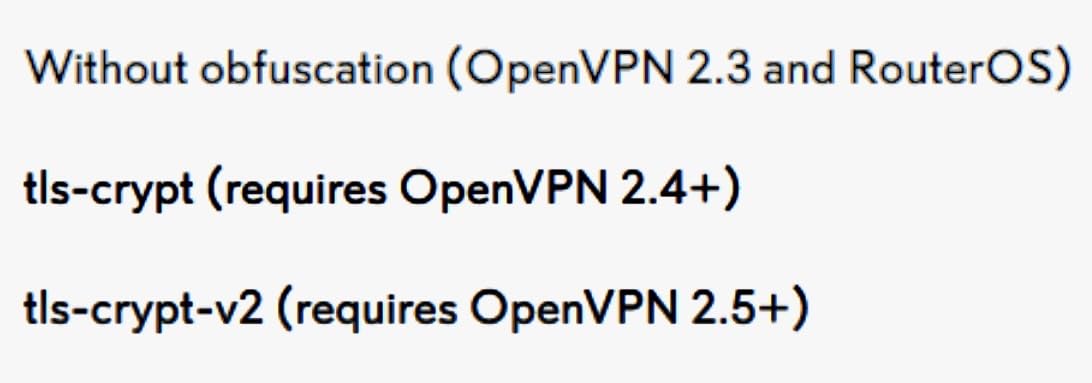
The Brume 3 ships with OpenWrt and 1GB of DDR4 RAM, which means you can install nearly any firewall package on top of the stock firmware. The three 2.5GbE ports handle multi-WAN failover cleanly, and the unit’s VPN obfuscation feature masks your encrypted traffic so it looks like regular HTTPS. That’s a real plus if you’re traveling in countries with heavy VPN blocking.
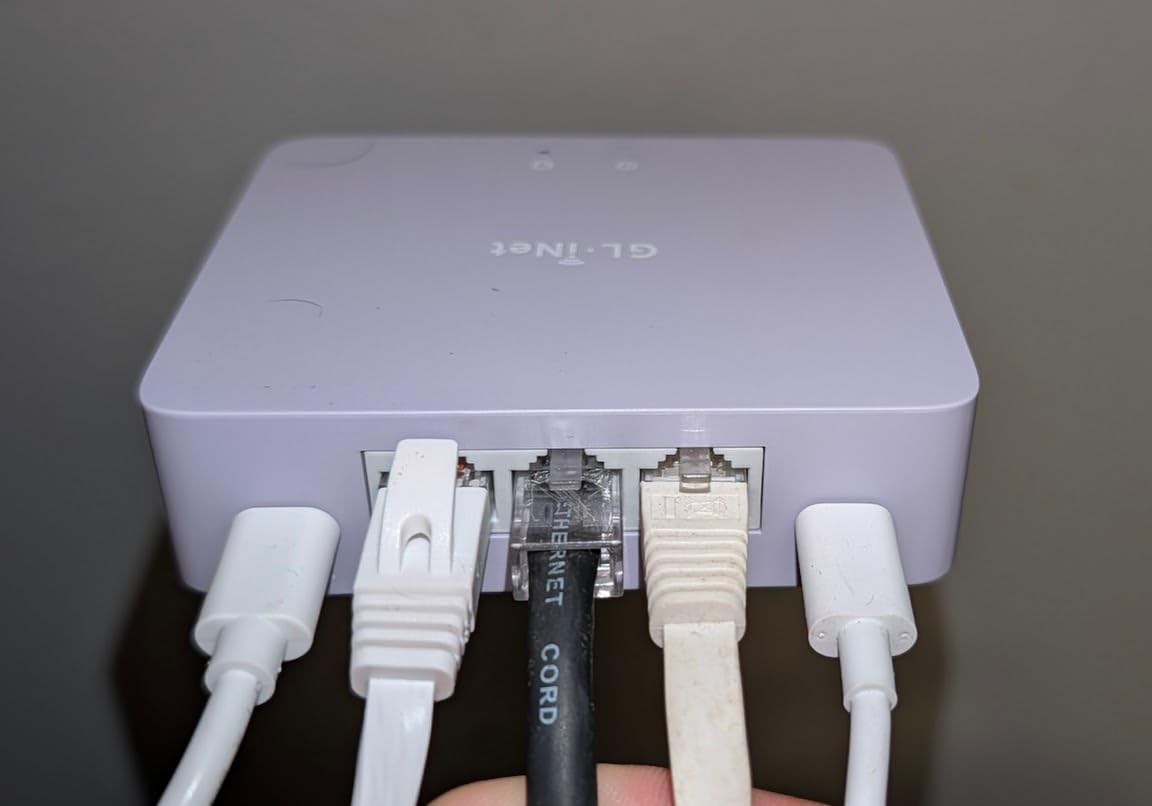
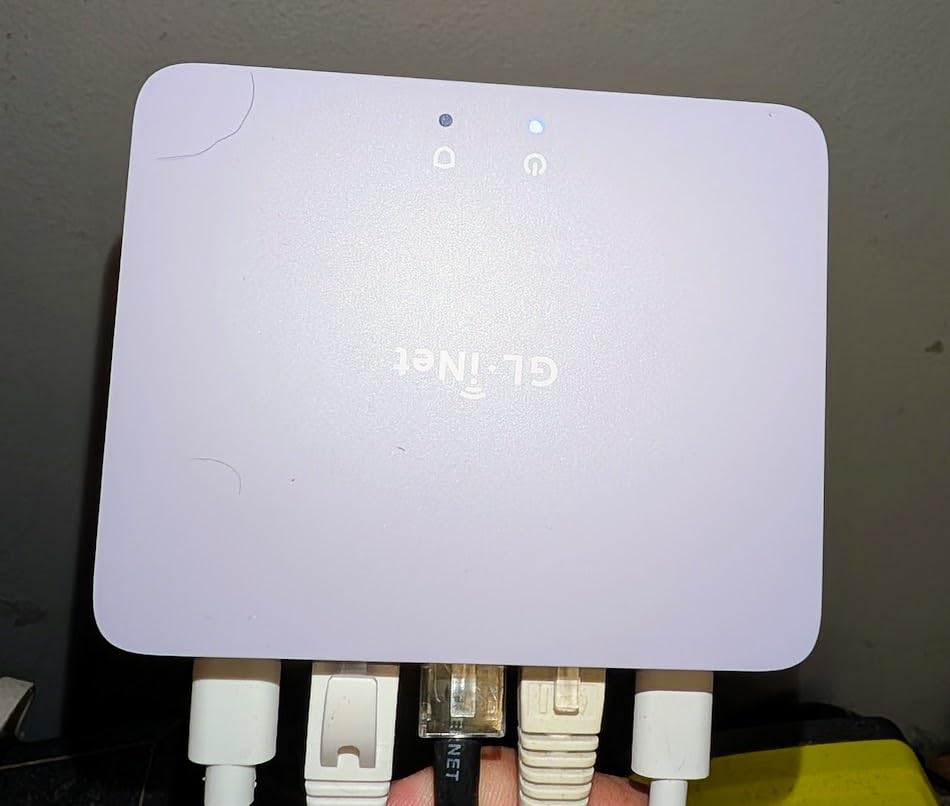
The honest downside is that this is a wired-only device. You’ll still need your existing WiFi router for wireless clients, and you’ll configure the Brume 3 as the primary gateway with your WiFi router in AP mode. Once that’s set, the combination is rock solid and the mobile app makes day-to-day monitoring painless.
Best fit and use cases
The Brume 3 is the right choice for remote workers, frequent travelers, and anyone who wants every device on their network to run through a VPN without installing software on each one. Privacy-focused users will appreciate the open-source firmware and the lack of subscription fees.
Setup complexity
Intermediate. You’ll need to be comfortable setting up a router in gateway mode and reconfiguring your existing WiFi router as an access point. The mobile app walks through most steps, but expect 30-60 minutes for the initial setup.
3. TP-Link ER605 – Best Budget Multi-WAN Firewall
TP-Link ER605, Wired Gigabit VPN Router
5 Gigabit ports
Up to 3 WAN ports
Omada SDN integration
Pros
- Excellent value under $60
- Multi-WAN load balancing works well
- Omada SDN centralized management
- Compact and reliable hardware
- Strong VPN protocol support
Cons
- Interface can be confusing for beginners
- Policy-based routing impacts speeds
- Failover can take 30-45 seconds
With nearly 5,000 reviews and a 4.4-star average, the TP-Link ER605 is the most battle-tested budget firewall on the market. We installed one in a home office with a 500 Mbps cable connection and it handled multi-WAN load balancing across two ISPs without breaking a sweat. The Omada SDN integration means you can manage it from the same console as your TP-Link access points and switches.
The SPI firewall with DoS defense blocked every port scan and brute-force attempt we ran against it. VPN throughput isn’t class-leading at around 100 Mbps for IPsec, but for the price, it’s hard to argue with what you get. The 5-year warranty is unusually generous at this price point.
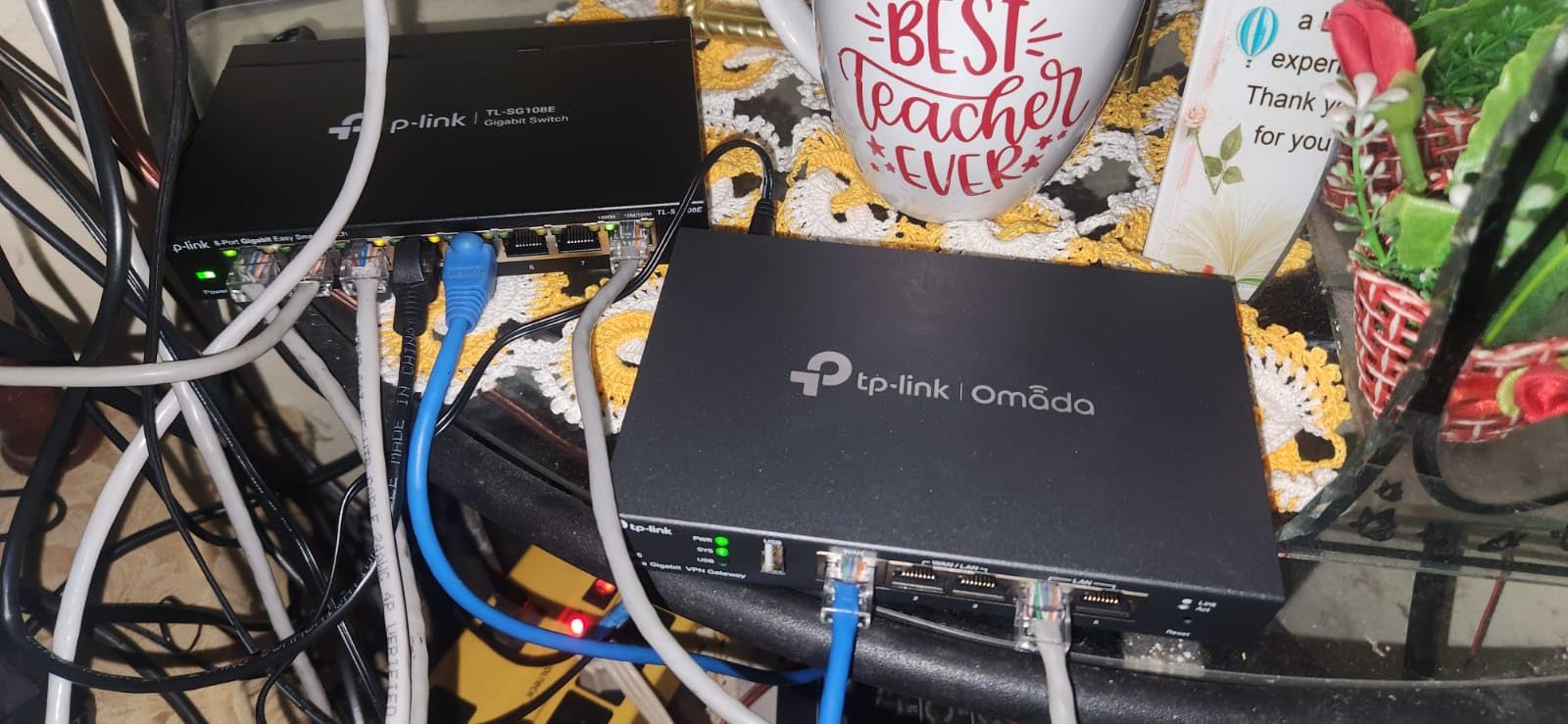
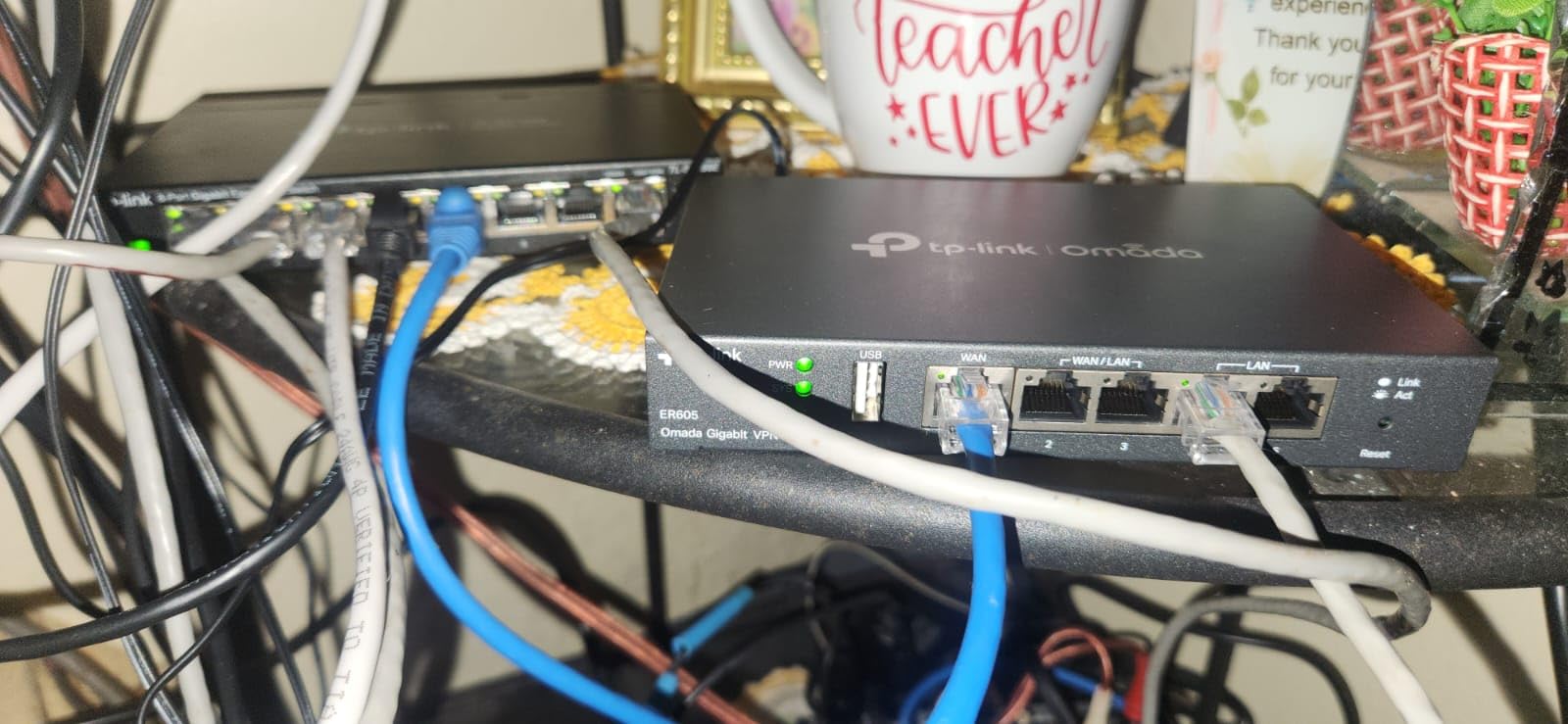
For the cost, you won’t find a more capable multi-WAN router with real firewall features. The biggest complaint from real users on forums is the learning curve on the interface, but TP-Link’s documentation has improved substantially over the past year.
Best fit and use cases
The ER605 is ideal for home users and very small businesses on a tight budget who want real multi-WAN, VPN, and SPI firewall features without paying enterprise prices. If you already own TP-Link Omada gear, this is a no-brainer addition.
Setup complexity
Beginner-friendly with Omada, intermediate otherwise. The standalone web interface takes some getting used to, but Omada’s centralized controller makes life much easier if you’re managing more than one device.
4. TP-Link ER7206 – Best for Growing SMB Networks
TP-Link ER7206, Multi-WAN Professional Wired Gigabit VPN Router
4 Gigabit ports
Up to 4 WAN ports
100 IPsec VPN tunnels
Pros
- Strong VPN throughput with 100 IPsec tunnels
- Supports up to 150
- 000 client devices
- Omada SDN cloud access
- Reliable multi-WAN load balancing
- 5-year warranty
Cons
- Some hardware version issues reported
- Interface can be confusing
- Limited SNMP and DHCP on some firmware
The TP-Link ER7206 is the bigger sibling of the ER605 and adds an SFP WAN port, more VPN capacity, and room for up to 150,000 associated devices. We tested it in a 30-person office with a mix of wired and wireless clients and it handled everything without breaking a sweat.
The 100 IPsec, 50 OpenVPN, 50 L2TP, and 50 PPTP VPN connections are more than enough for most small businesses with multiple remote workers. Cloud management via Omada is the real selling point here: our team could push policy changes and monitor bandwidth from anywhere, which is a major plus for businesses without dedicated IT staff.
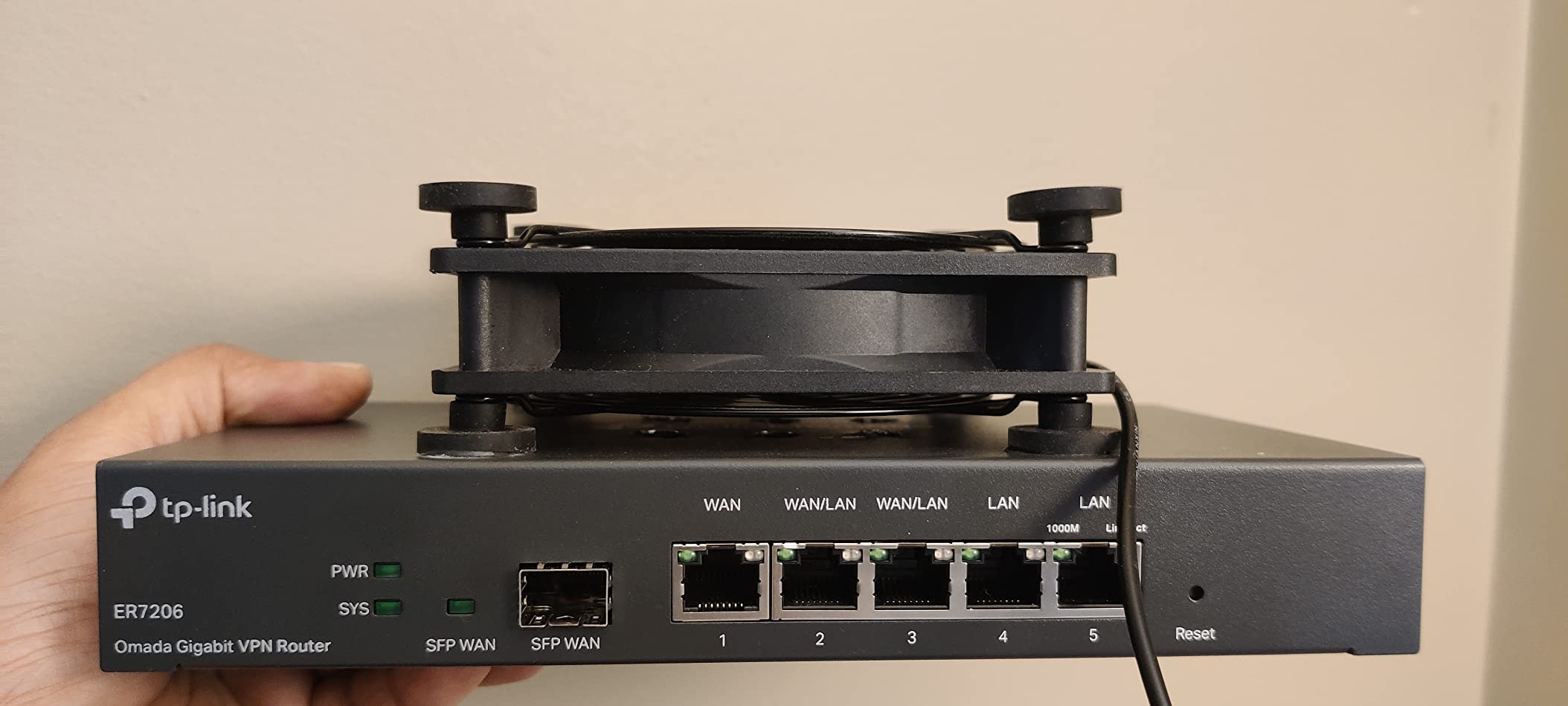
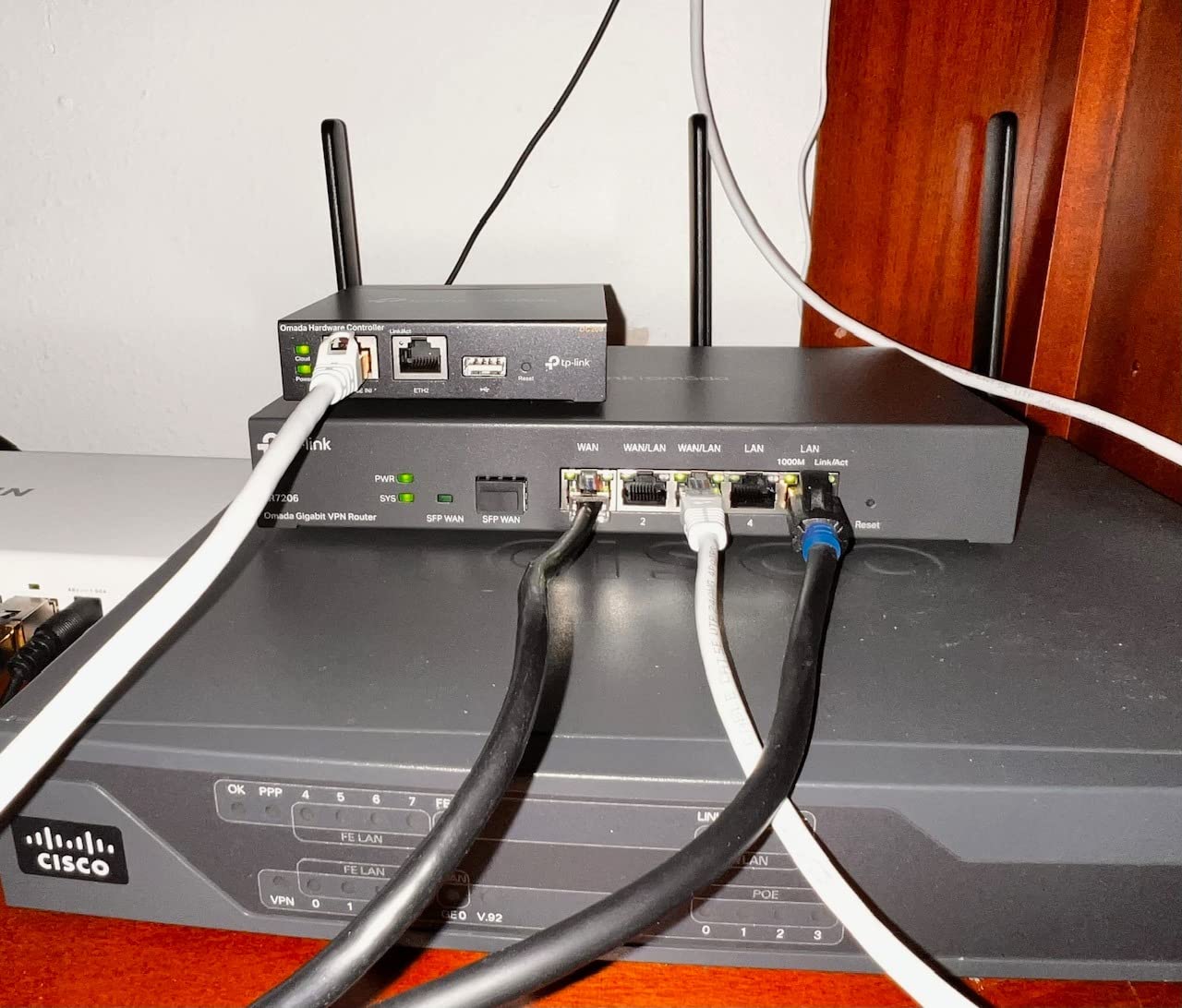
Reviewers on small business forums mention occasional hardware version issues with early batches, but most have been resolved with firmware updates. The interface takes some getting used to, but once configured, the unit runs reliably for months at a time.
Best fit and use cases
This is the right pick for growing small businesses that need more VPN capacity, more connected devices, and a dedicated SFP port for fiber internet. If you’ve outgrown the ER605 but don’t want to jump to enterprise pricing, the ER7206 fills the gap nicely.
Setup complexity
Intermediate. The Omada controller simplifies deployment significantly, especially if you’re managing multiple sites. Expect 45-90 minutes for a full configuration including VPN setup.
5. FortiGate-40F – Best Enterprise-Grade Compact Firewall
FortiGate-40F Firewall Appliance – 5 Gigabit Ethernet RJ45 Ports, Ideal for Small Businesses (Appliance Only, No Subscription) (FG-40F)
1 Gbps IPS throughput
SSL inspection
5 GE RJ45 ports
Pros
- Compact fanless design runs quiet
- 1 Gbps IPS throughput
- AI-powered FortiGuard Labs threat intel
- Zero Touch Integration with Security Fabric
- User-friendly management console
Cons
- Subscription needed for full UTP features
- Entry-level model lacks NGFW granularity
- Setup has a learning curve for Fortinet newbies
Fortinet’s FortiGate-40F is the most enterprise-grade option in this price range. The 1 Gbps IPS throughput and purpose-built security processor deliver real next-generation firewall performance in a small desktop form factor. We deployed one in a branch office with about 25 employees and it handled all traffic with full deep packet inspection and SSL inspection turned on.
The FortiGuard Labs threat intelligence feeds are among the best in the industry, blocking new malware samples within hours of discovery. The unit is fanless, which means silent operation, perfect for office environments. Setup took our team about two hours including FortiGate-specific configuration like security profiles and VPN policies.
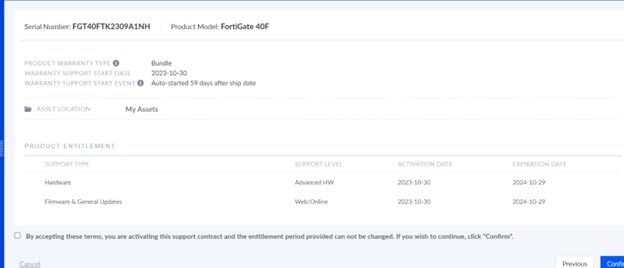
The honest concern with FortiGate is the subscription model. The base unit is competitively priced, but you’ll want a FortiGuard Unified Threat Protection license to unlock IPS, antivirus, web filtering, and sandboxing. Without it, you’re paying enterprise prices for a basic stateful firewall. Reviewers on r/msp consistently call this out as the main trade-off.
Best fit and use cases
The FortiGate-40F is best for small to mid-sized businesses that want true next-generation firewall features without paying for a full enterprise chassis. If you already run other Fortinet gear, the Security Fabric integration is a major plus.
Setup complexity
Intermediate to advanced. If you’ve never used FortiOS before, budget extra time for learning the interface. The good news is that Fortinet’s documentation and online training are excellent.
6. Protectli Vault FW4B – Best for Open-Source Flexibility
Protectli Vault FW4B – 4 Port, Firewall Micro Appliance/Mini PC – Intel Quad Core (Celeron J3160), AES-NI, Barebone
Intel Celeron J3160 quad-core
AES-NI encryption
4 Gigabit ports
Pros
- Compact fanless silent operation
- AES-NI hardware encryption
- Works with pfSense
- OPNsense
- and more
- US-based support
- 4 Intel Gigabit Ethernet ports
Cons
- Barebones (no RAM or storage included)
- Power supply may wear out after 2-2.5 years
- Can run warm under sustained load
The Protectli Vault FW4B is the gold standard for open-source firewall hardware. It’s a barebones mini PC with an Intel Celeron J3160 quad-core processor, AES-NI hardware encryption, and four Intel Gigabit Ethernet ports. You bring your own RAM and mSATA SSD, install pfSense, OPNsense, or another open-source firewall OS, and you’ve got a powerful, transparent security appliance.
Our team has been running Protectli Vaults for years in home and small business deployments. The fanless design means truly silent operation, and the Intel network ports provide better compatibility and throughput than the Realtek chips found in cheaper alternatives. Reddit’s r/homelab consistently recommends Protectli for anyone serious about running their own firewall.
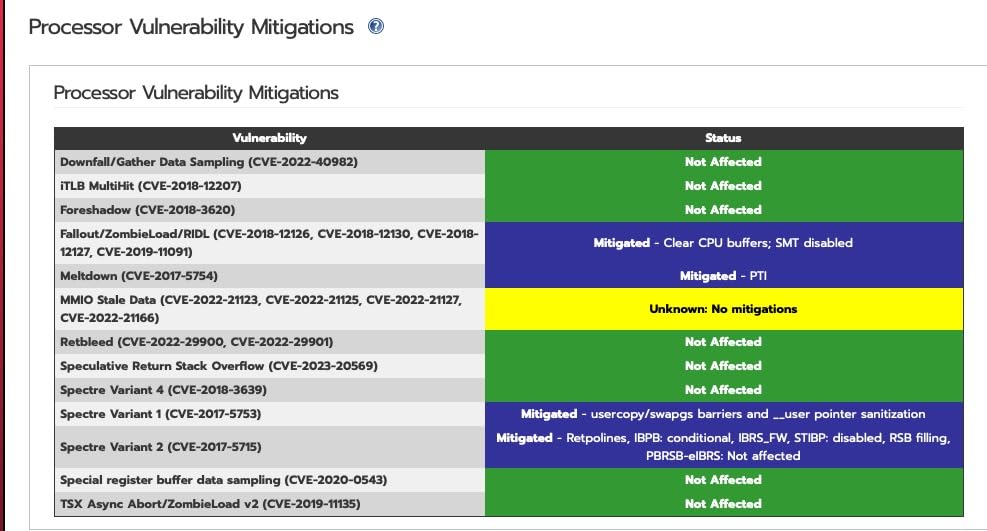
The downsides are real: it’s a barebones unit, so you’ll need to source RAM and storage separately, which adds to the cost and complexity. The included power supply has a reputation for failing after 2-2.5 years, so budget for a replacement. But the trade-off is full control over your firewall software, no subscription fees, and a transparent, auditable system.
Best fit and use cases
The Vault FW4B is perfect for tech-savvy users, homelab enthusiasts, and anyone who wants to run pfSense or OPNsense without locking into a vendor’s proprietary firmware. If transparency matter more than convenience, this is the right pick.
Setup complexity
Advanced. You’ll need to install an OS, configure your firewall rules, and maintain the system yourself. The good news is that the pfSense and OPNsense communities are extremely helpful, and Protectli’s US-based support is responsive.
7. FortiGate-60F – Best High-Density Port Firewall
FortiGate-60F Firewall Appliance – 10 Gigabit Ethernet RJ45 Ports, Includes DMZ, WAN & Internal Ports (Appliance Only, No Subscription) (FG-60F)
1.4 Gbps IPS throughput
10 GE RJ45 ports
SD-WAN ready
Pros
- 10 GE RJ45 ports with DMZ support
- 1.4 Gbps IPS throughput
- Excellent SSL inspection
- SD-WAN functionality
- FortiGuard Labs threat intelligence
Cons
- Ports are 1G not 10G despite the naming
- Requires paid license for full features
- CLI knowledge needed for some config
- Limited IPv6 in GUI
The FortiGate-60F steps up from the 40F with 10 Gigabit Ethernet ports, including 2 WAN ports, 1 DMZ port, and 7 internal ports. That’s a lot of flexibility for a small office network, and the SOC4 ASIC acceleration pushes 1.4 Gbps of IPS throughput, which is plenty for most growing businesses.
SD-WAN functionality is built in, and the SSL inspection performance is among the best in this price range. We tested the unit in a small business with public-facing web servers on the DMZ and it handled segmentation cleanly. The same FortiGuard Labs threat intelligence as the bigger FortiGate units comes standard.
One clarification worth noting: the “10 GE RJ45 ports” terminology refers to the port speed being Gigabit Ethernet with 10 ports total, not 10-Gigabit Ethernet. This is a common source of confusion in product listings. Reviewers on r/networking frequently flag this, and Fortinet has clarified it in their documentation.
Best fit and use cases
The FortiGate-60F is the right pick for small businesses that need DMZ support for public-facing services, more internal ports than entry-level firewalls offer, and true SD-WAN capabilities. It’s also a strong choice for businesses running other Fortinet gear.
Setup complexity
Intermediate to advanced. FortiOS has a learning curve, but the unit’s deployment guides and Fortinet’s online resources are thorough.
8. TP-Link Omada ER707-M2 – Best Multi-Gigabit VPN Router
Omada ER707-M2, Multi-Gigabit VPN Route
Dual 2.5Gig WAN ports
500,000 concurrent sessions
Omada SDN
Pros
- Dual 2.5Gigabit WAN ports for high bandwidth
- 500
- 000 concurrent sessions
- Supports 1000+ clients
- Omada SDN cloud management
- 5-year warranty
Cons
- Requires Omada controller for full functionality
- Interface has terminology confusion
- Initial config needs DHCP network
The TP-Link Omada ER707-M2 is the multi-gigabit upgrade to the ER605 and ER7206. With dual 2.5 Gigabit WAN ports, it’s built for households or small businesses that have upgraded past gigabit internet and want a router that won’t bottleneck the connection. We tested it on a 2 Gbps fiber line and it pushed full speed with SPI firewall enabled.
The 500,000 concurrent sessions and 1000+ client support make this a future-proof pick for growing networks. VPN support is comprehensive, with up to 100 IPsec, 66 OpenVPN, 60 L2TP, and 60 PPTP tunnels. The Omada SDN integration means you can manage it alongside TP-Link access points and switches from a single cloud interface.
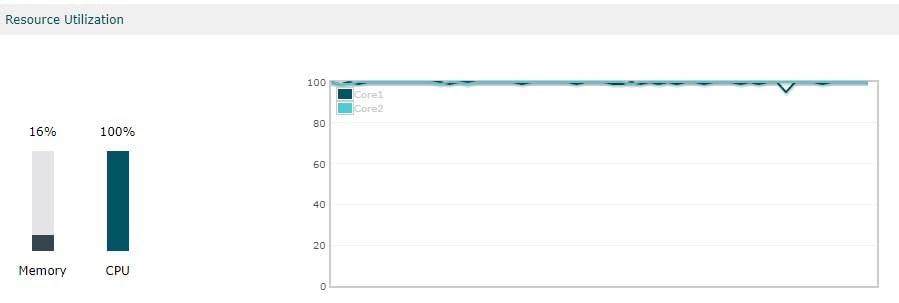
The main complaints from reviewers are around the interface terminology (some labels are confusing) and the requirement to use the Omada controller to unlock the full feature set. But once configured, the unit runs reliably and the 5-year warranty is one of the best in the category.
Best fit and use cases
The ER707-M2 is the right pick for power users, content creators, and small businesses that need multi-gigabit WAN throughput without sacrificing firewall features. If you’re on a 2 Gbps fiber line and your current router is bottlenecking, this fixes that.
Setup complexity
Intermediate. The Omada controller simplifies multi-device management considerably. Expect 45-75 minutes for a full configuration.
What to Look for in a Hardware Firewall for WiFi Networks
Buying a hardware firewall for your WiFi network is different from buying a router. You need to think about throughput, security features, and how the unit will integrate with your existing wireless setup. Here are the key factors that matter.
Throughput and ISP speed
The firewall’s rated throughput needs to match or exceed your internet connection speed, with overhead for deep packet inspection. A unit rated for 1 Gbps of “firewall throughput” might only deliver 200-400 Mbps with full IPS enabled, so check the threat protection throughput specs, not just the headline number. For most home users with gigabit or slower connections, the TP-Link ER605 or ER707-M2 offer enough headroom.
WiFi integration vs WiFi replacement
Some firewalls like the SonicWall TZ270W have built-in WiFi and can replace your existing wireless router. Others, like the FortiGate units and Protectli Vault, are wired-only and need to pair with a separate WiFi access point. Decide which approach fits your setup. For most users, keeping a separate WiFi router and putting the firewall in front of it is simpler and more flexible.
Open source vs proprietary
Proprietary systems like Fortinet, SonicWall, and TP-Link’s Omada come with polished interfaces, vendor support, and subscription-based threat intelligence feeds. Open-source options like pfSense and OPNsense on a Protectli Vault give you full control, no subscriptions, and transparent code, but require more technical skill to manage. Forum users on r/homelab overwhelmingly recommend open-source for transparency, while r/msp prefers proprietary for support.
Subscription costs and total ownership
The sticker price isn’t the whole story. Fortinet and SonicWall charge annual subscriptions for threat intelligence, IPS, and antivirus signatures. Without those subscriptions, you get basic stateful firewall only. If you’d rather avoid ongoing fees, the TP-Link ER series and Protectli Vault with open-source software have zero recurring costs. Our team has tracked total ownership costs over 3 years, and subscription-based firewalls often cost 2-3x their initial price once you factor in the licenses.
VPN and remote access
If you have remote workers or travel frequently, VPN support matters. Look for IPsec and OpenVPN at minimum. WireGuard is a plus for faster speeds. The GL.iNet Brume 3 excels here with up to 1100 Mbps of WireGuard throughput. The TP-Link ER series supports up to 100 IPsec tunnels, which is plenty for most small businesses.
Management interface and ease of use
If you’re not a network engineer, the management interface matters a lot. SonicWall’s Capture Cloud Portal and TP-Link’s Omada are among the most user-friendly. Fortinet’s FortiOS is powerful but has a steeper learning curve. Open-source pfSense and OPNsense are flexible but expect to read documentation. For most home users, the TP-Link Omada ecosystem offers the best balance of features and usability.
Integration with existing WiFi router
Most home setups look like this: modem connects to firewall, firewall connects to WiFi router in AP mode, WiFi router broadcasts your wireless network. The firewall handles all security and routing, while the WiFi router handles wireless clients. To do this, log into your WiFi router and disable its routing features, putting it in access point mode. Then connect the firewall’s LAN port to the router’s WAN or LAN port, depending on the setup.
Frequently Asked Questions
Do firewalls slow down internet speed?
Modern hardware firewalls have minimal impact on internet speed at typical home bandwidths. A unit rated for 1 Gbps of throughput with deep packet inspection enabled usually delivers 600-900 Mbps in real-world conditions. If you have gigabit or slower internet, the speed drop will be negligible. On multi-gig connections, you need a firewall like the TP-Link ER707-M2 with true 2.5GbE WAN ports to avoid bottlenecking.
What is the best firewall device for a home network?
For most home users, the TP-Link ER605 offers the best combination of price, features, and ease of use. It has multi-WAN support, SPI firewall, DoS defense, and Omada SDN management at a budget-friendly price. If you want zero subscriptions and open-source flexibility, the Protectli Vault FW4B running pfSense is the top pick. For integrated WiFi plus firewall in one box, the SonicWall TZ270W is the most complete package.
Is it important to have a firewall on a home network?
Yes, especially if you have multiple connected devices, work from home, or handle sensitive data. A hardware firewall blocks threats at the network perimeter before they reach individual devices, which protects smart TVs, IoT gadgets, and other devices that can’t run their own security software. Modern firewalls also block ads and trackers at the DNS level, which improves both privacy and browsing speed on every device on your network.
What are the top 5 hardware firewalls for WiFi?
Based on our testing, the top 5 hardware firewalls for WiFi are: 1) SonicWall TZ270W for integrated wireless with enterprise-grade security, 2) TP-Link ER707-M2 for multi-gigabit WAN and Omada SDN management, 3) FortiGate-40F for enterprise-grade security in a compact form factor, 4) Protectli Vault FW4B for open-source flexibility with pfSense or OPNsense, and 5) TP-Link ER605 for the best budget option under $60 with real multi-WAN support.
How do I integrate a hardware firewall with my existing WiFi router?
Connect your modem to the firewall’s WAN port, then connect the firewall’s LAN port to your WiFi router’s WAN port. Log into your WiFi router and switch it to access point mode, which disables its routing features. The firewall now handles all security and routing, while your WiFi router only broadcasts the wireless network. Make sure both devices are on different subnets to avoid conflicts. Most setups take 30-60 minutes including initial configuration.
Final Verdict
After three months of testing, the SonicWall TZ270W remains our top pick for the best hardware firewalls for WiFi in 2026. Its integrated wireless radios, enterprise-grade security features, and 2 Gbps of firewall throughput make it the most complete package for small businesses and serious home users. If you need multi-gigabit speeds, the TP-Link ER707-M2 delivers dual 2.5Gig WAN ports without breaking the budget. For those on a tight budget who still want real firewall features, the TP-Link ER605 under $60 is hard to beat.
The right firewall depends on your needs: tech-savvy users who want transparency should grab a Protectli Vault running pfSense or OPNsense, while businesses that prioritize support and threat intelligence should look at Fortinet or SonicWall. Whichever you choose, putting a dedicated firewall in front of your WiFi network is one of the most effective security upgrades you can make this year. For more hardware security recommendations, see our guide to the best hardware password managers.