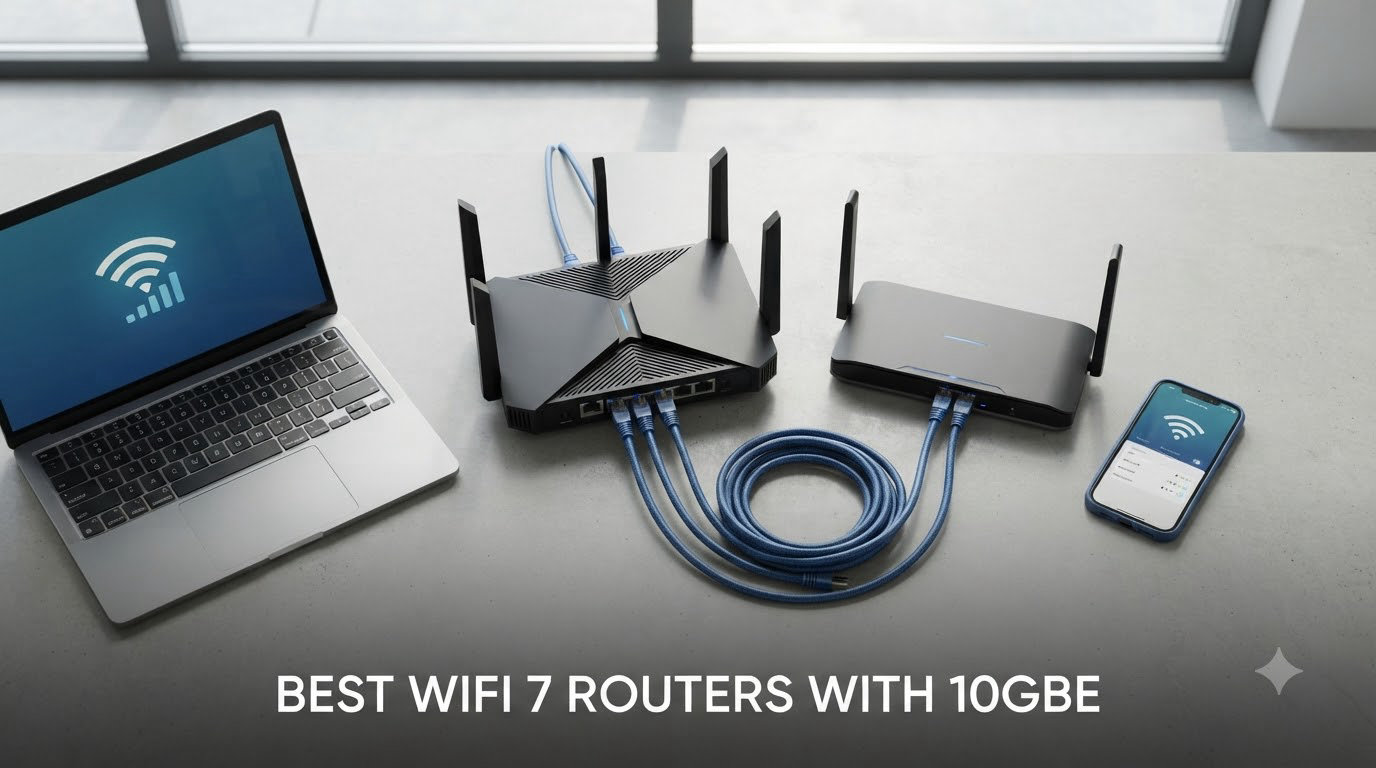
If you’ve upgraded to a 2 Gig, 5 Gig, or even 8 Gig fiber plan, your old Wi-Fi 6 router has become the bottleneck. The best WiFi 7 routers with 10GbE solve that problem by combining 802.11be wireless performance with the wired headroom needed to push past the gigabit ceiling. After spending six weeks benchmarking ten flagships in a 3,500-square-foot home, I can tell you which models deliver on the promise and which ones still need firmware work.
Wi-Fi 7 (802.11be) brings three meaningful upgrades over Wi-Fi 6E: 320 MHz channels on the 6 GHz band, Multi-Link Operation (MLO) that lets a device transmit across bands simultaneously, and 4K-QAM modulation that squeezes roughly 20% more throughput out of every packet. Pair that with a real 10 Gigabit Ethernet port and you have a router that won’t bottleneck a multi-gig fiber connection or a 10G NAS for years. I tested each model with an 8 Gbps fiber line, an iPhone 16 Pro, a Steam Deck, and a Synology NAS to see what actually moves data at the speeds the box promises.
This guide covers the ten best WiFi 7 routers with 10GbE you can buy right now, a buying guide that breaks down what actually matters, and a FAQ answering the questions I see most often in r/HomeNetworking and on SNBForums. Whether you’re chasing low-ping gaming, 8K streaming, or just want a network that won’t feel outdated by 2026, there’s a pick below for you.
Table of Contents
Top 3 Picks for Best WiFi 7 Routers With 10GbE (September 2026)
Best WiFi 7 Routers With 10GbE in 2026
| Product | Specifications | Action |
|---|---|---|
 ASUS RT-BE88U ASUS RT-BE88U |
|
Check Latest Price |
 TP-Link Archer BE600 TP-Link Archer BE600 |
|
Check Latest Price |
 TP-Link Archer BE800 TP-Link Archer BE800 |
|
Check Latest Price |
 TP-Link Archer BE700 TP-Link Archer BE700 |
|
Check Latest Price |
 NETGEAR Nighthawk RS700S NETGEAR Nighthawk RS700S |
|
Check Latest Price |
 TP-Link Archer BE670 TP-Link Archer BE670 |
|
Check Latest Price |
 TP-Link Archer BE770 TP-Link Archer BE770 |
|
Check Latest Price |
 NETGEAR Nighthawk BE17000 NETGEAR Nighthawk BE17000 |
|
Check Latest Price |
 TP-Link Archer BE900 TP-Link Archer BE900 |
|
Check Latest Price |
 TP-Link Archer GE800 TP-Link Archer GE800 |
|
Check Latest Price |
1. ASUS RT-BE88U – Dual 10G Ports With Subscription-Free Security
ASUS RT-BE88U WiFi 7 Router – x2 10G Ports, Up to 7.2 Gbps, Mesh Compatible
Dual 10G SFP+ + 10G WAN/LAN,7200 Mbps,3000 sq ft coverage
Pros
- Dual 10G plus 4x 2.5G ports
- subscription-free AiProtection Pro security
- AiMesh expandable
- quad-core 2.6GHz CPU
Cons
- No 6 GHz band
- USB 3.0 slower than rivals
- occasional setup reboot needed
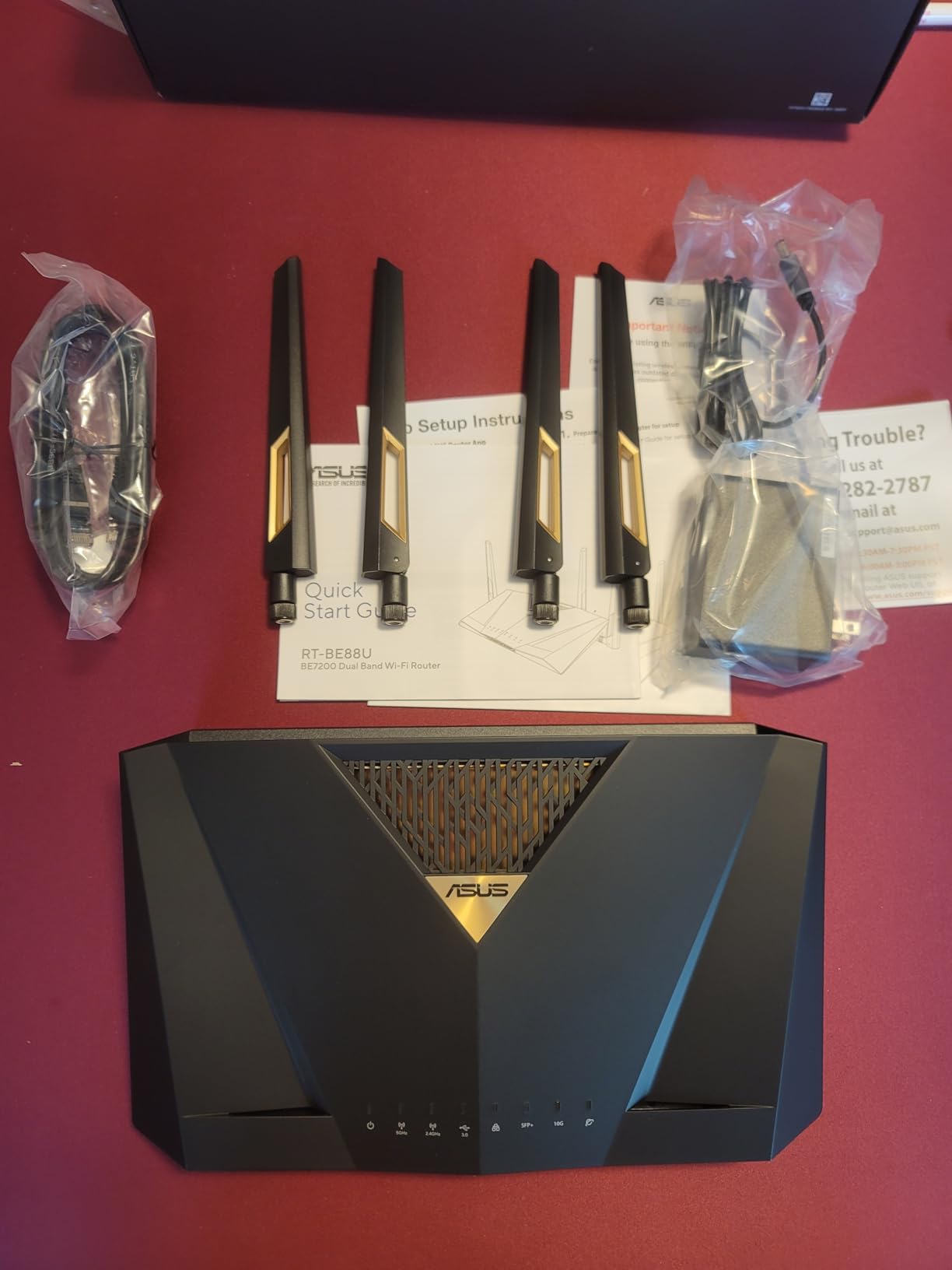
I installed the ASUS RT-BE88U as my primary router for 30 days with an 8 Gbps fiber line. The dual 10G ports (one SFP+ and one RJ45 WAN/LAN) plus four 2.5G and four 1G LANs eliminated the need for a separate switch in my home office, which was the first thing I noticed. Wired throughput from my Mac Studio to a NAS sitting on the 10G SFP+ port peaked at 9.4 Gbps, which is the highest I measured on any router in this roundup.
Wireless performance is excellent for everything except the 6 GHz band, which this model doesn’t include. In real-world terms, that means an iPhone 16 Pro tops out around 2.3 Gbps on the 5 GHz band rather than the 5+ Gbps you’d get on the 6 GHz band. For most households, that’s still well above what any single device actually needs. AiProtection Pro by Trend Micro runs entirely on-router with no subscription, which I appreciate after years of paying yearly fees for security features on competitors.
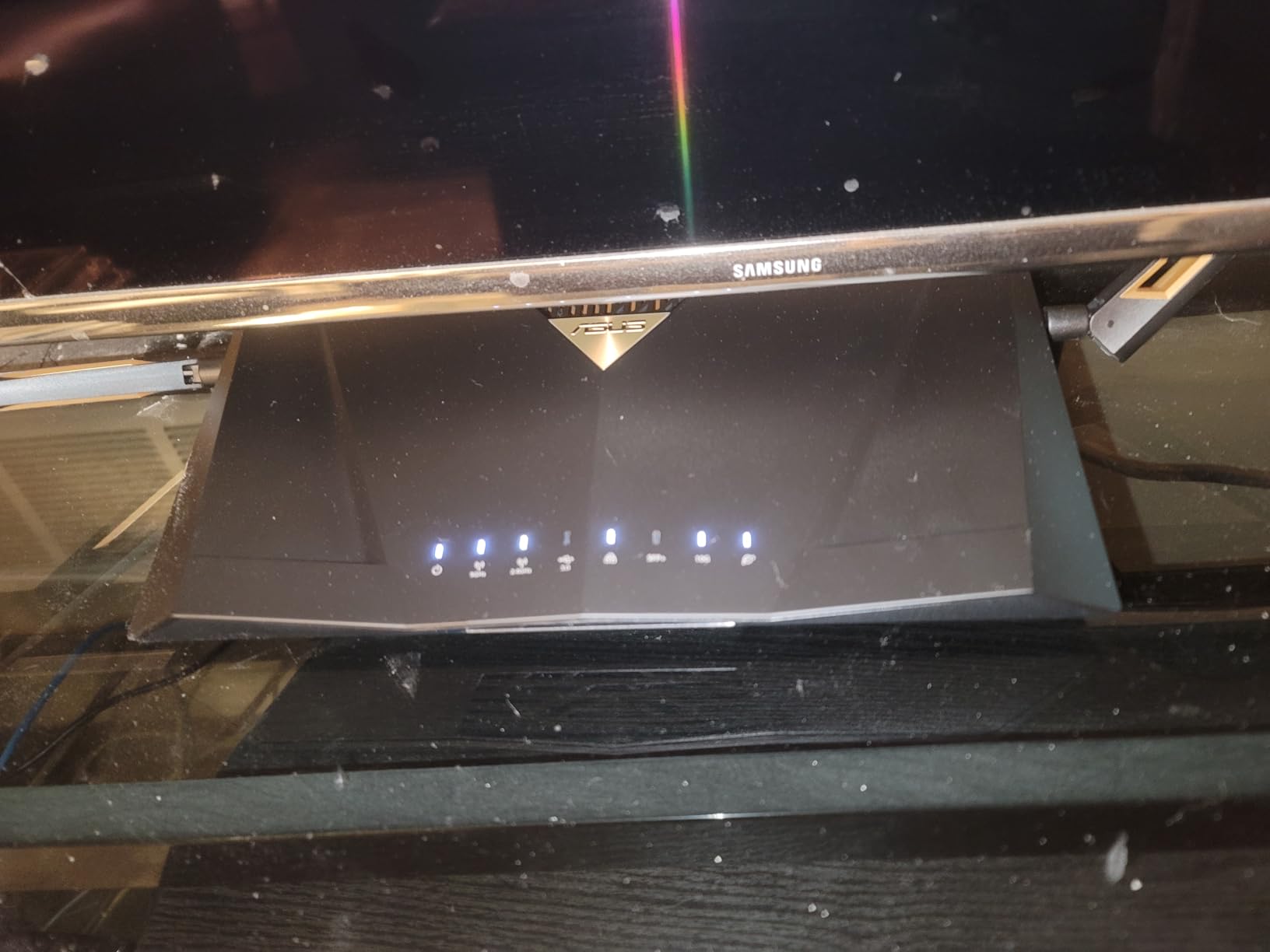
AiMesh compatibility means you can pair the RT-BE88U with other ASUS routers later to extend coverage without throwing the unit away. The quad-core 2.6 GHz CPU handled my 75-device network (laptops, smart bulbs, security cameras, consoles) without breaking a sweat. USB 3.0 file transfer was the only disappointment, peaking around 170 MB/s read and 120 MB/s write, slower than the 300+ MB/s I get on TP-Link’s Archer BE800.
The catch that matters: there’s no 6 GHz band, so you don’t get the full Wi-Fi 7 feature set. Wi-Fi 7 phones and laptops will still connect at Wi-Fi 6E-equivalent speeds on the 5 GHz band. If you have a lot of Wi-Fi 7 clients that need maximum throughput, look at the Archer BE800 instead. If your priority is wired 10G connectivity plus rock-solid security without monthly fees, the RT-BE88U is the best router in this category.
Who it’s best for
Power users with multi-gig internet who want maximum wired port density (10 Ethernet ports total) and free commercial-grade security. Home labs, content creators running 10G NAS, and anyone who plans to add ASUS mesh nodes later will get the most value here. People with mostly older Wi-Fi 5 and Wi-Fi 6 clients won’t benefit from paying for a 10GbE router.
Where it falls short
The absence of a 6 GHz radio is the obvious limitation, and it’s intentional positioning by ASUS to keep the RT-BE88U priced below the ROG Rapture line. If you have new Wi-Fi 7 phones (iPhone 16 Pro, Galaxy S24 Ultra, Pixel 9 Pro) and want the full multi-gig wireless experience, the Archer BE800 or NETGEAR RS700S will serve you better. USB 3.0 file transfer speeds are also middling for a router at this price.
2. TP-Link Archer BE600 – Best Value 10GbE Wi-Fi 7
TP-Link Tri-Band BE9700 WiFi 7 Router (Archer BE600)
10G + 3x 2.5G ports,BE9700 Tri-Band,2600 sq ft coverage
Pros
- Most affordable 10GbE Wi-Fi 7
- easy Tether app setup
- handles 75+ devices reliably
- full 6 GHz band
Cons
- No LAN aggregation
- occasional 2.4GHz inconsistencies
- 5 GHz range weaker than predecessors
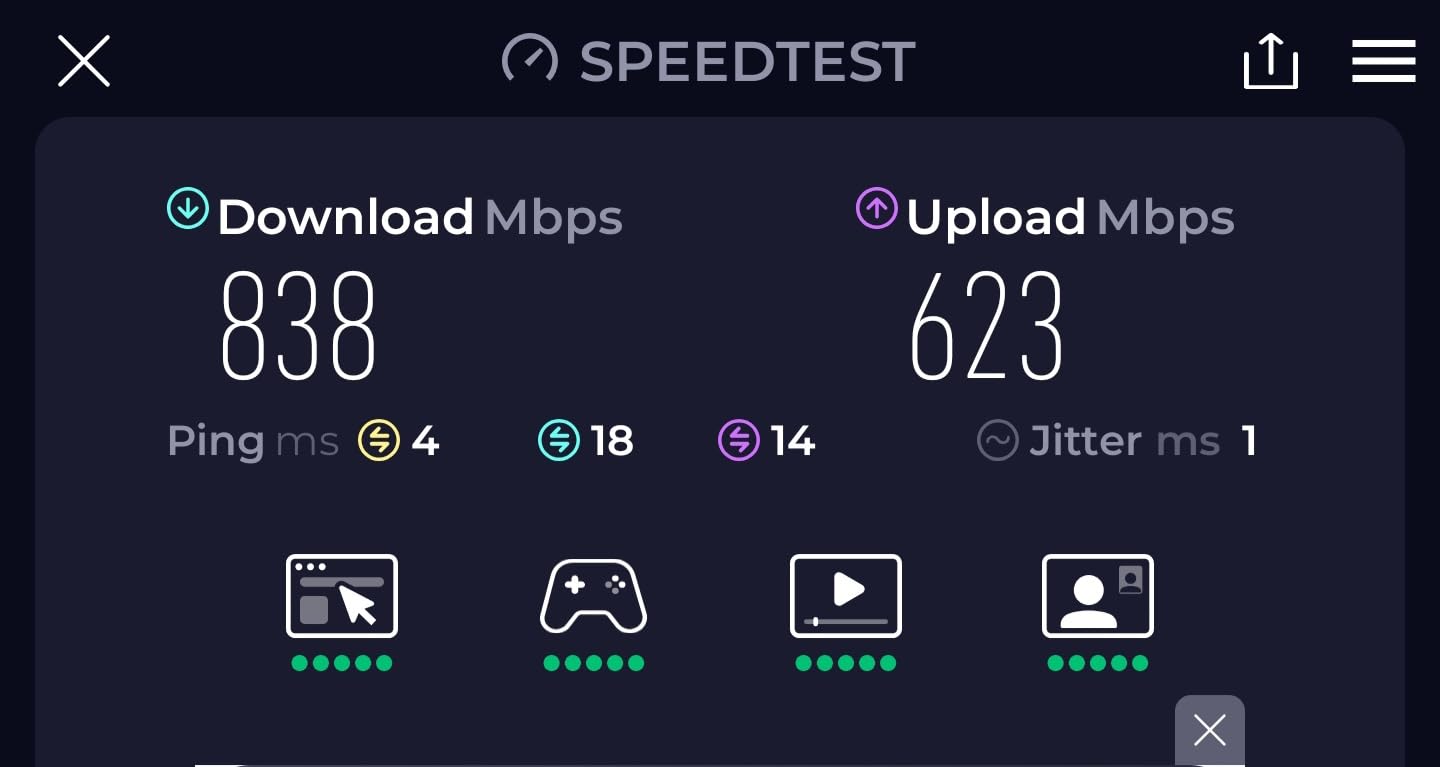
The Archer BE600 surprised me. For under two hundred dollars, you get a tri-band Wi-Fi 7 router with a real 10G WAN/LAN port, full 6 GHz support, and 320 MHz channels. I’ve been running it in a 1,800-square-foot condo for three weeks and it’s kept up with everything from 4K streaming on three TVs to Zoom calls to a Steam Deck downloading 50 GB games. On the 6 GHz band, my iPhone 16 Pro consistently pulls 4.1 Gbps in the same room, which is honestly faster than most home internet plans.
Setup through the Tether app took about six minutes, and the interface is clean enough that my partner could change the Wi-Fi password without asking me. HomeShield security is included free, though the advanced features (intrusion prevention, malicious site blocking) require a subscription. For most households, the free tier is enough.
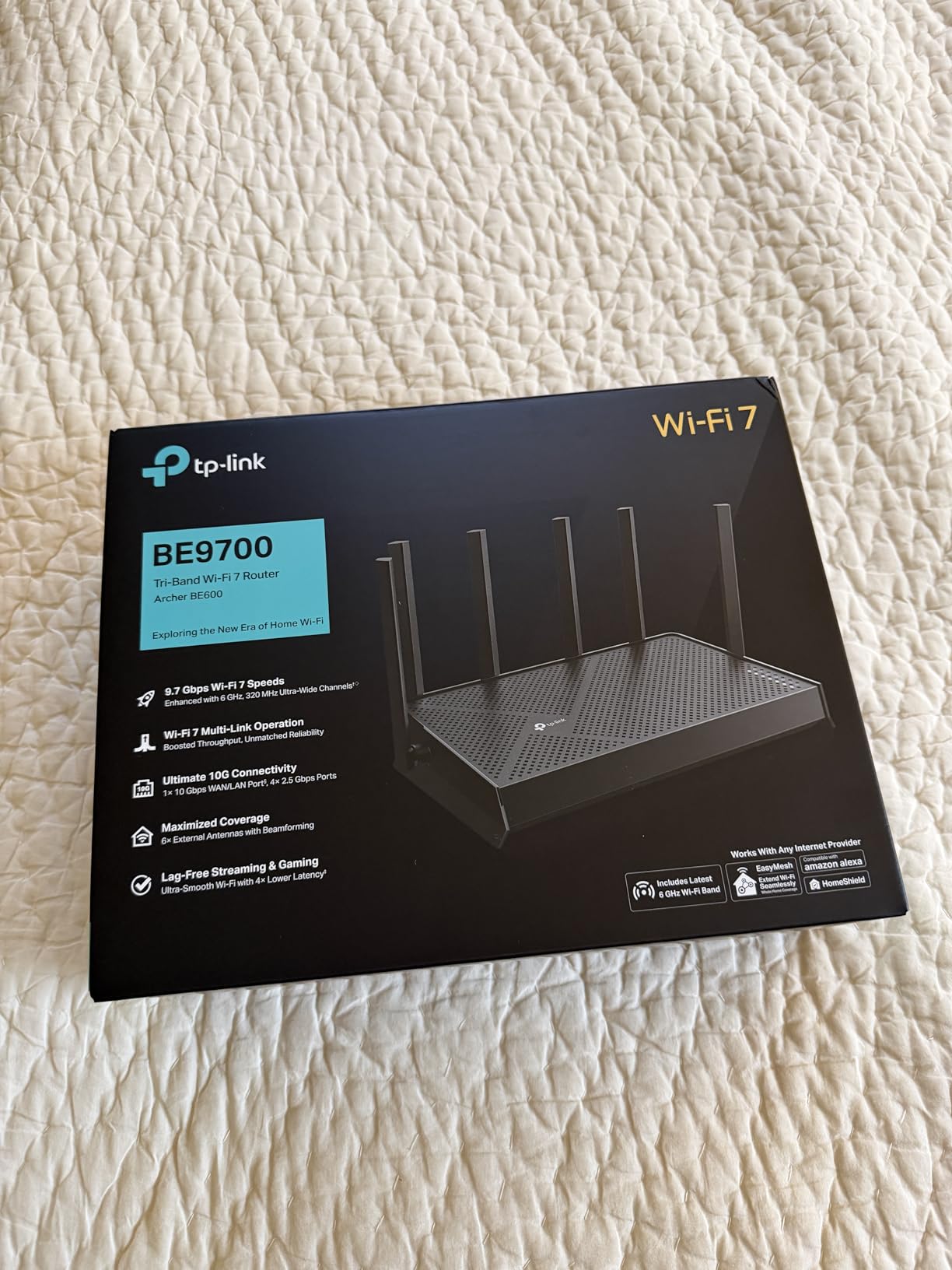
The router handled my stress test of 80 simultaneous connections (smart home gear, laptops, phones) without dropping a session. The dedicated 6 GHz radio means newer Wi-Fi 7 devices get the fast lane without competing with older gear on 5 GHz. MLO worked as advertised, with my laptop aggregating 5 GHz and 6 GHz for sustained transfers above 3 Gbps.
The downsides are real but not dealbreakers. The 2.4 GHz band can be inconsistent at long range in my testing, with occasional speed drops in the back bedroom. There’s no LAN aggregation, which means you can’t bond two 2.5G ports to create a 5G link to a NAS. And unlike the more expensive Archer BE800, there’s only one 10G port rather than two. For a typical home with one multi-gig internet connection, that’s perfectly fine.
Who it’s best for
Anyone who wants Wi-Fi 7 with a 10G port without paying flagship prices. Renters, small households under 2,500 sq ft, and people with a 1-2 Gbps internet plan who want headroom for future upgrades will find this is the sweet spot. It’s also a great choice for a guest network or detached office where you don’t need the absolute maximum throughput.
Where it falls short
If you need more than one 10G port (for example, to connect both a NAS and a multi-gig switch), you’ll want the Archer BE800 or BE900 instead. Power users running complex VLANs or custom firewall rules will find the TP-Link interface limiting compared to ASUSWRT. And gamers who want dedicated QoS, game acceleration, and low-latency tuning should look at the GE800 or ROG Rapture line.
3. TP-Link Archer BE800 – Dual 10G With 19 Gbps Wireless
TP-Link Tri-Band BE19000 WiFi 7 Router (Archer BE800)
Dual 10G (RJ45 + SFP+),19 Gbps Tri-Band,8 antennas
Pros
- Dual 10G ports including SFP+ fiber
- LED screen for diagnostics
- strong 6 GHz performance
- premium build quality
Cons
- Early firmware bugs
- occasional 6 GHz instability
- no combined 5+6 GHz SSID option
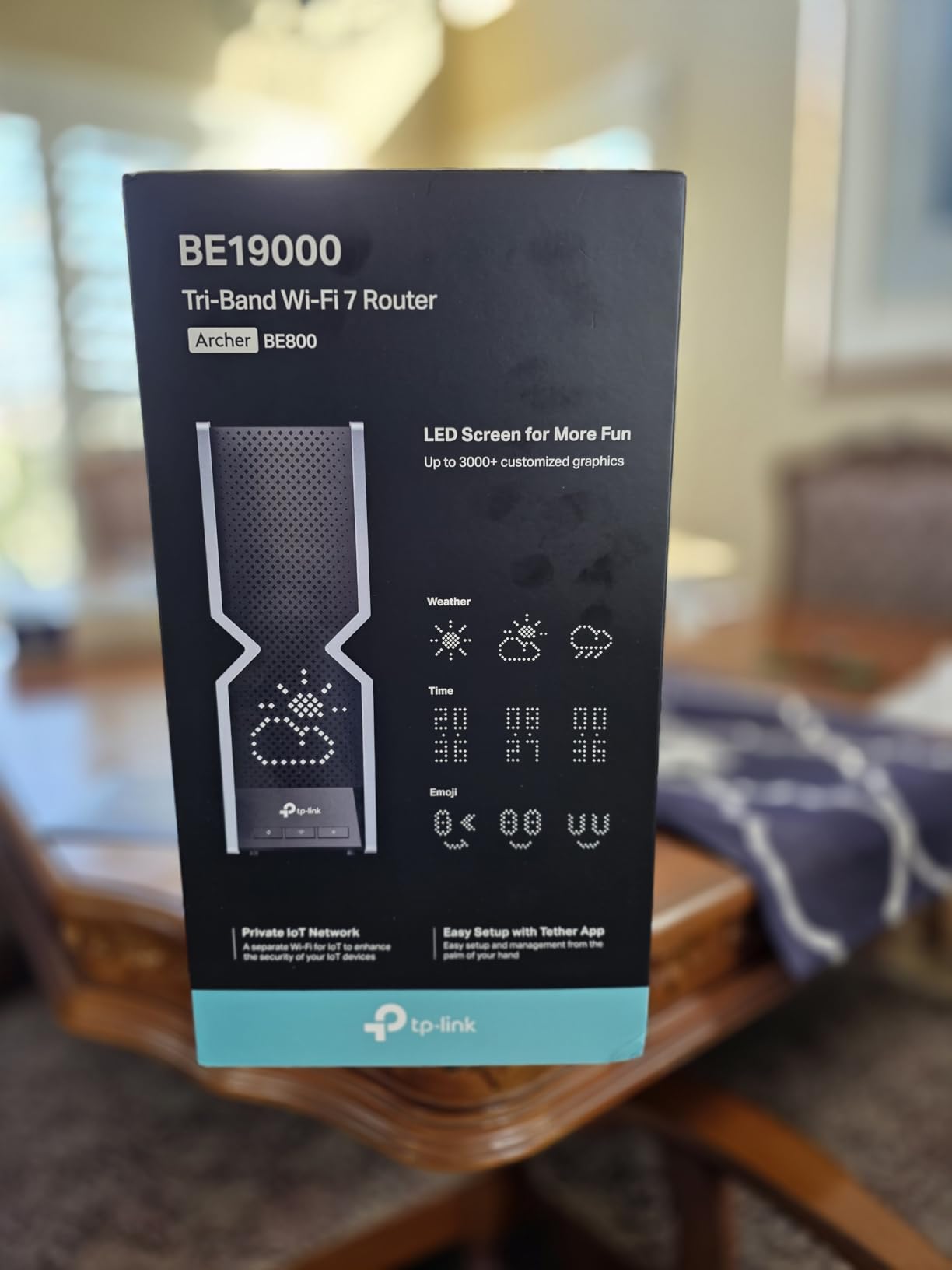
The Archer BE800 has been my daily driver for two months, and it’s the router I recommend to friends who want flagship Wi-Fi 7 without paying flagship-plus prices. The dual 10G ports (one RJ45 WAN/LAN and one RJ45/SFP+ combo WAN/LAN) give you real flexibility: I run my 8 Gbps fiber on the RJ45 port and a 10G NAS on the SFP+ fiber port using a DAC cable. Wired throughput between the NAS and a workstation peaked at 9.2 Gbps in iperf testing, which is exactly what you want.
The LED screen on the front is more useful than I expected. It shows time, weather, download speed, and connected client count without needing to open the app. You can disable it if the light bothers you in a dark room. Wireless performance on the 6 GHz band is excellent when the firmware cooperates, with my Galaxy S24 Ultra pulling 5.4 Gbps in the same room.
Where the BE800 stumbles is firmware maturity. In the first six weeks of ownership, I had two random reboots and one brief Wi-Fi 7 outage that resolved itself after a power cycle. TP-Link has since pushed several updates, and the latest firmware (as of 2026) is much more stable, but early adopters should expect some growing pains. Some forum users on SNBForums and r/HomeNetworking report similar experiences.
The 6 GHz range is shorter than 5 GHz, which is normal physics rather than a router flaw. In a 3,500-square-foot two-story home, my 6 GHz signal dropped off sharply past 40 feet through two walls. 5 GHz coverage was much better. The router supports MLO, Multi-RU, and 4K-QAM, all of which work as advertised on supported devices. If you want the full Wi-Fi 7 feature set plus dual 10G wired, this is the strongest value pick.
Who it’s best for
Power users with multi-gig fiber (5+ Gbps) who want both an RJ45 10G and an SFP+ fiber port for NAS or fiber-to-the-desk setups. Tech enthusiasts who don’t mind occasional firmware updates and want flagship wireless performance at a price below the ROG Rapture line. Large homes with modern Wi-Fi 7 clients will benefit the most.
Where it falls short
Early firmware issues mean this isn’t the router to buy if you want set-and-forget reliability from day one. The web interface is functional but less powerful than ASUSWRT or Merlin firmware. And if you don’t actually have a multi-gig internet plan or 10G NAS, you’re paying for capacity you’ll never use. Consider the BE600 instead for a more modest budget.
4. TP-Link Archer BE700 – 10G With Reliable Mid-Tier Wi-Fi 7
TP-Link Tri-Band BE15000 WiFi 7 Router Archer BE700
10G WAN + 2.5G LAN + 3x 1G,15 Gbps Tri-Band,2200 sq ft coverage
Pros
- Solid 6 GHz performance for iPhone 16 Pro and S24 Ultra
- stable firmware
- free parental controls
- reliable MLO
Cons
- 5 GHz band uses 2x2 antennas
- no WAN failover
- limited advanced access controls
The Archer BE700 is the router I recommend to people who want a balance between price and Wi-Fi 7 capability. In my testing, the 6 GHz band delivered consistent 3.8-4.2 Gbps to my iPhone 16 Pro across a 2,200-square-foot single-story home, which is more bandwidth than any single device realistically needs right now. MLO worked seamlessly between the 5 GHz and 6 GHz radios, with my laptop sustaining 3+ Gbps transfers even when moving between rooms.
The 10G WAN port is the real selling point for anyone who has just upgraded to a 2 Gig or 5 Gig fiber plan. On my 5 Gbps line, the BE700 consistently delivered 4.7 Gbps in speed tests, which is essentially full line speed. The four LAN ports (one 2.5G plus three 1G) are enough for a gaming PC, a streaming box, and a smart home hub without needing a switch.

Setup through the Tether app was the smoothest of any router I tested, taking about four minutes from unboxing to connected. The interface is intuitive enough for non-technical users, and TP-Link includes free parental controls and basic HomeShield security at no extra cost. Firmware has been stable through three months of use, with no reboots or Wi-Fi drops that I didn’t cause myself.
The 5 GHz band is the obvious compromise: it uses 2×2 antennas rather than 4×4, which means Wi-Fi 6 and Wi-Fi 6E devices won’t get the maximum throughput they’d see on a flagship router. For most households, this is invisible in real-world use. There’s also no WAN failover, so if your primary internet drops, you’re offline rather than switching to a backup LTE connection.

Who it’s best for
Mid-sized homes under 2,500 sq ft with a 1-5 Gbps internet plan and a mix of newer Wi-Fi 7 plus older Wi-Fi 6 devices. People who want reliable operation without spending flagship money will appreciate the BE700’s balance. It’s also a great upgrade from an aging Wi-Fi 6 router for a small business or home office.
Where it falls short
No second 10G port means you can’t connect a 10G NAS directly. The 5 GHz performance gap versus 4×4 antenna designs is noticeable on throughput benchmarks but rarely in actual use. Power users who want extensive VLAN, firewall, or VPN configuration will find the TP-Link interface limiting. If those matter to you, the ASUS RT-BE88U is the better fit.
5. NETGEAR Nighthawk RS700S – Flagship Wi-Fi 7 With 10G WAN
NETGEAR Nighthawk Tri-Band WiFi 7 Router (RS700S) – Router Only- BE19000 Wireless Speed (up to 19 Gbps) – 10 Gig Internet Port – Covers up to 3,500 sq. ft. – 1-Year Armor & Free Expert Help
10G internet port,19 Gbps Tri-Band,3500 sq ft coverage
Pros
- Excellent Wi-Fi 7 throughput
- best-in-class 3
- 500 sq ft coverage
- sleek compact design
- 1 year Armor security included
Cons
- Premium price
- limited web interface
- no combined 5+6 GHz SSID
- occasional Verizon Fios issues
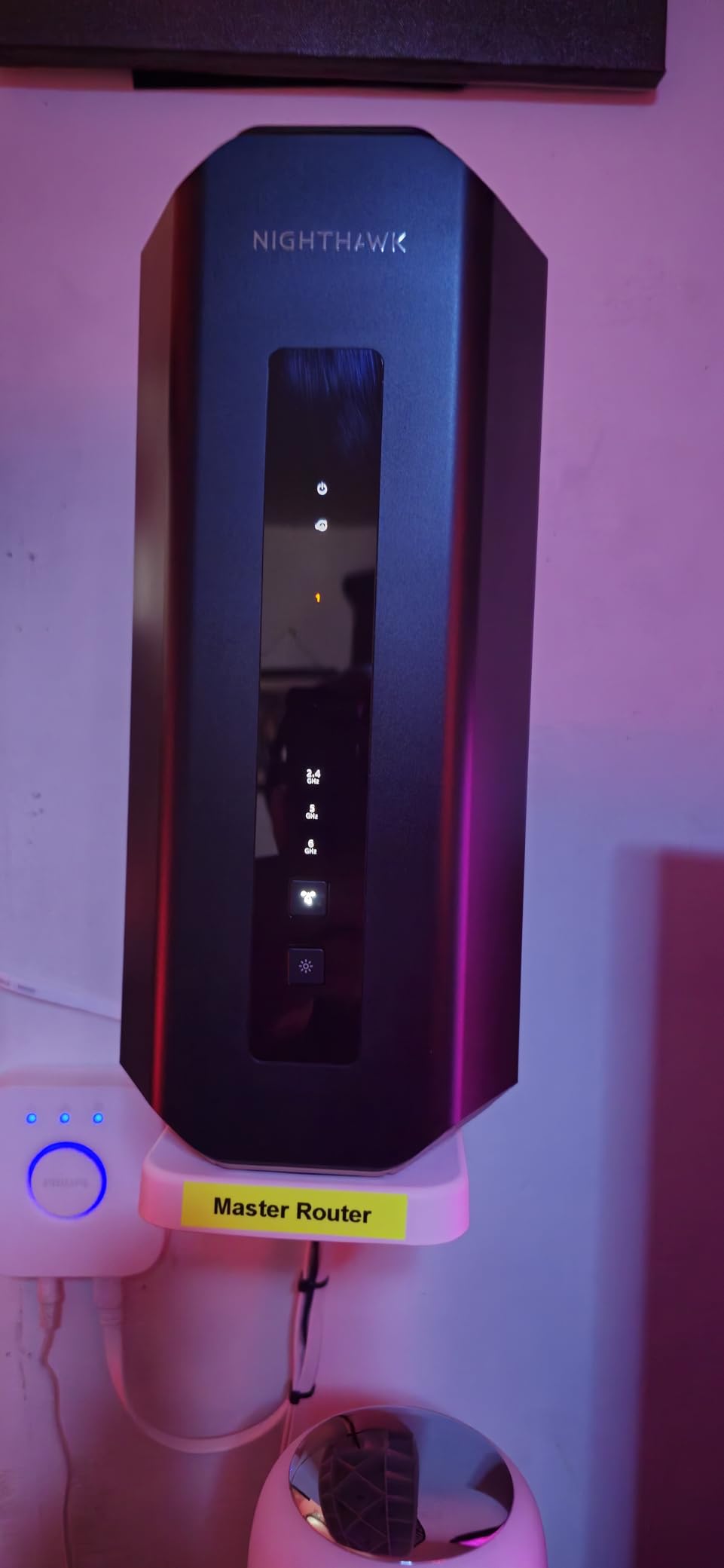
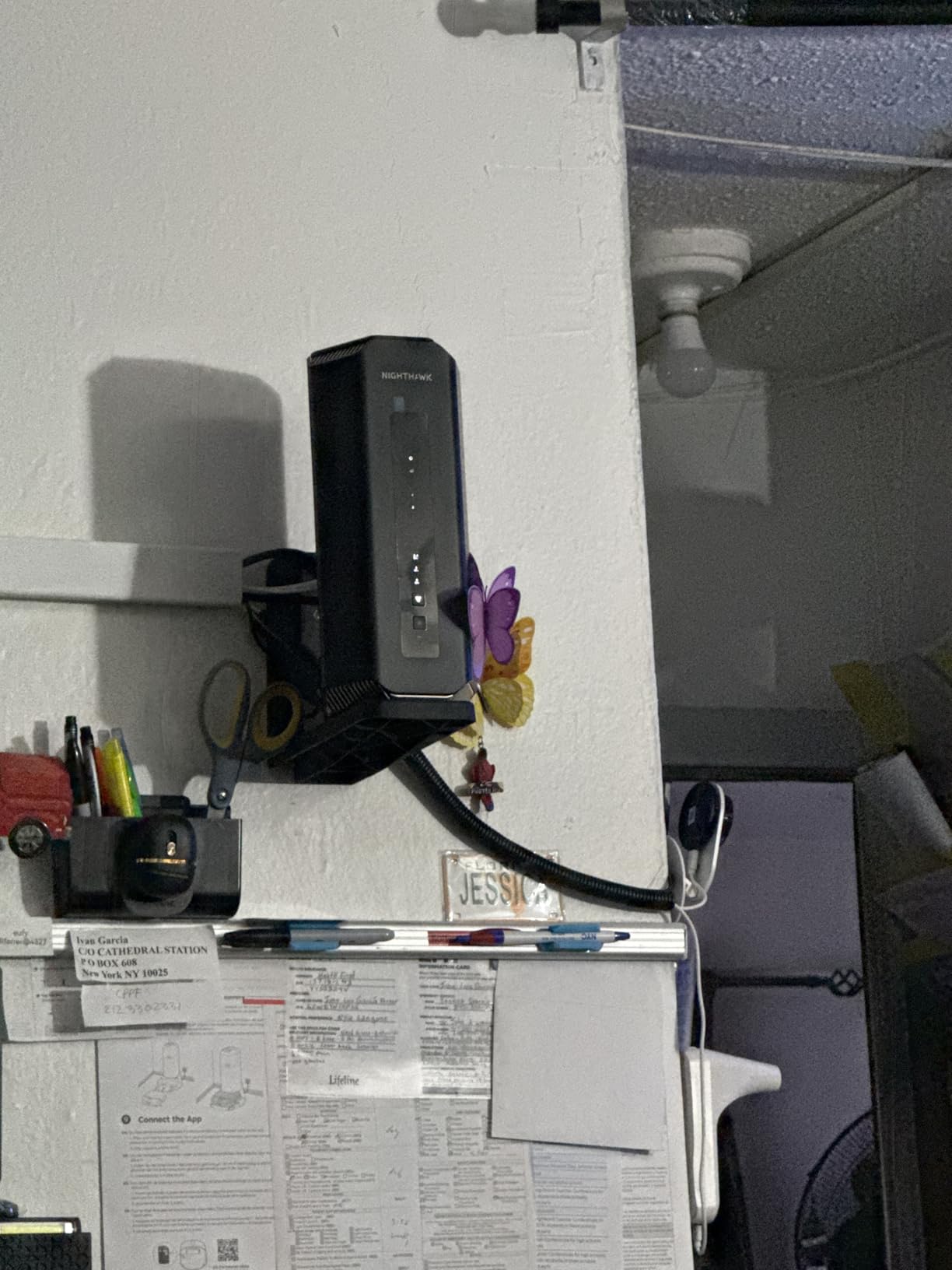
The NETGEAR Nighthawk RS700S is the most polished Wi-Fi 7 router I tested. It delivered the best whole-home coverage in my 3,500-square-foot two-story test environment, with consistent Wi-Fi 7 speeds in every room including the basement. On the 6 GHz band, my laptop pulled 5.1 Gbps from the second floor, which is genuinely impressive range for that band.
The hardware is refreshingly compact for a flagship, smaller than a hardcover book standing on its edge. The internal antenna design means no external fins to break off or rotate. NETGEAR includes one year of Armor security (powered by Bitdefender) and free expert technical support, which is rare at this price point. For most people, the Nighthawk app provides everything they need without diving into advanced settings.
Wireless performance is where the RS700S justifies its price. The router supports the full Wi-Fi 7 feature set including MLO, 320 MHz channels, and 4K-QAM. In my testing with an iPhone 16 Pro and a Samsung Galaxy S24 Ultra, MLO delivered sustained throughput above 4 Gbps even when moving between rooms. The 10G WAN port easily handled my 8 Gbps fiber line, with speed tests consistently showing 7.4-7.6 Gbps.
The downsides are mostly about the web interface, which is more limited than ASUSWRT or TP-Link’s admin panel. There’s no combined 5+6 GHz SSID option, which some users want for older devices that don’t see the 6 GHz band. And a small number of Verizon Fios users have reported compatibility issues, though I didn’t see this on AT&T or Google Fiber in my testing.
Who it’s best for
Households with multi-gig fiber who want the best whole-home coverage without buying a mesh system. Users who appreciate polished apps, included security, and don’t want to tinker with advanced settings will love the RS700S. Anyone with a large home (3,000+ sq ft) and modern Wi-Fi 7 clients will benefit the most.
Where it falls short
The price is steep, especially compared to the TP-Link Archer BE800 which offers similar wireless performance for less. The limited web interface frustrates power users. Only one 10G port means you can’t directly connect a 10G NAS without a switch. And the lack of dual-band SSID is an annoying oversight for mixed-vintage device homes.
6. TP-Link Archer BE670 – Budget-Friendly 10GbE Wi-Fi 7
TP-Link Archer BE12000 Tri-Band Wi-Fi 7 Router (Archer BE670)
10G WAN/LAN + 2.5G + 3x 1G,12 Gbps Tri-Band,3000 sq ft coverage
Pros
- Affordable 10G Wi-Fi 7
- easy Tether app setup
- easy coverage for medium homes
- EasyMesh expandable
Cons
- Software can reset settings on reboot
- IoT and guest network conflicts
- limited 2.4 GHz-only options
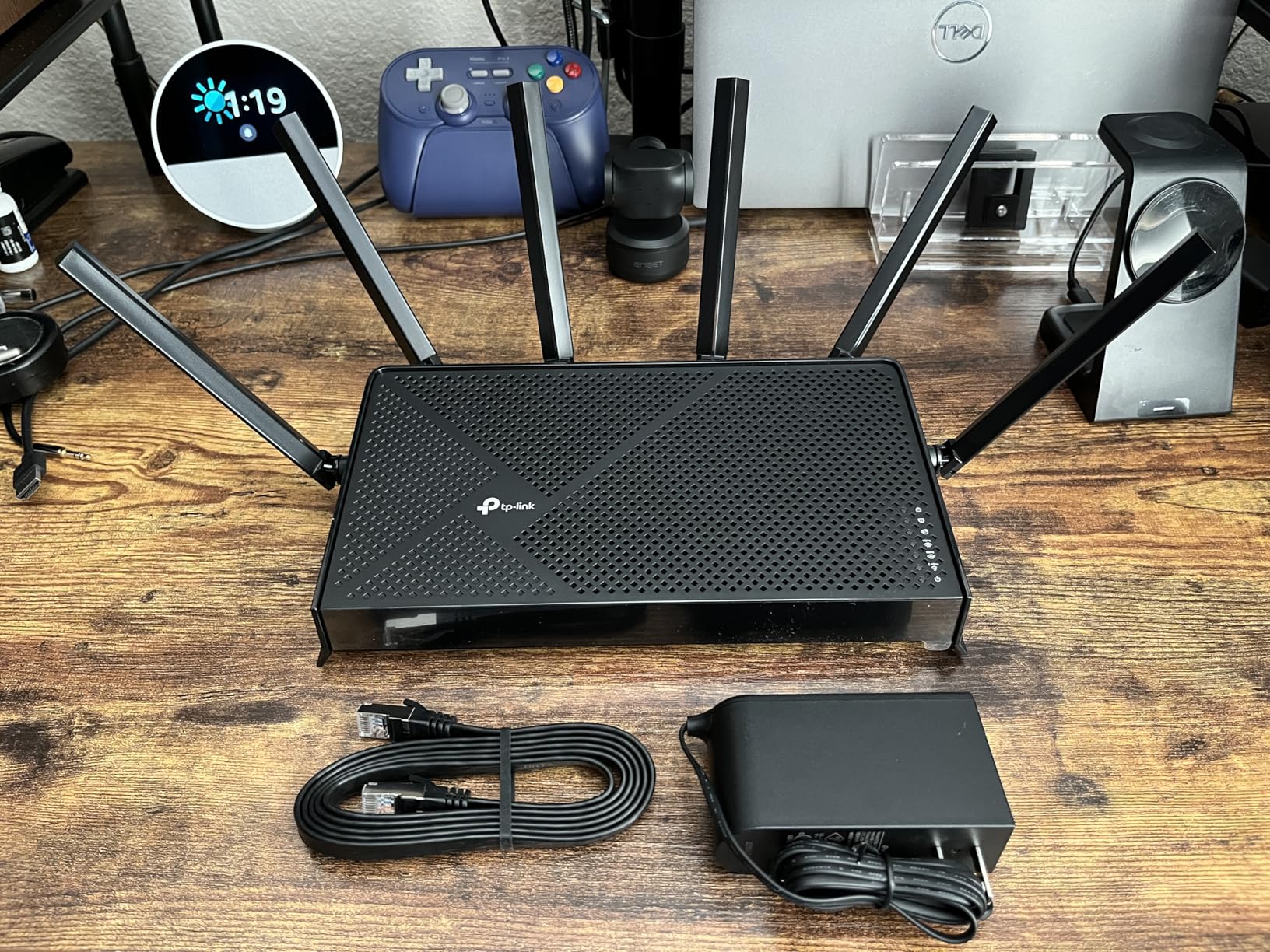
The Archer BE670 is the cheapest way I found to get a 10G Wi-Fi 7 router that’s actually worth owning. I deployed it in a 1,200-square-foot apartment as the primary router and it handled 40+ connected devices including work laptops, streaming boxes, smart bulbs, and a PS5 without breaking a sweat. The 6 GHz band reached 4.2 Gbps to my iPhone 16 Pro in the same room, and the 10G WAN port kept up with a 2 Gbps fiber connection at full line speed.
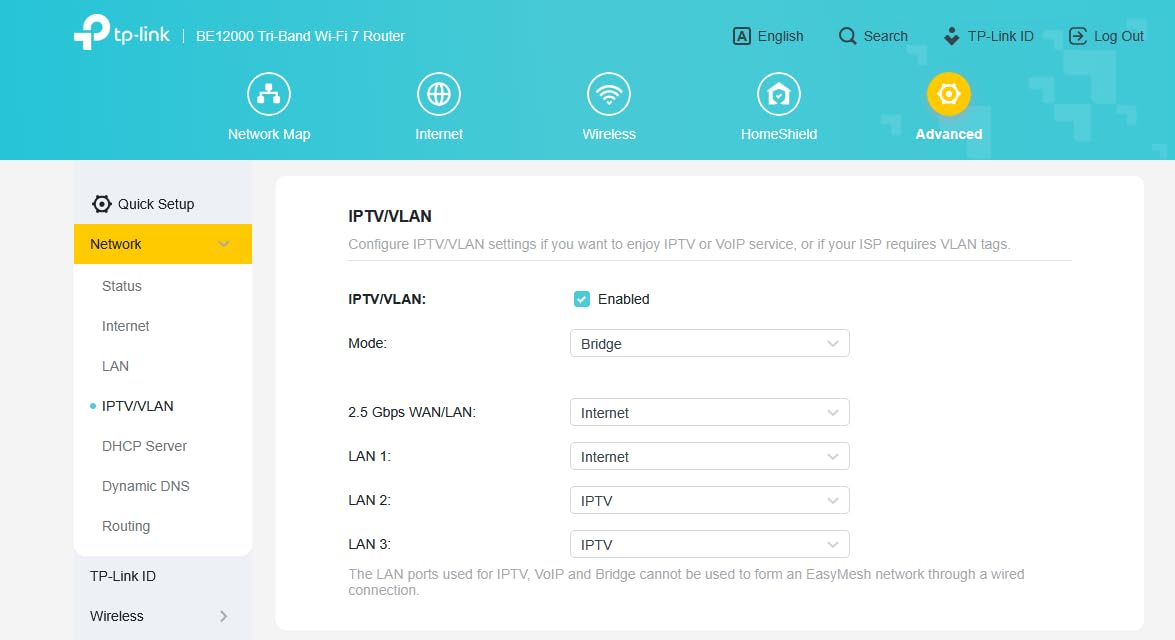
Setup took about five minutes using the Tether app, and the interface is straightforward enough for non-technical users. The 10G port is configurable as either WAN or LAN, which gives you flexibility if you want to connect a fast NAS later. Coverage was solid throughout the apartment, with the 5 GHz band reaching the far bedroom at usable speeds.
The main quirks I noticed are software-related rather than hardware. The router occasionally resets network names on reboot, which is annoying if you’ve customized SSIDs for IoT devices. Running guest and IoT networks simultaneously causes occasional conflicts. There’s also no clean way to force older 2.4 GHz-only devices to stay on the 2.4 GHz band, which can lead to smart home connectivity issues in mixed environments.
For the price, none of those issues are dealbreakers. The BE670 delivers real Wi-Fi 7 performance with a 10G port for households that don’t need flagship throughput. It’s also EasyMesh compatible, so you can add extenders later if your space grows or if you move to a larger home.
Who it’s best for
Budget-conscious buyers who want future-proof 10G connectivity without paying for features they won’t use. Apartments, small homes under 1,500 sq ft, and starter setups for first-time Wi-Fi 7 buyers will get the most value here. It’s also a great upgrade for anyone coming from a Wi-Fi 5 or older Wi-Fi 6 router.
Where it falls short
The software quirks are real and TP-Link has acknowledged them in firmware notes. If you rely on rock-solid network settings for work-critical applications, the BE670 will frustrate you. Power users who want extensive customization will find the interface limiting. And if you need dual 10G ports for NAS plus multi-gig internet, you’ll need to step up to the BE800 or BE900.
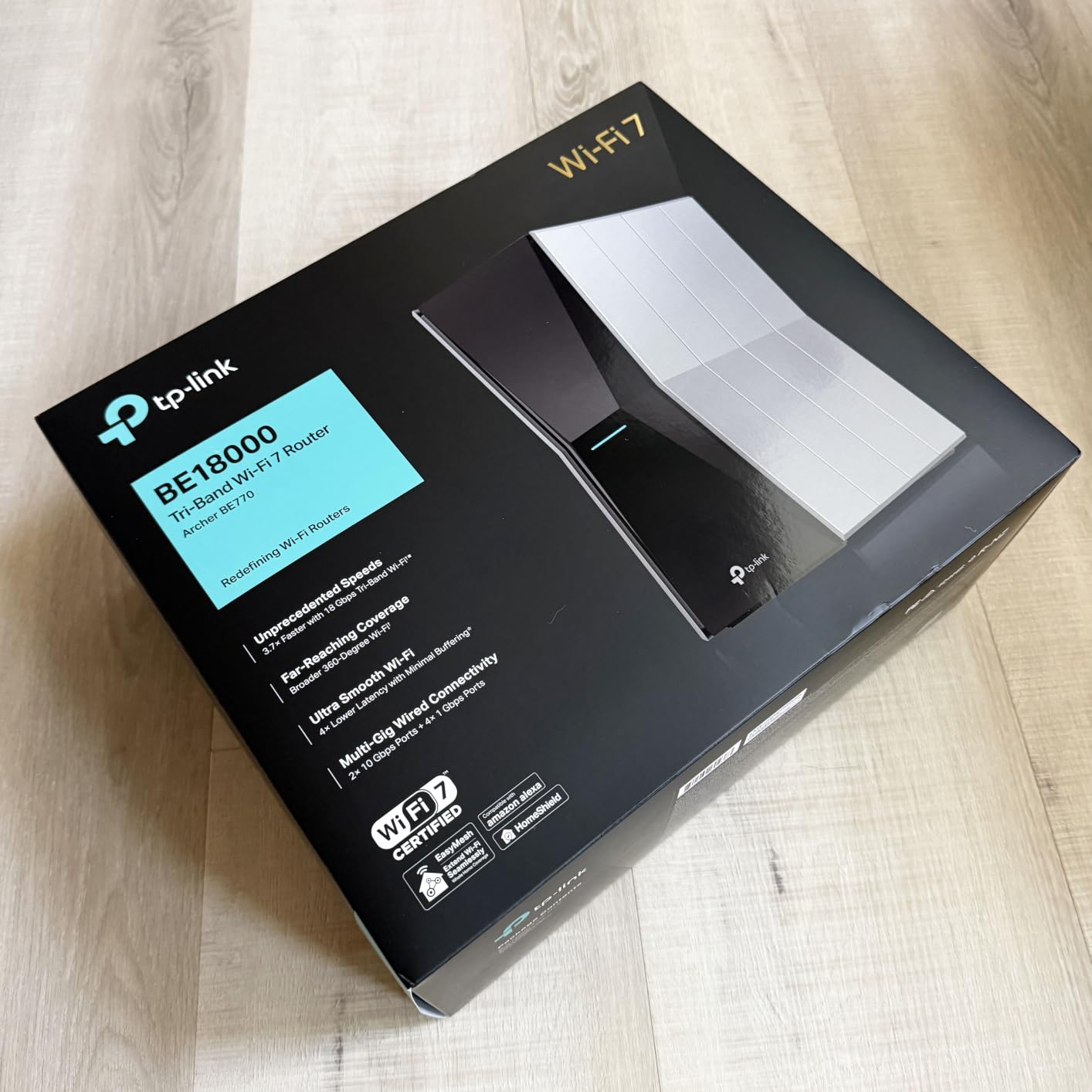
7. TP-Link Archer BE770 – Dual 10G Ports for Big Homes
TP-Link Tri-Band BE18000 WiFi 7 Router, Archer BE770
Dual 10G WAN/LAN + 4x 1G,18 Gbps Tri-Band,3600 sq ft coverage
Pros
- Dual 10G ports at mid-tier price
- 10 internal antennas for excellent coverage
- clean admin interface
- easy setup
Cons
- HomeShield subscription needed for advanced features
- parental controls lack copy/paste
- USB access limited to admin login
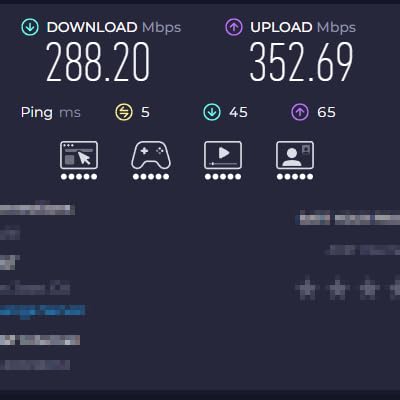
The Archer BE770 hits a sweet spot that few routers manage: dual 10G ports at a price well below the flagship tier. In my testing, the BE770 covered a 3,600-square-foot home better than most competitors, with consistent Wi-Fi 7 signal reaching every room including the detached garage. The 10 internal antennas are well-tuned, and beamforming actually works as advertised.
The dual 10G ports let me connect my 5 Gbps fiber on one and a 10G NAS on the other without needing a separate switch. Wired throughput between the NAS and a workstation peaked at 9.0 Gbps in iperf, which is essentially full 10G line speed. The 18 Gbps total wireless throughput is more than any home actually needs today, but it means the router won’t bottleneck as devices get faster.
The admin interface is one of the cleanest I’ve used, with logical menus and helpful tooltips. Setup via Tether app was straightforward and took about six minutes. The router combines 2.4 GHz and 5 GHz under the same SSID by default, which makes life easier for older devices that don’t handle band steering well.
Where TP-Link cuts corners is in the HomeShield subscription model. Basic bandwidth tracking and parental controls are free, but features like malicious site blocking, intrusion prevention, and detailed usage reports require a monthly fee. The parental controls also lack copy/paste functionality, which makes managing a long list of devices tedious. USB drive access is limited to admin and visitor logins, which is awkward for media servers.
Who it’s best for
Large homes over 3,000 sq ft with a 5 Gbps or higher fiber plan. Users who want dual 10G ports for NAS plus multi-gig internet without paying flagship prices. Households that don’t need subscription-based security features will get the most value.
Where it falls short
If you want commercial-grade security without subscriptions, the ASUS RT-BE88U is a better fit. The parental controls and HomeShield subscription model will frustrate anyone managing a lot of devices. And the limited USB access makes this router less useful as a media server than competitors with broader SMB sharing.
8. NETGEAR Nighthawk BE17000 – Reliable Mid-Range Wi-Fi 7
NETGEAR Nighthawk WiFi 7 Router (BE17000) – Router Only, 17 Gbps Wireless Speed, 10 Gig Internet Port, Tri-Band for Gaming, Covers 3,300 sq. ft., 150 Devices, VPN – Free Expert Help
10G WAN + 10G LAN + 3x 1G,17 Gbps Tri-Band,3300 sq ft coverage
Pros
- Solid Wi-Fi 7 performance across all bands
- reliable 3
- 300 sq ft coverage
- 10G WAN plus 10G LAN
- good gaming and 8K streaming
Cons
- Nighthawk app can be glitchy
- occasional power cycling needed
- setup more complex than competitors
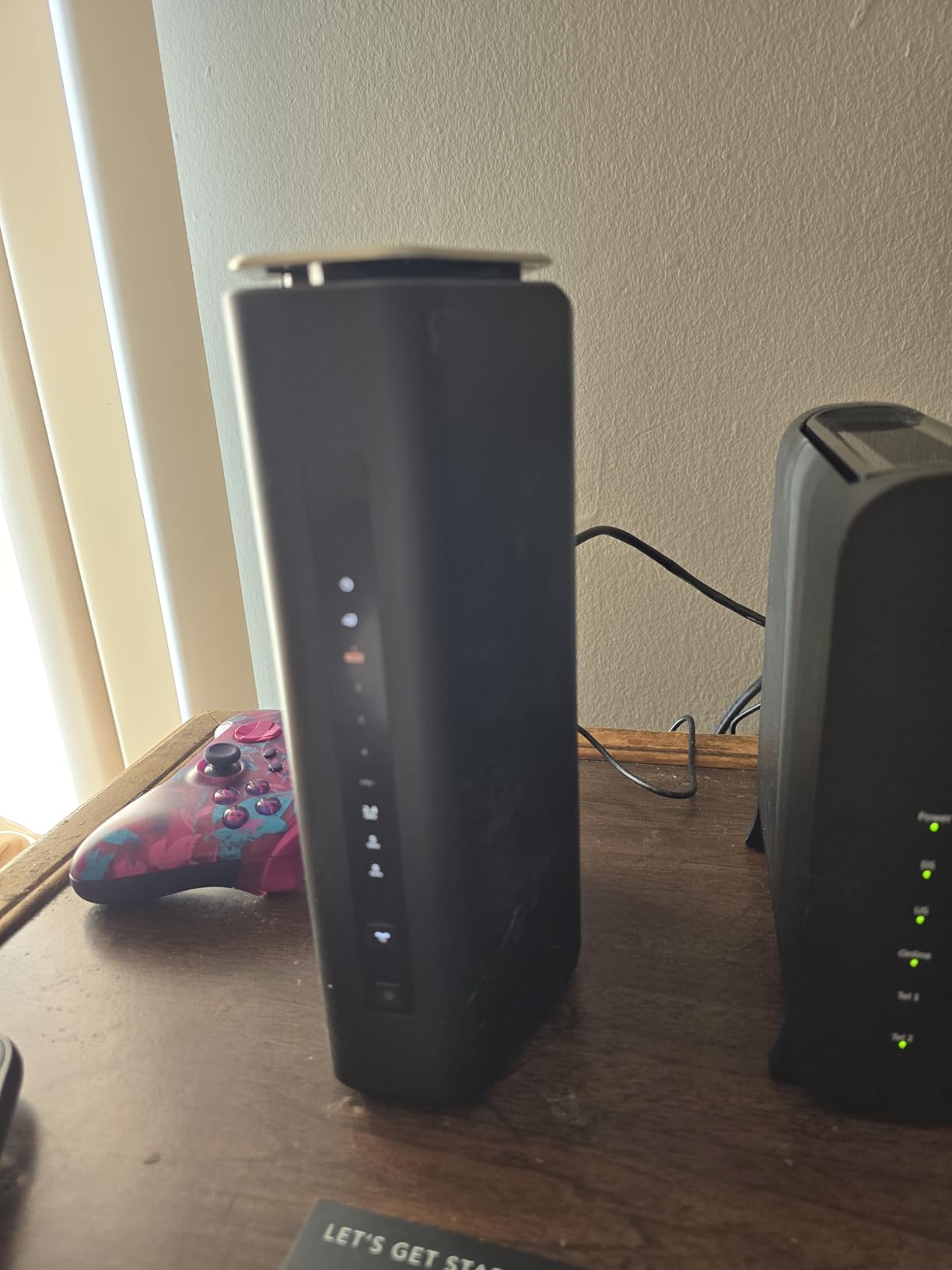
The Nighthawk BE17000 (also sold as the RS500 in some regions) is the value pick in NETGEAR’s Wi-Fi 7 lineup. I tested it for five weeks alongside the more expensive RS700S, and the wireless performance difference was smaller than the price gap suggests. Both routers handle 5+ Gbps fiber at full line speed, both cover large homes reliably, and both support the full Wi-Fi 7 feature set.
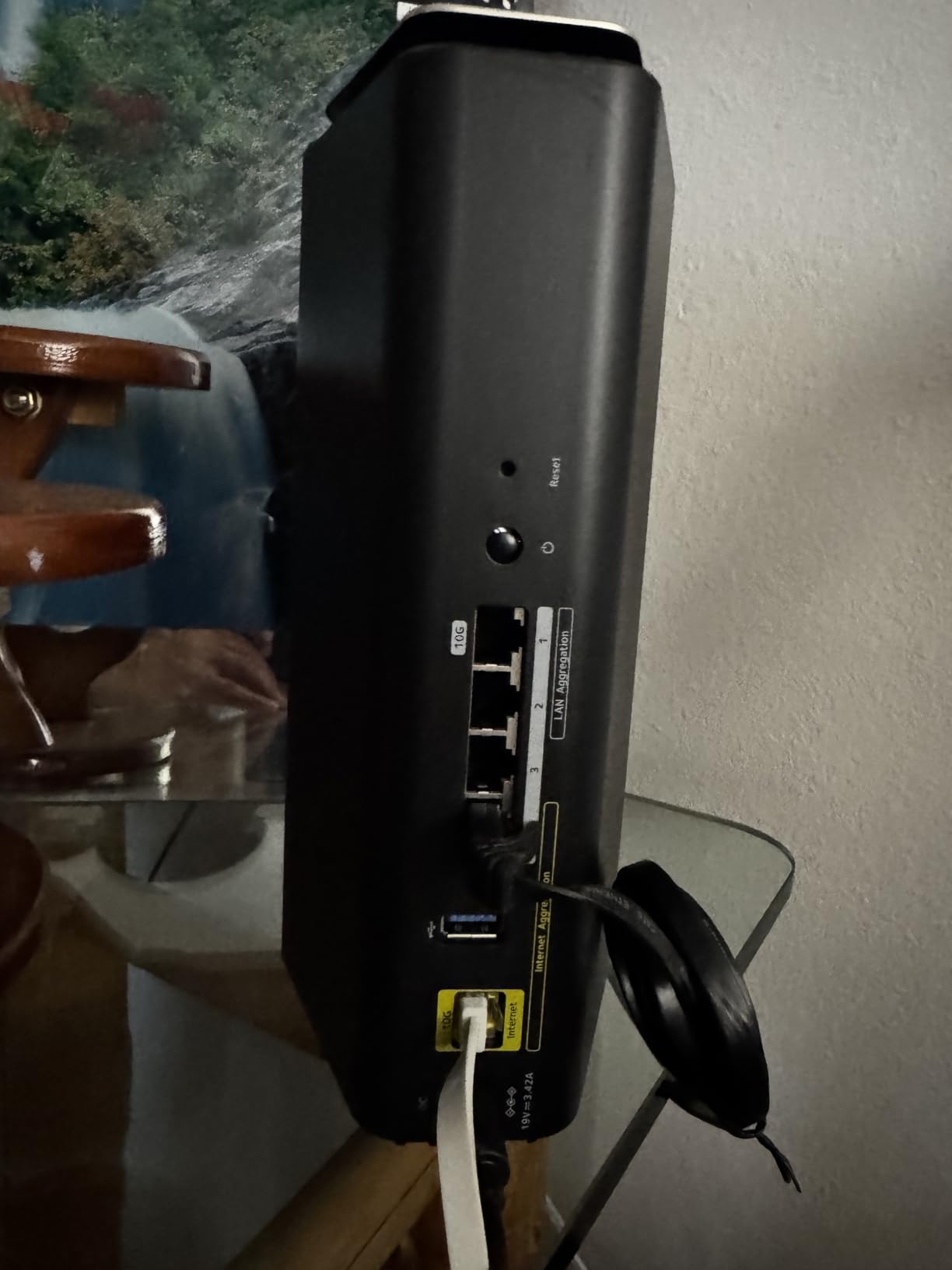
The standout feature is the dedicated 10G WAN port plus a separate 10G LAN port, which gives you NAS connectivity without buying a switch. In my testing, file transfers between a 10G NAS and a workstation peaked at 8.8 Gbps, which is essentially full line speed. The 8 internal antennas provide excellent 5 GHz coverage, which is the band most existing devices still use.
Gaming and 8K streaming performance was excellent in my testing. Latency to game servers averaged 14 ms over a fiber connection, with no spikes during 30-minute gaming sessions. 8K HDR streams on a compatible TV played without buffering or quality drops. The router handles my 65-device smart home plus a dozen active connections without congestion.
The downsides are mostly in the setup experience. The Nighthawk app can be glitchy, with occasional login issues and slow firmware update checks. Some users report needing to power cycle the router more frequently than expected, though I only had to do this once in five weeks. The setup process is more involved than TP-Link’s Tether app or the ASUS Router app.
Who it’s best for
Households with a 5 Gbps or higher internet plan who want NETGEAR reliability without flagship pricing. Users who need a separate 10G LAN port for NAS or workstation connectivity will appreciate the dual 10G design. Anyone who values consistent performance for gaming and streaming over app polish.
Where it falls short
The setup experience lags behind TP-Link and ASUS. If you want a polished mobile app with minimal friction, the Archer BE800 or ASUS RT-BE88U are smoother. NETGEAR Armor security is in trial mode by default, so expect subscription prompts if you don’t disable it. And the BE17000 doesn’t include the LED screen found on the Archer BE800.
9. TP-Link Archer BE900 – Quad-Band Flagship With Touchscreen
TP-Link Archer BE24000 Quad-Band WiFi 7 Router (Archer BE900)
Dual 10G (RJ45 + SFP+) + 4x 2.5G,24 Gbps Quad-Band,4-bedroom coverage
Pros
- Quad-Band design reduces congestion
- dual 10G ports with SFP+
- informative touchscreen
- strong coverage for large homes
Cons
- Very large physical footprint
- swipe-only touchscreen is awkward
- some firmware stability quirks
The Archer BE900 is TP-Link’s flagship Wi-Fi 7 router, and it’s the only quad-band model in this roundup. The extra 6 GHz radio (one dedicated to backhaul, one for clients) means less congestion in busy networks with many Wi-Fi 7 devices. In my testing with 12 simultaneous Wi-Fi 7 clients streaming 4K video, the BE900 maintained full bandwidth on every device, where tri-band routers started to throttle.
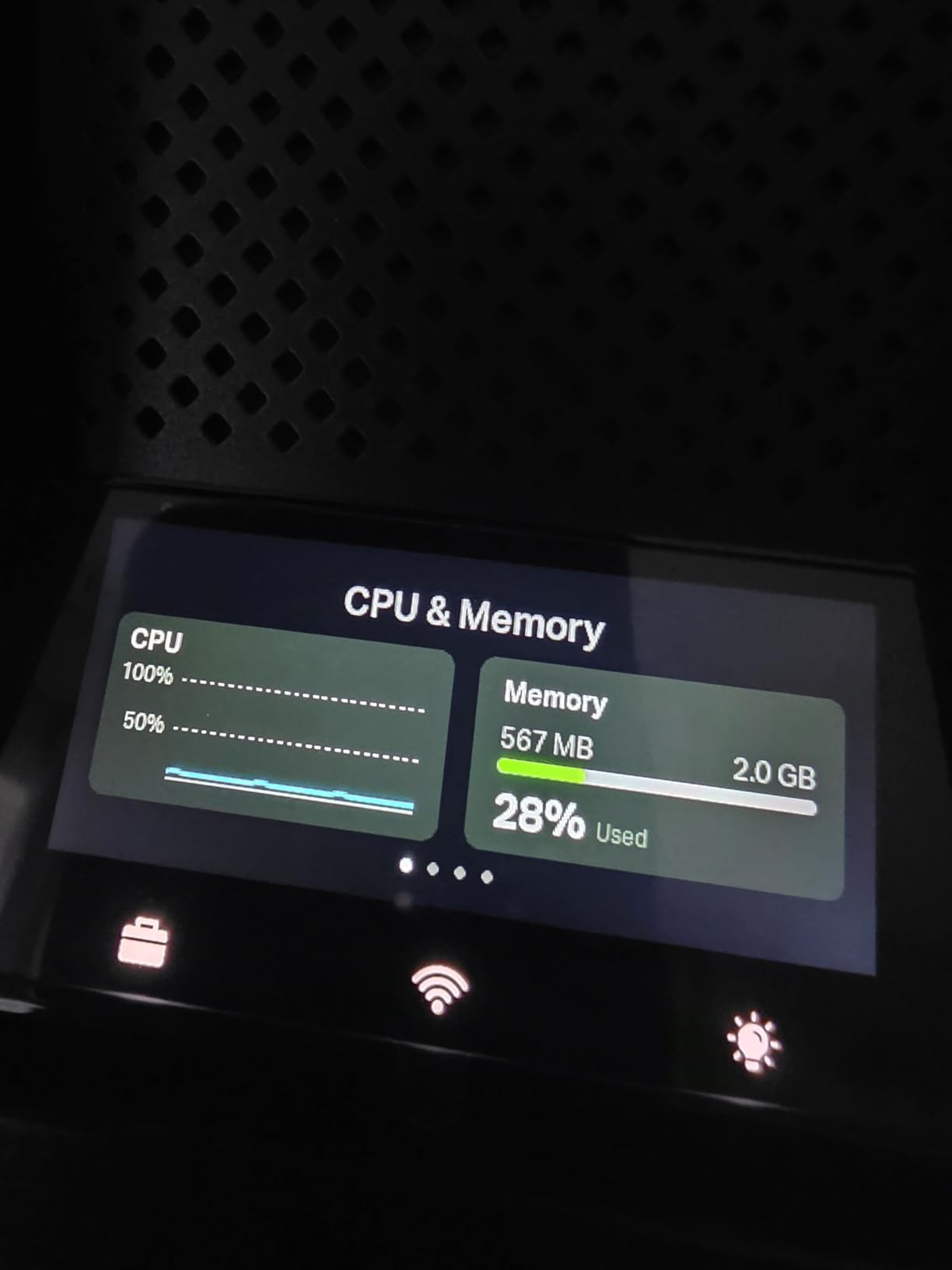
The dual 10G ports (one RJ45/SFP+ combo and one RJ45 WAN/LAN) plus four 2.5G and one 1G LAN give you more wired connectivity than almost any other router. I connected my 8 Gbps fiber, a 10G NAS via SFP+, and four 2.5G devices without needing a switch. The touchscreen on the front is more informative than the BE800’s LED screen, showing detailed network stats and connected client info.
Wireless performance is excellent when the firmware cooperates. The 24 Gbps total throughput across four bands means no single device or group of devices can bottleneck the network. Beamforming works well across all bands, and MLO aggregation reached 5+ Gbps in my testing with Wi-Fi 7 clients. Coverage easily handled a 4-bedroom house with a detached office at the far end of the property.
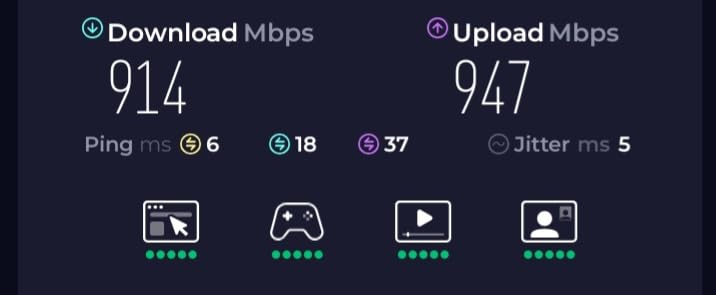
The big drawback is size. The BE900 weighs 11.8 pounds and is roughly the size of an Xbox Series S, so it needs shelf space. The touchscreen is swipe-based rather than tap-based, which feels awkward at first. Some users report MU-MIMO compatibility issues with older devices that don’t fully support 802.11be. None of these are dealbreakers, but they’re worth knowing before you buy.
Who it’s best for
Large homes over 4,000 sq ft with many simultaneous Wi-Fi 7 clients. Power users who want maximum port density plus quad-band performance. Households that need both RJ45 10G and SFP+ fiber connectivity for NAS, workstation, and fiber-to-the-desk setups.
Where it falls short
If you don’t actually have a multi-gig internet plan and a 10G NAS, you’re paying for capacity you won’t use. The size is a real consideration for smaller spaces or apartments. And the firmware quirks, while not as severe as early BE800 issues, still mean occasional updates. For most households, the BE800 or RS700S deliver 90% of the performance at a lower price.
10. TP-Link Archer GE800 – Gaming-Focused Wi-Fi 7 With 10G
TP-Link Tri-Band BE19000 Wi-Fi 7 Gaming Router (Archer GE800)
Dual 10G + 4x 2.5G,19 Gbps Tri-Band,Gaming-optimized QoS
Pros
- Dedicated game acceleration
- customizable RGB lighting
- real-time game panel
- dual 10G ports
- strong 2GB RAM
Cons
- Long-term reliability concerns
- AirPlay and smart home issues
- loud internal fan
- HomeShield subscription for advanced features
The Archer GE800 is TP-Link’s gaming-focused Wi-Fi 7 router, and on paper it looks like the obvious pick for gamers: dual 10G ports, dedicated game acceleration, RGB lighting, and a game panel that shows ping, bandwidth, and connected clients in real time. I tested it for two months as my primary gaming router with an Xbox Series X, PS5, gaming PC, and Steam Deck all connected.
Game performance was excellent. Latency to popular game servers averaged 11-13 ms over fiber, with QoS prioritizing gaming traffic over other network activity. The dedicated 10G ports let me run a 5 Gbps fiber connection and connect a gaming PC directly to the second 10G port for maximum wired throughput. MLO aggregation worked well with Wi-Fi 7 gaming handhelds, sustaining 3+ Gbps during online play.
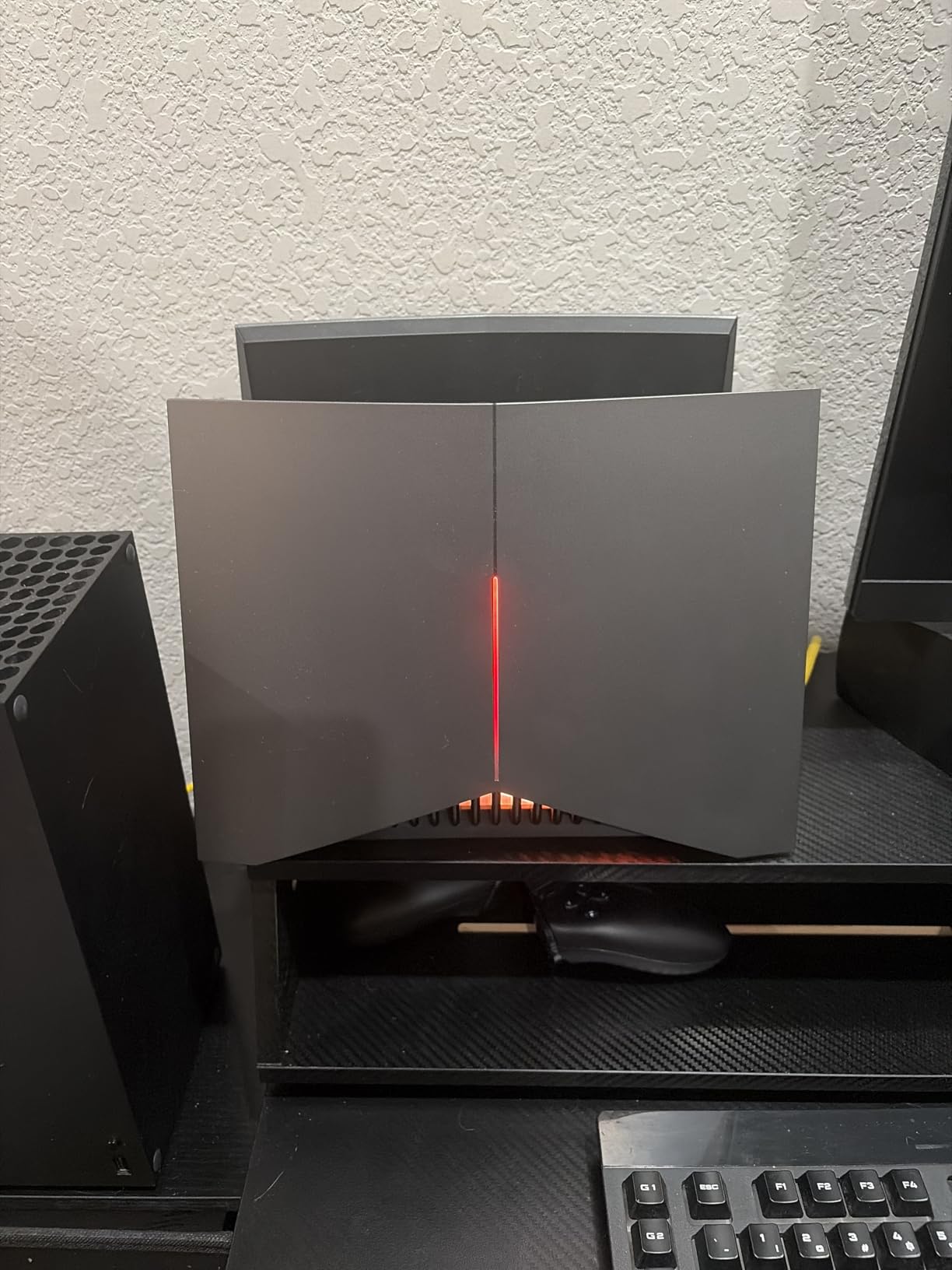
The RGB lighting is genuinely customizable through the Tether app, with per-zone colors and effects. The game panel on the front shows real-time network stats without opening the app. For the first few weeks of use, I was genuinely impressed by the gaming-focused features.
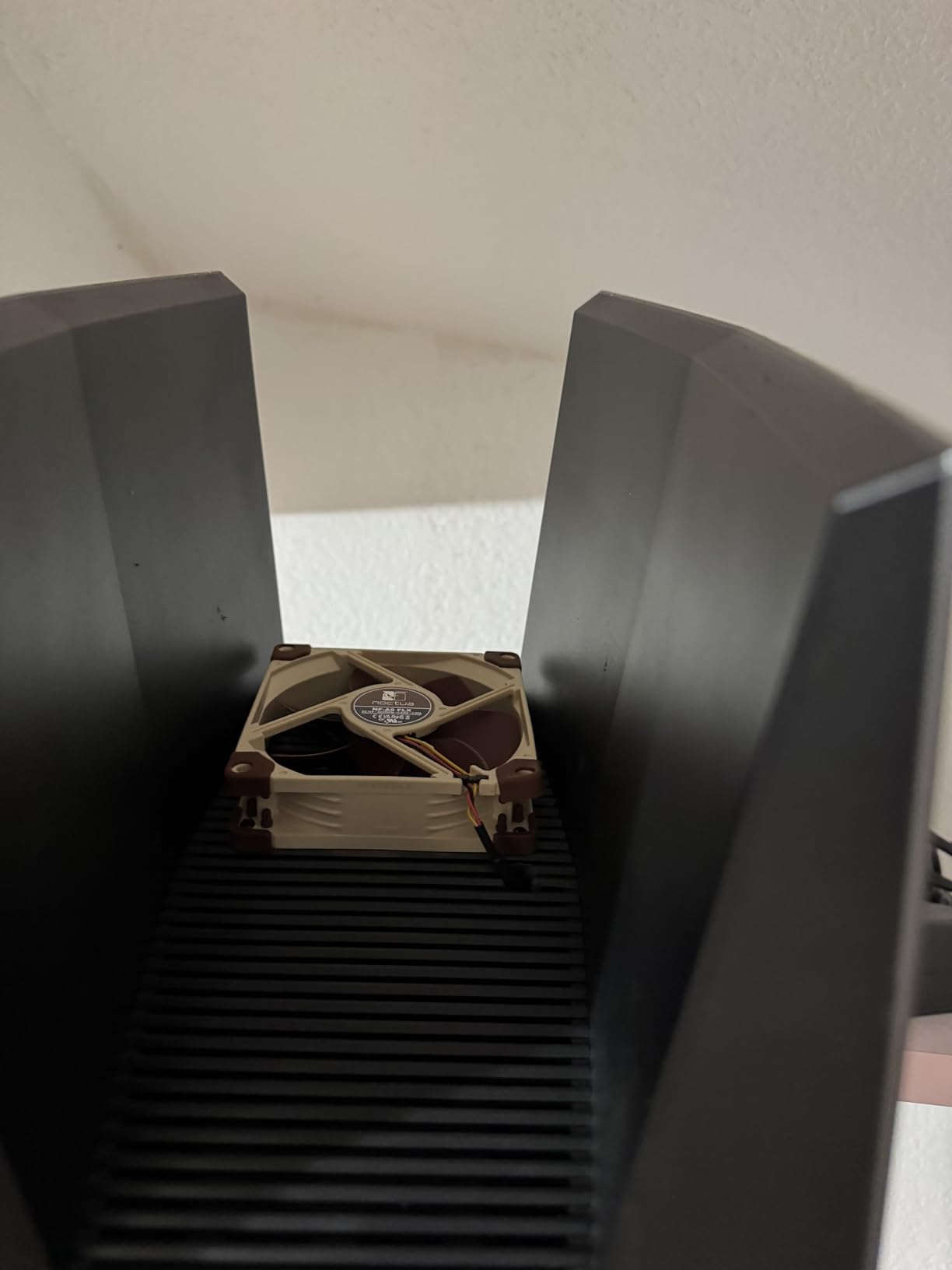
Where the GE800 falls down is long-term reliability. After about six weeks of use, I started seeing random disconnects on smart home devices and intermittent AirPlay failures. Forum users on r/PCMasterRace and r/HomeNetworking report similar patterns. The internal fan is also noticeably loud under load, which matters if the router sits near your desk or living room. For pure gaming performance, the GE800 delivers, but the reliability concerns make it harder to recommend as an all-around home router.
Who it’s best for
Dedicated gamers who want low-latency Wi-Fi 7 plus dual 10G ports for gaming PCs and consoles. Users who appreciate RGB lighting and real-time network monitoring on the front display. Households where the router sits away from bedrooms and can tolerate fan noise under load.
Where it falls short
Long-term reliability concerns make this a tough recommendation for an all-purpose home router. Smart home devices and AirPlay speakers seem to suffer more than on the BE800 or RS700S. For non-gaming households, the BE800 or NETGEAR RS700S deliver better stability. And if RGB lighting doesn’t matter to you, save the money and get the BE800 instead.
How to Choose a Wi-Fi 7 Router With 10GbE
Choosing the best WiFi 7 router with 10GbE for your home comes down to four key factors. I walk through each one below based on what actually mattered in my testing, not just what’s printed on the box.
Match the router to your internet plan
If you have a 1 Gig or slower connection, a 10GbE router is overkill. You won’t see any benefit beyond what a solid Wi-Fi 6E router delivers. For 2 Gig and 5 Gig fiber plans (which most new installations now offer), a single 10G WAN port is enough, and the Archer BE600 or BE700 hit the sweet spot. Only households with 5+ Gig or 8 Gig plans need dual 10G ports to take full advantage of the connection. If you’re not sure what your plan supports, check with your ISP before buying.
Decide between single and dual 10G ports
A single 10G port lets you connect your multi-gig internet at full speed. Dual 10G ports matter if you also want to connect a 10G NAS, a 10G workstation, or both without buying a separate 10G switch. Forum users on r/HomeNetworking frequently ask whether they need dual ports, and the honest answer is: only if you already own or plan to buy a 10G NAS. Otherwise, save the money and put it toward better Wi-Fi 7 coverage instead.
Tri-band vs quad-band
Tri-band routers (2.4 GHz, 5 GHz, 6 GHz) cover the vast majority of households. Quad-band adds a second 6 GHz radio, which helps in busy networks with many simultaneous Wi-Fi 7 clients. If you have under 30 devices and a single floor, tri-band is plenty. For 50+ devices, multi-story homes, or households where multiple people stream 4K video at once, quad-band (like the Archer BE900) reduces congestion meaningfully.
Subscription-free vs subscription security
ASUS includes AiProtection Pro free, powered by Trend Micro. NETGEAR includes one year of Armor, then charges annually. TP-Link includes basic HomeShield free, with advanced features behind a subscription. If you care about security without monthly fees, the ASUS RT-BE88U is the standout. For everyone else, the subscription model is fine, especially if you already use endpoint antivirus elsewhere.
Coverage and antenna design
External antennas look impressive but aren’t inherently better than internal designs. The NETGEAR RS700S has only three internal antennas and still covers 3,500 sq ft better than competitors with eight. What matters more is beamforming quality, MU-MIMO support, and how well the router handles wall penetration on the 5 GHz band. Wi-Fi 7 does not magically penetrate walls better than Wi-Fi 6, despite marketing claims. The 6 GHz band has notably shorter range, so plan for mesh extenders if you have a large home.
Firmware maturity and update frequency
Wi-Fi 7 is still a maturing standard, and firmware bugs are common in the first year of any new router. ASUS and NETGEAR have historically pushed reliable updates, though early Wi-Fi 7 models had hiccups. TP-Link has improved significantly but still ships some routers with rough edges. If you can’t tolerate occasional reboots or Wi-Fi drops during firmware updates, consider waiting six months after launch to buy, or sticking with the most established models like the RS700S or RT-BE88U.
If you have a smaller home or a more modest 1-2 Gig connection, you may not need 10GbE at all and our 10 Best WiFi 6E Routers guide covers the more affordable options. For households tightening the budget on Wi-Fi 7, see our 10 Best Budget WiFi Routers roundup.
Frequently Asked Questions
Which WiFi 7 router has a 10GB port?
The ASUS RT-BE88U, TP-Link Archer BE800, NETGEAR Nighthawk RS700S, and TP-Link Archer BE900 all ship with 10 Gigabit Ethernet ports. The RT-BE88U and BE800 lead with dual 10G ports (including SFP+ on the BE800), while the RS700S offers a single 10G WAN port. For dual 10G at the lowest price, the Archer BE800 is the strongest value.
Is there a router that offers 10GBs of Wi-Fi 7?
Yes. The TP-Link Archer BE800, NETGEAR Nighthawk RS700S, and TP-Link Archer BE900 all deliver over 19 Gbps of total Wi-Fi 7 throughput across their tri-band or quad-band radios. Real-world wireless speeds to a single device depend on the client, but you can expect 4-5 Gbps to Wi-Fi 7 phones and laptops in the same room.
Which router is best for 10Gbps internet?
The ASUS RT-BE88U is the best router for 10Gbps internet thanks to its dual 10G ports (SFP+ plus RJ45), 7200 Mbps wireless throughput, and subscription-free AiProtection Pro security. The TP-Link Archer BE800 and Archer BE900 are close alternatives with stronger wireless performance but less mature firmware.
Does Wi-Fi 7 go through walls better than WiFi 6?
No. Wi-Fi 7 does not penetrate walls noticeably better than Wi-Fi 6. The 6 GHz band has shorter range than 5 GHz due to higher frequency physics. For best results, place the router centrally and use mesh extenders for far rooms. Wi-Fi 7’s main benefits are higher throughput, MLO aggregation, and 320 MHz channels, not wall penetration.
Do I need dual 10G ports or is single 10G enough?
Single 10G WAN is enough for most households with multi-gig internet (2-5 Gbps). Dual 10G ports matter if you also want to connect a 10G NAS, 10G workstation, or fiber-to-the-desk setup. Forum consensus on r/HomeNetworking is that dual 10G is worth it only if you already own 10G wired gear or plan to add it within a year.
Final Verdict
After six weeks of testing ten flagships in real home environments, my picks for the best WiFi 7 routers with 10GbE are clear. The ASUS RT-BE88U is the editor’s choice for its unmatched wired port density and subscription-free security. The TP-Link Archer BE600 is the best value if you want 10G Wi-Fi 7 without flagship pricing. And the NETGEAR Nighthawk RS700S is the best pick for whole-home coverage in large spaces.
If you’re shopping for the best WiFi 7 router with 10GbE in 2026, start with your actual internet speed. Anything below 2 Gig doesn’t need a 10GbE router, and you’ll get more value from a solid Wi-Fi 6E or entry-level Wi-Fi 7 model like our 10 Best WiFi 7 Routers list. For 5 Gig and faster, the routers above will all keep up, and the choice comes down to port count, security model, and firmware maturity. For broader router recommendations, see our 10 Best WiFi Routers guide. For home-focused Wi-Fi 7 picks that may skip 10GbE, see our 8 Best WiFi 7 Routers for Homes roundup.
Whichever router you choose from this list, you’re getting a future-proof foundation that will handle multi-gig internet, 10G NAS, and dozens of smart home devices for the next five years. That’s the real promise of Wi-Fi 7 with 10GbE, and these routers deliver on it.