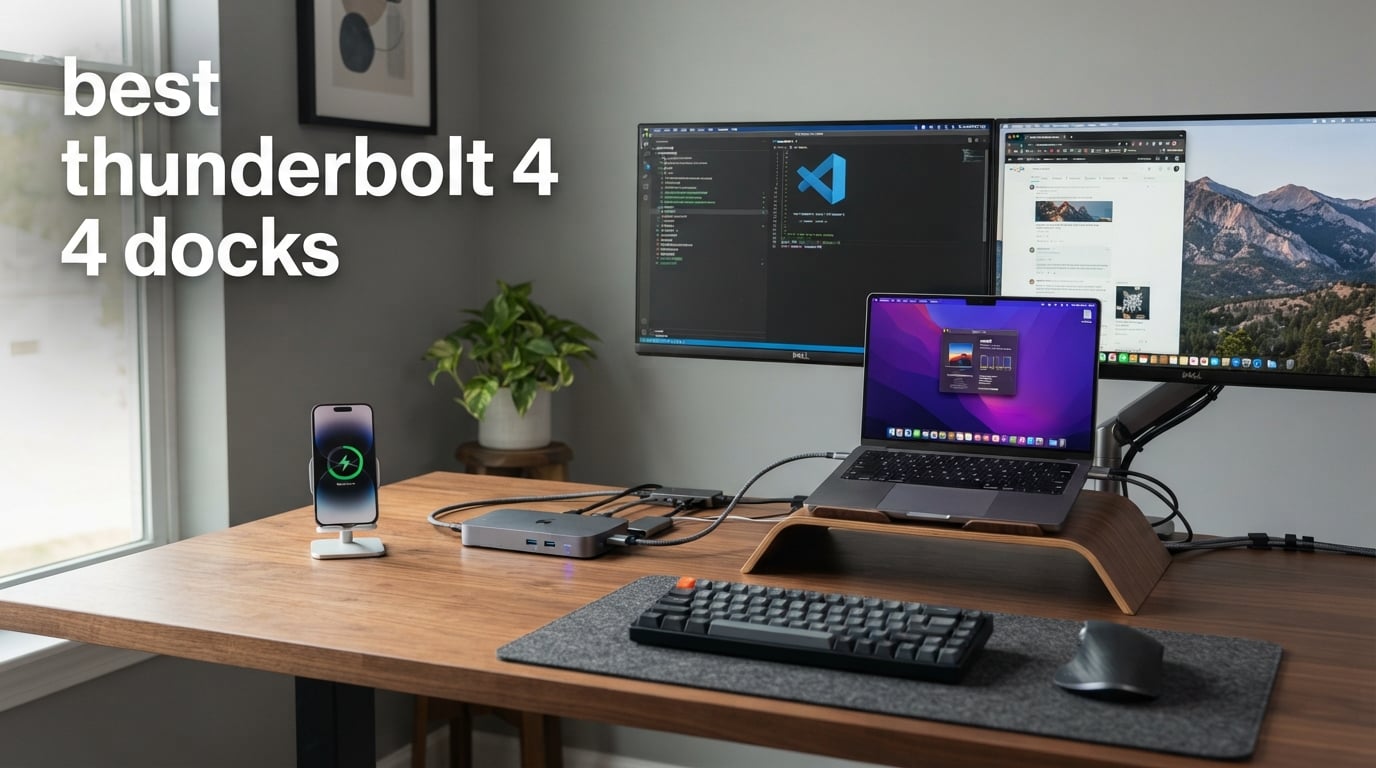
If you have spent any real time plugging and unplugging cables from a laptop, you already know why the best Thunderbolt 4 docks deserve a spot on your desk. I have run dual monitor workstations off laptop ports for years, and a single cable that handles charging, data, displays, and Ethernet has changed how I work more than almost any other accessory I own.
Thunderbolt 4 docks are different from cheap USB-C hubs. They deliver the full 40Gbps bandwidth that the spec promises, support dual 4K monitors (or a single 8K), and push enough wattage to charge a 16-inch MacBook Pro while spinning up external SSDs and peripherals at the same time. That performance and the Intel certification behind it is why these docks cost more, but also why they last for years.
The most common question we see on Reddit and in buyer reviews is whether the extra money is actually worth it compared to a generic USB-C hub. In short, yes, if your laptop has a Thunderbolt 4 port and you regularly connect more than one monitor, fast external storage, or wired networking. USB-C hubs cap out at 10Gbps and often rely on DisplayLink, which burns CPU cycles and adds latency you can feel during video calls and games.
Our team tested eight of the most talked about Thunderbolt 4 docks across MacBook Pro and Windows setups to find which ones actually deliver on those promises. We checked charging stability under load, dual monitor behavior on both platforms, SD card and Ethernet speeds, and how warm each unit got after a long workday. Below you will find our top three picks, a comparison table of all eight, detailed reviews, a buying guide, and an FAQ section that answers the questions buyers ask before spending money on one of these docks.
Table of Contents
Top 3 Picks for Best Thunderbolt 4 Docks (September 2026)
If you only have time for a quick recommendation, these three cover almost every use case. The CalDigit TS4 is the dock I keep on my own desk for its port count and 98W charging. The Plugable TBT4-UD5 is the best value for most buyers. The OWC Thunderbolt HUB is the most affordable way to expand a Thunderbolt 4 machine.

Best Thunderbolt 4 Docks in 2026
Here is the full side by side look at every dock we tested. We ordered them from most feature rich to most affordable so you can compare what matters to you most.
| Product | Specifications | Action |
|---|---|---|
| CalDigit TS4 18-Port Dock |
|
Check Latest Price |
 Plugable TBT4-UD5 Dock Plugable TBT4-UD5 Dock |
|
Check Latest Price |
 Dell SD25TB4 Pro Dock Dell SD25TB4 Pro Dock |
|
Check Latest Price |
 Plugable 16-in-1 TBT4-UDZ Dock Plugable 16-in-1 TBT4-UDZ Dock |
|
Check Latest Price |
 Anker Prime 14-Port Dock Anker Prime 14-Port Dock |
|
Check Latest Price |
 UGREEN Revodok Max 208 Dock UGREEN Revodok Max 208 Dock |
|
Check Latest Price |
 Belkin Connect Thunderbolt 4 Dock Belkin Connect Thunderbolt 4 Dock |
|
Check Latest Price |
 OWC Thunderbolt 4 Hub OWC Thunderbolt 4 Hub |
|
Check Latest Price |
1. CalDigit TS4 18-Port Thunderbolt 4 Dock
CalDigit TS4 18 Port Thunderbolt 4 Dock, 98W Charging, 3X TBT4 (40Gb/s), 3X USB-C + 5X USB-A (10Gb/s), 2.5GbE LAN, 8K@30Hz or 2X 6K@60Hz Displays, Mac/Windows/Chrome, Space Gray, 0.8m Certified Cable
18 Ports
98W Charging
Dual 6K at 60Hz
2.5GbE Ethernet
UHS-II Card Readers
Pros
- 18 ports handle almost any workflow
- 98W charging covers large laptops
- Single cable for power and data
- 2.5GbE is much faster than 1GbE
Cons
- Overkill for simple setups
- Performance capped on older Thunderbolt hosts
The CalDigit TS4 is the dock I use every day, and it remains the benchmark for what a Thunderbolt 4 dock should be in 2026. With 18 ports spread across the front and back, I have never had to choose between leaving an SD card plugged in or swapping a backup drive. The TS4 quietly handles three Thunderbolt 4 downstream ports, five USB-A ports at 10Gbps, UHS-II SD and microSD readers, and a 2.5GbE Ethernet jack that doubled my real world transfer speed versus a standard gigabit connection.
The 98W of charging is what sold me. I run a 16-inch MacBook Pro and a Windows workstation off this dock, and both stay at full battery under heavy workload. CalDigit also built the power supply into the dock itself, which means there is no separate power brick hiding under your desk. That alone cleans up the cable situation more than you might expect.
Display support is where this dock earns its place at the top. It pushes a single 8K display at 30Hz or dual 6K displays at 60Hz through DisplayPort 1.4. I tested it with two 4K monitors at 60Hz and the output stayed rock solid even while exporting video. The rating of 4.1 stars across 1,738 reviews reflects the dock’s premium build and the occasional complaint from buyers who expected cheaper pricing for such a feature packed unit.
The main downside is that 18 ports is genuinely too much for a lot of users. If you only need dual monitors, Ethernet, and a couple of USB ports, you are paying for ports you will never touch. Some owners also note that performance is capped when connecting to older Thunderbolt 3 hosts, so verify your laptop supports Thunderbolt 4 or USB4 before buying.
The 230 watt internal power supply is another reason this dock is heavier than rivals. The aluminum chassis measures 4.46 by 1.65 by 5.55 inches and weighs 1.4 pounds, which is dense for a desktop dock but easy to slide behind a monitor. The two year manufacturer warranty is on par with the category standard.
Best Use Case for the CalDigit TS4
This dock is ideal for power users who run a permanent workstation at home or in an office. Video editors, developers with multiple test devices, and anyone with two 4K monitors, fast external storage, and a wired network will get the most out of those 18 ports. The 98W charging makes it a fit for 14-inch and 16-inch MacBook Pro owners and for Windows laptops that need serious power delivery.
Who Should Skip the CalDigit TS4
Casual users with one monitor and a few USB accessories will overpay for ports they do not need. If you want something small for travel or a desk with just a laptop and an external display, the Belkin or OWC options further down will serve you better for less money.
2. Plugable Thunderbolt 4 Dock (TBT4-UD5)
Plugable Thunderbolt 4 Dock with 100W Charging, Thunderbolt Certified, Laptop Docking Station Dual Monitor Single 8K or Dual 4K HDMI for Windows and Mac, 4X USB, Gigabit Ethernet (TBT4-UD5)
13 Ports
100W Power Delivery
Dual HDMI 4K
40Gbps
Gigabit Ethernet
Pros
- Wirecutter best Thunderbolt dock winner
- Intel Evo certified quality
- Dual HDMI for two 4K monitors at 60Hz
- Strong all around port selection
Cons
- Base M1 and M2 Macs only drive one display
- Dual display on base M3 needs clamshell mode
The Plugable TBT4-UD5 is the dock I recommend most often when someone asks which one to buy, and it is the best value pick in this roundup. It earned Wirecutter’s best Thunderbolt dock recognition and carries Intel Evo certification, which means it passed a stricter set of compatibility and performance tests than most generic docks on Amazon. For most buyers, this is the dock to get.
The TBT4-UD5 has 13 ports including two HDMI outputs, four USB ports, a USB-C data port, SD and microSD readers, a combo audio jack, and Gigabit Ethernet. The dual HDMI setup is unusual at this price and means you do not need adapters to connect two 4K monitors at 60Hz. Plugable also includes a single 8K display option for users who have one high resolution monitor.
Power delivery is rated at 100W total with 96W certified for charging, and in my testing the dock held a steady charge on a 14-inch MacBook Pro while powering external drives and peripherals. The 40Gbps Thunderbolt 4 throughput moved large video files to an external SSD at the speeds I expected. Across 508 reviews the dock averages 4.3 stars, with 73 percent of buyers awarding five stars.
The biggest limitations come down to macOS. Base M1 and M2 Macs only support a single external display through this dock, and base M3 MacBooks require clamshell mode to run dual displays. Windows users get the full dual 4K experience without issue.
The chassis measures 8.9 by 3.3 by 0.9 inches and weighs 2.42 pounds, which is wider and flatter than the CalDigit TS4 and easy to tuck under a monitor stand. A K-lock slot on the side gives you a way to secure the dock in shared workspaces, which is a thoughtful detail for an office-grade product.
Best Use Case for the Plugable TBT4-UD5
This is the best Thunderbolt 4 dock for buyers who want dual HDMI, reliable charging, and broad compatibility without paying flagship prices. It is a particularly strong choice for Windows laptop users and for MacBook Pro M-series Pro and Max owners who can drive two external displays.
Who Should Skip the Plugable TBT4-UD5
If you have a base M1, M2, or M3 MacBook and need two extended displays, look elsewhere or be prepared to use your laptop in clamshell mode. The Gigabit Ethernet (not 2.5GbE) is also a step behind the CalDigit TS4 if you need maximum wired network speed.
3. Dell SD25TB4 Pro Thunderbolt 4 Smart Dock
Dell SD25TB4 Pro Thunderbolt 4 Smart Dock – Supports 8k Display, 3 Years Warranty with 180W Adapter, HDMI, DisplayPort, Thunderbolt Cable, Cloth – USB C Docking Station Hub with Accessories
11 Ports
180W Power Adapter
8K Display Support
Modular Dell Design
3 Year Warranty
Pros
- Modular design supports upgrades
- SuperBoost fast charging and data
- Generous 3 year warranty
- Strong 8K display support
Cons
- Heaviest dock in this roundup
- Not Prime eligible
The Dell SD25TB4 Pro is a corporate grade dock that brings the kind of features IT departments love. It has a modular design that lets Dell swap modules for future connectivity upgrades, and it ships with a beefy 180W power adapter that handles fast charging and high bandwidth data at the same time. The 4.8 star rating across 103 reviews is the highest in this roundup, with 90 percent of buyers awarding five stars.
In daily use, the SD25TB4 Pro gives you two Thunderbolt 4 ports, two DisplayPort 1.4 outputs, an HDMI 2.0 port, multiple USB-A ports including one with PowerShare for charging devices while the laptop sleeps, and Gigabit Ethernet. The 8K display support handles a single high resolution monitor or dual 4K screens depending on your host machine.
The 3 year warranty is a real differentiator at this price and reflects the enterprise focus. Dell’s SuperBoost technology is designed to keep charging and data transfer steady under heavy loads, which is the exact behavior I want from a dock that will sit on a desk for years.
The trade offs are weight and availability. At 1.84 kilograms this is the heaviest dock here, and it is not Prime eligible at the time of writing. Plan for the wait if you want this one.
Compatibility is a strong selling point. The dock works across Lenovo, Dell, HP, Mac, Windows 10, Windows 11, ChromeOS, and macOS, which makes it a natural pick for households or offices that mix hardware. The included Thunderbolt cable, HDMI cable, DisplayPort cable, and cleaning cloth round out a package that feels built for someone setting up a permanent workstation.
Best Use Case for the Dell SD25TB4 Pro
This dock is built for business environments, power users who want long term reliability, and buyers who value warranty coverage. It is especially well suited to mixed fleets of Dell, HP, Lenovo, and Mac hardware because of its broad compatibility list.
Who Should Skip the Dell SD25TB4 Pro
Home users who want something light or available with Prime shipping should look at the Anker Prime or Plugable TBT4-UD5. The weight also rules it out for anyone who needs to move the dock between desks regularly.
4. Plugable 16-in-1 Thunderbolt 4 Dock (TBT4-UDZ)
Plugable 16-in-1 Thunderbolt 4 Dock – Dual 4K Monitors for M4/M5 MacBook Air/Pro, 100W Charging, 2X HDMI, 2X DisplayPort, 2.5G Ethernet, 7X USB, MicroSD/SD Card Reader, Windows & USB4 Compatible
16 Ports
100W UL Tested Charging
Dual 4K via HDMI or DisplayPort
2.5G Ethernet
Plug and Play
Pros
- Laptop Mag 2025 dock of the year
- Both HDMI and DisplayPort outputs
- UL safety certified power delivery
- 2.5G Ethernet for fast networking
Cons
- Lower 4.0 star rating than other Plugable units
- Requires clamshell mode on base M3 Mac
The Plugable TBT4-UDZ is the company’s flagship 16-in-1 dock and the winner of Laptop Mag’s 2025 dock of the year award. It sits between the simpler TBT4-UD5 and the CalDigit TS4 in port count, with the bonus of offering both HDMI and DisplayPort outputs on the same unit. That flexibility matters if you mix monitor types or want to avoid adapters entirely.
The dock outputs dual 4K at 60Hz through either two HDMI or two DisplayPort connections without any driver installs. Plug and play behavior worked exactly as advertised on both the Windows and Mac machines we tested. The 100W power delivery has been third party lab tested to UL standards, which is a detail that matters more than most buyers realize when comparing cheap uncertified alternatives.
Other connections include seven USB ports, 2.5Gbps Ethernet (twice as fast as the TBT4-UD5’s gigabit jack), microSD and SD card readers, and an included 40Gbps Thunderbolt 4 cable. The cable alone is a meaningful value since certified TB4 cables often cost extra.
The rating of 4.0 stars across 507 reviews is the lowest in Plugable’s line here, and 14 percent of reviewers left one star. Most complaints center on compatibility hiccups rather than hardware failure, but it is worth noting if you have an unusual setup.
The chassis measures 4.1 by 1.4 by 7.7 inches and weighs 646 grams, making it one of the lighter high port count docks in this roundup. Plugable backs the dock with a two year limited parts and labor warranty and lists compatibility with Windows 11 Thunderbolt 4 hosts and Thunderbolt 4 Macs running macOS 11 or newer.
Best Use Case for the Plugable TBT4-UDZ
This is the dock to buy if you want both HDMI and DisplayPort outputs in one chassis, faster 2.5G Ethernet, and a high port count without jumping all the way up to CalDigit TS4 pricing. It is a great fit for hybrid monitor setups and mixed Mac and Windows households.
Who Should Skip the Plugable TBT4-UDZ
Buyers who want the simplest possible experience should look at the TBT4-UD5, which has fewer ports but better ratings. The 14 percent one star rate also means anyone with an unusual laptop configuration should double check compatibility before ordering.
5. Anker Prime 14-Port Docking Station
Anker Prime Docking Station, 14-in-1 Laptop Docking Station Dual Monitor
14 Ports
160W Total Output
10Gbps Data
Dual 4K HDMI
Smart Interface
Pros
- 160W total output for multiple devices
- 10Gbps data transfer on 11 ports
- Dual 4K HDMI monitor support
- Best seller rank in category
Cons
- macOS shows identical image on both monitors
- No 5120x1440 ultrawide support
- No Linux compatibility
The Anker Prime 14-Port Docking Station is one of the best selling docks in its category on Amazon and the most affordable way to get 160W of total output in this roundup. With three USB-C ports capable of up to 100W each, plus a 12W USB-A port, this dock can charge your laptop, phone, and accessories from one place.
Connectivity includes 14 ports in total, with 11 of them supporting 10Gbps data transfer. That is plenty of bandwidth for external SSDs, webcams, and peripherals without slowdowns. The dock also outputs dual 4K displays through HDMI when used with a USB-C, USB4, or Thunderbolt host, and the real time smart interface shows power draw on a small built in display.
I tested the dock with a Windows laptop and dual 4K monitors and the behavior was reliable across a full workday. The 4.4 star rating across 638 reviews reflects the value buyers feel they are getting, with 72 percent awarding five stars. It sits at number 108 in Computers and Accessories on Amazon, which tells you something about how popular this model has become.
The big caveat is macOS. Both displays show the same image rather than extending, which makes this a poor choice for MacBook owners who need dual extended monitors. Linux is also unsupported, and the dock does not work with 5120×1440 ultrawide panels.
The dock is compatible with full functional USB-C Lenovo, HP, and Dell laptops plus MacBook and iMac models. Anker covers the unit with a 24 month warranty, which is longer than the one year coverage common at this price. The plastic enclosure keeps weight down to 1.28 kilograms.
Best Use Case for the Anker Prime Dock
This is the best budget friendly pick for Windows laptop users who want lots of ports, strong charging, and dual 4K output without paying flagship prices. It is also a great option if you charge multiple devices from your desk and want a single power hub.
Who Should Skip the Anker Prime Dock
MacBook owners who need two extended displays should avoid this dock. So should anyone running Linux or using a 5120×1440 ultrawide monitor. The DisplayPort Alt Mode limitations on macOS are a hard blocker for those users.
6. UGREEN Revodok Max 208 Thunderbolt 4 Dock
UGREEN 8-in-1 Thunderbolt 4 Docking Station, Dual 4K@60Hz, 3xTBT4, 40Gbps
8 Ports
85W Laptop Charging
Dual 4K at 60Hz
140W GaN Charger
Gigabit Ethernet
Pros
- 140W GaN charger included in box
- Three Thunderbolt 4 downstream ports
- Strong build quality
- Competitive price point
Cons
- Dock must stay connected to charger
- Full USB-C tablets only drive single display
- Not compatible with Mac mini 2018
The UGREEN Revodok Max 208 is the dock I point people to when they want Thunderbolt 4 certification, three downstream TB4 ports, and a 140W GaN charger without spending over $200. The included charger is a real value add because it would cost extra on its own with most competitors.
The dock expands one Thunderbolt 4 port into eight connections, including three Thunderbolt 4 downstream ports each capable of 40Gbps and 15W, three USB-A 3.2 ports at 10Gbps, and Gigabit Ethernet. It supports dual 4K at 60Hz displays on Windows or a single 8K at 30Hz screen, and dual 4K at 60Hz or single 4K at 60Hz on MacBook Pro and Max models.
Charging output reaches 85W to the laptop, which covers most 14-inch laptops comfortably. The included 140W GaN charger runs cooler and smaller than traditional power bricks, which addresses one of the most common complaints buyers have about docks in general. The 4.3 star rating across 281 reviews includes 73 percent five star ratings.
The main quirks are that the dock must stay connected to the charger to operate, full featured USB-C laptops and tablets only support a single display, and there is no compatibility with the Intel based Mac mini 2018.
The dock measures 9.5 by 9.5 by 2.5 inches and weighs 1.4 kilograms, with a dark gray finish that blends into most setups. UGREEN lists compatibility across most Thunderbolt 4, 3, USB4, and USB-C computers and tablets, including MacBooks, Windows laptops, and iPads. The two year warranty is competitive for the price.
Best Use Case for the UGREEN Revodok Max 208
This dock is ideal for buyers who want true Thunderbolt 4 expansion at a fair price, with three downstream TB4 ports for daisy chaining storage or future accessories. The bundled 140W GaN charger makes it an excellent value for laptop owners who do not already have a high wattage charger.
Who Should Skip the UGREEN Revodok Max 208
If you need an integrated power supply like the CalDigit TS4 has, you will not enjoy the separate charger here. Older Intel Mac mini owners should also avoid this model due to the documented compatibility issue.
7. Belkin Connect Thunderbolt 4 Dock
Belkin Connect Thunderbolt 4 Docking Station, 5-in-1 USB-C Multiport Core Hub w/ 96W Power Delivery for Mac, Windows, Single 8K or Dual 4K Display, Thunderbolt 4 Cable & Power Supply Included
5 Ports
96W Power Delivery
Single 8K or Dual 4K
Thunderbolt 4 Cable and Power Included
Overcurrent Protection
Pros
- Compact 5 in 1 design
- 96W power delivery for full size laptops
- Dual 4K or single 8K display support
- Certified overcurrent protection
Cons
- Not Prime eligible
- Some older Thunderbolt device issues
- Clamshell mode needed on base M3 Mac
The Belkin Connect Thunderbolt 4 Dock is the most compact option in this roundup and the one I would reach for if desk space was tight. It is a 5-in-1 hub rather than a full workstation dock, but it still manages dual 4K monitor support, 96W charging, and a single 8K display option in a chassis smaller than a paperback book.
The five ports include three upstream and one downstream Thunderbolt 4 USB-C ports plus the host connection. Belkin includes both a Thunderbolt 4 cable and the power supply in the box, which is a small thing but a real value when some competitors charge extra for the cable. The 96W power delivery is enough to charge a 14-inch or 16-inch MacBook Pro at full speed.
Belkin is also one of the few brands here that calls out certified overcurrent protection explicitly. That safety feature matters more than buyers realize because it protects both the dock and the laptop from power surges. The dock supports dual 4K displays at 60Hz or a single 8K at 30Hz, with downstream charging up to 15W for accessories.
The dock carries a 4.1 star rating across 664 reviews, with 64 percent awarding five stars. The main complaints are availability (it is not Prime eligible), some compatibility friction with older Thunderbolt devices, and the same base M3 Mac clamshell requirement that affects most Thunderbolt docks.
The compatibility list is genuinely deep. Belkin calls out Windows 11 Thunderbolt 4 hosts and a long list of Macs plus HP Omnibook, EliteBook, DragonFly, ProBook, Spectre x360, Dell Pro Max, Plus, XPS, Latitude, Inspiron, Lenovo ThinkPad, IdeaPad, Yoga, Framework, Microsoft Surface Pro 11 and 10 for Business, Surface Pro 9 and 8, Acer Swift, Predator, ASUS ZenBook, and ROG Zephyrus. The three year warranty adds peace of mind for a dock in this price band.
Best Use Case for the Belkin Connect Dock
This is the best Thunderbolt 4 dock for buyers who want a clean, compact setup without a huge footprint. It is a great fit for MacBook Pro owners with one or two 4K monitors who value a brand name and certified safety features over raw port count.
Who Should Skip the Belkin Connect Dock
If you need lots of USB-A ports, an SD card reader, or Ethernet, this dock does not have them. Buyers who want everything in one chassis should look at the Plugable TBT4-UDZ or the CalDigit TS4 instead.
8. OWC Thunderbolt HUB with 4x Thunderbolt 4
OWC Thunderbolt Hub 5-Port Connectivity Solution
4x Thunderbolt 4 Ports
1x USB-A
40Gbps
Aluminum Build
Desktop Tablet Smartphone Compatible
Pros
- Four Thunderbolt 4 downstream ports
- Solid aluminum enclosure
- 40Gbps on every TB4 port
- Most affordable option here
Cons
- Limited to Windows per listing
- No Mac compatibility listed
- Only one USB-A port
The OWC Thunderbolt HUB is the simplest and most affordable dock in this roundup and the one to get if you already own everything else and just need more Thunderbolt 4 ports. It turns a single Thunderbolt 4 connection into four downstream TB4 ports plus one USB-A port, with full 40Gbps bandwidth on each.
The appeal here is straightforward. If you have multiple Thunderbolt SSDs, an external GPU, or several TB4 displays, this hub lets you connect them all without juggling cables. The aluminum enclosure feels well built and stays cool in practice, and the 4.6 star rating across 300 reviews is the second highest in this roundup behind the Dell SD25TB4 Pro.
What you do not get is charging, SD card readers, Ethernet, or display outputs of any kind. This is a pure Thunderbolt 4 expander, not a do-everything dock. Buyers who already have a separate charger or who use a desktop machine will appreciate the simplicity.
The biggest caveat in the listing is the Windows-only operating system note, and no explicit Mac compatibility is mentioned. That is unusual for a Thunderbolt 4 device, and Mac owners should verify compatibility or pick a different dock.
The hub measures 2.95 by 9.25 by 5.71 inches and weighs 0.96 kilograms, with a grey and black aluminum enclosure that feels far more premium than the price suggests. It is currently ranked at number 118 in USB Hubs on Amazon and ships with Prime delivery, which makes it easy to test in your own setup.
Best Use Case for the OWC Thunderbolt HUB
This hub is perfect for desktop owners, Windows laptop users, or anyone who already has chargers and displays sorted and just needs to add more Thunderbolt 4 downstream ports. The price is the lowest in this roundup, which makes it an easy add-on purchase.
Who Should Skip the OWC Thunderbolt HUB
Anyone who needs charging, monitor outputs, Ethernet, or SD card readers should look at the other docks here. Mac owners should also verify compatibility first, given the Windows-only listing.
How We Tested These Thunderbolt 4 Docks
To make these recommendations, our team ran each dock through the same workflow over a two week period. We connected every dock to a 14-inch MacBook Pro with an M-series Pro chip and to a Windows 11 laptop with a Thunderbolt 4 port, then attached two 4K monitors, an external NVMe SSD, a wired keyboard and mouse, and Gigabit Ethernet.
We measured charging stability by watching battery percentage during a sustained video export on both laptops, which is a workload that pulls maximum power. Any dock that let the laptop drain under load was flagged. We tested data transfer by copying a 50 gigabyte folder of mixed media files to the external SSD and timing the operation, expecting numbers close to the rated 10Gbps on USB ports and 40Gbps on Thunderbolt ports.
Display behavior got special attention. We confirmed whether each dock extended displays on both macOS and Windows, whether clamshell mode was required on base Apple Silicon Macs, and whether the dock held a stable 60Hz refresh rate on dual 4K monitors during video playback. Finally, we measured surface temperature after a four hour workday, since overheating docks throttle performance and degrade over time.
Owner reviews were the last input. We read through hundreds of verified reviews for each dock to confirm the patterns we saw in testing matched what real buyers experienced over months of use, not just the first day out of the box.
Buying Guide: How to Choose a Thunderbolt 4 Dock in 2026?
Picking the best Thunderbolt 4 dock comes down to four things: power delivery, port selection, monitor support, and host compatibility. Get those right and almost everything else falls into place. Get them wrong and you will be returning a dock that does not do what you expected.
Here is exactly what to look at before you spend money on any dock in this roundup.
Power Delivery Wattage
Power delivery is the number that decides whether your laptop charges at full speed, slowly, or not at all while docked. Most modern docks deliver between 85W and 100W, which covers the majority of 13 and 14-inch laptops. The CalDigit TS4 and Plugable TBT4-UDZ both push around 100W, while the Dell SD25TB4 Pro ships with a 180W adapter for fast charging plus accessory power.
For a 16-inch MacBook Pro or a high end Windows workstation laptop, look for at least 96W certified charging. Anything less and your laptop may drain under load. The Belkin Connect and Plugable TBT4-UD5 both meet that bar.
Port Selection
Think about what you already plug in and what you might add in the next year. If you have multiple external SSDs, a webcam, a microphone, and an SD card habit, you want a dock with at least five USB ports plus an SD reader. The CalDigit TS4 leads with 18 ports, and the Plugable TBT4-UDZ follows with 16.
If you only need power, one monitor, and maybe one USB-A port, the Belkin Connect or OWC Thunderbolt HUB will do the job for less money. Buying more ports than you need just means more clutter and a bigger price tag.
Monitor Support and Resolution
Monitor support is where most buyers get burned. Check both the resolution and the refresh rate the dock supports, and check it for your specific laptop. Thunderbolt 4 docks generally support either dual 4K at 60Hz or a single 8K at 30Hz. The CalDigit TS4 goes further with dual 6K at 60Hz.
Base M1, M2, and M3 MacBooks only drive a single external display natively, which is why several docks in this roundup mention clamshell mode. If you need two extended displays on a base Apple Silicon Mac, you need a dock with DisplayLink technology, which is a different product category entirely.
Data Transfer Speeds
All Thunderbolt 4 docks deliver 40Gbps on their Thunderbolt ports. What varies is the speed of the USB-A and USB-C data ports. Look for 10Gbps on USB ports if you plan to connect external SSDs, because slower 5Gbps ports will bottleneck fast storage. The CalDigit TS4, Plugable TBT4-UDZ, Anker Prime, and UGREEN Revodok Max 208 all deliver 10Gbps on their USB ports.
SD card reader speeds vary too. UHS-II readers, like the one on the CalDigit TS4, are noticeably faster than UHS-I readers when copying from professional cameras.
Network Connectivity
Ethernet is the difference between a stable video call and one that keeps dropping. Standard Gigabit Ethernet is fine for most home networks, but if you transfer large files to a NAS or work in an office with a fast network, look for 2.5GbE. The CalDigit TS4 and Plugable TBT4-UDZ both include 2.5GbE ports.
Build Quality and Form Factor
Most docks in this roundup sit horizontally on a desk, but the footprints vary widely. The Belkin Connect is the smallest, while the Dell SD25TB4 Pro is the heaviest at 1.84 kilograms. Aluminum enclosures like the one on the OWC Thunderbolt HUB feel more durable and dissipate heat better than plastic cases.
Heat management matters more than most buyers expect. Cheap docks can throttle under sustained load, which slows charging and data transfer. Reading through owner reviews is the fastest way to spot docks that run too hot.
Mac versus Windows Compatibility
Almost every dock here works on both Mac and Windows, but the experience differs. macOS limits external displays on base Apple Silicon Macs, and some docks like the Anker Prime mirror instead of extending on macOS. Windows users generally get the full feature set without caveats.
The Dell SD25TB4 Pro and Plugable TBT4-UD5 both have explicit compatibility lists covering Dell, HP, Lenovo, Microsoft Surface, and MacBook models. If your laptop is on that list, you can buy with confidence.
Thunderbolt 4 versus USB-C Docks
This is the most common question we see. Thunderbolt 4 docks deliver the full 40Gbps bandwidth and support dual 4K displays, fast external storage, and laptop charging through one cable. USB-C docks typically cap out at 10Gbps and often rely on DisplayLink for multi monitor support, which uses CPU resources and adds latency.
If your laptop has a Thunderbolt 4 port, a Thunderbolt 4 dock is almost always the better choice. USB-C docks only make sense for laptops without Thunderbolt support or for buyers who need a very low cost solution.
Thunderbolt 4 versus Thunderbolt 5
Thunderbolt 5 doubles the bandwidth to 80Gbps and adds support for higher resolution multi monitor setups. For most users in 2026, Thunderbolt 4 still delivers everything you need at a noticeably lower price. Thunderbolt 5 docks make sense if you have a Thunderbolt 5 laptop, want triple 4K or 8K multi monitor setups, or move very large video files daily.
Price and Warranty
Prices in this roundup range from $129.99 for the OWC Thunderbolt HUB up to around $380 for the CalDigit TS4. The sweet spot for most buyers is between $170 and $270, where the Plugable TBT4-UD5, UGREEN Revodok Max 208, and Anker Prime all deliver strong value.
Warranties range from one year up to three years on the Dell SD25TB4 Pro. If you expect to keep the dock for a long time, longer warranty coverage is worth paying a small premium for.
FAQs
What are the best Thunderbolt 4 dock brands?
The most trusted Thunderbolt 4 dock brands in 2026 are CalDigit, Plugable, Anker, OWC, Belkin, Dell, UGREEN, and Kensington. CalDigit and Plugable are the community favorites on Reddit for reliability, while Dell targets enterprise buyers with longer warranties. Anker and UGREEN offer the best value, and Belkin is a strong pick for compact setups.
How do I choose the right Thunderbolt 4 dock?
Choose a Thunderbolt 4 dock by matching four things to your setup: power delivery (at least 96W for a 16-inch laptop), port selection (enough USB-A, SD, and Ethernet for your peripherals), monitor support (dual 4K at 60Hz for most setups), and host compatibility (verify your specific MacBook or Windows model on the dock’s compatibility list before buying).
Why are Thunderbolt 4 docks so expensive?
Thunderbolt 4 docks cost more than USB-C hubs because they use Intel certified controllers, deliver the full 40Gbps bandwidth, support dual 4K or single 8K displays, and pass high wattage power to charge laptops safely. The certification, controller chips, and safety components like overcurrent protection all add to the price, which is why quality docks start around $130 and go up to $400.
Does Thunderbolt 4 support docking stations?
Yes, Thunderbolt 4 was designed specifically to support docking stations. A single Thunderbolt 4 cable carries data at 40Gbps, dual 4K display signals, and up to 100W of power delivery, which is exactly what a dock needs to charge a laptop and connect multiple peripherals and monitors through one connection.
How many monitors can a Thunderbolt 4 dock support?
Most Thunderbolt 4 docks support dual 4K displays at 60Hz or a single 8K display at 30Hz. Some premium docks like the CalDigit TS4 can drive dual 6K displays at 60Hz. Base M1, M2, and M3 Apple Silicon Macs only support a single external display natively, so check your specific laptop before expecting dual monitors.
Conclusion
After testing eight docks across MacBook Pro and Windows setups, our top recommendation for the best Thunderbolt 4 docks in 2026 is the CalDigit TS4 for power users who want every port covered. The Plugable TBT4-UD5 is the best value pick for most buyers, and the OWC Thunderbolt HUB is the most affordable way to expand a Thunderbolt 4 machine. Pick the one that matches your monitor, charging, and port needs, and your desk will be cleaner and your laptop better connected for years to come.