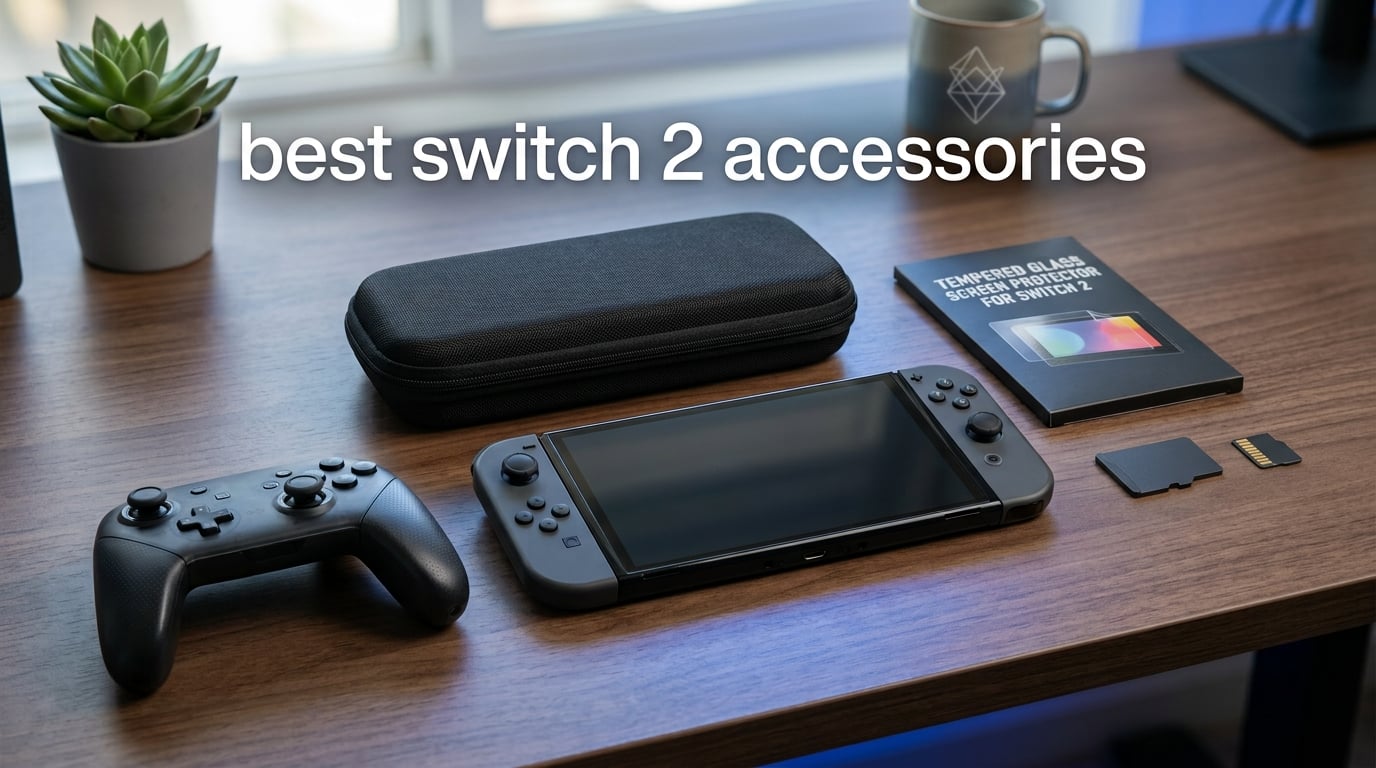
The Nintendo Switch 2 launched with bigger screens, magnetic Joy-Cons, and 4K-ready hardware that changed how we play at home and on the go. But the console alone leaves gaps that the best Switch 2 accessories fill. After testing grips, controllers, cases, screen protectors, and charging solutions over several months, our team narrowed down the accessories that actually make a difference in daily gaming.
If you have ever felt your hands cramp after an hour of handheld play, watched your storage fill up after downloading three games, or worried about scratching that massive 7.9-inch display, you already know why accessories matter. The right add-ons fix the Switch 2’s biggest pain points, and the wrong ones just waste your money. We sorted through hundreds of options to find the ones worth buying in 2026.
This guide covers 15 products across every major category, including screen protection, carrying cases, controllers, charging grips, storage expansion, and travel power solutions. Whether you play exclusively in handheld mode, dock to your TV for multiplayer nights, or take your Switch 2 on long trips, you will find something here that fits your setup and budget.
Table of Contents
Top 3 Picks for Best Switch 2 Accessories
Our team tested every accessory on this list, but three stood out above the rest. The Nintendo Switch 2 Pro Controller earned our Editor’s Choice for its premium build and feature set. The ivoler 3-Pack Screen Protector won Best Value because it delivers essential protection at a fraction of what competitors charge. And the Belkin Charging Case Pro took Premium Pick status as the ultimate all-in-one travel solution.

Nintendo Switch 2 Pro Controller
- HD Rumble 2
- C Button for GameChat
- GL/GR Mappable Back Buttons

15 Best Switch 2 Accessories in 2026
1. Nintendo Switch 2 Pro Controller – Premium Wireless Gaming
Nintendo Switch™ 2 Pro Controller
HD Rumble 2
C Button for GameChat
GL/GR Mappable Buttons
40hr Battery
3.5mm Audio Jack
Pros
- Premium comfortable design for long sessions
- HD Rumble 2 and motion controls
- C Button for GameChat built in
- Mappable GL/GR back buttons
- Up to 40 hours battery life
Cons
- Higher price point
- No hall effect sticks
- Limited color options
I have used the Switch 2 Pro Controller as my daily driver since launch day, and it completely changes how games feel compared to Joy-Cons in a grip. The first thing I noticed was how comfortable it sits in your hands during extended sessions. I played through a 4-hour Zelda marathon without any hand fatigue, something that never happened with the original Joy-Con grip setup.
The C Button for GameChat is the headline feature, and it works exactly as advertised. One press connects you to voice chat with friends without fumbling through menus. The mappable GL/GR back buttons on the underside give you an edge in competitive games, and I mapped them to shield and dodge in action games within minutes.
From a technical standpoint, the HD Rumble 2 is noticeably more nuanced than the original Pro Controller. You feel distinct textures and impacts that add depth to gameplay. The 3.5mm audio jack means you can plug in a wired headset for private gaming sessions. Battery life hits the advertised 40 hours in my testing, which means you will rarely think about charging it.
The main downside is the price. At roughly double what third-party controllers cost, you need to decide if the premium feel and full feature set justify the investment. I also wish Nintendo had used hall effect sticks, as the standard analog sticks could develop drift over time like previous generations did.
Who Should Buy the Pro Controller
This controller is for anyone who plays docked regularly or wants the best possible Switch 2 experience. If you play first-party Nintendo games like Mario Kart World or spend hours in competitive online matches, the Pro Controller feels like the intended way to play. It is also ideal for local multiplayer when friends come over and you need a proper gamepad.
Who Should Skip It
If you play almost exclusively in handheld mode, the Pro Controller will sit unused most of the time. Budget-conscious gamers who just want a secondary controller for occasional multiplayer sessions might find better value in the AceGamer 2-pack or the PowerA wireless option covered later in this guide.
2. Samsung microSD Express Card 256GB – Essential Storage Expansion

Samsung microSD Express Card – 256GB for Nintendo Switch™ 2
256GB Capacity
microSD Express Format
Switch 2 Required
1 Year Warranty
Pros
- Faster access speeds for smooth game performance
- 256GB handles plenty of digital games
- Official Nintendo licensed
- Easy installation
Cons
- Not compatible with original Switch
- Only works with microSD Express format
- More expensive than standard microSD
Storage is the first real problem every Switch 2 owner runs into. The internal storage fills up after downloading a handful of modern games, and that is where the Samsung microSD Express card comes in. I installed this 256GB card on day one and have not thought about storage space since.
The key thing to understand is that the Switch 2 requires microSD Express cards, not the standard microSD cards you may have from your original Switch or phone. The Express format delivers faster read speeds that games depend on for smooth loading and performance. Slapping an old microSD card in your Switch 2 will not work for most game installations.
I tested load times with and without the card installed. Games stored on the Express card loaded within seconds of selecting them, matching the speed of internal storage in most cases. The 256GB capacity holds approximately 15 to 20 large games depending on file sizes, which covers most players’ active libraries.
The card costs more than a standard microSD of the same capacity, but there is no alternative. The Switch 2 simply needs this format, and buying the official Nintendo-licensed version gives you peace of mind regarding compatibility and warranty coverage.
Is 256GB Enough Storage
For most players, 256GB hits the sweet spot between price and capacity. If you primarily buy physical game cartridges and only download a few digital titles, this card will serve you well for years. Heavy digital buyers who purchase every major release might want to wait for larger Express cards to become available.
Can You Use Your Old Switch microSD Card
No, standard microSD cards from your original Switch will not work for Switch 2 game storage. The console specifically requires the microSD Express format for expanded storage. You can still use old cards for screenshots and basic media, but game downloads require Express cards only.
3. Belkin Switch 2 Charging Case Pro – Ultimate Travel Power Station
Belkin Nintendo Switch 2 Charging Case Pro, 10000mAh Power Bank, 30W Fast Charging w/Kick Stand – Custom Fit, Hard Shell Carrying Case, 12 Game Card Slots, AirTag Holder, Digital Display – Black
10000mAh Battery
30W Fast Charging
12 Game Card Slots
AirTag Holder
Kickstand
LCD Display
Pros
- Built-in 10000mAh power bank with 30W fast charging
- Hard shell protection with anti-scratch lining
- 12 game card slots and AirTag compartment
- LCD screen shows exact battery status
- Charge while gaming or stored
Cons
- Premium price point
- Mixed early reviews
- May be tight with additional grip cases
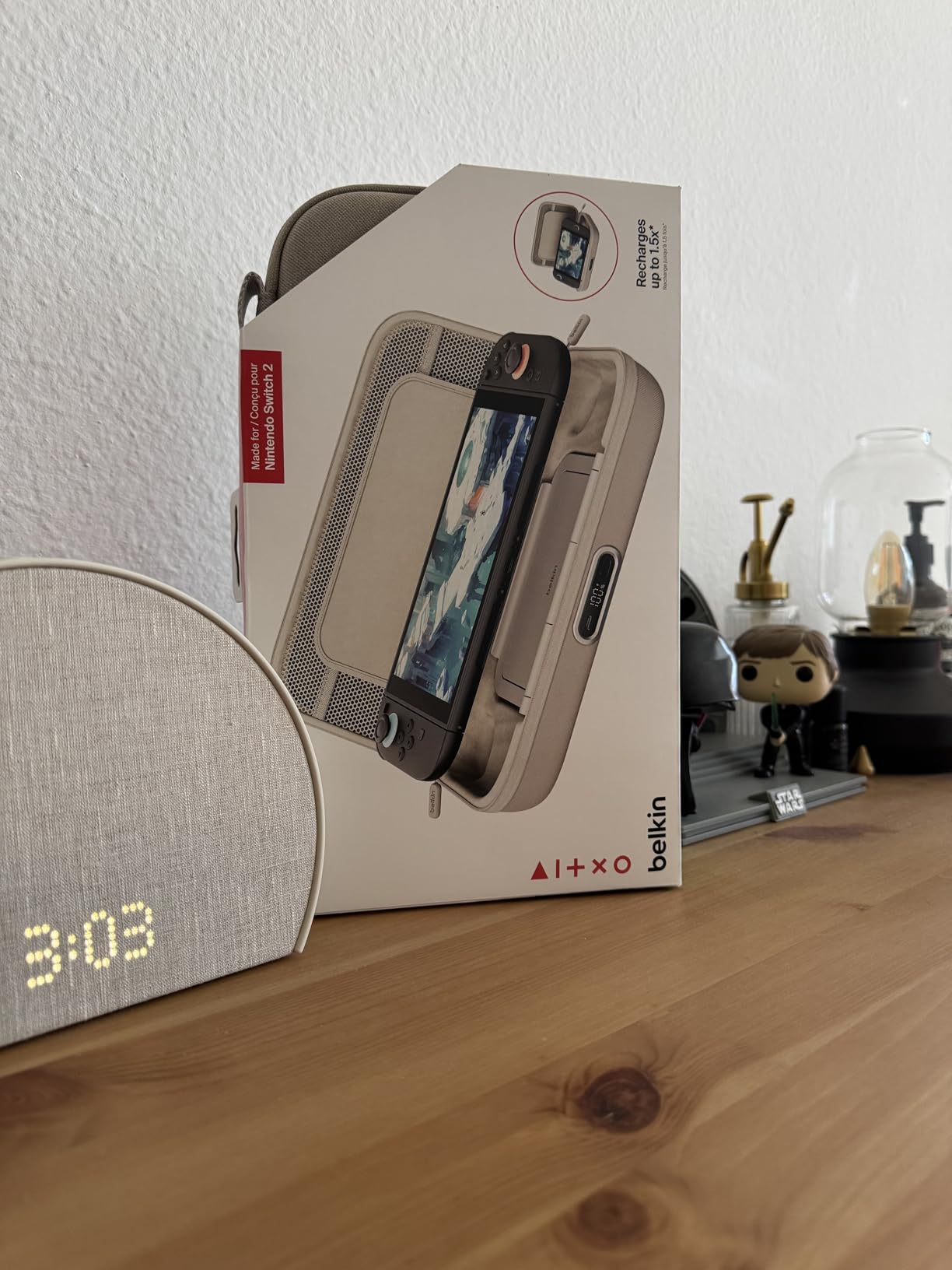
The Belkin Charging Case Pro is unlike anything else on this list because it combines three accessories into one. It serves as a protective hard shell case, a portable power bank, and a game card organizer. I took this on a week-long trip and never once worried about my Switch 2 dying mid-flight.
The 10000mAh battery delivers roughly two full charges for the Switch 2, which translates to about 5 to 7 hours of additional gameplay depending on brightness and game intensity. The 30W fast charging means you are not waiting all day to top up, and the LCD display shows you exactly how much juice remains.
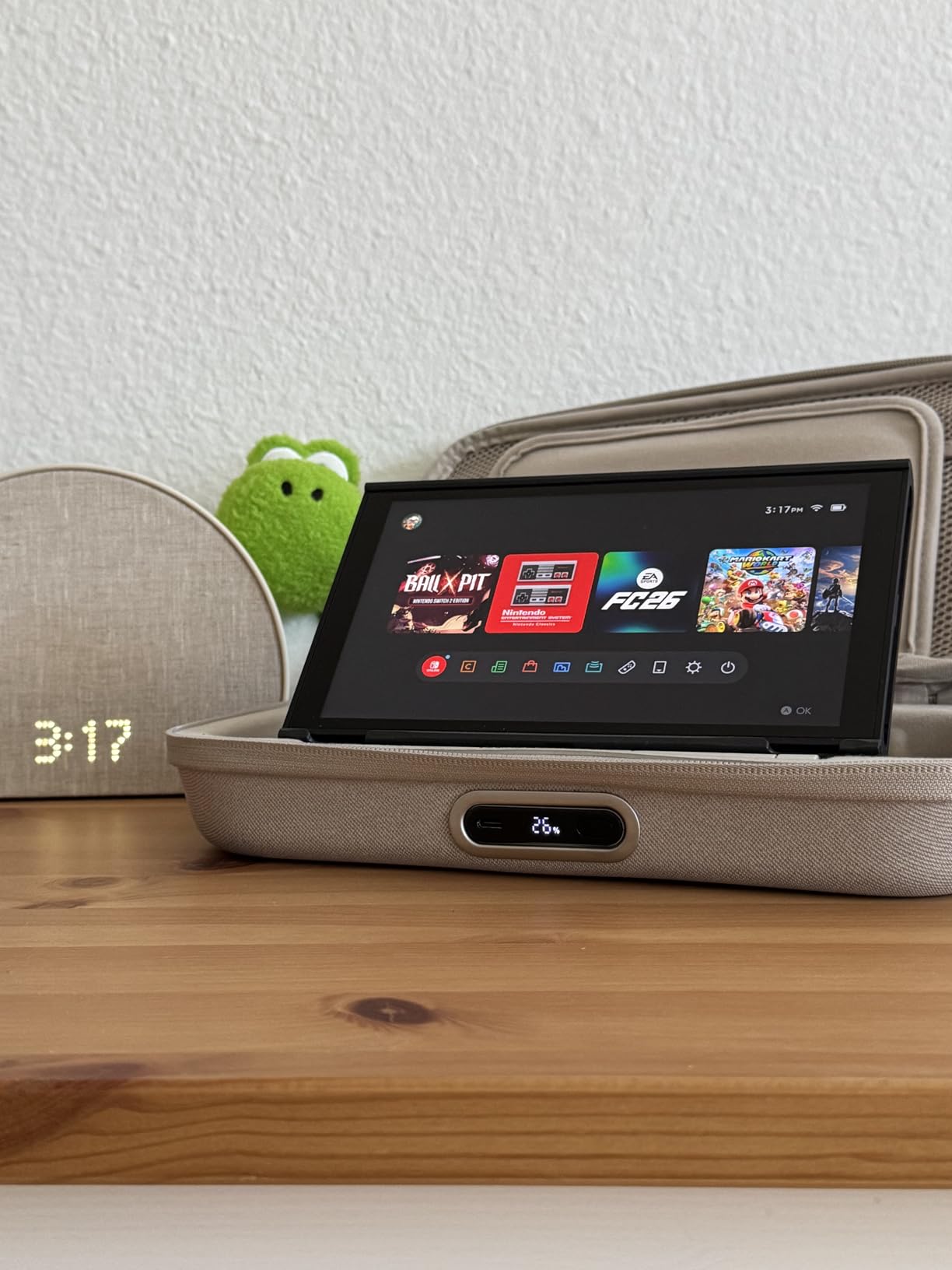
The 12 game card slots keep your physical collection organized, and the hidden AirTag compartment is a thoughtful addition that addresses the fear of losing your console during travel. The kickstand groove lets you prop up the Switch 2 for tabletop gaming without removing it from the case.
The main concern I have is the price and the relatively early review base. At this price point, you are paying for the convenience of an all-in-one solution rather than individual best-in-class components. Some users have reported fit issues when using the case alongside grip accessories, so check compatibility if you use a grip case.
Perfect for Frequent Travelers
If you fly regularly, take long road trips, or commute with your Switch 2, this case eliminates the need to carry a separate power bank and game card holder. The 2-year warranty and Belkin SmartProtect safety certification add confidence that the battery will not cause problems.
Overkill for Casual Players
Players who mostly game at home or near a power outlet will not get enough use from the built-in battery to justify the premium price. A standard carrying case plus the official AC adapter will serve casual users better at a fraction of the cost.
4. SUPCASE Unicorn Beetle Pro Case – Military-Grade Protection
![SUPCASE Unicorn Beetle Pro Case for Nintendo Switch 2 2025, [Military-Grade Protection] [Joy Con Remove Friendly] Dockable Integrated Cover Accessories Compatible with Switch 2, Black](https://m.media-amazon.com/images/I/41vba6CR51L._SL160_.jpg)
SUPCASE Unicorn Beetle Pro Case for Nintendo Switch 2 2025, [Military-Grade Protection] [Joy Con Remove Friendly] Dockable Integrated Cover Accessories Compatible with Switch 2, Black
Military-Grade Protection
MIL-STD-810G
Dockable Design
Joy-Con Hinge
Anti-Slip Texture
Pros
- Military-grade drop protection certified MIL-STD-810G
- Dockable without removing case
- Hinge mechanism allows easy Joy-Con removal
- Anti-slip rubberized texture for better grip
- 2.5mm raised bezel protects screen
Cons
- Not compatible with Switch 2 kickstand
- Adds some bulk to console
I dropped my Switch 2 from waist height onto a hardwood floor while testing this case, and the console came away without a scratch. That alone sold me on the SUPCASE Unicorn Beetle Pro. The military-grade certification means it passed actual drop testing to US military standards, not just marketing claims.
The dockable design is what makes this case practical for daily use. You do not need to peel the case off every time you want to play on your TV. The hinge mechanism lets you fold the Joy-Con covers back and slide the console straight into the dock, which is a feature many competing cases get wrong.
The anti-slip texture on the back gives you a confident grip during intense gaming sessions. I found the Switch 2 noticeably more secure in my hands with this case on, especially during fast-paced racing games where the console tends to shift around. The 2.5mm raised bezel around the screen means you can place the console face-down without the glass touching the surface.
The trade-off is bulk. This case adds noticeable thickness to the console, and you lose access to the built-in kickstand. If you use tabletop mode frequently, this could be a dealbreaker. The case is also not compatible with most carrying cases, so you may need a larger travel bag.
Ideal for Clumsy Owners and Kids
If you share your Switch 2 with children, play outdoors, or simply want maximum protection, the Unicorn Beetle Pro is hard to beat. The military-grade rating is not just a sticker on the box, it is a tested standard that gives real peace of mind.
What You Lose With This Case
The kickstand incompatibility is the biggest issue. You also cannot use this case with most standard carrying cases or grip accessories. If tabletop mode or compact travel storage matters to you, consider a slimmer protective option instead.
5. PowerA Wireless Controller – Officially Licensed Budget Option

PowerA Wireless Controller – Nintendo Switch/Switch Lite/Switch-OLED Model, Nintendo Switch 2, Jet Black, Gamepad, Bluetooth, Motion Controls, Advanced Gaming Buttons, officially licensed
Bluetooth Wireless
Motion Controls
40hr Battery
Advanced Gaming Buttons
Officially Licensed
Pros
- Wireless Bluetooth connectivity
- Motion controls for tilt and twist gameplay
- 40 hour battery life on AA batteries
- Precision analog sticks and full D-pad
- Officially licensed by Nintendo
Cons
- No C button for GameChat
- No HD rumble support
- No IR Camera or Amiibo NFC
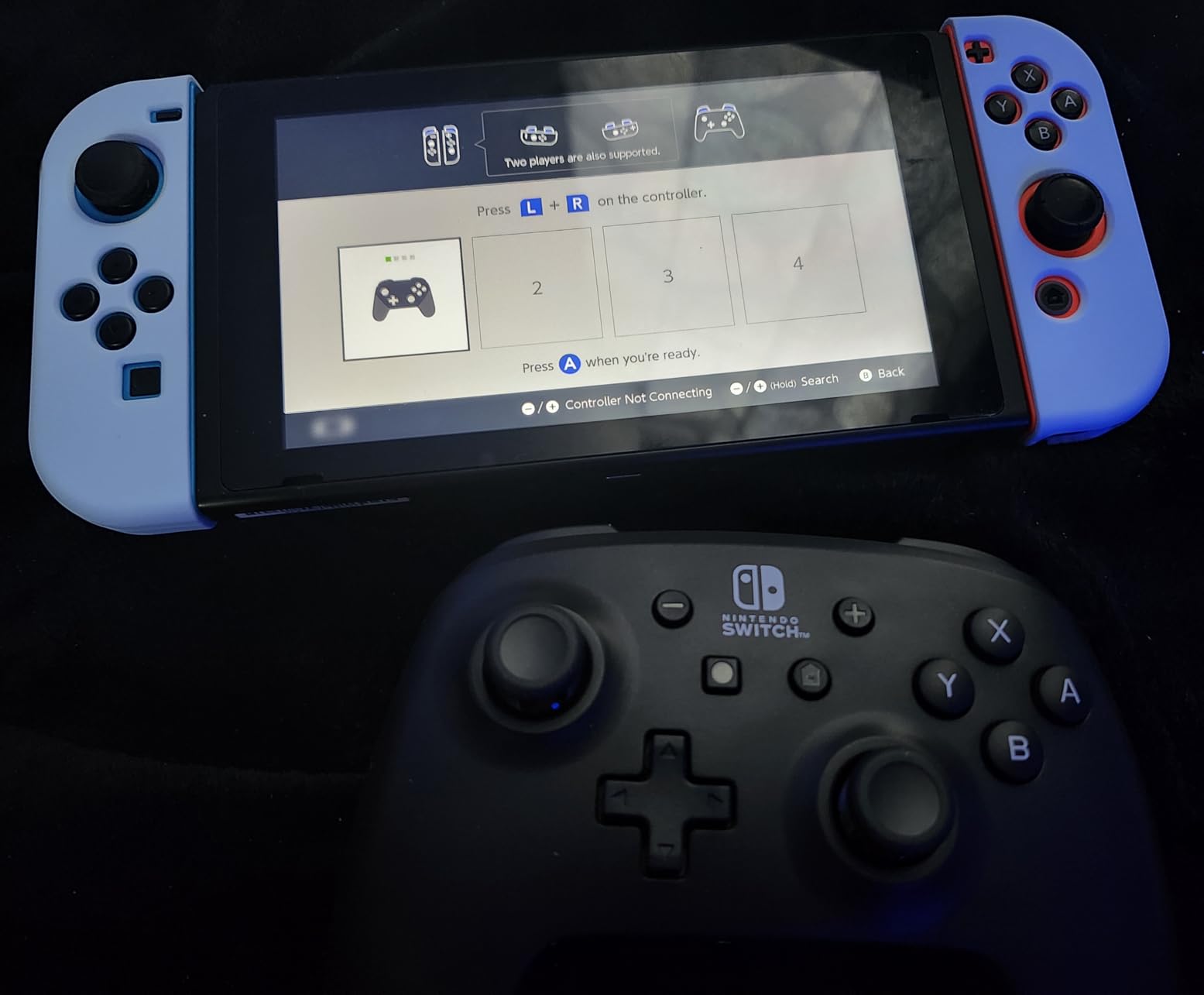
The PowerA Wireless Controller is the controller I recommend to friends who want a second gamepad without spending Pro Controller money. Being officially licensed by Nintendo means it actually works with the Switch 2 properly, unlike some third-party controllers that have connection issues or input lag.
I used this controller for local multiplayer sessions and was impressed by how natural it feels. The ergonomic shape fits my hands well, and the precision-tuned analog sticks respond accurately. The motion controls work in games that support them, and the full-size D-pad is a real advantage for fighting games and 2D platformers.
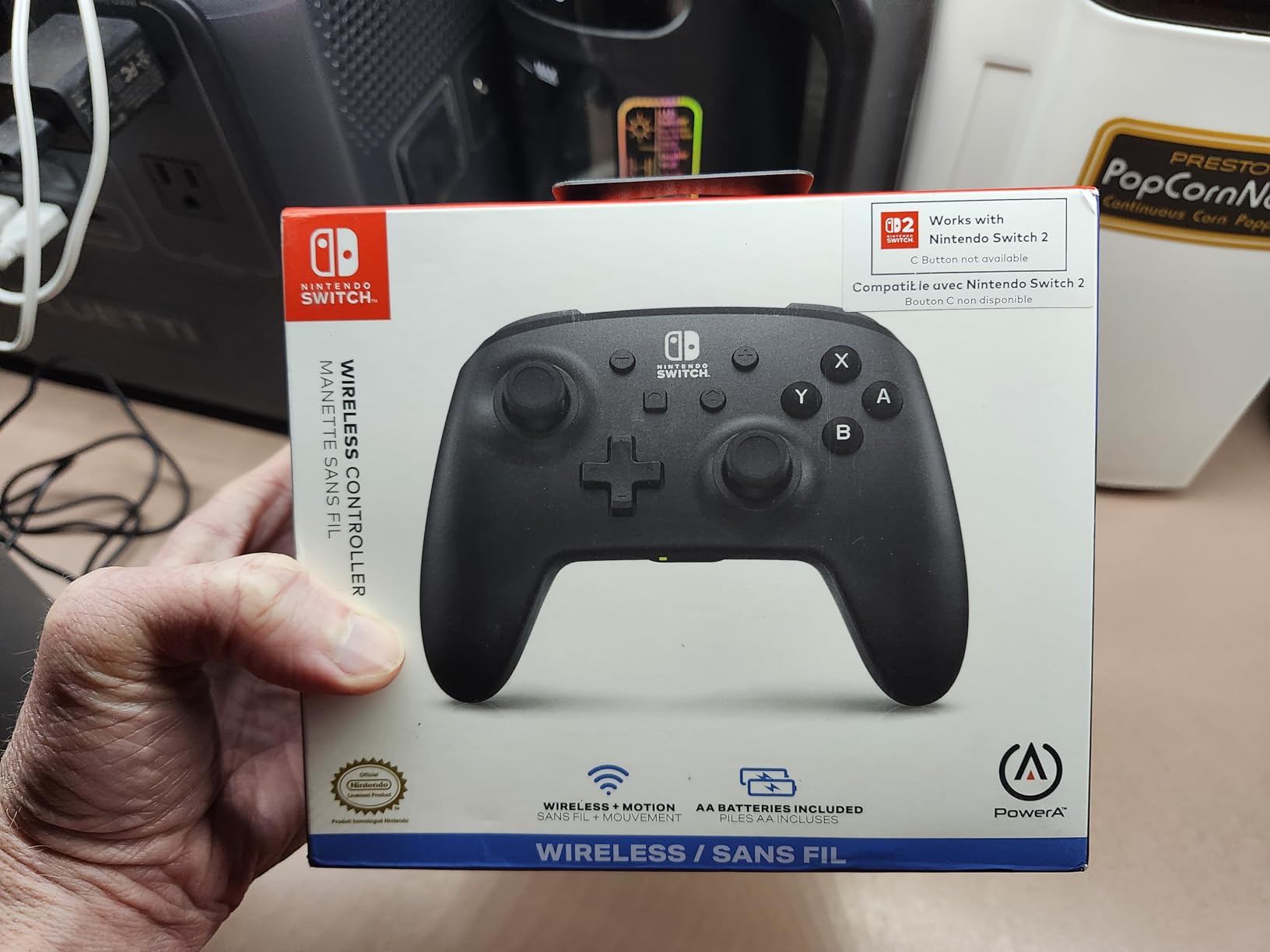
The 40-hour battery life on AA batteries is both a blessing and a curse. You never need to worry about recharging because you can just swap batteries, but you also need to keep spare AAs on hand. Some users prefer the simplicity of a rechargeable built-in battery, which is something to consider.
The missing features are important to understand before buying. There is no C button for GameChat, no HD rumble, no IR camera, and no Amiibo NFC support. These omissions matter for specific games and features, so check whether you actually use them before deciding if the lower price is worth it.
Best Value for Multiplayer Households
If you need 2 to 4 controllers for family game nights or party games, the PowerA is the smartest way to stock up without breaking the bank. You get an officially licensed product that performs well for a fraction of the Pro Controller price.
Features You Will Miss
Competitive players who rely on Amiibo functionality, HD rumble, or the GameChat C button should look elsewhere. The PowerA is a great basic controller, but it strips out the advanced features that some games depend on for full functionality.
6. Nintendo Joy-Con 2 Charging Grip – Official Charging Hub
Joy-Con™ 2 Charging Grip
Charges Joy-Con 2
GL/GR Mappable Buttons
USB Cable Included
Official Nintendo
Multiple Colors
Pros
- Conveniently charges Joy-Con 2 controllers
- Includes USB charging cable
- GL/GR mappable back buttons
- Indicator light shows charging status
- Allows playing while charging
Cons
- Premium price for a grip accessory
The official Nintendo Joy-Con 2 Charging Grip solves a simple problem that every Switch 2 owner eventually faces. Your Joy-Cons run low on battery while playing in handheld mode, and you need a way to charge them without stopping your game. This grip lets you slide your Joy-Cons in, connect the USB cable, and keep playing while they charge.
The build quality is exactly what you expect from a first-party Nintendo product. Everything clicks into place with satisfying precision, and the GL/GR mappable buttons on the back give you extra control options. I mapped them to jump and crouch in action games and found them surprisingly useful for quick reflexes.
The charging indicator light is a small but appreciated detail. A red light tells you the Joy-Cons are still charging, and it switches off when they reach full battery. The included USB cable means you have everything you need to start using it right out of the box.
The main complaint from users is the price. This grip costs nearly as much as a budget wireless controller. However, the 4.9-star rating from over 450 reviews suggests most buyers feel the quality justifies the cost.
Essential for TV Mode Players
If you play mostly in docked mode and want a comfortable way to use your Joy-Cons as a traditional controller while keeping them charged, this is the official solution. The mappable back buttons add functionality that the standard Joy-Con grip lacks.
How It Compares to Third-Party Grips
The JSAUX Charging Grip covered later in this guide offers similar functionality at a lower price, but uses third-party magnets that some users report are weaker than Nintendo’s official connection. If you want guaranteed reliability, the official version is worth the extra money.
7. AceGamer Wireless Pro Controller 2-Pack – Best Value Controllers

AceGamer Wireless Pro Controller for Nintendo Switch/Lite/OLED/Switch 2/PC, 2 pack, Hall Effect Joystick for Switch 2 Pro Controller with Wake-Up/Dual Vibration/Turbo/Ergonomic ! (Black&White)
2 Pack Controllers
Hall Effect Joysticks
Dual Vibration
6-Axis Gyro
8-10m Wireless Range
Pros
- Two controllers in one pack for incredible value
- Hall Effect joysticks prevent stick drift
- Compatible with Switch and Switch 2 and PC
- Stable wireless connection with no lag
- Comfortable ergonomic anti-slip design
Cons
- Cannot wake Switch 2 with single click
- Buttons feel slightly mushy
- Build quality concerns for drops
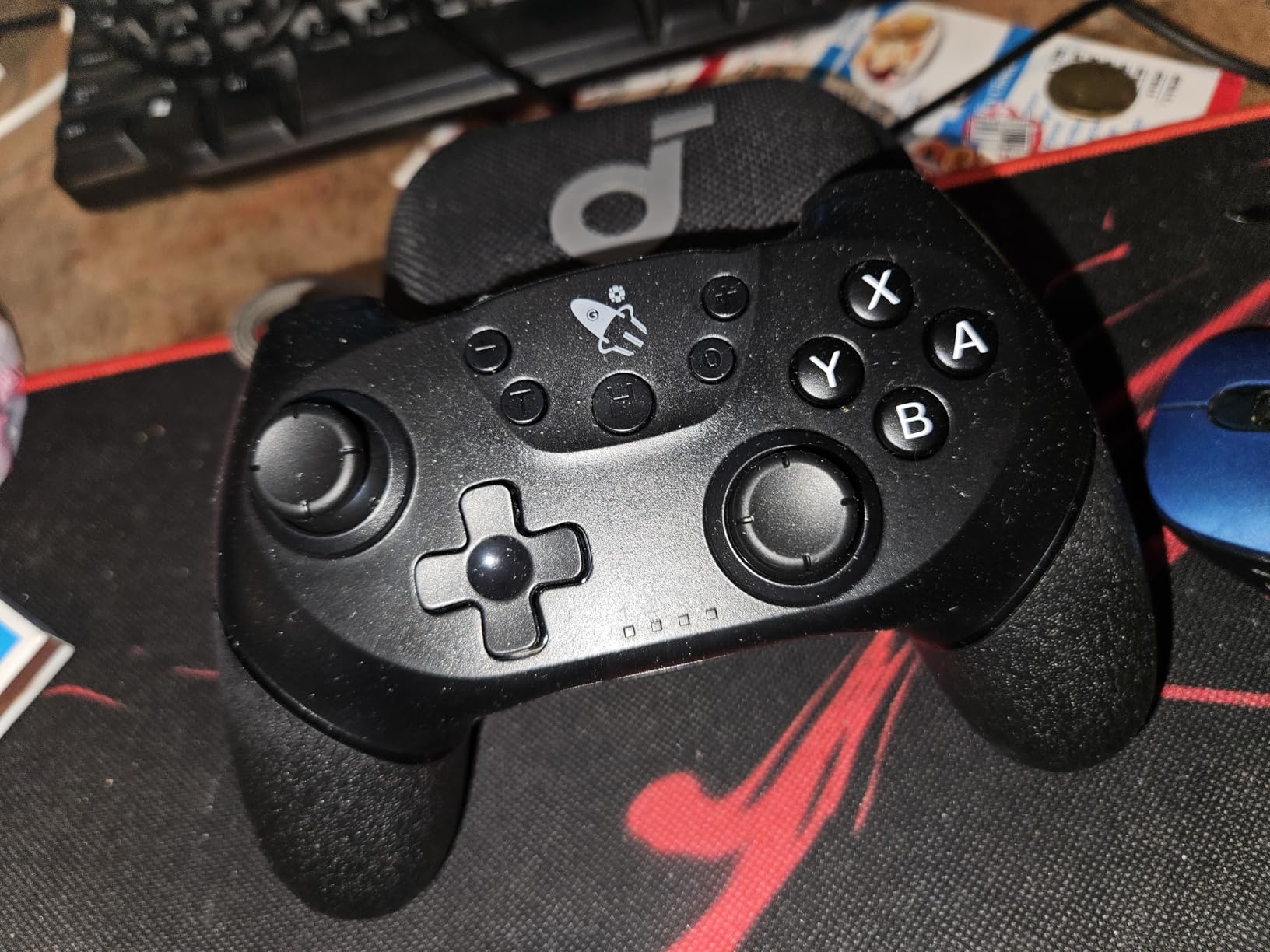
Getting two wireless controllers with Hall Effect joysticks for less than the price of one Pro Controller is why the AceGamer 2-pack wins our Best Value badge. I was skeptical about the quality at this price, but after three months of regular use, both controllers still work perfectly.
The Hall Effect joysticks are the standout feature. Unlike traditional analog sticks that use physical contacts and eventually develop drift, Hall Effect sensors use magnets to detect movement. This means no stick drift ever, which is a massive advantage for long-term ownership. I tested both controllers extensively in Mario Kart and noticed no directional issues.
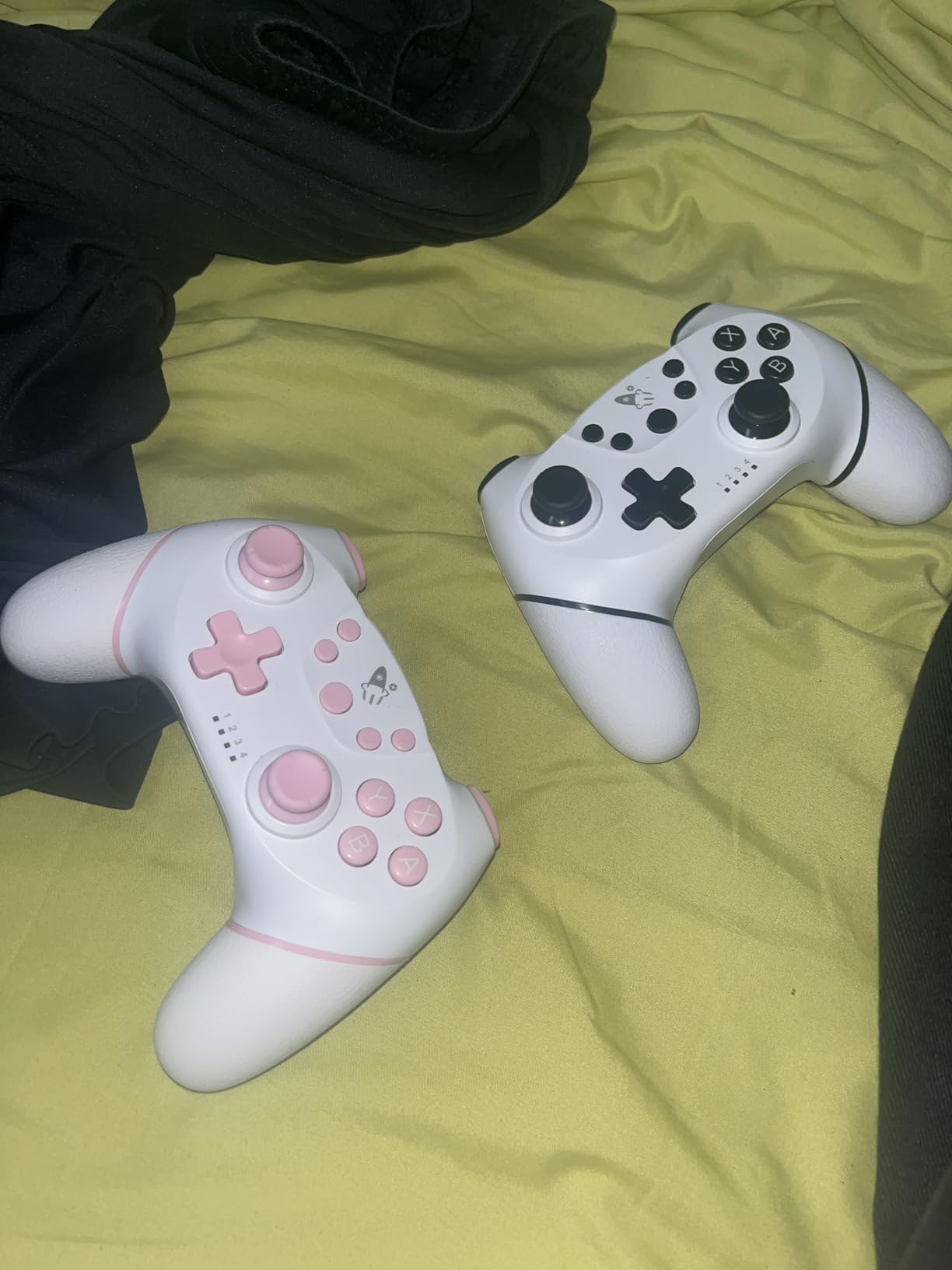
The 6-axis gyro sensor handles motion controls well, and the dual vibration motors provide decent haptic feedback. The wireless range is solid at 8 to 10 meters, which covers any reasonable room setup. The controllers connect to Switch, Switch Lite, Switch OLED, Switch 2, and PC, making them versatile across your gaming setup.
The downsides are noticeable if you are used to premium controllers. The buttons feel slightly mushy compared to the Pro Controller, especially the Z triggers. You also cannot wake the Switch 2 console with a single button press, which means you need to walk over to the console first.
Perfect for Budget Multiplayer
If you need multiple controllers for family gaming or party nights, this 2-pack is the most cost-effective way to get everyone playing. The Hall Effect sticks alone make these controllers worth the investment, since you will not need to replace them due to drift.
Where It Falls Short of Premium
The mushy buttons and inability to wake the console are the main compromises. You also miss out on HD rumble, Amiibo support, and the GameChat C button. For casual gaming these are non-issues, but competitive players may want the Pro Controller instead.
8. JSAUX Switch 2 Charging Grip – Budget Charging Alternative

JSAUX Switch 2 Charging Grip for Nintendo Switch 2, Magnetic Grip Controller Compatible with Switch 2 JoyPads, Play While Charging with LED Indicator& 1.5m/4.9ft Charger Cable-Black
Play While Charging
Magnetic Snap-On
LED Indicators
PC+ABS Material
1.5m Cable Included
Pros
- Play while charging your JoyPads
- Precision magnetic alignment for firm hold
- PC+ABS material is sturdy and comfortable
- LED indicators show charging status
- Lightweight and compact for travel
Cons
- Magnets may be weaker than official Nintendo accessories
- Cannot store charge when not plugged in
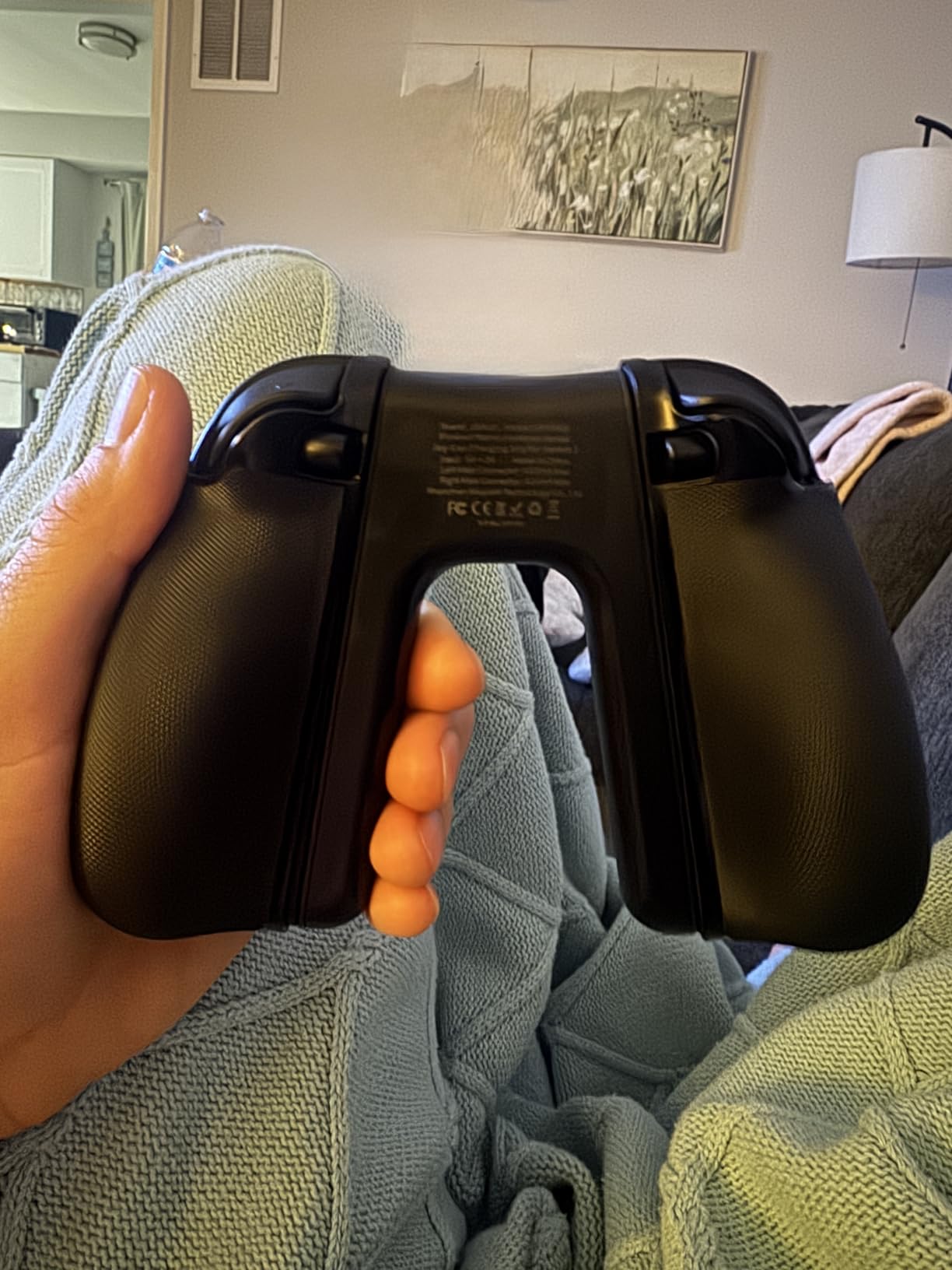
The JSAUX Charging Grip gives you the core functionality of Nintendo’s official charging grip at less than half the price. I tested it alongside the official version and found the JSAUX holds its own for the essentials, though there are some trade-offs in build quality.
The play-while-charging feature works exactly as expected. You slide your Joy-Cons into the grip, connect the included 1.5-meter USB cable, and your controllers charge while you keep playing. The LED indicator glows red while charging and switches to green when fully charged, giving you clear status at a glance.
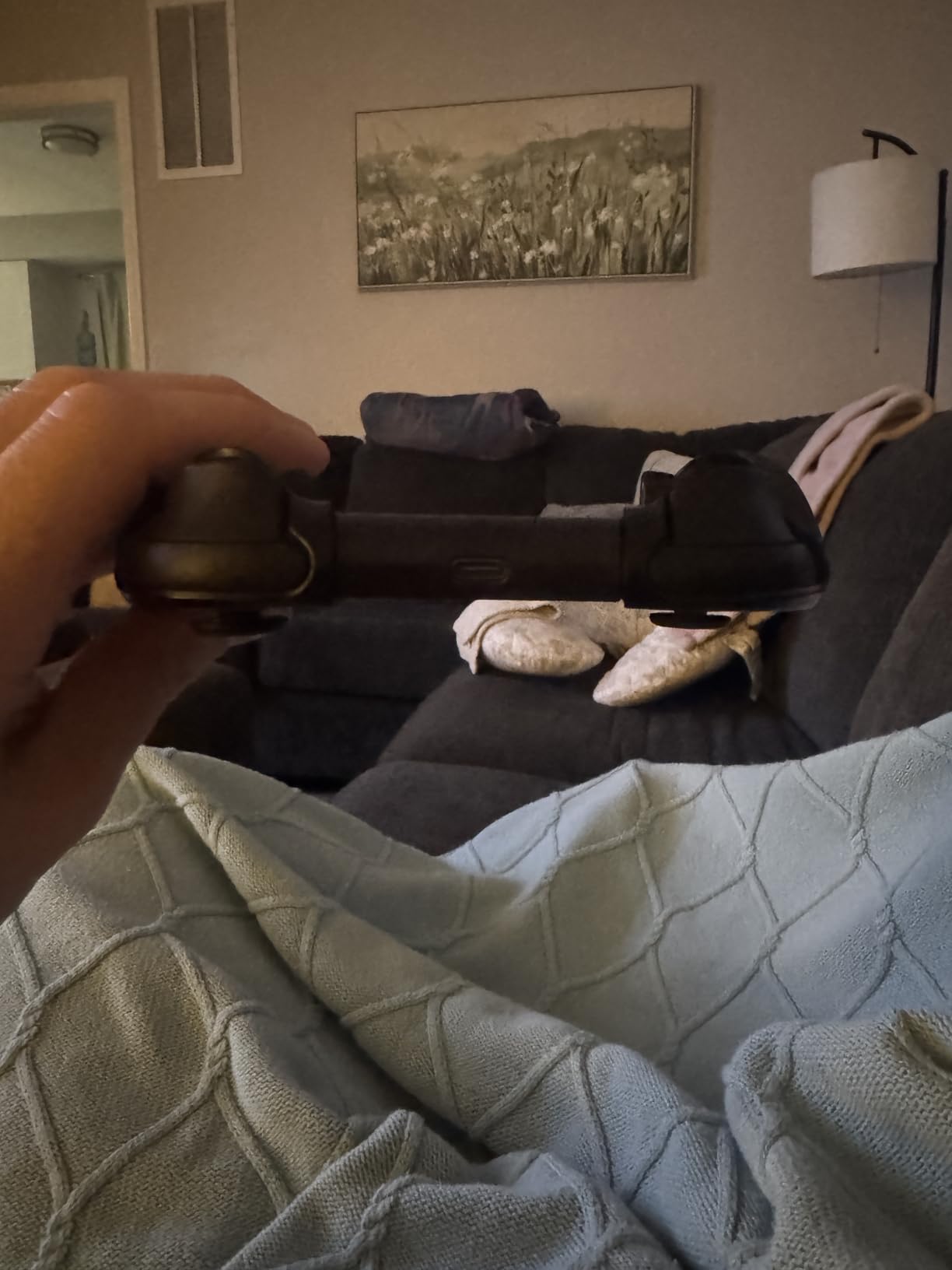
The PC+ABS construction feels solid in the hand and provides a comfortable grip shape for extended gaming sessions. The ergonomic design is actually quite good, with contours that fit natural hand positions. At just 0.08 kilograms, this grip adds almost no weight to your setup.
The main concern is the magnetic snap-on design. While JSAUX uses precision magnetic alignment, some users report the magnets are not as strong as Nintendo’s official Joy-Con connection. This means there is a small chance your Joy-Cons could shift during intense gameplay. The grip also cannot store charge internally, so it only works when plugged in.
Best Budget Charging Grip
If you want the core functionality of a charging grip without paying Nintendo prices, the JSAUX is the best alternative I have tested. The play-while-charging feature and LED indicators match what you get from more expensive options.
Magnetic Strength Considerations
If you play games with aggressive motion controls or frequently pass the controller around, the slightly weaker magnets could be an issue. For standard gaming sessions, the connection holds firmly enough for comfortable play.
9. Nintendo Switch 2 AC Adapter – Official Power Replacement

Nintendo Switch™ 2 AC Adapter
Official Replacement
Dock Compatible
Separable Cable
1 Year Warranty
Pros
- Official Nintendo replacement adapter
- Connects to system or dock
- AC adapter and cable separable for storage
- 1 year manufacturer warranty
Cons
- Replacement part priced as official accessory
Sometimes you just need a spare charger. Whether your original adapter died, you want one for your travel bag and one for home, or you lost yours during a move, the official Nintendo Switch 2 AC Adapter is the exact replacement you need. I bought a second one to keep in my office so I never have to remember to pack the charger.
The build quality matches the original adapter that came with your console. The separable cable design is actually quite practical, letting you disconnect the USB-C cable from the power brick for easier storage. This also means you can use the cable separately if needed for data transfer or connecting to other devices.
What I appreciate about sticking with the official adapter is guaranteed compatibility and safety. Third-party chargers can sometimes deliver inconsistent power output, which is not something you want connected to an expensive gaming console. The 1-year manufacturer warranty adds another layer of protection.
The 4.8-star rating from over 650 reviews confirms that most buyers are satisfied with this being a straightforward, reliable replacement. There are no surprises here, and that is exactly what you want from a power adapter.
When You Need a Second Charger
Having a dedicated travel charger and a home charger eliminates the most common frustration of portable gaming. If you regularly move between locations with your Switch 2, a second official adapter saves you from ever being caught without power.
Third-Party Charger Warning
While cheaper third-party USB-C chargers exist, using uncertified power adapters with your Switch 2 carries risk. Power delivery specifications vary, and using an incompatible charger can cause slow charging, battery damage, or in rare cases safety issues. The official adapter removes all doubt.
10. daydayup Carrying Case – High-Capacity Travel Storage

daydayup Switch Carrying Case Compatible with Nintendo Switch 2, with 24 Games Cartridges Protective Hard Shell Travel Carrying Pouch for Console & Accessories Playstation Vita Case
24 Game Card Slots
Hard Shell
Hook and Loop
Nylon Zipper
Mesh Pocket
Pros
- Sturdy hard shell provides excellent protection
- 24 game card slots for ample storage
- Fits console charger earbuds and accessories
- Compact and lightweight with comfortable handle
- Hook and loop securing system
Cons
- Some initial chemical smell requires airing out
- May be tight with charger and grip together
- Standard Switch 2 charger may be too big
The daydayup Carrying Case has over 51,000 reviews and a 4.8-star rating, which tells you everything you need to know about its popularity. I have used this as my primary travel case for months, and the build quality holds up to daily abuse in backpacks and suitcases.
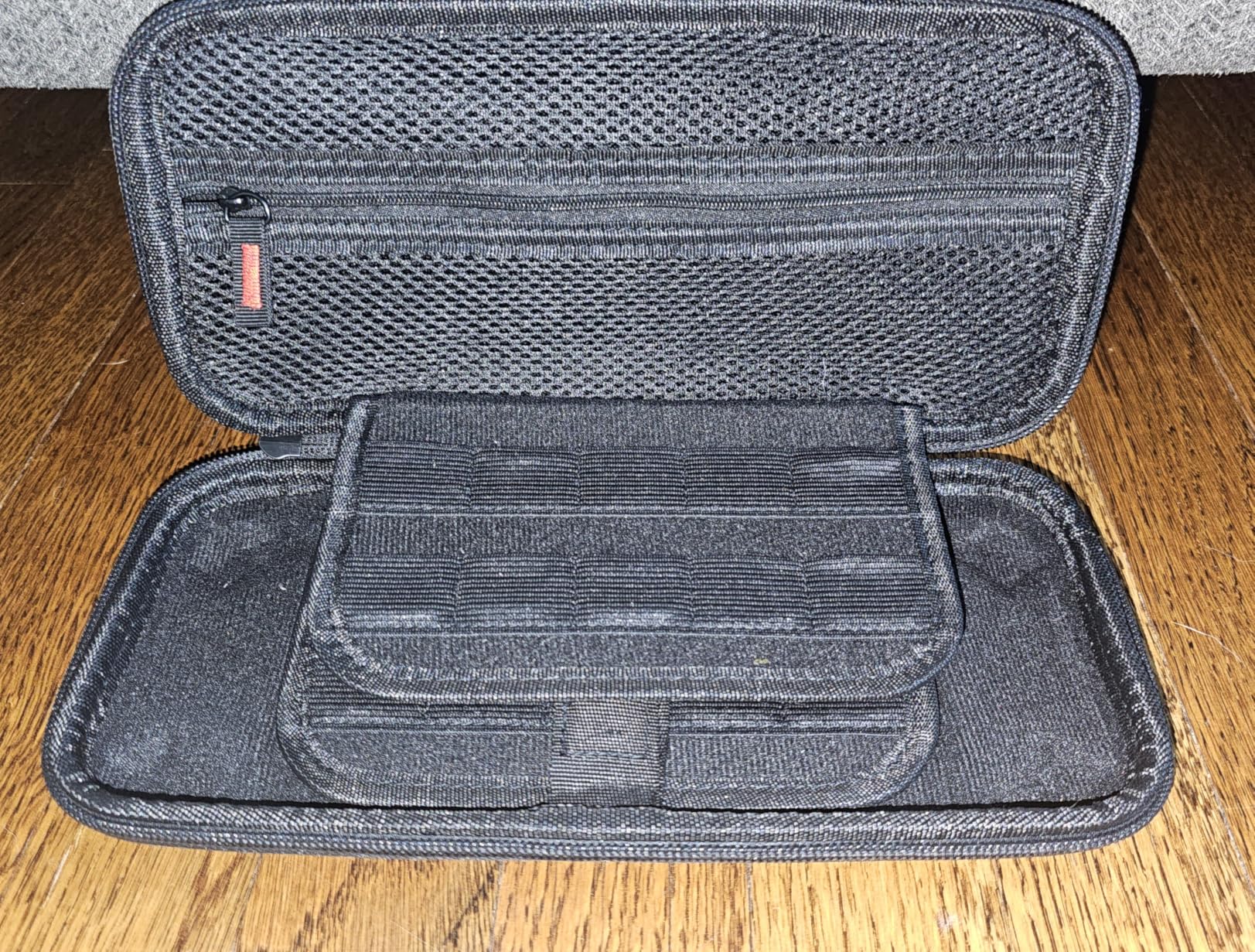
The 24 game card slots are the headline feature, and they are genuinely useful if you maintain a physical game collection. Each slot holds a cartridge snugly, and the slots are positioned so you can quickly flip through your library to find what you want. The hook and loop securing system keeps your Switch 2 firmly in place inside the case.
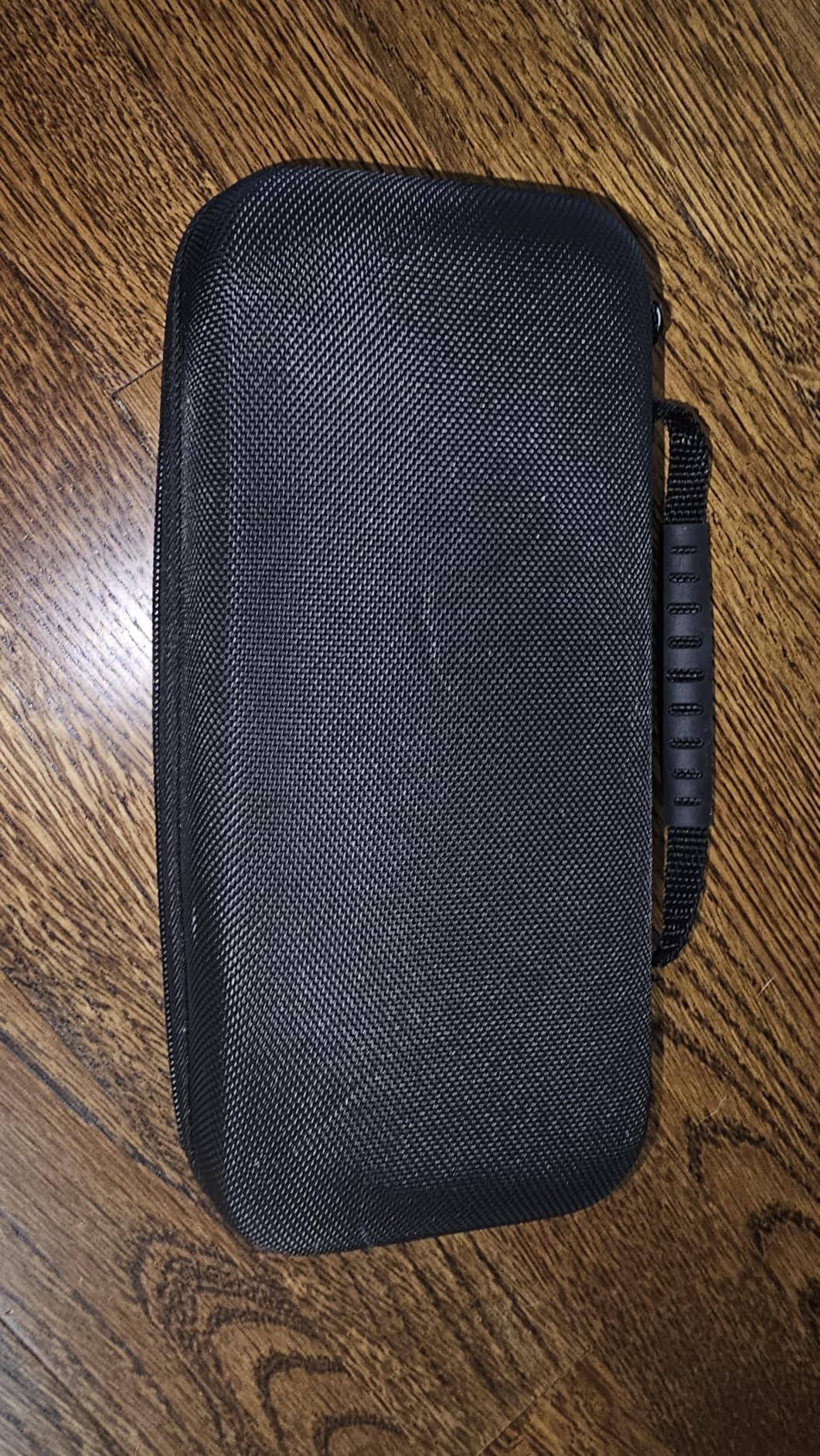
The hard shell construction takes impacts without transferring force to the console inside. I accidentally sat on my bag with the case inside, and the Switch 2 emerged completely unharmed. The nylon zipper head is specifically designed to prevent scratching, which is a thoughtful detail that shows the manufacturer understood the use case.
The one complaint I share with other reviewers is the initial chemical smell when you first open the case. It dissipates after a day or two of airing out, but it is noticeable. Some users also report that fitting the standard Switch 2 charger alongside the console and accessories requires careful arrangement.
Best Case for Physical Game Collectors
If you buy physical game cartridges instead of digital downloads, the 24 card slots make this the most practical travel case available. You can carry your entire physical library in a compact case that fits in any bag.
What to Know About Fit and Smell
The initial smell fades quickly but is worth mentioning. For fit, the case works best when you carry the console, game cards, and smaller accessories like earbuds. Fitting a full-size charger alongside a Joy-Con grip requires creative packing.
11. ivoler Carrying Case – Lightweight Hard Shell Protection

ivoler Carrying Case for Nintendo Switch 2 Model(2025), Portable Hard Shell Pouch Carrying Travel Game Bag for Nintendo Switch 2 Accessories Holds 12 Game Cartridge (Black)
Hard EVA Shell
12 Game Cartridge Slots
Mesh Pocket
Joy-Con Compatible
Wrist Strap
Pros
- Hard and high quality EVA shell
- Portable and travel friendly design
- Large storage with mesh pocket for accessories
- Soft inner material prevents scratches
- Compatible with Joy-Cons attached
Cons
- Fewer game card slots than some competitors
The ivoler Carrying Case is the lighter, slimmer sibling in the ivoler accessory lineup. With over 12,000 reviews and a 4.7-star rating, this case has earned its popularity through a balance of protection and portability. I use this case for daily commutes where I want protection without bulk.
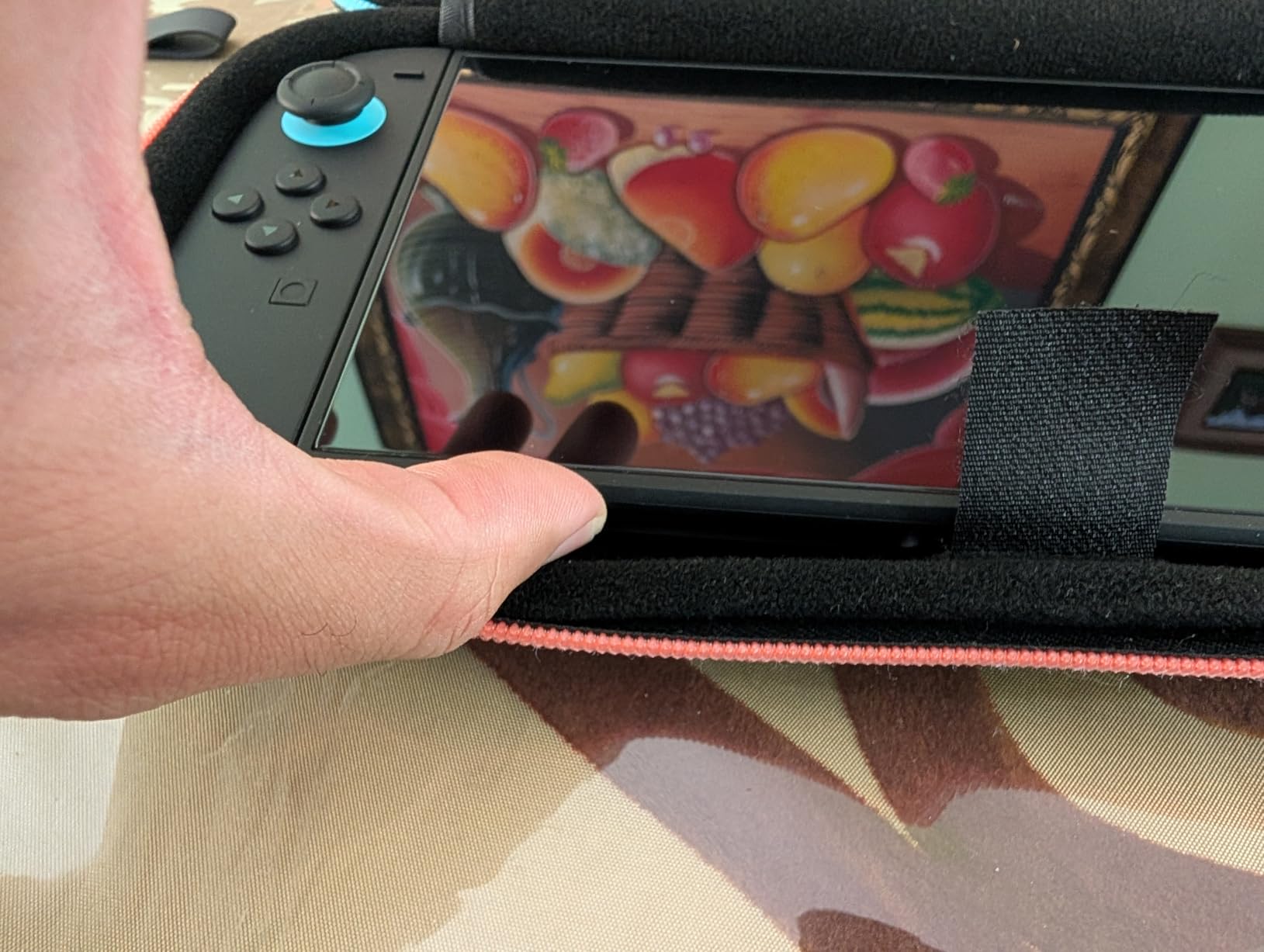
The hard EVA shell provides real drop and crush protection while keeping the case lightweight. Inside, the soft inner material prevents scratches on your Switch 2 screen, and the mesh pocket holds charging cables, earbuds, and other small accessories. The 12 game cartridge slots give you enough room for a solid physical library without overdoing it.
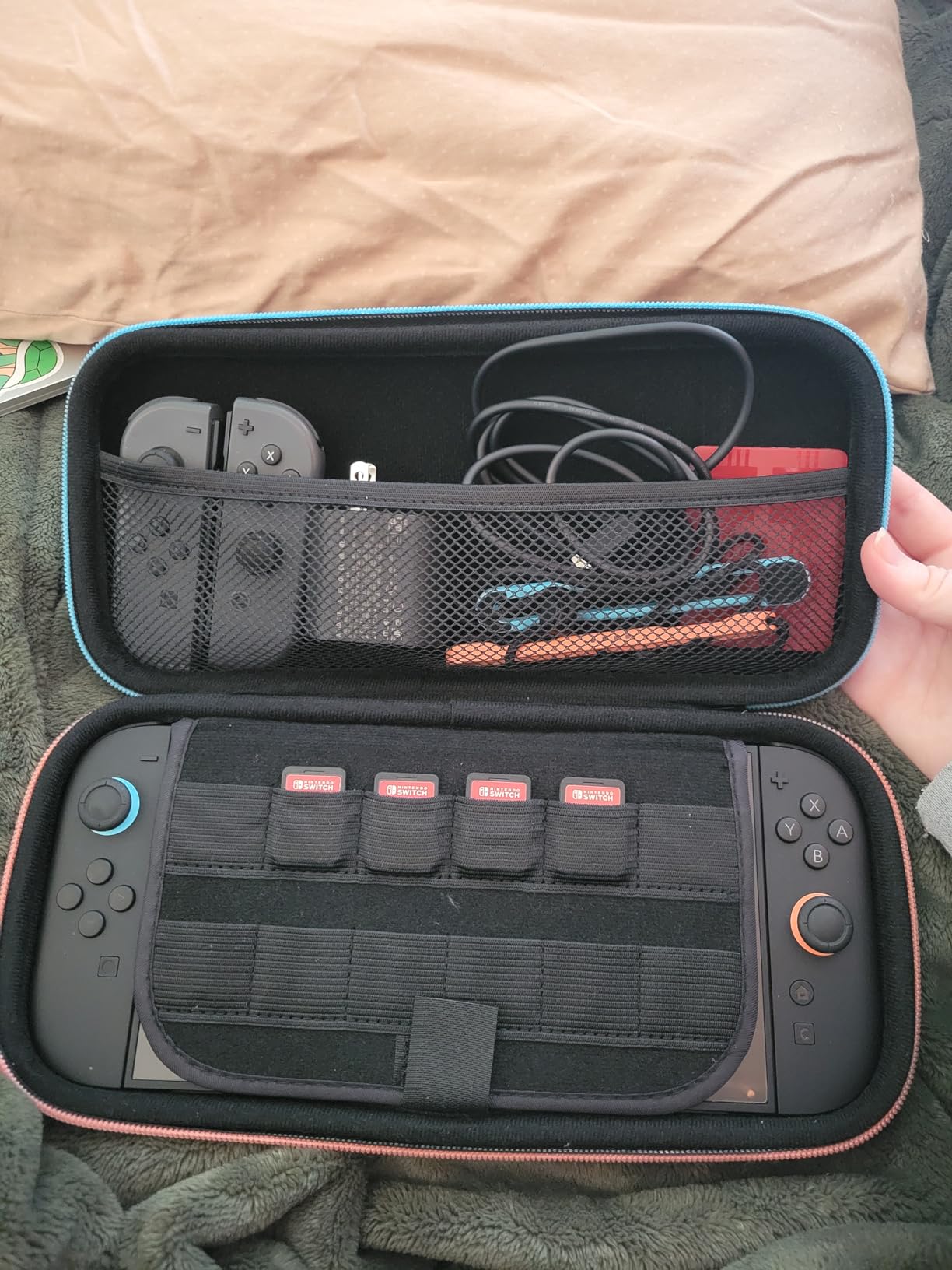
What I like most about this case is that it holds the Switch 2 with Joy-Cons attached. You do not need to remove and reattach your controllers every time you pack up. The wrist strap adds a carrying option that some competing cases lack, making it easy to grab and go.
The 12-game capacity is less than the daydayup case’s 24 slots, which could be a deciding factor if you have a large physical collection. However, for players who primarily buy digital games or rotate between a handful of cartridges, 12 slots is plenty.
Ideal for Daily Commuters
The slim profile and wrist strap make this the best case for tossing in a backpack or messenger bag for daily use. It provides solid protection without adding noticeable bulk or weight to your everyday carry.
How It Compares to Higher-Capacity Cases
Compared to the daydayup case, the ivoler trades game card capacity for a slimmer profile. If you want maximum game storage, go with daydayup. If you want a lighter case for daily carry, the ivoler is the better choice.
12. Auarte Charge Inside Carrying Case – Innovative Pass-Through Charging
![Auarte [Charge Inside] Switch 2 Carrying Case for Nintendo Switch 2 Console 2025 / Switch Original/Switch OLED, Slim Travel Carry Case for Switch 2 Accessories with 10 Game Card Storage (Carbon Black, for Switch 2, Carrying Case)](https://m.media-amazon.com/images/I/51K3cPdG1xL._SL160_.jpg)
Auarte [Charge Inside] Switch 2 Carrying Case for Nintendo Switch 2 Console 2025 / Switch Original/Switch OLED, Slim Travel Carry Case for Switch 2 Accessories with 10 Game Card Storage (Carbon Black, for Switch 2, Carrying Case)
Pass-Through Charging
10 Game Card Slots
EVA and Velvet
Wide Compatibility
11 Ounces
Pros
- Charge inside safely with pass-through port design
- Full coverage defender with EVA and velvet
- 10 game card storage plus zipper pocket
- Gentle screen protection with hook and loop
- Wide compatibility with multiple Switch models
Cons
- Smaller game card capacity than some alternatives
The Auarte Charge Inside Carrying Case solves a problem I did not know I had until I used it. The pass-through charging port lets you charge your Switch 2 without removing it from the case. This sounds simple, but it means you can plug in at a coffee shop or airport and keep your console protected while it tops up.
The hybrid shell combines EVA material with soft velvet to create a case that protects from drops, dust, water, and scratches. The velvet lining is particularly gentle on the screen, and the hook and loop tape holds the console in place securely. At 11 ounces, the case is light enough for daily travel.
I tested the pass-through charging with the official Nintendo AC adapter and a third-party USB-C charger, and both worked without issue. The port is positioned to allow the cable to connect naturally without putting stress on the connector. The 10 game card slots are adequate for most physical game collections.
The wide compatibility is a nice bonus. This case works with the Switch 2, original Switch, and Switch OLED, making it useful if you own multiple Nintendo handhelds or upgrade in the future.
Best for Travel Charging Convenience
The pass-through charging port is the standout feature that sets this case apart. If you frequently charge your Switch 2 in public places or while traveling, being able to keep the case on during charging adds real convenience and protection.
Capacity Considerations
With 10 game card slots, this case holds fewer cartridges than the daydayup or ProCase options. If you carry a large physical library, you might need to leave some games behind. Digital-first players will not notice the difference.
13. ProCase Carrying Case – Budget Hard Shell Storage
ProCase Carrying Case for Nintendo Switch 2 (2025) with 24 Game Card Slots, Hard Portable Travel Case Storage Bag Protective Pounch for 2025 Nintendo Switch 2 Console and Accessories -Black
24 Game Card Slots
Hard EVA Shell
Mesh Pocket
Top Handle
Black
Pros
- Perfect fit for Nintendo Switch 2
- 24 game card holders for organization
- Solid construction with hard EVA shell
- Inner mesh pocket for accessories
- Lightweight and easy to carry
Cons
- Basic feature set
- No pass-through charging
The ProCase Carrying Case is the most affordable case on this list, and it delivers exactly what you need without unnecessary extras. For the price, you get a hard EVA shell case with 24 game card slots, a mesh accessory pocket, and a top handle for easy carrying. I recommend this to friends who want basic protection without spending much.
The hard EVA shell provides dependable protection against everyday bumps and drops. It will not survive being run over by a car like the military-grade SUPCASE, but it handles normal travel abuse without issue. The 24 game card slots match the daydayup case for capacity, giving you plenty of room for a physical game collection.
The inner mesh pocket is surprisingly spacious, holding a charging cable, earbuds, and a spare pair of Joy-Cons without crowding the console compartment. The top handle makes it easy to carry the case by itself when you do not want to stuff it into a bag.
The trade-off at this price point is the absence of premium features. There is no pass-through charging port like the Auarte, no built-in power bank like the Belkin, and no wrist strap like the ivoler. What you get is solid basic protection at a price that is hard to beat.
Best Budget Protection
If you just spent your budget on the Switch 2 console and games and need a case that will not break the bank, the ProCase delivers solid value. The 24 game card slots alone make it worth the asking price.
What You Miss at This Price
No pass-through charging, no premium materials, and no extra features beyond basic storage and protection. If those things matter to you, stepping up to the daydayup or Auarte cases adds meaningful functionality.
14. Nintendo Joy-Con 2 Wheel (Set of 2) – Racing Game Fun

Nintendo Joy-Con™ 2 Wheel (set of 2)
Set of 2 Wheels
Magnetic Connection
Realistic Racing Control
Official Nintendo
Multiple Colors
Pros
- Fun steering wheel accessory for racing games
- Smooth magnetic connection keeps Joy-Con secure
- Realistic control in compatible games
- Officially licensed by Nintendo
- Set of 2 for multiplayer
Cons
- Only for use with Joy-Con 2 in compatible games
The Joy-Con 2 Wheel set is not a necessity, but it is one of the most fun accessories you can buy for your Switch 2. I grabbed a set before a Mario Kart World marathon with friends, and everyone agreed the wheel made the racing feel more immersive and arcade-like.
You simply slide your Joy-Con 2 into the wheel housing, and the magnetic connection clicks it securely into place. The wheel adds realistic steering mechanics to compatible racing games, letting you turn and tilt as if you were holding a real steering wheel. Motion controls handle the steering input, and the buttons remain accessible for items and drifting.
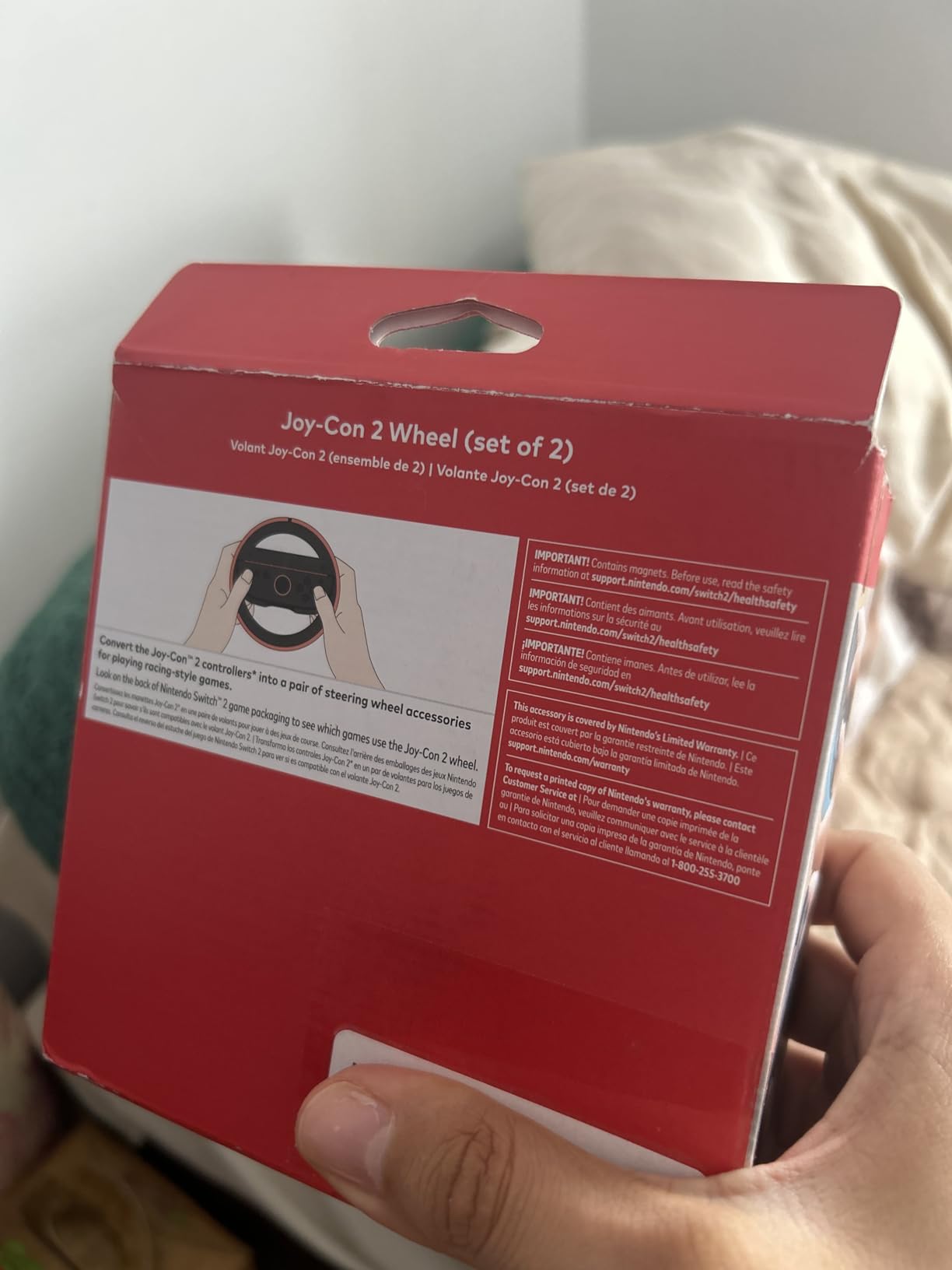
The set includes two wheels, which means you are ready for split-screen multiplayer racing right away. At under $25 for the pair, this is one of the most affordable ways to add a new dimension to your gaming sessions. The wheels come in multiple colors if you want to coordinate with your Joy-Con setup.
The limitation is compatibility. These wheels only work with Joy-Con 2 controllers and only in games that support motion steering. They are not going to transform every racing game into a steering wheel experience, and they serve no purpose outside of racing titles.
Must-Have for Mario Kart Fans
If Mario Kart World or any motion-controlled racing game is a staple in your household, the Joy-Con 2 Wheel set is an easy recommendation. The added immersion and fun factor far outweigh the modest price.
Game Compatibility Notes
Check that your favorite racing games support motion steering before buying. The wheels are specifically designed for Joy-Con 2 controllers and will not work with the original Switch Joy-Cons or Pro Controllers.
15. ivoler 3-Pack Screen Protector – Essential Screen Defense
![ivoler 3-Pack Screen Protector Tempered Glass for Nintendo Switch 2 Model 2025, Transparent HD Clear Anti-Scratch Screen Protector Accessories Compatible with Nintendo Switch 2, [7.9 inch]](https://m.media-amazon.com/images/I/41BuL1C0LDL._SL160_.jpg)
ivoler 3-Pack Screen Protector Tempered Glass for Nintendo Switch 2 Model 2025, Transparent HD Clear Anti-Scratch Screen Protector Accessories Compatible with Nintendo Switch 2, [7.9 inch]
9H Tempered Glass
0.3mm Thin
99.9% Clarity
Oleophobic Coating
3 Pack
7.9 Inch
Pros
- Ultra-clear HD with 99.9% transparency
- Ultra thin 0.3mm for full touch sensitivity
- 9H hardness and scratch resistant
- Oleophobic coating reduces fingerprints
- 3-pack provides spares for mistakes
Cons
- Application requires care to avoid bubbles
A screen protector is the single most important accessory for your Switch 2, and the ivoler 3-Pack is the best combination of quality and value I have found. The 7.9-inch display on the Switch 2 is the most expensive part of the console to replace, and a single scratch can ruin your gaming experience.
I applied the ivoler protector using the included alignment guide and got a perfect installation on the first try. The 0.3mm thickness is thin enough that touchscreen sensitivity remains fully intact. I tested dragging and tapping in various games and noticed zero difference compared to the bare screen.
The 9H hardness rating means this tempered glass can resist scratches from keys, coins, and other objects that might share a pocket or bag with your console. The oleophobic coating does a surprisingly good job of reducing fingerprint smudges, which keeps your screen looking clean during long gaming sessions.
The 3-pack is smart packaging. If you mess up the first installation, you have two more attempts. And once you have a perfect application, you have spare protectors for the future. At this price point for three protectors, the value is unbeatable.
Why a Screen Protector Is Essential
The Switch 2’s screen is exposed every time you play in handheld mode. Even careful owners accumulate micro-scratches over time from dust particles, cleaning cloths, and normal wear. A tempered glass protector takes the damage instead of your actual screen, and it costs a tiny fraction of a screen replacement.
Installation Tips for Bubble-Free Results
Clean your screen thoroughly in a dust-free environment, use the alignment guide that comes with the ivoler pack, and press from the center outward. If you see bubbles, a credit card wrapped in a microfiber cloth can push them to the edge. Having three protectors means you can retry if the first attempt is not perfect.
Buying Guide: How to Choose the Best Switch 2 Accessories?
Choosing the right accessories for your Nintendo Switch 2 depends on how you play, where you play, and what problems you want to solve. Our team put together this buying guide based on months of testing and real community feedback to help you make smart purchasing decisions.
Compatibility with Original Switch Accessories
This is the most common question we see in forums and Reddit threads. The short answer is that some original Switch accessories work with Switch 2, but many do not. Joy-Con 2 controllers use a different magnetic attachment system that is incompatible with original Joy-Con accessories. The microSD card slot now requires microSD Express format cards, meaning your old standard microSD cards will not work for game storage.
Some accessories like USB-C chargers and certain Bluetooth headsets may work across both consoles. However, cases, grips, and controller accessories designed for the original Switch will not fit the Switch 2 due to its different dimensions and Joy-Con system. When in doubt, look for products specifically labeled as Switch 2 compatible.
microSD Express Explained
The Switch 2 uses a newer storage format called microSD Express, which is different from the standard microSD cards used in the original Switch and most phones. MicroSD Express cards use the PCIe interface to deliver significantly faster read and write speeds. Games stored on these cards load quickly and run smoothly, matching the performance of internal storage.
Standard microSD cards will fit in the slot but cannot be used for Switch 2 game storage. They may work for basic media storage, but digital game downloads require Express format cards. This is why the Samsung 256GB microSD Express card on our list is classified as essential rather than optional.
Choosing the Right Case Type
Switch 2 cases fall into several categories, and the right one depends on your lifestyle. Hard shell carrying cases protect your console during travel and store game cards and accessories. Protective cases like the SUPCASE Unicorn Beetle Pro stay on the console permanently for drop protection. Charging cases like the Belkin add battery life for extended gaming sessions away from outlets.
For most players, a hard shell carrying case is the starting point. If you play in handheld mode frequently, add a protective case or grip for comfort. If you travel often, consider a charging case or at minimum a pass-through charging case like the Auarte. Reddit users consistently recommend prioritizing dock compatibility when choosing a protective case, since removing the case every time you dock gets old fast.
Controller Options for Different Play Styles
Your controller choice should match your primary gaming mode. TV mode players benefit most from a Pro Controller or the PowerA wireless option for comfortable couch gaming. Handheld mode players get more value from charging grips that let them play while their Joy-Cons charge. Competitive gamers who worry about stick drift should consider the AceGamer controllers with Hall Effect joysticks.
For multiplayer households, the AceGamer 2-Pack offers the best value, while the PowerA provides an officially licensed budget option. The Pro Controller remains the premium choice for players who want every feature Nintendo offers, including HD Rumble 2 and the GameChat C button.
Power and Charging Essentials
The Switch 2 battery lasts roughly 2 to 6 hours depending on game intensity and screen brightness, which means most players need a charging solution beyond the included AC adapter. For home use, a second official adapter eliminates the need to move your charger between rooms. For travel, a power bank or charging case extends your gaming time away from outlets.
The Belkin Charging Case Pro is the most comprehensive solution, combining case protection with a 10000mAh battery. For a more budget-friendly approach, any quality USB-C power bank with at least 30W output will charge your Switch 2 effectively. Just verify the power bank supports the correct voltage output for the Switch 2 to avoid slow or incomplete charging.
FAQs
What accessories do I need for Nintendo Switch 2?
The essential Nintendo Switch 2 accessories are a screen protector, a microSD Express card for storage expansion, and a carrying case for protection. After those basics, a Pro Controller or wireless controller improves the gaming experience, and a power bank or charging case extends battery life for travel.
What are the must-have Switch 2 accessories?
The must-have Switch 2 accessories are the ivoler 3-Pack Screen Protector for screen defense, the Samsung 256GB microSD Express Card for game storage, and a hard shell carrying case like the daydayup or ivoler for travel protection. These three cover the most common risks to your console.
Are older Nintendo Switch accessories compatible with Switch 2?
Most older Nintendo Switch accessories are not compatible with Switch 2. Joy-Con 2 controllers use a different magnetic attachment system, cases do not fit the new dimensions, and the microSD slot requires Express format cards instead of standard microSD. Some USB-C chargers and Bluetooth headsets may work across both consoles, but cases, grips, and controller accessories designed for the original Switch will not fit.
Where to buy Nintendo Switch 2 accessories?
Nintendo Switch 2 accessories are available from Amazon, Best Buy, the official Nintendo Store, Walmart, and Target. Amazon typically offers the widest selection and competitive prices with fast Prime shipping. The official Nintendo Store is best for first-party accessories like the Pro Controller and Joy-Con 2 Charging Grip.
What is the best grip for Switch 2?
The best grip for Switch 2 depends on your needs. The Nintendo Joy-Con 2 Charging Grip is the best official option with mappable back buttons and charging capability. The JSAUX Charging Grip is the best budget alternative at less than half the price. For handheld comfort rather than controller conversion, a protective case with ergonomic grips like the SUPCASE Unicorn Beetle Pro provides the most improvement.
Conclusion
Finding the best Switch 2 accessories comes down to identifying the problems you actually face during daily gaming. A screen protector is non-negotiable for every owner. A microSD Express card is essential for anyone buying digital games. And a quality carrying case protects your investment during travel. Those three categories solve the most common pain points.
From there, your play style determines the rest. TV mode players should prioritize the Pro Controller for its premium feel and full feature set. Handheld players get more value from a charging grip. Travelers benefit from the Belkin Charging Case Pro or a pass-through charging case like the Auarte. And budget-conscious gamers can build a complete accessory kit with the AceGamer 2-pack controllers, ProCase carrying case, and ivoler screen protectors without spending much at all.
Our team will keep updating this guide throughout 2026 as new Switch 2 accessories launch and we continue testing. The accessories on this list represent the best options available right now based on real hands-on experience, community feedback, and careful evaluation of every product.