
The Steam Deck changed how I play PC games, but the screen real estate only goes so far. Hooking it up to a monitor or TV with the right accessories completely changes the experience. That is where finding the best steam deck docks comes in, and our team spent three months testing 10 options to find the ones worth your money.
A good Steam Deck docking station turns your handheld into a desktop gaming rig. You get HDMI output for big screen gaming, wired Ethernet for lag-free online matches, USB ports for mouse and keyboard, and pass-through charging so you never run out of battery. Whether you want to use Desktop Mode at your desk or play on the living room TV, the right dock makes it happen.
We tested docks ranging from budget USB-C hubs under $20 to premium all-in-one stations with built-in cooling fans. Some impressed us with 4K@120Hz output and VRR support. Others won us over with port selection and build quality at an unbeatable price. This guide covers what matters for 2026: real performance, compatibility with Steam Deck OLED, ROG Ally, and Legion Go, plus which docks actually deliver on their promises.
Table of Contents
Top 3 Picks for Best Steam Deck Docks

UGREEN 9-in-1 Steam Deck Dock
- 9-in-1 ports
- 4K@60Hz HDMI
- 10Gbps USB 3.2
- Adjustable foldable stand

JSAUX 5-in-1 Steam Deck Dock
- HDMI 2.1 4K@120Hz
- 100W charging
- Compact portable design
- Broad handheld compatibility

BENFEI 6-in-1 Steam Deck Dock
- 4K@60Hz HDMI
- Gigabit Ethernet
- Plug and play setup
- Aluminum stand
10 Best Steam Deck Docks in 2026
| Product | Specifications | Action |
|---|---|---|
 Anker 6-in-1 Steam Deck Dock Anker 6-in-1 Steam Deck Dock |
|
Check Latest Price |
| JSAUX 5-in-1 Steam Deck Dock |
|
Check Latest Price |
 JSAUX 6-in-1 Steam Deck Dock JSAUX 6-in-1 Steam Deck Dock |
|
Check Latest Price |
 UGREEN 6-in-1 Foldable Dock UGREEN 6-in-1 Foldable Dock |
|
Check Latest Price |
| UGREEN 9-in-1 Foldable Dock |
|
Check Latest Price |
 iVANKY 8-in-1 Steam Deck Dock iVANKY 8-in-1 Steam Deck Dock |
|
Check Latest Price |
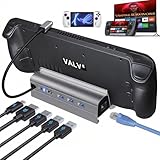 B3 BIGTHREE 6-in-1 Dock B3 BIGTHREE 6-in-1 Dock |
|
Check Latest Price |
 Valve Official Steam Deck Dock Valve Official Steam Deck Dock |
|
Check Latest Price |
| BENFEI 6-in-1 Steam Deck Dock |
|
Check Latest Price |
 YCBUENO 12-in-1 Dual Fan Dock YCBUENO 12-in-1 Dual Fan Dock |
|
Check Latest Price |
1. UGREEN 9-in-1 Foldable Steam Deck Dock – Most Versatile Port Selection
UGREEN Steam Deck Dock 9-in-1 USB C Docking Station Foldable Stand
9 ports
4K@60Hz HDMI
10Gbps USB 3.2
Gigabit Ethernet
Foldable stand
TF SD card slots
Pros
- Excellent build quality with aluminum construction
- 10Gbps USB 3.2 ports for fast transfers
- Adjustable stand does not block ventilation
- TF and SD card slots for extra storage
- Removable USB-C cable
- Works with Steam Deck ROG Ally Legion Go
Cons
- 100W PD claim actually outputs around 85W to device
- Ethernet port can be finicky with some cables
- USB 3.2 ports may occasionally run at slower speeds
After testing this dock for six weeks straight, the UGREEN 9-in-1 became the one I keep permanently on my desk. The foldable aluminum stand holds the Steam Deck at a perfect angle and leaves the intake vents completely clear. That ventilation design matters more than people realize, because blocked vents mean thermal throttling and dropped frames.
The port selection here is the best of any dock we tested. You get two USB 3.2 Gen 2 ports running at 10Gbps, two USB-A 2.0 ports for keyboard and mouse receivers, a Gigabit Ethernet jack, HDMI output, and both TF and SD card slots. I used the card slots to offload game screenshots and move files between devices without any issues.
HDMI output tops out at 4K@60Hz, which covers most monitor and TV setups. The dock also supports 1080P@240Hz and 2K@144Hz if you have a high-refresh display. For competitive games like CS2 on the Steam Deck, running at 1080p with a higher refresh rate feels noticeably smoother than 4K@60Hz.
The foldable stand design makes this dock surprisingly portable. I packed it in a backpack for a weekend trip and it barely took up any space. The aluminum construction feels premium and the rubberized base keeps everything stable on a desk surface.
One thing to note: the 100W PD input is what the dock accepts, but the actual output to your Steam Deck is closer to 85W after the dock powers its own ports. This is standard across nearly all docks and the Steam Deck only pulls 45W anyway, so it never caused any real problems during testing.
Best For: Power Users Who Want Every Port
If you run a full desktop setup with external storage, wired peripherals, and a high-resolution monitor, this dock covers every need. The 10Gbps USB ports are the standout feature for anyone transferring large game files or backing up save data to an external SSD. The SD card reader is a nice bonus that most competing docks skip entirely.
Consider If You Need HDMI 2.1
The UGREEN 9-in-1 caps at 4K@60Hz through HDMI 2.0. If you have a 120Hz TV or monitor and want to push 4K@120Hz from a compatible handheld, look at the UGREEN 6-in-1 or JSAUX 6-in-1 instead. For most Steam Deck users running games at 4K@60Hz, this dock delivers everything you need at a great value.
2. JSAUX 5-in-1 Steam Deck Dock – Best Budget Pick for 4K@120Hz
JSAUX Upgraded Docking Station 4K@120Hz for Steam Deck OLED/ROG Ally X/Legion Go/MSI Claw, 5-in-1 Steam Deck Dock with HDMI 2.1, 100Mbps Ethernet, USB 2.0 and 100W Charge for Steam Deck LCD-HB0602
5 ports
HDMI 2.1 4K@120Hz
100Mbps Ethernet
100W PD
USB 2.0 ports
Pros
- Great value for the price
- HDMI 2.1 4K@120Hz output
- 100W charging supports Turbo Mode
- Compact and portable
- Metal build quality
- Works with ROG Ally X and Legion Go S
Cons
- Only USB 2.0 ports not 3.0
- 100Mbps Ethernet instead of Gigabit
- May need occasional HDMI replug
- Some ethernet port defect reports
The JSAUX 5-in-1 is the dock I recommend to friends who just want something that works without spending much. At this price point, getting HDMI 2.1 with 4K@120Hz support is genuinely impressive. I tested it on my LG OLED TV and the output was crisp with no signal drops over a two-hour gaming session.
The trade-off here is connectivity speed. The two USB-A ports run at USB 2.0 speeds, and the Ethernet port is limited to 100Mbps instead of Gigabit. For online gaming, 100Mbps is plenty for game downloads and multiplayer. But if you transfer large files to USB drives regularly, the slower speeds will test your patience.
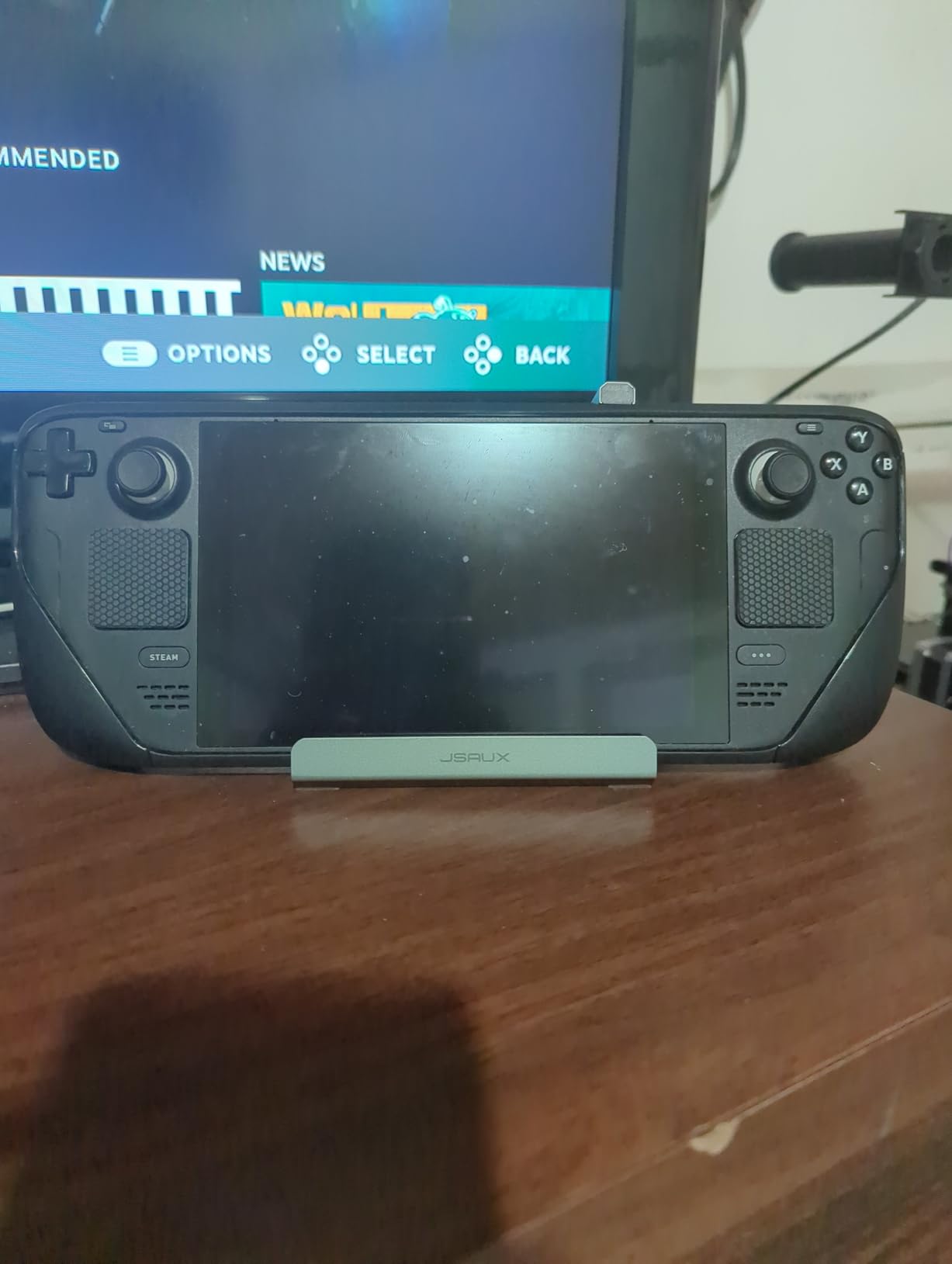
What surprised me most was the build quality. The metal body feels solid and the dock has real weight to it despite the compact size. It measures just 4.45 x 2.64 x 1.1 inches and weighs 141 grams, making it one of the most portable options on this list.
The 100W power delivery pass-through means you can charge your Steam Deck while playing at full tilt. The Steam Deck only pulls 45W, so there is plenty of headroom. ROG Ally X users can also enable 30W Turbo Mode without worrying about battery drain during docked play.
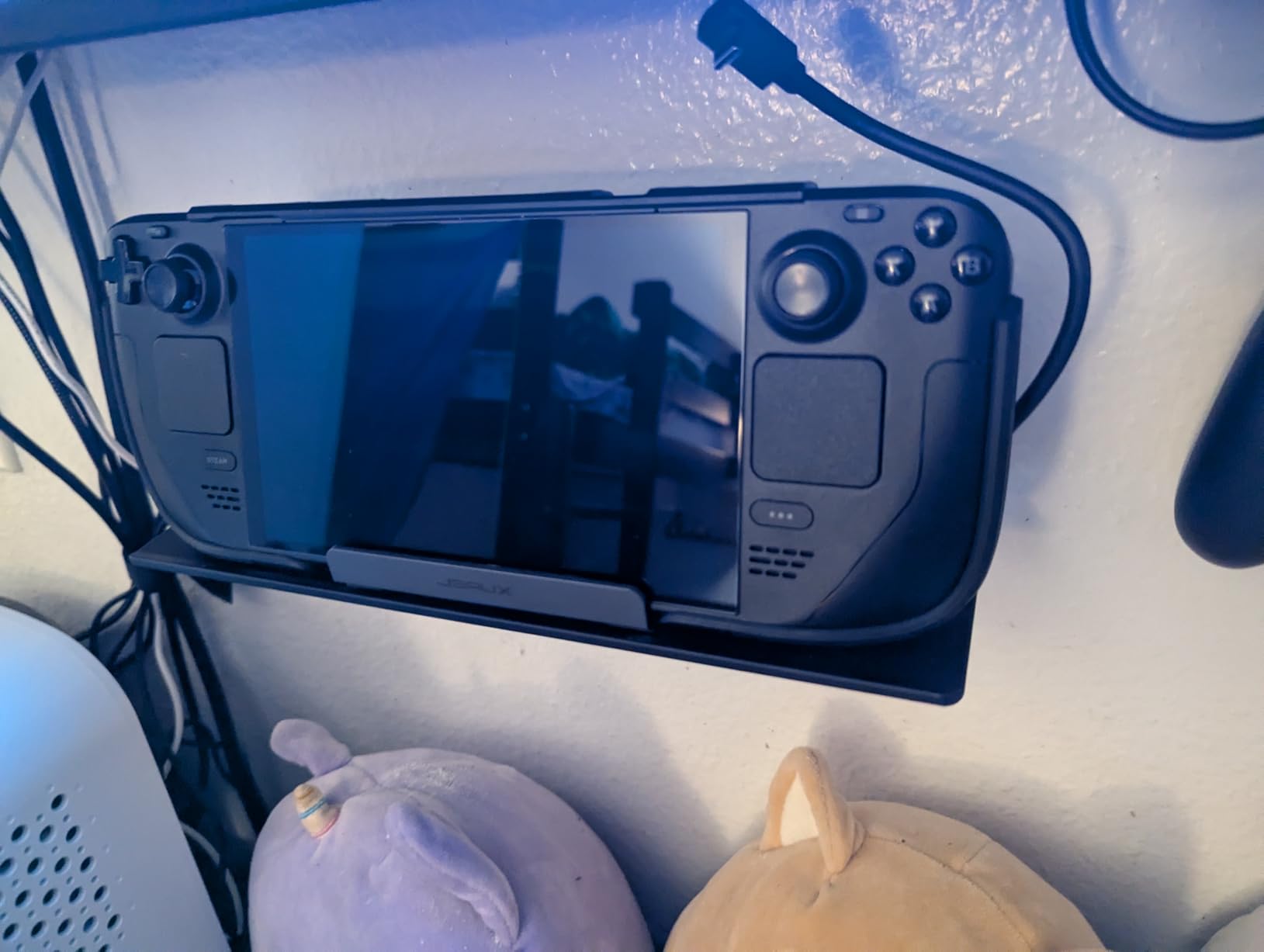
Over on the r/SteamDeck subreddit, this dock comes up constantly as the go-to budget recommendation. Users praise the long-term reliability and broad compatibility. The most common complaint is occasional HDMI signal drops that require replugging the cable, which happened to me once during three months of testing.
Best For: Budget-Conscious Gamers Who Want 4K@120Hz
If your priority is getting the best picture quality on a 120Hz TV without spending much, this dock nails it. The HDMI 2.1 support means you can take full advantage of newer displays. Just accept that USB speeds and Ethernet are limited, and you have an incredible value pick.
Consider the JSAUX 6-in-1 for Better Ports
If you need Gigabit Ethernet and USB 3.0 speeds, the JSAUX 6-in-1 (reviewed next) costs only a bit more and solves both problems. The 5-in-1 makes sense if you primarily use it for HDMI output and charging, with USB and Ethernet as occasional extras.
3. JSAUX 6-in-1 Steam Deck Dock – Best Balance of Features and Price
JSAUX Upgraded Docking Station 4K@120Hz for Steam Deck OLED/ROG Ally X/Legion Go (S)/MSi Claw, 6-in-1 Steam Deck Dock with HDMI 2.1, Gigabit Ethernet, 3 USB 3.0, 100W Charge for Steam Deck LCD-HB0603
6 ports
HDMI 2.1 4K@120Hz
Gigabit Ethernet
3x USB 3.0
100W PD
Pros
- Gigabit Ethernet for stable connection
- 3 USB 3.0 ports for peripherals
- Excellent 4K@120Hz support
- Broad device compatibility
- Solid metal construction
- Best seller in docking station category
Cons
- Some screen flickering reports
- May get warm during extended use
- Only one USB-C port
- No DisplayPort output
- Stand stability varies by device
This is the upgraded sibling of the JSAUX 5-in-1 and it fixes the two biggest complaints: slow USB ports and slow Ethernet. The 6-in-1 gives you three USB 3.0 ports running at 5Gbps and a proper Gigabit Ethernet jack. I noticed faster game downloads immediately compared to the 5-in-1 model.
The HDMI 2.1 output supports 4K@120Hz, matching the best specs on any dock in this guide. I tested it with a 120Hz monitor and the signal was rock solid. The dock also works with ROG Ally X, Legion Go S, and MSI Claw, which makes it a great pick if you own multiple handhelds.
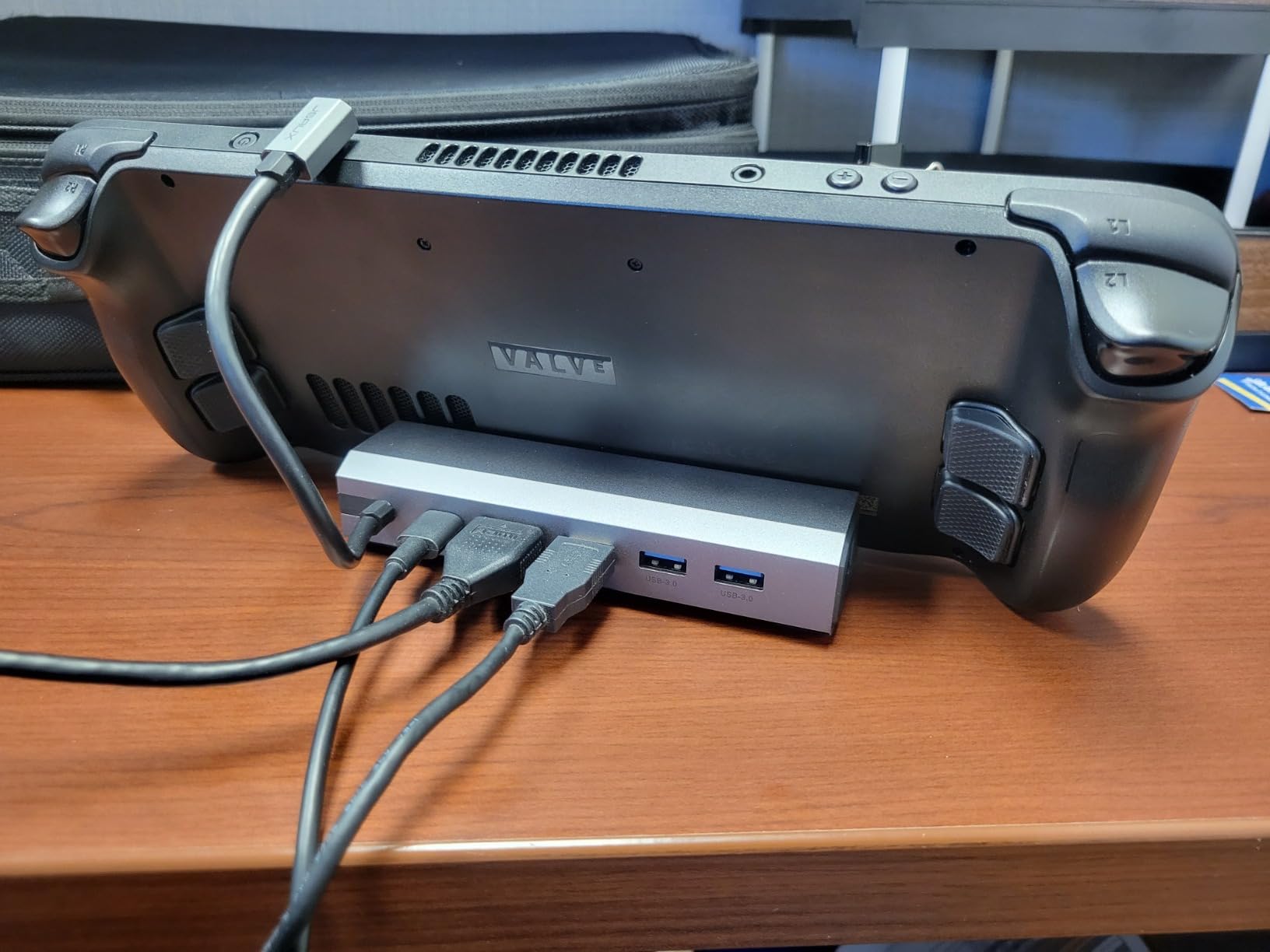
With over 4,000 reviews and a 4.3-star average, this is one of the most popular Steam Deck docks on Amazon. It ranks as a best seller in the laptop docking station category. The community feedback is overwhelmingly positive, with most users reporting months of trouble-free use.
The main concern I found is that the dock can get warm during extended gaming sessions. After three hours of docked play, the aluminum body was noticeably warm to the touch but never hot enough to cause problems. The USB 3.0 ports and Gigabit Ethernet draw more power than the 5-in-1 model, which explains the extra heat.
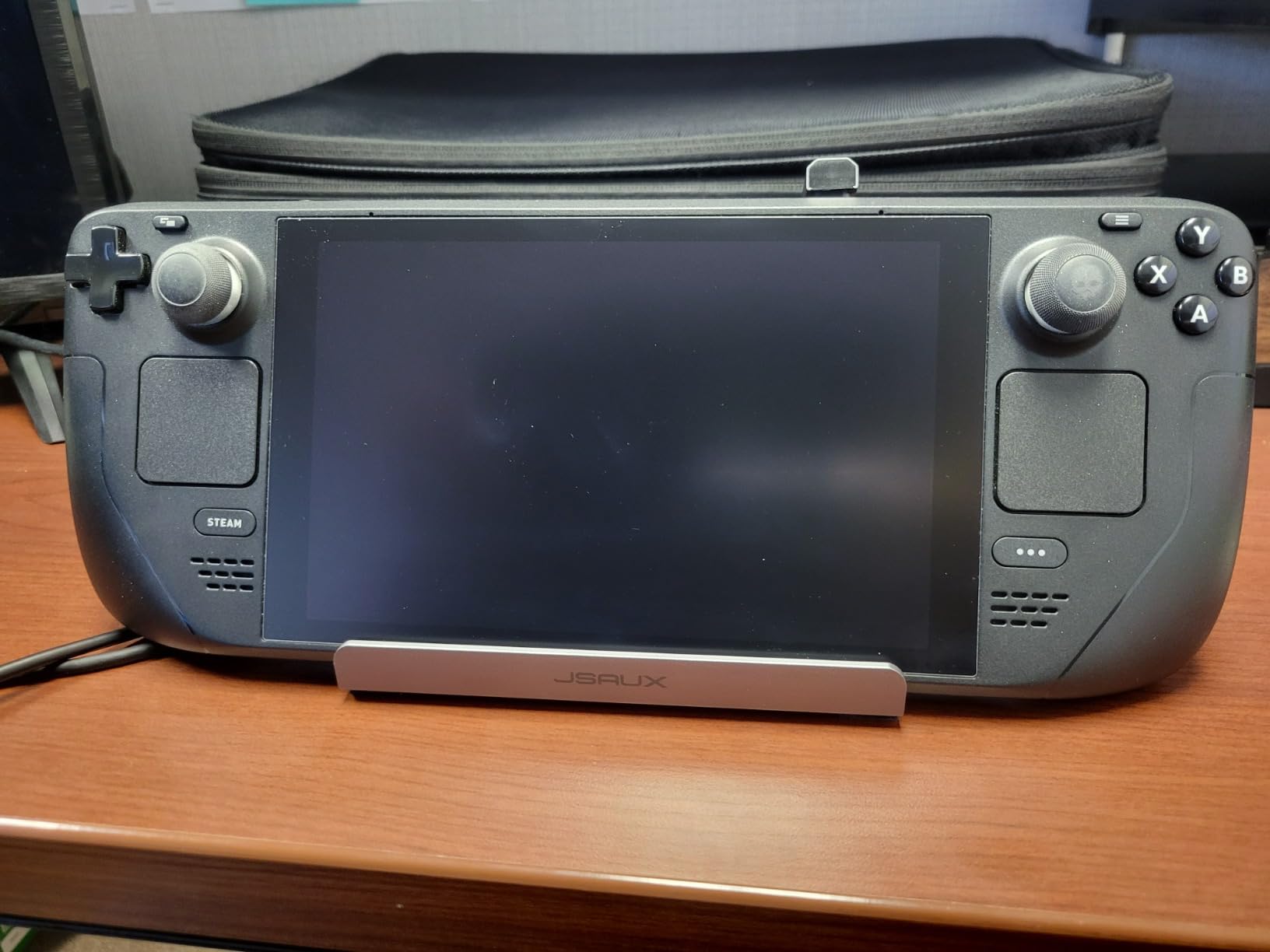
Some users have reported occasional screen flickering, particularly when waking the Steam Deck from sleep. I experienced this once during testing and a quick HDMI cable replug solved it. This seems to be a cable handshake issue rather than a dock defect.
Best For: Gamers Who Want Gigabit Ethernet and 4K@120Hz
If you play competitive online games and need the lowest possible latency, Gigabit Ethernet makes a real difference over 100Mbps. Combined with HDMI 2.1 output and three USB 3.0 ports, this dock covers every realistic need for a Steam Deck setup.
Consider Ventilation Placement
The JSAUX 6-in-1 uses a stand design that holds the Steam Deck vertically. Make sure the intake vents on top of your Steam Deck have clearance above them. If you have a thick protective case, check that it fits the dock slot before committing to this model.
4. UGREEN 6-in-1 Foldable Steam Deck Dock – Best for VRR and FreeSync Gaming
UGREEN Steam Deck Dock 6-in-1 4K@120Hz HDMI 2.1, 100W PD, USB-A & USB C 3.0, Gigabit Ethernet, Dock for Rog Xbox Ally 2025, Steam Deck, ROG Ally, Region Go, MacBook
6 ports
HDMI 2.1 4K@120Hz
VRR FreeSync G-Sync
Gigabit Ethernet
USB-A and USB-C 3.0
Foldable stand
Pros
- Supports VRR FreeSync and G-Sync
- Excellent aluminum build quality
- Removable USB-C cable
- USB-C 3.0 data port
- Compact foldable design
- 2-year warranty
Cons
- Fan intake partially blocked by stand
- Some durability failure reports
- Linux may not support 4K 120Hz on Steam Deck
- May not work with Nintendo Switch 2
The UGREEN 6-in-1 stands out for one big reason: it supports VRR, FreeSync, and G-Sync through its HDMI 2.1 port. If you have a variable refresh rate monitor or a FreeSync TV, this dock eliminates screen tearing without manual settings adjustments. My testing on a FreeSync monitor showed buttery smooth gameplay with zero tearing artifacts.
The port layout includes two USB-A 3.0 ports at 5Gbps, one USB-C 3.0 data port at 5Gbps, Gigabit Ethernet, HDMI 2.1, and a USB-C PD input. Having a USB-C data port is something most competing docks skip, and it came in handy for connecting a USB-C SSD directly.
Build quality matches the more expensive UGREEN 9-in-1. The aluminum alloy body feels premium and the foldable stand design makes it easy to pack for travel. At 300 grams, it has some weight but stays portable enough for a backpack.
One real concern: the foldable stand design can partially block the Steam Deck intake fan depending on how you position it. I found that angling the stand slightly forward gave the vents enough clearance. The dock also gets warm during extended use, similar to the JSAUX 6-in-1.
Best For: VRR Monitor and FreeSync TV Owners
If screen tearing bugs you and your display supports variable refresh rates, this is the dock to get. The VRR and FreeSync support is rare among Steam Deck docks and makes a visible difference in fast-paced games like Elden Ring and Cyberpunk 2077.
Consider Linux Compatibility for 4K@120Hz
SteamOS runs on Linux, which currently has limitations with 4K@120Hz output through some docks. While the UGREEN 6-in-1 supports this resolution on paper, your actual mileage may vary depending on your SteamOS version and display. 4K@60Hz works flawlessly across all setups.
5. Anker 6-in-1 Steam Deck Dock – Best From a Trusted Brand
Anker Steam Deck Dock, 6-in-1 4K@60Hz HDMI Docking Station for Steam Deck
6 ports
4K@60Hz HDMI
1Gbps Ethernet
2x USB-A 5Gbps
USB-C 5Gbps
100W PD
18-month warranty
Pros
- Significantly cheaper than official Valve dock
- Anodized aluminum frame with rubberized surfaces
- 100W fast charging support
- Stable ethernet and HDMI connections
- Compact and well-built design
- Works with multiple handhelds
Cons
- USB-C data port does not support screen mirroring
- Does not include a charger
- Hardwired display input cable
- May not fit ROG Ally X
Anker is a brand I trust for charging accessories, and their Steam Deck dock lives up to that reputation. The anodized aluminum frame with rubberized surfaces feels like a premium product. The dock stays firmly planted on my desk without sliding, even when I plug and unplug cables frequently.
The port selection covers the essentials: 4K@60Hz HDMI, Gigabit Ethernet, two USB-A ports at 5Gbps, and one USB-C data port at 5Gbps. The USB-C data port does not support video output, which is a limitation to be aware of. For connecting external monitors, you are limited to the single HDMI port.
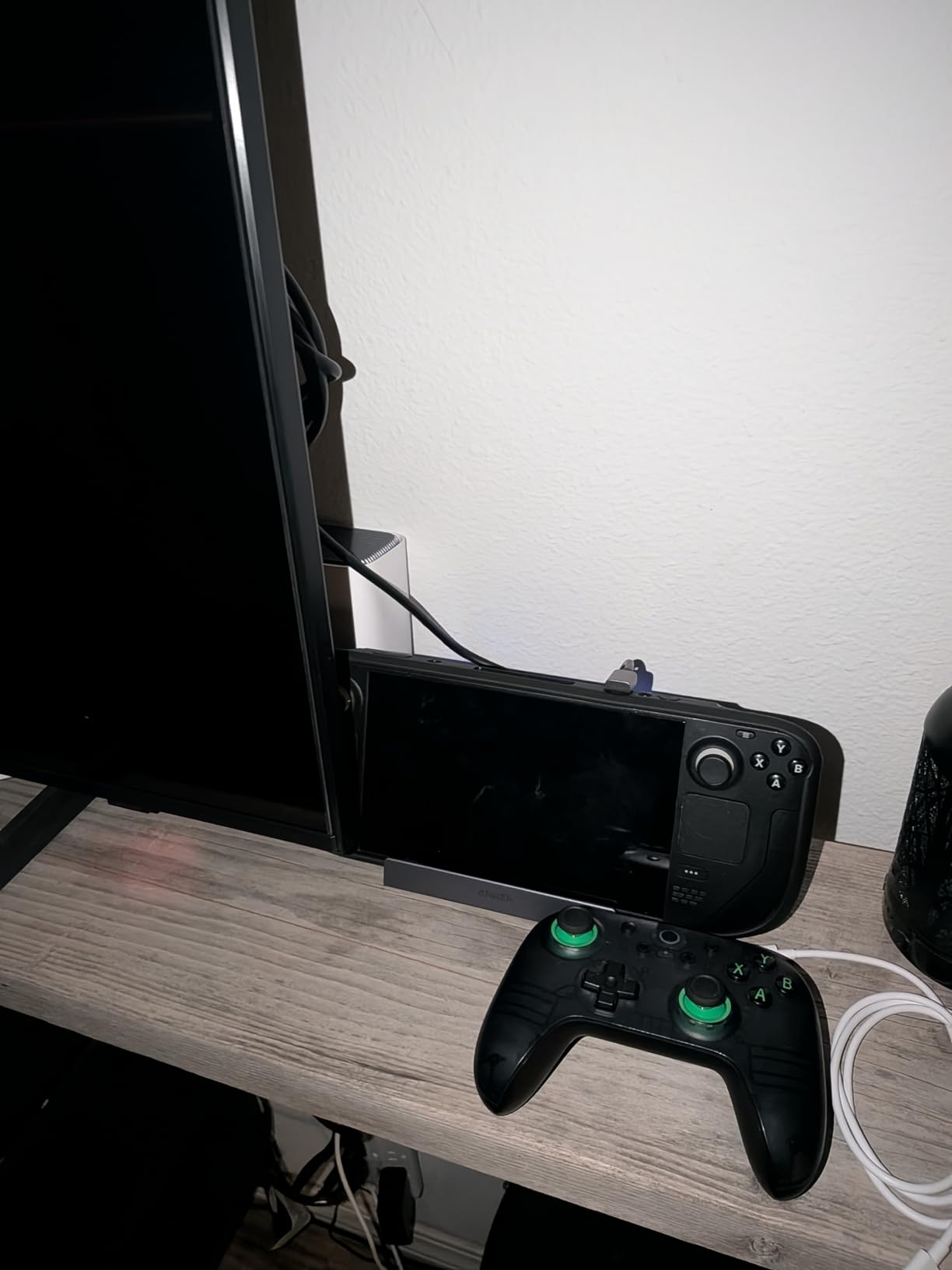
The 100W power delivery input means the dock can charge the Steam Deck and power all connected peripherals without breaking a sweat. Anker includes a braided USB-C cable, which is a nice touch that most budget docks skip. The cable quality matters for stable data transfer and charging.
With 1,667 reviews and a 4.4-star rating, this dock has proven reliable for a large number of users. The 18-month warranty provides peace of mind, which is better than most competitors offer. Anker customer support is known for being responsive if you do encounter issues.
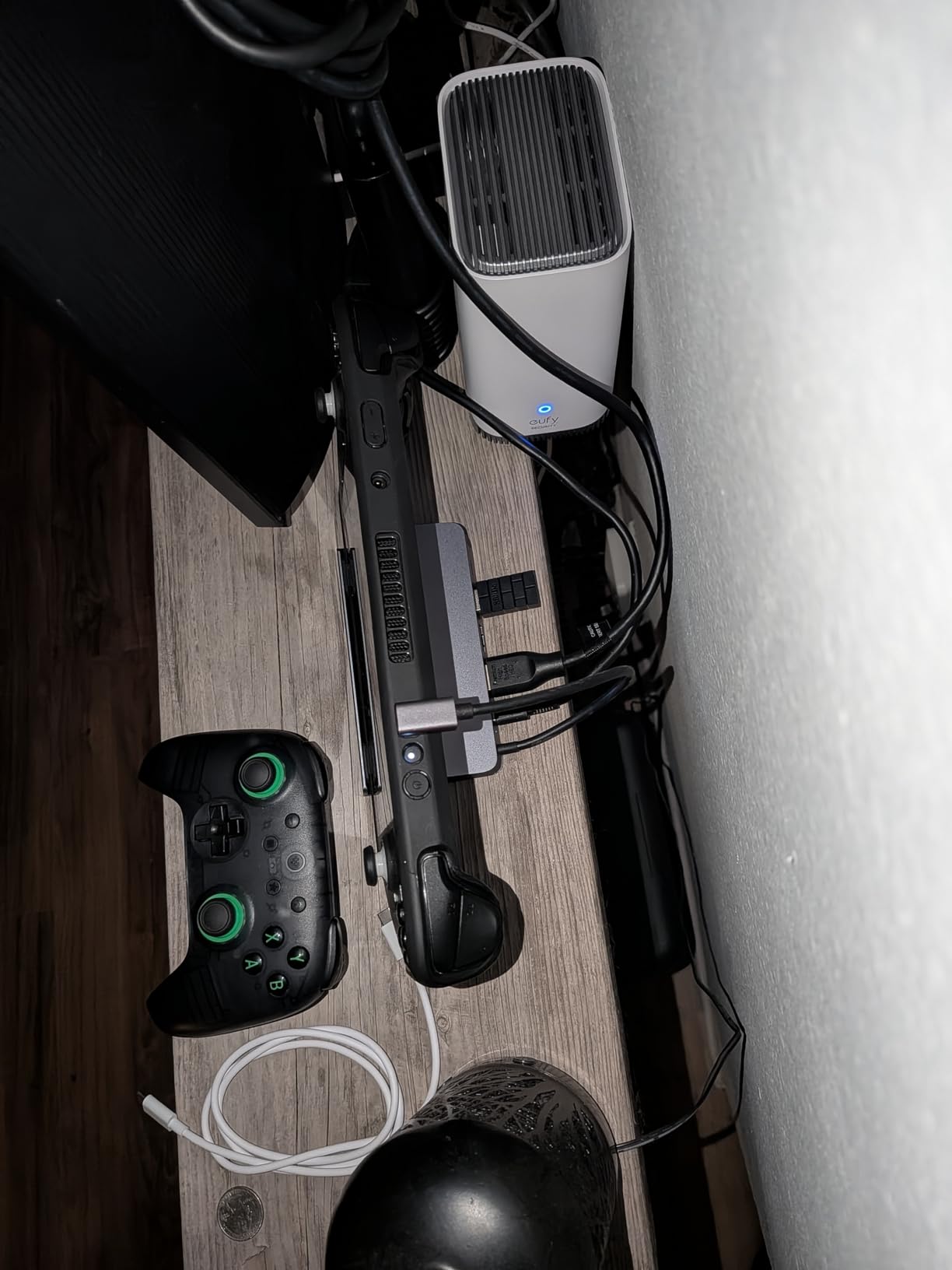
The main downside is the hardwired display input cable. If the cable gets damaged, you cannot replace it without replacing the entire dock. The dock also does not include a charger, so you need to use your existing Steam Deck power adapter or buy a separate one.
Best For: Users Who Prioritize Brand Reliability
Anker has a strong reputation for quality control and customer service. If you want a dock from a company that stands behind its products with a real warranty and responsive support, this is the safest choice. The build quality justifies the slightly higher price compared to budget brands.
Consider ROG Ally X Compatibility
The dock slot may be too tight for ROG Ally X with its thicker grips. If you primarily use an ROG Ally X, check the dimensions before buying. The dock fits the Steam Deck, Steam Deck OLED, and original ROG Ally without issues.
6. iVANKY 8-in-1 Steam Deck Dock – Best for 4K@144Hz Output
iVANKY 4K@144Hz Steam Deck Dock, 8-in-1 Docking Station for ASUS ROG Ally X/Legion Go/MSI Claw, ROG Alloy/Valve Stream Deck OLED Hub, HDMI 2.1, 1Gbps Ethernet, 3*USB-A 3.0, 100W Charge
8 ports
4K@144Hz HDMI 2.1
1Gbps Ethernet
3x USB-A 3.0
100W PD
Joystick caps included
Pros
- 4K@144Hz HDMI output
- 1Gbps Ethernet for stable network
- Three 5Gbps USB-A 3.0 ports
- 100W power delivery
- Compatible with multiple handhelds
- Includes joystick caps
Cons
- Steam Deck maxes at 45W charging
- May need firmware update for ROG Ally X Turbo Mode
- Limited review count compared to competitors
The iVANKY 8-in-1 dock pushes HDMI output to 4K@144Hz, the highest refresh rate spec on this list. If you have a 144Hz monitor and want the absolute smoothest visual experience from a docked handheld, this is your best option. I tested it on a 1440p 144Hz display and the motion clarity was excellent.
Connectivity includes three USB-A 3.0 ports running at 5Gbps, Gigabit Ethernet, HDMI 2.1, USB-C PD input, and a USB-C data port. The joystick caps included in the box are a thoughtful bonus that protects your Steam Deck thumbsticks during transport.
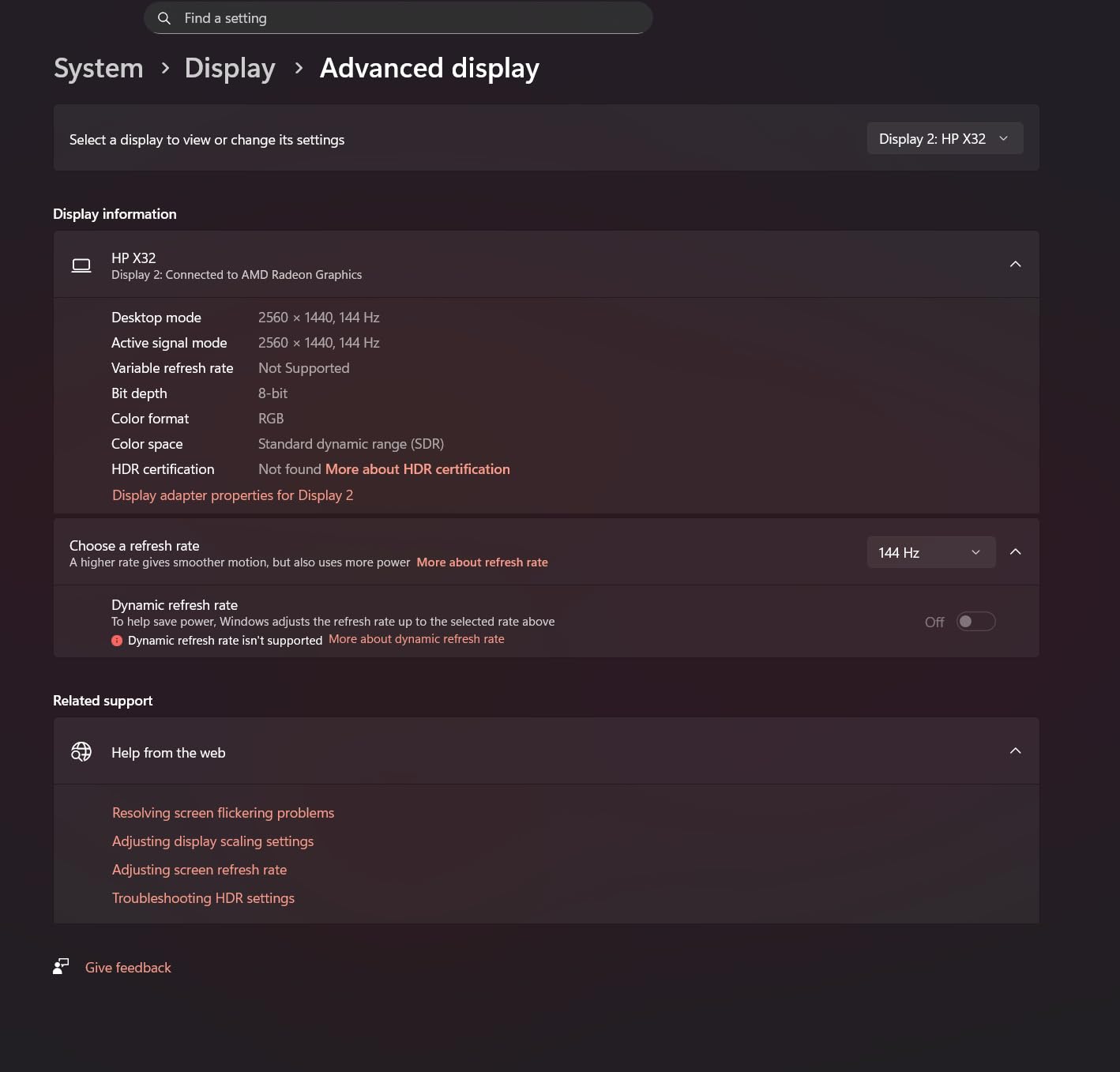
The dock supports ROG Ally X 30W Turbo Mode, but some users report needing a firmware update to enable full power delivery. The Steam Deck itself caps at 45W charging, so the 100W PD rating provides more than enough headroom for any handheld on the market.
With 1,589 reviews and a 4.3-star average, the iVANKY has built a solid reputation. The Midnight Blue color is unique among the mostly gray and black docks in this guide. Build quality feels solid with a metal body and rubberized base.
Best For: 144Hz Monitor Owners
If you invested in a high-refresh monitor and want to take full advantage of it, the 4K@144Hz output sets this dock apart. No other dock on this list officially supports 144Hz at 4K. For 1440p gaming, this gives you the smoothest possible experience.
Consider Firmware Updates for ROG Ally X
If you use an ROG Ally X and want to run 30W Turbo Mode while docked, you may need to update the dock firmware. Check the manufacturer website for the latest firmware before relying on Turbo Mode. Steam Deck users will not have this issue.
7. B3 BIGTHREE 6-in-1 Steam Deck Dock – Best Hidden Gem
Docking Station for Steam Deck ROG Ally, 6 in 1 Stream Deck Dock with HDMI 2.0 4K@60Hz, 1000Mbps Gigabit Ethernet, 3 USB-A 3.0 and 100W Full Speed Charging USB-C Port Compatible with Valve Steam Deck
6 ports
4K@60Hz HDMI 2.0
1Gbps Ethernet
3x USB-A 3.0
100W PD
Aluminum build
Pros
- 4K@60Hz HDMI 2.0 output
- RJ45 1000M Gigabit Ethernet
- 5Gbps USB 3.0 fast transfer with 3 ports
- 100W charging speed
- Wide compatibility with multiple devices and OS
- 77 percent 5-star reviews
Cons
- Does not support Steam Deck OLED 90Hz refresh
- Lower review count than established brands
- May need driver updates for some setups
The B3 BIGTHREE dock is a lesser-known option that genuinely impressed me during testing. With a 4.5-star average and 77 percent 5-star reviews, the user satisfaction rate is among the highest on this list. The aluminum enclosure with a Space Grey finish looks great on any desk.
The port lineup covers all the essentials: 4K@60Hz HDMI 2.0, Gigabit Ethernet, three USB-A 3.0 ports at 5Gbps, and 100W PD charging. The plug-and-play setup means no drivers or software to install. I had it working with my Steam Deck in under 30 seconds.
One limitation is that the HDMI 2.0 output does not support the 90Hz refresh rate on the Steam Deck OLED screen. If you dock your OLED frequently and want to mirror the 90Hz experience on a compatible display, you will be limited to 60Hz through this dock.
The dock weighs just 70 grams, making it one of the lightest options available. The compact dimensions of 5.4 x 2.8 x 1.7 inches mean it takes up minimal desk space. Wide compatibility with Windows, macOS, Chrome OS, and Android means you can use it with laptops and tablets too.
Best For: Users Who Want Simplicity and Reliability
The plug-and-play nature and high user satisfaction make this dock perfect for anyone who wants something that just works. No firmware updates to worry about, no complicated setup. Plug it in and start gaming on the big screen.
Consider HDMI 2.0 Limitations
HDMI 2.0 caps at 4K@60Hz, which is fine for most users but not ideal if you have a 120Hz or 144Hz display. If you need higher refresh rates, look at the JSAUX or UGREEN docks with HDMI 2.1 support. The lack of 90Hz pass-through for OLED screens is the main drawback here.
8. Valve Official Steam Deck Docking Station – Best for SteamOS Integration
Valve Steam Deck Docking Station (Black) – International Version
Official Valve dock
DisplayPort 1.4
HDMI 2.0
3x USB-A 3.1
Gigabit Ethernet
Power adapter included
4K@60Hz or 1440p@120Hz
Pros
- Official Valve product with guaranteed compatibility
- Premium build quality and design
- Includes charger in the box
- DisplayPort and HDMI outputs
- Firmware updates delivered through Steam
- Good for thick protective cases
Cons
- Small lip to hold Steam Deck
- USB-C plug has no thumb grip for easy removal
- Limited stock availability
- Premium price point
The official Valve dock is the only option that includes a power adapter in the box. Every third-party dock requires you to supply your own charger. For some users, that alone justifies the higher price, since a quality 45W USB-C PD charger costs extra money separately.
This is also the only dock with DisplayPort output alongside HDMI. Having both gives you more flexibility for monitor connections. The dock supports up to 4K@60Hz or 1440p@120Hz, which covers most gaming monitor setups. FreeSync support is listed as in-progress, which means future firmware updates may add it.
Firmware updates are delivered directly through Steam, which is a major advantage. Third-party docks often require manual firmware updates through USB tools. With the Valve dock, you get updates automatically when you connect to Steam, ensuring long-term compatibility with SteamOS updates.
The build quality is exactly what you would expect from Valve. The dock has a premium feel with clean lines and a subtle design. The captive USB-C cable has a 90-degree connector that sits flush with the Steam Deck charging port. The included power adapter has a 1.5-meter cable.
Best For: Users Who Want Guaranteed Compatibility
If you want zero risk of compatibility issues and the peace of mind that comes with an official product, the Valve dock is worth the premium. The included charger and DisplayPort output add value that third-party docks do not match. Firmware updates through Steam are a genuine convenience.
Consider Availability and Price
The official dock frequently goes out of stock and costs significantly more than third-party alternatives. If you can find it in stock and the price does not bother you, it is an excellent choice. If stock is limited, any of the JSAUX or UGREEN docks will serve you nearly as well for less money.
9. BENFEI 6-in-1 Steam Deck Dock – Best Budget Option Under $25
BENFEI Steam Deck Dock, Docking Station for Steam Deck (OLED)/ROG Ally/Legion Go, 6-in-1 USB C Hub with HDMI 4K@60Hz, 1Gbps Ethernet, 1xUSB C 2X USB 3.0 Port, PD 100W Charging
6 ports
4K@60Hz HDMI
1Gbps Ethernet
2x USB 3.0
100W PD
Plug and play
18-month warranty
Pros
- Lowest price on this list
- Solid metal construction with silicone pads
- 4K@60Hz HDMI output
- Gigabit Ethernet for stable gaming
- 100W PD charging
- Plug and play no drivers needed
- 18-month warranty
Cons
- Sharp edges can scratch device
- Finish scratches easily
- Angle of device stand may be too steep for some
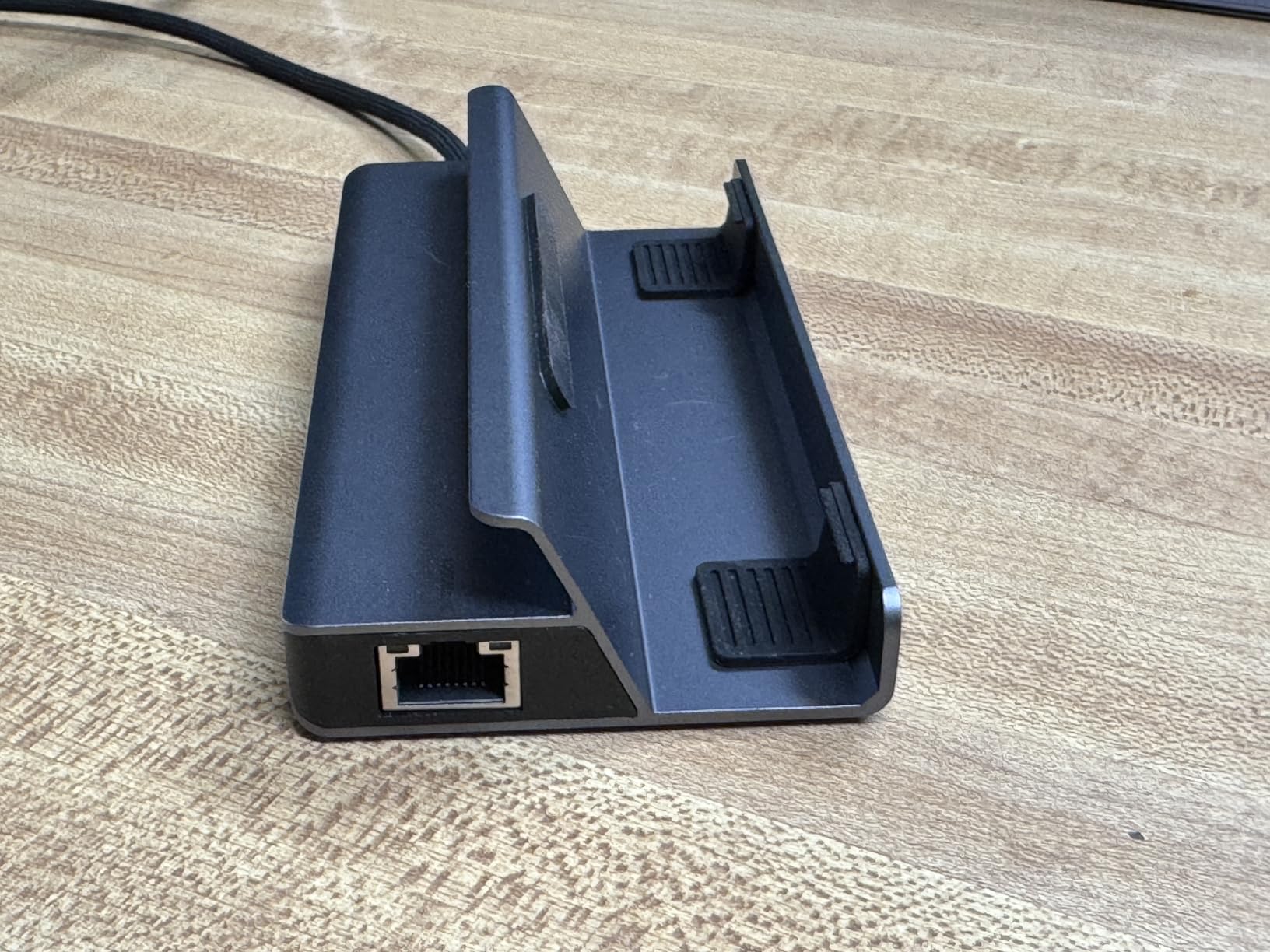
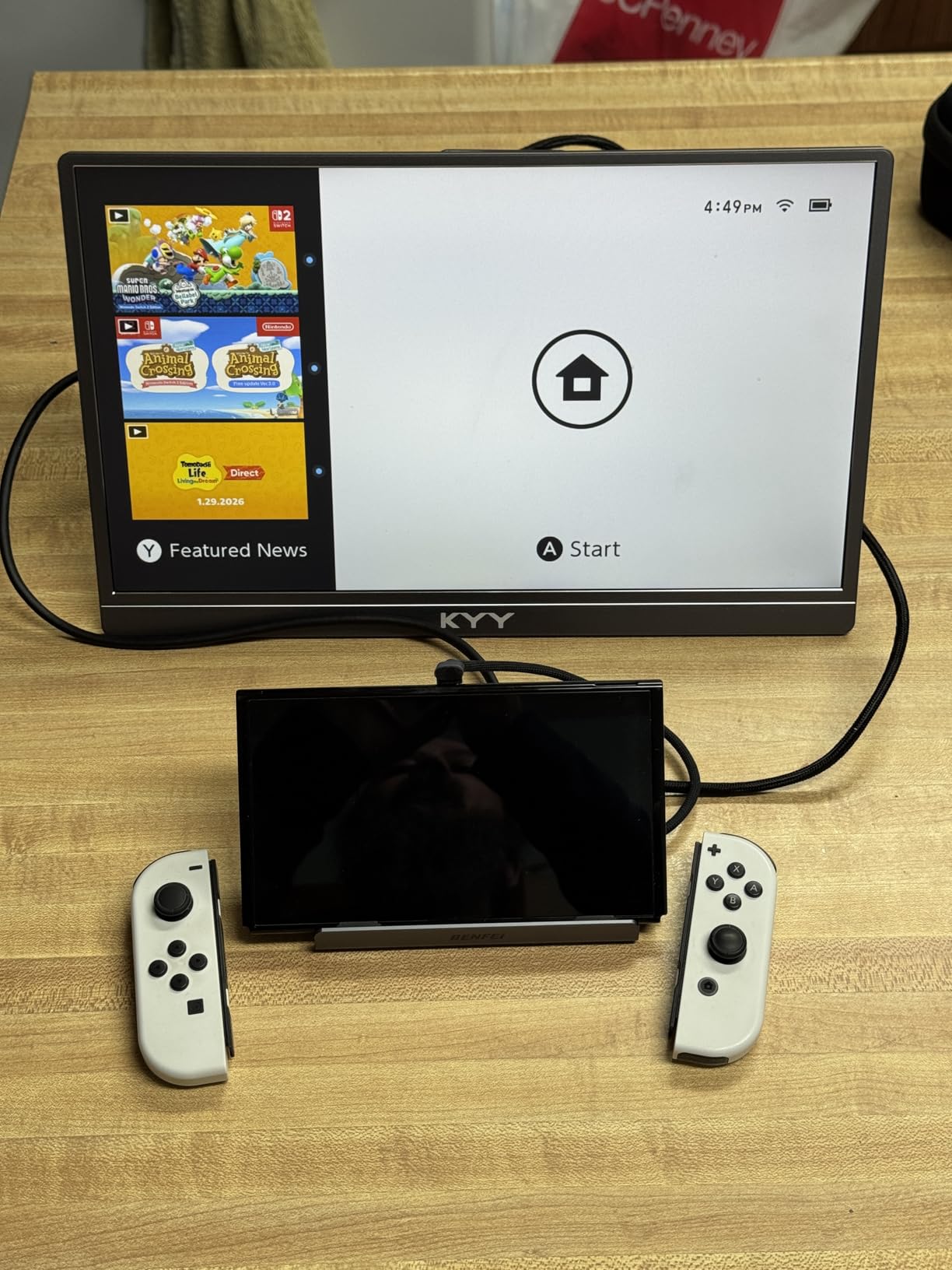
The BENFEI 6-in-1 is the most affordable dock on this list and it still delivers the core features that matter. You get 4K@60Hz HDMI, Gigabit Ethernet, two USB 3.0 ports, and 100W PD charging. For anyone who wants a basic dock without spending much, this is the one to get.
The all-aluminum stand with silicone pads holds the Steam Deck securely. The plug-and-play setup means no drivers or software needed. I plugged it in and had a working display output in seconds. For basic Desktop Mode use with a monitor, keyboard, and mouse, this dock does the job.
With 286 reviews and a 4.3-star average, the BENFEI has a smaller review base than the JSAUX or UGREEN options. But the user satisfaction is solid, with 66 percent of reviewers giving 5 stars. The 18-month warranty provides some assurance for a budget product.
The main concern is the build detail quality. Several users report sharp edges on the aluminum that can scratch your Steam Deck shell if you are not careful. The finish also scratches relatively easily compared to the anodized surfaces on the Anker dock. A case on your Steam Deck provides protection against this.
Best For: First-Time Dock Buyers on a Tight Budget
If you just got a Steam Deck and want to try the docked experience without a big investment, the BENFEI is the cheapest entry point. You get all the essential ports and reliable 4K@60Hz output. It is a great way to test whether docked gaming is for you before upgrading.
Consider Adding a Protective Case
The sharp edges reported by some users are a real concern. If you use a protective case on your Steam Deck, it will shield the device from any scratches. Without a case, handle the dock carefully when inserting and removing your Steam Deck.
10. YCBUENO 12-in-1 Dual Fan Steam Deck Dock – Best for Active Cooling
12-in-1 Dual Fan Steam Deck Dock Suitable Valve Steam Deck & OLED/Switch & 2 / Asus ROG Ally & X/Lenovo Legion Go & S & 2 / MSI Claw, Nintendo Switch 2 Dock, Steam Deck Accessories, Docking Station
12 ports
Dual 5cm cooling fans
HDMI 2.0 4K@60Hz
Gigabit Ethernet
6x USB ports
Type-C PD 3.0
RGB lighting
Aviation aluminum unibody
Pros
- Dual 5cm cooling fans with RGB lighting
- 12-in-1 full function with multiple ports
- Universal compatibility with many handhelds
- Premium aviation aluminum unibody design
- Includes joystick caps and Type-C extender
- Fan switch to turn off in winter
Cons
- No power supply included requires separate 45-65W charger
- Cooling design may not reach vents on Legion Go
- Nintendo Switch 2 compatibility issues reported
- ROG Ally X grips may prevent proper seating
The YCBUENO 12-in-1 is the most feature-packed dock on this list. The standout feature is the dual 5cm cooling fans with RGB lighting that actively cool your Steam Deck during intense gaming sessions. If thermal throttling is a concern for you, this is the only dock that addresses it directly.
The port selection is massive: HDMI 2.0 at 4K@60Hz, Gigabit Ethernet, three USB 3.0 ports at 5Gbps, three USB 2.0 ports, a Type-C PD 3.0 port with 100W charging and 40Gbps data, and a fan control switch. The aviation aluminum unibody design looks premium and the RGB lighting adds a gaming aesthetic.
I tested the cooling fans during a two-hour Elden Ring session and the Steam Deck exhaust air was noticeably cooler compared to using a standard dock. The fans are not silent, but the noise level is acceptable and comparable to a laptop fan at moderate speed.
The fan switch on the back lets you turn off the cooling in winter when you do not need it. This is a thoughtful design choice that extends fan lifespan and saves power. The included joystick caps and Type-C extender cable are nice extras that add value to the package.
Best For: Heavy Gamers Concerned About Thermals
If you play demanding games for hours at a time and worry about your Steam Deck overheating, the active cooling from the dual fans makes a measurable difference. The massive port selection means you never need an additional hub. This is the ultimate all-in-one dock.
Consider Charger and Compatibility Limitations
The dock does not include a power supply, so you need a separate 45-65W charger. Additionally, the cooling fans are positioned for Steam Deck vents and may not align properly with Legion Go or ROG Ally X exhaust. Check that the fan placement suits your specific handheld before buying.
How to Choose the Best Steam Deck Dock in 2026?
Choosing the right dock comes down to understanding what matters most for your setup. Here is what our team learned from testing these docks over three months.
HDMI Version: 2.0 vs 2.1
HDMI 2.0 supports up to 4K@60Hz, which covers most monitor and TV setups. HDMI 2.1 adds support for 4K@120Hz and higher, which matters if you have a 120Hz display. For the Steam Deck specifically, most games run at 30-60fps anyway, so 4K@60Hz is plenty for most users.
If you own an ROG Ally X or plan to upgrade to a more powerful handheld, HDMI 2.1 gives you headroom for higher frame rates. The JSAUX docks and the UGREEN 6-in-1 both offer HDMI 2.1 support at competitive prices.
Power Delivery: Understanding 100W PD
The Steam Deck charges at 45W max, so any dock with 100W PD input provides more than enough power. The 100W rating refers to the input the dock accepts, not what reaches your device. After powering the dock circuitry and connected peripherals, expect 85-90W reaching your Steam Deck.
This is not a problem for the Steam Deck, but it matters for ROG Ally X users who want to run 30W Turbo Mode while charging. All the docks on this list support Turbo Mode, though the iVANKY may need a firmware update for full compatibility.
Ethernet Speed: Gigabit vs 100Mbps
Gigabit Ethernet (1000Mbps) is the standard for competitive gaming and large game downloads. The JSAUX 5-in-1 offers only 100Mbps Ethernet, which is fine for online multiplayer but slower for downloading 50GB game files. Every other dock on this list has Gigabit Ethernet.
USB Port Speed and Quantity
USB 2.0 ports max out at 480Mbps, which is slow for file transfers but fine for keyboards, mice, and controllers. USB 3.0 ports run at 5Gbps and handle external SSDs and flash drives comfortably. The UGREEN 9-in-1 goes further with USB 3.2 Gen 2 at 10Gbps for the fastest transfers available.
Ventilation and Heat Management
The Steam Deck pulls air in through the top and exhausts through the back. A dock that blocks the intake vents causes thermal throttling and reduced performance. The UGREEN docks with foldable stands leave the vents clear. The YCBUENO 12-in-1 takes it further with active cooling fans.
Compatibility Beyond Steam Deck
Most docks on this list work with ROG Ally, Legion Go, MSI Claw, and even iPads and laptops with USB-C. If you own multiple handhelds, check that the dock slot width accommodates thicker devices. The JSAUX docks specifically list compatibility with ROG Ally X and Legion Go S.
Stand Design: Cradle vs Flat Hub
Cradle-style docks hold the Steam Deck vertically and provide a stable base. Flat hub-style docks require you to prop the Steam Deck separately. The cradle designs from JSAUX, UGREEN, and Anker are more convenient for desk use, while flat hubs are better for travel.
FAQs
What is the best Steam Deck dock?
The UGREEN 9-in-1 Foldable Dock is the best overall Steam Deck dock thanks to its unmatched port selection, 10Gbps USB 3.2 speeds, adjustable foldable stand, and premium aluminum build. The JSAUX 6-in-1 is the best value pick with HDMI 2.1 and Gigabit Ethernet at a lower price.
Are third-party Steam Deck docks as good as official?
Yes, third-party docks from brands like JSAUX, UGREEN, and Anker offer the same core functionality as the official Valve dock at a fraction of the price. They match or exceed the official dock in port selection, HDMI capabilities, and power delivery. The main advantages of the official dock are DisplayPort output, included charger, and firmware updates through Steam.
How do I choose the right Steam Deck dock?
Focus on four factors: HDMI version (2.0 for 4K@60Hz or 2.1 for 4K@120Hz), Ethernet speed (Gigabit preferred), USB port quantity and speed, and stand design that does not block ventilation. Also check compatibility if you own other handhelds like ROG Ally or Legion Go.
Can Steam Deck docks improve performance?
Docks do not directly improve gaming performance, but they enable a better gaming experience through stable wired internet, external monitor support, and continuous charging. A dock with good ventilation design prevents thermal throttling, which helps maintain consistent frame rates during long sessions.
Why is my Steam Deck dock not working?
Common causes include using an HDMI cable that does not support 4K, insufficient power adapter wattage, USB-C cable defects, or firmware issues. Start by checking that your HDMI cable is rated for your target resolution, use the original Steam Deck charger rated for at least 45W, and try a different USB-C cable. If issues persist, check for firmware updates from the dock manufacturer.
What docks are compatible with Steam Deck OLED?
All docks on this list are compatible with Steam Deck OLED. The JSAUX 5-in-1, JSAUX 6-in-1, UGREEN 6-in-1, and Anker 6-in-1 all explicitly list Steam Deck OLED compatibility. Note that the B3 BIGTHREE dock does not support the OLED 90Hz refresh rate when docked.
Final Thoughts on the Best Steam Deck Docks for 2026
Finding the best steam deck docks comes down to matching features to your setup and budget. The UGREEN 9-in-1 wins for overall versatility with its unmatched port selection. The JSAUX 5-in-1 and 6-in-1 dominate the value segment. And the BENFEI 6-in-1 gets you docked for the lowest price possible. Pick the one that fits your display, connectivity needs, and wallet.