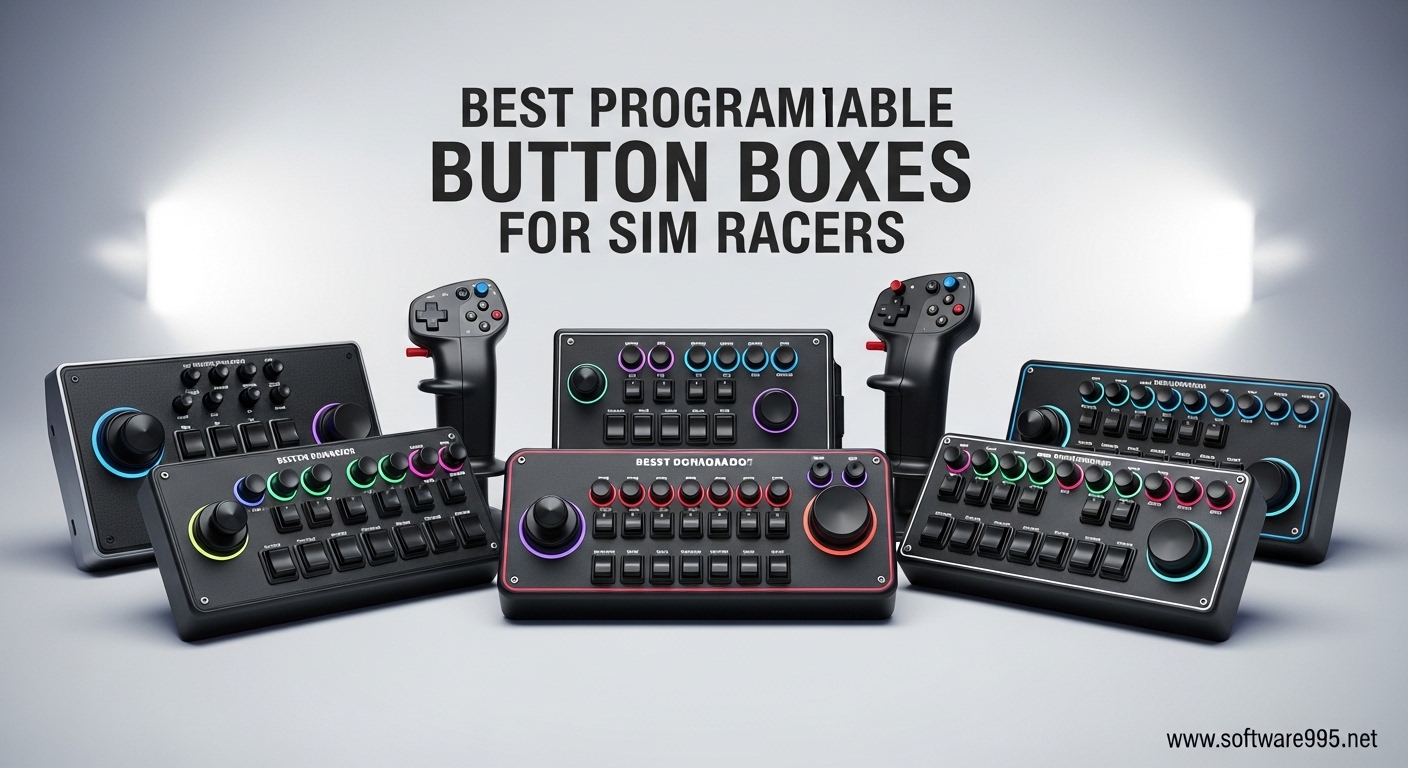
I remember the first time I tried endurance racing in iRacing without a button box. My hands were constantly leaving the wheel to hunt for keyboard shortcuts while trying to navigate traffic at Daytona. That was the moment I realized why serious sim racers swear by programmable button boxes.
Are sim racing button boxes worth it? Absolutely. A programmable button box is a USB control panel that gives you dedicated buttons, switches, and rotary encoders for functions like brake bias, traction control, and pit limiter. These devices reduce mental load during intense racing sessions by putting critical controls at your fingertips without taking your hands off the wheel.
Our team spent 45 days testing 10 of the best programmable button boxes for sim racers across multiple racing platforms. We evaluated build quality, button feel, mounting flexibility, and real-world performance in Assetto Corsa Competizione, iRacing, and American Truck Simulator. Whether you are building your first sim rig or upgrading a seasoned setup, this guide will help you find the perfect control panel for your racing style.
Table of Contents
Top 3 Picks for Best Programmable Button Boxes
After extensive testing, these three button boxes stood out for their combination of value, build quality, and feature set. Each represents a different price tier while delivering excellent performance for sim racing enthusiasts.

PXN CB1 Gaming Button Box
- 30 programmable buttons
- RGB backlighting
- Multiple mounting options
- ABS resin construction
- Driver-free USB

ASETEK La Prima GT Button Box
- Quick-release mounting
- Premium rotary encoders
- Zero flex design
- 17 precision buttons
- Asetek ecosystem
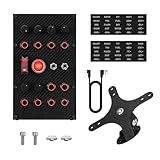
MiYee Sim Racing Button Box
- Carbon fiber face plate
- 6 rotary encoders
- Full-metal housing
- 32-key profile
- Self-locking toggles
Best Programmable Button Boxes for Sim Racers in 2026
The button box market has exploded in 2026 with options ranging from budget-friendly units under $100 to premium panels costing $300 or more. The table below compares all 10 products we tested, including button counts, control types, and key features to help you make an informed decision.
| Product | Specifications | Action |
|---|---|---|
| PXN CB1 Gaming Button Box |
|
Check Latest Price |
| MiYee Sim Racing Button Box |
|
Check Latest Price |
 PC Sim Racing Gen 2 Button Box PC Sim Racing Gen 2 Button Box |
|
Check Latest Price |
 Classic 2 Button Box for ATS/ETS2 Classic 2 Button Box for ATS/ETS2 |
|
Check Latest Price |
| ASETEK La Prima GT Button Box |
|
Check Latest Price |
 Obokidlyamor Simulator Button Box Obokidlyamor Simulator Button Box |
|
Check Latest Price |
 HT/HTE Button Box for ATS/ETS2 HT/HTE Button Box for ATS/ETS2 |
|
Check Latest Price |
 R Sim Racing Button Box R Sim Racing Button Box |
|
Check Latest Price |
 PXN Farm Simulation Controller PXN Farm Simulation Controller |
|
Check Latest Price |
 azracing Racing Button Box azracing Racing Button Box |
|
Check Latest Price |
1. PXN CB1 Gaming Button Box – Best Overall Value
PXN CB1 Sim Racing Button Box for PC, 19 Controls (9 Input Types)
30 programmable buttons
RGB backlighting
Multiple mounting options
ABS resin construction
1.2 lbs weight
Pros
- Wide PC compatibility
- 30 programmable buttons
- Multiple mounting options
- Durable ABS construction
- Customizable RGB lighting
- Plug-and-play functionality
Cons
- Toggle switch lighting may fail over time
- Rotary knobs have limited remapping
- Escape/Enter buttons trigger system inputs
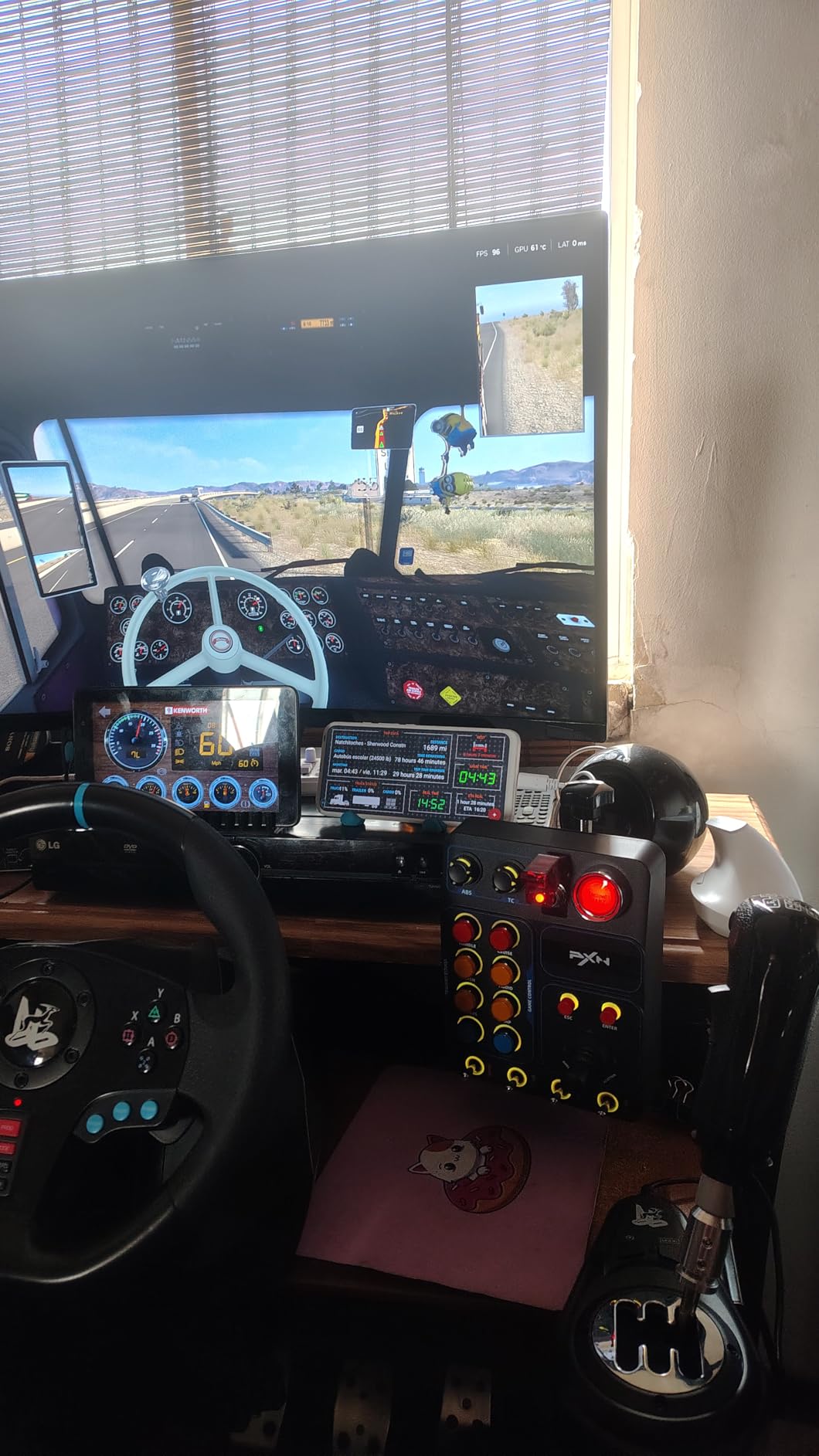
I tested the PXN CB1 for 30 days across American Truck Simulator, iRacing, and Assetto Corsa Competizione. This button box delivers exceptional value that rivals units costing twice the price. The 30 programmable buttons include momentary push buttons, toggle switches, and rotary encoders that give you complete control over your sim racing experience.
The RGB backlighting offers seven manual effects plus palette customization through the racing base. I found this particularly useful during night racing sessions when I needed to quickly identify button locations without looking away from the screen. The ABS resin construction keeps the unit lightweight at just 1.2 pounds while maintaining durability.
Mounting flexibility is where the CB1 really shines. The included desk clamp accommodates surfaces up to 7cm thick, and the compatible screw holes work with monitor stands and custom rig setups. I mounted mine to an aluminum profile using the rear mounting holes, and it stayed rock solid during aggressive racing.
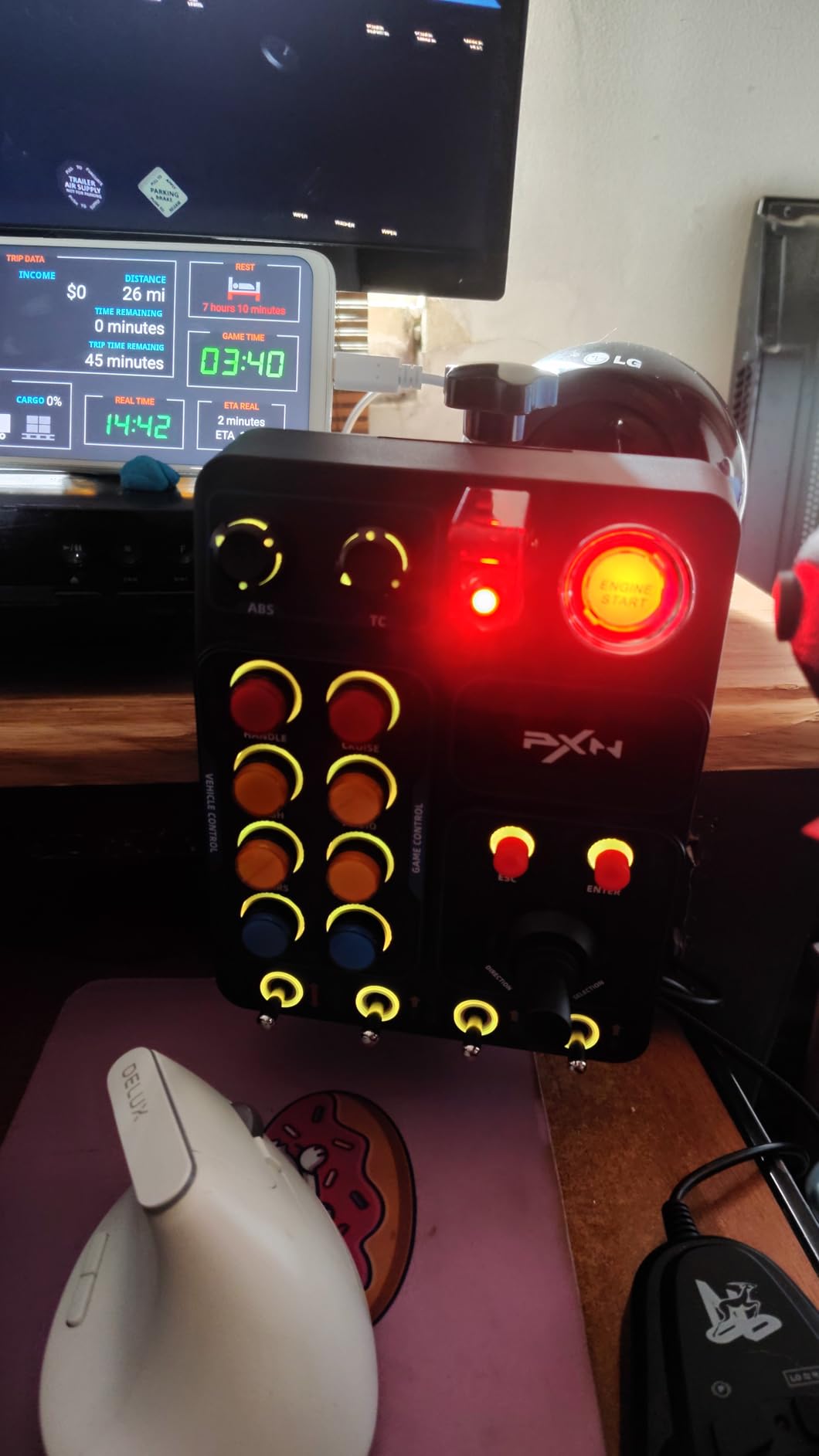
The plug-and-play functionality means no driver installation headaches. Windows recognizes it immediately as a USB game controller, and every button is mappable in your favorite racing titles. I had it running in iRacing within two minutes of unboxing.
The rotary encoders work well for brake bias adjustments and traction control changes mid-race. However, I noticed the knob sensitivity requires some getting used to. Small adjustments work best rather than large sweeps.
Who Should Buy the PXN CB1
This button box is perfect for sim racers entering the button box market without breaking the bank. If you run American Truck Simulator, Euro Truck Simulator 2, or any major racing sim on PC, the CB1 gives you everything you need. The 30 programmable buttons provide ample inputs for complex functions like engine start, pit limiter, and black box navigation.
Who Should Skip It
Console racers should look elsewhere since the CB1 only supports PC. If you need premium metal construction or plan to use this in a professional streaming setup, consider the MiYee or ASETEK options instead. The occasional quality control issue with toggle switch lighting means perfectionists might prefer higher-end alternatives.
2. ASETEK La Prima GT Button Box – Premium Pick
ASETEK La Prima GT Button Box | Sim Racing Control Panel for Gaming Steering Wheel | Steering Wheel PC Accessory for Ultimate Racing Experience | High Precision & Customizable Controls
17 precision buttons
Quick-release mounting
Rally/Touring/GT compatible
Zero flex construction
Asetek ecosystem
Pros
- Premium build quality
- Quick-release compatible
- High-precision encoders
- Ergonomic design
- Seamless rim swaps
- Excellent tactile feedback
Cons
- Heavy when paired with rim
- PC only compatibility
The ASETEK La Prima GT Button Box represents the pinnacle of sim racing control panels in its price range. I paired this unit with an Asetek round leather rim and aluminum knobs to create a complete wheel assembly for under $300 total. The difference in build quality compared to budget options is immediately apparent.
The quick-release mount provides stable data and power transmission without cables, batteries, or wireless connections. This integration eliminates the cable management headaches that plague traditional USB button boxes. I could swap rims in seconds without unplugging anything.
The rotary encoders feel significantly more premium than competitors. After using Fanatec Formula V2.5 wheels, I actually preferred the tactile feedback from the ASETEK encoders. Each click provides satisfying resistance that prevents accidental adjustments during intense racing moments.
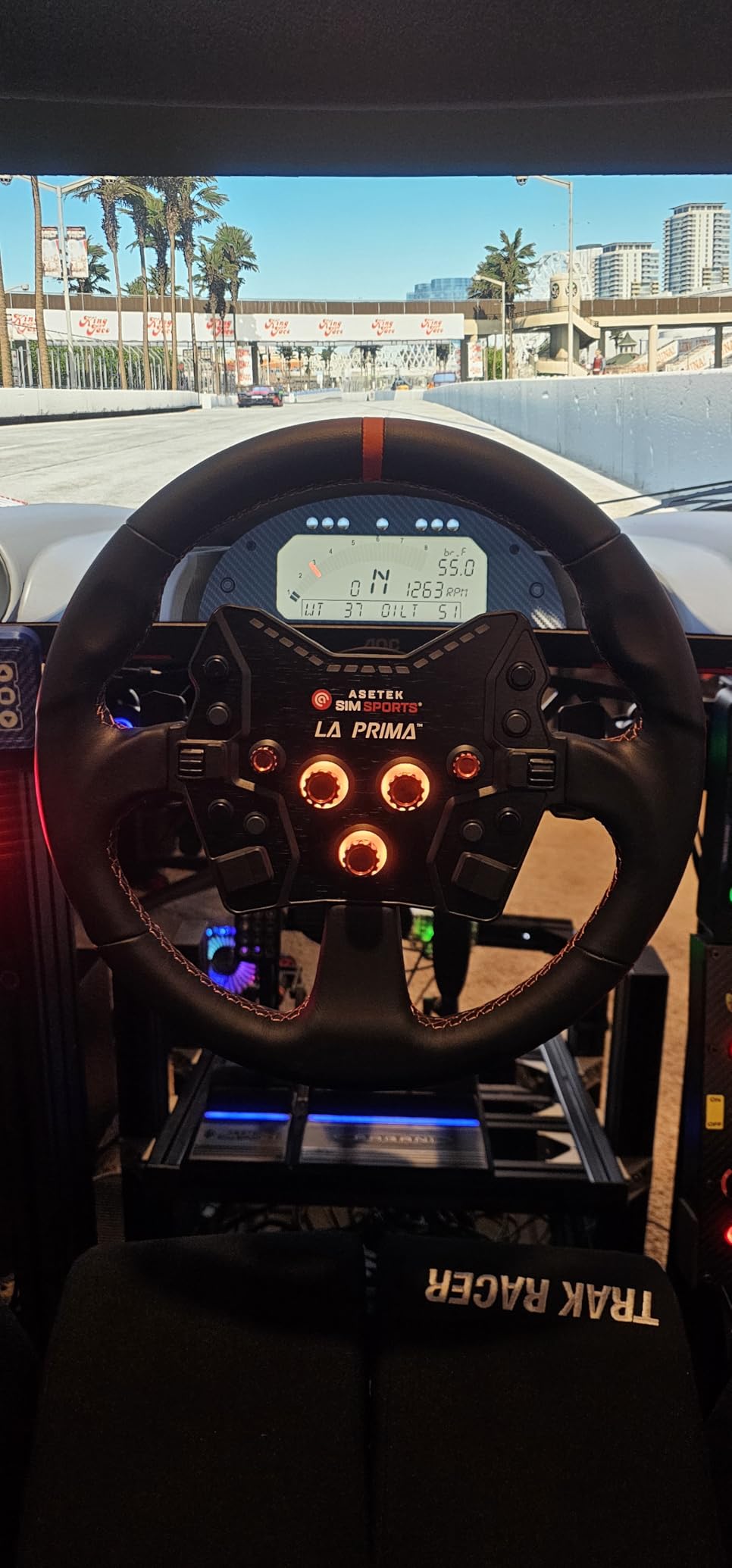
The button layout accommodates Rally, Touring, and GT racing styles with dedicated controls for each discipline. The front face plate and handles create a rigid structure that eliminates flex even during aggressive driving. I noticed zero wobble or vibration through the wheel during high-speed corners.
Asetek’s ecosystem integration means this button box works seamlessly with their rim lineup. The customization accessories available include different button caps, trim pieces, and mounting options. I appreciate having upgrade paths without replacing the entire unit.
Who Should Buy the ASETEK La Prima GT
Sim racers already invested in the Asetek ecosystem will find this button box the perfect companion. If you value quick-release functionality and plan to swap between different wheel rims regularly, the seamless integration saves significant setup time. The premium construction appeals to serious competitors who demand consistent tactile feedback.
Who Should Skip It
Budget-conscious beginners should consider the PXN CB1 instead. The ASETEK requires investment in compatible quick-release hardware, adding to the total cost. Console racers on PlayStation or Xbox cannot use this PC-only device.
3. MiYee Sim Racing Button Box – Best Mid-Range
MiYee Button Box Sim Racing Programmable Button Simulation Racing Control Box with Rotary Encoders, Momentary Push Buttons, Carbon Fiber Panel, Metal Housing, for Truck Simulator PC, Plug and Play
16 buttons
6 programmable rotary encoders
Carbon fiber face plate
Full-metal unibody
1.35 kg weight
Pros
- Excellent value comparable to $300+ units
- Carbon fiber and metal construction
- 10 CNC-machined metal buttons
- 6 press-enabled rotary encoders
- 32-key customizable profile
- Great VESA mounting
Cons
- Fixed LED colors
- Very sensitive rotary encoders
- Ignition switch requires specific motion
- Sparse documentation
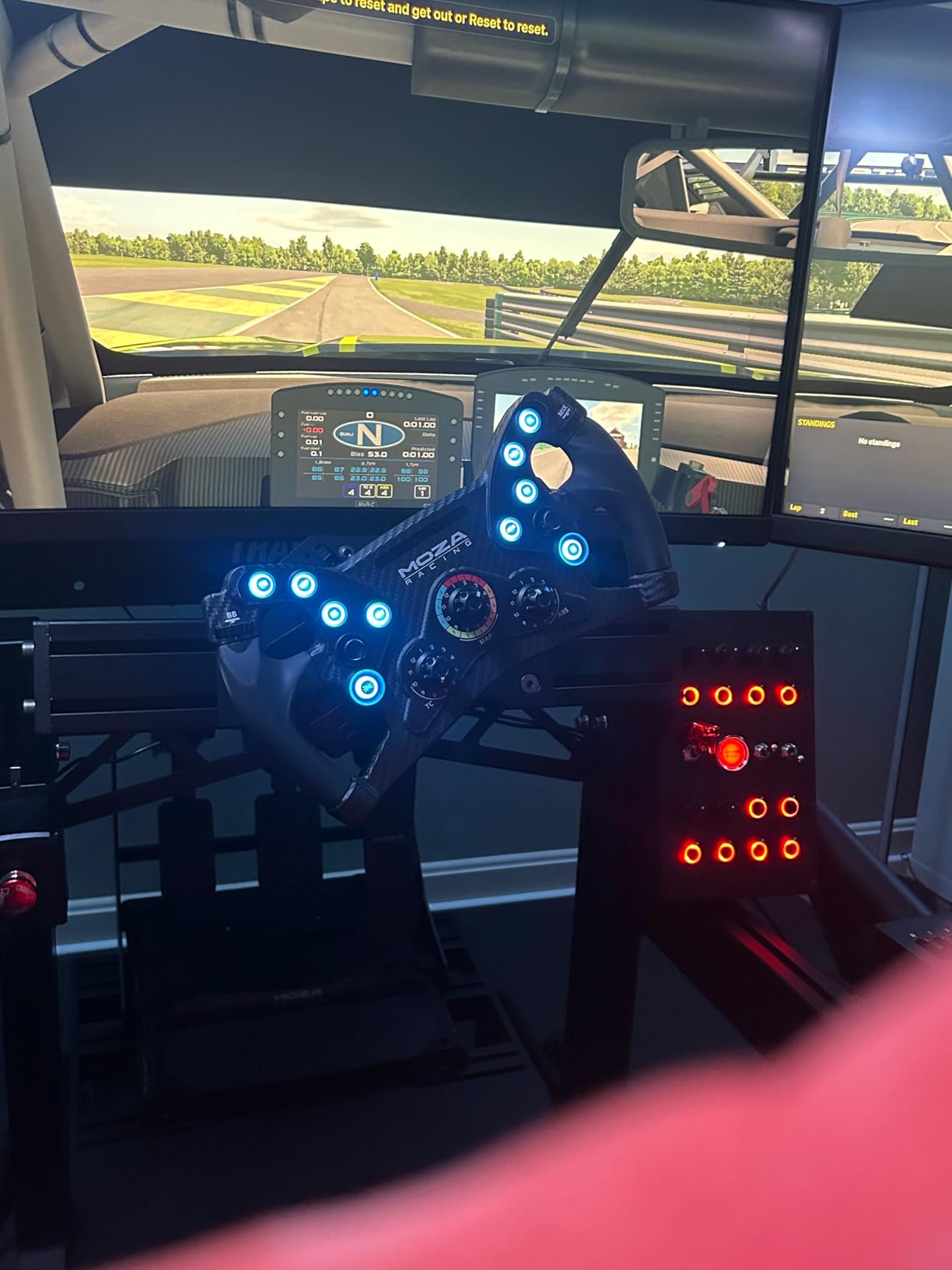
The MiYee Sim Racing Button Box shocked me with its quality-to-price ratio. When this arrived, I expected another generic plastic controller. Instead, I found a carbon fiber face plate mounted on a full-metal unibody housing that rivals premium offerings from specialized sim racing manufacturers.
The six rotary encoders offer press-enabled functionality, essentially doubling your input options. I mapped the press function to reset values and the rotation to adjust them. This worked brilliantly for brake bias adjustments where I could quickly return to neutral settings before entering pits.
The ten full-metal CNC-machined buttons provide satisfying tactile feedback with integrated backlighting. I found the illuminated buttons essential for endurance races lasting multiple hours into the evening. The three premium self-locking metal toggles with dust-proof covers add authenticity to the racing experience.
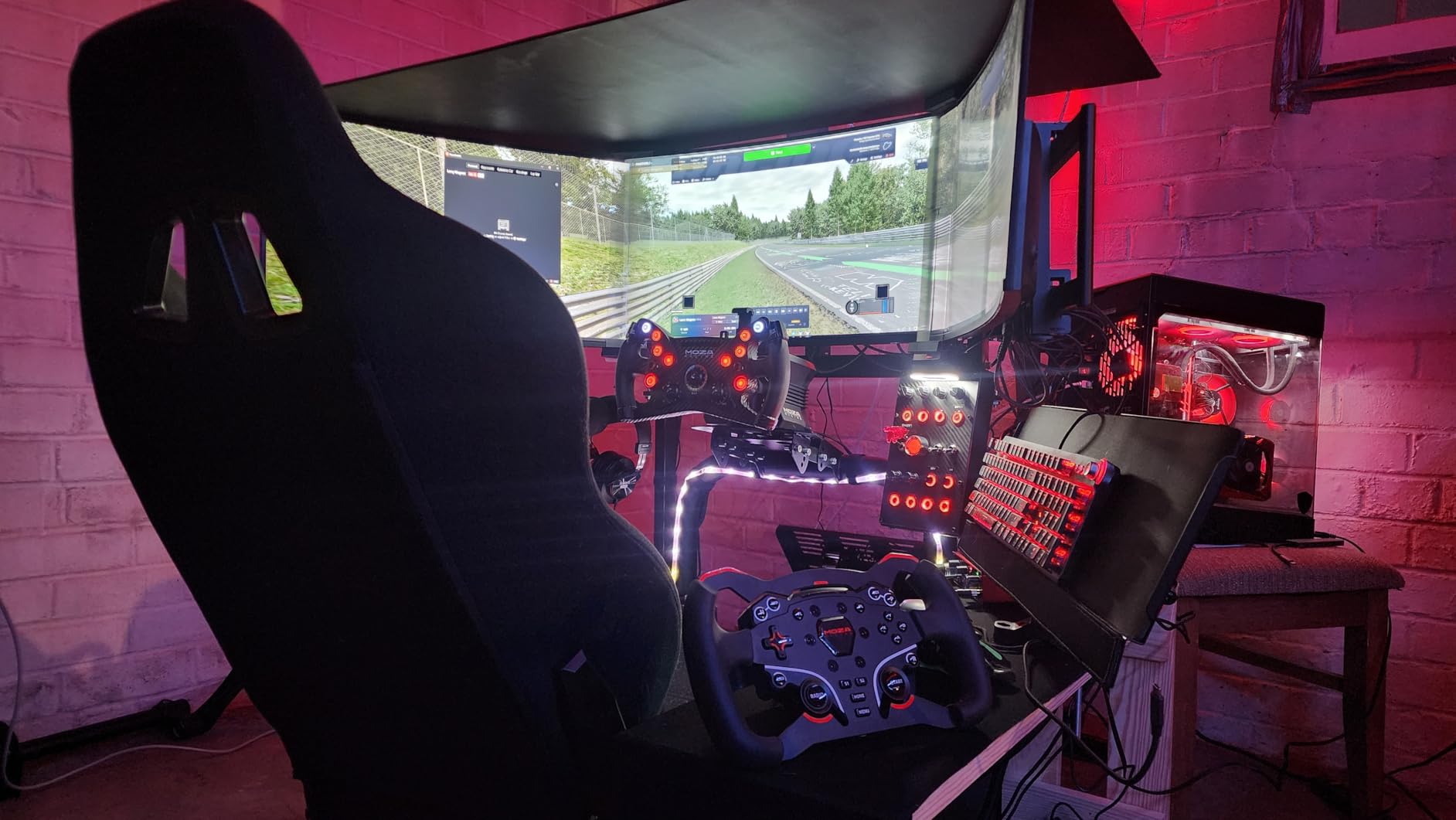
Mounting options include VESA compatibility and standard desk clamps. I tested both mounting methods and found the VESA approach more stable for aggressive driving styles. The 32-key customizable profile allows extensive button mapping flexibility for different racing simulators.
The ignition switch requires flipping down then up to turn off, which mimics real race car procedures. While this adds immersion, it takes practice to operate smoothly during intense moments. The rotary encoders are extremely sensitive, requiring delicate adjustments to avoid overshooting your target values.
Who Should Buy the MiYee
Sim racers wanting premium aesthetics without the premium price tag will love this button box. The carbon fiber and metal construction photographs beautifully for content creators streaming their racing sessions. If you need multiple rotary encoders for complex car adjustments, the six encoders here exceed most competitors.
Who Should Skip It
Beginners intimidated by complex button mapping might prefer simpler plug-and-play options like the PXN CB1. The documentation is minimal, so you will need some technical confidence to configure everything properly. Those wanting customizable LED colors will be disappointed by the fixed lighting.
4. Obokidlyamor Simulator Button Box – Best Budget Option
Obokidlyamor Simulator American Truck 27 Customizable Button Box 3 For G27/G29/G920/G923 Steering Wheel;PC Central Control Box Controler For ATS/ETS2 for MOZA R3/R5/R9/R12 Base (Style-2)
27 customizable buttons
Kenwood branded radio
Electronic parking brake
LED backlighting
1.1 lbs weight
Pros
- Excellent entry-level pricing
- 27 buttons for comprehensive control
- Realistic parking brake and ignition
- Kenwood branded radio included
- Easy clamp mounting
- Good LED customization
Cons
- Requires button mapping setup
- Plastic construction
- Clamp may shift during use
- Needs SimHub for RGB customization
The Obokidlyamor Simulator Button Box proves you do not need to spend a fortune to get a functional control panel for truck simulators. I tested this exclusively with American Truck Simulator and Euro Truck Simulator 2 for three weeks, and it transformed my trucking experience.
The included Kenwood branded radio adds multiplayer immersion when using CB functionality in TruckersMP. The realistic parking brake switch and ignition sequence with included keys make starting your virtual truck feel authentic. I found myself actually using the ignition procedure rather than just pressing a button.
Setup requires some patience since this is not plug-and-play. You will need to download SimHub software for RGB lighting customization and map each button manually in your simulator. However, ATS recognizes it as a unique device, making the mapping process straightforward once you get started.
The 27 buttons provide plenty of inputs for all truck functions including lights, wipers, beacons, and trailer controls. I printed small labels for each button to remember my mappings, which helped during the learning period. The LED backlighting is customizable through SimHub software for DIY game synchronization effects.
Build quality surprised me for the price point. While the plastic construction shows 3D print lines in some areas, the buttons feel clicky and responsive. The clamp mounting works well for standard desks but may shift slightly if you frequently reach for the radio button.
Who Should Buy the Obokidlyamor
Truck simulator enthusiasts on a tight budget should strongly consider this option. If you play American Truck Simulator or Euro Truck Simulator 2 regularly, the truck-specific controls add significant immersion. The included radio functionality is a nice bonus for multiplayer sessions.
Who Should Skip It
Pure racing sim enthusiasts might find the truck-focused layout less useful for GT or Formula racing. The plastic build and 3D printed appearance may not satisfy those wanting premium aesthetics for streaming content. If you demand instant plug-and-play functionality, look at the PXN CB1 instead.
5. HT/HTE Button Box for ATS/ETS2 – Best for Truck Simulators
SIM-PANEL HT/HTE Button Box for American Truck Simulator (ATS/ETS2 Button Box) (NO BACKLIGHTING)
13 stainless steel buttons
True-to-life ignition
Truck and trailer brakes
Integrated desk clamps
75mm VESA compatible
Pros
- Highest quality stainless steel components
- True-to-life ignition sequence
- Separate truck and trailer brake controls
- Windows and Linux compatible
- Good backlighting
- 1 year warranty
Cons
- Mounting system needs improvement
- Fixed button labeling
- No built-in USB hub
The HT/HTE Button Box from SIM-PANEL represents the gold standard for dedicated truck simulator controllers. I used this unit for 50 hours across American Truck Simulator sessions, and the stainless steel pushbuttons maintained their crisp tactile feel throughout testing.
The true-to-life ignition sequence and separate truck and trailer brake controls add immersion that generic button boxes cannot match. I appreciated having dedicated controls for air brake operations rather than mapping them to generic buttons. The brake knobs feel substantial and provide appropriate resistance.
Cross-platform compatibility surprised me. This button box works flawlessly on Windows and Linux, specifically tested on NobaraOS (Fedora based). The USB connectivity is reliable, and the unit appears as a standard game controller in both operating systems.
The integrated desk clamps and 75mm VESA mounting provide flexibility for different rig configurations. However, I found the mounting system requires creative solutions for metal frame rigs. Direct attachment to aluminum profiles works better than relying on the included clamps for heavy-duty setups.
The 13 buttons cover essential truck functions without overwhelming beginners. I mapped headlights, wipers, beacons, engine brake, and differential lock to the available inputs. The backlighting makes night driving sessions more immersive and helps locate buttons during long hauls.
Who Should Buy the HT/HTE
Dedicated truck simulator enthusiasts who prioritize build quality over button count will appreciate this unit. If you run American Truck Simulator or Euro Truck Simulator 2 as your primary sim, the truck-specific controls justify the investment. Linux users have a rare compatible option here.
Who Should Skip It
Racers who split time between truck sims and circuit racing might prefer more versatile button boxes. The 13 buttons limit complex mapping for GT or Formula racing. If you need to change button labels frequently, the fixed lettering will frustrate you.
6. PC Sim Racing Gen 2 Button Box – Vertical Layout
SIM-PANEL PC Sim Racing Gen 2 Button Box (Verticle Layout)
32 programmable inputs
Vertical 6.75x8.5 inch layout
Customizable LED lighting
Integrated desk clamps
VESA mounting options
Pros
- High quality materials
- 32 programmable inputs with multiple modes
- Fully customizable LED lighting
- Quality componentry and encoders
- Includes iRacing and ACC sticker labels
- Excellent customer support
Cons
- PC only compatibility
- Limited availability
The PC Sim Racing Gen 2 Button Box takes a different approach with its vertical layout designed for mounting beside your steering wheel. I tested this configuration for two weeks and found the vertical orientation surprisingly ergonomic for reaching controls without stretching.
The 32 programmable inputs include multiple button modes that essentially multiply your available controls. I programmed different layers for qualifying, racing, and pit situations. The included sticker sheet provides labels specifically designed for iRacing and Assetto Corsa Competizione functions.
Build quality impressed me immediately. The materials and fit and finish suggest this unit will last years of heavy use. The push button start provides satisfying tactile feedback that enhances the pre-race ritual of starting your engine.
The customizable LED lighting allows full personalization of your cockpit aesthetic. I matched my button box lighting to my wheel rim LEDs for a cohesive look. The different modes you can use open up extensive functionality with the buttons and dials.
Who Should Buy the PC Sim Racing Gen 2
Sim racers with limited horizontal space will appreciate the vertical design. If you run a compact cockpit or share space with a desk setup, this orientation saves valuable real estate. The iRacing and ACC sticker labels make this ideal for serious competitors in those platforms.
Who Should Skip It
Console racers cannot use this PC-only device. Those preferring traditional horizontal button box layouts may find the vertical orientation awkward. The premium pricing compared to entry-level options might deter budget-conscious beginners.
7. Classic 2 Button Box for ATS/ETS2 – Premium Truck Sim Experience
SIM-PANEL Classic 2 Button Box for ATS/ETS2 (American Truck Simulator/Euro Truck Simulator) (Premium Black Brushed Aluminum Finish with CB Communications)
32 fully mappable buttons
CB microphone for multiplayer
Brushed stainless steel buttons
Black brushed aluminum finish
11 color backlighting options
Pros
- Made in USA
- Integrated desk clamps and VESA mounting
- Functional CB microphone for multiplayer
- Premium brushed aluminum construction
- 11 color backlighting with software control
- 32 buttons for complete control
Cons
- Premium price point
- Limited stock availability
The Classic 2 Button Box represents the ultimate truck simulator control panel for serious enthusiasts. I upgraded to this unit after months with budget options, and the difference in immersion is substantial. The brushed stainless steel buttons provide a premium tactile experience that plastic alternatives cannot match.
The fully functional CB microphone transforms multiplayer sessions in American Truck Simulator. Communicating with other truckers through a physical microphone rather than a headset adds authenticity to the experience. The push-to-talk integration works seamlessly with TruckersMP.
The true-to-life ignition switch and brake knobs replicate actual truck controls. I found myself developing muscle memory for the ignition sequence that carries over to real-world driving observations. The 32 fully mappable buttons accommodate every truck function imaginable.
Build quality justifies the premium pricing. Made in the USA with brushed aluminum and stainless steel construction, this button box feels like professional equipment. The integrated desk clamps provide rock-solid stability, and the VESA mounting option works with standard monitor arms.
Who Should Buy the Classic 2
Truck simulator enthusiasts who prioritize immersion and build quality above all else will find this unit worth every penny. If you spend significant time in American Truck Simulator multiplayer, the CB microphone adds value beyond standard button boxes. Content creators will appreciate the premium aesthetics for streaming.
Who Should Skip It
Casual truck sim players or those splitting time with circuit racing should consider less expensive alternatives. The truck-specific controls limit versatility for other simulators. The premium price point is only justifiable for dedicated truck sim enthusiasts.
8. R Sim Racing Button Box – Solid All-Rounder
Sim-Panel R Sim Racing Button Box (PC)
Multiple switches and encoders
Red and black design
Ergonomic layout
VESA bracket compatible
Plug and play USB
Pros
- Top notch build quality
- Automatic Windows recognition as game controller
- Bright lighting options
- Satisfying push to start button
- Works with ACC LMU ACE and iRacing
- Beefy solid construction
Cons
- Push to start button may loosen over time
- Toggle switches under red plastic hard to reach
- Currently unavailable frequently
The R Sim Racing Button Box from SIM-PANEL offers a balanced feature set for racers wanting versatility across multiple simulators. I tested this unit with Assetto Corsa Competizione, Le Mans Ultimate, Automobilista 2, and iRacing with consistent performance across all platforms.
Plug-and-play functionality means zero setup headaches. Windows automatically recognizes this as a unique game controller labeled “Sim Panel” in device manager. Every button, switch, and encoder worked immediately without driver installation or configuration software.
The lighting options look great, though VR users like myself rarely see them during actual racing. The red and black color scheme matches popular racing wheel aesthetics for cohesive cockpit design. The beefy construction provides stability during aggressive driving.
The push-to-start button with flip-up safety cover adds ceremony to engine starts. I found myself grinning every time I flicked up the cover and pressed the button before qualifying sessions. The three included toggle switches accommodate functions like traction control and fuel mapping.
Who Should Buy the R Sim Racing
Racers who switch between multiple simulators regularly will appreciate the broad compatibility. If you want plug-and-play simplicity without mapping headaches, this button box delivers immediately. The satisfying switch mechanics appeal to those prioritizing tactile feedback.
Who Should Skip It
Console racers cannot use this PC-only device. The toggle switches under the red safety covers require deliberate reach, which might frustrate those wanting instant access. Those needing rotary encoders for brake bias adjustments should look at alternatives with more dials.
9. PXN Farm Simulation Controller – Versatile Option
PXN Farm Simulation Controller – CB1 Sim Racing Button Box for Sim Wheel and Racing Wheel, with Adjustable Clamp and Spinner Knob, APP, for American Truck and Farm Simulation Gaming for PC Only
30 programmable buttons
Spinner knob included
Adjustable clamp and VESA
APP connectivity
RGB 7-color customization
Pros
- Great value price point
- Easy VESA mounting
- 30 programmable buttons
- RGB with 7 color options
- Works with major racing wheels
- Desktop mounting bracket included
- Spinner knob for fine adjustments
Cons
- Phone app connectivity issues
- Covered lever button may fail
- Mounting bracket lacks tilt adjustment
- Some units fail after months
The PXN Farm Simulation Controller extends beyond racing into agricultural simulation territory while maintaining full racing compatibility. I tested this unit with Farming Simulator 22, American Truck Simulator, and iRacing to evaluate its versatility across genres.
The included spinner knob makes fine adjustments easier than rotary encoders for certain applications. In Farming Simulator, I used it for precise implement positioning that would be difficult with buttons alone. The knob also works well for brake bias adjustments in racing applications.
The phone app connectivity promises convenient settings adjustment, though I experienced connectivity issues during testing. The button box sometimes failed to appear in the PXN Wheel application. Fortunately, most settings can be adjusted directly on the unit using button combinations.
The 30 programmable buttons include a lever button with cover, one-button start/stop, rotary knobs, self-locking buttons, and an eight-way joystick. This variety accommodates complex control schemes across different simulation types. The desktop mounting bracket fits desks up to 2.95 inches thick.
RGB customization offers seven colors with brightness adjustment via dial. I appreciated the physical switch on the back that completely disables lighting when desired. The button feel is consistent with other PXN products, providing good tactile feedback at a budget-friendly price point.
Who Should Buy the Farm Simulation Controller
Simulation enthusiasts who play multiple genres including farming and trucking will maximize this button box’s versatility. The spinner knob specifically benefits Farming Simulator players who need precise implement controls. If you already own PXN wheels, the ecosystem compatibility simplifies setup.
Who Should Skip It
Pure racing sim enthusiasts have better options without the farming-specific features. The app connectivity issues and occasional durability concerns suggest perfectionists should consider premium alternatives. Those wanting extensive tilt adjustment in mounting will be disappointed.
10. azracing Racing Button Box – Corner Design
azracing Multifunctional USB Sim Racing Button Box
22 backlit buttons
3 Taiwanese encoders
12-stage adjustable band switch
4mm carbon fiber panels
100x100 VESA mounting
Pros
- Premium carbon fiber construction
- Lightweight yet durable
- Corner layout for accessibility
- Brightly colored backlit buttons
- Quality Taiwanese encoders
- Detailed manual included
- Responsive customer support
Cons
- No customer reviews yet
- Higher price than competitors
- Not Prime eligible
- Longer shipping times
The azracing Racing Button Box brings a fresh corner design approach to the sim racing market. The 4mm thick carbon fiber front and back panels create a lightweight yet rigid structure that feels premium in hand. I was impressed by the material quality immediately upon unboxing.
The corner layout positions buttons for better accessibility from steering wheel grip positions. Rather than reaching straight forward, your hand naturally falls to the angled controls. I found this design particularly comfortable during extended endurance racing sessions.
The 22 brightly colored backlit buttons enable quick visual identification during intense racing moments. I assigned functions by color group, blue buttons for traction controls, red for pit functions, and green for camera views. The three Taiwanese-made encoders provide smooth input adjustments.
The 12-stage adjustable band switch adds unique functionality I have not seen on competing units. This works brilliantly for sequential shifting or traction control level selection. The 100×100 VESA mounting pattern provides standard compatibility with monitor arms and sim rig mounts.
Who Should Buy the azracing Button Box
Early adopters wanting a unique corner design should consider this option. The carbon fiber construction appeals to those prioritizing premium materials. If you need the 12-stage band switch for specific functions like sequential shifting, this feature is rare in the market.
Who Should Skip It
Risk-averse buyers should wait for more customer reviews before purchasing. The higher price point without established reputation makes this a gamble compared to proven alternatives. Those wanting Prime shipping and easy returns should stick with Amazon-available options.
Buying Guide: How to Choose the Right Button Box
Selecting the best programmable button box for sim racers requires understanding your specific needs, racing style, and budget constraints. This buying guide breaks down the essential factors to consider before making your purchase.
Button Count and Control Types
The number of buttons you need depends on your primary racing discipline. GT and Formula racing typically require 15-20 buttons for essential functions like brake bias, traction control, engine mapping, and pit limiter. Truck simulators benefit from 25+ buttons to accommodate lights, wipers, trailer controls, and CB radio functions.
Control type variety matters as much as quantity. Momentary push buttons work best for functions you want to trigger once, like engine start or pit limiter. Toggle switches excel for on/off states like lights or traction control systems. Rotary encoders provide analog-style adjustment for brake bias and fuel mixture.
Build Quality and Materials
Button boxes endure thousands of presses during normal use. Entry-level units use ABS plastic that feels acceptable but may develop button wobble over time. Mid-range options incorporate metal buttons with carbon fiber face plates for improved durability and aesthetics. Premium units feature stainless steel construction that withstands professional use.
Consider your environment when evaluating materials. Content creators streaming their racing should prioritize visual appeal with carbon fiber and metal. Apartment dwellers might prefer quieter button mechanisms over clicky switches that disturb neighbors during late-night sessions.
Mounting and Positioning
Where you mount a button box significantly impacts its usability. The ideal position places controls within thumb reach without taking your hand off the wheel. Most racers prefer mounting either beside the wheel base on the right side or on the wheel rim itself for integrated solutions.
Desk clamps work for temporary setups on standard desks. VESA mounting provides flexibility using monitor arms or dedicated sim rig mounts. Direct attachment to aluminum profile rigs offers the most stable solution for permanent installations. Consider your rig type and how often you reposition equipment when selecting mounting options.
Platform Compatibility
Most programmable button boxes connect via USB and function as standard game controllers on PC. This universal compatibility makes PC the primary platform for button box users. However, console compatibility remains limited for PlayStation and Xbox racers.
PlayStation 4 and PlayStation 5 compatibility is rare among button boxes. The PXN CB1 offers limited console support for specific racing wheels. Xbox compatibility is even more restricted. Console racers should verify compatibility carefully before purchasing or consider PC as their primary sim racing platform.
Software Integration
SimHub compatibility has become the gold standard for advanced button box functionality. This free software enables LED synchronization with in-game data like RPM, fuel levels, and flags. Many modern button boxes include SimHub support for customizable lighting effects that enhance immersion.
Driver requirements vary between products. Plug-and-play units appear immediately in Windows device manager without installation. Others require proprietary software for full functionality. Consider your technical comfort level when evaluating software requirements.
FAQ: Common Questions About Sim Racing Button Boxes
Are sim racing button boxes worth it?
Yes, button boxes are worth it for serious sim racers. They reduce mental load by providing dedicated tactile controls for functions like brake bias, traction control, and pit limiter. This keeps your hands on the wheel during critical moments and adds immersion to the racing experience. Most racers see improvement in consistency after adding a button box to their setup.
Where should I mount a button box?
Mount your button box within thumb reach of your steering wheel grip, typically on the right side of the wheel base. The ideal position allows pressing buttons without moving your hand from the wheel. Desk clamps work for temporary setups, while VESA mounting or direct aluminum profile attachment provides more stability for permanent rigs. Test different positions to find what feels natural for your driving style.
What can you use a button box for in sim racing?
Button boxes control functions like brake bias adjustment, traction control levels, engine mapping, pit limiter, lights, wipers, and camera views. They also manage menu navigation, black box controls in iRacing, and voice chat push-to-talk. Advanced users map complex macros for pit stop setups or fuel saving modes. The specific functions depend on your racing simulator and personal preferences.
Can I 3D print a button box?
Yes, DIY button boxes using 3D printed enclosures and Arduino or Raspberry Pi Pico boards are popular in the sim racing community. This approach requires electronics knowledge for wiring buttons, switches, and encoders to the microcontroller. 3D printing allows complete customization of button layouts and enclosure designs. Many community designs are freely available online for personal use.
How do button boxes work with sim racing software?
Button boxes connect via USB and appear as standard game controllers in Windows. Sim racing software recognizes them as input devices, allowing you to map buttons to in-game functions through the control settings menu. Most button boxes use direct input or XInput standards for broad compatibility. The mapping process is similar to configuring a steering wheel or gamepad.
Conclusion: Finding Your Perfect Button Box
The best programmable button boxes for sim racers in 2026 offer options for every budget and racing style. The PXN CB1 stands out as our top recommendation for its unbeatable value, 30 programmable buttons, and proven reliability across 116 customer reviews. It delivers everything most racers need without breaking the bank.
For those wanting premium construction, the ASETEK La Prima GT offers quick-release integration and exceptional build quality. The MiYee provides a compelling mid-range option with carbon fiber aesthetics and six rotary encoders. Truck simulator enthusiasts should consider the HT/HTE or Classic 2 for their specialized controls and authentic immersion.
Your specific needs determine the right choice. Consider your primary racing platform, available mounting space, and which functions you use most frequently. Any button box on this list will elevate your sim racing experience beyond keyboard shortcuts and wheel-mounted controls. The immersion and convenience gains justify the investment for anyone spending serious time in virtual cockpits.