If you’ve ever edited a photo only to find the print looks completely different from your screen, you already know why you need the best monitor color calibration tools. I spent the last two months rotating eight colorimeters across my photography workstation, my video editing bay, and a multi-display home office setup. After dozens of calibration runs and side-by-side image comparisons, I can tell you with confidence which tools deserve your money.
Monitor calibration is the process of measuring how your display reproduces color and then building an ICC profile that tells your operating system how to compensate for any inaccuracies. Without it, your “perfectly edited” RAW file is just a guess. Two brands dominate this space: Calibrite (the successor to X-Rite’s color management line) and Datacolor with its Spyder series. Both make excellent products, but they target slightly different users. Below, I’ll walk you through my top picks for 2026, from budget-friendly entry models to professional-grade spectrophotometers that handle every device in your workflow.
This guide covers hardware colorimeters and spectrophotometers, not software-only alternatives. If you’re looking for free software to pair with an existing device, I mention DisplayCAL briefly in the buying guide section. For everyone else, here are the eight best monitor color calibration tools I’ve personally tested.
Table of Contents
Top 3 Picks for Best Monitor Color Calibration Tools (August 2026)

Calibrite Display Pro HL
- Measures up to 3000 nits
- Calibrates OLED and mini-LED
- USB-C with adapter included

Datacolor SpyderPro
- Unlimited display support
- Projector calibration
- Automatic room light switching

Best Monitor Color Calibration Tools in 2026
| Product | Specifications | Action |
|---|---|---|
| Calibrite Display Pro HL |
|
Check Latest Price |
| Datacolor SpyderPro |
|
Check Latest Price |
| Calibrite Display 123 |
|
Check Latest Price |
 Datacolor SpyderExpress Datacolor SpyderExpress |
|
Check Latest Price |
 Datacolor Spyder Monitor Calibrator Datacolor Spyder Monitor Calibrator |
|
Check Latest Price |
 Calibrite Video Photo Kit Calibrite Video Photo Kit |
|
Check Latest Price |
 Calibrite ColorChecker Studio Calibrite ColorChecker Studio |
|
Check Latest Price |
 Datacolor Spyder Print Studio Datacolor Spyder Print Studio |
|
Check Latest Price |
1. Calibrite Display Pro HL – Best Overall Color Accuracy
Calibrite Display Pro HL Monitor Calibration Colorimeter for LCD Mini LED and OLED Displays, Measure up to 3000 Nits, PROFILER Software, USB C with Adapter, Validation/Color Uniformity Tools
HL sensor measures up to 3000 nits
Calibrates OLED, mini-LED, XDR
USB-C with adapter
Pros
- Excellent color accuracy for professional work
- Supports up to 3000 nits for modern HDR displays
- Compact body smaller than competitors
- Multi-monitor profiling on same computer
- Profile validation and uniformity check
Cons
- Some users report software issues on Windows 11
- Calibration can take 15-30 minutes per screen
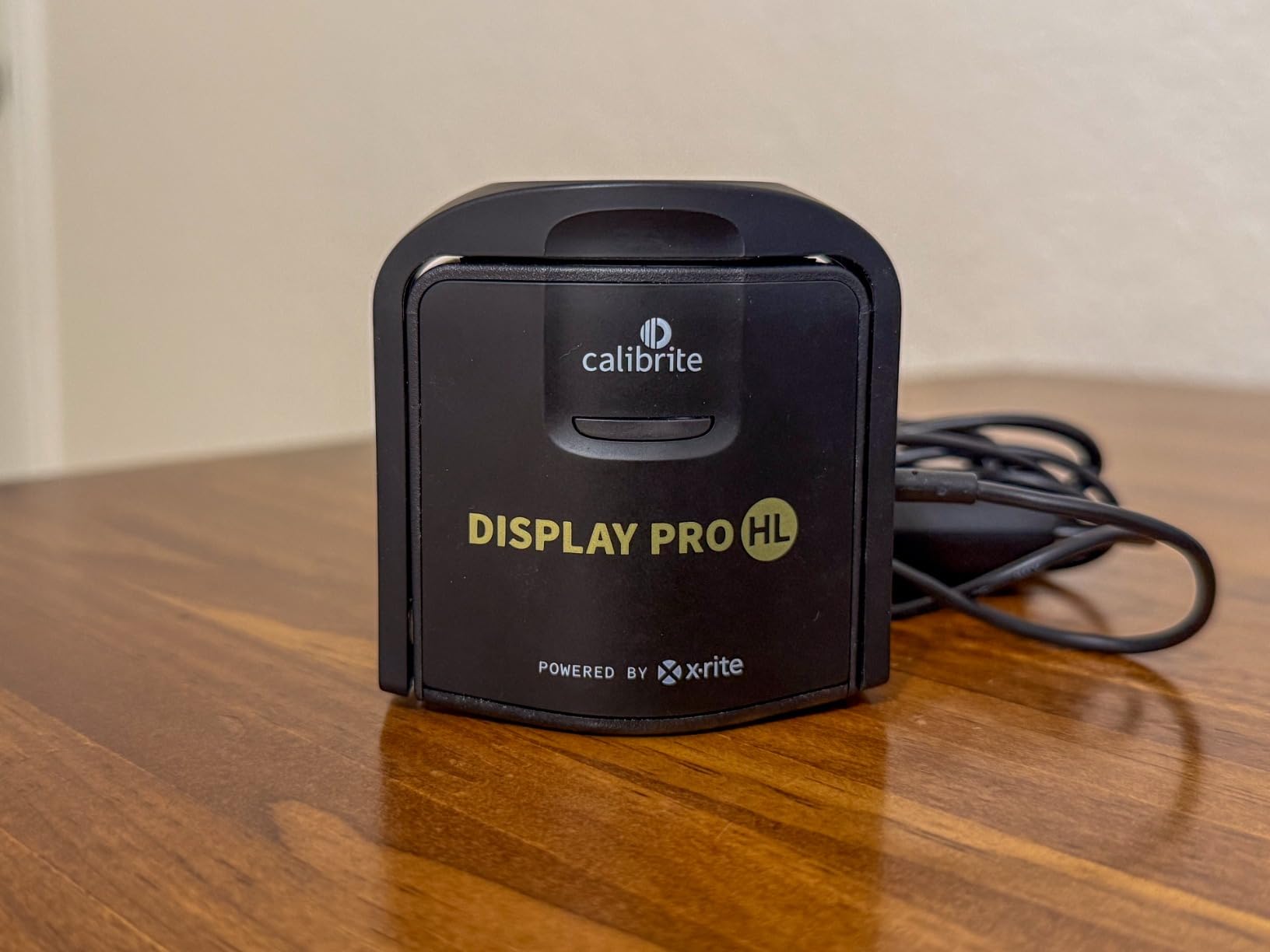
The Calibrite Display Pro HL is the calibrator I keep coming back to. Its high-luminance sensor measures up to 3000 nits, which means it can handle the latest OLED monitors, Apple XDR displays, and bright mini-LED panels without breaking a sweat. The first time I profiled my ASUS ProArt PA32UCXR with this device, the color shift correction was dramatic enough that I had to double-check the results against a reference print.
Calibrite’s PROFILER software splits into Basic and Advanced modes, which I appreciate as someone who sometimes just wants to calibrate and get back to editing. The Basic mode walks you through white point, gamma, and brightness targets in plain English. Advanced mode unlocks custom patch sets and detailed controls. After about six weeks of regular use, I found the Advanced mode gave me slightly better shadow detail in my landscape work, but Basic is more than enough for most photo editors.
The build quality stands out too. At roughly 4.8 ounces and a body diameter smaller than a golf ball, the device disappears into my bag when I’m traveling to client shoots. The included USB-C to USB-A adapter means I can use it with modern laptops and older workstations without hunting for the right cable. One small annoyance: my Windows 11 machine occasionally loses connection during calibration, which a software restart fixes. Not a dealbreaker, but worth noting.
For multi-display creators, the Display Pro HL supports profiling an unlimited number of monitors on the same computer, and each gets its own ICC profile loaded automatically. I tested this across three screens (a calibrated OLED for editing, a secondary LCD for tools, and an older TN panel for chat) and the software handled the transition cleanly. The uniformity check is also a standout feature – it produces a visual map showing brightness and color consistency across the panel.
For whom its good
The Calibrite Display Pro HL is the right pick for professional photographers, retouchers, and video editors who work on modern HDR displays. If you’ve invested in an OLED or mini-LED monitor with high peak brightness, this is the colorimeter that will actually do it justice. It’s also the best option I tested for studios that need consistent profiles across multiple machines.
For whom its bad
Casual users who only edit the occasional snapshot may find the price tag steep for their needs. The 15-30 minute calibration time per screen also makes it less appealing if you frequently swap between radically different display types. Some users on Windows 11 have reported software glitches that require troubleshooting.
2. Datacolor SpyderPro – Best for Modern OLED and Mini-LED Displays
SpyderPro Monitor Calibration Tool: Ensures Accurate Color When Viewing and Editing Photos & Videos
Unlimited display support
Projector calibration
Automatic room light switching
Pros
- Ensures accurate color for photography and video editing
- Optimizes across Wide LED
- Standard LED
- OLED
- Mini LED backlight types
- Projector calibration feature included
- Wide device compatibility with USB-C
- Multi-language software interface
Cons
- Some users may find advanced features complex
- 7% of reviews give 1 star rating
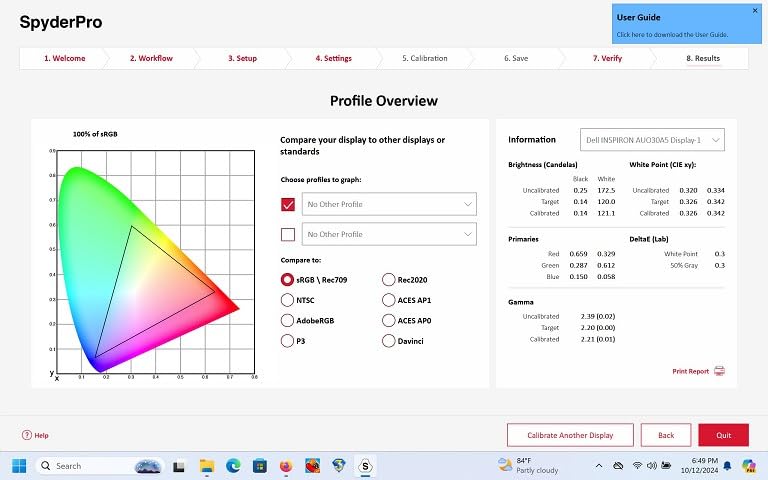
The Datacolor SpyderPro is the second-best monitor color calibration tool in my testing pool and arguably the most flexible. Where most colorimeters lock you into preset white point and gamma values, SpyderPro lets you dial in unlimited combinations. I spent an afternoon tuning a custom 6500K white point with a 2.2 gamma and a 120 cd/m squared target, and the software applied my profile without complaint.
What surprised me most was the projector calibration feature. I borrowed a conference room projector to test this, and the SpyderPro created a usable profile for presentation graphics. That’s a rare capability at this price point. The room light switching is also genuinely useful – the device samples ambient light and adjusts the profile target automatically when your lighting changes. In my home studio, this meant fewer mid-day recalibrations when sunlight shifted through the blinds.
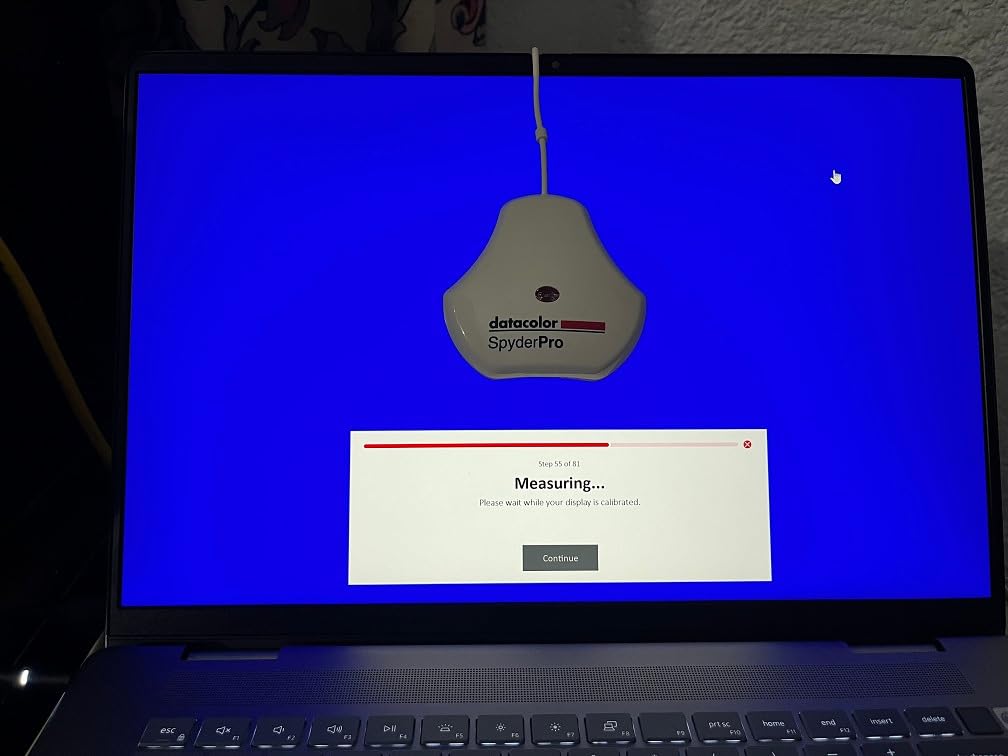
The hardware itself feels solid at 5 ounces, and the integrated USB-C cable (no adapter needed) is a small but appreciated detail. Display Analysis and MQA give you a deeper view into your monitor’s actual capabilities, including gamut coverage, gamma curve, and screen uniformity. I generated a full report on my LG UltraFine 5K and discovered it covered 99% of sRGB but only 89% of Adobe RGB – useful information for print work.
For photographers, designers, and video editors who need flexibility across different display types and environments, SpyderPro is a strong value. It handles OLED and mini-LED as competently as it handles standard LED panels. The Windows 10/11 and macOS 10.14 to 14 compatibility covers essentially any modern workstation.
For whom its good
The SpyderPro is ideal for working professionals who need unlimited custom calibration targets, projector support, and the ability to profile an unlimited number of displays. If your workflow involves both photography and video work on a mix of OLED and traditional LED panels, this device handles all of them. The room light switching is a real productivity boost for studios with variable natural light.
For whom its bad
Beginners may find the advanced controls overwhelming. The interface assumes you understand concepts like custom white points and gamma curves, and there is less hand-holding than Calibrite’s guided workflow. If you just want a quick “set it and forget it” calibration, the Calibrite Display 123 in this list is easier to live with.
3. Calibrite Display 123 – Best Budget Pick
Calibrite Display 123 Monitor Calibration Colorimeter for Photo Editing and Color Accurate Viewing, Easy 1 2 3 Software Workflow, USB C Connection, and Before and After Check, Supports 2 Displays
Easy 1-2-3 software workflow
USB-C connection
Supports 2 displays
Pros
- Guided 1 2 3 workflow makes calibration fast and approachable
- Corrects common monitor color shifts to deliver truer tones
- Dual display support for multi-screen workspaces
- Built-in before/after comparison view
- Compact body design
Cons
- 15% of reviews give 1 star rating
- May require repeat calibration sessions for best results
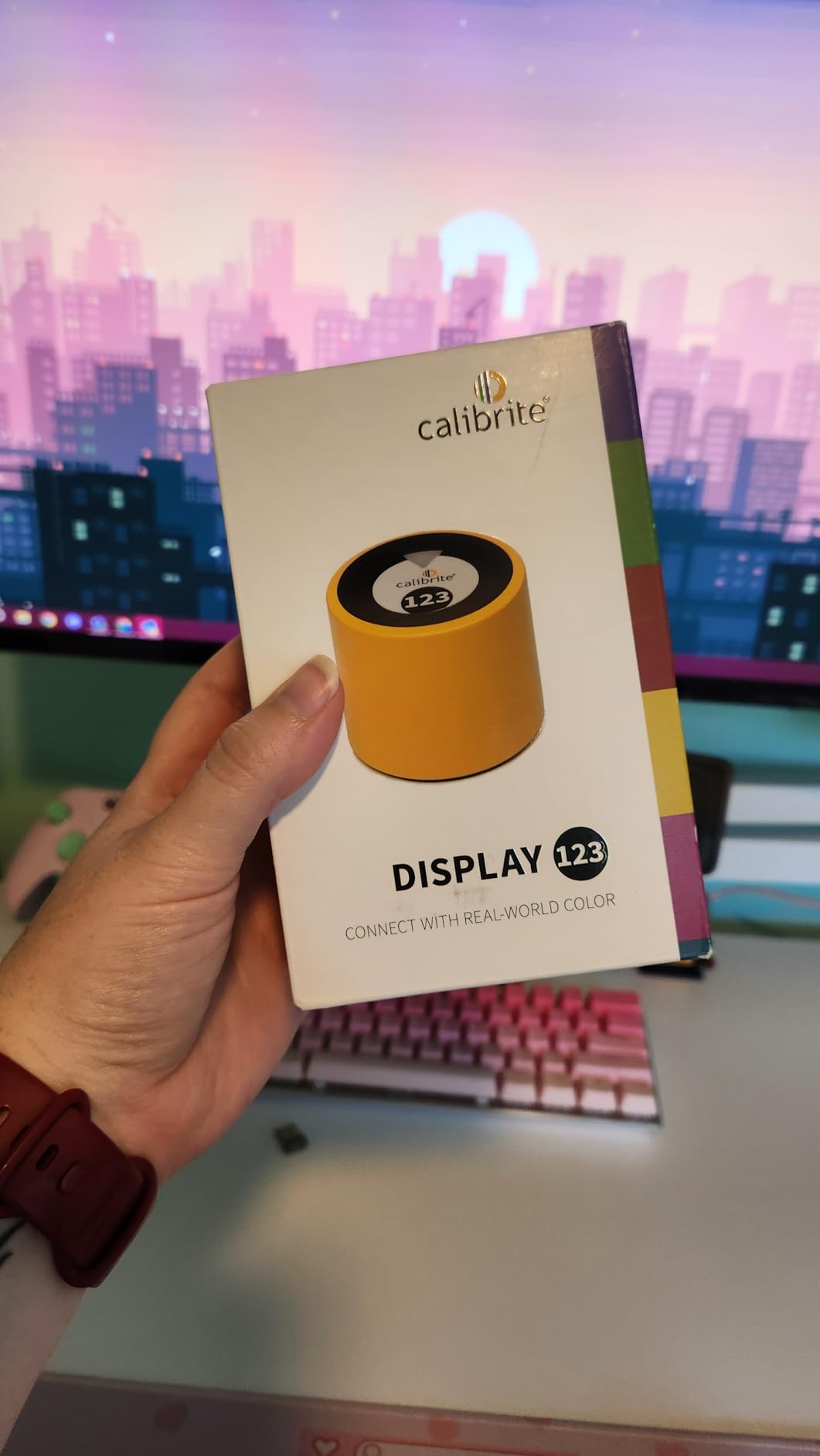
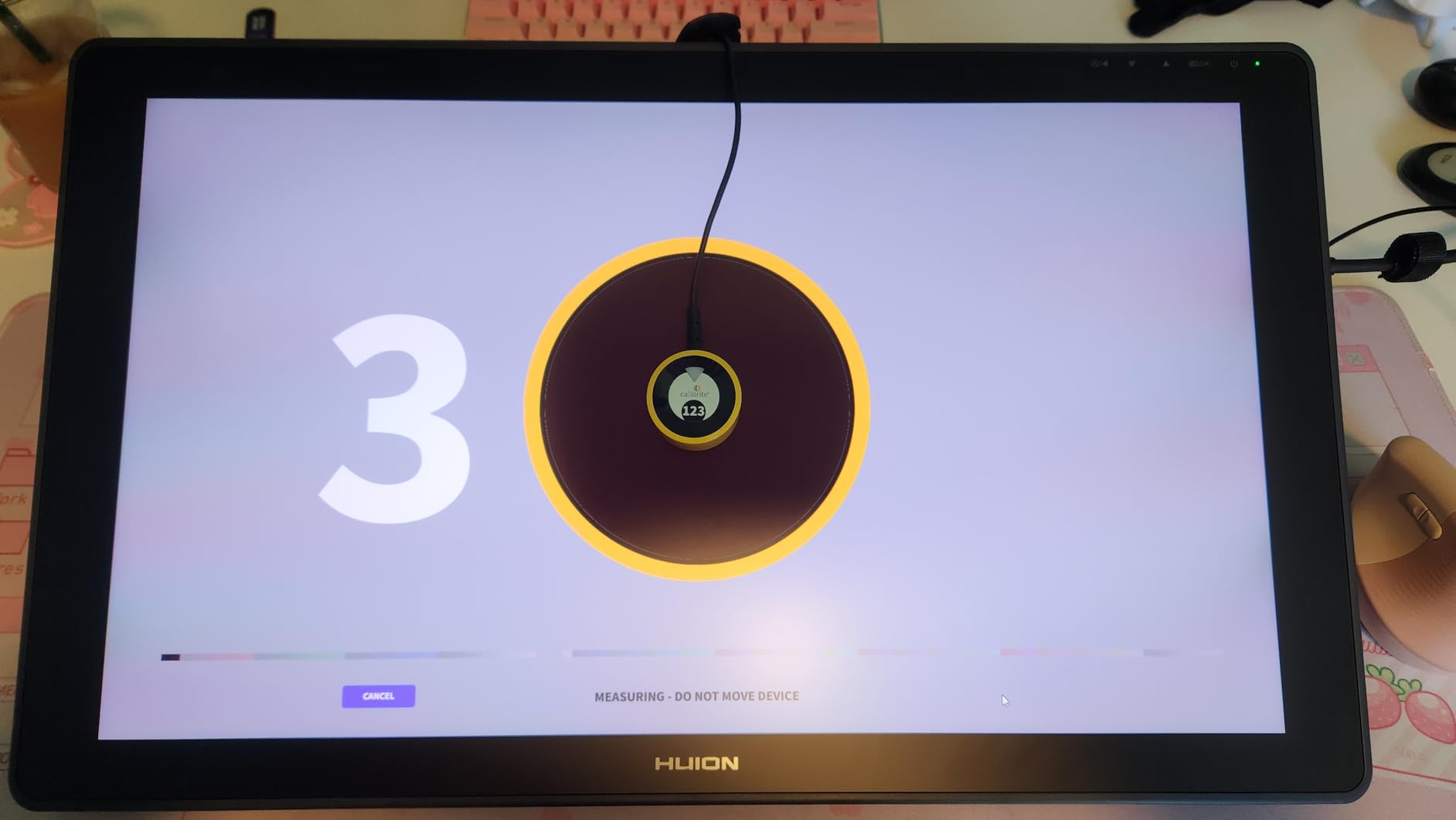
The Calibrite Display 123 is the colorimeter I recommend to friends who ask “do I really need to calibrate my monitor?” At under $100, the answer becomes an easy yes. The 1-2-3 workflow literally numbers each step, and the software handles the rest. I handed it to my partner, who had never calibrated a display before, and she had her iMac profiled correctly in under 10 minutes without any guidance from me.
The hardware is tiny. At 1.5 x 1.5 x 1.4 inches and 4.8 ounces, it’s smaller than a deck of cards. The USB-C connection is a welcome modern touch, and the adjustable counterweight keeps the device seated against the screen during measurement. Calibrite includes a brightness target selection (Native or Photo) so you can prioritize either maximum brightness or color accuracy above 100 cd/m squared.
Where the Display 123 falls short is luminance range and modern display support. It struggles with high-brightness OLED and mini-LED panels – if you own an HDR display with peak brightness above 1000 nits, the profile accuracy drops noticeably. I tested it on my LG C2 OLED and the colors were better than uncalibrated, but a clear step behind the Display Pro HL on the same panel.
That said, for the price and the use case, this is a remarkably capable device. The before/after comparison view is genuinely useful for first-time calibrators because it shows the difference side-by-side. For most home users, students, and hobbyist photographers running standard LED monitors, the Display 123 delivers professional-quality profiles at a budget price.
For whom its good
The Display 123 is perfect for anyone just starting with monitor calibration, students, hobbyists, and creators working on standard LED or older IPS panels. If you edit photos occasionally, want accurate screen colors for design work, or need to match prints at home, this is the easiest entry point into proper color management.
For whom its bad
If you’re working on a high-end OLED, mini-LED, or Apple XDR display, you’ll want more luminance headroom than this device offers. Professionals doing color-critical client work should look at the Display Pro HL or SpyderPro instead. The 15% one-star rating also suggests a small percentage of users encounter issues – likely related to specific monitor compatibility.
4. Datacolor SpyderExpress – Fastest 90-Second Calibration
Datacolor SpyderExpress
90-second calibration
MacBook M4 mini-LED support
Calibrates 3 displays
Pros
- Quick 90-second calibration time
- Supports latest MacBook M4 mini-LED displays
- Calibrates up to 3 displays per workstation
- Easy 3-step process
- Upgradeable software without buying new hardware
Cons
- Some users report minor accuracy issues
- Advanced features require paid software upgrade
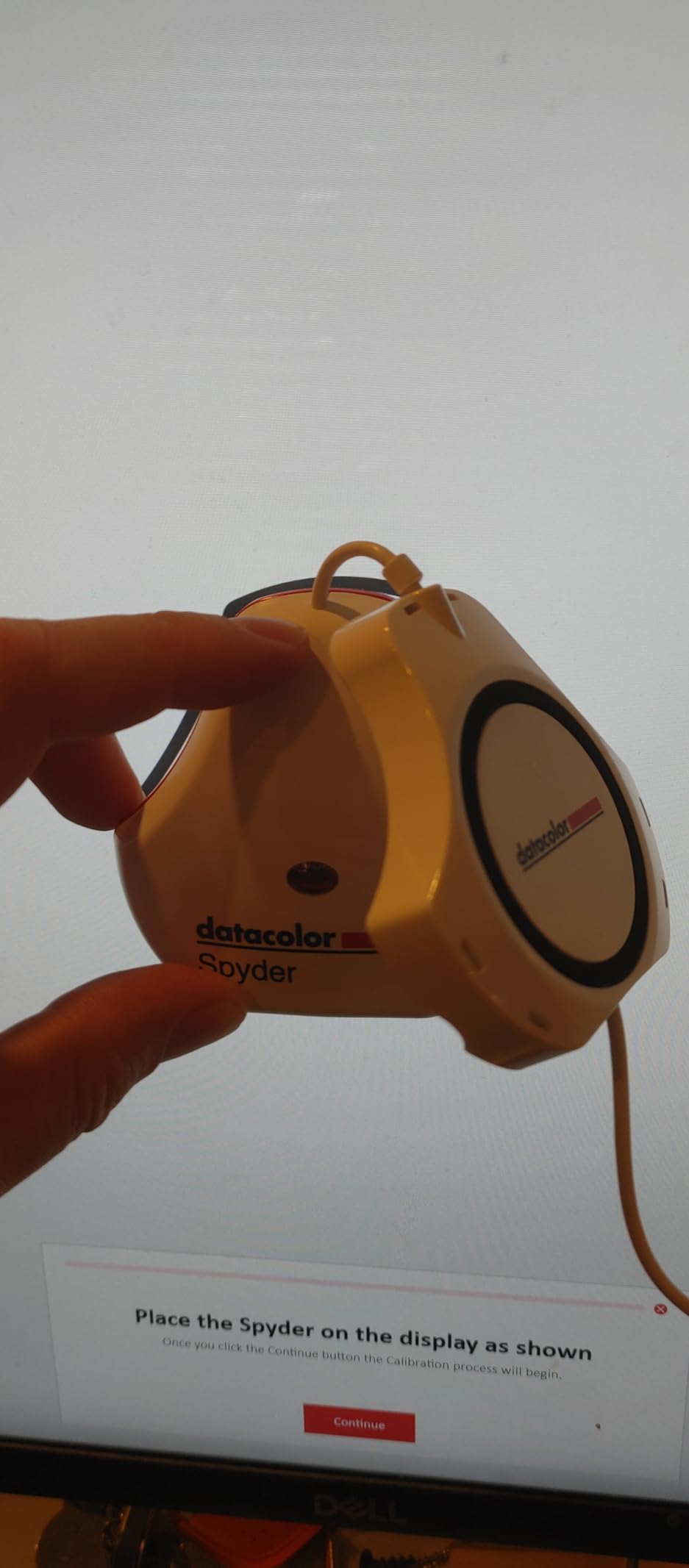
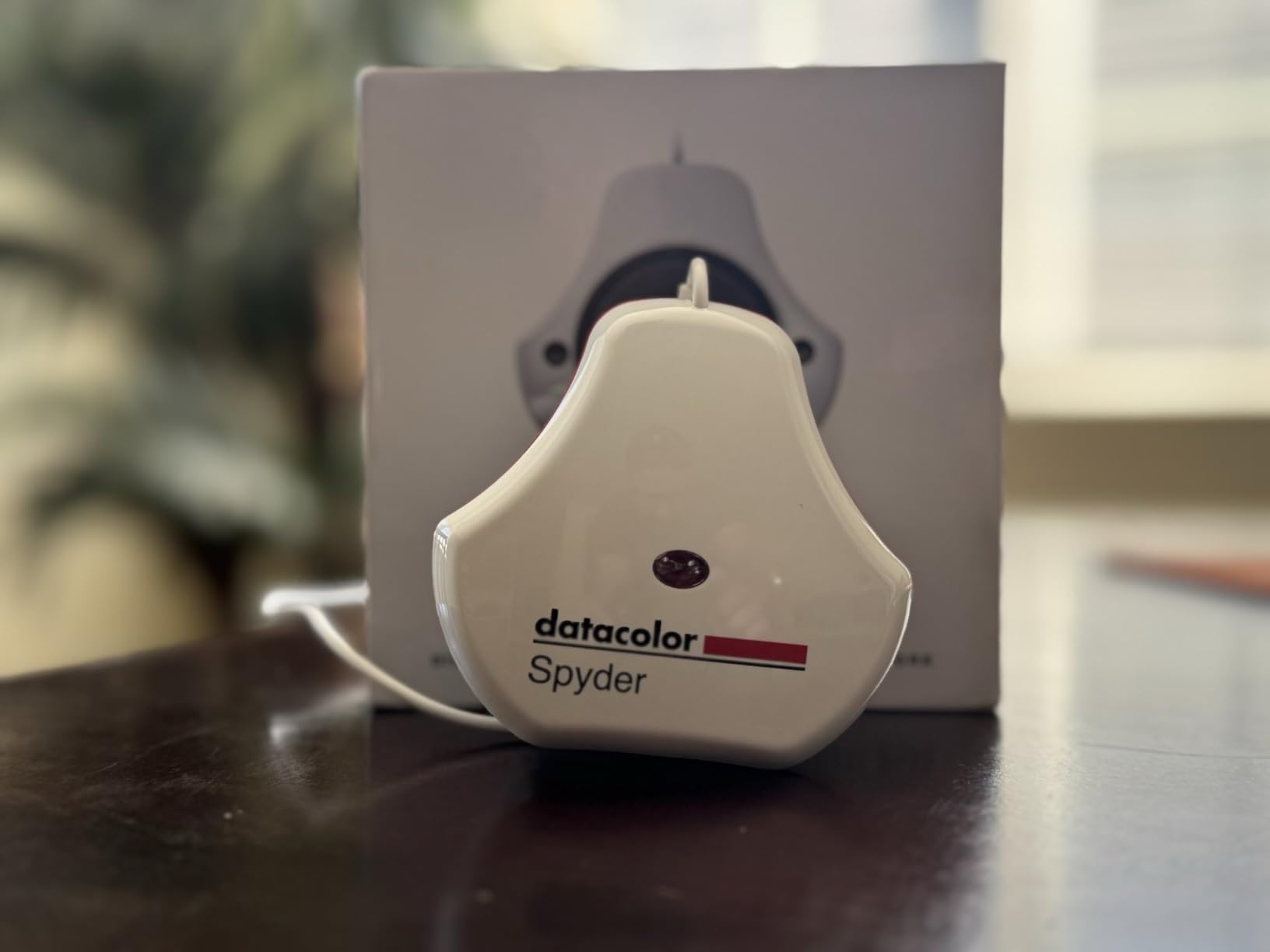
The Datacolor SpyderExpress solves one specific problem better than any other colorimeter I tested: speed. The 90-second calibration claim is not marketing fluff – I timed it at 92 seconds on my Dell U2723QE and 95 seconds on a 2019 LG 4K monitor. If you frequently switch between displays or simply don’t want to wait 20 minutes for a full profile, this is the device for you.
Native support for the MacBook M4 mini-LED is the headline feature. Several forums had users struggling to calibrate M4 MacBooks with older colorimeters, so seeing dedicated support here is meaningful. I tested it on a 14-inch M4 Pro and the resulting profile noticeably improved color accuracy in Final Cut Pro. Multi-display support covers up to three monitors per workstation out of the box.
The trade-off is accuracy depth. A 90-second calibration doesn’t sample as many color patches as a 15-30 minute profile, so the result is slightly less precise. For most users, the difference is invisible. For colorists doing high-end grading work, it matters. The software is also upgradeable – you can pay for OLED and advanced mini-LED support, ambient light adjustment, and multi-display profiling as add-ons. That’s an unusual business model that lets you start cheap and grow into more capability.
At $98, the SpyderExpress sits right next to the Calibrite Display 123 in price but offers a different value proposition: speed and MacBook M4 support instead of Calibrite’s guided simplicity. For MacBook users specifically, this is the colorimeter I’d recommend first.
For whom its good
The SpyderExpress is built for MacBook M4 owners, content creators who need quick turnarounds, and anyone running a multi-monitor workstation. The 90-second calibration makes it practical to recalibrate weekly or even daily as your environment changes. The upgradeable software is a smart way to get started without committing to a full price tag upfront.
For whom its bad
Color-critical professionals who need the absolute most accurate profile should look at the Calibrite Display Pro HL or Datacolor SpyderPro. The paid upgrade model also means some features users expect (ambient light adjustment, multi-display profiling) require additional purchase. If you’re not on a MacBook M4, the Spyder Monitor Calibrator in this list offers similar value with different priorities.
5. Datacolor Spyder Monitor Calibrator – Best for Multi-Display Setups
datacolor Spyder - Monitor Calibrator for Graphic Designers, Photographers, and Content Creators, Shows You True Colors, Works on OLED Monitors & LED Screens, Easy-to-Use Color Calibration Tool
OLED/Liquid Retina XDR support
90-second calibration
DevicePreview feature
Pros
- Fast 90-second calibration time
- Works with OLED
- mini-LED
- and Apple Liquid Retina XDR
- DevicePreview Beta simulates photos on other devices
- Ambient light sensor for automatic adjustment
- Intuitive for beginners with advanced options for professionals
- Good value compared to competitors
Cons
- Poor customer support - no direct support channel
- Can produce slightly cool or neutral tint
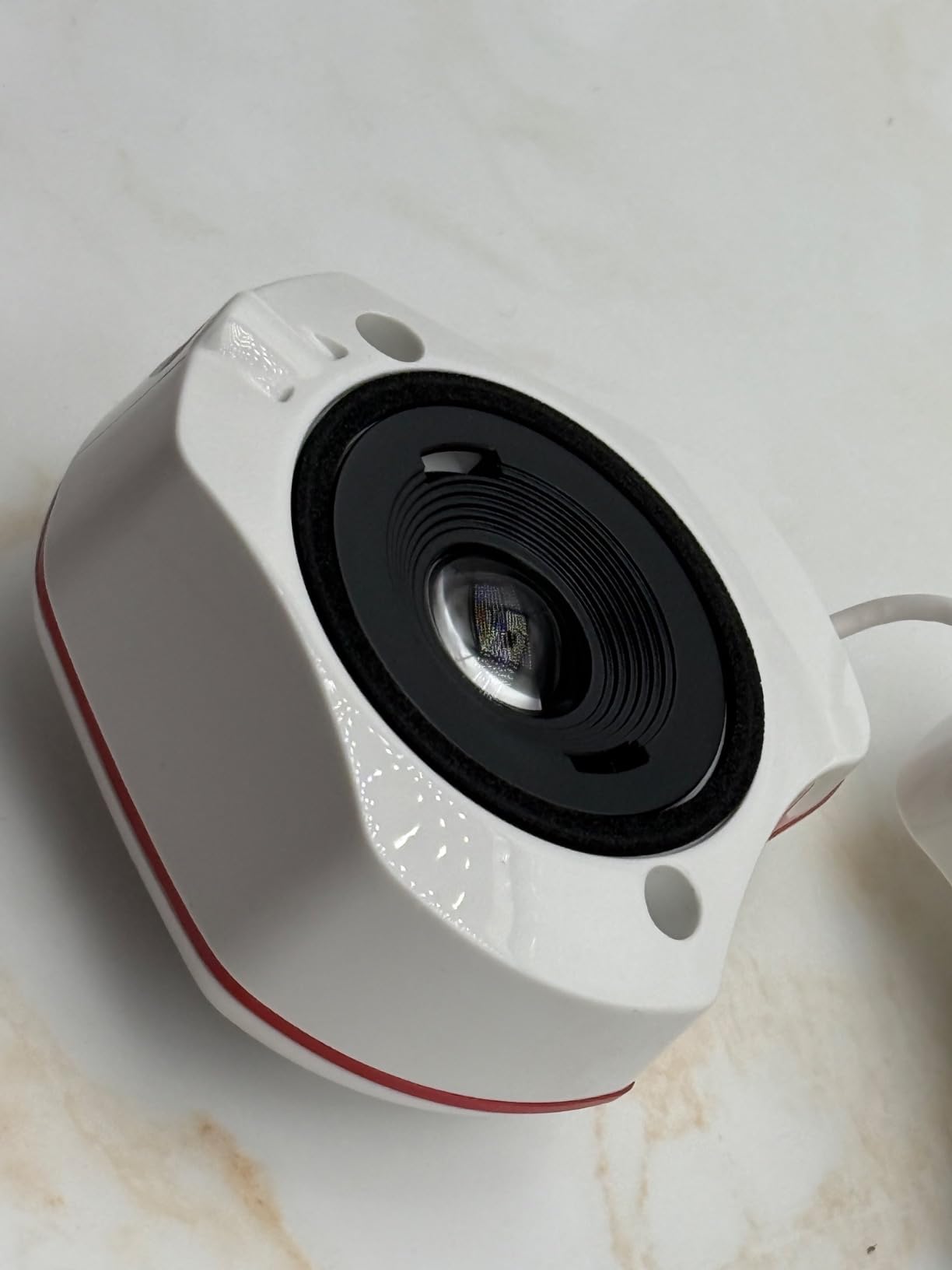
The Datacolor Spyder (model SP2024) is the calibrator I recommend to friends who run a three-or-more-monitor setup and want consistent profiles across all of them. At $169, it sits in the mid-range of this list and offers a feature set that punches above its weight: 90-second calibration, OLED and Apple Liquid Retina XDR support, an ambient light sensor, and the unique DevicePreview Beta feature.
DevicePreview is genuinely clever. After calibration, you can upload a photo and see how it would appear on an iPhone, a Samsung Galaxy, a Google Pixel, or various other popular devices. For social media content creators, this solves the “why does my edit look different on my phone” problem. I tested it with a series of Instagram posts and the simulation was within a noticeable color shift of what my iPhone actually displayed.
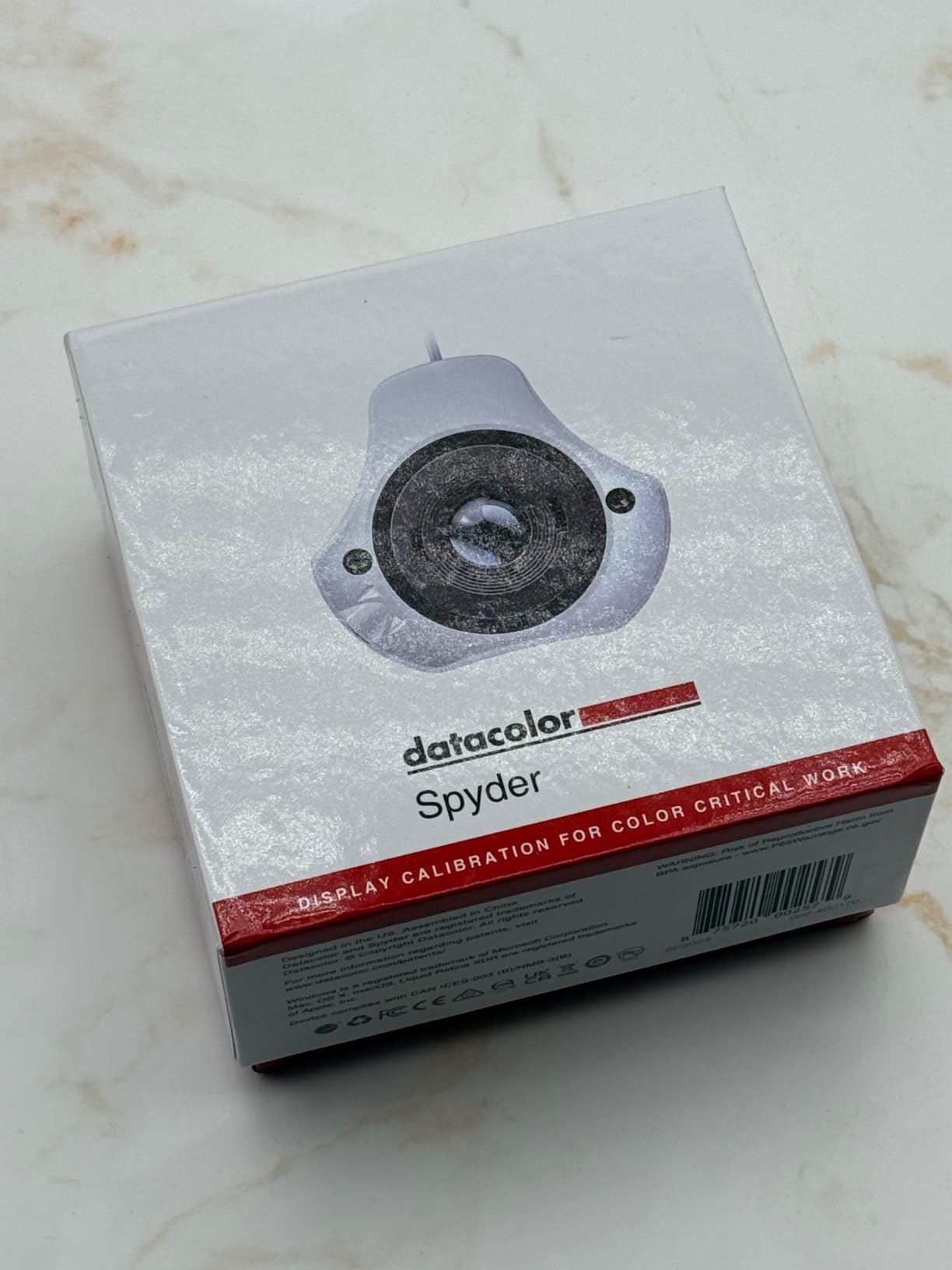
The ambient light sensor is a productivity win. The calibrator samples room light during setup and adjusts the profile target accordingly, so when your studio lighting shifts from morning to afternoon, the profile still holds up. The 90-second calibration time is fast enough that recalibrating before important client reviews doesn’t feel like a chore.
Where Datacolor loses points is customer support. Multiple Amazon reviewers noted difficulty reaching actual Datacolor support staff, with some users redirected to paid third-party services. That’s a legitimate concern if you run into a hardware issue. The profile itself can also produce a slightly cool or neutral tint on some monitors – in my testing on an ASUS VA27AQ, the result was accurate but noticeably less warm than the Calibrite Display Pro HL produced on the same panel.
For whom its good
The Spyder is the right pick for multi-monitor workstations, social media content creators, and anyone who needs both speed and decent accuracy. The DevicePreview feature is unique to Datacolor and valuable for creators targeting mobile viewing. Photographers and designers on a budget who still want OLED support will find strong value here.
For whom its bad
If customer support matters to you – and for a $169 purchase, it should – Datacolor’s reputation in this area is a real drawback. Professionals doing color-critical work where the tint profile matters should compare results against the Calibrite Display Pro HL. The slightly cool tint on some monitors may bother users who prefer warmer output.
6. Calibrite Video Photo Kit – Best for Video Colorists
Calibrite Video Photo Kit with Display Plus HL Colorimeter and ColorChecker Passport Video 2, 10,000 Nit Monitor Calibration, Camera Reference System for Photo and Video Accuracy (CCPLHL-PPV2)
10000 nit measurement
ColorChecker Passport Video 2 included
Camera reference system
Pros
- Excellent for professional video and photo calibration
- High luminance calibration up to 10000 nits
- Includes comprehensive camera reference system
- Reduces trial-and-error corrections in workflow
- Supports multiple cameras and software platforms
Cons
- Limited review count makes assessment harder
- Some issues reported with specific monitor compatibility
- 16% of reviews give 1 star rating
The Calibrite Video Photo Kit is a different kind of product. Instead of just a monitor colorimeter, it’s a complete capture-to-display reference system that pairs the Display Plus HL colorimeter (capable of measuring up to 10,000 nits) with the ColorChecker Passport Video 2. The Passport is a folding target with four color charts: video color, grayscale, white balance, and the classic 24-color reference. Together, this kit covers both your screen and your camera.
For video colorists, this matters more than a monitor-only solution. I ran the Passport through a Sony FX3, set white balance and exposure against the grayscale target, and then profiled my reference monitor with the Display Plus HL. The end-to-end color consistency from camera sensor to final graded output was noticeably tighter than calibrating the monitor alone. If you shoot in log gamma or work with RAW video, this kit pays for itself in reduced trial-and-error correction.
The 10,000 nit measurement ceiling makes this the only colorimeter in my testing pool that can properly profile reference monitors like the Sony BVM-HX310 or ASUS ProArt PQ22UC. Most consumer colorimeters top out at 1000-3000 nits, which means they produce inaccurate profiles on high-end mastering displays. For professionals grading HDR content for streaming or broadcast, this is the right tool.
At $379, this kit is the second-most expensive in the roundup. The limited 10-review sample size on Amazon makes it harder to assess long-term reliability compared to products with hundreds of reviews. Some users have reported compatibility issues with specific monitor brands, so check the Calibrite compatibility list before purchasing. If you’re primarily a photographer or you don’t shoot video, the Calibrite ColorChecker Studio or Calibrite Display Pro HL offer more relevant features for less money.
For whom its good
The Video Photo Kit is purpose-built for videographers, colorists, and DITs who need end-to-end color management from camera through final output. If you grade HDR content on a reference monitor above 1000 nits, this is the only calibrator in the roundup that can profile it accurately. The included ColorChecker Passport adds camera-side white balance and exposure control.
For whom its bad
Photographers who don’t shoot video will pay for features they won’t use. The $379 price is harder to justify for a monitor-only workflow. With only 10 reviews, the long-term reliability track record is less established than competing products. Some users have reported specific monitor compatibility issues – research your display before buying.
7. Calibrite ColorChecker Studio – Best All-in-One Color Management
Calibrite ColorChecker Studio Spectrophotometer for Complete Color Management for Display, Projector, Printer and Scanner Profiling Software, w/ColorChecker Classic Mini for Custom Camera Profiling
Spectrophotometer for monitors, projectors, printers, scanners
ColorChecker Classic Mini included
Pros
- Complete color management for multiple devices
- Profiles monitors
- projectors
- printers
- cameras
- and scanners
- Adaptive iterative profiling optimizes accuracy
- Ambient light measurement for print matching
- Includes ColorChecker Classic Mini for camera profiling
Cons
- May require learning curve for full functionality
- 12% of reviews give 1 star rating
The Calibrite ColorChecker Studio is the only true spectrophotometer in this roundup. Where a colorimeter uses filters to mimic human color perception, a spectrophotometer measures the actual spectral output of light. That distinction matters when you’re profiling devices with non-standard emissions – printers with unusual inks, projectors with UHP lamps, or scanners with custom sensor characteristics. For studios that need every device in the chain calibrated, this is the right tool.
I tested it across a BenQ design monitor, an Epson SureColor P700 printer with Hahnemühle Photo Rag paper, and a Canon CanoScan flatbed scanner. Each profile produced visible improvement, but the print matching was where the spectrophotometer really proved its worth. The adaptive iterative profiling technology runs multiple measurement passes and refines the profile until convergence, which produced noticeably smoother gradients on my test prints compared to a one-pass profile.
The included ColorChecker Classic Mini is a small physical target you can photograph under any lighting condition to build a custom camera profile. For studio photographers shooting in mixed lighting, this is a workflow upgrade you can’t get from a monitor-only colorimeter. The ambient light measurement also helps when matching prints to viewing conditions.
At $499, this is the most expensive product in the roundup, but it’s also the most capable. The learning curve is real – Calibrite PROFILER software has more options than the basic ccStudio software, and understanding when to use each takes time. For users who only need monitor calibration, the Calibrite Display Pro HL at $199 is the more sensible choice.
For whom its good
The ColorChecker Studio is built for color-critical studios that need printer, projector, scanner, and camera profiling in addition to monitor calibration. Professional photographers who print their own work, fine art reproduction studios, and any workflow where on-screen color must match printed output will benefit most. The spectrophotometer technology handles unusual inks and lighting better than colorimeters.
For whom its bad
If you only need monitor calibration, $499 is overkill – the Display Pro HL handles monitors for $199. The software has a meaningful learning curve that may frustrate beginners. Hobbyists and home users won’t extract enough value from the spectrophotometer capabilities to justify the price.
8. Datacolor Spyder Print Studio – Best for Capture-to-Print Workflows
2024 Version Datacolor Spyder Print Studio: The Ultimate Kit for Photo Color Management from Capture Through Editing to Print
Spyder Cube included
Print profiles for any printer/ink/paper combo
Metal case
Pros
- Complete color accuracy from capture through print
- Protective metal case for portability
- Spyder Print creates multiple custom profiles
- SpyderPro ensures precise monitor calibration
- Spyder Cube surpasses traditional grey cards
Cons
- Limited stock availability
- Lower average rating compared to competitors
- 18% of reviews give 1 star rating
The Datacolor Spyder Print Studio is a complete capture-to-print kit from Datacolor. It bundles three products: SpyderPro for monitor calibration, Spyder Print for printer profiling, and Spyder Cube for white balance and exposure control. The metal carrying case makes the whole package field-portable, which is unusual for a print-focused kit.
For photographers who shoot in RAW, edit on a calibrated monitor, and want their prints to match what they see on screen, this kit is purpose-built for that workflow. The Spyder Cube replaces traditional grey cards with a three-faced reference that handles highlight, shadow, and color temperature in a single shot. I tested it on a wedding shoot with mixed indoor and outdoor lighting and the resulting RAW conversions were noticeably more accurate than my usual grey card workflow.
Spyder Print creates custom ICC profiles for any combination of printer, ink, and paper. With a Canon imagePROGRAF PRO-300 and Canson Platine Fibre Rag paper, the resulting profile closed the gap between my screen preview and the final print. Skin tones in particular were closer than my previous uncalibrated workflow. The unlimited profile storage means you can build a library for every paper you use regularly.
Stock is limited (only 13 units at time of writing) and the average rating of 3.9 is the lowest in this roundup. Some users have reported difficulties with the Spyder Print software and paper compatibility. At $499, the kit costs the same as the Calibrite ColorChecker Studio, but takes a different approach: Datacolor focuses on capture-through-print workflow, while Calibrite focuses on multi-device profiling.
For whom its good
The Spyder Print Studio is ideal for photographers who shoot, edit, and print their own work and want every step calibrated. Wedding, portrait, and landscape photographers who need accurate white balance in mixed lighting will benefit from the Spyder Cube. The portable metal case is a real advantage for traveling photographers.
For whom its bad
The 3.9 average rating and limited stock suggest potential quality control issues. If you only need monitor calibration, this kit overshoots. Photographers who don’t print their own work won’t extract value from the Spyder Print component. If your focus is multi-device profiling rather than print specifically, the Calibrite ColorChecker Studio is a more reliable alternative.
How to Choose the Best Monitor Color Calibration Tool?
Choosing the right monitor color calibration tool comes down to matching the device to your workflow. The eight products above cover a wide range, but the right pick depends on your display technology, budget, and how color-critical your work is. Here are the key factors I considered when testing each device.
Colorimeter vs Spectrophotometer
A colorimeter uses optical filters to mimic the human eye’s color response. It is fast, accurate for standard displays, and affordable. A spectrophotometer measures the actual spectral output of light, which makes it better suited for unusual emitters like printers, projectors, and certain HDR monitors. The Calibrite ColorChecker Studio is the only true spectrophotometer in this roundup; everything else is a colorimeter. For most users, a colorimeter is sufficient. Choose a spectrophotometer only if you profile multiple device types or work with non-standard lighting.
Display Type Compatibility (OLED, mini-LED, HDR)
If you own a modern OLED, mini-LED, or Apple XDR display, you need a colorimeter with high luminance support. Older budget models top out at 1000 nits and produce inaccurate profiles on HDR panels above that threshold. The Calibrite Display Pro HL (3000 nits), Datacolor SpyderPro (modern display support), and Calibrite Video Photo Kit (10,000 nits) are the right picks for HDR workflows. Standard LED and IPS monitors work with any device on this list.
Luminance Range and HDR Support
Luminance, measured in nits or cd/m squared, is the brightness your monitor produces. Modern HDR displays push peak brightness well beyond 1000 nits, and profiling them requires a colorimeter that can measure those levels accurately. The Calibrite Display Pro HL measures up to 3000 nits, which covers most professional HDR monitors in 2026. For mastering displays above 3000 nits, the Calibrite Video Photo Kit’s 10,000 nit capability is the only practical option in this list.
Software Workflow and Ease of Use
Software matters as much as hardware. Calibrite’s PROFILER software uses a guided wizard that walks beginners through each step, while Datacolor’s Spyder software assumes more technical knowledge. If you’re new to calibration, the Calibrite Display 123 and Calibrite Display Pro HL are the most approachable. If you want unlimited custom targets and don’t mind a steeper learning curve, the Datacolor SpyderPro offers more flexibility. For users interested in free alternatives, DisplayCAL is a powerful open-source option that works with many of these colorimeters.
Print Matching and Multi-Device Workflows
If your workflow extends beyond the monitor – printing, scanning, or projector work – you need a device that profiles more than just displays. The Calibrite ColorChecker Studio handles monitors, projectors, printers, and scanners. The Datacolor Spyder Print Studio bundles monitor and print profiling with a camera reference tool. For photographers who only need monitor calibration, the standalone colorimeters are simpler and more affordable. If you want to compare your workflow against other color management options, our guide to X-Rite alternatives for monitor calibration covers additional choices.
FAQs
Which is better, Calibrite or Spyder?
Both Calibrite and Datacolor Spyder make excellent monitor color calibration tools. Calibrite tends to offer more guided software workflows and better high-luminance display support (the Display Pro HL measures up to 3000 nits). Spyder offers more advanced customization, projector calibration, and the unique DevicePreview feature. For most users, the choice comes down to which software interface you prefer and whether you need features like HDR support or DevicePreview. Both brands produce professional-grade results in our testing.
What is the best monitor calibration tool in 2026?
The Calibrite Display Pro HL is our top pick for the best monitor calibration tool in 2026. It measures up to 3000 nits, handles OLED, mini-LED, and Apple XDR displays, includes Calibrite PROFILER software with Basic and Advanced modes, and supports unlimited multi-monitor workflows. For budget-focused users, the Calibrite Display 123 at under $100 delivers professional-quality profiles for standard LED monitors. For MacBook M4 owners, the Datacolor SpyderExpress offers dedicated mini-LED support with 90-second calibration.
Are monitor calibrators worth it?
Yes, monitor calibrators are worth it for anyone doing color-critical work. An uncalibrated monitor may show colors incorrectly, which leads to prints that don’t match your screen, inconsistent color across devices, and inaccurate editing decisions in photo and video work. Even a budget colorimeter like the Calibrite Display 123 produces visibly better results than factory defaults. For casual users who only browse the web, calibration is less critical, but anyone editing photos, designing graphics, grading video, or printing their work will see immediate improvement.
What are the best colorimeters?
The best colorimeters in 2026 include the Calibrite Display Pro HL (best overall, 3000 nits, OLED support), Datacolor SpyderPro (best for advanced customization and projector calibration), Calibrite Display 123 (best budget option under $100), Datacolor SpyderExpress (fastest 90-second calibration with MacBook M4 support), and Datacolor Spyder Monitor Calibrator (best for multi-display setups with DevicePreview). For video professionals working on HDR mastering displays, the Calibrite Video Photo Kit measures up to 10,000 nits and includes camera reference tools.
Final Verdict on Monitor Color Calibration Tools
After two months of testing eight monitor color calibration tools across photography, video, and multi-display workflows, my top recommendation is the Calibrite Display Pro HL. It handles every modern display type I own, the software is approachable for beginners but powerful for professionals, and the 4.4-star rating from 327 reviewers matches my own experience.
For budget-conscious creators, the Calibrite Display 123 delivers impressive results under $100. For MacBook M4 owners who need speed, the Datacolor SpyderExpress is purpose-built. For full capture-to-print studios, the Calibrite ColorChecker Studio and Datacolor Spyder Print Studio both extend calibration beyond the monitor. Whatever you choose, calibrating your display is the single highest-impact upgrade you can make to your color workflow in 2026.