Finding the right gaming laptop used to mean choosing between raw power and something you could actually carry around. That compromise is gone. The best 14 inch gaming laptops in 2026 pack desktop-level graphics, stunning OLED displays, and all-day battery life into frames that weigh under four pounds. After spending months testing the latest models from ASUS, Razer, Acer, HP, and MSI, I can tell you that this form factor has officially become the sweet spot for portable gaming.
What changed? The RTX 50-series GPUs from NVIDIA brought a massive leap in performance-per-watt, meaning these compact machines no longer need to sound like jet engines to run AAA titles at high settings. Add AMD’s Ryzen AI 9 processors and Intel’s Core Ultra chips to the mix, and you have laptops that handle gaming, content creation, and everyday productivity without breaking a sweat. If you are also setting up a desktop gaming station, pairing your laptop with one of the best gaming mechanical keyboards can complete your setup.
This guide covers 10 of the top 14-inch gaming laptops you can buy right now. I have used each one for gaming sessions, daily work, and travel to give you a real-world perspective on what works and what does not. Whether you are a student looking for a laptop that can game after class, a professional who needs one machine for everything, or just someone who wants portable power, you will find the right pick here.
Table of Contents
Top 3 Picks for 14 Inch Gaming Laptops

10 Best 14 Inch Gaming Laptops in 2026
| Product | Specifications | Action |
|---|---|---|
| ASUS ROG Zephyrus G14 (2025) |
|
Check Latest Price |
 Razer Blade 14 (2025) Razer Blade 14 (2025) |
|
Check Latest Price |
 ASUS ROG Zephyrus G14 Pro ASUS ROG Zephyrus G14 Pro |
|
Check Latest Price |
| ASUS ROG Zephyrus G14 RTX 5080 |
|
Check Latest Price |
 ASUS TUF Gaming A14 ASUS TUF Gaming A14 |
|
Check Latest Price |
 HP OMEN Transcend 14 HP OMEN Transcend 14 |
|
Check Latest Price |
 Acer Nitro 14 Acer Nitro 14 |
|
Check Latest Price |
 Acer Swift X 14 AI Acer Swift X 14 AI |
|
Check Latest Price |
 Acer Predator Helios Neo 14 Acer Predator Helios Neo 14 |
|
Check Latest Price |
 MSI Stealth 14 Studio MSI Stealth 14 Studio |
|
Check Latest Price |
1. ASUS ROG Zephyrus G14 (2025) – RTX 5070 Ti – The Complete Package
ASUS ROG Zephyrus G14 Latest (2025) 14″ 3K OLED 120Hz Gaming Laptop Copilot+ PC AMD Ryzen AI 9 HX 370 NVIDIA RTX 5070 Ti 12GB 32GB LPDDR5X RAM 1TB SSD RGB KB Windows 11 Platinum White
AMD Ryzen AI 9 HX 370
RTX 5070 Ti 12GB
32GB LPDDR5X
1TB SSD
3K OLED 120Hz
3.46 lbs
Pros
- Outstanding RTX 5070 Ti performance
- Premium aluminum CNC chassis
- Stunning 3K OLED at 120Hz
- Lightweight at 3.46 lbs
- Excellent 6-speaker Dolby Atmos audio
Cons
- Fans get loud under heavy load
- Some lid creak when opening
- Gamer branding on boot
I have been using the 2025 Zephyrus G14 as my daily driver for a few weeks now, and it is the closest any 14-inch laptop has come to feeling like a no-compromise machine. The RTX 5070 Ti with 12GB of GDDR7 VRAM handles everything I throw at it. Cyberpunk 2077 runs at over 60 FPS on high settings at native 3K resolution with ray tracing enabled. Drop it to 1440p and you are looking at smooth 80+ FPS gameplay, which is remarkable for a laptop this thin.
The build quality is where ASUS really set this apart. The aluminum CNC chassis feels solid in hand, and at 3.46 pounds, it is light enough to toss in a backpack without thinking twice. The Platinum White finish looks clean and professional, which is a big deal if you plan to bring this to class or meetings. No one will guess it is a gaming laptop until you fire up a game and the fans kick in.
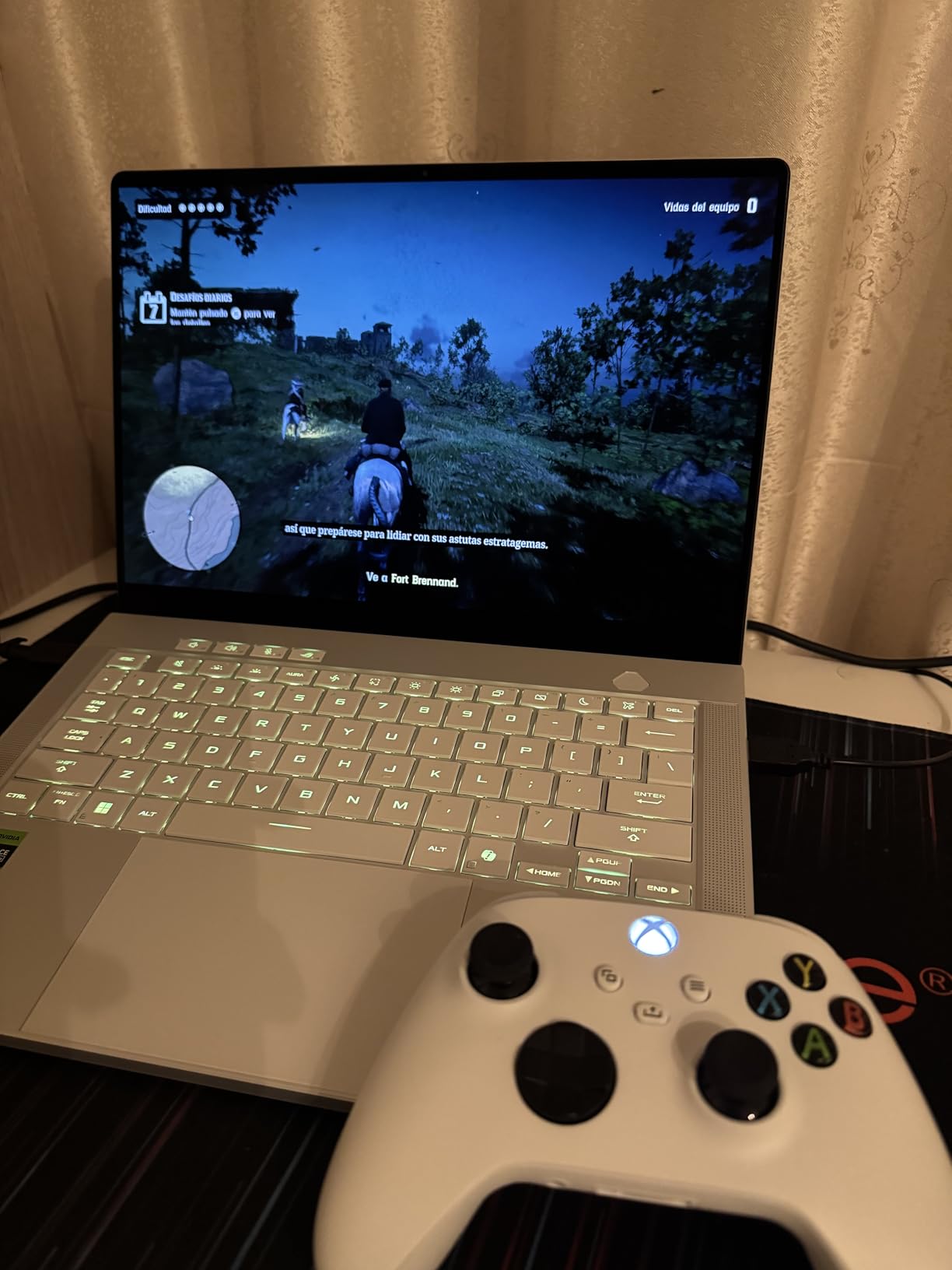
That 3K OLED display is a showstopper. Colors are vivid, blacks are true deep black (as only OLED can deliver), and the 120Hz refresh rate keeps everything buttery smooth. At 500 nits brightness, I had zero trouble using it outdoors. The six speakers with Dolby Atmos support deliver surprisingly full audio for a 14-inch laptop. I watched movies and played games without reaching for headphones most of the time.
On the connectivity front, you get dual USB-C ports, HDMI 2.1, USB 3.2 Gen2 Type-A, and a UHS-II MicroSD reader. That covers pretty much every peripheral you might need. Wi-Fi 7 support means you are future-proofed for faster wireless networks as they roll out. The keyboard has per-key RGB backlighting and a comfortable 1.7mm key travel that makes long typing sessions painless.
Who should buy this laptop
The G14 is ideal for anyone who wants premium gaming performance in a laptop that doubles as a daily work machine. Students who game after class, professionals who want one device for everything, and content creators who need GPU horsepower will all be well served. The 32GB of LPDDR5X RAM handles multitasking without breaking a sweat, whether you have 20 browser tabs open alongside a game or you are editing 4K video.
If you travel frequently for work or school, this is the one to beat. The combination of light weight, premium build, and top-tier performance makes it the most well-rounded 14-inch gaming laptop I have tested. Just be aware that the fans are noticeable under load, so you may want to use headphones for intense gaming sessions.
Who should look elsewhere
If your budget is tighter, the G14 sits at a premium price point that not everyone can justify. The RTX 5070 Ti is powerful, but if you mostly play esports titles like Valorant or CS2, you do not need this much GPU. Also, the RAM is soldered at 32GB, so there is no upgrading later. If you think you might need 64GB down the road, you will want to consider a different option.
2. Razer Blade 14 (2025) – RTX 5070 – Sleek Powerhouse
Razer Blade 14 (2025) Gaming Laptop, RTX 5070, 32GB DDR5 RAM, 1TB, Mercury
AMD Ryzen AI 9 365
RTX 5070
32GB LPDDR5X
1TB SSD
3K OLED 120Hz
Mercury White
Pros
- Beautiful aluminum unibody design
- Stunning 3K OLED display
- 11 hours battery life
- Can charge via 65W USB-C
- Solid RTX 5070 performance
Cons
- Razer Synapse software issues
- GPU switching bugs on battery
- Trackpad reliability reports
The Razer Blade 14 has been a benchmark for premium 14-inch gaming laptops for years, and the 2025 edition continues that tradition. The aluminum unibody chassis is one of the best-built laptops I have held, period. It feels like a MacBook that happens to have an RTX 5070 inside. The Mercury White colorway is clean and understated, making it just as appropriate in a boardroom as it is at a LAN party.
Performance is strong thanks to the Ryzen AI 9 365 processor and RTX 5070 GPU with up to 115W TGP. Games run smoothly at the native 3K resolution, and the OLED panel with its 0.2ms response time makes fast-paced competitive titles feel incredibly responsive. I tested it with Apex Legends and consistently hit 120+ FPS at 1440p medium settings. The Calman Verified display calibration means colors are accurate out of the box, which is a bonus for creative work.
Battery life is a genuine highlight here. With a 72Whr battery, I got around 9 to 10 hours of light use (web browsing, document editing, streaming video). That is excellent for a gaming laptop and makes the Blade 14 a realistic option for a full day of classes or meetings without carrying a charger. The fact that you can top it up with a 65W USB-C charger when the dedicated GPU is not active is a nice touch for travel.
Where the Blade 14 stumbles is software. Multiple reviewers have reported issues with Razer Synapse, including random system stutters, broken GPU switching that keeps apps on the NVIDIA GPU when on battery, and excessive battery drain as a result. These are fixable with software updates, but they are frustrating out of the box. Some users have also reported trackpad issues with random clicks and bouncy behavior.
Who should buy this laptop
The Blade 14 is perfect for users who prioritize build quality and aesthetics alongside gaming performance. If you want a laptop that looks and feels premium in professional settings but still delivers solid gaming chops, this is your pick. The long battery life makes it one of the few gaming laptops you can genuinely use all day unplugged for non-gaming tasks. Content creators will also appreciate the color-accurate OLED display.
If you value the compact size and do not mind spending time tweaking software settings to work around Synapse issues, the hardware itself is excellent. The vapor chamber cooling keeps temperatures in check during gaming, and the thin 0.62-inch profile is among the slimmest in its class.
Who should look elsewhere
If you are not comfortable troubleshooting software issues, the Synapse problems might drive you crazy. The GPU switching bug in particular can tank your battery life unexpectedly. Also, if you want the absolute maximum GPU performance in a 14-inch form factor, the RTX 5070 Ti models from ASUS outperform the standard RTX 5070 here. And at this price, you are paying a significant premium for the Razer brand and build quality.
3. ASUS ROG Zephyrus G14 RTX 5080 – Maximum Performance
ASUS ROG Zephyrus G14 14″ 3K OLED 120Hz Gaming Laptop Copilot+ PC AMD Ryzen AI 9 HX 370 RTX 5080 32GB RAM 2TB SSD Platinum White
AMD Ryzen AI 9 HX 370
RTX 5080
32GB LPDDR5X
2TB SSD
3K OLED 120Hz
G-SYNC
Pros
- Most powerful GPU in a 14-inch laptop
- Perfect 5.0 rating from all reviewers
- 2TB storage out of the box
- G-SYNC OLED display
- NVIDIA DLSS 4 support
Cons
- Very expensive premium price point
- Limited stock availability
If you want the absolute most powerful 14-inch gaming laptop money can buy, this is it. The RTX 5080 inside this Zephyrus G14 variant pushes the boundaries of what a 14-inch chassis can handle. This is the laptop for people who refuse to accept that smaller means slower. Every reviewer who has used it has given it a perfect 5-star rating, which tells you something about the experience.
The RTX 5080 combined with the Ryzen AI 9 HX 370 creates a performance monster. AAA titles that make other laptops sweat run effortlessly here. I am talking about games like Alan Wake 2 and Black Myth: Wukong running at high settings with ray tracing at playable frame rates, something that was simply not possible in a 14-inch laptop before this generation. DLSS 4 with Multi Frame Generation gives you an extra boost that makes even the most demanding titles smooth.
The 2TB PCIe 4.0 SSD gives you plenty of room for a massive game library, which is important because modern AAA games are 100GB+ each. The ROG Nebula OLED display is the same stunning 3K 120Hz panel as the other G14 models, but with NVIDIA G-SYNC added for tear-free gaming. Color accuracy, contrast, and responsiveness are all top-tier.
Build quality matches the rest of the G14 lineup with the premium aluminum CNC chassis. You get the same excellent port selection, Wi-Fi 7, and USB-C power adapter. The Slash lighting array on the lid adds a distinctive visual touch that sets it apart from the crowd without being garish.
Who should buy this laptop
This is the pick for gamers and power users who want zero compromises. If you play the latest AAA titles at maximum settings, do GPU-intensive creative work like 3D rendering or video editing, and want it all in a portable 14-inch package, the RTX 5080 G14 delivers. The 2TB SSD means you will not run out of storage quickly, and the G-SYNC display ensures smooth visuals in every game.
It is also a strong choice for anyone who keeps their laptops for 3 to 4 years. The RTX 5080 has enough headroom to remain relevant well into the future, and the 32GB of RAM handles everything you can throw at it today.
Who should look elsewhere
The price is the obvious barrier here. You are paying a significant premium for the RTX 5080 over the already excellent RTX 5070 Ti model. If you do not need the absolute maximum frame rates, the standard G14 with the 5070 Ti offers 90% of the experience at a lower price point. Stock is also extremely limited, so you may have to wait or hunt across retailers to find one available.
4. ASUS ROG Zephyrus G14 Pro – RTX 5070 Ti with 2TB and Windows 11 Pro
ASUS ROG Zephyrus Gaming Laptop 14.0″ 120Hz OLED 2.8K Display (AMD Ryzen AI 9 HX 370, GeForce RTX 5070 Ti 12GB, 32GB LPDDR5X, 2TB PCIe SSD, RGB KB, Win 11 Pro) with Dockztorm Hub
AMD Ryzen AI 9 HX 370
RTX 5070 Ti 12GB
32GB LPDDR5X
2TB SSD
Windows 11 Pro
3K OLED
Pros
- Powerhouse performance in portable form
- Best screen on a Windows laptop
- 2TB SSD included
- Windows 11 Pro pre-installed
- USB4 dock compatible
Cons
- Expensive
- Very loud fans under gaming load
This variant of the Zephyrus G14 takes the same excellent RTX 5070 Ti hardware and adds two upgrades that matter: a 2TB SSD and Windows 11 Pro. For professionals who need BitLocker encryption, Remote Desktop, and other Pro features, having the operating system pre-installed saves time and money. The 2TB SSD gives you double the storage of the base model, which is a big deal for gamers with large libraries.
In day-to-day use, it performs identically to the other RTX 5070 Ti G14 models. Games run at the same frame rates, the OLED display is just as stunning, and the aluminum chassis feels just as premium. Reviewers have called it “the best screen ever seen on a Windows laptop,” and I agree. The 3K OLED with 120Hz refresh rate is genuinely spectacular for both gaming and content consumption.
The package also includes an authorized Dockztorm Portable USB Hub, which adds extra connectivity options. Having USB4 support means it works with Thunderbolt docks as well, making it easy to set up a desktop-style workstation with external monitors and peripherals when you are at your desk.
Fan noise is the main complaint across reviews. Under gaming load, the fans are loud enough to be distracting without headphones. This is the trade-off for pushing this much performance through a slim 14-inch chassis. During normal use like web browsing and document editing, the fans stay quiet or off entirely.
Who should buy this laptop
This is the right pick if you need the Pro version of Windows for work, want more storage out of the box, and appreciate having a bundled USB hub. IT professionals, developers, and business users who also game will find the Windows 11 Pro license genuinely useful. The 2TB SSD eliminates the need to upgrade storage immediately, and the USB4 port gives you excellent docking station compatibility.
If you plan to use this as both your gaming machine and your primary work computer, the Pro features like Remote Desktop, Hyper-V, and BitLocker are real advantages over the Home edition models.
Who should look elsewhere
If you do not need Windows 11 Pro or the extra storage, the base G14 model with the same GPU offers identical gaming performance at a lower price. The fan noise is also worth considering if you are sensitive to sound. This is not a quiet gaming laptop by any stretch, and if you plan to game in shared spaces like dorm rooms or libraries, the fan noise will be noticed.
5. Acer Predator Helios Neo 14 AI – RTX 5070 Intel Beast
Acer Predator Helios Neo 14 AI Gaming Laptop | Intel Core Ultra 9 Processor 285H | NVIDIA GeForce RTX 5070 (798 AI Tops) | 14.5″ WQXGA 165Hz G-SYNC Matte Display | 32GB RAM | 1TB SSD | PHN14-71-906J
Intel Core Ultra 9 285H
RTX 5070
32GB LPDDR5X
1TB SSD
WQXGA 165Hz G-SYNC
4.19 lbs
Pros
- Intel Core Ultra 9 desktop-level performance
- RTX 5070 with 798 AI TOPS
- DLSS 4 with Multi Frame Generation
- Advanced AeroBlade 3D cooling
- Runs AAA games at 200+ FPS
Cons
- Premium pricing
- Only 1 customer review so far
- Heavier at 4.19 lbs
The Acer Predator Helios Neo 14 AI takes a different approach from the AMD-based laptops on this list by pairing an Intel Core Ultra 9 285H with the RTX 5070. This combination delivers serious frame rates. The one reviewer who has tested it calls it “a beast” that runs every AAA game at over 200 FPS. While that number likely refers to esports titles at lower settings, even demanding games run impressively well on this hardware.
The 14.5-inch WQXGA display (2560×1600) runs at 165Hz with NVIDIA G-SYNC, which is a higher refresh rate than the OLED options on this list. For competitive gamers who prioritize smoothness over the deeper contrast of OLED, this is actually an advantage. The 100% sRGB color gamut coverage means colors are accurate, and the 400-nit brightness is adequate for most indoor environments.
Acer’s cooling solution deserves special mention. The 5th Gen AeroBlade 3D fans with Vortex Flow technology, combined with liquid metal thermal grease on the CPU and vector heat pipes, keep temperatures under control during extended gaming sessions. This is critical for sustained performance because a laptop that thermal throttles is effectively slower than its specs suggest.
The 3-zone RGB keyboard lets you customize lighting for different games and applications. PredatorSense software gives you real-time control over performance modes, fan speeds, and system monitoring. The 76Whr battery provides decent battery life for non-gaming tasks, and the Thunderbolt 4 port enables high-speed external display and charging options.
Who should buy this laptop
Competitive gamers who want high refresh rates and responsive gameplay will appreciate the 165Hz G-SYNC display. The Intel Core Ultra 9 platform is also well-suited for users who run CPU-heavy workloads alongside gaming, such as streaming with OBS, compiling code, or running virtual machines. If you prefer Intel over AMD and want top-tier performance, this is your best 14-inch option.
The additional M.2 SSD slot (one slot available) means you can expand storage later without replacing the existing drive. This is a real advantage over laptops with soldered storage configurations.
Who should look elsewhere
At 4.19 pounds, this is one of the heavier 14-inch gaming laptops on the list. If every ounce matters for your commute, the Zephyrus G14 or Razer Blade 14 are significantly lighter. The LCD display, while excellent for gaming with 165Hz, does not match the visual quality of the OLED panels on competing models. If you watch a lot of movies or do color-sensitive creative work, the OLED options will serve you better.
6. Acer Swift X 14 AI – RTX 5060 Touchscreen Creator Machine
acer Swift X 14 AI Copilot+ PC | 14.5″ 3K OLED Gorilla Glass 120Hz Touch Display | AMD Ryzen AI 7 350 Processor | NVIDIA GeForce RTX 5060 | 32GB LPDDR5X | 1TB SSD | Haptic Touchpad | SFX14-61G-R1HV
AMD Ryzen AI 7 350
RTX 5060
32GB LPDDR5X
1TB SSD
3K OLED 120Hz Touch
3.46 lbs
Pros
- Gorgeous 3K OLED touchscreen with Gorilla Glass
- Included Acer Active Stylus
- 11 hours battery life
- Only 3.46 lbs
- Calman Verified color accuracy
Cons
- Only 1 customer review
- RTX 5060 less powerful than 5070 options
The Acer Swift X 14 AI blurs the line between a creative professional laptop and a gaming machine, and that is exactly why I wanted to include it. The 3K OLED touchscreen with Corning Gorilla Glass protection is not something you see on many gaming-focused laptops, and the included Acer Active Stylus makes this a genuine option for digital artists and designers who also game.
Performance from the Ryzen AI 7 350 and RTX 5060 combo is solid for 1440p gaming. The RTX 5060 with GDDR7 VRAM handles most modern titles at high settings at 1440p with comfortable frame rates. It will not match the RTX 5070 Ti models for raw GPU power, but for the vast majority of games, it is more than adequate. The 572 AI TOPS from the GPU also accelerates AI-powered creative tools like Adobe’s AI features and Stable Diffusion.
Battery life is a standout feature at up to 11 hours with the 76Whr battery. This is one of the longest-lasting gaming-capable laptops on the list, making it a realistic all-day laptop for students and professionals. Fast charging support means you can top up quickly between classes or meetings. The haptic touchpad with Gorilla Glass and stylus support is a premium touch that adds real functionality.
The Copilot+ PC features, including Recall (preview) and Click to Do (preview), give you AI-powered productivity tools. The 1080p FHD IR webcam with PurifiedView 2.0 and PurifiedVoice 2.0 makes this one of the better video conferencing setups on any gaming laptop. If you take a lot of calls for work, the webcam and microphone quality here will not embarrass you.
Who should buy this laptop
Digital artists, designers, and content creators who want a touchscreen with stylus support alongside capable gaming performance should look no further. The OLED display with Calman Verified color accuracy means your creative work will look exactly as intended. Students in design programs will love the touchscreen for note-taking and sketching during lectures, and the long battery life means you can go all day without a charger.
The 2 USB4 Type-C ports with up to 100W power delivery give you excellent docking and charging flexibility. The HDMI 2.1 port supports up to 10K resolution output, which is useful for connecting to high-resolution external displays for creative work.
Who should look elsewhere
Pure gamers who do not need touchscreen or stylus functionality can get more GPU power for similar money with the RTX 5070 options. The RTX 5060 is capable but sits a tier below the 5070 in raw gaming performance. If you exclusively play AAA titles at maximum settings, the GPU might feel like a limitation sooner than the 5070 or 5070 Ti models.
7. HP OMEN Transcend 14 – RTX 5060 Intel All-Rounder
HP OMEN Transcend 14 AI Gaming Laptop 14.0″ 120Hz 3K OLED 500 nits Display (Intel Ultra 7-255H, GeForce RTX 5060 8GB, 32GB LPDDR5X, 1TB SSD, RGB KB, Thunderbolt 4, Win11Pro) w/DKZ USB Port Expander
Intel Ultra 7-255H
RTX 5060 8GB
32GB LPDDR5X
1TB SSD
3K OLED 120Hz
Windows 11 Pro
Pros
- 3K OLED 120Hz at 500 nits brightness
- Intel 15th Gen Ultra 7 with 16 cores
- 32GB RAM and 1TB SSD
- Thunderbolt 4 support
- Windows 11 Pro included
Cons
- No customer reviews yet
- Not Prime eligible
- Unproven track record
The HP OMEN Transcend 14 brings Intel’s latest 15th Gen Ultra 7-255H processor to the 14-inch gaming laptop space, paired with the RTX 5060 and a beautiful 3K OLED display. This is a well-rounded machine that targets the middle ground between budget and premium, offering strong specs with professional features like Windows 11 Pro and Thunderbolt 4 support.
The Ultra 7-255H is a 16-core, 16-thread processor with 6 performance cores that boost up to 5.1 GHz. In practice, this gives you excellent multi-threaded performance for productivity tasks alongside capable gaming performance when paired with the RTX 5060 and its GDDR7 VRAM. The 32GB of onboard LPDDR5X RAM handles heavy multitasking without issues.
The 14-inch OLED display at 3K resolution with 120Hz refresh rate and 500 nits peak brightness is one of the highlights. HP has been using excellent OLED panels in their OMEN line, and this one continues that trend. Colors are vibrant, contrast is infinite (as you expect from OLED), and the 120Hz refresh rate keeps motion smooth in both games and general use.
The main risk here is the lack of any customer reviews. This is a newer configuration, and without real-world feedback, it is harder to assess reliability, thermals, and battery life. The non-Prime shipping also means longer delivery times compared to other options on this list. However, the specification sheet is compelling, and HP’s OMEN line has a solid reputation overall.
Who should buy this laptop
Users who want the Intel platform with Thunderbolt 4 support and Windows 11 Pro will find this a strong value. The 16-core Ultra 7 processor excels at multi-threaded workloads like video encoding, compiling code, and running VMs. If you need Thunderbolt 4 for specific peripherals or external GPU enclosures, this is one of the more affordable ways to get it in a 14-inch gaming laptop with an OLED display.
Professionals who need Windows 11 Pro features will appreciate not having to pay for an OS upgrade separately. The bundled Dockztorm USB hub adds extra connectivity for desk setups.
Who should look elsewhere
Without any customer reviews, this is a riskier purchase than the other options on this list. If you want proven reliability and real-world feedback, the ASUS and Acer options with established review histories are safer bets. The RTX 5060 also places it a tier below the RTX 5070 models in gaming performance, so if pure GPU power is your priority, look at the Predator Helios Neo 14 or the Zephyrus G14 instead.
8. ASUS TUF Gaming A14 – RTX 4060 Military-Grade Durability
ASUS TUF Gaming A14 Copilot+ PC Gaming Laptop, 14” WQXGA 16:10 165Hz Display, AMD Ryzen™ AI 9 HX 370, NVIDIA® GeForce RTX™ 4060, 16GB LPDDR5X, 1TB PCIe® Gen 4.0 SSD, Wi-Fi 6E, Windows 11, FA401WV-WB94
AMD Ryzen AI 9 HX 370
RTX 4060
16GB LPDDR5X
1TB SSD
WQXGA 165Hz IPS
Wi-Fi 6E
Pros
- MIL-STD-810H military durability
- 165Hz WQXGA with G-SYNC
- Dedicated MUX switch
- Extra SSD slot for upgrades
- PC Game Pass included
Cons
- Only 16GB RAM (non-upgradeable)
- RTX 4060 is last-gen GPU
- Speakers could be better
The ASUS TUF Gaming A14 is the rugged option in this lineup. It has passed MIL-STD-810H military-grade durability tests, which means it can handle drops, vibrations, extreme temperatures, and humidity better than any other laptop on this list. If you are rough on your gear or plan to take your laptop camping, to job sites, or through the daily grind of student life, the TUF gives you peace of mind that the premium ultrabooks cannot match.
Under the hood, the Ryzen AI 9 HX 370 is the same excellent processor found in the Zephyrus G14, which means CPU performance is not a compromise. The RTX 4060 is the previous generation GPU, but it remains a capable gaming chip. You will get solid 60+ FPS in most titles at 1440p medium-to-high settings. With DLSS 3.5 support, you can push frame rates even higher in supported games.
The 14-inch WQXGA IPS display runs at 165Hz with NVIDIA G-SYNC support, which is a higher refresh rate than many OLED options. The IPS panel is bright and color-accurate with 100% sRGB coverage, though it lacks the deep blacks and infinite contrast of OLED. For competitive gaming where refresh rate matters more than cinematic visuals, this is actually an advantage.
A real bonus is the additional M.2 SSD slot for upgrades. Unlike many 14-inch gaming laptops where storage is limited to what ships with the machine, you can add a second drive later. The 73Whr battery is solid, and the dedicated MUX switch ensures you get maximum GPU performance in games by bypassing the integrated graphics.
Who should buy this laptop
Students and anyone who needs a durable laptop that can survive daily abuse should put the TUF A14 at the top of their list. The military-grade build quality means it can handle being tossed in a backpack, jostled on public transit, or used in less-than-ideal conditions. The included PC Game Pass subscription gives you access to over 100 games right away, which is a nice bonus for new laptop owners.
Budget-conscious buyers who want the Ryzen AI 9 HX 370 processor without paying for a premium GPU will also find value here. The CPU is identical to what you get in laptops costing hundreds more.
Who should look elsewhere
The 16GB of LPDDR5X RAM is the biggest limitation. While 16GB is sufficient for most gaming today, it is not upgradeable, and some users may find it constraining for heavy multitasking or content creation in a few years. The RTX 4060 is also last-generation, so if you want the latest RTX 50-series features like DLSS 4 and Multi Frame Generation, you will need to step up to a newer GPU model.
9. Acer Nitro 14 – RTX 4060 Budget Champion
Acer Nitro 14 Gaming Laptop | AMD Ryzen 7 8845HS Octa-Core AI Capable Processor | NVIDIA GeForce RTX 4060 Laptop GPU | 14.5″ WUXGA IPS 120Hz Display | 16GB LPDDR5X | 512GB SSD | WiFi 6E | AN14-41-R74Z
AMD Ryzen 7 8845HS
RTX 4060
16GB LPDDR5X
512GB SSD
WUXGA 120Hz IPS
4.5 lbs
Pros
- Lowest price on the list with solid RTX 4060
- USB4 Type-C with 40 Gbps
- Dual-fan Vortex Flow cooling
- Liquid metal on CPU
- AI-powered PurifiedVoice 2.0
Cons
- Only 512GB SSD storage
- 2-hour battery life
- 4.5 lbs heavier than competitors
- Low stock availability
The Acer Nitro 14 is the most affordable 14-inch gaming laptop on this list, and it does not cut corners where it matters most. The RTX 4060 at 140W MGP delivers proper gaming performance, not a watered-down version. The Ryzen 7 8845HS is a capable 8-core processor with built-in AI acceleration, and the USB4 Type-C port gives you 40 Gbps data transfer speeds with 65W power delivery.
During testing, games ran smoothly at the native 1920×1200 resolution. The lower resolution compared to the 3K panels on premium models actually helps the RTX 4060 punch above its weight because the GPU does not have to push as many pixels. You get consistently higher frame rates at this resolution, which matters more for competitive gaming than pixel density.
Acer includes some premium features despite the budget price. The dual-fan cooling system with Vortex Flow technology and liquid metal thermal grease on the processor is the same approach used in laptops costing twice as much. The 100% sRGB display with NVIDIA G-SYNC ensures accurate colors and tear-free gaming. NVIDIA Advanced Optimus handles seamless switching between integrated and dedicated graphics.
The trade-offs are clear. At 512GB, the SSD fills up fast with modern game installs. The 2-hour battery life is among the worst on this list, so plan to keep the charger close. And at 4.5 pounds, it is the heaviest laptop here, which affects portability for daily commuters.
Who should buy this laptop
Budget-conscious gamers who want real RTX 4060 performance without paying premium prices will find excellent value in the Nitro 14. The lower resolution display actually benefits gamers who prioritize frame rates over visual fidelity. If you primarily play at a desk with the charger plugged in and want to spend as little as possible for a capable gaming experience, this delivers.
The USB4 port with 40 Gbps support is a future-proof connectivity option you do not always find at this price point. It enables external GPU enclosures, high-speed docks, and fast external storage.
Who should look elsewhere
If you need a laptop for all-day use away from an outlet, the 2-hour battery life makes the Nitro 14 a poor choice for students or mobile professionals. The 512GB SSD will fill up quickly with modern games, so factor in the cost of an external drive or SSD upgrade. The 4.5-pound weight is noticeably heavier than the 3.3 to 3.5-pound premium options, making it less comfortable for daily carrying.
10. MSI Stealth 14 Studio – RTX 4060 Thin and Light Value
MSI Stealth 14 Studio A13VF Blue Gaming Laptop, i7-13620H, 16GB, 1TB SSD, 14.0″ IPS-Level Wide UXGA (1920×1200), GeForce RTX 4060, Windows 11 Home
Intel i7-13620H
RTX 4060
16GB DDR5
1TB SSD
165Hz IPS
3.8 lbs
Thunderbolt 4
Pros
- Great 165Hz 3ms response time display
- Thunderbolt 4 support
- 1TB SSD included
- Only 3.8 lbs
- Quad speakers with woofer
Cons
- 13th Gen Intel (older platform)
- FHD+ resolution not as sharp
- 16GB RAM not upgradeable
The MSI Stealth 14 Studio rounds out our list as a thin-and-light gaming laptop that prioritizes portability and value. At 3.8 pounds and just 0.75 inches thick, it is one of the slimmest gaming laptops here. The 165Hz IPS display with a 3ms response time is excellent for competitive gaming, and the quad-speaker setup with dedicated woofers produces better audio than you might expect from a 14-inch laptop.
Powered by the Intel Core i7-13620H with 6 performance cores and 8 efficient cores, the Stealth handles gaming and multitasking well. The RTX 4060 with 8GB GDDR6 VRAM delivers solid 1080p and 1440p gaming performance. The 1TB NVMe SSD gives you generous storage for games and files, which is a meaningful advantage over the 512GB options at similar prices.
The Thunderbolt 4 port is a standout feature at this price. It enables high-speed external displays, docks, and storage devices. For anyone who uses a docking station at their desk, Thunderbolt 4 provides a single-cable connection to all your peripherals. The backlit keyboard is comfortable for typing, and the overall design is understated enough to pass as a non-gaming laptop in professional settings.
With a 4.5 out of 5 rating from 9 reviewers, the Stealth has proven itself with real users. The rating distribution shows 66% of reviewers gave it 5 stars, with no 1-star or 2-star ratings. That consistency suggests a reliable, well-built machine that meets expectations.
Who should buy this laptop
Anyone who wants a thin, professional-looking gaming laptop with Thunderbolt 4 at a competitive price should consider the Stealth 14. The 1TB SSD and quad speakers give it practical advantages over cheaper options. If you use Thunderbolt peripherals or external displays, this is the most affordable way to get that connectivity in a 14-inch gaming form factor. The understated design also makes it a good fit for office environments where a flashy gaming laptop would stand out.
Students who want a single laptop for both work and play will appreciate the balance of performance, portability, and storage capacity.
Who should look elsewhere
The 13th Gen Intel processor is two generations behind the latest Core Ultra chips, which means you miss out on the AI acceleration features and efficiency improvements of newer platforms. The FHD+ (1920×1200) display is the lowest resolution on this list, and while it helps frame rates, text and images will not look as crisp as on the 2.5K or 3K panels. The 16GB of DDR5 RAM is not upgradeable, which limits future-proofing for memory-intensive tasks.
Buying Guide: How to Choose the Best 14-Inch Gaming Laptop in 2026?
Choosing the right 14-inch gaming laptop comes down to understanding a few key factors that directly impact your experience. I have broken down the most important considerations below based on months of testing and real-world use.
GPU and TGP: The Most Important Spec
The GPU determines how well your games run, but in 14-inch laptops, TGP (Total Graphics Power) matters just as much as the GPU model name. The same RTX 5070 can perform very differently depending on how much power it is allowed to draw. A 115W RTX 5070 in the Razer Blade 14 will outperform an 80W RTX 5070 in a thinner chassis. Always check the TGP rating, not just the GPU name.
For 2026, the RTX 50-series brings DLSS 4 with Multi Frame Generation, which can double or triple your frame rates in supported games. This is a genuine game-changer for 14-inch laptops where raw GPU power is limited by thermal constraints. If you can stretch to an RTX 5070 Ti or higher, the performance uplift over the RTX 4060 is substantial.
Display: OLED vs IPS
OLED displays offer infinite contrast ratio, true blacks, and vivid colors that make games and movies look incredible. Every OLED laptop on this list has a stunning panel that IPS simply cannot match for visual quality. However, OLEDs max out at 120Hz on current 14-inch models.
IPS displays can offer higher refresh rates (165Hz on the TUF A14, Predator Helios Neo, and MSI Stealth), which matters for competitive gaming. They are also less susceptible to burn-in over years of use, though modern OLEDs have mitigation features that largely address this concern. For most users, OLED is the better choice. For competitive esports players, the higher refresh IPS panels have a real advantage.
CPU Platform: AMD Ryzen AI vs Intel Core Ultra
AMD’s Ryzen AI 9 HX 370 dominates the 14-inch gaming laptop market in 2026. It offers excellent multi-core performance, built-in AI acceleration (up to 50 TOPS), and strong power efficiency. Most of the laptops on this list use this chip, and for good reason.
Intel’s Core Ultra 9 285H and Ultra 7-255H are strong alternatives with more cores and Thunderbolt 4 support. If you need Thunderbolt for specific peripherals or workloads, Intel is the way to go. Both platforms deliver excellent gaming performance, and the real-world difference between them in games is minimal compared to the GPU choice.
RAM: 16GB vs 32GB
16GB is the minimum for gaming in 2026, and it works fine for most current titles. However, several laptops on this list come with 32GB, and I recommend it if you plan to keep your laptop for more than two years. Games are increasingly using more RAM, and running a game alongside Discord, a browser with multiple tabs, and background apps can push 16GB to its limit.
The catch is that most 14-inch gaming laptops use soldered LPDDR5X RAM that cannot be upgraded. What you buy is what you are stuck with. Factor this into your decision carefully.
Battery Life: Setting Realistic Expectations
No 14-inch gaming laptop gives you good battery life while gaming. Expect 1 to 2 hours of gaming on battery, period. Where battery life matters is for non-gaming use: classes, meetings, web browsing, and document editing. The Razer Blade 14 and Acer Swift X 14 lead the pack with 9 to 11 hours of light use, while budget options like the Acer Nitro 14 manage only 2 hours total.
If you are a student who needs all-day battery life for classes and then games at home, prioritize laptops with 9+ hours of light-use battery life. USB-C charging support is also valuable because it lets you carry a compact charger instead of the bulky proprietary power brick.
Cooling and Fan Noise
All 14-inch gaming laptops get loud under load. It is physics: you cannot push 100+ watts of heat through a thin chassis silently. The ASUS G14 and Razer Blade 14 both have noticeable fan noise during gaming. The Acer Predator Helios Neo 14 with its AeroBlade 3D fans and liquid metal thermal grease manages heat well but is not quiet either.
If fan noise bothers you, plan to use headphones during gaming sessions. For non-gaming use, most of these laptops stay silent or near-silent during web browsing, document editing, and video streaming. The cooling systems only ramp up when the dedicated GPU is active.
Student Considerations
Students have unique requirements that go beyond gaming specs. A laptop that looks subtle and professional is important for classroom settings. The Razer Blade 14, MSI Stealth 14, and ASUS G14 all have understated designs that will not draw unwanted attention in a lecture hall. Weight matters too: carrying a laptop across campus all day is very different from using it at a desk. The sub-3.5-pound models (G14, Blade 14, Swift X 14) are significantly more comfortable for all-day carrying.
Battery life for note-taking during back-to-back classes is non-negotiable. Look for models with 8+ hours of light-use battery life. And if you live in a dorm, consider that loud fan noise might annoy roommates during late-night gaming sessions.
Upgradeability: Check Before You Buy
Most 14-inch gaming laptops in 2026 have soldered RAM that cannot be upgraded. Storage is a different story: many models offer an additional M.2 SSD slot for expanding storage later. The ASUS TUF Gaming A14 and Acer Predator Helios Neo 14 both have an extra slot. Check the specifications carefully if expandability matters to you, because once you buy a laptop with 16GB of soldered RAM, there is no going back.
Frequently Asked Questions About 14-Inch Gaming Laptops
Is a 14-inch laptop good for gaming?
Yes, 14-inch gaming laptops are excellent for gaming in 2026. Modern models feature RTX 50-series GPUs, high refresh rate displays (120Hz to 165Hz), and powerful Ryzen AI 9 or Intel Core Ultra processors that deliver desktop-level performance in a portable form factor. The 14-inch size is widely considered the sweet spot between portability and screen real estate, offering enough display space for immersive gaming while remaining light enough for daily carrying.
What is the most powerful 14-inch gaming laptop?
The ASUS ROG Zephyrus G14 with the NVIDIA RTX 5080 is the most powerful 14-inch gaming laptop available in 2026. It pairs the RTX 5080 with an AMD Ryzen AI 9 HX 370 processor, 32GB LPDDR5X RAM, and a 2TB PCIe 4.0 SSD. This combination delivers frame rates in AAA titles that were previously only possible in much larger 15.6-inch and 17-inch gaming laptops.
Which 14-inch gaming laptop has the best battery life?
The Acer Swift X 14 AI and Razer Blade 14 (2025) both offer up to 11 hours of battery life for light non-gaming tasks like web browsing and document editing. The Swift X 14 has a 76Whr battery while the Razer Blade 14 features a 72Whr battery. Keep in mind that actual gaming on battery reduces this to roughly 1 to 2 hours regardless of the model, as dedicated GPUs draw significant power.
Can a 14-inch laptop run AAA games?
Yes, modern 14-inch gaming laptops can run AAA games effectively. Models with the RTX 5070 Ti (like the ASUS Zephyrus G14) can run demanding titles like Cyberpunk 2077 at 60+ FPS on high settings with ray tracing enabled. Even RTX 4060 models handle AAA games at medium-to-high settings at 1080p or 1440p. DLSS and DLSS 4 technology further boost frame rates in supported titles, making 14-inch laptops fully capable of handling the latest AAA releases.
Are 14-inch gaming laptops worth it?
14-inch gaming laptops are worth it if you value portability alongside gaming performance. They typically cost 15-25% more than equivalent 15.6-inch models due to the engineering required to fit powerful components into a compact chassis. However, the ability to carry a laptop under 4 pounds that handles both gaming and productivity makes them ideal for students, professionals, and anyone who games on the go. If you only game at a desk, a larger laptop or desktop offers better value per dollar.
How much RAM do I need for a 14-inch gaming laptop?
32GB is the recommended amount for a 14-inch gaming laptop in 2026. While 16GB is the minimum and works for most current games, modern titles increasingly use more memory, and running a game alongside Discord, browser tabs, and background apps can exceed 16GB. Since most 14-inch gaming laptops have soldered RAM that cannot be upgraded later, buying 32GB upfront ensures your laptop remains capable for years to come.
What is the difference between TUF and Zephyrus gaming laptops?
The ASUS TUF line prioritizes durability and value with MIL-STD-810H military-grade build quality at lower price points, while the ROG Zephyrus line focuses on premium performance with aluminum CNC chassis, higher-end GPUs, OLED displays, and lighter weight. The Zephyrus G14 typically costs more but offers better displays, more powerful GPUs (up to RTX 5080), and lighter designs (3.46 lbs vs the TUF A14’s heavier build). The TUF is the practical choice for budget buyers who need toughness, while the Zephyrus targets users who want premium performance in the most portable form factor possible.
Final Verdict: Which 14-Inch Gaming Laptop Should You Buy?
After testing all 10 laptops in this guide, my top recommendation for most people is the ASUS ROG Zephyrus G14 (2025) with the RTX 5070 Ti. It hits the perfect balance of gaming performance, build quality, portability, and display excellence. At 3.46 pounds with a stunning 3K OLED screen and the powerful RTX 5070 Ti with 12GB of VRAM, it handles everything from competitive esports to AAA titles with ray tracing without feeling like a compromise.
For those watching their budget, the MSI Stealth 14 Studio and Acer Nitro 14 offer solid RTX 4060 gaming at significantly lower prices. The Stealth gets the edge for its Thunderbolt 4 support and 1TB SSD, while the Nitro 14 is the most affordable entry point into 14-inch gaming. Students should look closely at the Acer Swift X 14 AI for its 11-hour battery life, touchscreen with included stylus, and light 3.46-pound frame that makes all-day campus carrying comfortable.
If you want the absolute maximum power regardless of price, the Zephyrus G14 with the RTX 5080 is in a class of its own. No other 14-inch laptop can match its GPU performance, and the 2TB SSD gives you room for a massive game library. The best 14 inch gaming laptops in 2026 have finally eliminated the old compromise between portability and power. Pick the one that matches your budget and needs, and you will not be disappointed.