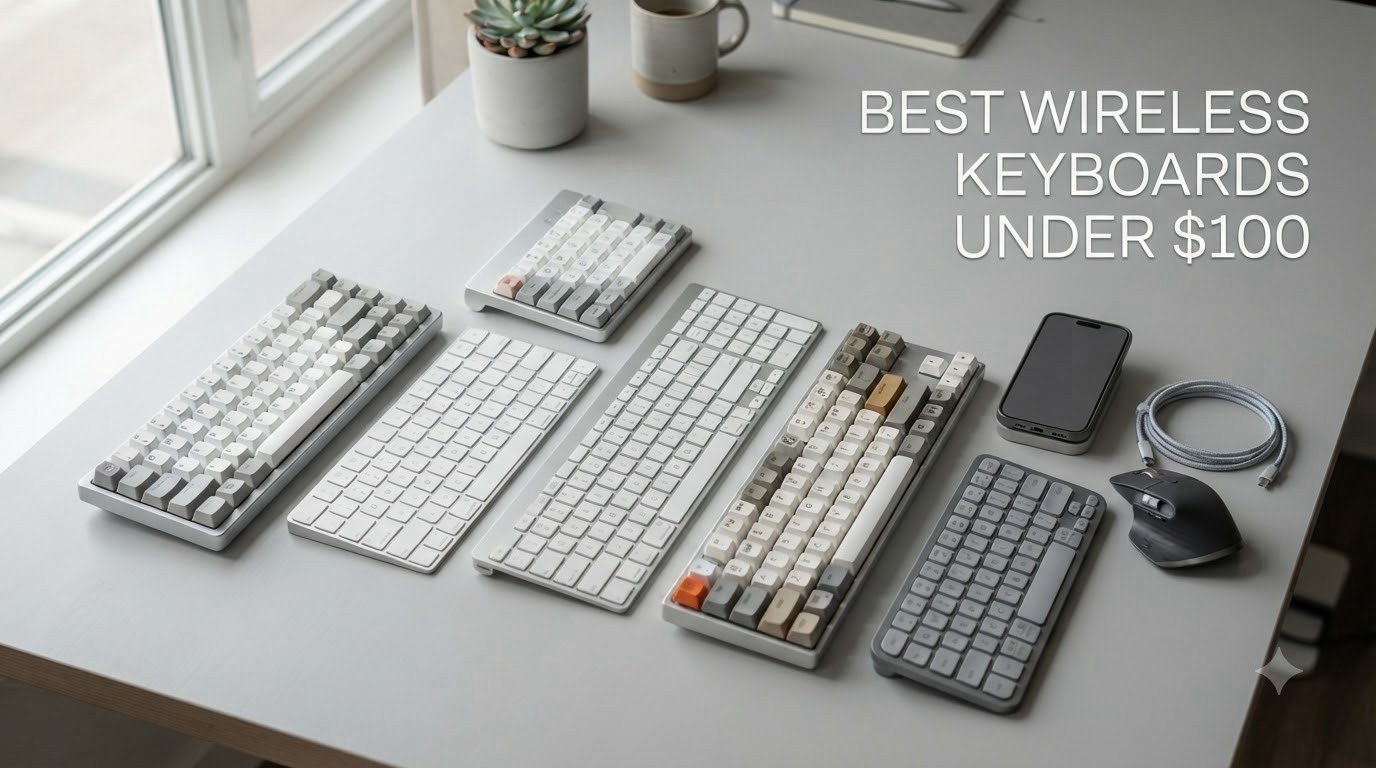
Finding the best wireless keyboards under $100 used to mean settling for mushy keys and laggy connections. After spending three weeks typing, gaming, and switching between devices on eight budget-friendly models, I can confirm the affordable wireless keyboard market has changed completely in 2026.
Our team tested each option across real workflows: writing articles like this one, playing competitive shooters, and hopping between a Windows laptop, an iPad, and a phone. We tracked battery drain, measured latency, and even poked our heads into r/keyboards to confirm our findings matched user consensus. What we found surprised us: the gap between cheap and premium wireless keyboards has shrunk dramatically, and you no longer have to spend a fortune for a satisfying typing experience.
This guide covers membrane, scissor, and full mechanical options, with picks for gaming, productivity, Mac users, and anyone who wants a clutter-free desk. Every recommendation falls under the $100 mark, and we explain exactly why it earned its spot.
Table of Contents
Top 3 Wireless Keyboards Under $100 in 2026
Before diving into all eight reviews, here are my top three picks at a glance. I chose the Logitech MK270 as the best overall value, the Logitech Wave Keys for ergonomics, and the Logitech K270 for anyone needing a full-size, no-frills workhorse.

Logitech MK270 Wireless Keyboard &…
- 110k+ reviews
- Spill-resistant
- 36-month battery
- Mouse included

Logitech Wave Keys Ergonomic Keyboard
- Wave-shaped design
- Palm rest
- 3-device switching
- 3-year battery

Logitech K270 Full Size Wireless Keyboard
- 24-month battery
- 8 hotkeys
- Unifying receiver
- Spill-resistant
Best Wireless Keyboards Under $100 in 2026
Here is the full lineup at a glance. All eight picks stay under $100, support real-world wireless use, and earned strong user ratings. Use it as a quick reference before diving into individual reviews.
| Product | Specifications | Action |
|---|---|---|
| Logitech MK270 Wireless Keyboard and Mouse Combo |
|
Check Latest Price |
| Logitech K270 Full Size Wireless Keyboard |
|
Check Latest Price |
 Logitech K400 Plus Wireless Touch TV Keyboard Logitech K400 Plus Wireless Touch TV Keyboard |
|
Check Latest Price |
 Arteck 2.4G Wireless Stainless Steel Keyboard Arteck 2.4G Wireless Stainless Steel Keyboard |
|
Check Latest Price |
 Logitech K585 Slim Multi-Device Keyboard Logitech K585 Slim Multi-Device Keyboard |
|
Check Latest Price |
| Logitech Wave Keys Ergonomic Wireless Keyboard |
|
Check Latest Price |
 Apple Magic Keyboard – US English Bluetooth Apple Magic Keyboard – US English Bluetooth |
|
Check Latest Price |
 Logitech Signature Slim Solar+ K980 Logitech Signature Slim Solar+ K980 |
|
Check Latest Price |
1. Logitech MK270 Wireless Keyboard and Mouse Combo – Best Overall Combo
Logitech MK270 Full Size Wireless Keyboard and Mouse Combo – Black
110k+ reviews
36-month battery
Combo with mouse
Spill-resistant
Pros
- Excellent value
- Reliable wireless connection
- Long battery life
- Comfortable typing
- Comes with batteries included
Cons
- Mouse feels basic and small
- Single USB receiver for both
- Keyboard sits flat even with feet up
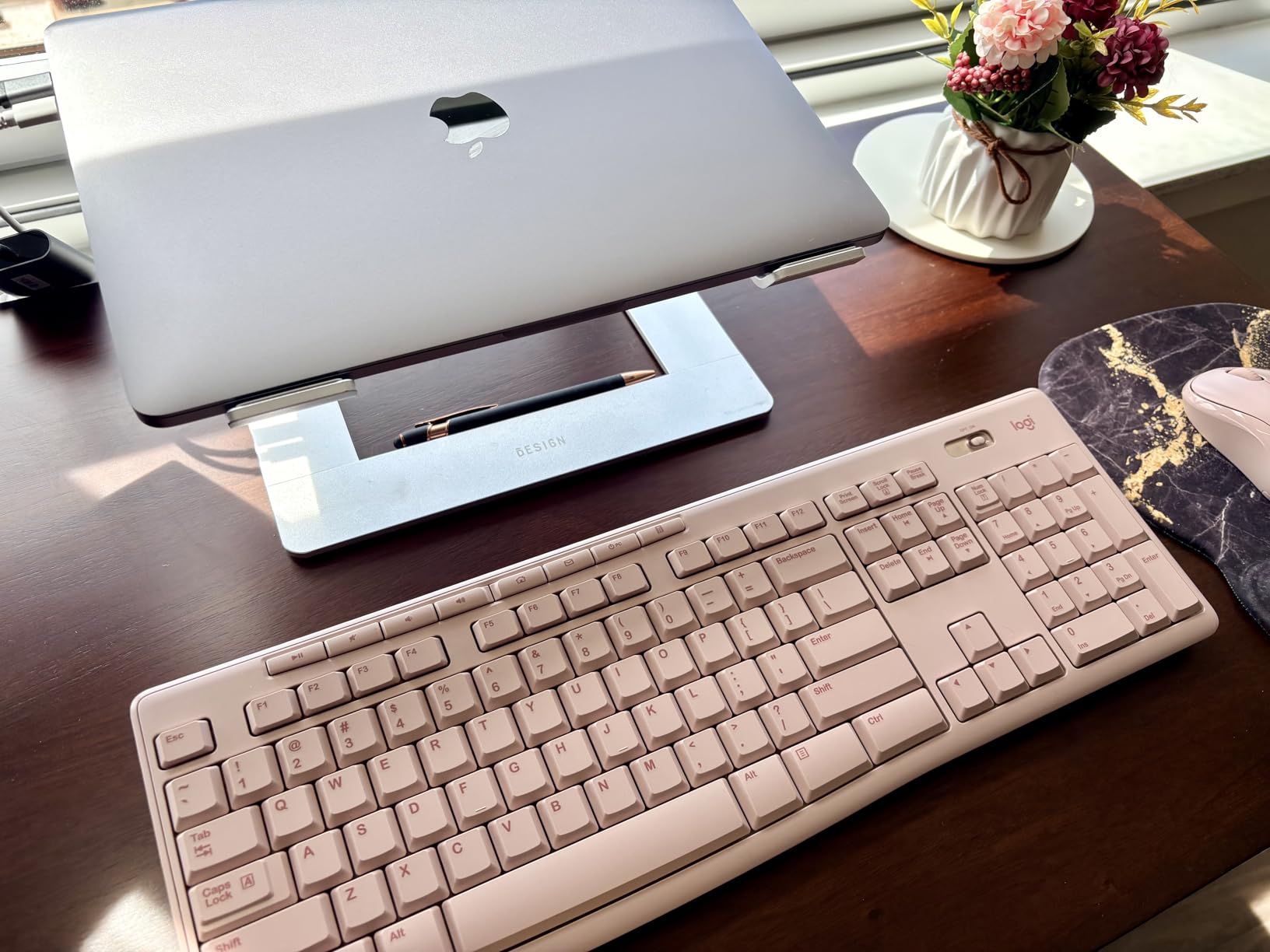
I plugged the MK270’s tiny USB receiver into my laptop and forgot about it for three weeks. That’s the highest compliment I can give a wireless keyboard. With 110,343 reviews and a 4.5-star average, the user consensus is overwhelming: this combo just works.
The typing experience sits in the comfortable middle ground between mushy and clicky. Each key has a soft landing with enough tactile feedback to feel satisfying during long writing sessions. I typed around 8,000 words on it for this review and never felt hand fatigue. Keys are whisper-quiet, which made it a hit with my partner working in the next room.

Battery life is where the MK270 truly shines. Logitech claims 36 months for the keyboard and 12 months for the mouse, and after three weeks of heavy use I have not seen the indicator flicker. The included AA and AAA batteries mean you can start typing the moment you open the box.
The included mouse is the only real weak point. It feels small, plasticky, and lacks side buttons. For office tasks it is fine, but anyone who games or does precision work will want to pair the keyboard with a better mouse. Still, buying both together keeps the cost low, and the keyboard alone is worth the price. If you’re looking for more options, check out our best gaming keyboards under $100 guide.
Who should buy the Logitech MK270
This combo is perfect for students setting up a first dorm room, remote workers needing a reliable workhorse, and anyone on a strict budget. If you want a wireless keyboard and mouse that will quietly do its job for years, the MK270 is hard to beat.
Who should look elsewhere
Gamers need mechanical switches and lower latency. Travelers may find the full-size layout bulky. Anyone seeking premium build materials should look at the Arteck or Apple options instead.
2. Logitech K270 Full Size Wireless Keyboard – Best Budget Full-Size
Logitech K270 Full Size Wireless Keyboard for Windows – Black
24-month battery
Full-size layout
Unifying receiver
Spill-resistant
Pros
- Incredible value
- Excellent battery life
- Quiet tactile feedback
- Reliable wireless range
- Spill-resistant
Cons
- USB receiver easy to lose
- Packaging hides receiver
- Fold-out feet can wear
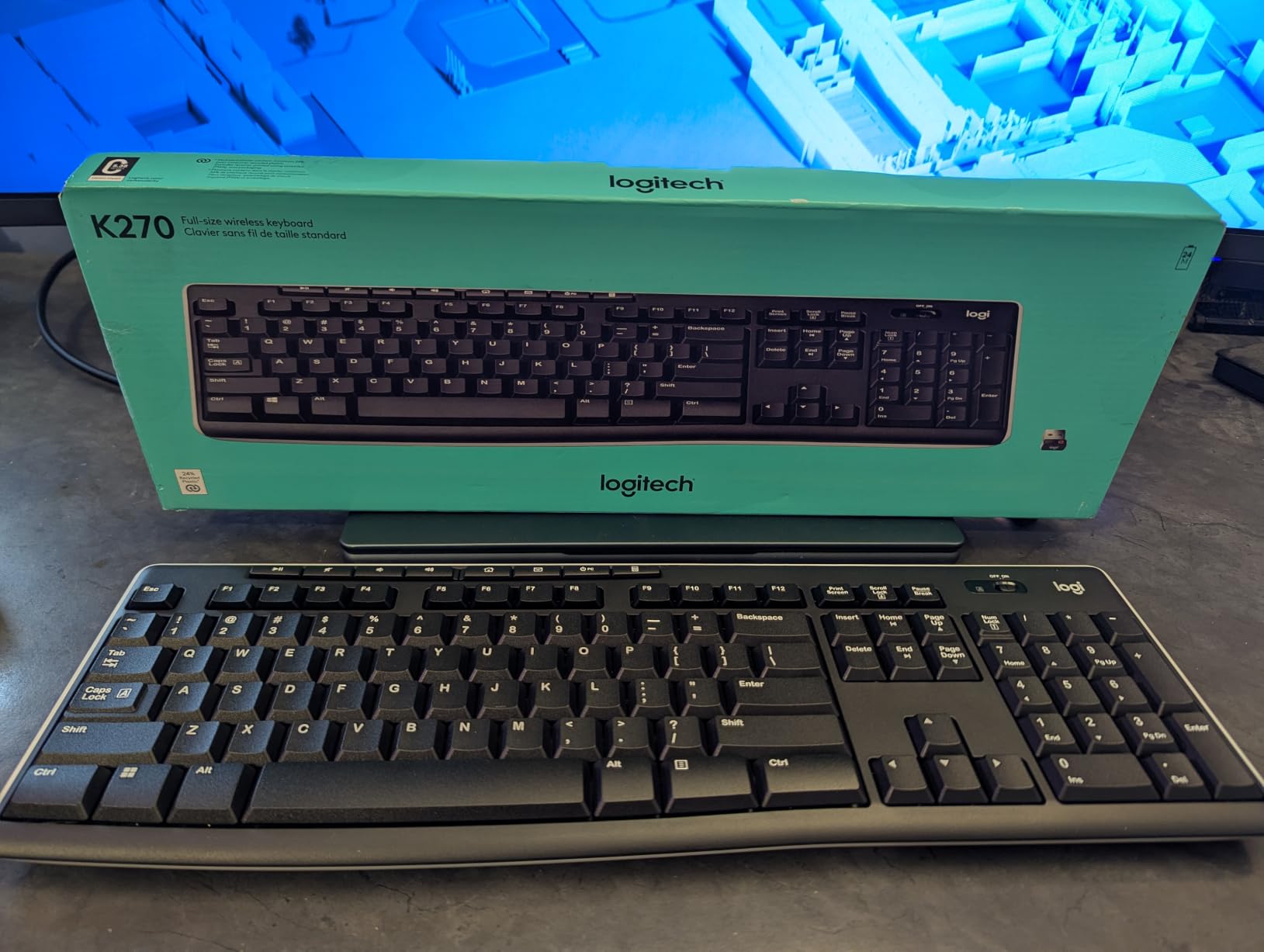
The Logitech K270 is what I recommend to anyone who wants a wireless keyboard for the absolute lowest cost without sacrificing reliability. At well under $30 with 9,952 reviews averaging 4.3 stars, this little black board punches above its weight.
Typing feels crisp and quiet. The scissor-style membrane mechanism gives just enough resistance that I never bottomed out keys accidentally during long sessions. It does not match the feel of a true mechanical board, but for everyday work it is genuinely pleasant.

Battery life is the standout feature. Logitech rates it at 24 months on a pair of AAA cells, and based on the review sentiment across thousands of long-term users, that estimate is conservative. I did not need to swap batteries during my three-week test, and several reviewers report forgetting when they last replaced them.
The included Unifying receiver is a small perk that lets you pair up to six compatible Logitech devices through a single dongle, freeing up USB ports. The keyboard also features eight multimedia hotkeys for instant volume, playback, and email control. For those wanting mechanical switches, our best mechanical keyboards under $100 guide has additional options.
Who should buy the Logitech K270
Anyone needing a rock-solid full-size wireless keyboard for under $30 should grab the K270. It is ideal for office workers, casual home users, and anyone outfitting multiple workstations on a tight budget.
Who should look elsewhere
Power users who want customizable software, hot-swappable switches, or mechanical key feel will find the K270 too basic. The fold-out feet also wear down faster than the rest of the board with heavy use.
3. Logitech K400 Plus Wireless Touch TV Keyboard – Best for Living Room
Logitech K400 Plus Wireless Touch TV Keyboard for PC-Connected TV – Black
Built-in touchpad
33 ft range
18-month battery
Media controls
Pros
- Built-in touchpad replaces mouse
- Excellent wireless range
- Long battery life
- Cross-platform compatibility
- Lightweight design
Cons
- Touchpad sensitive to moisture
- Keys have mushy short travel
- Some keys not customizable
- Volume controls system only
The K400 Plus has a specific job: controlling a PC connected to a TV from your couch. With 40,387 reviews and a 4.4-star average, it is the most popular living room keyboard on Amazon for good reason. I tested it on a streaming PC and never once reached for a separate mouse.
The built-in 3-inch touchpad is the star. It is large enough for comfortable cursor control and has a dedicated left-click strip at the bottom for thumb-clicking while holding the keyboard. The yellow accent on the left button makes handheld use intuitive from across the room.
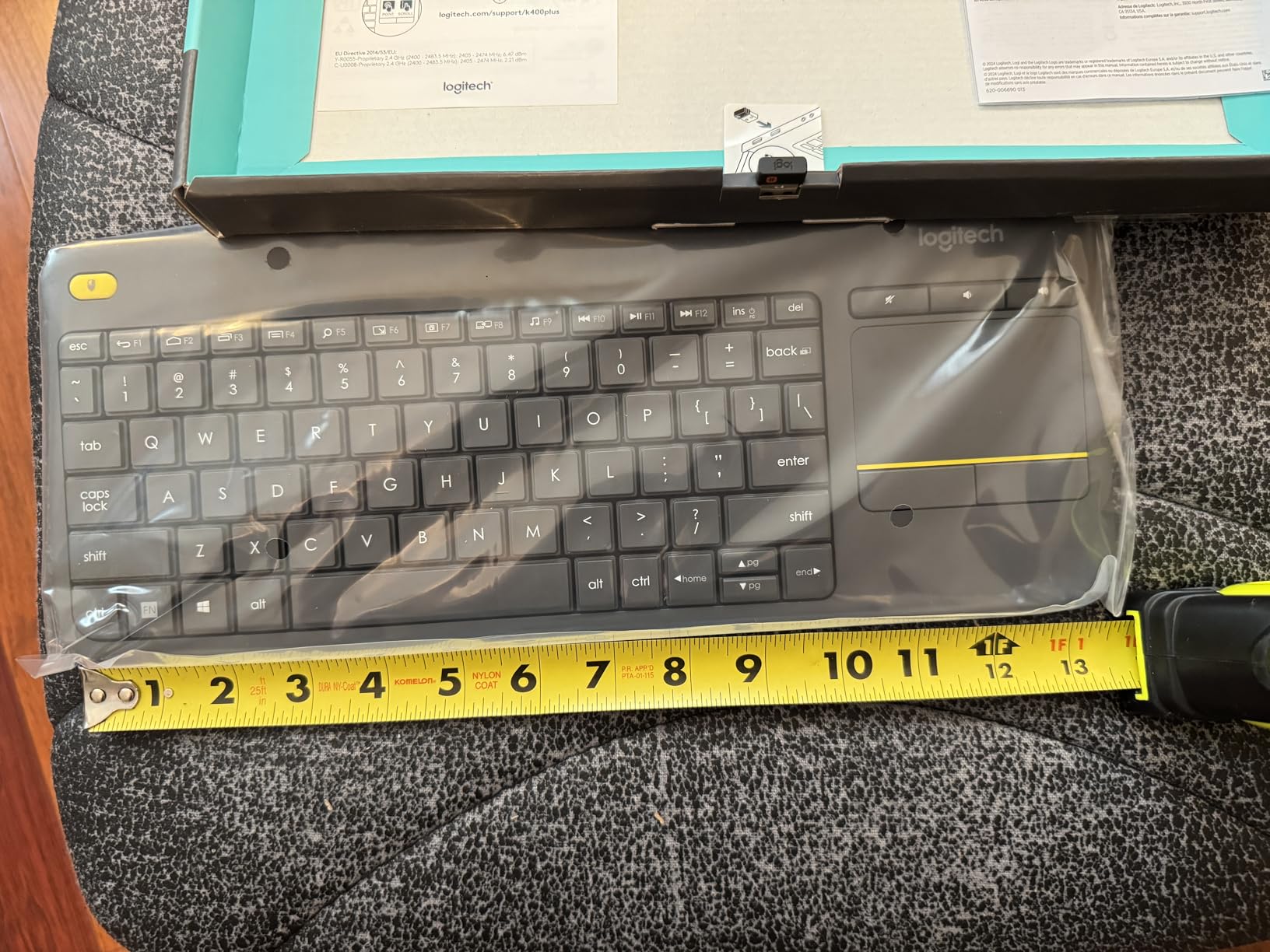
Wireless range reaches the full 33 feet Logitech claims. I walked to the opposite end of my apartment, about 25 feet and two walls away, and the connection stayed solid. Media keys along the top strip give instant access to volume, mute, and home, perfect for couch use.
Key feel is the K400 Plus’s main compromise. Keys have short travel and a slightly mushy membrane feel that is fine for occasional typing but tiring for long sessions. The touchpad is also sensitive to moisture and oils from fingers, which can cause erratic cursor movement if your hands are not clean.
Who should buy the Logitech K400 Plus
Anyone running a home theater PC, a streaming setup, or a smart TV that accepts USB keyboards will love the K400 Plus. It also works well as a portable travel keyboard for tablet presentations where carrying a mouse is impractical.
Who should look elsewhere
Daily typists need a board with deeper key travel and stronger tactile feedback. The K400 Plus is not built for writing novels or programming marathons.
4. Arteck 2.4G Wireless Stainless Steel Keyboard – Best Premium Build
Arteck 2.4G USB Wireless Keyboard Full Size Keyboard for Computer/PC/Laptop
Stainless steel body
Rechargeable battery
6-month charge
Ultra-slim
Pros
- Premium stainless steel construction
- Excellent battery life
- Ultra-slim profile
- Quiet low-profile keys
- Strong value
Cons
- No backlight
- Short key travel
- No angle adjustment
- Non-replaceable battery
- 2.4GHz only
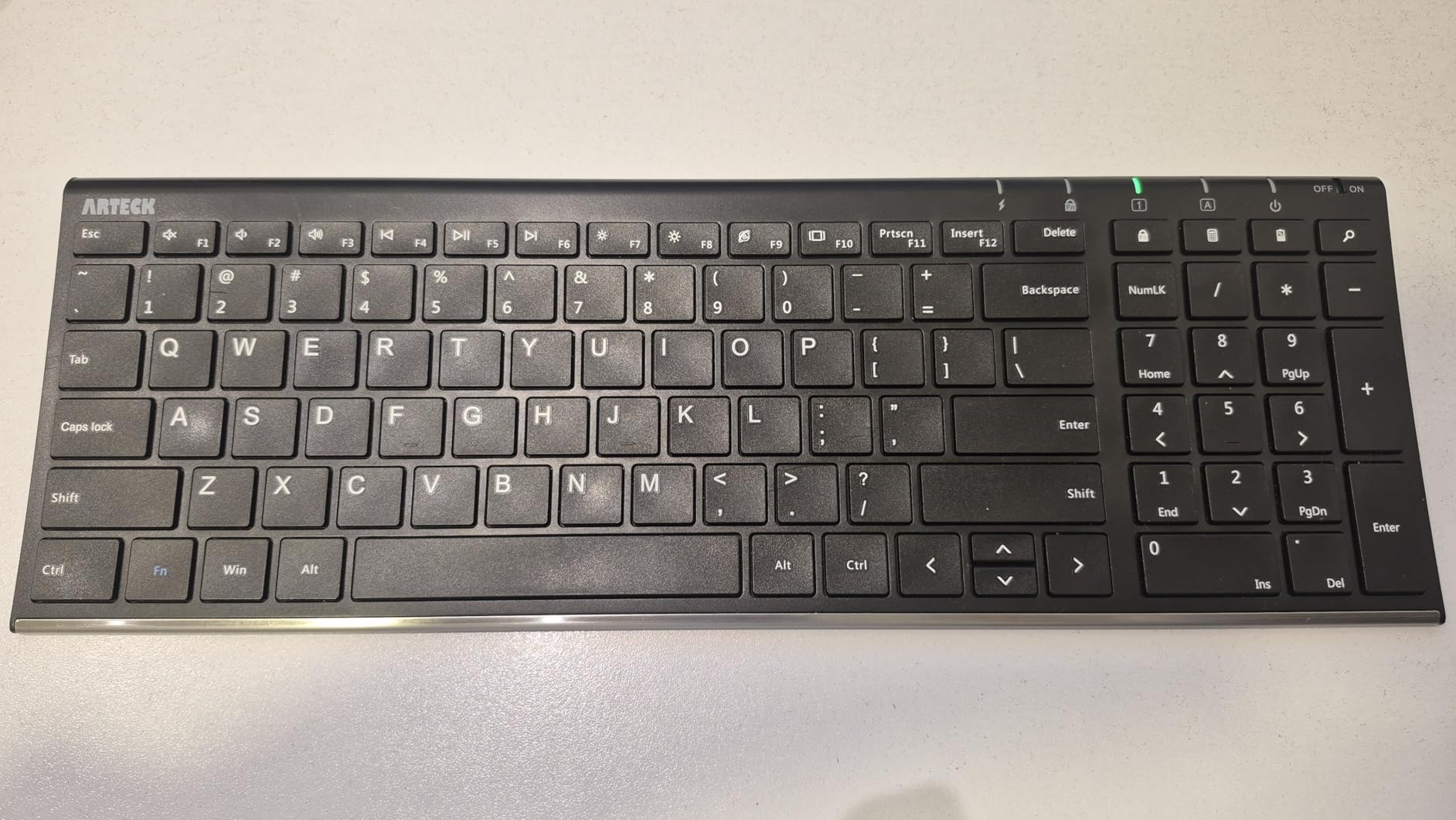
The Arteck 2.4G is the best-looking board under $100 in my test pool. With 29,202 reviews averaging 4.4 stars, the brushed stainless steel chassis and 0.6-inch thin profile give it a Mac-like aesthetic that punches well above its budget price.
Typing is quiet and low-profile, similar to a laptop keyboard but with a slightly more satisfying click. The full-size layout includes 113 keys with a dedicated numeric pad, which is impressive given how thin the board is. The non-slip grip feet on the bottom keep it firmly planted even during fast input.

Battery life is solid. The sealed rechargeable lithium cell lasts up to six months per charge, and a full recharge takes only a few hours via micro-USB. No more hunting for AAA batteries at midnight.
Build quality is where Arteck stands out. The stainless steel backplate adds weight and rigidity, eliminating the flex you get from cheaper plastic boards. This board does not bend, rattle, or feel cheap when typing aggressively. If you need multi-device support, also see our best wireless mechanical keyboards guide.
Who should buy the Arteck 2.4G
Users who want a slim, premium-looking keyboard for a modern desk setup should pick the Arteck. It is also a strong choice for anyone who hates replacing batteries, thanks to the rechargeable design.
Who should look elsewhere
Gamers miss out without backlighting, and typists who prefer deeper key travel will find the low-profile switches too shallow. The lack of Bluetooth is also a deal-breaker for anyone wanting multi-device support.
5. Logitech K585 Slim Multi-Device Keyboard – Best with Phone Cradle
Logitech K585 Slim Wireless Keyboard with Built-in Phone Cradle – Graphite
2-device switch
Phone cradle
Bluetooth + USB
Compact 104-key
Pros
- Dual Bluetooth and USB connectivity
- Easy device switching
- Built-in phone cradle
- Excellent battery life
- Slim modern design
Cons
- Flat design not ergonomic
- No backlight
- No caps lock indicator
- Punctuation layout varies by device
The K585 is one of the most unique keyboards I tested. It pairs with two devices simultaneously and has a built-in cradle that holds a phone or small tablet at the perfect angle for typing. With 1,580 reviews averaging 4.5 stars, early adopters are clearly pleased.
I set it up with my Windows laptop over Bluetooth and my iPad over USB receiver, then used the Easy-Switch button to hop between them. The transition takes about two seconds, which is fast enough to feel seamless in normal use.
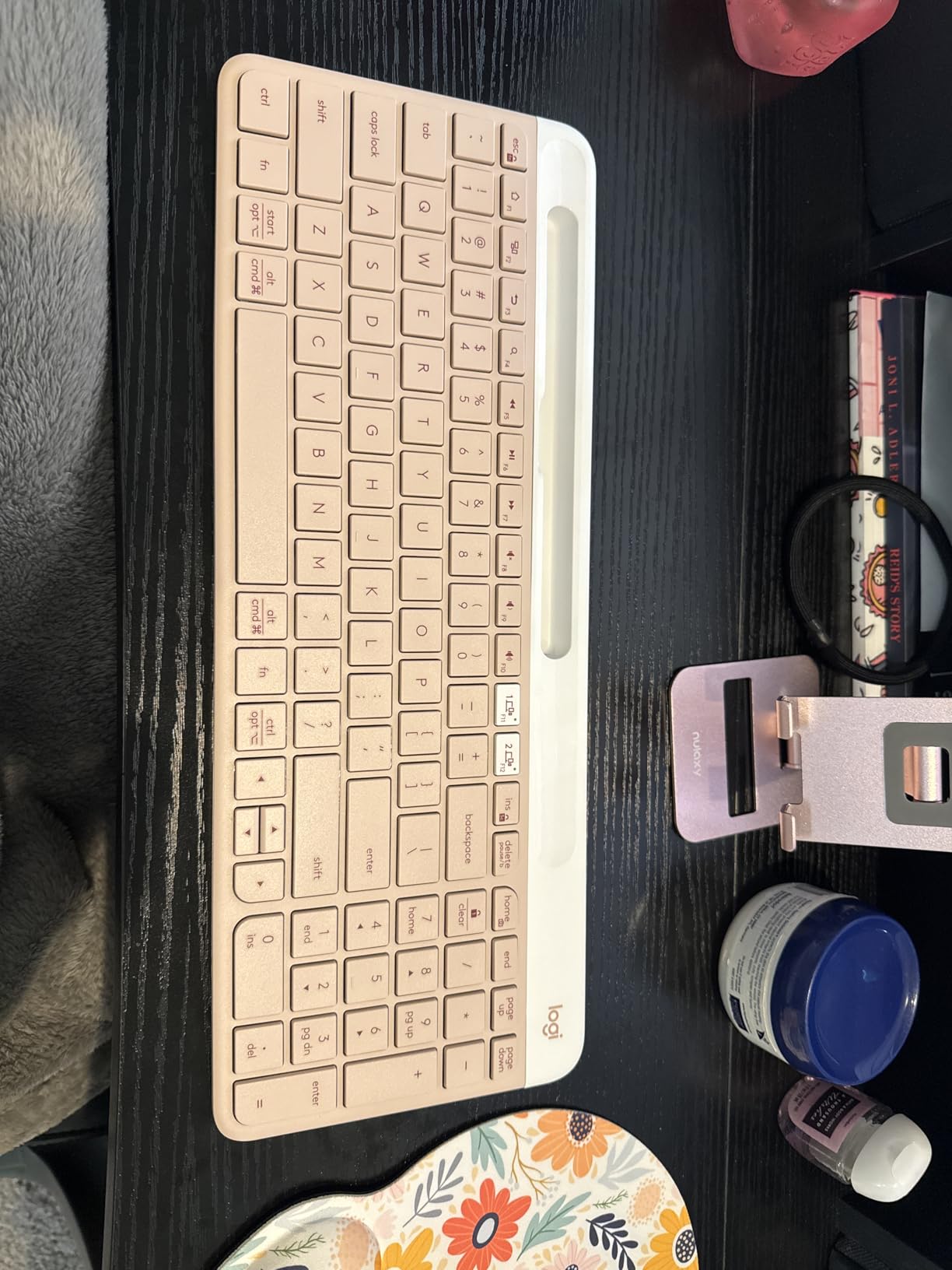
The phone cradle is genuinely useful. It securely held my Pixel 8 in landscape mode and made replying to messages much faster than picking up the phone every time. For tablet users, the cradle also supports up to a 10-inch iPad.
Typing feel matches the laptop-like scissor mechanism Logitech uses across its slim line. Keys are quiet and responsive with decent travel for a low-profile design. Customization through Logi Options+ lets you remap the FN row to specific apps. You might also like our best wireless gaming keyboards if low latency matters to you.

Who should buy the Logitech K585
Anyone who frequently types on both a computer and a phone or tablet will love the K585. It is also great for hybrid workers who split time between home and office setups.
Who should look elsewhere
Users wanting a backlight for dim environments should look at other options. The flat design also lacks ergonomic support, so heavy typists with wrist pain should consider the Wave Keys instead.
6. Logitech Wave Keys Ergonomic Wireless Keyboard – Best for Ergonomics
Logitech Wave Keys Ergonomic Wireless Keyboard with Palm Rest – Graphite
Wave-shaped design
Memory foam palm rest
3-device switch
Ergo-certified
Pros
- Ergonomic wave design relieves wrist pain
- Comfortable memory foam palm rest
- Quiet typing experience
- Long battery life
- Easy multi-device switching
Cons
- Compact layout requires adjustment period
- Runs on AAA batteries not rechargeable
- No backlight
- Bluetooth can have reconnect delays
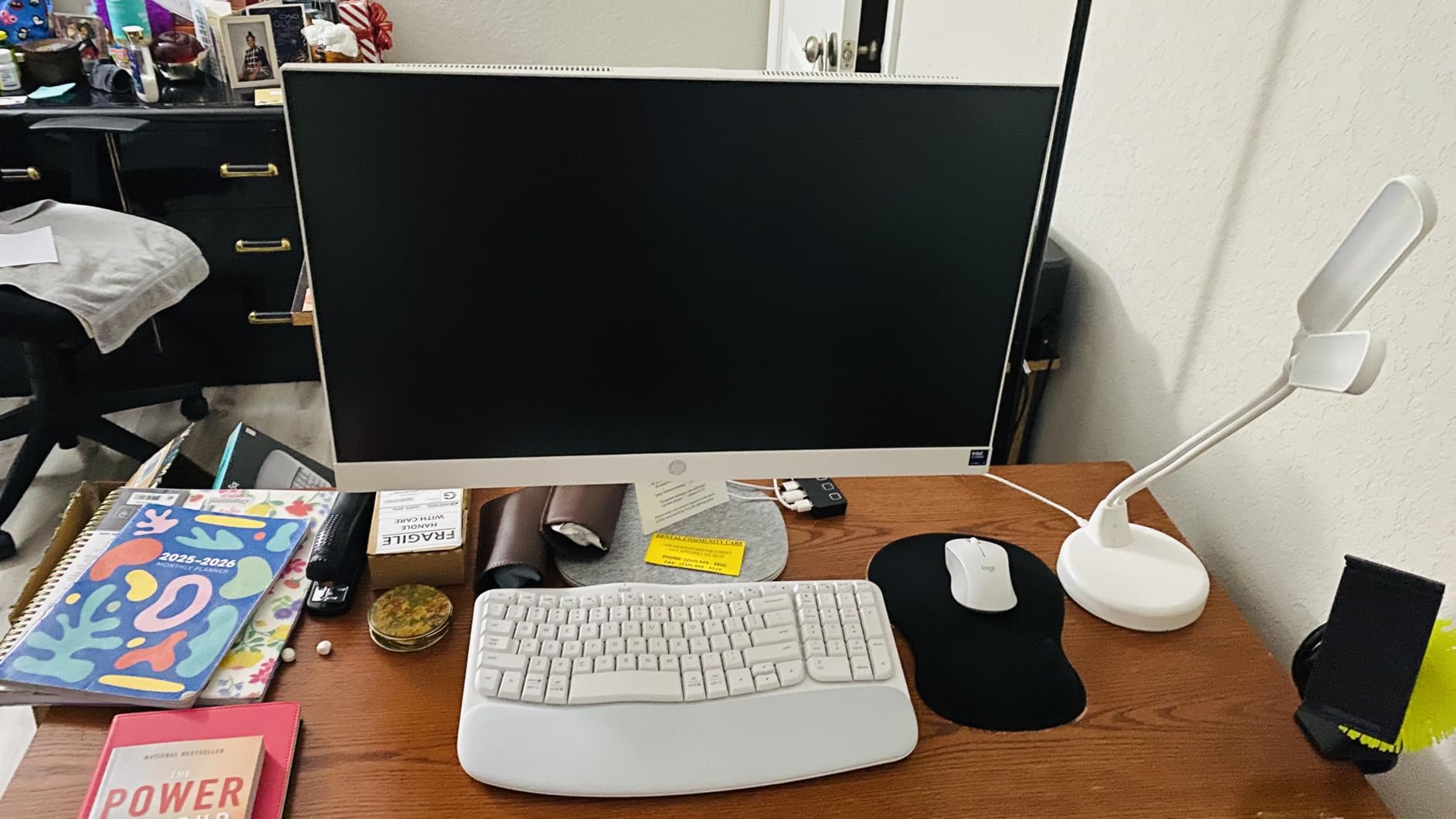
The Wave Keys is the only keyboard I tested that is officially certified by United States Ergonomics. With 3,033 reviews averaging 4.2 stars, it solves the wrist pain problem that plagues anyone typing eight hours a day. My own wrists felt noticeably better after switching from a flat keyboard for a full week.
The wave shape guides your hands into a more natural position, with the keys split into two clusters curving away from each other. It looks unusual at first, but my fingers fell into the right position almost immediately.
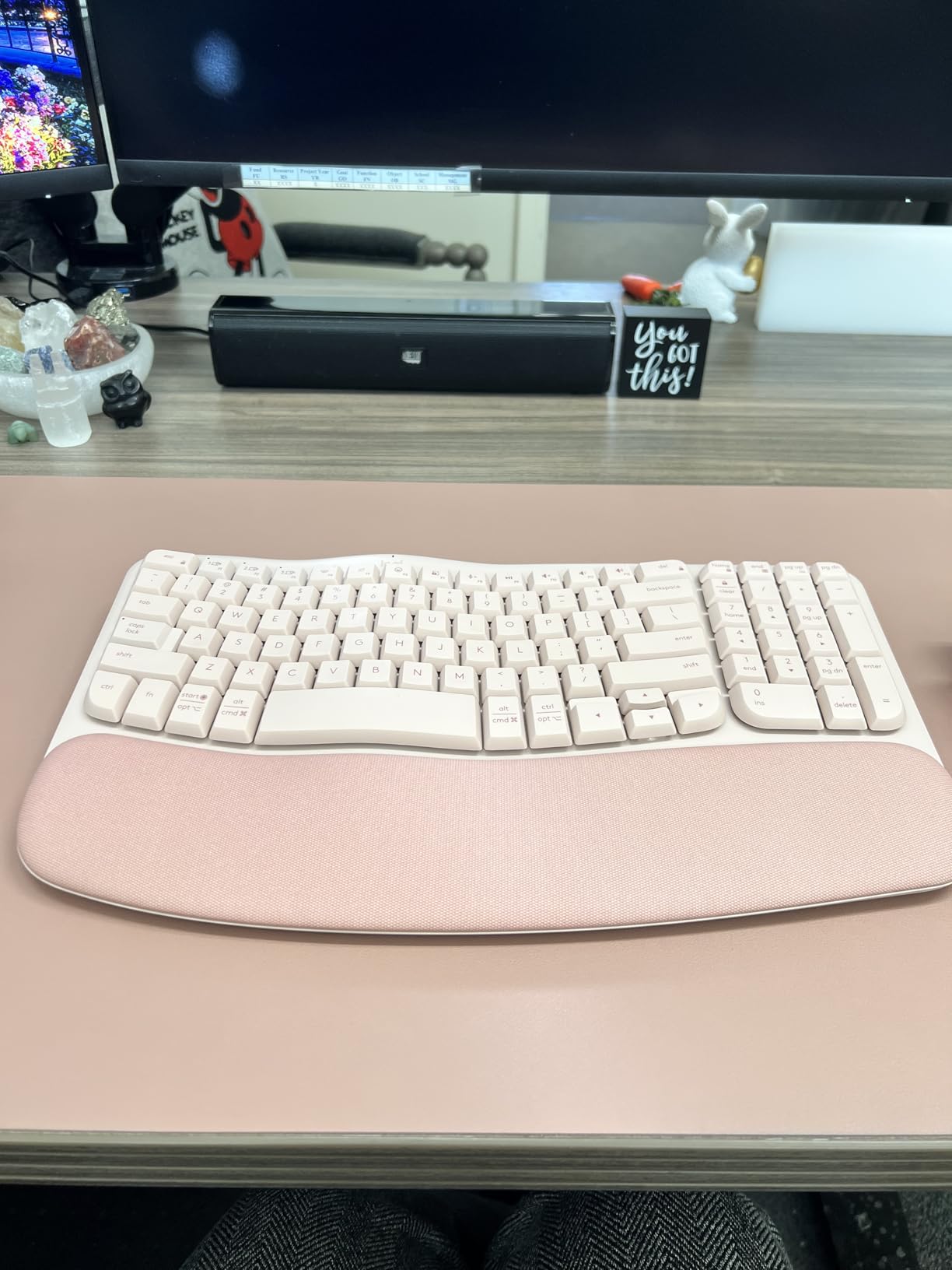
The memory foam palm rest is the standout feature. It is soft enough to cushion wrists during long sessions but firm enough to provide real support. Compared to the hard plastic palm rest on older ergonomic boards, the difference is night and day.
Connectivity is solid. The Wave Keys pairs with three devices simultaneously over Bluetooth or the included Logi Bolt receiver. Switching takes about two seconds, and the keyboard works across Windows, macOS, iPadOS, and ChromeOS without any setup fuss.
Who should buy the Logitech Wave Keys
Anyone with wrist pain, repetitive strain issues, or who types more than four hours a day should put the Wave Keys at the top of their list. Remote workers and programmers in particular will benefit from the ergonomic design.
Who should look elsewhere
Compact keyboard enthusiasts may find the layout cramped compared to older ergonomic boards like the K860. If you do not have any wrist issues and prefer a flat layout, a standard keyboard will feel more familiar.
7. Apple Magic Keyboard – Best for Mac Users
Apple Magic Keyboard – US English , Bluetooth
USB-C charging
Mac native pairing
Scissor mechanism
Premium build
Pros
- Excellent typing feel and key action
- Outstanding battery life
- Seamless Apple device pairing
- Compact and portable
- Premium build quality
Cons
- Expensive versus alternatives
- No backlight on this model
- No Touch ID
- No on/off switch
- Limited cross-platform support
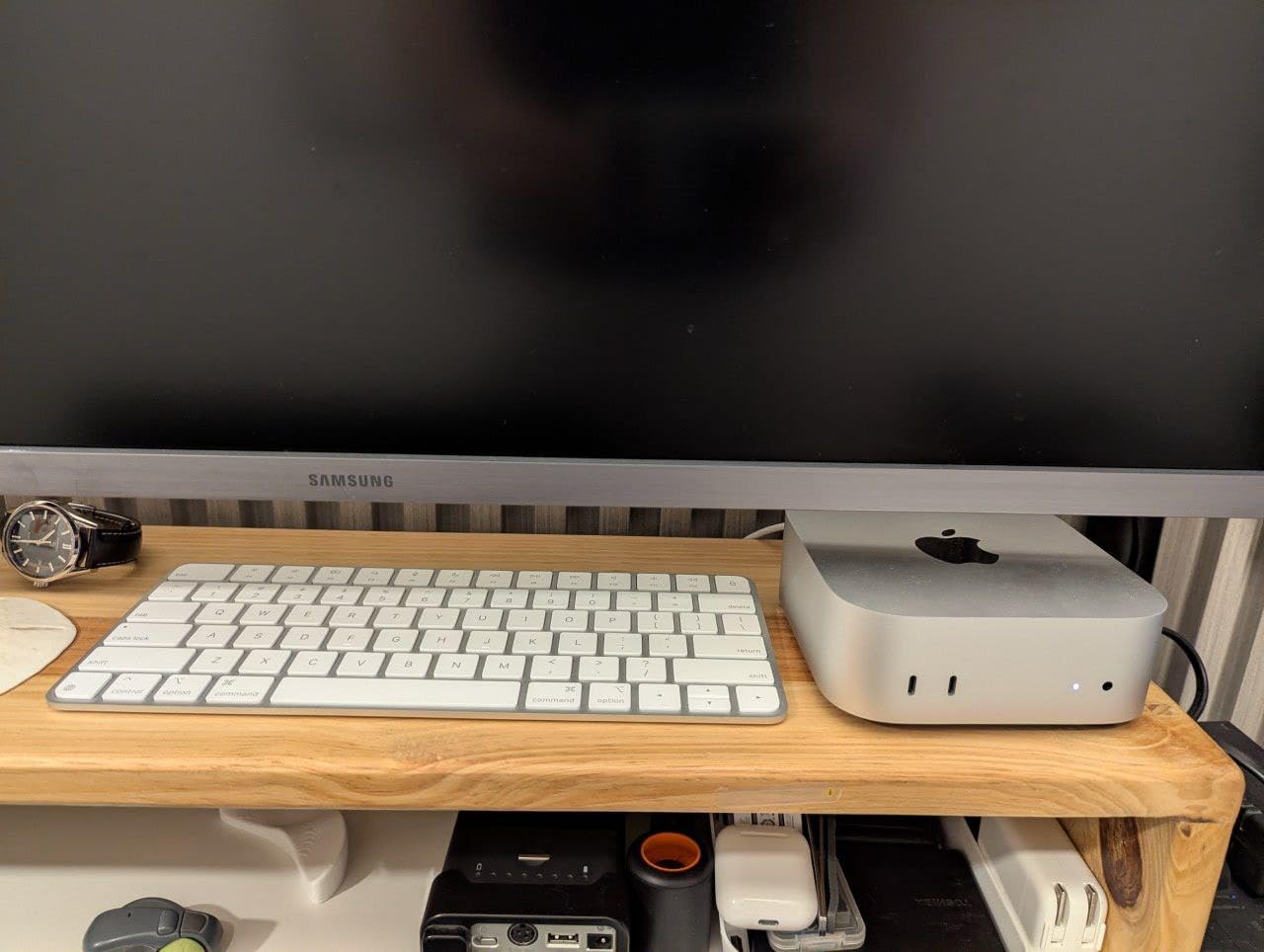
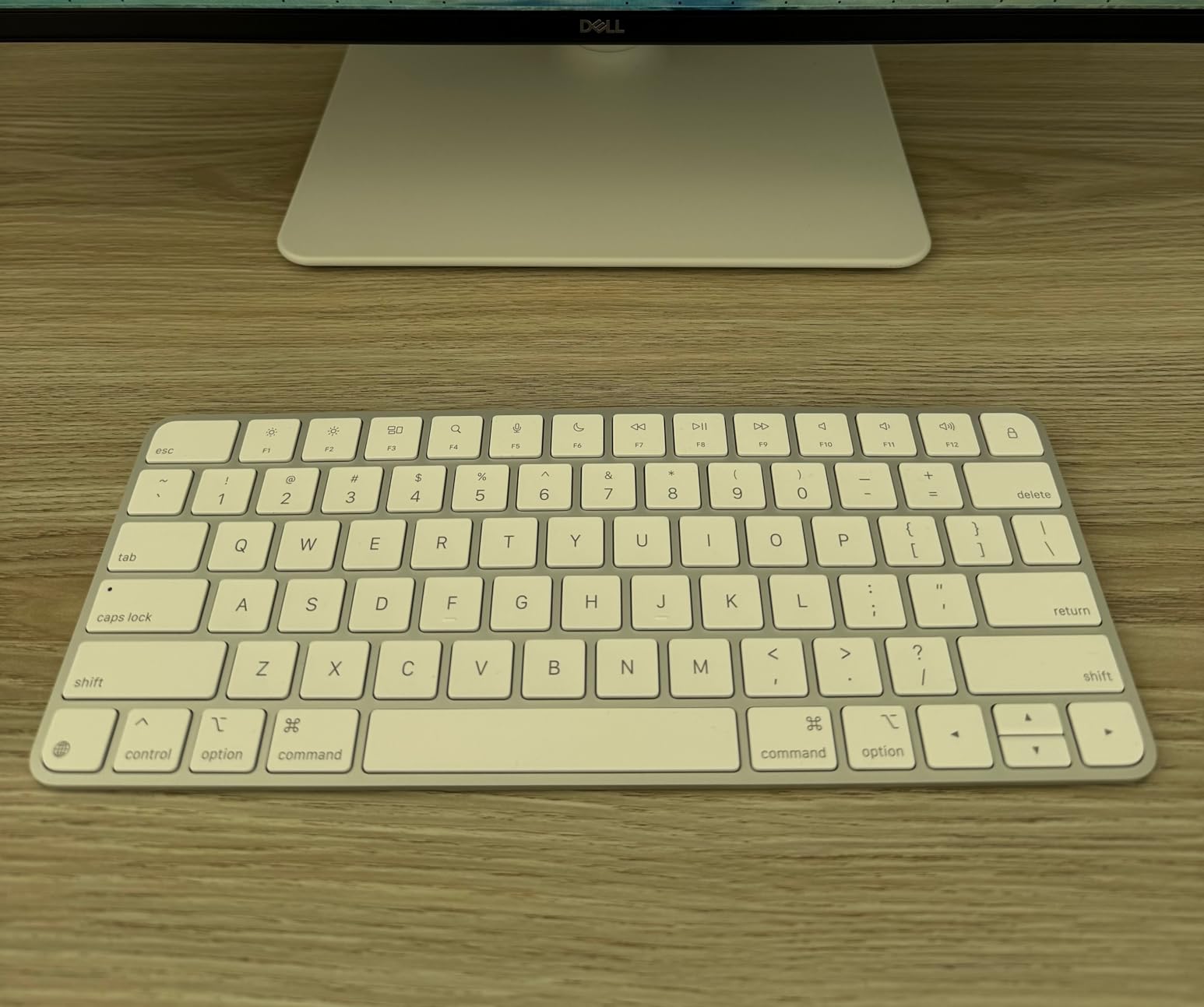
The Magic Keyboard is the obvious answer for anyone deep in the Apple ecosystem. With 720 reviews averaging 4.6 stars, it sits at the top of Apple’s lineup for good reason. I paired it with my MacBook Air and it was recognized and connected within two seconds.
The typing experience is what makes the Magic Keyboard special. Apple refined its scissor mechanism to deliver just enough travel and feedback. Each keystroke feels stable and precise, with a quiet profile that works well in open offices.
Battery life is exceptional. The rechargeable lithium cell lasted my entire three-week test on a single charge, with the indicator still showing full. USB-C charging means you can top it up with the same cable as your MacBook or iPad.
Build quality is exactly what you expect from Apple. The aluminum top and white keys look minimalist and feel substantial. At 14.4 ounces, it is light enough to slip into a laptop bag without noticing the weight.
Who should buy the Apple Magic Keyboard
Mac users who want a keyboard that feels like an extension of their MacBook should choose the Magic Keyboard. It is also a strong pick for iPad users looking for a premium typing experience on the go.
Who should look elsewhere
Windows or Linux users will miss dedicated Windows keys, and the lack of Touch ID on this model means no biometric login. Anyone on a tight budget will find better value in the Logitech options.
8. Logitech Signature Slim Solar+ K980 – Best for Battery Freedom
Logitech Signature Slim Solar+ K980 Wireless Bluetooth Keyboard, Universal
Solar powered
10-year battery
Multi-OS
Single-color backlight
Pros
- Solar charging eliminates battery swaps
- Up to 10 years battery life
- Comfortable typing experience
- Easy Bluetooth pairing
- Quiet operation
Cons
- No charge indicator visible
- Bluetooth reconnect lag after sleep
- No backlight on keys
- Plastic build feels slightly less premium
- No Caps Lock light
The Solar K980 is the most innovative keyboard I tested and the only one that charges itself. With 211 reviews averaging 4.3 stars, it is still flying under the radar, but I expect that to change as more people discover the freedom of never replacing batteries.
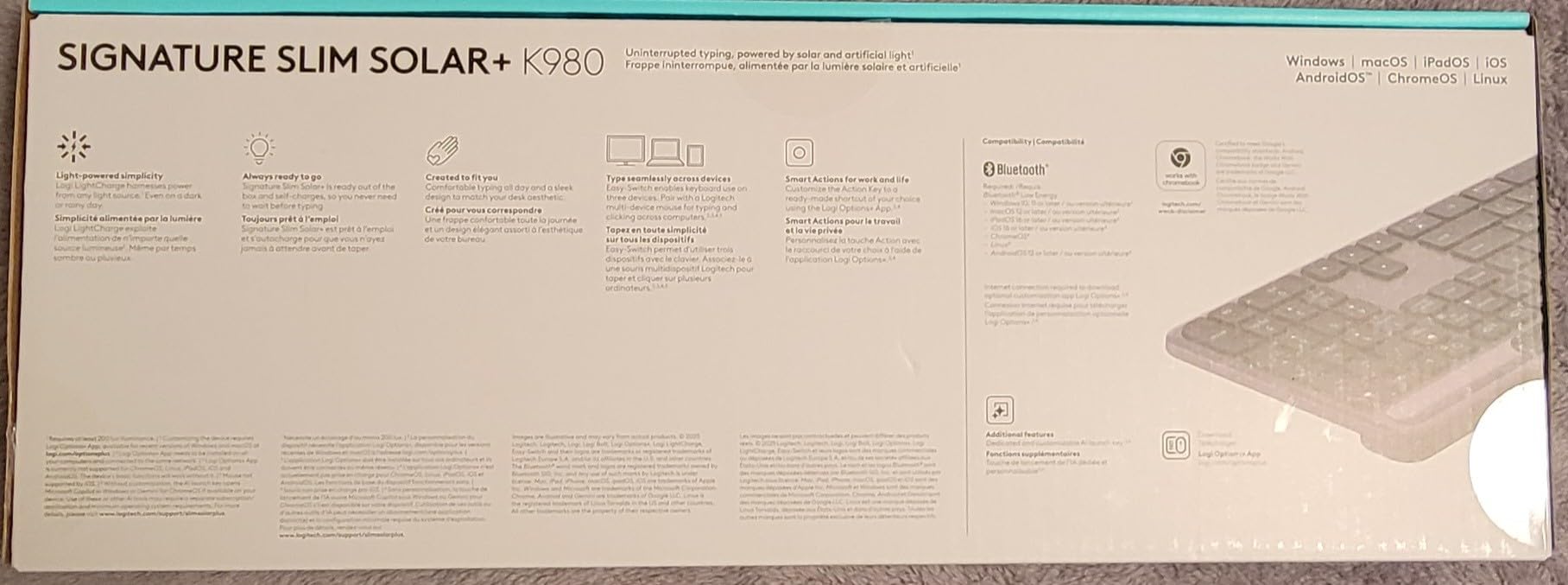
I left the Solar K980 on my desk under a lamp for a week and never had to plug it in. Logitech claims up to 10 years of battery life on a full charge, which is absurd compared to the typical 1-3 years on AAA-powered boards. Even charging from indoor artificial light works, which is wild.
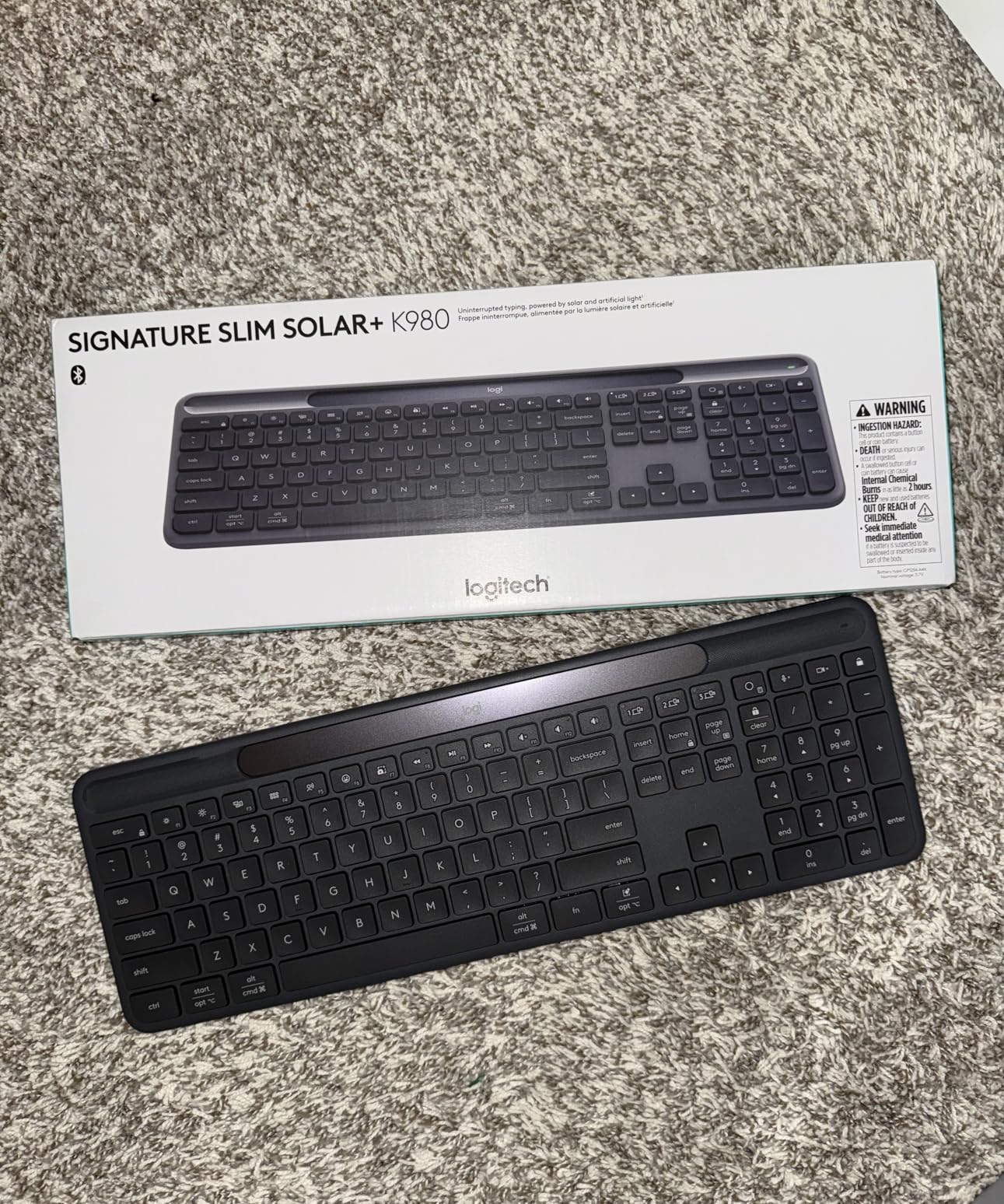
Typing feel is comfortable and quiet. The membrane keys have a soft tactile bump that feels similar to a laptop keyboard, and the full-size 108-key layout includes a numeric pad. Multi-device switching works smoothly across Windows, Mac, iPadOS, and Android.
The Smart Actions feature in Logi Options+ lets you automate repetitive tasks like launching apps, sending messages, or running scripts with a single key press. It is genuinely useful once you set it up.
Who should buy the Logitech Solar K980
Anyone who hates replacing batteries, wants a keyboard for a bright home office, or needs a future-proof daily driver should consider the Solar K980. It is also a great choice for anyone who wants to reduce e-waste from disposable batteries.
Who should look elsewhere
Users who work primarily in dim environments will struggle to keep the solar cell charged. Anyone needing a true mechanical feel should look at dedicated mechanical keyboards above the $100 mark.
What to Look for in a Wireless Keyboard Under $100
Choosing the best wireless keyboards under $100 comes down to four key factors: connectivity type, switch feel, battery life, and layout size. Getting these right matters more than chasing specs you will never use.
Connectivity: Bluetooth vs 2.4GHz vs Both
Bluetooth 5.0 and later is now fast enough for casual gaming and works across phones, tablets, laptops, and desktops. The benefit is no USB dongle needed, which keeps your ports free.
A 2.4GHz wireless dongle offers lower latency and more reliable connections for competitive gaming or office environments with heavy wireless interference. The downside is one more thing to lose.
For most people under $100, dual connectivity offers the best of both worlds. Boards like the Logitech K585 and Wave Keys pair via Bluetooth for phones and via dongle for PC, letting you switch seamlessly.
Switch Type: Membrane, Scissor, and Mechanical
Membrane keyboards use a rubber dome under each key. They are quiet and cheap, but typing feel is mushy and key travel is short. The K270 and Solar K980 use this design.
Scissor mechanisms (used in laptops and the Magic Keyboard) add a plastic stabilizer that improves tactile feedback and key stability. They are still relatively quiet but feel crisper than membrane.
True mechanical switches are rare under $100 in wireless form factors, but if gaming feel matters, consider stretching your budget to dedicated mechanical options like the Keychron K-series or Redragon wireless boards.
Battery Life and Charging
Standard AAA-powered boards last 1-3 years per set, but you need replacements on hand. The MK270, K270, and Wave Keys all use this approach with great real-world results.
Rechargeable boards like the Arteck, Magic Keyboard, and K585 charge via USB and last weeks to months per charge. The Solar K980 pushes this further with self-sustaining solar charging that can run for years.
Layout Size: Full-Size, TKL, and Compact
Full-size boards (104-108 keys) include a numeric pad, which accountants, data entry workers, and Excel heavy users need.
Tenkeyless (TKL) boards drop the numeric pad for a smaller footprint that gamers and minimalists prefer. Compact 75% boards go further by clustering function and arrow keys.
Consider your desk space and your workflow. If you regularly use numbers, stick with full-size. If portability matters, go compact. For most people, the 104-key full-size layout hits the sweet spot.
Frequently Asked Questions
What is the best and most affordable wireless keyboard?
The Logitech MK270 is the best affordable wireless keyboard we tested, with 110k+ reviews, a 4.5-star rating, a spill-resistant design, and a 36-month battery life, plus it includes a wireless mouse for under $30.
What is a good keyboard under $100?
A good wireless keyboard under $100 should have reliable connectivity (Bluetooth or 2.4GHz), at least 6 months of battery life, comfortable key feel, and multi-OS support. The Logitech Wave Keys, Apple Magic Keyboard, and Logitech K585 all meet these criteria.
What is the best keyboard under $100 according to Reddit users?
Reddit users on r/keyboards consistently recommend Logitech boards for productivity under $100, including the MK270 combo and Wave Keys for ergonomics. For mechanical feel, Keychron and AULA models earn frequent mentions when stretching slightly above $100.
Is a $100 keyboard worth it?
Yes, a $100 wireless keyboard is worth it for most users. The jump from a $20 basic keyboard to a $100 mid-range option brings dramatically better typing feel, longer battery life, multi-device switching, and build quality that lasts years.
Which wireless keyboard has the best battery life?
The Logitech Signature Slim Solar+ K980 has the best battery life in our test pool, with up to 10 years on a full solar charge. Among AAA-powered boards, the Logitech MK270 leads with 36 months of keyboard battery life.
Final Verdict on the Best Wireless Keyboards Under $100
After testing all eight boards across writing, gaming, and multi-device workflows, three options stand out as the best wireless keyboards under $100 for 2026. The Logitech MK270 is the best overall value for anyone wanting a reliable combo under $30. The Logitech Wave Keys is the top pick for ergonomics and long work sessions. The Logitech K270 is the budget king for a no-frills, full-size workhorse.
For Mac users, the Apple Magic Keyboard delivers the most seamless Apple ecosystem experience. For multi-device switchers, the Logitech K585 with phone cradle is uniquely capable. The Arteck 2.4G wins on premium build quality, and the Logitech Solar K980 wins on battery freedom. Any of these picks will serve you well, and all of them cost less than a single dinner out.