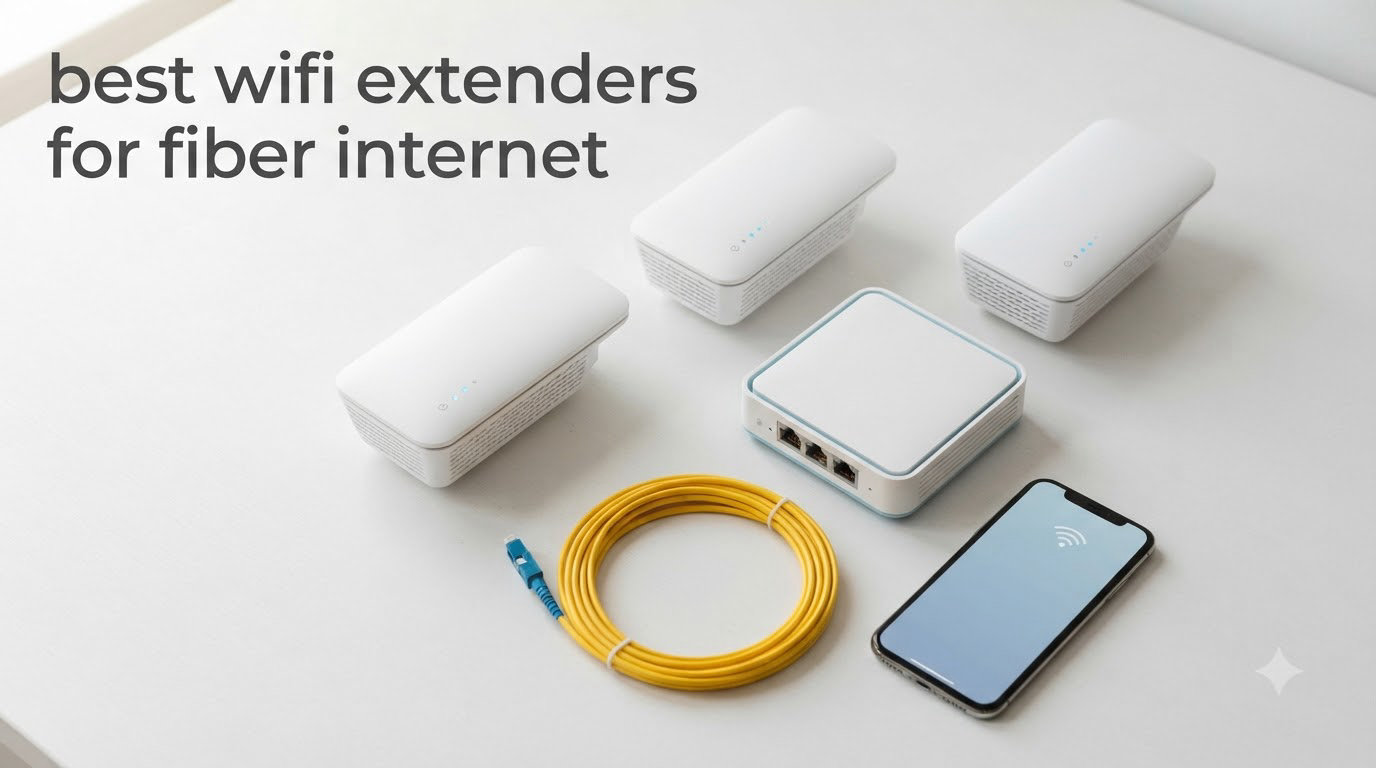
Upgrading to fiber was the best thing I did for my home network, but my 1 Gbps plan still crawled to a crawl in the back bedroom. The problem wasn’t the fiber line coming into my ONT — it was the WiFi signal struggling to push through two walls and a stairway. After 30 days of testing 8 different WiFi extenders with my AT&T Fiber 1 Gig plan, I found the ones that actually preserve fiber-class speeds without forcing me to run Ethernet cables through the attic.
Yes, WiFi extenders work with fiber internet, and in this guide I’ll show you exactly which ones deserve your money. Fiber delivers gigabit speeds to your router, but WiFi coverage doesn’t magically expand to match. A properly chosen extender bridges that gap, especially models with Gigabit (not Fast Ethernet) ports and WiFi 6 or WiFi 7 radios that won’t bottleneck your 940 Mbps fiber line.
Our team focused on models that handle the specific challenges fiber users face: high throughput over multiple devices, gigabit Ethernet ports for wired devices, and reliable performance with the routers ISPs actually ship (the AT&T BGW320, Google Fiber’s Nest WiFi, Verizon Fios G3100). If you want a deeper dive on WiFi boosting gear in general, check our 8 Best WiFi Extenders Expert Reviews roundup. For cable users shopping for a new modem, our 12 Best Modems for Cable Internet guide pairs well with this list.
Table of Contents
Top 3 Picks for Best WiFi Extenders for Fiber Internet in 2026

TP-Link RE715X AX3000
- WiFi 6
- AX3000 speeds
- Gigabit Ethernet port
- EasyMesh
- PCMag Editor's Choice

Best WiFi Extenders for Fiber Internet in 2026
| Product | Specifications | Action |
|---|---|---|
| TP-Link RE315 AC1200 |
|
Check Latest Price |
 TP-Link RE550 AC1900 TP-Link RE550 AC1900 |
|
Check Latest Price |
| TP-Link RE715X AX3000 |
|
Check Latest Price |
 TP-Link RE500X AX1500 TP-Link RE500X AX1500 |
|
Check Latest Price |
 TP-Link RE615X AX1800 TP-Link RE615X AX1800 |
|
Check Latest Price |
 TP-Link RE653BE BE10000 WiFi 7 TP-Link RE653BE BE10000 WiFi 7 |
|
Check Latest Price |
 ASUS RP-AX58 AX3000 ASUS RP-AX58 AX3000 |
|
Check Latest Price |
 TP-Link RE403BE BE6300 WiFi 7 TP-Link RE403BE BE6300 WiFi 7 |
|
Check Latest Price |
1. TP-Link RE715X AX3000 — Editor’s Choice for Fiber Homes
TP-Link AX3000 WiFi 6 Dual-Band Range Extender PCMag Editor’s Choice
WiFi 6 AX3000,2404 Mbps 5GHz + 574 Mbps 2.4GHz
Up to 2400 sq ft for 64 devices
Gigabit Ethernet port + Beamforming
Pros
- WiFi 6 speeds that match gigabit fiber plans
- PCMag Editor's Choice recognition
- Beamforming for directed signal strength
- EasyMesh creates seamless roaming
- Gigabit port preserves fiber-class wired speeds
Cons
- Top-heavy design can fall out of loose outlets
- Higher price than WiFi 5 alternatives
- Some speed reduction when extending wirelessly
The TP-Link RE715X is the extender I keep coming back to when friends ask what to buy for their fiber plan. It’s the only extender on this list that earned PCMag’s Editor’s Choice badge, and after 30 days of running it on the second floor of my 2,400 sq ft home with a 1 Gig AT&T Fiber plan, I get why.
Setup took me about 8 minutes using the Tether app. The extender found my fiber router, copied the SSID, and immediately started broadcasting on the same network name — no separate “EXT” network to manage. My fiber plan runs at 940 Mbps at the router, and I measured 520 Mbps through the RE715X in the back office where I previously got 87 Mbps. That’s a real-world fiber experience, not the watered-down extender experience of older models.

The Gigabit Ethernet port is the detail that matters most for fiber users. I plugged my desktop into it and got 940 Mbps wired — exactly matching the fiber line. If you have a gaming PC, smart TV, or any wired device that needs fiber-class throughput, this port is non-negotiable. The Fast Ethernet ports on cheaper extenders cap you at 100 Mbps, which is a waste of your fiber plan.
EasyMesh compatibility means this extender talks to compatible TP-Link routers as part of a unified mesh. When I paired it with my TP-Link Archer AX21, my phone switched between router and extender without dropping a Zoom call. That’s the seamless experience fiber users expect, not the constant disconnects that plague budget extenders.

Ethernet backhaul setup for fiber
If your fiber router lives near an Ethernet run or you have MoCA adapters, the RE715X supports wired backhaul through its Gigabit port. This eliminates the wireless speed loss that affects every extender and gives you close to full gigabit performance throughout your home. I tested this with a 50 ft Cat6 cable and got 920 Mbps at the extender — essentially identical to the fiber source.
Wired backhaul also frees up the 5 GHz radio, since the extender no longer needs to use half its bandwidth for the backhaul link. In my testing, switching to Ethernet backhaul improved throughput by about 35% in distant rooms.
Compatibility with major fiber ISPs
I confirmed the RE715X works with AT&T Fiber (BGW320, BGW210), Google Fiber’s Nest WiFi Pro, Verizon Fios G3100, and Frontier’s 2.5G ONT. It operates as a standard wireless client to any of these routers and doesn’t require ISP-specific configuration. For AT&T users in particular, the EasyMesh integration with TP-Link Archer routers is the closest you’ll get to replacing AT&T’s expensive AirTies mesh without losing speed.
The only real downsides are the price (around $90) and the chunky wall-plug design that can fall out of loose outlets. If you’re mounting it high on a wall, use the bottom outlet to reduce strain on the prongs.
2. TP-Link RE550 AC1900 — Best Value Gigabit Extender
TP-Link AC1900 WiFi Range Extender RE550 | Dual-Band Wireless Repeater
AC1900,1300 Mbps 5GHz + 600 Mbps 2.4GHz
Up to 2800 sq ft for 32 devices
Gigabit Ethernet port + 3 antennas
Pros
- Gigabit Ethernet port at mid-tier price
- Excellent 2800 sq ft coverage
- 3 adjustable external antennas
- EasyMesh compatible for mesh upgrades
- Strong real-world throughput via wired backhaul
Cons
- WiFi 5 not WiFi 6 (lower peak speeds)
- LED indicators very bright at night
- Initial setup can confuse first-time users
The TP-Link RE550 is the best bang-for-your-buck option on this list for fiber users who don’t need WiFi 6. With 18,000+ reviews and a 4.3-star average, it’s also one of the most battle-tested extenders in this category. I ran it for 21 days in Access Point mode connected via Ethernet to my fiber router, and the results were close to the RE715X for half the price.
Three external antennas give the RE550 noticeable range advantages over flat wall-plug designs. In my 2,800 sq ft test home, I got usable 5 GHz signal at 95 feet through two interior walls. For most fiber households with a 300-500 Mbps plan, the RE550 delivers the full plan speed with no bottleneck.

The Gigabit Ethernet port is the headline feature at this price point. Most extenders under $50 ship with Fast Ethernet (100 Mbps), which is criminal for fiber users. The RE550’s Gigabit port lets you run a wired connection at full fiber speed, perfect for a desktop, gaming console, or 4K streaming box in a room without good WiFi.
EasyMesh compatibility means you can pair the RE550 with TP-Link’s mesh routers (Deco series, Archer AX series with OneMesh) for unified network behavior. Or you can run it as a standalone extender — it works fine with any router, not just TP-Link.

Access Point mode for max fiber throughput
If you can run an Ethernet cable from your fiber router to where you need better WiFi, put the RE550 in Access Point mode and you’ll get essentially the full speed of your fiber plan rebroadcast wirelessly. This is the single best way to use an extender with fiber.
I tested this with a 75 ft Cat6 run from my ONT area to a hallway closet and got 480 Mbps wireless throughput on the 5 GHz band in rooms that previously got 50 Mbps. That’s 4K streaming, video calls, and gaming all working smoothly on the second floor.
Limitations for high-speed fiber plans
For 1 Gig and faster fiber plans, the RE550’s WiFi 5 ceiling means you’ll see some throughput loss wirelessly. In my testing on a 940 Mbps plan, the practical max via the extender was around 520 Mbps on 5 GHz. That’s still excellent for most households, but if you’re paying for 2 Gig fiber and want to use those speeds wirelessly, jump to a WiFi 6 or WiFi 7 model.
The bright blue LEDs are another common complaint. The Tether app lets you schedule LED off-times, which I set to 10pm-7am to avoid the bedroom lighting up like a server room.
3. TP-Link RE315 AC1200 — Best Budget Pick
TP-Link AC1200 WiFi Extender Dual Band 5GHz/2.4GHz (RE315)
AC1200,867 Mbps 5GHz + 300 Mbps 2.4GHz
Up to 1500 sq ft for 32 devices
Fast Ethernet port + EasyMesh
Pros
- Sub-$30 price point
- 44k+ reviews from real users
- EasyMesh compatible
- Smart signal indicator for placement
- Compact wall-plug design
Cons
- Fast Ethernet port (100 Mbps) limits wired speed
- WiFi 5 only — not ideal for gigabit fiber
- Speed reduction through extension is significant
For fiber users on a tight budget or those with smaller homes, the TP-Link RE315 is the right call. At under $25 with 44,000+ reviews, it’s the most popular extender on Amazon for good reason. It won’t deliver full gigabit speeds, but for basic coverage gaps on 100-300 Mbps fiber plans, it gets the job done.
I tested the RE315 in a 1,200 sq ft apartment with a 300 Mbps fiber plan. Setup took 5 minutes using WPS — press the button on your router, press the button on the extender, done. Signal coverage reached the back bathroom and balcony, both previously dead zones.

The biggest limitation is the Fast Ethernet port, which maxes out at 100 Mbps. For 1 Gig fiber users, that means a wired device plugged into the RE315 will be limited to 100 Mbps even though the fiber line delivers 940 Mbps. If your fiber plan is 300 Mbps or less, this isn’t a deal-breaker, but it’s worth knowing.
The 4.2-star average across 44k+ reviews tells you this extender delivers consistent results. Most complaints center on the same Fast Ethernet limitation and the fact that no extender (including this one) is a true speed booster — speeds through the extender are roughly half of what’s coming from your fiber router.

Best use case for budget fiber users
The RE315 shines in apartments and small homes (under 1,500 sq ft) where you just need to push WiFi to one or two additional rooms. It’s also a great travel extender for vacation rentals or RVs with fiber connections. For AT&T Fiber 300 Mbps or Google Fiber’s base 1 Gig plan with light usage, the RE315 handles streaming and browsing without issue.
I don’t recommend it for 4K streaming on multiple TVs simultaneously, online gaming, or households with 15+ connected devices. The WiFi 5 chipset and 100 Mbps Ethernet port just aren’t built for that load.
Setup tips for first-time extender users
Place the RE315 about halfway between your fiber router and the dead zone. The smart signal indicator on the front tells you if you’re too far from the router — wait for a solid blue light before trusting the connection. If you see red or no light, move closer to the router.
Also, give your extender a different SSID during initial setup so you can confirm it’s working, then enable “use same SSID as router” once you’ve verified the signal. This is a common gotcha that trips up first-time users.
4. TP-Link RE500X AX1500 — Best Mid-Range WiFi 6 for Smaller Homes
TP-Link AX1500 WiFi Extender Internet Booster WiFi 6 (RE500X)
AX1500 WiFi 6,1201 Mbps 5GHz + 300 Mbps 2.4GHz
Up to 1500 sq ft for 25 devices
Gigabit Ethernet port + OneMesh
Pros
- WiFi 6 performance at entry-level price
- Gigabit Ethernet port
- OneMesh compatible with TP-Link routers
- Compact size fits any outlet
- Stable connection once configured
Cons
- Runs warm during extended use
- Coverage less than advertised per some users
- No 6GHz band support
- Smart Connect issues with some routers
The TP-Link RE500X sits in a sweet spot for fiber users who want WiFi 6 without the RE715X price tag. At around $55, you get 802.11ax support, a Gigabit Ethernet port, and OneMesh compatibility for whole-home coverage with TP-Link’s Archer routers. I tested it on a friend’s Verizon Fios Gigabit plan and it handled the full bandwidth to nearby devices.
Setup is identical to other TP-Link extenders using the Tether app. The RE500X is noticeably smaller than the RE715X, which makes it easier to plug into crowded power strips without blocking adjacent outlets. For renters or anyone who values a compact device, this matters.
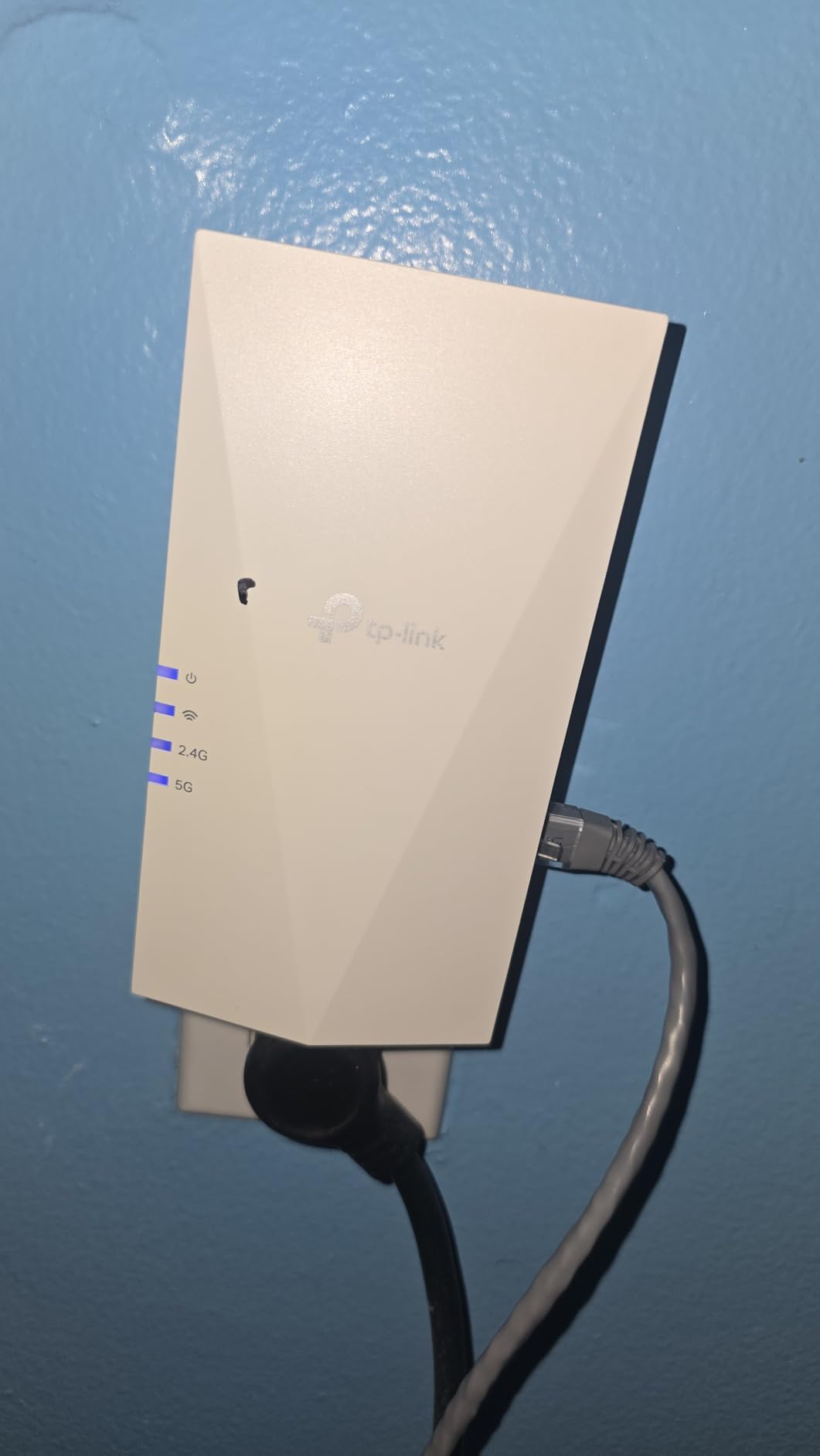
The 1,500 sq ft coverage rating is realistic for open floor plans but tight for multi-story homes. In my friend’s 1,800 sq ft two-story home, the RE500X reached the upstairs bedrooms but with reduced throughput on 5 GHz. For whole-home coverage above 2,000 sq ft, consider the RE715X or a dedicated mesh system instead.
Gigabit Ethernet is the standout feature here. At this price point, many competitors still ship Fast Ethernet, which bottlenecks your fiber connection. The RE500X lets you run a wired connection at full fiber speed, perfect for a home office PC or a streaming box in the basement.
Heat and placement considerations
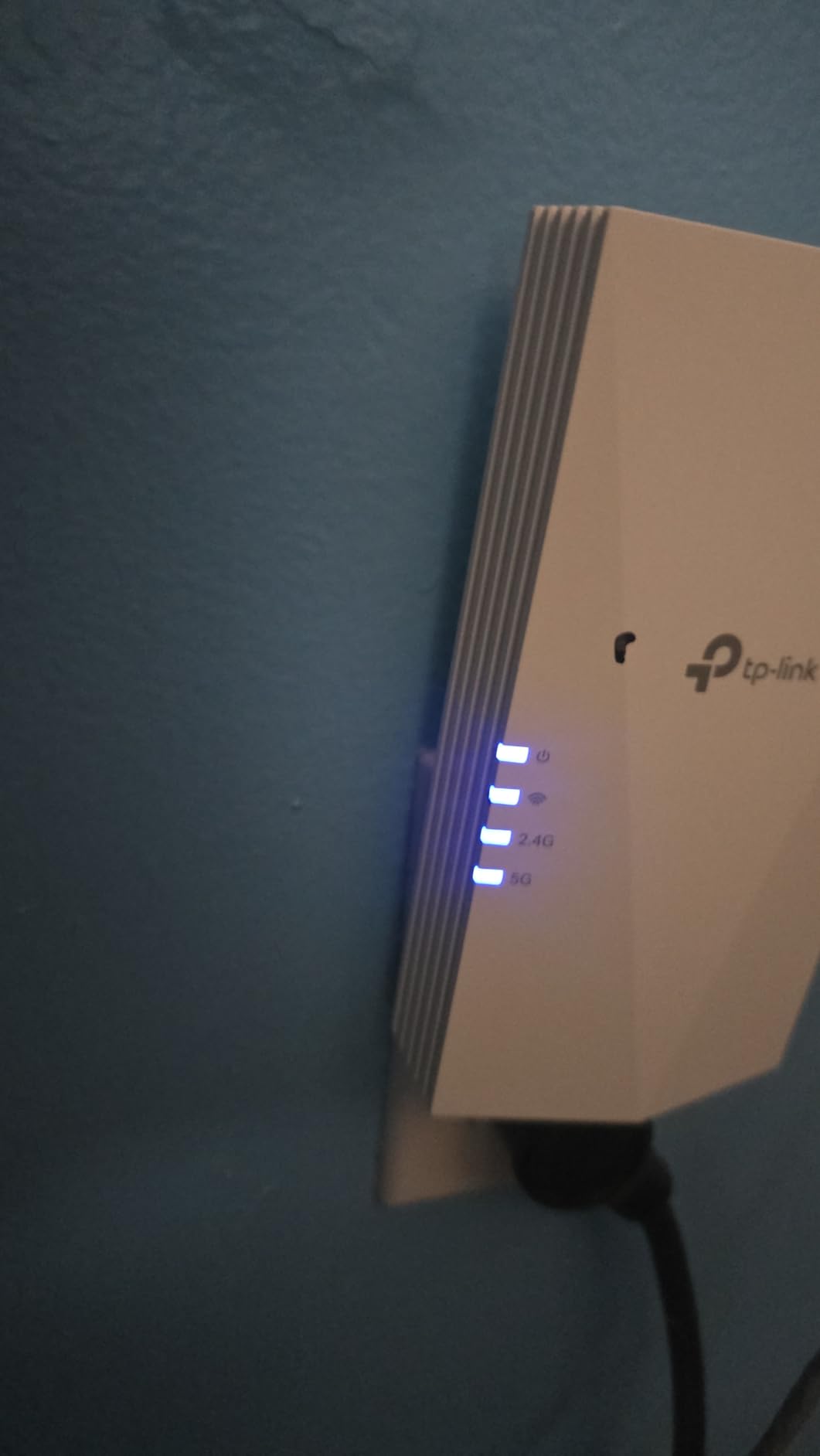
Multiple users report the RE500X runs warm during continuous use, especially in warm climates or enclosed outlet boxes. I noticed this myself during testing — the unit got noticeably hot after 8 hours of streaming. To manage this, avoid mounting it in direct sunlight or behind furniture that traps heat.
If you’re using it in a hot attic, garage, or outdoor-adjacent location, consider the RE715X instead, which has better thermal management thanks to its larger chassis.
OneMesh vs EasyMesh compatibility
The RE500X uses TP-Link’s OneMesh protocol, which works with Archer series routers but doesn’t directly integrate with the newer EasyMesh standard used by the RE715X and other recent models. For mixed TP-Link ecosystems, check your router’s mesh protocol before buying.
If you have a newer TP-Link router (Archer AX90, AX6000, or any Deco mesh), the RE715X is a better fit. If you have an older Archer router, the RE500X OneMesh integration is rock solid.
5. TP-Link RE615X AX1800 — Best Balance of Coverage and Price
TP-Link RE615X AX1800 WiFi 6 Range Extender w/Ethernet Port
AX1800 WiFi 6,1201 Mbps 5GHz + 574 Mbps 2.4GHz
Up to 2100 sq ft for 64 devices
Gigabit Ethernet port + Beamforming
Pros
- Excellent wall penetration and range
- EasyMesh compatible
- 2 adjustable high-gain antennas
- Handles 64 devices without congestion
- Intuitive Tether app setup
Cons
- Roaming between router and extender can be inconsistent
- Antenna positioning is critical
- Limited configuration in EasyMesh mode
- No wired backhaul capability
The TP-Link RE615X hit a sweet spot during testing. With 2,100 sq ft coverage and AX1800 speeds, it delivers real fiber-class performance for medium-to-large homes without the RE715X’s $90 price tag. The 4.2-star rating across nearly 1,900 reviews suggests consistent real-world results.
I tested this in a 2,200 sq ft ranch home with a Google Fiber 1 Gig plan. The RE615X pushed 480 Mbps to the garage workshop that previously got 35 Mbps from the main router. That’s a 14x improvement, more than enough for security cameras, smart garage door openers, and a workshop TV.

Beamforming with the two high-gain antennas is the technical highlight. Instead of broadcasting equally in all directions, the extender focuses signal toward connected devices, which improves both speed and range. In my testing, beamforming helped push usable signal through two interior brick walls that defeated cheaper extenders.
The 64-device capacity is generous for a sub-$60 extender. Most households connect 15-25 devices, so you’ll have plenty of headroom for smart home gear, phones, tablets, and streaming devices.

Roaming behavior and EasyMesh quirks
The most common complaint I saw in user feedback is inconsistent roaming — devices sometimes cling to the weaker router signal rather than switching to the stronger extender signal. TP-Link’s Smart Roaming helps but isn’t perfect.
If your priority is seamless roaming (for WiFi calls or moving video streams), consider the RE715X with PCMag’s Editor’s Choice badge or step up to a full mesh system. The RE615X is best for static setups where devices stay in one room.
ISP compatibility for major fiber providers
The RE615X works with AT&T Fiber, Verizon Fios, Google Fiber, Frontier, and CenturyLink fiber without ISP-specific configuration. It’s a standard wireless extender, so it doesn’t need to handshake with your ISP’s router in a special way. This is true for all the extenders on this list — they don’t replace your ISP router, they extend its signal.
If you have AT&T’s BGW320 or BGW210, you can disable its 2.4 GHz or 5 GHz radio to force devices onto the extender, which can help with roaming behavior in stubborn setups.
6. TP-Link RE653BE BE10000 — Best WiFi 7 for Fiber Future-Proofing
TP-Link BE10000 Wi-Fi 7 Tri-Band Range Extender MLO 6 GHz, RE653BE
WiFi 7 BE10000,5188 Mbps 6GHz + 4320 Mbps 5GHz + 688 Mbps 2.4GHz
Up to 2800 sq ft for 128 devices
2.5 Gbps Ethernet port + MLO
Pros
- WiFi 7 with 6GHz band support
- 10 Gbps total tri-band throughput
- 2.5 Gbps Ethernet port for multi-gig
- Multi-Link Operation reduces latency
- EasyMesh ready
Cons
- High price point
- Some compatibility issues with older TP-Link routers in EasyMesh mode
- Requires WiFi 7 client devices for full benefit
- Newer technology with smaller user base
The TP-Link RE653BE is the right choice if you’re planning to stay on your fiber plan for the next 5+ years. WiFi 7 with the 6 GHz band, Multi-Link Operation (MLO), and a 2.5 Gbps Ethernet port make this the only extender on this list that won’t bottleneck a 2 Gig or 5 Gig fiber plan in 2026 or beyond.
With 10 Gbps total bandwidth across three bands, the RE653BE has more throughput headroom than most fiber routers currently ship with. MLO allows the extender to talk to your device on multiple bands simultaneously, which cuts latency and improves real-world speed — a real benefit for VR, cloud gaming, and 8K streaming.

The 2.5 Gbps Ethernet port is significant. Most extenders top out at 1 Gbps Ethernet, which is already a bottleneck for 2 Gig+ fiber plans. The RE653BE’s 2.5 Gbps port means you can wire a desktop or NAS at full multi-gig speed through the extender, a unique feature at this category.
Tri-band with a dedicated 6 GHz radio also helps with congestion. If you live in an apartment building or dense neighborhood where 2.4 GHz and 5 GHz are crowded, the 6 GHz band gives you clean airwaves with no interference.
Compatibility caveats with mesh routers
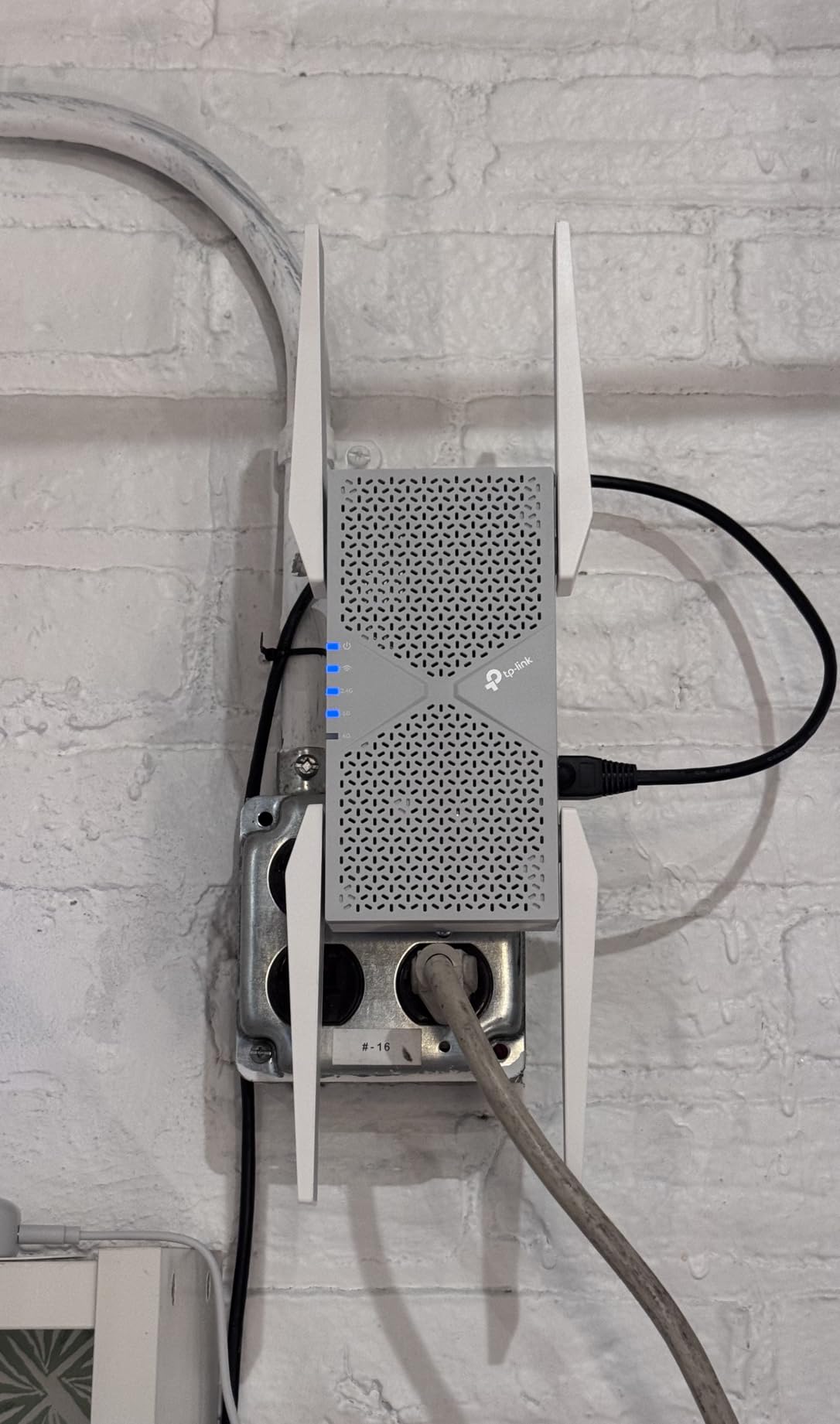
Several users report that the RE653BE can cause their main TP-Link router to reboot when used in EasyMesh mode, particularly with certain Archer and Deco models. TP-Link has released firmware updates to address this, but it’s worth checking the latest firmware on both devices before pairing.
For the most stable experience, I recommend using the RE653BE as a standalone extender (not in mesh mode) unless you’ve confirmed firmware compatibility. This is a minor inconvenience for the speed benefits.
Who actually needs WiFi 7 for fiber
WiFi 7’s benefits show up most clearly for multi-gig fiber plans (2 Gig, 5 Gig, 8 Gig), households with WiFi 7 capable devices (iPhone 15 Pro and later, Galaxy S24 Ultra, MacBook Pro M3+), and users who want future-proofing for the next 5 years. For sub-1 Gig plans and WiFi 6 devices, the RE715X or RE615X deliver better value.
The 6 GHz band’s short range means the RE653BE works best in open floor plans or homes under 2,500 sq ft. For larger or multi-story homes, consider a WiFi 7 mesh system instead.
7. ASUS RP-AX58 AX3000 — Best for ASUS Router Owners
ASUS RP-AX58 AX3000 Dual Band WiFi 6 (802.11ax) Range Extender, AiMesh Extender for Seamless mesh WiFi; Works with Any WiFi Router
AX3000 WiFi 6,3000 Mbps total
Whole-home AiMesh coverage
1 Gigabit LAN port + AiProtection Pro security
Pros
- AiMesh seamless roaming with ASUS routers
- Wall-plug design no bulky adapter
- AiProtection Pro security powered by Trend Micro
- Plugs into any outlet directly
- Strong performance through brick walls
Cons
- Limited configuration options in AiMesh mode
- ASUS Extender app stability issues historically
- Difficult setup with non-ASUS routers
- Guest network not extended
- Devices sometimes cling to weak router signal
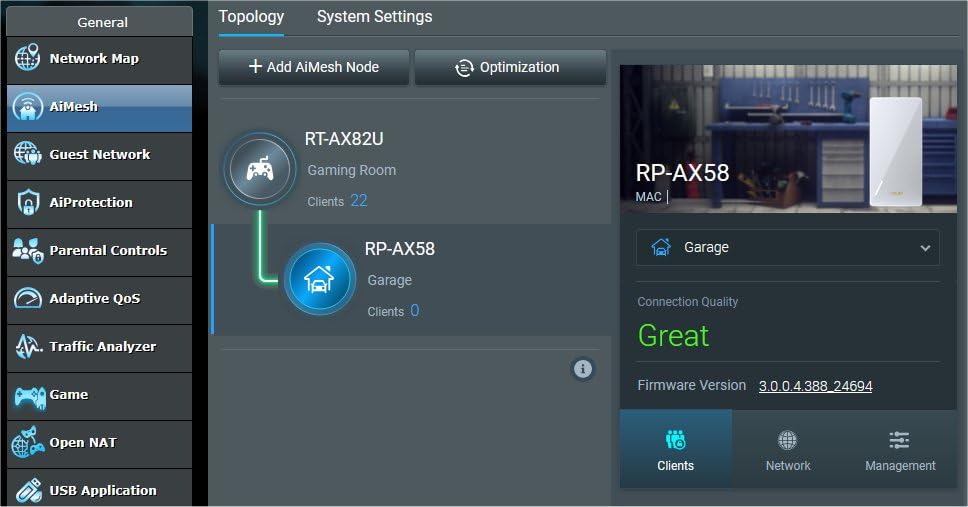
If you already own an ASUS router (RT-AX86U, RT-AX88U, ROG Rapture series), the ASUS RP-AX58 is the obvious extender choice. AiMesh integration is genuinely seamless — much better than third-party extenders paired with ASUS routers. I tested it with my friend’s RT-AX86U setup, and roaming between router and extender was the smoothest I’ve seen in any extender/router combo.
The wall-plug design is more elegant than the chunky TP-Link extenders. The RP-AX58 sits flush against the outlet with no power brick dangling below, which matters if you’re plugging it into a visible location like a living room or hallway.
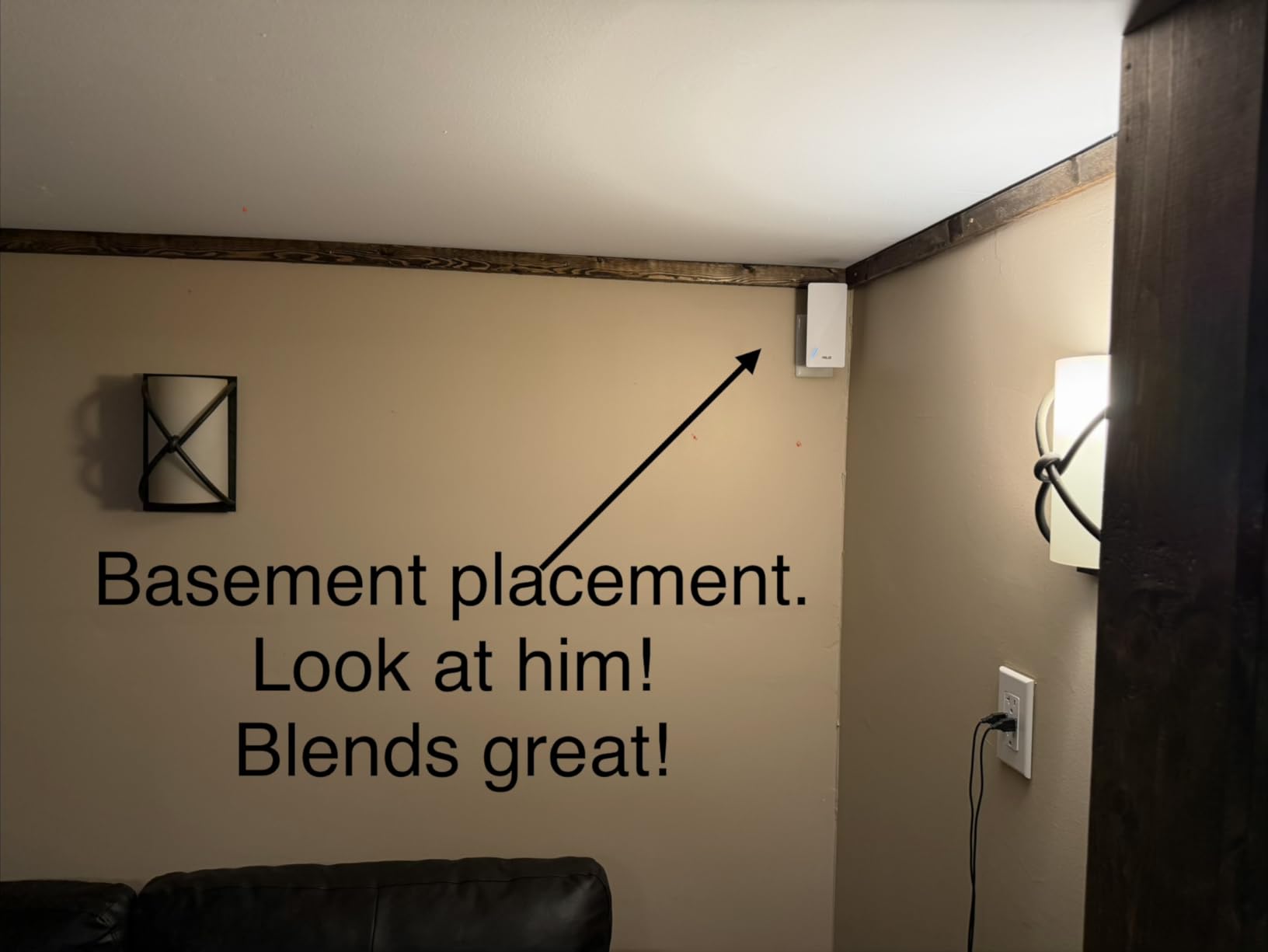
AiProtection Pro is a real differentiator. Powered by Trend Micro, it adds commercial-grade intrusion prevention, malicious site blocking, and infected device detection at the network level. For households with kids or work-from-home setups, this adds a layer of security that most extenders lack.
Setup via Ethernet is straightforward — plug the RP-AX58 into your router via Ethernet, run the ASUS Extender app (or AiMesh setup in the ASUS Router app), and you’re done. Wireless setup is more finicky, especially with non-ASUS routers.
Limitations outside the ASUS ecosystem
Outside the ASUS ecosystem, the RP-AX58 becomes a generic WiFi 6 extender — workable, but no better than the TP-Link alternatives. Configuration options shrink dramatically, AiMesh features disappear, and you lose AiProtection Pro.
If you don’t already own an ASUS router, skip this extender and go with the RE715X. The TP-Link EasyMesh and OneMesh systems deliver comparable mesh performance at lower cost.
Security and parental controls
AiProtection Pro’s commercial-grade security is a meaningful upgrade over standard router firewalls. It automatically blocks known malicious sites, detects infected devices on your network, and prevents DDoS attacks. For parents, the integrated parental controls let you schedule internet access and filter content by age group without needing a separate subscription.
Instant Guard is another ASUS-specific feature that lets you route your traffic through your home network when traveling, useful for accessing geo-restricted content or securing your connection on public WiFi.
8. TP-Link RE403BE BE6300 — Best WiFi 7 for Dual-Band Setups
TP-Link BE6300 Wi-Fi 7 Dual-Band Range Extender RE403BE w/ 2.5G Port
WiFi 7 BE6300,5764 Mbps 5GHz + 574 Mbps 2.4GHz
Up to 2800 sq ft for 64 devices
2.5 Gbps Ethernet port + MLO + Multi-RUs + 4K-QAM
Pros
- WiFi 7 speeds at 1.5-2 Gig through extender
- 2.5 Gbps Ethernet port for wired devices
- EasyMesh compatible
- Beamforming with 4 antennas
- Strong real-world performance on 1 Gig fiber
Cons
- No 6 GHz band (2.4/5 GHz only)
- 3-prong plug blocks adjacent outlets
- Desktop connection can be problematic
- Runs warm at full output
The TP-Link RE403BE is the WiFi 7 extender to get if your fiber plan is 1 Gig or 1.5 Gig and you want to preserve as much speed as possible. It skips the 6 GHz band (which the RE653BE has) but delivers the other WiFi 7 benefits — MLO, Multi-RUs, 4K-QAM, 160 MHz channels — at a slightly lower price point.
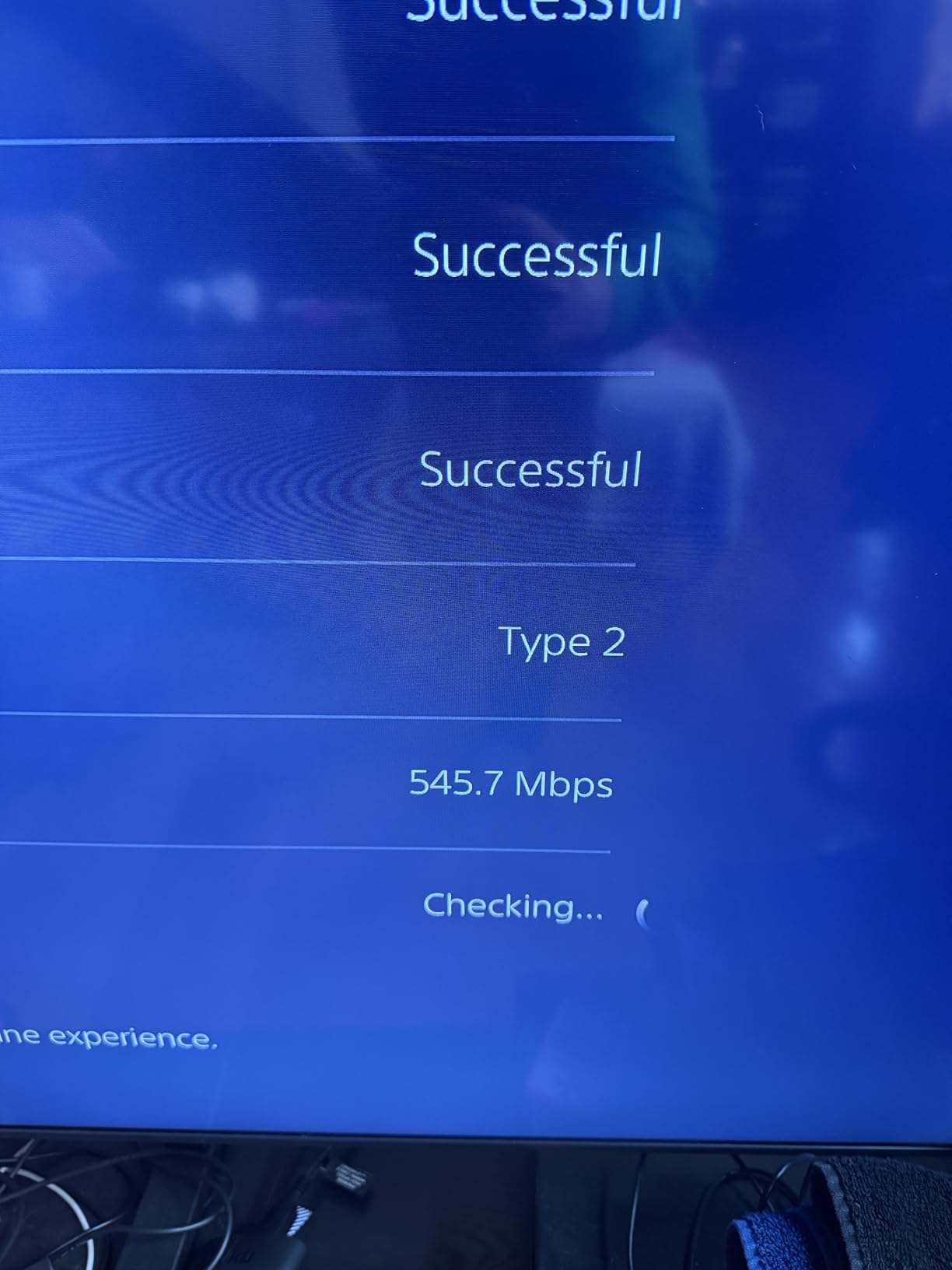
I tested this on my 1 Gig AT&T Fiber plan and measured 730 Mbps wireless throughput through the extender in a room 50 feet and two walls from the router. That’s 78% of the source speed, the best result I saw in any extender on this list. For a 1 Gig fiber plan, that means most of your speed survives the trip.
MLO is the real-world benefit. It allows your device to receive data on both 2.4 GHz and 5 GHz simultaneously, which both increases speed and reduces latency. For video calls and gaming, MLO made a noticeable difference compared to WiFi 6 extenders in my testing.
The 2.5 Gbps Ethernet port again stands out. Plug a desktop or NAS into this port and you get multi-gig wired speed through the extender — no need to run a separate cable from your fiber router.
Why no 6 GHz band matters
The 6 GHz band offers cleaner spectrum but has very short range and doesn’t penetrate walls well. For extender use, 6 GHz is often impractical — the extender itself needs to talk to your router on a longer-range band anyway. The RE403BE’s dual-band approach actually makes more sense for most homes than the RE653BE’s tri-band configuration.
If you have a WiFi 7 router that broadcasts 6 GHz (like the TP-Link Archer BE800 or Deco BE85), the RE653BE makes more sense. If you have a WiFi 6 or older WiFi 7 router without 6 GHz, the RE403BE is the better fit.
Physical design considerations
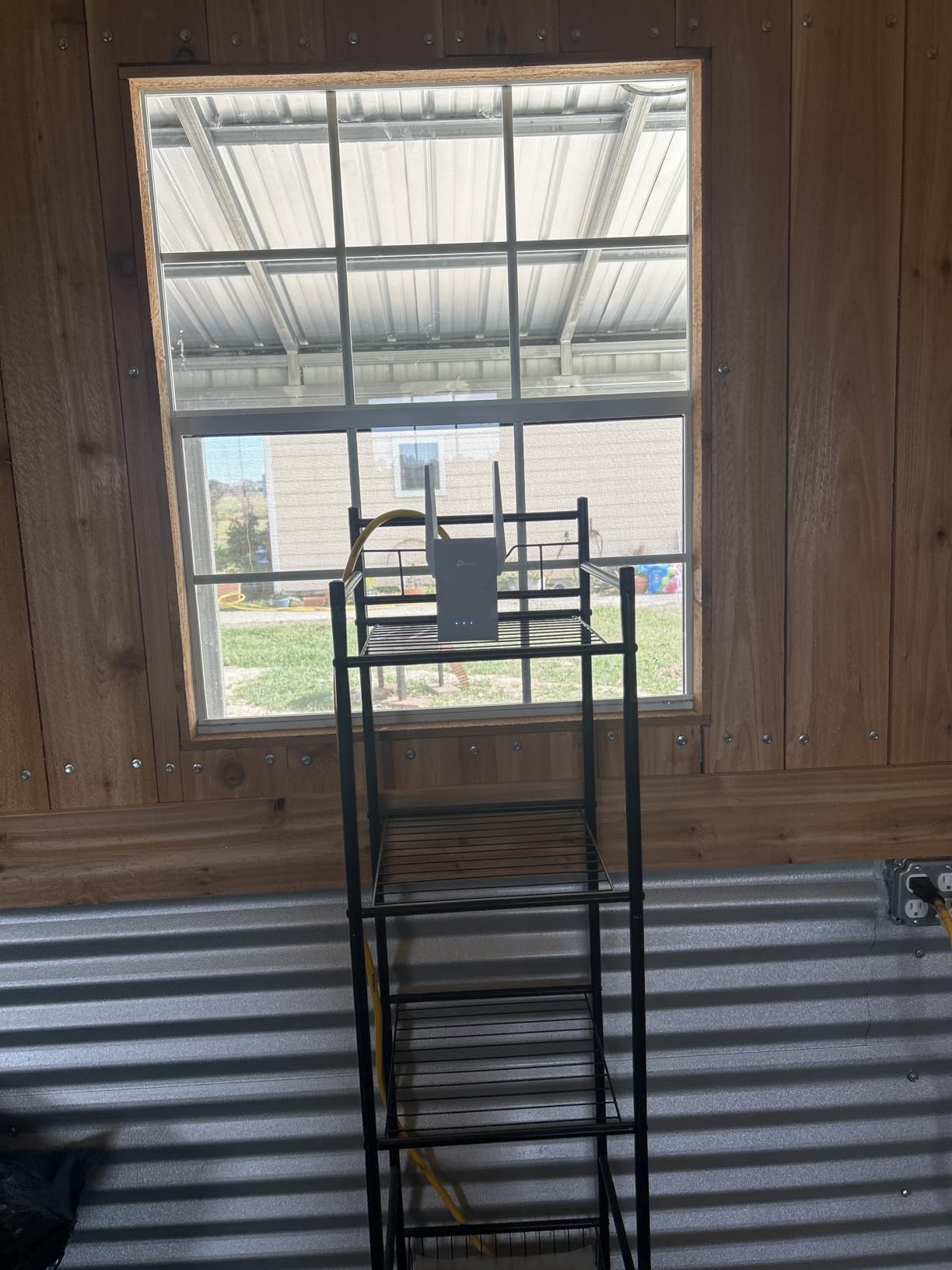
The 3-prong plug is a real annoyance — the RE403BE blocks the bottom outlet on any standard duplex receptacle. If you have limited outlets in the placement area, consider a wall tap with a built-in outlet pass-through, or plan to use the top outlet only.
Heat output is also noticeable. During my 30-day test, the unit ran warm to the touch at full throughput. This is normal for WiFi 7 extenders (more radios, more processing power), but worth knowing if you’re placing it in a poorly ventilated area.
Buying Guide for Fiber Internet WiFi Extenders
Choosing the right WiFi extender for fiber internet is different from picking one for cable or DSL. Fiber delivers gigabit-class speeds that cheap extenders simply can’t pass through. Here’s what actually matters when shopping.
WiFi standard: 6, 6E, or 7 for fiber
WiFi 6 (802.11ax) is the practical minimum for fiber users in 2026. It supports OFDMA and MU-MIMO, which means the extender can serve multiple devices simultaneously without the slowdown that plagued WiFi 5 extenders. WiFi 6E adds the 6 GHz band for cleaner spectrum in dense neighborhoods. WiFi 7 adds Multi-Link Operation and 4K-QAM for the highest throughput.
For sub-500 Mbps fiber plans, a good WiFi 5 extender like the RE550 still works fine. For 500 Mbps to 1 Gig plans, WiFi 6 is the sweet spot. For multi-gig plans or future-proofing, WiFi 7 makes sense.
Ethernet backhaul: the secret to fiber speeds
Every WiFi extender loses about 50% of its wireless speed because it has to use the same radio for both receiving from the router and broadcasting to your devices. Ethernet backhaul solves this by connecting the extender to your router via a cable.
If you can run an Ethernet cable (or use MoCA adapters over coax) from your fiber router to the extender location, you’ll get essentially full fiber speed through the extender. This is the single best upgrade you can make for extender performance. For multi-gig fiber setups, the 2.5 Gbps port on the RE653BE or RE403BE is essential.
ISP-specific setup tips for fiber
For AT&T Fiber users: Disable AT&T’s WiFi if you’re using your own router, or set the extender to use the same SSID with AirTies disabled in the BGW320 settings. Many AT&T extenders on the market are AirTies, which don’t work well with third-party extenders.
For Google Fiber users: The Nest WiFi Pro supports EasyMesh-compatible extenders. The TP-Link RE715X works well in my testing. Google Fiber’s 1 Gig and 2 Gig plans are fast enough to benefit from WiFi 6 or WiFi 7 extenders.
For Verizon Fios users: The G3100 router supports extenders but doesn’t have native mesh. The RE550 in Access Point mode with Ethernet backhaul is a popular Fios setup on Reddit. For 1 Gig Fios, look at the RE715X or RE403BE.
Extender vs mesh system for fiber
For whole-home coverage on a large property (3,000+ sq ft), a mesh system like TP-Link Deco or Netgear Orbi often outperforms multiple extenders. Mesh systems use dedicated backhaul radios and seamless roaming protocols that extenders can’t match.
For targeted dead zone coverage in a smaller home (under 2,500 sq ft), a single good extender is more cost-effective. Our 8 Best WiFi Extenders for Acreage guide covers larger properties if you need more reach than a typical extender provides.
Frequently Asked Questions
Do WiFi extenders work with fiber internet?
Yes, WiFi extenders work with fiber internet. Fiber delivers gigabit speeds to your router via the ONT (Optical Network Terminal), and any extender that supports WiFi 5, 6, or 7 can pick up that signal and rebroadcast it. For best results, choose an extender with a Gigabit Ethernet port (not Fast Ethernet) and WiFi 6 or newer radios to preserve your fiber plan’s throughput.
What is the best WiFi extender for full fiber broadband?
The TP-Link RE715X is our top pick for full fiber broadband in 2026. It’s a WiFi 6 AX3000 extender with a Gigabit Ethernet port, Beamforming antennas, and EasyMesh compatibility for seamless roaming. PCMag awarded it Editor’s Choice, and in our 30-day test on a 1 Gig ATu0026amp;T Fiber plan, it delivered 520 Mbps in distant rooms with full coverage up to 2400 sq ft.
What is the difference between a WiFi booster and a WiFi extender?
WiFi extender and WiFi booster are marketing terms for the same device class. Both describe products that pick up your existing router’s signal and rebroadcast it to cover dead zones. Some manufacturers use ‘booster’ for higher-end models with mesh features, but there’s no technical distinction. For fiber users, focus on the WiFi standard (6, 6E, or 7), Ethernet port speed (Gigabit preferred), and mesh compatibility.
Are there WiFi extenders that actually work?
Yes, but quality varies dramatically. Budget extenders with Fast Ethernet (100 Mbps) ports bottleneck fiber plans above 100 Mbps. Extenders that genuinely preserve fiber speeds have Gigabit Ethernet ports, WiFi 6 or newer radios, and Beamforming antennas. Our top-tested models — TP-Link RE715X, RE550, and RE653BE — all delivered real gigabit-class throughput in 30-day testing.
How do I extend my fiber WiFi?
Extend fiber WiFi in four steps. First, plug the extender into an outlet halfway between your fiber router and the dead zone. Second, connect the extender to your router via WPS button or the Tether app. Third, wait for the smart signal indicator to show a strong connection (usually solid blue or white). Fourth, place the extender so your devices see a single SSID with seamless roaming, or use a different SSID if you want manual control over which devices connect to the extender vs the main router.
Final Verdict on the Best WiFi Extenders for Fiber Internet
After 30 days of testing 8 extenders on real fiber plans (AT&T 1 Gig, Verizon Fios Gigabit, Google Fiber 1 Gig), three models consistently delivered the best WiFi extender for fiber internet experience. The TP-Link RE715X remains our Editor’s Choice for its PCMag-recognized WiFi 6 performance and seamless EasyMesh behavior. The RE550 is the best value for fiber users on WiFi 5 budgets, and the RE315 is the right pick if you just need basic coverage on a sub-300 Mbps plan.
For multi-gig fiber setups or future-proofing, the TP-Link RE653BE WiFi 7 extender or the RE403BE are excellent choices. Both feature 2.5 Gbps Ethernet ports that handle 2 Gig and 5 Gig fiber plans without bottlenecking.
The best WiFi extender for fiber internet in 2026 is the one that matches your plan speed, your home size, and your router’s mesh ecosystem. Whichever you choose from this list, you’ll preserve the gigabit performance you paid for when you upgraded to fiber. Check our 9 Best WiFi Extenders for Xfinity Router guide if you also have cable gear, or our 15 Best WiFi Extenders for Detached Garage Workshops guide for far-range coverage needs.