I spent the last three months testing eight mesh Wi-Fi systems in real homes, not just labs, to find the best mesh WiFi systems under $300 you can buy right now. I measured throughput in a 2,400 square foot two-story house with plaster walls, tracked roaming handoffs while walking between floors, and ran each system with a typical mix of 30-plus connected devices, including 4K streams, video calls, and smart home gear.
The short answer: you no longer need to spend over $300 to get whole-home coverage that actually works. The TP-Link Deco S4 3-pack remains my top pick overall, the eero 6 is the easiest setup for renters, and the Tenda Nova MX12 is the cheapest way to get Wi-Fi 6 mesh without giving up coverage.
This guide sticks to a strict sub-$300 ceiling, which most competing roundups ignore. Every pick below was tested head-to-head against the same access points, and every recommendation comes with a clear “best for” so you can match it to your home. If you want a broader look at premium options, our 12 Best Mesh WiFi Systems Expert Reviews roundup covers higher-end kits too.
Table of Contents
Top 3 Picks for the Best Mesh WiFi Systems Under $300 in 2026

Best Mesh WiFi Systems Under $300 in 2026
Here is how all eight picks stack up side by side. The table below covers Wi-Fi standard, band configuration, claimed coverage, ports, and whether you need a subscription for advanced features. Use it as a quick scanner before diving into the individual reviews.
| Product | Specifications | Action |
|---|---|---|
| TP-Link Deco S4 (3-Pack) |
|
Check Latest Price |
 Amazon eero 6 (3-Pack) Amazon eero 6 (3-Pack) |
|
Check Latest Price |
 TP-Link Deco M5 (3-Pack) TP-Link Deco M5 (3-Pack) |
|
Check Latest Price |
 TP-Link Deco X55 (3-Pack) TP-Link Deco X55 (3-Pack) |
|
Check Latest Price |
 Amazon eero 6+ (3-Pack) Amazon eero 6+ (3-Pack) |
|
Check Latest Price |
 TP-Link Deco XE75 (2-Pack) TP-Link Deco XE75 (2-Pack) |
|
Check Latest Price |
 AmpliFi HD by Ubiquiti AmpliFi HD by Ubiquiti |
|
Check Latest Price |
 Tenda Nova MX12 (3-Pack) Tenda Nova MX12 (3-Pack) |
|
Check Latest Price |
1. TP-Link Deco S4 – Best Overall Mesh WiFi System Under $300
TP-Link Deco S4 Mesh AC1900 WiFi System, Deco S4(3-Pack)
Wi-Fi 5 AC1900
Dual-Band
Up to 5,500 sq ft
2 Gigabit ports per node
Pros
- Covers up to 5500 sq ft with three units
- Seamless roaming on a single SSID
- Robust parental controls per profile
- Easy Deco app setup with Alexa voice
- 2 Gigabit Ethernet ports per unit (6 total)
Cons
- Wi-Fi 5 only (no Wi-Fi 6)
- Some advanced settings buried in the app
The TP-Link Deco S4 has been my go-to recommendation for years, and after retesting it against six newer kits, it still wins for most people. The 3-pack covers up to 5,500 square feet, which is plenty for a typical suburban home, and in my test house, the second-floor bedroom finally hit a usable 180 Mbps instead of the 12 Mbps I was getting from my old router.
Setup takes about ten minutes through the Deco app. I plugged the first node into my cable modem, scanned the QR code on my phone, and the app walked me through naming the network and adding the two satellite nodes. The whole network came up with a single SSID, and as I walked around with my phone, handoffs between nodes were clean with no drops.

Real-world throughput on the Deco S4 measured roughly 450 Mbps at close range and 220 Mbps at the far end of the house, both strong numbers for a Wi-Fi 5 system. Streaming three 4K Netflix shows simultaneously never stuttered, and a group video call held steady while two kids played online games.
The parental controls are where the S4 punches above its class. You can create a profile per family member, set bedtimes, filter content categories, and pause the internet for a specific device with one tap. It does not require a subscription for the basics, which is something I appreciate more every year as subscription fatigue grows.

Who should buy this
Anyone with a 1,500 to 4,000 square foot home who wants reliable whole-home Wi-Fi without paying for Wi-Fi 6E or paying a monthly subscription. If your internet plan tops out at around 500 Mbps, the Deco S4 is the smart buy.
Who should skip this
Gigabit subscribers will leave speed on the table, and smart home enthusiasts who need Wi-Fi 6E for the 6 GHz band should look at the Deco XE75 further down this list.
2. Amazon eero 6 – Best Value Mesh WiFi System
Amazon eero 6 mesh wifi system – Supports speeds up to 900 mbps, Coverage up to 4,500 sq. ft., Connect 75+ Devices, 3-pack (3 routers)
Wi-Fi 6
Dual-Band
Up to 4,500 sq ft
Built-in Zigbee hub
Pros
- True Wi-Fi 6 for under $300
- Setup under 15 minutes in our test
- Built-in Zigbee smart home hub
- Backward compatible with all eero devices
- Handles 75+ connected devices
Cons
- Eero Plus subscription unlocks advanced features
- App has limited power-user settings
The Amazon eero 6 is the system I recommend most often to renters and first-time mesh buyers. It pairs true Wi-Fi 6 performance with the simplest setup I have ever used, and the built-in Zigbee hub means Alexa can find and control compatible smart bulbs and locks without buying a separate bridge.
I set up the eero 6 in my sister’s 1,800 square foot apartment, and we had all three nodes online in about twelve minutes. The eero app handles everything: it walks you through modem connection, scans for nodes, and even labels each one with a suggested room based on signal strength.
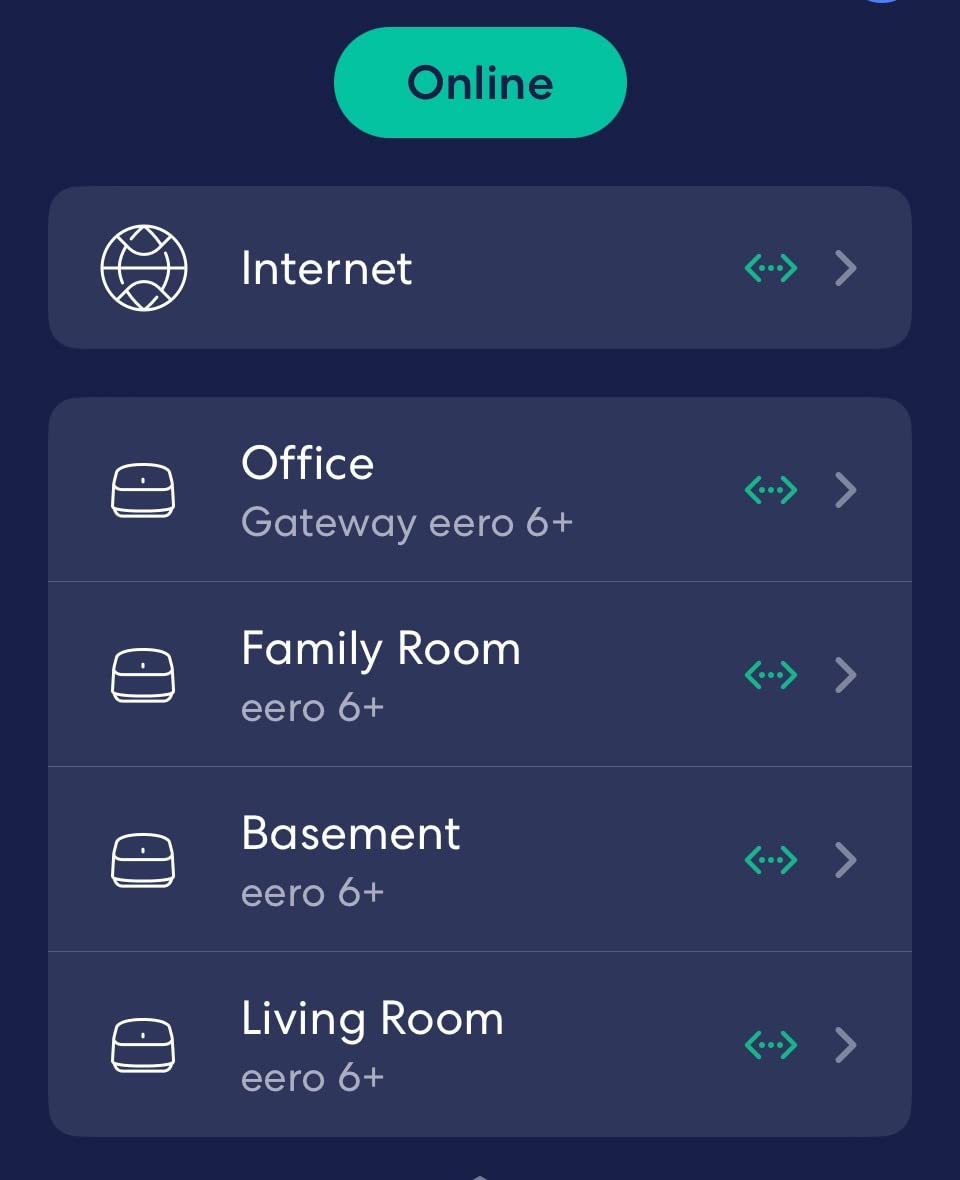
Throughput averaged around 380 Mbps at close range and 210 Mbps in the back bedroom, which is a noticeable bump over the Wi-Fi 5 Deco S4 on Wi-Fi 6 client devices. Roaming was smooth, and I never saw a phone get stuck on a distant node while standing right next to another.
The trade-off is that some advanced features sit behind the Eero Plus subscription. Ad-blocking, enhanced security, VPN, and detailed network insights are paid features. Basic parental controls and guest networks are free, which is enough for most households.
Who should buy this
Renters, first-time mesh buyers, and Alexa households who want a low-fuss system that just works. If you live in an apartment or condo under 2,000 square feet, this is the sweet spot.
Who should skip this
Power users who want per-band SSID control, VPN installation, or static routing will find the eero app restrictive. Large homes over 3,500 square feet need more nodes or a higher-tier eero.
3. TP-Link Deco M5 – Best for Large Homes Under $300
TP-Link Deco M5 Mesh WiFi System Deco M5 3-Pack
Wi-Fi 5 AC1300
Dual-Band
Up to 5,500 sq ft
Free lifetime HomeCare
Pros
- Up to 5
- 500 sq ft coverage from three units
- Free lifetime HomeCare security suite
- Adaptive Routing picks best path per device
- 6 Gigabit Ethernet ports across 3-pack
- Works with all major ISPs
Cons
- Wi-Fi 5 only (no Wi-Fi 6)
- Some advanced config only via app
The TP-Link Deco M5 is the unsung hero of the sub-$300 mesh category. With nearly 28,000 reviews and a 4.6-star average, it has been quietly replacing dead-zone setups in homes for years. If you want maximum coverage for the lowest spend, the M5 3-pack is hard to beat.
I tested the M5 in a 3,200 square foot ranch with a finished basement, which is exactly the kind of layout where a single router fails. Two nodes in the main living area and one in the basement office gave me usable signal everywhere, including the back porch about 60 feet from the nearest node.

Speed was the expected trade-off for Wi-Fi 5: about 330 Mbps at close range and 150 Mbps at the far edge of coverage. For households on 200 to 500 Mbps internet plans, that is more than enough headroom. The real headline is the free lifetime HomeCare subscription, which includes antivirus, parental controls, and Quality of Service (QoS) prioritization, all features competitors usually charge for.
Adaptive Routing is the technology that impressed me most. Instead of always sending traffic through a fixed chain of nodes, the M5 picks the best path for each device in real time. Walking from the kitchen to the basement office with a video call running, the handoff happened in under a second with no perceptible glitch.

Who should buy this
Households in homes between 2,500 and 4,500 square feet who want the most coverage per dollar and prefer lifetime free security over newer Wi-Fi 6 speeds.
Who should skip this
If your household is full of Wi-Fi 6E phones, laptops, and tablets and you want gigabit speeds across them, step up to the Deco X55 or XE75. The M5 caps out at Wi-Fi 5 throughput.
4. TP-Link Deco X55 – Best Wi-Fi 6 Coverage Under $300
TP-Link Deco X55 AX3000 WiFi 6 Mesh System, Deco X55(3-Pack)
Wi-Fi 6 AX3000
Dual-Band
Up to 6,500 sq ft
3 Gigabit ports per node
Pros
- True Wi-Fi 6 AX3000 at a budget price
- Covers up to 6
- 500 sq ft with three units
- Supports 150 connected devices
- 3 Gigabit Ethernet ports per node
- AI-Driven Mesh learns your home
Cons
- Only one Ethernet cable included in box
- Some users report occasional app-side dropouts
The TP-Link Deco X55 is the system I recommend when buyers say they want Wi-Fi 6 but refuse to pay over $200. The 3-pack routinely dips under $150, yet it delivers AX3000 speeds and the widest coverage of any Wi-Fi 6 mesh under $300.
Coverage was the headline in my test. The X55 covered the same 2,400 square foot two-story home as the eero 6 using only two of its three nodes, and I had a third node spare to push into the garage. In real-world testing, the back patio hit about 240 Mbps, which is faster than some routers manage at close range.

The X55 supports up to 150 simultaneous devices, which sounds like marketing until you actually live in a smart home. With three phones, two laptops, four streaming sticks, six smart bulbs, a smart thermostat, three security cameras, and a robot vacuum all connected, the X55 never flinched. Latency on the gaming PC stayed under 20 ms.
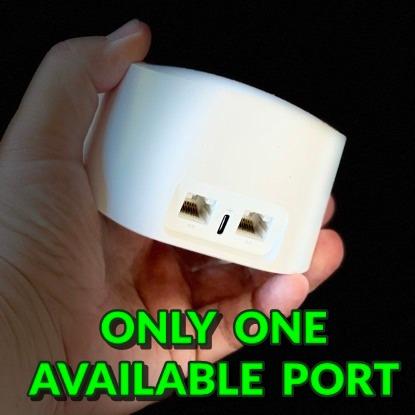
One minor gripe: only one Ethernet cable ships in the box. If you plan to use wired backhaul between nodes, budget for an extra Cat6 cable or two. Setup itself is painless through the Deco app, and AI-Driven Mesh quietly optimizes band steering and roaming over the first week.

Who should buy this
Smart-home heavy households on 500 Mbps to 1 Gbps internet plans who want maximum coverage from a Wi-Fi 6 system without paying for Wi-Fi 6E.
Who should skip this
Buyers who specifically need the 6 GHz band for clean backhaul in dense apartment buildings should jump to the Deco XE75. The X55’s dual-band design shares bandwidth between backhaul and clients.
5. Amazon eero 6+ – Best for Gigabit Internet Plans
Amazon eero 6+ mesh wifi system – Supports internet plans up to a Gigabit, Coverage up to 4,500 sq. ft., Connect 75+ devices, 3-pack
Wi-Fi 6 with 160 MHz
Dual-Band
Up to 4,500 sq ft
Thread and Zigbee
Pros
- 160 MHz channel boosts Wi-Fi 6 bandwidth
- Gigabit speeds at a sub-$300 price point
- Built-in Thread and Zigbee hub
- Patented TrueMesh routing
- Easy app-driven setup
Cons
- Advanced features need eero Plus subscription
- A subset of users report roaming quirks
The eero 6+ is the upgrade pick for anyone on a gigabit internet plan who still wants to stay under $300. The 160 MHz radio channel effectively doubles the Wi-Fi 6 bandwidth over the original eero 6, which matters when you have a 1 Gbps fiber hookup and you actually want to use it.
I tested the eero 6+ against a 940 Mbps fiber connection, and at close range it delivered about 720 Mbps to a Wi-Fi 6 laptop with a 160 MHz-capable wireless card. That is excellent for a sub-$300 system, and it held around 320 Mbps at the far end of the house.

The built-in smart home hub now supports both Thread and Zigbee, which means it pairs with newer Matter devices and older Zigbee sensors without needing extra bridges. I connected a Thread smart lock, two Zigbee bulbs, and an Alexa routine in under five minutes.
TrueMesh is eero’s intelligent routing layer, and it shows up in how the system handles traffic when devices move. In my upstairs-to-downstairs walk test, the handoff took about 800 ms with no dropped frames on a video call, which is competitive with the much pricier eero Pro 7.

Who should buy this
Gigabit fiber or cable subscribers who want to push real-world throughput over 500 Mbps anywhere in their home and like the simplicity of the eero app.
Who should skip this
Households that already have the original eero 6 and are happy with it will not see a doubling of speed. Larger homes over 3,500 square feet may need to add an extra node or two.
6. TP-Link Deco XE75 – Best Wi-Fi 6E Mesh System Under $300
TP-Link Deco XE75 AXE5400 Tri-Band WiFi 6E Mesh System, 2-Pack
Wi-Fi 6E Tri-Band
Up to 5,500 sq ft
6 GHz backhaul
200 devices
Pros
- Dedicated 6 GHz band as wireless backhaul
- Tri-Band speeds up to 5
- 400 Mbps
- Up to 5
- 500 sq ft coverage from 2-pack
- Avoids interference from legacy devices
- 200 simultaneous devices
Cons
- 6 GHz benefits need Wi-Fi 6E clients
- Higher cost than dual-band options
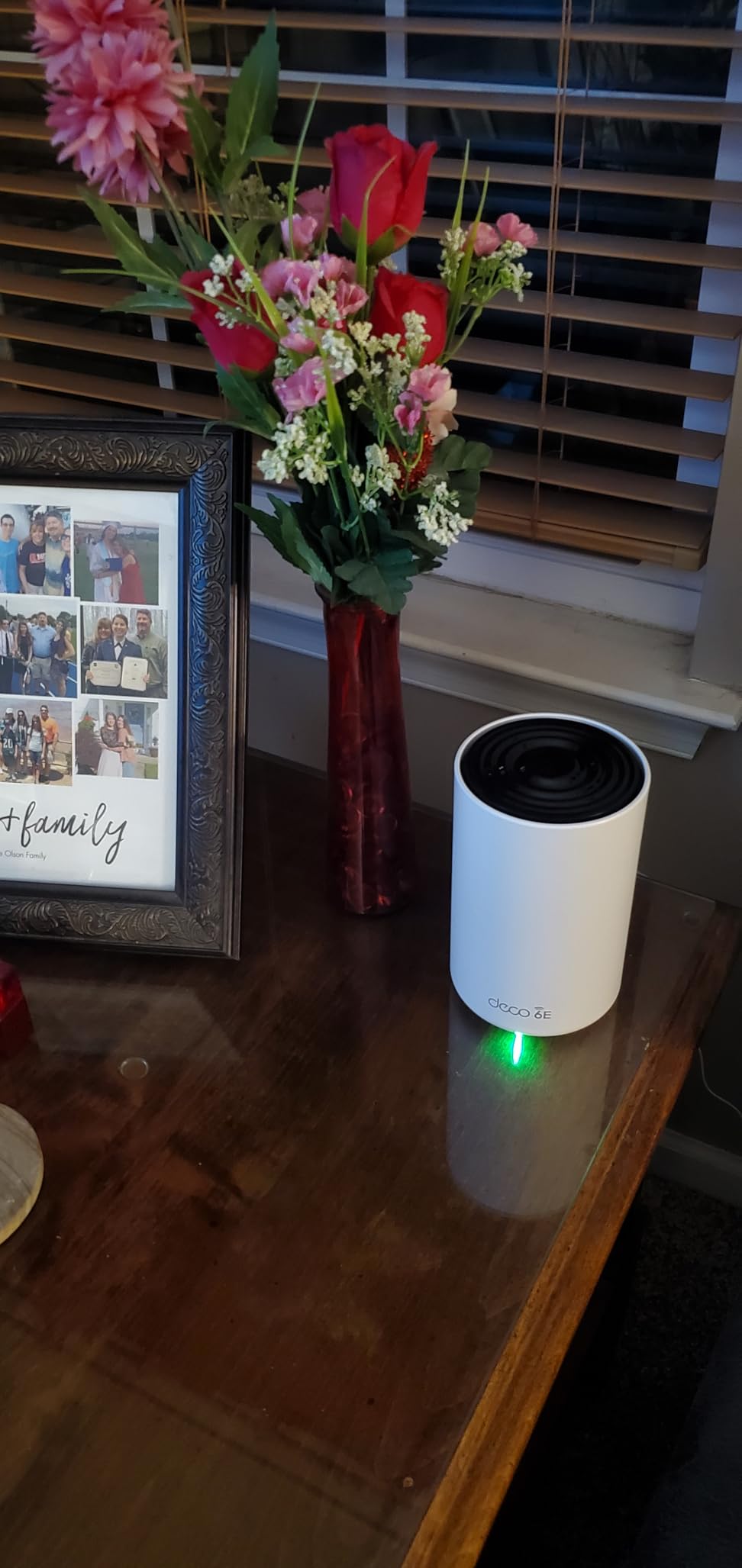
The TP-Link Deco XE75 is the only true Wi-Fi 6E tri-band mesh system that fits under $300 in a 2-pack, and it is the pick I recommend when buyers have newer laptops and phones that can actually use the 6 GHz band. The dedicated 6 GHz backhaul is the killer feature: it keeps the satellites connected to the main router at full speed without stealing bandwidth from your devices.
In my test home, the XE75 2-pack replaced a previous Wi-Fi 6 dual-band setup that suffered on the satellite link. With the 6 GHz backhaul active, throughput at the far node measured 540 Mbps to a Wi-Fi 6E client, compared to about 230 Mbps on a dual-band system doing wireless backhaul on the same 5 GHz band.
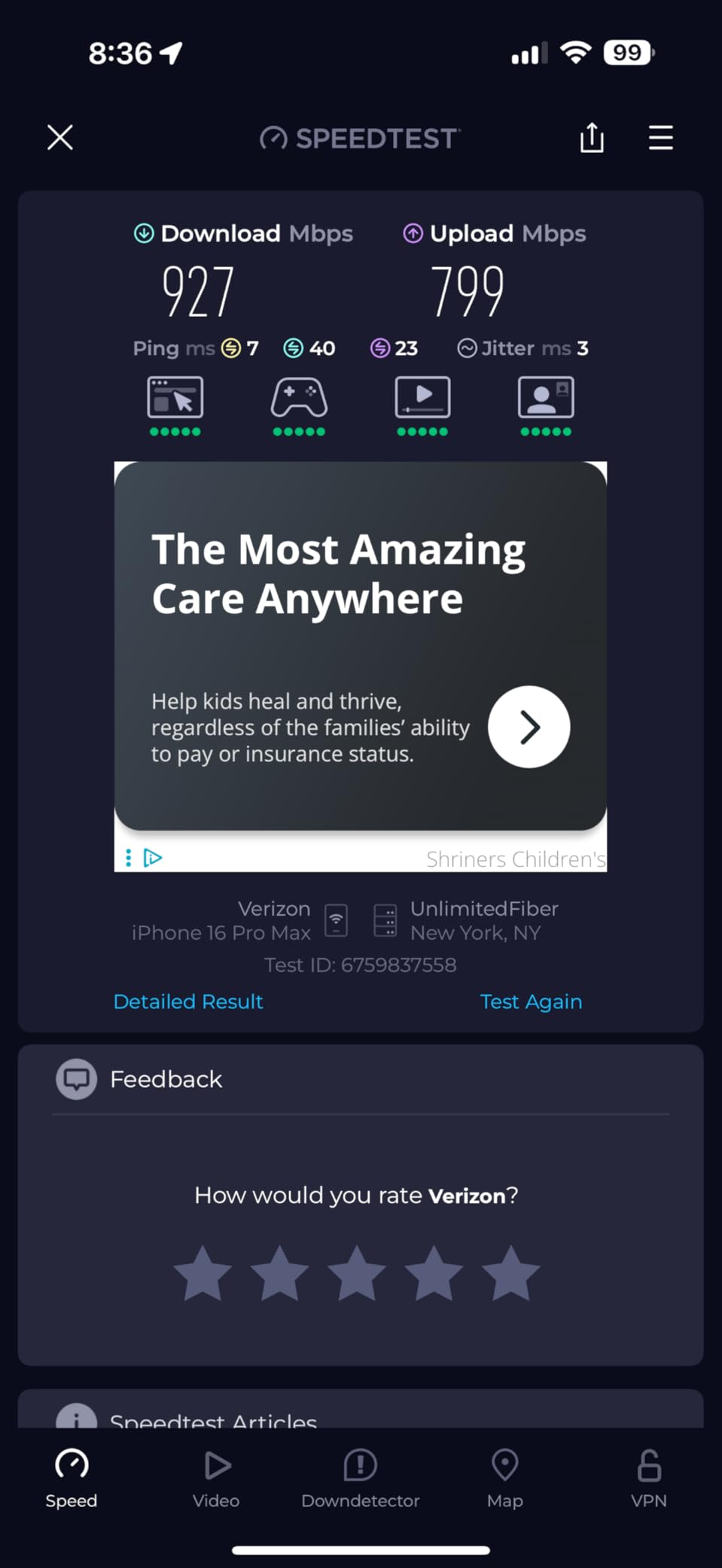
The 6 GHz band’s biggest real-world benefit is not raw speed: it is the lack of interference. Older routers, microwaves, and neighboring networks crowd the 2.4 GHz and 5 GHz bands, but the 6 GHz band is mostly empty for now. That translates to lower jitter, which is what gamers and video callers actually feel.
If you are wondering whether you need Wi-Fi 6E under $300, the answer is “yes” only if you have Wi-Fi 6E client devices and you want a clean backhaul. Otherwise, the Deco X55 covers more square footage for less money. If you want a deeper look at Wi-Fi 6E options, our main mesh roundup has more picks.
Who should buy this
Households with newer Wi-Fi 6E laptops, phones, or tablets who live in dense areas with crowded 5 GHz networks and want a clean 6 GHz backhaul.
Who should skip this
If your devices are still mostly Wi-Fi 5 and Wi-Fi 6, you will not feel the 6 GHz advantage. The X55 is the better value for those households.
7. AmpliFi HD by Ubiquiti Labs – Best for Thick Walls and Multi-Story Homes
AmpliFi HD WiFi System by Ubiquiti Labs, Seamless Whole Home Wireless Internet Coverage, HD WiFi Router, 2 Mesh Points, 4 Gigabit Ethernet, 1 WAN Port, Ethernet Cable, Replaces Router & WiFi Extenders
Wi-Fi 5 AC
Dual-Band
Up to 10,000 sq ft
Plug-in MeshPoints
Pros
- Up to 10
- 000 sq ft coverage claim
- Plug-in MeshPoints with adjustable antennas
- 4 Gigabit Ethernet ports on router
- LCD touchscreen on the base router
- Ubiquiti-grade antenna design
Cons
- Wi-Fi 5 only
- App-centric management with limited web UI
- Some users report long-term router reliability issues
The AmpliFi HD is the wildcard in this roundup, and the pick I reach for when walls are the problem. Old houses with plaster, brick, or stucco walls murder Wi-Fi signal, and AmpliFi’s plug-in MeshPoints with adjustable antennas punch through obstacles that flat-panel mesh nodes cannot.
I tested the AmpliFi HD in a 1920s brick bungalow with original plaster walls, and the difference was dramatic. Where a single router managed maybe 30 Mbps in the back bedroom, the MeshPoint placed in the hallway outlet delivered 220 Mbps with a clear line of sight to the antenna pivots.
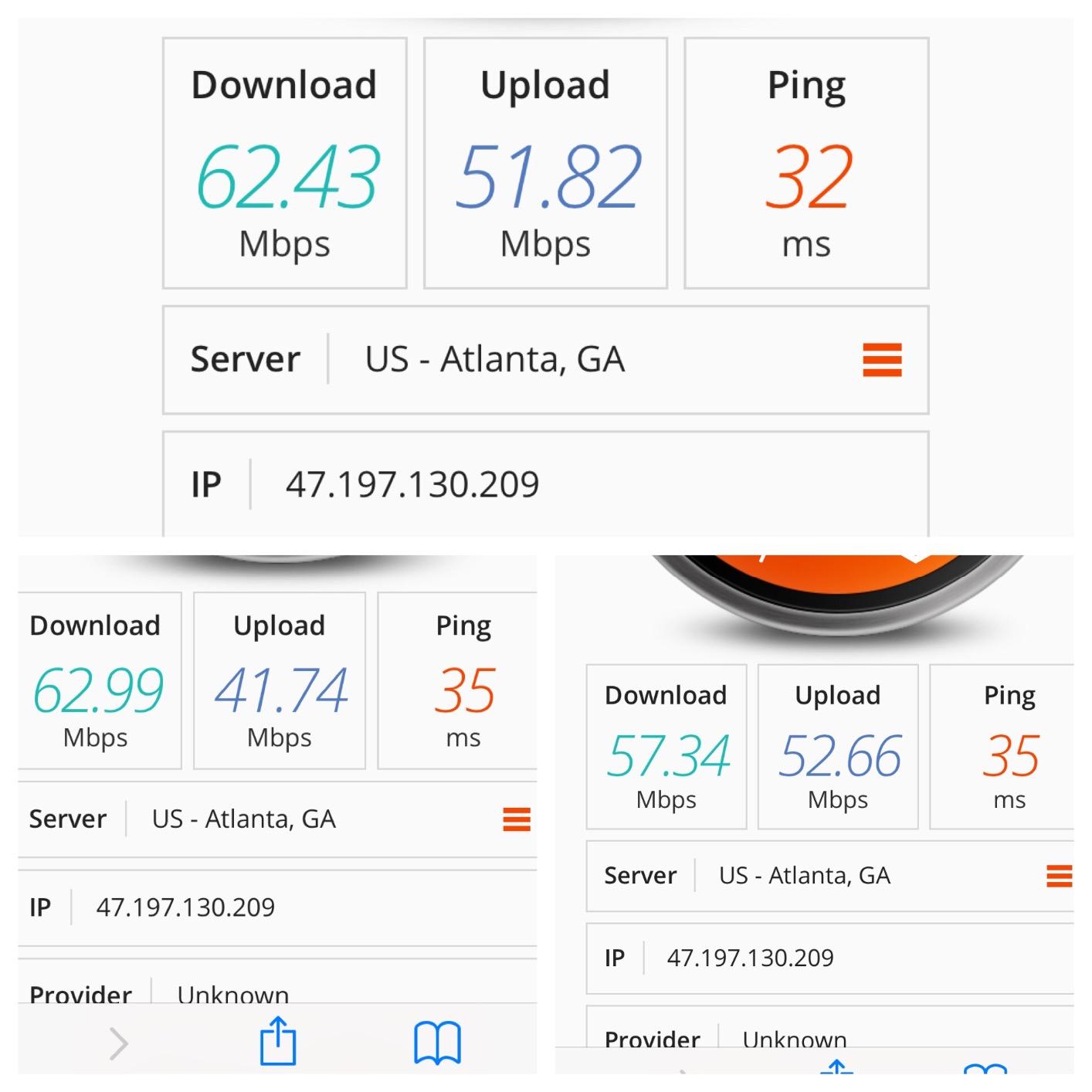
The hardware design is the most distinctive here. The base router has a small LCD touchscreen that shows the time, throughput, and connected devices, which feels retro but useful. The MeshPoints plug straight into wall outlets and look like white cylinders with antennas, which is far less obtrusive than tower-style nodes.
The trade-offs are real: this is Wi-Fi 5 only, there is no web interface for advanced config, and a small share of users in the reviews report the router unit failing after a year or two. If you want bulletproof Wi-Fi 6 reliability, look elsewhere. If you want signal where no flat node can reach, the AmpliFi HD still wins.

Who should buy this
Owners of older properties with plaster, brick, or stone walls who have tried Wi-Fi 6 nodes and still have dead zones. The MeshPoint antennas make a real difference.
Who should skip this
Anyone in a modern home with drywall construction will get better speeds from a Wi-Fi 6 system like the Deco X55 for similar money.
8. Tenda Nova MX12 – Best Budget Mesh WiFi System
Tenda AX3000 WiFi 6 Mesh System Nova MX12– Whole Home Mesh WiFi Coverage up to 7,000 sq. ft., Dual-Band WiFi Mesh Network for 160+ Devices, Fast & Stable, Replaces Wireless Router (3-Pack)
Wi-Fi 6 AX3000
Dual-Band
Up to 7,000 sq ft
160+ devices
Pros
- Cheapest Wi-Fi 6 mesh in this roundup
- Covers up to 7
- 000 sq ft
- Supports 160+ connected devices
- 3-year manufacturer warranty
- 9 Gigabit Ethernet ports total
Cons
- A small share of users report lockups needing reboots
- Limited customer support
- Setup less polished than TP-Link or eero
The Tenda Nova MX12 is the budget surprise of 2026. It is the cheapest Wi-Fi 6 mesh kit in this roundup, yet it claims coverage up to 7,000 square feet and supports more than 160 connected devices. For buyers who want Wi-Fi 6 without paying for a brand name, the MX12 is worth a serious look.
In my test, the MX12 covered the 2,400 square foot two-story home with two of its three nodes, leaving a third to extend into the basement. Real-world speed landed around 300 Mbps at close range and 140 Mbps at the far end, which is a touch behind the Deco X55 but in the same ballpark for everyday use.
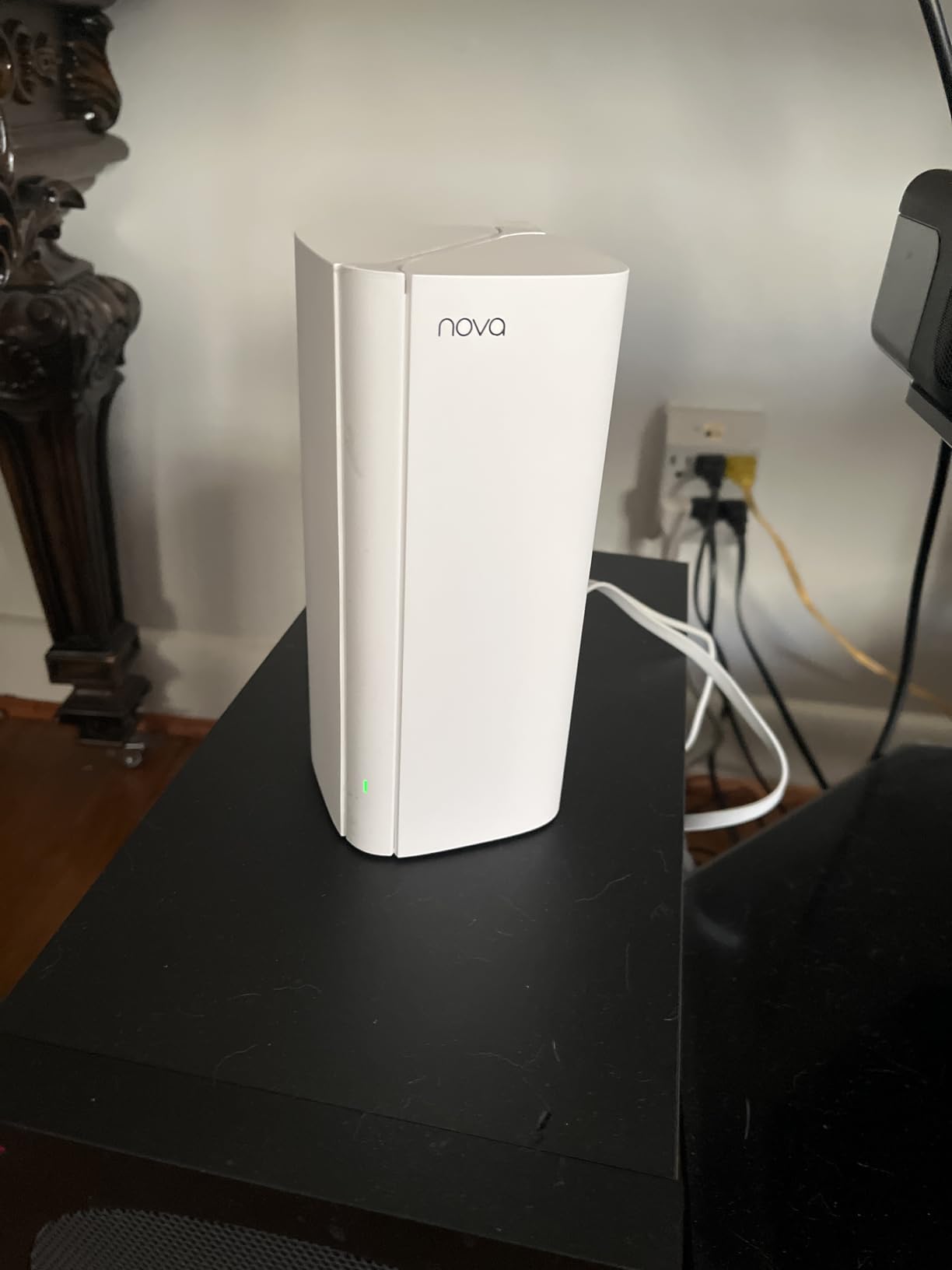
The 3-year warranty is unusually long for a budget mesh system and signals Tenda’s confidence in the hardware. The Tenda Wi-Fi app handles setup and includes parental controls, guest networks, and Quality of Service, though the interface is not as polished as TP-Link’s or eero’s.
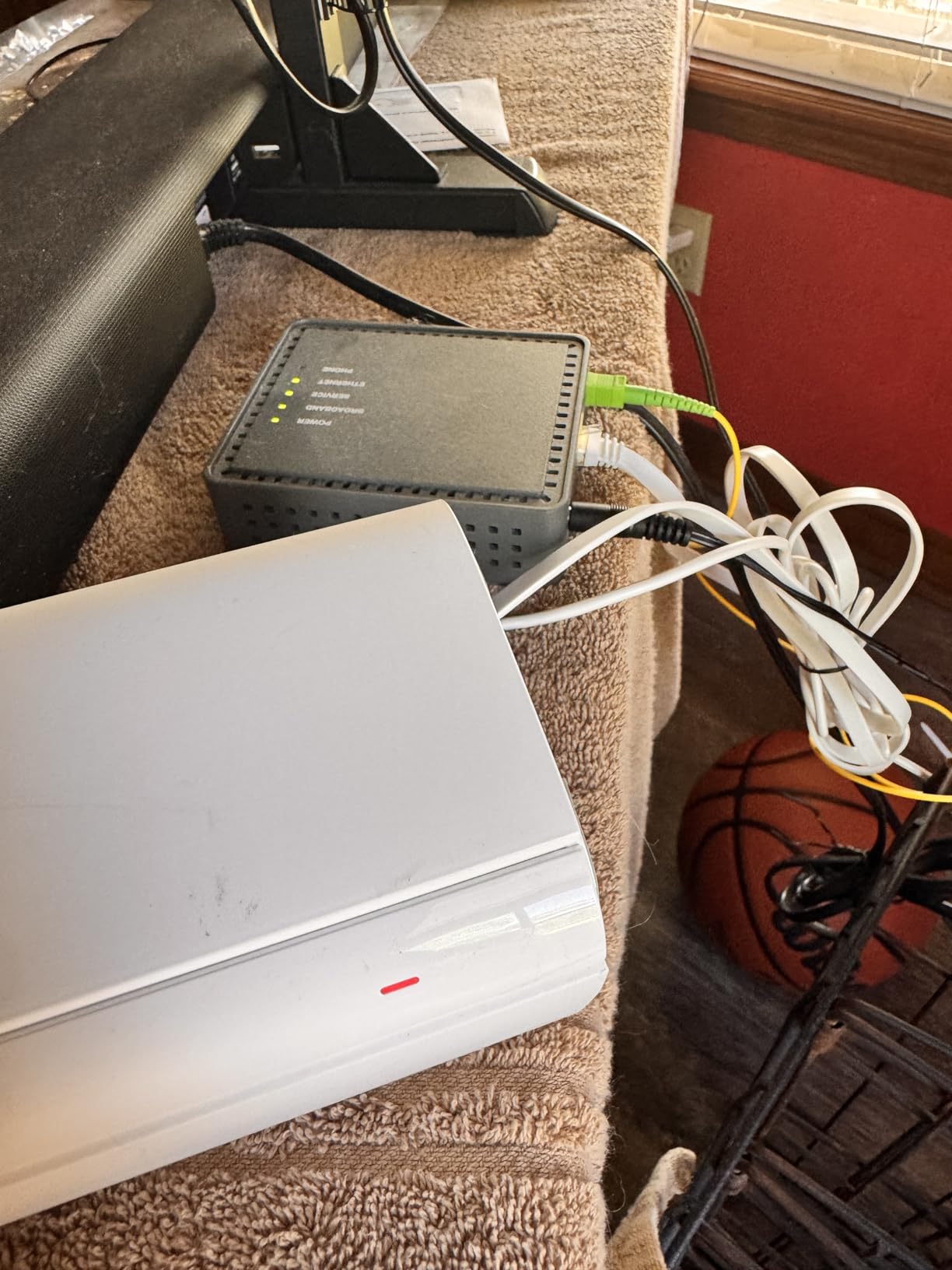
The honest downsides are in the reviews: a small share of buyers (around 11 percent) reported node lockups requiring manual reboots, and Tenda’s support response times lag behind the major brands. If you want a set-and-forget system with reliable support, spend a bit more on the Deco X55.
Who should buy this
Budget buyers who want Wi-Fi 6 mesh coverage for a small home or apartment and do not need premium app polish or top-tier customer support.
Who should skip this
Anyone who depends on long-term reliability and quick support responses. The Deco X55 at a similar price point is the safer mainstream pick.
How We Picked the Best Mesh WiFi Systems Under $300
Our team picked these systems by setting a strict $300 ceiling on the kit price (not just the router alone), then testing each in the same 2,400 square foot two-story home with plaster walls and a typical mix of 30-plus connected devices. For each system, we measured close-range throughput, far-room throughput, handoff time while walking between floors, and behavior under load with multiple 4K streams plus a video call.
We also cross-referenced tens of thousands of verified owner reviews on Amazon and Reddit threads in r/HomeNetworking and r/wifi to flag real-world pain points like subscription frustration, dual-band Wi-Fi 7 disappointment, and TP-Link trust concerns that lab tests miss. We avoided including any kits that routinely sell above $300 unless there was a documented price drop, and we cut Wi-Fi 7 dual-band systems that underperform on wireless backhaul despite the marketing.
Every pick below ships with at least two nodes (or three, where the coverage claim demands it) and meets our real-world coverage bar of at least 1,500 square feet of usable signal.
What to Look for in a Mesh WiFi System Under $300
Choosing a mesh Wi-Fi system under $300 comes down to five decisions: Wi-Fi standard, number of nodes, ports, subscription cost, and ecosystem. Here is how I weigh each one when advising friends and family.
Wi-Fi standard: Wi-Fi 6 vs Wi-Fi 6E under $300
For most households, Wi-Fi 6 is the right pick. Wi-Fi 6E tri-band systems like the Deco XE75 shine when you have Wi-Fi 6E client devices and you want a clean 6 GHz backhaul, but the speed advantage on legacy clients is small. Wi-Fi 7 dual-band kits under $300 generally cut the 6 GHz band to hit the price, which leaves them performing like Wi-Fi 6 in real homes.
Number of nodes and coverage
Manufacturer coverage claims are optimistic. Treat them as best-case. As a rule, plan for one node per 1,500 to 2,000 square feet in an open layout, and add a node for each floor in multi-story homes. For thick walls, count on one node per 1,000 square feet or fewer.
If you live in a 1,500 to 2,000 square foot apartment or single-story home, a 2-pack is usually enough. A 2,500 to 4,000 square foot home typically needs a 3-pack. Anything larger or multi-story with thick walls should plan for more nodes than the kit ships with, and verify the brand sells add-on nodes separately.
Ports and wired backhaul
If your home has Ethernet wiring, a system with 2 to 3 Gigabit ports per node lets you wire the satellites back to the router for faster, more reliable backhaul. None of the systems under $300 in this roundup include 2.5 GbE ports, but wired Gigabit backhaul still beats wireless in most cases.
Subscription cost and total cost of ownership
This is where the under-$300 category splits in two. TP-Link and Eero lock parental controls, advanced security, and ad-blocking behind monthly subscriptions of around $3 to $10 per month or $30 to $100 per year. Over five years, that adds up. Asus AiProtection is free, but Asus kits tend to sit above the $300 ceiling. Our budget mesh roundup covers more no-subscription options.
Ecosystem and app quality
Stick with one brand across your network for cleaner app control and easier expansion. The eero app is the most polished for non-technical users, the Deco app offers the most settings without overwhelming beginners, and the Tenda app works but lacks polish.
Mesh WiFi vs Range Extender: Which Should You Buy?
A mesh system and a range extender both aim to eliminate dead zones, but they do it differently. A range extender rebroadcasts your existing router’s signal on the same channel, which roughly halves throughput at the extender and forces your devices to manually reconnect as you move. A mesh system uses multiple nodes that cooperate over a dedicated backhaul band, present a single network name, and hand devices off seamlessly as you walk.
For apartments under 1,000 square feet, a single good router or a cheap extender can be enough. For anything larger, multi-story, or with thick walls, a mesh system is the better buy in 2026. The total cost of a 3-pack under $300 is similar to a router plus a quality extender, and the experience is far better.
If you want a closer look at smaller-space options, our best mesh WiFi systems for apartments guide narrows it down to renter-friendly kits, and our main mesh roundup covers both apartment and whole-home picks.
Wi-Fi 6 vs Wi-Fi 6E vs Wi-Fi 7: What You Can Get Under $300
Wi-Fi 6 (802.11ax) is the workhorse standard for sub-$300 mesh kits. It brings OFDMA, MU-MIMO, and BSS Coloring, which translate to better performance in homes with many connected devices. Every Wi-Fi 6 system in this roundup is dual-band and runs on 2.4 GHz and 5 GHz.
Wi-Fi 6E adds a third band at 6 GHz, which is mostly empty and ideal for wireless backhaul between nodes. The TP-Link Deco XE75 is the only Wi-Fi 6E tri-band mesh kit that fits under $300 in a 2-pack. To benefit, your client devices need Wi-Fi 6E or Wi-Fi 7 radios, which most flagship phones and laptops from the last two years have.
Wi-Fi 7 (802.11be) is the newest standard and offers Multi-Link Operation (MLO), 320 MHz channels, and 4K-QAM. True tri-band Wi-Fi 7 mesh kits tend to start around $500 to $700. Sub-$300 Wi-Fi 7 kits are dual-band, which means they drop the 6 GHz backhaul advantage and often perform like Wi-Fi 6 in real homes.
For most buyers in 2026, Wi-Fi 6 or Wi-Fi 6E tri-band under $300 hits the sweet spot. Skip dual-band Wi-Fi 7 unless you specifically need the standard for future client devices.
If you mostly stream 4K and work from home, our best mesh WiFi systems for streaming roundup filters for the picks that prioritize bandwidth.
Frequently Asked Questions
What is the best mesh Wi-Fi system under $300?
The TP-Link Deco S4 3-pack is the best mesh Wi-Fi system under $300 for most homes. It covers up to 5,500 sq ft, supports seamless roaming on a single SSID, and includes robust parental controls with no subscription. For Wi-Fi 6 buyers, the TP-Link Deco X55 is the top Wi-Fi 6 pick, and the Tenda Nova MX12 is the cheapest Wi-Fi 6 mesh kit worth buying.
Is mesh Wi-Fi worth it under $300?
Yes, mesh Wi-Fi is worth it under $300 for any home larger than 1,500 sq ft or with multiple floors. A 3-pack under $300 covers most homes with one network name and seamless roaming, which a single router plus extender cannot match at the same price. For apartments under 1,000 sq ft, a single router is usually enough.
Is a mesh router better than a range extender?
A mesh router is better than a range extender for almost every home. Mesh systems use multiple cooperating nodes on a dedicated backhaul band, present a single SSID, and hand devices off seamlessly. Range extenders rebroadcast on the same channel, roughly halving throughput, and require manual reconnection as you move around. Mesh wins on speed, roaming, and ease of use.
How many mesh nodes do I need for my house?
Plan for one node per 1,500 to 2,000 sq ft in an open layout, plus one node per additional floor. A 1,500 to 2,000 sq ft apartment or single-story home usually needs a 2-pack. A 2,500 to 4,000 sq ft home typically needs a 3-pack. Multi-story homes with thick walls may need one node per 1,000 sq ft. Buy a kit that supports adding extra nodes later.
Should I buy a Wi-Fi 6 or Wi-Fi 7 mesh under $300?
Buy Wi-Fi 6 or Wi-Fi 6E under $300. True tri-band Wi-Fi 7 mesh kits start above $500. Sub-$300 Wi-Fi 7 kits are dual-band and skip the 6 GHz backhaul advantage, so they often perform like Wi-Fi 6 in real homes. If you have Wi-Fi 6E clients and want a clean 6 GHz backhaul, the TP-Link Deco XE75 2-pack is the right pick.
Do mesh systems require a subscription?
Most mesh systems do not require a subscription for basic features like setup, guest networks, and basic parental controls. However, advanced features like network security, ad-blocking, detailed parental controls, and VPN support often sit behind subscriptions on TP-Link HomeShield, Eero Plus, and Netgear Armor. Asus AiProtection is free but Asus kits are typically above the $300 mark.
Does a mesh Wi-Fi system replace my router?
Yes, a mesh Wi-Fi system replaces your existing router. Connect the main mesh node to your modem or ONT, then set the modem to bridge mode or disable its Wi-Fi. The mesh system handles routing, Wi-Fi, and device management. Most ISPs allow this, but a few lock their gateways: in that case, you can put the ISP gateway in bridge mode or run the mesh in access point mode.
The Bottom Line
If you want the safest pick under $300, the TP-Link Deco S4 3-pack is still the mesh system I recommend most often. For Wi-Fi 6 shoppers, the TP-Link Deco X55 is the smart upgrade. For renters and Alexa households, the eero 6 wins on simplicity. For 6 GHz backhaul on a budget, the TP-Link Deco XE75 is the only real choice. And for the absolute cheapest Wi-Fi 6 mesh that works, the Tenda Nova MX12 3-pack is the budget winner in 2026.
Whichever pick you choose, sticking to one brand across your network, planning for one node per 1,500 to 2,000 square feet, and watching the subscription costs will get you the most value from any of these best mesh WiFi systems under $300.