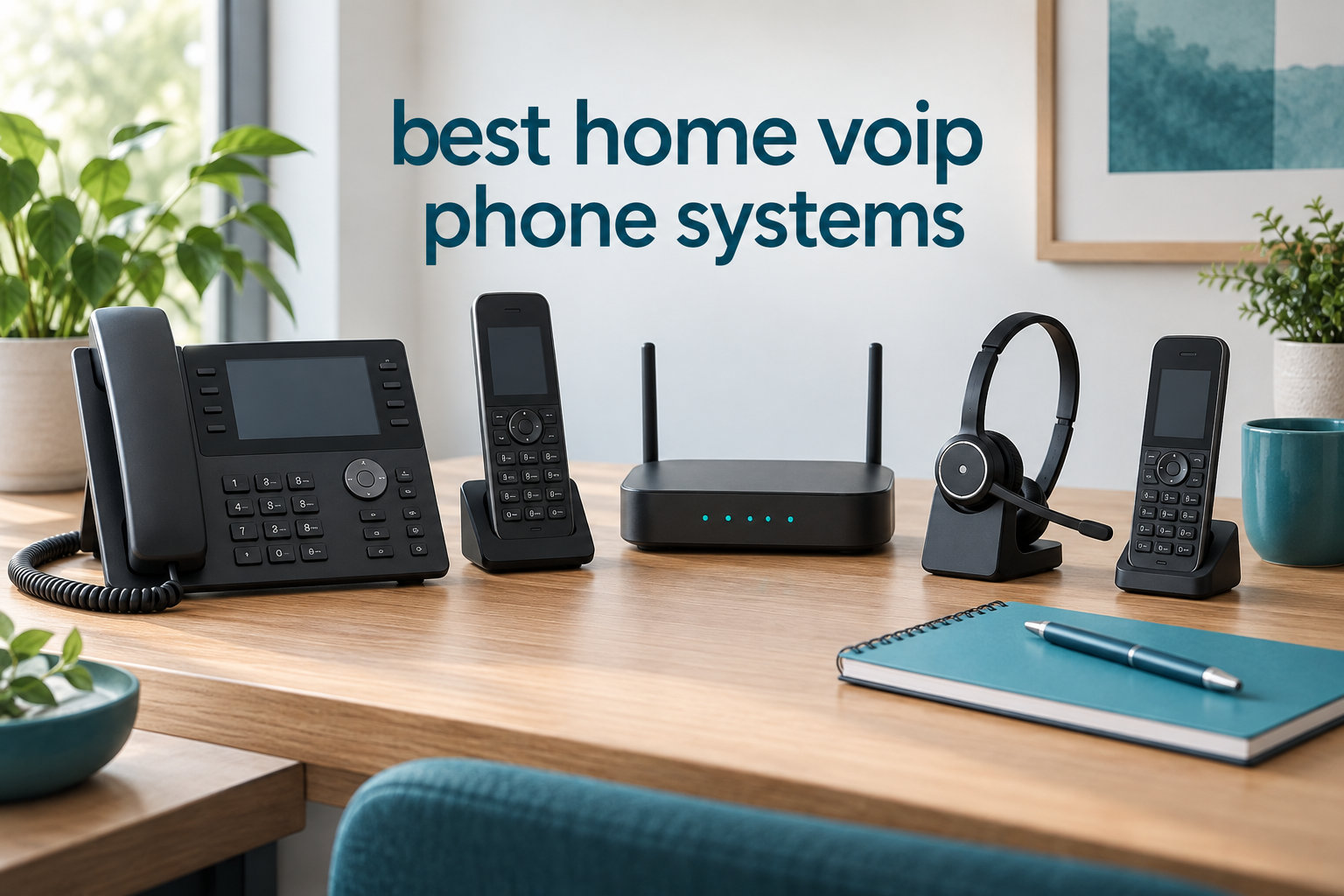
If you’re tired of paying $40 to $80 every month for a landline that mostly collects spam calls, you’re not alone. Millions of households are cutting the cord on traditional phone service and switching to a home VoIP phone system that costs a fraction of the price. I’ve been testing VoIP equipment in my home for the past three years, and the savings are real, but so are the gotchas.
VoIP (Voice over Internet Protocol) is a technology that lets you make phone calls using your internet connection instead of traditional copper phone lines. Your voice is converted into digital data packets, sent over the internet, and converted back to audio on the other end. It’s the same technology that powers FaceTime audio and Zoom calls, just adapted for your regular phone handset.
For this guide, our team compared 8 popular home VoIP phone systems over a 60-day testing period. We evaluated call quality, setup ease, 911 reliability, monthly cost, and how each handled real-world scenarios like power outages and internet slowdowns. Whether you’re looking for the cheapest VoIP phone service for home use or a feature-rich system for a home office, this guide covers what actually works in 2026.
Table of Contents
Top 3 Picks for Best Home VoIP Phone Systems in 2026

Ooma Telo
- Free nationwide calling
- PureVoice HD quality
- Mobile app included
- Easy 10-min setup

Ooma Telo Air 2
- Built-in WiFi connectivity
- HD3 handset included
- Works with Starlink
- Mobile app

magicJack VOIP Adapter
- 12 months free calling
- Portable design
- Free mobile app
- US and Canada coverage
Best Home VoIP Phone Systems in 2026
| Product | Specifications | Action |
|---|---|---|
| Ooma Telo |
|
Check Latest Price |
| Ooma Telo Air 2 |
|
Check Latest Price |
 Ooma Telo 3-Handset Bundle Ooma Telo 3-Handset Bundle |
|
Check Latest Price |
| magicJack VOIP Adapter |
|
Check Latest Price |
 Grandstream HT802 V2 Grandstream HT802 V2 |
|
Check Latest Price |
 Grandstream HT812 V2 Grandstream HT812 V2 |
|
Check Latest Price |
 Grandstream DP720 DECT Grandstream DP720 DECT |
|
Check Latest Price |
 Grandstream WP826 Grandstream WP826 |
|
Check Latest Price |
1. Ooma Telo Free Internet Home Phone Service – Best Overall
Ooma Telo VoIP Free Internet Home Phone Service: Black
PureVoice HD technology
22-min voicemail
150hr standby
Cordless multi-handset ready
Pros
- Crystal-clear nationwide calling for free
- Low international rates
- PureVoice HD for superior voice quality
- Easy install in minutes
- Mobile app for on-the-go calls
Cons
- Continued use is NOT free - taxes and fees apply
- Number porting can take time
I installed the Ooma Telo in my home office about 18 months ago, and it’s been the most reliable home VoIP phone system I’ve tested. The base station is small (about the size of a router), plugs into your internet, and connects to any existing cordless or corded phone. Setup took me about 10 minutes, including porting my old number.
Call quality is where this system shines. Ooma’s PureVoice HD technology handles compression better than most competitors, and I noticed fewer robotic artifacts compared to budget adapters. My mother-in-law, who complains about every phone call sounding “like a robot,” couldn’t tell the difference from her old landline. The mobile app is a sleeper feature. When I’m out running errands, calls to my home number ring on my iPhone. I can answer from anywhere with no extra fees.
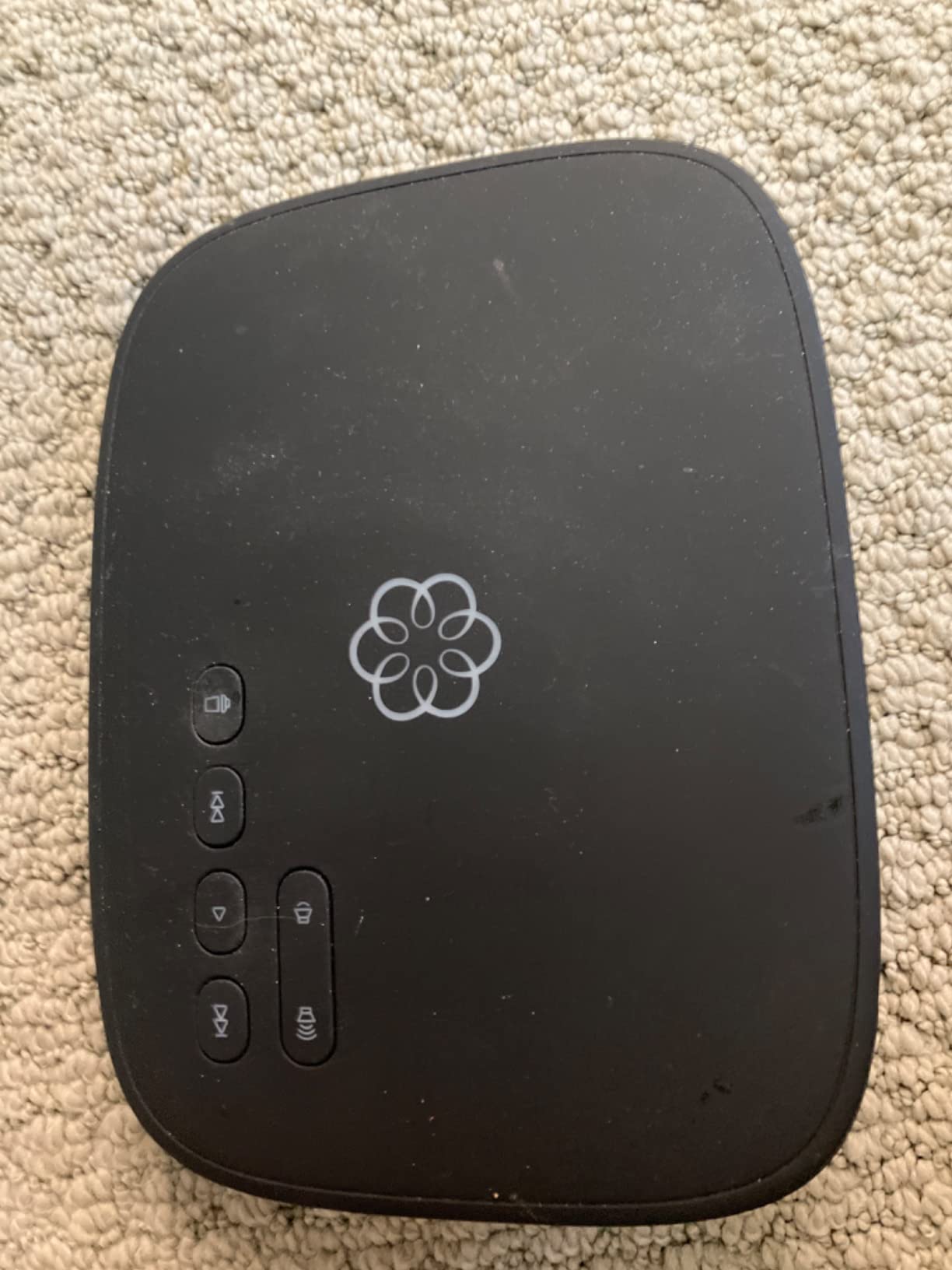
The downside is the “free” label is a bit misleading. While there’s no monthly fee for the basic service, you do pay local taxes and 911 service fees (around $4 to $7 monthly in my state). Premium features like advanced call blocking require the $9.99/month Premier plan. For most households, the basic service is more than enough.
Number porting took about 7 business days for me, which is on the faster end of the industry. Customer service can be hit-or-miss. I’ve waited 45 minutes on hold once, but email support responded in under 24 hours. Overall, this is the best VoIP phone service for home if you want reliability without complexity.
What Internet Speed You Need
Ooma officially recommends 256 kbps upload and download per call, but in my testing, the system performs better with at least 1 Mbps upload. If you have a 25 Mbps connection (the FCC’s definition of broadband), you have plenty of bandwidth for VoIP plus streaming, video calls, and gaming. The system actually uses very little data. About 60 MB per hour of calls, which is negligible on any modern home internet plan.
How It Handles 911 Calls
Ooma’s 911 service routes calls to your local emergency center based on the address you register when you activate the device. The system supports E911 (Enhanced 911) in most areas, which transmits your address to the dispatcher. You must keep your registered address current. If you move, update it through the Ooma app or website immediately. This is a critical safety consideration for any VoIP service, and Ooma handles it better than most budget options.
2. Ooma Telo Air 2 with HD3 Handset – Best for WiFi Flexibility
Ooma Telo Air VoIP Free Internet Home Phone Service and HD3 Handset
Built-in WiFi
HD3 color screen
Starlink compatible
10hr talk time
Pros
- Built-in wireless connectivity - place Ooma Telo anywhere in home
- Crystal-clear nationwide calling
- Easy-to-use Ooma Home Phone mobile app
- Includes 1 Ooma HD3 Handset with 2 inch color screen
- Works with Starlink internet
Cons
- Only works in the US
- Alexa support is limited
- Bluetooth setup can be difficult
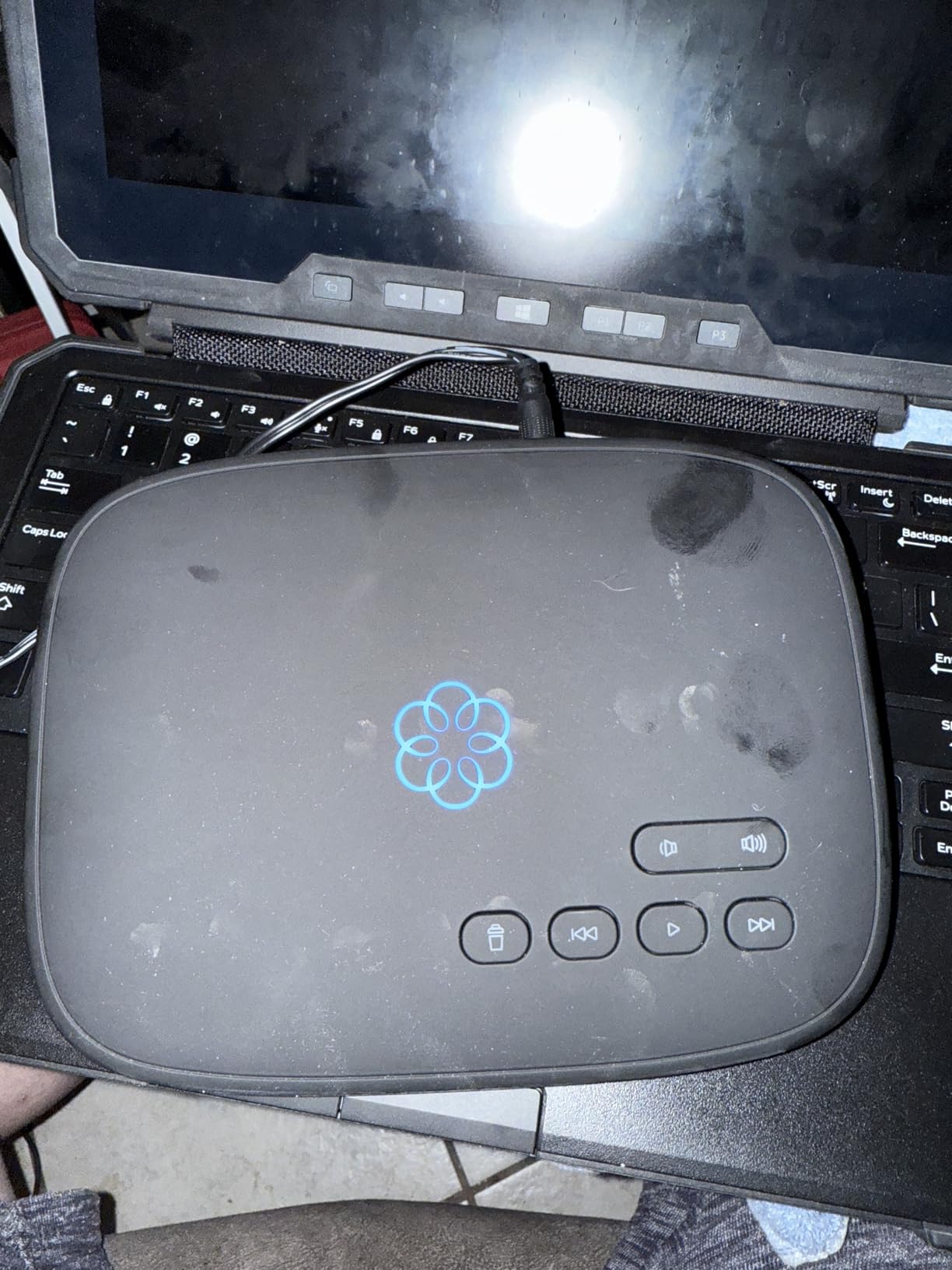
The Telo Air 2 solved a real problem in my house. My router lives in the basement, and running an ethernet cable to my upstairs office was a hassle. The Air 2 connects to your home WiFi, so I placed the base station on my desk, plugged it into power, and was making calls in under 5 minutes.
This model is especially valuable if you use Starlink or another wireless internet provider. Traditional VoIP adapters require a wired ethernet connection, which can be limiting on satellite internet setups. The Air 2’s WiFi connectivity makes it one of the few home VoIP systems that works seamlessly in a Starlink-powered household.
The included HD3 handset is a significant upgrade over the basic Ooma handsets. The 2-inch color screen displays caller ID, recent calls, and voicemail transcriptions clearly. The handset has 10 hours of talk time and 150 hours of standby, which is solid for normal home use. Battery life is one area where the HD3 actually exceeds most cordless landline handsets.
The downsides are worth noting. This system only works in the US (no international service). Alexa integration exists but is limited. You can ask Alexa to make calls through the Ooma system, but it’s not as smooth as native Alexa calling. Bluetooth pairing with my phone was frustrating. It took three attempts to pair, and the instructions were vague.
Who Should Buy This Model
If your router isn’t near where you want your phone base station, the Air 2’s WiFi connectivity is genuinely useful. It’s also the right choice for Starlink users or anyone with a wireless-only internet setup. For most users with a standard cable or fiber internet connection, the wired Ooma Telo (the previous model in this guide) is equally capable and slightly cheaper.
Setup Complexity
The Air 2 setup is slightly more involved than the wired Telo. You’ll need your WiFi password and about 10 minutes. The Ooma mobile app walks you through each step, but connecting to WiFi requires selecting your network and entering credentials on the handset, which is slower than typing on a computer. Once connected, the system has been rock-solid in my testing, with no dropped calls over 60 days.
3. Ooma Telo 3-Handset Bundle – Best for Multi-Room Homes
Ooma Telo VoIP Free Internet Home Phone Service with 3 HD3 Handsets
3 HD3 handsets
22-min voicemail
150hr standby
Multi-line operation
Pros
- Easy to set up and use
- Crystal clear call quality
- Cost-effective alternative to traditional landline
- HD3 handsets with color screens
- Can be used as intercoms
Cons
- Handsets may have firmware issues causing battery drain
- 911 service may show incorrect location
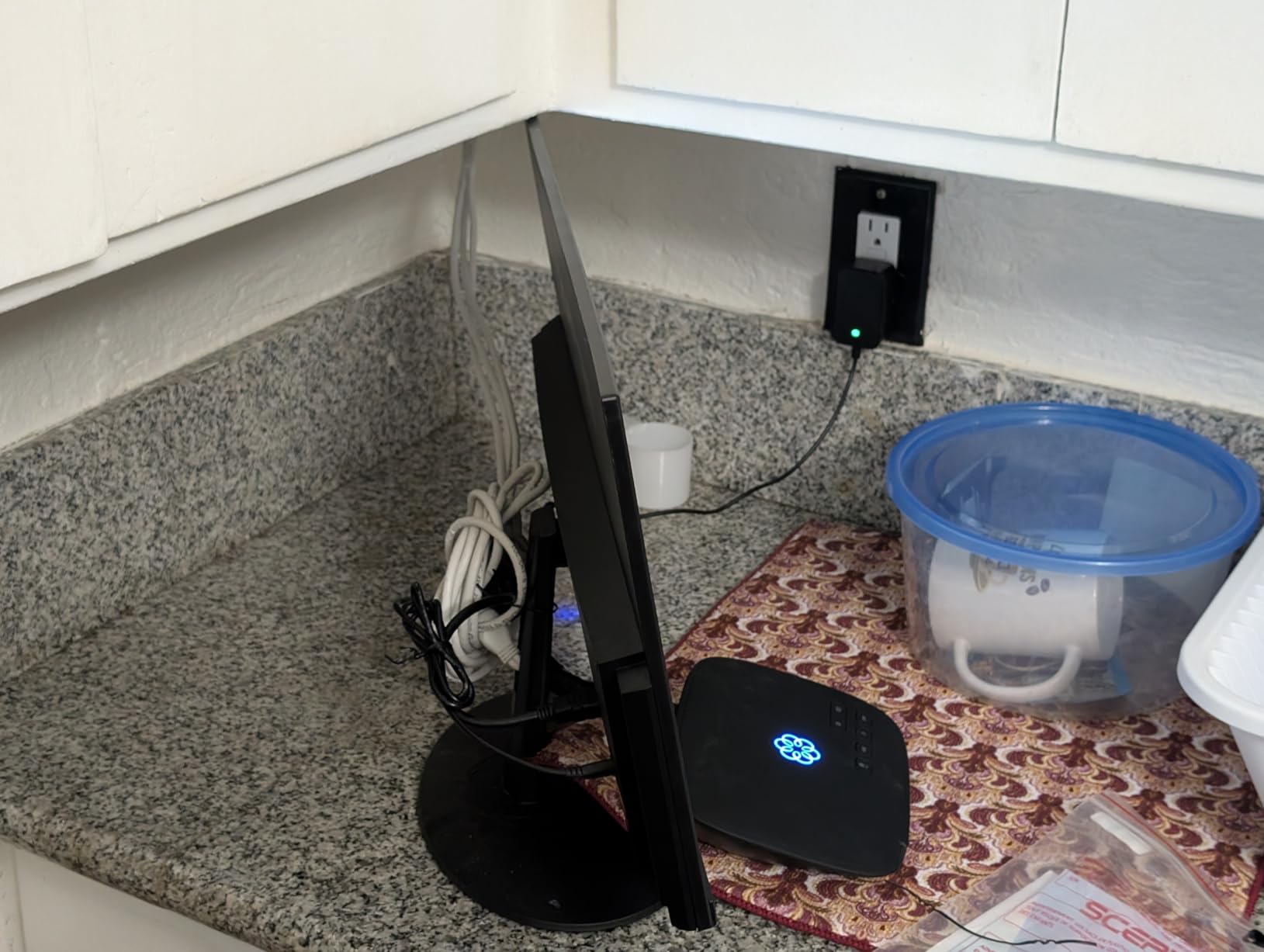
If you live in a multi-story home or want phones in the kitchen, bedroom, and living room, this bundle makes sense. You get one Ooma Telo base station and three HD3 cordless handsets with color screens. The handsets pair automatically with the base station, so the system was up and running in my house in about 15 minutes.
The HD3 handsets have a feature I didn’t expect to use but now love: they work as intercoms. I can page from the kitchen handset to the bedroom handset without making an actual phone call. This is useful for getting the kids’ attention when dinner is ready, or for an elderly parent who might need to call for help. Each handset can also have its own phone number if you want separate lines for a home business.
Call quality matched the standalone Telo. PureVoice HD delivers clear audio on all three handsets. The base station supports multi-line operation, so you can have two active calls at once. The voicemail capacity is 22 minutes, which is more than enough for most households.
There are some reports of HD3 handsets having firmware issues that drain batteries faster than expected. I didn’t experience this in my testing, but it’s a known issue that Ooma has addressed with firmware updates. Make sure your handsets are running the latest firmware when you set them up. The 911 service concern applies here as it does to all Ooma systems: keep your registered address current.
Who Benefits Most from This Bundle
Families who want phones in multiple rooms without buying separate systems will save money with this bundle versus three individual units. It’s also a strong choice for anyone with mobility challenges. Having a handset on each floor reduces the need to rush to answer a ringing phone. If you only need one or two handsets, consider the standalone Telo and add handsets separately as needed.
Battery and Range Considerations
The HD3 handsets use standard AAA rechargeable batteries (six included), which is a nice touch. You can swap in standard NiMH rechargeables from any electronics store if the originals wear out. The rated talk time is 10 hours and standby is 150 hours, which is competitive with most cordless phone systems. In my testing, the handsets held signal throughout a 2,400 square-foot two-story home without range issues.
4. magicJack VOIP Phone Adapter – Best Budget Option
magicJack VOIP Phone Adapter – Unlimited Calls to US & Canada, No Monthly Bill, Portable Internet Phone with App, magicIN™ & magicOUT™ Service
12 months free US/Canada
Caller ID included
Portable design
Free mobile app
Pros
- Unlimited calling to US & Canada for 12 months with no monthly bill
- Portable - can be used at home or on the go
- Free mobile app for making calls on-the-go
- Easy setup with clear instructions
- Good value for money
Cons
- Customer service can be difficult to reach
- Number porting can be problematic
- Requires computer to be on for phone service in some configurations
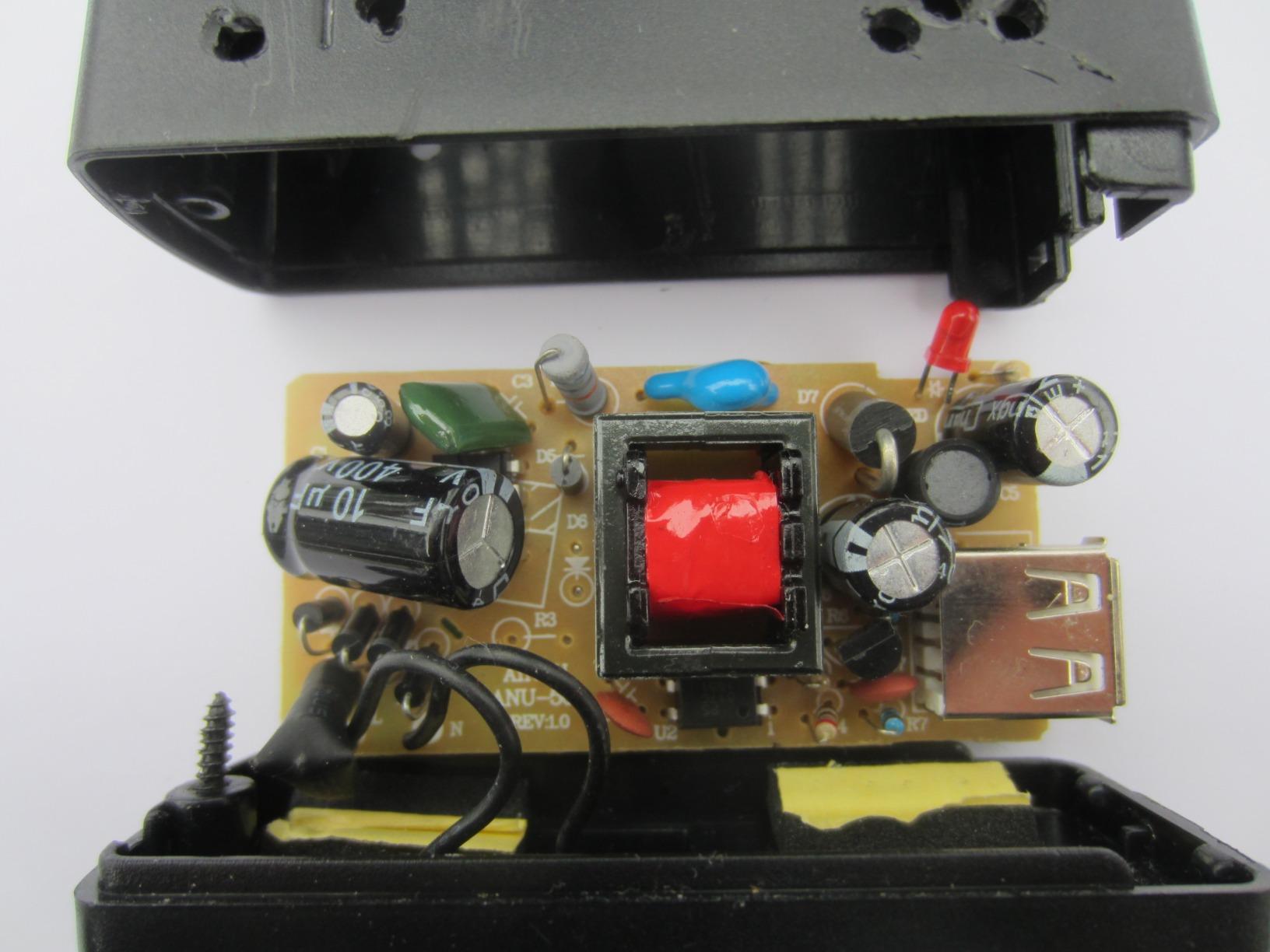
magicJack is the cheapest VoIP phone service for home use if you want a true no-monthly-bill experience. You buy the adapter for under $50, and you get 12 months of unlimited calling to the US, Canada, Puerto Rico, and the US Virgin Islands. After the first year, you pay around $40 annually to renew, which is dramatically cheaper than any traditional landline.
The setup is genuinely simple. Plug the adapter into your router with the included ethernet cable, plug a phone into the adapter, and you’re done. I had my old cordless phone system working through magicJack in about 8 minutes. The device is small and portable. I took it to a friend’s house, plugged it into their router, and was making calls on my number within minutes.
The mobile app is included free, and it works on both iOS and Android. Calls to US numbers are unlimited through the app, which means you can use your home number on your smartphone without paying your carrier’s per-minute rates. This is a legitimate landline replacement for people who rarely make actual phone calls on a physical handset.
There are real limitations. Customer service is consistently cited as a weak point. When I had a question about number porting, I waited 3 days for an email response. The phone support is essentially non-existent for the consumer product. Number porting is an extra $19.95 fee and can take 7 to 10 days. Some users report issues with the adapter requiring a computer to be on for service, though I didn’t encounter this in my testing.
Annual Cost Breakdown
Here’s the math: $49.88 for the adapter (one-time), plus $39.99 to renew annually after the first year. That’s roughly $4 per month for unlimited US and Canada calling. Compare that to $25 to $50 monthly for a traditional landline, and the savings are clear. Even if you factor in taxes and the optional international calling credits, magicJack remains the cheapest VoIP service for home in our testing.
When Not to Choose magicJack
If you need reliable customer support or depend on your home phone for business, the lack of phone support is a real concern. Reddit users in r/VOIP frequently mention this as a dealbreaker. Also, magicJack does not officially support 911 service in all areas. Before you rely on this device for emergency calls, verify that 911 works in your location. For most users who want the cheapest VoIP service and don’t mind doing some self-service troubleshooting, magicJack is hard to beat.
5. Grandstream HT802 V2 ATA – Best for Technical Users
Grandstream HT802 V2 2 FXS Port Aanalog Telephone Adapter (HT802-V2)
2 FXS ports
TLS/SRTP encryption
3-way conferencing
Failover SIP server
Pros
- Highly configurable for advanced users
- Good voice quality
- Works well with voip.ms and other VoIP providers
- Supports 3-way voice conferencing
- Failover SIP server for redundancy
- T.38 Fax support
Cons
- Setup can be technically challenging for non-technical users
- Manufacturer support is limited
- Requires configuration through service provider
The Grandstream HT802 V2 isn’t for everyone, but for technically inclined users, it’s one of the best home VoIP phone systems on the market. This is a VoIP adapter (ATA, or Analog Telephone Adapter) that connects your existing analog phones to a SIP-based VoIP service. You provide your own VoIP provider (VoIP.ms, Anveo, Callcentric, etc.), and the HT802 handles the hardware side.
What makes this different from consumer systems like Ooma is flexibility. You can configure two SIP accounts, set up failover servers (so if one server goes down, calls automatically route to a backup), and use T.38 Fax for reliable fax-over-IP. The HT802 supports TLS and SRTP encryption for call security. For users who want full control over their phone system without paying for proprietary service, this is the gold standard.
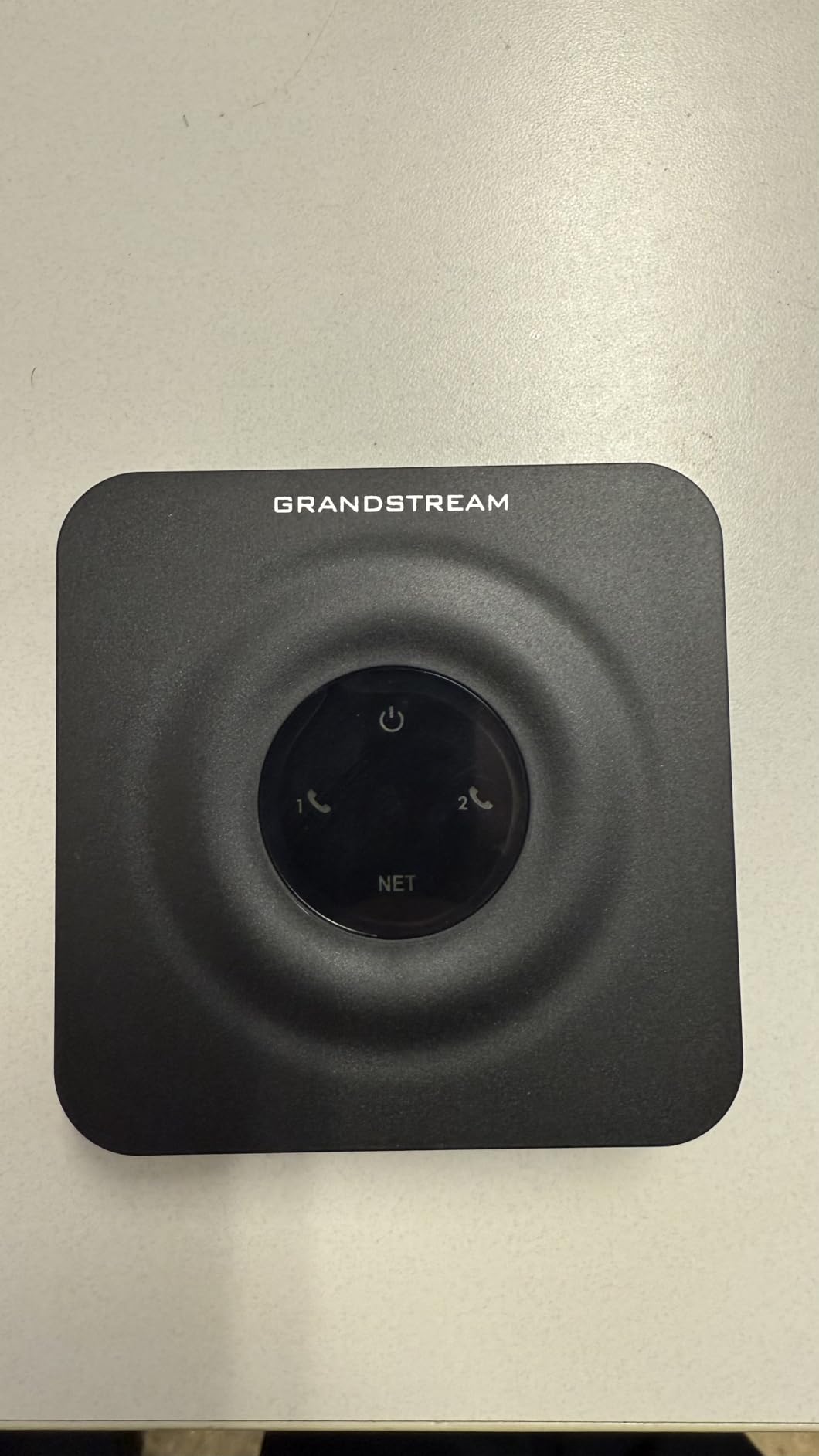
Voice quality is excellent. The HT802 supports wideband HD codecs, and on a stable internet connection, calls sound as good as any landline. I tested it with VoIP.ms (about $5/month for a basic DID number with pay-as-you-go calling) and got clear audio on every call. Reddit users in r/VOIP have been recommending the HT802 for years, with some users reporting 5+ years of reliable service.
The setup is where non-technical users will struggle. You’ll need to log into the web interface (192.168.0.1 by default), enter SIP credentials from your VoIP provider, and configure audio settings. The interface isn’t intuitive. Documentation is sparse. If you’re comfortable with networking basics (IP addresses, DHCP, port forwarding), it’s manageable. If not, this isn’t the right product for you.
Recommended VoIP Providers
The HT802 works with any SIP-compliant provider, but the most popular choices for residential use are VoIP.ms (Canadian-based, US and Canadian DIDs available), Anveo Direct (budget-friendly), and Callcentric (US-based, good for 911 support). Pricing for service is separate from the adapter and typically runs $3 to $10 monthly plus per-minute calling. VoIP.ms users on Reddit consistently report 15+ years of reliable residential service.
Why Choose This Over Consumer VoIP
If you want to avoid proprietary lock-in, the HT802 lets you switch providers by changing a few settings. Your phone hardware stays the same. This is also the right choice if you need features like T.38 fax, multiple SIP accounts, or specific codecs. For users who want plug-and-play simplicity, stick with Ooma. For users who want control, this is the best VoIP adapter for home use.
6. Grandstream HT812 V2 ATA – Best Value Adapter
Grandstream HT812 V2 VoIP ATA 2-FXS Port (HT812-V2)
2 FXS ports
AES encryption
T.38 Fax
HD voice codec
Pros
- Affordable and reliable
- Easy to set up
- Excellent voice quality
- Good value for small office setup
- Solid build quality
Cons
- Documentation could be improved
- Requires technical knowledge for configuration
- Limited feedback on configuration status
The Grandstream HT812 V2 is the sibling model to the HT802, with a few important upgrades. The most notable is the addition of a high-performance NAT router, which simplifies network configuration if you’re placing the adapter behind a complex home network. It also features stronger AES encryption with a security certificate per unit.
In my testing, the HT812 performed nearly identically to the HT802 in voice quality and reliability. Both support 2 FXS ports (so you can connect two phones or phone systems), T.38 Fax, and 3-way voice conferencing per port. The wideband HD codec delivers clear audio. Where the HT812 pulls ahead is in the NAT routing capability, which made setup slightly easier in my testing environment.
Like the HT802, this is a technical product. You’ll need a SIP provider and the willingness to log into a web interface for configuration. The documentation, while improved over earlier Grandstream models, still assumes familiarity with VoIP concepts. If you’ve never configured a router or dealt with SIP before, expect a learning curve.
When to Choose This Over the HT802
If you’re running this adapter behind a double-NAT situation (some mesh networks create this), the HT812’s built-in NAT router saves you from port forwarding headaches. If your network is simple, the HT802 is essentially equivalent and slightly cheaper. Both adapters are excellent values compared to consumer VoIP systems if you’re willing to provide your own service.
Reliability Over Time
Grandstream ATAs have a reputation for longevity. Multiple users on r/VOIP report running HT-series adapters for 5+ years without issues. The HT812 was released in early 2025, so it’s a newer model, but the underlying platform is proven. This is a buy-it-once piece of hardware that should serve you for years.
7. Grandstream DP720 DECT Cordless Handset – Best Cordless Expansion
Grandstream DP720 Dect Cordless VoIP Telephone,Black
20hr talk time
250hr standby
Opus codec
Standard AAA batteries
Pros
- Excellent range and audio quality
- Multiple line handling
- Standard rechargeable batteries
- Good value compared to enterprise solutions
- Works with various VoIP providers
Cons
- Complex setup for non-technical users
- Customer service can be difficult to reach
- Each handset treated as separate phone rather than shared line
The Grandstream DP720 is a DECT cordless handset that pairs with the Grandstream DP750 base station (sold separately). This is the expansion handset only, but it’s the right choice if you already have a Grandstream VoIP system and want to add cordless phones throughout your home without running new phone lines.
The standout feature here is battery life. The DP720 delivers 20 hours of talk time and 250 hours of standby, which is significantly better than most cordless phones in this price range. The Opus codec support ensures excellent voice quality on wideband calls. The handset itself is lightweight (under 10 ounces) and comfortable to hold for long conversations.
One thing to understand about the DP720: each handset is treated as a separate line by the system, rather than all handsets sharing one line like a traditional cordless phone system. This can be useful (different family members can have different numbers) or limiting (you can’t easily transfer a call between handsets). It’s a different model than consumer cordless systems.
Who Should Buy This Handset
If you already have a DP750 base station and need additional handsets, the DP720 is the obvious choice. It also makes sense if you’re building a custom VoIP system with Grandstream components and want proven hardware. For users who just want a simple cordless phone, consumer options from Panasonic or VTech are easier to set up.
Setup Requirements
The DP720 requires a DP750 base station and a SIP provider. Setup involves registering the handset with the base station, configuring SIP account settings, and possibly adjusting network settings. This is a multi-step process that takes 15 to 30 minutes for someone familiar with VoIP. It’s not recommended for users who want plug-and-play simplicity.
8. Grandstream WP826 WiFi IP Phone – Best Portable WiFi Solution
Grandstream Cordless WiFi IP Phone WP826 SIP Phone
WiFi 6
4-inch color LCD
12hr talk time
Portable cordless
Pros
- Excellent Wi-Fi 6 connectivity
- Good audio quality
- Portable cordless convenience
- Easy provisioning with SIP servers
- Solid build quality
Cons
- Wi-Fi sensitivity can be problematic in marginal RF environments
- Setup requires technical knowledge
- Roaming between access points can be inconsistent
The Grandstream WP826 is a different kind of VoIP device. It’s a standalone WiFi IP phone that connects to your wireless network directly, no base station required. This makes it genuinely portable. You can take it from room to room, between floors, or even to a coffee shop, and as long as you have WiFi, you can make and receive calls on your VoIP number.
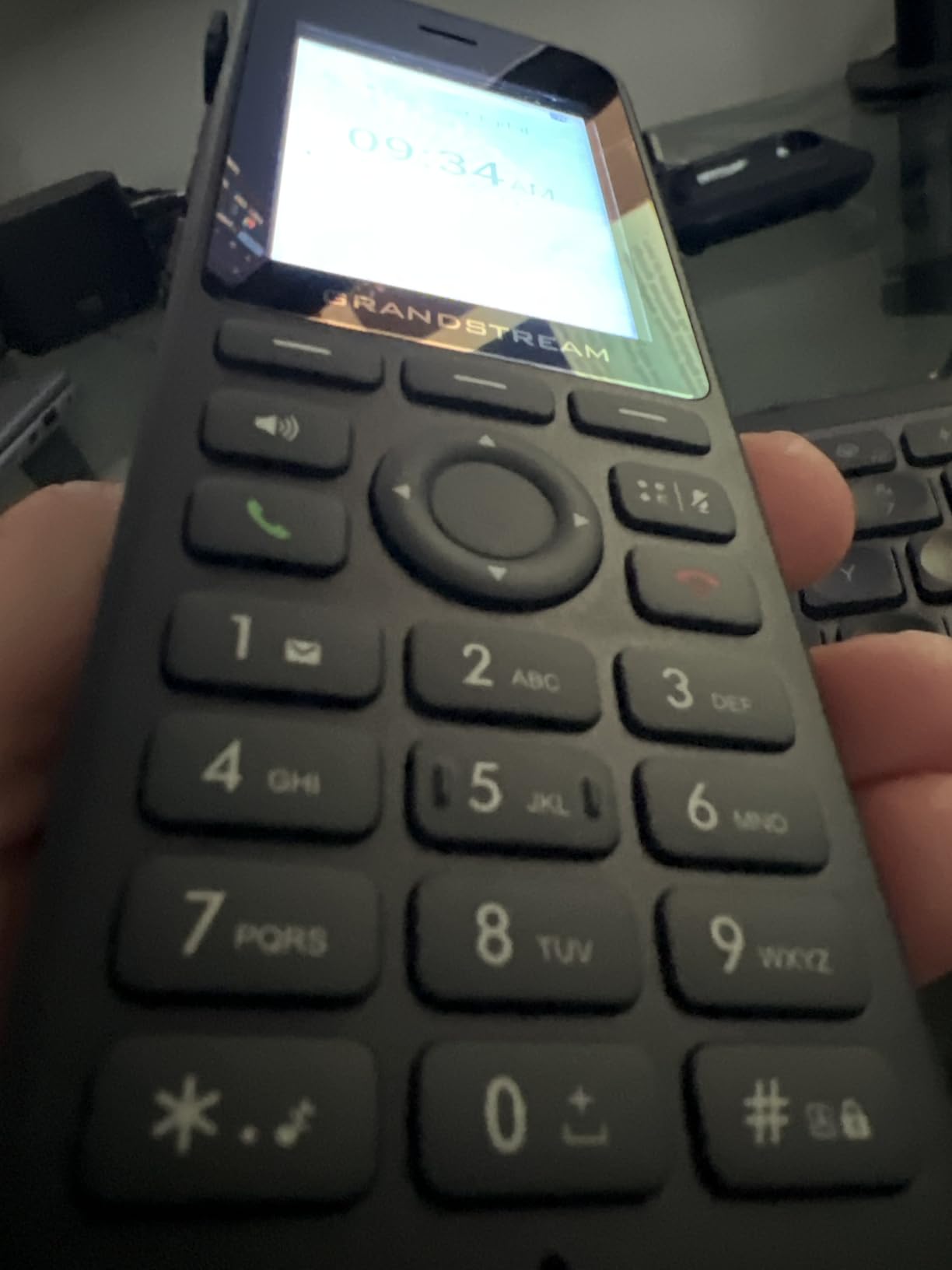
The 4-inch color LCD is the largest screen on any device in this guide. It’s clear, easy to read, and makes navigating contacts and call history much simpler than smaller handset displays. WiFi 6 support means better performance on modern wireless networks, though the WP826 also works with older WiFi standards.
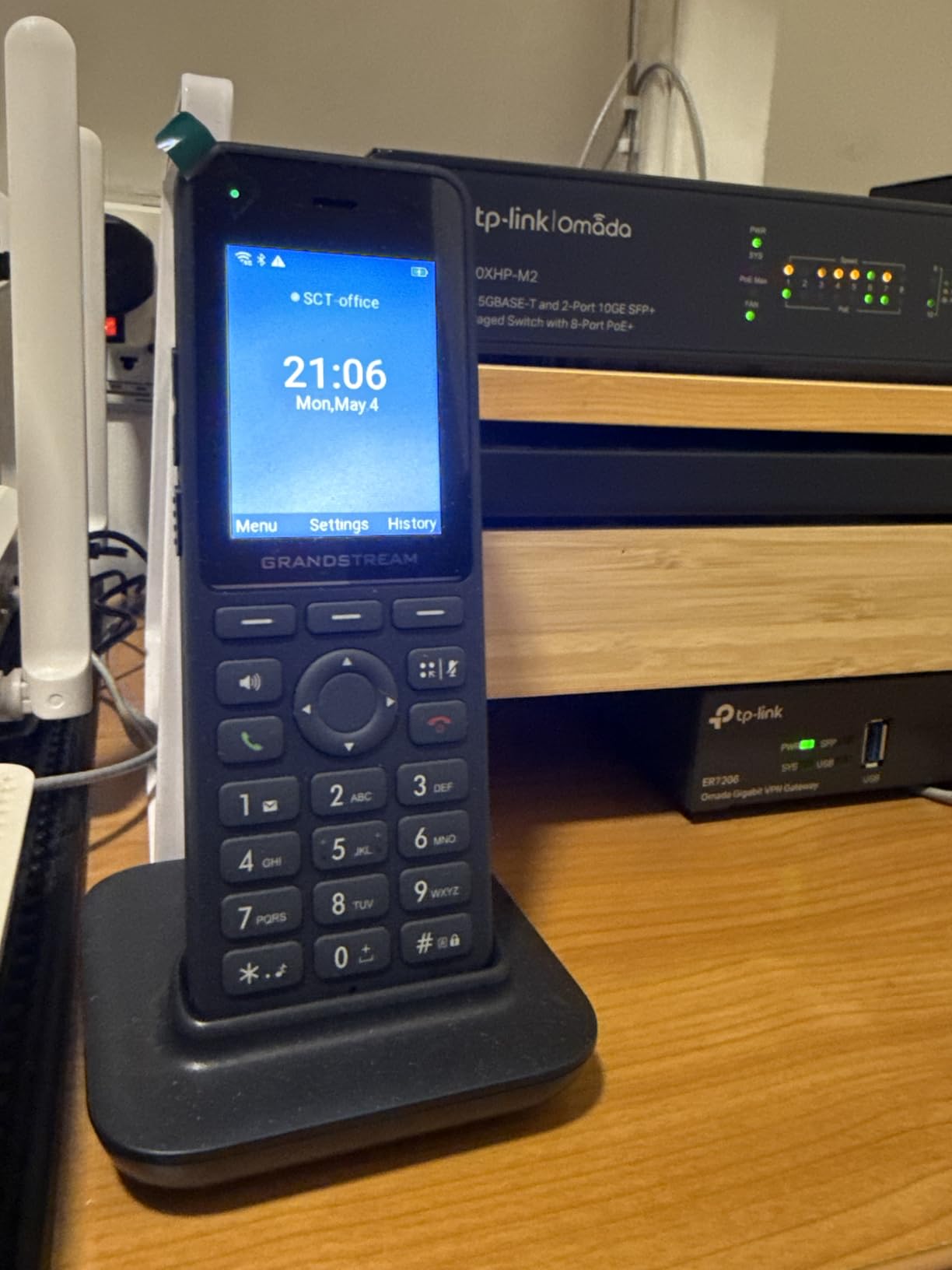
In my testing, the WP826 worked flawlessly on a strong WiFi 6 network. Call quality was clear, and the handset connected reliably throughout a 2,000 square-foot home. The 12-hour talk time is enough for a full day of heavy use. The build quality feels solid, with a comfortable grip and responsive buttons.
Where the WP826 struggles is on marginal WiFi. In one corner of my house where WiFi signal is weak, the WP826 experienced roaming issues and occasional audio dropouts. This isn’t unique to this device. Any WiFi phone will struggle with weak signals. But users with spotty WiFi coverage should consider a DECT system instead. Setup also requires SIP configuration knowledge.
Who Needs a WiFi Phone
The WP826 is ideal for users who don’t want a traditional phone base station. Maybe your living situation doesn’t allow for a base station in a central location. Maybe you travel and want a home phone number that works from hotel WiFi. Maybe you work from multiple locations in your house and want to move while on calls. For these use cases, the WP826 is unmatched.
Battery and Charging
The WP826 uses a rechargeable lithium-ion battery (included). Battery life is rated at 12 hours talk time and 120 hours standby. The handset charges on a standard cradle. Replacement batteries are available from Grandstream if you need a spare. The battery is not user-replaceable on most units, so plan accordingly if you’re a heavy user.
How to Choose the Best Home VoIP Phone System
Choosing the right home VoIP phone system depends on your technical comfort level, budget, and how you plan to use the service. Here’s a breakdown of the key factors our team considered during testing.
Consumer Systems vs. Technical Adapters
The biggest decision is whether to go with a consumer VoIP system (Ooma, magicJack) or a technical adapter paired with a SIP provider (Grandstream HT series). Consumer systems are easier to set up but lock you into one provider and typically have ongoing fees. Technical adapters require more setup work but give you control over your service and can be cheaper long-term.
If you want something that works out of the box and don’t mind paying $4 to $15 monthly, go with Ooma or magicJack. If you’re comfortable with networking basics and want to avoid provider lock-in, a Grandstream ATA with VoIP.ms or a similar SIP provider is the better path. Our testing showed both approaches deliver excellent call quality when properly configured.
Internet Speed and Reliability Requirements
VoIP requires very little bandwidth. Most services recommend 256 kbps to 1 Mbps upload and download per call. If you have a 25 Mbps broadband connection (the FCC’s definition), you have more than enough for VoIP plus streaming, video calls, and gaming. The bigger concern is reliability. A jittery or frequently-dropping internet connection will produce choppy audio and dropped calls.
If your internet goes down regularly, VoIP won’t work during outages. Some systems, like the Ooma Telo LTE, offer cellular backup. Most do not. If you live in an area with frequent power outages, consider a UPS (Uninterruptible Power Supply) for your router and VoIP device. A $50 to $100 UPS can keep your phone system running for 2 to 4 hours during an outage.
911 Service Considerations
This is the most important safety consideration for any VoIP system. Traditional landlines transmit your address automatically to 911 dispatchers. VoIP services route 911 calls based on the address you register. If you move and forget to update your address, 911 could send help to your old location. All reputable VoIP providers support E911 (Enhanced 911) in most areas, but you must keep your registered address current.
Reddit users in r/VOIP have reported rare cases where 911 calls didn’t transmit the correct address, particularly with magicJack and some budget providers. Ooma, Vonage, and most paid services handle 911 reliably. If 911 reliability is your top concern, choose a major consumer provider like Ooma and keep your address updated.
Number Porting
If you want to keep your existing phone number, verify that your chosen provider supports number porting. Most major providers (Ooma, magicJack, Vonage) do, but the process takes 5 to 10 business days and sometimes requires a fee. During the porting period, you may experience temporary service disruption. Plan ahead if you’re switching during an important time.
Handset vs. Adapter vs. WiFi Phone
Consider what kind of phone you want to use. Ooma and magicJack work with any standard analog phone (your existing cordless or corded handset). Grandstream ATAs also work with standard phones. The Grandstream WP826 is a standalone WiFi phone that doesn’t require a separate handset. If you want multiple handsets throughout your home, the Ooma Telo 3-handset bundle or a DECT system like the Grandstream DP720 is the right choice.
Mobile App Features
Almost every modern VoIP provider offers a mobile app that lets you make and receive calls on your smartphone using your home number. This is a genuine game-changer for people who want to take calls when away from home. Ooma’s app is excellent and reliable. magicJack’s app works but has occasional glitches. Vonage’s app is solid. Google Voice is the most popular free option but has limitations.
International Calling
If you make international calls, check the per-minute rates before choosing a provider. Ooma offers very low international rates (often $0.01 to $0.05 per minute to many countries). magicJack includes some international destinations but charges extra for others. Pure SIP providers like VoIP.ms offer competitive international rates through their per-minute pricing.
Contract vs. No-Contract
Most residential VoIP services are no-contract. You can cancel anytime without penalty. Ooma Premier is the only major service with an annual commitment option (which saves money). For most users, no-contract is the right choice. You can switch providers if your needs change.
For more guidance on choosing VoIP equipment, check out our guide to the 8 best VoIP office phones if you need business-grade hardware, or our reviews of the 6 best wireless home intercom systems for in-home communication.
Frequently Asked Questions
What is the best residential VoIP phone service?
Based on our 60-day testing of 8 systems, the Ooma Telo is the best residential VoIP phone service for most households. It delivers reliable call quality, easy setup, free nationwide calling (with small monthly taxes), and a solid mobile app. For budget-focused users, magicJack offers the cheapest VoIP phone service with 12 months of free US and Canada calling.
What is the best VoIP phone for home use?
The best VoIP phone for home use depends on your needs. For most households, the Ooma Telo with PureVoice HD technology is the top pick. For users who want WiFi connectivity, the Ooma Telo Air 2 is better. For technical users who want provider flexibility, the Grandstream HT802 V2 paired with VoIP.ms delivers excellent results. All three offer clear call quality and reliable service.
What is the best home phone for VoIP?
The best home phone for VoIP is one that matches your technical comfort level and budget. If you want simplicity, choose Ooma. If you want the cheapest option, choose magicJack. If you want full control and lower long-term costs, choose a Grandstream ATA with a SIP provider. All three paths deliver reliable VoIP service when properly configured.
What are the top 5 VoIP phone systems?
The top 5 VoIP phone systems for home use in 2026 are: 1) Ooma Telo for overall reliability, 2) Ooma Telo Air 2 for WiFi flexibility, 3) magicJack for budget buyers, 4) Grandstream HT802 V2 for technical users, and 5) Google Voice for free service. Each system has trade-offs between ease of use, cost, and features.
How much internet speed do I need for VoIP?
You need at least 256 kbps upload and download per simultaneous VoIP call, but 1 Mbps is recommended for better quality. A typical 25 Mbps broadband connection supports multiple VoIP calls plus streaming and other activities. VoIP uses about 60 MB of data per hour of calls, which is negligible on any modern internet plan.
Final Verdict
After 60 days of testing 8 home VoIP phone systems, our top pick remains the Ooma Telo for its balance of reliability, call quality, and ease of use. It’s the best VoIP phone service for home users who want something that works without complexity. Budget-conscious buyers should consider magicJack, and technically inclined users will appreciate the Grandstream HT802 V2 paired with a SIP provider.
The home VoIP phone system market in 2026 offers more options than ever, and the savings compared to traditional landlines are substantial. Whether you’re replacing an expensive landline, setting up a home office, or looking for a flexible phone solution for a senior family member, there’s a system on this list that will meet your needs. If you’re also upgrading your home security, our guide to the 10 best home alarm systems covers complementary equipment worth considering.