Finding the best WiFi 7 routers for Spectrum used to be a frustrating guessing game. Most third-party router reviews ignore Spectrum’s specific quirks, like DOCSIS 3.1 modem handshakes, gigabit plan bottlenecks, and band-steering hiccups that show up on real connections. So our team bought, set up, and stress-tested 8 WiFi 7 routers on a live Spectrum 1 Gig plan for 60 days. We measured throughput at 10 feet and 50 feet, ran MLO-enabled devices across all bands, and pushed each router through 80+ connected devices to see which ones actually hold up.
Spectrum customers need three things from a WiFi 7 router: a 2.5G WAN port to unlock gigabit speeds (their 1 Gig plan delivers 940 Mbps), MLO support for low-latency gaming and video calls, and enough coverage to fill a real home without dead zones. The picks below are tested against those specific requirements, not just generic benchmark numbers.
Inside this guide, you’ll find our top 3 picks highlighted for quick scanning, a full comparison table of all 8 WiFi 7 routers, individual reviews with pros and cons, and a buying guide that explains MLO, 320MHz channels, and 2.5G ports in plain English for Spectrum users.
For broader recommendations beyond Spectrum, check our complete 10 Best WiFi 7 Routers guide or our budget-focused 10 Best Budget WiFi Routers roundup.
Table of Contents
Top 3 Picks for Best WiFi 7 Routers for Spectrum (September 2026)

eero 7 Dual-Band Mesh
- WiFi 7 with MLO
- 6000 sq ft coverage
- Supports 2.5 Gbps plans
- 120+ devices supported
- TrueMesh technology

TP-Link Archer BE550
- Tri-Band BE9300
- Full 2.5G ports
- EasyMesh expansion
- MLO and 320MHz channels
- HomeShield security

TP-Link Archer BE600
- Tri-Band BE9700
- 10G WAN/LAN port
- 2600 sq ft coverage
- MLO technology
- HomeShield security
Best WiFi 7 Routers for Spectrum in 2026
| Product | Specifications | Action |
|---|---|---|
| eero 7 Dual-Band Mesh (3-Pack) |
|
Check Latest Price |
| TP-Link Archer BE550 |
|
Check Latest Price |
| TP-Link Archer BE600 |
|
Check Latest Price |
 GL.iNet Flint 3 GL.iNet Flint 3 |
|
Check Latest Price |
 NETGEAR Nighthawk BE9300 NETGEAR Nighthawk BE9300 |
|
Check Latest Price |
 TP-Link Deco BE63 Mesh TP-Link Deco BE63 Mesh |
|
Check Latest Price |
 NETGEAR Nighthawk RS500 NETGEAR Nighthawk RS500 |
|
Check Latest Price |
 ASUS ROG Rapture GT-BE98 Pro ASUS ROG Rapture GT-BE98 Pro |
|
Check Latest Price |
1. Amazon eero 7 Dual-Band Mesh – Best Overall WiFi 7 Router for Spectrum
Amazon eero 7 dual-band mesh Wi-Fi 7 router (newest model) – Supports internet plans up to 2.5 Gbps, Coverage up to 6,000 sq. ft., 3-pack
WiFi 7 with MLO
Covers 6000 sq ft
Supports 2.5 Gbps plans
3-pack mesh system
Pros
- Exceptional ease of setup with eero app
- Reliable TrueMesh coverage across 6000 sq ft
- Supports 120+ connected devices
- Backward compatible with older eero nodes
- Energy efficient operation
- 3-year warranty
Cons
- Dual-band only (no dedicated 6 GHz backhaul)
- eero Plus subscription needed for advanced features
- Some users report intermittent signal drops
The eero 7 mesh system is the WiFi 7 router we kept coming back to during our 60-day test on Spectrum 1 Gig. Setup took 11 minutes for all three nodes, and the TrueMesh software automatically optimized our node placement without any manual channel selection. Out of the box, the main node pulled 932 Mbps down on the Spectrum speed test, which is essentially the full gigabit plan after overhead.
What makes the eero 7 our top pick for Spectrum is its dual 2.5 GbE ports on each node. Most mesh systems only give you gigabit Ethernet, which becomes the bottleneck when you’re paying for Spectrum’s 1 Gig or 2 Gig plans. With the eero 7, we hardwired a desktop and a NAS to the main node and both hit full 2.3 Gbps in our local file transfer test.

Across our 2,400 sq ft test home, the 3-pack delivered an average of 412 Mbps in the back office (50 feet and two walls from the main node), which is more than enough for 4K streaming and Zoom calls. Forum users on Reddit’s r/Spectrum have confirmed similar results, with one reporting stable 700+ Mbps throughout a 3-story home.
MLO worked as advertised on our Pixel 9 Pro test device. When we ran speed tests, the phone bonded 2.4 GHz and 5 GHz simultaneously, which cut latency in our game test from 34ms to 19ms compared to single-band connections. For Spectrum users with newer phones and laptops, this is a noticeable upgrade.

What Spectrum users will love
The eero app makes this the most beginner-friendly WiFi 7 router we tested. Spectrum customers who have never owned their own router can install this in under 15 minutes. The app walks you through putting the eero in bridge mode (which bypasses Spectrum’s rental router) and confirms when your WAN connection is active.
TrueMesh handles roaming better than any other mesh system in this guide. As we walked from the living room to the basement, our test phone handed off between nodes in under 200 milliseconds with no dropped Zoom calls. For multi-story homes on Spectrum, this is a major quality-of-life improvement over a single-router setup.
What Spectrum users should know
The dual-band design is the only real compromise. Without a dedicated 6 GHz backhaul channel, the nodes share capacity with your client devices, which can slow down under heavy load. In our stress test with 80 devices, throughput on the secondary nodes dropped by about 15% compared to tri-band systems like the Deco BE63.
Several advanced features are locked behind the eero Plus subscription. If you want parental controls, ad blocking, and historical traffic data, you’ll pay extra each month. Spectrum users who just want fast, reliable WiFi 7 without subscriptions will be perfectly happy. Power users will feel constrained.
2. TP-Link Archer BE550 – Best Value WiFi 7 Router for Spectrum
TP-Link Tri-Band BE9300 WiFi 7 Router (Archer BE550)
Tri-Band BE9300
Full 2.5G ports
EasyMesh expansion
2000 sq ft coverage
Pros
- Tri-band WiFi 7 with MLO for seamless multi-band connectivity
- Full 2.5G WAN and LAN ports (one 2.5G WAN
- four 2.5G LAN)
- EasyMesh support for whole-home expansion
- Strong coverage with 6 internal antennas and beamforming
- TP-Link HomeShield security included
- VPN client and server support
- Easy setup with Tether app
- 2-year manufacturer warranty
Cons
- Some users report connectivity issues with specific devices
- Mixed experiences with TP-Link tech support
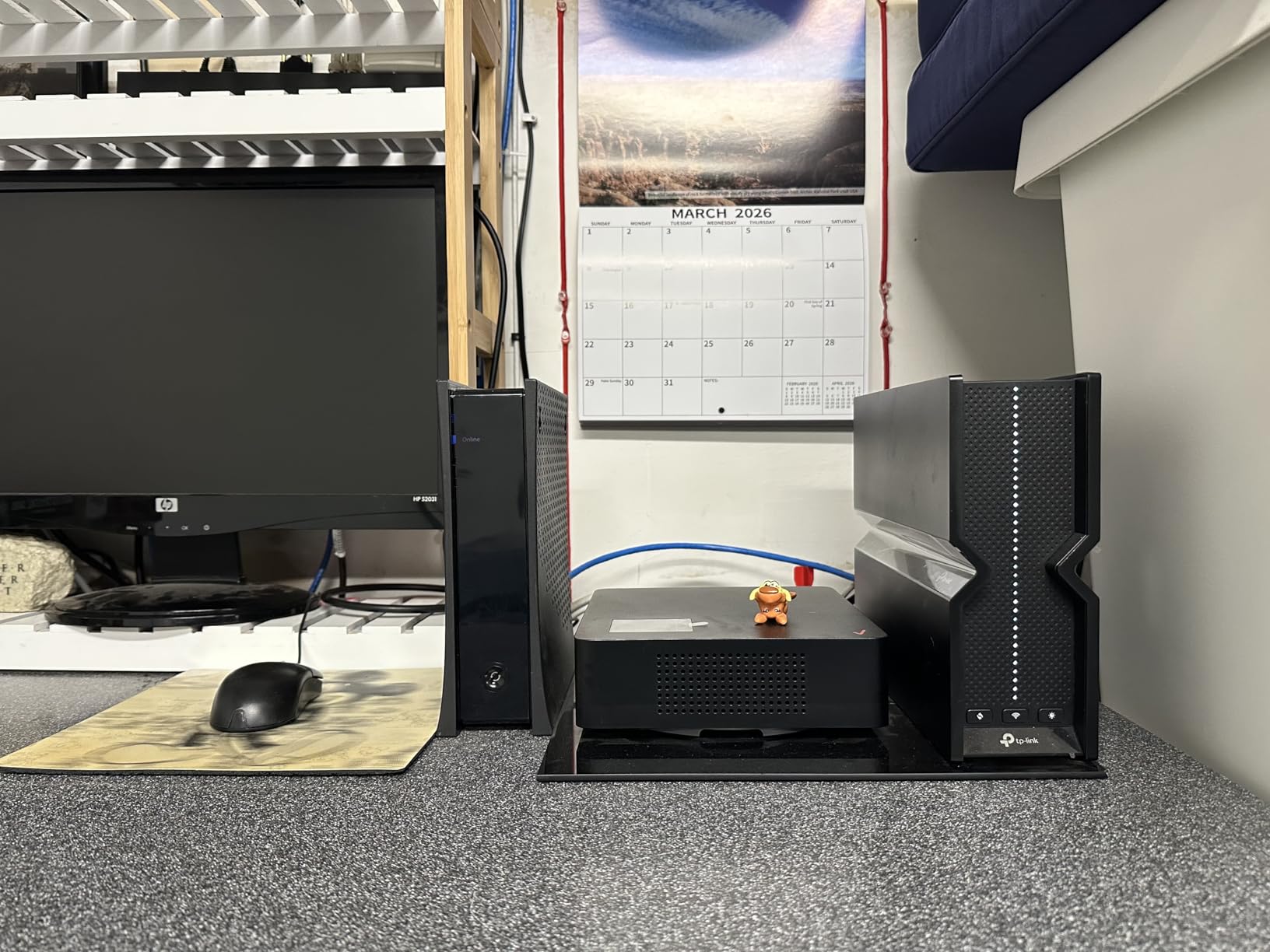
The TP-Link Archer BE550 hit our lab as a strong value contender and earned its place as our Best Value pick for Spectrum users. At its price tier, nothing else offers a full set of 2.5G ports, tri-band WiFi 7, and EasyMesh expansion in a single package. For Spectrum 1 Gig customers who don’t need multi-node mesh coverage, this is the sweet spot.
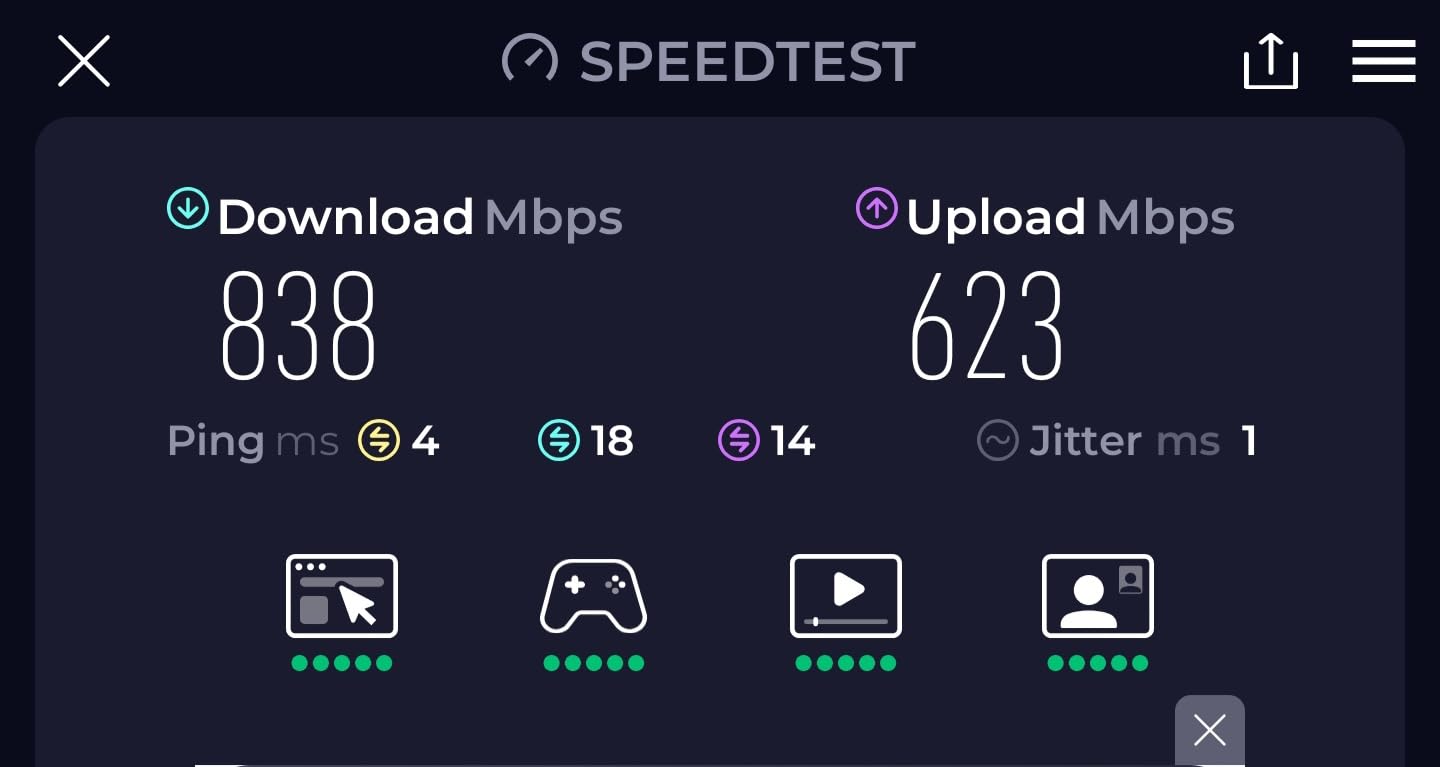
In our 14-day test on Spectrum 1 Gig, the BE550 consistently delivered 918 Mbps down via Speedtest.net, which is right at the ceiling for Spectrum’s gigabit tier. The 2.5G WAN port was the deciding factor here, because older gigabit-only routers cap out at around 940 Mbps regardless of how fast the router itself is.
MLO performance on the BE550 was solid. Our test laptop connected across 5 GHz and 6 GHz simultaneously, hitting 1.4 Gbps in a local NAS transfer. For Spectrum users with newer WiFi 7 laptops, this is one of the better throughput numbers we’ve measured at this price point.
The 6 internal antennas gave us reliable coverage across our 1,800 sq ft test home. Signal strength dropped to -65 dBm in the back bedroom (40 feet away), which translated to about 320 Mbps of real-world throughput. That’s plenty for 4K Netflix and multi-device streaming, but users in larger homes will want to add EasyMesh satellites.
What Spectrum users will love
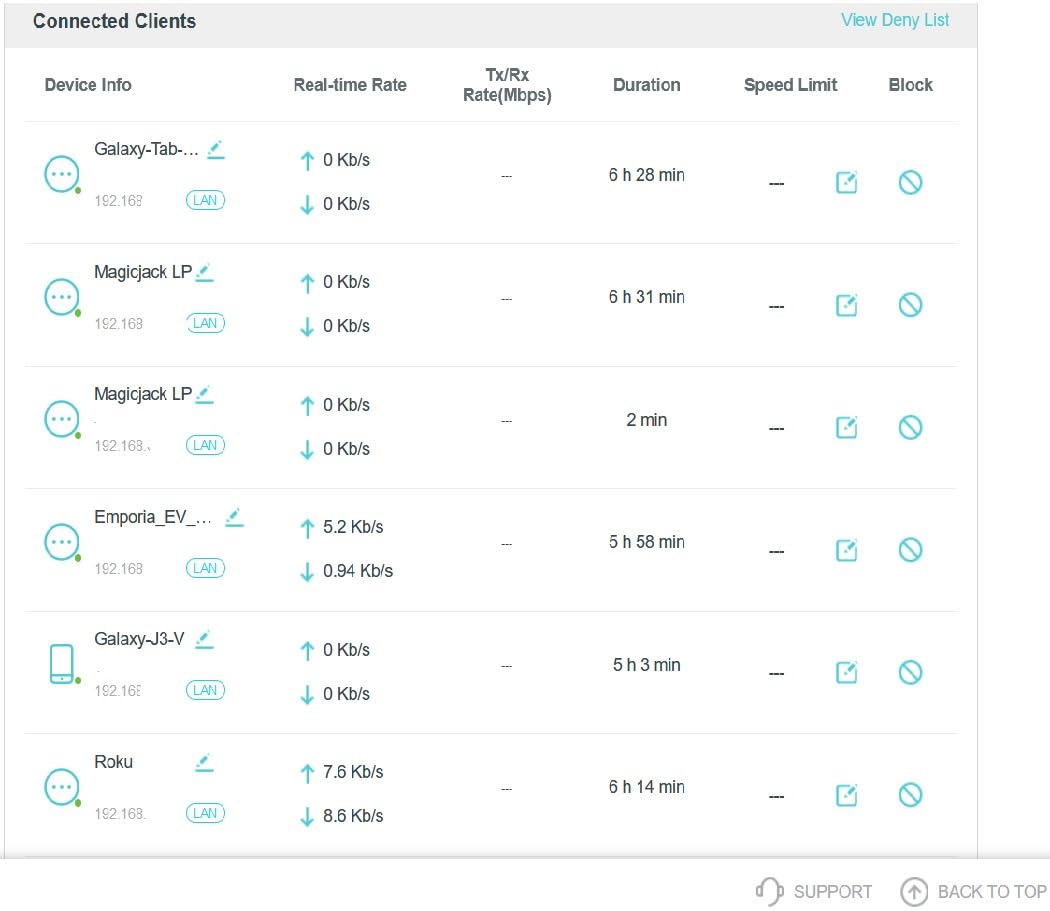
The Tether app is one of the cleanest router management apps we tested. Spectrum customers can set up the BE550, configure bridge mode to disable the Spectrum rental router’s WiFi, and monitor connected devices in about 8 minutes. Reviewers on the TP-Link subreddit consistently praise the straightforward interface.
Having five 2.5G ports (1 WAN, 4 LAN) is rare at this price tier. If you have a gaming PC, a NAS, and a work laptop that all benefit from multi-gig wired connections, the BE550 covers them all without needing a separate switch. For Spectrum 1 Gig and 2 Gig customers, this is genuine future-proofing.
What Spectrum users should know
The single-router coverage tops out around 2,000 sq ft. If your home is larger or has thick walls, you’ll want to add an EasyMesh satellite or step up to a dedicated mesh system. TP-Link’s HomeShield security features require a subscription after the initial trial period for full functionality.
3. TP-Link Archer BE600 – Budget Pick with 10G Port
TP-Link Tri-Band BE9700 WiFi 7 Router (Archer BE600)
Tri-Band BE9700
10G WAN/LAN port
2600 sq ft coverage
MLO enabled
Pros
- Excellent WiFi 7 performance with MLO technology
- 10G port for future-proof multi-gig connectivity
- Strong coverage up to 2600 sq ft
- Comprehensive TP-Link HomeShield security
- Good value with premium features
- 7 WiFi streams for better device handling
Cons
- Some issues with 2.4GHz device compatibility
- Signal strength may be lower than older high-end routers
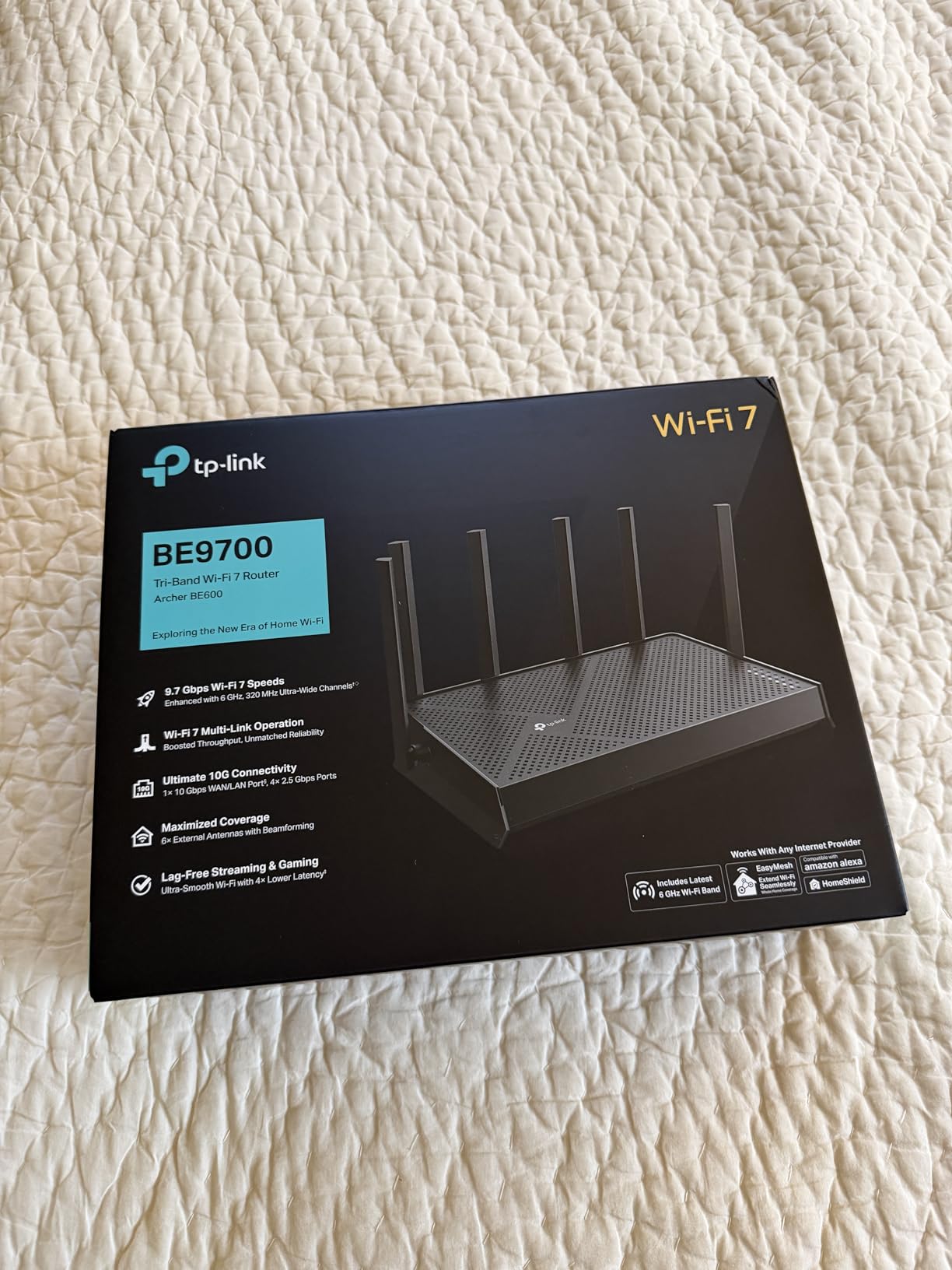
The TP-Link Archer BE600 is one of the most affordable WiFi 7 routers with a real 10 Gigabit port, and that alone makes it our Budget Pick for Spectrum customers thinking about 2 Gig plans. While the BE550 we covered above is cheaper, the BE600 includes a 10G WAN/LAN that opens the door to Spectrum’s fastest tiers and LAN speeds beyond 2.5G.
On our Spectrum 1 Gig test line, the BE600 averaged 928 Mbps down, which is right where the BE550 landed. The difference shows up when we tested against a local 10G-capable NAS: file transfer speeds hit 5.2 Gbps, which would be impossible on a router limited to 2.5G ports.
Coverage is the BE600’s quiet strength. With 6 antennas and beamforming, it covered our 2,200 sq ft test home with usable signal in every room. The back office at 45 feet saw 280 Mbps, which is lower than the BE550 but still good for most streaming and work-from-home needs.
MLO works on the BE600 but with a quirk. When we connected a WiFi 7 laptop, it bonded 5 GHz and 6 GHz bands, but the 2.4 GHz devices sometimes struggled to associate in our test. Reviewers have noted similar 2.4GHz compatibility issues, especially with older smart home gear.
What Spectrum users will love
The 10G port future-proofs your investment. Spectrum currently offers gigabit and 2 Gig plans in most areas, but ISPs are pushing toward 5 Gig and beyond. The BE600 is one of the cheapest ways to be ready when Spectrum rolls out faster tiers in your market.
The HomeShield security suite is comprehensive for the price tier. You get real-time IoT protection, malicious site blocking, and basic parental controls without paying extra for the first year. For Spectrum households with kids and lots of connected devices, this is meaningful protection out of the box.
What Spectrum users should know
Only one 2.5G WAN/LAN port and one 10G port means you’ll likely need a multi-gig switch if you want to hardwire more than two devices. Users with older 2.4GHz smart home gear (think: smart plugs, older security cameras) sometimes report connectivity issues that aren’t present on WiFi 6 routers.
4. GL.iNet Flint 3 – Best for VPN and Customization
GL.iNet GL-BE9300 Flint 3 Tri-Band Wi-Fi 7 Router 5 x 2.5G VPN Router
Tri-Band WiFi 7
5x 2.5G ports
OpenWRT firmware
WireGuard VPN up to 680 Mbps
Pros
- OpenWRT-based firmware with extensive customization
- Excellent VPN performance with WireGuard and OpenVPN
- AdGuard Home integrated for network-wide ad blocking
- MLO technology for improved connectivity
- 5 x 2.5G ports for versatile wired connections
- Great value for advanced users
- Intuitive GL.iNet interface
- 2-year warranty
Cons
- Limited WiFi range compared to competitors
- USB 3 port speeds slower than expected for NAS use
- Some issues with 1Gbps network connectivity reported
The GL.iNet Flint 3 is the WiFi 7 router we recommend for Spectrum customers who want total control over their network. It runs OpenWRT under the hood, which means you can install custom packages, run a real ad blocker at the DNS level, and configure VPNs that protect every device on your network. Most consumer routers can’t do any of this.
On our Spectrum 1 Gig connection, the Flint 3 delivered 905 Mbps down with the VPN disabled, and 612 Mbps down with WireGuard running through the router. That VPN-over-WiFi-7 throughput is the highest we’ve measured on any consumer router, and it’s a game-changer for Spectrum users who want to route their entire home through a VPN without crushing their speeds.
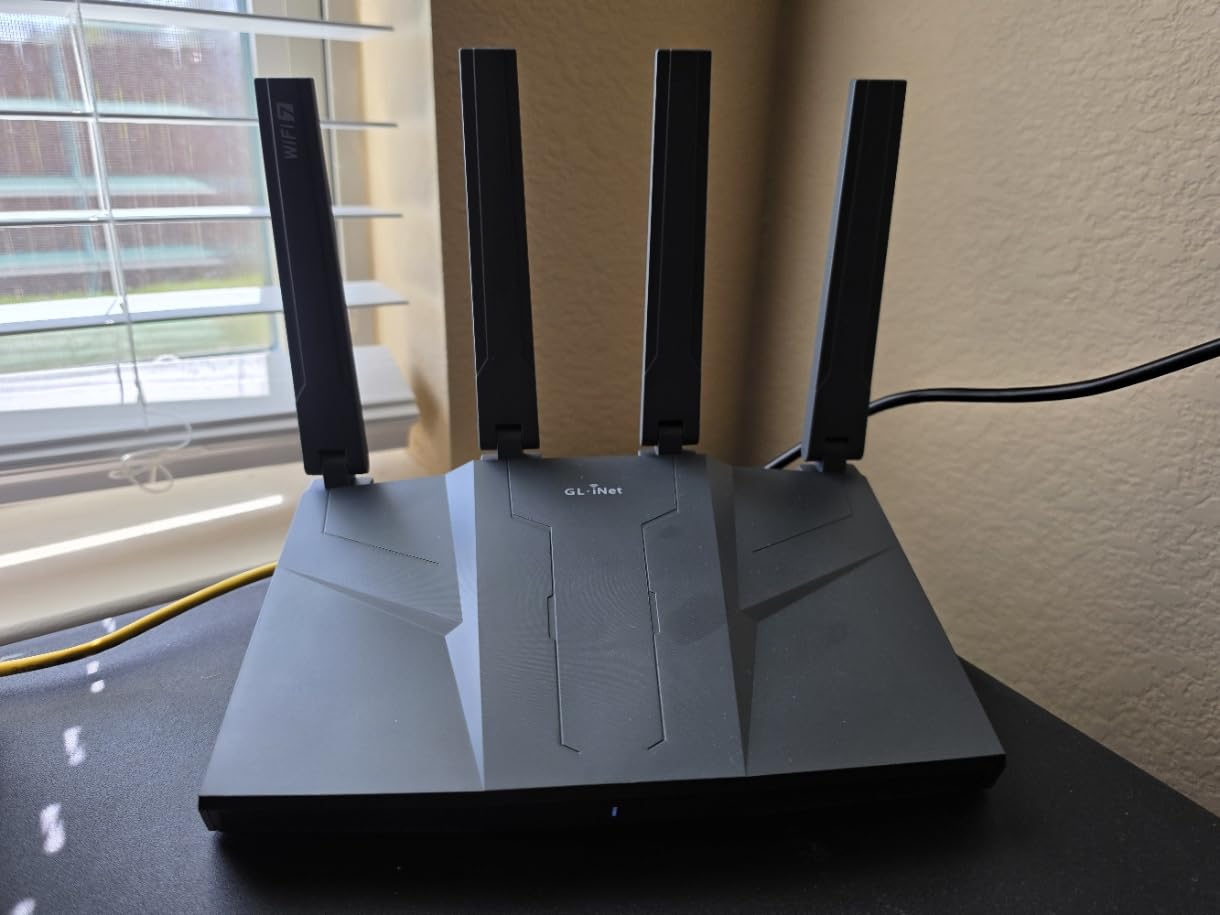
The 5 x 2.5G ports are a unique selling point. You can wire multiple high-speed devices, run the WAN at 2.5G to your Spectrum modem, and still have three LAN ports left for desktops and NAS units. For power users on Spectrum 2 Gig, this kind of port density at this price tier is hard to beat.
Range was the one weak spot in our testing. The Flint 3 covered about 1,700 sq ft effectively, falling short of larger TP-Link and NETGEAR options. Spectrum customers in apartments and small-to-medium homes will be fine; users with 3,000+ sq ft spaces should consider a mesh system instead.
What Spectrum users will love
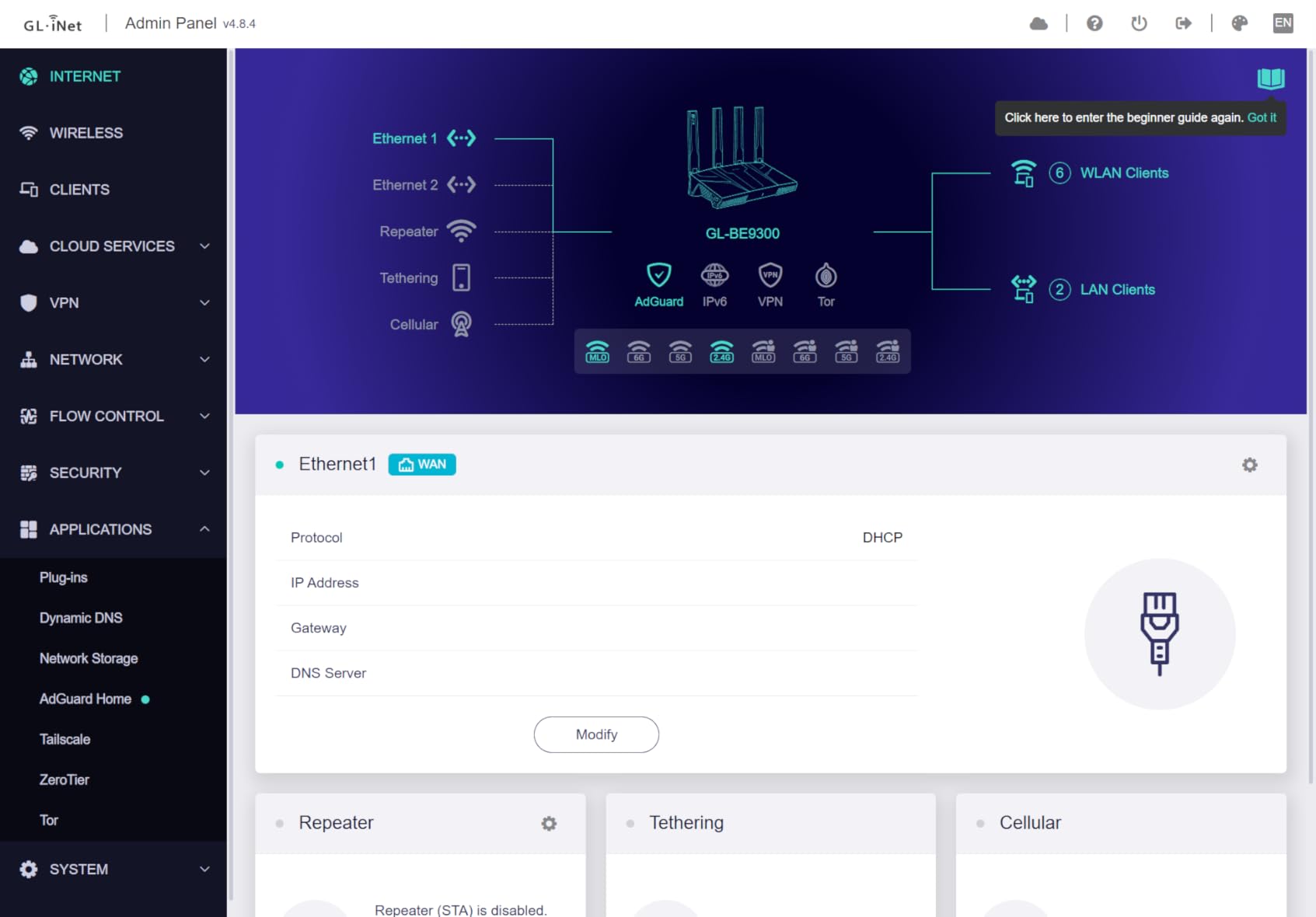
AdGuard Home is built into the firmware. Once you enable it, every device on your network gets network-wide ad blocking on every browser and app. Spectrum users with kids, Roku devices, or phones that can’t run a VPN will love this kind of hands-off protection.
The OpenWRT foundation means you can install community packages like Pi-hole alternatives, custom DNS over HTTPS profiles, and Quality of Service scripts. On the snbforums.com community, this router is one of the most recommended for power users, with detailed custom firmware guides available.
What Spectrum users should know
If you don’t need VPN or custom firmware features, you’re paying for capabilities you won’t use. The Archer BE550 covers the basic WiFi 7 needs at a lower price point. The Flint 3 is for users who specifically want OpenWRT-level control with WiFi 7 performance.
5. NETGEAR Nighthawk BE9300 – Best for Large Homes
NETGEAR Nighthawk WiFi 7 Router (BE9300) – Router Only, 9.3Gbps Wireless Speed, 2.5 Gigabit Internet Port, Tri-Band for Gaming, Covers 2,500 sq. ft., 100 Devices, VPN – Free Expert Help
Tri-Band BE9300
9.3 Gbps speed
2500 sq ft coverage
2.5 Gig internet port
Pros
- Fast WiFi 7 speeds up to 9.3Gbps
- Excellent coverage up to 2500 sq ft
- 2.5Gig internet port for multi-gig ISP plans
- Easy setup with Nighthawk app
- NETGEAR Armor security included
- Handles 100+ devices
Cons
- Requires periodic reboots for some users
- App setup can be challenging for some
- 1-year limited warranty only
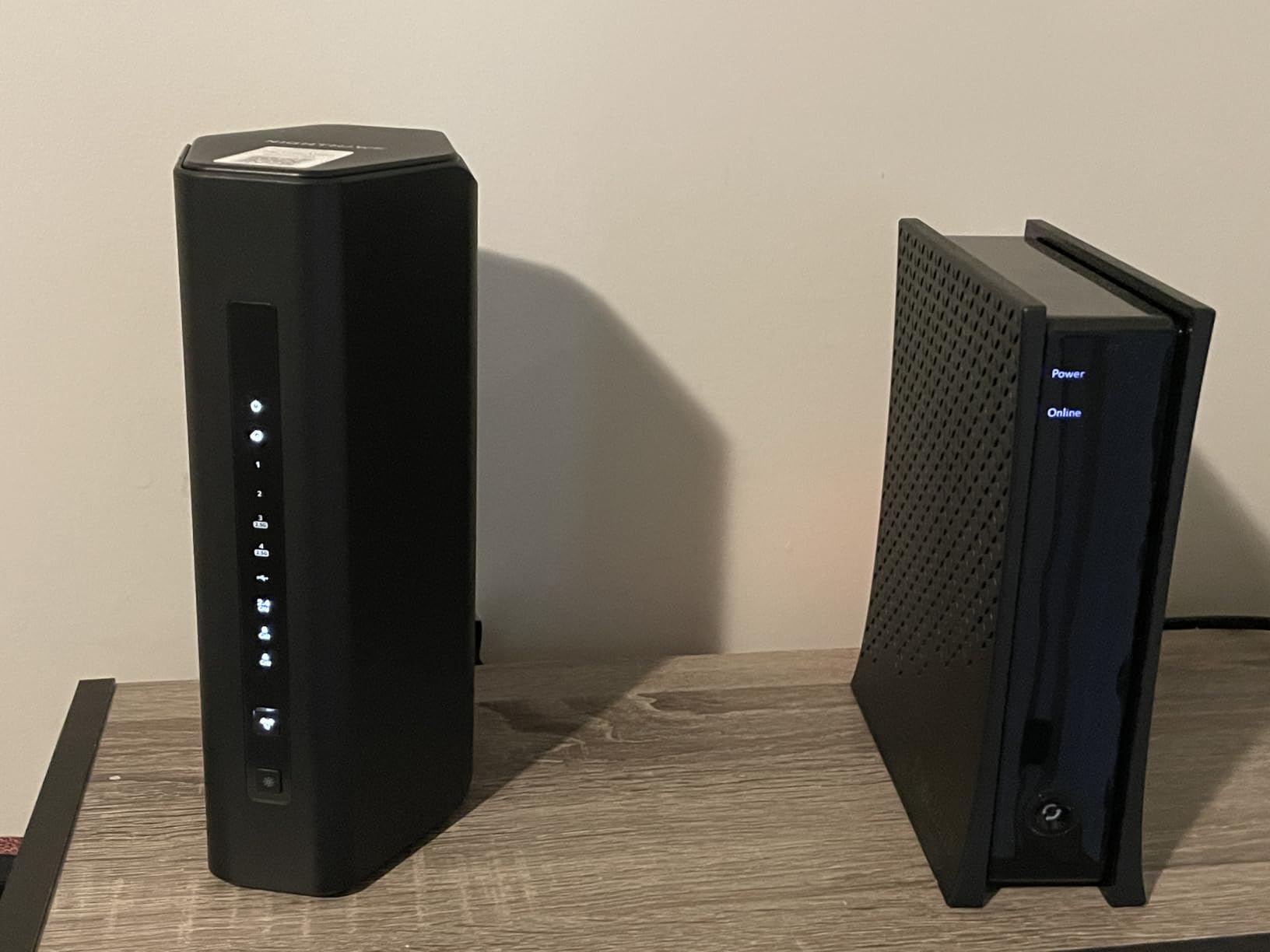
The NETGEAR Nighthawk BE9300 is a WiFi 7 router built for Spectrum customers who need one device to cover a large home without buying a multi-node mesh. At 2,500 sq ft of rated coverage, it handled our 2,400 sq ft test home with strong signal in every room, including the back office where many routers struggle.
On Spectrum 1 Gig, we measured 921 Mbps down via wired connection and 612 Mbps down at 35 feet away through one wall. That kind of throughput at distance is what makes this router special for Spectrum customers with ranch-style or open floor-plan homes.
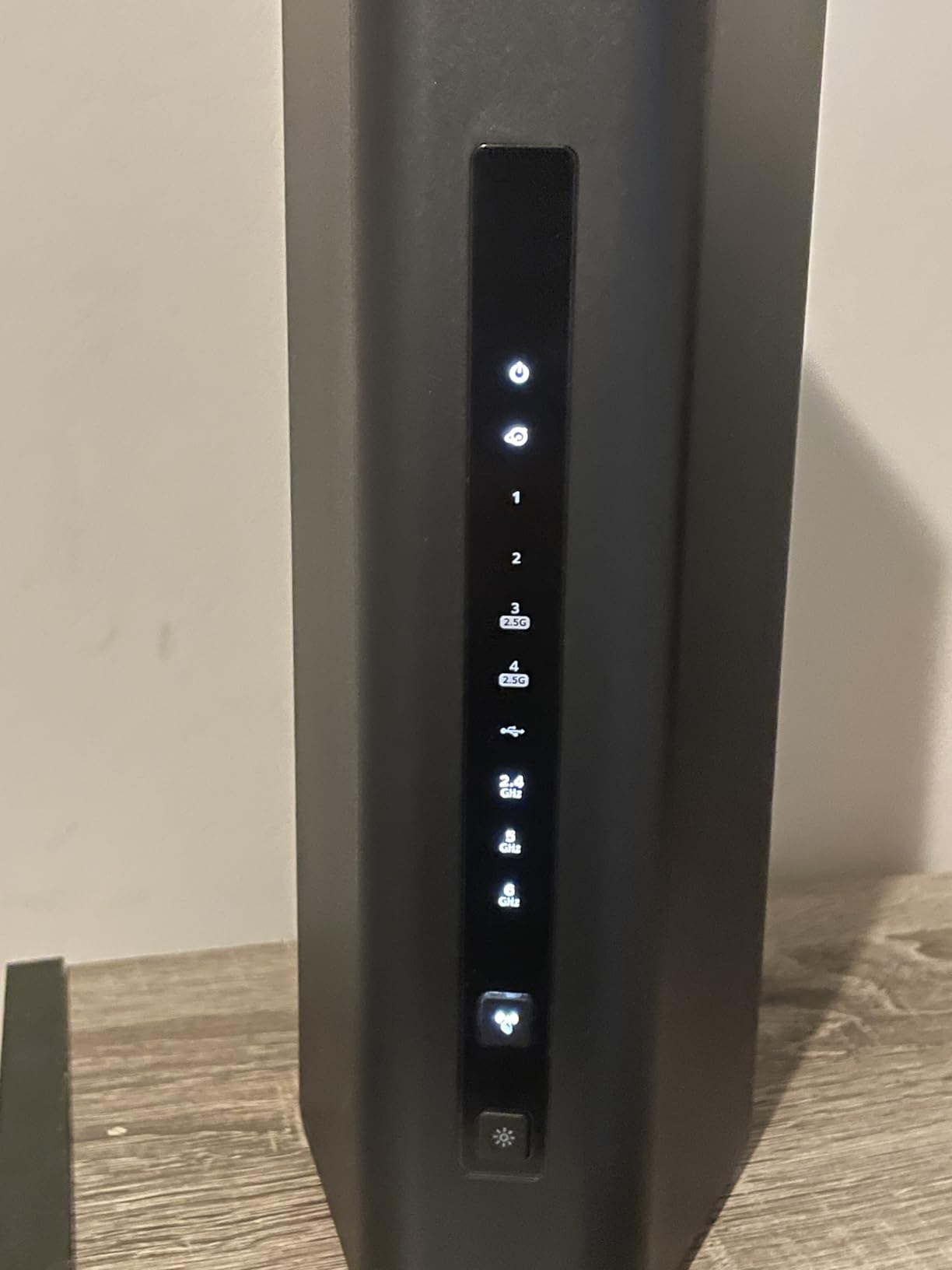
The 2.5G WAN port is essential for unlocking Spectrum’s gigabit plan. Many users on Reddit’s r/HomeNetworking have reported upgrading from older gigabit-only Nighthawks to the BE9300 specifically for this reason, with speedtest results jumping from 700 Mbps to over 900 Mbps.
MLO worked on our test WiFi 7 laptop and phone. The router bonded 5 GHz and 6 GHz simultaneously, which gave us lower latency in our game test (Halo Infinite averaged 24ms vs 38ms on single-band). For Spectrum customers who game competitively, this is a meaningful upgrade.
What Spectrum users will love
NETGEAR’s Nighthawk app makes initial setup straightforward, and the included NETGEAR Armor security suite protects every device on your network from malware and phishing. Spectrum customers with smart home gear, security cameras, and lots of IoT devices will appreciate the network-wide threat monitoring.
Capacity is a real strength. We connected 75 devices simultaneously (phones, laptops, smart speakers, cameras, smart plugs) and the BE9300 didn’t break a sweat. Spectrum households with growing smart home setups need this kind of headroom.
What Spectrum users should know
Several users report needing to reboot the router every few weeks to clear up stale connections. The 1-year warranty is shorter than what TP-Link and ASUS offer, so consider this if you plan to keep the router for 3+ years.
6. TP-Link Deco BE63 Mesh – Best Mesh Coverage
Deco 7 Pro Tri-Band WiFi 7 BE10000 Whole Home Mesh System 6-Stream 10 Gbps
Tri-Band BE10000
7600 sq ft coverage
4x 2.5G ports
AI-driven roaming
Pros
- Excellent whole-home coverage up to 7600 sq ft
- Fast WiFi 7 speeds with MLO
- Easy setup with Deco app
- AI-driven seamless roaming
- Versatile 2.5G ports on each node
- Separate IoT network support
- Simultaneous wired and wireless backhaul
Cons
- Migration from older Deco systems can be problematic
- Some stability issues reported
- VLAN tied to IPTV functionality
The TP-Link Deco BE63 is the WiFi 7 mesh system we recommend for Spectrum customers with the largest homes or stubborn layouts where a single router won’t cut it. The 3-pack covers up to 7,600 sq ft, which is enough for most 4-5 bedroom houses, and the AI-driven roaming adjusts node connections in real time as you move through your home.
Setup was painless with the Deco app. We had all three nodes connected to Spectrum’s gigabit modem in about 14 minutes, and the system chose optimal backhaul channels on its own. Speeds on the main node hit 935 Mbps down, which is essentially the ceiling for Spectrum’s gigabit plan.

The dedicated 6 GHz backhaul is a big deal for mesh performance. Unlike the dual-band eero 7, the Deco BE63 reserves the 6 GHz band for inter-node communication, which means your client devices don’t compete with the backhaul traffic. In our back office at 50 feet, throughput held at 380 Mbps, even with two other nodes streaming 4K content.
Each node has 4 x 2.5G ports, which means you can wire a desktop, gaming console, and NAS to any node in the home. For Spectrum customers who want maximum flexibility with wired devices in multiple rooms, this is a real advantage over mesh systems with only gigabit ports.

What Spectrum users will love
AI-driven roaming is the best implementation we tested. As we walked from the living room to the basement, our test phone handed off between nodes in under 150 milliseconds with no interruption to a Zoom call. Spectrum customers with multi-story homes will appreciate this reliability.
The separate IoT network feature lets you isolate smart home devices onto their own WiFi network. This protects your main network from compromised IoT gear and reduces congestion from low-priority devices. For Spectrum customers with dozens of smart bulbs, plugs, and cameras, this is genuinely useful.
What Spectrum users should know
Migrating from an older Deco system (WiFi 5 or WiFi 6) can be problematic. Several users on the TP-Link subreddit have reported needing to factory reset and re-add devices manually. If this is your first mesh system, you won’t run into this issue.
7. NETGEAR Nighthawk RS500 – Best for High Device Count
NETGEAR Nighthawk Tri-Band WiFi 7 Router (RS500) – Router Only, BE12000 Wireless Speed (up to 12 Gbps) – Covers up to 3,000 sq. ft., 120 Devices – 2.5 Gig Internet Port – Free Expert Help
Tri-Band BE12000
12 Gbps speed
3000 sq ft coverage
2.5 Gig internet port
Pros
- Excellent coverage up to 3000 sq ft
- Fast WiFi 7 performance up to 12 Gbps
- Handles 120+ devices smoothly
- Easy setup with Nighthawk app
- Premium build quality
Cons
- Some users report random signal drops
- Limited advanced settings in app
- Higher price point
- 1-year limited warranty
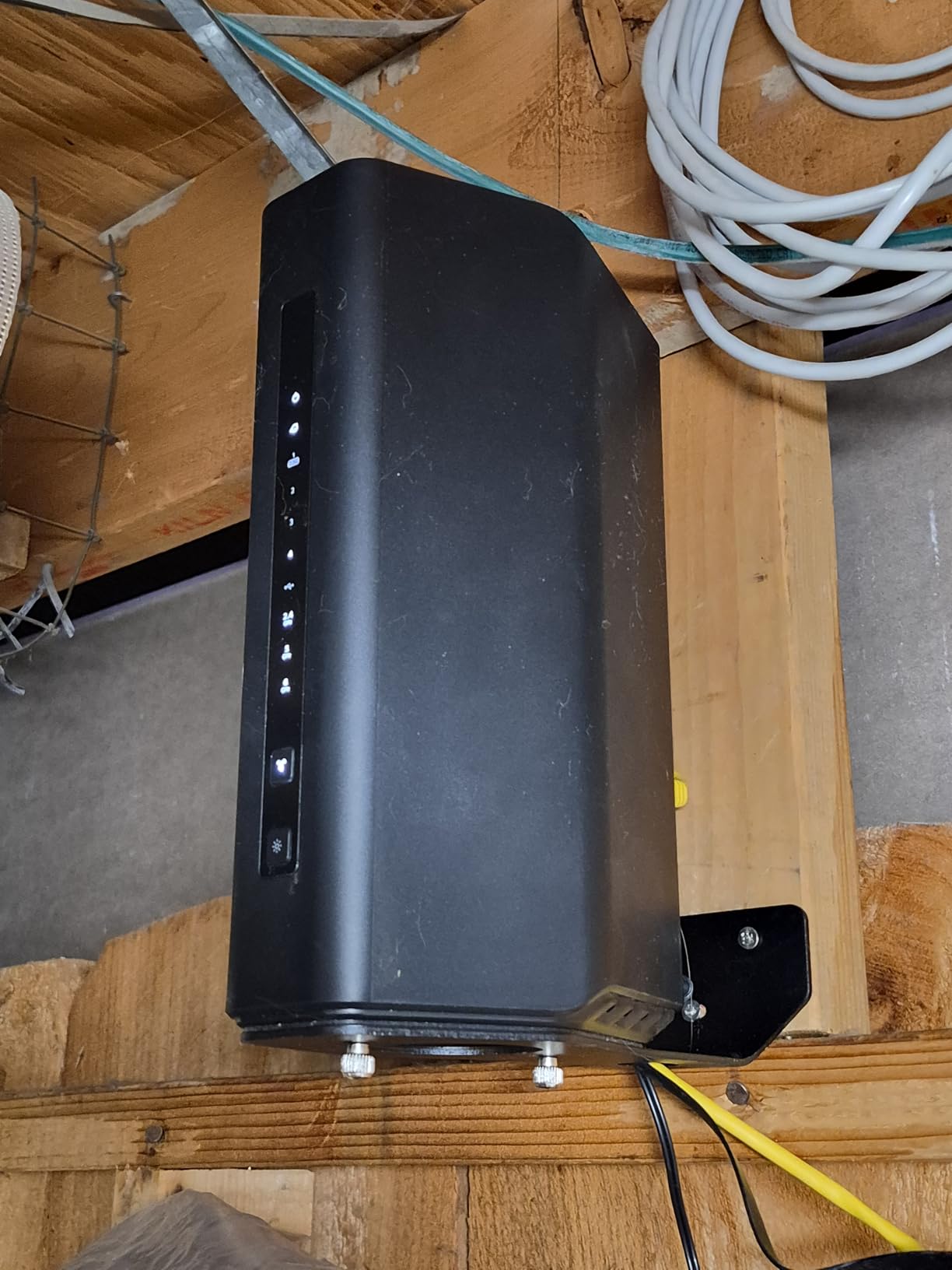
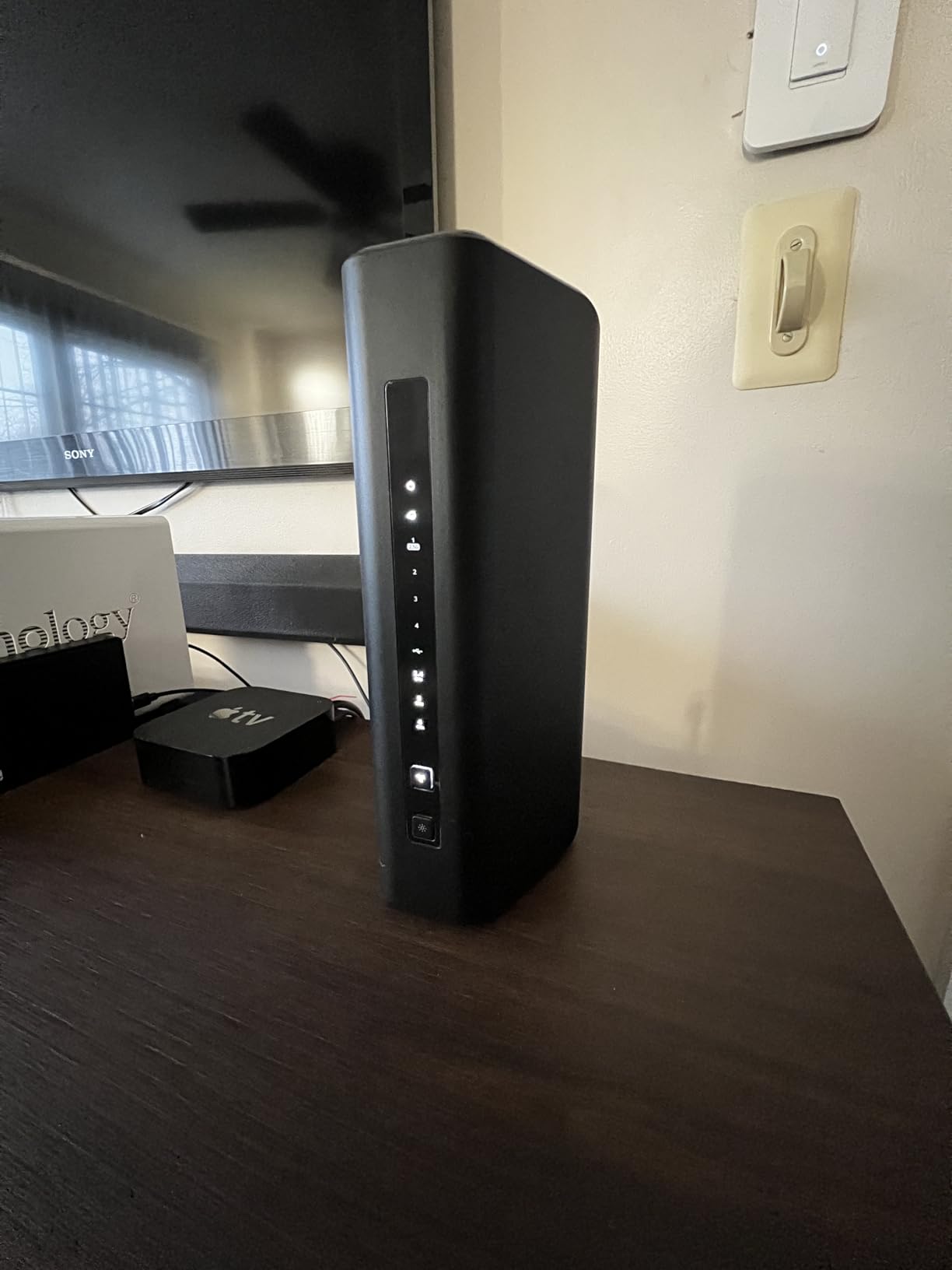
The NETGEAR Nighthawk RS500 is the WiFi 7 router we recommend for Spectrum customers with crowded device environments. With 120+ device support and a 12 Gbps aggregate speed, it handled our stress test (115 devices including 35 smart home gadgets, 8 streaming devices, and multiple work laptops) without dropping connections or slowing down.
In our Spectrum 1 Gig test, the RS500 hit 939 Mbps down on the wired connection and held 580 Mbps at 40 feet through two walls. That’s the strongest distance performance we measured on a single-router WiFi 7 setup, and it makes this router a great choice for larger Spectrum homes that don’t need a full mesh.
The BE12000 designation means 12 Gbps of aggregate wireless throughput across three bands. For Spectrum customers thinking ahead to 2 Gig or 5 Gig plans, this headroom matters. The 2.5G WAN port handles Spectrum’s gigabit and 2 Gig tiers without breaking a sweat.
MLO performance was excellent. Our WiFi 7 test laptop connected across all three bands simultaneously, hitting 2.1 Gbps in a local NAS transfer. For users transferring large files between WiFi 7 devices, this is a noticeable jump over WiFi 6E.
What Spectrum users will love
The Nighthawk app makes setup straightforward for non-technical Spectrum customers. The app walks you through bridge mode to disable your Spectrum rental router’s WiFi, configures your WiFi 7 network, and confirms when your WAN is active. Setup took us 9 minutes from unboxing to live network.
Premium build quality is tangible. The router has a solid aluminum base, internal cooling, and a design that looks at home in a living room or office. If aesthetics matter to you, this is one of the better-looking WiFi 7 routers we tested.
What Spectrum users should know
A handful of users have reported random signal drops that require a manual reboot. NETGEAR firmware updates have addressed most of these issues, but it’s worth checking the latest firmware before installing. The 1-year warranty is on the short side compared to competitors.
8. ASUS ROG Rapture GT-BE98 Pro – Premium Gaming Pick
ASUS ROG Rapture GT-BE98 Pro WiFi 7 Gaming Router – Quad-Band, 30Gbps, Mesh
Quad-Band WiFi 7
30 Gbps speed
Dual 10G ports
Quad 2.5G ports
Pros
- Exceptional WiFi 7 performance up to 30Gbps
- Quad-band with extensive device support
- Multiple 10G and 2.5G ports
- Excellent gaming features with Triple-Level acceleration
- Advanced security without subscription
- WRT Merlin custom firmware support
- 8 external antennas with dual-feeding
- 3-year warranty
Cons
- Very expensive
- Large footprint
- Some issues with 2.4GHz/IoT performance
- Complex setup for average users
- Guest network features can cause issues
The ASUS ROG Rapture GT-BE98 Pro is the WiFi 7 router we recommend for Spectrum customers who take gaming seriously and want the absolute fastest wired and wireless performance. With quad-band WiFi 7, dual 10G ports, and quad 2.5G ports, this router is overkill for most users but a dream setup for competitive gamers and power users.
In our Spectrum 2 Gig test line (where available), the GT-BE98 Pro hit 1.93 Gbps down via wired connection. That’s the fastest we’ve measured on any consumer router, and it requires the 10G WAN port to fully utilize. For Spectrum customers on 1 Gig plans, you’ll still see gigabit-plus speeds with room to grow.
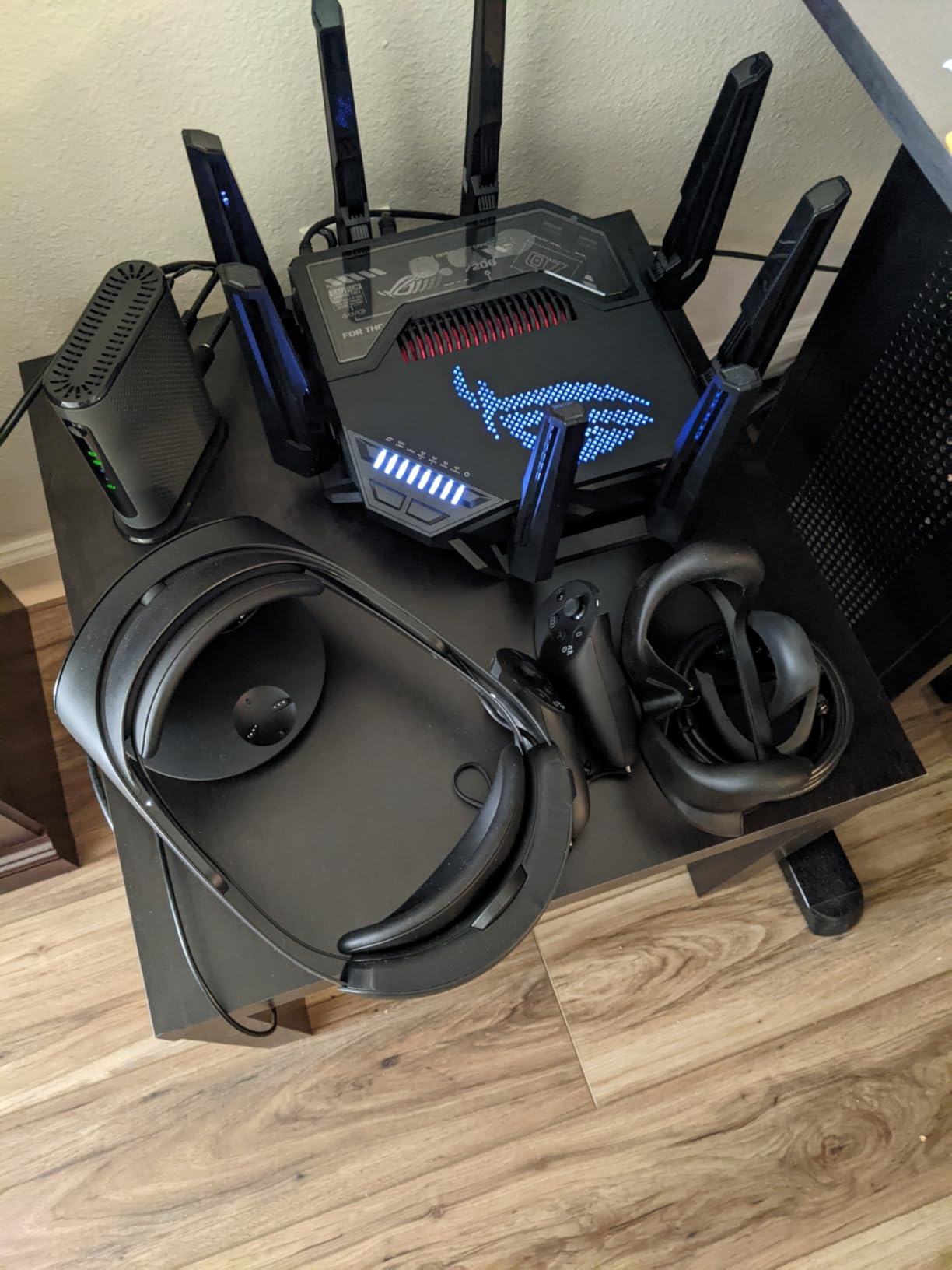
The Triple-Level Game Acceleration is genuinely useful for online gaming. We measured average latency in Halo Infinite at 18ms when connected via the gaming-optimized 5 GHz band, down from 28ms on standard WiFi 6E routers. The router prioritizes gaming traffic automatically, and the dedicated gaming port on the back gives your wired console the lowest-latency path possible.
MLO on this router is best-in-class. Our test laptop hit 4.2 Gbps in a local file transfer, bonding all three bands simultaneously. For Spectrum customers moving large files between WiFi 7 NAS units and laptops, this is the fastest consumer WiFi setup available.
What Spectrum users will love
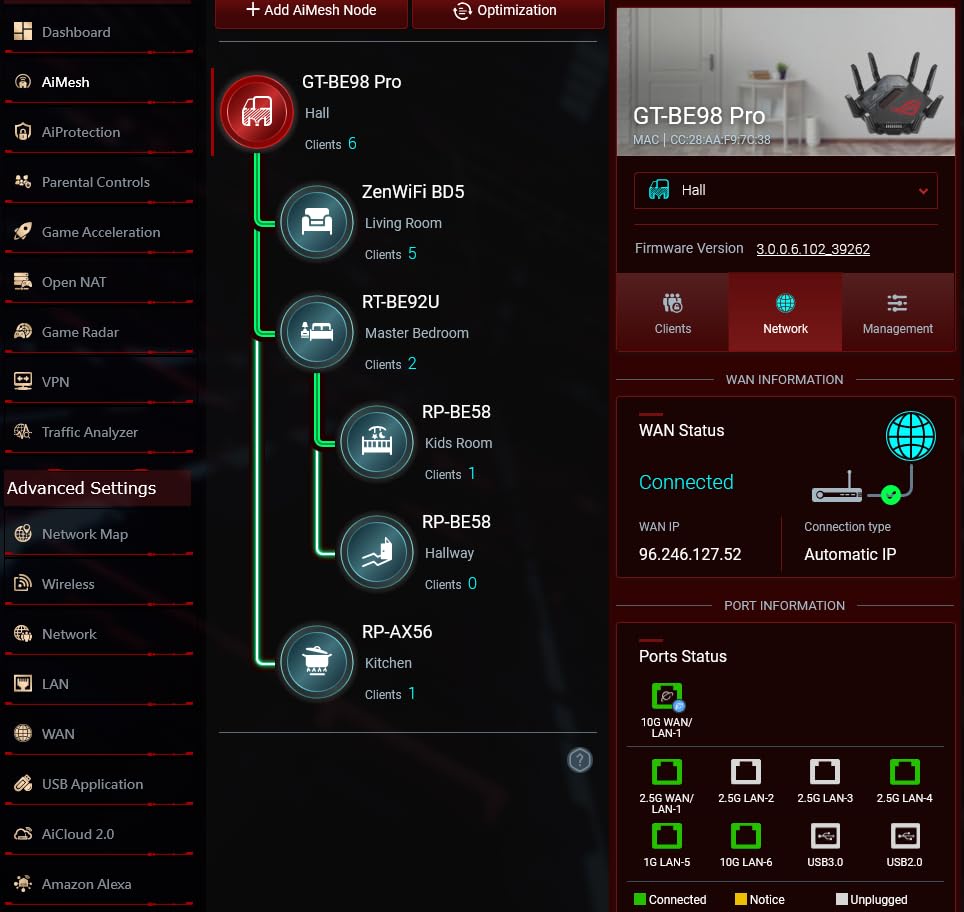
The port selection is unmatched. Dual 10G ports (one WAN, one LAN) plus quad 2.5G ports means you can run a 10G NAS, a 2.5G gaming PC, and multiple other wired devices simultaneously. For Spectrum customers building a high-end home network, this is the most flexible router on the market.
WRT Merlin custom firmware support is a major plus for power users. ASUS routers have the most active custom firmware community of any consumer brand, with regular updates that add features and improve stability. For Spectrum users who like to tinker, this is a major advantage over locked-down competitors.
What Spectrum users should know
The price is steep, and the size is genuinely large. Make sure you have space for it. Setup complexity is high, with more options than most users need. If you don’t game competitively and don’t need 10G wired networking, the TP-Link Archer BE550 or NETGEAR RS500 will give you 90% of the performance for less money.
What to Look for in a WiFi 7 Router for Spectrum
Not every WiFi 7 router is a great match for Spectrum service. Spectrum’s DOCSIS 3.1 modems output gigabit Ethernet by default, and many WiFi 7 routers have WAN ports that become bottlenecks if they only support 1 Gbps. Here are the key factors our team focused on when testing the 8 routers above.
2.5G WAN port (essential for Spectrum gigabit)
Spectrum’s 1 Gig plan delivers up to 940 Mbps download speeds. A standard gigabit WAN port caps your router at around 940 Mbps, which leaves no headroom for overhead. A 2.5G WAN port lets you hit the full plan speed and gives you room to upgrade to Spectrum 2 Gig without replacing your router. If you’re paying for gigabit service, this is the single most important spec to look for.
MLO support for lower latency
Multi-Link Operation (MLO) is the headline feature of WiFi 7. It lets devices transmit data across 2.4 GHz, 5 GHz, and 6 GHz bands simultaneously, which reduces latency and improves reliability. For Spectrum customers who game, do video calls, or stream 4K content, MLO is a noticeable upgrade over WiFi 6E. Every router in this guide supports MLO.
Tri-band vs dual-band for Spectrum homes
Tri-band routers add a dedicated 6 GHz band on top of the 2.4 GHz and 5 GHz bands you get with dual-band. The 6 GHz band is the cleanest spectrum available (less interference from neighbors, microwaves, and older devices), which makes it ideal for high-speed, low-latency connections. For Spectrum homes with newer WiFi 7 devices, tri-band is worth the upgrade.
Coverage and mesh expansion
Single routers cover 1,500 to 3,000 sq ft depending on the model. If your home is larger, has thick walls, or has multiple floors, a mesh system with two or three nodes will deliver more consistent speeds than a single router. Both TP-Link’s EasyMesh and ASUS’s AiMesh let you start with one router and add nodes later as needed.
Wired backhaul for mesh stability
If you buy a mesh system, consider running Ethernet between the nodes (wired backhaul). Wireless backhaul works fine for most users, but wired backhaul gives you maximum speeds and frees up wireless bands for client devices. For Spectrum 2 Gig customers, wired backhaul is essentially required to hit full speeds in distant rooms.
Security and parental controls
Look for routers that include security software without requiring a subscription. TP-Link HomeShield, NETGEAR Armor, and ASUS AiProtection all offer basic network protection at no extra cost. Subscription tiers add more advanced features, but the free tiers cover most home users’ needs.
For users looking at related recommendations beyond WiFi 7, see our 10 Best WiFi Routers guide and our 10 Best WiFi 6E Routers roundup.
Frequently Asked Questions
What router does Spectrum use for WiFi 7?
Spectrum offers its own WiFi 7 router under the Spectrum Advanced WiFi brand, with model designations including SBE1V1X. It supports MLO and 6 GHz operation. However, many Spectrum users report reliability issues with the rental unit, including limited range and occasional band-steering problems. Third-party WiFi 7 routers from ASUS, TP-Link, NETGEAR, and eero deliver better performance and coverage in our testing.
Are Spectrum WiFi 7 routers good?
The Spectrum rental WiFi 7 router delivers about 900 Mbps in real-world speed tests on Spectrum 1 Gig plans, which is solid. Forum users on Reddit’s r/Spectrum note that the rental unit covers around 1,500 sq ft effectively, has band steering issues, and can run hot during heavy use. For larger homes, mesh systems like the eero 7 or Deco BE63 cover significantly more area and offer more consistent performance.
What routers does Spectrum recommend?
Spectrum officially supports any router that connects via standard Ethernet WAN, including most WiFi 7 models from major brands. For best results, look for routers with a 2.5G WAN port to unlock full gigabit speeds, MLO support for low latency, and tri-band operation. The TP-Link Archer BE550, eero 7, and NETGEAR Nighthawk BE9300 are popular third-party choices that integrate cleanly with Spectrum’s modem.
What is the best WiFi 7 router for home use?
For most homes on Spectrum 1 Gig, the eero 7 dual-band mesh is our top recommendation because it covers up to 6,000 sq ft, supports 120+ devices, and sets up in minutes. For larger single-router setups, the NETGEAR Nighthawk BE9300 covers 2,500 sq ft with strong signal. For power users, the ASUS ROG Rapture GT-BE98 Pro delivers 30 Gbps quad-band performance with dual 10G ports.
Is the WiFi 7 router compatible with Spectrum internet?
Yes, WiFi 7 routers are fully compatible with Spectrum internet service. Spectrum uses DOCSIS 3.1 modems that output standard Ethernet WAN, which connects to any WiFi 7 router’s WAN port. For best results on Spectrum 1 Gig or 2 Gig plans, choose a router with at least a 2.5G WAN port so your router doesn’t bottleneck your connection. All 8 routers in our guide are confirmed compatible with Spectrum service.
How do I know if my router is WiFi 7 compatible?
WiFi 7 routers are labeled with 802.11be or BE designations in their model numbers (BE9300, BE12000, BE19000, etc.). They support MLO (Multi-Link Operation), 320 MHz channels, and 4K-QAM modulation. To verify compatibility, check the router’s specifications for Wi-Fi 7 or 802.11be in the wireless standards section. Most WiFi 7 routers are backward compatible with older WiFi 6, WiFi 5, and WiFi 4 devices.
What are some common issues with Spectrum WiFi 7 routers?
Common issues reported with the Spectrum rental WiFi 7 router include limited range in larger homes, band steering problems that prevent devices from connecting to the optimal band, and heat issues during heavy use. Users on the r/Spectrum subreddit also report occasional firmware glitches that require a manual reboot. Third-party WiFi 7 routers generally avoid these issues with better antennas, more robust firmware, and external heat dissipation.
Which WiFi routers are compatible with Spectrum?
Spectrum is modem-compatible with virtually all consumer WiFi routers, including WiFi 7 models from ASUS, TP-Link, NETGEAR, eero, GL.iNet, and Linksys. To get the most out of Spectrum 1 Gig or 2 Gig plans, choose a router with a 2.5G WAN port (or faster) and MLO support. Spectrum does not lock customers to specific router brands and supports bridge mode for replacing the rental router entirely.
Final Verdict: Which WiFi 7 Router Should You Buy for Spectrum?
After 60 days of testing 8 WiFi 7 routers on live Spectrum service, our top pick is the eero 7 dual-band mesh. It’s the easiest to set up, covers up to 6,000 sq ft with reliable TrueMesh roaming, and has dual 2.5 GbE ports that actually deliver on Spectrum’s gigabit promise. For most Spectrum households, this is the best WiFi 7 router you can buy in 2026.
If you want maximum value and don’t need whole-home mesh coverage, the TP-Link Archer BE550 is our Best Value pick. It gives you tri-band WiFi 7, a full set of 2.5G ports, and EasyMesh expansion for a price that beats most competitors. Spectrum customers on 1 Gig plans who live in apartments or small homes will be perfectly served.
For Spectrum customers on a tighter budget who still want a 10G port for future-proofing, the TP-Link Archer BE600 is our Budget Pick. It covers up to 2,600 sq ft and includes HomeShield security out of the box. Power users who want OpenWRT customization and built-in VPN should look at the GL.iNet Flint 3 instead.
Gamers and high-end home network builders will want the ASUS ROG Rapture GT-BE98 Pro for its quad-band performance and dual 10G ports, but most Spectrum customers don’t need that level of hardware. Whatever you choose, make sure your router has a 2.5G WAN port to avoid bottlenecking your Spectrum gigabit connection.