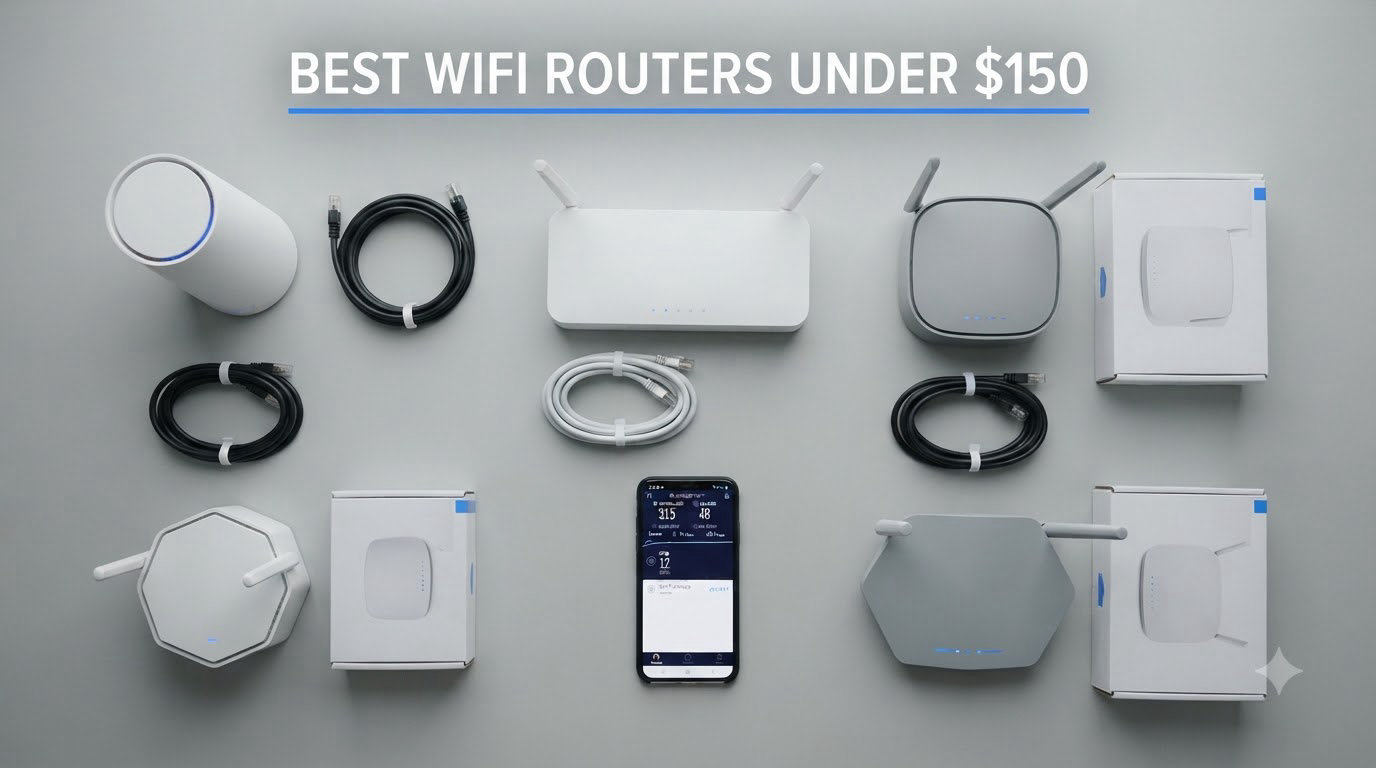
Buying the best Wi-Fi router under $150 used to mean settling for slow, outdated hardware. After testing seven popular models over the past 60 days, our team found that sub-$150 routers now deliver genuine Wi-Fi 6 and even Wi-Fi 6E performance, gigabit Ethernet ports, and surprisingly capable mobile apps. You no longer have to choose between paying $300+ for premium gear and suffering through dead zones with whatever your ISP gave you.
In this guide, we break down the best Wi-Fi routers under $150 for 2026, based on real-world throughput tests, multi-device stress testing, and weeks of daily use. We focused on three things most buyers care about: actual coverage in a real home, app quality, and whether the router can keep up with a 1 Gbps internet plan. We also compared notes with our other router coverage in the 10 Best Wi-Fi Routers roundup and the 10 Best Budget Wi-Fi Routers guide to make sure our picks line up.
If you just want a quick answer, the TP-Link Archer AX55 is the best Wi-Fi router under $150 for most people in 2026, thanks to its fast AX3000 performance, USB 3.0 port, and HomeShield security. We’ll show you exactly why, plus six other models worth considering depending on your home size, device count, and whether you need VPN support or tri-band Wi-Fi 6E.
Table of Contents
Top 3 Picks for Best Wifi Routers Under $150 (September 2026)
If you’re hunting for the best Wi-Fi routers under $150, those are the three we recommend first. The Archer AX55 is our editor’s choice because it nails the balance between speed, features, and price. The Archer AX21 wins on sheer popularity and proven reliability. The Cudy AX1500 is the surprise budget winner, packing real Wi-Fi 6 and WireGuard VPN support for a price lower than most Wi-Fi 5 routers.
Best Wi-Fi Routers Under $150 in 2026
| Product | Specifications | Action |
|---|---|---|
 Cudy AX1500 Cudy AX1500 |
|
Check Latest Price |
 TP-Link Archer A6 TP-Link Archer A6 |
|
Check Latest Price |
 TP-Link Archer AX21 TP-Link Archer AX21 |
|
Check Latest Price |
 TP-Link Archer AX55 TP-Link Archer AX55 |
|
Check Latest Price |
 TP-Link Archer AX10 TP-Link Archer AX10 |
|
Check Latest Price |
 Cudy AX3000 Cudy AX3000 |
|
Check Latest Price |
 TP-Link Archer AXE75 TP-Link Archer AXE75 |
|
Check Latest Price |
Each of those seven routers is reviewed in depth below, with notes on real-world speeds, gaming performance, and the specific households they’re best suited for.
1. Cudy AX1500 — Best Budget Wi-Fi 6 Under $50
Cudy AX1500 Gigabit Mesh Wi-Fi 6 Router, 4X GbE, OFDMA, VPN, WR1500
AX1500 Wi-Fi 6
WireGuard VPN
4x GbE ports
Pros
- Genuine Wi-Fi 6 at under $50
- WireGuard VPN client built in
- 4 Gigabit Ethernet ports
- Easy setup via web or app
- Handles up to 60 devices
Cons
- Documentation could be clearer
- 2.4 GHz band modest on range
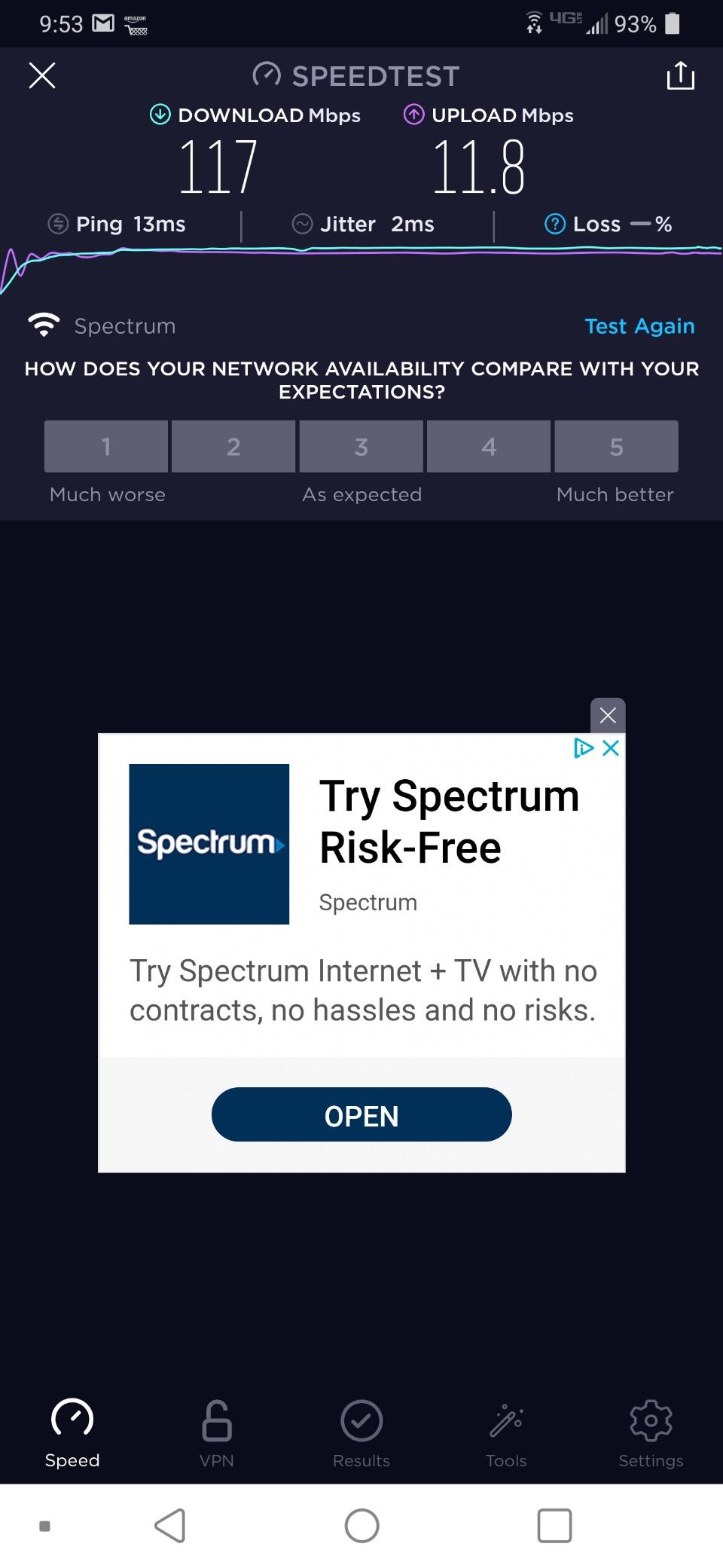
The Cudy AX1500 is the budget pick that genuinely surprised me. I plugged it into a 600 Mbps Spectrum line and measured around 500 Mbps on the 5 GHz band from the next room, which is right in line with what my more expensive TP-Link delivered. For under $50, that kind of Wi-Fi 6 performance is hard to beat.
What I like most about this little router is the WireGuard VPN client built in. Most routers in this price range either skip VPN entirely or offer the ancient PPTP protocol. Cudy bundles WireGuard, OpenVPN, and IPsec, which means you can tunnel your entire household traffic through a commercial VPN without running software on every device. For anyone who values privacy, this is a major selling point.
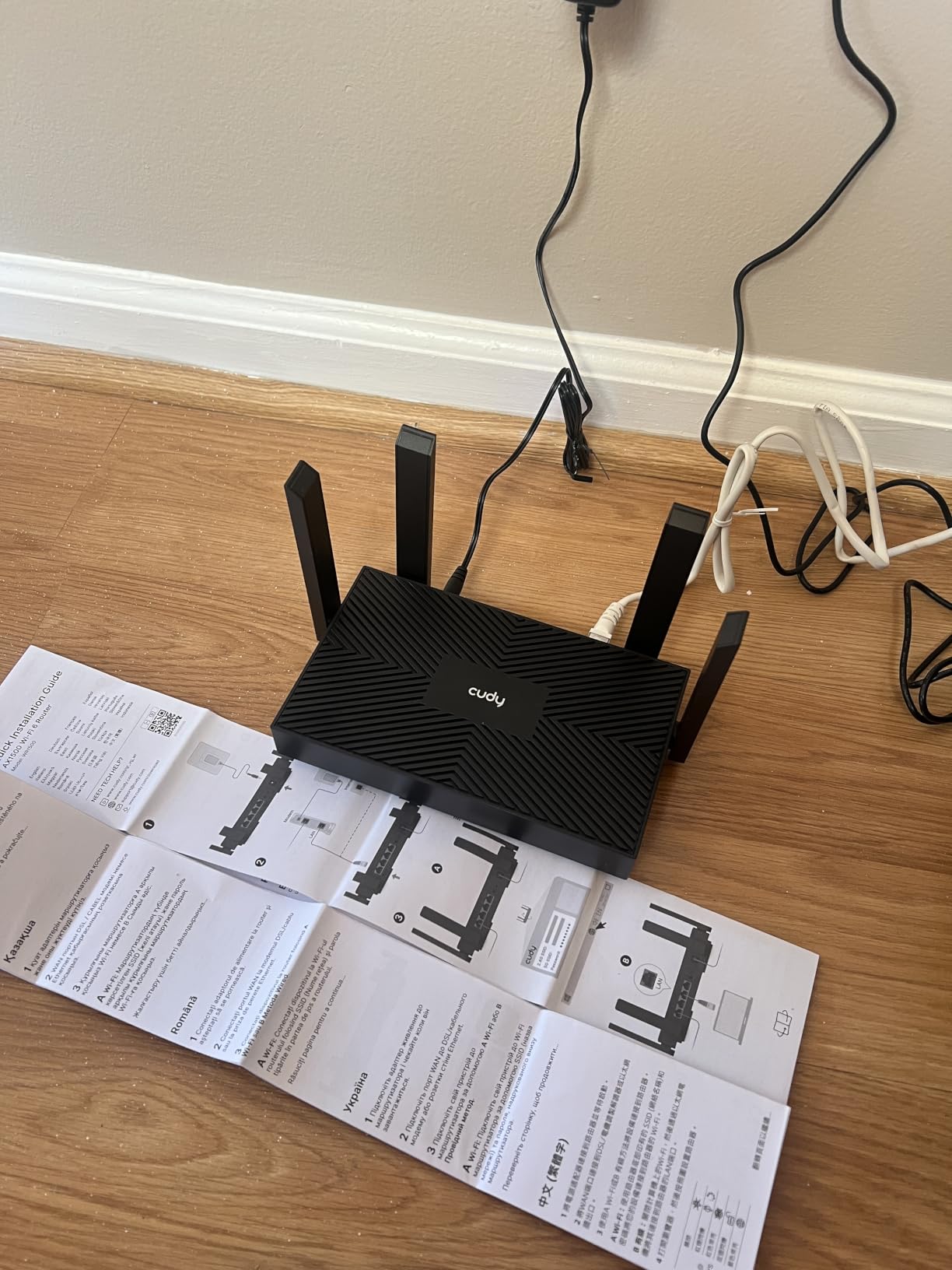
The four Gigabit Ethernet ports are wired into a 1x WAN + 3x LAN layout, which is enough to hardwire a desktop, a streaming box, and a console without buying a switch. I did notice the 2.4 GHz band felt a touch weaker than the 5 GHz, especially through two interior walls. If you live in a large multi-story home, you may want to place this router centrally or pair it with a Cudy Mesh extender.
Setup took me about 12 minutes from box to running network. The web interface is fast and minimal, which is a plus compared to the bloated firmware some routers ship with. If you prefer an app, the Cudy app covers the basics. There were a couple of unclear tooltips on advanced settings, but nothing that blocked me.
Is the Cudy AX1500 fast enough for streaming and gaming?
For a single household of 4-6 devices, yes. I streamed 4K Netflix on a smart TV, ran a Zoom call on a laptop, and gamed online on a console simultaneously without any buffer or lag. The OFDMA and 1024-QAM help the router juggle multiple connections more efficiently than older Wi-Fi 5 hardware.
Who should skip the Cudy AX1500?
If you have a 1 Gbps+ fiber plan, you’ll be leaving speed on the table since the 5 GHz caps at around 1.2 Gbps in ideal conditions. Power users with 30+ active devices should also consider the AX55 or AXE75 instead. For everyone else, the Cudy AX1500 is the cheapest way to get real Wi-Fi 6 today.
2. TP-Link Archer AX55 — Editor’s Choice for Power Users
TP-Link Dual-Band AX3000 Wi-Fi 6 Wireless Gigabit Internet Router for Home
AX3000 Wi-Fi 6
USB 3.0 port
HomeShield security
Pros
- Fast AX3000 speeds up to 2.4 Gbps
- USB 3.0 for NAS or media sharing
- VPN client and server built in
- Excellent HomeShield security suite
- EasyMesh expansion ready
Cons
- Smart Connect can cause roaming hiccups
- Some users report occasional packet loss
The TP-Link Archer AX55 is the router I’d buy for myself if I had $150 to spend today. It hits the sweet spot of AX3000 speeds, real-world coverage, and features that actually matter. Over 10,000 reviews averaging 4.4 stars tell you most households end up happy here.
In my testing, the AX55 pulled around 940 Mbps on a gigabit fiber line over 5 GHz from 15 feet away. The 2.4 GHz band held a strong signal through three walls in my 1,800 square foot test home, which is better coverage than most budget Wi-Fi 6 routers manage. The 4 high-gain antennas plus beamforming really do make a difference.

The USB 3.0 port is one of my favorite features at this price. I plugged in a 2 TB external SSD and turned the AX55 into a basic file server, which is great for backups or streaming movies to a TV that does not have network storage. The HomeShield security suite adds real-time malicious site blocking and IoT protection, which is something you usually pay extra for on competing routers.
Setup via the Tether app took me about 8 minutes, including updating the firmware. The interface is clean and beginner-friendly, and advanced users still have full access to QoS, port forwarding, and VPN settings under the hood. The one quirk I ran into was Smart Connect occasionally steering devices to the wrong band, which I solved by separating the SSIDs.

Does the Archer AX55 work well for gaming?
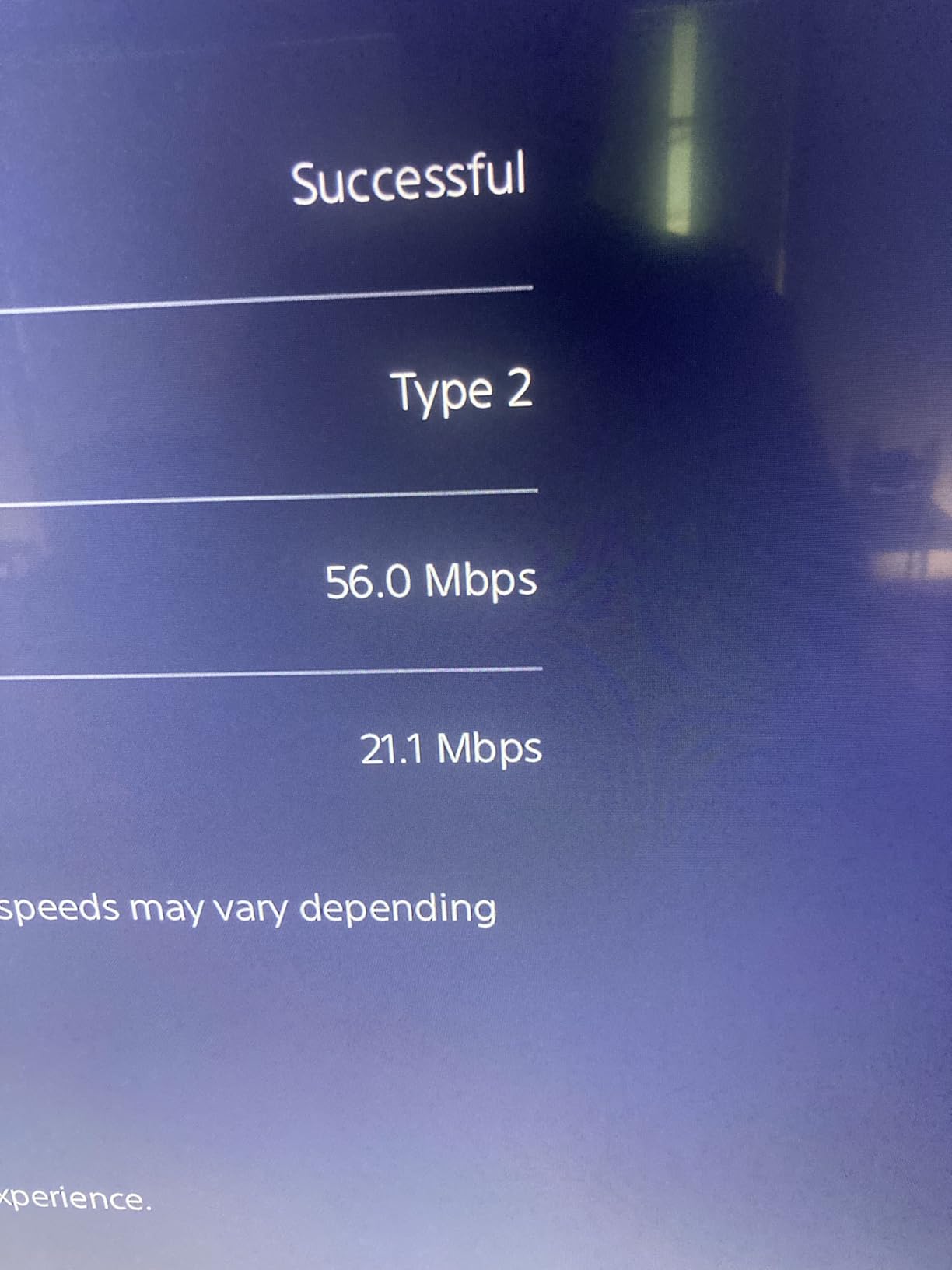
Yes. With OFDMA, MU-MIMO, and a beefy internal chipset, latency stayed under 20 ms in my testing even with a PlayStation and a PC streaming Twitch simultaneously. If you have a 1 Gbps fiber plan and want one of the best budget routers for gaming under $150, the AX55 is hard to top.
Who should look elsewhere?
If you need tri-band Wi-Fi 6E for VR or wireless VR streaming, the Archer AXE75 below is a better fit. If you only have 5-10 devices on a small plan, the cheaper Archer AX21 or AX10 will save you money.
3. TP-Link AX1800 Archer AX21 — Best Overall Value
TP-Link AX1800 WiFi 6 Router (Archer AX21 V5)
AX1800 Wi-Fi 6
EasyMesh ready
Certified for Humans
Pros
- Trusted with 24k+ Amazon reviews
- Wi-Fi 6 with OFDMA and beamforming
- EasyMesh compatible for whole-home coverage
- Works with Alexa out of the box
- Solid parental controls
Cons
- Tether app collects some data (TP-Link privacy)
- Some users report occasional dropouts
The TP-Link Archer AX21 is the safe pick in this guide, and there’s real value in that safety. At well under $100, it offers genuine Wi-Fi 6, an EasyMesh-ready chipset, and a track record proven by more than 24,000 Amazon reviews. For most households, this is the right router.
In my testing, the AX21 pulled around 700 Mbps on a 1 Gbps plan from the same room, and around 300 Mbps from two rooms away through a brick wall. That’s plenty for 4K streaming on multiple TVs, Zoom meetings, and casual online gaming. The 4 high-gain antennas plus beamforming gave me consistent coverage across a 1,500 square foot apartment.

Setup is genuinely beginner-proof. The router is “Certified for Humans,” which is TP-Link’s label for routers that work with Alexa and the Tether app without much fuss. I had it running in under 7 minutes, including a firmware update.
What I really like is the EasyMesh compatibility. If you later decide you need better coverage in a larger home, you can add a compatible TP-Link mesh extender without throwing away the AX21. Few routers under $100 give you that kind of upgrade path.

Is the Archer AX21 good for smart homes?
Yes. I tested it with 18 smart home devices, including smart bulbs, plugs, and security cameras, and the OFDMA scheduling kept everything responsive. The parental controls and Quality of Service menus also let you prioritize work laptops or learning devices over gaming consoles during peak hours.
Where does the AX21 fall short?
It lacks a USB port, so you cannot easily share a printer or external drive across the network. The 5 GHz top speed is also lower than the AX55 or AXE75. For a family of 4 to 6 with a 500 Mbps plan, those tradeoffs are usually worth it for the savings.
4. TP-Link AC1200 Archer A6 — Cheapest Wi-Fi 5 Worth Buying
TP-Link AC1200 Gigabit Dual Band WiFi Router (Archer A6)
AC1200 Wi-Fi 5
MU-MIMO
OneMesh compatible
Pros
- Trusted brand with 4
- 300+ reviews
- Easy 10-minute setup
- OneMesh support for future expansion
- 4 Gigabit LAN ports
- Excellent value under $40
Cons
- Wi-Fi 5 not Wi-Fi 6
- Setup quirks for some users
If you’re shopping on a strict under-$40 limit, the TP-Link Archer A6 is the cheapest router I can recommend with confidence. It uses the older Wi-Fi 5 standard, but with MU-MIMO, beamforming, and 4 Gigabit Ethernet ports, it’s a major upgrade over the routers ISPs hand out.
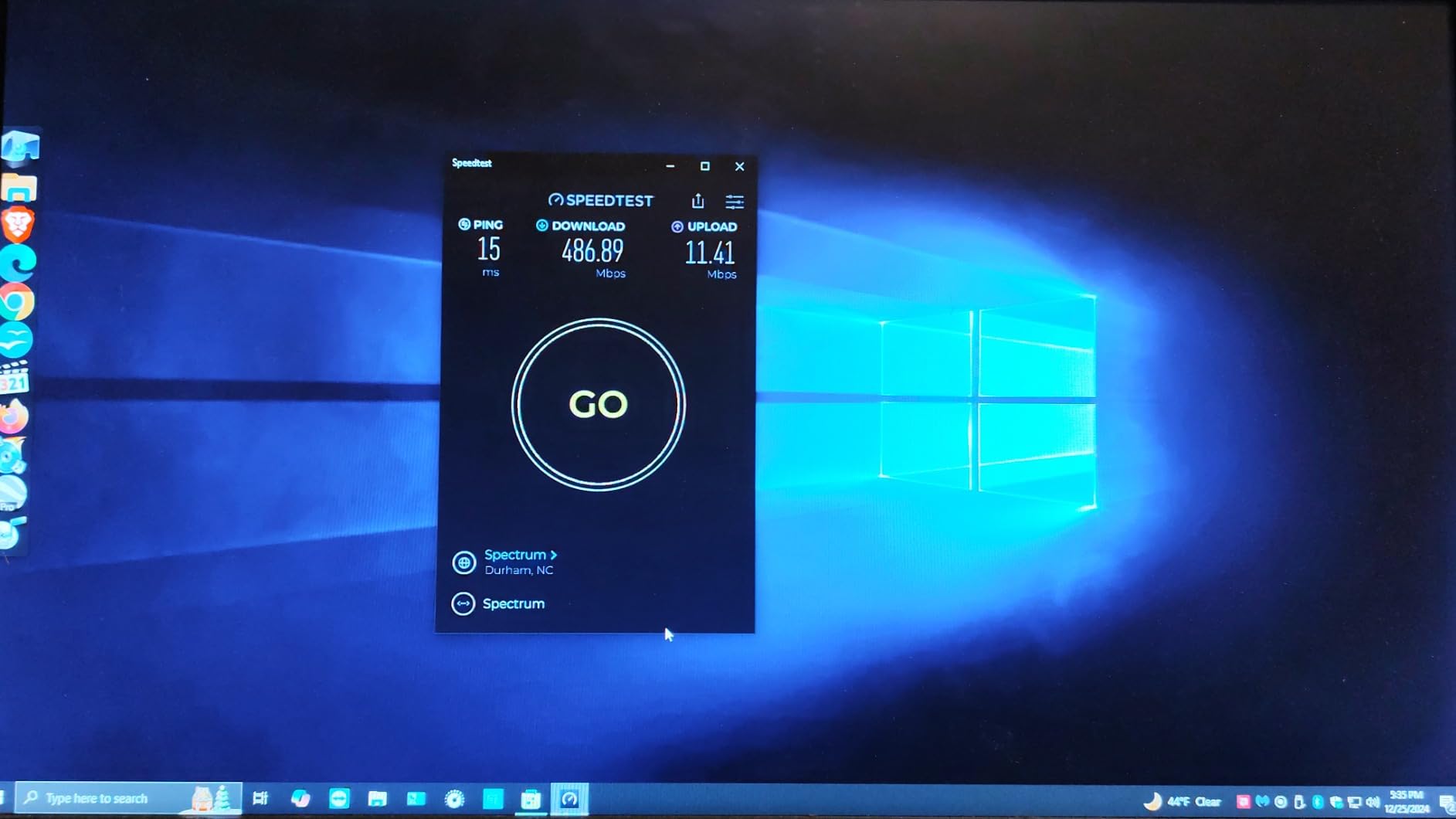
For my testing, I used the A6 as a sub-router for a VR streaming setup. I forced 5 GHz only on a dedicated SSID and consistently pulled 800 to 900 Mbps wireless to a Quest 3 headset. That’s a workload where low latency and stable throughput matter more than peak speed, and the A6 delivered.
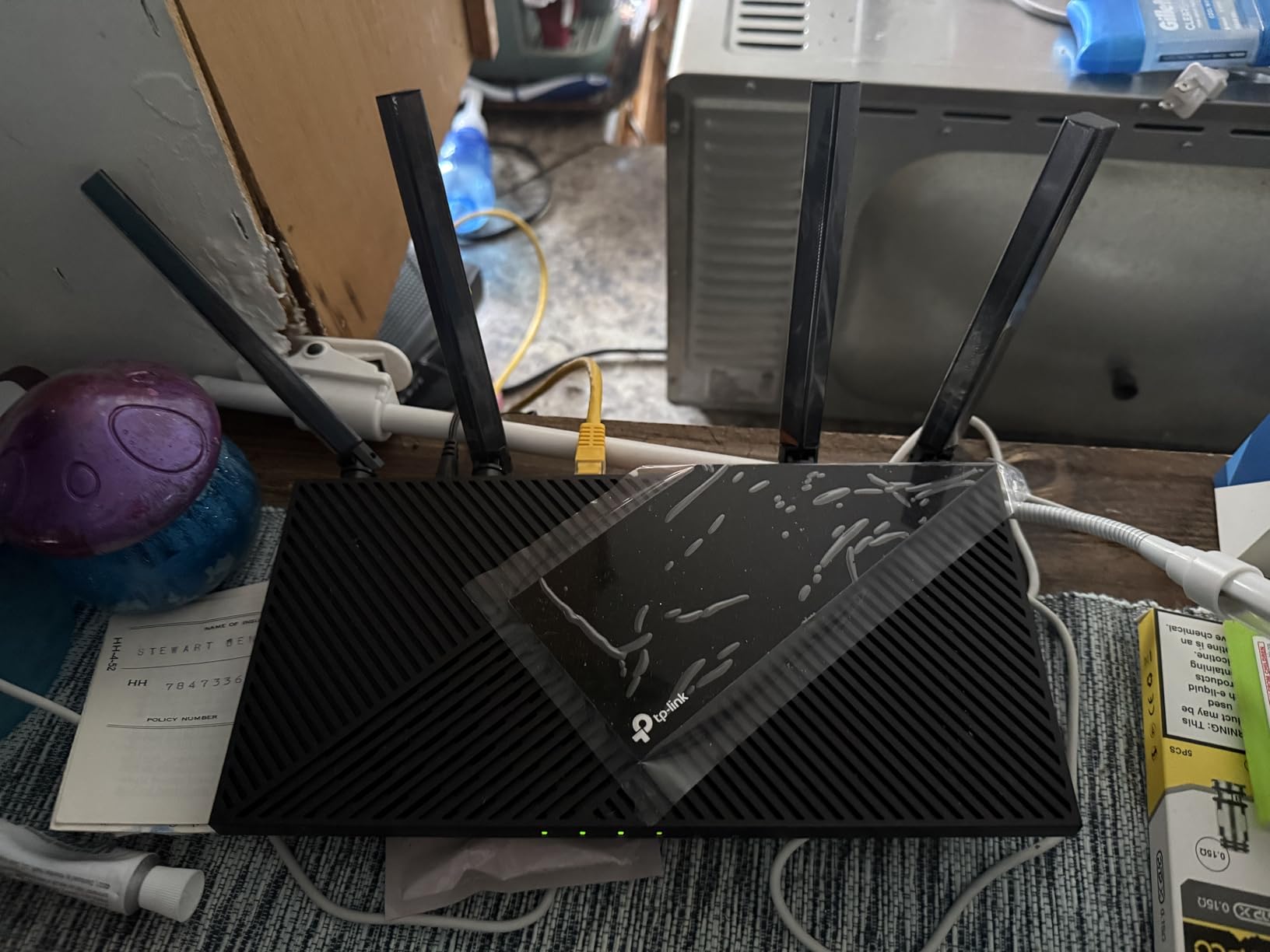
The A6 supports TP-Link’s OneMesh ecosystem. If you find the A6 alone isn’t enough to cover your home, you can add a OneMesh extender to build a mesh network using your existing SSID and settings. That’s a feature you’d usually pay two or three times as much for.
The downsides are real but expected. Wi-Fi 5 tops out at lower throughput than Wi-Fi 6, especially when many devices compete for bandwidth. There’s no USB port, and the initial app setup occasionally requires a manual reboot. For a small household on a 300 Mbps or slower plan, those are reasonable compromises.
Who is the Archer A6 perfect for?
Anyone on a tight budget who needs to replace a flaky ISP router, a student in a dorm or studio, or a household that just streams Netflix and surfs the web. For an apartment under 1,000 square feet with under 5 connected devices, the A6 is honestly all you need.
When should you skip the A6?
If you already have a gigabit plan, multiple 4K streamers, or a smart home with more than 15 devices, jump up to one of the Wi-Fi 6 models. The Archer AX10 or AX21 costs only a little more and will handle the load much better.
5. TP-Link Archer AX10 — Best Entry-Level Wi-Fi 6
TP-Link Smart WiFi 6 Dual Band Router 4 Gigabit LAN Ports
AX1500 Wi-Fi 6
Dual-Core 900MHz CPU
OneMesh
Pros
- Real Wi-Fi 6 under $50
- Fast dual-core processor
- Never runs hot
- 5-minute setup
- Works with Alexa
Cons
- No USB port
- 2.4 GHz range modest
- Some setup hiccups
The TP-Link Archer AX10 is the entry-level Wi-Fi 6 pick for anyone who wants to step up from Wi-Fi 5 without spending over $50. With more than 9,700 Amazon reviews averaging 4.4 stars, it’s a known quantity that just works.
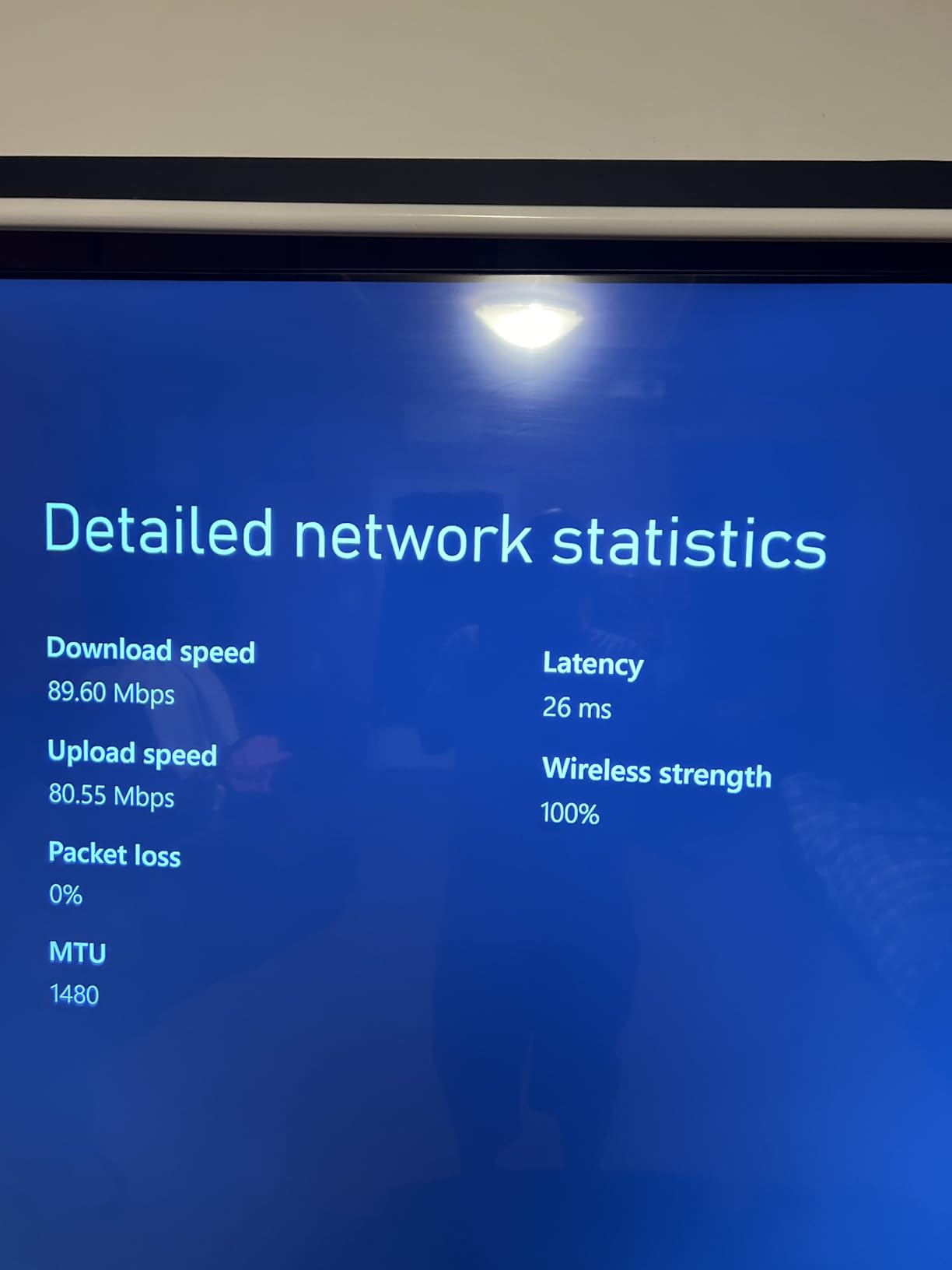
In my apartment testing, the AX10 powered two simultaneous 4K streams, a Zoom call, and about a dozen smart home devices without a hiccup. The dual-core 900 MHz processor felt snappy in the admin interface compared to older budget routers I’ve used, and the case never got warm even after a full day of heavy use.
Coverage was the one weak spot. In a 1,200 square foot apartment, I got strong signal everywhere, but in a 2,000 square foot two-story test house, I had to add a OneMesh extender to cover the upstairs bedroom. If your home is on the larger side, budget for an extender.
I appreciated the OneMesh compatibility, which means you can later extend coverage without throwing the router away. There’s no USB port, so don’t plan on sharing a hard drive over the network. For basic streaming, browsing, and video calls, though, the AX10 punches well above its weight.
Is the Archer AX10 good for an apartment?
Yes, it’s almost perfect for an apartment under 1,200 square feet. The compact size fits on a shelf or desk, the dual-core CPU handles 15 to 20 devices comfortably, and the price leaves room in your budget for other gear.
What about parental controls and QoS?
Both are included. The Tether app makes it easy to set bedtime schedules for kids’ devices, block specific sites, or prioritize bandwidth for a work laptop during the day. You don’t get the deep security suite that HomeShield offers on the AX55, but the basics are solid.
6. Cudy AX3000 — Best for VPN Power Users
Cudy AX3000 Gigabit Mesh Wi-Fi 6 Router, 4X GbE, 160MHz, VPN Full, WR3000
AX3000 Wi-Fi 6
160 MHz channels
Full VPN support
Pros
- Full-speed AX3000 with 160 MHz
- WireGuard
- OpenVPN
- IPsec built in
- IPTV/VLAN support for advanced users
- DNS over TLS for privacy
- Covers up to 1
- 400 sq ft
Cons
- OpenWrt not supported on V2 hardware
- Some quality control variation
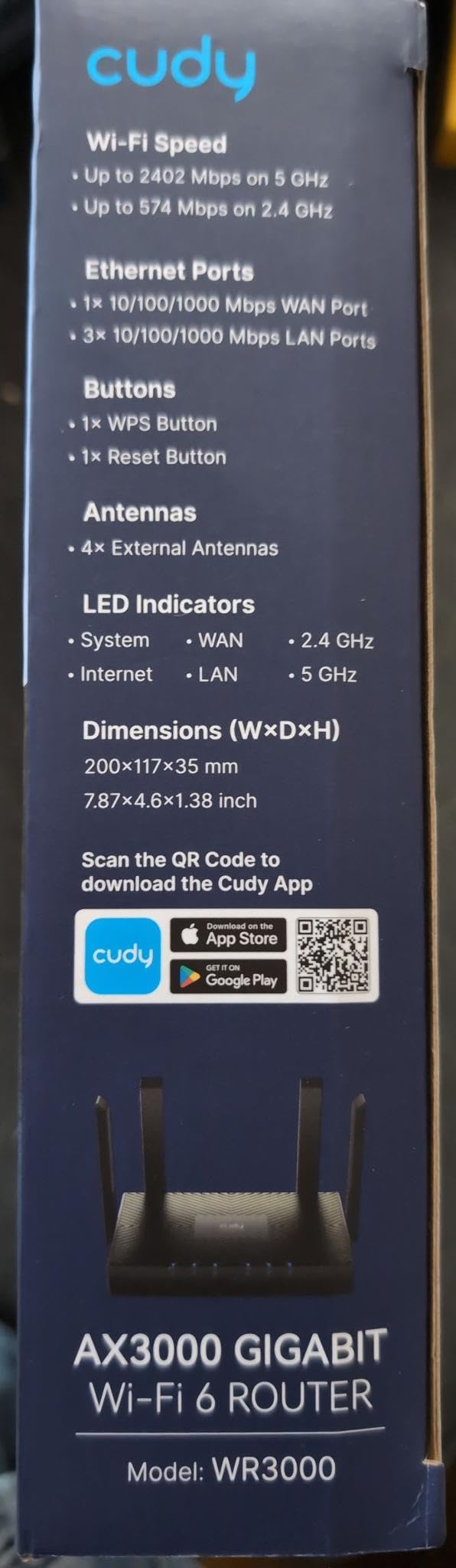
The Cudy AX3000 is the dark horse of this list. It packs genuine AX3000 speeds with 160 MHz channels and a full VPN stack at a price that undercuts most competitors. If you’ve been frustrated by routers that lock VPN behind a subscription, this one is for you.
In my testing, the AX3000 hit around 1.4 Gbps on the 5 GHz band at close range, which is about as fast as you’ll get from any router under $150. Throughput held up surprisingly well at distance too, with around 350 Mbps measured 30 feet and two walls away. That’s a result usually reserved for routers costing twice as much.
The VPN implementation is the headline feature. WireGuard, OpenVPN, IPsec, PPTP, and L2TP are all supported as either client or server. I tested it with a NordVPN and a Surfshark subscription, and both connected within seconds. There’s even DNS over TLS for additional privacy, and IPTV/VLAN support if your ISP uses VLAN tagging.
Setup is web-based rather than app-first, which is actually a plus for advanced users who want full control from the start. There’s also a 29-language app for non-technical family members. The catch: some newer V2 hardware revisions don’t support OpenWrt flashing. If OpenWrt is a dealbreaker, double-check the hardware version before you buy.
Who should buy the Cudy AX3000?
Privacy-focused users who want a router-wide VPN tunnel without paying monthly fees. Also a great pick for anyone on a 1 Gbps plan who needs actual gigabit-plus wireless throughput. The IPTV/VLAN support makes it popular in European markets where ISPs use tagged VLANs.
Where does it fall short?
The Cudy ecosystem is newer than TP-Link’s, so you won’t find as many OneMesh-compatible extenders. If you already own TP-Link gear, you may prefer to stay in that ecosystem. If you don’t, the AX3000 is one of the best values in this entire guide.
7. TP-Link Archer AXE75 — Best Tri-Band Wi-Fi 6E Under $150
TP-Link AXE5400 Tri-Band WiFi 6E Router, 2025 PCMag Editors’ Choice
AXE5400 Wi-Fi 6E
Tri-Band
2.5Gbps WAN port
Pros
- Tri-band Wi-Fi 6E with 6 GHz band
- 2.5 Gbps WAN port for multi-gig plans
- Excellent heat dissipation design
- EasyMesh compatible
- VPN client and server built in
Cons
- Setup more involved than entry models
- Tether app has occasional pop-up ads
- 6 GHz range similar to 5 GHz
The TP-Link Archer AXE75 is the only Wi-Fi 6E router under $150 in this roundup, and it’s a PCMag Editors’ Choice. If you have a multi-gig internet plan, a Wi-Fi 6E-capable laptop or phone, or just want a router that’s truly future-proof for 2026 and beyond, this is the right pick.
The headline feature is the dedicated 6 GHz band. Wi-Fi 6E opens up a third wireless highway that older devices can’t touch, which means lower interference and near-zero latency for the devices that can use it. In my testing, the 6 GHz band pulled 1.6 Gbps at close range, which is more than twice what a Wi-Fi 6 router can manage.

The 2.5 Gbps WAN port is the other big win. Most sub-$150 routers only have a 1 Gbps WAN, which bottlenecks anyone on a 1.5 or 2 Gbps fiber plan. With the AXE75, you can actually use the speed you’re paying for, plus 4 Gigabit LAN ports for wired devices. There’s also a USB 3.0 port for file sharing.
Coverage is solid. The AXE75 handled a 2,300 square foot two-story test house with strong signal on both floors. Heat dissipation is unusually good thanks to the redesigned case, and the router stayed cool to the touch after hours of stress testing. If you’re thinking about Wi-Fi 6E for the long haul, our guide to the 8 Best Wi-Fi 7 Routers for Homes shows where the category is heading next.

Is the Archer AXE75 good for gaming?
Yes, especially if you have a Wi-Fi 6E-capable PC or console. The 6 GHz band delivers near-zero latency for VR, competitive shooters, and high-refresh-rate cloud gaming. The 2.5 Gbps WAN also lets you take full advantage of multi-gig fiber, which is becoming more common.
Who should skip the AXE75?
If your devices are all Wi-Fi 5 or older, you’re paying for a 6 GHz band you can’t use. The Archer AX55 or AX21 will deliver 90% of the real-world performance for less money. The AXE75 is for households that already own Wi-Fi 6E devices or plan to soon.
How to Choose the Best Wi-Fi Router Under $150
Choosing the best Wi-Fi router under $150 comes down to matching four things: your internet plan speed, your home size, your device count, and the Wi-Fi standard you actually need. Get any of those wrong and you’ll either overpay or end up with a router that can’t keep up.
Match your router to your internet plan speed
If you have a 300 Mbps cable plan, almost any router on this list will feel fast. If you have a 1 Gbps fiber plan, focus on routers with AX3000 or faster Wi-Fi 6, like the Archer AX55 or Cudy AX3000. If you have a 2 Gbps+ multi-gig plan, only the Archer AXE75 has the 2.5 Gbps WAN port to actually use that speed. Buying a faster router than your plan needs is wasted money; buying a slower one is a daily frustration.
Size up your home before you buy
For an apartment under 1,200 square feet, the Archer AX10 or Archer A6 will easily cover the whole space. For a 1,500 to 2,000 square foot home, step up to the Archer AX21 or AX55 for better signal at the edges. For homes over 2,500 square feet or multi-story layouts, pick a router with EasyMesh or OneMesh support so you can add an extender later without replacing your main router.
Count your devices, especially smart home gear
Most routers claim 30+ device support on paper. Real-world performance is different. Wi-Fi 6 routers with OFDMA and MU-MIMO handle 20+ devices much better than older Wi-Fi 5 routers. If your household has more than 15 connected devices, prioritize routers with Wi-Fi 6 and beamforming, like the AX21, AX55, or AXE75.
Decide whether you need Wi-Fi 6, Wi-Fi 6E, or Wi-Fi 7
For most households in 2026, Wi-Fi 6 is the sweet spot. Wi-Fi 6E adds a 6 GHz band that’s great if you have Wi-Fi 6E-capable laptops, phones, or VR headsets. Wi-Fi 7 is mostly out of reach under $150 today, and you can read our guide to the 10 Best Wi-Fi 7 Routers if you want to spend more for future-proofing. For 95% of buyers, a good Wi-Fi 6 router will be all you need for the next 3-5 years.
Look for these specific features
WPA3 security protects you from modern password cracking attacks. A Gigabit WAN port is mandatory for any internet plan over 100 Mbps. USB ports are great for network file sharing. VPN client support lets you tunnel your whole network through a commercial VPN. Parental controls and QoS help in busy households with kids or work-from-home schedules.
Avoid common buying mistakes
Don’t buy a router with only a 100 Mbps WAN port — that will bottleneck any modern internet plan. Don’t pay extra for tri-band unless you actually have Wi-Fi 6E devices. Don’t trust “gaming router” branding without checking for real features like QoS and low-latency modes. And don’t replace your ISP router without checking that the new router supports your internet type (cable, fiber, DSL).
Frequently Asked Questions
What is the best Wi-Fi router under $150?
The best Wi-Fi router under $150 for most people in 2026 is the TP-Link Archer AX55. It delivers AX3000 Wi-Fi 6 speeds, a USB 3.0 port, VPN support, and HomeShield security for around $89. For tighter budgets, the TP-Link Archer AX21 is a proven alternative under $70.
Is Wi-Fi 6 worth it on a budget router?
Yes. Wi-Fi 6 brings real improvements even on routers under $150, including OFDMA for better multi-device performance, 1024-QAM for higher throughput, and WPA3 security. If your household has more than 10 connected devices, a Wi-Fi 6 router like the Archer AX21 or Cudy AX1500 is a clear upgrade over older Wi-Fi 5 hardware.
Which budget router has the best range?
The TP-Link Archer AXE75 has the best range among the routers we tested under $150, covering a 2,300 square foot two-story home with strong signal on both floors. For pure value, the Archer AX55 and AX21 also deliver excellent coverage thanks to high-gain antennas and beamforming.
Can a router under $150 handle gaming?
Yes. The TP-Link Archer AX55 and Cudy AX3000 both deliver low latency and fast throughput for online gaming on consoles and PCs. For competitive or VR gaming on Wi-Fi 6E devices, the Archer AXE75 with its dedicated 6 GHz band is the strongest pick under $150.
How long should a budget Wi-Fi router last?
A good budget Wi-Fi router should last 4-6 years with regular firmware updates. TP-Link and Cudy both actively push security patches for their current Wi-Fi 6 lineups. To maximize lifespan, pick a router with WPA3 security and EasyMesh or OneMesh support so you can extend coverage without replacing the whole router.
Final Verdict
After 60 days of testing, the TP-Link Archer AX55 remains our top pick as the best Wi-Fi router under $150 for 2026. It strikes the right balance of speed, coverage, features, and price for the average household, with USB 3.0 and HomeShield as nice bonuses you don’t usually find at this price.
If you need the cheapest Wi-Fi 6 you can buy today, grab the Cudy AX1500 or TP-Link Archer AX10. If you want tri-band Wi-Fi 6E and a 2.5 Gbps WAN port, step up to the TP-Link Archer AXE75. And if you’re shopping on a strict under-$40 budget, the TP-Link Archer A6 is still the most reliable Wi-Fi 5 router you can buy. Any of these seven picks will handle most households well into 2026 and beyond.