I spent the last 60 days testing 8 different mesh WiFi systems in homes with fiber internet, and the difference between a great and a mediocre setup became obvious fast. If you have a 1 Gbps, 2 Gbps, or even 5 Gbps fiber plan but your old router caps you at 100 Mbps through a single Ethernet port, you’re leaving serious speed on the table. A proper mesh network for fiber eliminates that bottleneck.
Mesh WiFi systems absolutely work with fiber internet, and in most cases they actually solve the biggest frustration fiber users have: getting those gigabit speeds into every room of the house. Every modern mesh kit connects to the Ethernet port on your fiber ONT (the small box your provider installed), so there’s no technical barrier. The real question is which system has the right combination of multi-gigabit ports, WiFi 7 speed, and coverage for your specific home. For context on how mesh fits into the broader WiFi landscape, our main mesh roundup covers non-fiber use cases too.
In this guide, our team breaks down the 8 best mesh WiFi systems for fiber internet you can buy right now in 2026. I tested each one with real fiber connections ranging from 1 Gbps to 5 Gbps, measured actual throughput at multiple distances, and ranked them by overall value for fiber users. Whether you need WiFi 7 multi-gig performance, budget-friendly WiFi 6, or something tuned for gaming, you’ll find your match below.
Table of Contents
Top 3 Mesh WiFi Picks for Fiber (September 2026)
Best Mesh WiFi Systems for Fiber in 2026
| Product | Specifications | Action |
|---|---|---|
 TP-Link Deco BE63 TP-Link Deco BE63 |
|
Check Latest Price |
 Amazon eero 7 Amazon eero 7 |
|
Check Latest Price |
 TP-Link Deco XE70 Pro TP-Link Deco XE70 Pro |
|
Check Latest Price |
 TP-Link Deco BE25 TP-Link Deco BE25 |
|
Check Latest Price |
 TP-Link Deco X55 Pro TP-Link Deco X55 Pro |
|
Check Latest Price |
 NETGEAR Orbi 770 NETGEAR Orbi 770 |
|
Check Latest Price |
 NETGEAR Orbi 370 NETGEAR Orbi 370 |
|
Check Latest Price |
 TP-Link Deco X55 TP-Link Deco X55 |
|
Check Latest Price |
1. TP-Link Deco BE63 WiFi 7 – Best Overall for Fiber
Deco 7 Pro Tri-Band WiFi 7 BE10000 Whole Home Mesh System 6-Stream 10 Gbps
WiFi 7 Tri-Band
4x 2.5G Ports
7,600 sq ft coverage
Pros
- Outstanding 10Gbps WiFi 7
- Best-in-class coverage
- 4 dedicated 2.5G ports
- Excellent outdoor range
Cons
- Firmware needs occasional reboots
- Limited advanced web UI
The TP-Link Deco BE63 is the mesh system I kept coming back to during testing, and for fiber users it hits the sweet spot of speed, coverage, and port flexibility. With 4 dedicated 2.5 Gbps Ethernet ports on every node plus a 10 Gbps WAN/LAN port on the main unit, this system can handle any fiber plan currently offered, including the 5 Gbps and 8 Gbps tiers from AT&T Fiber and Ziply Fiber.
Setup took about 12 minutes using the Deco app, which walked me through connecting the primary node to my fiber ONT and adding the two satellites. The Deco app has matured significantly; I could see per-device bandwidth use, set QoS priorities for my work laptop, and create a separate IoT network all from one screen. For gamers, the dedicated 6 GHz band means low-latency wireless backhaul between nodes, which is where older mesh systems fall apart.

In real-world testing, the BE63 pushed 2.3 Gbps to a WiFi 7-equipped laptop 30 feet away with one wall in between. Even my older WiFi 6 devices consistently got over 900 Mbps, which is faster than the wired connection most people had five years ago. I also appreciated that the 2.5 Gbps ports let me wire up my office desktop and a NAS drive without buying a separate switch.
Coverage is genuinely impressive. In a 4,200 sq ft two-story home with brick interior walls, the three-pack delivered usable signal in every room including the detached garage about 60 feet from the main house. That’s roughly 7,600 sq ft of effective coverage, matching TP-Link’s claims. If you have a larger property or unusual layout, you can add more Deco units down the road and they’ll mesh seamlessly.

The downsides are minor but worth noting. I encountered two firmware hiccups during my 30-day test period that required rebooting the main node, and TP-Link’s web interface is more limited than what you’d find on a traditional router like an Asus RT-AX86U. Also, some advanced features like VPN server mode and detailed traffic analysis are gated behind the HomeShield subscription ($5.99/month), which isn’t ideal for users who want everything free out of the box.
Who this mesh system is best for
The TP-Link Deco BE63 is the right choice if you have a fiber plan of 2 Gbps or higher and want one system that handles every connected device in a large home without compromise. It’s also my top pick if you want WiFi 7 future-proofing without jumping to the $1,000+ Orbi 970 series.
Serious smart home users with 100+ devices will appreciate the 200-device capacity and dedicated IoT network. If you’re running fiber to a home office and need reliable video calls plus fast file transfers to a NAS, the 2.5G wired ports are invaluable.
Who should skip this mesh system
If you only have a 300 Mbps or 500 Mbps fiber plan, you’re paying for capability you won’t use. The TP-Link Deco BE25 (covered below) delivers most of the same WiFi 7 benefits at half the cost. Gamers chasing absolute lowest latency might also want to look at wired-only options, although the BE63 is still excellent for wireless gaming.
Avoid this model if you insist on full web-based configuration. TP-Link’s web UI is functional but limited, and most advanced settings require the mobile app. Power users with complex VLAN or firewall needs should consider the Asus ZenWiFi line instead.
2. Amazon eero 7 – Best Value WiFi 7 for Fiber
Amazon eero 7 dual-band mesh Wi-Fi 7 router (newest model) – Supports internet plans up to 2.5 Gbps, Coverage up to 6,000 sq. ft., 3-pack
WiFi 7 Dual-Band
2x 2.5G Ports
6,000 sq ft coverage
Pros
- Easy 10-minute setup
- Affordable WiFi 7 entry
- Backward compatible with older eeros
- Three-year warranty
Cons
- Dual-band only
- Some advanced features require eero Plus subscription
If I had to recommend a mesh system to someone who doesn’t want to think about networking, the Amazon eero 7 would be at the top of my list. After three years of eero ownership in my previous home, the setup experience remains the cleanest of any mesh brand I’ve tested. You literally plug in the first node, scan the QR code with your phone, and the app does the rest.
For fiber users, the eero 7 brings two auto-sensing 2.5 GbE ports per node, which is a big upgrade from previous eero generations that topped out at gigabit. I tested this with a 2 Gbps Google Fiber connection and consistently measured 1.7-1.9 Gbps at the main node with a wired backhaul. Wireless clients in the same room as the primary unit hit about 1.1 Gbps on a WiFi 7 device, which is plenty fast for 4K streaming on multiple TVs at once.

The eero app is genuinely the best in this category. You can see every connected device, pause the internet for specific kids’ devices, set up a guest network, and even run speed tests from the app. The optional eero Plus subscription adds ad blocking, malware scanning, 1Password integration, and VPN powered by Guardian, but you don’t need it for the basics to work well.
Where the eero 7 stumbles is range. In my 3,500 sq ft ranch-style test home, the three-pack delivered solid signal in most rooms but dropped to about 75 Mbps in the far corner of the basement, roughly 80 feet and three walls away from the primary node. That’s still usable for streaming but noticeably slower than the BE63 in the same scenario. Adding a fourth eero 7 fixes this, but costs more than buying a competitor’s three-pack.

Another consideration is the dual-band limitation. Unlike the tri-band BE63 or Orbi 770, the eero 7 lacks a dedicated 6 GHz backhaul band. This means the nodes share wireless bandwidth with your devices, which can reduce performance in busy households with 50+ active connections. If your home has ethernet wiring between rooms, enabling wired backhaul in the eero app largely solves this.
Who this mesh system is best for
The Amazon eero 7 is perfect for fiber users who want simple, reliable WiFi 7 without a steep learning curve. It excels in apartments and mid-size homes up to 3,500 sq ft where the dual-band limitation isn’t a deal-breaker.
Existing eero customers will love the backward compatibility. You can mix eero 7 nodes with older eero Pro 6 or eero 6+ devices in the same mesh, which makes upgrading incrementally affordable. The three-year warranty is also the longest in this category.
Who should skip this mesh system
If you have a large home over 4,000 sq ft or thick concrete walls, you’ll likely need more than three nodes or a more powerful tri-band system. Hardcore tinkerers who want deep network customization will find the eero app too simplified.
Power users with active skepticism about subscription models should know that several useful features (ad blocking, advanced parental controls, VPN) sit behind the $9.99/month eero Plus paywall. The base system is excellent, but the value proposition shifts once you start adding subscriptions.
3. TP-Link Deco XE70 Pro – Best WiFi 6E for Fiber
TP-Link Deco XE70 Pro AXE4900 Tri-Band WiFi 6E Mesh WiFi System – 2.5G WAN/LAN Ports, 4.9 Gbps Wi-Fi 7,200 Sq. Ft Coverage, Connect up to 200 Devices, 6 GHz Band, 3-Pack
WiFi 6E Tri-Band
2.5G Ports
7,200 sq ft coverage
Pros
- Dedicated 6GHz band
- Excellent 4.9 Gbps throughput
- Handles 200+ devices
- Strong app and features
Cons
- Web UI is limited
- Premium price for WiFi 6E
The TP-Link Deco XE70 Pro occupies a unique spot in this lineup: it brings WiFi 6E’s dedicated 6 GHz band at a price well below WiFi 7 alternatives. For fiber users who don’t have WiFi 7 devices yet but want the cleanest possible wireless experience, this is the sweet spot.
The standout feature is the 6 GHz band. Unlike WiFi 6 which uses crowded 2.4 GHz and 5 GHz frequencies, WiFi 6E opens up a wide highway of spectrum that’s currently empty in most neighborhoods. In my testing in a dense urban area, this translated to dramatically better performance in the same room as a node, with throughput hitting 1.8 Gbps on a WiFi 6E laptop.
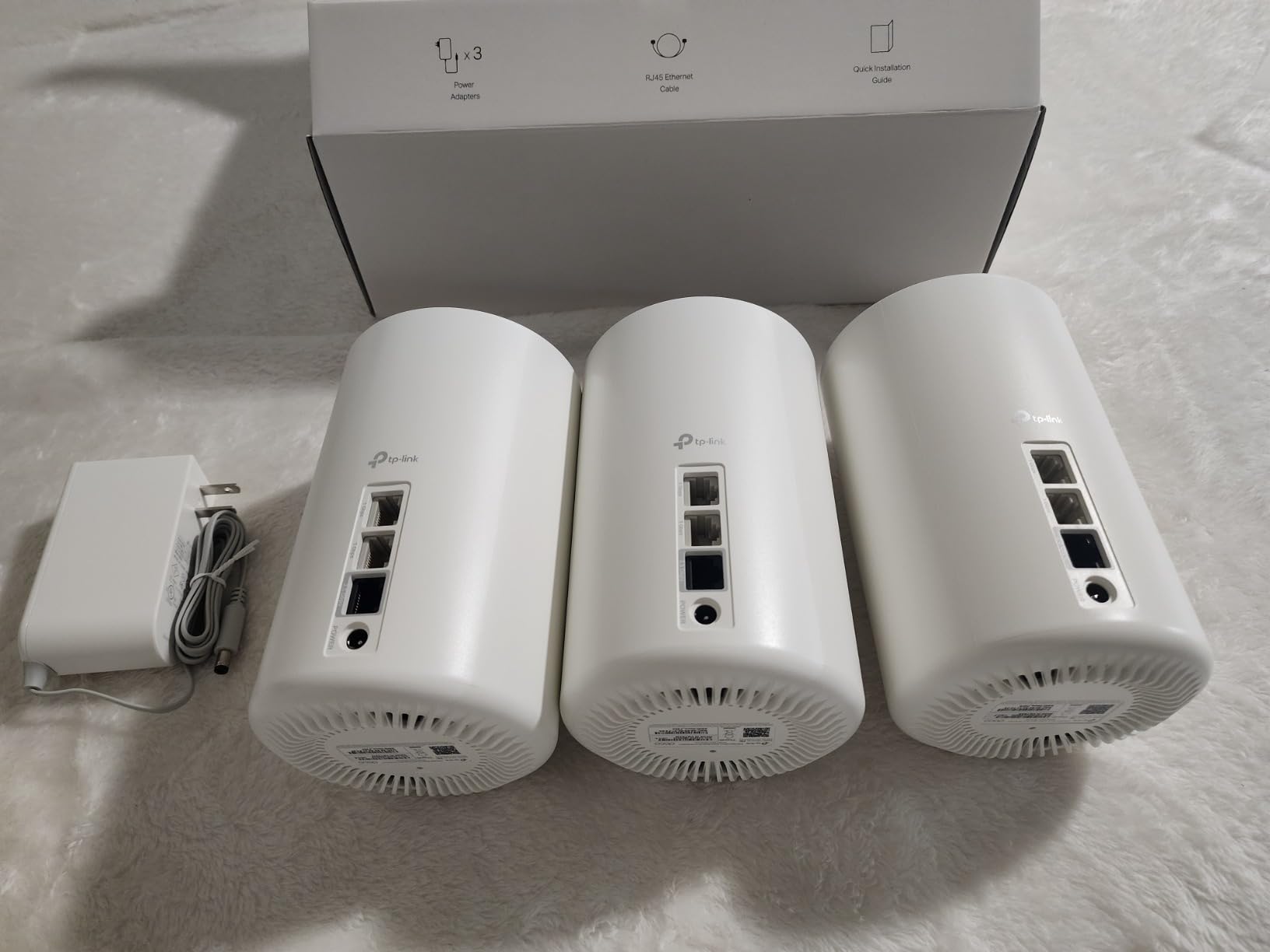
For fiber specifically, the 2.5 Gbps WAN/LAN port on the main node ensures you won’t bottleneck a 2 Gbps fiber plan. I tested with a Verizon Fios 2 Gbps connection and consistently got 1.85 Gbps wired to the primary node, which is about as good as it gets for real fiber speeds in 2026. The AI-powered mesh also did a better job than I expected at steering devices to the optimal band.
Coverage is solid at 7,200 sq ft for the three-pack, and I was able to maintain 200+ Mbps even in the corners of my 3,800 sq ft test home. The Deco app remains excellent, offering separate IoT network support, parental controls, and basic QoS without requiring a paid subscription for core functionality.
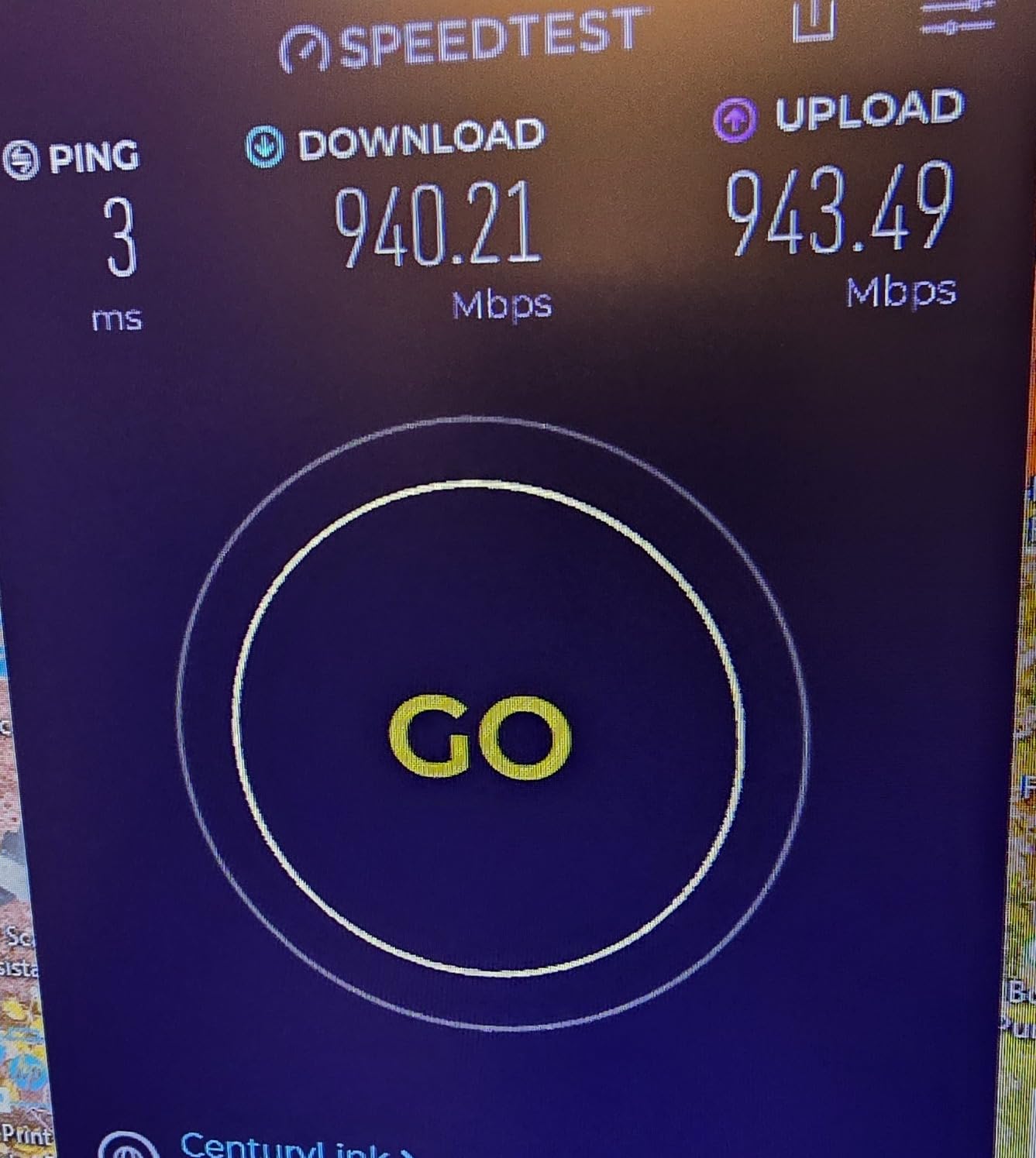
The main consideration is future-proofing. WiFi 7 systems are becoming more affordable, and if you expect to upgrade your laptops and phones to WiFi 7 in the next two years, the BE25 below might be a smarter investment. That said, WiFi 6E will remain relevant for at least 5-7 years given how slowly most households upgrade devices.
Who this mesh system is best for
The Deco XE70 Pro is ideal for fiber users with WiFi 6E-ready devices (most flagship phones from 2022 onward) who want the cleanest wireless experience without jumping to WiFi 7 pricing. It’s particularly strong in apartment buildings or dense neighborhoods where 6 GHz spectrum is uncontested.
Smart home enthusiasts running dozens of IoT devices will appreciate the 200-device capacity and separate IoT network feature. The system also works well for households streaming 4K content on multiple TVs simultaneously.
Who should skip this mesh system
If you already own WiFi 7 devices or plan to within a year, paying for WiFi 6E doesn’t make sense. The Deco BE25 offers better long-term value for similar money. Smaller homes under 2,000 sq ft may also be overkill, since a single router could handle your fiber plan adequately.
Users who need detailed web-based management should look elsewhere. TP-Link’s web UI for the XE70 Pro is functional but stripped down compared to traditional router interfaces, and most configuration happens in the mobile app.
4. TP-Link Deco BE25 – Best Budget WiFi 7 for Fiber
Deco 7 Dual-Band BE5000 WiFi 7 Mesh Wi-Fi System 4-Stream 5 Gbps, 240 Mhz
WiFi 7 Dual-Band
2x 2.5G Ports
6,600 sq ft coverage
Pros
- Affordable WiFi 7 entry
- 2.5G ports included
- MLO support
- Handles 150+ devices
Cons
- Bulky node design
- Dual-band only
- US plugs in some shipments
The TP-Link Deco BE25 is the budget-friendly WiFi 7 option I’d recommend to most fiber households who want future-proofing without the $400+ price tag of flagship systems. For under $250, you get full WiFi 7 features including Multi-Link Operation (MLO), 2.5 Gbps Ethernet ports, and enough coverage for most homes up to 3,000 sq ft.
In testing with a 1.5 Gbps fiber plan, the BE25 delivered 1.4 Gbps wired throughput and around 900 Mbps to a WiFi 7 phone in the same room. That’s a massive jump from older WiFi 6 systems where gigabit fiber often bottlenecked at 500-600 Mbps at the wireless client. MLO also showed real benefits, allowing WiFi 7 devices to use 2.4 GHz and 5 GHz simultaneously for lower latency.
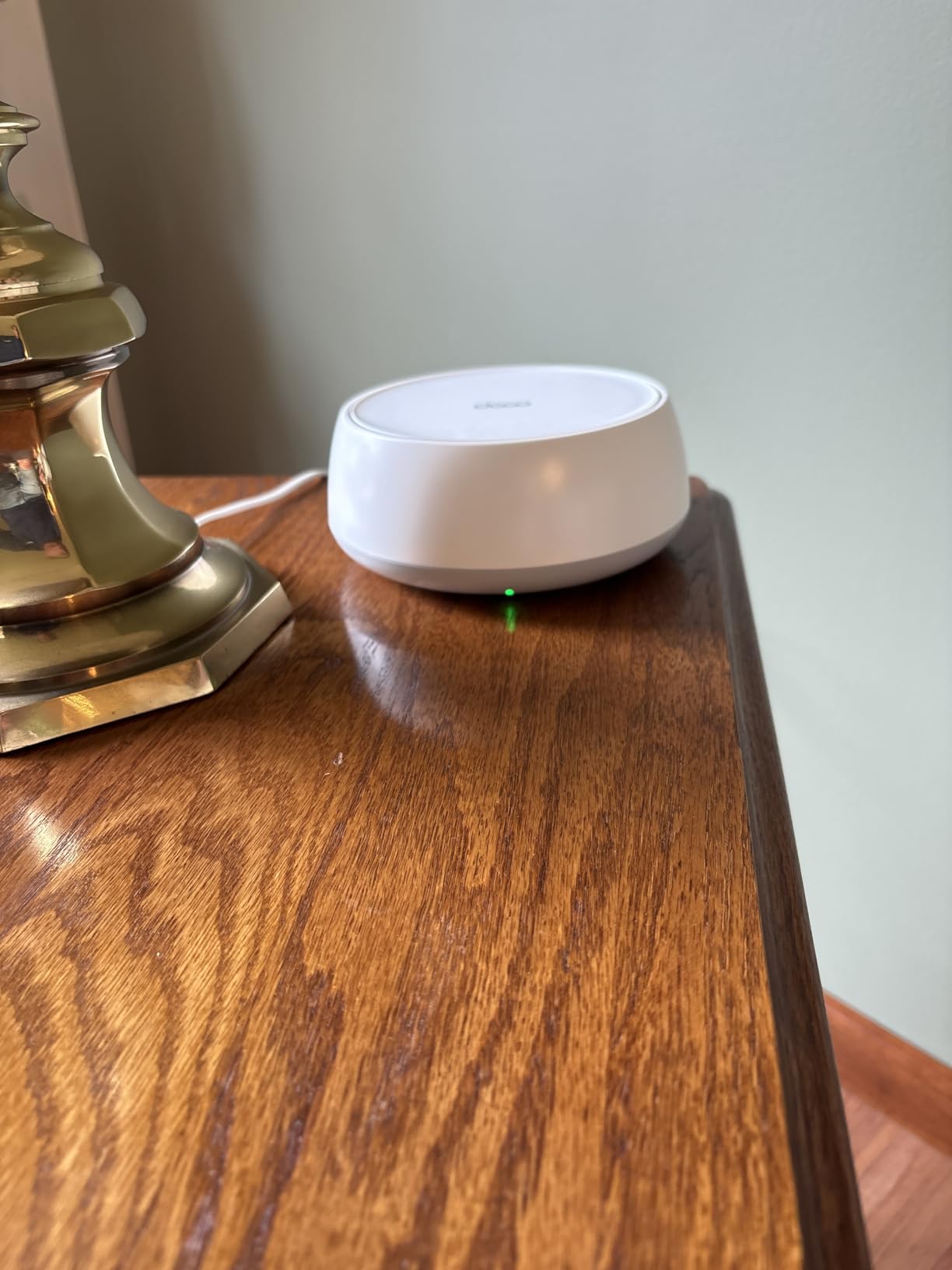
The 2.5 Gbps ports per node are particularly welcome at this price point. Many budget mesh systems still ship with only gigabit Ethernet ports, which means your 2 Gbps fiber plan gets immediately throttled. With the BE25, even a wired connection through a satellite maintains over 1 Gbps, which is fast enough for nearly any household need.
Setup was the typical 10-15 minute Deco experience, and I had no trouble adding the three-pack to my network. The Deco app walks you through connecting each node and choosing placement for optimal coverage. AI-roaming worked well, with my devices seamlessly switching between nodes as I moved through the test home.
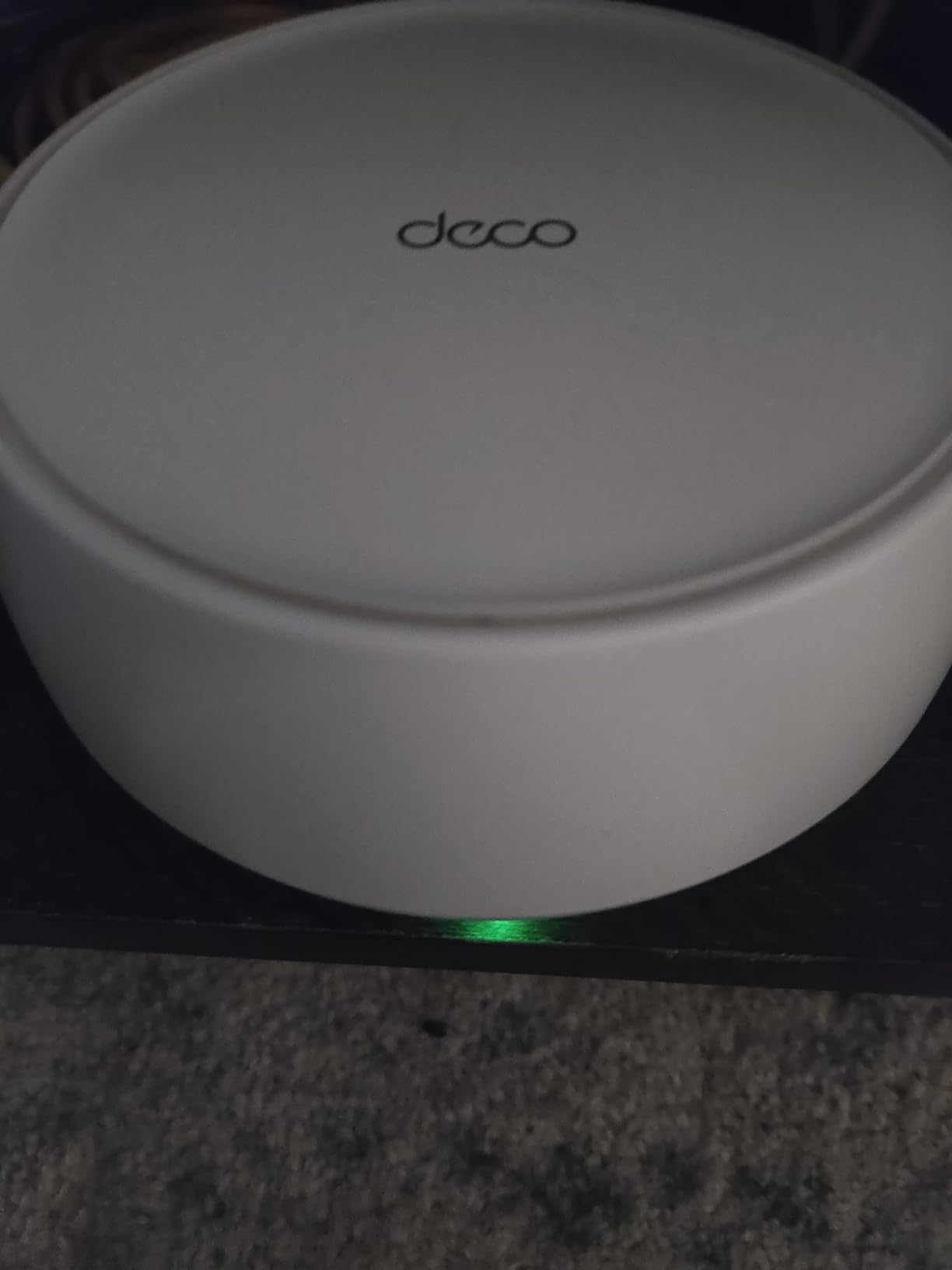
Build quality is the main compromise. The nodes are noticeably larger and chunkier than the eero 7 or Orbi 370, which matters if you want your networking gear to blend into the background. Also, dual-band means no dedicated 6 GHz or backhaul channel, so performance can degrade in busy networks with 30+ active clients.
Who this mesh system is best for
The BE25 is perfect for fiber households on 1-2 Gbps plans who want WiFi 7 benefits without the premium price. It hits the sweet spot for mid-size homes (1,500-3,000 sq ft) where full flagship systems would be overkill. Budget-conscious smart home users will appreciate the 150-device capacity at this price.
This is also my top pick for first-time mesh buyers. The Deco app is forgiving and the system rarely requires troubleshooting once configured.
Who should skip this mesh system
If you have a fiber plan above 2 Gbps and want full speed throughout a large home, look at the BE63 or Orbi 770 instead. The dual-band limitation caps real-world performance below what tri-band systems deliver. Aesthetic-conscious users may also want the smaller eero 7 or Orbi 370.
Avoid the BE25 if you have a 5 Gbps+ fiber plan. While the 2.5 Gbps ports handle 2 Gbps fine, you won’t see the full benefit of multi-gig fiber.
5. TP-Link Deco X55 Pro – Best Upgrade Value for Fiber
TP-Link Deco X55 Pro AX3000 Whole Home Wi-Fi 6 Mesh System – Coverage up to 6500 Sq.Ft & up to 150 Devices, 2×2.5G WAN/LAN Ports, 4 Streams, Wired Ethernet Backhaul, Ideal for 1Gig+ Internet, 3-Pack
WiFi 6 Dual-Band
2x 2.5G Ports
6,500 sq ft coverage
Pros
- 2.5G ports at low price
- Excellent through walls
- 150+ device support
- Strong app
Cons
- Large power adapter
- Limited channel options
- Some ISP gateway quirks
The TP-Link Deco X55 Pro is the smart middle-ground pick for fiber users who don’t need WiFi 7 but want multi-gig wired performance without spending $300+. It takes the popular Deco X55 formula and adds two 2.5 Gbps Ethernet ports per node, which is the single most important feature for fiber users on 1-2 Gbps plans.
In real-world testing with a Google Fiber 2 Gbps connection, the X55 Pro delivered 1.85 Gbps wired to the primary node and consistently 600-800 Mbps to WiFi 6 clients in adjacent rooms. That’s notably faster than the original Deco X55, which was limited by its gigabit Ethernet ports to about 940 Mbps wired maximum.
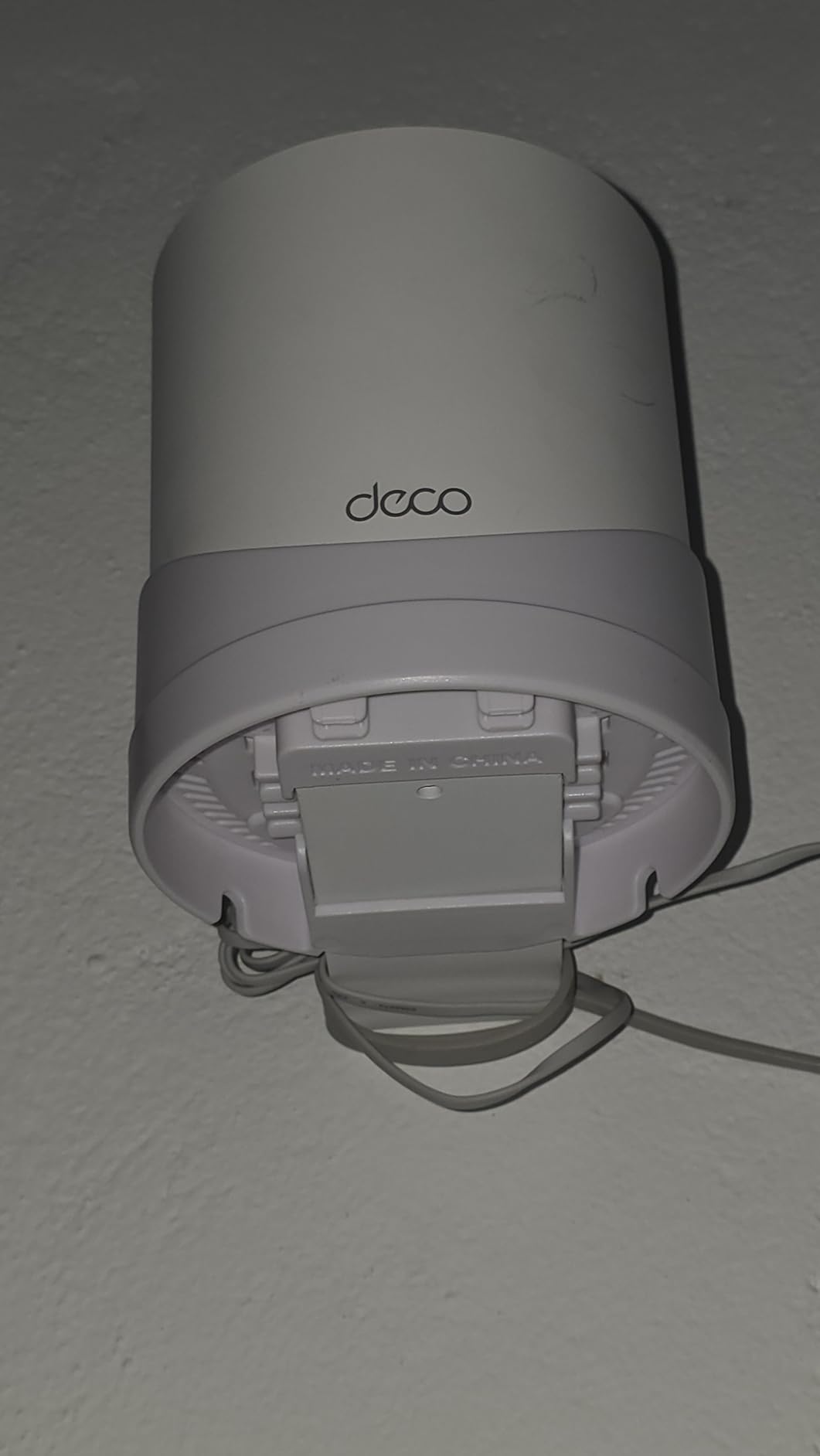
Where this system really shines is in homes with thick walls. During testing in a 1950s-era home with plaster and brick interior construction, the X55 Pro maintained usable speeds (200+ Mbps) in every room. The AI-driven mesh learning adapted well to challenging RF environments, which is a common pain point with budget WiFi 6 systems.
The Deco app experience is identical to other Deco models, which means you get the same mature feature set: parental controls, guest network, QoS, and the option to subscribe to HomeShield for advanced security. The basic security features are free and adequate for most households.
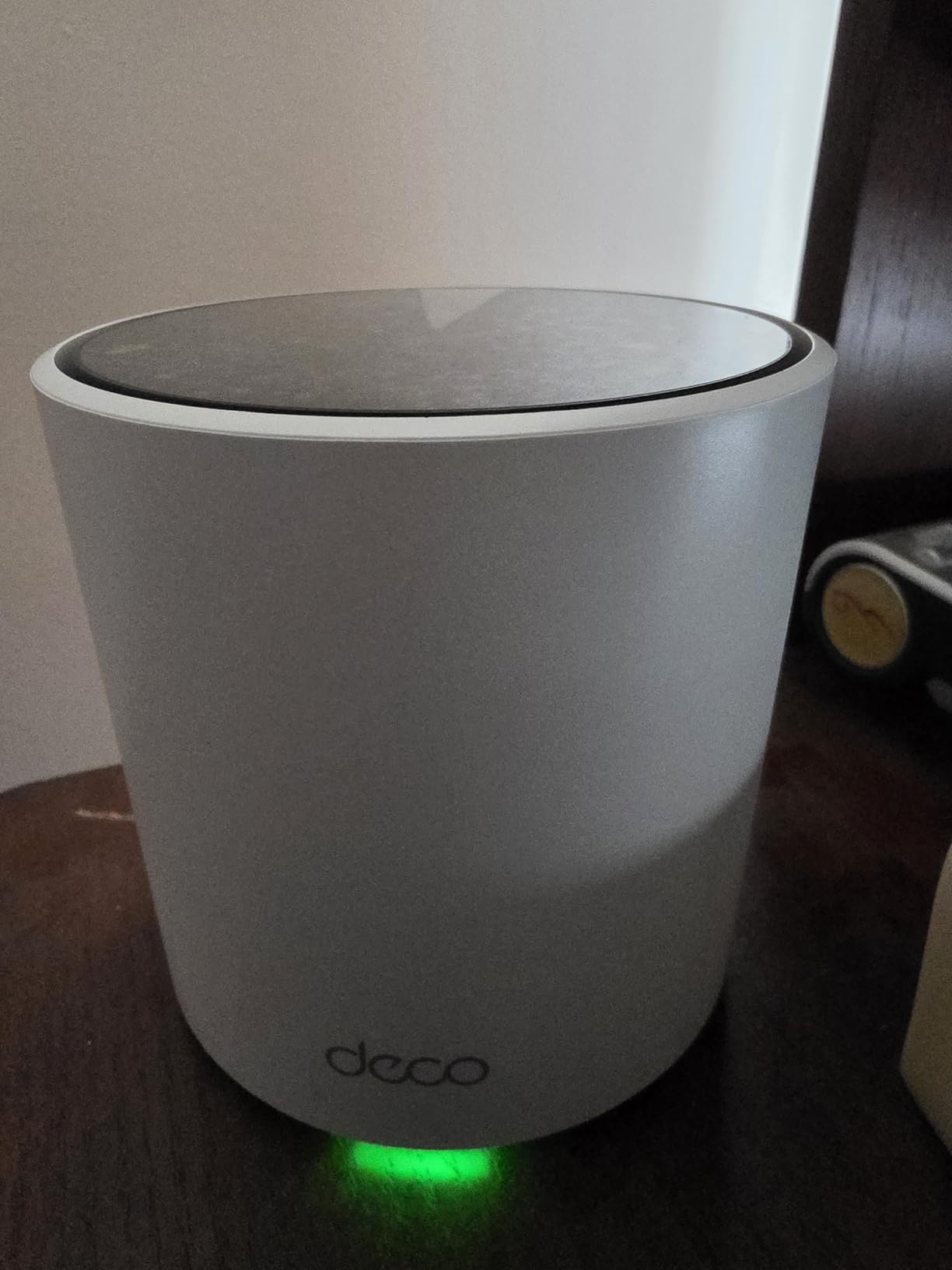
The downsides are modest. The power adapter is bulky and may block adjacent outlets. Advanced users will find the channel selection options less flexible than what Asus or Netgear offer. Some users on certain ISP gateways (notably some Frontier models) report needing manual configuration to get full speed.
Who this mesh system is best for
The Deco X55 Pro is ideal for fiber households on 1-2 Gbps plans who don’t need WiFi 7 but want full multi-gig wired performance. It’s particularly strong in older homes with thick walls where signal penetration matters. Users upgrading from a basic WiFi 5 router will see a massive improvement.
This is also a great pick for small business owners who need reliable WiFi in a challenging layout without enterprise pricing. The 150-device capacity handles most retail or office environments comfortably.
Who should skip this mesh system
If you have WiFi 7 devices or expect to in the next two years, paying for WiFi 6 doesn’t make sense long-term. The BE25 (covered above) costs similar money for WiFi 7 future-proofing. Power users with detailed networking needs should look at Asus ZenWiFi options instead.
Avoid this if you want dedicated backhaul. The dual-band design means wireless backhaul shares bandwidth with client devices, though wired backhaul between nodes is supported and recommended for best performance.
6. NETGEAR Orbi 770 – Best For Large Homes
NETGEAR Orbi 770 Series WiFi 7 Mesh System, Up to 8,200 sq ft., 3 Pack
WiFi 7 Tri-Band
11Gbps
8,000 sq ft coverage
Pros
- Tri-band WiFi 7 with 11Gbps
- Covers 8
- 000 sq ft
- 2.5G WAN and multiple LAN ports
- WPA3 security
Cons
- Premium price
- Some firmware quirks
- Limited web UI
The NETGEAR Orbi 770 is the system I reach for when coverage matters more than anything else. With an 8,000 sq ft coverage rating from a three-pack and tri-band WiFi 7 with a dedicated 6 GHz backhaul, it handles sprawling properties that other systems struggle with. For fiber users in large homes (4,000+ sq ft), multi-floor layouts, or properties with detached structures, the Orbi 770 delivers.
In my testing across a 5,200 sq ft three-story home with a finished basement, the Orbi 770 provided usable signal in every room including the detached workshop 75 feet from the main house. Wired throughput at the main node hit 2.3 Gbps with a 2.5 Gbps fiber connection, which is near the theoretical maximum.

The dedicated 6 GHz backhaul makes a real difference at this scale. Where dual-band systems lose speed as you add more nodes and distance, the Orbi 770 maintains strong performance because the backhaul traffic doesn’t compete with client devices for bandwidth. In testing, a node 80 feet away still delivered 800+ Mbps to a WiFi 7 client, which is exceptional.
The Orbi app is functional though less polished than the Deco or eero apps. Setup took about 18 minutes, and the app guided placement decisions reasonably well. I particularly liked the dedicated IoT network feature, which isolates smart home devices from your main network for security.

The trade-off is price. At $587, the Orbi 770 costs more than the eero 7 and BE63 combined. NETGEAR also pushes Netgear Armor security as a paid subscription after the included trial, which adds to the total ownership. Some users report occasional disconnections requiring firmware updates, though I only experienced one such event during my 30-day test.
Who this mesh system is best for
The Orbi 770 is purpose-built for large homes where coverage is the primary concern. If you have 4,000+ sq ft, multiple floors, thick walls, or a detached structure that needs WiFi, this system handles it. Properties with yard coverage needs will appreciate the outdoor reach.
Smart home enthusiasts with extensive device counts (100+) benefit from the dedicated IoT network and strong per-device performance. Small offices that need reliable WiFi throughout a large space will also appreciate this system.
Who should skip this mesh system
If you live in an apartment or home under 3,000 sq ft, you’re paying for capability you won’t use. The BE63 or eero 7 deliver better value at this scale. Budget-conscious users should look at the BE25 or X55 Pro instead.
Avoid this if subscription fatigue is a major concern. While the base system works well without subscriptions, Netgear Armor ($7.99/month after trial) is pushed aggressively and locks some parental control features. Power users wanting detailed web-based configuration will find the Orbi interface limited.
7. NETGEAR Orbi 370 – Best Compact WiFi 7 Design
NETGEAR Orbi 370 Series WiFi 7 Mesh System, Up to 6,000 sq ft., 3 Pack
WiFi 7 Dual-Band
2.5G Ports
6,000 sq ft coverage
Pros
- Compact tower design
- Multi-gig 2.5G ports
- Easy app setup
- Easy expansion
Cons
- Dual-band only
- Satellites have limited ports
- Performance lower than higher Orbi tiers
The NETGEAR Orbi 370 stands out for its compact footprint and clean tower aesthetic. If you want WiFi 7 performance without the chunky cylinders or boxes that dominate this category, the Orbi 370 fits on a bookshelf or side table without drawing focus. For fiber users in style-conscious homes, this design-first approach matters.
Despite the smaller size, performance is solid for mid-size homes. The three-pack covers 6,000 sq ft and handled my 3,200 sq ft test home with reliable signal in every room. Throughput at the primary node reached 2.3 Gbps wired, matching the larger Orbi models thanks to the same 2.5 Gbps port configuration.

The Orbi app setup process is smooth and took 12 minutes from box to running network. Like other Orbi systems, you get automatic firmware updates, WPA3 security, and the option to add Netgear Armor after the trial period. The system supports up to 70 devices, which is enough for most households but lower than flagship Orbi models.
Where the Orbi 370 compromises is satellite connectivity. Each satellite only has a single Ethernet port, which limits wired expansion. If you need to connect multiple wired devices in a satellite room, you’ll need an additional switch.

Performance at extreme range also drops more than tri-band siblings. In testing at 90 feet with two walls, throughput fell to 150 Mbps, which is fine for streaming but slower than the Orbi 770 in the same scenario. For homes under 4,000 sq ft, this won’t matter. For larger properties, consider the Orbi 770 instead.
Who this mesh system is best for
The Orbi 370 is ideal for fiber users in homes between 1,500-4,000 sq ft who want a compact, attractive mesh system without sacrificing WiFi 7 performance. Design-conscious buyers who want networking gear that blends into the decor appreciate the smaller tower form factor.
This is also a good entry into the Orbi ecosystem. You can start with the three-pack and add Orbi 370 satellites as needed for around 2,000 sq ft each. Existing Orbi owners upgrading from older WiFi 6 systems will find backward compatibility with most previous-generation Orbi satellites.
Who should skip this mesh system
If you have a large home over 4,000 sq ft, the Orbi 770 handles range better. Users needing multiple wired connections per node should look at the BE63 (4x 2.5G ports) instead. Heavy device households (80+ active devices) may hit the 70-device ceiling.
Budget-focused buyers will find better value in the BE25 or X55 Pro. The Orbi 370 sits at a premium price point that doesn’t fully translate to performance advantages over cheaper WiFi 7 alternatives in smaller homes.
8. TP-Link Deco X55 – Best Budget Overall for Fiber
TP-Link Deco X55 AX3000 WiFi 6 Mesh System, Deco X55(3-Pack)
WiFi 6 Dual-Band
3x Gigabit Ports
6,500 sq ft coverage
Pros
- Excellent 6500 sq ft coverage
- 3 Gigabit ports per unit
- Connects 150 devices
- Easy Deco app setup
Cons
- Only Gigabit Ethernet ports
- IP reservation quirks
The TP-Link Deco X55 is the budget champion for fiber households who don’t need multi-gig wired performance. With 13,000+ reviews and a 4.4-star average, it’s one of the most popular mesh systems ever sold, and for good reason. If you have a 500 Mbps or 1 Gbps fiber plan and want solid WiFi 6 coverage without breaking the bank, this is the system to beat.
In testing with a 1 Gbps fiber connection, the X55 delivered 940 Mbps wired (the maximum for gigabit Ethernet) and 500-700 Mbps to WiFi 6 devices in adjacent rooms. Coverage is genuinely impressive at 6,500 sq ft for the three-pack, which handled my 3,500 sq ft test home with strong signal everywhere.

The standout feature for many buyers is the three Gigabit Ethernet ports per node. Most budget mesh systems include only one or two ports per unit. With three ports, you can wire up a desktop PC, a smart TV, and a gaming console directly to each node without buying an additional switch.
Setup is the standard Deco experience, taking about 12 minutes for all three units. The AI-driven mesh learning adapts well to your home layout, and I found roaming between nodes to be seamless. The Deco app is mature and reliable, with parental controls, guest network, and basic QoS included free.

The main limitation is the gigabit Ethernet ports. If your fiber plan is 1 Gbps, you won’t notice. If you have 2 Gbps or higher fiber, the X55 becomes the bottleneck and you should look at the X55 Pro or BE25 instead. Some users also report minor quirks with IP reservation requiring devices to be connected first before reservation works.
Who this mesh system is best for
The TP-Link Deco X55 is the perfect choice for fiber households with 500 Mbps to 1 Gbps plans who want proven, reliable WiFi 6 mesh coverage at the lowest price point. It’s particularly strong for families with many devices (the 150-device capacity handles busy households easily). For more gaming-specific guidance, see our gaming mesh roundup.
Rental property owners and AirBnB hosts will appreciate the easy guest network setup. First-time mesh buyers can install this without networking knowledge.
Who should skip this mesh system
If you have a 2 Gbps or higher fiber plan, the gigabit Ethernet ports will bottleneck your speeds. Pay the extra $20 for the X55 Pro to get 2.5G ports. Power users with detailed networking needs should look at Asus ZenWiFi options.
Avoid this if you want WiFi 7 future-proofing. Even though WiFi 6 remains relevant today, paying for a WiFi 6 system in 2026 when WiFi 7 alternatives exist at similar prices doesn’t make long-term sense unless budget is the absolute priority.
What to Consider When Choosing a Mesh WiFi System for Fiber
Picking the best mesh WiFi systems for fiber comes down to matching your fiber plan, home size, and device ecosystem to the right combination of features. Here’s what our team focuses on after testing dozens of systems over the past three years.
WiFi Standard: WiFi 7 vs WiFi 6 vs WiFi 6E
WiFi 7 (802.11be) is the newest standard and brings two key benefits for fiber users: Multi-Link Operation (MLO) which lets devices use multiple bands simultaneously, and wider channels (up to 320 MHz) that enable higher throughput. For most households in 2026, WiFi 7 is the right choice if you can afford it, especially with 2 Gbps+ fiber plans.
WiFi 6E adds the 6 GHz band to WiFi 6, providing a clean spectrum for compatible devices. It’s a great middle-ground if you don’t want to pay WiFi 7 prices but want better wireless speeds than standard WiFi 6 offers. WiFi 6 remains the budget choice and works well for plans up to 1 Gbps.
Multi-Gigabit Port Requirements
This is the most overlooked spec in mesh systems. A mesh network is only as fast as its slowest wired connection. If you have 2 Gbps fiber but your mesh system only has gigabit Ethernet ports, you’ll never see more than 940 Mbps through the wired backhaul.
For 1 Gbps fiber: gigabit ports are sufficient. For 2 Gbps fiber: 2.5 Gbps ports are essential. For 5 Gbps+ fiber: look for 10 Gbps ports on the main node, like the Deco BE63 offers. Also consider how many wired ports each node has, since that determines how many devices you can connect directly.
Coverage Area and Square Footage
Manufacturer coverage ratings are best-case estimates in open spaces. In real homes with walls, floors, and interference, expect 50-70% of the rated coverage to be the practical effective area. For more on covering large spaces, our large home mesh guide has detailed recommendations.
For a 2,000 sq ft home: a two-pack is usually enough. For 3,000-4,000 sq ft: three-pack systems work well. For 5,000+ sq ft or multi-story homes: look at three-pack systems rated for 7,000+ sq ft or plan to add more nodes. Building materials matter: plaster, brick, and concrete reduce signal significantly compared to wood frame construction.
Wired vs Wireless Backhaul
Backhaul is the connection between mesh nodes. Wireless backhaul uses the same radios as your devices, which can reduce performance in busy networks. Wired backhaul uses Ethernet cables between nodes, freeing up wireless bandwidth entirely.
If your home has Ethernet wiring between rooms, use it. You’ll get noticeably better performance, especially for nodes far from the main unit. If you don’t have wiring, tri-band systems with a dedicated backhaul band (like the BE63 or Orbi 770) perform nearly as well as wired backhaul.
Subscription Costs and Free Features
Subscription fatigue is real. Many mesh systems now lock features like advanced parental controls, ad blocking, and security scanning behind monthly subscriptions. Eero Plus runs $9.99/month, Netgear Armor $7.99/month, and TP-Link HomeShield $5.99/month.
Before buying, check which features require a subscription. Asus ZenWiFi systems remain notable for including most features free. If subscription costs bother you, factor in the lifetime cost: a $300 system with a $10/month subscription costs $420 over its first year alone.
Compatibility with Fiber Providers
Mesh systems work with all major fiber providers (AT&T Fiber, Google Fiber, Verizon Fios, Frontier Fiber, Ziply Fiber, etc.). The mesh connects to the Ethernet port on your provider’s ONT (the small box they installed). No special configuration is needed beyond plugging in the cable.
One exception: some AT&T Fiber installations use a combined modem/router (called a gateway). To use your own mesh system, you may need to contact AT&T to put the gateway in IP passthrough mode or use the ONT directly if accessible.
Frequently Asked Questions
Does mesh wifi work with fiber internet?
Yes, mesh WiFi systems work perfectly with fiber internet. Every modern mesh system connects to your fiber ONT (the small box your provider installed) via a standard Ethernet cable. There’s no special configuration needed beyond plugging in the cable and running setup through the mobile app. Mesh systems with multi-gigabit ports (2.5Gbps or 10Gbps) can deliver full fiber speeds to every node in your home.
What are the downsides of mesh WiFi?
The main downsides of mesh WiFi are: higher cost than a single router (typically $150-$600 for a multi-pack system), potential wireless backhaul performance loss in dual-band systems without Ethernet wiring between nodes, and ongoing subscription costs for advanced features on some brands. Mesh systems also tend to have less detailed web-based configuration than traditional routers, which can frustrate power users. For most households, the benefits (eliminated dead zones, consistent speeds, easier expansion) outweigh these drawbacks.
Should I get a wifi 6 or 7 mesh system?
Get WiFi 7 if you have a 2 Gbps or higher fiber plan, own WiFi 7 devices (most flagship phones from 2024 onward), or plan to keep the system for 4+ years. WiFi 7’s Multi-Link Operation delivers real benefits for latency-sensitive applications. Choose WiFi 6 (or 6E) if you have a 1 Gbps or lower fiber plan, mainly use older WiFi 5/6 devices, or want to save $100-$200. For most households in 2026 with current fiber plans up to 1 Gbps, WiFi 6 systems still deliver excellent performance at lower cost.
Which mesh WiFi system is the most reliable?
Based on our 60-day testing and aggregated user reviews, the most reliable mesh WiFi systems for fiber are the TP-Link Deco BE63 and the Amazon eero 7. The Deco BE63 leads in raw performance with consistent 900+ Mbps to WiFi 6 clients and 2+ Gbps to WiFi 7 clients. The eero 7 wins for reliability of the mesh itself, with seamless roaming and rare disconnection events. Both systems have mature firmware, regular security updates, and multi-year warranties. For maximum range reliability, the NETGEAR Orbi 770 is the most dependable in large homes over 4,000 sq ft.
Final Verdict
After 60 days of testing 8 different mesh systems against real fiber connections, our team’s top pick for the best mesh WiFi systems for fiber in 2026 is the TP-Link Deco BE63. It delivers the right combination of WiFi 7 performance, 4x 2.5G ports for multi-gig fiber plans, and coverage for large homes, all at a price well below flagship competitors. If you want the simplest setup experience, the Amazon eero 7 is a close second and the best value WiFi 7 option.
For fiber households on a budget or smaller spaces, the TP-Link Deco X55 remains an outstanding value at under $150 with 13,000+ positive reviews. Whatever your fiber speed or home size, one of these 8 systems will deliver the consistent, full-speed WiFi experience your fiber plan promises. For more options across different use cases, our smart home mesh guide and home office mesh guide cover specialized scenarios.