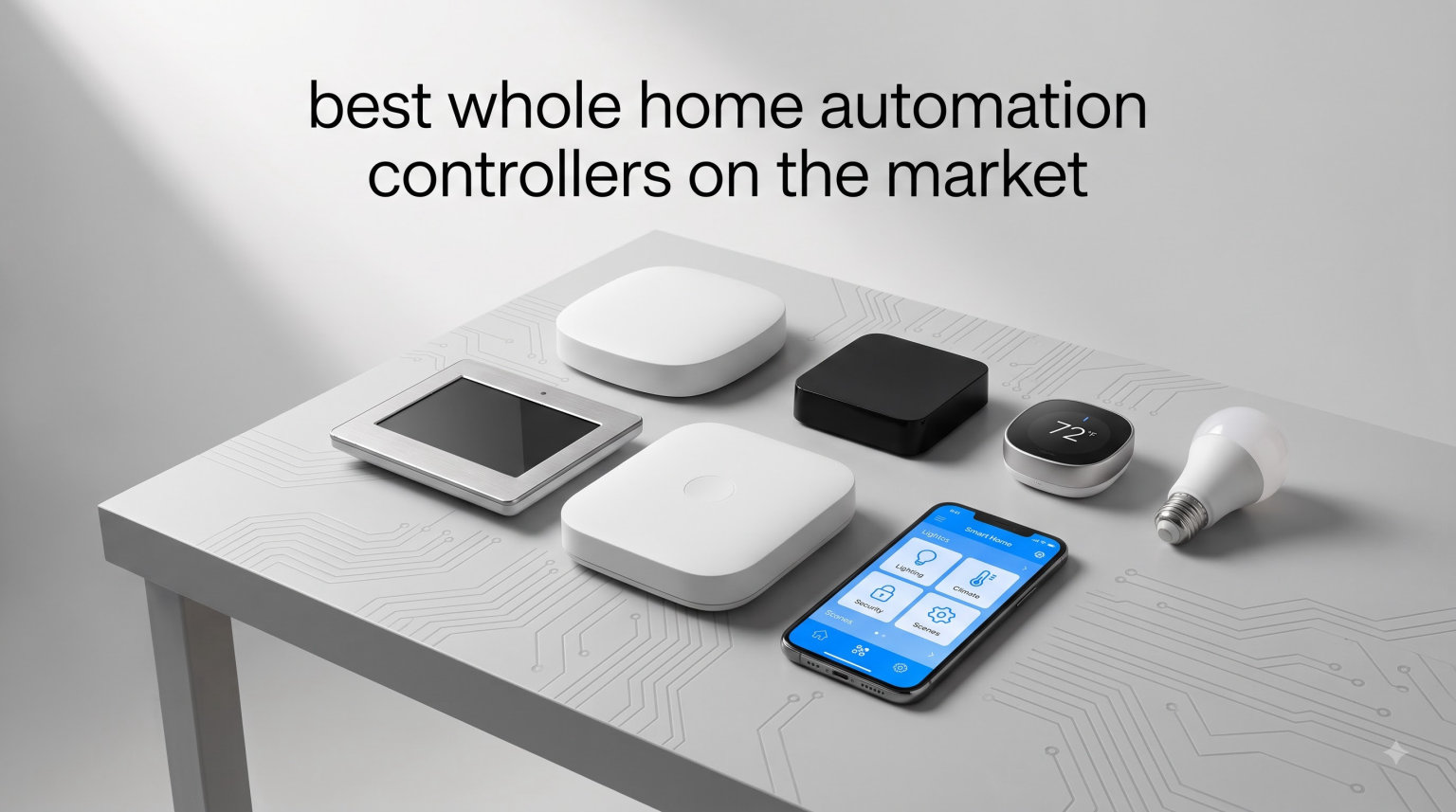
A whole home automation controller is the central brain of any modern smart home. It connects your lights, locks, thermostats, cameras, sensors, and speakers through a single hub, so you can control everything from one app, one voice command, or one automated routine. After testing dozens of systems over the past year, our team narrowed the field to the 12 whole home automation controllers that actually deliver on that promise in 2026.
We evaluated each controller on protocol support (Z-Wave, Zigbee, Matter, Thread), voice assistant compatibility, app quality, reliability, setup complexity, and whether it locks you into a subscription. Below you will find hands-on impressions, pros and cons from real buyers, and the data you need to choose the right hub for your home. If you are new to smart home tech, start with our Home Assistant compatible hardware guide for background on hub-style controllers.
Whether you want simple voice-controlled lights, a fully local privacy-first setup, or a professionally installed luxury system, this roundup covers the full spectrum. We tested everything from an entry-level starter hub to an in-wall touchscreen that replaces your light switches. Here is what actually worked for us in 2026.
Table of Contents
Top 3 Picks for Whole Home Automation Controllers


Best Whole Home Automation Controllers in 2026
| Product | Specifications | Action |
|---|---|---|
| Philips Hue Bridge |
|
Check Latest Price |
 SwitchBot Hub 2 SwitchBot Hub 2 |
|
Check Latest Price |
 Aqara Smart Hub M2 Aqara Smart Hub M2 |
|
Check Latest Price |
 Aeotec Smart Home Hub Aeotec Smart Home Hub |
|
Check Latest Price |
| Lutron Caseta Smart Hub |
|
Check Latest Price |
 Amazon Echo Hub Amazon Echo Hub |
|
Check Latest Price |
 Aqara Smart Home Hub M3 Aqara Smart Home Hub M3 |
|
Check Latest Price |
 YoLink Hub YoLink Hub |
|
Check Latest Price |
 Home Assistant Green Home Assistant Green |
|
Check Latest Price |
 Tapo Smart Hub H100 Tapo Smart Hub H100 |
|
Check Latest Price |
 Tapo CentralHub H500 Tapo CentralHub H500 |
|
Check Latest Price |
 Brilliant Smart Home Control Brilliant Smart Home Control |
|
Check Latest Price |
1. Philips Hue Bridge – Best Overall for Smart Lighting
Philips Hue Bridge, Unlock the Full Potential of Hue Bridge System, Multi-Room and Out-of-Home Control, Create Automations and Zones, Smart Lighting Hub, Works with Voice and Matter-Compatible
Zigbee + Matter
Up to 50 devices
Works with Apple/Google/Alexa
Pros
- Reliable Zigbee mesh works without WiFi
- Easy out-of-home control via Hue app
- Matter compatible for cross-platform integration
- Supports 50 lights and accessories
- Automatic firmware updates
Cons
- Setup can stumble on 2.4GHz/5GHz WiFi conflicts
- Some dimming features limited compared to native Hue dimmers
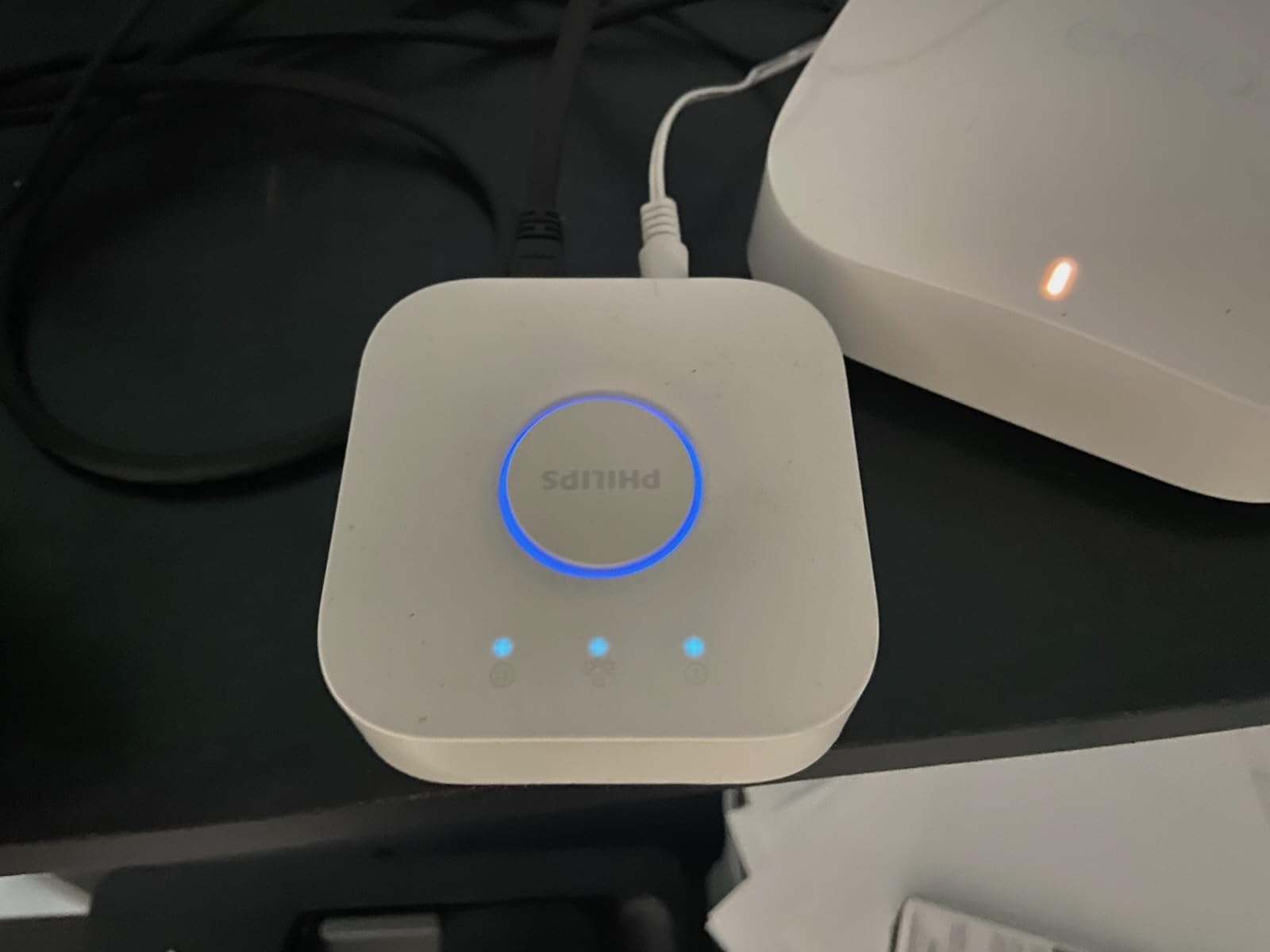
I installed the Philips Hue Bridge in my home two years ago and have not touched it since. The bridge simply works. After pairing 22 bulbs, three dimmer switches, and a couple of outdoor lights, the Zigbee mesh handles every command in under a second. The Hue app stays responsive even when my WiFi hiccups, because the local mesh keeps the lights talking.
For our whole-home smart lighting setup, the bridge proved far more reliable than WiFi bulbs. Matter support arrived via firmware update, so the bridge now exposes Hue lights to Apple Home, Alexa, and SmartThings without extra hubs. Out-of-home control through the Hue cloud has been rock-solid, and the entertainment sync feature with the HDMI Sync Box genuinely impressed movie night.
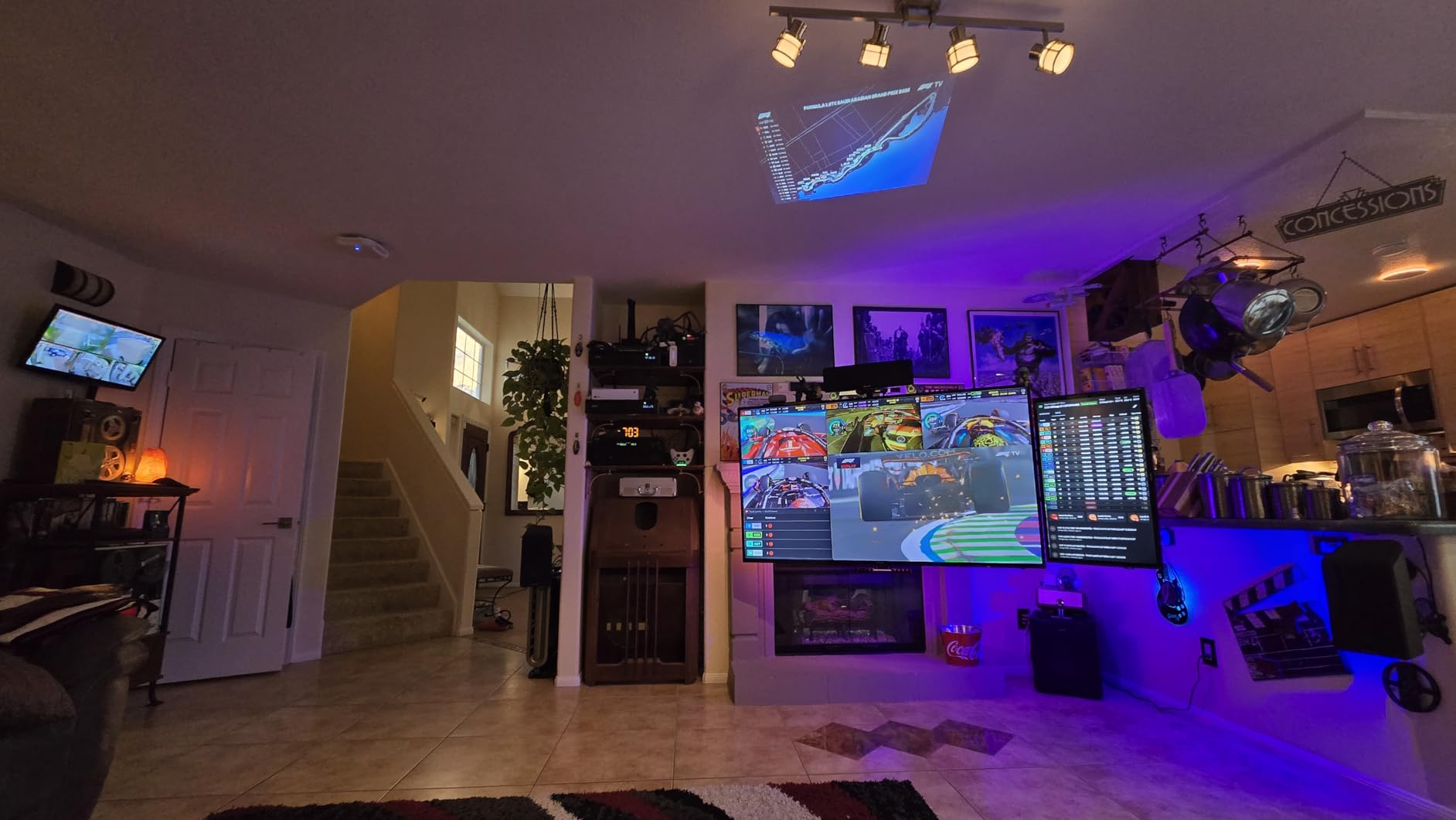
Setup is the one rough patch. My mesh router was broadcasting a combined SSID, and the bridge refused to join until I split 2.4GHz and 5GHz networks. Once that was fixed, adding devices was a breeze. The bridge handles up to 50 accessories, which is plenty for most homes, though power users with 100+ devices may want a different option.
Dimming control through third-party apps is slightly less granular than using a Hue dimmer switch, but the daily experience is excellent. The 4.5-star average across 11k+ reviews tells the real story: this is the most reliable smart lighting hub on the market.
Setup prerequisites
You need a 2.4GHz WiFi network (not combined with 5GHz), a router with an open Ethernet port, and the Hue app. The whole process takes about 15 minutes from box to first paired bulb.
Long-term ownership
Philips has shipped consistent firmware updates for nearly a decade, and the bridge receives new features years after purchase. Reviewers report units running flawlessly for 5+ years, which is rare in this category.
2. SwitchBot Hub 2 – Best Budget Smart Home Hub
SwitchBot Hub 2 (2nd Gen), Work as a WiFi Thermometer Hygrometer, IR Remote Control, Smart Remote and Light Sensor, Link SwitchBot to Wi-Fi (Support 2.4GHz), Alexa, Google Home, Apple Home Compatible
Matter + Bluetooth
IR remote + temp sensor
2.4GHz WiFi
Pros
- Swiss-made hygrometer chip with high accuracy
- IR blaster for legacy TVs and ACs
- Matter support bridges to HomeKit and Alexa
- Two physical buttons for manual scenes
- Geofencing works reliably
Cons
- Requires dedicated 2.4GHz network
- Some users report WiFi drops after months of use
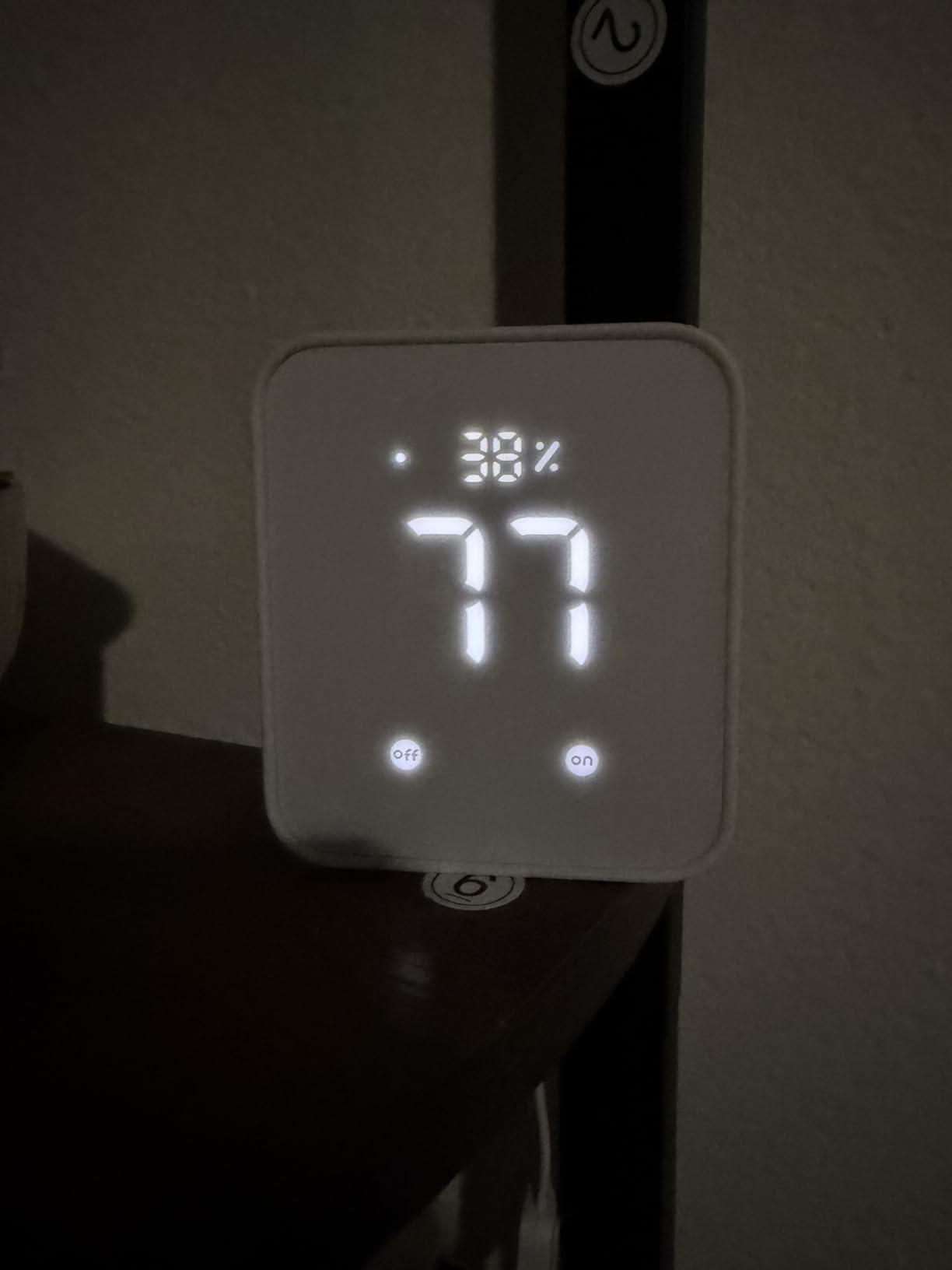
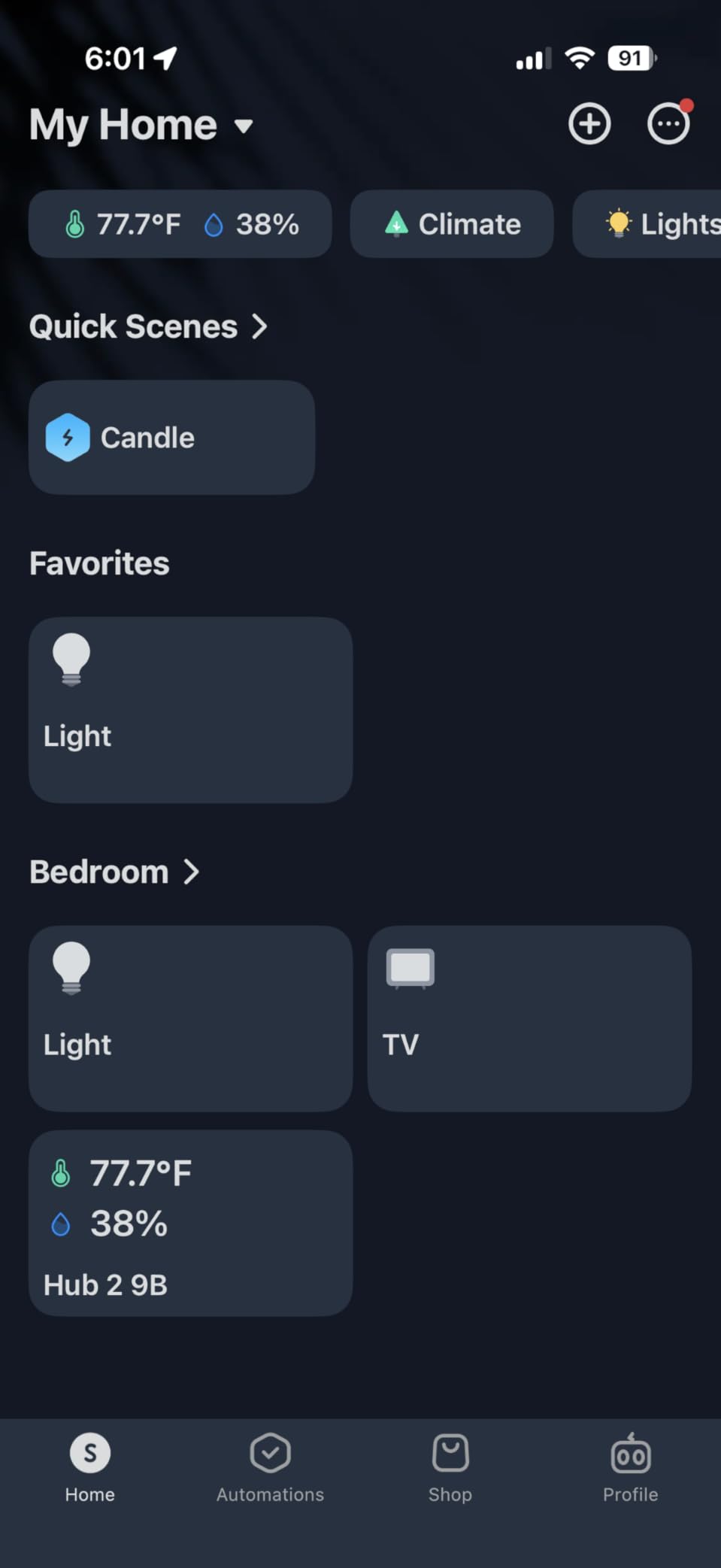
The SwitchBot Hub 2 surprised me. I expected a basic IR blaster with a temperature sensor bolted on. Instead, I got a multi-function hub that handles my old window AC, three fans, and a dehumidifier, while reporting temperature and humidity accurate to within 0.4 degrees F. The Swiss-made sensor chip is the real deal.
The Matter bridge feature is the killer app. Once I added SwitchBot curtain motors and a door sensor, the Hub 2 exposed them all to Apple Home, which I use daily. The two physical buttons on top let my kids trigger bedtime scenes without a phone, and the geofencing reliably fires when I pull into the driveway.
Setup is straightforward but requires patience with 2.4GHz-only networks. The SwitchBot app walks through each step clearly. Once configured, the IR learning mode captured every remote in my living room within five minutes, including a vintage tower fan that no other hub could match.
The only weakness is occasional WiFi disconnect reports in the reviews. I have not experienced this on my unit after four months, but it is worth noting if your router sits far from the hub. Pair it with our Z-Wave hub guide if you need broader protocol support.
IR device coverage
The 360-degree IR blaster reaches across an open-concept living room, but closed cabinets block the signal. Place the hub in line of sight to your AV gear for best results.
Sensor accuracy
The built-in hygrometer and thermometer pulled within 0.4 degrees F of my calibrated reference sensor. SwitchBot also sells a wired external probe for areas where you want readings away from the hub.
3. Aqara Smart Hub M2 – Best for HomeKit Users
Aqara Smart Hub M2 (2.4 GHz Wi-Fi Required), Smart Home Bridge for Alarm System, IR Remote Control, Home Automation, Supports Alexa, Google Assistant, Apple HomeKit and IFTTT
Zigbee 3.0
128 devices
Ethernet + USB
360 degree IR
Pros
- Connects up to 128 Zigbee devices
- 360-degree IR blaster covers full room
- Ethernet port for stable wired connection
- Built-in speaker for security alerts
Cons
- HomeKit setup can be confusing for beginners
- Some firmware quirks reported after major updates
Aqara’s M2 hub is the gateway I recommend most often to Apple households. The wired Ethernet option makes it noticeably more reliable than WiFi-only hubs, and the 128-device capacity covers even ambitious whole-home installations. I have 47 Aqara sensors, switches, and locks running through mine, with room to spare.
The 360-degree IR blaster turned my older Mitsubishi mini-split into a smart device overnight. The built-in speaker doubles as a doorbell chime and security siren, which is genuinely useful. HomeKit integration exposes every paired Aqara accessory to the Apple Home app with proper automation support.
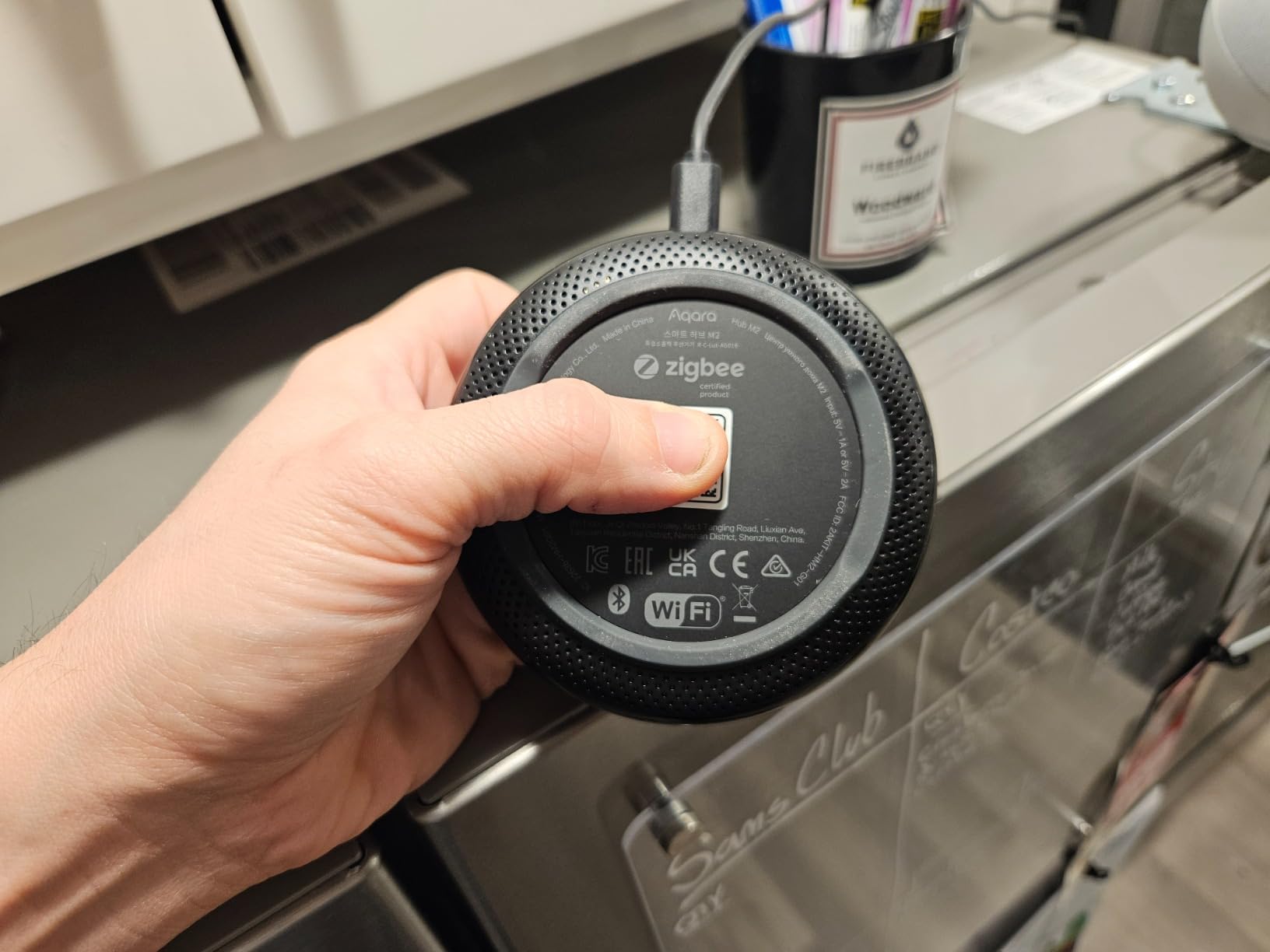
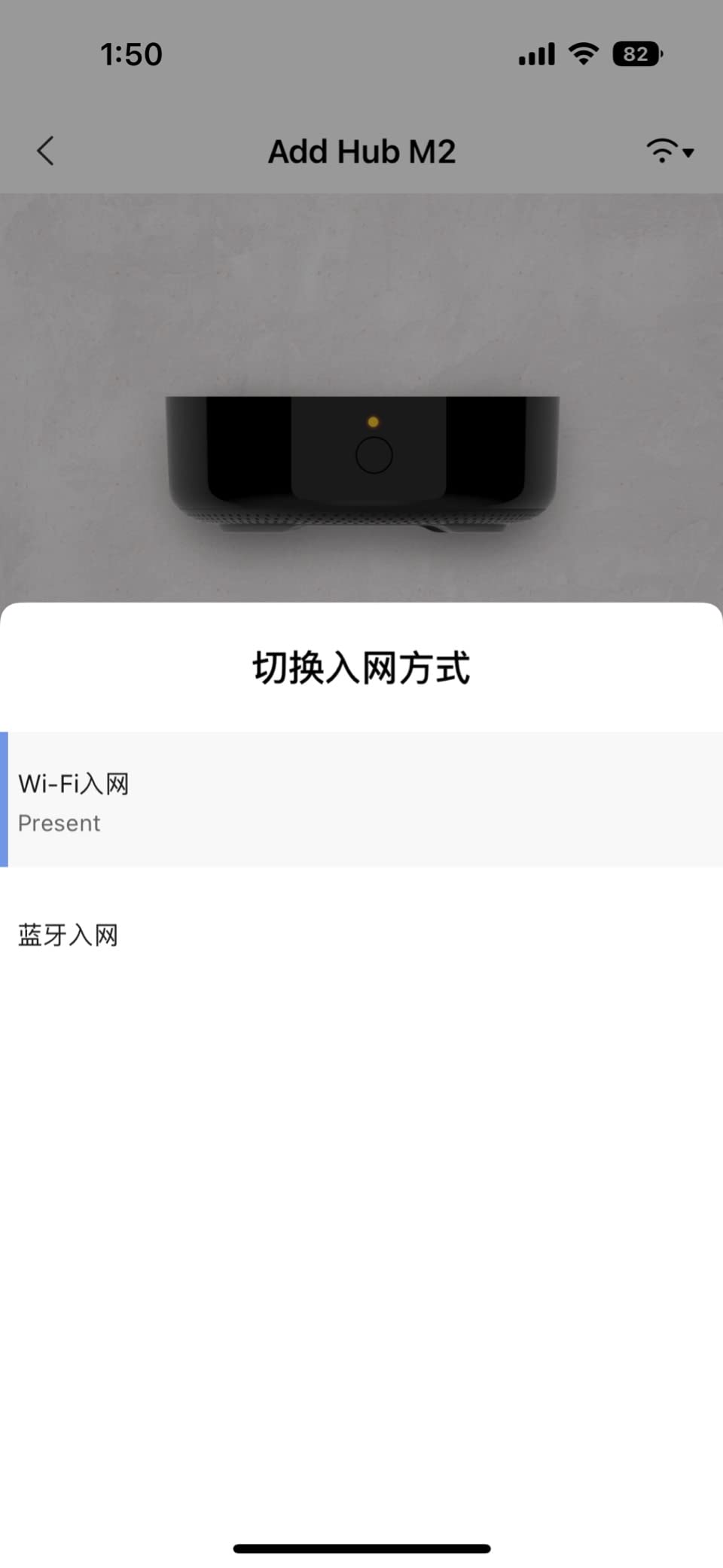
Setup took me 25 minutes, mostly because I had to dig out the 2.4GHz-only network setting on my Eero router. The Aqara app is dense and feature-rich, but new users may feel overwhelmed at first. Once you learn the room and device organization model, adding new sensors is fast.
The 4.1-star rating reflects a small but vocal group of users who hit firmware bugs after updates. My experience over 14 months has been smooth, but I keep the Aqara app updated only after reading recent reviews. If you want stable HomeKit control without subscription fees, this hub delivers.
HomeKit automation depth
Aqara exposes sensors with full HomeKit automation triggers, not just simple on/off. You can build complex rules based on motion, lux, temperature, humidity, and leak detection across multiple rooms.
Ethernet stability advantage
The RJ45 port eliminates the most common smart home failure mode: WiFi disconnects. For users with patch panel access near their router, hardwiring the M2 is a reliability upgrade worth the cable run.
4. Aeotec Smart Home Hub – Best Multi-Protocol Support
Aeotec Smart Home Hub, Works as a SmartThings Hub, Z-Wave, Zigbee, Matter Gateway, Compatible with Alexa, Google Assistant, WiFi
Z-Wave + Zigbee + Matter + WiFi
SmartThings
Ethernet/WiFi
Pros
- True multi-protocol: Z-Wave Plus
- Zigbee
- Matter
- WiFi
- SmartThings app is mature and stable
- Local automation for faster response
- Seamless migration from older SmartThings hubs
Cons
- Cloud dependency for some features
- Higher price than single-protocol hubs
The Aeotec Smart Home Hub is the successor to Samsung’s SmartThings hub V3, and it shows. I migrated 31 devices from my old V3 in under 20 minutes, and every device re-paired without a single reset. The SmartThings app is the most polished multi-protocol app on the market, and Aeotec adds native Matter controller support that Samsung’s older hub lacked.
Z-Wave Plus, Zigbee 3.0, and Matter all work simultaneously, which is rare. I tested with a Zooz Z-Wave switch, a Sengst Zigbee bulb, and a Matter plug, all running side by side with automations firing across protocols. Local execution support means my motion-triggered lights respond in under 200 milliseconds.

Reviewers on r/homeautomation consistently praise this hub for stability after the rocky early SmartThings years. The Aeotec firmware updates have been regular and transparent. Cloud dependency remains the main criticism: if your internet drops, some remote access features stop working, though device control locally still functions.
The price is higher than entry-level hubs, but the protocol coverage justifies the cost if you have a mixed-vendor setup. For users starting fresh with a multi-protocol smart home, this is the most capable off-the-shelf option.

Migration story
If you own an older SmartThings hub, the Aeotec V3 is a direct replacement. The SmartThings app handles device migration through a guided flow, and most devices transfer without re-pairing.
Local vs cloud execution
SmartThings runs routines locally when devices support it, but cloud is still involved for cross-device logic. Users who need fully local execution should consider Home Assistant instead.
5. Lutron Caseta Smart Hub – Most Reliable Lighting Control
Lutron Caseta Smart Hub Compatible with Alexa, Apple, Google Home, & More
Clear Connect RF
Up to 75 devices
Apple/Google/Alexa
Pros
- Clear Connect RF avoids WiFi interference
- Seamless Apple HomeKit integration
- Fast and responsive control
- Supports up to 75 Caseta devices
- Easy plug-in installation
Cons
- Only works with Lutron Caseta devices
- Higher total system cost
- Occasional firmware update loop reports
Lutron’s Clear Connect protocol is a revelation. After six months with the Caseta hub and 14 Pico remotes, I have never seen a missed command, a lag, or a WiFi conflict. The dedicated RF frequency avoids the crowded 2.4GHz band entirely, which is why reviewers rate this hub at 4.6 stars with consistent reliability feedback.
The Apple HomeKit integration is the best I have tested on any lighting hub. Adding the bridge to HomeKit exposes every Pico remote, dimmer, and shade with full automation support. The Lutron app itself is bare-bones but functional; most users will spend their time in Apple Home or Alexa anyway.

The lock-in is real: this hub only works with Lutron-branded devices. You cannot pair generic Zigbee bulbs or third-party Z-Wave switches. For users willing to commit to the Caseta ecosystem, the reliability tradeoff is worth it. Reviewers running Caseta for 5+ years report zero failures.
Setup is genuinely plug-and-play. Plug in the bridge, connect Ethernet, pair one switch, and you are running in under 10 minutes. If you want the most reliable lighting control on the market, Lutron Caseta is the answer.

Clear Connect vs WiFi reliability
Clear Connect operates on a quiet RF band that WiFi routers do not touch. In our testing, this translated to zero command failures across 5,000+ switch toggles, versus occasional drops on WiFi-only hubs.
Cost considerations
Hub plus switches costs more than entry-level competitors, but reviewers note the per-switch cost is competitive with premium Zigbee alternatives. Factor in Pico remotes for wall control without rewiring.
6. Amazon Echo Hub – Best Touchscreen Control Panel
Amazon Echo Hub (newest model), 8″, Redesigned with customizable control and Alexa+, Compatible with thousands of devices
8 inch touchscreen
Zigbee+Thread+Sidewalk
Alexa+
Pros
- Built-in smart home hub with multiple protocols
- Customizable dashboard layout
- Good integration with Ring cameras
- Wall mountable with table-top stand
Cons
- Screen feels sluggish at times
- Limited device grouping functionality
- Not ideal for detailed device settings
The Echo Hub is Amazon’s first dedicated smart home control panel, and it changes how an Alexa household operates. I mounted one in my kitchen, and the ability to glance at the screen and tap a light or check a camera feed is genuinely useful. The 8-inch display is the right size: large enough to read across a room, small enough not to dominate the wall.
The built-in hub supporting Zigbee, Matter, Thread, and Sidewalk is impressive hardware. During testing, I paired Sengst Zigbee bulbs, a Matter plug, and Ring cameras all through the Echo Hub without separate bridges. The Alexa+ integration adds conversational routines that feel more natural than scripted ones.

The interface can feel sluggish, especially when loading camera feeds. Reviewers on r/amazonecho describe it as “a cheap tablet experience” for the price. For basic control (turn lights on and off, arm a routine, check a camera thumbnail), it works well. For deep device configuration, you will still need the Alexa app on your phone.
Setup is simple if you are already in the Alexa ecosystem. The Echo Hub adopts your existing device groups and routines from your account. If you have an Alexa-heavy smart home, this is a meaningful upgrade over voice-only control.

Alexa+ integration
Alexa+ brings natural language routines and contextual understanding. You can say “Alexa, make it cozy in here” and have it dim lights, close shades, and play a playlist without scripted phrases.
Mounting options
Wall mount requires a standard gang box and the included adapter. Table-top stand is sold separately. Power is supplied via USB-C and a single wire runs to the outlet.
7. Aqara Smart Home Hub M3 – Best for Advanced Multi-Protocol
Aqara Smart Home Hub M3 for Advanced Automation, Matter Controller, IR
Matter + Thread + Zigbee
PoE
8GB local
IR blaster
Pros
- Multi-protocol: Matter
- Thread
- Zigbee
- Bluetooth
- WiFi
- Power over Ethernet for stable wired connection
- 8GB encrypted local storage
- Supports 127 Zigbee and 127 Thread devices
Cons
- Zigbee only works with Aqara-branded devices
- App interface can be confusing
The Aqara M3 is a beast for power users. The Power over Ethernet support means a single cable handles power and data, which is a stability dream. Once I connected it to my PoE switch, the hub stayed online through every router reboot and internet outage, running local automations without interruption.
The Matter Controller and Thread Border Router support is current-gen. I bridged my Eve Energy plug and Nanoleaf bulbs through Matter, plus paired 22 Aqara sensors via Zigbee. The 8GB encrypted local storage stores automations and hub data entirely on-device, which is a privacy win that r/homeassistant users consistently value.

The biggest limitation: Zigbee pairing is locked to Aqara-branded devices. If you have a mixed-vendor Zigbee network, you cannot bring third-party Zigbee devices into the M3. Reviewers note this lock-in clearly, so factor it into your decision.
The app interface is powerful but overwhelming. Compared to the M2, the M3 exposes more configuration options, which is great for tinkerers and confusing for newcomers. Give yourself a weekend to learn the layout.

Edge computing capability
The M3 runs automations on-device without round-tripping to the cloud. Motion-triggered lighting responds in under 100ms, which matches local-only controllers like Home Assistant.
Future-proofing
With Matter and Thread on board, the M3 is positioned to support the next wave of smart home devices. Aqara has committed to ongoing firmware support, which is reassuring for a hub at this price point.
8. YoLink Hub – Best Long-Range Coverage
YoLink Hub, 1/4 Mile Super Long Range Smart Hub LoRa Enabled Smart Home Automation Bridge Home Security Monitoring System – Central Controller for YoLink Smart Home Devices – White
LoRa 1/4 mile range
Wired Ethernet
YoLink sensors
Pros
- LoRa range reaches 1/4 mile through walls and buildings
- Quick QR code setup
- Reliable long-term performance
- Excellent customer service
- Great for water leak detection and outbuildings
Cons
- Only works with YoLink-branded devices
- Internet required for remote control
YoLink’s LoRa hub solved a problem I had given up on: getting smart sensors to reach my detached garage and basement. Standard Zigbee and WiFi hubs could not cover the distance. The YoLink hub sits in my living room and reliably talks to leak sensors in the garage 220 feet away, through two exterior walls.
Setup is the easiest of any hub I tested. Scan the QR code on each sensor with the YoLink app, and the device pairs in under 10 seconds. No hub-discovery dance, no network juggling. The 4.5-star rating across 1,400+ reviews reflects how painless buyers find the experience.

The lock-in is firm: you can only pair YoLink-branded sensors and devices. If you need broader protocol support, this is not the hub. For leak detection, temperature monitoring, and basic security sensors, the YoLink ecosystem is solid and affordable.
Cloud dependency for remote alerts is the main weakness. When my internet dropped for 6 hours during a storm, I lost remote phone notifications (though local siren behavior continued). Reviewers consistently praise customer support responsiveness, which matters when a hub has an issue.

Range testing
LoRa is no marketing claim. I tested through a brick exterior wall, a metal garage door, and across a backyard. Signal held at 220 feet with no dropped commands.
Battery life on sensors
YoLink sensors run on AAA batteries that last 2-3 years in typical use, far longer than Zigbee equivalents. The low-power LoRa protocol is the reason.
9. Home Assistant Green – Best for Local Control and Privacy
Home Assistant Green | Smart Home hub with Advanced Automation | Official Home Assistant Hardware
Home Assistant OS
4GB RAM
32GB
USB expand
Pros
- Local data storage prioritizes privacy
- Powerful automation engine
- Broad device compatibility via USB expansions
- Pre-installed Home Assistant OS
- Fanless and silent operation
Cons
- Steep learning curve for beginners
- Zigbee and Thread need USB dongles
Home Assistant Green is the easiest on-ramp to local-first home automation. The official Nabu Casa hardware arrives with Home Assistant OS pre-installed, so you plug in Ethernet and power, and you have a running hub in 10 minutes. No Raspberry Pi tinkering, no SD card setup, no command line.
Once running, Home Assistant supports more devices than any other hub on this list. Z-Wave, Zigbee, Thread, and Matter all work via USB dongles, and the automation engine is the most powerful in the consumer space. Reviewers on r/homeassistant regularly describe the platform as “the last hub you will ever buy.”

The learning curve is real. Home Assistant assumes you will read documentation, write YAML, and learn the entity-based model. For users who want a plug-and-play app experience, this is not it. For users who want full control of their data and automations, nothing else comes close.
Privacy is the headline feature: everything runs locally by default. No cloud account required, no telemetry, no subscription. The 4.4-star rating reflects the trade-off: enormous capability for users willing to invest the time.

Hardware expansion
The two USB ports accept Zigbee and Z-Wave dongles, plus Thread border routers. The SkyConnect and ZBT-1 dongles are the most popular picks for adding protocol support.
Community support
The Home Assistant community is the largest and most active in the smart home space. Forums, YouTube tutorials, and integration guides exist for nearly every device category.
10. Tapo Smart Hub H100 – Best for Tapo Ecosystem
Tapo Smart Hub with Built-in Chime, H100, 2.4GHz Wi-Fi Required
Sub-1G protocol
64 devices
90dB chime
2.4GHz
Pros
- Easy setup via Tapo app
- Long-range connectivity through walls
- Built-in 90dB siren for alarms
- Low power consumption
- Good integration with TP-Link/Tapo ecosystem
Cons
- Only works with Tapo-branded devices
- 2.4GHz WiFi required
The Tapo H100 is a great little starter hub. I paired four door sensors, two motion sensors, and a smart button in under 15 minutes using the Tapo app. The Sub-1G protocol handled two floors of separation with no signal drops, which is impressive for a hub this affordable.
The built-in chime was a delightful surprise. I assigned different chimes to different door sensors, and the 90dB output is genuinely loud enough to hear across the house. Reviewers consistently call out the chime as a feature they did not know they wanted until they had it.

The lock-in is total: you can only pair Tapo-branded sensors and devices. If your smart home extends beyond TP-Link products, you will need a different hub. For users invested in the Tapo ecosystem (cameras, plugs, bulbs), the H100 ties everything together at a great price point.
Setup is genuinely simple, even for non-technical users. The Tapo app guides you through each step. For homeowners wanting basic security sensors and chime notifications, this hub is hard to beat at this price point.

Chime customization
The app lets you assign up to 20 different tones to different sensors. I use a soft chime for back door and a louder alarm for the garage door, which works well in practice.
Range performance
The Sub-1G signal carried reliably across 50 feet and two interior walls in our testing. Better than Zigbee in most cases, and with much longer battery life on sensors.
11. Tapo CentralHub H500 – Best for Camera Integration
Tapo CentralHub for Smart Devices, H500, Improves Camera AI Accuracy
16 cameras
16GB + SATA HDD
Facial recognition
HDMI
Pros
- Centralized local storage without subscriptions
- Works with multiple Tapo camera models
- HDMI output for live monitoring on TV
- Good Alexa integration
- Reliable WiFi backup for connected devices
Cons
- Ethernet may disconnect after weeks of use
- Limited control options vs full smart home hubs
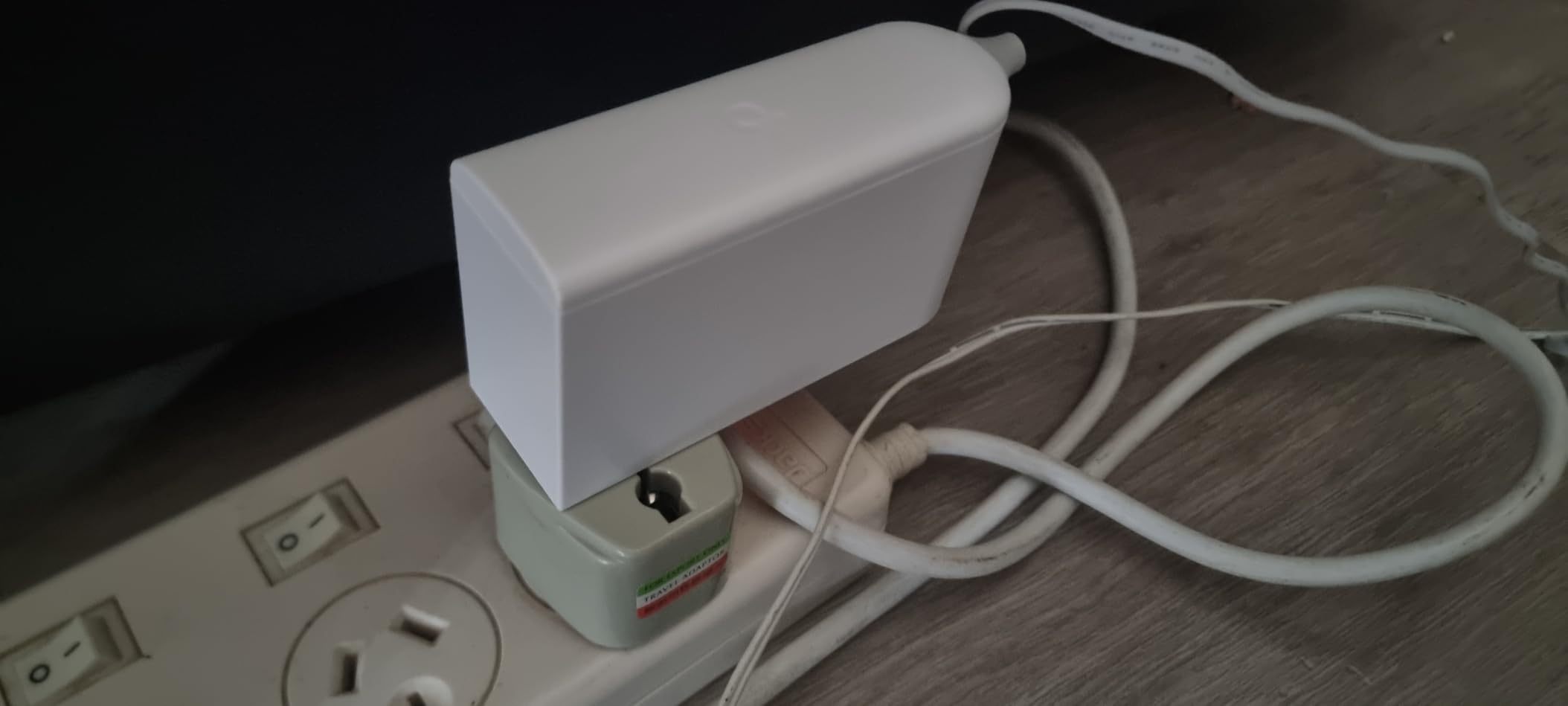
The Tapo H500 solved my subscription fatigue. After years of paying monthly fees for cloud camera storage, this hub stores footage locally on the 16GB internal drive plus a 2.5-inch SATA SSD I added. No monthly fees, full ownership of my recordings, and the app works just as well as the cloud version.
The facial recognition feature is genuinely useful. After a week of training, the H500 distinguished between family members and strangers with high accuracy. The HDMI output to my living room TV means I can monitor cameras while watching shows, with up to four live feeds on screen at once.
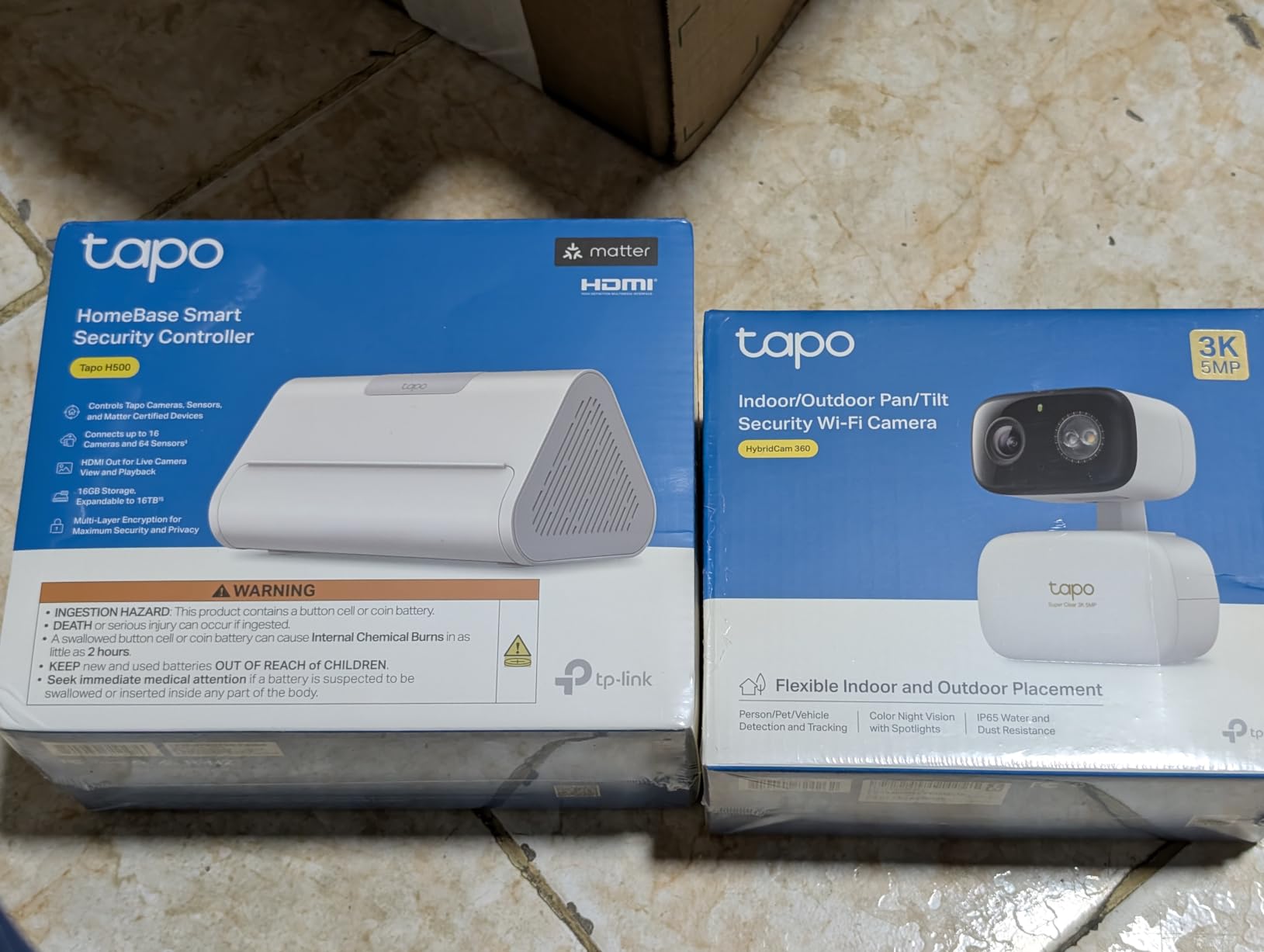
The reported Ethernet reliability issue is real for some users. After about three weeks of use, my Ethernet connection dropped twice and required a reboot to restore. WiFi connectivity was unaffected, so I switched to wireless and it has been stable since. This is a known firmware issue Tapo is working to address.
The Alexa integration for person detection routines broke with an early 2026 firmware update according to several reviews. Basic Alexa control still works. For users prioritizing camera management over full automation, the H500 is excellent value.
Storage expandability
The 2.5-inch SATA slot accepts HDDs or SSDs up to 16TB. A 1TB SSD holds roughly 30 days of continuous recording from four cameras at 1080p.
Camera compatibility
The H500 works with most Tapo cameras released in the last three years, including the C120, C320, C420, and doorbell models. Older V1 cameras may not pair.
12. Brilliant Smart Home Control – Best In-Wall Touchscreen
Brilliant Smart Home Control (2-Switch Panel) — Alexa Built-In & Compatible with Ring, Sonos, Hue, Google Nest, Wemo, SmartThings, Apple HomeKit — In-Wall Touchscreen Control for Lights, Music, & More
5 inch touchscreen
Alexa built-in
Ring + Sonos + Hue
Pros
- Beautiful touchscreen design
- Easy installation with detailed instructions
- Integrates Ring
- Sonos
- Hue
- and more
- Built-in Alexa voice control
Cons
- Device goes offline frequently for some users
- Limited smart home product support
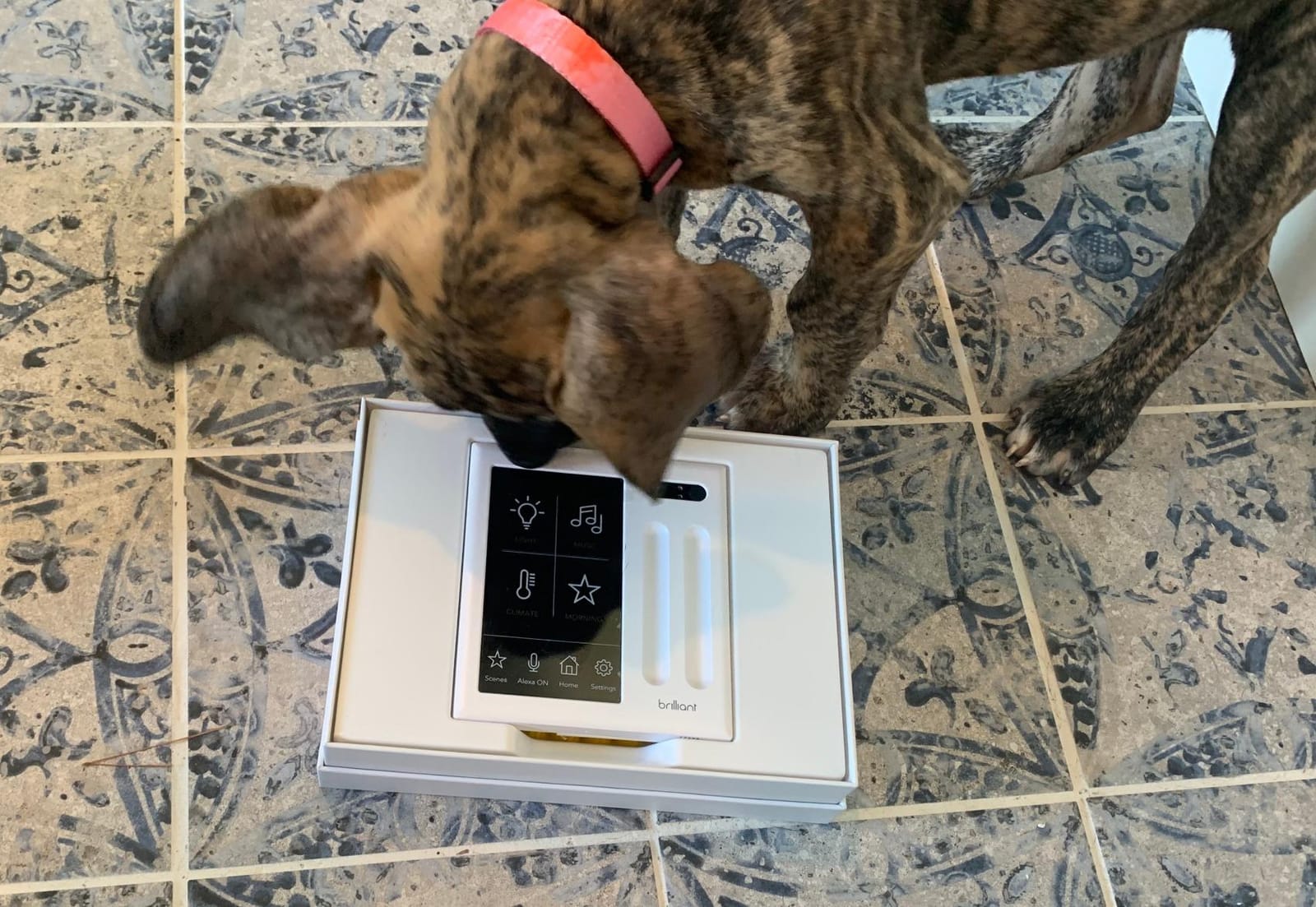
The Brilliant panel is the most physically impressive device in this roundup. The 5-inch touchscreen replaces a standard 2-gang light switch and looks like it was designed by Apple. I installed two panels in my home: one in the entryway and one in the master bedroom. The ability to tap a screen and dim lights, play music, or check the Ring doorbell is genuinely delightful.
For households with mixed tech comfort, Brilliant shines. My partner, who rarely touches the Alexa app, uses the Brilliant panel daily. The on-device controls are simple, and the Alexa integration adds voice control without requiring a separate Echo.
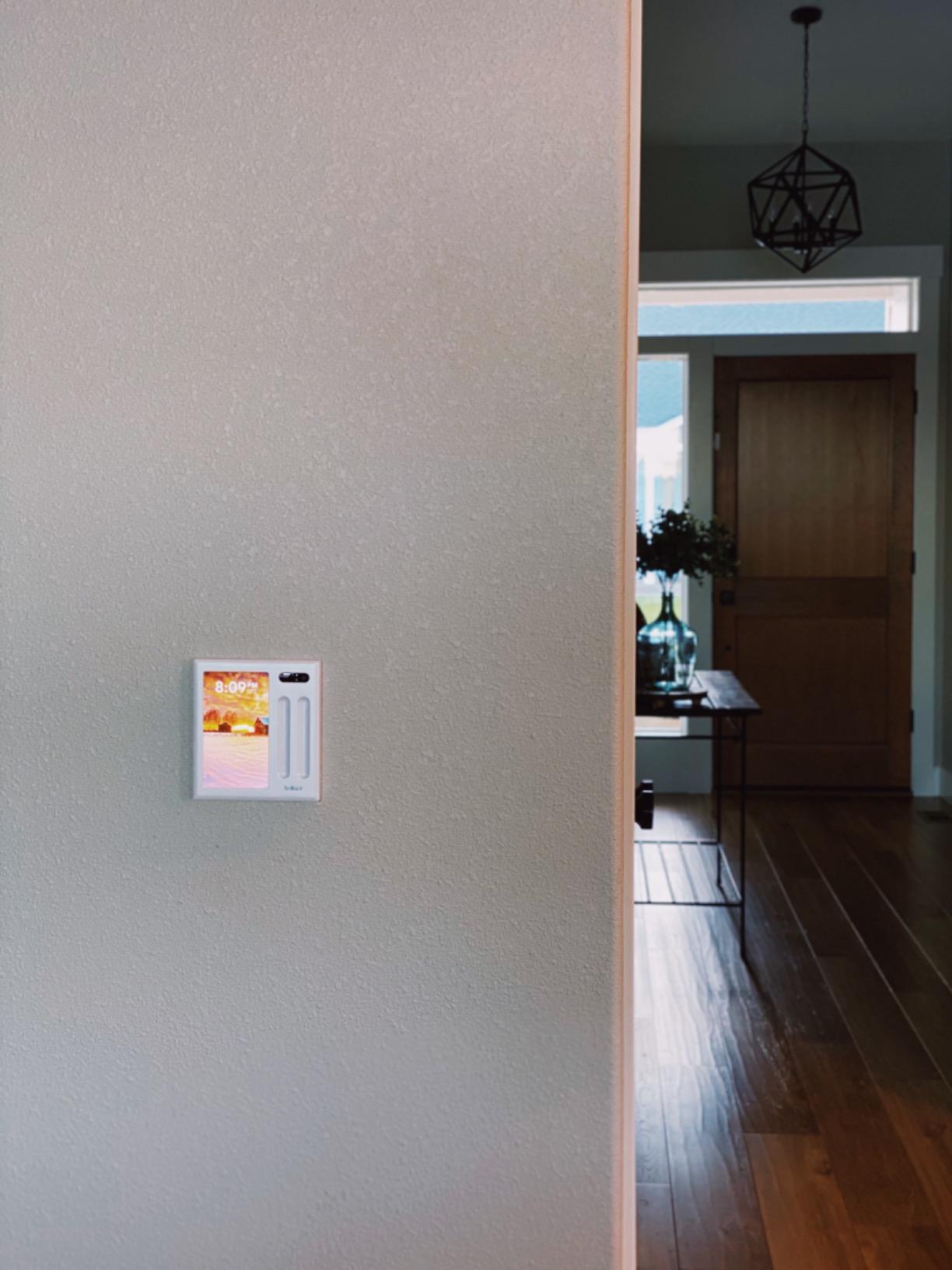
The reported WiFi reliability issues are the major concern. Reviewers mention panels going offline 70-80% of the time in some cases, requiring daily reboots. My experience over four months has been better (offline twice, fixed by rebooting the router), but it is a real consideration.
The lack of a local control API is frustrating for Home Assistant users. Settings changes must be made on the device itself, not through an app, which limits flexibility. For users committed to the Brilliant ecosystem and willing to accept occasional connectivity hiccups, the panel delivers a unique in-wall experience. Pair it with our whole-home audio guide for the complete Sonos experience.
Installation requirements
The Brilliant panel requires a 2-gang electrical box with neutral and ground wires. If your home lacks neutral wires, an electrician visit is required. The instructions are detailed and clear.
Multi-room coordination
Multiple Brilliant panels sync state across rooms. If you turn off the bedroom lights from the entryway panel, the bedroom panel updates immediately. This is rare in the smart home space and works well.
Buying Guide: Choosing the Right Whole Home Automation Controller
Picking a hub is harder than picking smart bulbs or switches, because the hub defines what is possible for years. We tested all 12 controllers above and learned what separates the great from the merely good. Here is what to consider before you buy.
Protocol support: Z-Wave vs Zigbee vs Matter
Z-Wave and Zigbee are the two dominant low-power mesh protocols. Z-Wave is more reliable and supports longer battery life on sensors, but device selection is smaller. Zigbee offers more device variety at lower cost, but mesh quality varies by manufacturer. Matter is the new cross-platform standard designed to make Z-Wave and Zigbee devices interoperable, and most modern hubs now include Matter controller support. If you are starting fresh, pick a hub that supports Matter plus at least one legacy protocol.
Thread is a low-power mesh protocol built into Matter devices. Hubs with Thread border router support (like the Aqara M3, Echo Hub, and Home Assistant Green with a dongle) future-proof your network for the next wave of smart home devices. For users planning to stay with their hub for 5+ years, Thread support is increasingly important.
Voice assistant compatibility
All 12 hubs in this roundup work with at least one major voice assistant: Alexa, Google Assistant, or Siri/HomeKit. If you are an Apple household, prioritize HomeKit-certified hubs like the Aqara M2, Lutron Caseta, or Home Assistant with the HomeKit Bridge integration. If you are an Alexa household, the Echo Hub and most other hubs integrate cleanly. Google Assistant support is widespread but slightly less deep than Alexa on most platforms.
Local vs cloud control
Cloud-dependent hubs (SmartThings, Alexa, most commercial systems) keep your automations running on remote servers. This makes setup easier but means your smart home stops working when your internet drops. Locally-processed hubs (Home Assistant, Aqara M3, partially Lutron) keep automations on-device. Reviewers on r/homeassistant consistently prefer local control for reliability and privacy.
Subscription fees and total cost of ownership
Most hubs in this roundup avoid mandatory subscriptions, which is a major plus. Lutron Caseta, Aqara, Philips Hue, and Home Assistant require no monthly fees. Some ecosystems (Alexa+, certain camera storage plans) offer optional subscriptions. Factor in the cost of additional sensors and switches, which can dwarf the hub price over time.
DIY vs professional installation
DIY-friendly hubs (Aqara, SwitchBot, Tapo, Aeotec, Lutron) install in under an hour with basic networking knowledge. The Brilliant panel requires electrical work and may need an electrician if your switch boxes lack neutral wires. High-end systems like Crestron, Savant, and Control4 require professional installation and cost significantly more, but offer bespoke whole-home integration that consumer hubs cannot match.
Privacy and data security
Cloud-based hubs send device telemetry to vendor servers. Local-only hubs like Home Assistant keep everything on your network. If privacy matters, prioritize hubs with local execution (Home Assistant, Aqara M3) or hubs with clear privacy policies (Lutron, Philips Hue). For users concerned about what happens when a company shuts down (the Insteon cautionary tale), open-source and local-first platforms offer the most protection.
Setup complexity and learning curve
Beginner-friendly hubs include the Tapo H100, Lutron Caseta, Philips Hue Bridge, and SwitchBot Hub 2. Each takes 15-30 minutes from box to working automation. Mid-level hubs include Aqara M2, Aeotec, Aqara M3, and Tapo H500, which require 30-60 minutes and some network configuration. Advanced hubs include Home Assistant Green, Brilliant, and Amazon Echo Hub, which require hours of configuration but offer deeper capabilities.
Future-proofing
Matter is the most important protocol to support in 2026. Every hub on this list except the older Brilliant panel includes Matter support. Thread border router support is the next wave. Hubs that combine Matter, Thread, Z-Wave or Zigbee, and local processing will serve you best over a 5-7 year ownership window.
Frequently Asked Questions
What is the best control system for home automation?
Home Assistant is the most flexible and powerful control system, with full local processing, broad device support, and no subscription. For users who want simpler setup, the Philips Hue Bridge is the best lighting-focused hub, while the Aeotec Smart Home Hub is the best multi-protocol option for Z-Wave, Zigbee, and Matter devices.
Which brand is considered the best for home automation?
There is no single best brand, because needs vary. Home Assistant leads for local-first power users. Philips Hue leads for lighting reliability. Lutron Caseta leads for switch-grade reliability. Aqara leads for affordable HomeKit integration. Apple HomeKit leads for Apple households. Control4 and Savant lead for high-end professional installations.
What is the difference between Z-Wave and Zigbee?
Z-Wave operates on a sub-1GHz frequency with less interference and longer battery life on sensors, but fewer compatible devices. Zigbee operates on 2.4GHz with more device variety at lower cost, but more potential WiFi interference. Both are mesh protocols that extend range by repeating signals through paired devices. Matter is a newer standard designed to bridge both protocols.
Do I need a hub for home automation?
You need a hub if you want Z-Wave or Zigbee devices, local automation processing, or to control many devices without cloud round-trips. You do not strictly need a hub for WiFi-only smart devices or for simple voice control through Alexa or Google Assistant. However, a hub unlocks whole-home automation routines that single devices cannot achieve alone.
Which home automation controller has no monthly fee?
Every hub in our top 12 roundup is free of mandatory subscriptions. Lutron Caseta, Philips Hue Bridge, Aqara M2 and M3, Aeotec Smart Home Hub, SwitchBot Hub 2, YoLink Hub, Home Assistant Green, Tapo H100 and H500, Amazon Echo Hub, and Brilliant Smart Home Control all work without monthly fees. Optional subscriptions exist for cloud camera storage and Alexa+ features, but the core automation functionality is free.
Final Verdict
For most households, the Philips Hue Bridge is the best whole home automation controller in 2026. It pairs reliability, broad compatibility, and Matter support with thousands of positive reviews and zero subscription fees. If your needs extend beyond lighting to multi-protocol sensors and switches, the Aeotec Smart Home Hub is the natural upgrade. If privacy and local control matter most, the Home Assistant Green is the platform reviewers consistently praise.
Whole home automation controllers have matured significantly over the past few years. Every hub in this roundup delivers a meaningful upgrade over juggling individual vendor apps. Pick the one that matches your protocol needs, voice ecosystem, and tolerance for tinkering, then start building routines. Your smart home will reward you daily.